parking brake MERCEDES-BENZ GLA SUV 2018 Owner's Manual
[x] Cancel search | Manufacturer: MERCEDES-BENZ, Model Year: 2018, Model line: GLA SUV, Model: MERCEDES-BENZ GLA SUV 2018Pages: 338, PDF Size: 5.59 MB
Page 8 of 338
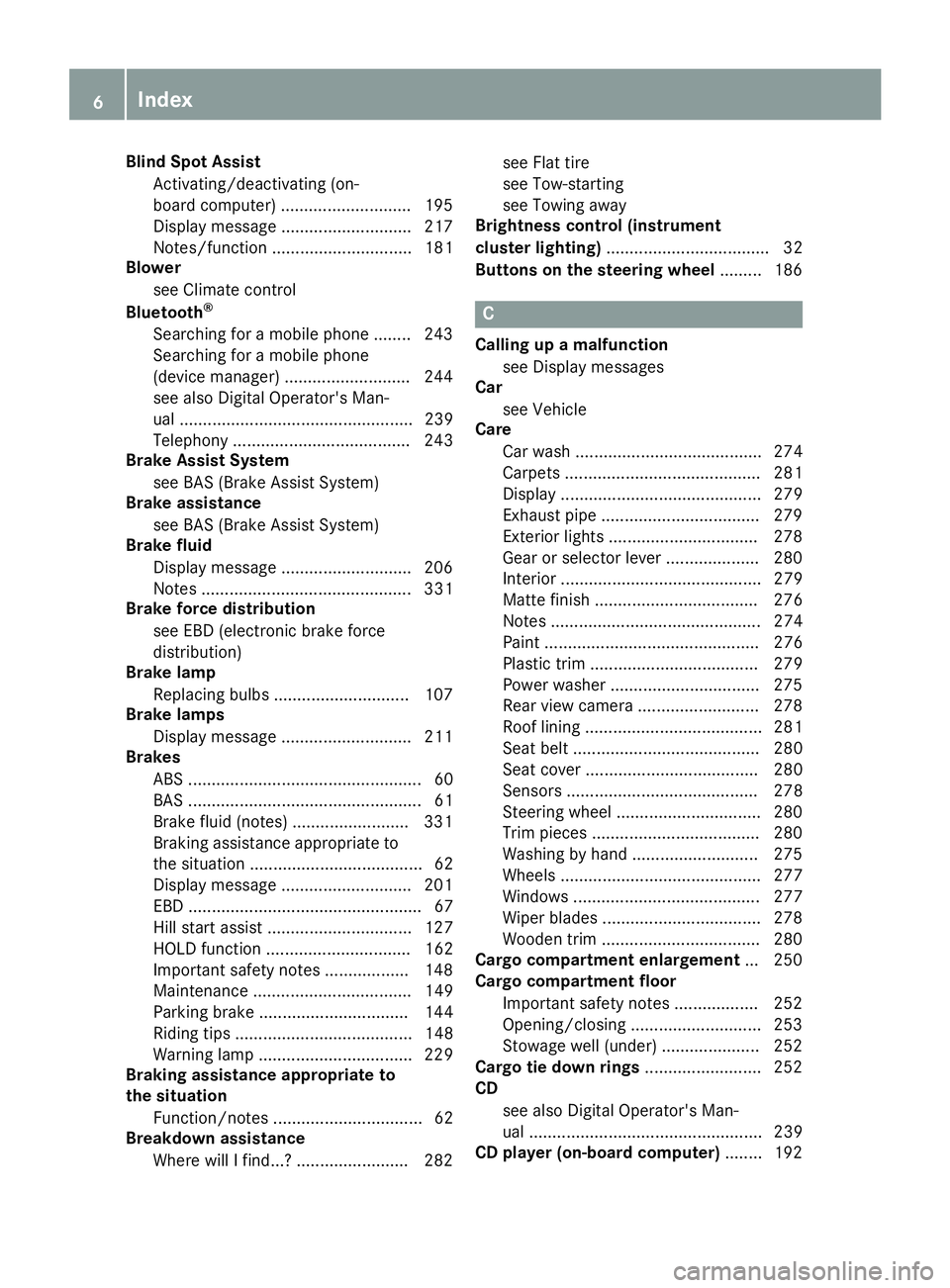
Blind Spot AssistActivating/deactivating (on-
board computer) ............................ 195
Display message ............................ 217
Notes/function .............................. 181
Blower
see Climate control
Bluetooth
®
Searching for a mobile phone ........ 243
Searching for a mobile phone
(device manager) ........................... 244
see also Digital Operator's Man-
ual .................................................. 239
Telephony ...................................... 243
Brake Assist System
see BAS (Brake Assist System)
Brake assistance
see BAS (Brake Assist System)
Brake fluid
Display message ............................ 206
Notes ............................................. 331
Brake force distribution
see EBD (electronic brake force
distribution)
Brake lamp
Replacing bulbs ............................. 107
Brake lamps
Display message ............................ 211
Brakes
ABS .................................................. 60
BAS .................................................. 61
Brake fluid (notes) ......................... 331
Braking assistance appropriate to
the situation ..................................... 62
Display message ............................ 201
EBD .................................................. 67
Hill start assist ............................... 127
HOLD function ............................... 162
Important safety notes .................. 148
Maintenance .................................. 149
Parking brake ................................ 144
Riding tips ...................................... 148
Warning lamp ................................. 229
Braking assistance appropriate to
the situation
Function/notes ................................ 62
Breakdown assistance
Where will I find...? ........................ 282 see Flat tire
see Tow-starting
see Towing away
Brightness control (instrument
cluster lighting) ................................... 32
Buttons on the steering wheel ......... 186
C
Calling up a malfunction
see Display messages
Car
see Vehicle
Care
Car wash ........................................ 274
Carpets .......................................... 281
Display ........................................... 279
Exhaust pipe .................................. 279
Exterior lights ................................ 278
Gear or selector lever .................... 280
Interior ........................................... 279
Matte finish ................................... 276
Notes ............................................. 274
Paint .............................................. 276
Plastic trim .................................... 279
Power washer ................................ 275
Rear view camera .......................... 278
Roof lining ...................................... 281
Seat belt ........................................ 280
Seat cover ..................................... 280
Sensors ......................................... 278
Steering wheel ............................... 280
Trim pieces .................................... 280
Washing by hand ........................... 275
Wheels ........................................... 277
Windows ........................................ 277
Wiper blades .................................. 278
Wooden trim .................................. 280
Cargo compartment enlargement ... 250
Cargo compartment floor
Important safety notes .................. 252
Opening/closing ............................ 253
Stowage well (under) ..................... 252
Cargo tie down rings ......................... 252
CD
see also Digital Operator's Man-
ual .................................................. 239
CD player (on-board computer) ........ 192
6Index
Page 11 of 338
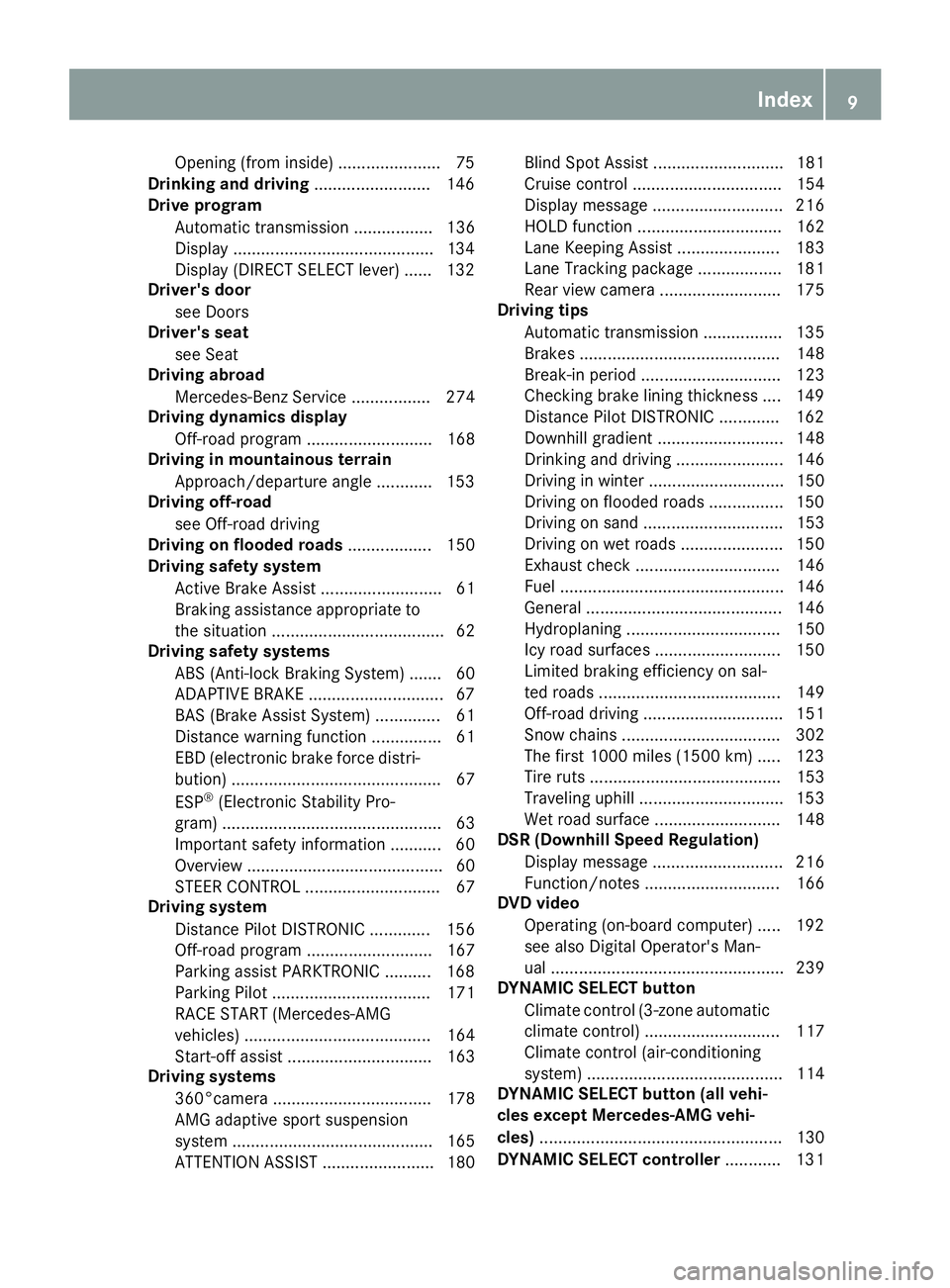
Opening (from inside) ......................75
Drinking and drivin g........................ .146
Drive program
Automatic transmission ................. 136
Display ...........................................1 34
Display (DIRECT SELECT lever) ...... 132
Driver's door
see Doors
Driver's seat
see Seat
Driving abroad
Mercedes-Benz Service ................. 274
Driving dynamics display
Off-road program ........................... 168
Driving in mountainous terrain
Approach/departure angle ............ 153
Driving off-road
see Off-road driving
Driving on flooded roads .................. 150
Driving safety system
Active Brake Assist .......................... 61
Braking assistance appropriate to
the situation ..................................... 62
Driving safety systems
ABS (Anti-lock Braking System) ....... 60
ADAPTIVE BRAKE .............................6 7
BAS (Brake Assist System) .............. 61
Distance warning function ............... 61
EBD (electronic brake force distri-
bution) ............................................. 67
ESP
®(Electronic Stability Pro-
gram) ............................................... 63
Important safety information ........... 60
Overview .......................................... 60
STEER CONTROL ............................. 67
Driving system
Distance Pilot DISTRONIC ............. 156
Off-road program ........................... 167
Parking assist PARKTRONIC .......... 168
Parking Pilot .................................. 171
RACE START (Mercedes-AMG
vehicles) ........................................ 164
Start-off assist ............................... 163
Driving systems
360°camera .................................. 178
AMG adaptive sport suspension
system ........................................... 165
ATTENTION ASSIST ........................ 180 Blind Spot Assist ............................ 181
Cruise control ................................ 154
Display message ............................ 216
HOLD function ............................... 162
Lane Keeping Assist ...................... 183
Lane Tracking package .................. 181
Rear view camera .......................... 175
Driving tips
Automatic transmissi on ................. 135
Bra
kes ........................................... 148
Break-in period .............................. 123
Checking brake lining thickness .... 149
Distance Pilot DISTRONIC ............. 162
Downhill gradient ........................... 148
Drinking and driving ....................... 146
Driving in winter ............................. 150
Driving on flooded roads ................ 150
Driving on sand .............................. 153
Driving on wet roads ...................... 150
Exhaust check ............................... 146
Fuel ................................................ 146
General .......................................... 146
Hydroplaning ................................. 150
Icy road surfaces ........................... 150
Limited braking efficiency on sal-
ted roads ....................................... 149
Off-road driving .............................. 151
Snow chains .................................. 302
The first 1000 miles (1500 km) ..... 123
Tire ruts ......................................... 153
Traveling uphill ............................... 153
Wet road surface ........................... 148
DSR (Downhill Speed Regulation)
Display message ............................ 216
Function/notes ............................. 166
DVD video
Operating (on-board computer) ..... 192
see also Digital Operator's Man-
ual .................................................. 239
DYNAMIC SELECT button
Climate control (3-zone automaticclimate control) ............................. 117
Climate control (air-conditioning
system) .......................................... 114
DYNAMIC SELECT button (all vehi-
cles except Mercedes-AMG vehi-
cles) .................................................... 130
DYNAMIC SELECT controller ............ 131
Index9
Page 17 of 338
On-board computerAMG menu .................................... .197
Assistance graphic menu ...............1 94
Assistance menu ........................... 193
Audio menu ................................... 191
Convenience submenu .................. 197
Display messages .......................... 200
Displaying a service message ........2 73
Factory settings .............................1 97
Important safety notes .................. 185
Instrument cluster submenu .......... 195
Lighting submenu .......................... 196
Menu overview .............................. 188
Message memory .......................... 200
Navigation menu ............................ 190
Operation ....................................... 186
RACETIMER ................................... 198
Service menu ................................. 195
Settings menu ............................... 195
Standard display ............................ 189
Telephone menu ............................ 192
Trip menu ...................................... 189
Vehicle submenu ........................... 196
Video DVD operation ..................... 192
On-board diagnostic interface
see Diagnostics connection
Opening and closing the side trim
panels ................................................. 107
Operating safety
Declaration of conformity ................ 27
Operating system
see On-board computer
Operation
Digital Operator's Manual ................ 24
Operator's Manual
Vehicle equipment ........................... 26
Outside temperature display ........... 185
Overhead control panel ...................... 38
Override feature
Rear side windows ........................... 59
P
Paint code number ............................ 327
Paintwork (cleaning instructions) ... 276
Panic alarm .......................................... 39 Panorama roof with power tilt/
sliding panel
Important safety notes .................... 87
Operating ......................................... 88
Operating the roller sunblinds for
the sliding sunroof ........................... 88
Problem (malfunction) ..................... 90
Reversing feature ............................. 87
Parcel shelf ........................................ 252
Parking
Important safety notes .................. 143
Parking brake ................................ 144
Parking position for the exterior
mirror on the front-passenger
side .................................................. 99
Rear view camera .......................... 175
Parking aid
see Exterior mirrors
see Rear view camera
Parking Assist PARKTRONIC
Deactivating/activating ................. 170
Driving system ............................... 168
Function/notes ............................. 168
Important safety notes .................. 168
Problems (malfunctions) ................ 171
Sensor range ................................. 169
Warning display ............................. 170
Parking assistance
see Parking Assist PARKTRONIC
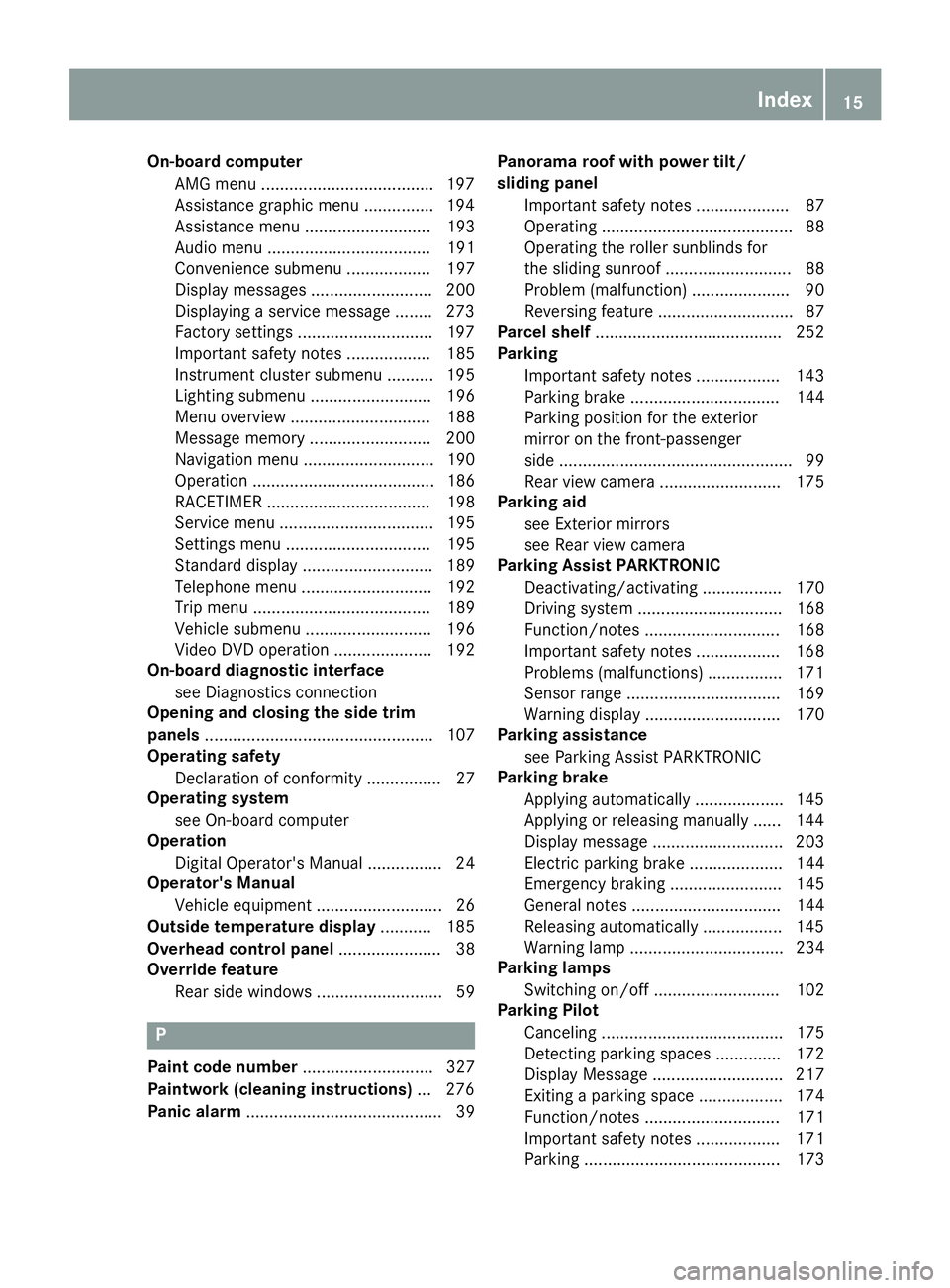
Parking brake
Applying automatically ................... 145
Applying or releasing manually ...... 144
Display message ............................ 203
Electric parking brake .................... 144
Emergency braking ........................ 145
General notes ................................ 144
Releasing automatically ................. 145
Warning lamp ................................. 234
Parking lamps
Switching on/off ........................... 102
Parking Pilot
Canceling ....................................... 175
Detecting parking spaces .............. 172
Display Message ............................ 217
Exiting a parking space .................. 174
Function/notes ............................. 171
Important safety notes .................. 171
Parking .......................................... 173
Index15
Page 18 of 338
PASSENGER AIR BAGDisplay message ............................2 09
Indicator lamps ................................ 40
Problem (malfunction) ................... 209
Pets in the vehicle ............................... 59
Phone book
see also Digital Operator's Man-
ual ..................................................2 39
Plastic trim (cleaning instruc-
tions) ..................................................2 79
Power washers .................................. 275
Power windows
see Side windows
Protection against theft
ATA (Anti-Theft Alarm system) ......... 67
Immobilizer ...................................... 67
Protection of the environment
General notes .................................. 25
Pulling away
Automatic transmission ................. 127
General notes ................................ 127
Hill start assist ............................... 127
Q
QR codeMercedes-Benz Guide App ................. 1
Rescue card ..................................... 28
Qualified specialist workshop ........... 27
R
RACE START
Important safety notes .................. 164
RACE START (Mercedes-AMG vehi-
cles) .................................................... 164
RACE TIMER (on-board computer,
Mercedes-AMG vehicles) .................. 198
Radio
Selecting a station ......................... 191
see Digital Operator's Manual
Radio mode
see also Digital Operator's Man-
ual ..................................................2 39
Radio-wave reception/transmis-
sion in the vehicle
Declaration of conformity ................ 27 Rain closing feature (panorama
roof with power tilt/sliding panel)
.... 88
Reading lamp ..................................... 104
Rear compartment
Setting the air vents ......................1 22
Rear fog lamp
Display message ............................ 212
Replacing bulbs .............................1 07
Switching on/off ........................... 102
Rear lamps
see Lights
Rear seat
Adjusting the angle of the backr-
ests ................................................ 251
Rear seats
Folding the backrest forwards/
back ............................................... 251
Rear view camera
"Reverse parking" function ............ 177
Cleaning instructions ..................... 278
Display in the multimedia system .. 176
Function/notes .............................1 75
General notes ................................ 175
Switching on/off ........................... 176
Rear window defroster
Problem (malfunction) ................... 121
Switching on/off ........................... 121
Rear window wiper
Replacing the wiper blade .............. 111
Switching on/off ........................... 109
Rear-view mirror
Anti-glare (manual) .......................... 97
Dipping (automatic) ......................... 98
Reflective safety jacket .................... 282
Refrigerant (air-conditioning sys-
tem)
Important safety notes .................. 332
Refueling
Fuel gauge ....................................... 32
Important safety notes .................. 140
Refueling process .......................... 141
see Fu
el
Remote control
Garage door opener ....................... 264
Programming (garage door
opener) .......................................... 265
Replacing bulbs
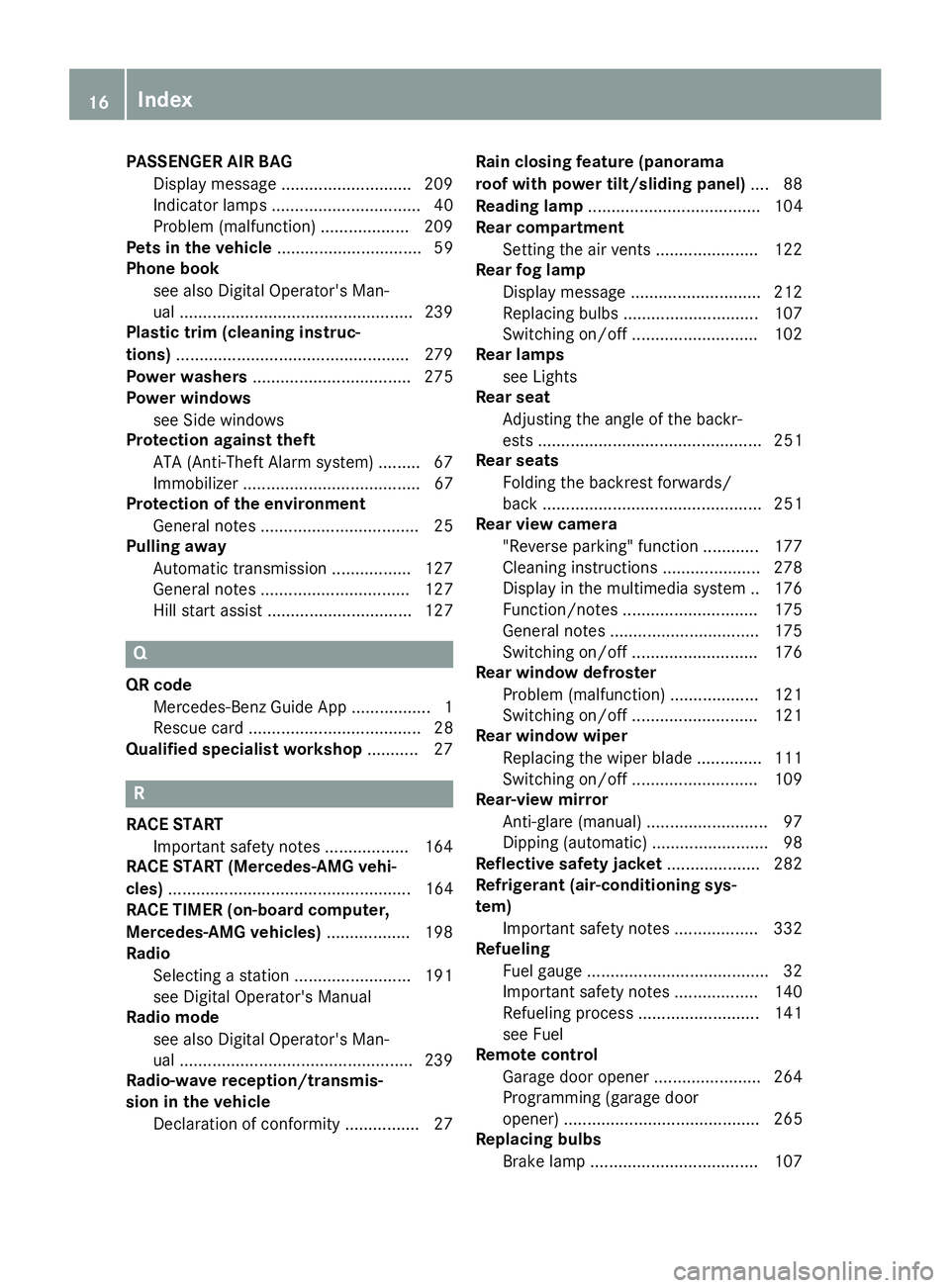
Brake lamp ....................................1 07
16Index
Page 24 of 338
Type identification platesee Vehicle identification plate
U
UnlockingEmergency unlocking ....................... 76
From inside the vehicle (central
unlocking button) ............................. 75
Upshift indicator (on-board com-
puter, Mercedes-AMG vehicles) ....... 197
USB devices
Connecting to the Media Inter-
face ...............................................2 46
V
Vanity mirror (in the sun visor)........255
Vehicle
Correct use ...................................... 27
Data acquisition ............................... 28
Display message ............................ 222
Equipment ....................................... 26
Individual settings .......................... 195
Limited Warranty .............................2 8
Loading .......................................... 310
Locking (in an emergency) ............... 77
Locking (SmartKey) .......................... 69
Lowering ........................................ 323
Maintenance .................................... 26
Parking for a long period ................ 145
Pulling away ................................... 127
Raising ........................................... 321
Reporting problems ......................... 27
Securing from rolling away ............ 321
Transporting .................................. 296
Unlocking (in an emergency) ........... 76
Unlocking (SmartKey) ...................... 69
Vehicle data ................................... 333
Vehicle battery
see Battery (vehicle)
Vehicle data
Roof load (maximum) ..................... 333
Vehicle data (off-road driving)
Approach/departure angle ............ 334
Maximum gradient climbing abil-
ity .................................................. 334
Vehicle dimensions ........................... 333 Vehicle emergency locking
................ 77
Vehicle identification number
see VIN
Vehicle identification plate .............. 327
Vehicle tool kit .................................. 283
Ventilation
Setting the vents ........................... 122
Video
Operating the DVD ......................... 192
see also Digital Operator's Man-
ual .................................................. 239
VIN
Seat ............................................... 328
Type plate ...................................... 327
W
Warning and indicator lampsABS ................................................ 230
Active Brake Assist ........................ 237
Brakes ........................................... 229
Check Engine ................................. 234
Coolant .......................................... 235
Distance warning ........................... 237
ESP
®.............................................. 231
ESP®OFF ....................................... 232
Fuel tank ........................................ 234
Overview .......................................... 32
Reserve fuel ................................... 234
Restraint system ............................ 234
Seat belt ........................................ 227
SPORT handling mode ................... 232
Tire pressure monitor .................... 238
Warning triangle ................................ 283
Washer fluid
Display message ............................ 225
Weather display (COMAND)
see also Digital Operator's Man-
ual .................................................. 239
Wheel and tire combinations
Tires ............................................... 323
Wheel bolt tightening torque ........... 323
Wheel chock ...................................... 321
Wheels
Changing a wheel .......................... 319
Checking ........................................ 299
Cleaning ......................................... 277
Emergency spare wheel ................. 324
22Index
Page 33 of 338
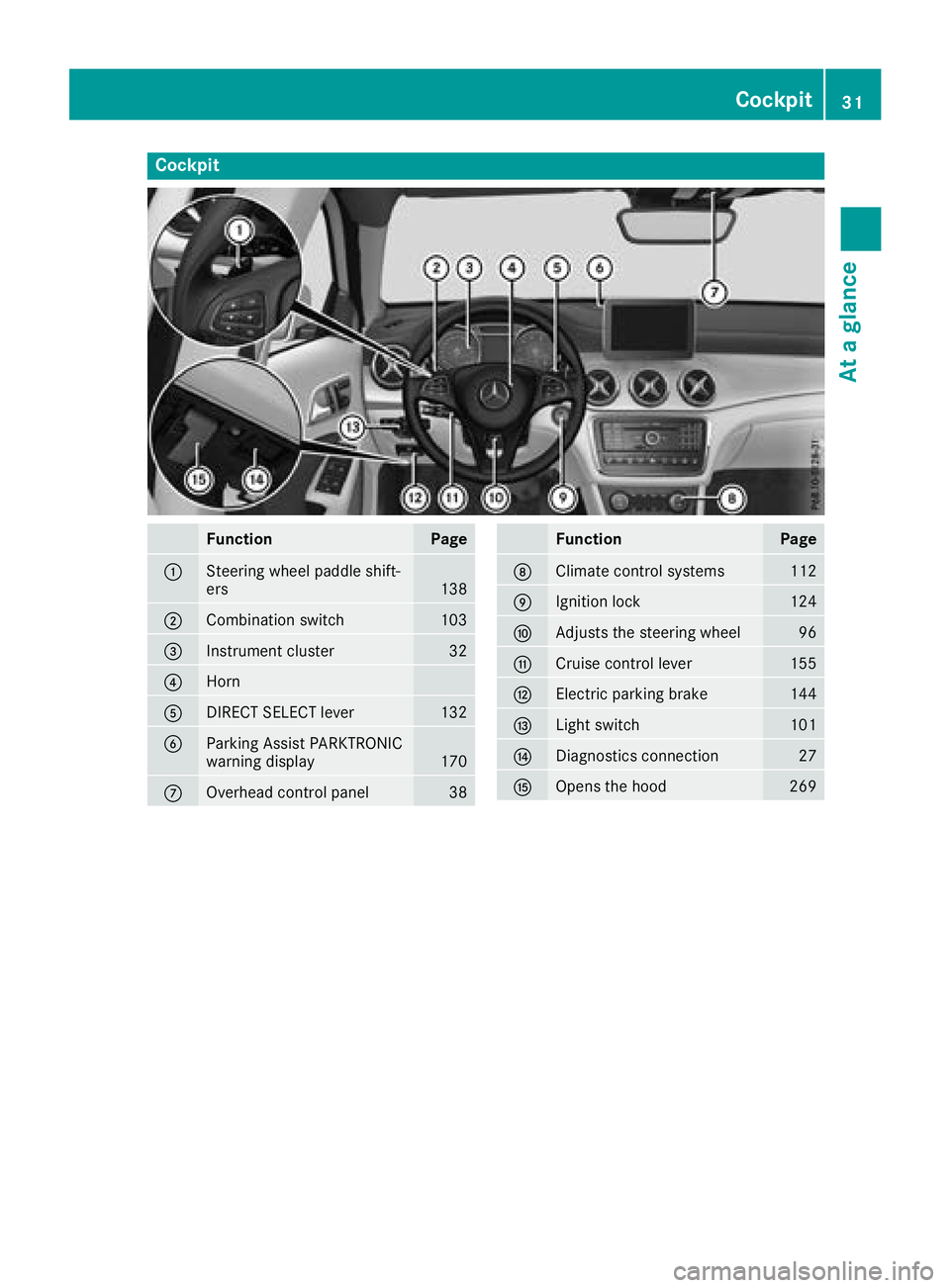
Cockpit
FunctionPage
:Steering wheel paddle shift-
ers138
;Combination switch103
=Instrument cluster32
?Horn
ADIRECT SELECT lever132
BParking Assist PARKTRONIC
warning display170
COverhead control panel38
FunctionPage
DClimate control systems112
EIgnition lock124
FAdjusts the steering wheel96
GCruise control lever155
HElectric parking brake144
ILight switch101
JDiagnostics connection27
KOpens the hood269
Cockpit31
At a glance
Page 34 of 338
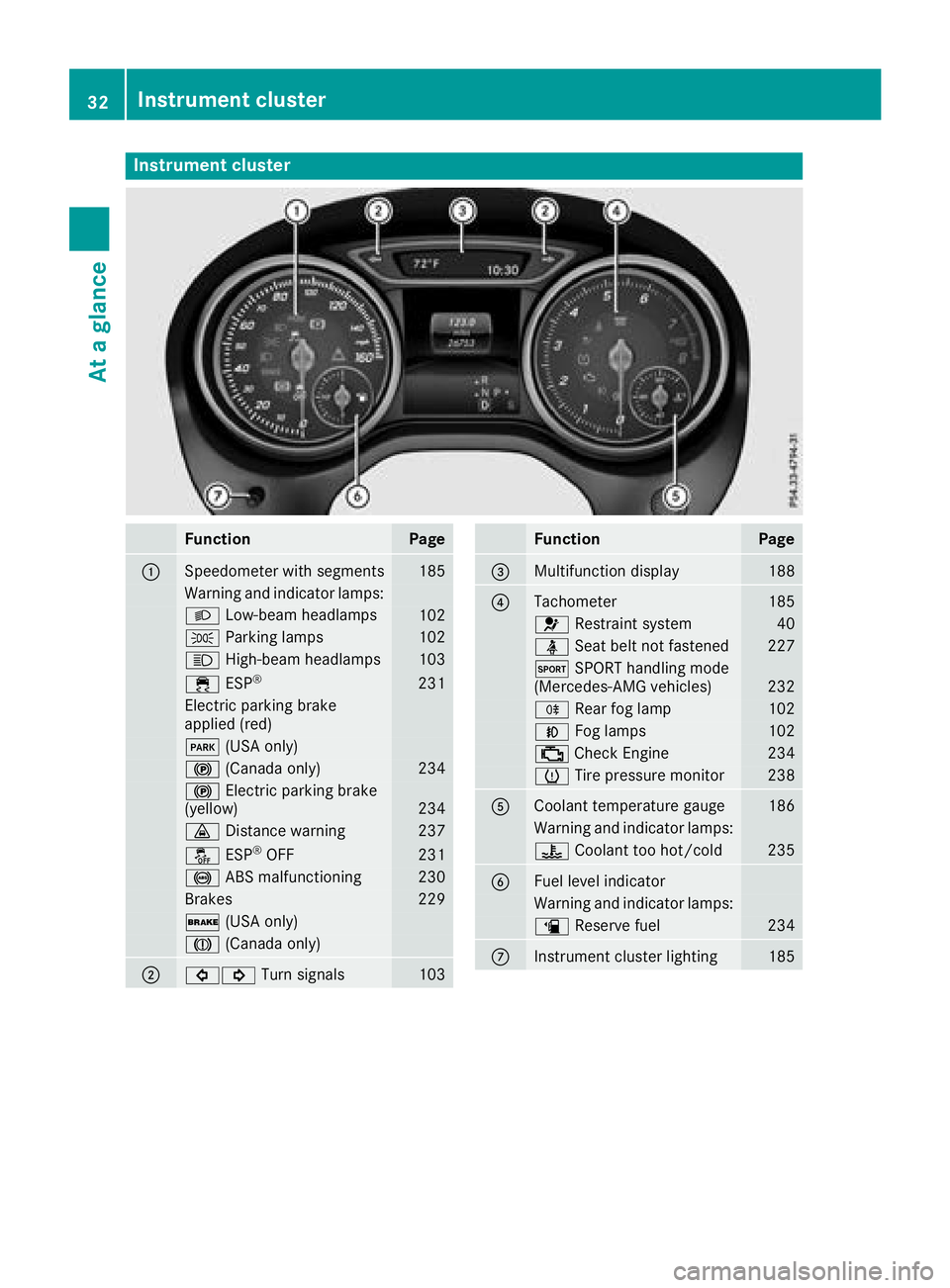
Instrument cluster
FunctionPage
:Speedometer wit hsegments18 5
Warning and indicator lamps:
L Low-beam headlamps102
T Parking lamp s102
K High-beam headlamps103
÷ ESP®23 1
Electric parking brak e
applie d(red)
F (USAonly)
! (Canada only)234
! Electric parking brak e
(yellow)23 4
· Distanc ewarning23 7
å ESP®OF F231
! ABSmalfunctioning23 0
Brake s229
$ (USAonly)
J (Canada only)
;#! Turn signals103
FunctionPag e
=Multifunction display188
?Tachometer185
6 Restrain tsystem40
ü Seat belt no tfastene d227
M SPORT handlin gmod e
(Mercedes-AM Gvehicles)23 2
R Rear fog lamp102
N Foglamp s102
; CheckEngin e234
h Tirepressur emonitor23 8
ACoolan ttemperature gauge18 6
Warning and indicator lamps:
? Coolan tto ohot/cold23 5
BFue llevel indicator
Warning and indicator lamps:
æ Reserve fuel234
CInstrumen tcluste rlighting18 5
32Instrument cluster
At a glance
Page 56 of 338
GWARNING
If you leave children unsupervised in the vehi-
cle, they could set it in motion by, for example:
Rrelease the parking brake.
Rshift the automatic transmission out of the
parking position P.
Rstart the engine.
In addition, they may operate vehicle equip-
ment and become trapped. There is a risk of
an accident and injury.
When leaving the vehicle, always take the
SmartKey with you and lock the vehicle. Never
leave children unsupervised in the vehicle.
GWARNING
If persons, particularly children are subjected to prolonged exposure to extreme heat or
cold, there is a risk of injury, possibly even
fatal. Never leave children unattended in the
vehicle.
GWARNING
If the child restraint system is subjected to
direct sunlight, parts may get very hot. Chil-
dren may burn themselves on these parts,
particularly on the metal parts of the child
restraint system. There is a risk of injury.
If you leave the vehicle, taking the child with
you, always ensure that the child restraint
system is not exposed to direct sunlight. Pro- tect it with a blanket, for example. If the child
restraint system has been exposed to direct
sunlight, let it cool down before securing the
child in it. Never leave children unattended in
the vehicle.
Always ensure that all vehicle occupants have
their seat belts fastened correctly and are sitting
properly. Particular attention must be paid to
children.
Observe the safety notes on the seat belt
(
Ypage 41) and the notes on correct use of seat
belts (Ypage 42).
A booster seat may be necessary to achieve
proper seat belt positioning for children over
40 lbs (18 kg) until they reach a height where a three-point seat belt can be properly fastened
without a booster seat.
Special seatbelt retractor
GWARNING
If the seat belt is released while driving, the
child restraint system will no longer be
secured properly. The special seat belt retrac- tor is disabled and the inertia real draws in a
portion of the seat belt. The seat belt cannot
be immediately refastened. There is an
increased risk of injury, possibly even fatal.
Stop the vehicle immediately, paying atten-
tion to road and traffic conditions. Reactivate
the special seat belt retractor and secure the
child restraint system properly.
All seat belts in the vehicle, except the driver's
seat belt, are equipped with a special seat belt
retractor. When activated, the special seat belt
retractor ensures that the seat belt cannot
slacken once the child seat is secured.
Installing a child restraint system:
XMake sure you observe the child restraint
system manufacturer's installation instruc-
tions.
XPull the seat belt smoothly from the belt out-
let.
XEngage seat belt tongue in belt buckle.
Activating the special seat belt retractor:
XPull the seat belt out fully and let the inertia
reel retract it again.
While the seat belt is retracting, you should
hear a ratcheting sound. The special seat belt
retractor is enabled.
XPush the child restraint system down so that
the seat belt is tight and does not loosen.
Removing the child restraint system and deac-
tivating the special seat belt retractor:
XMake sure you observe the child restraint
system manufacturer's installation instruc-
tions.
XPress the release button of the seat belt
buckle and guide the seat belt tongue back
towards the belt sash guide.
The special seat belt retractor is deactivated.
54Children in the vehicle
Safety
Page 60 of 338
Rearward-facing child restraint system
If it is absolutely necessary to install a rearward-
facing child restraint system on the front-
passenger seat, always make sure that the
front-passenger front air bag is deactivated.
Only if the PASSENGER AIR BAG OFF indicator
lamp is permanently lit (
Ypage 40) is the front-
passenger front air bag deactivated.
Always observe the child restraint system man-
ufacturer's installation and operating instruc-
tions.
Forward-facing child restraint system
If it is absolutely necessary to install a forward-
facing child restraint system on the front-
passenger seat, always move the front-
passenger seat as far back as possible. Fully
retract the seat cushion length. The entire base
of the child restraint system must always rest on
the seat cushion of the front-passenger seat.
The backrest of the child restraint system must
lie as flat as possible against the backrest of the front-passenger seat. The child restraint system
must not touch the roof or be subjected to a load
by the head restraint. Adjust the angle of the
seat backrest and the head restraint position
accordingly. Always make sure that the shoul-
der belt strap is correctly routed from the vehi-
cle belt outlet to the shoulder belt guide on the
child restraint system. The shoulder belt strap
must be routed forward and down from the vehi-
cle belt outlet. If necessary, adjust the vehicle
belt outlet and the front-passenger seat accord-
ingly.
Always observe the child restraint system man-
ufacturer's installation and operating instruc-
tions.
Child-proof locks
Important safety notes
GWARNING
If children are traveling in the vehicle, they
could:
Ropen doors, thus endangering other people
or road users
Rexit the vehicle and be caught by oncoming
traffic
Roperate vehicle equipment and become
trapped
There is a risk of an accident and injury.
Always activate the child-proof locks and
override feature if children are traveling in the vehicle. When leaving the vehicle, always take
the key with you and lock the vehicle. Never
leave children unattended in the vehicle.
Override feature for:
Rthe rear doors (Ypage 59)
Rthe rear side windows (Ypage 59)
GWARNING
If you leave children unsupervised in the vehi-
cle, they could set it in motion by, for example:
Rrelease the parking brake.
Rshift the automatic transmission out of the
parking position P.
Rstart the engine.
In addition, they may operate vehicle equip-
ment and become trapped. There is a risk of
an accident and injury.
When leaving the vehicle, always take the
SmartKey with you and lock the vehicle. Never
leave children unsupervised in the vehicle.
GWARNING
If persons, particularly children are subjected to prolonged exposure to extreme heat or
cold, there is a risk of injury, possibly even
fatal. Never leave children unattended in the
vehicle.
58Children in the vehicle
Safety
Page 63 of 338
BAS (Brake Assist System)
General information
BAS operates in emergency braking situations.
If you depress the brake pedal quickly, BAS
automatically boosts the braking force, thus
shortening the stopping distance.
Important safety notes
iObserve the "Important safety notes" sec-
tion (Ypage 60).
GWARNING
If BAS is malfunctioning, the braking distance
in an emergency braking situation is
increased. There is a risk of an accident.
In an emergency braking situation, depress
the brake pedal with full force. ABS prevents
the wheels from locking.
Braking
XKeep the brake pedal firmly depressed until
the emergency braking situation is over.
ABS prevents the wheels from locking.
The brakes will function as usual once you
release the brake pedal. BAS is deactivated.
Active Brake Assist
General information
iObserve the "Important safety notes" sec-
tion (Ypage 60).
Active Brake Assist consists of a distance warn-
ing function with an autonomous braking func-
tion and situation-dependent braking assis-
tance
Active Brake Assist can help you to minimize the
risk of a collision with the vehicle traveling in
front or reduce the effects of such a collision.
If Active Brake Assist detects that there is a risk
of collision, you will be warned visually and
acoustically. If you do not react to the visual and
audible collision warning, autonomous braking
can be initiated in critical situations. If you apply
the brake yourself in a critical situation, Active
Brake Assist supports you with situation-
dependent braking assistance.
Important safety notes
Detection of hazardous situations can be par-
ticularly impaired if:
Rthere is dirt on the sensors or anything else
covering the sensors
Rthere is snow or heavy rain
Rthere is interference by other radar sources
Rthere are strong radar reflections, for exam-
ple in parking garages
Ra narrow vehicle is traveling in front, e.g. a
motorbike
Ra vehicle is traveling in front on a different line
Ryou are driving a new vehicle or servicing on
the Active Brake Assist system has just been
carried out
Observe the important safety notes in the
"Breaking-in notes" section (
Ypage 123).
Following damage to the front end of the vehicle,
have the configuration and operation of the
radar sensor checked at a qualified specialist
workshop. This also applies to collisions at low
speeds where no visible damage to the front of
the vehicle is apparent.
Activating/deactivating
Active Brake Assist is active after every ignition
cycle.
You can activate or deactivate Active Brake
Assist (
Ypage 194) in the on-board computer.
When deactivated, the distance warning func-
tion and the autonomous braking function are
also deactivated.
If Active Brake Assist is deactivated, the æ
symbol appears in the assistance graphic dis-
play.
If you have activated DSR, Active Brake Assist is
deactivated. For further information on DSR,
see (
Ypage 166).
Distance warning function
General information
The distance warning function can help you to
minimize the risk of a front-end collision with a
vehicle ahead or reduce the effects of such a
collision. If the distance warning function
detects that there is a risk of a collision, you will
be warned visually and acoustically.
Driving safety systems61
Safety
Z