heating MERCEDES-BENZ GLB SUV 2019 Owner's Manual
[x] Cancel search | Manufacturer: MERCEDES-BENZ, Model Year: 2019, Model line: GLB SUV, Model: MERCEDES-BENZ GLB SUV 2019Pages: 689, PDF Size: 11.39 MB
Page 563 of 689
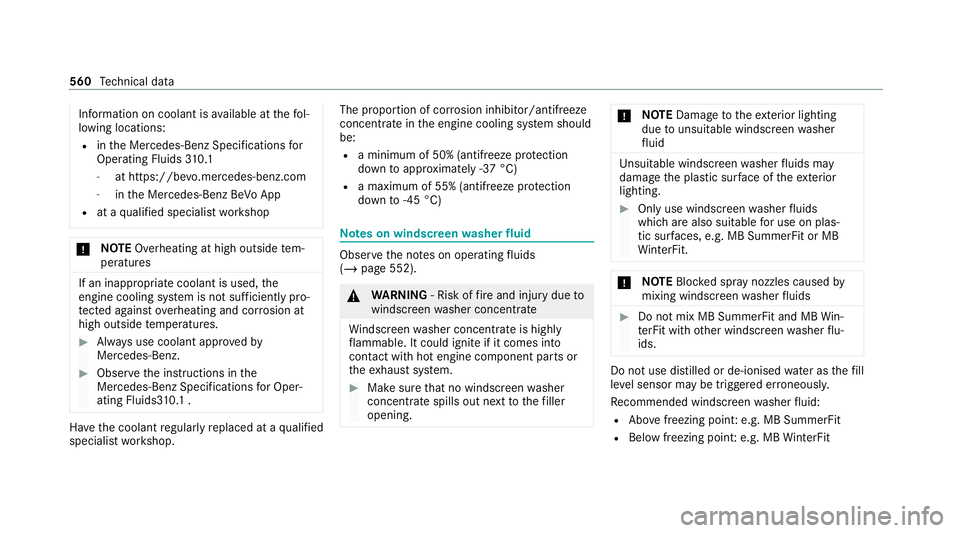
Information on coolant is
available at thefo l‐
lowing locations:
R inthe Mercedes-Benz Specifications for
Operating Fluids 310.1
- at https://be vo.mercedes-benz.com
- inthe Mercedes-Benz BeVo App
R at a qualified specialist workshop *
NO
TEOverheating at high outside tem‐
peratures If an inapp
ropriate coolant is used, the
engine cooling sy stem is not suf ficiently pro‐
te cted against overheating and cor rosion at
high outside temp eratures. #
Alw ays use coolant appr ovedby
Mercedes-Benz. #
Obser vethe instructions in the
Mercedes-Benz Specifications for Oper‐
ating Fluids3 10.1 . Ha
ve the coolant regularly replaced at a qualified
specialist workshop. The proportion of cor
rosion inhibitor/antifreeze
concentrate in the engine cooling sy stem should
be:
R a minimum of 50% (antifreeze pr otection
down toappr oximately -37 °C)
R a maximum of 55% (antifreeze pr otection
down to-45 °C) Note
s on windscreen washer fluid Obser
vethe no tes on operating fluids
(/ page 552). &
WARNING ‑ Risk of fire and injury due to
windscreen washer concentrate
Wi ndsc reen washer concentrate is highly
fl ammable. It could ignite if it comes into
con tact wi thhot engine component parts or
th eex haust sy stem. #
Make sure that no windsc reen washer
concentrate spills out next tothefiller
opening. *
NO
TEDama getotheex terior lighting
due tounsuitable windsc reen washer
fl uid Uns
uitable windsc reen washer fluids may
damage the plastic sur face of theex terior
lighting. #
Only use windscreen washer fluids
which are also suitable for use on plas‐
tic sur faces, e.g. MB SummerFit or MB
Wi nterFit. *
NO
TEBlocked spr aynozzles caused by
mixing windscreen washer fluids #
Do not mix MB SummerFit and MB Win‐
te rFit with other windscreen washer flu‐
ids. Do not use distilled or de-ionised
water asthefill
le ve l sensor may be triggered er roneously.
Re commended windscreen washer fluid:
R Abo vefreezing point: e.g. MB SummerFit
R Below freezing point: e.g. MB WinterFit 560
Tech nical da ta
Page 580 of 689
Ve
hicle Display messages
Possible causes/consequences and M
MSolutions
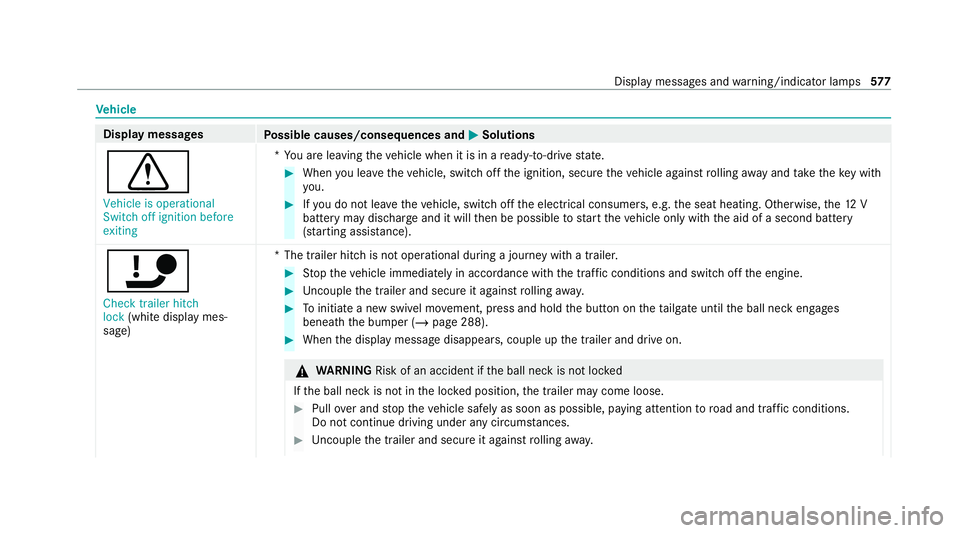
d Vehicle is operational
Switch off ignition before
exiting *Y
ou are leaving theve hicle when it is in a ready-to-drive state. #
When you lea vetheve hicle, switch off the ignition, secure theve hicle against rolling away and take theke y with
yo u. #
Ifyo u do not lea vetheve hicle, switch off the electrical consumers, e.g. the seat heating. Otherwise, the12 V
battery may dischar geand it will then be possible tostart theve hicle only with the aid of a second battery
(s ta rting assis tance).
ï Check trailer hitch
lock (whitedisplay mes‐
sage) *T
he trailer hitch is not operational during a journey with a trailer. #
Stop theve hicle immediately in accordance with the traf fic conditions and switch off the engine. #
Uncouple the trailer and secure it against rolling away. #
Toinitiate a new swivel mo vement, press and hold the button on theta ilgate until the ball neck engages
beneath the bumper (/ page 288). #
When the display message disappears, couple up the trailer and drive on. &
WARNING Risk of an accident if the ball neck is not loc ked
If th e ball neck is not in the loc ked position, the trailer may come loose. #
Pull over and stop theve hicle safely as soon as possible, paying attention toroad and traf fic conditions.
Do not continue driving under any circums tances. #
Uncouple the trailer and secure it against rolling away. Displ
aymessa ges and warning/indicator lamps 577
Page 591 of 689
Display messages
Possible causes/consequences and M
MSolutions
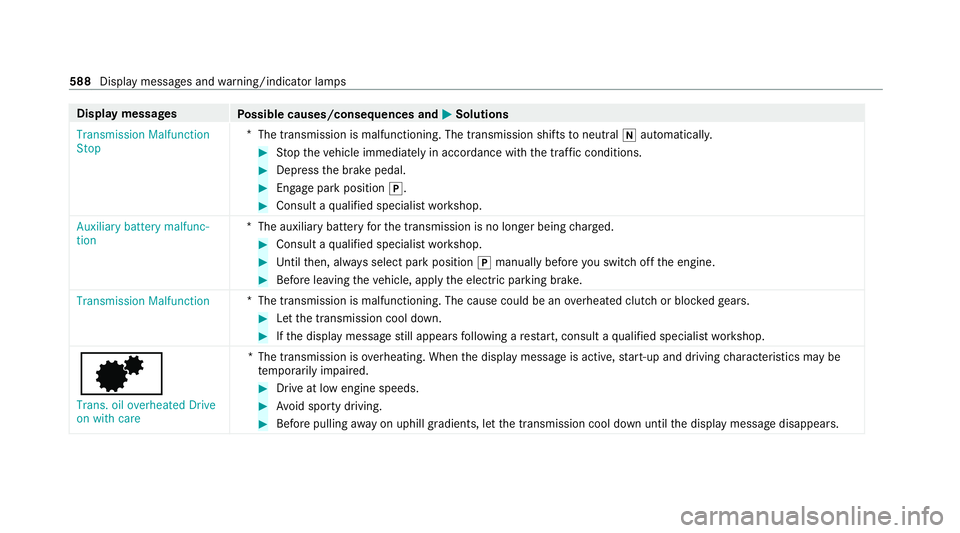
Transmission Malfunction
Stop *
The transmission is malfunctioning. The transmission shifts toneutral iautomatically. #
Stop theve hicle immediately in accordance with the traf fic conditions. #
Depress the brake pedal. #
Enga gepark position j. #
Consult a qualified specialist workshop.
Auxiliary battery malfunc-
tion *T
he auxiliary batteryforth e transmission is no longer being charge d. #
Consult a qualified specialist workshop. #
Untilthen, alw ays select park position jmanually before you swit choff the engine. #
Before leaving theve hicle, apply the electric parking brake.
Transmission Malfunction *T
he transmission is malfunctioning. The cause could be an overheated clutch or bloc kedge ars. #
Let the transmission cool down. #
Ifth e display message still appears following a restart, consult a qualified specialist workshop.
d
Trans. oil overheated Drive
on with care *T
he transmission is overheating. When the display message is active, start-up and driving characteristics may be
te mp orarily impaired. #
Drive at low engine speeds. #
Avoid sporty driving. #
Before pulling away on uphill gradients, let the transmission cool down until the display message disappears. 588
Display messages and warning/indicator lamps
Page 593 of 689
Display messages
Possible causes/consequences and M
MSolutions #
Depress the clutch pedal again.
The engine will start automaticall y. #
Slowly release the clutch pedal topull away.
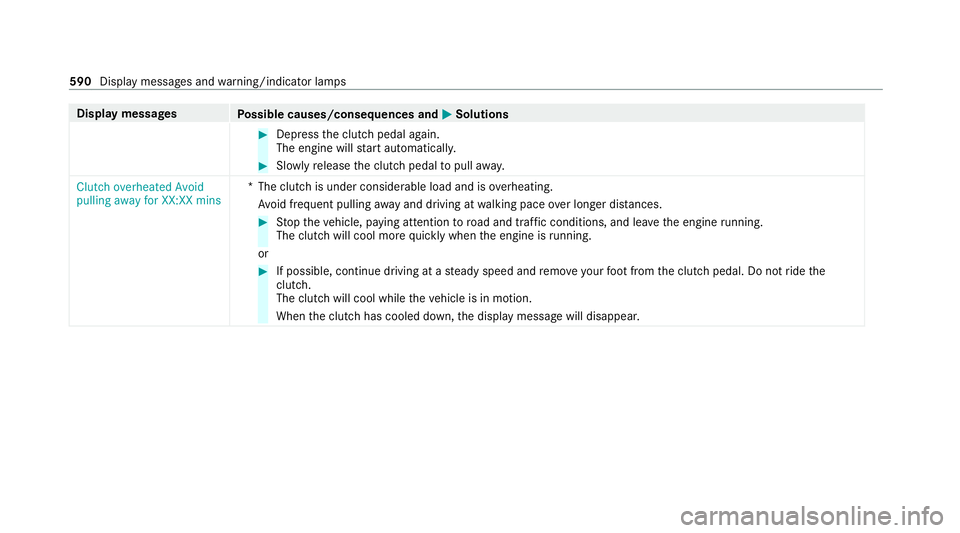
Clutch overheated Avoid
pulling away for XX:XX mins *T
he clutch is under considerable load and is overheating.
Av oid frequent pulling away and driving at walking pace over longer dis tances. #
Stop theve hicle, paying attention toroad and traf fic conditions, and le avethe engine running.
The clutch will cool more quickly when the engine is running.
or #
If possible, continue driving at a steady speed and remo veyour foot from the clutch pedal. Do not ride the
clutch.
The clutch will cool while theve hicle is in motion.
When the clutch has cooled down, the display message will disappear. 590
Display messages and warning/indicator lamps
Page 619 of 689
Display messages
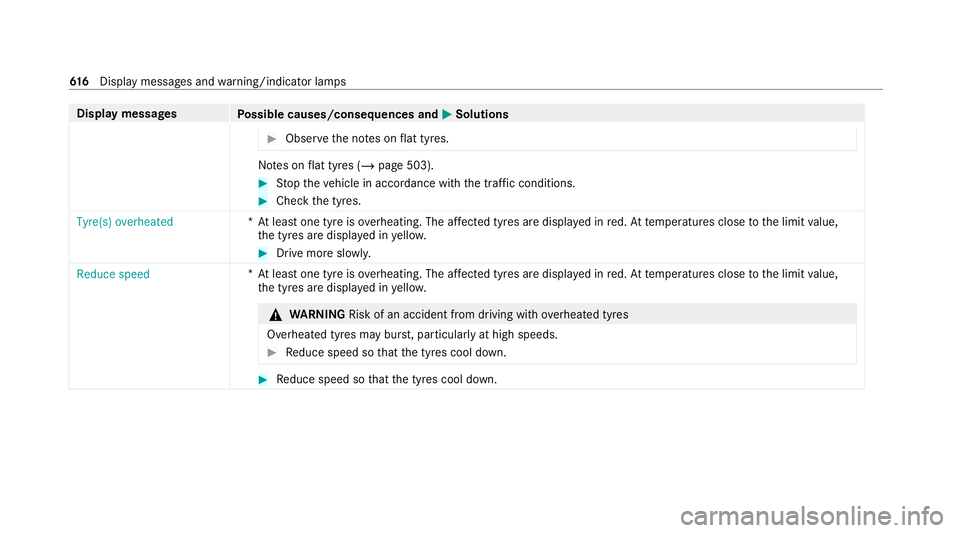
Possible causes/consequences and M
MSolutions #
Obser vethe no tes on flat tyres. No
tes on flat tyres (/ page 503). #
Stop theve hicle in accordance with the tra ffic conditions. #
Check the tyres.
Tyre(s) overheated *A
t least one tyre is overheating. The af fected tyres are displ ayed in red. At temp eratures close tothe limit value,
th e tyres are displa yed in yello w. #
Drive more sl owly.
Reduce speed *A
t least one tyre is overheating. The af fected tyres are displ ayed in red. At temp eratures close tothe limit value,
th e tyres are displa yed in yello w. &
WARNING Risk of an accident from driving wi thove rheated tyres
Overheated tyres may bur st, particularly at high speeds. #
Reduce speed so that the tyres cool down. #
Reduce speed so that the tyres cool down. 61 6
Displaymessa ges and warning/indicator lamps
Page 660 of 689
Fu
el consum ption indicator
Calling up ............................................ 201
Fu nction seat
see Door cont rol panel
Fu ses ........................................................ 520
Before replacing a fuse ........................ 520
Fu se assignment diagram ...................5 20
Fu se box in the engine compartment .. 521
Fu se box in the front passenger foot‐
we ll ...................................................... 522
Fu se box in the load compartment ...... 523
No tes .................................................. 520 G
Garage door opener Cleari ngthe memory ........................... 219
Opening or closing the door ................. 218
Programming buttons .......................... 216
Ra dio equipment appr oval numbers .... 219
Re solving problems .............................. 218
Synchronising thero lling code ............ .217
Gearshift recommendation ............ 202, 206
General operating permit number
(EU) .......................................................... .550 Genuine parts
............................................ 22
Glide mode ............................................... 206
Global sear ch
Fu nction .............................................. 354
Overview ............................................. 354
Glo vecompa rtment
Locking/unlo cking .............................. 127 H
Handbrake see Electric parking brake
Handling characteristics (unusual) ....... 524
HANDS-FREE ACCESS ................................ 96
Haza rdwa rning lights ............................ .158
Head restra int
Fr ont (adjusting mechanically) .............1 18
Re ar (adjusting) .................................... 11 9
Re ar (fitting/removing) ........................ 11 9
Head-up display ....................................... 306
Ad justing display elements (on-board
compu ter) ............................................ 306
Ad justing the brightness (on-board
computer) ............................................ 306 Fu
nction .............................................. 307
Menu (on-board compu ter) .................. 306
Operating the memory function ........... 124
Setting the position (on-board com‐
puter) .................................................. 306
Switching on/off ................................. 308
Headla mpflasher ................................... .157
Heating see Climate control
High beam Adaptive Highbeam Assist .................. .160
Ad aptive Highbeam Assist Plus ............ 161
Switching on/off ................................. 157
High-pressure cleaner (care) ................. 492
Hill Start Assist ....................................... 255
HOLD function ......................................... 255
Fu nction/no tes ................................... 255
Switching on/off ................................. 255
Home screen (media display) Overview ..............................................3 31
Hotspot Setting up (Wi-Fi) ................................. 368 Index
657
Page 672 of 689
Re
ading light
Switching on/off using poses .............. 341
Re ading light
see Interior lighting
Re alwo od (Care) .................................... .499
Re ar door (child saf ety lock) .................... 79
Re ar fog light
Switching on/off .................................1 56
Re ar seat
see Seat
see Third rowof seats
Re ar seat belt
St atus display ........................................ 41
Re ar seat belt status display .................... 41
Re ar window
Changing the wiper blade .................... 17 0
Re ar window heater ................................ 175
Re ar window wipers
Ac tivating/deactivating ...................... .168
Re ar-view mir ror
see Outside mir rors Re
cycling
see Take -ba ckof end-of-life vehicles
Re ducing agent
see AdBlue ®
Re fuelling
Re fuelling theve hicle .......................... 209
To pping up AdBlue ®
............................. 213
Re gistration
Ve hicle .................................................. 30
Re mo tecont rol (stationa ryheater/
ve ntilation)
Displa ys............................................... 181
Problems ............................................. 183
Re placing the battery .......................... 182
Setting ................................................. 180
Re mo teOnline
Charging the battery ............................1 89
Cooling or heating theve hicle inte‐
ri or .......................................................1 89
St arting theve hicle ............................. 189
Re placing a bulb
see Changing bulbs
Re scue card ............................................... 31Re
ser ve
Fu el ..................................................... 556
Re set function (multimedia sy stem) .....3 72
Re sidual heat ...........................................1 78
Re storing (factory settings)
see Reset function (multimedia sy stem)
Re stra int sy stem ...................................... .35
Basic instructions forch ildren .............. .50
Fu nction in an accident ........................ .36
Fu nctionality .......................................... 36
Malfunction ........................................... 36
Pr otection ..............................................35
Re duced pr otection ...............................35
Self-test ................................................. 36
Wa rning lamp ........................................ 36
Re versege ar
Inserting .............................................. 204
Re versing camera .................................. .263
Care .................................................... 497
Fu nction .............................................. 263
Opening the camera co ver (360°
Camera) ............................................. .270
Switching auto matic operation
on/off (360° Camera) ......................... 270 Index
669
Page 682 of 689

Locking (digital
vehicle keyst icke r) ...... .88
Locking (from the inside) ....................... 87
Locking (KEYLESS-GO) ..........................89
Locking (mobile phone) ......................... 88
Locking/unlocking (emergency key) ...... 91
Lo we ring ............................................. 543
Pa rking up .......................................... .224
QR code rescue card ............................. 31
Qualified specialist workshop ................30
Ra ising ................................................ 540
REA CHregulation ..................................31
Re gistration ...........................................30
St andby mode function ...................... .224
St arting (Digital Vehicle Keyst icke r) .... 187
St arting (eme rgency operation
mode) .................................................. 188
St arting (mobile phone) ...................... .187
St arting (Remo teOnline) ..................... 189
St arting (s tart/s top button) ................ 186
Switching off (s tart/s top button) .........2 15
To wing ................................................ .293
Un locking (digital vehicle keyst icke r) .... 88
Un locking (from the inside) ...................87
Un locking (KEYLESS-GO) ...................... .89
Un locking (mobile phone) ...................... 88
Ve ntilating (co nvenience opening) ....... 100Vo
ice commands (LINGU ATRO NIC) .....3 26
Ve hicle data
Angle of app roach/departure ............ .562
Displ aying (DYNAMIC SELECT) ............ 200
Fo rding dep th...................................... 562
Maximum gradient climbing ability ...... 562
Ro of load ............................................. 561
Tr ans ferring toAndroid Auto ............... 446
Tr ans ferring toApple CarPl ay®
............ 446
Ve hicle height ...................................... 561
Ve hicle length ...................................... 561
Ve hicle width ....................................... 561
Wheelbase ...........................................5 61
Ve hicle dimensions ................................. 561
Ve hicle identification number
see VIN
Ve hicle identification plate .................... 550
EU general operating pe rmit number .. 550
Pa int code .......................................... .550
Pe rm issible axle load .......................... .550
Pe rm issible gross mass ....................... 550
VIN ...................................................... 550
Ve hicle interior
Cooling or heating (Remo teOnline) ..... 189Ve
hicle key
see Key
Ve hicle maintenance
see ASS YST PLUS
Ve hicle position
Switching transmission on/off ............ 365
Ve hicle tool kit ........................................ 504
TIREFIT kit .......................................... .504
To wing eye ...........................................5 19
Ve ntilating
Con venience opening .......................... 100
Ve ntilation
see Climate cont rol
Ve nts
see Air vents
VIN ............................................................ 550
Engine compa rtment ........................... 550
Identification plate .............................. 550
Wi ndsc reen ......................................... 550
Vi sion
Demisting windo ws.............................. 178
Vo ice amplification tothere ar
Ac tivating/deactivating ...................... .365 Index
67 9