media MERCEDES-BENZ GLC 2017 User Guide
[x] Cancel search | Manufacturer: MERCEDES-BENZ, Model Year: 2017, Model line: GLC, Model: MERCEDES-BENZ GLC 2017Pages: 374, PDF Size: 8.42 MB
Page 19 of 374
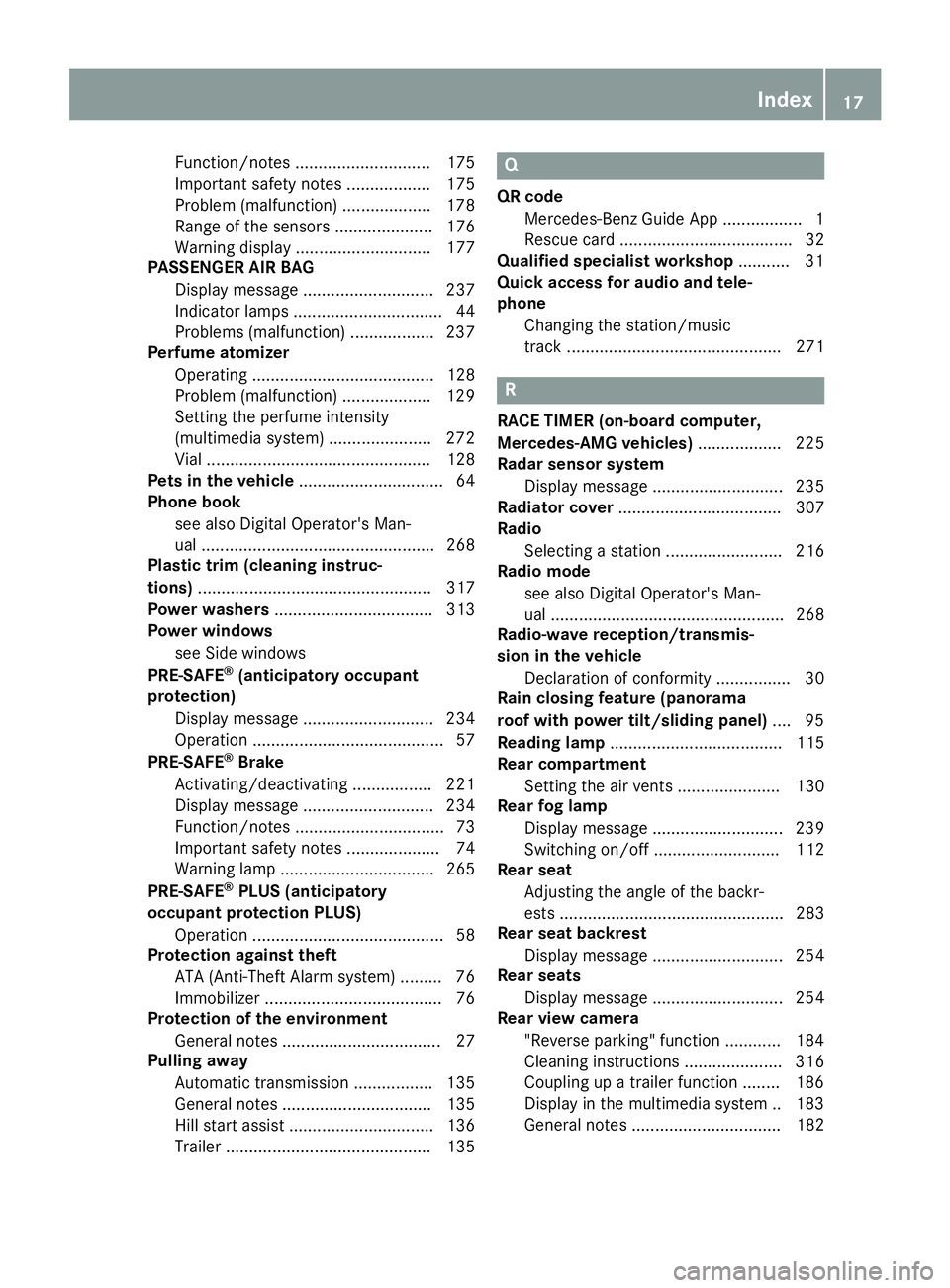
Function/notes ............................. 175
Important safety notes .................. 175
Problem (malfunction) ................... 178
Range of the sensors ..................... 176
Warning display ............................. 177
PASSENGER AIR BAG
Display message ............................ 237
Indicator lamps ................................ 44
Problems (malfunction) .................. 237
Perfume atomizer
Operating ....................................... 128
Problem (malfunction) ................... 129
Setting the perfume intensity
(multimedia system) ...................... 272
Vial ................................................ 128
Pets in the vehicle ............................... 64
Phone book
see also Digital Operator's Man-
ual .................................................. 268
Plastic trim (cleaning instruc-
tions) .................................................. 317
Power washers .................................. 313
Power windows
see Side windows
PRE-SAFE ®
(anticipatory occupant
protection)
Display message ............................ 234
Operation ......................................... 57
PRE-SAFE ®
Brake
Activating/deactivating ................. 221
Display message ............................ 234
Function/notes ................................ 73
Important safety notes .................... 74
Warning lamp ................................. 265
PRE-SAFE ®
PLUS (anticipatory
occupant protection PLUS)
Operation ......................................... 58
Protection against theft
ATA (Anti-Theft Alarm system) ......... 76
Immobilizer ...................................... 76
Protection of the environment
General notes .................................. 27
Pulling away
Automatic transmission ................. 135
General notes ................................ 135
Hill start assist ............................... 136
Trailer ............................................ 135 Q QR code
Mercedes-Benz Guide App ................. 1
Rescue card ..................................... 32
Qualified specialist workshop ........... 31
Quick access for audio and tele-
phone
Changing the station/music
track .............................................. 271
R RACE TIMER (on-board computer,
Mercedes-AMG vehicles) .................. 225
Radar sensor system
Display message ............................ 235
Radiator cover ................................... 307
Radio
Selecting a station ......................... 216
Radio mode
see also Digital Operator's Man-
ual .................................................. 268
Radio-wave reception/transmis-
sion in the vehicle
Declaration of conformity ................ 30
Rain closing feature (panorama
roof with power tilt/sliding panel) .... 95
Reading lamp ..................................... 115
Rear compartment
Setting the air vents ...................... 130
Rear fog lamp
Display message ............................ 239
Switching on/off ........................... 112
Rear seat
Adjusting the angle of the backr-
ests ................................................ 283
Rear seat backrest
Display message ............................ 254
Rear seats
Display message ............................ 254
Rear view camera
"Reverse parking" function ............ 184
Cleaning instructions ..................... 316
Coupling up a trailer function ........ 186
Display in the multimedia system .. 183
General notes ................................ 182 Index 17
Page 23 of 374
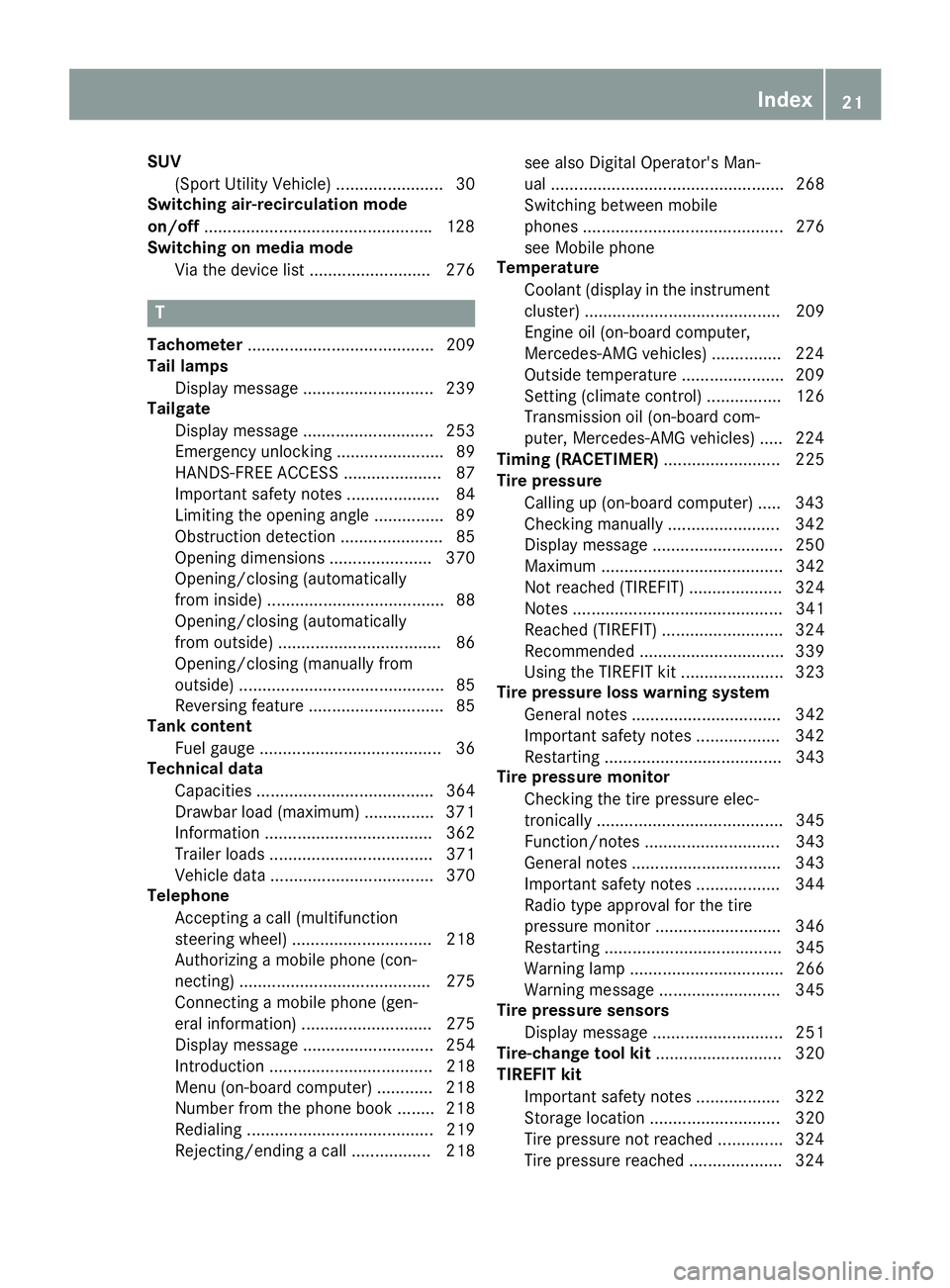
SUV
(Sport Utility Vehicle) ....................... 30
Switching air-recirculation mode
on/off ................................................ .1 28
Switching on media mode
Via the device list .......................... 276
T Tachometer ........................................ 209
Tail lamps
Display message ............................ 239
Tailgate
Display message ............................ 253
Emergency unlocking ....................... 89
HANDS-FREE ACCESS ..................... 87
Important safety notes .................... 84
Limiting the opening angle ............... 89
Obstruction detection ...................... 85
Opening dimensions ...................... 370
Opening/closing (automatically
from inside) ...................................... 88
Opening/closing (automatically
from outside) ................................... 86
Opening/closing (manually from
outside) ............................................ 85
Reversing feature ............................. 85
Tank content
Fuel gauge ....................................... 36
Technical data
Capacities ...................................... 364
Drawbar load (maximum) ............... 371
Information .................................... 362
Trailer loads ................................... 371
Vehicle data ................................... 370
Telephone
Accepting a call (multifunction
steering wheel) .............................. 218
Authorizing a mobile phone (con-
necting) ......................................... 275
Connecting a mobile phone (gen-
eral information) ............................ 275
Display message ............................ 254
Introduction ................................... 218
Menu (on-board computer) ............ 218
Number from the phone book ........ 218
Redialing ........................................ 219
Rejecting/ending a call ................. 218 see also Digital Operator's Man-
ual .................................................. 268
Switching between mobile
phones ........................................... 276
see Mobile phone
Temperature
Coolant (display in the instrument
cluster) .......................................... 209
Engine oil (on-board computer,
Mercedes-AMG vehicles) ............... 224
Outside temperature ...................... 209
Setting (climate control) ................ 126
Transmission oil (on-board com-
puter, Mercedes-AMG vehicles) ..... 224
Timing (RACETIMER) ......................... 225
Tire pressure
Calling up (on-board computer) ..... 343
C h ecking manually ........................ 342
Display message ............................ 250
Maximum ....................................... 342
Not reached (TIREFIT) .................... 324
Notes ............................................. 341
Reached (TIREFIT) .......................... 324
Recommended ............................... 339
Using the TIREFIT kit ...................... 323
Tire pressure loss warning system
General notes ................................ 342
Important safety notes .................. 342
Restarting ...................................... 343
Tire pressure monitor
Checking the tire pressure elec-
tronically ........................................ 345
Function/notes ............................. 343
General notes ................................ 343
Important safety notes .................. 344
Radio type approval for the tire
pressure monitor ........................... 346
Restarting ...................................... 345
Warning lamp ................................. 266
Warning message .......................... 345
Tire pressure sensors
Display message ............................ 251
Tire-change tool kit ........................... 320
TIREFIT kit
Important safety notes .................. 322
Storage location ............................ 320
Tire pressure not reached .............. 324
Tire pressure reached .................... 324 Index 21
Page 25 of 374
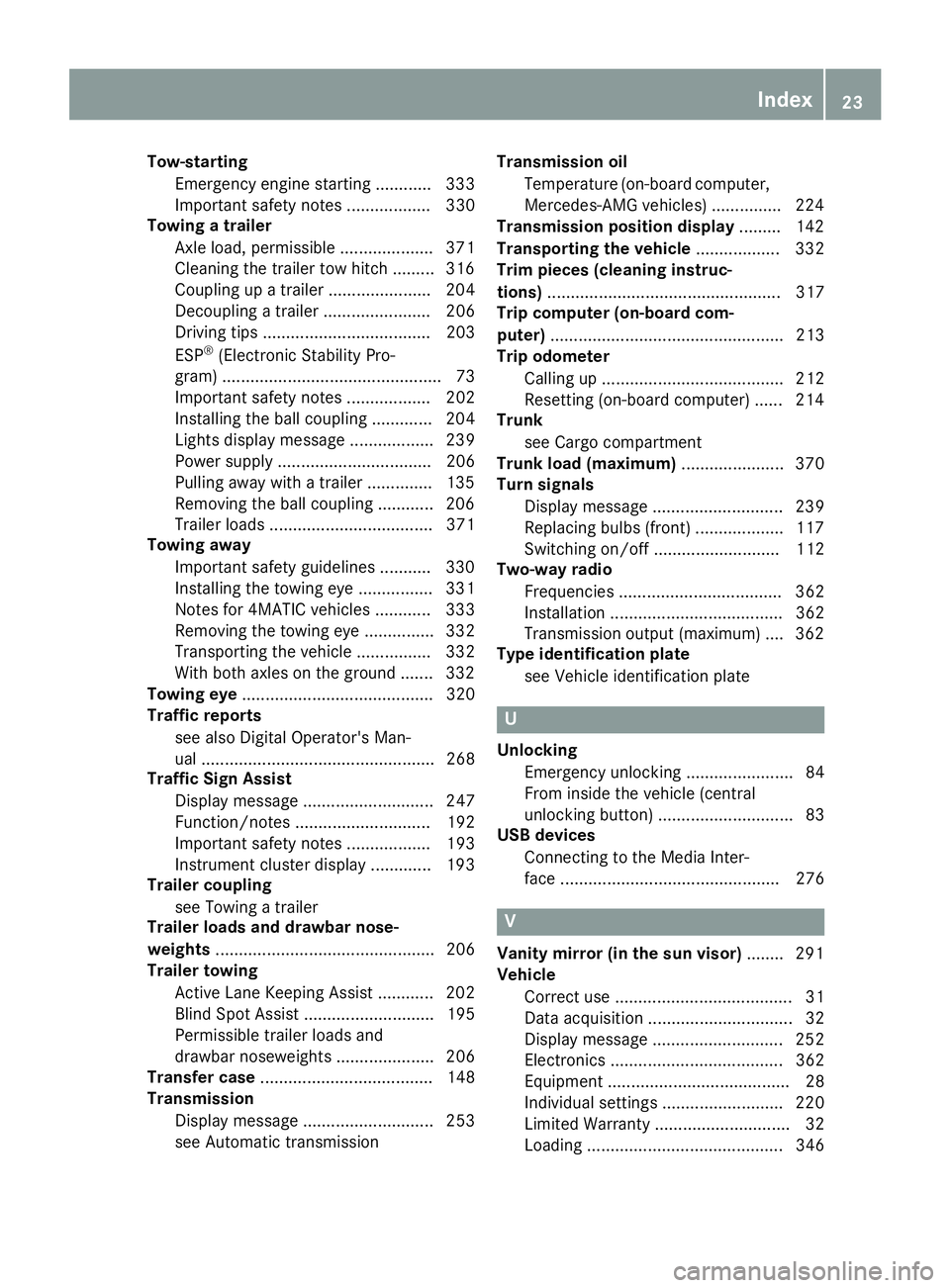
Tow-starting
Emergency engine starting ............ 333
Important safety notes .................. 330
Towing a trailer
Axle load, permissible .................... 371
Cleaning the trailer tow hitch ......... 316
Coupling up a trailer ...................... 204
Decoupling a trailer ....................... 206
Driving tips .................................... 203
ESP ®
(Electronic Stability Pro-
gram) ............................................... 73
Important safety notes .................. 202
Installing the ball coupling ............. 204
Lights display message .................. 239
Power supply ................................. 206
Pulling away with a trailer .............. 135
Removing the ball coupling ............ 206
Trailer loads ................................... 371
Towing away
Important safety guidelines ........... 330
Installing the towing eye ................ 331
Notes for 4MATIC vehicles ............ 333
Removing the towing eye ............... 332
Transporting the vehicle ................ 332
With both axles on the ground ....... 332
Towing eye ......................................... 320
Traffic reports
see also Digital Operator's Man-
ual .................................................. 268
Traffic Sign Assist
Display message ............................ 247
Function/notes ............................. 192
Important safety notes .................. 193
Instrument cluster display ............. 193
Trailer coupling
see Towing a trailer
Trailer loads and drawbar nose-
weights ............................................... 206
Trailer towing
Active Lane Keeping Assist ............ 202
Blind Spot Assist ............................ 195
Permissible trailer loads and
drawbar noseweights ..................... 206
Transfer case ..................................... 148
Transmission
Display message ............................ 253
see Automatic transmission Transmission oil
Temperature (on-board computer,
Mercedes-AMG vehi cles) ............... 224
Tran
smission position display ......... 142
Transporting the vehicle .................. 332
Trim pieces (cleaning instruc-
tions) .................................................. 317
Trip computer (on-board com-
puter) .................................................. 213
Trip odometer
Calling up ....................................... 212
Resetting (on-board computer) ...... 214
Trunk
see Cargo compartment
Trunk load (maximum) ...................... 370
Turn signals
Display message ............................ 239
Replacing bulbs (front) ................... 117
Switching on/off ........................... 112
Two-way radio
Frequencies ................................... 362
Installation ..................................... 362
Transmission output (maximum) .... 362
Type identification plate
see Vehicle identification plate
U
Unlocking
Emergency unlocking ....................... 84
From inside the vehicle (central
unlocking button) ............................. 83
USB devices
Connecting to the Media Inter-
face ............................................... 276
V
Vanity mirror (in the sun visor) ........ 291
Vehicle
Correct use ...................................... 31
Data acquisition ............................... 32
Display message ............................ 252
Electronics ..................................... 362
Equipment ....................................... 28
Individual settings .......................... 220
Limited Warranty ............................. 32
Loading .......................................... 346 Index 23
Page 28 of 374
Introduction The printe d Operator's Manual provide s infor-
mation about th e saf e operation of your vehicle.
The Digital Operator's Manual provide s compre-
hensiv e and specifically adapted information on
your vehicle's equipmen t and multimedia sys-
tem. You can call up th e Digital Operator's Man -
ual via th e multimedia system.
i You will no t incur any cost s when calling up
th e Digital Operator's Manual. The Digital
Operator's Manual works without connecting
to th e Internet .
Ther e are three ways to access th e topic s of th e
Digital Operator's Manual: R
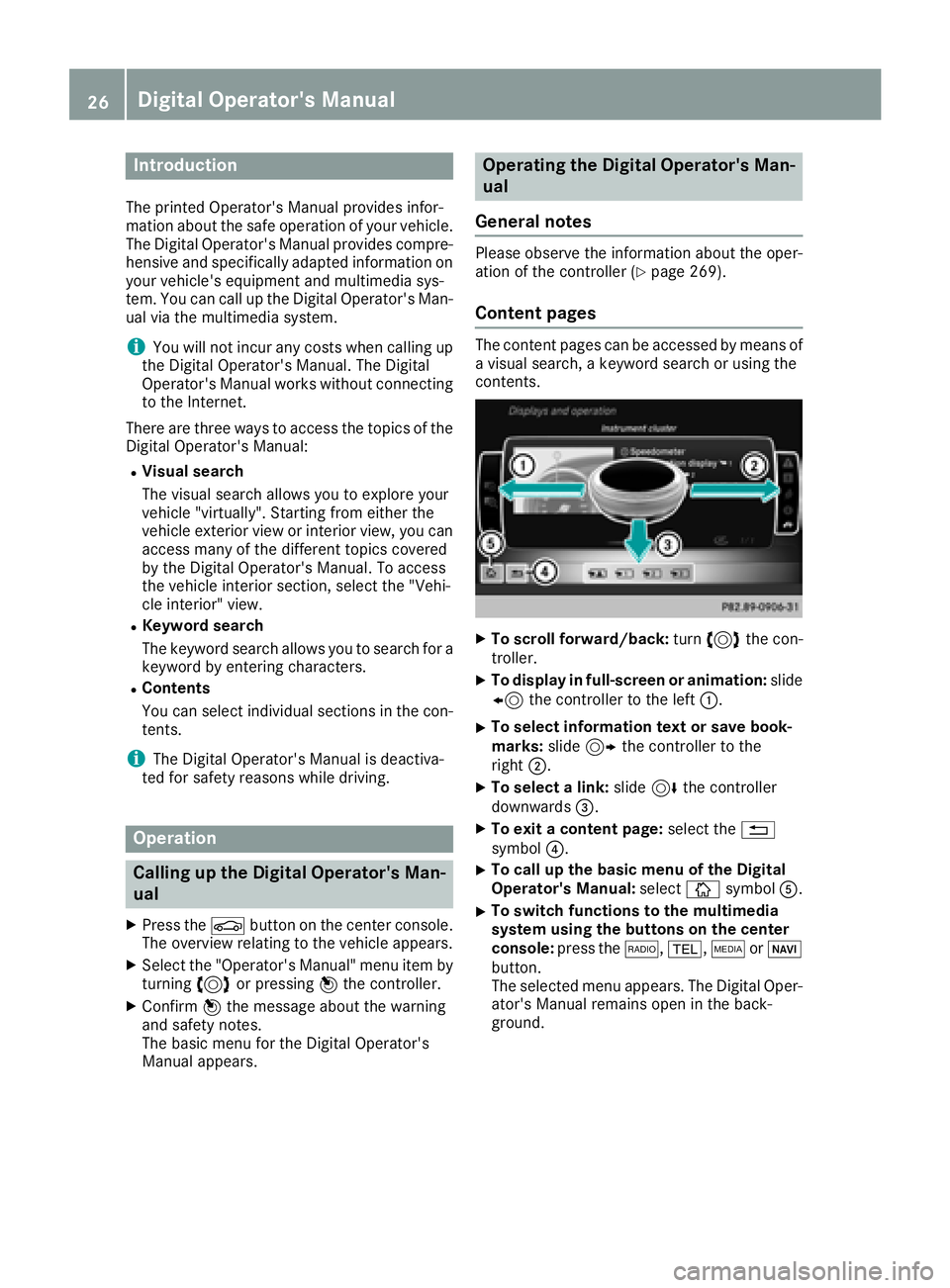
Visua l search
The visual search allows you to explor e your
vehicl e "virtually". Starting from either th e
vehicl e exterio r vie w or interio r view, you can
access man y of th e differen t topic s covered
by th e Digital Operator's Manual. To access
th e vehicl e interio r section , select th e "Vehi-
cle interior" view. R
Keywor d search
The keyword search allows you to search for a
keyword by enterin g characters.R
Content s
You can select individual section s in th e con-
tents.
i The Digital Operator's Manual is deactiva-
te d for safet y reason s while driving .
Operation
Calling up the Digital Operator's Man-
ual X
Press th e
Page 32 of 374
Sports Utility Vehicle
G WARNING
Due to the high center of gravity, the vehicle
may start to skid and roll over in the event of
an abrupt steering maneuver and/or when
the vehicle's speed is not adapted to the road
conditions. There is a risk of an accident.
Always adapt your speed and driving style to
the vehicle's driving characteristics and to the
prevailing road and weather conditions.
Utility vehicles have a significantly higher roll-
over rate than other types of vehicles.
Failure to operate this vehicle safely may result
in an accident, rollover of the vehicle, and severe
or fatal injury.
In a rollover crash, an unbelted person is signif-
icantly more likely to die than a person wearing
a seat belt.
You and all vehicle occupants should always
wear your seat belts.
Operating safety
Important safety notes
G WARNING
If you do not have the prescribed service/
maintenance work or any required repairs
carried out, this can result in malfunctions or
system failures. There is a risk of an accident.
Always have the prescribed service/mainte-
nance work as well as any required repairs
carried out at a qualified specialist workshop.
G WARNING
Flammable material such as leaves, grass or
twigs may ignite if they come into contact with
hot parts of the exhaust system. There is a risk
of fire.
When driving off road or on unpaved roads,
check the vehicle's underside regularly. In
particular, remove parts of plants or other
flammable materials which have become
trapped. In the case of damage, contact a
qualified specialist workshop. G WARNING
Modifications to electronic components, their
software as well as wiring can impair their
function and/or the function of other net-
worked components. In particular, systems
relevant to safety could also be affected. As a
result, these may no longer function as inten-
ded and/or jeopardize the operating safety of
the vehicle. There is an increased risk of an
accident and injury.
Never tamper with the wiring as well as elec-
tronic components or their software. You
should have all work to electrical and elec-
tronic equipment carried out at a qualified
specialist workshop.
! There is a risk of damage to the vehicle if: R
the vehicle becomes stuck, e.g. on a high
curb or an unpaved road R
you drive too fast over an obstacle, e.g. a
curb, a speed bump or a pothole in the road R
a heavy object strikes the underbody or
parts of the chassis
In situations like this, the body, the under-
body, chassis parts, wheels or tires could be
damaged without the damage being visible.
Components damaged in this way can unex-
pectedly fail or, in the case of an accident, no
longer withstand the loads they are designed
to.
If the underbody paneling is damaged, com-
bustible materials such as leaves, grass or
twigs can gather between the underbody and
the underbody paneling. If these materials
come in contact with hot parts of the exhaust
system, they can catch fire.
In such situations, have the vehicle checked
and repaired immediately at a qualified spe-
cialist workshop. If on continuing your jour-
ney you notice that driving safety is impaired,
pull over and stop the vehicle immediately,
paying attention to road and traffic condi-
tions. In such cases, consult a qualified spe-
cialist workshop.
Declaration of conformity for wireless
vehicle components
USA: "The wireless devices of this vehicle com-
ply with Part 15 of the FCC Rules. Operation is30
Operating safety
Introduction
Page 34 of 374
essary, contact us at one of the following
addresses.
In the USA
Customer Assistance Center
Mercedes-Benz USA, LLC
3 Mercedes Drive
Montvale, NJ 07645-0350
In Canada
Customer Relations Department
Mercedes-Benz Canada, Inc.
98 Vanderhoof Avenue
Toronto, Ontario M4G 4C9
Reporting safety defects USA only:
The following text is reproduced as required of
all manufacturers under Title 49, Code of U.S.
Federal Regulations, Part 575 pursuant to the
National Traffic and Motor Vehicle Safety Act of
1966.
If you believe that your vehicle has a defect
which could cause a crash or could cause injury
or death, you should immediately inform the
National Highway Traffic Safety Administration
(NHTSA) in addition to notifying Mercedes-Benz
USA, LLC.
If NHTSA receives similar complaints, it may
open an investigation, and if it finds that a safety
defect exists in a group of vehicles, it may order
a recall and remedy campaign. However, NHTSA
cannot become involved in individual problems
between you, your dealer, or Mercedes-Benz
USA, LLC.
To contact NHTSA, you may call the Vehicle
Safety Hotline toll-free at 1-888-327-4236
(TTY: 1-800-424-9153 ); go to http://
www.safercar.gov ; or write to: Administrator,
NHTSA, 400 Seventh Street, SW., Washington,
DC 20590.
You can also obtain other information about
motor vehicle safety from
http://www.safercar.gov
Limited Warranty
! Follow the instructions in this manual about
the proper operation of your vehicle as well as
about possible vehicle damage. Damage to
your vehicle that arises from culpable contra- ventions against these instructions is not cov-
ered either by the Mercedes-Benz Limited
Warranty or by the New or Used-Vehicle War-
ranty.
QR codes for the rescue card The QR codes are secured in the fuel filler flap
and on the opposite side on the B-pillar. In the
event of an accident, rescue services can use
the QR code to quickly find the appropriate res-
cue card for your vehicle. The current rescue
card contains the most important information
about your vehicle in a compact form, e.g. the
routing of the electric cables.
You can find more information under
www.mercedes-benz.de/qr-code.
Data stored in the vehicle
Data storage A wide range of electronic components in your
vehicle contain data memories.
These data memories temporarily or perma-
nently store technical information about: R
the vehicle's operating state R
incidents R
malfunctions
In general, this technical information docu-
ments the state of a component, a module, a
system or the surroundings.
These include, for example: R
operating conditions of system components,
e.g. fluid levels R
the vehicle's status messages and those of its
individual components, e.g. number of wheel
revolutions/speed, deceleration in move-
ment, lateral acceleration, accelerator pedal
position R
malfunctions and defects in important system
components, e.g. lights, brakes R
vehicle reactions and operating conditions in
special driving situations, e.g. air bag deploy-
ment, intervention of stability control sys-
tems R
ambient conditions, e.g. outside temperature32
Data stored in the vehicle
Introduction
Page 36 of 374
MBUSA will not share EDR data with others
without the consent of the vehicle owners or, if
the vehicle is leased, without the consent of the
lessee. Exceptions to this representation
include responses to subpoenas by law enforce-
ment; by federal, state or local government; in
connection with or arising out of litigation involv-
ing MBUSA or its subsidiaries and affiliates; or,
as required by law.
Warning: The EDR is a component of the
Restraint System Module. Tampering with, alter-
ing, modifying or removing the EDR component
may result in a malfunction of the Restraint Sys-
tem Module and other systems.
State laws or regulations regarding EDRs that
conflict with federal regulation are pre-empted.
This means that in the event of such conflict, the
federal regulation governs. As of February 2013,
13 states have enacted laws relating to EDRs.
Information on copyright
Free and open-source software Information on license for free and open-source
software used in your vehicle can be found on
the data carrier in your vehicle document wallet
and, including updates, on the following web-
site:
http://www.mercedes-benz.com/opensource
Registered trademarks Registered trademarks: R
Bluetooth ®
is a registered trademark of Blue-
tooth SIG Inc. R
DTS™ is a registered trademark of DTS, Inc. R
Dolby ®
and MLP™ are registered trademarks
of DOLBY Laboratories. R
BabySmart™, ESP ®
and PRE-SAFE ®
are reg-
istered trademarks of Daimler AG. R
HomeLink ®
is a registered trademark of John-
son Controls. R
iPod ®
and iTunes ®
are registered trademarks
of Apple Inc. R
Burmester ®
is a registered trademark of
Burmester Audiosysteme GmbH. R
Microsoft ®
and Windows media ®
are regis-
tered trademarks of Microsoft Corporation. R
SIRIUS ®
is a registered trademark of Sirius
XM Radio Inc. R
HD Radio™ is a registered trademark of iBiq-
uity Digital Corporation. R
Gracenote ®
is a registered trademark of
Gracenote, Inc. R
ZAGAT Survey ®
and related brands are regis-
tered trademarks of Zagat Survey, LLC.34
Information on copyright
Introduction
Page 39 of 374
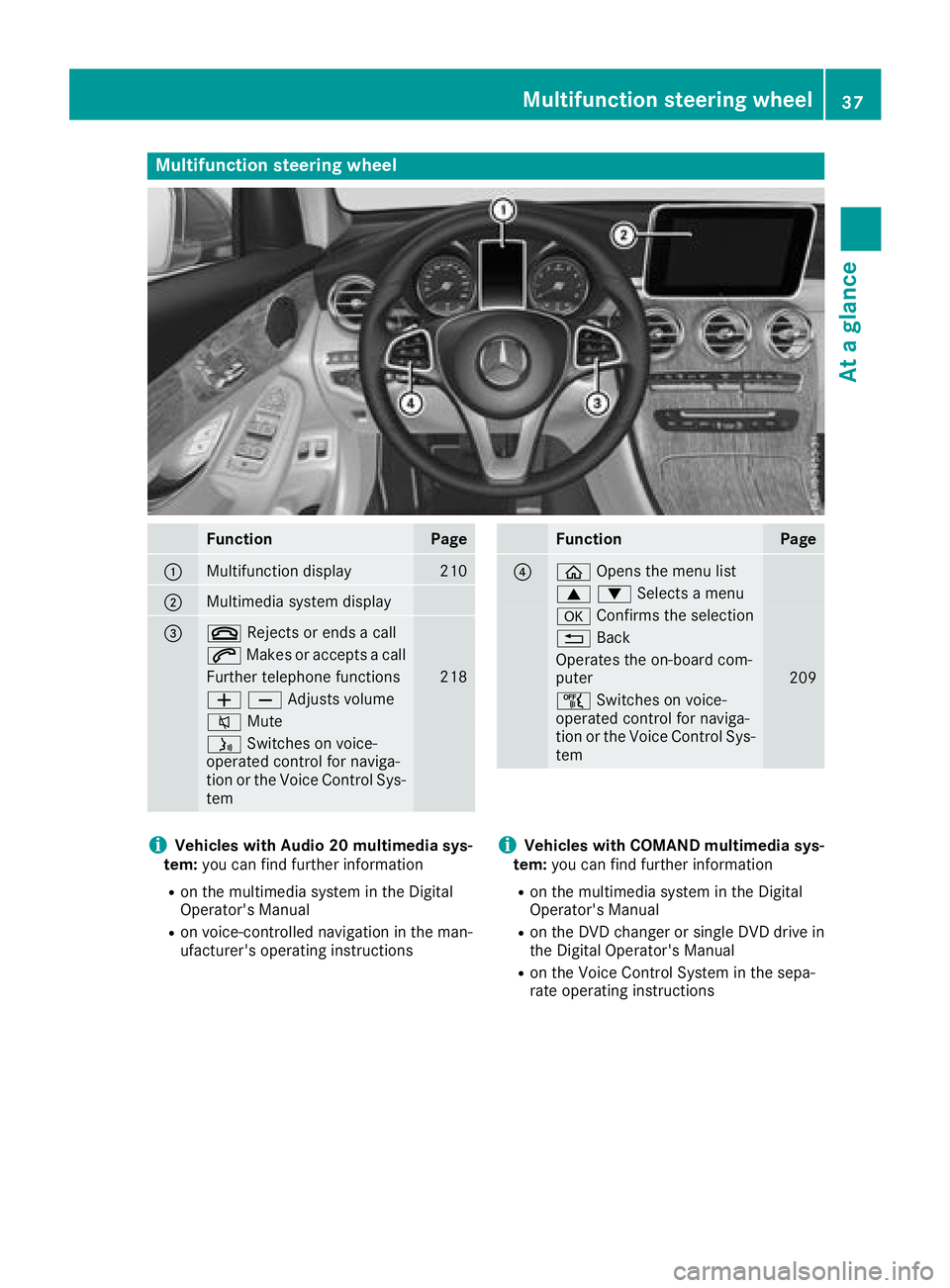
Multifunction steering wheel
Function Page
C
Multifunction display 210
D
Multimedia system display
Page 48 of 374
system manufacturer's installation and oper-
ating instructions R
always observe the instructions and safety
notes on the "Occupant classification system
(OCS)" ( Y
page 51)
G WARNING
The seat belts may not perform their intended
protective function if: R
they are damaged, modified, extremely
dirty, bleached or dyed R
the seat belt buckle is damaged or
extremely dirty R
the Emergency Tensioning Devices, belt
anchorages or inertia reels have been modi-
fied.
Seat belts may be damaged in an accident,
although the damage may not be visible, e.g.
due to splinters of glass. Modified or damaged
seat belts may tear or fail, e.g. in an accident.
Modified Emergency Tensioning Devices
could accidentally trigger or fail to deploy
when necessary. This poses an increased risk
of injury or even fatal injury.
Never modify the seat belts, Emergency Ten-
sioning Devices, belt anchorages and inertia
reels. Make sure that the seat belts are
undamaged, not worn out and clean. Follow-
ing an accident, have the seat belts checked
immediately at a qualified specialist work-
shop.
Only use seat belts that have been approved for
your vehicle by Mercedes-Benz.
AMG Performance seat: this seat is designed
for the standard three-point seat belt. If you
install another multi-point seat belt, e.g. sport or
racing seat belts, the restraint system cannot
provide the best level of protection.
G WARNING
If you feed seat belts through the opening in
the seat backrest, the seat backrest may be
damaged or may even break in the event of an
accident. This poses an increased risk of
injury or even fatal injury.
Only use the standard three-point seat belt.
Never modify the seat belt system. Proper use of the seat belts Observe the safety notes on the seat belt
( Y
page 45).
All vehicle occupants must be wearing the seat
belt correctly before beginning the journey. Also
make sure that all vehicle occupants are always
wearing the seat belt correctly while the vehicle
is in motion.
When fastening the seat belt, always make sure
that: R
the seat belt tongue is only inserted to the belt
buckle belonging to that seat. R
the seat belt is tight across your body.
Avoid wearing bulky clothing, e.g. a winter
coat. R
the seat belt is not twisted.
Only then can the forces which occur be dis-
tributed over the area of the belt. R
the shoulder section of the belt is always
routed across the center of your shoulder.
The shoulder section of the belt must not
come into contact with your neck or be routed
under your arm. Where possible, adjust the
seat belt to the appropriate height. R
the lap belt passes tightly and as low down as
possible across your lap.
The lap belt must always be routed across
your hip joints and not across your abdomen.
This applies particularly to pregnant women.
If necessary, push the lap belt down to your
hip joint and pull it tight using the shoulder
section of the belt. R
the seat belt is not routed across sharp, poin-
ted or fragile objects.
If you have such items located on or in your
clothing, e.g. pens, keys or eyeglasses, store
these in a suitable place. R
only one person is using a seat belt at a time.
Infants and children must never travel sitting
on the lap of a vehicle occupant. In the event
of an accident, they could be crushed
between the vehicle occupant and seat belt. R
objects are never secured with a seat belt if
the seat belt is also being used by one of the
vehicle's occupants.
Also ensure that there are never objects
between a person and the seat, e.g. cushions.
Seat belts are only intended to secure and
restrain vehicle occupants. Always observe the
"Loading guidelines" for securing objects, lug-
gage or loads ( Y
page 278).46
Occupant safety
Safety
Page 55 of 374
recommended that you install the child
restraint system on a suitable rear seat. R
the front-passenger seat is occupied by a per-
son of smaller stature (e.g. a teenager or
small adult), the PASSENGER AIR BAG OFF
indicator lamp lights up and remains lit after
the system self-test depending on the result
of the classification or, alternatively, goes out. -
If the PASSENGER AIR BAG OFF indicator
lamp is off, move the front-passenger seat
as far back as possible. Alternatively, a per-
son of smaller stature can sit on a rear seat. -
If the PASSENGER AIR BAG OFF indicator
lamp is lit, a person of smaller stature
should not use the front-passenger seat. R
the front-passenger seat is occupied by an
adult or a person of adult stature, the
PASSENGER AIR BAG OFF indicator lamp
goes out after the system self-test. This indi-
cates that the front-passenger front air bag is
activated.
If children are traveling in the vehicle, be sure to
observe the notes on "Children in the vehicle"
( Y
page 59).
When the occupant classification system (OCS)
is malfunctioning, the red u restraint system
warning lamp in the instrument cluster and the
PASSENGER AIR BAG OFF indicator lamp light
up simultaneously. The front-passenger front air
bag is deactivated in this case and does not
deploy during an accident. Have the Occupant
Classification System (OCS) checked and
repaired immediately at a qualified specialist
workshop. Mercedes-Benz recommends that
you use an authorized Mercedes-Benz Center
for this purpose.
If the front-passenger seat, the seat cover or the
seat cushion are damaged, have the necessary
repair work carried out at a qualified specialist
workshop. Mercedes-Benz recommends that
you use an authorized Mercedes-Benz Center
for this purpose.
For safety reasons, Mercedes-Benz recom-
mends that you only use seat accessories that
have been approved by Mercedes-Benz.
If the driver's air bag deploys, this does not
mea n that the front-passenger front air bag will
also deploy. The Occupant Classification Sys-
tem (OCS) categorizes the occupant in the front-
passenger seat. Depending on that result, the
front-passenger front air bag is either enabled or
deactivated. System self-test
G DANGER
If both the PASSENGER AIR BAG OFF and
PASSENGER AIR BAG ON indicator lamps do
not light up during the system self-test, the
system is malfunctioning. The front-
passenger front air bag might be triggered
unintentionally or might not be triggered at all
in the event of an accident with high deceler-
ation. This poses an increased risk of injury or
even fatal injury.
In this case the front-passenger seat may not
be used. Do not install a child restraint system
on the front-passenger seat. Have the Occu-
pant Classification System (OCS) checked
and repaired immediately at a qualified spe-
cialist workshop.
G WARNING
If the PASSENGER AIR BAG OFF indicator
lamp remains lit after the system self-test, the
front-passenger front air bag is disabled. It will
not be deployed in the event of an accident. In
this case, the front-passenger front air bag
cannot perform its intended protective func-
tion, e.g. when a person is seated in the front-
passenger seat.
That person could, for example, come into
contact with the vehicle's interior, especially
if the person is sitting too close to the dash-
board. This poses an increased risk of injury or
even fatal injury.
When the front-passenger seat is occupied,
always ensure that: R
the classification of the person in the front-
passenger seat is correct and the front-
passenger front air bag is enabled or disa-
bled in accordance with the person in the
front-passenger seat R
the person is seated properly with a cor-
rectly fastened seatbelt R
the front-passenger seat has been moved
as far back as possible
If the PASSENGER AIR BAG OFF indicator
lamp remains lit when it should not, the front-Occupant safety 53
Safety Z