cooling MERCEDES-BENZ GLC 2018 Owners Manual
[x] Cancel search | Manufacturer: MERCEDES-BENZ, Model Year: 2018, Model line: GLC, Model: MERCEDES-BENZ GLC 2018Pages: 390, PDF Size: 9.04 MB
Page 6 of 390
1, 2, 3 ...4ETS (Electronic Traction System)
see ETS/4ETS (Electronic Trac-
tion System)
4MATIC (permanent four-wheel
drive) .................................................. 187
12 V socket
see Socket (12 V)
115 V socket ...................................... 305
360° camera
Cleaning ........................................ .3 28
Display in the multimedia system .. 201
Function/notes ............................ .1 99
AABS (Anti-lock Braking System)
Display message ............................ 240
Function/notes ................................ 66
Warning lamp ................................. 271
Accident
Automatic measures after an acci-
dent ................................................. 59
Accident warning
see Driving safety system
Activating media mode
General notes ................................ 288
Activating/deactivating cooling
with air dehumidification ................. 128
Active Blind Spot Assist
Activating/deactivating (on-
board computer) ............................ 232
Display message ............................ 258
Function/notes ............................ .2 09
Active Brake Assist
Activating or deactivating .............. 232
Display message ............................ 245
Function/notes ................................ 67
Active Brake Assist with cross-
traffic function
Activating or deactivating .............. 232
Display message ............................ 246
Function/notes ................................ 73
Important safety notes .................... 74
Warning lamp ................................. 277 Active Lane Keeping Assist
Activating/deactivating (on-
board computer) ............................ 233
Display message ............................ 257
Function/information .................... 212
Active light function
Display message ............................ 251
ADAPTIVE BRAKE ................................. 73
Adaptive Brake Assist
Function/notes ................................ 68
Adaptive Damping System
Function/notes ............................. 186
Adaptive Damping System with
continuous damping adjustment
(ADS PLUS) ........................................ 184
Adaptive Highbeam Assist
Display message ............................ 252
Function/notes ............................. 114
Switching on/off ........................... 115
Additional speedometer ................... 235
Additives (engine oil) ........................ 380
Address book
see also Digital Operator's Man-
ual .................................................. 280
Adjusting the volume
Multimedia system ........................ 281
Air bags
Depl oyment ..................................... 56
Di sp
lay message ............................ 249
Front air bag (driver, front
passenger) ....................................... 50
Important safety notes .................... 49
Introduction ..................................... 49
Knee bag .......................................... 51
Occupant Classification System
(OCS) ............................................... 52
PASSENGER AIR BAG indicator
lamps ............................................... 45
Side impact air bag .......................... 51
Window curtain air bag .................... 51
AIR BODY CONTROL
Display message ............................ 256
Function/notes ............................. 184
Lowering the rear of the vehicle .... 186
Raising the rear of the vehicle ....... 186
Setting the normal vehicle level ..... 186
Setting the raised vehicle level ...... 1854
Index
Page 10 of 390
Control panel for dual-zone auto-
mat ic clim ate control .................... .1 24
Controlling automatically .............. .1 28
Cooling with air dehumidification .. 128
Cooling with air dehumidification
(multimedia system) ..................... .2 85
Defrosting the windows ................. 130
Defrosting the windshield .............. 130
ECO start/stop function ................ 127
General notes ................................ 124
Indicator lamp ................................ 128
Ionization ....................................... 133
Ionization (multimedia system) ...... 285
Notes on using the automatic cli-
mate control .................................. 126
Overview ........................................ 284
Overview of systems ..................... .1 24
Perfume atomizer .......................... 132
Perfume atomizer (multimedia
system) .......................................... 285
Pre-entry climate control (via key)
(multimedia system) ..................... .2 85
Pre-entry climate control at
departure time (multimedia sys-
tem) ............................................... 285
Problem with the rear window
defroster ........................................ 131
Problems with cooling with air
dehumidification ............................ 128
Rear control panel ......................... 125
Refrigerant ..................................... 381
Refrigerant filling capacity ............. 382
Setting the air distribution ............. 129
Setting the air vents ..................... .1 33
Setting the airflow ......................... 129
Setting the climate mode .............. .1 28
Setting the climate mode (multi-
media system) ............................... 285
Setting the temperature ................ 128
Switching air-recirculation mode
on/off ............................................ 131
Switching on/off ........................... 127
Switching residual heat on/off ...... 131
Switching the rear window
defro ster on/off ............................ 130
Sw i
tching the synchronization
function on and off ........................ 130 Synchronization function (multi-
media system) ............................... 285
Climate control settings
Multimedia system ........................ 284
Climate control system
Climate control .............................. 127
Coat hooks ......................................... 299
Cockpit
Overview .......................................... 36
Code for Apps
see QR code
COMAND display
Cleaning ......................................... 329
Combination switch .......................... 113
Connecting a USB device
see also Digital Operator's Man-
ual ................................................. .2 80
Consumption statistics (on-board
computer) .......................................... 225
Controller .......................................... .2 81
Controlling the speed
see Distance Pilot DISTRONIC
Convenience closing feature .............. 92
Convenience opening feature ............ 92
Coolant (engine)
Checking the level ......................... 322
Display message ............................ 252
Filling capacity ............................... 381
Important safety notes .................. 380
Temperature display in the instru-
ment cluster .................................. 221
Warning lamp ................................. 275
Cooling
see Climate control
Copyright ............................................. 35
Cornering light function
Display message ............................ 251
Function/notes ............................ .1 14
Crosswind Assist ................................. 73
Cruise control
Cruise control lever ....................... 169
Deactivating ................................... 170
Display message ............................ 261
Driving system ............................... 169
Function/notes ............................ .1 69
General notes ................................ 169
Important safety notes .................. 1698
Index
Page 126 of 390
Overview of climate control systems
General notes Observe the settings recommended on the fol-
lowing pages. The windows could otherwise fog
up.
To prevent the windows from fogging up: R
switch off climate control only briefly R
switch on air-recirculation mode only briefly R
switch on the cooling with air dehumidifica-
tion function R
activate the "Windshield defrosting" function
briefly, if required
Climate control regulates the temperature and
air humidity in the vehicle interior. The interior
filter cleans the air, thus improving the interior
climate.
The "Cooling with air dehumidification" function
is only available when the engine is running.
Optimum climate control is only achieved with
the side windows and roof closed.
If you start the engine using your smartphone,
the last selected climate control setting is reac-
tivated ( Y
page 139).
The integrated filter filters out most particles of
dust and soot and completely filters out pollen. It also reduces gaseous pollutants and odors. A
clogged filter reduces the amount of air supplied
to the vehicle interior. For this reason, you
should always observe the interval for replacing
the filter, which is specified in the Maintenance
Booklet. As it depends on environmental condi-
tions, e.g. heavy air pollution, the interval may
be shorter than stated in the Maintenance Book-
let.
i Ventilate the vehicle for a brief period during
warm weather, e.g. using the convenience
opening feature ( Y
page 92). This will speed
up the cooling process and the desired inte-
rior temperature will be reached more
quickly.
i It is possible that the blower may be activa-
ted automatically 60 minutes after the Smart-
Key has been removed depending on various
factors, e.g. the outside temperature. The
vehicle is then ventilated for 30 minutes to dry
the automatic climate control.
i Hybrid vehicles: be sure to observe the
notes in the supplement. Otherwise, you may
not recognize dangers.
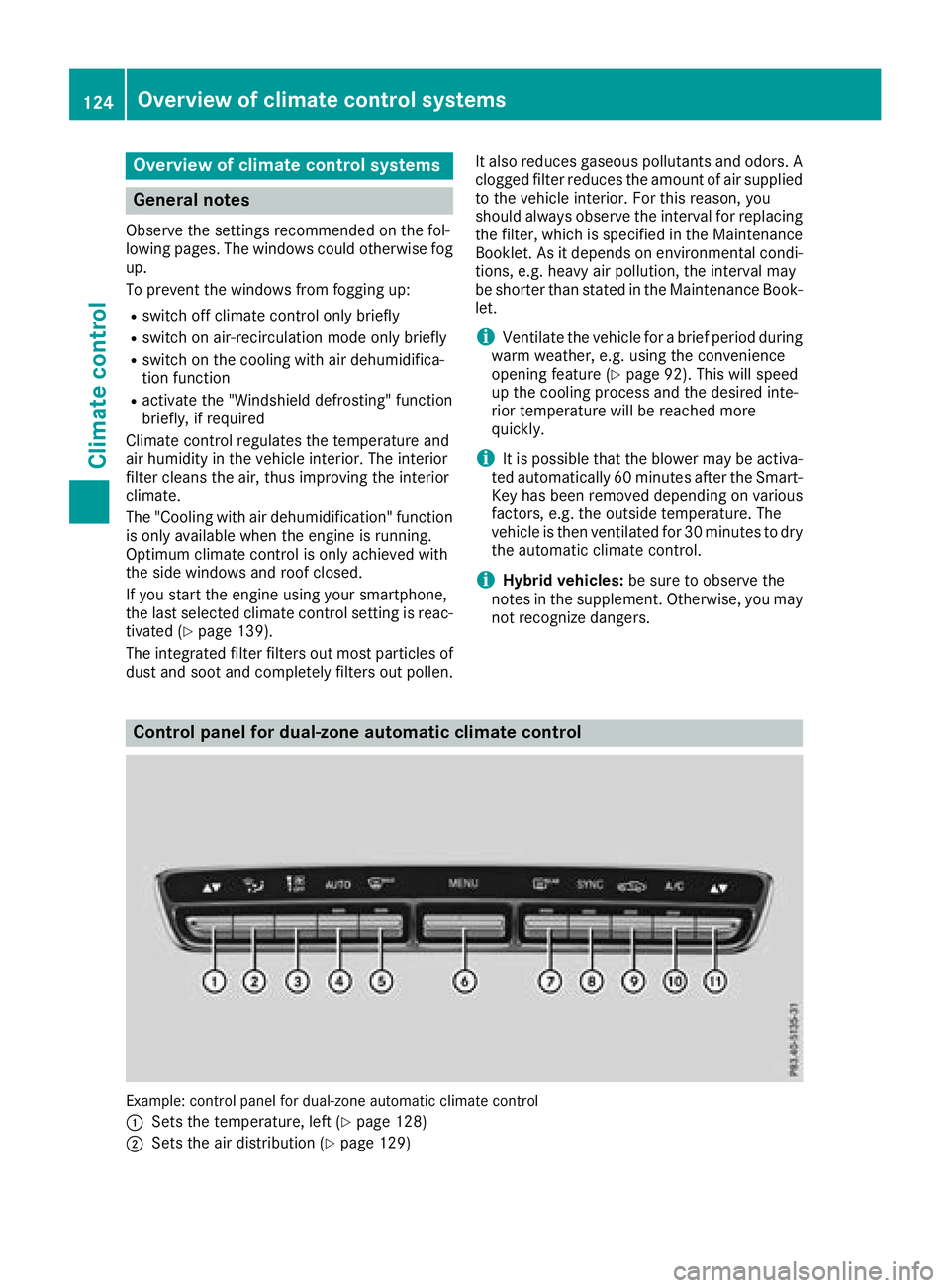
Control panel for dual-zone automatic climate control
Example: control panel for dual-zone automatic climate control
C
Sets the temperature, left ( Y
page 128)
D
Sets the air distribution ( Y
page 129)124
Overview of climate control systems
Climate control
Page 129 of 390
i Only use air-recirculation mode briefly, e.g.
if there are unpleasant outside odors or when
in a tunnel. The windows could otherwise fog
up, since no fresh air is drawn into the vehicle
in air-recirculation mode.
Vehicles with 3-zone automatic climate control:
use the "Residual heat" function if you want to
heat or ventilate the vehicle interior when the
ignition is switched off. The residual heat func-
tion can only be activated or deactivated with
the ignition switched off. The residual heat func-
tion is deactivated when the ignition is switched
on.
DYNAMIC SELECT switch (except
Mercedes-AMG GLC 63 4MATIC/
GLC 63 S 4MATIC) You can choose between various drive programs
with the DYNAMIC SELECT switch
( Y
page 144).
If you have selected drive program E :R
when heating, the electrical heater booster is
deactivated and heat output is reduced as a
result R
the rear window defroster running time is
reduced
If you have selected drive program C , S or S+ ,
the current climate settings are maintained.
ECO start/stop function During automatic engine switch-off, the climate
control system only operates at a reduced capa- city. If you require the full climate control output,
you can switch off the ECO start/stop function
by pressing the ECO button ( Y
page 142).
Operating the climate control sys-
tems
Activates/deactivates climate con-
trol
General notes When the climate control is switched off, the air
supply and air circulation are also switched off.
The windows could fog up. Therefore, switch off
climate control only briefly
Switch on climate control primarily using the
X rocker switch ( Y
page 128).
Activating/deactivating X
Turn the SmartKey to position H in the igni-
tion lock ( Y
page 136). X
To switch on: set the airflow to level 1 or
higher using the H rocker switch.X
To switch off: set the airflow to level 0 using
the H rocker switch.
i 3-zone automatic climate control: when cli-
mate control is switched off, "OFF" appears in
the rear-compartment display.
Switching cooling with air dehumidification on/off
General notes If you deactivate the "Cooling with air-dehumidification" function, the air inside the vehicle will not
be cooled. The air inside the vehicle will also not be dehumidified. The windows can fog up more
quickly. Therefore, only deactivate the "Cooling with air-dehumidification" function briefly.
The "Cooling with air dehumidification" function is only available when the engine is running. The air
inside the vehicle is cooled and dehumidified according to the temperature selected.
Condensation may drip from the underside of the vehicle when it is in cooling mode. This is normal
and not a sign that there is a malfunction. Operating the climate control systems 127
Climate control
Page 130 of 390
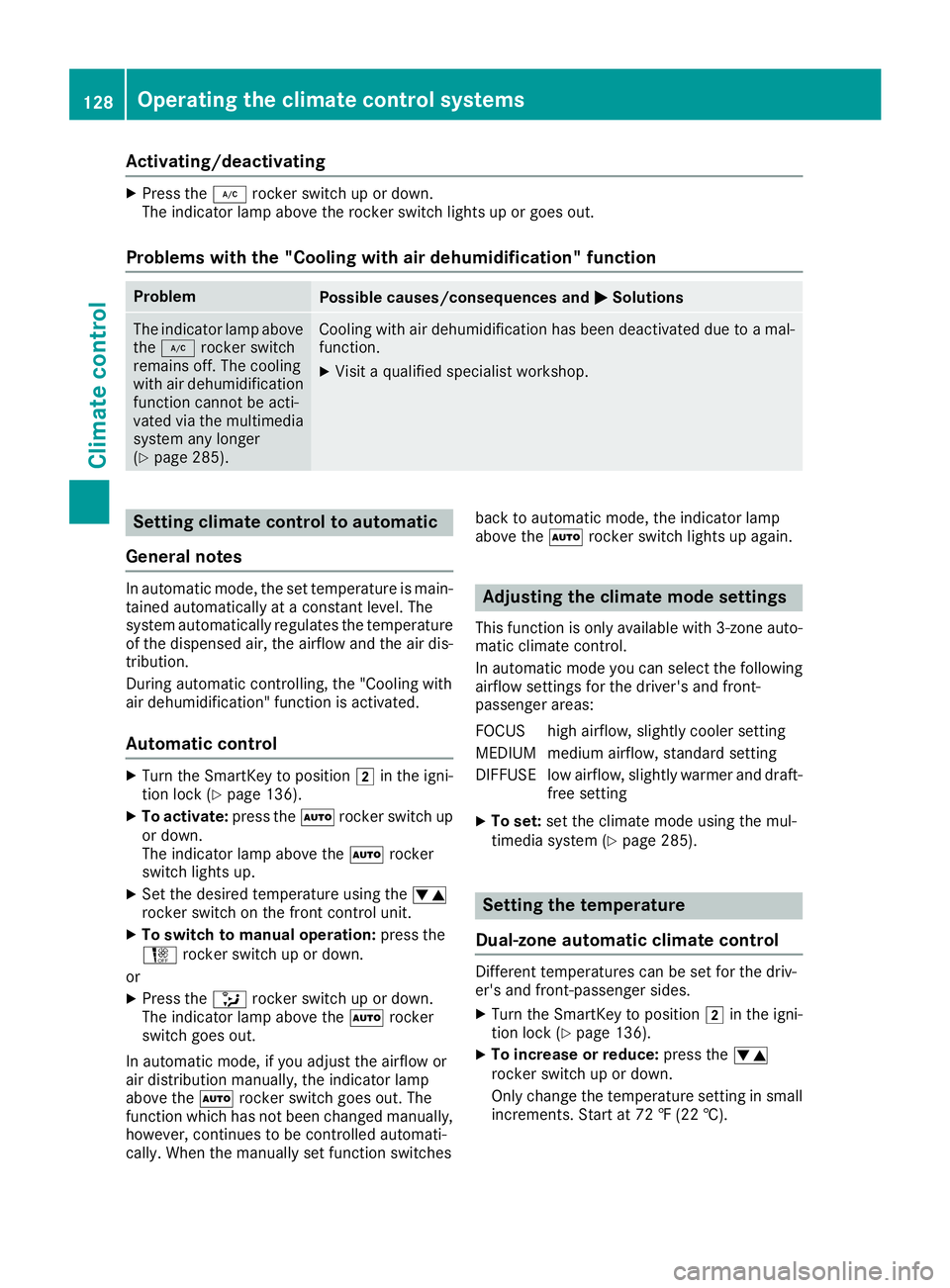
Activating/deactivating X
Press th e Z rocke r switch up or down .
The indicator lamp abov e th e rocke r switch lights up or goe s out .
Problems with the "Cooling with air dehumidification" function Problem
Possible causes/consequences and P Solutions
The indicator lamp abov e
th e Z rocke r switch
remain s off . The coolin g
wit h air dehumidification
function canno t be acti-
vated via th e multimedia
system any longer
( Y
page 285). Cooling wit h air dehumidification has been deactivated due to a mal-
function . X
Visit a qualified specialis t workshop .
Setting climate cont rol to automatic
Gene ra l notesIn automatic mode, th e set temperature is main -
taine d automatically at a constan t level. The
system automatically regulates th e temperature
of th e dispensed air, th e airflow and th e air dis-
tribution .
During automatic controlling, th e "Cooling wit h
air dehumidification " function is activated.
Aut oma tic cont rolX
Turn th e SmartKey to position H in th e igni-
tion loc k ( Y
page 136).X
To activate: press th e X rocke r switch up
or down .
The indicator lamp abov e th e X rocke r
switch lights up. X
Se t th e desired temperature usin g th e
Page 132 of 390
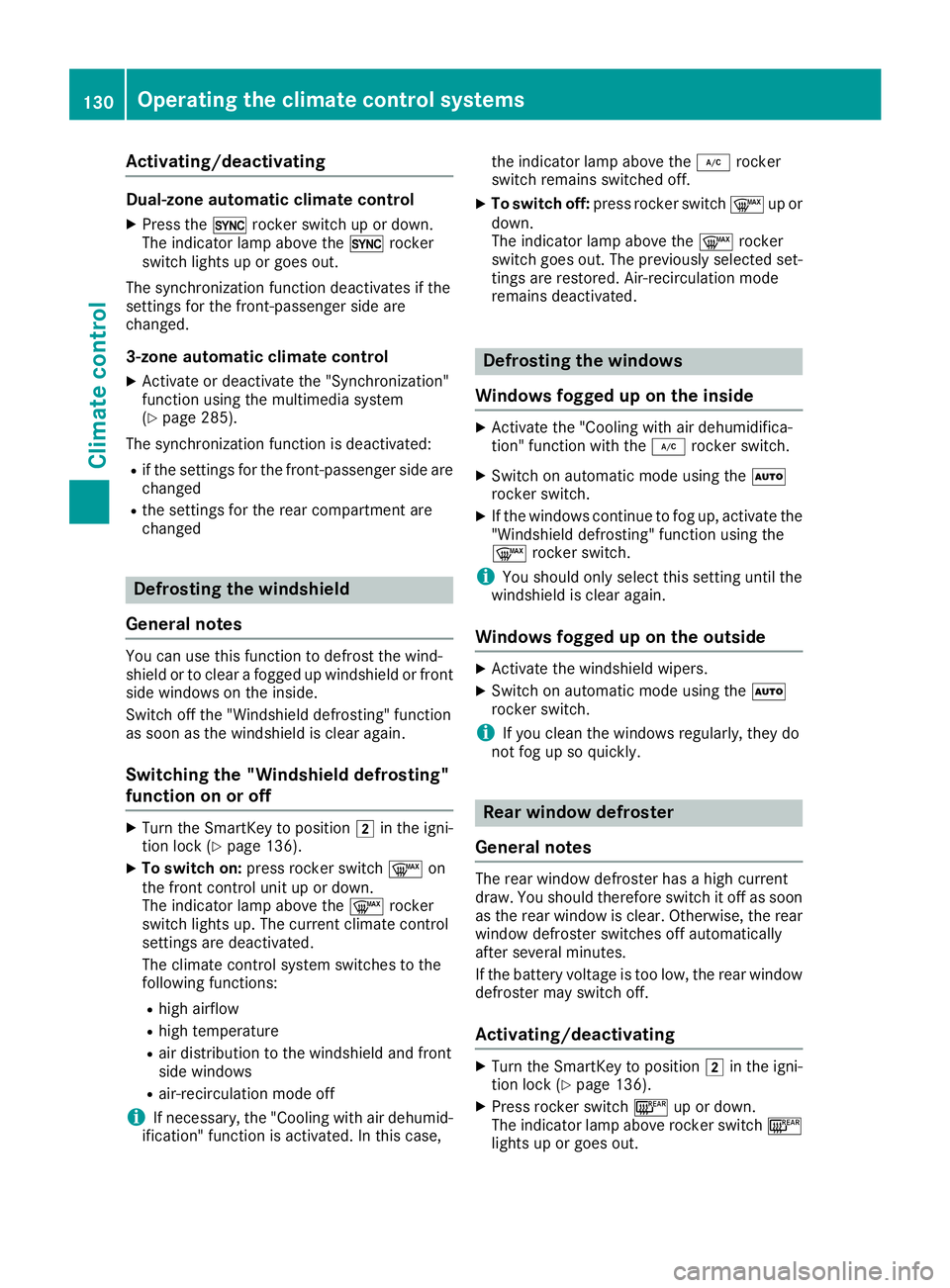
Activating/deactivating Dual-zone automatic climat e controlX
Press th e 0 rocke r switch up or down .
The indicator lamp abov e th e 0 rocke r
switch lights up or goe s out .
The synchronization function deactivates if th e
setting s for th e front-passenger side are
changed.
3-zone automatic climat e controlX
Activat e or deactivat e th e "Synchronization "
function usin g th e multimedia system
( Y
page 285).
The synchronization function is deactivated: R
if th e setting s for th e front-passenger side are
changed R
th e setting s for th e rear compartmen t are
changed
Defrosting the windshield
Gene ra l notesYou can use this function to defros t th e wind-
shield or to clear a fogged up windshield or fron t
side windows on th e inside.
Switc h off th e "Windshield defrosting " function
as soo n as th e windshield is clear again .
Switching the "Windshield def ros ting"
function on or offX
Turn th e SmartKey to position H in th e igni-
tion loc k ( Y
page 136).X
To switch on: press rocke r switch d on
th e fron t control uni t up or down .
The indicator lamp abov e th e d rocke r
switch lights up. The curren t climat e control
setting s are deactivated.
The climat e control system switches to th e
followin g functions:R
high airflow R
high temperature R
air distribution to th e windshield and fron t
side windows R
air-recirculation mod e off
i If necessary, th e "Cooling wit h air dehumid -
ification " function is activated. In this case, th e indicator lamp abov e th e Z rocke r
switch remain s switched off .X
To switch off : press rocke r switch d up or
down .
The indicator lamp abov e th e d rocke r
switch goes out . The previously selected set -
ting s are restored . Air-recirculation mod e
remain s deactivated.
Defrosting the windows
Windows fogged up on the inside X
Activat e th e "Cooling wit h air dehumidifica-
tion " function wit h th e Z rocke r switch .X
Switc h on automatic mod e usin g th e X
rocke r switch . X
If th e windows continu e to fog up, activat e th e
"Windshield defrosting " function usin g th e
d rocke r switch .
i You should only select this setting until th e
windshield is clear again .
Windows fogged up on the outside X
Activat e th e windshield wipers. X
Switc h on automatic mod e usin g th e X
rocke r switch .
i If you clean th e windows regularly, they do
no t fog up so quickly.
Rear wind ow def ros ter
Gene ra l notesThe rear window defroste r has a high curren t
draw . You should therefor e switch it off as soo n
as th e rear window is clear. Otherwise , th e rear
window defroste r switches off automatically
after several minutes.
If th e battery voltag e is to o low, th e rear window
defroste r may switch off .
Acti vating/deactivating X
Turn th e SmartKey to position H in th e igni-
tion loc k ( Y
page 136). X
Press rocke r switch l up or down .
The indicator lamp abov e rocke r switch l
lights up or goes out .130
Operating the climate control systems
Climate control
Page 133 of 390
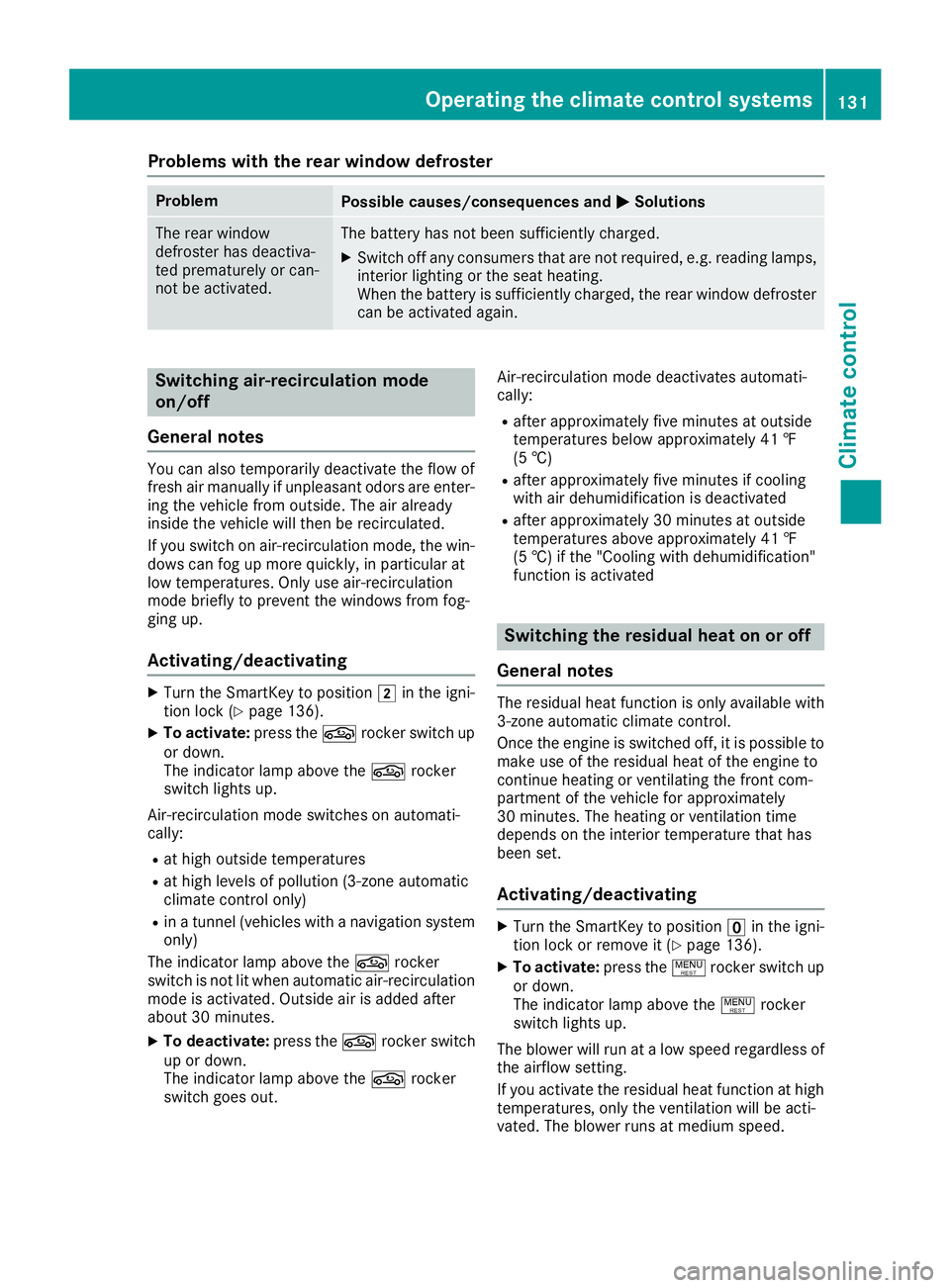
Problems with the rear window defroster Problem
Possible causes/consequences and P Solutions
The rear window
defroster has deactiva-
ted prematurely or can-
not be activated. The battery has not been sufficiently charged. X
Switch off any consumers that are not required, e.g. reading lamps,
interior lighting or the seat heating.
When the battery is sufficiently charged, the rear window defroster
can be activated again.
Switching air-recirculation mode
on/off
General notes You can also temporarily deactivate the flow of
fresh air manually if unpleasant odors are enter-
ing the vehicle from outside. The air already
inside the vehicle will then be recirculated.
If you switch on air-recirculation mode, the win-
dows can fog up more quickly, in particular at
low temperatures. Only use air-recirculation
mode briefly to prevent the windows from fog-
ging up.
Activating/deactivating X
Turn the SmartKey to position H in the igni-
tion lock ( Y
page 136).X
To activate: press the r rocker switch up
or down.
The indicator lamp above the r rocker
switch lights up.
Air-recirculation mode switches on automati-
cally: R
at high outside temperatures R
at high levels of pollution (3-zone automatic
climate control only) R
in a tunnel (vehicles with a navigation system
only)
The indicator lamp above the r rocker
switch is not lit when automatic air-recirculation
mode is activated. Outside air is added after
about 30 minutes. X
To deactivate: press the r rocker switch
up or down.
The indicator lamp above the r rocker
switch goes out. Air-recirculation mode deactivates automati-
cally: R
after approximately five minutes at outside
temperatures below approximately 41 ‡
(5 †) R
after approximately five minutes if cooling
with air dehumidification is deactivated R
after approximately 30 minutes at outside
temperatures above approximately 41 ‡
(5 †) if the "Cooling with dehumidification"
function is activated
Switching the residual heat on or off
General notes The residual heat function is only available with
3-zone automatic climate control.
Once the engine is switched off, it is possible to
make use of the residual heat of the engine to
continue heating or ventilating the front com-
partment of the vehicle for approximately
30 minutes. The heating or ventilation time
depends on the interior temperature that has
been set.
Activating/deactivating X
Turn the SmartKey to position
Page 153 of 390
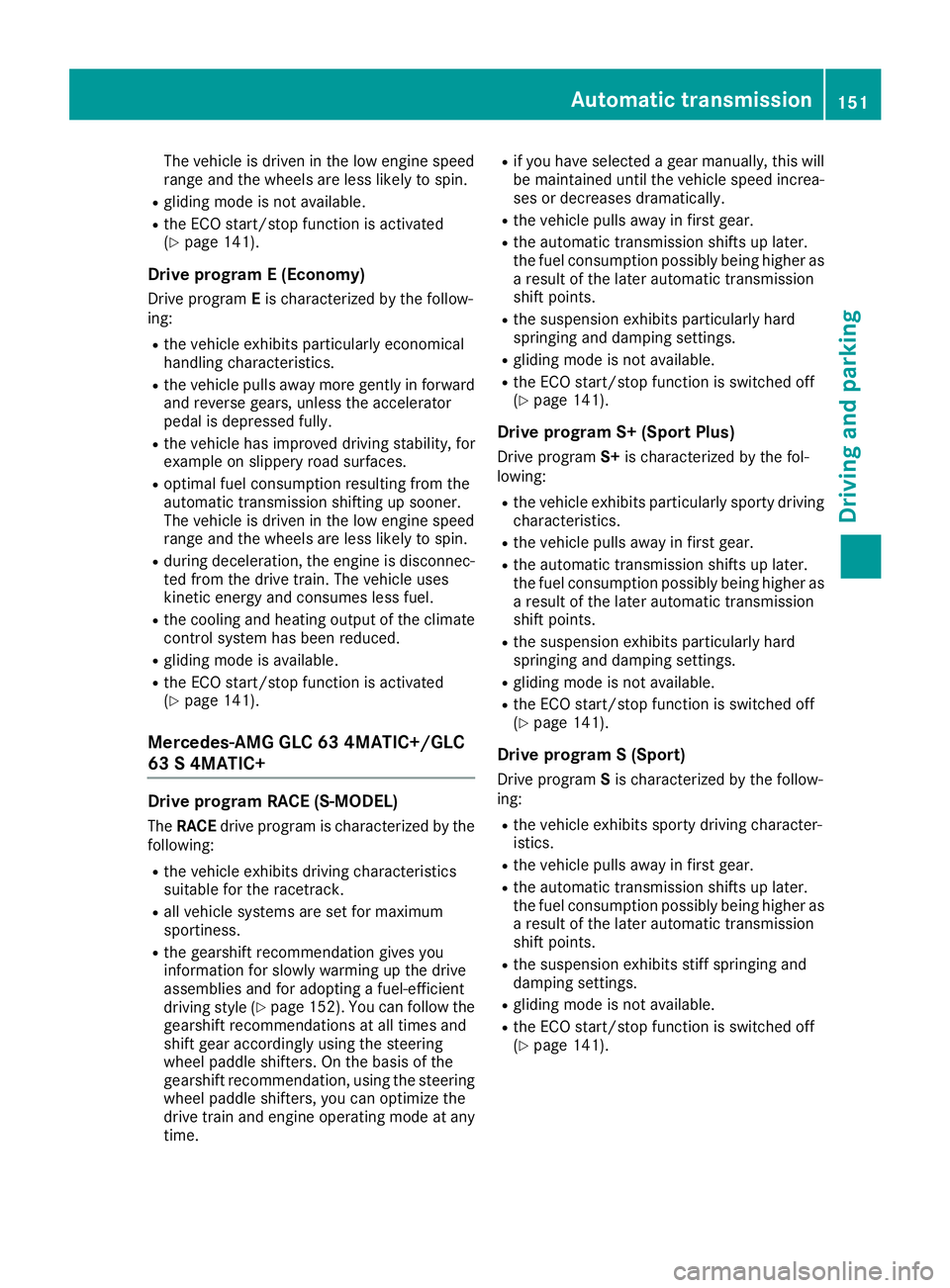
The vehicle is driven in the low engine speed
range and the wheels are less likely to spin. R
gliding mode is not available. R
the ECO start/stop function is activated
( Y
page 141).
Drive program E (Economy) Drive program E is characterized by the follow-
ing: R
the vehicle exhibits particularly economical
handling characteristics. R
the vehicle pulls away more gently in forward
and reverse gears, unless the accelerator
pedal is depressed fully. R
the vehicle has improved driving stability, for
example on slippery road surfaces. R
optimal fuel consumption resulting from the
automatic transmission shifting up sooner.
The vehicle is driven in the low engine speed
range and the wheels are less likely to spin. R
during deceleration, the engine is disconnec-
ted from the drive train. The vehicle uses
kinetic energy and consumes less fuel. R
the cooling and heating output of the climate
control system has been reduced. R
gliding mode is available. R
the ECO start/stop function is activated
( Y
page 141).
Mercedes-AMG GLC 63 4MATIC+/GLC
63 S 4MATIC+
Drive program RACE (S ‑ MODEL)The RACE drive program is characterized by the
following: R
the vehicle exhibits driving characteristics
suitable for the racetrack. R
all vehicle systems are set for maximum
sportiness. R
the gearshift recommendation gives you
information for slowly warming up the drive
assemblies and for adopting a fuel-efficient
driving style ( Y
page 152). You can follow the
gearshift recommendations at all times and
shift gear accordingly using the steering
wheel paddle shifters. On the basis of the
gearshift recommendation, using the steering
wheel paddle shifters, you can optimize the
drive train and engine operating mode at any
time. R
if you have selected a gear manually, this will
be maintained until the vehicle speed increa-
ses or decreases dramatically. R
the vehicle pulls away in first gear. R
the automatic transmission shifts up later.
the fuel consumption possibly being higher as
a result of the later automatic transmission
shift points. R
the suspension exhibits particularly hard
springing and damping settings. R
gliding mode is not available. R
the ECO start/stop function is switched off
( Y
page 141).
Drive program S+ (Sport Plus) Drive program S+ is characterized by the fol-
lowing: R
the vehicle exhibits particularly sporty driving
characteristics. R
the vehicle pulls away in first gear. R
the automatic transmission shifts up later.
the fuel consumption possibly being higher as
a result of the later automatic transmission
shift points. R
the suspension exhibits particularly hard
springing and damping settings. R
gliding mode is not available. R
the ECO start/stop function is switched off
( Y
page 141).
Drive program S (Sport) Drive program S is characterized by the follow-
ing: R
the vehicle exhibits sporty driving character-
istics. R
the vehicle pulls away in first gear. R
the automatic transmission shifts up later.
the fuel consumption possibly being higher as
a result of the later automatic transmission
shift points. R
the suspension exhibits stiff springing and
damping settings. R
gliding mode is not available. R
the ECO start/stop function is switched off
( Y
page 141).Automatic transmission 151
Driving and parking Z
Page 216 of 390
the lines on the assistance graphic display are
shown in green ( Y
page 231). Active Lane
Keeping Assist is ready for use. X
To deactivate: press button D .
Indicator lamp C goes out. The Active Lane
Keeping Assist is deactivated. The Lane
Keeping Assist Off message appears in
the multifunction display.
Selecting Standard or Adaptive setting X
In the DriveAssist menu on the on-board
computer, select the Active Lane Keep‐
ing Assist function ( Y
page 233).X
Select setting Standard or Adaptive .
When Standard is selected, no warning vibra-
tion occurs if: R
you switch on the turn signals. In this event,
the warnings are suppressed for a certain
period of time R
a driving safety system intervenes, such as
ABS, BAS or ESP ®
When Adaptive is selected, no warning vibra-
tion occurs if: R
you switch on the turn signals. In this event,
the warnings are suppressed for a certain
period of time. R
a driving safety system intervenes, e.g.
ABS, BAS or ESP ®
R
you accelerate hard, e.g. kickdown. R
you brake hard R
you steer actively, e.g. swerve to avoid an
obstacle or change lanes quickly R
you cut the corner on a sharp bend
To ensure that you are warned only when nec-
essary and in good time if you cross the lane
markings, the system detects certain conditions
and warns you accordingly.
The warning vibration occurs earlier if: R
you approach the outer lane marking on a
bend R
the road has very wide lanes, e.g. a freeway R
the system detects solid lane markings
The warning vibration occurs later if: R
the road has narrow lanes R
you cut the corner on a bend
Towing a trailer
When you attach a trailer, make sure you have
correctly established the electrical connection. This can be accomplished by checking the trailer
lighting.
Towing a trailer
Important safety notes
G WARNING
Installing an unsuitable ball coupling may
result in overloading of the trailer tow hitch
and the rear axle. This applies especially if the
ball coupling in question is longer or angled
differently. This could seriously impair the
driving characteristics and the trailer can
come loose. There is a risk of an accident.
You should only ever install a ball coupling
that has the permissible dimensions and that
is designed to meet your trailer-towing
requirements. Do not modify the ball coupling
or the trailer tow hitch.
You will find the values approved by the manu-
facturer on the vehicle identification plates and
those for the towing vehicle under "Technical
data" ( Y
page 384).
G WARNING
When the vehicle/trailer combination begins
to lurch, you could lose control of it. The vehi-
cle/trailer combination could even rollover.
There is a risk of an accident.
On no account should you attempt to
straighten up the vehicle/trailer combination
by increasing the speed. Reduce vehicle
speed and do not countersteer. Apply the
brake as necessary.
! If you have a trailer tow hitch retrofitted,
changes to the engine cooling system may be
necessary, depending on the vehicle type.
If you have a trailer tow hitch retrofitted,
observe the anchorage points on the chassis
frame.
The installation of a trailer tow hitch is only per-
missible if a towing weight is specified in your
vehicle documents. If this is not the case, then
the vehicle is not approved for the towing of a
trailer.214
Towing a trailer
Driving an d parking
Page 287 of 390
Settings in the climate menu Adjusting the climate mode settings The climate mode determines the type of air-
flow. The setting is active when the air-condi-
tioning system is set to X ( Y
page 128).X
Call up the climate control menu
( Y
page 284). X
To select Climate Mode : turn and press the
controller. X
To change the setting: turn the controller. X
To exit the menu: press the 8 button.
The climate mode bar displays the current air-
flow setting: DIFFUSE , MEDIUM or FOCUS .
Starting/stopping the perfume atomizer The perfume atomizer makes it possible to scent
the air in individual compartments in the vehicle
interior. Further information ( Y
page 132).X
Call up the climate control menu
( Y
page 284). X
To select Air Freshener : turn and press the
controller.
The setting element is active. X
To start/stop the perfume atomizer: press
the controller. X
To set the intensity: turn the controller when
the atomizer is switched on. X
To exit the menu: press the 8 button.
Switching the ionization on/off The ionization has a cleansing effect on the air in
the vehicle interior. Further information
( Y
page 133). X
Call up the climate control menu
( Y
page 284). X
To select Ionization : turn and press the
controller.
The setting element is active. X
To switch the ionization on or off: turn the
controller. X
To exit the menu: press the 8 button.
Activating or deactivating pre-entry cli-
mate control via the SmartKey
This function is available for plug-in hybrid vehi-
cles.
Before getting in, the driver's seat area or the
whole vehicle interior is briefly warmed or ven-
tilated. The air from the vents is pre-cooled. X
Call up the climate control menu
( Y
page 284). X
To select Pre-entry Climate Control
via Key : turn and press the controller. X
To activate or deactivate: turn the control-
ler. X
To exit the menu: press the 8 button.
Activating or deactivating pre-entry cli-
mate control at departure time This function is available for plug-in hybrid vehi-
cles.
The driver's seat and the vehicle interior are
heated or cooled prior to the set departure time. X
Call up the climate control menu
( Y
page 284). X
To select Pre-entry Climate Ctrl. at
Depart. Time : turn and press the controller.
A rotary menu appears. X
To select the setting: turn the controller.X
To exit the menu: press the 8 button.
Settings in the bottom bar of the cli-
mate control menu
Switching cooling with air dehumidifica-
tion on/off X
Call up the climate control menu
( Y
page 284). X
Slide 6 the controller repeatedly until the
bottom bar is activated. X
To select s A/C : turn and press the control-
ler. X
Switch cooling with air dehumidification on
s or off S .
i The current status of the cooling function is
displayed in the climate control bar: A/C ON
– activated, A/C OFF – deactivated.
i Deactivating the cooling with air dehumidi-
fication function reduces fuel consumption.
Synchronizing the climate control set-
tings
Use s Sync (synchronization) to select the cli-
mate control setting for all zones together s or
separately S .Operating system 285
Multimedia system Z