climate settings MERCEDES-BENZ GLC 2019 Owners Manual
[x] Cancel search | Manufacturer: MERCEDES-BENZ, Model Year: 2019, Model line: GLC, Model: MERCEDES-BENZ GLC 2019Pages: 370, PDF Size: 19.55 MB
Page 10 of 370
Charge-air pressure (on-board
computer, Mercedes-AMG vehi-
cles).................................................... 223
Child
Restraint system .............................. 60
Child seat
Forward-facing restraint system ...... 63
LATCH-type (ISOFIX) child seat
anchors ............................................ 61
On the front-passenger seat ............ 62
Rearward-facing restraint system .... 63
Top Tether .......................................61
Child-proof locks
Important safety notes .................... 63
Rear doors .......................................64
Children
Special seat belt retractor ...............59
Children in the vehicle
Important safety notes .................... 59
Cigarette lighter................................ 291
Cleaning
Mirror turn signal ...........................309
Trailer tow hitch .............................310
Climate control
Control panel for 3-zone auto-
matic climate control ..................... 120
Control panel for dual-zone auto-
matic climate control ..................... 119
Controlling automatically ...............123
Cooling with air dehumidification .. 122
Cooling with air dehumidification
(multimedia system) ......................273
Defrosting the windows ................. 125
Defrosting the windshield .............. 125
ECO start/stop function ................ 122
General notes ................................ 119
Indicator lamp ................................ 123
Ionization ....................................... 128
Ionization (multimedia system) ...... 273
Notes on using the automatic cli-
mate control .................................. 121
Overview ........................................ 272
Overview of systems ......................119
Perfume atomizer .......................... 127
Perfume atomizer (multimedia
system) .......................................... 273
Problem with the rear window
defroster ........................................ 126
Problems with cooling with air
dehumidification ............................ 123
Rear control panel ......................... 120
Refrigerant ..................................... 362
Refrigerant filling capacity ............. 363
Setting the air distribution ............. 124
Setting the air vents ......................128
Setting the airflow ......................... 124
Setting the climate mode ...............123
Setting the climate mode (multi-
media system) ............................... 273
Setting the temperature ................ 123
Switching air-recirculation mode
on/off ............................................ 126
Switching on/off ........................... 122
Switching residual heat on/off ...... 126
Switching the rear window
defroster on/off ............................ 125
Switching the synchronization
function on and off ........................ 124
Synchronization function (multi-
media system) ............................... 273
Climate control settings
Multimedia system ........................ 272
Climate control system
Climate control .............................. 122
Coat hooks......................................... 286
Cockpit
Overview .......................................... 35
Code for Apps
see QR code
COMAND display
Cleaning ......................................... 310
Combination switch.......................... 110
Connecting a USB device
see also Digital Operator's Man-
ual ..................................................268
Consumption statistics (on-board
computer).......................................... 213
Controller...........................................269
Controlling a speed
see Active Distance Assist DISTRONIC
Convenience closing feature.............. 91
Convenience opening feature............ 91
Coolant (engine)
Checking the level ......................... 303
Display message ............................ 240
8Index
Page 15 of 370
Handwriting recognition
Switching text reader function
on/off ............................................ 271
Touchpad ....................................... 270
Hazard warning lamps...................... 111
Head restraints
Adjusting (electrically) .....................99
Adjusting (manually) ........................ 99
Adjusting (rear) ................................ 99
Adjusting the fore-and-aft posi-
tion manually ................................... 99
Important safety notes.................... 98
Head-up display
Adjusting the brightness ................ 222
Displays and operating .................. 211
Function/notes............................. 211
Important safety notes .................. 211
Selecting displays .......................... 221
Setting the position ....................... 222
Storing settings (memory func-
tion) ............................................... 107
Switching on or off ......................... 211
Headlamps
Display message ............................ 239
Fogging up ..................................... 112
see Automatic headlamp mode
Heating
see Climate control
High beam flasher............................. 110
High-beam headlamps
Adaptive Highbeam Assist ............. 111
Display message ............................ 239
Replacing bulbs............................. 114
Switching on/off........................... 110
Hill start assist.................................. 135
HOLD function
Activating ....................................... 170
Activation conditions ..................... 170
Deactivating ................................... 170
Display message ............................ 247
Function/notes............................. 170
General notes ................................ 170
Home address
see also Digital Operator's Man-
ual .................................................. 268
Hood
Closing ........................................... 300
Display message ............................ 254
Important safety notes .................. 299
Opening ......................................... 299
Horn...................................................... 35
HUD
see Head-up display
Hydroplaning..................................... 159
I
Ignition lock
see Key positions
Immobilizer.......................................... 75
Indicator lamps
see Warning and indicator lamps
Indicators
see Turn signals
Insect protection on the radiator.... 300
Inspection
see ASSYST PLUS
Instrument cluster
Overview .......................................... 36
Warning and indicator lamps ........... 36
Instrument cluster lighting.............. 208
Interior lighting
Automatic control .......................... 113
Control ........................................... 113
Overview ........................................ 113
Reading lamp ................................. 113
iPod®
see also Digital Operator's Man-
ual .................................................. 268
J
Jack
Using ............................................. 351
Jump starting (engine)...................... 322
K
Key positions
SmartKey ....................................... 131
Start/Stop button .......................... 132
KEYLESS-GO
Activating ......................................... 78
Convenience closing feature ............ 91
Deactivation ..................................... 78
Locking ............................................ 78
Removing the Start/Stop button ... 132
Index13
Page 23 of 370
Summer tires
In winter ........................................332
Sun visor............................................ 290
Suspension settings
AIR BODY CONTROL ......................172
Suspension tuning
AMG sports suspension based on
AIR BODY CONTROL ......................174
SETUP (on-board computer,
Mercedes-AMG vehicles) ...............224
Switching air-recirculation mode
on/off................................................. 126
Switching on media mode
Via the device list.......................... 276
T
Tachometer........................................ 209
Tail lamps
Display message ............................ 239
Tailgate
Display message ............................ 254
Emergency unlocking ....................... 89
HANDS-FREE ACCESS ..................... 87
Important safety notes .................... 84
Limiting the opening angle ............... 89
object detection............................... 85
Opening dimensions ...................... 363
Opening/closing (automatically
from inside) ...................................... 88
Opening/closing (automatically
from outside) ................................... 85
Reversing feature ............................. 85
Tank content
Fuel gauge ....................................... 36
Technical data
Capacities ...................................... 358
Drawbar load (maximum) ............... 364
Information .................................... 356
Trailer loads................................... 364
Vehicle data ................................... 363
Telephone
Accepting a call (multifunction
steering wheel) .............................. 218
Authorizing a mobile phone (con-
necting) ......................................... 275
Connecting a mobile phone
(device manager) ........................... 275
Display message ............................ 255
Introduction ................................... 218
Menu (on-board computer) ............ 218
Number from the phone book ........ 218
Redialing ........................................ 219
Rejecting/ending a call ................. 218
see also Digital Operator's Man-
ual .................................................. 268
see Mobile phone
Temperature
Coolant (display in the instrument
cluster) .......................................... 209
Engine oil (on-board computer,
Mercedes-AMG vehicles) ............... 223
Outside temperature ...................... 209
Setting (climate control)................ 123
Transmission oil (on-board com-
puter, Mercedes-AMG vehicles) ..... 223
Timing (RACETIMER)......................... 225
Tire pressure
Calling up (on-board computer) ..... 337
Checking manually ........................ 336
Display message ............................ 250
Maximum ....................................... 336
Not reached (TIREFIT) .................... 318
Notes ............................................. 334
Reached (TIREFIT) .......................... 318
Recommended ............................... 333
Using the TIREFIT kit ...................... 317
Tire pressure loss warning system
General notes ................................ 336
Important safety notes .................. 336
Restarting ...................................... 337
Tire pressure monitor
Checking the tire pressure elec-
tronically ........................................ 339
Function/notes............................. 337
General notes ................................ 337
Important safety notes .................. 338
Radio type approval for the tire
pressure monitor ........................... 340
Restarting ...................................... 339
Warning lamp ................................. 266
Warning message .......................... 339
Tire pressure sensors
Display message ............................ 251
Tire-change tool kit........................... 314
Index21
Page 121 of 370
Overview of climate control systems
General notes
Observe the settings recommended on the fol-lowing pages. The windows could otherwise fogup.
To prevent the windows from fogging up:
Rswitch off climate control only briefly
Rswitch on air-recirculation mode only briefly
Rswitch on the cooling with air dehumidifica-tion function
Ractivate the "Windshield defrosting" functionbriefly, if required
Climate control regulates the temperature andair humidity in the vehicle interior. The interiorfilter cleans the air, thus improving the interiorclimate.
The "Cooling with air dehumidification" functionis only available when the engine is running.Optimum climate control is only achieved withthe side windows and roof closed.
If you start the engine using your smartphone,the last selected climate control setting is reac-tivated (Ypage 134).
The integrated filter filters out most particles ofdust and soot and completely filters out pollen.It also reduces gaseous pollutants and odors. Aclogged filter reduces the amount of air suppliedto the vehicle interior. For this reason, youshould always observe the interval for replacingthe filter, which is specified in the MaintenanceBooklet. As it depends on environmental condi-tions, e.g. heavy air pollution, the interval maybe shorter than stated in the Maintenance Book-let.
iVentilate the vehicle for a brief period duringwarm weather, e.g. using the convenienceopening feature (Ypage 91). This will speedup the cooling process and the desired inte-rior temperature will be reached morequickly.
iIt is possible that the blower may be activa-ted automatically 60 minutes after the Smart-Key has been removed depending on variousfactors, e.g. the outside temperature. Thevehicle is then ventilated for 30 minutes to drythe automatic climate control.
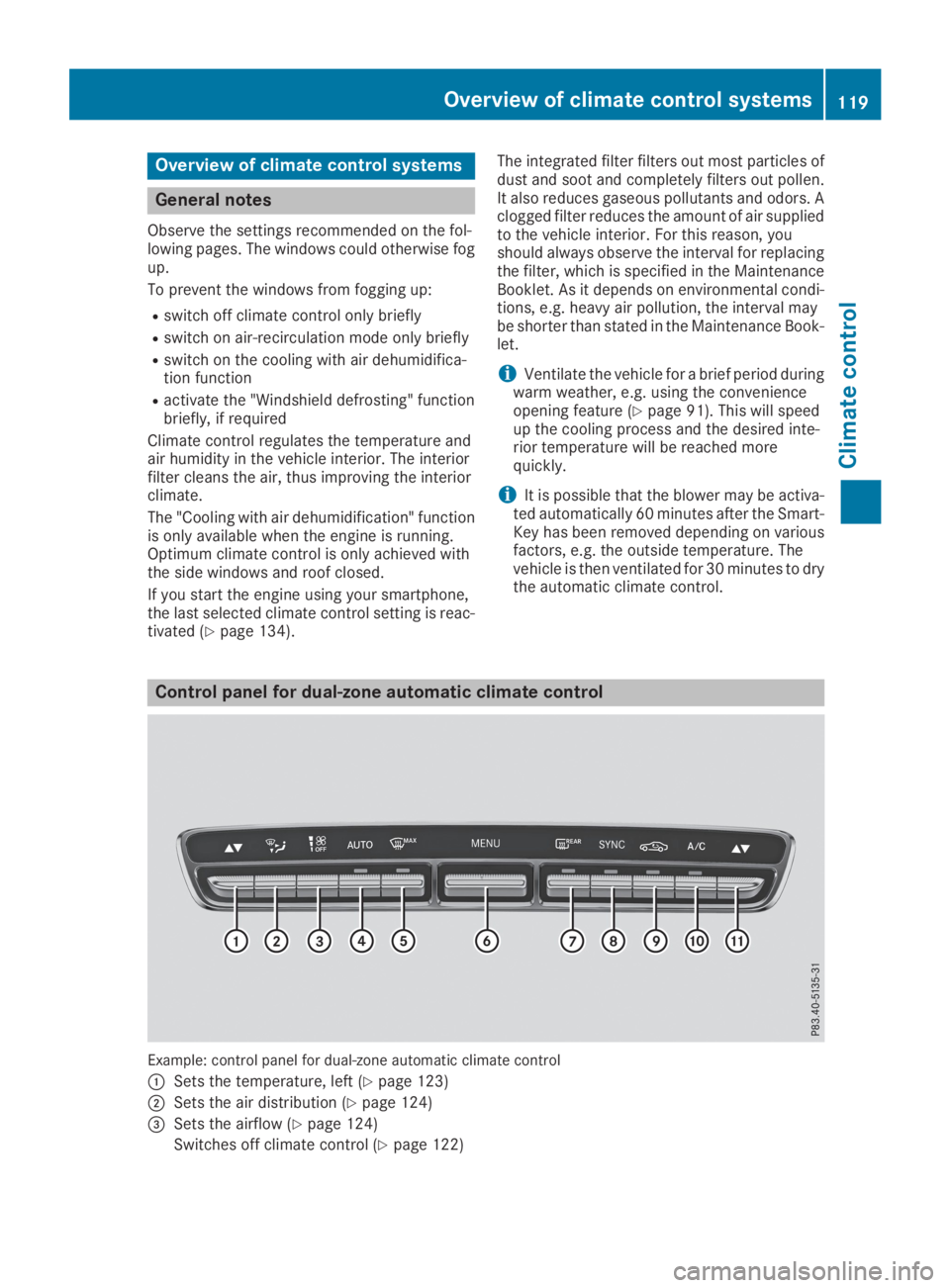
Control panel for dual-zone automatic climate control
Example: control panel for dual-zone automatic climate control
CSets the temperature, left (Ypage 123)
DSets the air distribution (Ypage 124)
Page 124 of 370
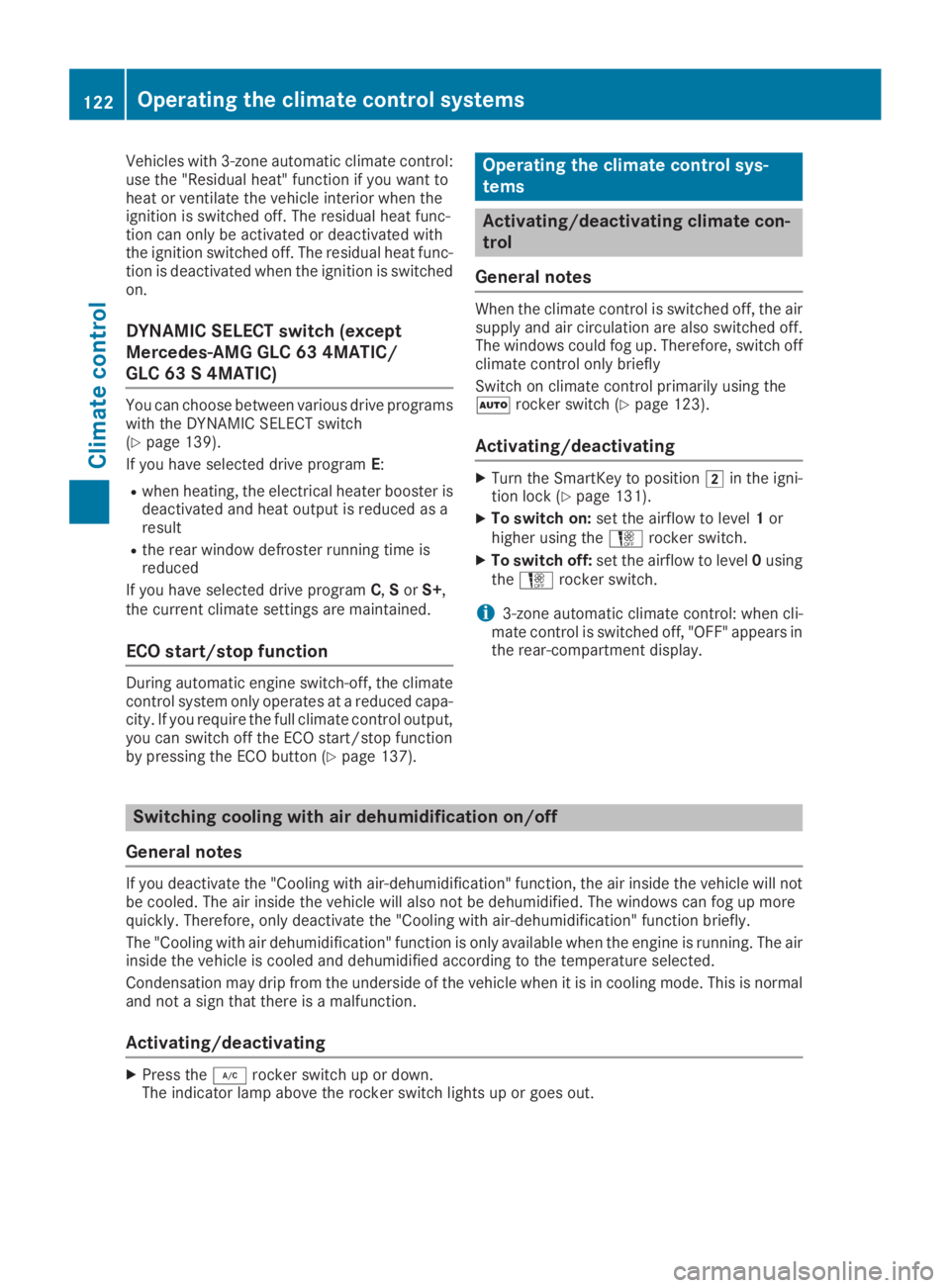
Vehicles with 3-zone automatic climate control:use the "Residual heat" function if you want toheat or ventilate the vehicle interior when theignition is switched off. The residual heat func-tion can only be activated or deactivated withthe ignition switched off. The residual heat func-tion is deactivated when the ignition is switchedon.
DYNAMIC SELECT switch (except
Mercedes-AMG GLC 63 4MATIC/
GLC 63 S 4MATIC)
You can choose between various drive programswith the DYNAMIC SELECT switch(Ypage 139).
If you have selected drive programE:
Rwhen heating, the electrical heater booster isdeactivated and heat output is reduced as aresult
Rthe rear window defroster running time isreduced
If you have selected drive programC,SorS+,the current climate settings are maintained.
ECO start/stop function
During automatic engine switch-off, the climatecontrol system only operates at a reduced capa-city. If you require the full climate control output,you can switch off the ECO start/stop functionby pressing the ECO button (Ypage 137).
Operating the climate control sys-
tems
Activating/deactivating climate con-
trol
General notes
When the climate control is switched off, the airsupply and air circulation are also switched off.The windows could fog up. Therefore, switch offclimate control only briefly
Switch on climate control primarily using theXrocker switch (Ypage 123).
Activating/deactivating
XTurn the SmartKey to positionHin the igni-tion lock (Ypage 131).
XTo switch on:set the airflow to level1orhigher using theHrocker switch.
XTo switch off:set the airflow to level0usingtheHrocker switch.
i3-zone automatic climate control: when cli-mate control is switched off, "OFF" appears inthe rear-compartment display.
Switching cooling with air dehumidification on/off
General notes
If you deactivate the "Cooling with air-dehumidification" function, the air inside the vehicle will notbe cooled. The air inside the vehicle will also not be dehumidified. The windows can fog up morequickly. Therefore, only deactivate the "Cooling with air-dehumidification" function briefly.
The "Cooling with air dehumidification" function is only available when the engine is running. The airinside the vehicle is cooled and dehumidified according to the temperature selected.
Condensation may drip from the underside of the vehicle when it is in cooling mode. This is normaland not a sign that there is a malfunction.
Activating/deactivating
XPress theZrocker switch up or down.The indicator lamp above the rocker switch lights up or goes out.
122Operating the climate control systems
Climate control
Page 127 of 370

3-zone automatic climate control
XActivate or deactivate the "Synchronization"function using the multimedia system(Ypage 273).
The synchronization function is deactivated:
Rif the settings for the front-passenger side arechanged
Rthe settings for the rear compartment arechanged
Defrosting the windshield
General notes
You can use this function to defrost the wind-shield or to clear a fogged up windshield or frontside windows on the inside.
Switch off the "Windshield defrosting" functionas soon as the windshield is clear again.
Switching the "Windshield defrosting"
function on or off
XTurn the SmartKey to positionHin the igni-tion lock (Ypage 131).
XTo switch on:press rocker switchdonthe front control unit up or down.The indicator lamp above thedrockerswitch lights up. The current climate controlsettings are deactivated.
The climate control system switches to thefollowing functions:
Rhigh airflow
Rhigh temperature
Rair distribution to the windshield and frontside windows
Rair-recirculation mode off
iIf necessary, the "Cooling with air dehumid-ification" function is activated. In this case,the indicator lamp above theZrockerswitch remains switched off.
XTo switch off:press rocker switchdup ordown.The indicator lamp above thedrockerswitch goes out. The previously selected set-
tings are restored. Air-recirculation moderemains deactivated.
Removing condensation from the win-
dows
Windows fogged up on the inside
XActivate the "Cooling with air dehumidifica-tion" function with theZrocker switch.
XSwitch on automatic mode using theXrocker switch.
XIf the windows continue to fog up, activate the"Windshield defrosting" function using thedrocker switch.
iYou should only select this setting until thewindshield is clear again.
Windows fogged up on the outside
XActivate the windshield wipers.
XSwitch on automatic mode using theXrocker switch.
iIf you clean the windows regularly, they donot fog up so quickly.
Rear window defroster
General notes
The rear window defroster has a high currentdraw. You should therefore switch it off as soonas the rear window is clear. Otherwise, the rearwindow defroster switches off automaticallyafter several minutes.
If the battery voltage is too low, the rear windowdefroster may switch off.
Activating/deactivating
XTurn the SmartKey to positionHin the igni-tion lock (Ypage 131).
XPress rocker switchlup or down.The indicator lamp above rocker switchllights up or goes out.
Operating the climate control systems125
Climate control
Page 141 of 370
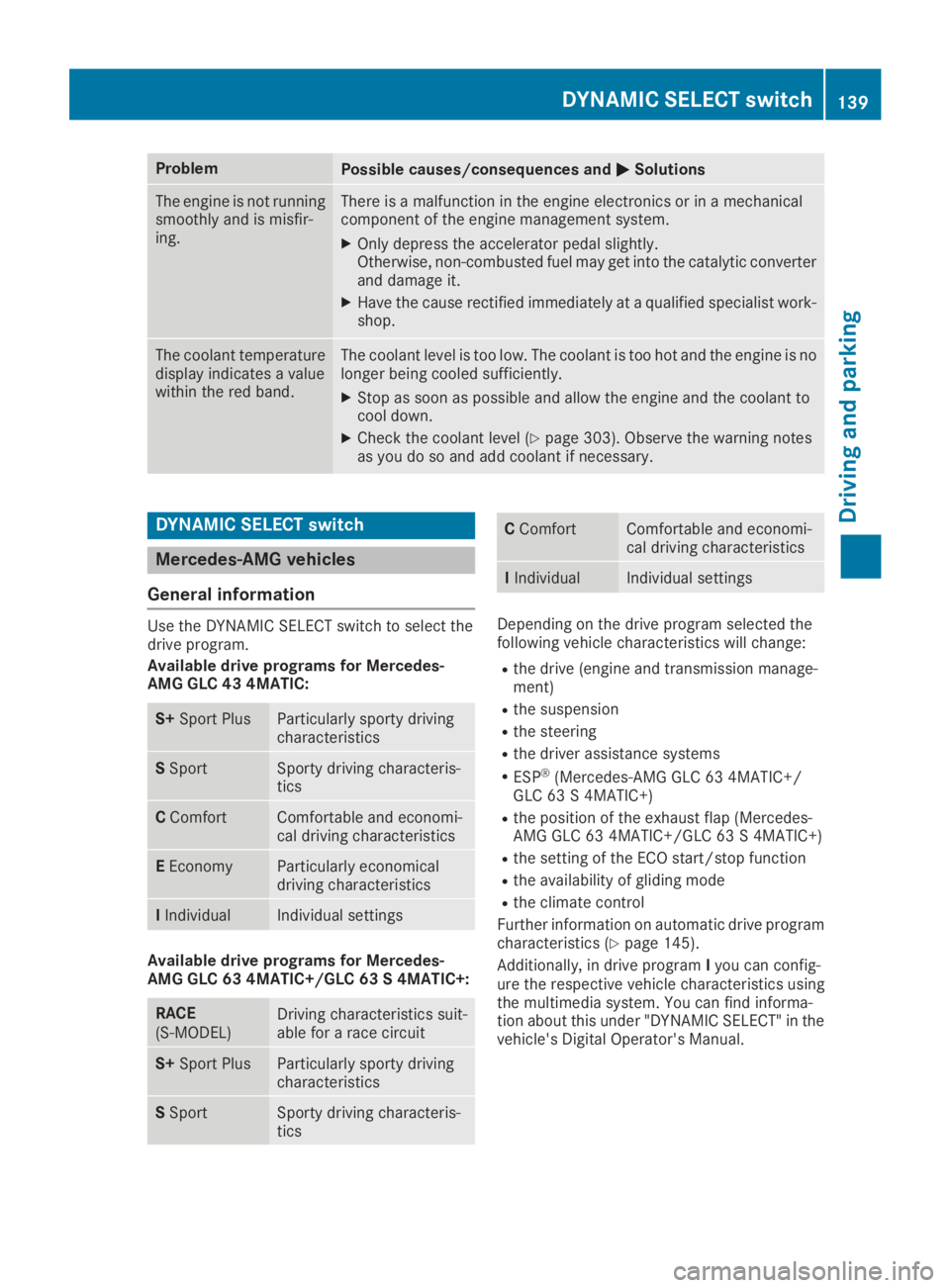
ProblemPossible causes/consequences andPPSolutions
The engine is not runningsmoothly and is misfir-ing.
There is a malfunction in the engine electronics or in a mechanicalcomponent of the engine management system.
XOnly depress the accelerator pedal slightly.Otherwise, non-combusted fuel may get into the catalytic converterand damage it.
XHave the cause rectified immediately at a qualified specialist work-shop.
The coolant temperaturedisplay indicates a valuewithin the red band.
The coolant level is too low. The coolant is too hot and the engine is nolonger being cooled sufficiently.
XStop as soon as possible and allow the engine and the coolant tocool down.
XCheck the coolant level (Ypage 303). Observe the warning notesas you do so and add coolant if necessary.
DYNAMIC SELECT switch
Mercedes-AMG vehicles
General information
Use the DYNAMIC SELECT switch to select thedrive program.
Available drive programs for Mercedes-AMG GLC 43 4MATIC:
S+Sport PlusParticularly sporty drivingcharacteristics
SSportSporty driving characteris-tics
CComfortComfortable and economi-cal driving characteristics
EEconomyParticularly economicaldriving characteristics
IIndividualIndividual settings
Available drive programs for Mercedes-AMG GLC 63 4MATIC+/GLC 63 S 4MATIC+:
RACE(S‑MODEL)Driving characteristics suit-able for a race circuit
S+Sport PlusParticularly sporty drivingcharacteristics
SSportSporty driving characteris-tics
CComfortComfortable and economi-cal driving characteristics
IIndividualIndividual settings
Depending on the drive program selected thefollowing vehicle characteristics will change:
Rthe drive (engine and transmission manage-ment)
Rthe suspension
Rthe steering
Rthe driver assistance systems
RESP®(Mercedes-AMG GLC 63 4MATIC+/GLC 63 S 4MATIC+)
Rthe position of the exhaust flap (Mercedes-AMG GLC 63 4MATIC+/GLC 63 S 4MATIC+)
Rthe setting of the ECO start/stop function
Rthe availability of gliding mode
Rthe climate control
Further information on automatic drive programcharacteristics (Ypage 145).
Additionally, in drive programIyou can config-ure the respective vehicle characteristics usingthe multimedia system. You can find informa-tion about this under "DYNAMIC SELECT" in thevehicle's Digital Operator's Manual.
DYNAMIC SELECT switch139
Driving and parking
Z
Page 147 of 370
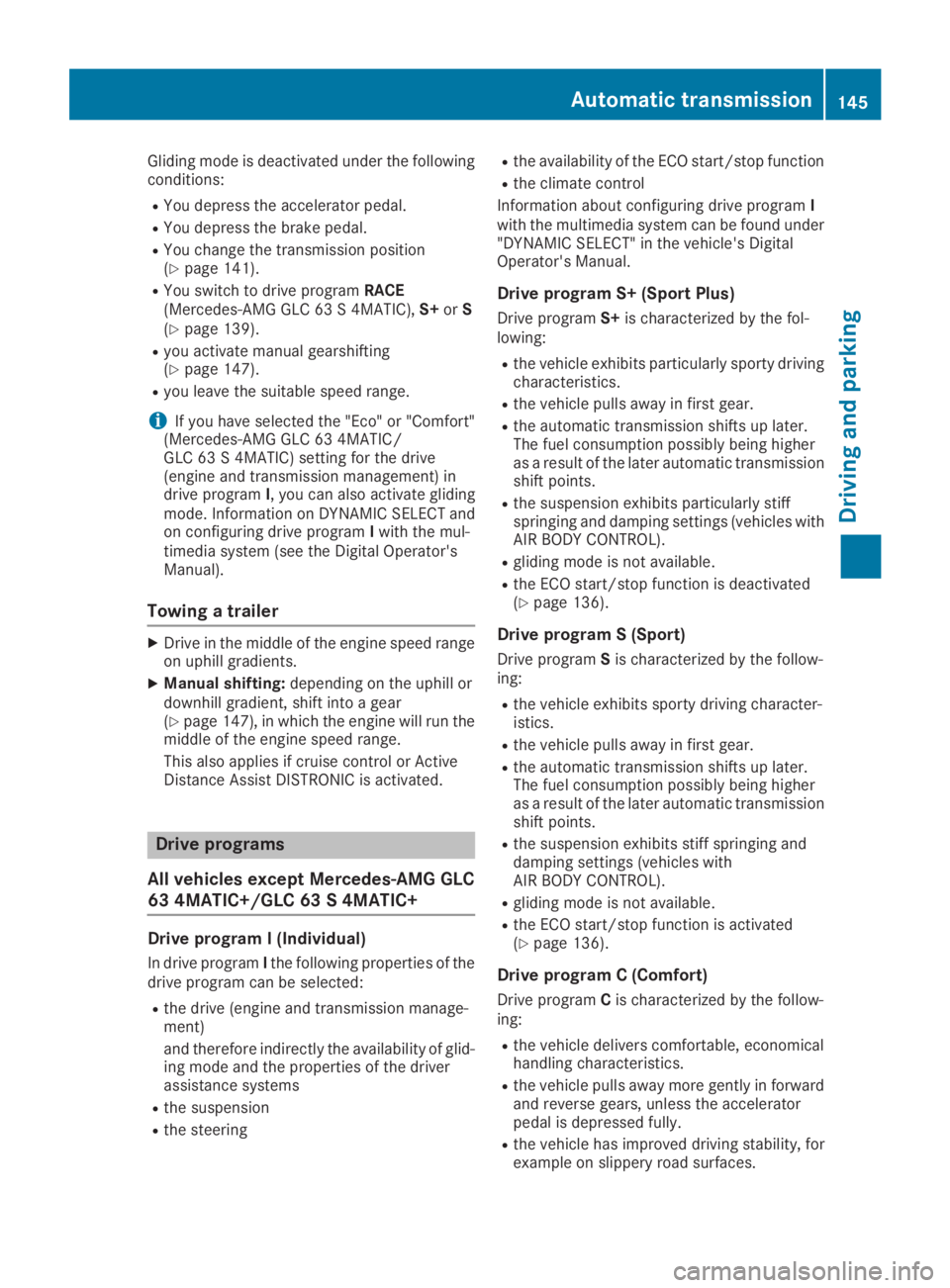
Gliding mode is deactivated under the followingconditions:
RYou depress the accelerator pedal.
RYou depress the brake pedal.
RYou change the transmission position(Ypage 141).
RYou switch to drive programRACE(Mercedes-AMG GLC 63 S 4MATIC),S+orS(Ypage 139).
Ryou activate manual gearshifting(Ypage 147).
Ryou leave the suitable speed range.
iIf you have selected the "Eco" or "Comfort"(Mercedes-AMG GLC 63 4MATIC/GLC 63 S 4MATIC) setting for the drive(engine and transmission management) indrive programI, you can also activate glidingmode. Information on DYNAMIC SELECT andon configuring drive programIwith the mul-timedia system (see the Digital Operator'sManual).
Towing a trailer
XDrive in the middle of the engine speed rangeon uphill gradients.
XManual shifting:depending on the uphill ordownhill gradient, shift into a gear(Ypage 147), in which the engine will run themiddle of the engine speed range.
This also applies if cruise control or ActiveDistance Assist DISTRONIC is activated.
Drive programs
All vehicles except Mercedes-AMG GLC
63 4MATIC+/GLC 63 S 4MATIC+
Drive program I (Individual)
In drive programIthe following properties of thedrive program can be selected:
Rthe drive (engine and transmission manage-ment)
and therefore indirectly the availability of glid-ing mode and the properties of the driverassistance systems
Rthe suspension
Rthe steering
Rthe availability of the ECO start/stop function
Rthe climate control
Information about configuring drive programIwith the multimedia system can be found under"DYNAMIC SELECT" in the vehicle's DigitalOperator's Manual.
Drive program S+ (Sport Plus)
Drive programS+is characterized by the fol-lowing:
Rthe vehicle exhibits particularly sporty drivingcharacteristics.
Rthe vehicle pulls away in first gear.
Rthe automatic transmission shifts up later.The fuel consumption possibly being higheras a result of the later automatic transmissionshift points.
Rthe suspension exhibits particularly stiffspringing and damping settings (vehicles withAIR BODY CONTROL).
Rgliding mode is not available.
Rthe ECO start/stop function is deactivated(Ypage 136).
Drive program S (Sport)
Drive programSis characterized by the follow-ing:
Rthe vehicle exhibits sporty driving character-istics.
Rthe vehicle pulls away in first gear.
Rthe automatic transmission shifts up later.The fuel consumption possibly being higheras a result of the later automatic transmissionshift points.
Rthe suspension exhibits stiff springing anddamping settings (vehicles withAIR BODY CONTROL).
Rgliding mode is not available.
Rthe ECO start/stop function is activated(Ypage 136).
Drive program C (Comfort)
Drive programCis characterized by the follow-ing:
Rthe vehicle delivers comfortable, economicalhandling characteristics.
Rthe vehicle pulls away more gently in forwardand reverse gears, unless the acceleratorpedal is depressed fully.
Rthe vehicle has improved driving stability, forexample on slippery road surfaces.
Automatic transmission145
Driving and parking
Z
Page 148 of 370
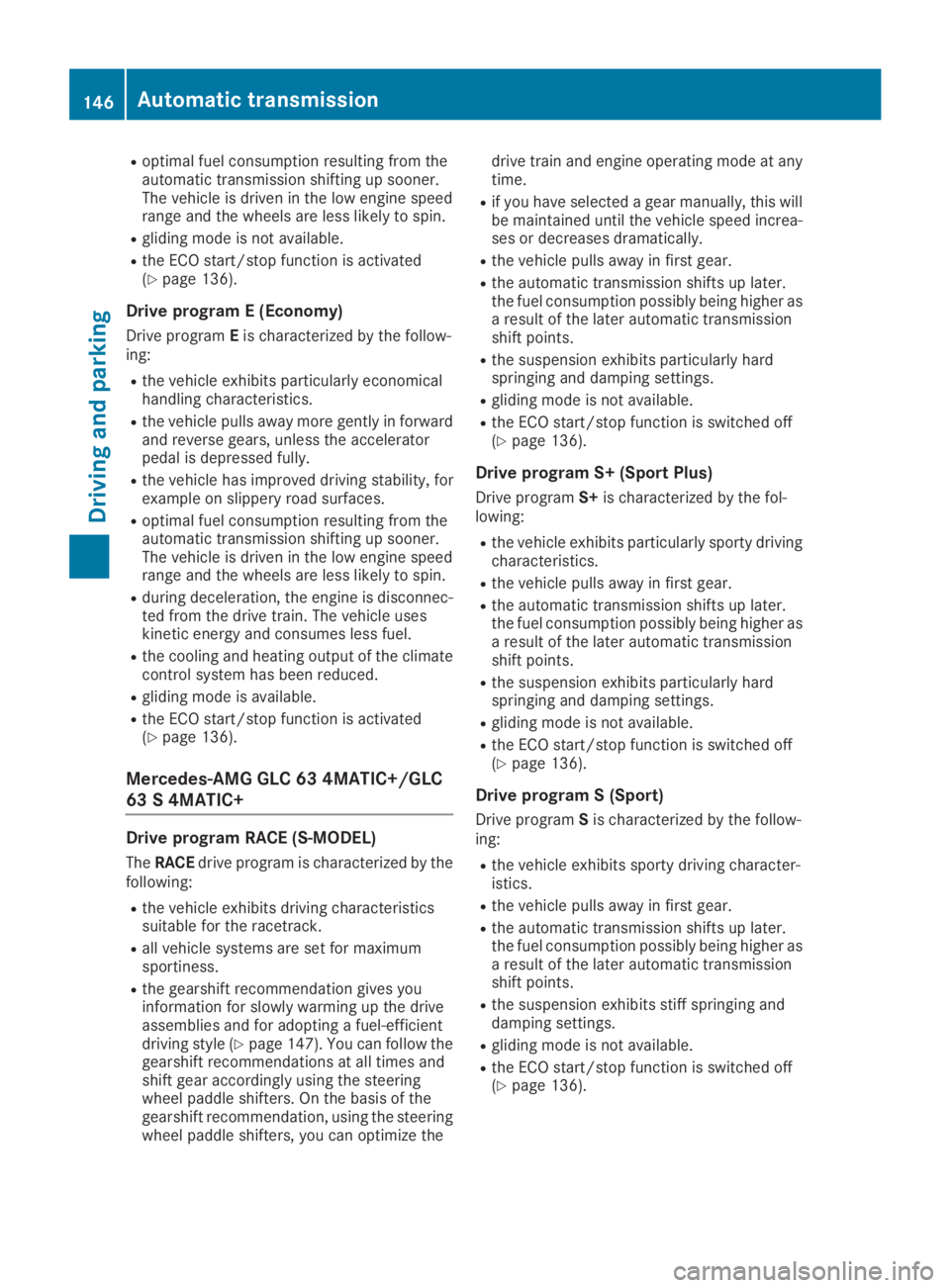
Roptimal fuel consumption resulting from theautomatic transmission shifting up sooner.The vehicle is driven in the low engine speedrange and the wheels are less likely to spin.
Rgliding mode is not available.
Rthe ECO start/stop function is activated(Ypage 136).
Drive program E (Economy)
Drive programEis characterized by the follow-ing:
Rthe vehicle exhibits particularly economicalhandling characteristics.
Rthe vehicle pulls away more gently in forwardand reverse gears, unless the acceleratorpedal is depressed fully.
Rthe vehicle has improved driving stability, forexample on slippery road surfaces.
Roptimal fuel consumption resulting from theautomatic transmission shifting up sooner.The vehicle is driven in the low engine speedrange and the wheels are less likely to spin.
Rduring deceleration, the engine is disconnec-ted from the drive train. The vehicle useskinetic energy and consumes less fuel.
Rthe cooling and heating output of the climatecontrol system has been reduced.
Rgliding mode is available.
Rthe ECO start/stop function is activated(Ypage 136).
Mercedes-AMG GLC 63 4MATIC+/GLC
63 S 4MATIC+
Drive program RACE (S‑MODEL)
TheRACEdrive program is characterized by thefollowing:
Rthe vehicle exhibits driving characteristicssuitable for the racetrack.
Rall vehicle systems are set for maximumsportiness.
Rthe gearshift recommendation gives youinformation for slowly warming up the driveassemblies and for adopting a fuel-efficientdriving style (Ypage 147). You can follow thegearshift recommendations at all times andshift gear accordingly using the steeringwheel paddle shifters. On the basis of thegearshift recommendation, using the steeringwheel paddle shifters, you can optimize the
drive train and engine operating mode at anytime.
Rif you have selected a gear manually, this willbe maintained until the vehicle speed increa-ses or decreases dramatically.
Rthe vehicle pulls away in first gear.
Rthe automatic transmission shifts up later.the fuel consumption possibly being higher asa result of the later automatic transmissionshift points.
Rthe suspension exhibits particularly hardspringing and damping settings.
Rgliding mode is not available.
Rthe ECO start/stop function is switched off(Ypage 136).
Drive program S+ (Sport Plus)
Drive programS+is characterized by the fol-lowing:
Rthe vehicle exhibits particularly sporty drivingcharacteristics.
Rthe vehicle pulls away in first gear.
Rthe automatic transmission shifts up later.the fuel consumption possibly being higher asa result of the later automatic transmissionshift points.
Rthe suspension exhibits particularly hardspringing and damping settings.
Rgliding mode is not available.
Rthe ECO start/stop function is switched off(Ypage 136).
Drive program S (Sport)
Drive programSis characterized by the follow-ing:
Rthe vehicle exhibits sporty driving character-istics.
Rthe vehicle pulls away in first gear.
Rthe automatic transmission shifts up later.the fuel consumption possibly being higher asa result of the later automatic transmissionshift points.
Rthe suspension exhibits stiff springing anddamping settings.
Rgliding mode is not available.
Rthe ECO start/stop function is switched off(Ypage 136).
146Automatic transmission
Driving and parking
Page 275 of 370
Calling up the climate control bar
Multimedia system:
XSelectVehicleVehicle.The vehicle menu is displayed.
XSlide6the controller repeatedly until theclimate control bar is activated.
Calling up the climate control menu
Multimedia system:
XSelectVehicleVehicle.The vehicle menu is displayed.
XSlide6the controller repeatedly until theclimate control bar is activated.
XTo select from climate control barD: turnand press the controller.The menu for selecting the climate controlfunction is activated.
XTo select the climate control function: turnand press the controller.The selected climate control functionappears.
Settings in the climate menu
Adjusting the climate mode settings
The climate mode determines the type of air-flow. The setting is active when the air-condi-tioning system is set toX(Ypage 123).
XCall up the climate control menu(Ypage 273).
XTo selectClimate ModeClimate Mode: turn and press thecontroller.
XTo change the setting: turn the controller.
XTo exit the menu:press the8button.
The climate mode bar displays the current air-flow setting:DIFFUSEDIFFUSE,MEDIUMMEDIUMorFOCUSFOCUS.
Starting/stopping the perfume atomizer
The perfume atomizer makes it possible to scentthe air in individual compartments in the vehicleinterior. Further information (Ypage 127).
XCall up the climate control menu(Ypage 273).
XTo selectAirAirFreshenerFreshener: turn and press thecontroller.The setting element is active.
XTo start/stop the perfume atomizer: pressthe controller.
XTo set the intensity: turn the controller whenthe atomizer is switched on.
XTo exit the menu:press the8button.
Switching the ionization on/off
The ionization has a cleansing effect on the air inthe vehicle interior. Further information(Ypage 128).
XCall up the climate control menu(Ypage 273).
XTo selectIonizationIonization: turn and press thecontroller.The setting element is active.
XTo switch the ionization on or off: turn thecontroller.
XTo exit the menu:press the8button.
Settings in the bottom bar of the cli-
mate control menu
Switching cooling with air dehumidifica-
tion on/off
XCall up the climate control menu(Ypage 273).
XSlide6the controller repeatedly until thebottom bar is activated.
XTo selectssA/CA/C: turn and press the control-ler.
XSwitch cooling with air dehumidification onsor offS.
iThe current status of the cooling function isdisplayed in the climate control bar: A/C ON– activated, A/C OFF – deactivated.
iDeactivating the cooling with air dehumidi-fication function reduces fuel consumption.
Synchronizing the climate control set-
tings
UsessSyncSync(synchronization) to select the cli-mate control setting for all zones togethersorseparatelyS.
XCall up the climate control menu(Ypage 273).
XSlide6the controller repeatedly until thebottom bar is activated.
XTo selectssSyncSync: turn and press the con-troller.
XSwitch the synchronization function onsoroffS.
Operating system273
Multi media system
Z