warning MERCEDES-BENZ GLC 2022 Owner's Guide
[x] Cancel search | Manufacturer: MERCEDES-BENZ, Model Year: 2022, Model line: GLC, Model: MERCEDES-BENZ GLC 2022Pages: 462, PDF Size: 17.07 MB
Page 218 of 462
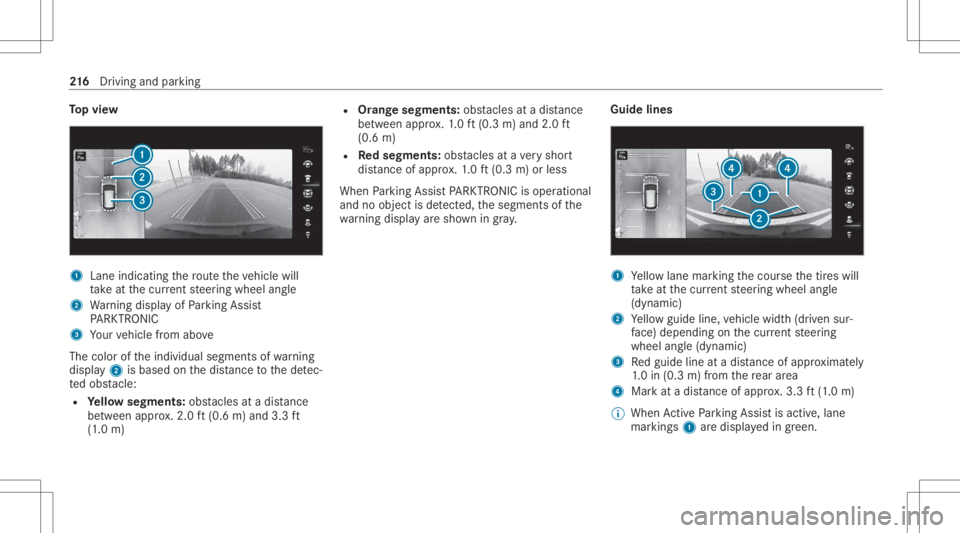
To
pvie w 1
Lane indicati ngthero uteth eve hicle will
ta ke atthecur rent steer ing wheel angle
2 Warning displa yof Parking Assist
PA RK TRONI C
3 Your vehicle from above
The color oftheindividual segmentsof wa rning
displa y2 isbased onthedis tance tothede tec‐
te dobs tacle :
R Yello wsegment s:obs tacle sat adi st anc e
be tween appr ox.2.0 ft(0.6 m)and 3.3ft
(1 .0 m) R
Orang esegment s:obs tacle sat adi st anc e
be tween appr ox.1. 0 ft (0.3 m)and 2.0ft
(0.6 m)
R Redse gme nts: obstacle sat ave ry shor t
dis tance ofapprox .1. 0 ft (0.3 m)orless
When Parking AssistPA RK TRONI Cis operatio nal
and noobj ectis de tected, thesegment sof the
wa rning displa yar esho wningray . Guide
lines 1
Yello wlane markingth ecour sethetir es will
ta ke atthecur rent steer ing wheel angle
(dynamic)
2 Yello wguide line,vehicle width(dr iven sur‐
fa ce) dep endi ngon thecur rent steer ing
wheel angle(dynamic)
3 Redguide lineatadis tance ofapprox imat ely
1. 0 in (0.3 m)from there ar area
4 Markat adis tance ofappr ox.3.3 ft(1.0 m)
% When ActivePa rking Assistis act ive, lane
mar kings1 aredispla yedin green. 21
6
Driving and parking
Page 225 of 462
Se
tting thewa rning tones ofParking Assis t
PA RK TRONI C
Mu ltimed iasystem:
4 © 5
Set ting s5
Assist ance
5 Camera &Parkin g
Ad jus tingthe volum eof thewa rning tones #
Select Warning ToneVolume. #
Seta va lue.
Ad jus tingthe pitchof the warning tones #
Select Warning TonePitch. #
Seta va lue.
Specif yingthest ar ting pointfo rthe warning
to nes
Yo ucan spec ifywhe ther thePa rking Assist
PA RK TRONI Cwa rning tones should comm ence
wh en theve hicle isfur ther aw ay from anobs ta‐
cle . #
Sele ctWa rnEarl yAll Arou nd. #
Swi tchth efunc tion onoroff. Ac
tiv atin g/deac tivatin gaudi ofa deo ut
Yo ucan spec ifywhe ther thevo lume ofamedia
sour ceinthemultimedia system isto be
re duced whenParking AssistPA RK TRONI C
soun dsawa rning tone. #
Select Aud ioFad eou tDuri ngWa rning Tones. #
Swi tchth efunc tion onoroff. Ac
tiv ePa rking Assis t Fu
nction ofActiv ePa rking Assis t
Ac tivePa rking Assistis an elect ronic parking
assis tance system, whic huses ultrasound with
th eassis tance ofthere ar vie wcam eraand sur‐
ro und viewcam era. When youar edr ivin gfo r‐
wa rdsup toappr oximat ely22 mph(35 km/h),
th esy stem automaticall ymeasur espar king
spaces onboth sides oftheve hicle.
As soon asall requ iremen tsareme tfo rsear ch‐
ing forpar king space s,theÇ displa yappear s
in themultifunc tiondispla y.
When ActivePa rking Assisthas detected parking
spaces ,th eÈ displa yappear sin themulti‐
func tion displa y.The arro ws sho won whic hside of
thero ad detected parking spaces arelocat ed.
The yar eth en sho wnonthemedia display.
The parking space canbeselect edasdesir ed.
Dependin gon thelocation ofthepar king space,
th epar king direct ion (rear wardsor forw ards)
can also beselec tedas desir ed.
When ActivePa rking Assistis act ivat ed, thetur n
signal indicat orsar eactiv ated based onthecal‐
culat edpat hof your vehicle.
When youar een tering orexitin gapar king
space, thepr ocedur eis assis tedby acc eleration ,
br akin g,steer ing and gear chang es.
Ac tivePa rking Assistis onl yan aid. Itis no ta
subs titutefo ryo ur att entio nto thesur round ings.
The responsibili tyforsaf emaneu vering and
pa rking remains withyo u. Mak esur eth at no
per son s,anim alsorobj ect set c. arein the
maneu vering rang e.
Ac tivePa rking Assistwill becan celed inthefo l‐
lo wing situat ions:
R Parking AssistPA RK TRONI Cis deac tiva ted.
R Youbegin steer ing.
R Youappl yth epar king brak e. Dr
iving andparking 223
Page 235 of 462
No
teson theins trum ent disp layand on-
boar dcom puter &
WARNIN GRisk ofacci dent dueto an
In stru ment Displa ymalfu nction
If th eIns trument Displayhas failed ormal‐
func tioned,thefunc tion restrictions applying
to saf etyre leva nt systems areno tvisible.
The oper ating safetyof your vehicle maybe
im pair ed. #
Drive on car efull y. #
Have theve hicle checkedimmediat ely
at aqu alif ied spec ialistwo rkshop. &
WARNIN GRisk ofdist ra ction from infor‐
mati onsystems andcomm unication s
eq uipment
If yo uoper ateinf ormat ionand comm unic a‐
tio neq uipme ntintegratedin theve hicle
when driving, youwill bedistract ed from the
tr af fic situ ation. Thiscou ldalso cau seyouto
lose control of theve hicle. #
Onlyoper ateth is eq uipmen twhen the
tr af fic situ ation per mits. #
Ifyo ucan notbe sur eof this, stop the
ve hicle whilstpa ying attention toroad
and traffic condi tions andoperate the
eq uipment withth eve hicle statio nary. *
NO
TEMercede s-AMG vehicles #
Obser vetheno tesin theSupplement .
Yo uco uld other wise failto recogni ze
da ngers. Yo
umus tobse rveth eleg alrequ iremen tsforth e
cou ntryin whi chyouar ecur rentl ydr ivi ng when
op erati ng theon- boar dcom puter.
The on-boar dcom putersho wsonlydispla ymes‐
sag esand warnings from spec ific systems on
th emultifunc tiondispla y.Yo umus tth er efor e
ensur eth at your vehicle isalw aysre liable.
If th eoper ating safetyof your vehicle is
im pair ed,parkth eve hicle immediat elyand in
accor dance withth etraf fic condi tions.Co ntact a
qu alif ied spec ialistwo rkshop. Ins
trument Displayand on-boar dcom puter 233
Page 238 of 462
#
Tocall upthemenu bar:press thelef t-hand
bac kbutt onuntil themenu barisdispla yed.
% Press the00E2 buttontocal lup themenu
bar oftheon- boar dcom puter. #
Toscr ollon themenu bar:swipe leftor
ri ght onthelef t-hand Touc hCon trol. #
Tocall upamen u,sub men uor poss ible
se ttings onthemenu ,or conf irm aselec‐
tion orsetting: press thelef t-hand Touc h
Con trol. #
Toscr ollthrough displa ysorlists on the
menu ,or select displaycont ent,afun c‐
tion, anentr yor adisp lay: swipe upwards
or down wardson thelef t-hand Touc hCon ‐
tr ol. #
Toswitc hbe tw een displa ys:sw ipe
up wa rdsor down wardson thelef t-hand
To uc hCon trol. #
Toexitasubm enu:press thelef t-hand back
butt on. Ov
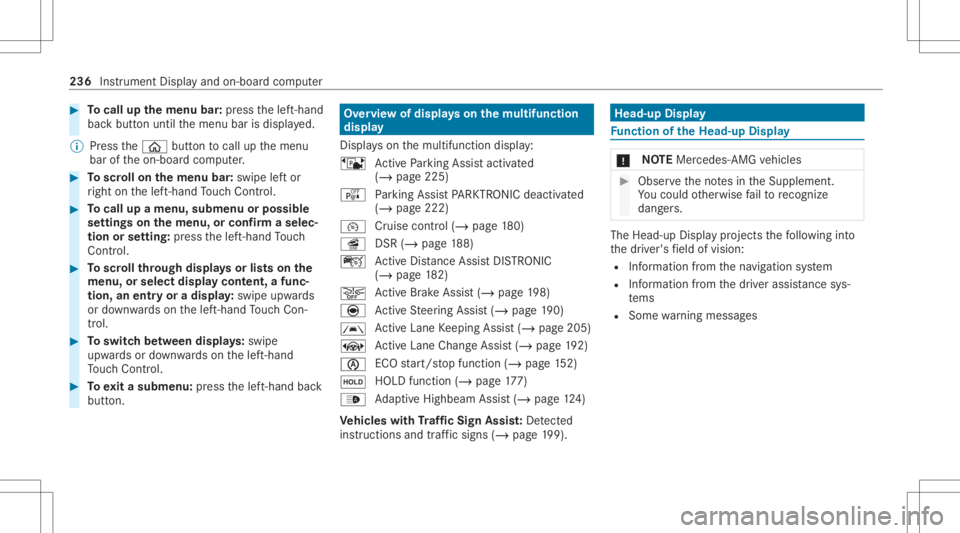
ervie wof displa yson themu ltifunct ion
disp lay
Dis playson themultifunc tiondispla y:
ë ActivePa rking Assistact ivat ed
(/ page225)
é Parking AssistPA RK TRONI Cdeac tiva ted
( / pag e222)
00B2 Cr
uise control (/ page18 0)
î DSR(/page 188)
ç ActiveDis tance AssistDIS TRONI C
(/ page 182)
00D4 Ac
tiveBr ak eAssi st(/ pag e19 8)
è ActiveSt eer ing Assis t(/ page19 0)
00B0 Ac
tiveLa ne Keeping Assist(/ page205)
± ActiveLa ne Chang eAssi st(/ pag e19 2)
00D6 EC
Ostar t/ stop funct ion(/ page15 2)
00D9 HO
LD functio n(/ page 177)
00CE Ad
aptiveHig hbeam Assis t(/ page12 4)
Ve hicl eswith Traf fic Sign Assis t:De tected
ins tructi ons and traf fic sig ns (/ page 199). Head-up
Displa y Fu
nction oftheHead -upDispla y *
NO
TEMercede s-AMG vehicles #
Obser vetheno tesin theSupplement .
Yo uco uld other wise failto recogni ze
da ngers. The
Head-upDisp lay pr ojects thefo llo wing into
th edr iver's field ofvision:
R Information from thena vig ation system
R Information from thedr iver assis tance sys‐
te ms
R Some warning mess ages 236
Instrumen tDisp lay and on-boar dcom puter
Page 251 of 462
Re
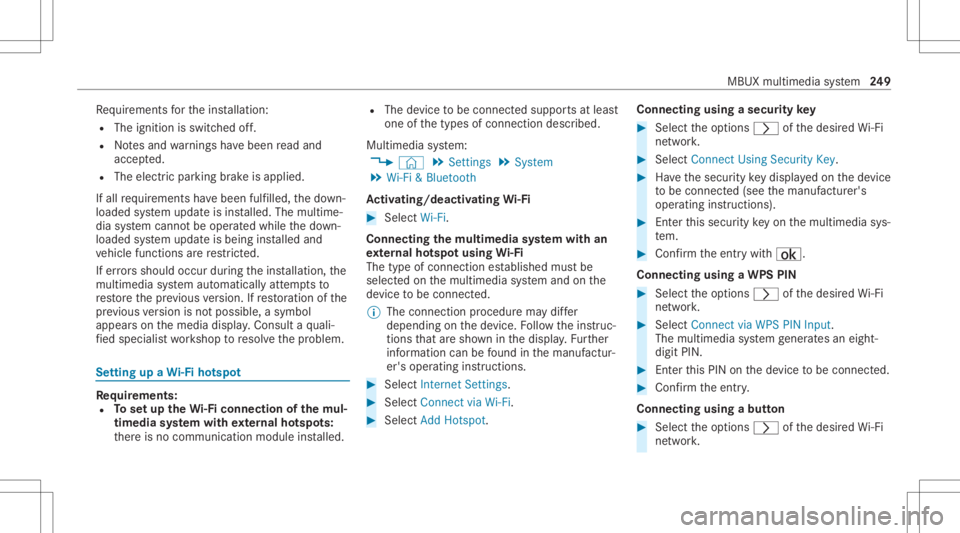
quiremen tsforth eins tallation :
R The ignit ionisswitc hedoff.
R Notesand warnings have been read and
acc epted.
R The elect ric pa rking brak eis applied.
If all requ iremen tshave been fulfilled, thedo wn‐
loaded system updat eis ins talled. Themultim e‐
dia system cann otbe oper ated while thedo wn‐
loaded system updat eis being installed and
ve hicle functionsarere strict ed.
If er ro rs should occurduring theins tallation ,th e
multime diasystem automaticall yatt em ptsto
re stor eth epr ev ious version. Ifre stor ation ofthe
pr ev ious version isno tpossible ,a symbol
appear son themedia display.Con sult aqu ali‐
fi ed specialis two rkshop toresolv eth epr oblem. Se
tting upaWi -Fiho tspo t Re
quirement s:
R Tosetup theWi -Fico nne ctio nof themu l‐
tim edia system withex tern al ho tspo ts:
th er eis no comm unication moduleinstalled. R
The device tobe con nectedsuppor tsat leas t
one ofthetypes ofcon nect iondescr ibed.
Multimedia system:
4 © 5
Set ting s5
System
5 Wi-Fi &Bluetoot h
Ac tiv atin g/deac tivatin gWi -Fi #
Sele ctWi-Fi .
Co nne ctin gth emu ltim edia system withan
ex tern al ho tspo tusin gWi -Fi
The type ofconnection established mustbe
select edon themultimedia system and onthe
de vice tobe con nected.
% The connection procedur ema ydif fer
dependin gon thede vice. Followtheins truc‐
tion sth at aresho wninthedispla y.Fu rther
inf ormation canbefound inthemanuf actur‐
er's oper ating instruction s. #
Select Internet Setting s. #
Select Connec tvia Wi-Fi. #
Select AddHotspot. Connecting
usingasecur itykey #
Select theop tion s0048 ofthedesir edWi-Fi
ne twork. #
Select Connect UsingSecu rityKey. #
Have thesecur itykeydisp laye don thede vice
to be con nected(see themanuf acturer's
oper ating instruction s). #
Enterth is secur itykeyon themultimedia sys‐
te m. #
Conf irm theent rywit h¡.
Connecti ngusing aWPS PIN #
Sele cttheop tion s0048 ofthedesir edWi-Fi
ne twork. #
Select Connect viaWPS PINInpu t.
The multime diasy stem gener ates an eight-
di gitPIN . #
Enterthis PIN onthede vice tobe con nected. #
Conf irm theent ry.
Connect ingusin gabut ton #
Select theop tion s0048 ofthedesir edWi-Fi
ne twork. MBUX
multimedia system 24
9
Page 276 of 462
Connect
ingprev iousl yaut hor ized Bluetooth®
audio equipment #
Select aBlue tooth®
audio devic efrom the
lis t.
The connection isbeing established. Ov
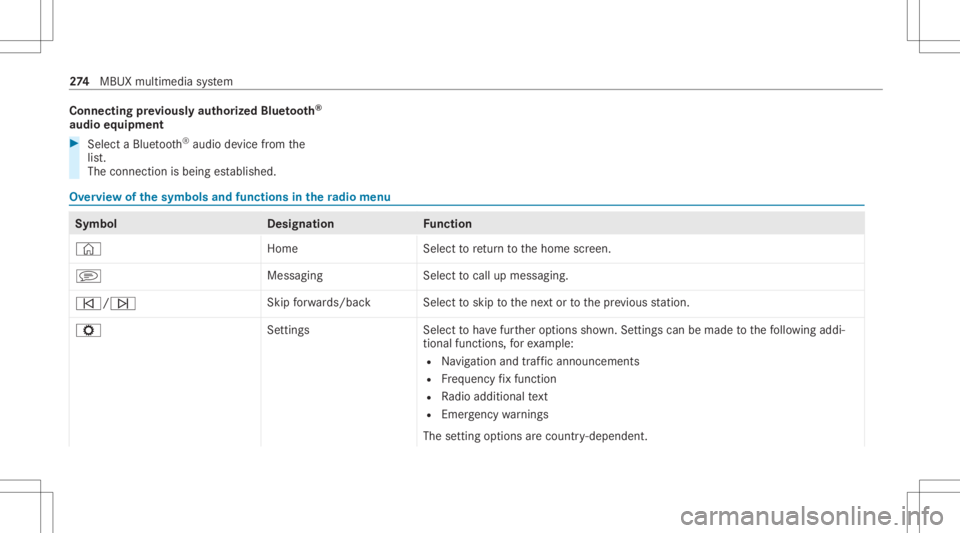
ervie wof thesym bols andfunctions inthera dio menu Symbo
lD esignation Function
© HomeSelecttoretur nto thehome screen.
j MessagingSelecttocal lup mess aging.
00F5/00F6 Skip
forw ards/ backS electtoskip tothene xt or tothepr ev ious statio n.
Z Setting sS electtohave further option ssho wn. Settings canbemade tothefo llo wing addi‐
tion alfunc tions,forex am ple:
R Navig ation andtraf fic annou ncements
R Freq uency fix func tion
R Radio additional text
R Emerg encywarnings
The setting option sar ecoun try- dependen t. 27
4
MBUX multimedia system
Page 297 of 462
Emer
gency Re
mo ving the safetyve st The
safetyve stsar elocat edinthestor ag ecom‐
par tmen tsinthedr iver's andfront passeng er
door . #
Pull outthesaf etyve st bag bytheloop. #
Open thesaf etyve st bag and pulloutthe
saf etyve st.
% Ther ear ealso safetyve st com partments in
th ere ar door stor ag ecom partmen tsin
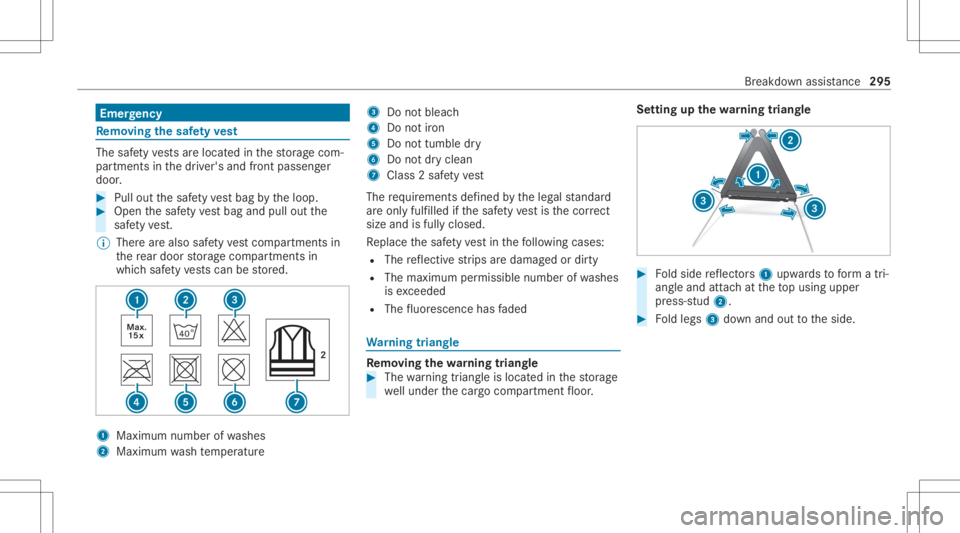
whic hsaf etyve stscan bestor ed. 1
Maximum numberofwa shes
2 Maximum wash temp eratur e 3
Donotbleac h
4 Donotiron
5 Donottumble dry
6 Donotdr yclean
7 Class 2saf etyve st
The requ iremen tsdef ined bytheleg alstandar d
ar eon lyfulfille d ifth esaf etyve st isthecor rect
size andisful lyclos ed.
Re place thesaf etyve st inthefo llo wing cases :
R The reflect ive st rips aredamag edordir ty
R The maximum permissible numberofwa shes
is exc eeded
R The fluor esc ence has faded Wa
rning triang le Re
mo ving the warning triang le #
The warning triang leislocat edinthestor ag e
we llunder thecar gocom partmen tfloor . Se
tting upthewa rning triang le #
Foldside reflect ors1 upw ards toform atri‐
ang leand attachat theto pusing upper
pr ess-s tud2. #
Foldlegs 3down and outtotheside. Br
eakdo wnassis tance 29
5
Page 298 of 462
Fi
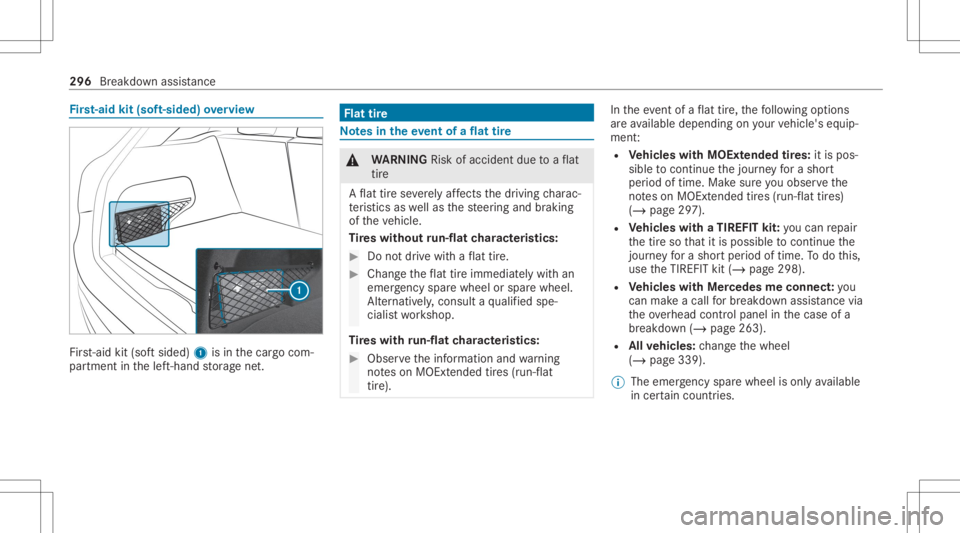
rs t-aid kit(sof t-si ded) overview Fir
st-ai dkit (softsided) 1isin thecar gocom‐
par tmen tin thelef t-hand stor ag ene t. Flat
tire No
tesin theeve ntofaflat tire &
WARNIN GRisk ofacci dent dueto aflat
tir e
A flat tirese verely affects thedr iving charac‐
te rist ics aswellas thesteer ing and braking
of theve hicle.
Ti re swith outrun-flat charact eristics : #
Donotdr ive wit haflat tire. #
Chan getheflat tireimm ediat elywit han
emer gency sparewheel orspar ewheel.
Alt ernat ivel y, consu ltaqu alif ied spe‐
cialis two rkshop.
Ti re swith run-flat charact eristics : #
Obse rveth einf ormation andwarning
no teson MOExt ended tires (run-f lat
tir e). In
theeve ntofaflat tire, thefo llo wing option s
ar eav ailable dependingon your vehicle's equip‐
ment :
R Vehicl eswith MOExt endedtir es: itis pos‐
sibl eto continu eth ejour neyfo ra shor t
per iod oftime. Makesur eyo uobse rveth e
no teson MOExt ended tires (run-f lattires)
(/ page29 7).
R Vehicl eswith aTIREF ITkit: youcan repair
th etir eso that itis poss ibletocontinu eth e
jou rney fora shor tper iod oftime. Todo this,
use theTIREFI Tkit (/ page298).
R Vehicl eswith Mercedes meconne ct:yo u
can makeacal lfo rbr eakdo wnassi stanc evia
th eove rhead control panel inthecase ofa
br eakdo wn(/ page263).
R Allvehicl es:chang eth ewheel
(/ page339).
% The emer gency sparewheel isonl yav ailable
in cer tain coun tries. 296
Breakdo wnassis tance
Page 299 of 462
No
teson MOExt ended tires (run-fl attires) &
WARNIN GRisk ofacci dent whendr ivi ng
in limp -hom emod e
Whe ndr ivi ng ineme rgency modeth ehan‐
dling charact eristic sar eim pair ed. #
Donotexc eed thespecif iedmaximum
speed oftheMOEx tende dtir es. #
Avoid anyabr uptst eer ing and driving
maneuv ersas wellas drivin gove r
obs tacle s(cu rbs, pothol es, off-r oa d).
Thi sap plies, in pa rticular ,to aloaded
ve hicle. #
Stop driving intheemer gency mod eif
yo uno tic e:
R Ban gingno ise
R Vehicle vibration
R Smok ewhic hsmells likeru bber
R Cont inuous ESP®
int erve ntio n
R Crac ks inthetir eside walls #
Afterdr iving inemerg encymode, have
th erims checkedby aqu alif ied spec ial‐ is
two rkshop withre ga rd totheir further
use. #
The defective tir emus tbe replaced in
eve rycase . Wi
th MOExt ended tires (run-f lattires), youcan
co ntinue todrive yo ur vehicle evenif th er eis a
tot alloss ofpressur ein on eor mor etir es. How‐
eve r,th etir eaf fect ed mus tno tsho wan ycle arly
vis ible da mag e.
Yo ucan recogni zeMOExt endedtir es by the
MOExt ended marking whichappear son theside
wa llof thetir e.
Ve hicl eswith tirepr ess urelos swa rning sys‐
te m: MOExt endedtires ma yonly beused incon‐
junc tionwi th an act ivat ed tirepr essur eloss
wa rning system.
Ve hicl eswith tirepr ess uremonit oring sys‐
te m: MOExt endedtires ma yonly beused incon‐
junc tionwi th an act ivat ed tirepr essur emon itor‐
ing system. If
apr essur eloss warning mess ageappear sin
th emultifunc tiondispla y,proceed asfollo ws :
R Chec kth etir es fordama ge.
R Ifdr iving on,obser vethefo llo wing notes.
Dr iving distance possible inemer gency
mode afte rthe pres sur elo ss wa rning: Load
condit ion Driving distance pos‐
sible inemer gency
mode
Pa rtiall yladen 50miles (80km)
Fu lly laden 19mile s(30 km) The
driving distance possi ble in eme rgency
mod ema yva ry dependin gon thedr iving style.
Obser vethemaximum permissible speedof
50 mph(80 km/h).
If atir ehas gone flat and cannotbe replaced
wit han MOEx tende dtir e, youcan useast and‐
ar dtir eas ate mp orar ymeasur e. Br
eakdo wnassis tance 29
7
Page 307 of 462
If
th eindicat or/warning lampsintheins trument
clus terdo notlig ht up atlow temp eratur es,itis
ve ry likelyth at thedisc hargedbatt eryhas fro‐
zen .In this case youma yne ither jump-start the
ve hicle norcharge thebatt ery.
The service life of abatt eryth at has been
th awe dma ybe dramaticall yshor tened .The
st ar tin gch aract eristic sma ybe impair ed,espe ‐
ciall yat low temp eratur es.
It is recomme ndedthat youha ve ath aw ed bat‐
te ry checkedat aqu alif ied spec ialistwo rkshop.
All vehicl es
* NO
TEDama gecau sed bynum erou sor
ex tende datt em ptsto star tth eengine Nu
me rous orextende datt em ptsto star tth e
engine maydamag eth ecat alytic converter
due tonon-co mbusted fuel. #
Avoid numer ousand extende datt em pts
to star tth eengine. Obser
vethefo llo wing pointsdur ing star tin g
assis tance and when chargin gth ebatt ery:
R Onlyuse undamag edjum per cables/c harg‐
ing cables withasuf ficie ntcross -secti onand
insu late dte rm inal clam ps.
R Non-insulat edpar tsof thete rm inal clam ps
mus tno tcom eint ocon tactwi th other metal
par tswhile thejum per cable/c harging cable
is con nect edtothebatt ery/jum p-start con‐
nectio npoi nt.
R The jumper cable/c harging cable mustno t
com eint ocon tactwi th anypar tswhic hma y
mo vewhen theengine isrunning .
R Alw aysmak esur eth at nei ther youno rth e
batt eryis elect rostatic allych arge d.
R Keep away from fire and open flames .
R Donotlean overth ebatt ery.
Obser vetheadditional follo wing pointswhen
ch argin gth ebatt ery:
R Onlyuse batterych arge rs tested and
appr oved forMer cedes-Benz.
R Read thebatt erych arge r's oper ating instruc‐
tions beforech argin gth ebatt ery. Obser
vetheadditional follo wing pointsdur ing
st ar tin gassis tance:
R Startin gassis tance mayonly beprov ided
using vehicles, batteries orother jumpstar t
de vic es wit hano min alvoltag eof 12 V.
R The vehicles mustno tto uc h.
R Vehicl eswith aga soline engine: Jump
st ar tth eve hicle onlywhen theengine and
ex haus tsy stem arecold. St
arting assistance andchargin gth e12 V
batt ery Re
quirement s:
R The vehicle issecur edwithth eelectr icpar k‐
ing brak e.
R Vehicl eswith automatic transmiss ion:
The transmis sionisin posi tion 005D.
R The igniti onand allele ctrical consumer sar e
swi tched off.
R The hood isopen. Br
eakdo wnassi stanc e305