ESP MERCEDES-BENZ GLC-Class 2016 X253 Owner's Manual
[x] Cancel search | Manufacturer: MERCEDES-BENZ, Model Year: 2016, Model line: GLC-Class, Model: MERCEDES-BENZ GLC-Class 2016 X253Pages: 418, PDF Size: 9.23 MB
Page 2 of 418
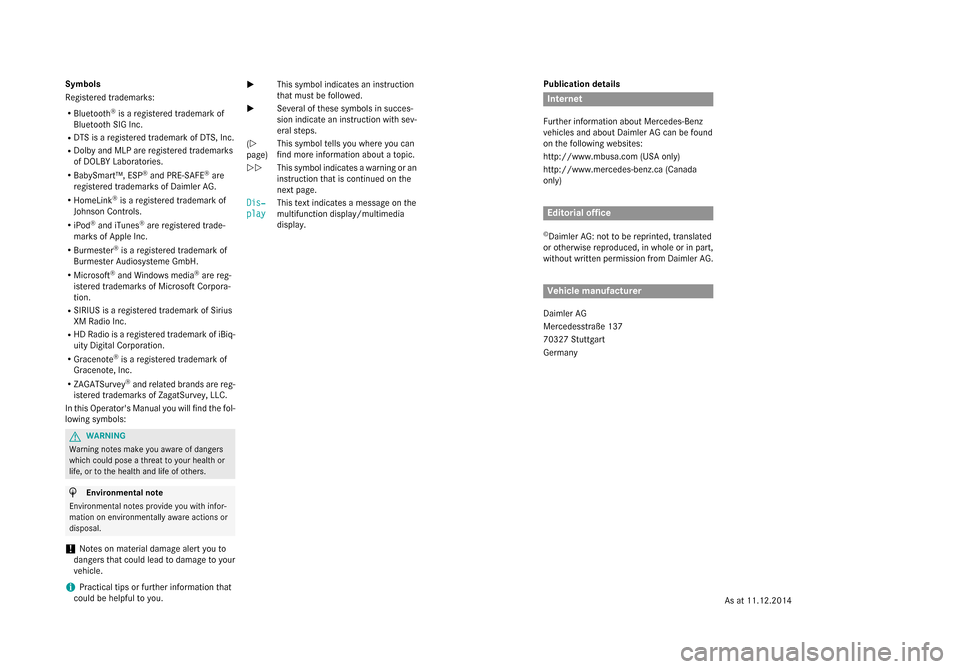
Publication details
Internet
Further information about Mercedes-Benz
vehicles and about Daimler AG can be found
on the following websites:
http://www.mbusa.com (USA only)
http://www.mercedes-benz.ca (Canada
only)
Editorial office
©Daimler AG: not to be reprinted, translated
or otherwise reproduced, in whole or in part,
without written permission from Daimler AG.
Vehicle manufacturer
Daimler AG
Mercedesstraße 137
70327 Stuttgart
Germany
Symbols
Registered trademarks:
RBluetooth®is a registered trademark of
Bluetooth SIG Inc.
RDTS is a registered trademark of DTS, Inc.
RDolby and MLP are registered trademarks
of DOLBY Laboratories.
RBabySmart™, ESP®and PRE-SAFE®are
registered trademarks of Daimler AG.
RHomeLink®is a registered trademark of
Johnson Controls.
RiPod®and iTunes®are registered trade-
marks of Apple Inc.
RBurmester®is a registered trademark of
Burmester Audiosysteme GmbH.
RMicrosoft®and Windows media®are reg-
istered trademarks of Microsoft Corpora-
tion.
RSIRIUS is a registered trademark of Sirius
XM Radio Inc.
RHD Radio is a registered trademark of iBiq-
uity Digital Corporation.
RGracenote®is a registered trademark of
Gracenote, Inc.
RZAGATSurvey®and related brands are reg-
istered trademarks of ZagatSurvey, LLC.
In this Operator's Manual you will find the fol-
lowing symbols:
GWARNING
Warning notes make you aware of dangers
which could pose a threat to your health or
life, or to the health and life of others.
HEnvironmental note
Environmental notes provide you with infor-
mation on environmentally aware actions or
disposal.
!Notes on material damage alert you to
dangers that could lead to damage to your
vehicle.
iPractical tips or further information that
could be helpful to you. X
This symbol indicates an instruction
that must be followed.
X Several of these symbols in succes-
sion indicate an instruction with sev-
eral steps.
(Y
page) This symbol tells you where you can
find more information about a topic.
YY This symbol indicates a warning or an
instruction that is continued on the
next page.
Dis‐
play
This text indicates a message on the
multifunction display/multimedia
display.
As at 11.12.2014
Page 9 of 418
Top Tether ....................................... 63
Child-proof locks
Important safety notes .................... 65
Rear doors ....................................... 66
Children
Special seat belt retractor ............... 61
Cigarette lighter ................................ 320
Cleaning
Mirror turn signal ........................... 348
Trailer tow hitch ............................. 349
Climate control
Control panel for dual-zone auto-
matic climate control ..................... 141
Controlling automatically ............... 144
Cooling with air dehumidification .. 142
Defrosting the windows ................. 146
Defrosting the windshield .............. 146
ECO start/stop function (dual-
zone automatic climate control) ....1 42
General notes ................................ 140
Indicator lamp ................................ 144
Information about using dual-zone
automatic climate control .............. 141
Ionization ....................................... 149
Overview of systems ......................1 40
Perfume atomizer .......................... 147
Problem with the rear window
defroster ........................................ 147
Problems with cooling with air
dehumidification ............................ 144
Refrigerant ..................................... 414
Refrigerant filling capacity ............. 414
Setting the air distribution ............. 145
Setting the air vents ......................1 49
Setting the airflow ......................... 145
Setting the temperature ................ 145
Switching air-recirculation mode
on/off ............................................ 147
Switching on/off ........................... 142
Switching the rear window
defroster on/off ............................ 146
Switching the synchronization
function on and off ........................ 145
Coat hooks ......................................... 315
Cockpit
Overview ....... ................................... 32 C
OLLISION PREVENTION ASSIST
PLUS
Activating/deactivating ................. 252
Display message ............................ 265
Operation/notes .............................. 70
COMAND display
Cleaning ......................................... 350
Combination switch .......................... 126
Consumption statistics (on-board
computer) .......................................... 245
Convenience closing feature .............. 99
Convenience opening feature ............ 99
Coolant (engine)
Checking the level ......................... 341
Display message ............................ 276
Filling capacity ............................... 413
Important safety notes .................. 412
Temperature display in the instru-
ment cluster .................................. 239
Warning lamp ................................. 299
Cooling
see Climate control
Copyright ............................................. 29
Cornering light function
Display message ............................ 272
Function/notes .............................1 27
Crash-responsive emergency light-
ing ....................................................... 130
Crosswind Assist ................................. 75
Cruise control
Cruise control lever ....................... 182
Deactivating ................................... 183
Display message ............................ 284
Driving system ............................... 181
Function/notes .............................1 81
General notes ................................ 181
Important safety notes .................. 181
Setting a speed .............................. 183
Storing and maintaining current
speed ............................................. 182
Storing the current speed or call-
ing up the last stored speed .......... 182
Cup holder
Center console .............................. 318
Important safety notes .................. 318
Rear compartment ......................... 318
Index7
Page 10 of 418
Customer Assistance Center
(CAC).................................................... .27
Customer Relations Department .......2 7
D
Data
see Technica ldat a
Dat acarrier
Selecting ........................................ 24 9
Daytime runnin glamps
Displa ymessage ............................ 27 4
Function/notes ............................ .124
Switching on/off (on-board com-
puter) ............................................. 255
Declarations of conformity ................. 26
Diagnostics connection ......................26
Digital speedometer .........................245
DIRECT SELECT lever
Automatic transmission ................. 162
Display
see Display messages
see Warning and indicator lamps
Display messages
ASSYST PLUS ................................ 342
Calling up (on-board computer) ..... 257
Driving systems .............................2 79
Engine ............................................ 276
General notes ................................ 257
Hiding (on-board computer) ........... 257
Introduction ................................... 257
Lights ............................................. 272
Safety systems .............................. 258
SmartKey ....................................... 290
Tires ............................................... 285
Vehicle ...........................................2 87
Distance recorder .............................2 44
Distance warning (warning lamp) .... 301
Distance warning function
Function/notes ................................ 71
DISTRONIC PLUS
Activating ....................................... 185
Activation conditions ..................... 185
Cruise control lever ....................... 185
Deactivating ................................... 190
Display message ............................ 283
Displays in the instrument cluster .. 189
Driving tips ....................................1 90Driving with
DISTRONIC PLUS ....... 187
Fu
nction/notes .............................1 83
Important safety notes .................. 184
Setting a speed .............................. 188
Setting the specified minimum
distance ......................................... 188
Stopping ........................................ 187
with Steering Assist and Stop&Go
Pilot ............................................... 192
Doors
Automatic locking (switch) ...............9 0
Central locking/unlocking
(SmartKey) ...................................... .83
Control panel .................................. .40
Display message ............................ 289
Emergency locking ........................... 91
Emergency unlocking ....................... 90
Important safety notes .................... 89
Opening (from inside) ...................... 89
Drinking and driving ......................... 176
Drive program
Automatic transmission ................. 166
Drive programs
Display (DIRECT SELECT lever) ...... 163
Driver's door
see Doors
Driving abroad
Mercedes-Benz Service ................. 343
Driving Assistance PLUS package ... 222
Driving on flooded roads .................. 180
Driving safety systems
ABS (Anti-lock Braking System) ....... 67
ADAPTIVE BRAKE ............................. 75
Adaptive Brake Assist ...................... 72
BAS (Brake Assist System) .............. 68
BAS PLUS with Cross-Traffic
Assist ............................................... 68
COLLISION PREVENTION ASSIST
PLUS ................................................ 70
Distance warning function ............... 71
EBD (electronic brake force distri-
bution) ............................................. 75
ESP
®(Electronic Stability Pro-
gram) ............................................... 73
Important safety information ........... 67
Overview .......................................... 67
PRE-SAFE
®Brake ............................. 75
8Index
Page 12 of 418
Starting the engine with the
SmartKey ....................................... 155
Starting via smartphone ................ 156
Starting with the Start/Stop but-
ton ................................................. 156
Switching off .................................. 173
Tow-starting (vehicle) ..................... 370
Engine electronics
Problem (malfunction) ................... 160
Engine oil
Adding ........................................... 340
Additives ........................................ 412
Checking the oil level ..................... 339
Checking the oil level using the
dipstick .......................................... 339
Display message ............................ 278
Filling capacity ............................... 412
General notes ................................ 411
Notes about oil grades ................... 411
Notes on oil level/consumption .... 339
Viscosity ........................................ 412
ESP
®(Electronic Stability Pro-
gram)
Characteristics ................................. 73
Crosswind Assist ............................. 75
Deactivating/activating ................... 74
Display message ............................ 258
Function/notes ................................ 73
General notes .................................. 73
Important safety information ........... 73
Trailer stabilization ........................... 75
Warning lamp ................................. 296
ETS/4ETS (Electronic Traction Sys-
tem) ...................................................... 73
Exhaust
see Exhaust pipe
Exhaust check ................................... 176
Exhaust pipe
Cleaning ......................................... 349
Exterior lighting
Cleaning ......................................... 348
see Lights
Exterior mirrors
Adjusting ....................................... 119
Dipping (automatic) ....................... 120
Folding in/out (automatically) ....... 119
Folding in/out (electrically) ........... 119 Out of position (troubleshooting) ... 120
Setting ........................................... 119
Storing settings (memory func-
tion) ............................................... 122
Storing the parking position .......... 120
Eyeglasses compartment ................. 307
F
Features............................................. 318
Filler cap
see Refueling
Flat tire
Changing a wheel/mounting the
spare wheel ................................... 395
MOExtended tires .......................... 357
Preparing the vehicle ..................... 356
TIREFIT kit ...................................... 358
Floormats ........................................... 335
Frequencies
Mobile phone ................................. 406
Two-way radio ................................ 406
Fuel
Additives ........................................ 411
Consumption information .............. 411
Consumption statistics .................. 245
Displaying the current consump-
tion ................................................ 244
Displaying the range ...................... 244
Driving tips .................................... 176
E10 ................................................ 410
Fuel gauge ....................................... 33
Grade (gasoline) ............................ 410
Important safety notes .................. 409
Problem (malfunction) ................... 172
Refueling ........................................ 169
Tank content/reserve fuel ............. 410
Fuel filler flap
Opening ......................................... 170
Fuel level
Calling up the range (on-board
computer) ...................................... 244
Fuel tank
Capacity ........................................ 410
Problem (malfunction) ................... 172
Fuses
Allocation chart ............................. 372
Before changing ............................. 370
10Index
Page 21 of 418
Definition of terms ......................... 392
Direction of rotation ...................... 395
Display message ............................ 285
Distribution of the vehicle occu-
pants (definition) ............................ 395
DOT (Department of Transporta-
tion) (definition) ............................. 393
DOT, Tire Identification Number
(TIN) ............................................... 392
GAWR (Gross Axle Weight Rating)
(definition) ..................................... 393
General notes ................................ 399
GVW (Gross Vehicle Weight) (def-
inition) ........................................... 393
GVWR (Gross Vehicle Weight Rat-
ing) (definition) .............................. 393
Important safety notes .................. 374
Increased vehicle weight due to
optional equipment (definition) ...... 393
Information on driving .................... 374
Kilopascal (kPa) (definition) ........... 393
Labeling (overview) ........................ 389
Load bearing index (definition) ...... 394
Load index ..................................... 391
Load index (definition) ................... 393
Maximum load on a tire (defini-
tion) ............................................... 394
Maximum loaded vehicle weight
(definition) ..................................... 393
Maximum permissible tire pres-
sure (definition) ............................. 394
Maximum tire load ......................... 391
Maximum tire load (definition) ....... 394
MOExtended tires .......................... 376
Optional equipment weight (defi-
nition) ............................................ 394
PSI (pounds per square inch) (def-
inition) ........................................... 394
Replacing ....................................... 395
Service life ..................................... 376
Sidewall (definition) ....................... 394
Snow chains .................................. 377
Speed rating (definition) ................ 393
Storing ........................................... 395
Structure and characteristics
(definition) ..................................... 392
Summer tires in winter .................. 376
Temperature .................................. 388TIN (Tire Identification Number)
(definition) ..................................... 394
Tire bead (definition) ...................... 394
Tire pressure (definition) ................ 394
Tire pressures (recommended) ...... 393
Tire size (data) ............................... 399
Tire size designation, load-bearing
capacity, speed rating .................... 389
Tire tread ....................................... 375
Tire tread (definition) ..................... 394
Total load limit (definition) ............. 395
Traction ......................................... 388
Traction (definition) ....................... 394
Tread wear ..................................... 388
Uniform Tire Quality Grading
Standards ...................................... 387
Uniform Tire Quality Grading
Standards (definition) .................... 393
Wear indicator (definition) ............. 394
Wheel and tire combination ........... 401
Wheel rim (definition) .................... 393
see Flat tire
Top Tether ............................................ 63
Tow-starting
Emergency engine starting ............ 370
Important safety notes .................. 367
Towing a trailer
Axle load, permissible .................... 416
Cleaning the trailer tow hitch ......... 349
Coupling up a trailer ...................... 232
Decoupling a trailer ....................... 233
Driving tips .................................... 228
ESP
®(Electronic Stability Pro-
gram) ............................................... 75
Installing the ball coupling ............. 230
Lights display message .................. 272
Mounting dimensions .................... 415
Power supply ................................. 234
Pulling away with a trailer .............. 157
Removing the ball coupling ............ 234
Trailer loads ................................... 416
Towing away
Important safety guidelines ........... 367
Installing the towing eye ................ 368
Notes for 4MATIC vehicles ............ 370
Removing the towing eye ............... 369
T
ransporting the vehicle ................ 369
With both axles on the ground ....... 369
Index19
Page 23 of 418
W
Warning and indicator lampsABS ................................................ 294
Brakes ...........................................2 93
Check Engine ................................. 299
Coolant .......................................... 299
Distance warning ........................... 301
ESP
®.............................................. 296
ESP®OFF ....................................... 297
Fuel tank ........................................ 299
General notes ................................ 291
Overview .......................................... 34
Parking brake ................................ 298
PASSENGER AIR BAG ......................4 3
Reserv efuel .................................. .299
Restraint system ............................ 298
Seat belt ........................................ 292
Steering ......................................... 303
Tire pressure monitor .................... 302
Warranty .............................................. 23
Washer fluid
Display message ............................ 289
Wheel and tire combinations
Tires ............................................... 401
Wheel bolt tightening torque ........... 399
Wheel chock ...................................... 396
Wheels
Changing a wheel .......................... 395
Checking ........................................ 375
Cleaning ......................................... 347
General notes ................................ 399
Important safety notes .................. 374
Information on driving .................... 374
Interchanging/changing ................ 395
Mounting a new wheel ................... 398
Mounting a wheel .......................... 395
Removing a wheel .......................... 398
Snow chains .................................. 377
Storing ...........................................3 95
Tightening torque ........................... 399
Wheel size/tire size ....................... 399
Window curtain air bag
Display message ............................ 269
Operation ......................................... 51
Windows
see Side windows Windshield
Defrosting .............. ........................ 146
Wi
ndshield washer fluid
see Windshield washer system
Windshield washer system
Adding washer fluid ....................... 341
Important safety notes .................. 413
Windshield wipers
Problem (malfunction) ................... 138
Rear window wiper ........................ 135
Replacing the wiper blades ............ 135
Switching on/off ........................... 134
Winter driving
Important safety notes .................. 376
Slippery road surfaces ................... 180
Snow chains .................................. 377
Winter operation
Radiator cover ............................... 339
Summer tires ................................. 376
Winter tires
M+S tires ....................................... 376
Wiper blades
Cleaning ......................................... 347
Important safety notes .................. 135
Replacing ....................................... 135
Replacing (rear window) ................ 137
Replacing (windshield) ................... 135
Wooden trim (cleaning instruc-
tions) .................................................. 350
Index21
Page 24 of 418
Protection of the environment
General notes
HEnvironmental note
Daimler's declared policy is one of compre-
hensive environmental protection.
The objectives are for the natural resources
that form the basis of our existence on this
planet to be used sparingly and in a manner
that takes the requirements of both nature
and humanity into account.
You too can help to protect the environment
by operating your vehicle in an environmen-
tally responsible manner.
Fuel consumption and the rate of engine,
transmission, brake and tire wear are affected by these factors:
Roperating conditions of your vehicle
Ryour personal driving style
You can influence both factors. You should
bear the following in mind:
Operating conditions:
Ravoid short trips as these increase fuel con-
sumption.
Ralways make sure that the tire pressures
are correct.
Rdo not carry any unnecessary weight.
Rremove roof racks once you no longer need
them.
Ra regularly serviced vehicle will contribute
to environmental protection. You should
therefore adhere to the service intervals.
Ralways have service work carried out at a
qualified specialist workshop.
Personal driving style:
Rdo not depress the accelerator pedal when
starting the engine.
Rdo not warm up the engine when the vehicle
is stationary.
Rdrive carefully and maintain a safe distance
from the vehicle in front.
Ravoid frequent, sudden acceleration and
braking.
Rchange gear in good time and use each gear
only up to Ôof its maximum engine speed.
Rswitch off the engine in stationary traffic.
Rkeep an eye on the vehicle's fuel consump-
tion.
Environmental concerns and recom-
mendations
Wherever the operating instructions require
you to dispose of materials, first try to regen-
erate or re-use them. Observe the relevant
environmental rules and regulations when
disposing of materials. In this way you will
help to protect the environment.
Genuine Mercedes-Benz parts
HEnvironmental note
Daimler AG also supplies reconditioned major
assemblies and parts which are of the same
quality as new parts. They are covered by the
same Limited Warranty entitlements as new
parts.
!Air bags and Emergency Tensioning Devi-
ces, as well as control units and sensors for these restraint systems, may be installed in
the following areas of your vehicle:
Rdoors
Rdoor pillars
Rdoor sills
Rseats
Rcockpit
Rinstrument cluster
Rcenter console
Do not install accessories such as audio
systems in these areas. Do not carry out
repairs or welding. You could impair the
operating efficiency of the restraint sys-
tems.
Have aftermarket accessories installed at a qualified specialist workshop.
22Introduction
Page 28 of 418
worked components. In particular, systems
relevant to safety could also be affected. As aresult, these may no longer function as inten-
ded and/or jeopardize the operating safety of
the vehicle. There is an increased risk of an
accident and injury.
Never tamper with the wiring as well as elec-
tronic components or their software. You
should have all work to electrical and elec-
tronic equipment carried out at a qualified
specialist workshop.
!There is a risk of damage to the vehicle if:
Rthe vehicle becomes stuck, e.g. on a high
curb or an unpaved road
Ryou drive too fast over an obstacle, e.g. a
curb or a hole in the road
Ra heavy object strikes the undercarriage
or parts of the chassis
In situations like this, the body, the under-
carriage, chassis parts, wheels or tires
could be damaged without the damage
being visible. Components damaged in this
way can unexpectedly fail or, in the case of
an accident, no longer withstand the strain
they are designed to.
If the underbody paneling is damaged,
combustible materials such as leaves,
grass or twigs can gather between the
underbody and the underbody paneling. If
these materials come in contact with hot
parts of the exhaust system, they can catch
fire.
In such situations, have the vehicle
checked and repaired immediately at a
qualified specialist workshop. If on con-
tinuing your journey you notice that driving
safety is impaired, pull over and stop the
vehicle immediat
ely, paying attention to
road and traffic conditions. In such cases,
consult a qualified specialist workshop.
Declarations of conformity
Vehicle components which receive
and/or transmit radio waves
USA: "The wireless devices of this vehicle
comply with Part 15 of the FCC Rules. Oper-
ation is subject to the following two condi-
tions: 1) These devices may not cause harm-
ful interference, and 2) These devices must
accept any interference received, including
interference that may cause undesired oper-
ation. Changes or modifications not expressly
approved by the party responsible for com-
pliance could void the user’s authority to
operate the equipment."
Canada: "The wireless devices of this vehicle
comply with Industry Canada license-exempt RSS standard(s). Operation is subject to the
following two conditions: (1) These devices
may not cause interference, and (2) These
devices must accept any interference, includ-
ing interference that may cause undesired
operation of the device."
Diagnostics connection
The diagnostics connection is only intended
for the connection of diagnostic equipment at
a qualified specialist workshop.
GWARNING
If you connect equipment to the diagnostics
connection in the vehicle, it may affect the
operation of the vehicle systems. As a result,
the operating safety of the vehicle could be
affected. There is a risk of an accident.
Do not connect any equipment to a diagnos-
tics connection in the vehicle.
GWARNING
Objects in the driver's footwell can restrict the pedal travel or obstruct a depressed pedal.
The operating and road safety of the vehicle is
jeopardized. There is a risk of an accident.
Make sure that all objects in the vehicle are
stowed correctly, and that they cannot enter
26Introduction
Page 29 of 418
the driver's footwell. Install the floormats
securely and as specified in order to ensure
sufficient clearance for the pedals. Do not use
loose floormats and do not place floormats on
top of one another.
!If the engine is switched off and equip-
ment on the diagnostics connection is
used, the starter battery may discharge.
Connecting equipment to the diagnostics
connection can lead to emissions monitoring
information being reset, for example. This
may lead to the vehicle failing to meet the
requirements of the next emissions test dur-
ing the main inspection.
Qualified specialist workshop
An authorized Mercedes-Benz Center is a
qualified specialist workshop. It has the nec-
essary specialist knowledge, tools and quali-
fications to correctly carry out the work
required on your vehicle. This is especially the
case for work relevant to safety.
Observe the notes in the Maintenance Book-
let.
Always have the following work carried out at an authorized Mercedes-Benz Center:
Rwork relevant to safety
Rservice and maintenance work
Rrepair work
Ralterations, installation work and modifica-
tions
Rwork on electronic components
Correct use
If you remove any warning stickers, you or
others could fail to recognize certain dangers.
Leave warning stickers in position.
Observe the following information when driv-
ing your vehicle:
Rthe safety notes in this manual
Rthe vehicle technical data
Rtraffic rules and regulations
Rlaws and safety standards pertaining to
motor vehicles
Problems with your vehicle
If you should experience a problem with your
vehicle, particularly one that you believe mayaffect its safe operation, we urge you to con-
tact an authorized Mercedes-Benz Center
immediately to have the problem diagnosed
and rectified. If the problem is not resolved to
your satisfaction, please discuss the problem
again with a Mercedes-Benz Center or con-
tact us at one of the following addresses.
In the USA
Customer Assistance Center
Mercedes-Benz USA, LLC
One Mercedes Drive
Montvale, NJ 07645-0350
In Canada
Customer Relations Department
Mercedes-Benz Canada, Inc.
98 Vanderhoof Avenue
Toronto, Ontario M4G 4C9
Reporting safety defects
USA only:
The following text is published as required ofmanufacturers under Title 49, Code of U.S.
Federal Regulations, Part 575 pursuant to the
"National Traffic and Motor Vehicle Safety Act
of 1966".
If you believe that your vehicle has a defect
which could cause a crash or could cause
injury or death, you should immediately
inform the National Highway Traffic Safety
Administration (NHTSA) in addition to notify-
ing Mercedes-Benz USA, LLC.
If NHTSA receives similar complaints, it may
open an investigation, and if it finds that a
safety defect exists in a group of vehicles, it
may order a recall and remedy campaign.
Introduction27
Z
Page 31 of 418
This data can help provide a better under-
standing of the circumstances in which
crashes and injuries occur. NOTE: EDR data is
recorded by your vehicle only if a non-trivial
crash situation occurs; no data is recorded bythe EDR under normal driving conditions and
no personal data (e.g., name, gender, age,
and crash location) are recorded. However,
other parties, such as law enforcement, can
combine the EDR data with the type of per-
sonal identification data routinely acquired
during a crash investigation.
To read data recorded by an EDR, special
equipment is required, and access to the vehi-
cle or the EDR is needed. In addition to the
vehicle manufacturer, other parties that have
the special equipment, such as law enforce-
ment, can read the information by accessing
the vehicle or the EDR.
EDR data may be used in civil and criminal
matters as a tool in accident reconstruction,
accident claims, and vehicle safety. Since the
Crash Data Retrieval CDR tool that is used to
extract data from the EDR is commercially
available, Mercedes-Benz USA, LLC
("MBUSA") expressly disclaims any and all lia-
bility arising from the extraction of this infor- mation by unauthorized Mercedes-Benz per-
sonnel.
MBUSA will not share EDR data with others
without the consent of the vehicle owners or,
if the vehicle is leased, without the consent of
the lessee. Exceptions to this representation
include responses to subpoenas by law
enforcement; by federal, state or local gov-
ernment; in connection with or arising out of
litigation involving MBUSA or its subsidiaries
and affiliates; or, as required by law.
Warning: The EDR is a component of the
Restraint System Module. Tampering with,
altering, modifying or removing the EDR com-
ponent may result in a malfunction of the
Restraint System Module and other systems.
State laws or regulations regarding EDRs that
conflict with federal regulation are pre-emp-
ted. This means that in the event of such con-
flict, the federal regulation governs. As of February 2013, 13 states have enacted laws
relating to EDRs.
Information on copyright
General information
Information on license for free and open-
source software used in your vehicle and its
electronic components is available on the fol-
lowing website:
http://www.mercedes-benz.com/
opensource
Introduction29
Z