start stop button MERCEDES-BENZ GLC COUPE 2019 User Guide
[x] Cancel search | Manufacturer: MERCEDES-BENZ, Model Year: 2019, Model line: GLC COUPE, Model: MERCEDES-BENZ GLC COUPE 2019Pages: 657, PDF Size: 11.28 MB
Page 419 of 657
%
The firs t acti vation of Me rcedes-Benz Link
on the multimedia sy stem must be car ried
out when theve hicle is stationary for saf ety
re asons.
Multimedia sy stem:
4 © 5
Mercedes me & Apps
5 Smartphone 5
Mercedes-Benz Link
5 Start Mercedes-Benz Link
Ac cepting/rejecting the data pr otection reg‐
ulations
Fo rth e initial start of the application: a message
with the data pr otection pr ovisions appears. #
Select Accept & start .
Quitting Mercedes-Benz Link #
Press theò button.
% Mercedes-Benz Link starts automatically
when it is connec ted with the sy stem using a
cable. If Mercedes-Benz Link was not dis‐
pla yed in thefo re ground before disconnect‐
ing, the application starts in the bac kground
when reconnected. You can call up
Mercedes-Benz Link using the main menu. Yo
u can find more information in the Mercedes-
Benz Link control box operating instructions.
Calling up Mercedes-Benz Link sound set‐
tings
Multimedia sy stem:
4 © 5
Mercedes me & Apps
5 Smartphone 5
Mercedes-Benz Link
5 Z #
Select sound settings.
Ending Mercedes-Benz Link #
Disconnect the connecting cable between
Mercedes-Benz Link and the multimedia sys‐
te m.
% Mercedes-Benz recommends disconnecting
th e connecting cable only when theve hicle
is stationar y. Apple CarPlay
® Overview of Apple CarPlay
® &
WARNING Risk of di stra ction from infor‐
mation sy stems and communications
equipment
If yo u operate information and communica‐
tion equipment integ rated in theve hicle
when driving, you will be distracted from the
traf fic situation. This could also cause youto
lose control of theve hicle. #
Only operate this equipment when the
traf fic situation permits. #
Ifyo u cannot be sure of this, stop the
ve hicle whilst paying attention toroad
and traf fic conditions and ope rate the
equipment with theve hicle stationar y. Yo
u must obse rveth e legal requirements forthe
country in whi chyou are cur rently driving when
operating the multimedia sy stem.
iPhone ®
functions can be used via the multime‐
dia sy stem using Apple CarPlay ®
. They are oper‐
ated using theto uchsc reen, touchpad, Touch 416
MBUX multimedia sy stem
Page 421 of 657
%
Apple CarPl ay®
starts automatically when
th e iPhone ®
is connected with the sy stem
using a cable. If Apple CarPlay ®
wa s not dis‐
pla yed in thefo re ground be fore disconnect‐
ing, the application starts in the bac kground
when reconnected. You can call up Apple
CarPlay ®
in the main menu.
Calling up Apple CarPlay ®
to ne settings
Multimedia sy stem:
4 © 5
Mercedes me & Apps
5 Smartphone 5
Apple CarPlay 5
Z #
Select sound settings.
Setting control of the application but tons
(Apple CarPlay ®
)
Multimedia sy stem:
4 © 5
Mercedes me & Apps
5 Smartphone 5
Apple CarPlay 5
Z
5 General #
Toswitch on Control via application buttons :
activate the display button. #
Toswitch off Control via application buttons :
deactivate the display button. Ending Apple CarPlay
® #
Toend the connection of Apple Car‐
Play ®
(with cable): disconnectthe connec‐
tion via the connecting cable between the
mobile phone and multimedia sy stem.
% Mercedes-Benz recommends disconnecting
th e connecting cable only when theve hicle
is stationar y. Android
Auto Android
Autoove rview &
WARNING Risk of di stra ction from infor‐
mation sy stems and communications
equipment
If yo u operate information and communica‐
tion equipment integ rated in theve hicle
when driving, you will be distracted from the
traf fic situation. This could also cause youto
lose control of theve hicle. #
Only operate this equipment when the
traf fic situation permits. #
Ifyo u cannot be sure of this, stop the
ve hicle whilst paying attention toroad
and traf fic conditions and ope rate the
equipment with theve hicle stationar y. Yo
u must obse rveth e legal requirements forthe
country in whi chyou are cur rently driving when
operating the multimedia sy stem.
Mobile phone functions can be used with
Android Autousing the Android operating sys‐
te m on the multimedia sy stem. It is operated
using theto uchsc reen or thevo ice-operated
control sy stem. You can activate thevo ice-oper‐
ated control sy stem bypressing and holding the
£ button on the multifunction steering wheel.
When using Android Autovia thevo ice-operated
control sy stem, the multimedia sy stem can still
be opera ted via LINGU ATRO NIC (/ page 285).
Only one mobile phone at a time can be connec‐
te d via Android Autowith the multimedia sys‐
te m.
Also for use of Android Autowith two phone
mode, only one additional mobile phone can be 41 8
MBUX multimedia sy stem
Page 431 of 657
R
Whe ther the emer gency call was initiated
manually or automatically
R Time of the accident
R Language setting on the multimedia sy stem
Fo r accident clarification purposes, thefo llowing
measures can be take n up toan hour af terthe
emer gency call has been initia ted:
R The cur rent vehicle position can be called up.
R Avo ice connection totheve hicle occupants
can be es tablished
% ForRu ssia: various functions, e.g. receiving
traf fic information, cannot be per form ed for
up totwo hou rsafte r sending an emer gency
call.
Fu nction of the emer gency call sy stem self-
diagnosis (Russia)
Yo ur car verifies the operability of the emer‐
ge ncy call sy stem each time the ignition is ON.
In case of sy stem failure, you will be informed
with text messa geon the instrument clus ter and
with red indicator SOS NOT READY onthe media
displa y. Please, make sure,
that during 30 seconds af ter
switching ignition ON there d indicator SOS
NOT READY inthe upper right corner of the
media display is switched OFF, this means the
emer gency call sy stem passed diagnostics suc‐
cessfully. If necessar y,switch ON the media dis‐
pla y,if it was switched OFF before.
St arting/ending ERA-GLONASS test mode
(Russia)
Re quirements:
R The star ter battery is suf ficiently charge d.
R The ignition is switched on.
R The vehicle has been stationary for at least
one minute. #
Tostart thete st mode: press and hold the
~ button on the multifunction steering
wheel for at least five seconds.
The test mode is star ted and automatically
ends af terth e language test has been per‐
fo rm ed. #
Toend thete st mode manuall y:switch off
th e ignition.
The test mode is ended. Online and Internet functions
Internet connection
Information on connecting
tothe Internet &
WARNING Risk of di stra ction from infor‐
mation sy stems and communications
equipment
If yo u operate information and communica‐
tion equipment integ rated in theve hicle
when driving, you will be distracted from the
traf fic situation. This could also cause youto
lose control of theve hicle. #
Only operate this equipment when the
traf fic situation permits. #
Ifyo u cannot be sure of this, stop the
ve hicle whilst paying attention toroad
and traf fic conditions and ope rate the
equipment with theve hicle stationar y. Yo
u must obse rveth e legal requirements forthe
country in whi chyou are cur rently driving when
operating the multimedia sy stem. 428
MBUX multimedia sy stem
Page 556 of 657
Display messages
Possible causes/consequences and M
MSolutions
é ATTENTION ASSIST: Take a
break! *A
TTENTION ASSIST has de tected fatigue or an increasing la ckof concentration on the part of the driver
(/ page 253). #
If necessar y,take a break.
Active Parking Assist and
PARKTRONIC inoperative
See Owner's Manual *A
ctive Parking Assist and Parking Assist PARKTRONIC are malfunctioning. #
Stop theve hicle in accordance with the tra ffic conditions and restart the engine. #
Ifth e display message continues tobe displa yed, consult a qualified specialist workshop.
 Lowering *T
hevehicle le vel may be lo weredfo rth efo llowing reasons:
R You ha veselected a dif fere nt drive program.
R You ha veexceeded the speed limit.
R You ha vechanged theve hicle le velby pressing the button.
Á Vehicle rising *Y
our vehicle is adjusting tothe le velyo u ha veselected. Display messages and
warning/indicator lamps 553
Page 567 of 657
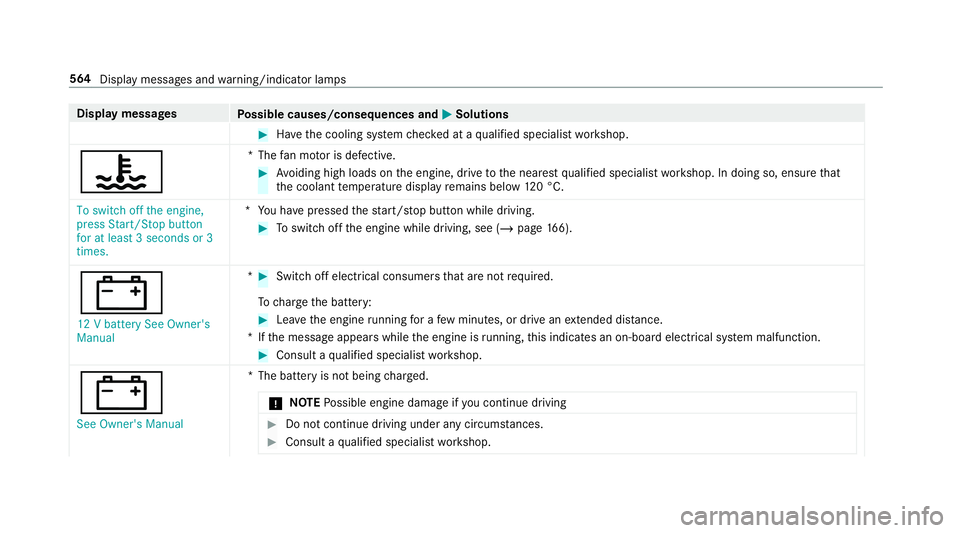
Display messages
Possible causes/consequences and M
MSolutions #
Have the cooling sy stem checked at a qualified specialist workshop.
? *T
hefan mo tor is defective. #
Avoiding high loads on the engine, drive tothe nearest qualified specialist workshop. In doing so, ensure that
th e coolant temp erature display remains below 120 °C.
To switch off the engine,
press Start/Stop button
for at least 3 seconds or 3
times. *Y
ou ha vepressed thest art/ stop button while driving. #
Toswitch off the engine while driving, see (/ page166).
# 12 V bat tery See Owner's
Manual * #
Switch off electrical consumers that are not required.
To charge the battery: #
Lea vethe engine running for a few minutes, or drive an extended di stance.
*I fth e message appears while the engine is running, this indicates an on-board elect rical sy stem malfunction. #
Consult a qualified specialist workshop.
# See Owner's Manual *T
he battery is not being charge d.
* NO
TEPossible engine damage if you continue driving #
Do not continue driving under any circum stances. #
Consult a qualified specialist workshop. 564
Display messages and warning/indicator lamps
Page 585 of 657
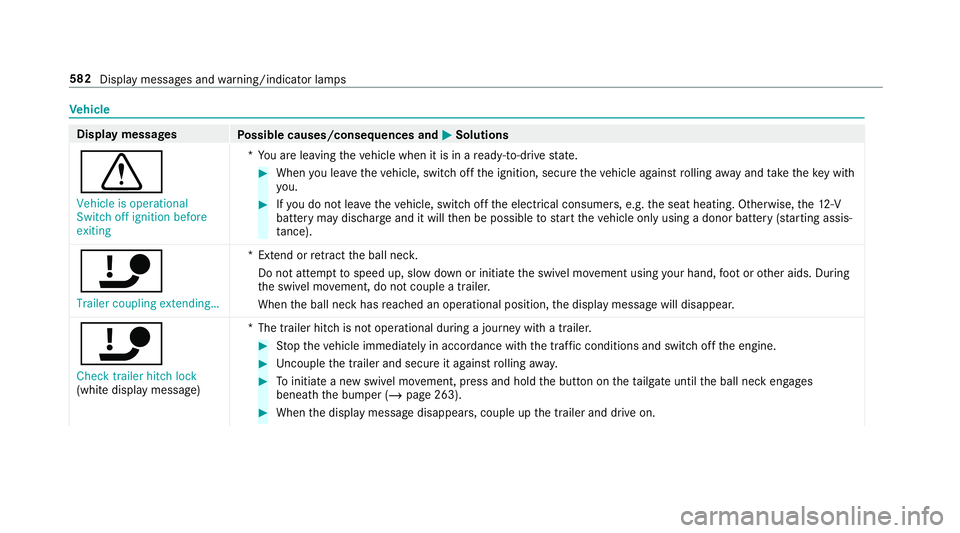
Ve
hicle Display messages
Possible causes/consequences and M
MSolutions
d Vehicle is operational
Switch off ignition before
exiting *Y
ou are leaving theve hicle when it is in a ready-to-drive state. #
When you lea vetheve hicle, switch off the ignition, secure theve hicle against rolling away and take theke y with
yo u. #
Ifyo u do not lea vetheve hicle, switch off the electrical consumers, e.g. the seat heating. Otherwise, the12 ‑V
battery may discharge and it will then be possible tostart theve hicle only using a donor battery (s tarting assis‐
ta nce).
ï Trailer coupling extending… *E
xtend or retract the ball nec k.
Do not attem pttospeed up, slow down or initiate the swivel mo vement using your hand, foot or other aids. During
th e swivel mo vement, do not couple a trailer.
When the ball neck has reached an operational position, the display message will disappear.
ï
Check trailer hitch lock
(white display message) *T
he trailer hitch is not operational during a journey with a trailer. #
Stop theve hicle immediately in accordance with the traf fic conditions and switch off the engine. #
Uncouple the trailer and secure it against rolling away. #
Toinitiate a new swivel mo vement, press and hold the button on theta ilgate until the ball neck engages
beneath the bumper (/ page 263). #
When the display message disappears, couple up the trailer and drive on. 582
Display messages and warning/indicator lamps
Page 613 of 657
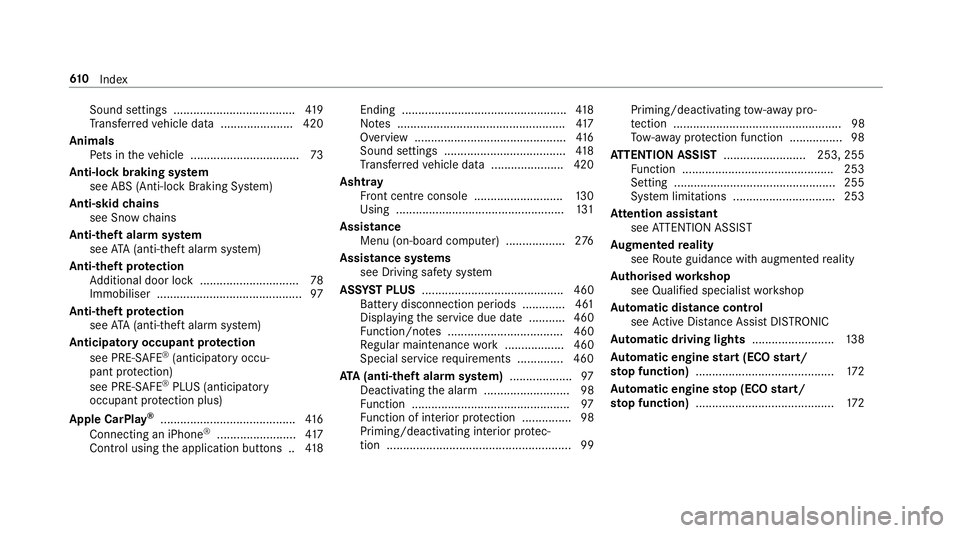
Sound settings .....................................
419
Tr ans ferred vehicle data ......................4 20
Animals Pets in theve hicle ................................. 73
Anti-lock braking sy stem
see ABS (Anti-lock Braking Sy stem)
Anti-skid chains
see Snow chains
Anti-theft ala rmsystem
see ATA (anti-theft alarm sy stem)
Anti-theft pr otection
Ad ditional door lock .............................. 78
Immobiliser ............................................ 97
Anti-theft pr otection
see ATA (anti-theft alarm sy stem)
Anticipatory occupant pr otection
see PRE- SAFE®
(anticipatory occu‐
pant pr otection)
see PRE-SAFE ®
PLUS (anticipatory
occupant pr otection plus)
Apple CarPlay ®
......................................... 416
Connecting an iPhone ®
........................ 417
Control using the application buttons .. 41 8Ending ..................................................
41 8
No tes ................................................... 417
Overview ..............................................4 16
Sound settings ..................................... 41 8
Tr ans ferred vehicle data ......................4 20
Ashtr ay
Fr ont centre console ........................... 13 0
Using ................................................... 131
Assistance Menu (on-board co mputer) .................. 276
Assistance sy stems
see Driving saf ety sy stem
ASS YST PLUS ........................................... 460
Battery disconnection pe riods .............4 61
Displ aying the service due date ........... 460
Fu nction/no tes ................................... 460
Re gular maintenance work .................. 460
Special service requirements .............. 460
ATA (anti-theft ala rmsystem) .................. .97
Deactivating the alarm .......................... 98
Fu nction ................................................ 97
Fu nction of interior pr otection ............... 98
Priming/deactivating interior pr otec‐
tion ........................................................ 99 Priming/deactivating
tow- aw ay pro‐
te ction ................................................... 98
To w- aw ay protection function ................98
AT TENTION ASSI ST......................... 253, 255
Fu nction .............................................. 253
Setting ................................................. 255
Sy stem limitations ...............................2 53
At tention assistant
see ATTENTION ASSIST
Au gmented reality
see Route guidance with augmented reality
Au thorised workshop
see Qualified specialist workshop
Au tomatic distance control
see Active Dis tance Assi stDISTRONIC
Au tomatic driving lights .........................13 8
Au tomatic engine start (ECO start/
sto p function) .......................................... 172
Au tomatic engine stop (ECO start/
sto p function) .......................................... 17261 0
Index
Page 623 of 657
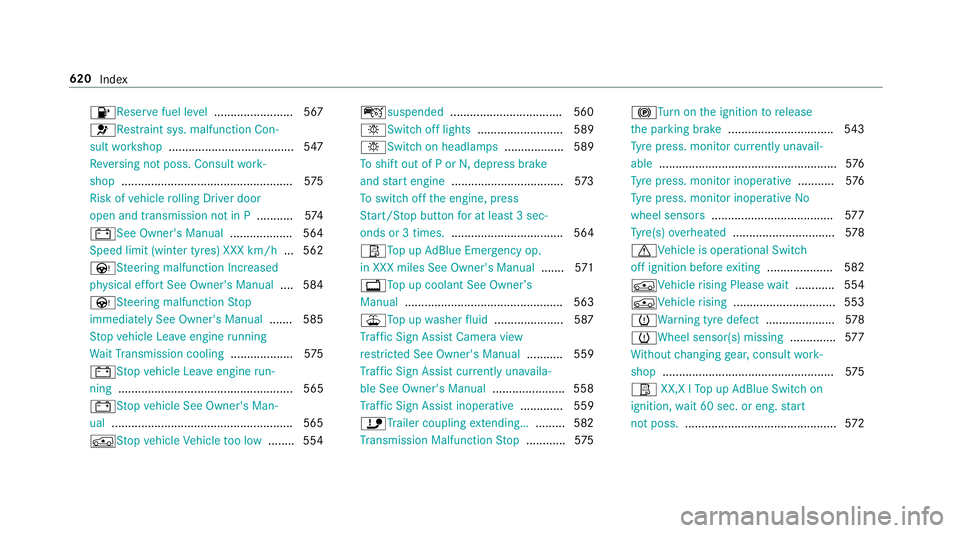
8Re
servefuel le vel........................ 567
6Re stra int sys. malfunction Con‐
sult workshop ...................................... 547
Re versing not poss. Consult work‐
shop ....................................................5 75
Risk of vehicle rolling Driver door
open and transmission not in P ...........574
# See Owner's Manual ................... 564
Speed limit (winter tyres) XXX km/h ... 562
ÙSt eering malfunction Incre ased
ph ysical ef fort See Owner's Manual .... 584
ÙSt eering malfunction Stop
immediately See Owner's Manual .......585
St op vehicle Lea veengine running
Wa itTransmission cooling ...................575
# Stop vehicle Lea veengine run‐
ning ..................................................... 565
#St opvehicle See Owner's Man‐
ual .......................................................5 65
ÁSt opvehicle Vehicle too low ........ 554 çsuspended
..................................5 60
bSwitch off lights .......................... 589
bSwitch on headla mps.................. 589
To shift out of P or N,depress brake
and start engine .................................. 573
To switch off the engine, press
St art/ Stop button for at least 3 sec‐
onds or 3 times. .................................. 564
ØTo p upAdBlue Emergency op.
in XXX miles See Owner's Manual .......571
+ Top up coolant See Owner ’s
Manual ................................................ 563
¥To p upwasher fluid .................... .587
Tr af fic Sign Assi stCamera view
re stricted See Owner's Manual ........... 559
Tr af fic Sign Assi stcur rently una vaila‐
ble See Owner's Manual ...................... 558
Tr af fic Sign Assi stinope rative ............. 559
ïTr ailer coupling extending… ......... 582
Tr ansmission Malfunction Stop ............ 575 !
Turn on the ignition torelease
th e parking brake ................................ 543
Ty re press. monitor cur rently una vail‐
able ...................................................... 576
Ty re press. monitor inoperative ...........576
Ty re press. monitor inoperative No
wheel sensors .................................... .577
Ty re(s) ove rheated ...............................5 78
d Vehicle is operational Switch
off ignition before exiting .................... 582
ÁVe hiclerising Please wait............ 554
ÁVe hiclerising ...............................5 53
hWa rning tyre defect .....................578
h Wheel sensor(s) missing ..............577
Wi thout changing gear, consult work‐
shop ....................................................5 75
Ø XX,X l Top up AdBlue Switch on
ignition, wait 60 sec. or eng. start
not poss. .............................................. 572620
Index
Page 626 of 657
Un
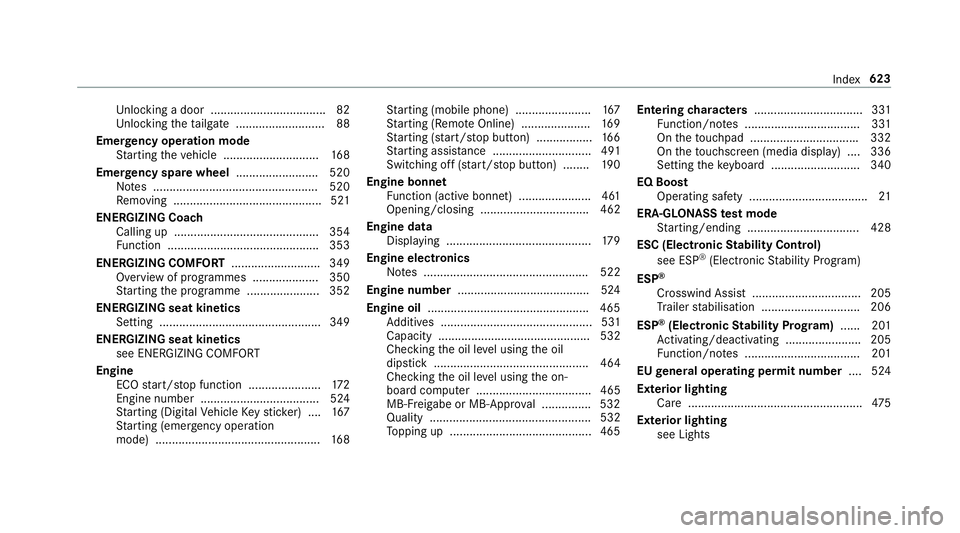
locking a door .................................. .82
Un locking theta ilgate .......................... .88
Emer gency operation mode
St arting theve hicle ............................. 16 8
Emer gency spare wheel .........................5 20
No tes .................................................. 520
Re moving ............................................. 521
ENERGIZI NGCoach
Calling up ............................................ 354
Fu nction .............................................. 353
ENE RGIZING COMFORT ...........................349
Overview of programmes .................... 350
St arting the programme ......................3 52
ENERGIZI NGseat kinetics
Setting .................................................3 49
ENERGIZI NGseat kinetics
see ENERG IZINGCOMFORT
Engine ECO start/ stop function ......................1 72
Engine number .................................... 524
St arting (Digital Vehicle Keyst icke r) .... 167
St arting (eme rgency operation
mode) .................................................. 16 8St
arting (mobile phone) ...................... .167
St arting (Remo teOnline) ..................... 16 9
St arting (s tart/s top button) .................1 66
St arting assis tance .............................. 491
Switching off (s tart/s top button) ........ 19 0
Engine bonnet Function (active bonnet) ...................... 461
Opening/closing ................................. 462
Engine data Displaying ............................................ 17 9
Engine electronics Notes .................................................. 522
Engine number ........................................5 24
Engine oil ................................................ .465
Ad ditives .............................................. 531
Capacity .............................................. 532
Checking the oil le vel using the oil
dipstick ............................................... 464
Checking the oil le vel using the on-
board computer ................................... 465
MB-Fr eigabe or MB-Appr oval .............. .532
Quality ................................................. 532
To pping up ...........................................4 65Entering
characters ................................. 331
Fu nction/no tes ................................... 331
On theto uchpad ................................ .332
On theto uchsc reen (media display) ....3 36
Setting theke yboard .......................... .340
EQ Boost Operating saf ety .................................... 21
ERA-GLONASS test mode
St arting/ending .................................. 428
ESC (Elect ronic Stability Control)
see ESP ®
(Electronic Stability Prog ram)
ESP ®
Crosswind Assist ................................. 205
Tr ailer stabilisation .............................. 206
ESP ®
(Elect ronic Stability Prog ram) ...... 201
Ac tivating/deactivating ...................... .205
Fu nction/no tes ................................... 201
EU general operating permit number ....524
Exterior lighting Care .................................................... .475
Exterior lighting see Lights Index
623
Page 644 of 657
Ad
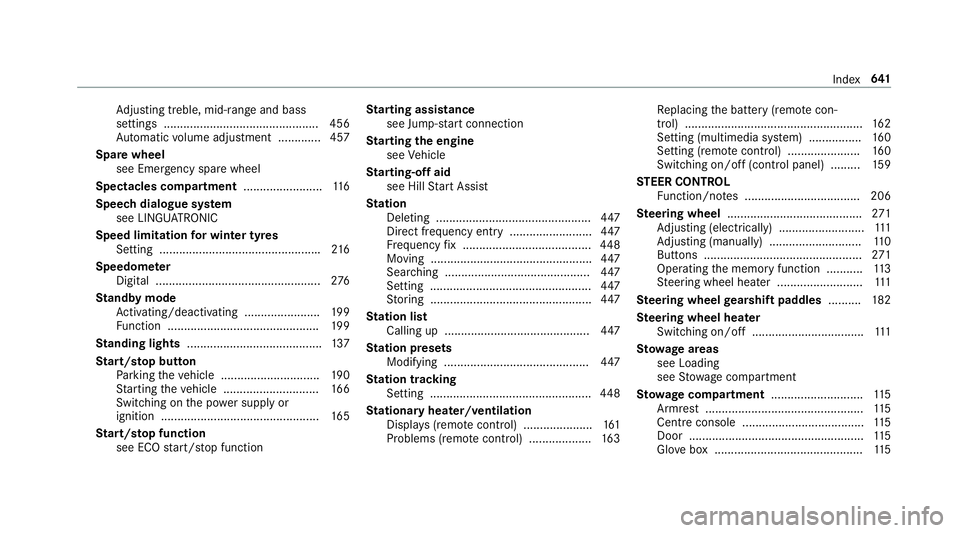
justing treble, mid-range and bass
settings ............................................... 456
Au tomatic volume adjustment ............ .457
Spare wheel see Emer gency spa rewheel
Spectacles compa rtment ........................ 11 6
Speech dialogue sy stem
see LINGU ATRO NIC
Speed limitation for winter tyres
Setting ................................................ .216
Speedome ter
Digital .................................................. 276
St andby mode
Ac tivating/deactivating ...................... .199
Fu nction .............................................. 19 9
St anding lights ......................................... 137
St art/s top button
Pa rking theve hicle .............................. 19 0
St arting theve hicle ............................. 16 6
Switching on the po wer supply or
ignition ................................................ 16 5
St art/s top function
see ECO start/ stop function St
arting assi stance
see Jump -sta rt connection
St arting the engine
see Vehicle
St arting-o ffaid
see Hill Start Assist
St ation
Deleting ............................................... 447
Direct frequency entry ......................... 447
Fr equency fix ....................................... 448
Moving .................................................4 47
Sea rching ............................................ 447
Setting ................................................. 447
St oring .................................................4 47
St ation list
Calling up ............................................ 447
St ation presets
Modifying ............................................ 447
St ation tracking
Setting ................................................. 448
St ationary heater/ventilation
Displ ays (remo tecontrol) ..................... 161
Problems (remo tecontrol) ................... 16 3Re
placing the battery (remo tecon‐
trol) ...................................................... 16 2
Setting (multimedia sy stem) ................1 60
Setting (remo tecontrol) ...................... 16 0
Switching on/off (control panel) ......... 15 9
ST EER CONT ROL
Fu nction/no tes ................................... 206
Ste ering wheel ........................................ .271
Ad justing (electrically) .......................... 111
Ad justing (manually) ............................ 11 0
Buttons ................................................ 271
Operating the memory function ........... 11 3
St eering wheel heater .......................... 111
Ste ering wheel gearshift paddles ..........182
Ste ering wheel heater
Swit ching on/off .................................. 111
St ow age areas
see Loading
see Stow age compartment
St ow age comp artment............................ 11 5
Armrest ................................................ 11 5
Centre console .................................... .115
Door ..................................................... 11 5
Glo vebox .............................................1 15 Index
641