fuse MERCEDES-BENZ GLC SUV 2015 Owners Manual
[x] Cancel search | Manufacturer: MERCEDES-BENZ, Model Year: 2015, Model line: GLC SUV, Model: MERCEDES-BENZ GLC SUV 2015Pages: 497, PDF Size: 15.27 MB
Page 15 of 497
Front-passenger front airbag deac-
tivation
Display message ............................ 349
Front-passenger front airbag deac-
tivation system
Operation ........................................ .57
Problems ......................................... 61
System self-test ...............................59
Fuel
Additives ........................................ 483
Consumption information .............. 484
Consumption statistics .................. 319
Displaying the current consump-
tion ................................................ 318
Displaying the range ...................... 318
Driving tips .................................... 222
E10 ................................................ 482
Fuel gauge ...................................... .34
Grade (petrol) ................................ 482
Important safety notes .................. 481
Low outside temperatures ............ .483
Problem (malfunction) ................... 206
Quality (diesel )............................... 483
Refuelling ....................................... 203
Tank content/reserve fue l............. 482
Fuel filler flap
Opening ......................................... 205
Fuel filter (white display message) .. 356
Fuel level
Calling up the range (on-board
computer) ...................................... 318
Gaug e.............................................. 34
Fuel tank
Capacity ........................................ 482
Problem (malfunction) ................... 206
Fuses
Allocation chart ............................. 451
Before changing ............................. 449
Dashboard fuse box ....................... 449
Fuse box in the engine compart-
ment .............................................. 450
Fuse box in the front-passenger
footwell .......................................... 449
Fuse box in the luggage compart-
ment .............................................. 451
Important safety notes .................. 448 G
Gearshift paddles see Steering wheel gearshift paddles
Genuine Mercedes-Benz parts ........... 25
Glove compartment .......................... 391 H
HANDS-FREE ACCESS ....................... 106
Hazard warning lamps ...................... 141
Head restraint
General notes ................................ 124
Head restraints
Adjusting (electrically) ................... 124
Adjusting (manually) ...................... 124
Adjusting (rear) .............................. 125
Adjusting the fore-and-aft posi-
tion manually ................................. 124
Fitting/removing (rear) .................. 125
Important safety notes .................. 123
Head-up display
Adjusting the brightness ................ 331
Displays and operating .................. 316
Function/note s............................. 315
Important safety notes .................. 316
Selecting displays .......................... 330
Setting the position ....................... 331
Storing settings (memory func-
tion) ............................................... 135
Headlamp
Cleaning system (notes) ................ 487
Headlamp flasher .............................. 141
Headlamps
Misting up ...................................... 144
see Automatic headlamp mode
Heating
see Climate control
High-pressure cleaners .................... 422
High-voltage battery
Battery car e................................... 212
Charging (charging station) ............ 217
Charging (mains socket) ................ 213
Charging (wallbox) ......................... 216
Charging cable heating up ............. 212
Energy consumption ...................... 212
General notes .................................. 45
Method of operation ...................... 211 12
Index
Page 92 of 497
R
darkness
R if:
- pedestrians move quickly, e.g. into the
path of the vehicle
- the camera system no longer detects a
pedestrian as a person due to special
clothing or other objects
- a pedestrian is concealed by other
objects
- the typical outline of a person is not dis-
tinguishable from the background
Following damage to the front end of the vehi-
cle, have the radar sensor settings and oper- ation checked at a qualified specialist work-
shop. This also applies to collisions at slow
speeds where there is no visible damage to
the front of the vehicle.
Following damage to the windscreen, have
the configuration and operation of the cam-
era system checked at a qualified specialist
workshop.
Function X
To activate/deactivate: activate or deac-
tivate PRE-SAFE ®
Brake in the on-board
computer (Y page 328).
If the PRE-SAFE ®
Brake is not activated, the
æ symbol appears in the multifunction
display.
If you have activated DSR (Y page 248) PRE-
SAFE ®
Brake is also deactivated.
This function will issue a warning if:
R at a speed of around 30 km/ hor more, the
distance maintained to the vehicle travel-
ling in front is insufficient for several sec-
onds
The · distance warning lamp then lights
up in the instrument cluster.
R at a speed of around 7 km/h or more, you
rapidly approach a vehicle in front or a
pedestrian
An intermittent warning tone will then
sound and the ·distance warning lamp
lights up in the instrument cluster. X
Brake immediately to defuse the situation.
or
X Take evasive action provided it is safe to do
so.
The PRE-SAFE ®
Brake function can also brake
the vehicle automatically under the following
conditions:
R the driver and front passenger have their
seat belts fastened
and
R the vehicle speed is between approx-
imately 7 km/h and 200 km/h
At a speed of up to approximately 70 km/h,
PRE-SAFE ®
Brake can also detect:
R stationary objects in the path of your vehi-
cle, e.g. stopped or parked vehicles
R pedestrians in the path of your vehicle
i If there is an increased risk of a collision,
preventive passenger protection measures
(PRE-SAFE ®
) are activated (Y page 64).
If the risk of a collision with the vehicle in front remains and you do not brake, take evasive
action or accelerate significantly, the vehicle
may perform automatic emergency braking,
up to the point of full brake application. Auto-
matic emergency braking is not performed
until immediately prior to an imminent acci-
dent.
You can prevent the intervention of PRE-
SAFE ®
Brake at any time by:
R depressing the accelerator pedal further
R activating kickdown
R releasing the brake pedal
The braking action of PRE-SAFE ®
Brake is
ended automatically if:
R you manoeuvre to avoid the obstacle
R there is no longer a risk of collision
R there is no longer an obstacle detected in
front of your vehicle Driving safety systems
89Safety Z
Page 215 of 497
Energy consumption and electrical
range The maximum electrical range is generally
reduced by:
R high and low outside temperatures
R operating the climate control system
R switching on consumers
The battery's physical characteristics are
such, that leaving the vehicle parked for long
periods at low outdoor temperatures without charging it can lead to:
R a reduction in battery performance
R longer charge times
Notes on battery care Avoid storing or transporting the vehicle at
excessively high or low temperatures over a
long period.
If you park the vehicle and leave it stationary for long periods:
R check the charge status of the high-voltage
battery more often
R connect the vehicle to a power supply
This prevents self-discharge and damage to
the high-voltage battery.
Terms of use Please note the information on exceptions
and limitations in the warranty documenta-
tion and in the Service Booklet.
Handling the charging cable and charg- ing cable controls Do not leave the charging cable controls
(Y page 213) hanging loose from a mains
socket. Otherwise, this could result in a poor contact with the mains socket and malfunc-
tions when charging the vehicle. To ensure that the brackets within the charg-
ing cable controls are not subjected to incor-
rect loads, observe the following:
R never lift or carry the controls by the charg-
ing cable connector or the mains plug
R to transport the charging cable, the coiled
part can be:
- wrapped around the controls or
- secured to the housing of the controls
Heat generated by the charging cable
and charging cable connector Observe the "Important safety notes"
(Y page 210).
During the charging process, the charging
cable and charging cable connector may heat
up.
The charging cable and charging cable con-
nector will only heat up within the permissible limiting values, provided that:
R the mains power supply and the charging
cable are not damaged
R the instructions for handling the charging
cable and controls on the charging cable
are observed
If the charging cable or plug get too hot, have the mains power supply checked.
Protection against overvoltage !
Voltage surges in the mains supply can
damage the vehicle. The vehicle is there-
fore equipped with a device which protects
it from voltage surges in the mains supply.
This device may be triggered during severe
thunderstorms, for example, and may lead
to the building's fuse being tripped and an
interruption in the power supply. These
functions protect the vehicle. After the
building fuse is switched on again, the
charging process resumes automatically.
Following an interruption in the power sup-
ply or tripping of the building's fuse, it may take up to 10 minutes for charging to
resume automatically. 212
Charging the high-voltage battery (PLUG-IN HYBRID vehicles)Driving and parking
Page 217 of 497
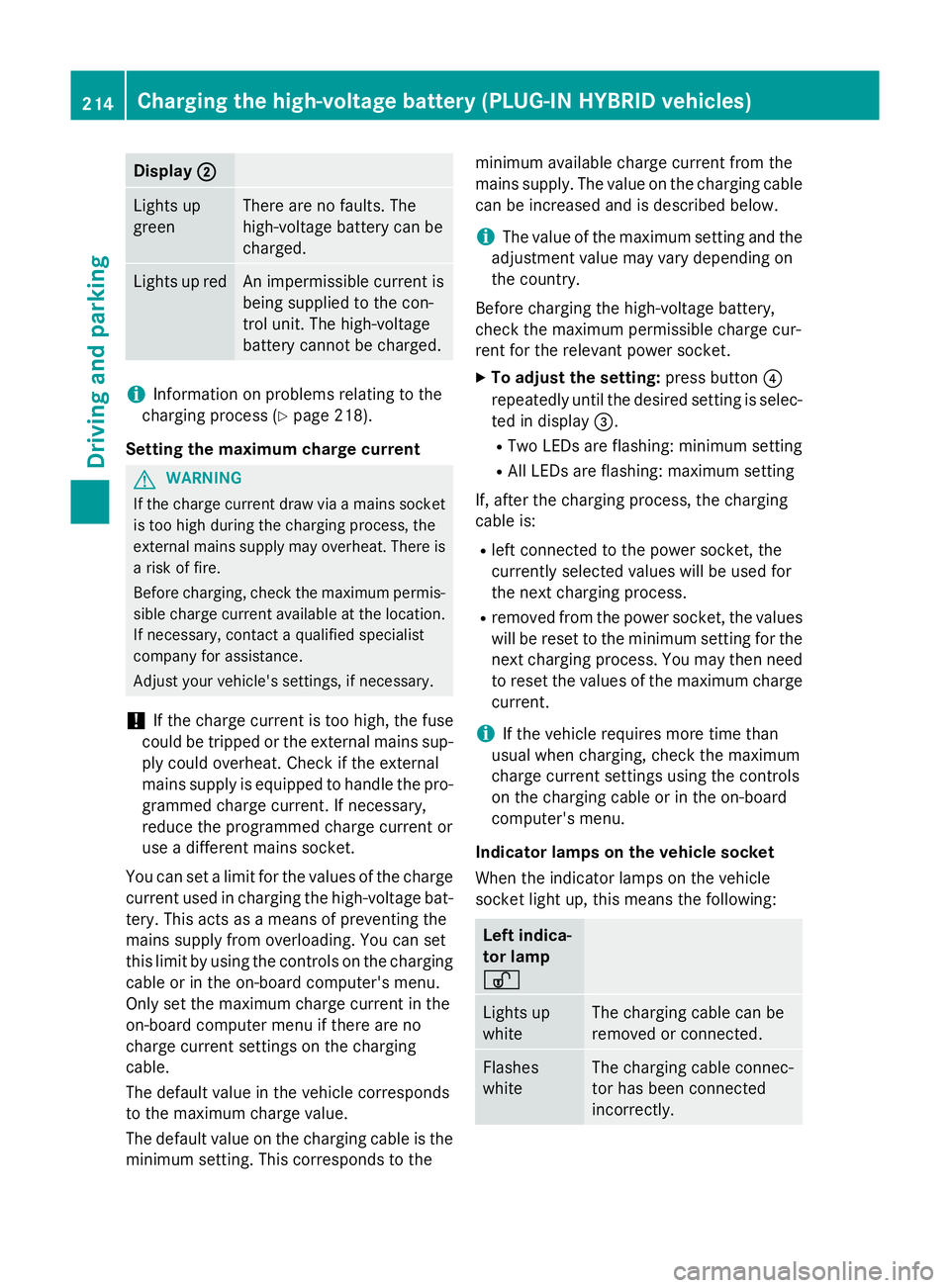
Display
;
; Lights up
green There are no faults. The
high-voltage battery can be
charged.
Lights up red An impermissible current is
being supplied to the con-
trol unit. The high-voltage
battery cannot be charged.
i
Information on problems relating to the
charging process (Y page 218).
Setting the maximum charge current G
WARNING
If the charge current draw via a mains socket is too high during the charging process, the
external mains supply may overheat. There is a risk of fire.
Before charging, check the maximum permis-
sible charge current available at the location.
If necessary, contact a qualified specialist
company for assistance.
Adjust your vehicle's settings, if necessary.
! If the charge current is too high, the fuse
could be tripped or the external mains sup-
ply could overheat. Check if the external
mains supply is equipped to handle the pro- grammed charge current. If necessary,
reduce the programmed charge current or
use a different mains socket.
You can set a limit for the values of the charge
current used in charging the high-voltage bat- tery. This acts as a means of preventing the
mains supply from overloading. You can set
this limit by using the controls on the charging
cable or in the on-board computer's menu.
Only set the maximum charge current in the
on-board computer menu if there are no
charge current settings on the charging
cable.
The default value in the vehicle corresponds
to the maximum charge value.
The default value on the charging cable is the
minimum setting. This corresponds to the minimum available charge current from the
mains supply. The value on the charging cable
can be increased and is described below.
i The value of the maximum setting and the
adjustment value may vary depending on
the country.
Before charging the high-voltage battery,
check the maximum permissible charge cur-
rent for the relevant power socket.
X To adjust the setting: press button?
repeatedly until the desired setting is selec- ted in display =.
R Two LEDs are flashing: minimum setting
R All LEDs are flashing: maximum setting
If, after the charging process, the charging
cable is:
R left connected to the power socket, the
currently selected values will be used for
the next charging process.
R removed from the power socket, the values
will be reset to the minimum setting for the next charging process. You may then need
to reset the values of the maximum charge current.
i If the vehicle requires more time than
usual when charging, check the maximum
charge current settings using the controls
on the charging cable or in the on-board
computer's menu.
Indicator lamps on the vehicle socket
When the indicator lamps on the vehicle
socket light up, this means the following: Left indica-
tor lamp
Ì Ì
Lights up
white The charging cable can be
removed or connected.
Flashes
white The charging cable connec-
tor has been connected
incorrectly. 214
Cha
rging the high-voltage battery (PLUG-IN HYBRI D vehicles)Driving and parking
Page 244 of 497
R
the electrical system in the engine com-
partment, the battery or the fuses have
been tampered with.
R the battery is disconnected.
R the accelerator pedal has been depressed,
e.g. by a vehicle occupant.
There is a risk of an accident.
If you wish to exit the vehicle, always turn off
DISTRONIC PLUS and secure the vehicle
against rolling away.
Further information on deactivating
DISTRONIC PLUS (Y page 243).
If DISTRONIC PLUS detects that the vehicle in
front is stopping, it brakes your vehicle until it is stationary.
Once your vehicle is stationary, it remains
stationary and you do not need to depress the
brake.
i After a short period, the vehicle is secured
by the electric parking brake, thus relieving
the service brake.
i Depending on the specified minimum dis-
tance, your vehicle will come to a standstill
at a sufficient distance behind the vehicle in
front. The specified minimum distance is
set using the control on the cruise control
lever.
When DISTRONIC PLUS is activated, the
transmission is shifted automatically to posi- tion Pif:
R the driver's seat belt is not fastened and the
driver's door is open
R the engine is switched off, unless it is auto-
matically switched off by the ECO start/
stop function
The electric parking brake secures the vehicle
automatically if DISTRONIC PLUS is activated
when the vehicle is stationary and:
R a system fault occurs
R the power supply is insufficient
If a fault occurs, the transmission may also
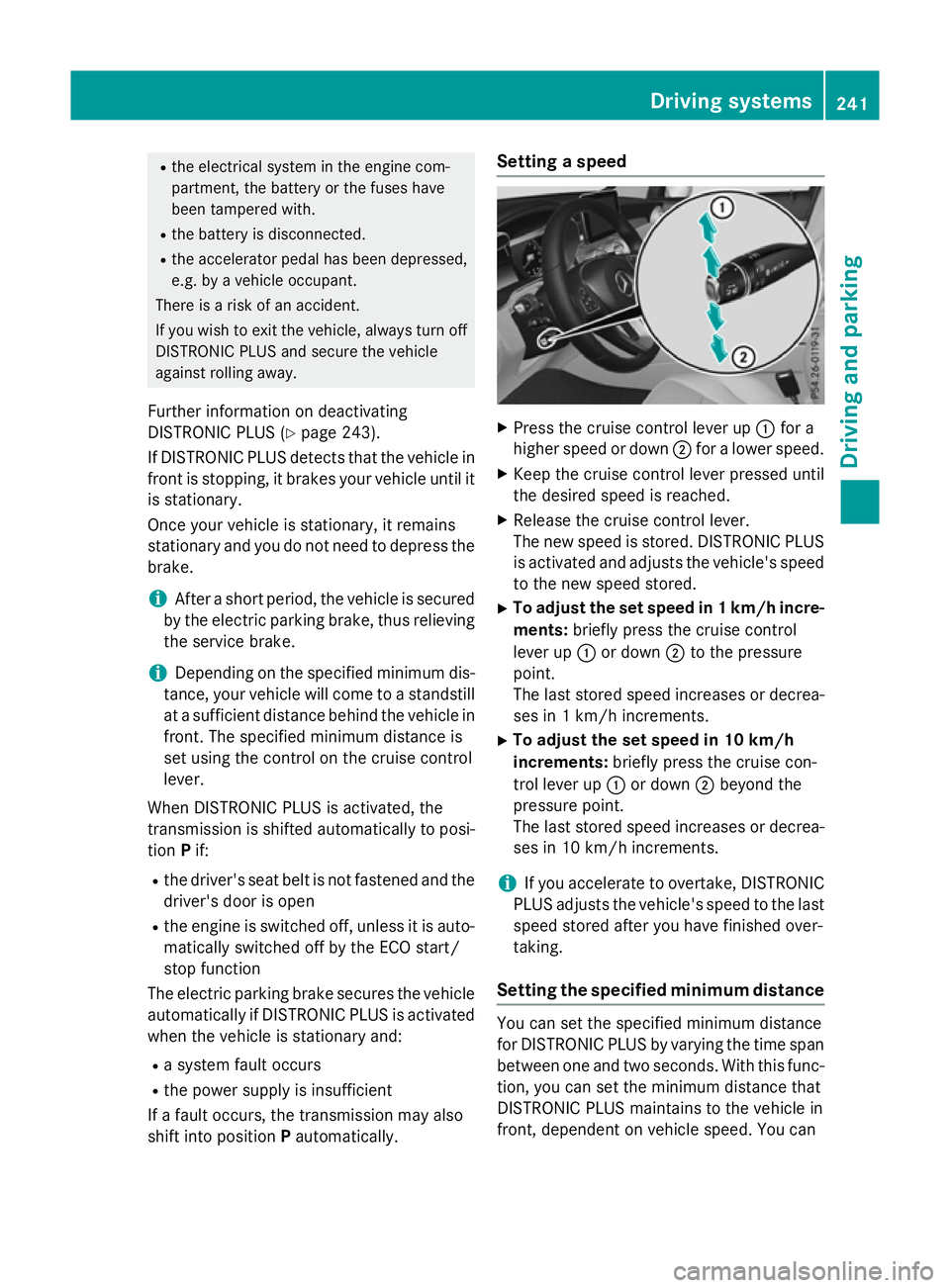
shift into position Pautomatically. Setting a speed
X
Press the cruise control lever up :for a
higher speed or down ;for a lower speed.
X Keep the cruise control lever pressed until
the desired speed is reached.
X Release the cruise control lever.
The new speed is stored. DISTRONIC PLUS
is activated and adjusts the vehicle's speed to the new speed stored.
X To adjust the set speed in 1 km/h incre-
ments: briefly press the cruise control
lever up :or down ;to the pressure
point.
The last stored speed increases or decrea- ses in 1 km/h increments.
X To adjust the set speed in 10 km/h
increments: briefly press the cruise con-
trol lever up :or down ;beyond the
pressure point.
The last stored speed increases or decrea-
ses in 10 km/h increments.
i If you accelerate to overtake, DISTRONIC
PLUS adjusts the vehicle's speed to the last
speed stored after you have finished over-
taking.
Setting the specified minimum distance You can set the specified minimum distance
for DISTRONIC PLUS by varying the time span between one and two seconds. With this func-
tion, you can set the minimum distance that
DISTRONIC PLUS maintains to the vehicle in
front, dependent on vehicle speed. You can Driving systems
241Driving and parking Z
Page 250 of 497
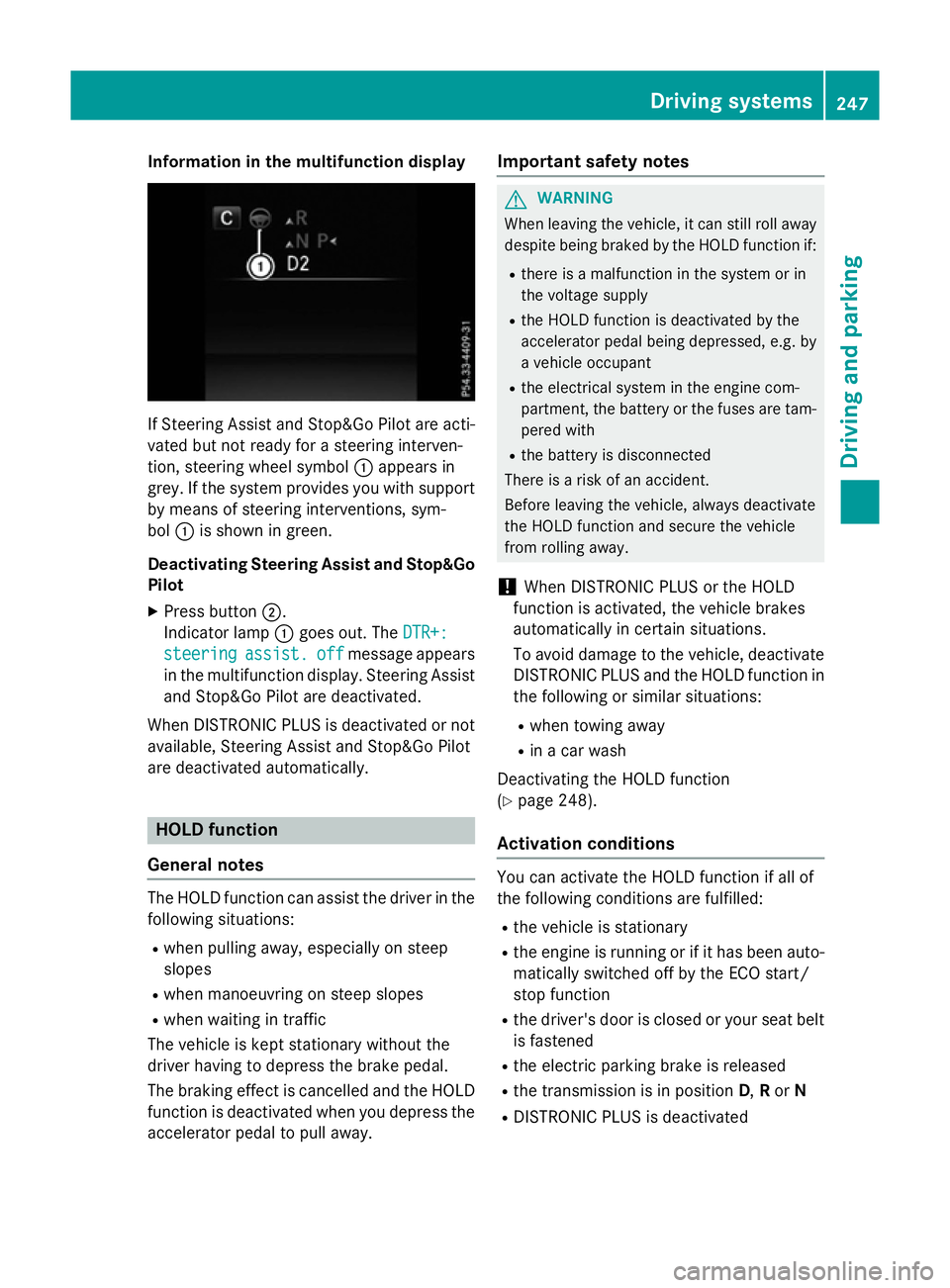
Information in the multifunction display
If Steering Assist and Stop&Go Pilot are acti-
vated but not ready for a steering interven-
tion, steering wheel symbol :appears in
grey. If the system provides you with support
by means of steering interventions, sym-
bol :is shown in green.
Deactivating Steering Assist and Stop&Go Pilot
X Press button ;.
Indicator lamp :goes out. The DTR+:
DTR+:
steering
steering assist.
assist.off
off message appears
in the multifunction display. Steering Assist and Stop&Go Pilot are deactivated.
When DISTRONIC PLUS is deactivated or not available, Steering Assist and Stop&Go Pilot
are deactivated automatically. HOLD function
General notes The HOLD function can assist the driver in the
following situations:
R when pulling away, especially on steep
slopes
R when manoeuvring on steep slopes
R when waiting in traffic
The vehicle is kept stationary without the
driver having to depress the brake pedal.
The braking effect is cancelled and the HOLD function is deactivated when you depress theaccelerator pedal to pull away. Important safety notes G
WARNING
When leaving the vehicle, it can still roll away despite being braked by the HOLD function if:
R there is a malfunction in the system or in
the voltage supply
R the HOLD function is deactivated by the
accelerator pedal being depressed, e.g. by
a vehicle occupant
R the electrical system in the engine com-
partment, the battery or the fuses are tam-
pered with
R the battery is disconnected
There is a risk of an accident.
Before leaving the vehicle, always deactivate
the HOLD function and secure the vehicle
from rolling away.
! When DISTRONIC PLUS or the HOLD
function is activated, the vehicle brakes
automatically in certain situations.
To avoid damage to the vehicle, deactivate DISTRONIC PLUS and the HOLD function in
the following or similar situations:
R when towing away
R in a car wash
Deactivating the HOLD function
(Y page 248).
Activation conditions You can activate the HOLD function if all of
the following conditions are fulfilled:
R the vehicle is stationary
R the engine is running or if it has been auto-
matically switched off by the ECO start/
stop function
R the driver's door is closed or your seat belt
is fastened
R the electric parking brake is released
R the transmission is in position D,Ror N
R DISTRONIC PLUS is deactivated Driving systems
247Driving and parking Z
Page 262 of 497
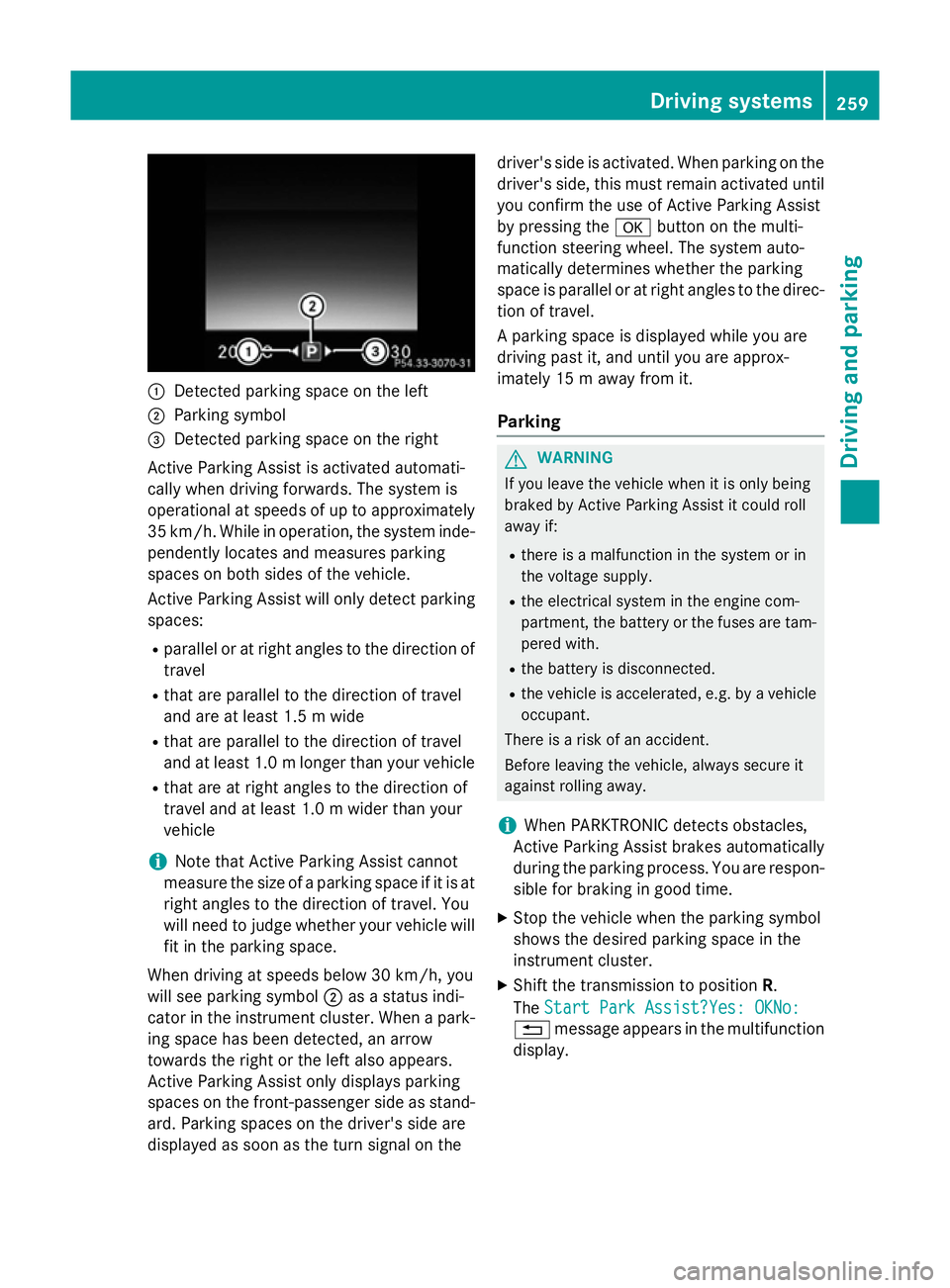
:
Detected parking space on the left
; Parking symbol
= Detected parking space on the right
Active Parking Assist is activated automati-
cally when driving forwards. The system is
operational at speeds of up to approximately
35 km/h. While in operation, the system inde- pendently locates and measures parking
spaces on both sides of the vehicle.
Active Parking Assist will only detect parkingspaces:
R parallel or at right angles to the direction of
travel
R that are parallel to the direction of travel
and are at least 1.5 m wide
R that are parallel to the direction of travel
and at least 1.0 mlonger than your vehicle
R that are at right angles to the direction of
travel and at least 1.0 m wider than your
vehicle
i Note that Active Parking Assist cannot
measure the size of a parking space if it is at
right angles to the direction of travel. You
will need to judge whether your vehicle will
fit in the parking space.
When driving at speeds below 30 km/h, you
will see parking symbol ;as a status indi-
cator in the instrument cluster. When a park- ing space has been detected, an arrow
towards the right or the left also appears.
Active Parking Assist only displays parking
spaces on the front-passenger side as stand-
ard. Parking spaces on the driver's side are
displayed as soon as the turn signal on the driver's side is activated. When parking on the
driver's side, this must remain activated untilyou confirm the use of Active Parking Assist
by pressing the abutton on the multi-
function steering wheel. The system auto-
matically determines whether the parking
space is parallel or at right angles to the direc-
tion of travel.
A parking space is displayed while you are
driving past it, and until you are approx-
imately 15 m away from it.
Parking G
WARNING
If you leave the vehicle when it is only being
braked by Active Parking Assist it could roll
away if:
R there is a malfunction in the system or in
the voltage supply.
R the electrical system in the engine com-
partment, the battery or the fuses are tam-
pered with.
R the battery is disconnected.
R the vehicle is accelerated, e.g. by a vehicle
occupant.
There is a risk of an accident.
Before leaving the vehicle, always secure it
against rolling away.
i When PARKTRONIC detects obstacles,
Active Parking Assist brakes automatically
during the parking process. You are respon-
sible for braking in good time.
X Stop the vehicle when the parking symbol
shows the desired parking space in the
instrument cluster.
X Shift the transmission to position R.
The Start Park Assist?Yes: OKNo:
Start Park Assist?Yes: OKNo:
% message appears in the multifunction
display. Driving syste
ms
259Driving an d parking Z
Page 355 of 497
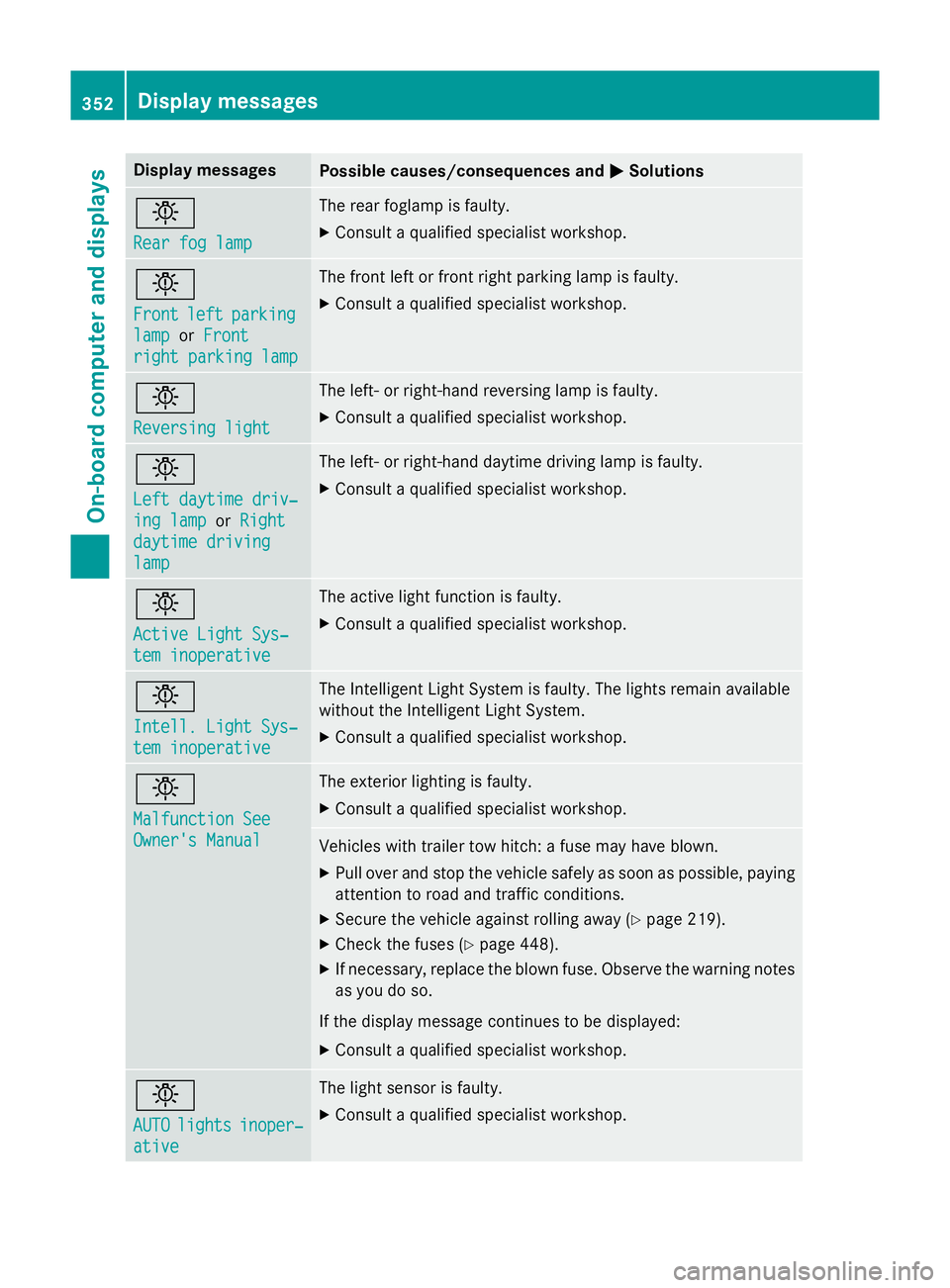
Display messages
Possible causes/consequences and
M
MSolutions b
Rear fog lamp Rear fog lamp The rear foglamp is faulty.
X Consult a qualified specialist workshop. b
Front Front
left
leftparking
parking
lamp
lamp orFront
Front
right parking lamp
right parking lamp The front left or front right parking lamp is faulty.
X Consult a qualified specialist workshop. b
Reversing light Reversing light The left- or right-hand reversing lamp is faulty.
X Consult a qualified specialist workshop. b
Left daytime driv‐ Left daytime driv‐
ing lamp ing lamp
orRight
Right
daytime driving
daytime driving
lamp lamp The left- or right-hand daytime driving lamp is faulty.
X Consult a qualified specialist workshop. b
Active Light Sys‐ Active Light Sys‐
tem inoperative tem inoperative The active light function is faulty.
X Consult a qualified specialist workshop. b
Intell. Light Sys‐ Intell. Light Sys‐
tem inoperative tem inoperative The Intelligent Light System is faulty. The lights remain available
without the Intelligent Light System.
X Consult a qualified specialist workshop. b
Malfunction See Malfunction See
Owner's Manual Owner's Manual The exterior lighting is faulty.
X Consult a qualified specialist workshop. Vehicles with trailer tow hitch: a fuse may have blown.
X Pull over and stop the vehicle safely as soon as possible, paying
attention to road and traffic conditions.
X Secure the vehicle against rolling away (Y page 219).
X Check the fuses (Y page 448).
X If necessary, replace the blown fuse. Observe the warning notes
as you do so.
If the display message continues to be displayed: X Consult a qualified specialist workshop. b
AUTO AUTO
lights
lights inoper‐
inoper‐
ative
ative The light sensor is faulty.
X Consult a qualified specialist workshop. 352
Display
messagesOn-board computer and displays
Page 432 of 497
Useful information
............................430
Where will I find...? ...........................430
Flat tyre ............................................. 433
Battery (vehicle) ................................ 438
Jump-starting .................................... 443
Towing away and tow-starting ........445
Electrical fuses ................................. 448 429Breakdown assistance
Page 451 of 497
Transporting the vehicle
PLUG-IN HYBRID vehicles Transportation of the vehicle should only be
carried out by professional recovery compa-
nies.
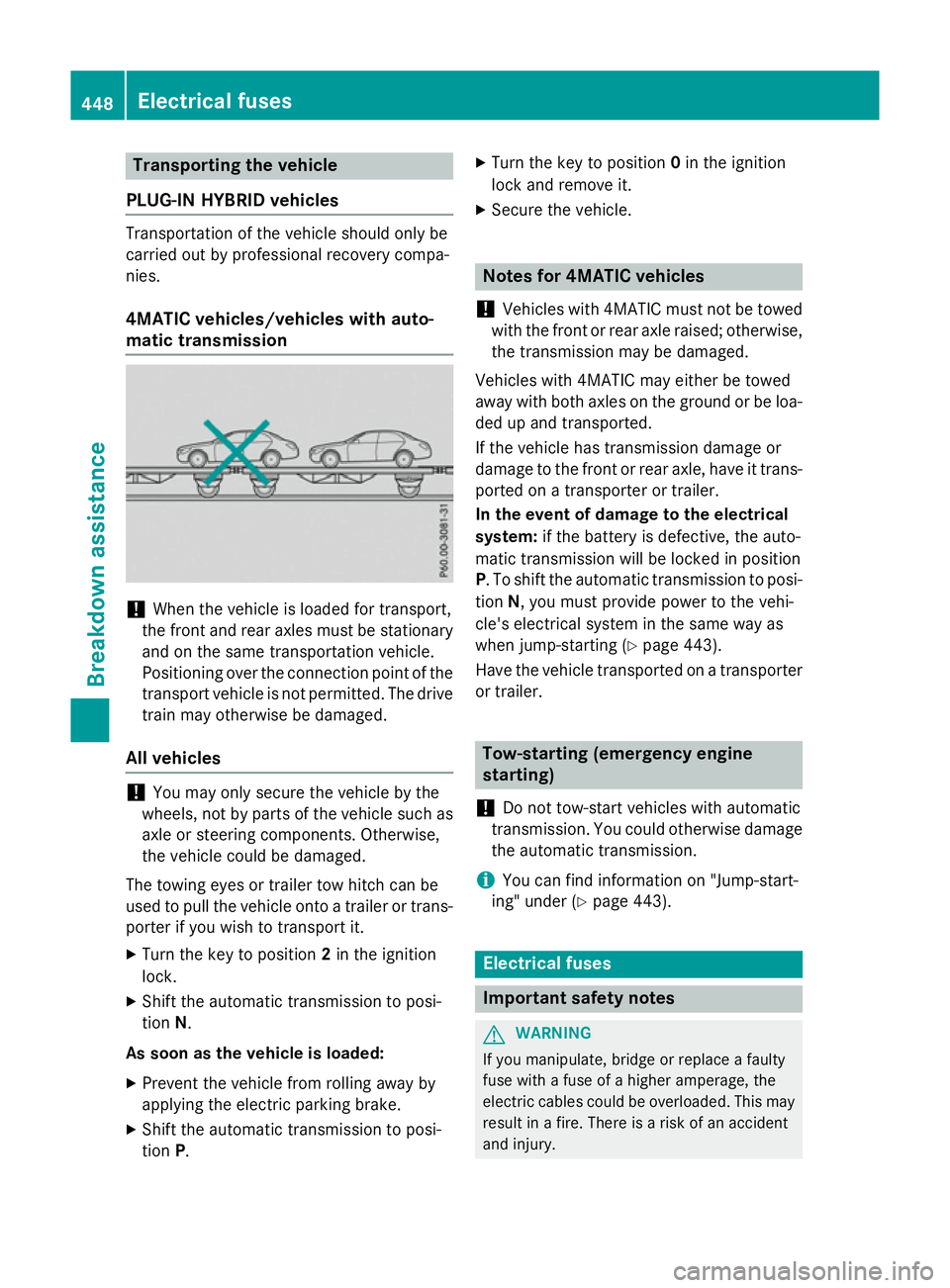
4MATIC vehicles/vehicles with auto-
matic transmission !
When the vehicle is loaded for transport,
the front and rear axles must be stationary
and on the same transportation vehicle.
Positioning over the connection point of the transport vehicle is not permitted. The drive
train may otherwise be damaged.
All vehicles !
You may only secure the vehicle by the
wheels, not by parts of the vehicle such as
axle or steering components. Otherwise,
the vehicle could be damaged.
The towing eyes or trailer tow hitch can be
used to pull the vehicle onto a trailer or trans-
porter if you wish to transport it.
X Turn the key to position 2in the ignition
lock.
X Shift the automatic transmission to posi-
tion N.
As soon as the vehicle is loaded: X Prevent the vehicle from rolling away by
applying the electric parking brake.
X Shift the automatic transmission to posi-
tion P. X
Turn the key to position 0in the ignition
lock and remove it.
X Secure the vehicle. Notes for 4MATIC vehicles
! Vehicles with 4MATIC must not be towed
with the front or rear axle raised; otherwise,
the transmission may be damaged.
Vehicles with 4MATIC may either be towed
away with both axles on the ground or be loa- ded up and transported.
If the vehicle has transmission damage or
damage to the front or rear axle, have it trans-
ported on a transporter or trailer.
In the event of damage to the electrical
system: if the battery is defective, the auto-
matic transmission will be locked in position
P. To shift the automatic transmission to posi-
tion N, you must provide power to the vehi-
cle's electrical system in the same way as
when jump-starting (Y page 443).
Have the vehicle transported on a transporter
or trailer. Tow-starting (emergency engine
starting)
! Do not tow-start vehicles with automatic
transmission. You could otherwise damage the automatic transmission.
i You can find information on "Jump-start-
ing" under (Y page 443). Electrical fuses
Important safety notes
G
WARNING
If you manipulate, bridge or replace a faulty
fuse with a fuse of a higher amperage, the
electric cables could be overloaded. This may result in a fire. There is a risk of an accident
and injury. 448
Electrical fusesBreakdown assistance