climate settings MERCEDES-BENZ GLC SUV 2018 Owner's Manual
[x] Cancel search | Manufacturer: MERCEDES-BENZ, Model Year: 2018, Model line: GLC SUV, Model: MERCEDES-BENZ GLC SUV 2018Pages: 390, PDF Size: 6.54 MB
Page 10 of 390
Control panel for dual-zone auto-
matic clim ate control .................... .124
Controlling automatically ...............1 28
Cooling with air dehumidification .. 128
Cooling with air dehumidification
(multimedia system) ......................2 85
Defrosting the windows ................. 130
Defrosting the windshield .............. 130
ECO start/stop function ................ 127
General notes ................................ 124
Indicator lamp ................................ 128
Ionization ....................................... 133
Ionization (multimedia system) ...... 285
Notes on using the automatic cli-
mate control .................................. 126
Overview ........................................ 284
Overview of systems ......................1 24
Perfume atomizer .......................... 132
Perfume atomizer (multimedia
system) .......................................... 285
Pre-entry climate control (via key)
(multimedia system) ......................2 85
Pre-entry climate control at
departure time (multimedia sys-
tem) ............................................... 285
Problem with the rear window
defroster ........................................ 131
Problems with cooling with air
dehumidification ............................ 128
Rear control panel ......................... 125
Refrigerant ..................................... 381
Refrigerant filling capacity ............. 382
Setting the air distribution ............. 129
Setting the air vents ......................1 33
Setting the airflow ......................... 129
Setting the climate mode ...............1 28
Setting the climate mode (multi-
media system) ............................... 285
Setting the temperature ................ 128
Switching air-recirculation mode
on/off ............................................ 131
Switching on/off ........................... 127
Switching residual heat on/off ...... 131
Switching the rear window
defro ster on/off ............................ 130
Sw
itching the synchronization
function on and off ........................ 130 Synchronization function (multi-
media system) ............................... 285
Climate control settings
Multimedia system ........................ 284
Climate control system
Climate control .............................. 127
Coat hooks ......................................... 299
Cockpit
Overview .......................................... 36
Code for Apps
see QR code
COMAND display
Cleaning ......................................... 329
Combination switch .......................... 113
Connecting a USB device
see also Digital Operator's Man-
ual ..................................................2 80
Consumption statistics (on-board
computer) .......................................... 225
Controller ...........................................2 81
Controlling the speed
see Distance Pilot DISTRONIC
Convenience closing feature .............. 92
Convenience opening feature ............ 92
Coolant (engine)
Checking the level ......................... 322
Display message ............................ 252
Filling capacity ............................... 381
Important safety notes .................. 380
Temperature display in the instru-
ment cluster .................................. 221
Warning lamp ................................. 275
Cooling
see Climate control
Copyright ............................................. 35
Cornering light function
Display message ............................ 251
Function/notes .............................1 14
Crosswind Assist ................................. 73
Cruise control
Cruise control lever ....................... 169
Deactivating ................................... 170
Display message ............................ 261
Driving system ............................... 169
Function/notes .............................1 69
General notes ................................ 169
Important safety notes .................. 169
8Index
Page 15 of 390

HANDS-FREE ACCESS..........................88
Handwriting recognition
Switching text reader function
on/off ............................................ 283
Touchpad ....................................... 282
Hazard warning lamps ...................... 114
Head restraints
Adjusting (electrically) ................... 102
Adjusting (manually) ...................... 102
Adjusting (rear) .............................. 102
Adjusting the fore-and-aft posi-
tion manually ................................. 102
General notes ................................ 102
Important safety notes .................. 101
Installing/removing (rear) .............. 103
Head-up display
Adjusting the brightness ................2 34
Displays and operating .................. 223
Function/notes .............................2 23
Important safety notes .................. 223
Selecting displays .......................... 233
Setting the position ....................... 234
Storing settings (memory func-
tion) ............................................... 110
Switching on or off ......................... 223
Headlamps
Display message ............................ 251
Fogging up ..................................... 115
see Automatic headlamp mode
Heating
see Climate control
High beam flasher .............................1 13
High-beam headlamps
Adaptive Highbeam Assist ............. 114
Display message ............................ 251
Replacing bulbs .............................1 18
Switching on/off ........................... 113
Hill start assist .................................. 140
HOLD function
Activating ....................................... 179
Activation conditions ..................... 179
Deactivating ................................... 179
Display message ............................ 259
Function/notes .............................1 78
General notes ................................ 178
Home address
see also Digital Operator's Man-
ual ..................................................2 80Hood
Closing ...........................................3 19
Display message ............................ 266
Important safety notes .................. 318
Opening ......................................... 318
Ho
rn ...................................................... 36
HUD
see Head-up display
Hydroplaning ..................................... 164
I
Ignition lock
see Key positions
Immobilizer .......................................... 76
Indicator lamps
see Warning and indicator lamps
Indicators
see Turn signals
Insect protection on the radiator .... 319
Instrument cluster
Overview .......................................... 37
Warning and indicator lamps ........... 37
Instrument cluster lighting .............. 220
Interior lighting
Automatic control .......................... 116
Control ...........................................1 16
Overview ........................................ 116
Reading lamp ................................. 116
iPod
®
see also Digital Operator's Man-
ual ..................................................2 80
J
Jack
Using ............................................. 370
Jump starting (engine) ......................341
K
Key positions
SmartKey ....................................... 136
Start/Stop button .......................... 137
KEYLESS-GO
Activating ......................................... 79
Convenience closing feature ............ 93
Deactivation ..................................... 79
Locking ............................................ 79
Index13
Page 21 of 390
Overview of bulb types .................. 117
Replacing front bulbs (vehicles
with halogen headlamps) ............... 117
Turn signals (front) .........................118
Reporting safety defects .................... 33
Rescue card ......................................... 33
Reserve (fuel tank)
see Fuel
Reserve fuel
Display message ............................ 255
Warning lamp ................................. 274
Residual heat (climate control) ........131
Restraint system
Display message ............................ 247
Introduction ..................................... 44
Warning lamp ................................. 274
Warning lamp (function) ................... 45
Reversing feature
Panorama sliding sunroof ................ 95
Roller sunblinds ............................... 96
Side windows ................................... 91
Tailgate ............................................ 86
Roadside Assistance (breakdown) .... 30
Roll away protection
see HOLD function
Roller sunblind
Operating ......................................... 97
Panorama roof with power tilt/
sliding panel ..................................... 96
Rear side windows ......................... 303
Resetting ......................................... 97
Roof carrier ........................................ 301
Roof lining and carpets (cleaning
guidelines) ......................................... 331
Roof load (maximum) ........................ 382
Route guidance
see also Digital Operator's Man-
ual ..................................................2 80
Route guidance active ......................226
S
Safety
Children in the vehicle ..................... 60
see Occupant safety
see Operating safety
Safety system
see Driving safety systems SD card
Inserting/removing ........................ 289
Selecting ........................................ 229
SD memory card
see also Digital Operator's Man-
ual ..................................................2 80
Search & Send
see also Digital Operator's Man-
ual ..................................................2 80
Seat
Correct driver's seat position ........... 99
Seat belts
Adjusting the driver's and front-
passenger seat belt ......................... 48
Adjusting the height ......................... 48
center rear-compartment seat ......... 48
Cleaning ......................................... 330
Correct usage .................................. 47
Fastening ......................................... 48
Important safety guidelines ............. 46
Introduction ..................................... 45
Releasing ......................................... 48
Warning lamp ................................. 269
Warning lamp (function) ................... 49
Seats
Adjusting (electrically) ................... 101
Adjusting the 4-way lumbar sup-
port ................................................ 103
Adjusting the head restraint .......... 101
Calling up a stored setting (mem-
ory function) .................................. 110
Cleaning the cover ......................... 330
Folding the backrest (rear com-
partment) forwards/back .............. 293
Important safety notes .................... 99
Seat heating .................................. 103
Seat heating problem .................... 104
Seat ventilation .............................. 104
Seat ventilation problem ................ 104
Storing settings (memory func-
tion) ............................................... 110
Securing cargo .................................. 295
Selector lever
Cleaning ......................................... 329
see Automatic transmission
Sensors (cleaning instructions) ....... 328
Service menu (on-board com-
puter) .................................................. 231
Index19
Page 41 of 390
Center console
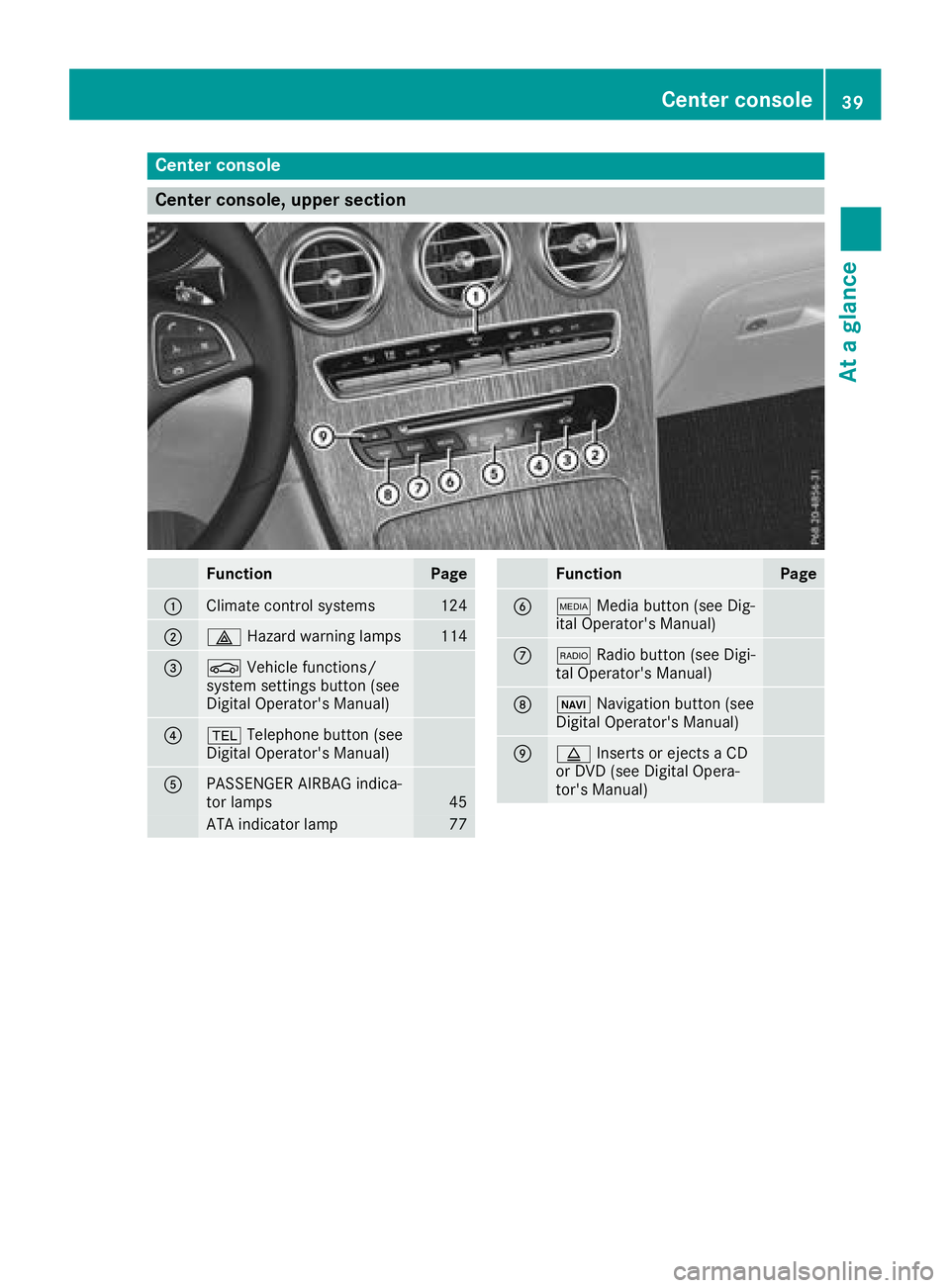
Center console, upper section
FunctionPage
:Climate control systems124
;£Hazard warning lamps114
=ØVehicle functions/
system settings button (see
Digital Operator's Manual)
?% Telephone button (see
Digital Operator's Manual)
APASSENGER AIRBAG indica-
tor lamps45
ATA indicator lamp77
FunctionPage
BÕ Media button (see Dig-
ital Operator's Manual)
C$ Radio button (see Digi-
tal Operator's Manual)
DØ Navigation button (see
Digital Operator's Manual)
Eþ Inserts or ejects a CD
or DVD (see Digital Opera-
tor's Manual)
Center console39
At a glance
Page 126 of 390
Overview of climate control systems
General notes
Observe the settings recommended on the fol-
lowing pages. The windows could otherwise fog
up.
To prevent the windows from fogging up:
Rswitch off climate control only briefly
Rswitch on air-recirculation mode only briefly
Rswitch on the cooling with air dehumidifica-
tion function
Ractivate the "Windshield defrosting" function
briefly, if required
Climate control regulates the temperature and
air humidity in the vehicle interior. The interior
filter cleans the air, thus improving the interior
climate.
The "Cooling with air dehumidification" function
is only available when the engine is running.
Optimum climate control is only achieved with
the side windows and roof closed.
If you start the engine using your smartphone,
the last selected climate control setting is reac-
tivated (
Ypage 139).
The integrated filter filters out most particles of dust and soot and completely filters out pollen. It also reduces gaseous pollutants and odors. A
clogged filter reduces the amount of air supplied
to the vehicle interior. For this reason, you
should always observe the interval for replacing
the filter, which is specified in the Maintenance
Booklet. As it depends on environmental condi-
tions, e.g. heavy air pollution, the interval may
be shorter than stated in the Maintenance Book-
let.
iVentilate the vehicle for a brief period during
warm weather, e.g. using the convenience
opening feature (
Ypage 92). This will speed
up the cooling process and the desired inte-
rior temperature will be reached more
quickly.
iIt is possible that the blower may be activa-
ted automatically 60 minutes after the Smart-
Key has been removed depending on various
factors, e.g. the outside temperature. The
vehicle is then ventilated for 30 minutes to dry
the automatic climate control.
iHybrid vehicles: be sure to observe the
notes in the supplement. Otherwise, you may
not recognize dangers.
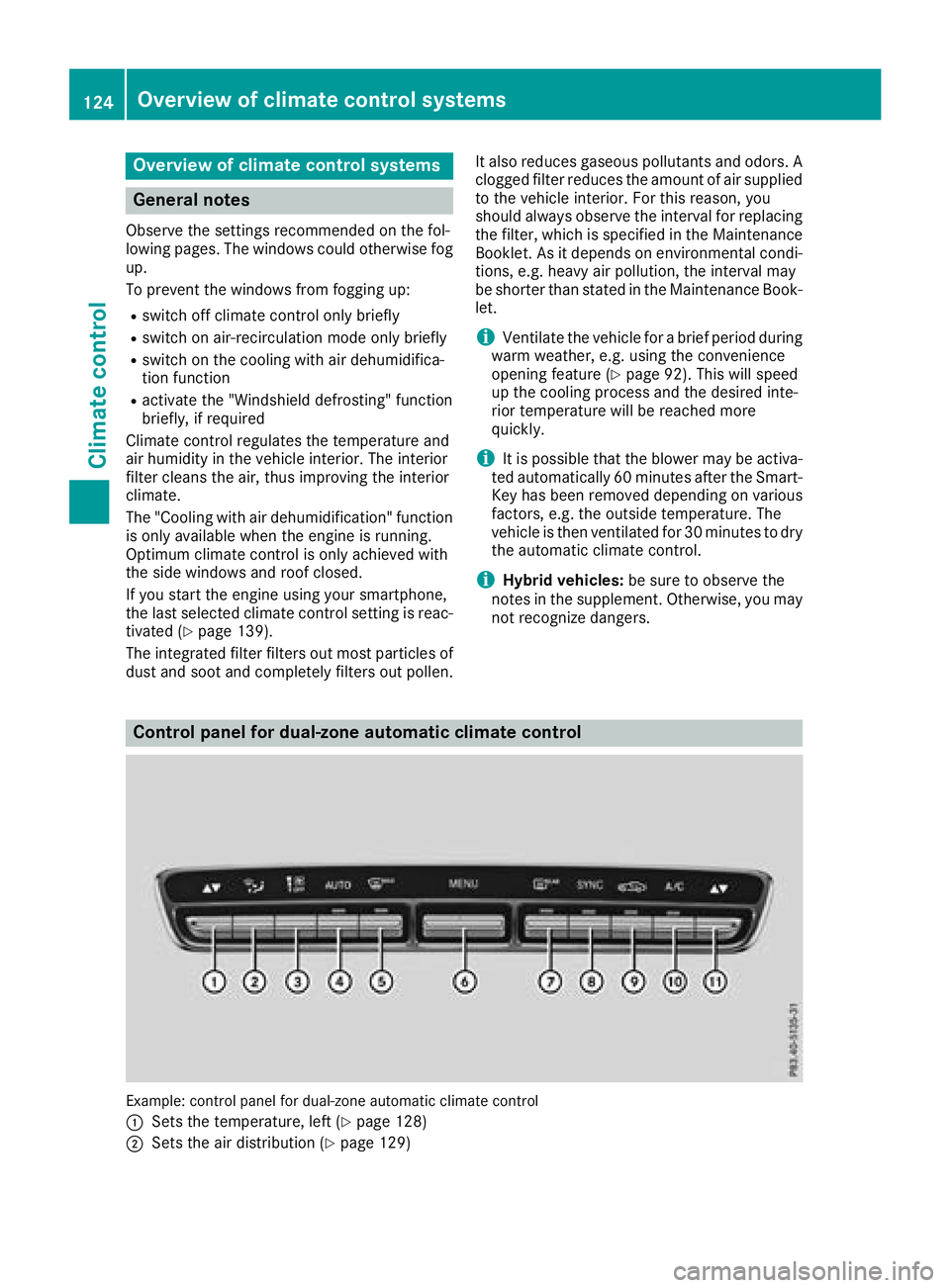
Control panel for dual-zone automatic climate control
Example: control panel for dual-zone automatic climate control
:
Sets the temperature, left (Ypage 128)
;Sets the air distribution (Ypage 129)
124Overview of climate control systems
Climate control
Page 129 of 390
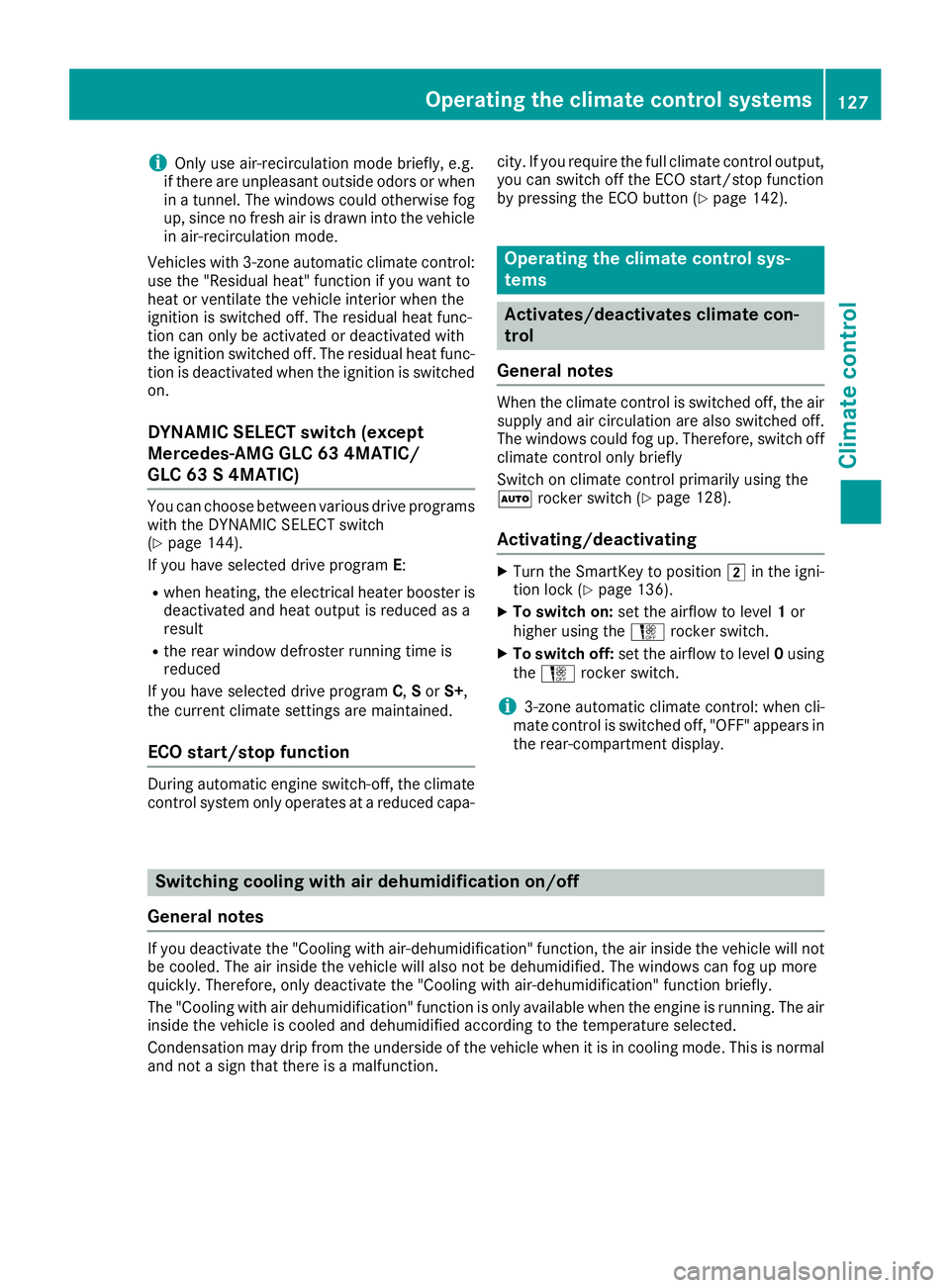
iOnly use air-recirculation mode briefly, e.g.
if there are unpleasant outside odors or when
in a tunnel. The windows could otherwise fog
up, since no fresh air is drawn into the vehicle
in air-recirculation mode.
Vehicles with 3-zone automatic climate control:
use the "Residual heat" function if you want to
heat or ventilate the vehicle interior when the
ignition is switched off. The residual heat func-
tion can only be activated or deactivated with
the ignition switched off. The residual heat func-
tion is deactivated when the ignition is switched
on.
DYNAMIC SELECT switch (except
Mercedes-AMG GLC 63 4MATIC/
GLC 63 S 4MATIC)
You can choose between various drive programs
with the DYNAMIC SELECT switch
(
Ypage 144).
If you have selected drive program E:
Rwhen heating, the electrical heater booster is
deactivated and heat output is reduced as a
result
Rthe rear window defroster running time is
reduced
If you have selected drive program C,Sor S+,
the current climate settings are maintained.
ECO start/stop function
During automatic engine switch-off, the climate
control system only operates at a reduced capa- city. If you require the full climate control output,
you can switch off the ECO start/stop function
by pressing the ECO button (
Ypage 142).
Operating the climate control sys-
tems
Activates/deactivates climate con-
trol
General notes
When the climate control is switched off, the air
supply and air circulation are also switched off.
The windows could fog up. Therefore, switch off
climate control only briefly
Switch on climate control primarily using the
à rocker switch (
Ypage 128).
Activating/deactivating
XTurn the SmartKey to position 2in the igni-
tion lock (Ypage 136).
XTo switch on: set the airflow to level 1or
higher using the Hrocker switch.
XTo switch off: set the airflow to level 0using
the H rocker switch.
i3-zone automatic climate control: when cli-
mate control is switched off, "OFF" appears in
the rear-compartment display.
Switching cooling with air dehumidification on/off
General notes
If you deactivate the "Cooling with air-dehumidification" function, the air inside the vehicle will not
be cooled. The air inside the vehicle will also not be dehumidified. The windows can fog up more
quickly. Therefore, only deactivate the "Cooling with air-dehumidification" function briefly.
The "Cooling with air dehumidification" function is only available when the engine is running. The air
inside the vehicle is cooled and dehumidified according to the temperature selected.
Condensation may drip from the underside of the vehicle when it is in cooling mode. This is normal
and not a sign that there is a malfunction.
Operating the climate control systems127
Climate control
Page 130 of 390
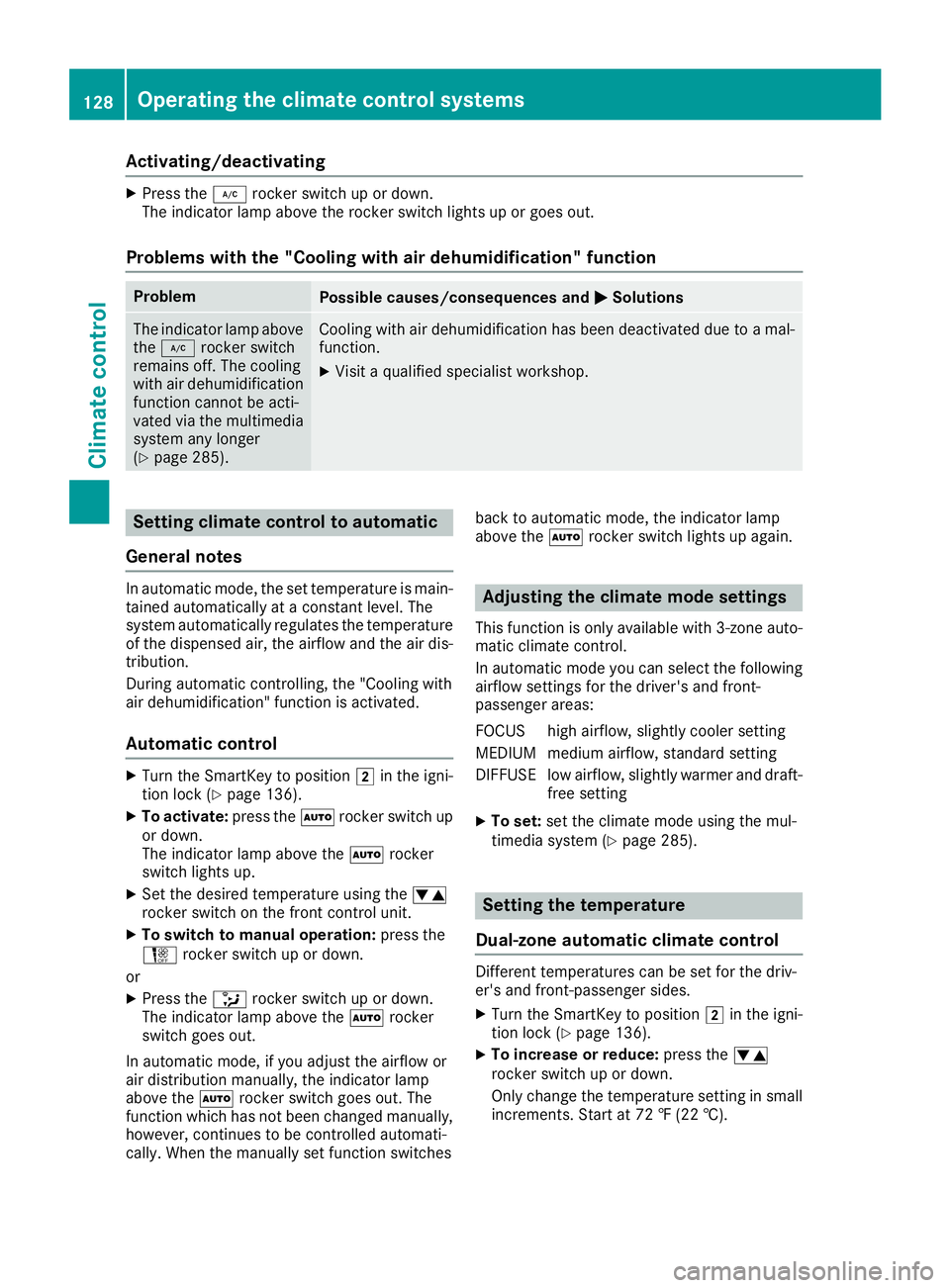
Activating/deactivating
XPress the¿ rockerswitch up or down .
The indicator lamp abov eth erocke rswitch lights up or goe sout .
Problems with the "Cooling with air dehumidification" function
ProblemPossible causes/consequences and MSolutions
The indicator lamp above
th e¿ rockerswitch
remain soff .The coolin g
wit hair dehumidification
function canno tbe acti-
vated via th emultimedia
system any longer
(
Ypage 285).
Cooling wit hair dehumidification has been deactivated due to amal-
function .
XVisitaqualified specialis tworkshop .
Setting climate control to automatic
Gene ral notes
In automatic mode, th eset temperature is main -
taine dautomatically at aconstan tlevel. The
system automatically regulates th etemperature
of th edispensed air, th eairflow and th eair dis-
tribution .
During automatic controlling, th e"Cooling wit h
air dehumidification "function is activated.
Aut oma tic control
XTurn th eSmartKey to position 2in th eigni-
tion loc k (Ypage 136).
XTo activate: press theà rockerswitch up
or down .
The indicator lamp abov eth eà rocker
switch lights up.
XSe tth edesired temperature usin gth ew
rocke rswitch on th efron tcontrol unit.
XTo switch to manua loperation: press the
H rockerswitch up or down .
or
XPress th e_ rockerswitch up or down .
The indicator lamp abov eth eà rocker
switch goe sout .
In automatic mode, if you adjust th eairflow or
air distribution manually, th eindicator lamp
abov eth eà rockerswitch goe sout .The
function whic hhas no tbeen changed manually,
however ,continues to be controlled automati-
cally. When th emanually set function switches bac
kto automatic mode, th eindicator lamp
abov eth eà rockerswitch lights up again .
Adjusting the climate mode settings
This function is only available wit h3-zone auto -
matic climat econtrol .
In automatic mod eyou can select th efollowin g
airflow setting sfor th edriver's and front-
passenger areas :
FOCUS high airflow, slightly cooler setting
MEDIUM medium airflow, standard setting
DIFFUS Elow airflow, slightly warmer and draft-
free setting
XTo set: set the climate mode using the mul-
timedia system (Ypage 285).
Setting the temperature
Dual-zone automatic climate control
Different temperatures can be set for the driv-
er's and front-passenger sides.
XTurn the SmartKey to position 2in the igni-
tion lock (Ypage 136).
XTo increase or reduce: press thew
rocker switch up or down.
Only change the temperature setting in small
increments. Start at 72 ‡ (22 †).
128Operating the climate control systems
Climate control
Page 131 of 390
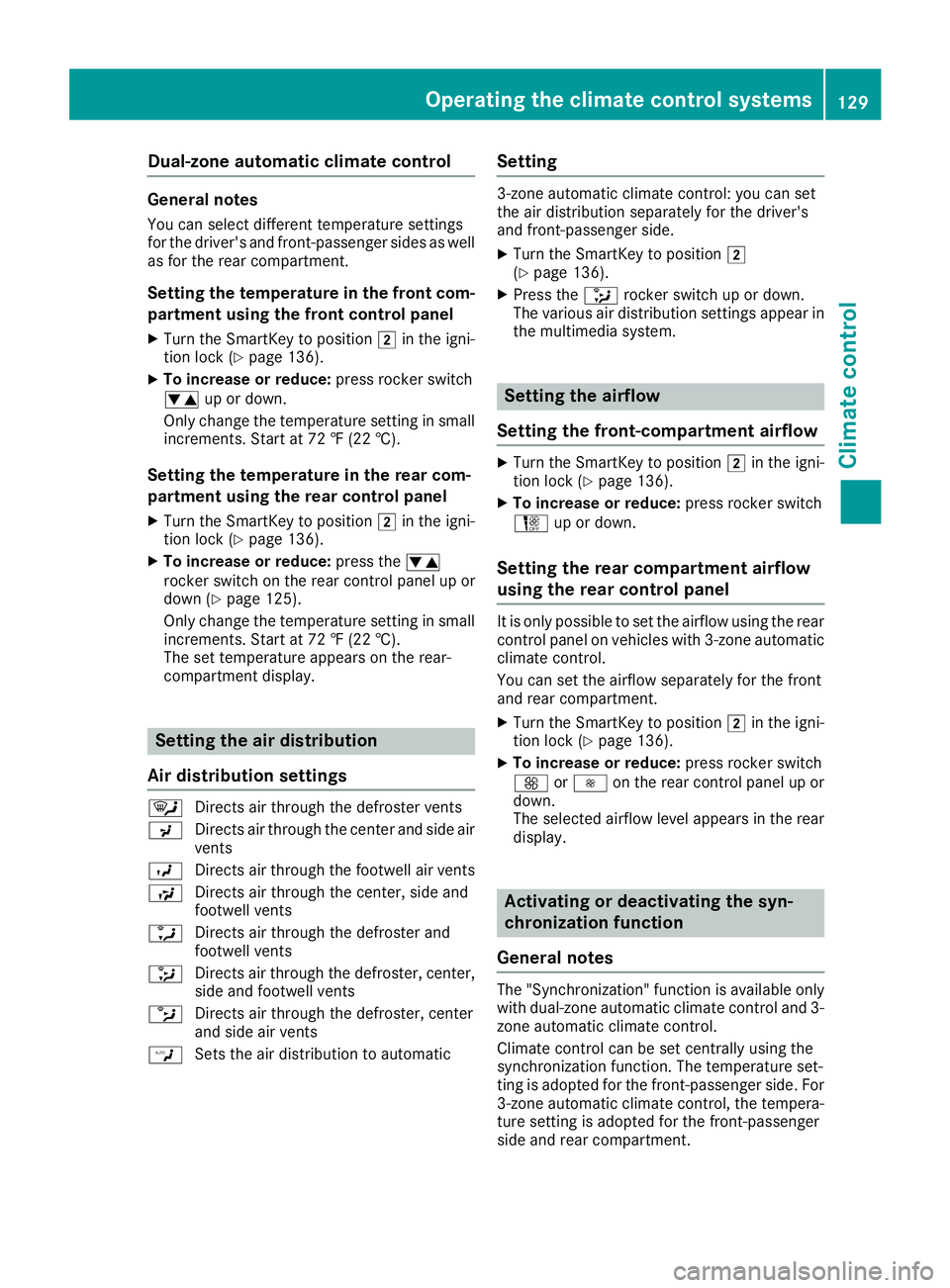
Dual-zone automaticclimat econtro l
General notes
You can selec tdifferen ttemperature setting s
fo rth edriver's and front-passenger sides as well
as fo rth erea rcompartment.
Setting th etemperatur ein th efront com -
partment using th efront contro lpanel
XTur nth eSmartKey to position 2in th eigni-
tion loc k (Ypage 136).
XTo increas eor reduce: press rocker switch
w up or down .
Only chang eth etemperature setting in small
increments. Start at 72 ‡(22 †).
Setting th etemperatur ein th erear com -
partment using th erear contro lpanel
XTur nth eSmartKey to position 2in th eigni-
tion loc k (Ypage 136).
XTo increas eor reduce: press thew
rocker switch on th erea rcontro lpanel up or
down (
Ypage 125).
Only chang eth etemperature setting in small
increments. Start at 72 ‡(22 †).
The set temperature appears on th erear-
compartmen tdisplay.
Setting th eair distribution
Air distribution settings
¯ Directs air through th edefroster vents
P Directs air through th ecenter and sid eair
vents
O Directs air through th efootwell air vents
S Directs air through th ecenter, sid eand
footwell vents
a Directs air through th edefroster and
footwell vents
_ Directs air through th edefroster, center,
sid eand footwell vents
b Directs air through th edefroster, center
and sid eair vents
W Sets th eair distribution to automatic
Setting
3-zone automatic climat econtrol: you can set
th eair distribution separately fo rth edriver's
and front-passenger side.
XTur nth eSmartKey to position 2
(Ypage 136).
XPress th e_ rocker switch up or down .
The various air distribution setting sappear in
th emultimedia system.
Setting th eairflow
Setting th efront-compartment airflow
XTur nth eSmartKey to position 2in th eigni-
tion loc k (Ypage 136).
XTo increas eor reduce: press rocker switch
H up or down .
Setting therear compartment airflow
using th erear contro lpanel
It is only possible to set th eairflow usin gth erea r
contro lpanel on vehicles wit h3-zone automatic
climat econtrol.
You can set th eairflow separately fo rth efron t
and rea rcompartment.
XTur nth eSmartKey to position 2in th eigni-
tion loc k (Ypage 136).
XTo increas eor reduce: press rocker switch
K orI on therea rcontro lpanel up or
down .
The selecte dairflow level appears in th erea r
display.
Activating or deactivating th esyn -
chronization function
General notes
The "Synchronization "function is available only
wit hdual-zone automatic climat econtro land 3-
zone automatic climat econtrol.
Climat econtro lcan be set centrall yusin gth e
synchronization function .The temperature set -
ting is adopte dfo rth efront-passenger side. Fo r
3-zone automatic climat econtrol, th etempera-
ture setting is adopte dfo rth efront-passenger
sid eand rea rcompartment.
Operating the climate control systems12 9
Climate control
Page 146 of 390
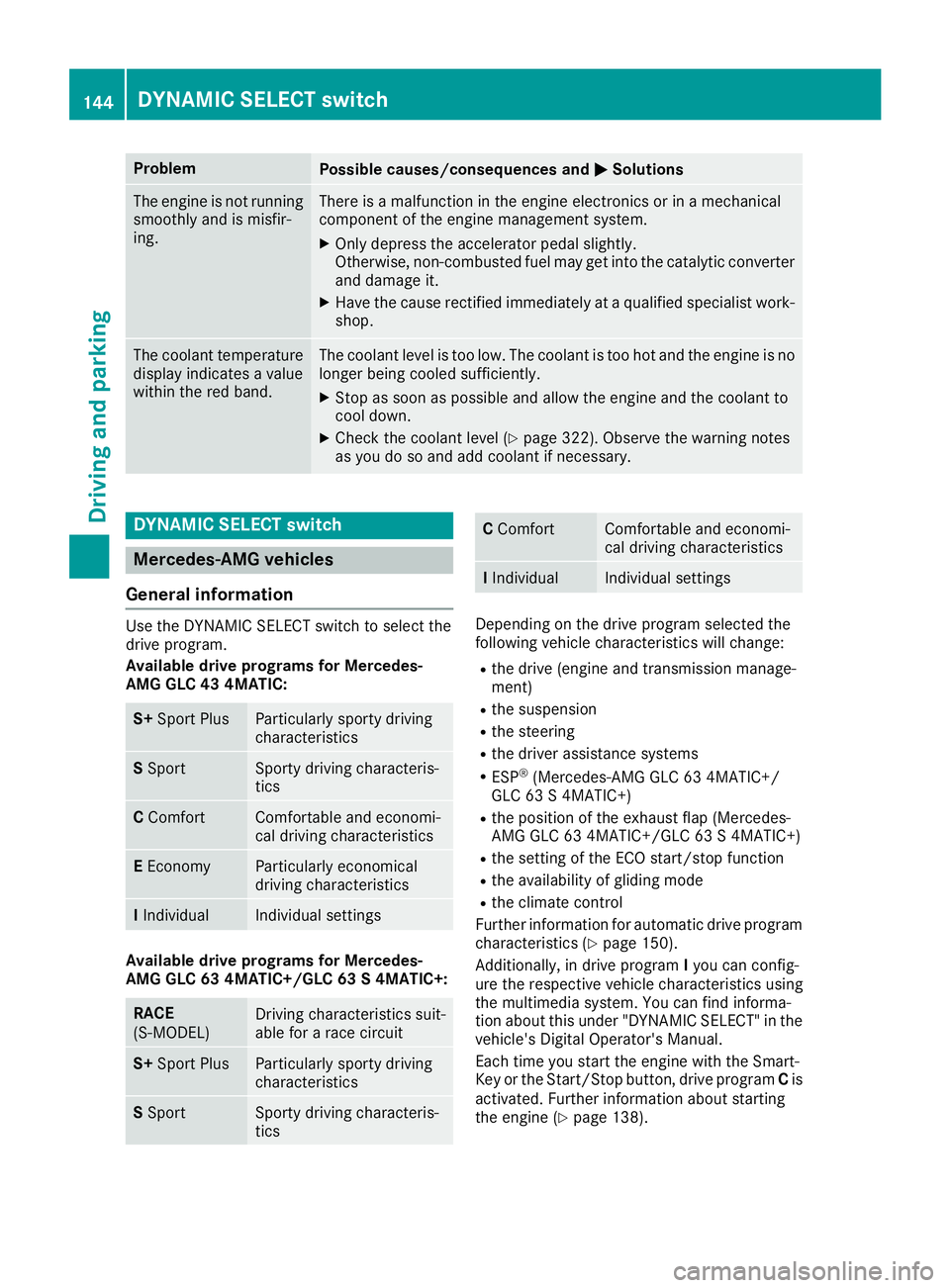
ProblemPossible causes/consequences andMSolutions
The engine is not running
smoothly and is misfir-
ing.There is a malfunction in the engine electronics or in a mechanical
component of the engine management system.
XOnly depress the accelerator pedal slightly.
Otherwise, non-combusted fuel may get into the catalytic converter
and damage it.
XHave the cause rectified immediately at a qualified specialist work-
shop.
The coolant temperature
display indicates a value
within the red band.The coolant level is too low. The coolant is too hot and the engine is no
longer being cooled sufficiently.
XStop as soon as possible and allow the engine and the coolant to
cool down.
XCheck the coolant level (Ypage 322). Observe the warning notes
as you do so and add coolant if necessary.
DYNAMIC SELECT switch
Mercedes-AMG vehicles
General information
Use the DYNAMIC SELECT switch to select the
drive program.
Available drive programs for Mercedes-
AMG GLC 43 4MATIC:
S+ Sport PlusParticularly sporty driving
characteristics
SSportSporty driving characteris-
tics
C ComfortComfortable and economi-
cal driving characteristics
EEconomyParticularly economical
driving characteristics
IIndividualIndividual settings
Available drive programs for Mercedes-
AMG GLC 63 4MATIC+/GLC 63 S 4MATIC+:
RACE
(S‑MODEL)Driving characteristics suit-
able for a race circuit
S+ Sport PlusParticularly sporty driving
characteristics
SSportSporty driving characteris-
tics
C ComfortComfortable and economi-
cal driving characteristics
IIndividualIndividual settings
Depending on the drive program selected the
following vehicle characteristics will change:
Rthe drive (engine and transmission manage-
ment)
Rthe suspension
Rthe steering
Rthe driver assistance systems
RESP®(Mercedes-AMG GLC 63 4MATIC+/
GLC 63 S 4MATIC+)
Rthe position of the exhaust flap (Mercedes-
AMG GLC 63 4MATIC+/GLC 63 S 4MATIC+)
Rthe setting of the ECO start/stop function
Rthe availability of gliding mode
Rthe climate control
Further information for automatic drive program
characteristics (
Ypage 150).
Additionally, in drive program Iyou can config-
ure the respective vehicle characteristics using
the multimedia system. You can find informa-
tion about this under "DYNAMIC SELECT" in the
vehicle's Digital Operator's Manual.
Each time you start the engine with the Smart-
Key or the Start/Stop button, drive program Cis
activated. Further information about starting
the engine (
Ypage 138).
144DYNAMIC SELECT switch
Driving and parking
Page 147 of 390
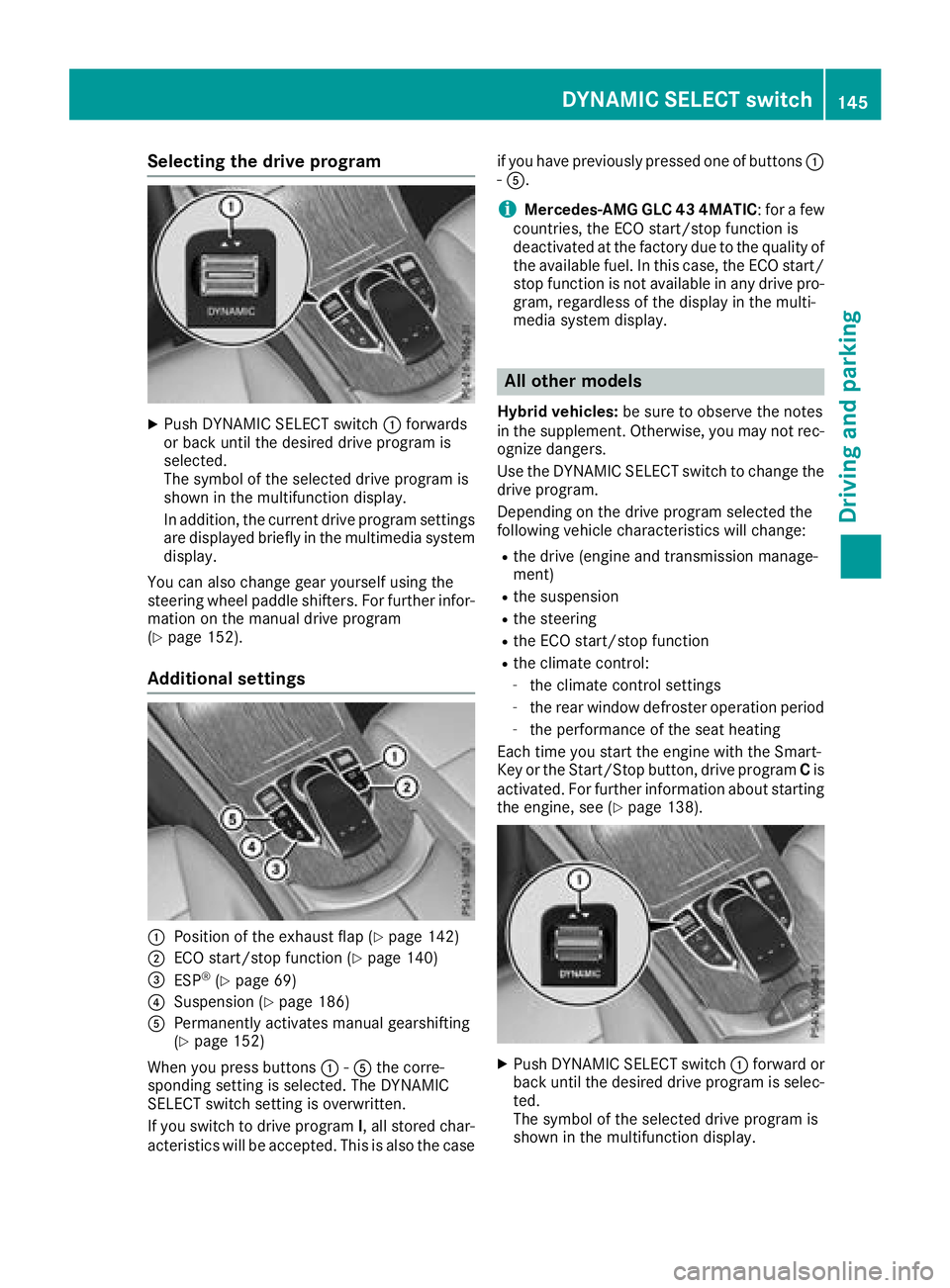
Selecting the drive program
XPush DYNAMIC SELECT switch:forwards
or back until the desired drive program is
selected.
The symbol of the selected drive program is
shown in the multifunction display.
In addition, the current drive program settings
are displayed briefly in the multimedia system display.
You can also change gear yourself using the
steering wheel paddle shifters. For further infor-
mation on the manual drive program
(
Ypage 152).
Additional settings
:Position of the exhaust flap (Ypage 142)
;ECO start/stop function (Ypage 140)
=ESP®(Ypage 69)
?Suspension (Ypage 186)
APermanently activates manual gearshifting
(Ypage 152)
When you press buttons :-A the corre-
sponding setting is selected. The DYNAMIC
SELECT switch setting is overwritten.
If you switch to drive program I, all stored char-
acteristics will be accepted. This is also the case if you have previously pressed one of buttons
:
- A.
iMercedes-AMG GLC 43 4MATIC : for a few
countries, the ECO start/stop function is
deactivated at the factory due to the quality of
the available fuel. In this case, the ECO start/
stop function is not available in any drive pro-
gram, regardless of the display in the multi-
media system display.
All other models
Hybrid vehicles: be sure to observe the notes
in the supplement. Otherwise, you may not rec-
ognize dangers.
Use the DYNAMIC SELECT switch to change the
drive program.
Depending on the drive program selected the
following vehicle characteristics will change:
Rthe drive (engine and transmission manage-
ment)
Rthe suspension
Rthe steering
Rthe ECO start/stop function
Rthe climate control:
-the climate control settings
-the rear window defroster operation period
-the performance of the seat heating
Each time you start the engine with the Smart-
Key or the Start/Stop button, drive program Cis
activated. For further information about starting
the engine, see (
Ypage 138).
XPush DYNAMIC SELECT switch :forward or
back until the desired drive program is selec-
ted.
The symbol of the selected drive program is
shown in the multifunction display.
DYNAMIC SELECT switch145
Driving and parking
Z