fog light MERCEDES-BENZ GLC SUV 2019 User Guide
[x] Cancel search | Manufacturer: MERCEDES-BENZ, Model Year: 2019, Model line: GLC SUV, Model: MERCEDES-BENZ GLC SUV 2019Pages: 673, PDF Size: 11.51 MB
Page 231 of 673
Ac
tive Di stance Assist DISTRO NICFu
nction of Active Di stance Assist
DISTRO NIC Ac
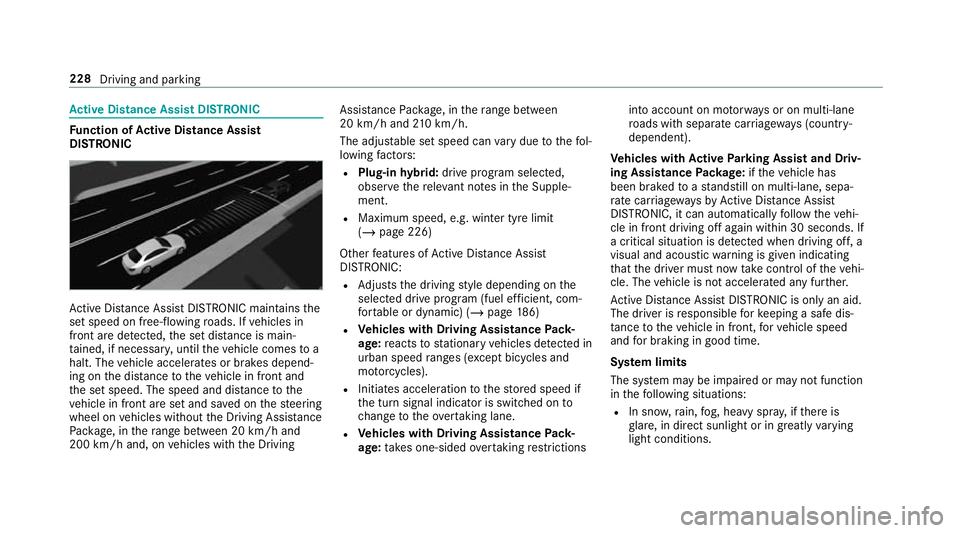
tive Dis tance Assi stDISTRONIC maintains the
set speed on free-flowing roads. If vehicles in
front are de tected, the set dis tance is main‐
ta ined, if necessar y,until theve hicle comes to a
halt. The vehicle accelerates or brakes depend‐
ing on the dis tance totheve hicle in front and
th e set speed. The speed and dis tance tothe
ve hicle in front are set and sa ved on thesteering
wheel on vehicles without the Driving Assis tance
Pa ckage, in thera nge between 20 km/h and
200 km/h and, on vehicles with the Driving Assis
tance Package, in thera nge between
20 km/h and 210 km/h.
The adju stable set speed can vary due tothefo l‐
lowing factors:
R Plug-in hybrid: drive prog ram selected,
obser vethere leva nt no tes in the Supple‐
ment.
R Maximum speed, e.g. winter tyre limit
(/ page 226)
Other features of Active Dis tance Assi st
DISTRONIC:
R Adjusts the driving style depending on the
selected drive program (fuel ef ficient, com‐
fo rtable or dynamic) (/ page186)
R Vehicles with Driving Assistance Pack‐
age: reacts tostationary vehicles de tected in
urban speed ranges (e xcept bicycles and
mo torcyc les).
R Initiates acceleration tothestored speed if
th e turn signal indicator is switched on to
ch ange totheov ertaking lane.
R Vehicles with Driving Assistance Pack‐
age: take s one-sided overtaking restrictions into account on mo
torw ays or on multi-lane
ro ads with separate car riag ewa ys(countr y-
dependent).
Ve hicles with Active Parking Assist and Driv‐
ing Assistance Package: ifth eve hicle has
been braked toast andstill on multi-lane, sepa‐
ra te car riag ew aysby Active Dis tance Assi st
DISTRONIC, it can au tomatically follow theve hi‐
cle in front driving off again within 30 seconds. If
a critical situation is de tected when driving off, a
visual and acoustic warning is given indicating
th at the driver must now take control of theve hi‐
cle. The vehicle is not accelerated any fur ther.
Ac tive Dis tance Assi stDISTRONIC is only an aid.
The driver is responsible forke eping a safe dis‐
ta nce totheve hicle in front, forve hicle speed
and for braking in good time.
Sy stem limits
The sy stem may be impaired or may not function
in thefo llowing situations:
R In sno w,rain, fog, heavy spr ay, if there is
gl are, in direct sunlight or in great lyvarying
light conditions. 228
Driving and parking
Page 258 of 673
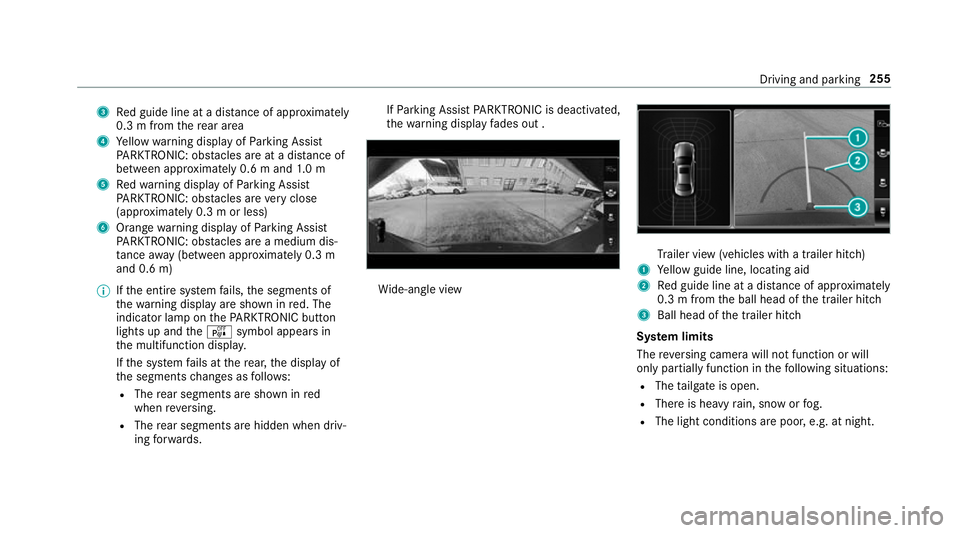
3
Red guide line at a dis tance of appr oximately
0.3 m from there ar area
4 Yellow warning display of Parking Assist
PA RKTRONIC: obstacles are at a dis tance of
between appr oximately 0.6 m and 1.0 m
5 Redwa rning display of Parking Assist
PA RKTRONIC: obstacles are very close
(appr oximately 0.3 m or less)
6 Orange warning display of Parking Assist
PA RKTRONIC: obstacles are a medium dis‐
ta nce away (between appr oximately 0.3 m
and 0.6 m)
% Ifth e entire sy stem fails, the segments of
th ewa rning display are shown in red. The
indicator lamp on thePA RKTRONIC but ton
lights up and theé symbol appears in
th e multifunction displa y.
If th e sy stem fails at there ar, the display of
th e segments changes as follo ws:
R The rear segments are shown in red
when reve rsing.
R The rear segments are hidden when driv‐
ing forw ards. If
Pa rking Assist PARKTRONIC is deacti vated,
th ewa rning display fades out . Wi
de-angle view Tr
ailer view (vehicles with a trailer hit ch)
1 Yellow guide line, locating aid
2 Red guide line at a dis tance of appr oximately
0.3 m from the ball head of the trailer hitch
3 Ball head of the trailer hitch
Sy stem limits
The reve rsing camera will not function or will
only partially function in thefo llowing situations:
R The tailgate is open.
R There is heavy rain, snow or fog.
R The light conditions are poor, e.g. at night. Driving and parking
255
Page 262 of 673
Sy
stem limits
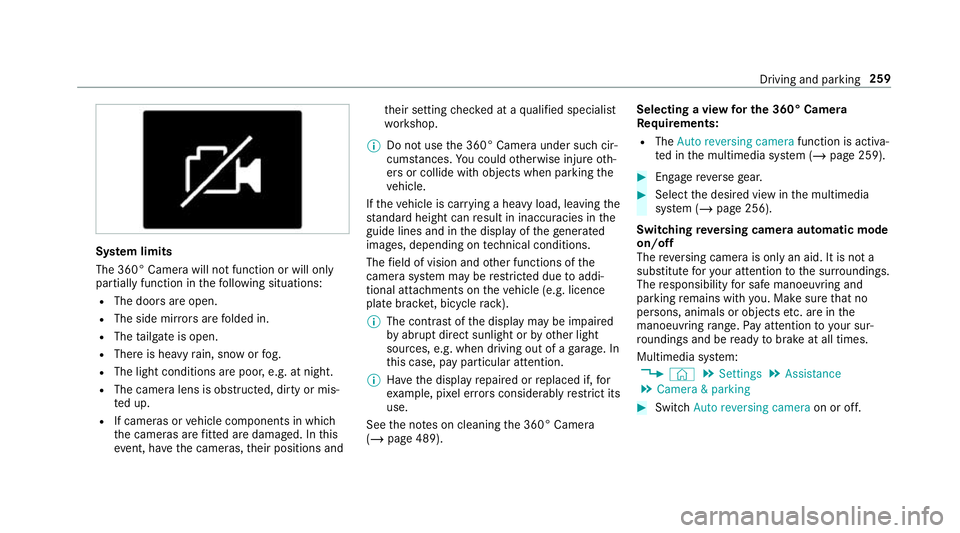
The 360° Camera will not function or will only
partially function in thefo llowing situations:
R The doors are open.
R The side mir rors are folded in.
R The tailgate is open.
R There is heavy rain, snow or fog.
R The light conditions are poor, e.g. at night.
R The camera lens is obstructed, dirty or mis‐
te d up.
R If cameras or vehicle components in which
th e cameras are fitted are dama ged. In this
eve nt, ha vethe cameras, their positions and th
eir setting checked at a qualified specialist
wo rkshop.
% Do not use the 360° Camera under such cir‐
cums tances. You could otherwise injure oth‐
ers or collide with objects when parking the
ve hicle.
If th eve hicle is car rying a heavy load, leaving the
st andard height can result in inaccuracies in the
guide lines and in the display of thege nerated
ima ges, depending on tech nical conditions.
The field of vision and other functions of the
came rasystem may be restricted due toaddi‐
tional attachments on theve hicle (e.g. licence
plate brac ket, bicycle rack ).
% The contrast of the display may be impaired
by abrupt direct sunlight or by other light
sources, e.g. when driving out of a garage . In
th is case, pay particular attention.
% Have the display repaired or replaced if, for
ex ample, pixel er rors considerably restrict its
use.
See the no tes on cleaning the 360° Camera
(/ page 489). Selecting a view
for the 360° Camera
Re quirements:
R The Auto reversing camera function is activa‐
te d in the multimedia sy stem (/ page 259). #
Enga gereve rsege ar. #
Select the desired view in the multimedia
sy stem (/ page 256).
Switching reve rsing camera automatic mode
on/off
The reve rsing camera is only an aid. It is not a
substitute foryo ur attention tothe sur roundings.
The responsibility for safe manoeuvring and
parking remains with you. Make sure that no
persons, animals or objects etc. are in the
manoeuvring range. Pay attention to your sur‐
ro undings and be ready tobrake at all times.
Multimedia sy stem:
4 © 5
Settings 5
Assistance
5 Camera & parking #
Switch Auto reversing camera on or off. Driving and parking
259
Page 272 of 673
Tr
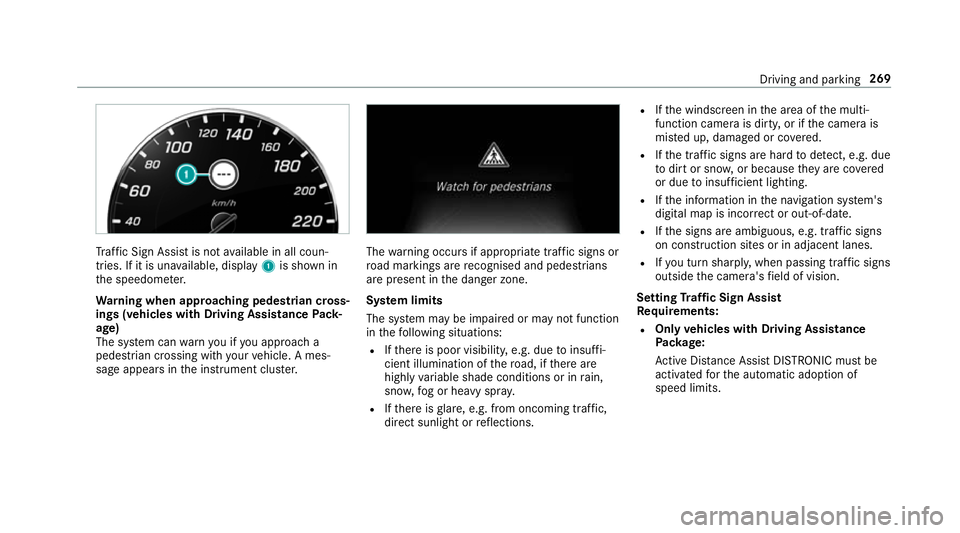
af fic Sign Assi stis not available in all coun‐
tries. If it is una vailable, display 1is shown in
th e speedome ter.
Wa rning when app roaching pedestrian cross‐
ings (vehicles with Driving AssistancePack‐
age)
The sy stem can warnyou if you approach a
pedestrian crossing with your vehicle. A mes‐
sage appears inthe instrument clus ter. The
warning occurs if appropriate traf fic signs or
ro ad markings are recognised and pedestrians
are present in the danger zone.
Sy stem limits
The sy stem may be impaired or may not function
in thefo llowing situations:
R Ifth ere is poor visibility, e.g. due toinsuf fi‐
cient illumination of thero ad, if there are
highly variable shade conditions or in rain,
sno w,fog or heavy spr ay.
R Ifth ere is glare, e.g. from oncoming traf fic,
di re ct sunlight or reflections. R
Ifth e windscreen in the area of the multi‐
function camera is dirty, or if the camera is
mis ted up, damaged or co vered.
R Ifth e tra ffic signs are hard todetect, e.g. due
to dirt or sno w,or because they are co vered
or due toinsuf ficient lighting.
R Ifth e information in the navigation sy stem's
digital map is incor rect or out-of-da te.
R Ifth e signs are ambiguous, e.g. tra ffic signs
on con stru ction sites or in adjacent lanes.
R Ifyo u turn sharpl y,when passing traf fic signs
outside the camera's field of vision.
Setting Traf fic Sign Assist
Requ irements:
R Only vehicles with Driving Assistance
Pa ckage:
Ac tive Dis tance Assi stDISTRONIC mu stbe
activated forth e automatic adoption of
speed limits. Driving and parking
269
Page 610 of 673
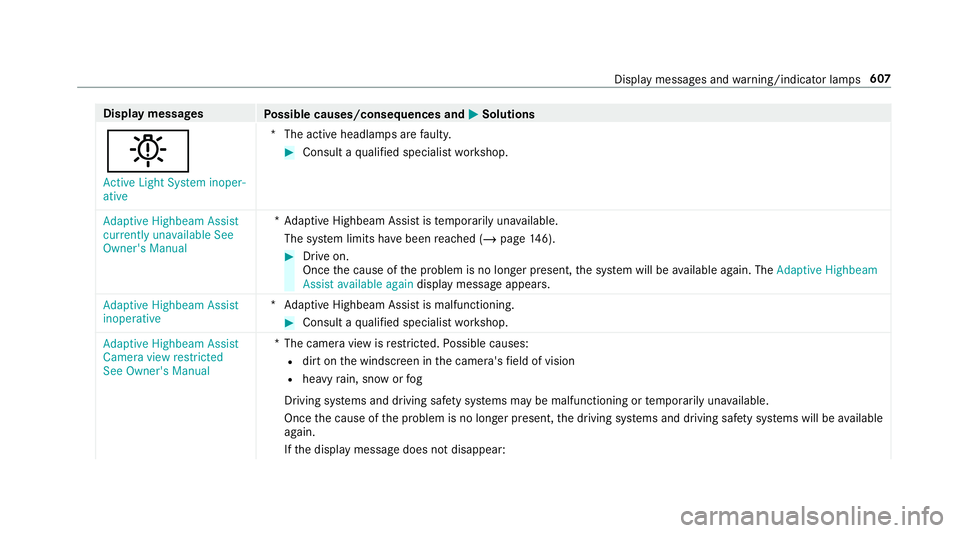
Display messages
Possible causes/consequences and M
MSolutions
b Active Light System inoper-
ative *T
he active headlamp s arefaulty. #
Consult a qualified specialist workshop.
Adaptive Highbeam Assist
currently unavailable See
Owner's Manual *A
daptive Highbeam Assist is temp orarily una vailable.
The sy stem limits ha vebeen reached (/ page146). #
Drive on.
Once the cause of the problem is no longer present, the sy stem will be available again. The Adaptive Highbeam
Assist available again display message appears.
Adaptive Highbeam Assist
inoperative *A
daptive Highbeam Assist is malfunctioning. #
Consult a qualified specialist workshop.
Adaptive Highbeam Assist
Camera view restricted
See Owner's Manual *T
he camera view is restricted. Possible causes:
R dirt on the windscreen in the camera's field of vision
R heavy rain, snow or fog
Driving sy stems and driving saf ety sy stems may be malfunctioning or temp orarily una vailable.
Once the cause of the problem is no longer present, the driving sy stems and driving saf ety sy stems will be available
again.
If th e display message does not disappear: Display messages and
warning/indicator lamps 607
Page 613 of 673
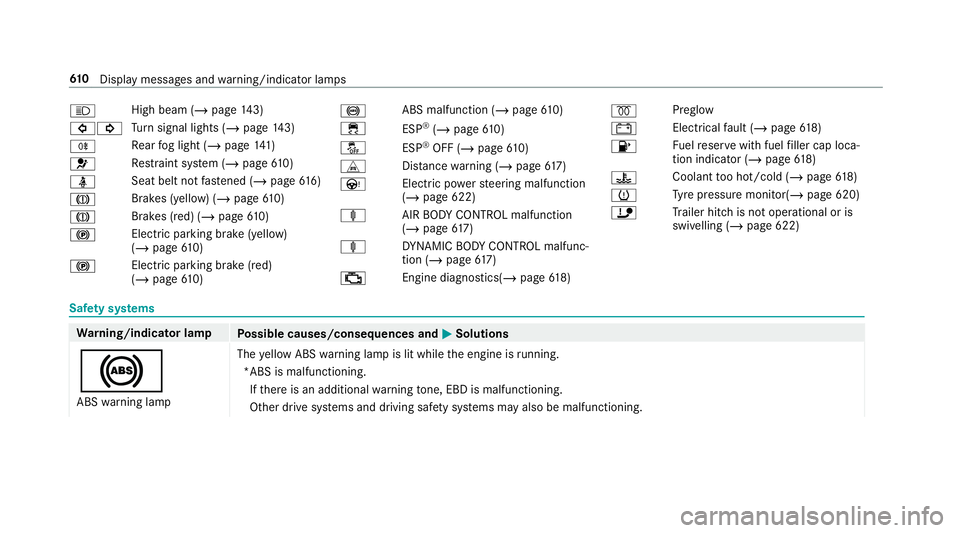
K
High beam (/
page 143)
#! Tu
rn signal lights (/ page143)
R Re
ar fog light (/ page141)
6 Re
stra int sy stem (/ page610)
ü Seat belt not
fastened (/ page616)
J Brakes (yell
ow) (/ page 610)
J Brakes (red) (/
page610)
! Electric parking brake (yell
ow)
( / page 610)
! Electric parking brake (red)
(/
page 610) !
ABS malfunction (/
page610)
÷ ESP®
(/ page 610)
å ESP®
OFF (/ page 610)
L Distance warning (/ page617)
Ù Electric powerst eering malfunction
(/ page 622)
ä AIRBODY CONTROL malfunction
(/ page 617)
ä DYNA MIC BODY CONTROL malfunc‐
tion (/ page617)
; Engine diagnostics(/
page 618) %
Preglow
# Electrical
fault (/ page618)
8 Fu
elreser vewith fuel filler cap loca‐
tion indicator (/ page618)
? Coolan
tto o hot/cold (/ page618)
h Ty
re pressure monitor( /page 620)
ï Trailer hit chis not operational or is
swivelling (/ page 622)Saf
ety sy stems Wa
rning/indicator lamp
Possible causes/consequences and M MSolutions
! ABS warning lamp The
yellow ABS warning lamp is lit while the engine is running.
*ABS is malfunctioning. If th ere is an additional warning tone, EBD is malfunctioning.
Other drive sy stems and driving saf ety sy stems may also be malfunctioning. 61 0
Displaymessa ges and warning/indicator lamps
Page 648 of 673
K
Ke y.............................................................. 74
Ac oustic locking verification signal ........ 75
Battery ................................................... 76
Emergency key ...................................... .76
Energy consumption .............................. 75
Fe atures ................................................ 74
Ke yring attachment .............................. 76
Overview ................................................ 74
Problem .................................................77
Un locking setting .................................. .75
Ke y functions
Deactivating .......................................... 75
KEYLESS-GO Locking theve hicle ................................ 80
Problem .................................................81
Un locking setting .................................. .75
Un locking theve hicle ............................80
Kickd own.................................................1 92
Using ................................................... 19 2
Knee airbag ................................................ 40 L
Lamp see In terior lighting
Lamps (instrument display) see Warning/indicator lamps
Lane de tection (au tomatic)
see Active Lane Keeping Assist
Lane Keeping Assist
see Active Lane Keeping Assist
Language .................................................3 58
No tes .................................................. 358
Setting .................................................3 58
LED light see Intelligent Light Sy stem
Le vel control sy stem
see AIR BODY CONTROL
Light switch Overview .............................................. 141
Lighting see In terior lighting
see Lights Lights
........................................................ 141
Ac tive headla mps ................................ 14 4
Ad aptive Highbeam Assist .................. .146
Ad aptive Highbeam Assist Plus ............ 147
Ad justing the instrument lighting ........ 288
Au tomatic driving lights ....................... 14 2
Combination swit ch............................. 14 3
Corne ring light ..................................... 14 5
Driving ab road (symm etrical low
beam) ................................................... 141
Fo g light (extended range) ................... 14 5
Haza rdwa rning lights .......................... 14 4
Headla mpflasher ................................ 14 3
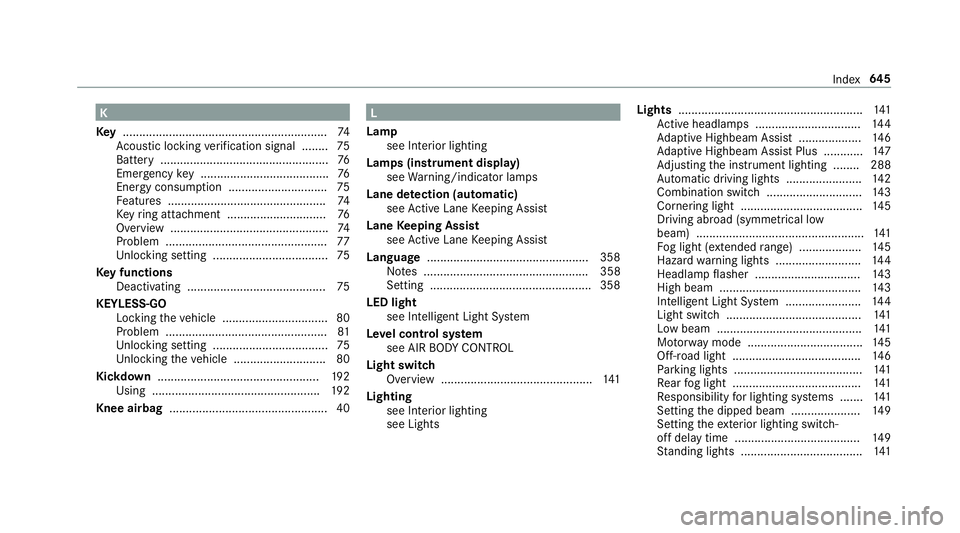
High beam ........................................... 14 3
Intellige nt Light Sy stem ....................... 14 4
Light switch ......................................... 141
Low beam ............................................ 141
Mo torw ay mode ................................... 14 5
Off-road light ....................................... 14 6
Pa rking lights ...................................... .141
Re ar fog light ....................................... 141
Re sponsibility for lighting sy stems .......1 41
Setting the dipped beam ..................... 14 9
Setting theex terior lighting switch-
off delay time ...................................... 14 9
St anding lights .................................... .141 Index
645
Page 657 of 673
Qualified specialist
workshop ................. 28 R
Ra dar and ultrasonic senso rs
Damage ............................................... 208
Ra dio
Ac tivating ............................................ 459
Ac tivating/deactivating radio text ....... 462
Ac tivating/deactivating traf fic
announcements .................................. 462
Calling up a slide show ........................ 461
Calling up thest ation list .................... .461
Del eting channels ................................ 461
Direct frequency ent ry......................... 461
Displaying information ......................... 462
Displaying radio text ............................ 462
Editing station presets ........................ .461
Fr equency fix ....................................... 462
Menu (on-boa rdcompu ter) .................. 292
Moving stations .................................. .461
Overview ............................................. 460
Sear ching forst ations .......................... 461
Setting a channel ................................ .461
Setting station tracking ...................... .462
Setting the frequency band .................. 461 Setting
the traf fic information
service volume inc rease ...................... 462
St oring radio stations .......................... 461
Vo ice commands (LINGU ATRO NIC) .....3 08
Ra dio stations
Dialling (on-boa rdcompu ter) ............... 292
Ra in closing function
Sliding sunroof ...................................... 95
Ra in-closing feature
Side wind ows ........................................90
Ra ising theve hicle
Re ar of theve hicle ...............................1 22
Ra nge
Ad Blue ®
............................................... 288
Displaying ............................................ 289
REACH regulation ...................................... 29
Re ading light
Switching on/off using poses ............. 329
Re ading light
see Interior lighting
Re alwo od (Care) .................................... .491
Re ar door (child saf ety lock) .................... 71Re
ar fog light
Switching on/off .................................1 42
Re ar of theve hicle
Lo we ring .............................................. 12 2
Ra ising ................................................ .122
Re ar seat
see Seat
Re ar seat belt
St atus display ........................................ 39
Re ar seat belt status display .................... 39
Re ar window
Changing the wiper blade .................... 154
Re ar window heater ................................ 15 9
Re ar window wipers
Ac tivating/deactivating ...................... .152
Re ar-view mir ror
see Outside mir rors
Re cycling
see Take -ba ckof end-of-life vehicles
Re ducing agent
see AdBlue ® 654
Index