garage door opener MERCEDES-BENZ GLC SUV 2019 Owners Manual
[x] Cancel search | Manufacturer: MERCEDES-BENZ, Model Year: 2019, Model line: GLC SUV, Model: MERCEDES-BENZ GLC SUV 2019Pages: 673, PDF Size: 11.51 MB
Page 27 of 673
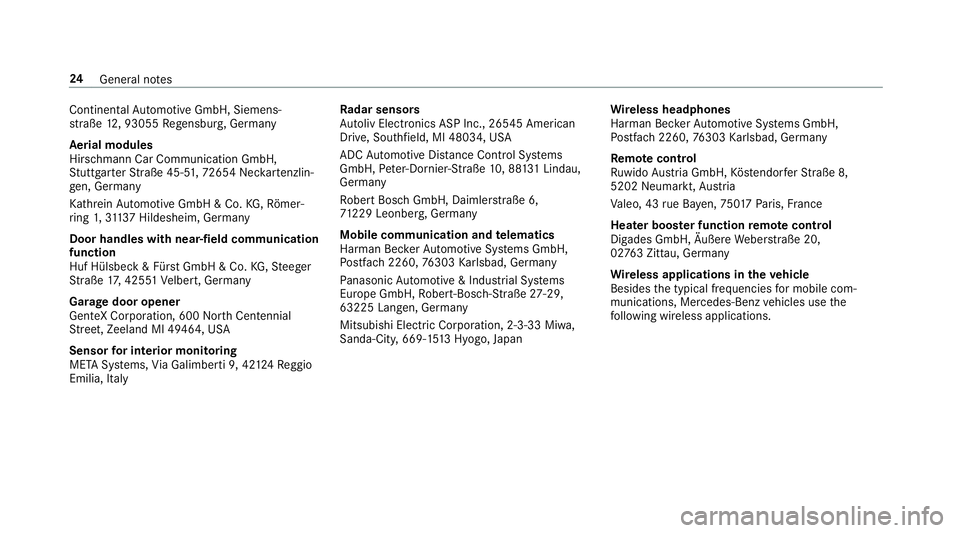
Continen
talAu tomotive GmbH, Siemens‐
st ra ße 12, 93055 Regensbu rg, Germany
Aeri al modules
Hirschmann Car Communication GmbH,
St utt garter Straße 45-51 ,72 654 Nec kartenzlin‐
ge n, Ge rmany
Ka thre in Au tomotive GmbH & Co. KG,Rö mer‐
ri ng 1,3113 7 Hildesheim, Germany
Door handles with near-field communication
function
Huf Hülsbeck & Für stGmbH & Co. KG,St eeger
St raße 17, 425 51Velbert, Germany
Garage door opener
GenteX Corporation, 600 Nor thCen tennial
St reet, Zeeland MI 49464, USA
Sensor for in terior moni toring
META Sy stems, Via Galimbe rti 9, 42 124Re ggio
Emilia, Italy Ra
dar senso rs
Au toliv Electronics ASP Inc., 26545 American
Drive, Southfield, MI 48034, USA
ADC Automotive Dis tance Control Sy stems
GmbH, Peter-Dornie r-Straße 10, 88 131 Lindau,
Germany
Ro bert Bosch GmbH, Daimler stra ße 6,
71 229 Leonberg, Germany
Mobile communication and telematics
Harman Bec kerAu tomotive Sy stems GmbH,
Po stfach 2260,76303 Karlsbad, Germany
Pa nasonic Automotive & Industrial Sy stems
Europe GmbH, Robert-Bosch-Straße 27-29,
63225 Langen, Ge rmany
Mitsubishi Elect ric Co rporation, 2-3-33 Miwa,
Sanda-City, 669-15 13Hyogo, Japan Wire
less headphones
Harman Bec kerAu tomotive Sy stems GmbH,
Po stfach 2260,76303 Karlsbad, Germany
Re mo tecont rol
Ru wido Austria GmbH, Köstendor ferSt raße 8,
5202 Neumarkt, Austria
Va leo, 43 rue Ba yen, 75 017Pa ris, France
Hea ter boos ter function remo tecont rol
Digades GmbH, Äußere Weber stra ße 20,
02 763 Zittau, Germany
Wire less applications in theve hicle
Besides the typical frequencies for mobile com‐
munications, Mercedes-Benz vehicles use the
fo llowing wireless applications. 24
General no tes
Page 28 of 673
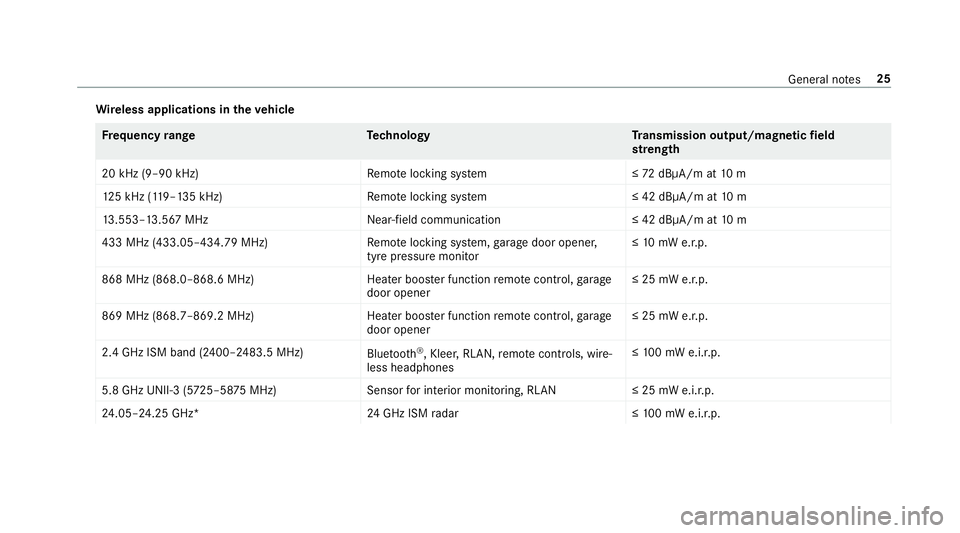
Wire
less applications in theve hicle Fr
equency rang eT echnology Transmission output/magn etic field
st re ngth
20 kHz (9–90 kHz)R emotelocking sy stem ≤72 dBμA/m at 10 m
12 5 kHz (1 19–135 kHz)R emotelocking sy stem ≤ 42 dBμA/m at10 m
13 .553–13.567 MHz Near-field communication ≤ 42 dBμA/m at10 m
433 MHz (433.05–434.79 MHz) Remo telocking sy stem, garage door opener,
tyre pressure monitor ≤
10 mW e.r.p.
868 MHz (868.0–868.6 MHz) Heater booster function remo tecontrol, garage
door opener ≤ 25 mW e.r.p.
869 MHz (868.7–869.2 MHz )Heater booster function remo tecontrol, garage
door opener ≤ 25 mW e.r.p.
2.4 GHz ISM band (2400–2483.5 MHz) Bluetooth ®
, Kleer, RLAN, remo tecontrols, wi re‐
less headphones ≤
10 0 mW e.i.r.p.
5.8 GHz UNII-3 (5 725–58 75MHz) Sensorfor interior monitoring, RLAN ≤ 25 mW e.i.r.p.
24 .05–24.25 GHz* 24GHz ISM radar ≤10 0 mW e.i.r.p. Gene
ral no tes 25
Page 204 of 673
#
Engage transmission position jin a station‐
ary vehicle with the brake pedal applied
(/ page 190). #
Switch off the engine and the ignition by
pressing the1 button. #
Release the service brake slowl y.#
Get out of theve hicle and lock it.
% When you park theve hicle, you can still
opera tethe side windo wsand the panoramic
sliding sunroof for appro ximately five
minutes if the driver's door is closed. Garage door opener
Prog
ramming buttons for the garage door
opener &
WARNING Risk of inju rywhen opening
or closing a door with thega rage door
opener
When you operate or program the door with
th e integrated garage door opener, people in
th era nge of mo vement of the door may
become trapped or stru ck bythe door. #
When using the integrated garage door
opener, alw ays make sure that nobody
is within thera nge of mo vement of the
door. Re
quirements:
R The vehicle has been par ked outside the
ga rage or outside thera nge of mo vement of
th e door.
R The engine is switched off.
R The ignition is switched on.
% The garage door opener function is alw ays
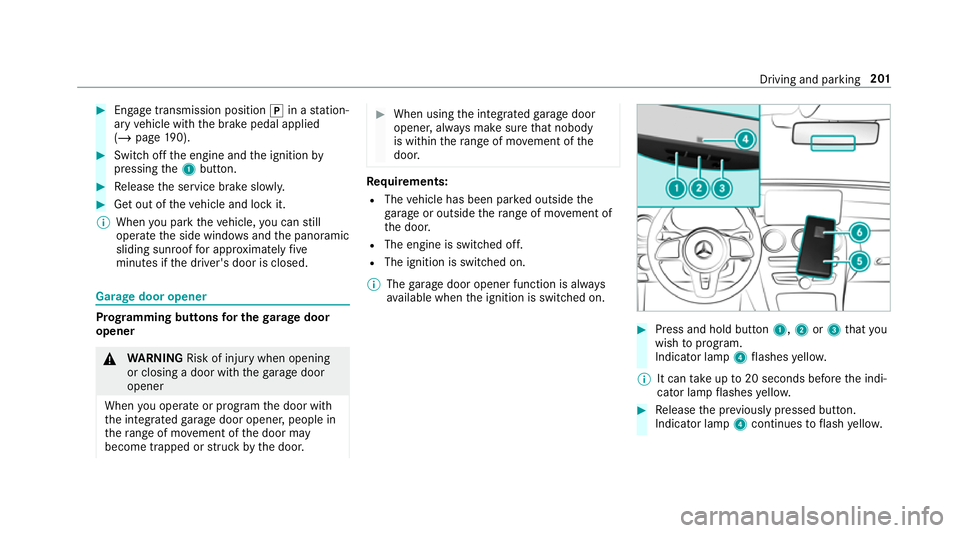
av ailable when the ignition is switched on. #
Press and hold button 1,2or3 that you
wish toprog ram.
Indicator lamp 4flashes yello w.
% It can take up to20 seconds before the indi‐
cator lamp flashes yello w. #
Release the pr eviously pressed button.
Indicator lamp 4continues toflash yello w. Driving and pa
rking 201
Page 645 of 673
Fu
el .......................................................... .543
Ad ditives .............................................5 43
Diesel ................................................. .543
Fu elreser ve ........................................ 544
Low outside temp eratures ...................5 43
Quality (diesel) ................................... .543
Re fuelling ............................................. 19 3
Ta nk content ....................................... 544
Fu el consum ption
On-board computer ............................ .289
Fu el consum ption indicator
Calling up ............................................ 188
Fu nction seat
see Door cont rol panel
Fu ses ......................................................... 512
Before replacing a fuse ........................ 512
Fu se assignment diagram .................... 512
Fu se box in the engine compartment ... 513
Fu se box in the front passenger foot‐
we ll ...................................................... 514
Fu se box in the load compartment ...... 51 5
Fu se box on the dashboard .................. 514
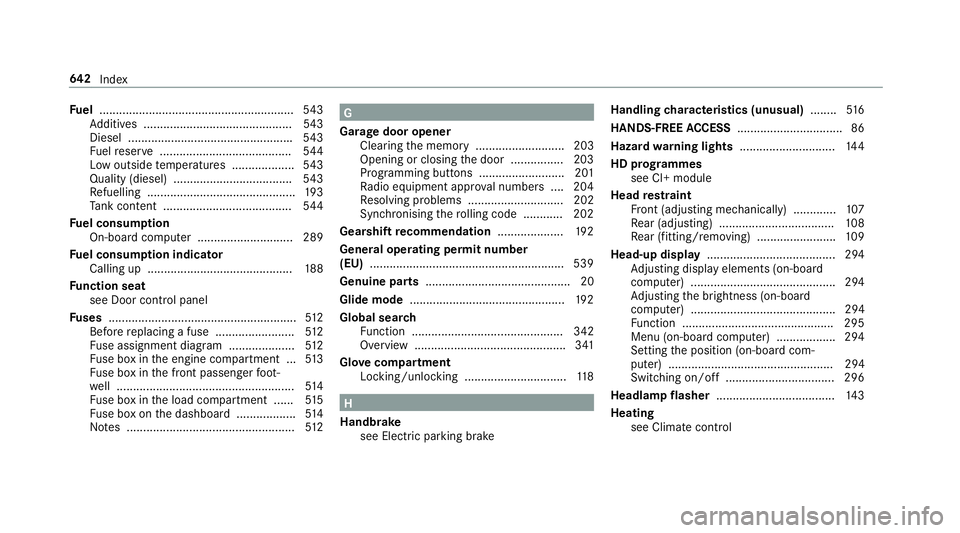
No tes ................................................... 512 G
Garage door opener Clearing the memory ........................... 203
Opening or closing the door ................2 03
Programming buttons .......................... 201
Ra dio equipment appr oval numbers .... 204
Re solving problems ............................. 202
Synchronising thero lling code ............ 202
Gearshift recommendation ....................19 2
Genera l operating permit number
(EU) .......................................................... .539
Genuine parts ............................................ 20
Glide mode ............................................... 19 2
Global sear ch
Fu nction .............................................. 342
Overview .............................................. 341
Glo vecompa rtment
Locking/unlo cking .............................. .118 H
Handbrake see Electric parking brake Handling
characteristics (unusual) ........516
HANDS-FREE ACCESS ................................ 86
Haza rdwa rning lights ............................ .144
HD prog rammes
see CI+ module
Head restra int
Fr ont (adjusting mechanically) .............1 07
Re ar (adjusting) .................................. .108
Re ar (fitting/removing) ........................ 109
Head-up display ....................................... 294
Ad justing display elements (on-board
compu ter) ............................................ 294
Ad justing the brightness (on-board
computer) ............................................ 294
Fu nction .............................................. 295
Menu (on-board compu ter) .................. 294
Setting the position (on-board com‐
puter) .................................................. 294
Switching on/off ................................. 296
Headla mpflasher ................................... .143
Heating see Clima tecontrol 642
Index