ESP MERCEDES-BENZ GLC SUV 2021 AMG User Guide
[x] Cancel search | Manufacturer: MERCEDES-BENZ, Model Year: 2021, Model line: GLC SUV, Model: MERCEDES-BENZ GLC SUV 2021Pages: 58, PDF Size: 6.35 MB
Page 25 of 58
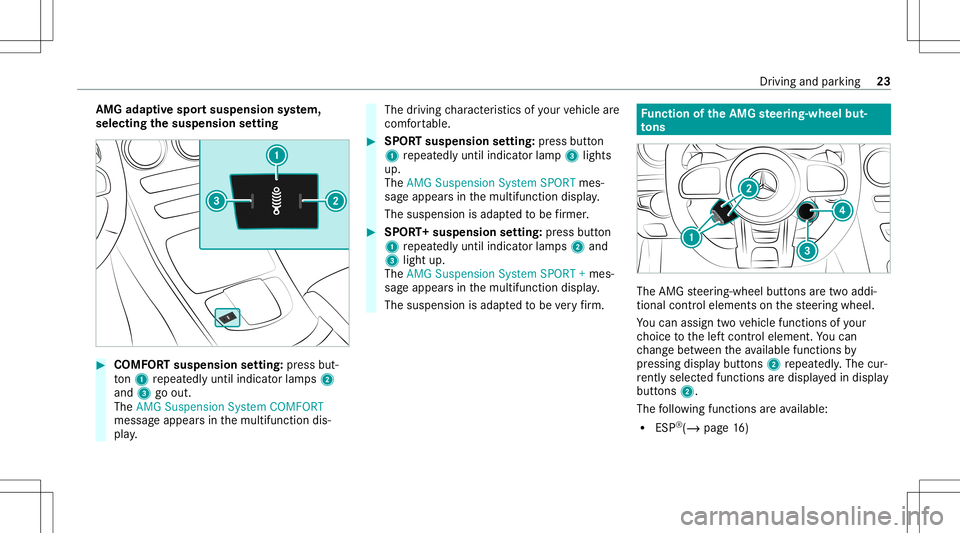
AMG
adaptiv espo rtsuspension system,
selectin gth esusp ension setting #
COMF ORTsusp ension setting: press but‐
to n1 repeat edly until indicat orlam ps2
and 3goout.
The AMG Suspens ionSystem COMFORT
messag eappear sin themultifunc tiondis‐
pla y. The
driving charact eristic sof your vehicle are
comf ortable. #
SPOR Tsuspension setting: press butt on
1 repeat edlyuntil indicat orlam p3 lights
up.
The AMG Suspens ionSystem SPORTmes‐
sag eappear sin themultifunc tiondispla y.
The suspension isadap tedto be firm er. #
SPOR T+suspension setting: press butt on
1 repeat edlyuntil indicat orlam ps2 and
3 light up.
The AMG Suspens ionSystem SPORT+mes‐
sag eappear sin themultifunc tiondispla y.
The suspension isadap tedto be very firm . Fu
nction oftheAMG steer ing-wh eelbut‐
to ns The
AMG steer ing-wheel buttons aretw oaddi‐
tion alcon trol element son thesteer ing wheel.
Yo ucan assig ntw ove hicle functionsofyour
ch oice tothelef tcon trol element .Yo ucan
ch ang ebe tween theav ailable function sby
pr essing displaybutt ons 2repeat edly.The cur‐
re ntly select edfunc tions aredispl ayed indispla y
butt ons 2.
The follo wing functionsar eav ailable:
R ESP®
(/ page16 ) Dr
iving and parking 23
Page 26 of 58
R
AMG adaptivespo rtsuspension system
(/ page20)
R AMG Perfor mance exhaus tsy s‐
te m(/ page12 )
R ECO star t/ stop funct ion(/ page12 )
R Manual gearshif ting(/ page 15)
R AMG Dynamics(/ page 13)
If yo uha ve assig nedafun ction toone ofdispla y
butt ons 2,youcan operat eth is func tion with
cor responding button1.
The assignment ofdispla ybutt ons 2remains
st or ed even afte ra ne wengine star t,but the
oper ating status ofthere spectiv efunction is
re se tto thebasic setting.
Yo ucan chang ebe tween thedr ive pr og rams
wit hstabiliz erbar actuat or3. The selec ted
dr ive pr ogr am appear sin displa ybutt on4. By
pr essing displaybutt on4, youcan direct ly
acc ess thedr ive pr ogr am = (Individua l)
(/ page14 ). 24
Driving and parking
Page 27 of 58
No
teson theIns trum ent Displa yand on-
boar dcom puter
Ad dition alno tesre ga rding your Mer cedes-AM G
ve hicle:
R Vehicl eswith anIns trument Display
(s tandar d):ifyo uact ivat eman ualgearshif t‐
ing ,(/ page15 )th eupshif tbar will appear
on themultifunc tionorHead-up Display.In
addi tion, transmissi onset-up 0063(manua l)
and thecur rent gear will appear onthetra ns‐
mission position displayof themultifunc tion
displa y.
R Addition alno te rega rding theindicat orand
wa rning lam ps:theve hicle isalso equipped
wit hth eES P®
00E5, ESP®
OFF 00BB and
ES P®
SPOR TÆ indicat orand warning
lam ps(/ page50).
R Youcan selectthefo llo wing displa ycon tent
in vehicles withaWi descr eenCockpit:
- Tach ome ter(cla ssic display se tting)
- Date(pr ogr essiv edisp lay se tting)
- Gea rdisp lay
- Warm-up -
AMG TRAC KPA CE
- G-m eter
- Engine data
- Trip com puter
- Navig ation Oper
ating theon-boa rdcom puter &
WARNIN GRisk ofdist ra ction from infor‐
mati onsystems andcomm unication s
eq uipment
If yo uoper ateinf ormat ionand comm unic a‐
tio neq uipme ntintegratedin theve hicle
when driving, youwill bedistract edfrom the
tr af fic situ ation. Thiscou ldalso cau seyouto
lose control of theve hicle. #
Onlyoper ateth is eq uipmen twhen the
tr af fic situ ation per mits. #
Ifyo ucan notbe sur eof this, stop the
ve hicle whilstpa ying attention toroad
and traffic condi tions andoperate the
eq uipment withth eve hicle statio nary. Obser
vetheleg alrequ iremen tsforth ecount ry
in whic hyo uar ecur rently drivi ng when operat‐
ing theon- boar dcom puter.
% The on-boar dcom puterdispla yswill appear
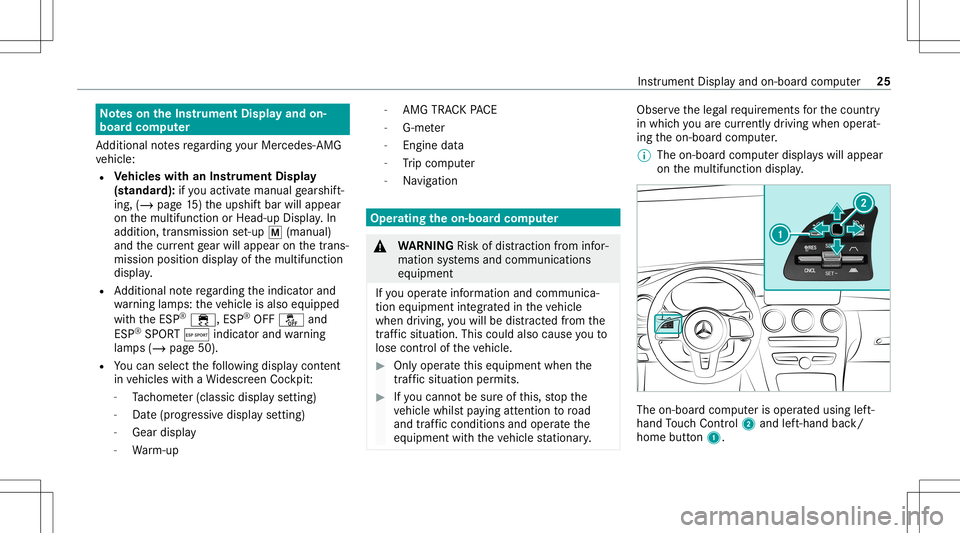
on themultifunc tiondispla y. The
on-boar dcom puterisoper ated using left-
hand Touc hCon trol 2 and left-han dbac k/
hom ebut ton1. Ins
trum ent Disp lay and on-b oard com puter 25
Page 29 of 58
Dis
play son thePerform ancemenu:
R Warm-up
R SETUP
R G-me ter
R Engi nedata
R Vehicl eswithout AMGTRACKPACE: RACE
TIME R(/ page28 ) Wa
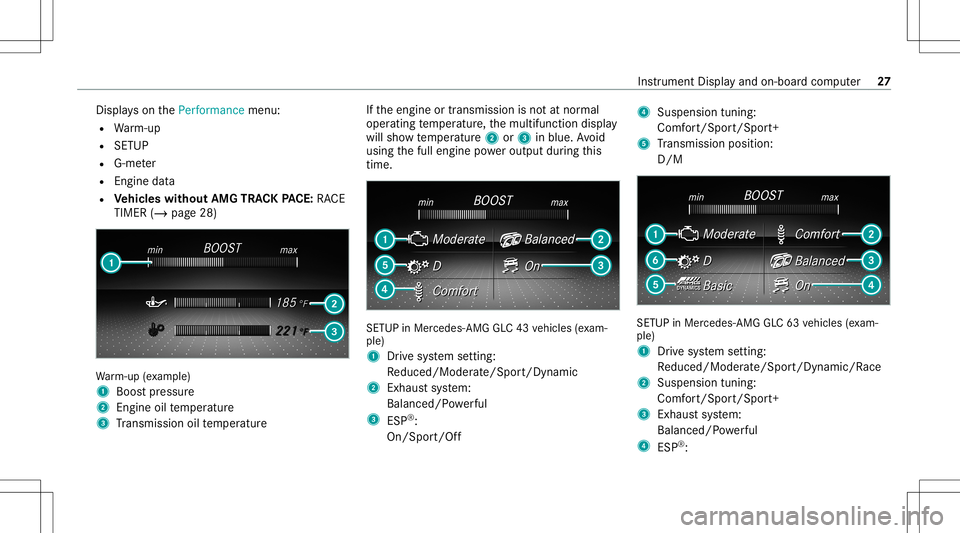
rm-up (exa mp le)
1 Boos tpr essur e
2 Engine oiltemp eratur e
3 Trans miss ionoiltemp eratur e If
th eengine ortransmission isno tat nor mal
oper ating temp eratur e,themultifunc tiondispla y
will showtemp eratur e2 or3 inblue. Avoid
using thefull engine powe routpu tdur ing this
tim e. SE
TUP inMer cedes -AMG GLC43 vehicles (exa m‐
ple)
1 Drive sy stem setting:
Re duced/Moder ate/Spo rt/Dyna mic
2 Exhau stsystem:
Balanced/ Powe rful
3 ESP®
:
On /Spor t/Of f 4
Suspen sion tuning:
Comf ort/ Spo rt/Spor t+
5 Trans miss ionposit ion:
D/ M SE
TUP inMer cedes-AM GGL C63 vehicles (exa m‐
ple)
1 Drive sy stem setting:
Re duced/Moder ate/Spo rt/Dyna mic/Race
2 Susp ensiontuning :
Co mfort/Spor t/Spor t+
3 Exhau stsystem:
Balanced/ Powe rful
4 ESP®
: In
stru ment Displa yand on-boar dcom puter 27
Page 31 of 58
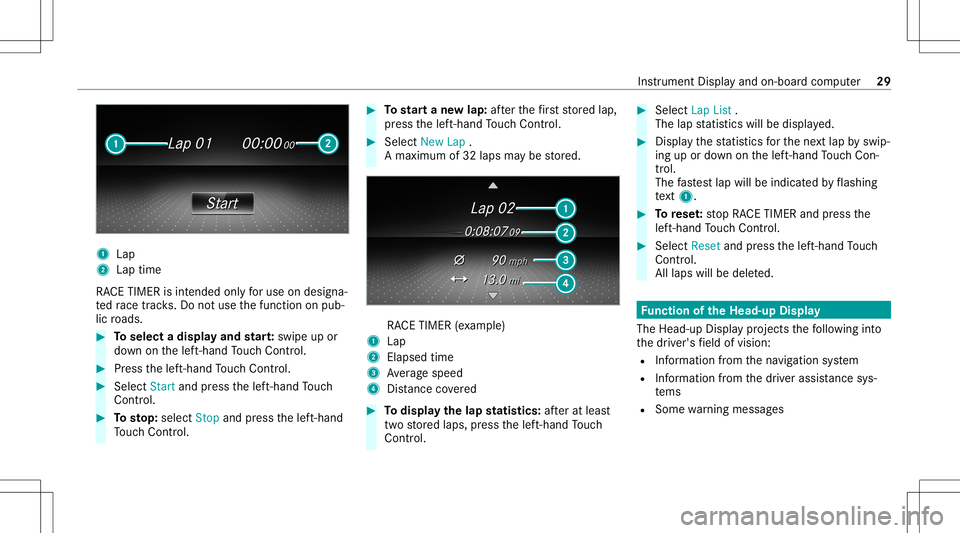
1
Lap
2 Lap time
RA CE TIMER isint ended onlyfo ruse ondesi gna‐
te dra ce trac ks.Do notus eth efunc tion onpub‐
lic roads. #
Toselect adispla yand star t:swipe upor
do wn onthelef t-hand Touc hCon trol. #
Press thelef t-hand Touc hCon trol. #
Select Start and press thelef t-hand Touc h
Con trol. #
Tosto p:sel ect Stop andpress thelef t-hand
To uc hCon trol. #
Tostar ta ne wlap: afte rth efirs tst or ed lap,
pr ess thelef t-hand Touc hCon trol. #
Select New Lap.
A max imum of32 laps maybe stor ed. RA
CE TIMER (exa mp le)
1 Lap
2 Elapse dtim e
3 Averag espeed
4 Distance covered #
Todispl aythelap statis tics:af te rat lea st
tw ostor ed laps, press thelef t-hand Touc h
Con trol. #
Select Lap List.
The lapstatis ticswill bedispla yed. #
Displa yth est atis ticsfo rth ene xt lap byswip‐
ing upordown onthelef t-hand Touc hCon ‐
tr ol.
The fastes tlap will beindicat edbyflashin g
te xt 1. #
Torese t:stop RACE TIMER andpress the
lef t-hand Touc hCon trol. #
Select Reset andpress thelef t-hand Touc h
Con trol.
All laps willbedele ted. Fu
nction oftheHead -upDispla y
The Head- upDis playpr oje ctsth efo llo wing into
th edr iver's field ofvision:
R Information from thena vig ation system
R Information from thedr iver assis tance sys‐
te ms
R Some warning mess ages Ins
trumen tDisp lay and on-boar dcom puter 29
Page 33 of 58
AMG
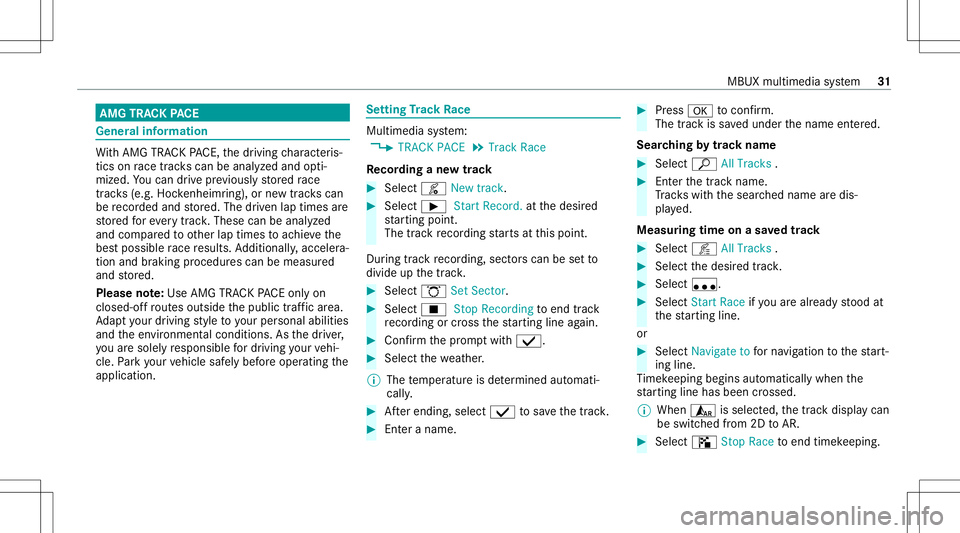
TRAC KPA CE Gener
alinf orma tion Wi
th AMG TRAC KPA CE, thedr iving charact eris‐
tic son race trac ks can beana lyzed and opti‐
mize d.Youcan drive pr ev iousl yst or ed race
tr ac ks (e.g. Hockenhei mring ),or newtrac ks can
be recor ded andstor ed. The driven lap times are
st or ed forev erytra ck.The secan beana lyzed
and compar edtoother laptimes toachie vethe
bes tpossible race results. Addition ally,acc eler a‐
tio nand brakin gpr oce durescan bemeas ured
and stor ed.
Please note:Use AMG TRACKPACE onlyon
closed-of fro utes out side thepublic traffic area.
Ad aptyo ur drivin gst yle to your per son alabilit ies
and theen vironmen talcon dition s.As thedr iver ,
yo uar esole lyresponsible fordr iving your vehi‐
cle. Park your vehicle safely beforeoper ating the
applic ation. Se
tting Trac kRa ce Mult
imed iasystem:
4 TRACK PACE5
Track Race
Re cor dingane wtrac k #
Select ô Newtrack. #
Select 00D0 Start Reco rd.atthedesir ed
st ar tin gpoin t.
The trackre cor ding star ts at this point .
Dur ing trac kre cor ding, sect orscan besetto
divide upthetrac k. #
Select ö SetSector . #
Select 00DB StopRecord ingtoend trac k
re cor ding orcross thest ar tin gline again. #
Con firm thepr om ptwit h00FA. #
Sele ctthewe ather .
% The temp eratur eis de term ined automat i‐
call y. #
Afterending, select00FA tosave thetrac k. #
Enteranam e. #
Press 0076 toconf irm.
The trac kis save dunder thename entered.
Sear ching bytrac kname #
Select ª AllTra cks . #
Enterthetra ck nam e.
Tr ac ks wit hth esear ched name aredis‐
pla yed.
Measur ingtimeon asa ve dtrac k #
Select õ AllTra cks . #
Select thedesir edtrac k. #
Select u. #
Select Start Race ifyo uar ealr eady stood at
th est ar tin gline .
or #
Select Navi gateto forna vig ation tothest ar t‐
ing line.
Ti mek eepi ngbegi nsautomatical lywhen the
st ar tin gline hasbeen cross ed.
% When ¨isselec ted, thetra ck displa ycan
be switc hedfrom 2DtoAR. #
Select ð StopRace toend timek eeping. MBUX
multimedia system 31
Page 36 of 58
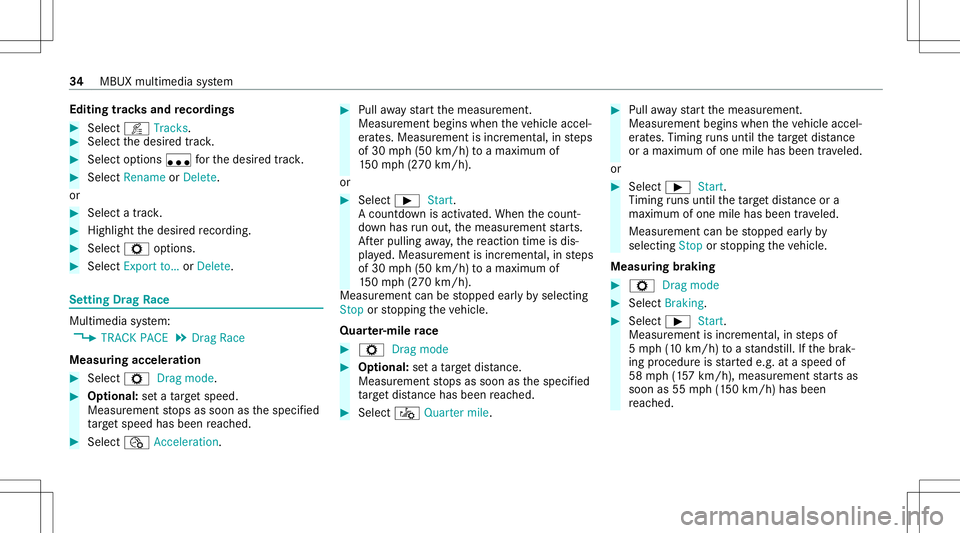
Edit
ingtrac ks and recor dings #
Select õ Tracks. #
Select thedesir edtrac k. #
Select options u forth edesir edtrack. #
Select Rename orDele te.
or #
Select atrac k. #
High light thedesir edrecor ding. #
Sele ctZ options . #
Sele ctExport to…orDele te. Se
tting Drag Race Mult
imed iasystem:
4 TRACK PACE5
Drag Race
Measur ingacceler ation #
Select ZDragmode. #
Optional: seta ta rget speed.
Measur ementstops assoon asthespecif ied
ta rget speed hasbeen reac hed. #
Select ñ Accel erat ion. #
Pull away star tth emeasur ement.
Measur ementbegins whentheve hicle accel‐
er ates. Measur ementisincr ement al,insteps
of 30 mph(50 km/h) toamax imum of
15 0mp h(2 70 km/h) .
or #
Select 00D0Start.
A countdo wnisactiv ated. When thecount ‐
do wn has runou t,th emeasur ementstar ts.
Af terpul ling away,th ere act ion timeis dis‐
pla yed. Measur ementisincr ement al,insteps
of 30 mph(50 km/h) toamax imum of
15 0mp h(2 70 km/h) .
Mea surement canbestopped earlyby selecting
Stop orstopping theve hicle.
Quar ter-mil era ce #
Z Drag mode #
Option al:seta ta rget dis tance.
Mea surement stops assoon asthespecif ied
ta rget dis tance hasbe en reac hed. #
Select ó Quartermile. #
Pull away star tth emeasur ement.
Measur ementbegins whentheve hicle accel‐
er ates. Timing runs unti lth eta rget dis tance
or ama ximu mof one mileha sbe en trave led.
or #
Selec t00D0 Start.
Ti ming runs unti lth eta rget dis tance ora
ma ximu mof one mileha sbe en trave led.
Measur ementcan bestopped earlyby
selecting Stoporstopping theve hicle.
Measur ingbraking #
Z Dragmode #
Select Braking. #
Select 00D0Start.
Measur ementisincr ement al,insteps of
5 mp h(1 0 km/h) toast ands till.If th ebr ak‐
ing procedur eis star tede.g. ataspeed of
58 mph(1 57 km/h) ,mea surement star ts as
soon as55 mph(1 50 km/h) hasbeen
re ac hed. 34
MBUX multimedia system
Page 37 of 58
St
oring and calling upmea surement values
If measur ementis com pletedor canc eled, a
pr om ptappear sask ing whe ther themeasur e‐
ment should besave d. #
Conf irm thepr om ptwit h00FA tosave .
The stor ed measur ementscan bedispla yedvia
th eHisto rymenu item.
Calling upsave dmeas ureme nts #
Select ± History. #
Select Accele ration,Qua rter Mileor Braki ng. #
Select thedesir edmeasur ement.
The desir edmeasur ementisdispla yedin
de tail.
or #
Dele tethedesir edmeasur ement. Calling
upthete leme try disp lay Multime
diasystem:
4 TRACK PACE5
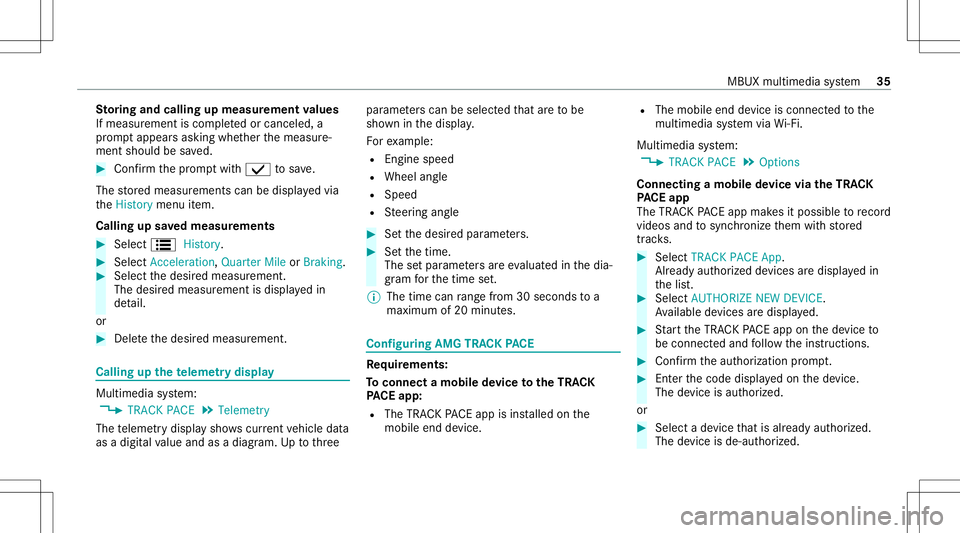
Telemetr y
The teleme try displa ysho wscurrent vehicle data
as adigit alvalue and asadiag ram. Up tothre e par
ame ters can beselect edthat areto be
sho wninthedispla y.
Fo rex am ple:
R Engin espee d
R Whee lang le
R Spe ed
R Steer ing ang le #
Setth edesir edpar ame ters. #
Setth etime.
The setpar ame ters areeva luat edinthedia‐
gr am forth etime set.
% The time canrang efrom 30seco ndstoa
maximu mof 20 minut es. Con
figur ing AMG TRAC KPA CE Re
quirement s:
To connect amob iledevice totheTR AC K
PA CE app:
R The TRACKPACE app isins talled onthe
mobil eend device. R
The mobil eend device isconnect edtothe
multime diasystem viaWi-Fi.
Mu ltimed iasystem:
4 TRACK PACE5
Option s
Connecting amobile device viatheTR AC K
PA CE app
The TRACKPACE app makesitposs ibletorecord
vid eos and tosync hronize them withstor ed
tr ac ks. #
Select TRACK PACEApp.
Alr eady author ized devices aredispla yedin
th elis t. #
Select AUTHORIZE NEWDEVICE .
Av ailable devic es aredispla yed. #
Startth eTRA CKPACE app onthede vice to
be con nectedand follo wtheins truction s. #
Conf irm theaut hor ization prom pt. #
Enterthecode displa yedon thede vice.
The device isaut hor ized.
or #
Select ade vice that isalr eady author ized.
The devic eis de- aut hor ized. MBU
Xmult imed iasystem 35
Page 40 of 58
&
WARNIN GRisk ofacci dent caused by
non-a pprove dtir etypes
If yo uuse tiretyp esthat have notbe en adap‐
te dto chang esmade tothefa ct or yspe ed
li mit, this can have thefo llo wing consequen‐
ces:
R The tires do notex hibit there qu ired qual‐
ity charact eristic sand areno tsuit able for
high speeds orthere leva nt drivi ng
dy nam ics.
R The tires wearune venlyand could,th er e‐
fo re ,af fect thero adw orthines sof the
ve hicle.
R ABS ,ESP ®
and cruise controloper ation
ar ere strict ed.
Thi scan jeop ardize road safety. #
Onlyuse tiretypes that have been
appr ovedfo rth emaximum road spee d
se tand theve hicle. Ve
hicl eswith AMG ceramic high-pe rfor m‐
ance composit ebr aki ng system: *
NO
TEDama getothecer amic brak edisk
when chang ingawheel Mer
cedes -AMG vehicl eswith ceramic
br ak edis ks:dur ing remo valand reposition ‐
ing ofthewheel, thewheel rim ma yst rike
th ecer amic brak edisk anddamag eit. #
Take par ticular care. #
Ask another per son forassi stanc eor
use asec ondcen tering pin. #
Whe nch ang ingthewheel, avoidexe rting any
fo rc eon thebr ak ediscs.
This canlead toimpair edcom fort dur ing
br aking. Ins
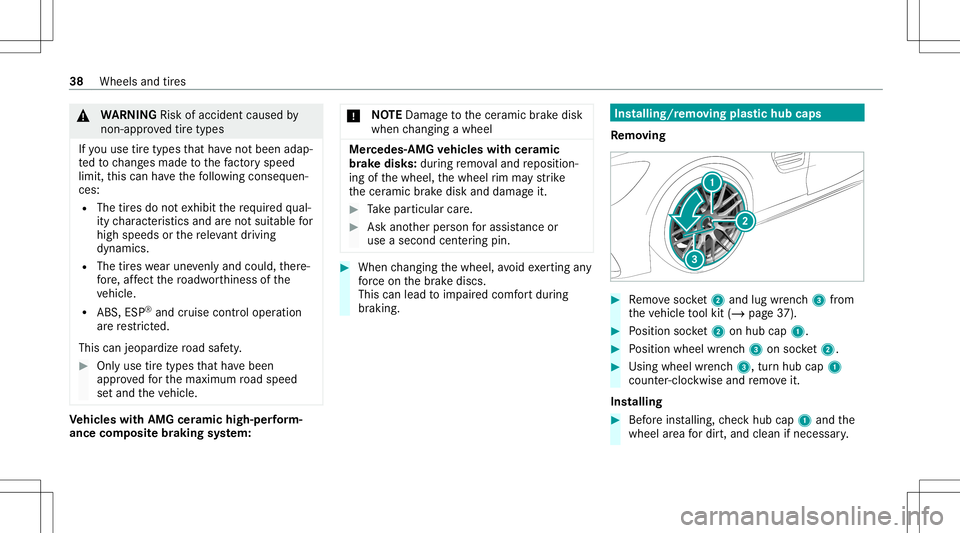
talling/r emoving plastichub caps
Re mo ving #
Remo vesoc ket2 and lug wr enc h3 from
th eve hicle tool kit (/ page37 ). #
Position socket2 onhubcap 1. #
Position wheel wrenc h3 onsoc ket2. #
Usingwheelwr enc h3, turnhu bcap 1
cou nter-clo ckwise andremo veit.
Ins talling #
Beforeins talling, checkhub cap1and the
wheel area fordir t,and cleanif necessar y. 38
Wheels andtires
Page 45 of 58
All
other models
Ve hicle widthincluding out‐
side mirrors 82.5
in
(2096 mm)
Whee lbase 113.1 in
(28 73mm)
Tu rning radius 39.70ft
(1 2.10 m) Ve
hicl elen gth Model
Vehicl e
len gth
Mer cedes- AMGGLC43
4MA TIC 18
3.5 in
(4662 mm)
Mer cedes -AMG GLC63
4MA TIC+ 18
4.3 in
(4682 mm)
Mer cedes -AMG GLC63 S
4MA TIC+ Ve
hicl eheig ht Model
Vehicl e
heig ht
Mer cedes- AMGGLC43
4MA TIC 64
.1in
(1 628 mm)
Mer cedes -AMG GLC63
4MA TIC+ 64
.0in
(1 625 mm)
Mercedes -AMG GLC63 S
4MA TIC+ We
ight sand loads Please
observethefo llo wing notesfo rth especi‐
fi ed vehicle data:
R Items ofoptional equipment increase the
curb weight andreduce thepa yload.
Missing values werenotav ailable atthetime of
going topress. Ro
ofload Mod
el Maximumroof load
Mer cede s-AMG
GL C63 S4MA TIC+
All other models 165.4 lb(75 kg ) Of
f-road driving Fo
rding dep th
* NO
TEDama gecau sed bywaterwhen
fo rd ing Wa
tercan entertheengine compartmen t
and vehicle interior inthefo llo wing cases :
R The maxim umpermissib leford ing dep th
when drivin gth ro ugh standi ngwateris
ex ceed ed
R Abo wwav efo rm sdur ing ford ing
R Wateraccumu lates dur ing ford ing offlow ‐
ing water Te
ch nica lda ta 43