reset MERCEDES-BENZ GLC SUV 2021 User Guide
[x] Cancel search | Manufacturer: MERCEDES-BENZ, Model Year: 2021, Model line: GLC SUV, Model: MERCEDES-BENZ GLC SUV 2021Pages: 481, PDF Size: 9 MB
Page 266 of 481
-
Edge lighting
- Day/night design
R Control elements
- Keyboard language and handwriting rec‐
ognition
- Sensitivity of theto uchpad
- Sensitivity of theTo uch Controls
R LINGU ATRO NIC
R Sound
- Enter tainment
- Navigation and traf fic announcements
- Telephone
- Voice amplification tothere ar
R Connectivity
- Wi-Fi, Blu etoo th®
, NFC
R Time & date
R Language
R Units for dis tance
R Software upda tes
R Data impo rt/export R
PIN pr otection
R System Reset Information on important sy
stem updates Impor
tant sy stem updates may be necessary for
th e security of your multimedia sy stem's data.
Ins tallth ese updates, or else the security of your
multimedia sy stem cann otbe ensured.
A sy stem update consists of thre esteps:
R Downloading or copying of the data requ ired
fo r ins tallation
R Installation of the downloaded sy stem update
R Activation of the downloaded sy stem update
by restarting the sy stem
% If automatic software updates are activated,
the sy stem updates will be downloaded auto‐
maticall y.
The multimedia sy stem pr ovides a message
when a sy stem update is available.
Yo u ha vethefo llowing selection options:
R Accept and install The sy
stem update will be downloaded in the
bac kground.
R Information
Info rm ation about the pending sy stem
update is displa yed.
R Later
The sy stem update can be downloaded man‐
ually at a later time.
Deep sy stem updates
Deep sy stem updates access vehicle or sy stem
settings and can therefore only be car ried out
when theve hicle is stationary and the ignition is
switched off.
If th e download of a deep sy stem update is com‐
ple ted and the downloaded sy stem update is
re ady for ins tallation, you will be informed of this
af te rth e next ignition cycle, forex ample.
% Park theve hicle safely in a suitable location
before starting the ins tallation.
Re quirements forth e ins tallation:
R The ignition is switched off. MBUX multimedia sy
stem 263
Page 269 of 481
#
Select Generate security key .
A connection will be es tablished with the
newly crea ted security key. #
Tosave a security key:select Save.
When a new security key is sa ved, all existing
Wi -Fi connections are then disconnected. If
th eWi -Fi connections are being re-es tab‐
lished, the new security key must be ente red. Re
setting the multimedia sy stem (reset func‐
tion) &
WARNING Risk of accidents due tofail‐
ure of multimedia display functions
While the multimedia sy stem is being reset,
its functions such as there ve rsing camera
are not available. #
Only re setthe multimedia sy stem when
th eve hicle is stationar y. Multimedia sy
stem:
4 © 5
Settings 5
System 5
Reset
Pe rsonal data is dele ted, forex ample:
R Station presets
R Connec ted mobile phones
R Individual user profiles
% The guest profile is reset when the settings
are restored tothefa ctory settings.
A prom ptappears again asking whe ther you
re ally wish toreset. #
Select Yes.
The multimedia sy stem is reset tothefa ctory
settings. If you ha veset a PIN foryo ur sys‐
te m, this will also be reset. Na
vigation Note
s on navigation Ro
ute guidance with augmented reality &
WARNING Risk of accident and inju ryas
a re sult of distraction, incor rect depic‐
tion or wrong interpr etation of the dis‐
play
The camera image of the augmented reality
display is not suitable as a guide for driving. #
Alw ayske ep an eye on the actual traf fic
situation. #
Avoid extended obser vation of the cam‐
era image. &
WARNING Risk of accident and inju ry
due toimprecise positioning of addi‐
tional information
The additional information from the augmen‐
te dre ality display is not a substitute for
observing the actual driving situation. 266
MBUX multimedia sy stem
Page 274 of 481
or
#
Select Start new route guidance.
The destination address is set as the new
destination. The pr evious destination and the
intermediate destinations are dele ted. Ro ute
guidance tothe new destination begins.
Selecting route settings #
Select Z. #
Select Advanced . #
Select Route. #
Select thero ute type. #
Take traf fic information into consideration
wi th Dynamic route guidance r.#
Select route options with Avoid options. #
Activate Suggest alternative route.
Alternati veroutes are calculated forev ery
ro ute. #
Activate Activate commuter route .
If th ere qu irements are met, the multimedia
sy stem automatically de tects that theve hicle
is on a commuter route. Route guidance
begins without voice output. Ac
tivating route guidance with augmented
re ality #
During route guidance, tap on the camera
symbol on the media displa y.
The camera image will be shown ins tead of
th e navigation map before a turning manoeu‐
vre and will show additional information. #
Toreturn tothe navigation map: tapon
th e camera symbol again.
Displaying additional information in the cam‐
era ima ge #
Select Z. #
Select Advanced . #
Select Augmented Reality. #
Activate Street names andHouse numbers.
During route guidance, stre et names and
house numbe rsare shown in the camera
image. Using map functions
Multimedia sy
stem:
4 © 5
Navigation
Setting the map scale #
Tozoom in: tap twice quickly with one finger
on the media displa y. #
Tozoom out: tap with two fingers on the
media displa y.
Moving the map #
Moveone finger in any di rection on the
to uchsc reen. #
Toreset the map tothe cur rent vehicle
position: press\briefly.
Selecting map orientation #
Tapre peatedly on theÄ compass symbol
on the map.
The view changes in the sequence 3D,2D
heading up to2D north up .
Switching mo torw ay information on/off #
Select Z. MBUX multimedia sy
stem 271
Page 288 of 481
Apps
for Smartphone Integration
R Apple CarPlay ®
R Android Auto
% For saf etyre asons, thefirs t acti vation of
Sma rtphone Integration on the multimedia
sy stem must be car ried out when theve hicle
is stationary and the parking brake is
applied.
Yo u can start Apple CarPlay ®
or Android Auto
from the device manager.
% Mercedes-Benz recommends disconnecting
th e connecting cable only when theve hicle
is stationar y.
Overview of transfer redve hicle data
When using Smartphone Integration, cer tain
ve hicle data is transfer redto the mobile phone.
This enables youto getth e best out of selected
mobile phone services. Vehicle data is not
directly accessible.
The following sy stem information is transmit ted:
R Software release of the multimedia sy stem
R System ID (anonymised) The transfer of
this data is used tooptimise
communication between theve hicle and the
mobile phone.
To do this, and toassign se veralve hicles tothe
mobile phone, a vehicle identifier is randomly
ge nerated.
This has no connection totheve hicle identifica‐
tion number (VIN) and is dele ted when the multi‐
media sy stem is reset (/ page 266).
The following driving status data is transmitted:
R Transmission position engaged
R Distinction between par ked, standstill, rolling
and driving
R Day/night mode of the instrument clus ter
R Drive type
The trans fer of this data is used toalter how
con tent is displ ayed tocor respond tothe driving
situation.
The following position data is transmitted:
R Coordinates
R Speed
R Compass direction R
Acceleration dire ction
This da tais used bythe mobile phone to
impr ovethe accuracy of the navigation (e.g. for
continuation in a tunnel). Mercedes-Benz eme
rgency call sy stem Information on
the Mercedes-Benz emer‐
ge ncy call sy stem The Mercedes-Benz emer
gency call sy stem only
functions in areas where mobile phone co verage
is available from there leva nt contract pa rtner.
Insu fficient network co verage from there leva nt
contract pa rtner may result in an emer gency call
not being transmitted.
The ignition must be switched on before an auto‐
matic emer gency call can be made.
% The Mercedes-Benz eme rgency call sy stem
is activated at thefa ctor y.Using the
Mercedes-Benz emer gency call sy stem is
free of charge. MBUX multimedia sy
stem 285
Page 297 of 481
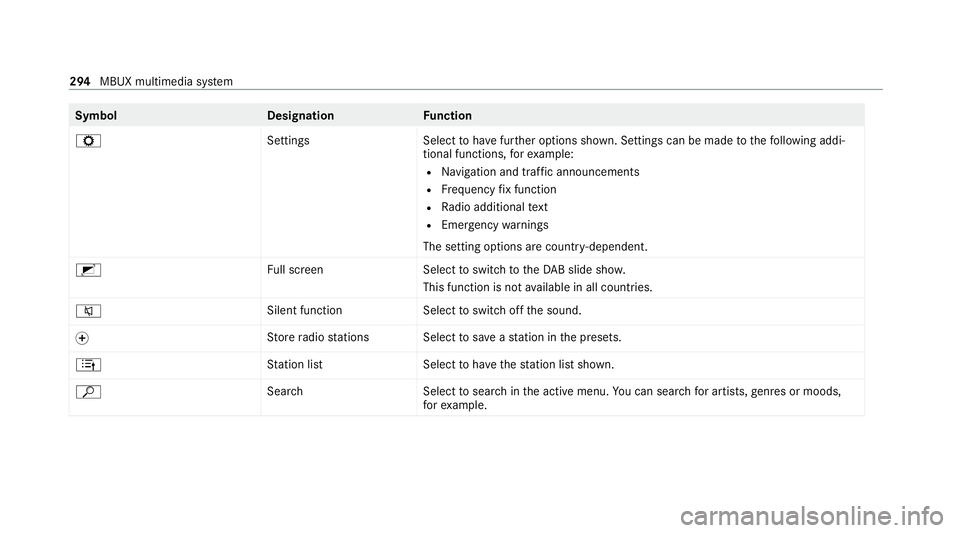
Symbol
DesignationFunction
Z SettingsSelecttohave further options shown. Settings can be made tothefo llowing addi‐
tional functions, forex ample:
R Navigation and traf fic announcements
R Frequency fix function
R Radio additional text
R Emergency warnings
The setting options are countr y-dependent.
2 Full screen Selecttoswitch totheDA B slide sho w.
This function is not available in all countries.
8 Silent function
Selecttoswitch off the sound.
f St
ore radio stations Select tosave ast ation in the presets.
4 Station lis tS electtohave thest ation list shown.
ª Search Selecttosear chinthe active menu. You can sear chfor artists, genres or moods,
fo rex ample. 294
MBUX multimedia sy stem
Page 466 of 481
R
Ra dar and ultrasonic senso rs
Damage................................................. 184
Ra dio
Overview of the functions and sym‐
bols....................................................... 293
Ra in-closing feature
Side wind ows.......................................... 87
Sliding sunroof......................................... 91
Ra ising theve hicle
Re ar of theve hicle................................2 20
REA CHregulation........................................32
Re ading lamp
see Interior lighting
Re ading light
Switching on/off with hand mo ve‐
ments.................................................... 260
Re ar door (child saf ety lock)...................... 70
Re ar fog light
Switching on/of f................................... 12 8
Re ar of theve hicle
Lo we ring............................................... 220 Ra
ising.................................................. 220
Re ar seat
see Seat
Re ar seat belt
St atus display......................................... .44
Re ar seat belt status display ..................... 44
Re ar window heater.................................. 14 2
Re ar-view mir ror
Anti-dazzle mode (automatic)................ 14 0
Re ar-view mir ror
see Outside mir rors
Re cycling
see Take -ba ckof end-of-life vehicles
Re ducing agent
see AdBlue ®
Re fuelling
Re fuelling theve hicle............................. 171
Re gistration
Ve hicle.................................................... 32
Re gulatory radio identification................ 355 Re
mo tecont rol (stationa ryheater/
ve ntilation)
Displa ys................................................. 14 9
Problems............................................... 15 0
Re placing the battery............................ 14 9
Setting................................................... 14 8
Re mo teOnline
Charging thest ar ter battery.................. 154
Cooling/heating theve hicle interior...... 154
St arting theve hicle............................... 15 5
Re scue card................................................. 33
Re ser ve
Fu el........................................................ 361
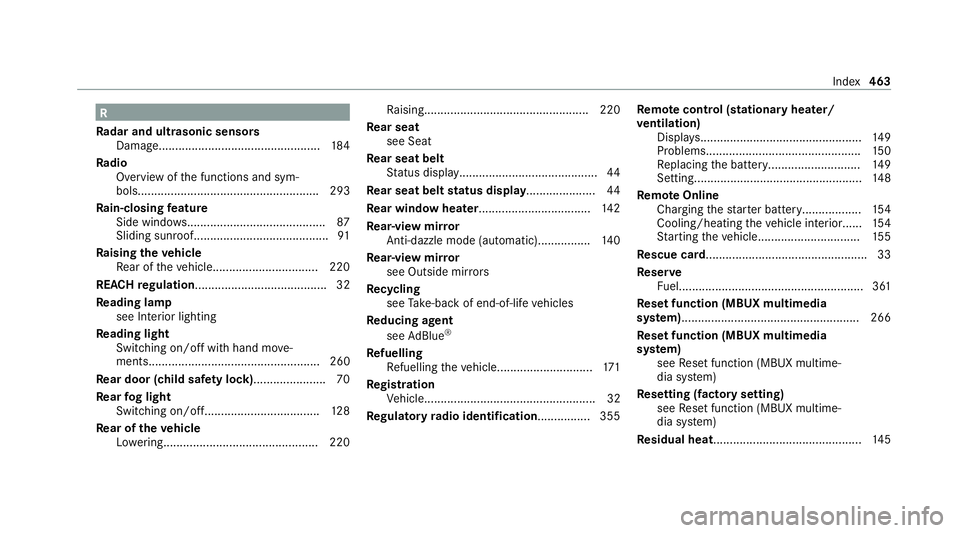
Re set function (MBUX multimedia
sy stem)..................................................... .266
Re set function (MBUX multimedia
sy stem)
see Reset function (MBUX multime‐
dia sy stem)
Re setting (factory setting)
see Reset function (MBUX multime‐
dia sy stem)
Re sidual heat............................................. 14 5 Index
463