service MERCEDES-BENZ GLE 2017 Owner's Manual
[x] Cancel search | Manufacturer: MERCEDES-BENZ, Model Year: 2017, Model line: GLE, Model: MERCEDES-BENZ GLE 2017Pages: 390, PDF Size: 11.63 MB
Page 167 of 390
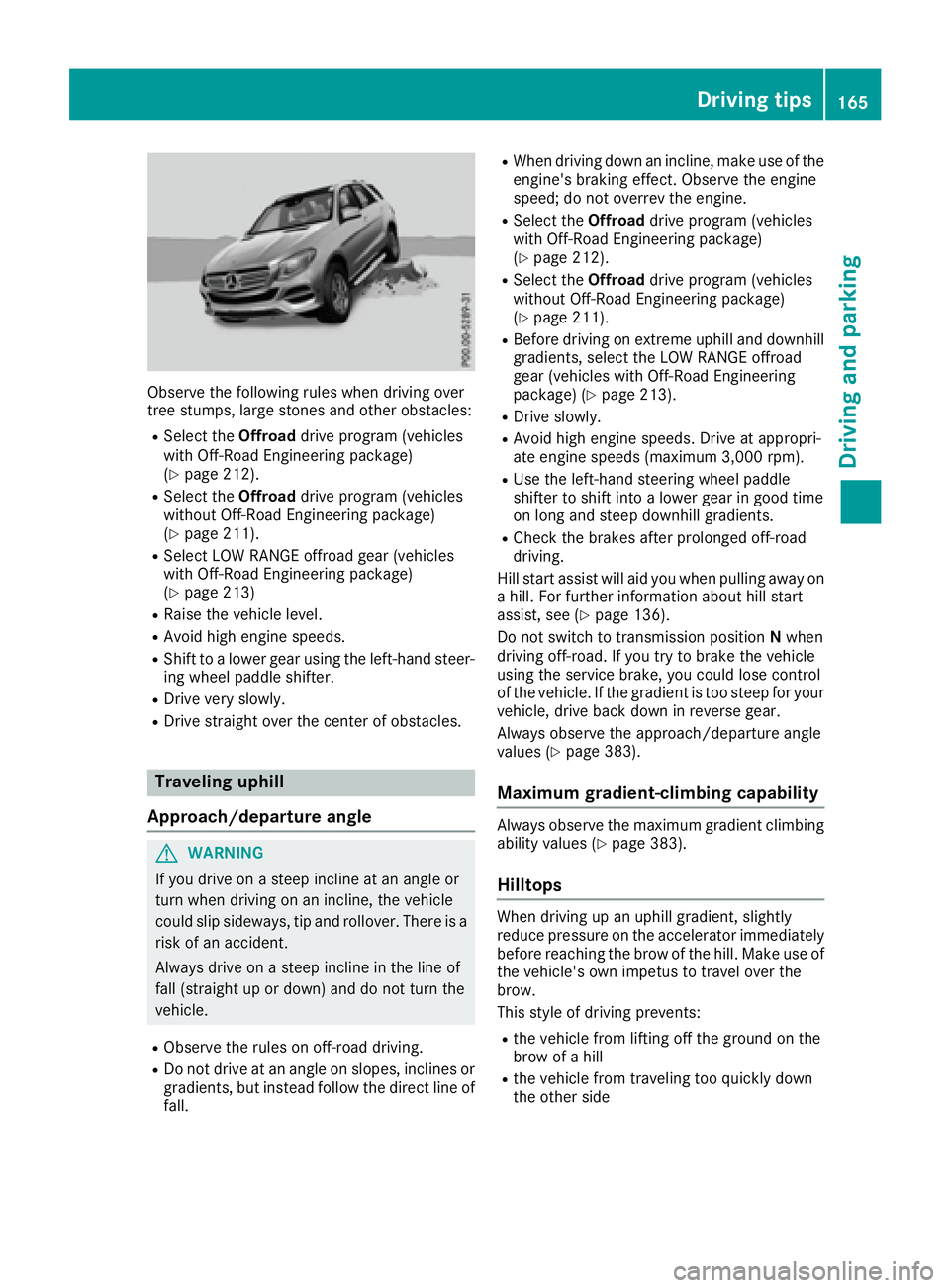
Observe the following rules when driving over
tree stumps, large stones and other obstacles: R
Select the Offroad drive program (vehicles
with Off-Road Engineering package)
( Y
page 212). R
Select the Offroad drive program (vehicles
without Off-Road Engineering package)
( Y
page 211). R
Select LOW RANGE offroad gear (vehicles
with Off-Road Engineering package)
( Y
page 213) R
Raise the vehicle level. R
Avoid high engine speeds. R
Shift to a lower gear using the left-hand steer-
ing wheel paddle shifter. R
Drive very slowly. R
Drive straight over the center of obstacles.
Traveling uphill
Approach/departure angle
G WARNING
If you drive on a steep incline at an angle or
turn when driving on an incline, the vehicle
could slip sideways, tip and rollover. There is a
risk of an accident.
Always drive on a steep incline in the line of
fall (straight up or down) and do not turn the
vehicle. R
Observe the rules on off-road driving. R
Do not drive at an angle on slopes, inclines or
gradients, but instead follow the direct line of
fall. R
When driving down an incline, make use of the
engine's braking effect. Observe the engine
speed; do not overrev the engine. R
Select the Offroad drive program (vehicles
with Off-Road Engineering package)
( Y
page 212). R
Select the Offroad drive program (vehicles
without Off-Road Engineering package)
( Y
page 211). R
Before driving on extreme uphill and downhill
gradients, select the LOW RANGE offroad
gear (vehicles with Off-Road Engineering
package) ( Y
page 213). R
Drive slowly. R
Avoid high engine speeds. Drive at appropri-
ate engine speeds (maximum 3,000 rpm). R
Use the left-hand steering wheel paddle
shifter to shift into a lower gear in good time
on long and steep downhill gradients. R
Check the brakes after prolonged off-road
driving.
Hill start assist will aid you when pulling away on
a hill. For further information about hill start
assist, see ( Y
page 136).
Do not switch to transmission position N when
driving off-road. If you try to brake the vehicle
using the service brake, you could lose control
of the vehicle. If the gradient is too steep for your
vehicle, drive back down in reverse gear.
Always observe the approach/departure angle
values ( Y
page 383).
Maximum gradient-climbing capability Always observe the maximum gradient climbing
ability values ( Y
page 383).
Hilltops When driving up an uphill gradient, slightly
reduce pressure on the accelerator immediately
before reaching the brow of the hill. Make use of
the vehicle's own impetus to travel over the
brow.
This style of driving prevents: R
the vehicle from lifting off the ground on the
brow of a hill R
the vehicle from traveling too quickly down
the other side Driving tips 165
Driving and parking Z
Page 173 of 390
Selecting the drive program Distance Pilot DISTRONIC supports a sporty
driving style if you have selected the Sport or
Sport Plus drive program ( Y
page 143). Accel-
eration behind the vehicle in front or to the set
speed is then noticeably more dynamic. If you
have selected the Comfort drive program, the
vehicle accelerates more gently. This setting is
recommended in stop-and-start traffic.
Changing lanes If you change to the overtaking lane, Distance
Pilot DISTRONIC supports you if: R
you are driving faster than 45 mph (70 km/h) R
you switch on the appropriate turn signal R
Distance Pilot DISTRONIC does not currently
detect a danger of collision
If these conditions are fulfilled, your vehicle is
accelerated. Acceleration will be interrupted if
changing lanes takes too long or if the distance
between your vehicle and the vehicle in front
becomes too small.
i When you change lanes, Distance Pilot
DISTRONIC monitors the right lane (in left-
side traffic) or the left lane (in right-side traf-
fic).
Stopping
G WARNING
When leaving the vehicle, even if it is braked
only by DISTRONIC PLUS, it could roll away if: R
there is a malfunction in the system or in
the voltage supply. R
DISTRONIC PLUS has been deactivated
with the cruise control lever, e.g. by a vehi-
cle occupant or from outside the vehicle. R
the electrical system in the engine com-
partment, the battery or the fuses have
been tampered with. R
the battery is disconnected. R
the accelerator pedal has been depressed,
e.g. by a vehicle occupant.
There is a risk of an accident.
If you wish to exit the vehicle, always turn off
DISTRONIC PLUS and secure the vehicle
against rolling away. If Distance Pilot DISTRONIC detects that the
vehicle in front is stopping, it brakes your vehicle
to a stop.
Once your vehicle is stationary, it remains sta-
tionary and you do not need to depress the
brake.
After a time, the electric parking brake secures
the vehicle and relieves the service brake.
Depending on the specified minimum distance,
your vehicle will come to a standstill at a suffi-
cient distance behind the vehicle in front. The
specified minimum distance is set using the
control on the cruise control lever.
The transmission is shifted automatically to
position P if, with Distance Pilot DISTRONIC
activated and the vehicle stationary: R
the driver's door is open and the driver's seat
belt is unfastened. R
the engine is switched off, unless it is auto-
matically switched off by the ECO start/stop
function.
The electric parking brake secures the vehicle
automatically if, with Distance Pilot DISTRONIC
activated and the vehicle stationary: R
a system malfunction occurs. R
the power supply is not sufficient.
On steep uphill or downhill inclines or if there is
a malfunction, the transmission may also be
automatically shifted into position P .
Setting a speed Keep in mind that it may take a brief moment
until the vehicle has accelerated or braked to
the speed set. X
Press the cruise control lever up C for a
higher speed or down
Page 181 of 390
HOLD function
General notes The HOLD function can assist the driver in the
following situations: R
when pulling away, especially on steep slopes R
when maneuvering on steep slopes R
when waiting in traffic
The vehicle is kept stationary without the driver
having to depress the brake pedal.
The braking effect is canceled and the HOLD
function deactivated when you depress the
accelerator pedal to pull away.
i Do not use the HOLD function when driving
off-road, on steep uphill or downhill gradients
or on slippery or loose surfaces. The HOLD
function cannot hold the vehicle on such sur-
faces.
Important safety notes
G WARNING
When leaving the vehicle, it can still roll away
despite being braked by the HOLD function if: R
there is a malfunction in the system or in
the voltage supply. R
the HOLD function has been deactivated by
pressing the accelerator pedal or the brake
pedal, e.g. by a vehicle occupant. R
the electrical system in the engine com-
partment, the battery or the fuses have
been tampered with. R
the battery is disconnected
There is a risk of an accident.
If you wish to exit the vehicle, always turn off
the HOLD function and secure the vehicle
against rolling away.
! When DISTRONIC PLUS or the HOLD func-
tion is activated, the vehicle brakes automat-
ically in certain situations.
To avoid damage to the vehicle, deactivate
DISTRONIC PLUS and the HOLD function in
the following or similar situations: R
when towing the vehicle R
in the car wash
Deactivating the HOLD function ( Y
page 179). Activation conditions You can activate the HOLD function if: R
the vehicle is stationary R
the engine is running or if it has been auto-
matically switched off by the ECO start/stop
function R
the driver's door is closed or your seat belt is
fastened R
the electric parking brake is released R
the transmission is in position D , R or NR
Distance Pilot DISTRONIC is deactivated
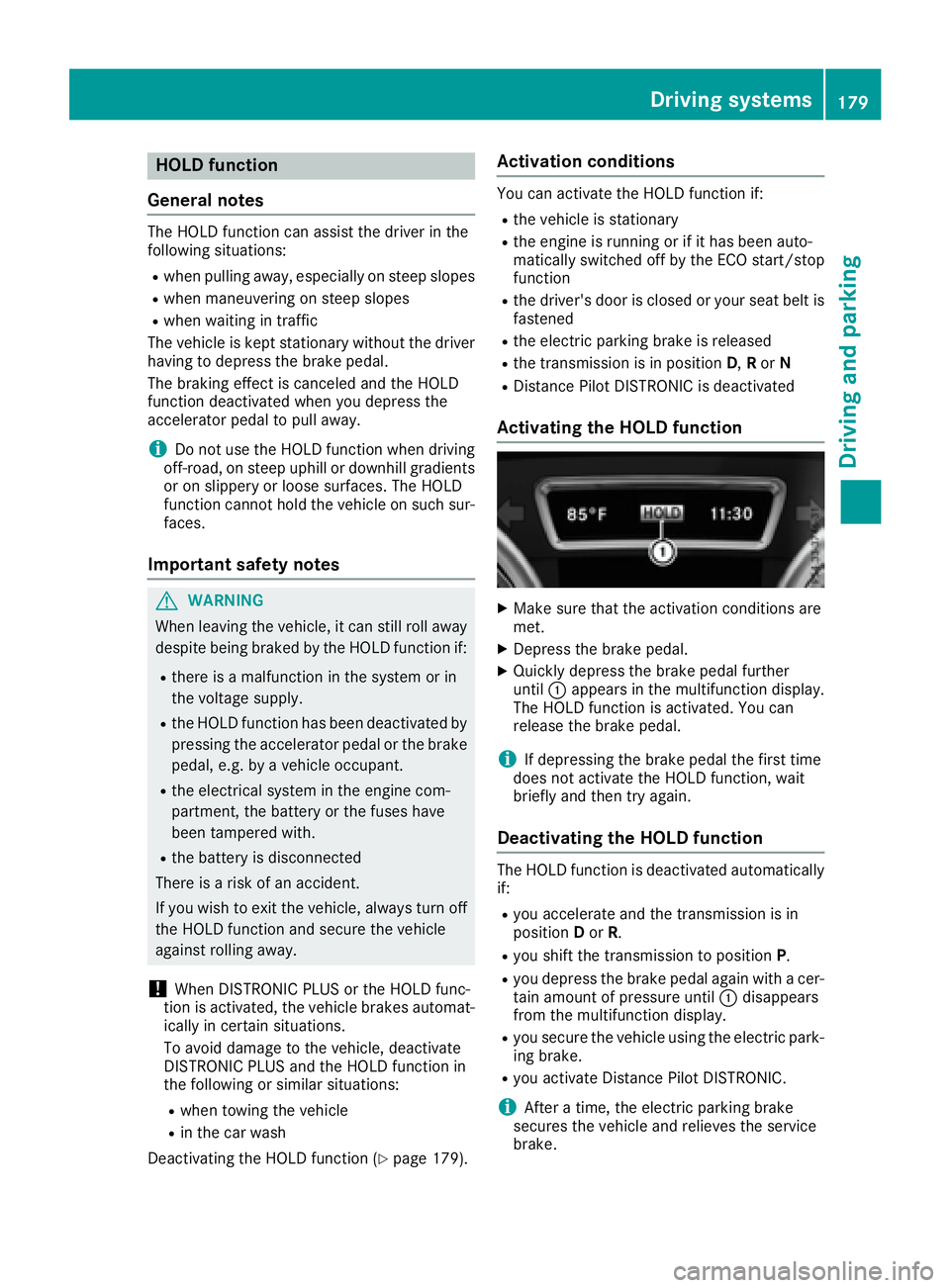
Activating the HOLD function X
Make sure that the activation conditions are
met. X
Depress the brake pedal. X
Quickly depress the brake pedal further
until C appears in the multifunction display.
The HOLD function is activated. You can
release the brake pedal.
i If depressing the brake pedal the first time
does not activate the HOLD function, wait
briefly and then try again.
Deactivating the HOLD function The HOLD function is deactivated automatically
if: R
you accelerate and the transmission is in
position D or R . R
you shift the transmission to position P .R
you depress the brake pedal again with a cer-
tain amount of pressure until C disappears
from the multifunction display. R
you secure the vehicle using the electric park-
ing brake. R
you activate Distance Pilot DISTRONIC.
i After a time, the electric parking brake
secures the vehicle and relieves the service
brake.Driving systems 179
Driving and parking Z
Page 226 of 390
There is a short delay before a change in outside
temperature appears in the multifunction dis-
play.
Coolant temperature gauge
G WARNING
Opening the hood when the engine is over-
heated or when there is a fire in the engine
compartment could expose you to hot gases
or other service products. There is a risk of
injury.
Let an overheated engine cool down before
opening the hood. If there is a fire in the
engine compartment, keep the hood closed
and contact the fire department.
! A display message is shown if the coolant
temperature is too high.
If the coolant temperature is over 248 ‡
(120 †), do not continue driving. The engine
will otherwise be damaged.
All vehicles except PLUG-IN HYBRID vehicles:
the coolant temperature gauge is in the instru-
ment cluster on the right-hand side ( Y
page 34).
Under normal operating conditions and with the
specified coolant level, the coolant temperature
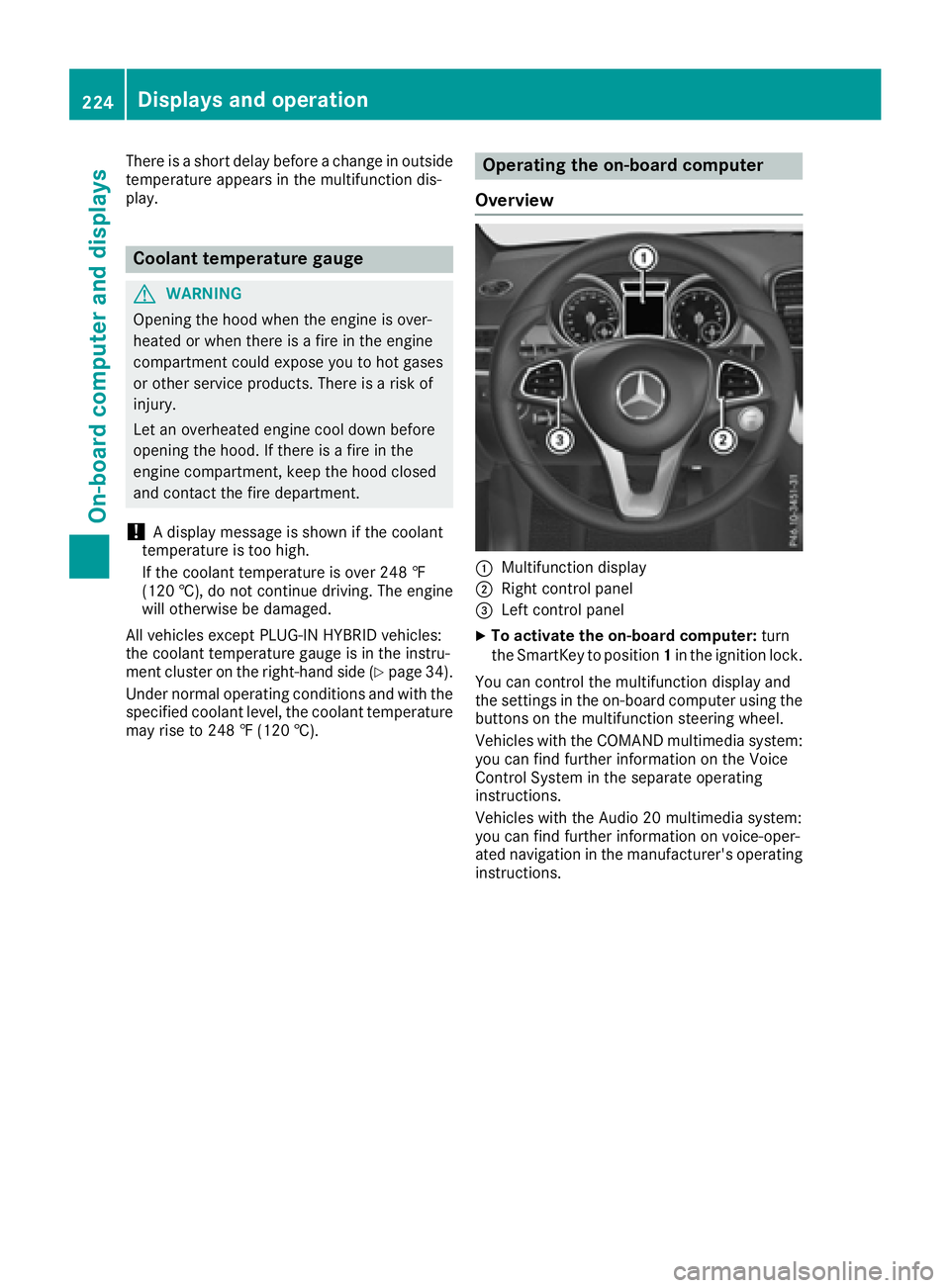
may rise to 248 ‡ (120 †). Operating the on-board computer
Overview
C
Multifunction display D
Right control panel
Page 232 of 390
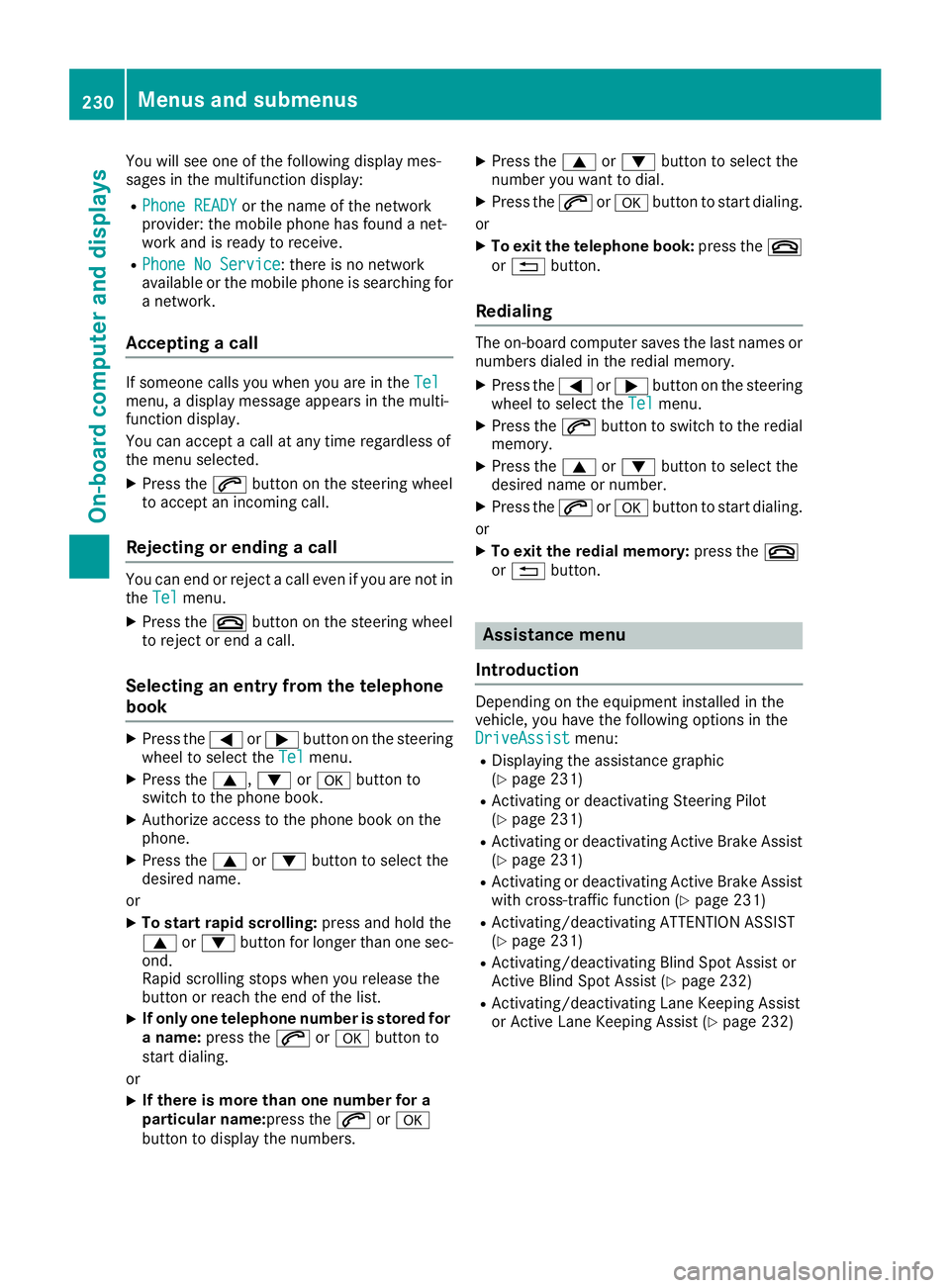
You will see one of the following display mes-
sages in the multifunction display: R
Phone READY or the name of the network
provider: the mobile phone has found a net-
work and is ready to receive. R
Phone No Service : there is no network
available or the mobile phone is searching for
a network.
Accepting a call If someone calls you when you are in the Tel
menu, a display message appears in the multi-
function display.
You can accept a call at any time regardless of
the menu selected. X
Press the a button on the steering wheel
to accept an incoming call.
Rejecting or ending a call You can end or reject a call even if you are not in
the Tel menu.X
Press the v button on the steering wheel
to reject or end a call.
Selecting an entry from the telephone
book X
Press the Y or e button on the steering
wheel to select the Tel menu.X
Press the c , d or v button to
switch to the phone book. X
Authorize access to the phone book on the
phone. X
Press the c or d button to select the
desired name.
or X
To start rapid scrolling: press and hold the
c or d button for longer than one sec-
ond.
Rapid scrolling stops when you release the
button or reach the end of the list. X
If only one telephone number is stored for
a name: press the a or v button to
start dialing.
or X
If there is more than one number for a
particular name: press the a or v
button to display the numbers. X
Press the c or d button to select the
number you want to dial. X
Press the a or v button to start dialing.
or X
To exit the telephone book: press the v
or 8 button.
Redialing The on-board computer saves the last names or
numbers dialed in the redial memory. X
Press the Y or e button on the steering
wheel to select the Tel menu.X
Press the a button to switch to the redial
memory. X
Press the c or d button to select the
desired name or number. X
Press the a or v button to start dialing.
or X
To exit the redial memory: press the v
or 8 button.
Assistance menu
Introduction Depending on the equipment installed in the
vehicle, you have the following options in the
DriveAssist menu: R
Displaying the assistance graphic
( Y
page 231) R
Activating or deactivating Steering Pilot
( Y
page 231) R
Activating or deactivating Active Brake Assist
( Y
page 231) R
Activating or deactivating Active Brake Assist
with cross-traffic function ( Y
page 231)R
Activating/deactivating ATTENTION ASSIST
( Y
page 231) R
Activating/deactivating Blind Spot Assist or
Active Blind Spot Assist ( Y
page 232)R
Activating/deactivating Lane Keeping Assist
or Active Lane Keeping Assist ( Y
page 232)230
Menus and submenus
On-board computer and displays
Page 234 of 390
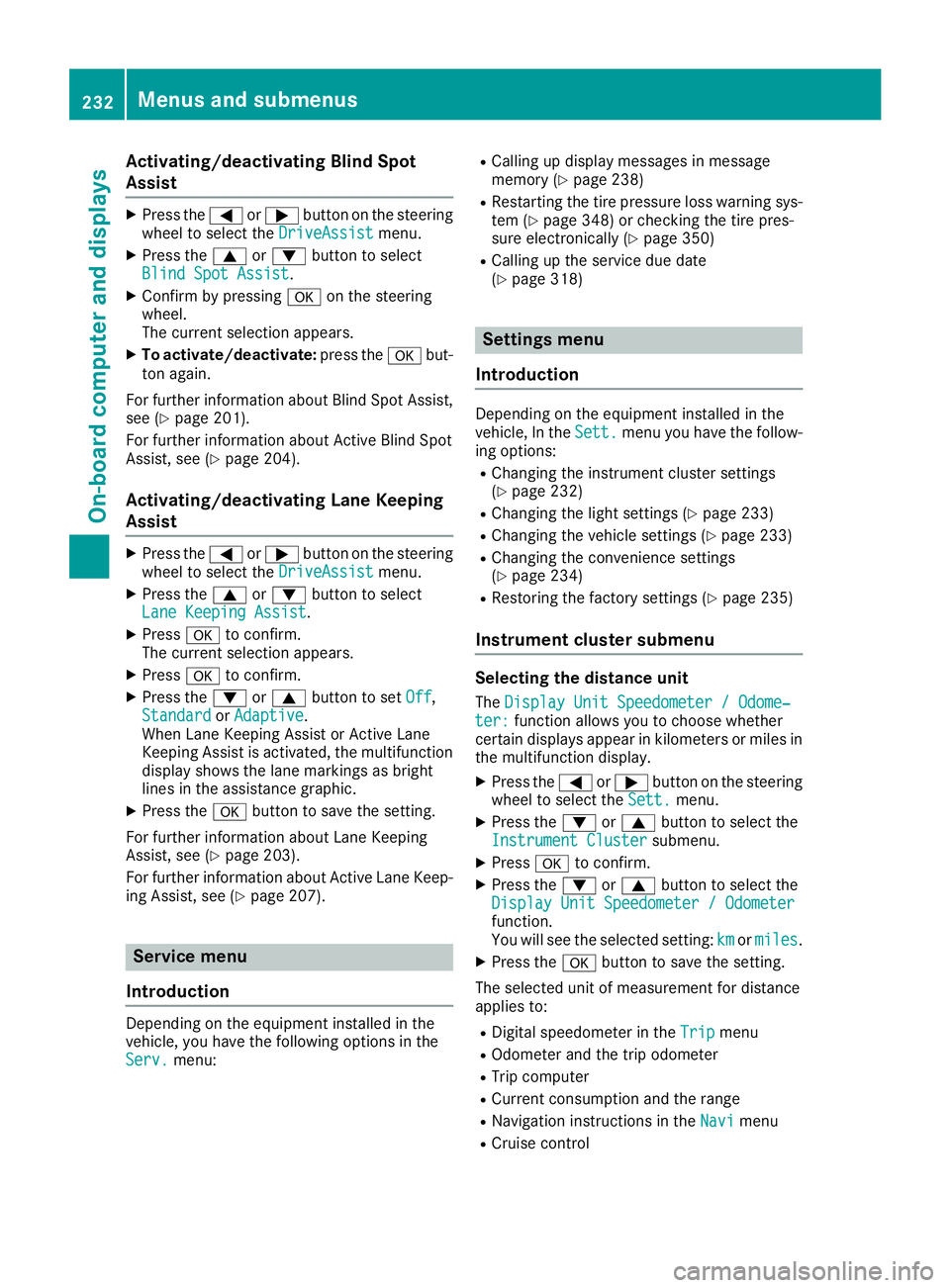
Activating/deactivating Blind Sp ot
Assist X
Press th e Y or e butto n on th e steering
whee l to select th e DriveAssist menu.X
Press th e c or d butto n to select
Blind Spo t Assist .X
Confir m by pressing v on th e steering
wheel.
The curren t selection appears.X
To activate/deactivate: press th e v but -
to n again .
Fo r further information about Blind Spot Assist,
see ( Y
page 201).
Fo r further information about Active Blind Spot
Assist, see ( Y
page 204).
Activating/deactivating Lane Keeping
Assist X
Press th e Y or e butto n on th e steering
whee l to select th e DriveAssist menu.X
Press th e c or d butto n to select
Lan e Keepin g Assist .X
Press v to confirm .
The curren t selection appears.X
Press v to confirm .X
Press th e d or c butto n to set Off ,
Standard or Adaptive .
When Lan e Keepin g Assis t or Active Lan e
Keepin g Assis t is activated, th e multifunction
display shows th e lan e marking s as bright
lines in th e assistanc e graphic .X
Press th e v butto n to sav e th e setting .
Fo r further information about Lan e Keepin g
Assist, see ( Y
page 203).
Fo r further information about Active Lan e Keep-
ing Assist, see ( Y
page 207).
Service menu
Int rod uction
Dependin g on th e equipmen t installed in th e
vehicle, you hav e th e followin g option s in th e
Serv. menu: R
Callin g up display message s in message
memory ( Y
page 238) R
Restarting th e tire pressur e loss warning sys-
te m ( Y
page 348) or checking th e tire pres-
sur e electronically ( Y
page 350)R
Callin g up th e servic e due dat e
( Y
page 318)
Settings menu
Int rod uction Dependin g on th e equipmen t installed in th e
vehicle, In th e Sett. men u you hav e th e follow-
ing options: R
Changin g th e instrumen t cluste r setting s
( Y
page 232) R
Changin g th e ligh t setting s ( Y
page 233)R
Changin g th e vehicl e setting s ( Y
page 233)R
Changin g th e convenience setting s
( Y
page 234) R
Restoring th e factory setting s ( Y
page 235)
Inst ru ment cluster submenu
Selecting th e distance uni tThe Displa y Uni t Speedometer / Odome‐
ter : function allows you to choos e whether
certain displays appear in kilometers or mile s in
th e multifunction display. X
Press th e Y or e butto n on th e steering
whee l to select th e Sett. menu.X
Press th e d or c butto n to select th e
Instrumen t Cluste r submenu.X
Press v to confirm .X
Press th e d or c butto n to select th e
Displa y Uni t Speedometer / Odometer
function .
You will see th e selected setting : km or miles .X
Press th e v butto n to sav e th e setting .
The selected uni t of measuremen t for distanc e
applie s to : R
Digital speedometer in th e Tri p men uR
Odometer and th e trip odometerR
Tri p computer R
Curren t consumption and th e rangeR
Navigation instruction s in th e Nav i men uR
Cruis e control232
Menus and submenus
On-board computer and displays
Page 235 of 390
R
Distance Pilot DISTRONIC R
ASSYST PLUS service interval display
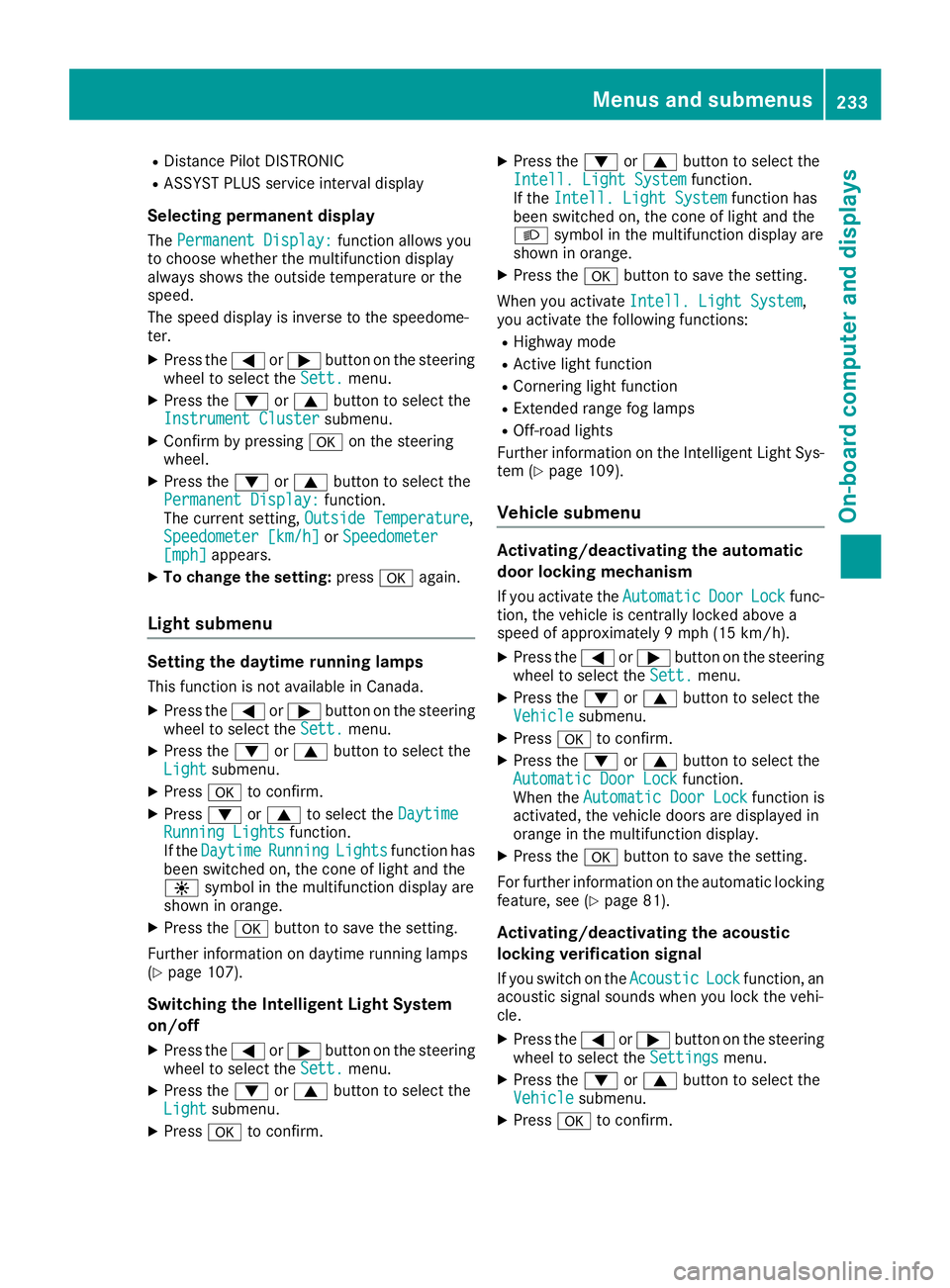
Selecting permanent display The Permanent Display: function allows you
to choose whether the multifunction display
always shows the outside temperature or the
speed.
The speed display is inverse to the speedome-
ter. X
Press the Y or e button on the steering
wheel to select the Sett. menu.X
Press the d or c button to select the
Instrument Cluster submenu.X
Confirm by pressing v on the steering
wheel. X
Press the d or c button to select the
Permanent Display: function.
The current setting, Outside Temperature ,
Speedometer [km/h] or Speedometer
[mph] appears.X
To change the setting: press v again.
Light submenu
Setting the daytime running lamps This function is not available in Canada. X
Press the Y or e button on the steering
wheel to select the Sett. menu.X
Press the d or c button to select the
Light submenu.X
Press v to confirm.X
Press d or c to select the Daytime
Running Lights function.
If the Daytime Running Lights function has
been switched on, the cone of light and the
Page 267 of 390
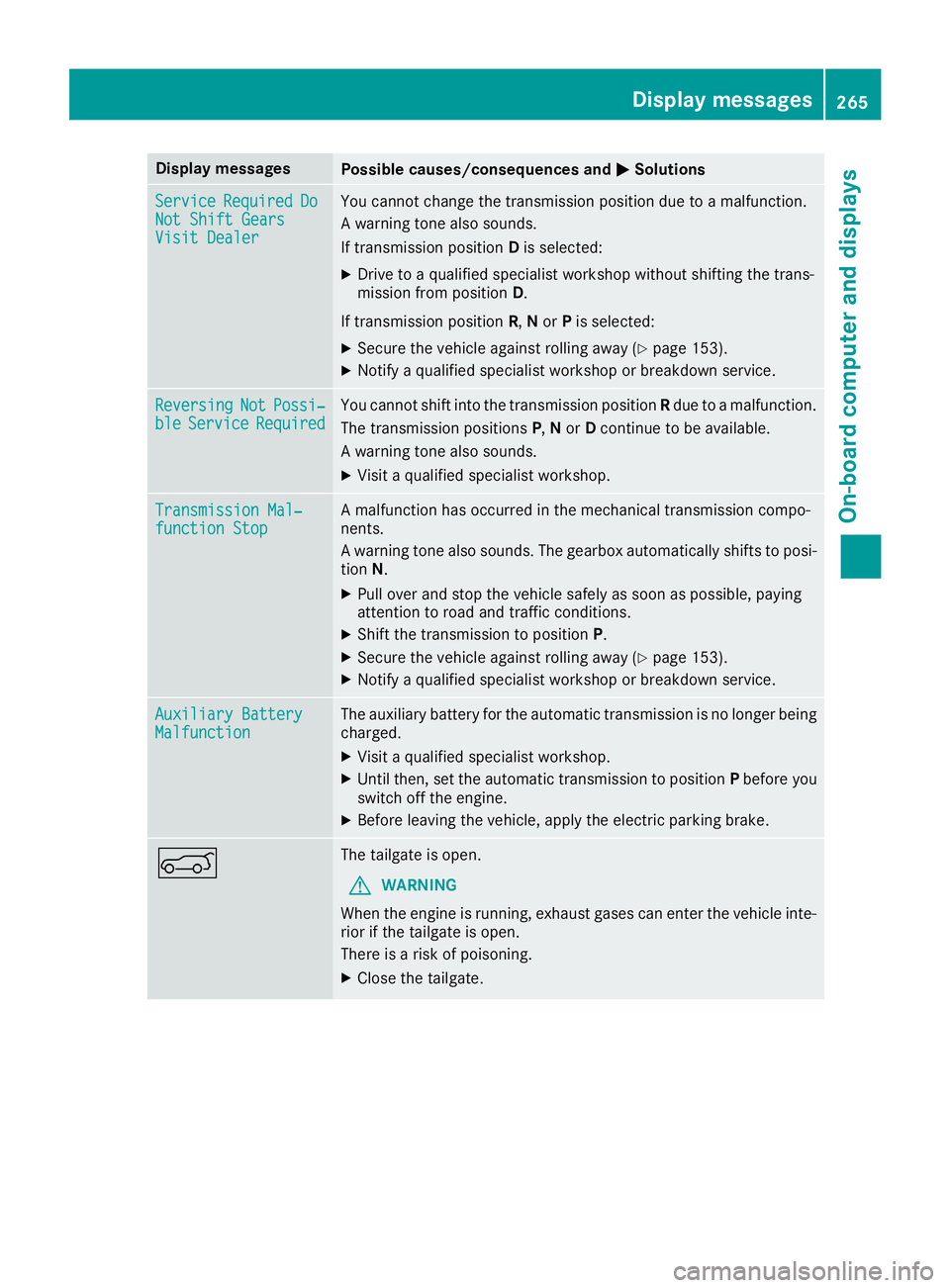
Display messages
Possible causes/consequences and P Solutions
Servic e Required Do
Not Shift Gears
Visit Dealer You canno t chang e th e transmission position due to a malfunction .
A warning tone also sounds.
If transmission position D is selected:X
Drive to a qualified specialist workshop without shifting th e trans -
mission from position D .
If transmission position R , N or P is selected:X
Secur e th e vehicl e against rollin g away ( Y
page 153).X
Notify a qualified specialist workshop or breakdown service.
Reversing Not Possi‐
ble Servic e Required You canno t shift int o th e transmission position R due to a malfunction .
The transmission position s P , N or D continu e to be available.
A warning tone also sounds. X
Visit a qualified specialist workshop .
Transmission Mal ‐
function Sto p A malfunction has occurred in th e mechanical transmission compo -
nents.
A warning tone also sounds. The gearbox automatically shift s to posi-
tion N . X
Pull ove r and stop th e vehicl e safely as soo n as possible, payin g
attention to roa d and traffic conditions.X
Shift th e transmission to position P .X
Secur e th e vehicl e against rollin g away ( Y
page 153).X
Notify a qualified specialist workshop or breakdown service.
Auxiliary Batter y
Malfunction The auxiliary battery for th e automatic transmission is no longer bein g
charged. X
Visit a qualified specialist workshop .X
Unti l then , set th e automatic transmission to position P before you
switch off th e engine.X
Befor e leaving th e vehicle, apply th e electric parking brake.
e The tailgat e is open .
G WARNIN G
Whe n th e engin e is running, exhaust gase s can ente r th e vehicl e inte-
rio r if th e tailgat e is open .
There is a ris k of poisoning .X
Clos e th e tailgate. Display messages 26 5
On-board computer and displays Z
Page 305 of 390
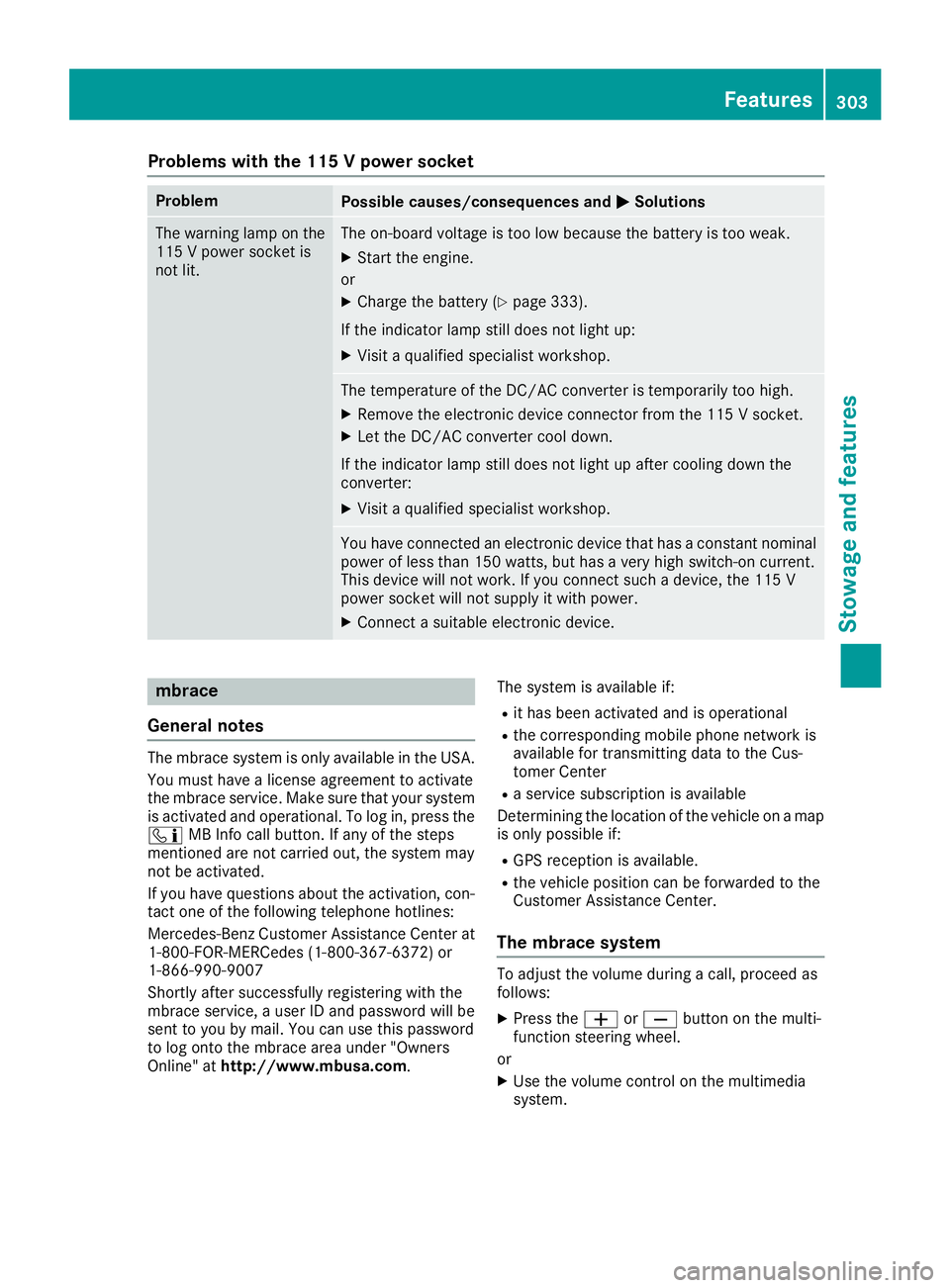
Problems with the 115 V power socket Problem
Possible causes/consequences and P Solutions
The warning lamp on the
115 V power socket is
not lit. The on-board voltage is too low because the battery is too weak. X
Start the engine.
or X
Charge the battery ( Y
page 333).
If the indicator lamp still does not light up: X
Visit a qualified specialist workshop.
The temperature of the DC/AC converter is temporarily too high. X
Remove the electronic device connector from the 115 V socket. X
Let the DC/AC converter cool down.
If the indicator lamp still does not light up after cooling down the
converter: X
Visit a qualified specialist workshop.
You have connected an electronic device that has a constant nominal
power of less than 150 watts, but has a very high switch-on current.
This device will not work. If you connect such a device, the 115 V
power socket will not supply it with power. X
Connect a suitable electronic device.
mbrace
General notes The mbrace system is only available in the USA.
You must have a license agreement to activate
the mbrace service. Make sure that your system
is activated and operational. To log in, press the
Page 306 of 390
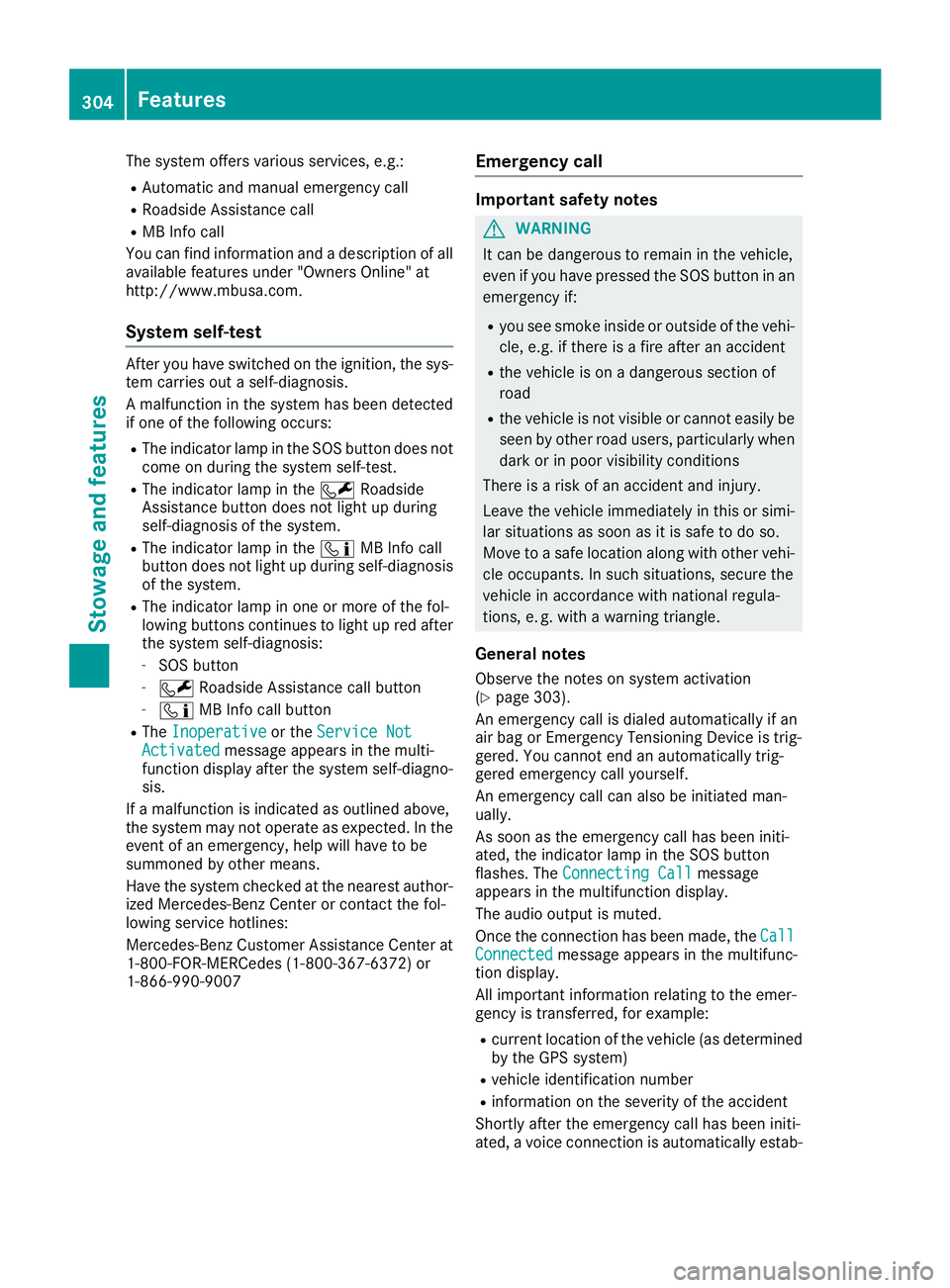
The system offers various services, e.g.: R
Automatic and manual emergency call R
Roadside Assistance call R
MB Info call
You can find information and a description of all
available features under "Owners Online" at
http://www.mbusa.com.
System self-test After you have switched on the ignition, the sys-
tem carries out a self-diagnosis.
A malfunction in the system has been detected
if one of the following occurs: R
The indicator lamp in the SOS button does not
come on during the system self-test. R
The indicator lamp in the R Roadside
Assistance button does not light up during
self-diagnosis of the system. R
The indicator lamp in the