wheel MERCEDES-BENZ GLE 2018 User Guide
[x] Cancel search | Manufacturer: MERCEDES-BENZ, Model Year: 2018, Model line: GLE, Model: MERCEDES-BENZ GLE 2018Pages: 398, PDF Size: 9.25 MB
Page 20 of 398
AUX jacks CD/DVD drive .............. 294
Rear seats
Adjusting ....................................... 100
Rear view camera
Cleaning instructions ..................... 330
Display in the multimedia system .. 195
Function/notes ............................. 194
Switching on/off ........................... 195
Rear window defroster
Problem (malfunction) ................... 131
Switching on/off ........................... 130
Rear window wiper
Replacing the wiper blade .............. 120
Switching on/off ........................... 118
Rear-view mirror
Anti-glare (manual) ........................ 105
Dipping (automatic) ....................... 107
Reflective safety jacket .................... 334
Refrigerant (air-conditioning sys-
tem)
Important safety notes .................. 389
Refueling
Fuel gauge ....................................... 37
Important safety notes .................. 150
Refueling process .......................... 151
see Fuel
Remote control
Garage door opener ....................... 316
Replacing bulbs
General notes ................................ 115
High-beam headlamps ................... 116
Important safety notes .................. 115
Installing/removing the cover
(front wheel arch) .......................... 116
Low-beam headlamps .................... 116
Overview of bulb types .................. 115
Turn signals (front) ......................... 117
Reporting safety defects .................... 32
Rescue card ......................................... 32
Reserve (fuel tank)
see Fuel
Reserve fuel
Display message ............................ 258
Warning lamp ................................. 283
Residual heat (climate control) ........ 131
Restraint system
Display message ............................ 251
Introduction ..................................... 44 Warning lamp ................................. 282
Warning lamp (function) ................... 45
Reversing feature
Panorama sliding sunroof ................ 93
Roller sunblinds ............................... 94
Side windows ................................... 89
Sliding sunroof ................................. 93
Tailga te ............................................ 85
Re v
ersing lamps (display mes-
sage) ................................................... 255
Roadside Assistance (breakdown) .... 29
Roller sunblind
Panorama roof with power tilt/
sliding panel ..................................... 94
Rear side windows ......................... 306
Roof carrier ........................................ 304
Roof lining and carpets (cleaning
guidelines) ......................................... 333
Roof load (maximum) ........................ 390
Route (navigation)
see Route guidance (navigation)
Route guidance
see also Digital Operator's Man-
ual .................................................. 287
Route guidance (navigation) ............ 232
Route guidance active ...................... 233
S
Safety
Children in the vehicle ..................... 59
see Occupant safety
see Operating safety
Safety system
see Driving safety systems
SD card
Inserting ........................................ 293
Inserting/removing ........................ 293
Removing ....................................... 293
SD memory card
see also Digital Operator's Man-
ual .................................................. 287
Selecting ........................................ 234
Search & Send
see also Digital Operator's Man-
ual .................................................. 287
Seat
Correct driver's seat position ........... 9718
Index
Page 22 of 398
Convenience closing feature ............ 90
Convenience opening feature .......... 89
Dis play message ............................ 273
Door central locking/unlocking ...... .7 7
Important safety notes .................... 77
KEYLESS-GO start function .............. 79
Loss ................................................ .8 1
Mechanical key ................................ 79
Overview .......................................... 77
Positions (ignition lock) ................. 135
Problem (malfunction) ..................... 81
Starting the engine ........................ 137
Smartphone
Starting the engine ........................ 137
SMS
see also Digital Operator's Man-
ual .................................................. 287
Snow chains
Information .................................... 353
Sockets
Center console .............................. 308
General notes ................................ 308
Luggage compartment .................. .3 08
Rear compartment ......................... 308
Sound
Switching on/off ........................... 288
Special seat belt retractor .................. 60
Specialist workshop ............................ 31
Speed, controlling
see Cruise control
Speedometer
Digital ............................................ 232
In the Instrument cluster ................. 37
Segments ...................................... 228
Selecting the display unit .............. .2 38
Standing lamps
Display message ............................ 255
Switching on/off ........................... 111
Start/Stop button
Starting the engine ........................ 137
Start/stop function
see ECO start/stop function
Starting (engine) ................................ 136
STEER CONTROL ..................... ............. 75
Ste e ring
Display message ............................ 272
Steering Pilot
Activating/deactivating ................. 236 Display message ............................ 266
Steering wheel
Adjusting (electrically) ................... 104
Adjusting (manually) ...................... 103
Button overview ............................... 38
Buttons (on-board computer) ......... 229
Cleaning ......................................... 332
Important safety notes .................. 103
Steering wheel heating .................. 104
Storing settings (memory func-
tion) ............................................... 108
Steering wheel heating
Problem (malfunction) ................... 104
Switching on/off ........................... 104
Steering wheel paddle shifters ........ 147
Stopwatch (RACETIMER) ................... 241
Stowage areas ................................... 295
Stowage compartments
Armrest (under) ............................. 296
Center console .............................. 297
Center console (rear) ..................... 297
Cup holders ................................... 304
Eyeglasses compartment ............... 297
Glove box ....................................... 296
Important safety information ......... 295
Stowage net ................................... 297
Stowage net ....................................... 297
Summer tires
In winter ........................................ 353
Sun visor ............................................ 305
Suspension setting
AIRMATIC ...................................... 183
AMG adaptive sport suspension
system ........................................... 186
Suspension tuning
SETUP (on-board computer,
Mercedes-AMG vehicles) ............... 241
SUV
(Sport Utility Vehicle) ....................... 30
Switching air-recirculation mode
on/off ................................................. 131
Switching on media mode
Via the device list .......................... 293
T
Tachometer ........................................ 22820
Index
Page 23 of 398
Tailgate
Display message ............................ 271
Emergency unlocking ....................... 88
Important safety notes .................... 84
Limiting the opening angle ............... 88
Opening dimensions ...................... 390
Opening/closing (automatically
from inside) ...................................... 87
Opening/closing (automatically
from outside) ................................... 86
Opening/closing (from outside) ....... 85
Power closing .................................. 84
Tank
see Fuel tank
Tank content
Fuel gauge ....................................... 37
Technical data
Capacities ...................................... 383
Information .................................... 381
Tires/wheels ................................. 376
Trailer loads ................................... 394
Vehicle data ................................... 390
Telephone
Accepting a call (multifunction
steering wheel) .............................. 235
Authorizing a mobile phone (con-
necting) ......................................... 291
Authorizing a mobile phone via the
device manager (connecting) ......... 292
Connecting a mobile phone
(device manager) ........................... 292
Connecting a mobile phone (gen-
eral information) ............................ 291
Display message ............................ 272
Menu (on-board computer) ............ 235
Number from the phone book ........ 235
Redialing ........................................ 235
Rejecting/ending a call ................. 235
see also Digital Operator's Man-
ual .................................................. 287
Temperature
Coolant (display in the instrument
cluster) .......................................... 229
Coolant (on-board computer,
Mercedes-AMG vehicles) ............... 240
Engine oil (on-board computer,
Mercedes-AMG vehicles) ............... 240
Outside temperature ...................... 228 Setting (climate control) ................ 128
Transmission oil (on-board com-
puter, Mercedes-AMG vehicles) ..... 240
Through-loading feature ................... 298
Timing ( RACETIMER) ......................... 241
Tire pressure
Calling up (on-board computer) ..... 358
Checking manually ........................ 357
Display message ............................ 268
Maximum ....................................... 357
Not reached (TIREFIT) .................... 338
Notes ............................................. 356
Reached (TIREFIT) .......................... 339
Recommended ............................... 354
Tire pressure loss warning system
General notes ................................ 357
Important safety notes .................. 358
Restarting ...................................... 358
Tire pressure monitor
Checking the tire pressure elec-
tronically ........................................ 360
Function/notes ............................. 358
General notes ................................ 358
Important safety notes .................. 359
Radio type approval for the tire
pressure monitor ........................... 361
Restarting ...................................... 361
Warning lamp ................................. 286
Warning message .......................... 360
Tire pressure table ............................ 355
TIREFIT kit
Important safety notes .................. 337
Storage location ............................ 335
Tire pressure not reached .............. 338
Tire pressure reached .................... 339
Using ............................................. 337
Tires
Aspect ratio (definition) ................. 370
Average weight of the vehicle
occupants (definition) .................... 369
Bar (definition) ............................... 369
Changing a wheel .......................... 371
Characteristics .............................. 369
Checking ........................................ 351
Curb weight (definition) ................. 370
Definition of terms ......................... 369
Direction of rotation ...................... 372
Display message ............................ 268 Index 21
Page 24 of 398
Distribution of the vehicle occu-
pants (definition) ............................ 371
DOT (Department of Transporta-
tion) (definition) ............................. 369
DOT, Tire Identification Number
(TIN) ............................................... 368
GAWR (Gross Axle Weight Rating)
(definition) .................................... .3 69
GTW (Gross Trailer Weight) (defi-
nition) ............................................ 370
GVW (Gross Vehicle Weight) (def-
inition) .......................................... .3 70
GVWR (Gross Vehicle Weight Rat-
ing) (definition) .............................. 370
Important safety notes .................. 351
Increased vehicle weight due to
optional equipment (definition) ...... 369
Information on driving .................... 351
Kilopascal (kPa) (definition) ........... 370
Labeling (overview) ........................ 366
Load bearing index (definition) ...... 371
Load index ..................................... 368
Load index (definition) ................... 370
M+S tires ....................................... 353
Maximum load on a tire (defini-
tion) ............................................... 370
Maximum loaded vehicle weight
(definition) ..................................... 370
Maximum permissible tire pres-
sure (definition) ............................. 370
Maximum tire load ......................... 368
Maximum tire load (definition) ....... 370
MOExtended tires .......................... 353
Optional equipment weight (defi-
nition) ............................................ 371
PSI (pounds per square inch) (def-
inition) ........................................... 370
Replacing ....................................... 371
Service life ..................................... 352
Sidewall (definition) ....................... 371
Snow chains .................................. 353
Speed rating (definition) ................ 370
Storing ........................................... 372
Structure and characteristics
(definition) ..................................... 369
Summer tires in winter .................. 353
Temp erature .................................. 365 T
IN (Tire Identification Number)
(definition) ..................................... 371
Tire bead (definition) ...................... 370
Tire pressure (definition) ................ 370
Tire pressures (recommended) ...... 369
Tire size (data) ............................... 376
Tire size designation, load-bearing
capacity, speed rating .................... 366
Tire tread ....................................... 352
Tire tread (definition) ..................... 370
Total load limit (definition) ............. 371
Traction ......................................... 365
Traction (definition) ....................... 371
Tread wear ..................................... 365
TWR (permissible trailer drawbar
noseweight) (definition) ................. 371
Uniform Tire Quality Grading
Standards ...................................... 364
Uniform Tire Quality Grading
Standards (definition) .................... 369
Wear indicator (definition) ............. 371
Wheel and tire combination ........... 376
Wheel rim (definition) .................... 369
see Flat tire
Top Tether ............................................ 62
Tow-starting
Emergency engine starting ............ 348
Important safety notes .................. 345
Towing a trailer
Axle load, permissible .................... 394
Cleaning the trailer tow hitch ......... 331
Coupling up a trailer ...................... 222
Decoupling a trailer ....................... 224
Driving tips .................................... 220
Important safety notes .................. 219
Installing the ball coupling ............. 221
Lights display message .................. 255
Mounting dimensions .................... 394
Parking Assist PARKTRONIC .......... 187
Power supply ................................. 225
Pulling away with a trailer .............. 138
Removing the ball coupling ............ 224
Trailer loads ................................... 394
Towing away
Important safety guidelines ........... 345
Insta l ling the towing eye ................ 346
Notes for 4MATIC vehicles ............ 348
Removing the towing eye ............... 34622
Index
Page 26 of 398
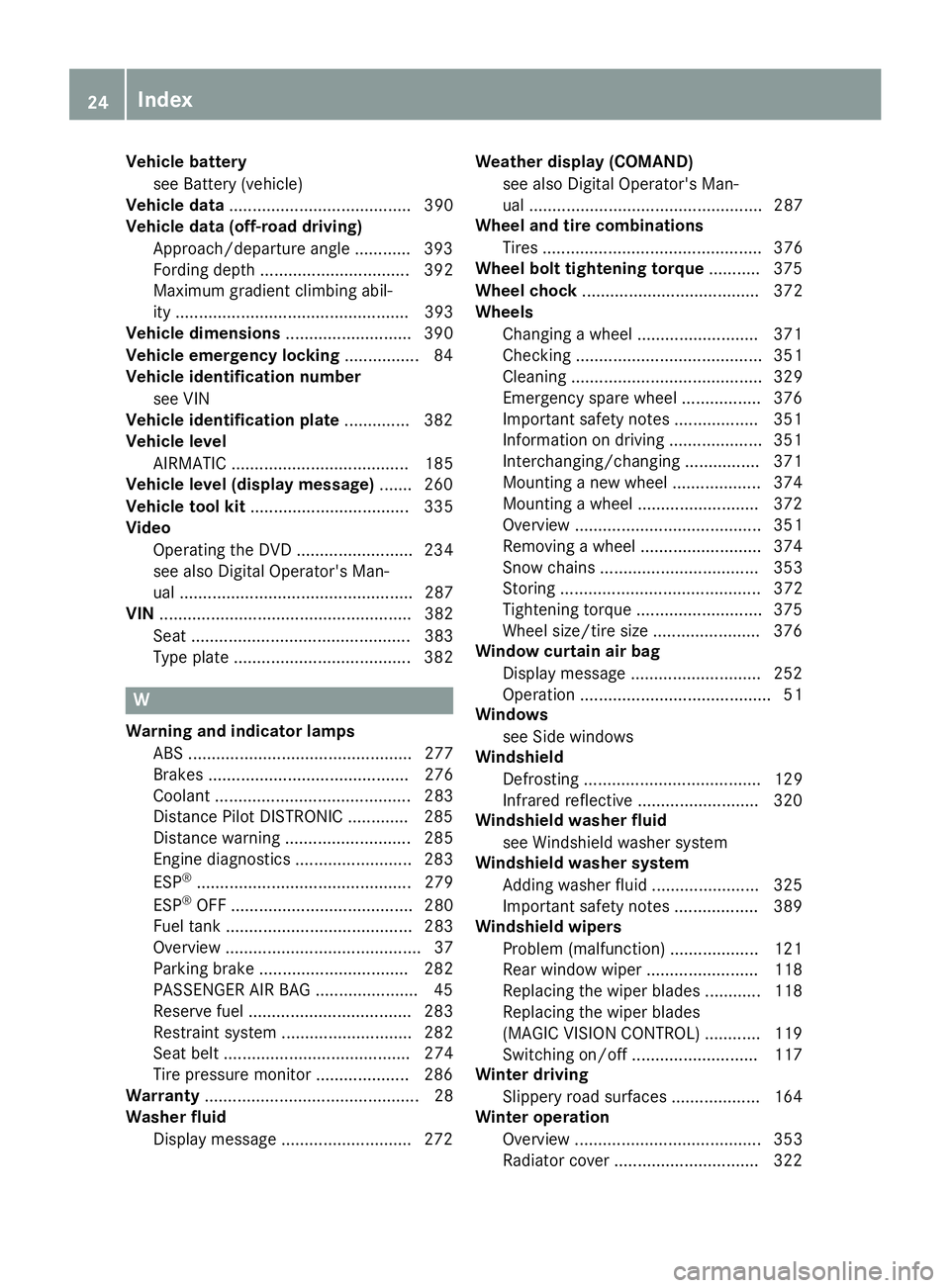
Vehicle battery
see Battery (vehicle)
Vehicle data ....................................... 390
Vehicle data (off-road driving)
Approach/departure angle ............ 393
Fording depth ................................ 392
Maximum gradient climbing abil-
ity .................................................. 393
Vehicle dimensions ........................... 390
Vehicle emergency locking ................ 84
Vehicle identification number
see VIN
Vehicle identification plate .............. 382
Vehicle level
AIRMATIC ...................................... 185
Vehicle level (display message) ....... 260
Vehicle tool kit .................................. 335
Video
Operating the DVD ......................... 234
see also Digital Operator's Man-
ual .................................................. 287
VIN ...................................................... 382
Seat ............................................... 383
Type plate ...................................... 382
W
Warning and indicator lamps
ABS ................................................ 277
Brakes ........................................... 276
Coolant .......................................... 283
Distance Pilot DISTRONIC ............. 285
Distance warning ........................... 285
Engine diagnostics ......................... 283
ESP ®
.............................................. 279
ESP ®
OFF ....................................... 280
Fuel tank ........................................ 283
Overview .......................................... 37
Parking brake ................................ 282
PASSENGER AIR BAG ...................... 45
Reserve fuel ................................... 283
Restraint system ............................ 282
Seat belt ........................................ 274
Tire pressure monitor .................... 286
Warranty .............................................. 28
Washer fluid
Display message ............................ 272 Weather display (COMAND)
see also Digital Operator's Man-
ual .................................................. 287
Wheel and tire combinations
Tires ............................................... 376
Wheel bolt tightening torque ........... 375
Wheel chock ...................................... 372
Wheels
Changing a wheel .......................... 371
Checking ........................................ 351
Cleaning ......................................... 329
Emergency spare wheel ................. 376
Important safety notes .................. 351
Information on driving .................... 351
Interchanging/changing ................ 371
Mounting a new wheel ................... 374
Mounting a wheel .......................... 372
Overview ........................................ 351
Removing a wheel .......................... 374
Snow chains .................................. 353
Storing ........................................... 372
Tightening torque ........................... 375
Wheel size/tire size ....................... 376
Window curtain air bag
Display message ............................ 252
Operation ......................................... 51
Windows
see Side windows
Windshield
Defrosting ...................................... 129
Infrared reflective .......................... 320
Windshield washer fluid
see Windshield washer system
Windshield washer system
Adding washer fluid ....................... 325
Important safety notes .................. 389
Windshield wipers
Problem (malfunction) ................... 121
Rear window wiper ........................ 118
Replacing the wiper blades ............ 118
Rep lacing the wiper blades
( MAGIC VISION CONTROL) ............ 119
Switching on/off ........................... 117
Winter driving
Slippery road surfaces ................... 164
Winter operation
Overview ........................................ 353
Radiator cover ............................... 32224
Index
Page 30 of 398
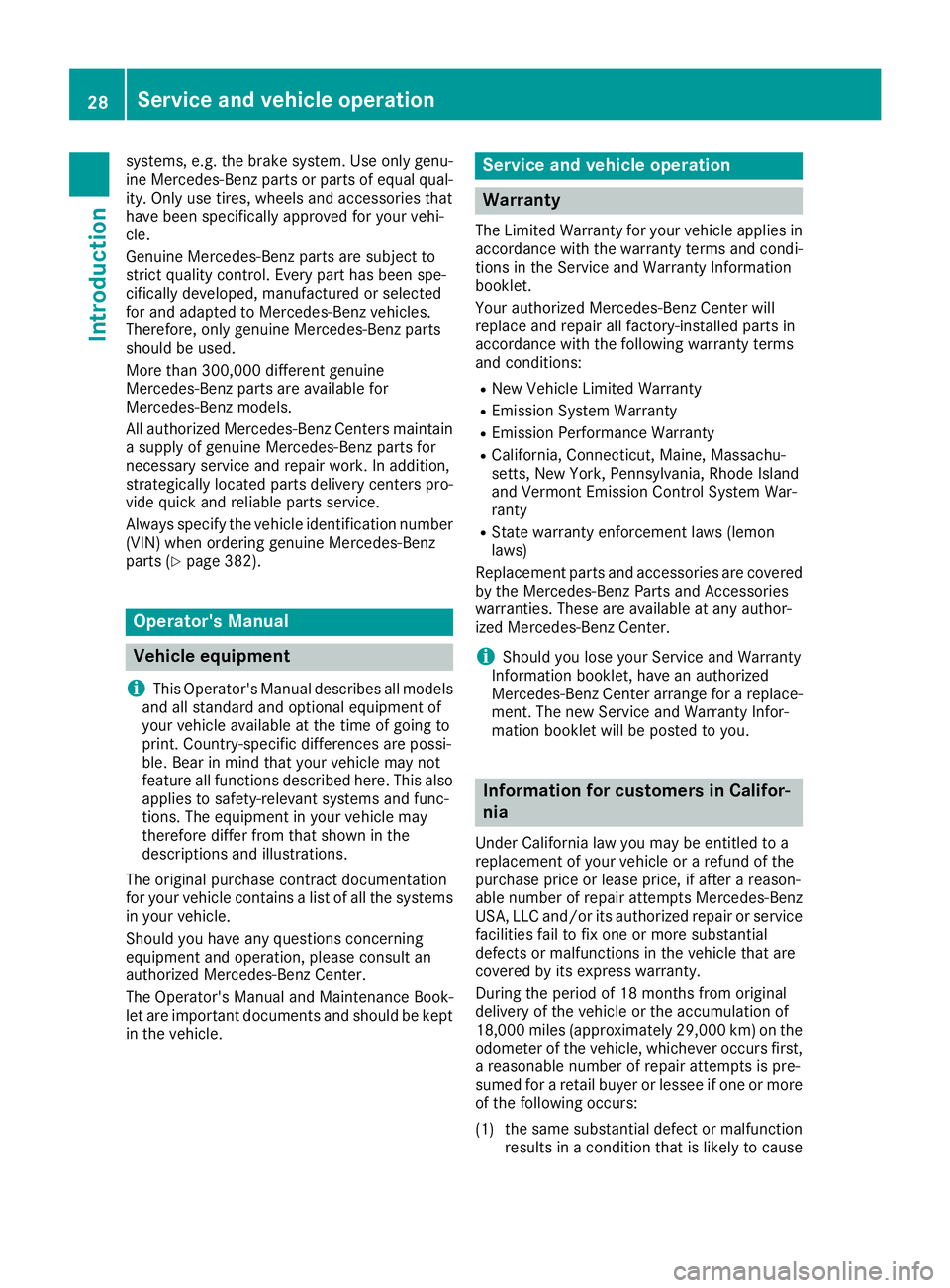
systems, e.g. the brake system. Use only genu-
ine Mercedes-Benz parts or parts of equal qual-
ity. Only use tires, wheels and accessories that
have been specifically approved for your vehi-
cle.
Genuine Mercedes-Benz parts are subject to
strict quality control. Every part has been spe-
cifically developed, manufactured or selected
for and adapted to Mercedes-Benz vehicles.
Therefore, only genuine Mercedes-Benz parts
should be used.
More than 300,000 different genuine
Mercedes-Benz parts are available for
Mercedes-Benz models.
All authorized Mercedes-Benz Centers maintain
a supply of genuine Mercedes-Benz parts for
necessary service and repair work. In addition,
strategically located parts delivery centers pro-
vide quick and reliable parts service.
Always specify the vehicle identification number
(VIN) when ordering genuine Mercedes-Benz
parts ( Y
page 382).
Operator's Manual
Vehicle equipment
i This Operator's Manual describes all models
and all standard and optional equipment of
your vehicle available at the time of going to
print. Country-specific differences are possi-
ble. Bear in mind that your vehicle may not
feature all functions described here. This also
applies to safety-relevant systems and func-
tions. The equipment in your vehicle may
therefore differ from that shown in the
descriptions and illustrations.
The original purchase contract documentation
for your vehicle contains a list of all the systems
in your vehicle.
Should you have any questions concerning
equipment and operation, please consult an
authorized Mercedes-Benz Center.
The Operator's Manual and Maintenance Book-
let are important documents and should be kept
in the vehicle. Service and vehicle operation
Warranty The Limited Warranty for your vehicle applies in
accordance with the warranty terms and condi-
tions in the Service and Warranty Information
booklet.
Your authorized Mercedes-Benz Center will
replace and repair all factory-installed parts in
accordance with the following warranty terms
and conditions: R
New Vehicle Limited Warranty R
Emission System Warranty R
Emission Performance Warranty R
California, Connecticut, Maine, Massachu-
setts, New York, Pennsylvania, Rhode Island
and Vermont Emission Control System War-
ranty R
State warranty enforcement laws (lemon
laws)
Replacement parts and accessories are covered
by the Mercedes-Benz Parts and Accessories
warranties. These are available at any author-
ized Mercedes-Benz Center.
i Should you lose your Service and Warranty
Information booklet, have an authorized
Mercedes-Benz Center arrange for a replace-
ment. The new Service and Warranty Infor-
mation booklet will be posted to you.
Information for customers in Califor-
nia Under California law you may be entitled to a
replacement of your vehicle or a refund of the
purchase price or lease price, if after a reason-
able number of repair attempts Mercedes-Benz
USA, LLC and/or its authorized repair or service
facilities fail to fix one or more substantial
defects or malfunctions in the vehicle that are
covered by its express warranty.
During the period of 18 months from original
delivery of the vehicle or the accumulation of
18,000 miles (approximately 29,000 km) on the
odometer of the vehicle, whichever occurs first,
a reasonable number of repair attempts is pre-
sumed for a retail buyer or lessee if one or more
of the following occurs:
(1) the same substantial defect or malfunction
results in a condition that is likely to cause28
Service and vehicle operation
Introduction
Page 32 of 398
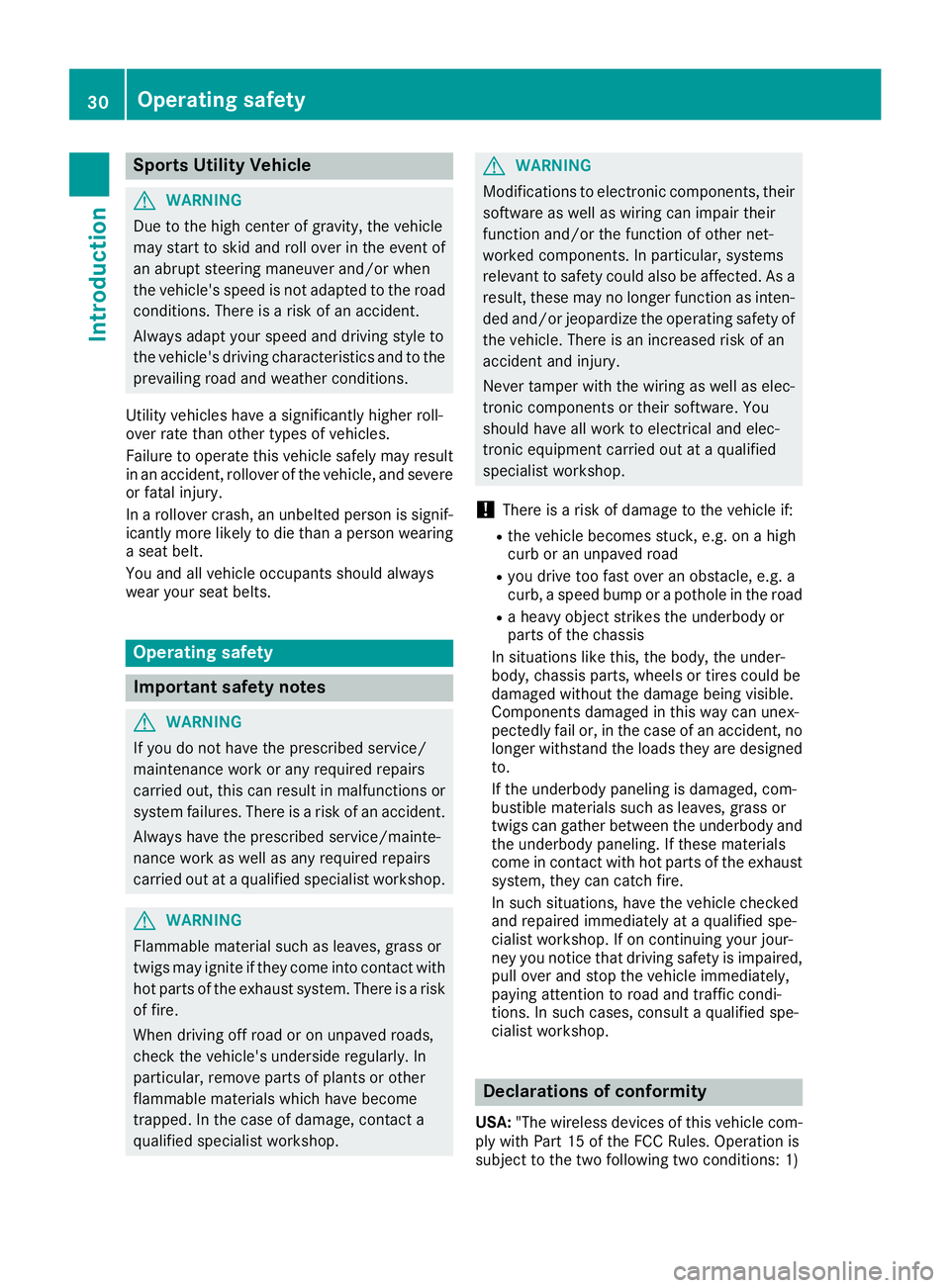
Sports Utility Vehicle
G WARNING
Due to the high center of gravity, the vehicle
may start to skid and roll over in the event of
an abrupt steering maneuver and/or when
the vehicle's speed is not adapted to the road
conditions. There is a risk of an accident.
Always adapt your speed and driving style to
the vehicle's driving characteristics and to the
prevailing road and weather conditions.
Utility vehicles have a significantly higher roll-
over rate than other types of vehicles.
Failure to operate this vehicle safely may result
in an accident, rollover of the vehicle, and severe
or fatal injury.
In a rollover crash, an unbelted person is signif-
icantly more likely to die than a person wearing
a seat belt.
You and all vehicle occupants should always
wear your seat belts.
Operating safety
Important safety notes
G WARNING
If you do not have the prescribed service/
maintenance work or any required repairs
carried out, this can result in malfunctions or
system failures. There is a risk of an accident.
Always have the prescribed service/mainte-
nance work as well as any required repairs
carried out at a qualified specialist workshop.
G WARNING
Flammable material such as leaves, grass or
twigs may ignite if they come into contact with
hot parts of the exhaust system. There is a risk
of fire.
When driving off road or on unpaved roads,
check the vehicle's underside regularly. In
particular, remove parts of plants or other
flammable materials which have become
trapped. In the case of damage, contact a
qualified specialist workshop. G WARNING
Modifications to electronic components, their
software as well as wiring can impair their
function and/or the function of other net-
worked components. In particular, systems
relevant to safety could also be affected. As a
result, these may no longer function as inten-
ded and/or jeopardize the operating safety of
the vehicle. There is an increased risk of an
accident and injury.
Never tamper with the wiring as well as elec-
tronic components or their software. You
should have all work to electrical and elec-
tronic equipment carried out at a qualified
specialist workshop.
! There is a risk of damage to the vehicle if: R
the vehicle becomes stuck, e.g. on a high
curb or an unpaved road R
you drive too fast over an obstacle, e.g. a
curb, a speed bump or a pothole in the road R
a heavy object strikes the underbody or
parts of the chassis
In situations like this, the body, the under-
body, chassis parts, wheels or tires could be
damaged without the damage being visible.
Components damaged in this way can unex-
pectedly fail or, in the case of an accident, no
longer withstand the loads they are designed
to.
If the underbody paneling is damaged, com-
bustible materials such as leaves, grass or
twigs can gather between the underbody and
the underbody paneling. If these materials
come in contact with hot parts of the exhaust
system, they can catch fire.
In such situations, have the vehicle checked
and repaired immediately at a qualified spe-
cialist workshop. If on continuing your jour-
ney you notice that driving safety is impaired,
pull over and stop the vehicle immediately,
paying attention to road and traffic condi-
tions. In such cases, consult a qualified spe-
cialist workshop.
Declarations of conformity
USA: "The wireless devices of this vehicle com-
ply with Part 15 of the FCC Rules. Operation is
subject to the two following two conditions: 1)30
Operating safety
Introduction
Page 34 of 398
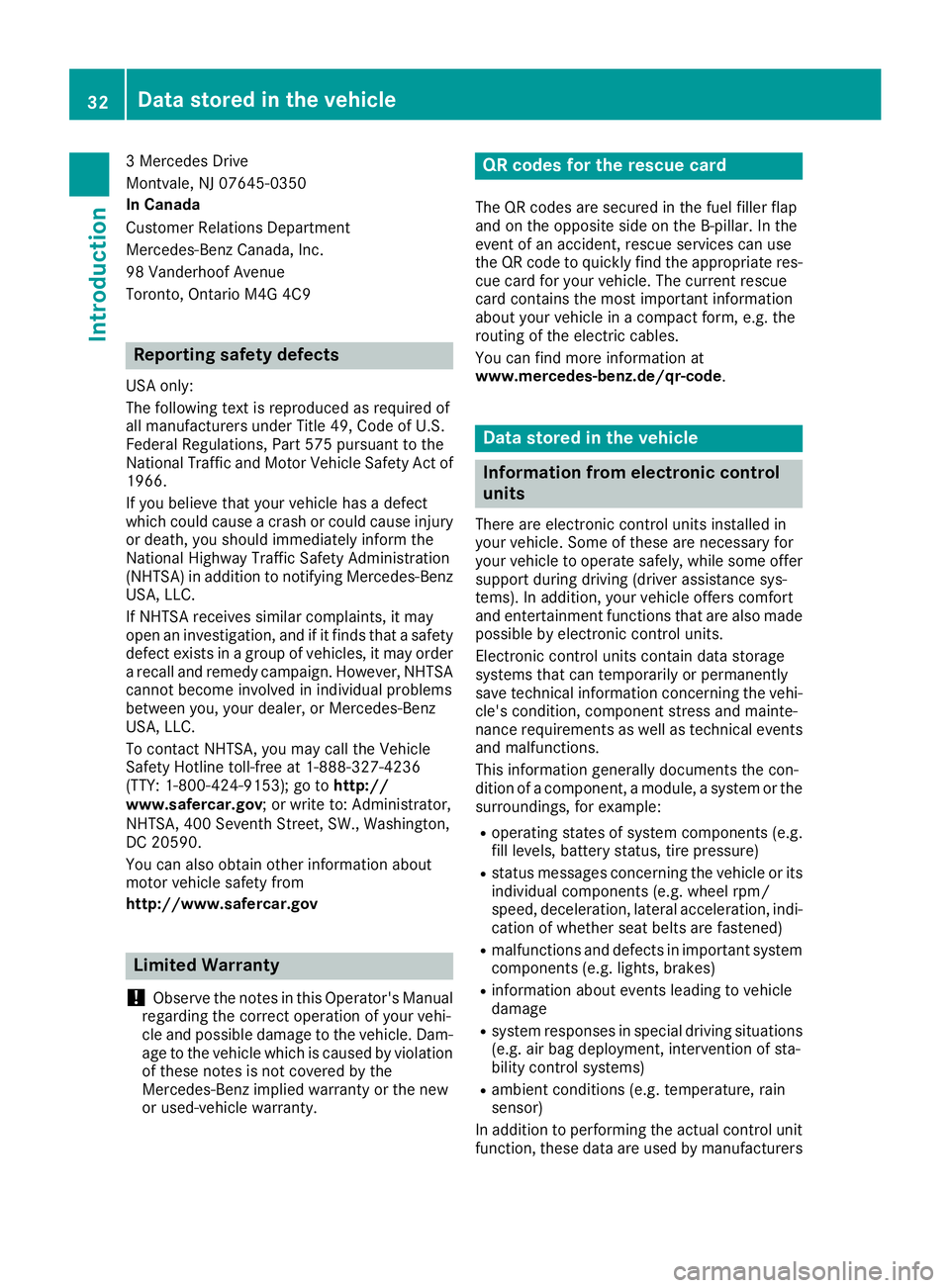
3 Mercedes Drive
Montvale, NJ 07645-0350
In Canada
Customer Relations Department
Mercedes-Benz Canada, Inc.
98 Vanderhoof Avenue
Toronto, Ontario M4G 4C9
Reporting safety defects USA only:
The following text is reproduced as required of
all manufacturers under Title 49, Code of U.S.
Federal Regulations, Part 575 pursuant to the
National Traffic and Motor Vehicle Safety Act of
1966.
If you believe that your vehicle has a defect
which could cause a crash or could cause injury
or death, you should immediately inform the
National Highway Traffic Safety Administration
(NHTSA) in addition to notifying Mercedes-Benz
USA, LLC.
If NHTSA receives similar complaints, it may
open an investigation, and if it finds that a safety
defect exists in a group of vehicles, it may order
a recall and remedy campaign. However, NHTSA
cannot become involved in individual problems
between you, your dealer, or Mercedes-Benz
USA, LLC.
To contact NHTSA, you may call the Vehicle
Safety Hotline toll-free at 1-888-327-4236
(TTY: 1-800-424-9153); go to http://
www.safercar.gov ; or write to: Administrator,
NHTSA, 400 Seventh Street, SW., Washington,
DC 20590.
You can also obtain other information about
motor vehicle safety from
http://www.safercar.gov
Limited Warranty
! Observe the notes in this Operator's Manual
regarding the correct operation of your vehi-
cle and possible damage to the vehicle. Dam-
age to the vehicle which is caused by violation
of these notes is not covered by the
Mercedes-Benz implied warranty or the new
or used-vehicle warranty. QR codes for the rescue card The QR codes are secured in the fuel filler flap
and on the opposite side on the B-pillar. In the
event of an accident, rescue services can use
the QR code to quickly find the appropriate res-
cue card for your vehicle. The current rescue
card contains the most important information
about your vehicle in a compact form, e.g. the
routing of the electric cables.
You can find more information at
www.mercedes-benz.de/qr-code .
Data stored in the vehicle
Information from electronic control
units There are electronic control units installed in
your vehicle. Some of these are necessary for
your vehicle to operate safely, while some offer
support during driving (driver assistance sys-
tems). In addition, your vehicle offers comfort
and entertainment functions that are also made
possible by electronic control units.
Electronic control units contain data storage
systems that can temporarily or permanently
save technical information concerning the vehi-
cle's condition, component stress and mainte-
nance requirements as well as technical events
and malfunctions.
This information generally documents the con-
dition of a component, a module, a system or the
surroundings, for example: R
operating states of system components (e.g.
fill levels, battery status, tire pressure) R
status messages concerning the vehicle or its
individual components (e.g. wheel rpm/
speed, deceleration, lateral acceleration, indi-
cation of whether seat belts are fastened) R
malfunctions and defects in important system
components (e.g. lights, brakes) R
information about events leading to vehicle
damage R
system responses in special driving situations
(e.g. air bag deployment, intervention of sta-
bility control systems) R
ambient conditions (e.g. temperature, rain
sensor)
In addition to performing the actual control unit
function, these data are used by manufacturers32
Data stored in the vehicle
Introduction
Page 35 of 398
to detect and rectify malfunctions and to opti-
mize vehicle functions. Most of these data are
volatile and processed only in the vehicle itself.
Only a small part of the data is stored in event or
malfunction memories.
When you use services, the technical data from
the vehicle can be read out by service network
employees or third parties. Services can include
repair services, maintenance processes, war-
ranty cases and quality assurance measures.
The data is read out via the legally prescribed
diagnostics connection in the vehicle. The rele-
vant offices in the service network or third par-
ties collect, process and use the data. These
data document the vehicle's technical states,
are used to help in finding malfunctions and
improving quality and are sent to the manufac-
turer where necessary. In addition, the manu-
facturer is subject to product liability. The man-
ufacturer needs technical data from vehicles for
this purpose.
Malfunction memories in the vehicle can be
reset by a service center during repair or service
work.
You can incorporate data into the vehicle's com-
fort and infotainment functions yourself as part
of the s elected equipment.
T
hese include, for example: R
multimedia data such as music, films or pho-
tos for playback in an integrated multimedia
system R
address book data for use in conjunction with
an integrated hands-free system or an inte-
grated navigation system R
navigation destinations that have been
entered R
data about using Internet services
These data can be saved locally in the vehicle or
are located on a device that you have connected
to the vehicle. If this data is saved in the vehicle,
you can delete it at any time. These data are sent
to third parties only at your request, particularly
when you use online services in accordance with
the settings that you have selected.
You can save and change comfort settings/
customizations in the vehicle at any time.
Depending on the piece of equipment in ques-
tion, these can include, for example: R
seat and steering wheel position settings R
suspension and climate control settings R
custom settings such as interior lighting If your vehicle is equipped appropriately, you
can connect your smartphone or another mobile
end device to the vehicle. You can control this by
means of th e control elements integrated in the
ve
hicle. The smartphone's picture and sound
can be output via the multimedia system. Spe-
cific items of information are also sent to your
smartphone.
Depending on the type of integration, this can
include: R
general vehicle information R
position data
This allows the use of selected smartphone
apps, such as navigation or music player apps.
There is no additional interaction between the
smartphone and the vehicle, particularly active
access to vehicle data. The type of additional
data processing is determined by the provider of
the app being used. Whether you can configure
settings for it and, if so, which ones, depends on
the app and your smartphone's operating sys-
tem.
Service provider
Wireless network connection If your vehicle has a wireless network connec-
tion, data can be exchanged between your vehi-
cle and other systems. The wireless network
connection is made possible by the vehicle's
own transmitter and receiver or by mobile devi-
ces that you have brought into the vehicle (e.g.
smartphones). Online functions can be used via
this wireless network connection. These include
online services and applications/Apps provided
by the manufacturer or other providers.
Services provided by the manufacturer In the case of the manufacturer's online serv-
ices, the manufacturer describes the functions
in a suitable place and the associated informa-
tion subject to data protection legislation. Per-
sonal data can be used in order to provide online
services. The data exchange for this takes place
via a secure connection, e.g. with the manufac-
turer's IT systems intended for the purpose. Col-
lecting, processing and using personal data
beyond the provision of services is permitted
only on the basis of a statutory permit or decla-
ration of consent.Dat a stored in the vehicle 33
Introduction Z
Page 38 of 398
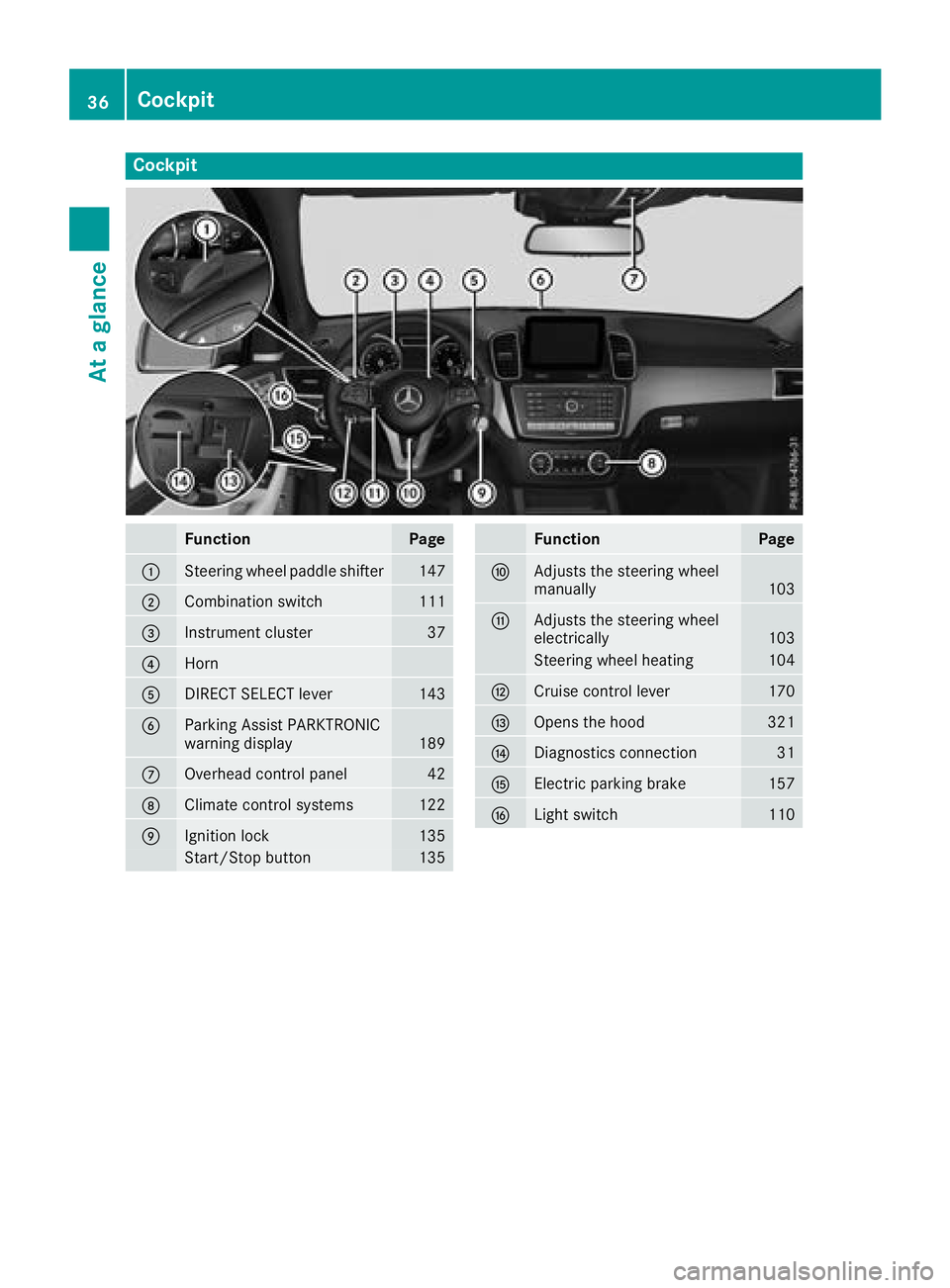
Cockpit
Function Page
C
Steering wheel paddle shifter 147
D
Combination switch 111