change wheel MERCEDES-BENZ GLE 2018 Owner's Manual
[x] Cancel search | Manufacturer: MERCEDES-BENZ, Model Year: 2018, Model line: GLE, Model: MERCEDES-BENZ GLE 2018Pages: 398, PDF Size: 9.25 MB
Page 215 of 398
When Adaptive is selected, no warning vibra-
tion occurs if: R
you switch on the turn signals. In this event,
the warnings are suppressed for a certain
period of time R
a driving safety system intervenes, e.g.
ABS, BAS or ESP ®
R
you accelerate hard, e.g. kickdown R
you brake hard R
you steer actively, e.g. swerve to avoid an
obstacle or change lanes quickly R
you cut the corner on a sharp bend
Towing a trailer When you attach a trailer, make sure you have
correctly established the electrical connection.
This can be accomplished by checking the trailer
lighting. Lane-correcting brake application does
not take place when towing a trailer. Active Lane
Keeping Assist is not activated and the lines in
the assistance graphic are gray.
Off-road driving systems
4MATIC (permanent four-wheel drive) 4MATIC ensures that all four wheels are perma-
nently driven. Together with ESP ®
and 4ETS, it
improves the traction of your vehicle whenever
a drive wheel spins due to insufficient grip.
If you fail to adapt your driving style, 4MATIC can
neither reduce the risk of accident nor override
the laws of physics. 4MATIC cannot take
account of road, weather and traffic conditions.
4MATIC is only an aid. You are responsible for
the distance to the vehicle in front, for vehicle
speed, for braking in good time and for staying in
your lane.
! Never tow the vehicle with one axle raised.
This may damage the transfer case. Damage
of this sort is not covered by the Mercedes-
Benz Limited Warranty. All wheels must
remain either on the ground or be fully raised.
Observe the instructions for towing the vehi-
cle with all wheels in full contact with the
ground.
! A function or performance test should only
be carried out on a two-axle dynamometer.
Before you operate the vehicle on such a
dynamometer, please consult a qualified workshop. You could otherwise damage the
drive train or the brake system.
i In wintry driving conditions, the maximum
effect of 4MATIC can only be achieved if you
use winter tires (M+S tires), with snow chains
if necessary.
Further information about "Driving off-road"
( Y
page 165).
DSR (Downhill Speed Regulation) General notes DSR is an aid to assist you when driving down-
hill. It keeps the speed of travel at the speed
selected on the on-board computer. The steeper
the downhill gradient, the greater the DSR brak-
ing effect on the vehicle. When driving on flat
stretches of road or on an uphill gradient, the
DSR braking effect is minimal or nonexistent.
DSR controls the vehicle’s speed when it is acti-
vated and the transmission is in position D , R or
N . You can drive at a higher or a lower speed
than that set on the on-board computer at any
time by accelerating or braking.
Important safety notes
G WARNING
If the speed driven and the set speed deviate
and you activate DSR on a slippery road sur-
face, the wheels may lose traction. There is an
increased danger of skidding and accidents.
Before switching DSR on, please take into
consideration the road surface and the differ-
ence between driving speed and the set
speed.
If you fail to adapt your driving style, DSR can
neither reduce the risk of accident nor override
the laws of physics. DSR cannot take account of
road, weather and traffic conditions. DSR is only
an aid. You are responsible for the distance to
the vehicle in front, for vehicle speed, for brak-
ing in good time and for staying in your lane.
You are always responsible for keeping control
of the vehicle and for assessing whether the
downhill gradient can be managed. DSR may not
always be able to keep to the set speed, depend-
ing on road surface and tire conditions. Select a
set speed suitable for the prevailing conditions
and when necessary, apply the brakes manually.Driving systems 213
Driving and parking Z
Page 217 of 398
appears in the multifunction display. The last
active drive program is selected again.
Do not use the Offroad program on roads that
are snow-covered or icy or if you have installed
your vehicle with snow chains.
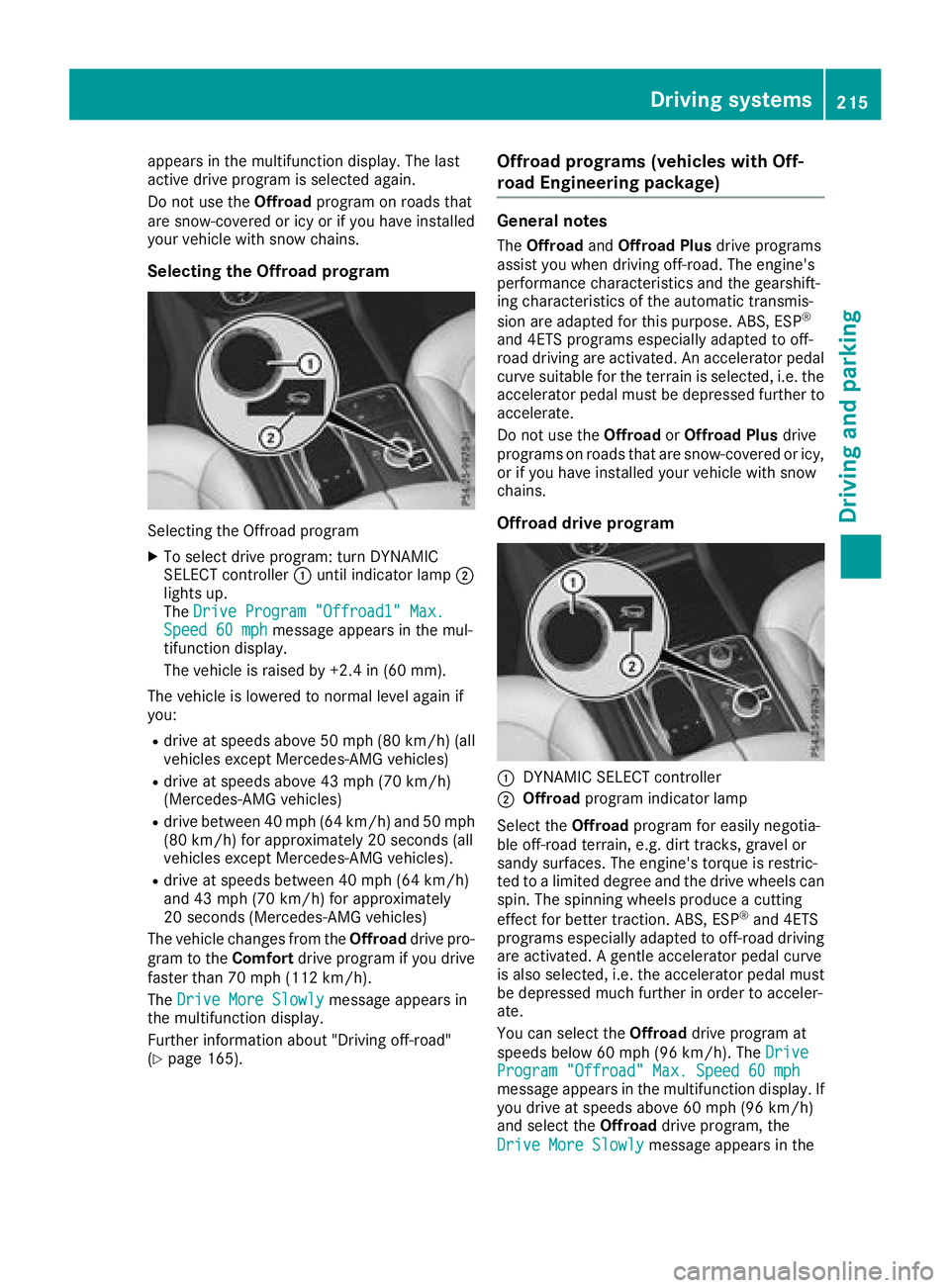
Selecting the Offroad program
Selecting the Offroad program X
To select drive program: turn DYNAMIC
SELECT controller C until indicator lamp D
lights up.
The Drive Program "Offroad1" Max.
Speed 60 mph message appears in the mul-
tifunction display.
The vehicle is raised by +2.4 in (60 mm).
The vehicle is lowered to normal level again if
you: R
drive at speeds above 50 mph (80 km/h) (all
vehicles except Mercedes-AMG vehicles) R
drive at speeds above 43 mph (70 km/h)
(Mercedes-AMG vehicles) R
drive between 40 mph (64 km/h) and 50 mph
(80 km/h) for approximately 20 seconds (all
vehicles except Mercedes-AMG vehicles). R
drive at speeds between 40 mph (64 km/ h)
and 43 mph (70 km/ h) for approximately
20 seconds (Mercedes-AMG vehicles)
The vehicle changes from the Offroad drive pro-
gram to the Comfort drive program if you drive
faster than 70 mph (112 km/h).
The Drive More Slowly message appears in
the multifunction display.
Further information about "Driving off-road"
( Y
page 165). Offroad programs (vehicles with Off-
road Engineering package) General notes The Offroad and Offroad Plus drive programs
assist you when driving off-road. The engine's
performance characteristics and the gearshift-
ing characteristics of the automatic transmis-
sion are adapted for this purpose. ABS, ESP ®
and 4ETS programs especially adapted to off-
road driving are activated. An accelerator pedal
curve suitable for the terrain is selected, i.e. the
accelerator pedal must be depressed further to
accelerate.
Do not use the Offroad or Offroad Plus drive
programs on roads that are snow-covered or icy,
or if you have installed your vehicle with snow
chains.
Offroad drive program
C
DYNAMIC SELECT controller D
Offroad program indicator lamp
Select the Offroad program for easily negotia-
ble off-road terrain, e.g. dirt tracks, gravel or
sandy surfaces. The engine's torque is restric-
ted to a limited degree and the drive wheels can
spin. The spinning wheels produce a cutting
effect for better traction. ABS, ESP ®
and 4ETS
programs especially adapted to off-road driving
are activated. A gentle accelerator pedal curve
is also selected, i.e. the accelerator pedal must
be depressed much further in order to acceler-
ate.
You can select the Offroad drive program at
speeds below 60 mph (96 km/h). The Drive
Program "Offroad" Max. Speed 60 mph
message appears in the multifunction display. If
you drive at speeds above 60 mph (96 km/h)
and select the Offroad drive program, the
Drive More Slowly message appears in theDriving systems 215
Driving and parking Z
Page 218 of 398
multifunction display. The last active drive pro-
gram is selected again.
Selecting the Offroad program X
To select a drive program: turn DYNAMIC
SELECT controller C until indicator lamp D
lights up.
The Drive program "Offroad" Max.
speed 60 mph message appears in the mul-
tifunction display.
The vehicle is raised by +1.2 in (30 mm).
The vehicle changes from the Offroad drive pro-
gram to the Comfort drive program if you drive
faster than 70 mph (112 km/h).
The Drive more slowly message appears in
the multifunction display.
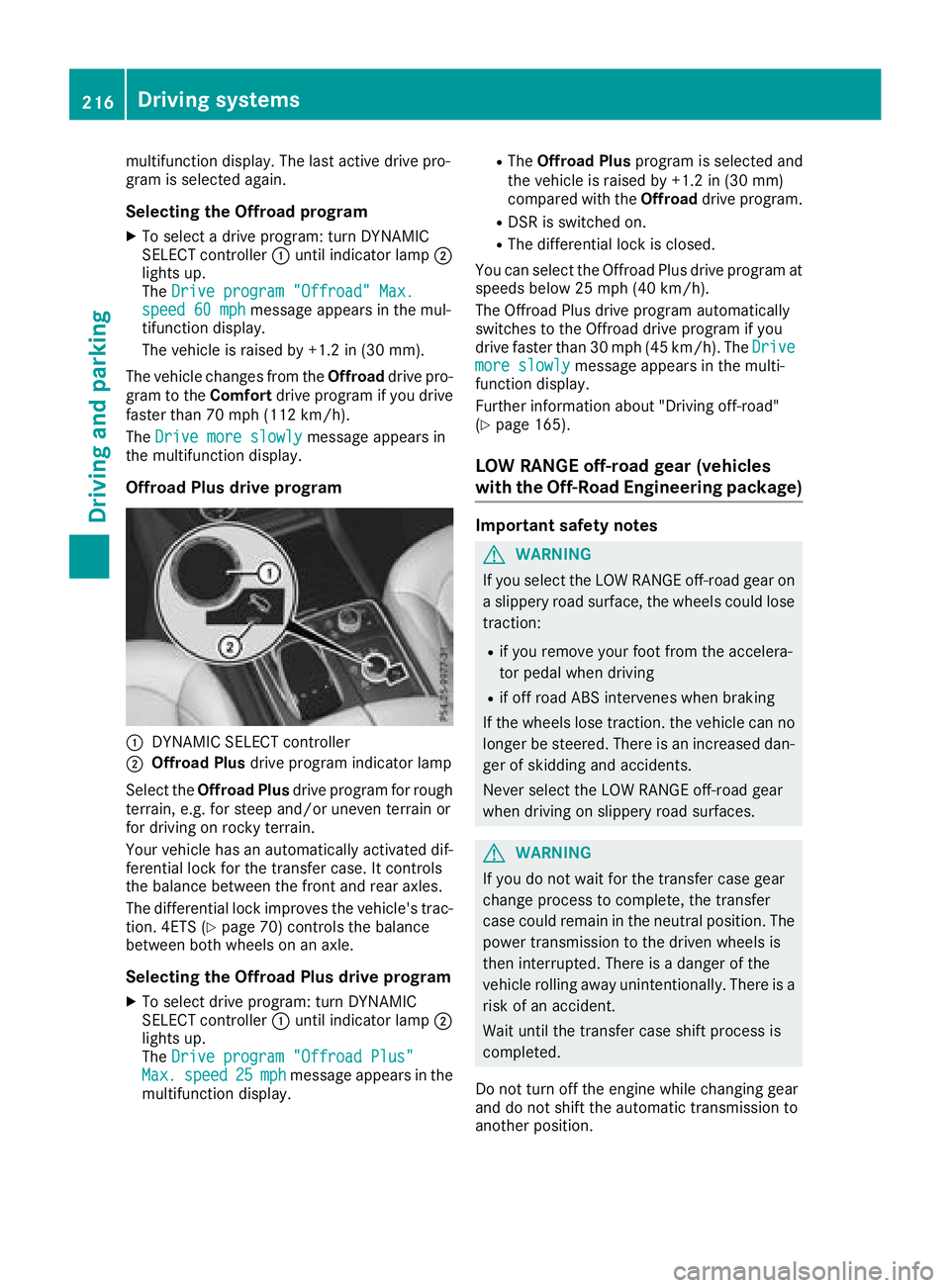
Offroad Plus drive program
C
DYNAMIC SELECT controllerD
Offroad Plus drive program indicator lamp
Select the Offroad Plus drive program for rough
terrain, e.g. for steep and/or uneven terrain or
for driving on rocky terrain.
Your vehicle has an automatically activated dif-
ferential lock for the transfer case. It controls
the balance between the front and rear axles.
The differential lock improves the vehicle's trac-
tion. 4ETS ( Y
page 70) controls the balance
between both wheels on an axle.
Selecting the Offroad Plus drive program X
To select drive program: turn DYNAMIC
SELECT controller C until indicator lamp D
lights up.
The Drive program "Offroad Plus"
Max. speed 25 mph message appears in the
multifunction display. R
The Offroad Plus program is selected and
the vehicle is raised by +1.2 in (30 mm)
compared with the Offroad drive program.R
DSR is switched on. R
The differential lock is closed.
You can select the Offroad Plus drive program at
speeds below 25 mph (40 km/h).
The Offroad Plus drive program automatically
switches to the Offroad drive program if you
drive faster than 30 mph (45 km/h). The Drive
more slowly message appears in the multi-
function display.
Further information about "Driving off-road"
( Y
page 165).
LOW RANGE off-road gear (vehicles
with the Off-Road Engineering package) Important safety notes
G WARNING
If you select the LOW RANGE off-road gear on
a slippery road surface, the wheels could lose
traction: R
if you remove your foot from the accelera-
tor pedal when driving R
if off road ABS intervenes when braking
If the wheels lose traction. the vehicle can no
longer be steered. There is an increased dan-
ger of skidding and accidents.
Never select the LOW RANGE off-road gear
when driving on slippery road surfaces.
G WARNING
If you do not wait for the transfer case gear
change process to complete, the transfer
case could remain in the neutral position. The
power transmission to the driven wheels is
then interrupted. There is a danger of the
vehicle rolling away unintentionally. There is a
risk of an accident.
Wait until the transfer case shift process is
completed.
Do not turn off the engine while changing gear
and do not shift the automatic transmission to
another position.216
Driving systems
Driving and parking
Page 219 of 398
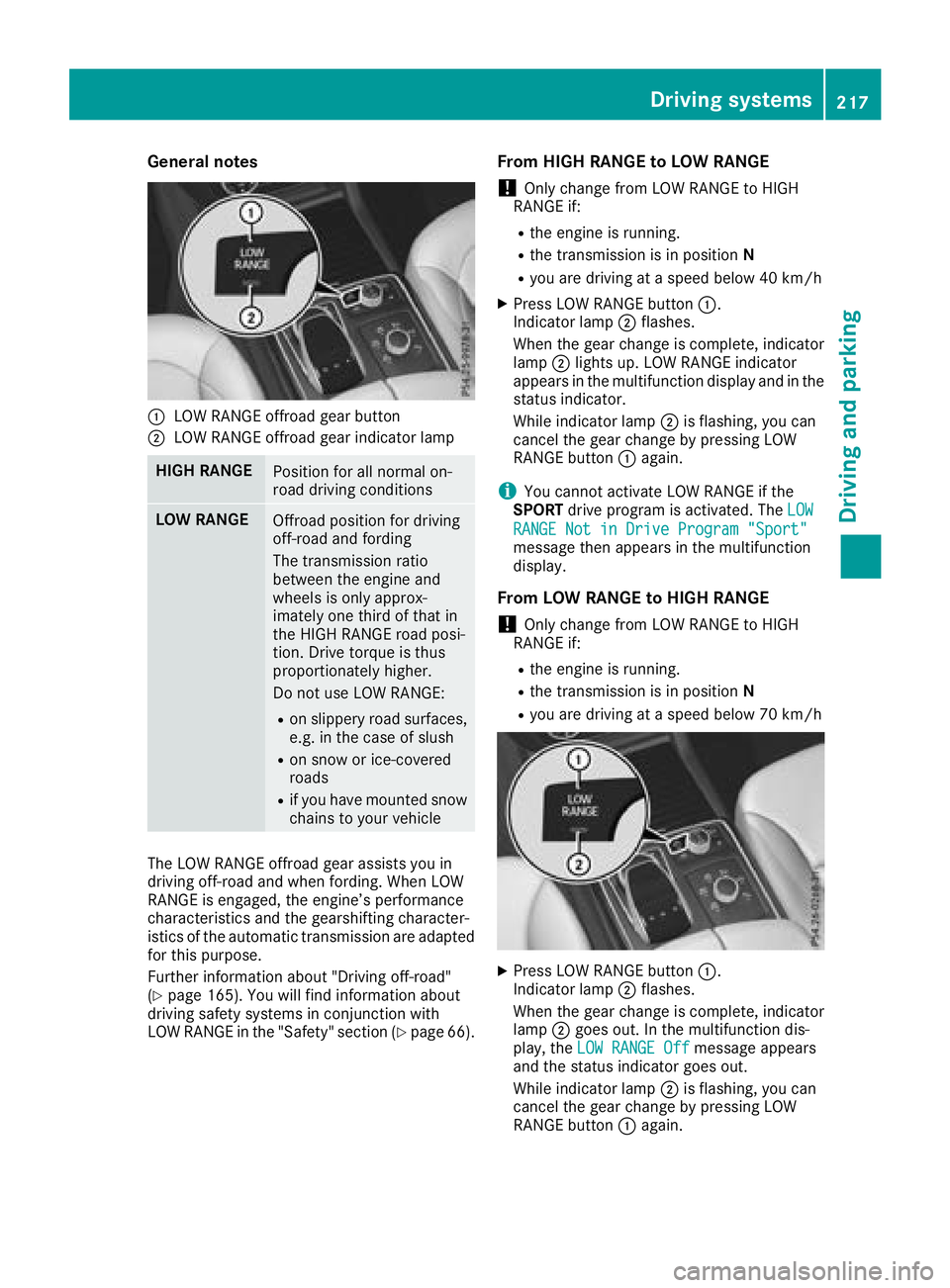
General notes
C
LOW RANGE offroad gear buttonD
LOW RANGE offroad gear indicator lamp
HIGH RANGE
Position for all normal on-
road driving conditions
LOW RANGE
Offroad position for driving
off-road and fording
The transmission ratio
between the engine and
wheels is only approx-
imately one third of that in
the HIGH RANGE road posi-
tion. Drive torque is thus
proportionately higher.
Do not use LOW RANGE: R
on slippery road surfaces,
e.g. in the case of slush R
on snow or ice-covered
roads R
if you have mounted snow
chains to your vehicle
The LOW RANGE offroad gear assists you in
driving off-road and when fording. When LOW
RANGE is engaged, the engine’s performance
characteristics and the gearshifting character-
istics of the automatic transmission are adapted
for this purpose.
Further information about "Driving off-road"
( Y
page 165). You will find information about
driving safety systems in conjunction with
LOW RANGE in the "Safety" section ( Y
page 66). From HIGH RANGE to LOW RANGE
! Only change from LOW RANGE to HIGH
RANGE if: R
the engine is running. R
the transmission is in position NR
you are driving at a speed below 40 km/h X
Press LOW RANGE button C .
Indicator lamp D flashes.
When the gear change is complete, indicator
lamp D lights up. LOW RANGE indicator
appears in the multifunction display and in the
status indicator.
While indicator lamp D is flashing, you can
cancel the gear change by pressing LOW
RANGE button C again.
i You cannot activate LOW RANGE if the
SPORT drive program is activated. The LOW
RANGE Not in Drive Program "Sport"
message then appears in the multifunction
display.
From LOW RANGE to HIGH RANGE
! Only change from LOW RANGE to HIGH
RANGE if: R
the engine is running. R
the transmission is in position NR
you are driving at a speed below 70 km/h
X
Press LOW RANGE button C .
Indicator lamp D flashes.
When the gear change is complete, indicator
lamp D goes out. In the multifunction dis-
play, the LOW RANGE Off message appears
and the status indicator goes out.
While indicator lamp D is flashing, you can
cancel the gear change by pressing LOW
RANGE button C again.Driving systems 217
Driving and parking Z
Page 220 of 398
Messages in the multifunction display If a gear change process has not been successful, the following messages may be displayed in the
multifunction display:
Display messages
Possible causes/consequences and P Solutions
LOW RANGE Max.
Speed 24 mph You have been driving faster than 24 mph (40 km/h). Additionally, the
indicator lamp on the button in the center console is flashing. X
Slow down to change gear.
LOW RANGE Shift to
Position N Briefly The transmission is in position D and you are driving at below
40 km/h. X
Shift the transmission to N to complete the gear change process.
LOW RANGE Shifting
Canceled Please
Reactivate The gear change process was not carried out. X
Ensure that all gear change conditions are fulfilled and carry out the
gear change process again.
LOW RANGE Stop
Apply Parking Brake A warning tone also sounds. The gear change process has not been
completed. LOW RANGE is in the neutral position. There is no con-
nection between the engine and the drive wheels.
! Do not drive any further. You could otherwise damage the vehi-
cle's drive train. X
Stop the vehicle. Take into account the road and traffic conditions
when doing this. X
Depress the electric parking brake ( Y
page 157).X
Carry out the gear change process again.
If the gear change process has been carried out, the LOW RANGE
Stop Apply Parking Brake message disappears.
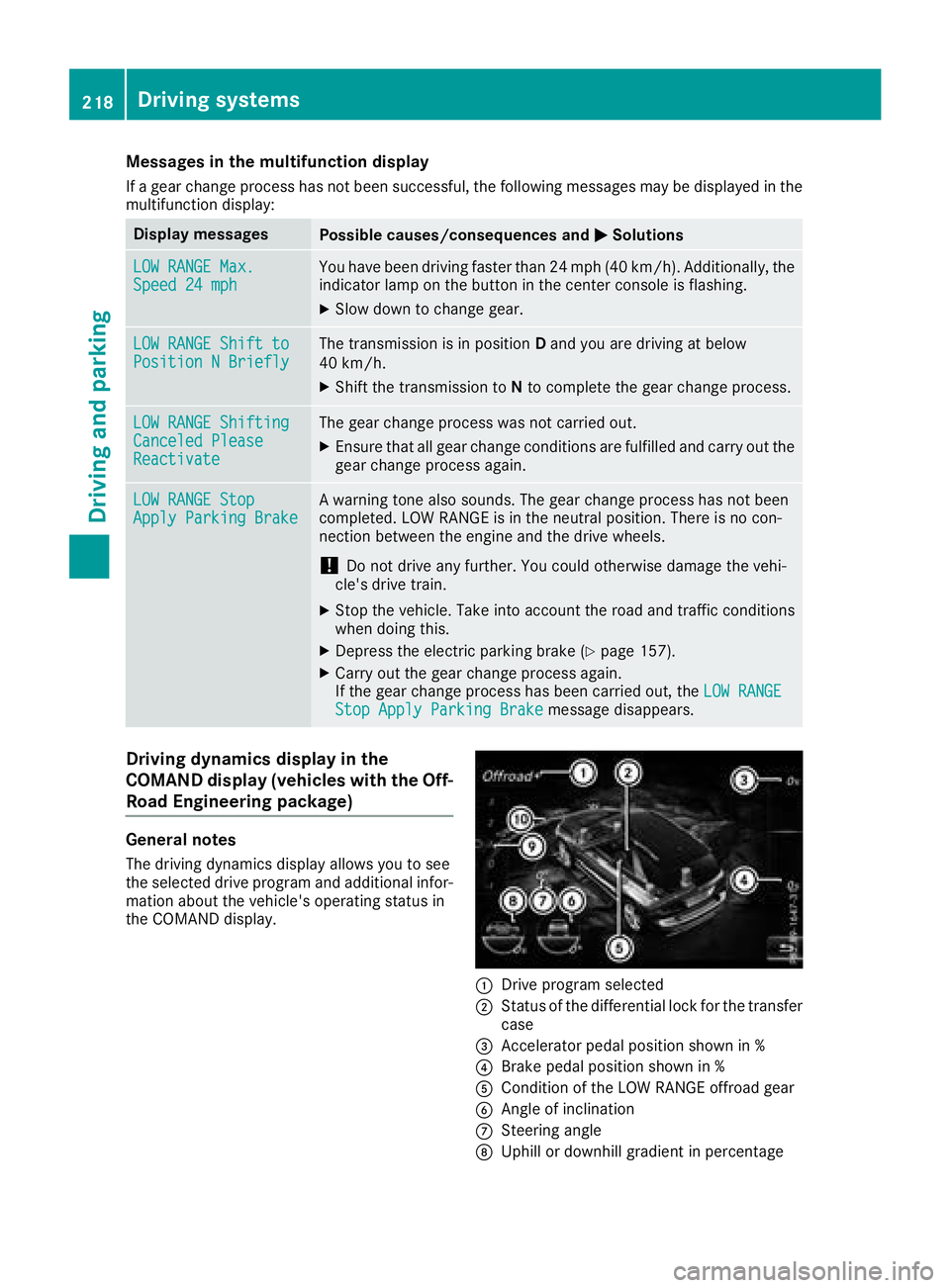
Driving dynamics display in the
COMAND display (vehicles with the Off-
Road Engineering package)
General notes
The driving dynamics display allows you to see
the selected drive program and additional infor-
mation about the vehicle's operating status in
the COMAND display.
C
Drive program selected
D
Status of the differential lock for the transfer
case
Page 222 of 398
R
is affected more by strong crosswinds R
demands more sensitive steering R
has a larger turning circle
This could impair the handling characteristics.
When towing a trailer, always adjust your speed
to the current road and weather conditions. Do
not exceed the maximum permissible speed for
your vehicle/trailer combination.
Notes on towing a trailer
General notes
! If you have a trailer tow hitch retrofitted,
changes to the cooling system and drive train
may be necessary, depending on the vehicle
type.
If you have a trailer tow hitch retrofitted,
observe the anchorage points on the chassis
frame. R
Do not exceed the legally prescribed maxi-
mum speed for vehicle/trailer combinations
in the relevant country.
This lowers the risk of an accident. R
Only install an approved trailer coupling on
your vehicle.
More information on availability and installa-
tion can be obtained at any qualified special-
ist workshop. R
The bumpers of your vehicle are not suitable
for installing detachable trailer couplings. R
Do not install hired trailer couplings or other
detachable trailer couplings on the bumpers
of your vehicle. R
If you no longer need the ball coupling,
remove it from the ball coupling recess. This
will reduce the risk of damage to the ball cou-
pling.
When towing a trailer, set the tire pressure on
the rear axle of the towing vehicle for the max-
imum load. You will find the values in the tire
pressure table in the fuel filler flap of the vehicle
( Y
page 369).
Please note that when towing a trailer, the fol-
lowing driving systems have limited availability
or are not available at all: R
Parking Assist PARKTRONIC ( Y
page 187)R
Blind Spot Assist ( Y
page 204)R
Active Lane Keeping Assist ( Y
page 210) On vehicles without level control, the height of
the ball coupling will alter according to the load
placed on the vehicle. If necessary, use a trailer
with a height-adjustable drawbar.
You will find installing dimensions and loads
under "Technical data" ( Y
page 394).
Driving tips Also observe the notes on pulling away with a
trailer ( Y
page 138).
The maximum permissible speed for vehicle/
trailer combinations depends on the type of
trailer. Before beginning the journey, check the
trailer's documents to see what the maximum
permissible speed is for your trailer. Observe the
legally permissible maximum speed in the rele-
vant country.
For certain Mercedes-Benz vehicles, the maxi-
mum permissible rear axle load is increased
when towing a trailer. See "Technical data" to
find out whether this applies to your vehicle
( Y
page 394). If you utilize any of the added
maximum rear axle load when towing a trailer,
the vehicle/trailer combination may not exceed
a maximum speed of 60 mph (100 km/h) for
reasons concerning the operating permit. This
also applies in countries in which the maximum
permissible speed for car/trailer combinations
is greater than 60 mph (100 km/h).
When towing a trailer, your vehicle's handling
characteristics will be different in comparison
with when driving without a trailer.
Use the left-hand steering wheel paddle shifter
to shift into a lower gear in good time on long
and steep downhill gradients.
This also applies if you have activated cruise
control or Distance Pilot DISTRONIC.
This will use the braking effect of the engine, so
that less braking will be required to maintain the
speed. This relieves the load on the brake sys-
tem and prevents the brakes from overheating
and wearing too quickly. If you need additional
braking, depress the brake pedal repeatedly
rather than continuously.
Driving tips
If the trailer swings from side to side: X
Do not accelerate. X
Do not counter-steer. X
Brake if necessary.220
Towing a trailer
Driving and parking
Page 225 of 398
Most U.S. states and all Canadian provinces
require by law: R
Safety chains between the towing vehicle and
the trailer. The chains should be cross-wound
under the trailer drawbar. They must be fas-
tened to the vehicle's trailer coupling, not to
the bumper or the axle.
Leave enough play in the chains to make tight
cornering possible. R
A separate brake system for certain types of
trailer. R
Safety switch for braked trailers. Check the
specific legal requirements applicable to your
state.
If the trailer becomes detached from the tow-
ing vehicle, the safety feature triggers the
trailer brakes.
Towing a trailer There are numerous legal requirements con-
cerning the towing of a trailer, e.g. speed restric-
tions. Make sure that your car/trailer combina-
tion complies with the local regulations: R
in your place of residence R
in the location to which you are driving
The police and local authorities can provide reli-
able information.
Observe the following when towing a trailer: R
To gain driving experience and to become
accustomed to the new handling characteris-
tics, you should practice the following in a
traffic-free location: -
cornering -
stopping -
backing up R
Before driving, check: -
trailer tow hitch -
safety switch for braked trailers -
safety chains -
electrical connections -
lights -
wheels R
Adjust the exterior mirrors to provide an
unobstructed view of the rear section of the
trailer. R
If the trailer has electronically controlled
brakes, pull away carefully. Brake manually using the brake controller and check whether
the brakes function correctly. R
Secure any objects on the trailer to prevent
the cargo from slipping when the vehicle is in
motion. R
When you couple up a trailer, check at regular
intervals that the load is firmly secured. If the
trailer is equipped with trailer lights and
brakes, check the trailer to ensure that these
are working. R
Bear in mind that the handling will be less
stable when towing a trailer than when driving
without one. Avoid sudden steering move-
ments. R
The vehicle/trailer combination is heavier,
accelerates more slowly, has a decreased
gradient climbing capability and a longer
braking distance.
It is more susceptible to side winds and
requires more careful steering. R
If possible, do not brake suddenly, but instead
depress the brake pedal moderately at first so
that the trailer can activate its brakes. Then
increase the pressure on the brake pedal. R
If the automatic transmission repeatedly
shifts between gears on uphill or downhill gra-
dients, shift to a lower gear using the left-hand
steering wheel paddle shifter.
A lower gear and lower speed reduce the risk
of engine failure. R
When driving downhill, shift to a lower gear to
utilize the engine's braking effect.
Avoid continuous brake application as this
may overheat the vehicle brakes and, if instal-
led, the trailer brakes. R
If the coolant temperature increases dramat-
ically while the air-condition ing system is
switched on, switch off the air-conditioning
system.
Coolant heat can also be dissipated by open-
ing the windows and switching the ventilation
blower and the interior temperature to the
highest level. R
When overtaking, pay particular attention to
the extended length of your vehicle/trailer
combination.
Due to the length of the vehicle/trailer com-
bination, you require additional road space in
relation to the vehicle you are overtaking
before you can change back to the original
lane.Towing a trailer 223
Driving and parking Z
Page 240 of 398
Settings menu
Introduction Depending on the equipment installed in the
vehicle, In the Sett. menu you have the follow-
ing options: R
Changing the instrument cluster settings
( Y
page 238)R
Changing the light settings ( Y
page 238)R
Changing the vehicle settings ( Y
page 239)R
Changing the convenience settings
( Y
page 239)R
Restoring the factory settings ( Y
page 240)
Instrument cluster submenu Selecting the distance unit The Display Unit Speedometer / Odome‐
ter: function allows you to choose whether
certain displays appear in kilometers or miles in
the multifunction display. X
Press the Y or e button on the steering
wheel to select the Sett. menu.X
Press the d or c button to select the
Instrument Cluster submenu.X
Press v to confirm.X
Press the d or c button to select the
Display Unit Speedometer / Odometer
function.
You will see the selected setting: km or miles .X
Press the v button to save the setting.
The selected unit of measurement for distance
applies to: R
Digital speedometer in the Trip menuR
Odometer and the trip odometer R
Trip computer R
Current consumption and the range R
Navigation instructions in the Navi menuR
Cruise control R
Distance Pilot DISTRONIC R
ASSYST PLUS service interval display
Selecting permanent display
The Permanent Display: function allows you
to choose whether the multifunction display
always shows the outside temperature or the
speed. The speed display is inverse to the speedome-
ter. X
Press the Y or e button on the steering
wheel to select the Sett. menu.X
Press the d or c button to select the
Instrument Cluster submenu.X
Confirm by pressing v on the steering
wheel. X
Press the d or c button to select the
Permanent Display: function.
The current setting, Outside Temperature ,
Speedometer [km/h] or Speedometer
[mph] appears. X
To change the setting: press v again.
Light submenu Setting the daytime running lamps This function is not available in Canada. X
Press the Y or e button on the steering
wheel to select the Sett. menu.X
Press the d or c button to select the
Light submenu. X
Press v to confirm. X
Press d or c to select the Daytime
Running Lights function.
If the Daytime Running Lights function has
been switched on, the cone of light and the
Page 270 of 398
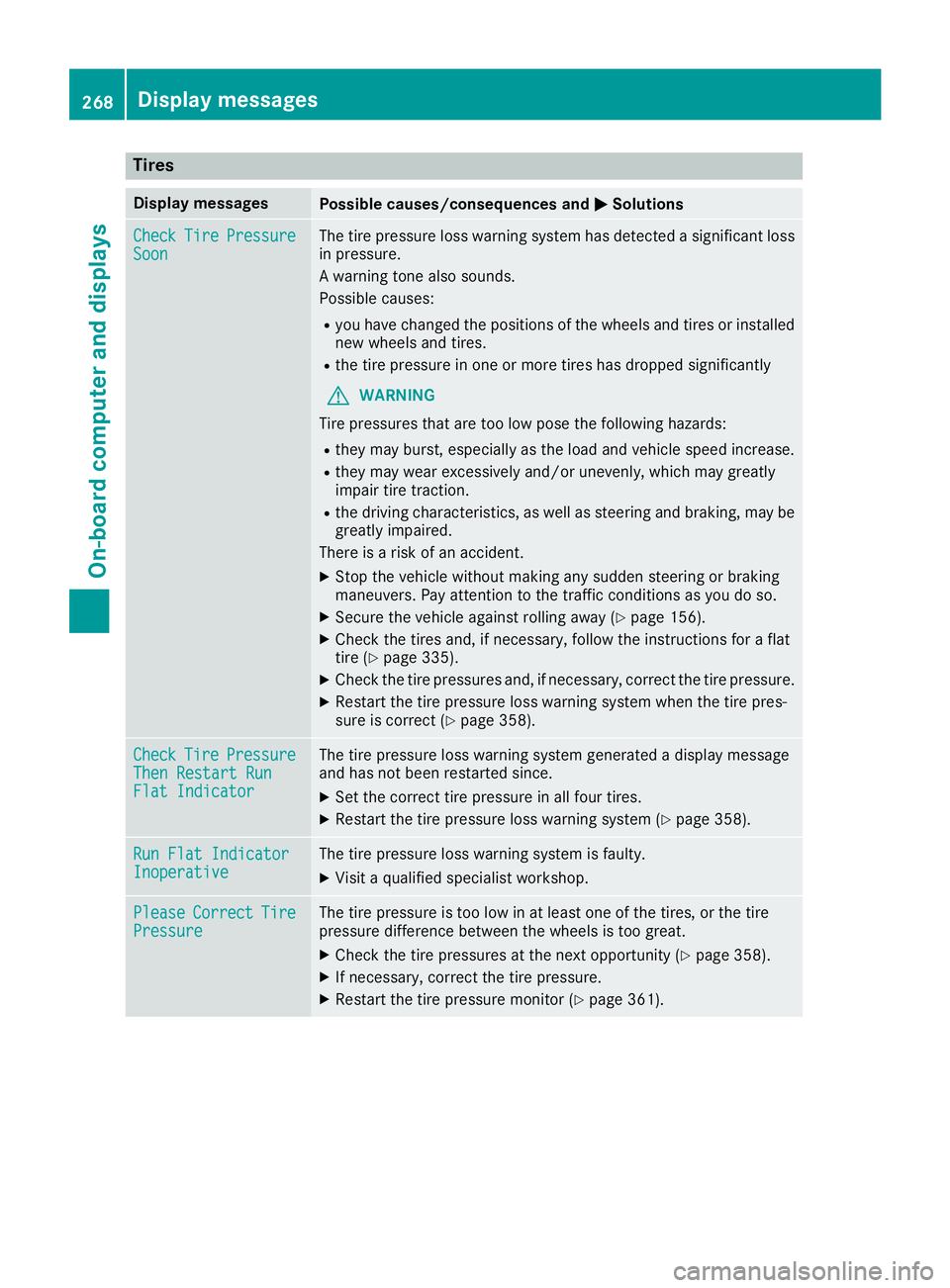
Tires Display messages
Possible causes/consequences and P Solutions
Check Tire Pressure
Soon The tire pressure loss warning system has detected a significant loss
in pressure.
A warning tone also sounds.
Possible causes: R
you have changed the positions of the wheels and tires or installed
new wheels and tires. R
the tire pressure in one or more tires has dropped significantly
G WARNING
Tire pressures that are too low pose the following hazards: R
they may burst, especially as the load and vehicle speed increase. R
they may wear excessively and/or unevenly, which may greatly
impair tire traction. R
the driving characteristics, as well as steering and braking, may be
greatly impaired.
There is a risk of an accident. X
Stop the vehicle without making any sudden steering or braking
maneuvers. Pay attention to the traffic conditions as you do so. X
Secure the vehicle against rolling away ( Y
page 156).X
Check the tires and, if necessary, follow the instructions for a flat
tire ( Y
page 335). X
Check the tire pressures and, if necessary, correct the tire pressure. X
Restart the tire pressure loss warning system when the tire pres-
sure is correct ( Y
page 358).
Check Tire Pressure
Then Restart Run
Flat Indicator The tire pressure loss warning system generated a display message
and has not been restarted since. X
Set the correct tire pressure in all four tires. X
Restart the tire pressure loss warning system ( Y
page 358).
Run Flat Indicator
Inoperative The tire pressure loss warning system is faulty. X
Visit a qualified specialist workshop.
Please Correct Tire
Pressure The tire pressure is too low in at least one of the tires, or the tire
pressure difference between the wheels is too great. X
Check the tire pressures at the next opportunity ( Y
page 358).X
If necessary, correct the tire pressure. X
Restart the tire pressure monitor ( Y
page 361).268
Displa y messages
On-board computer and displays
Page 297 of 398
Stowage areas
Loading guidelines
G WARNING
If objects, luggage or loads are not secured or
not secured sufficiently, they could slip, tip
over or be flung around and thereby hit vehicle
occupants. There is a risk of injury, particu-
larly in the event of sudden braking or a sud-
den change in direction.
Always store objects so that they cannot be
flung around. Secure objects, luggage or
loads against slipping or tipping before the
journey.
G WARNING
Combustion engines emit poisonous exhaust
gases such as carbon monoxide. If the tailgate
is open when the engine is running, particu-
larly if the vehicle is moving, exhaust fumes
could enter the passenger compartment.
There is a risk of poisoning.
Turn off the engine before opening the tail-
gate. Never drive with the tailgate open.
G WARNING
The exhaust tail pipe and tail pipe trim can
become very hot. If you come into contact
with these parts of the vehicle, you could burn
yourself. There is a risk of injury.
Always be particularly careful around the
exhaust tail pipe and the tail pipe trim. Allow
these components to cool down before touch-
ing them.
The gross vehicle weight (GVW) is the vehicle
weight including fuel, vehicle tool kit, spare
wheel, installed accessories, vehicle occupants
and luggage/cargo.
Do not exceed the load limit or permitted gross
vehicle weight rating (GVWR) for your vehicle.
The gross load limit and the GVWR are specified
on the vehicle identification plate on the B-pillar
of the driver's door ( Y
page 361).
The load must also be distributed so that the
weight on each axle never exceeds the gross
axle weight rating (GAWR) for the front and rear
axles. The specifications for GVWR and GAWR are on the vehicle identification plate on the B-
pillar of the driver's door ( Y
page 361).
Observe the notes on loading the vehicle
( Y
page 361).
The handling characteristics of a laden vehicle
are dependent on the distribution of the load
within the vehicle. For this reason, you should
observe the following notes when transporting a
load: R
Never exceed the maximum permissible
gross vehicle mass or the gross axle weight
rating for the vehicle (including occupants). R
The cargo compartment is the preferred place
to carry objects. R
Position heavy loads as far forward as possi-
ble and as low down in the cargo compart-
ment as possible. R
The load must not protrude above the upper
edge of the seat backrests. R
Always place the load against the rear or front
seat backrests. Make sure that the seat
backrests are securely locked into place. R
Always place the load behind unoccupied
seats if possible. R
Use the cargo tie-down rings and the parcel
nets to transport loads and luggage. R
Use cargo tie-down rings and fastening mate-
rials appropriate for the weight and size of the
load. R
Secure the load with sufficiently strong and
wear-resistant tie-downs. Pad sharp edges for
protection.
Stowage spaces
Important safety notes
G WARNING
If you transport objects in the vehicle interior
and these are not adequately secured, they
could slip or be flung around and thereby
strike vehicle occupants. In addition, cup
holders, open stowage spaces and mobile
phone brackets may not always be able to
hold the objects placed in them in the event of
an accident. There is a risk of injury, particu-
larly in the event of sharp braking or sudden
changes of direction.Stowage areas 295
Stowage and features Z