phone MERCEDES-BENZ GLE-Class 2016 C292 Comand Manual
[x] Cancel search | Manufacturer: MERCEDES-BENZ, Model Year: 2016, Model line: GLE-Class, Model: MERCEDES-BENZ GLE-Class 2016 C292Pages: 206, PDF Size: 6.66 MB
Page 65 of 206
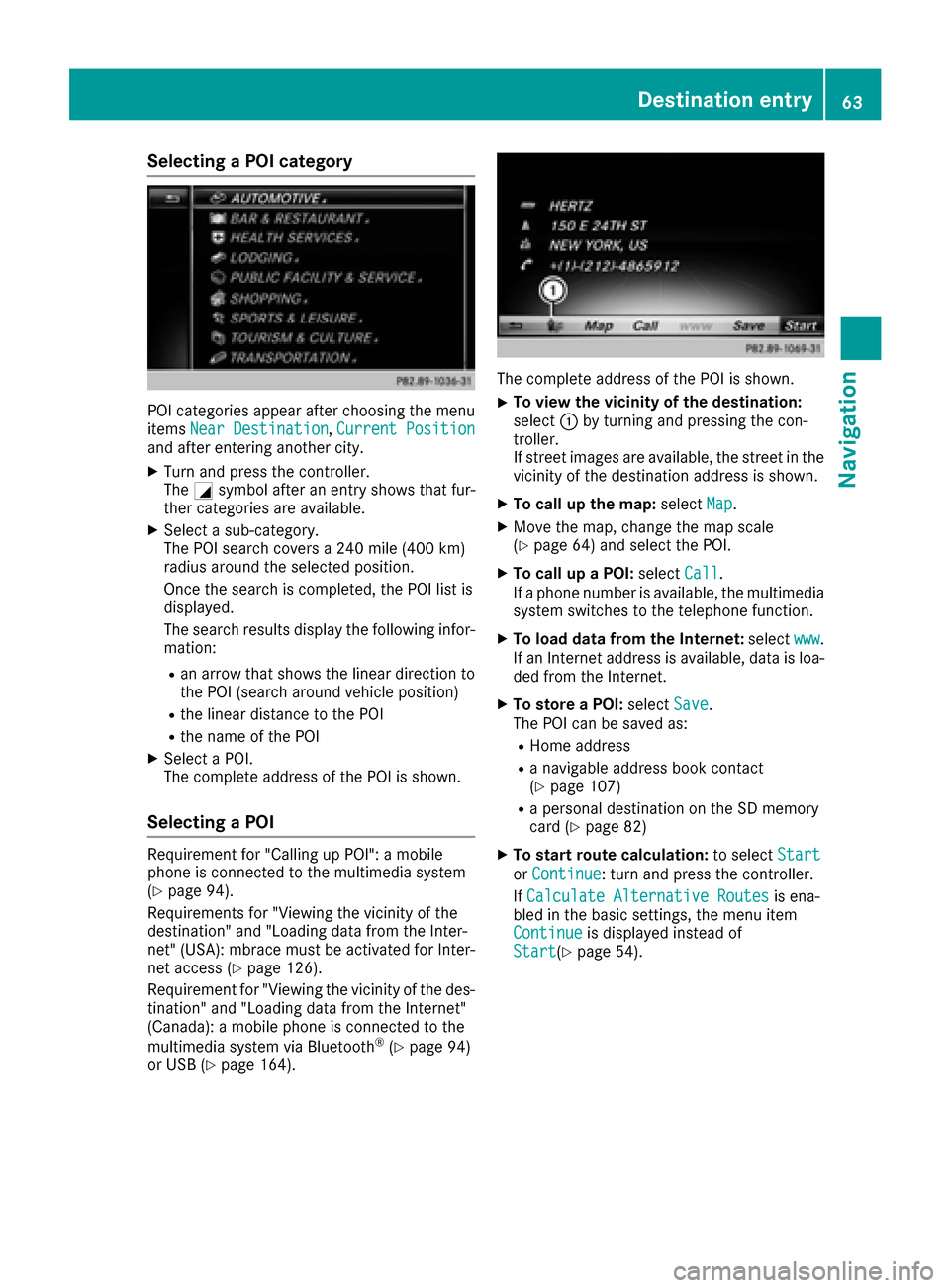
Selecting a POI category
POI categories appear after choosing the menu
itemsNear Destination,Current Positionand after entering another city.
XTurn and press the controller.
The Gsymbol after an entry shows that fur-
ther categories are available.
XSelect a sub-category.
The POI search covers a 240 mile (400 km)
radius around the selected position.
Once the search is completed, the POI list is
displayed.
The search results display the following infor-
mation:
Ran arrow that shows the linear direction to
the POI (search around vehicle position)
Rthe linear distance to the POI
Rthe name of the POI
XSelect a POI.
The complete address of the POI is shown.
Selecting a POI
Requirement for "Calling up POI": a mobile
phone is connected to the multimedia system
(
Ypage 94).
Requirements for "Viewing the vicinity of the
destination" and "Loading data from the Inter-
net" (USA): mbrace must be activated for Inter-
net access (
Ypage 126).
Requirement for "Viewing the vicinity of the des-
tination" and "Loading data from the Internet"
(Canada): a mobile phone is connected to the
multimedia system via Bluetooth
®(Ypage 94)
or USB (Ypage 164).
The complete address of the POI is shown.
XTo view the vicinity of the destination:
select :by turning and pressing the con-
troller.
If street images are available, the street in the
vicinity of the destination address is shown.
XTo call up the map: selectMap.
XMove the map, change the map scale
(Ypage 64) and select the POI.
XTo call up a POI: selectCall.
If a phone number is available, the multimedia
system switches to the telephone function.
XTo load data from the Internet: selectwww.
If an Internet address is available, data is loa-
ded from the Internet.
XTo store a POI: selectSave.
The POI can be saved as:
RHome address
Ra navigable address book contact
(Ypage 107)
Ra personal destination on the SD memory
card (Ypage 82)
XTo start route calculation: to selectStart
orContinue: turn and press the controller.
If Calculate Alternative Routes
is ena-
bled in the basic settings, the menu item
Continue
is displayed instead of
Start(Ypage 54).
Destination entry63
Navigation
Z
Page 67 of 206
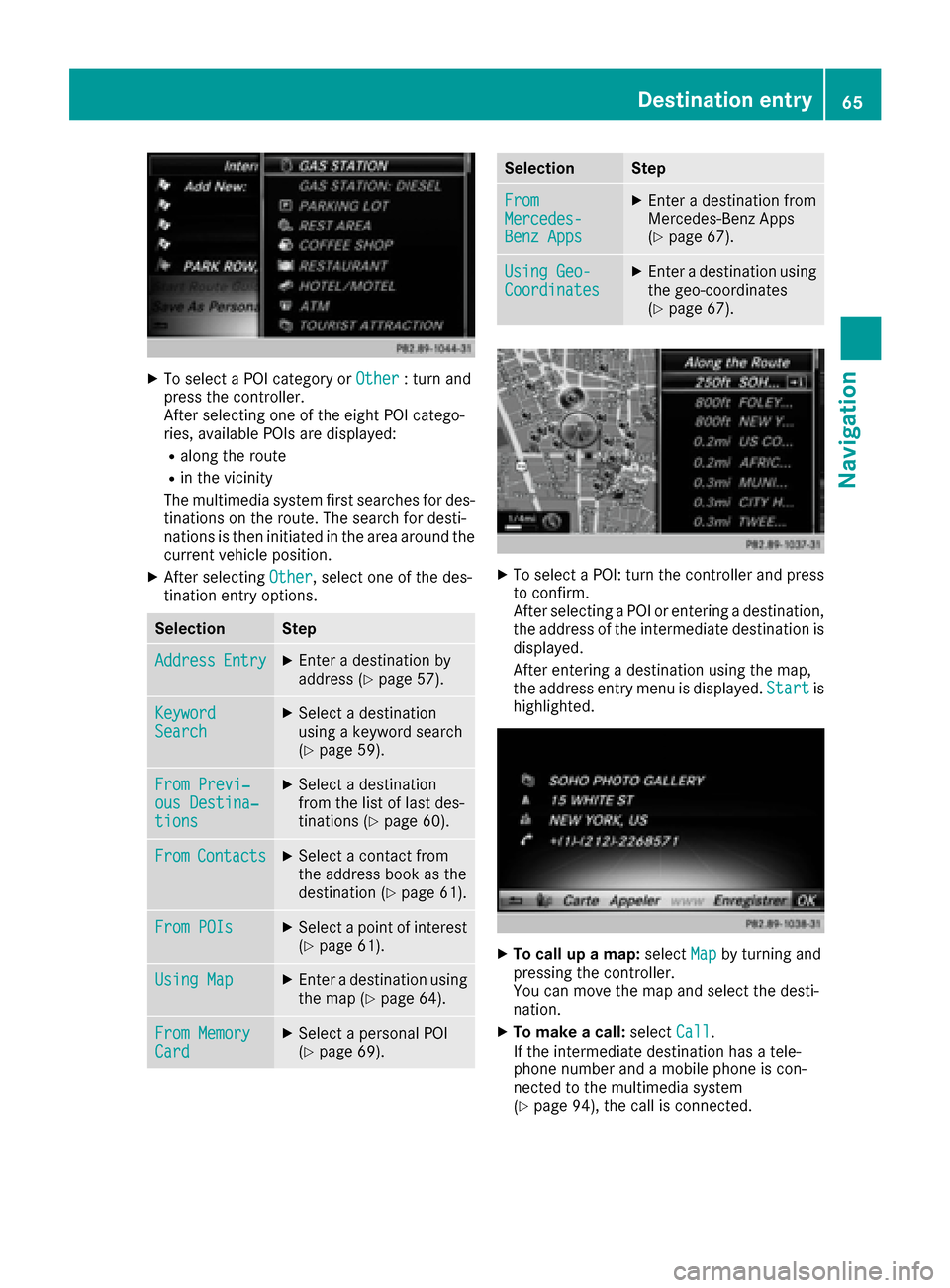
XTo select a POI category orOther: turn and
press the controller.
After selecting one of the eight POI catego-
ries, available POIs are displayed:
Ralong the route
Rin the vicinity
The multimedia system first searches for des-
tinations on the route. The search for desti-
nations is then initiated in the area around the
current vehicle position.
XAfter selecting Other, select one of the des-
tination entry options.
SelectionStep
AddressEntryXEnter a destination by
address (Ypage 57).
KeywordSearchXSelect a destination
using a keyword search
(
Ypage 59).
From Previ‐ous Destina‐tions
XSelect a destination
from the list of last des-
tinations (
Ypage 60).
FromContactsXSelect a contact from
the address book as the
destination (
Ypage 61).
From POIsXSelect a point of interest (Ypage 61).
Using MapXEnter a destination using
the map (Ypage 64).
From MemoryCardXSelect a personal POI
(Ypage 69).
SelectionStep
FromMercedes-Benz Apps
XEnter a destination from
Mercedes-Benz Apps
(
Ypage 67).
Using Geo-CoordinatesXEnter a destination using
the geo-coordinates
(
Ypage 67).
XTo select a POI: turn the controller and pressto confirm.
After selecting a POI or entering a destination,
the address of the intermediate destination is
displayed.
After entering a destination using the map,
the address entry menu is displayed. Start
is
highlighted.
XTo call up a map: selectMapby turning and
pressing the controller.
You can move the map and select the desti-
nation.
XTo make a call: selectCall.
If the intermediate destination has a tele-
phone number and a mobile phone is con-
nected to the multimedia system
(
Ypage 94), the call is connected.
Destination entry65
Navigation
Z
Page 69 of 206
If you selectNo, the search is canceled.
XSelect the gas station.
The address of the gas station is displayed.
XTo selectStart: press the controller.
The gas station selected is set in the inter-
mediate destinations menu as the next inter-
mediate destination not yet reached. Route
guidance begins.
Entering a destination from
Mercedes-Benz Apps
Requirement (USA): mbrace is activated for the
Mercedes-Benz Apps (Ypage 126).
Requirement (Canada): a mobile phone is con-
nected to the multimedia system via Bluetooth
®
(Ypage 94) or USB (Ypage 164).
XTo switch to navigation mode: press the
Ø button.
XTo show the menu: slide6the controller.
XTo select Destination: turn and press the
controller.
XSelect From Mercedes-Benz Apps.
The list of Mercedes-Benz Apps appears.
Using geo-coordinates
XTo switch to navigation mode: press the
ß button.
XTo show the menu: slide6the controller.
XTo select Destination: turn and press the
controller.
XSelect Using Geo-Coordinates.
Geo-coordinates are entered in degrees,
minutes and seconds.
XTo enter the latitude and longitude coor-
dinates: turn the controller to change the
value.
XTo move the selection within the line: slide
1 the controller.
XTo move the selection between lines: slide
4the controller.
XTo confirm the value: press the controller.
XTo save a destination: to select Save: turn
and press the controller.
The destination can be stored as:
Ra home address in the address book
Ra navigable address book contact For further information on the address
book, see (
Ypage 107)
Ra personal destination on the SD memory
card (Ypage 82)
Starting route calculation
XTo select Start Route Guidance: turn and
press the controller.
Personal POIs and routes
General notes
The use of personal POIs for displaying traffic
surveillance equipment is not permitted in every country. Please observe the country-specific
regulations and always drive at a suitable speed.
Personal POIs are filed in categories:
RNot Classified
Standard entry for personal POIs
RMercedes-Benz Apps
Personal POIs (destinations, routes) that you
have imported via the online functions
RCategories which you have created yourself,
e.g. on your PC
Personal routes are not categorized.
Settings for personal POIs
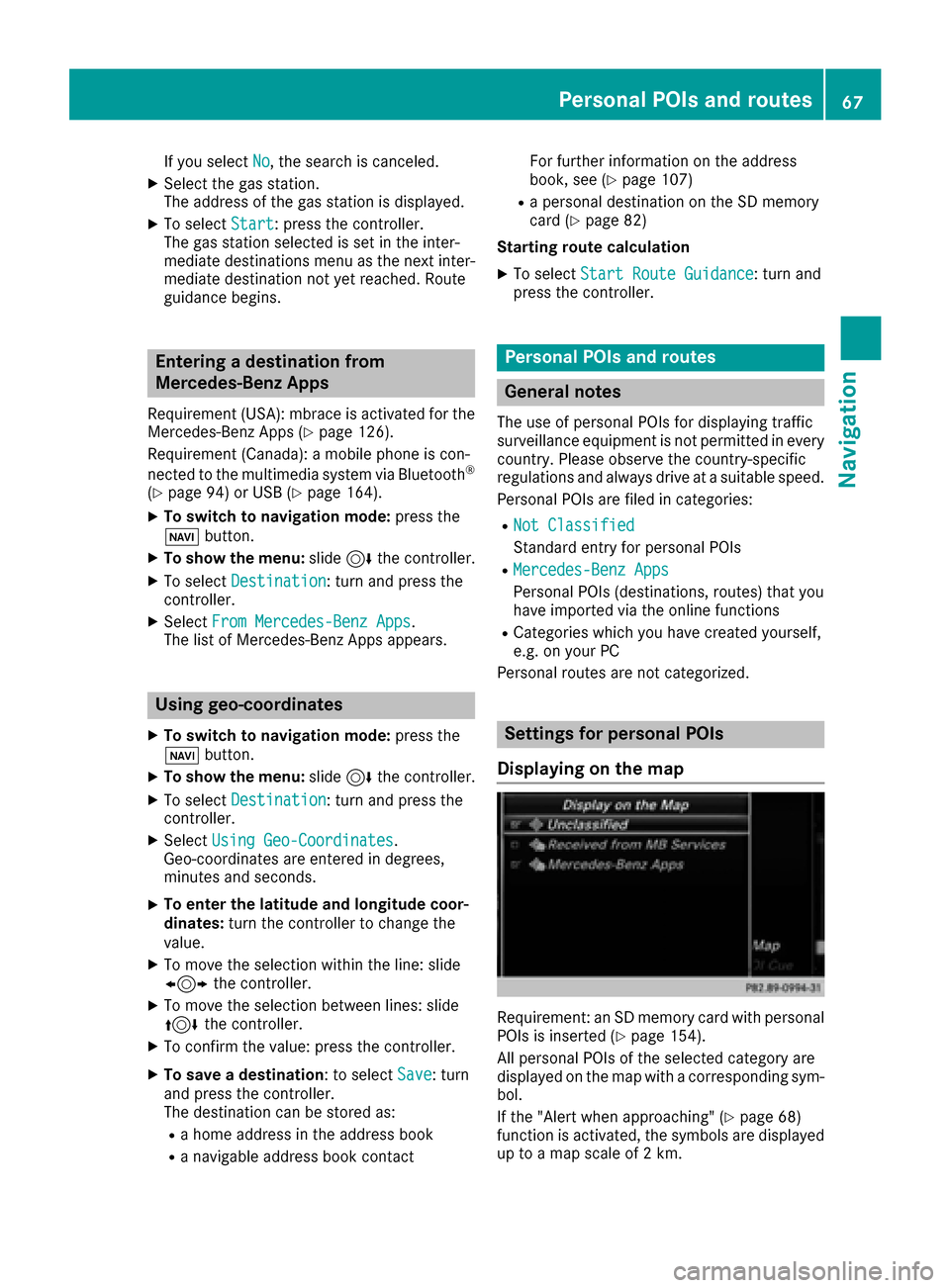
Displaying on the map
Requirement: an SD memory card with personal
POIs is inserted (Ypage 154).
All personal POIs of the selected category are
displayed on the map with a corresponding sym-
bol.
If the "Alert when approaching" (
Ypage 68)
function is activated, the symbols are displayed up to a map scale of 2 km.
Personal POIs and routes67
Navigation
Z
Page 72 of 206
XSelect personal POI or personal route
(Ypage 69).
XTo explore a personal POI or route:turn and
press the controller to select Map
.
The map with the crosshair appears and
shows the destination.
XScroll the map (Ypage 53).
XSet the map scale (Ypage 83).
XTo return to the menu: press the %button.
XTo call the personal POI: turn and press the
controller to select Call
.
If a mobile phone is connected to the multi-
media system and the telephone number is
available, the call is connected (
Ypage 100).
XTo edit the name and category: to select
Edit
: turn and press the controller.
XSelect Change NameorEdit Icon.
XTo change name: enter character (Ypage 29).
XTo change the category: select a category.
The personal POI is saved in the selected cat-
egory.
XTo delete a personal POI or route: turn and
press the controller to select Delete
.
A prompt will appear.
XSelect YesorNo.
If you select Yes, the personal destination or
personal route is deleted.
XTo select the outward and return routes:
turn and press the controller to select Swap
.
The starting and destination positions of your
personal route, and thus the direction for
route guidance, are switched round. One-way
streets or restricted intersections are taken
into consideration. Therefore, the outward
and return routes may differ from each other.
XTo save a personal POI: turn and press the
controller to select Save
.
XTo continue saving (Ypage 81).
XTo start route guidance: selectStartby
turning and pressing the controller.
Recording the route
General notes
When recording the route, bear in mind the fol-
lowing:
RIf the SD memory card is inserted, it must not
be removed during recording
RIf route recording is started manually, it must
be finished manually before the multimedia
system is switched off
RThe multimedia system minimizes the num-
ber of route points recorded. Therefore when
the recorded route is subsequently com-
menced, it may differ from the route that was
originally recorded.
Starting/finishing route recording
XInsert the SD memory card (Ypage 154).
XTo switch to navigation mode: press the
ß button.
XTo show the menu: slide6the controller.
XTo select Destination: turn and press the
controller.
XSelect From Memory Card.
XSelectStart Route Recording.
The route is recorded and RECappears at the
bottom edge of the screen.
XTo stop recording, select End RouteRecordingfrom the menu.
The route is stored under Personal Routes.
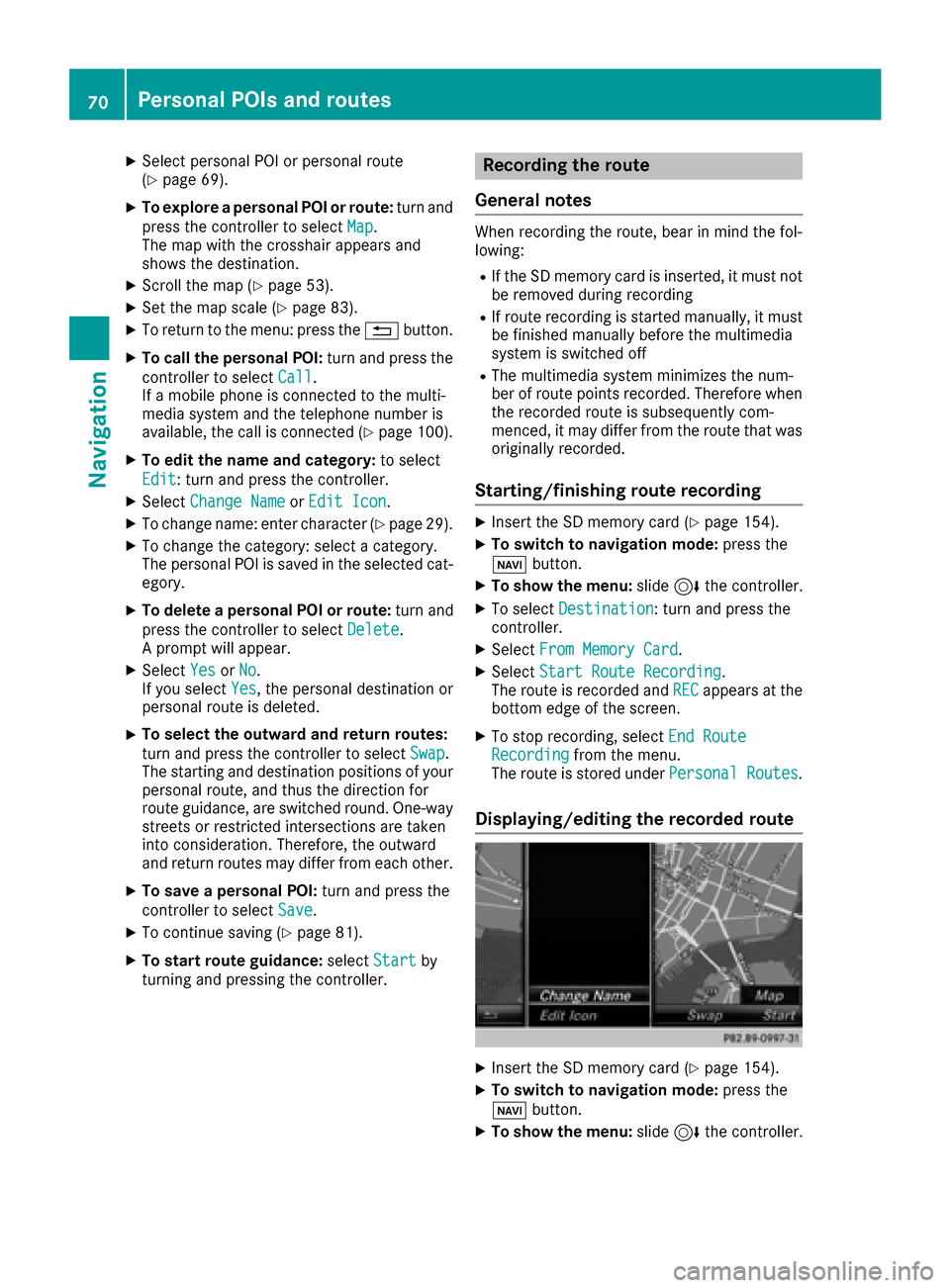
Displaying/editing the recorded route
XInsert the SD memory card (Ypage 154).
XTo switch to navigation mode: press the
ß button.
XTo show the menu: slide6the controller.
70Personal POIs and routes
Navigation
Page 75 of 206
Lane recommendations are also shown in the
multifunction display of the instrument cluster
(see the vehicle Operator's Manual).
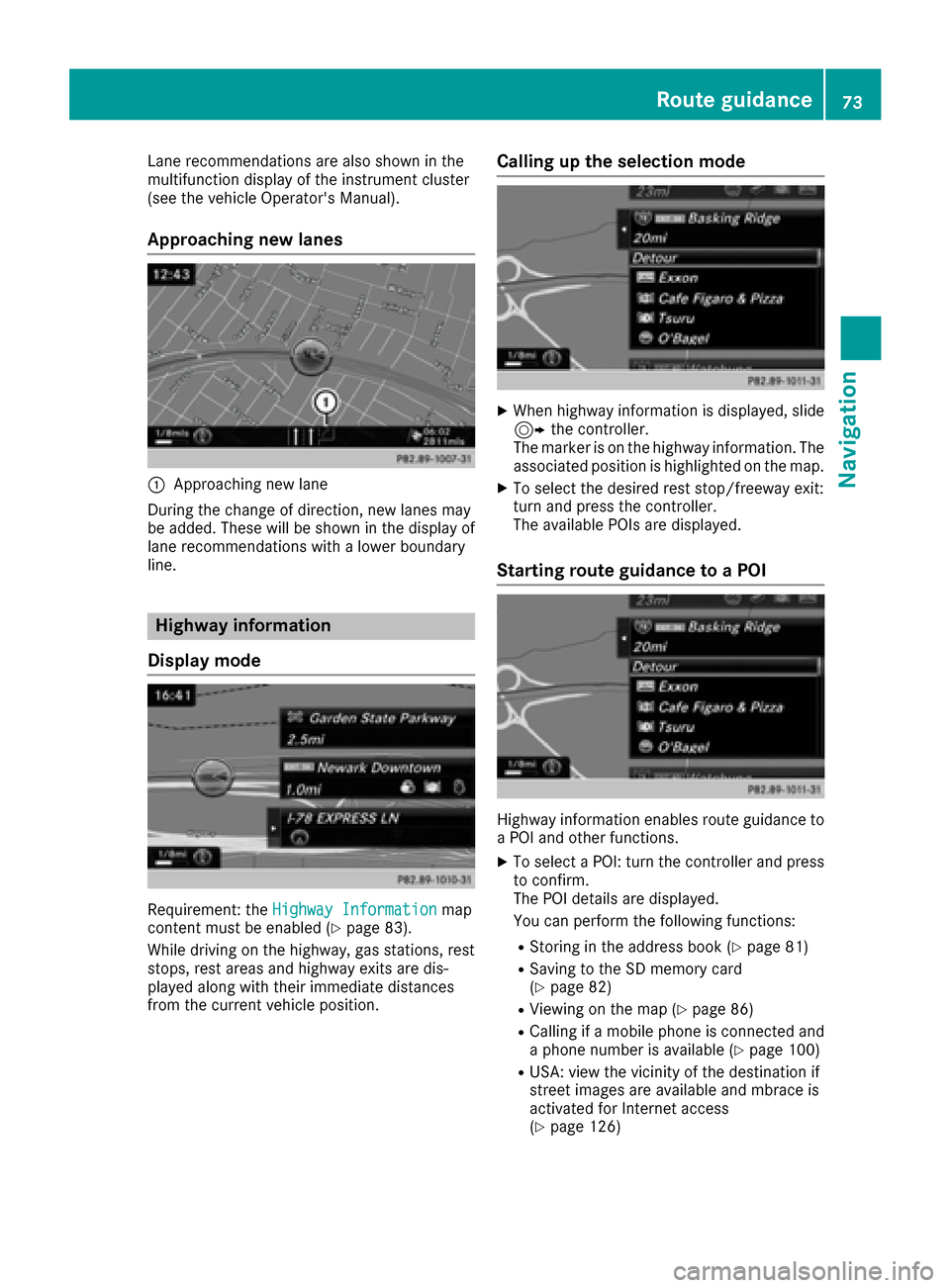
Approaching new lanes
:Approaching new lane
During the change of direction, new lanes may
be added. These will be shown in the display of
lane recommendations with a lower boundary
line.
Highway information
Display mode
Requirement: the Highway Informationmap
content must be enabled (Ypage 83).
While driving on the highway, gas stations, rest
stops, rest areas and highway exits are dis-
played along with their immediate distances
from the current vehicle position.
Calling up the selection mode
XWhen highway information is displayed, slide 9 the controller.
The marker is on the highway information. The
associated position is highlighted on the map.
XTo select the desired rest stop/freeway exit:
turn and press the controller.
The available POIs are displayed.
Starting route guidance to a POI
Highway information enables route guidance to
a POI and other functions.
XTo select a POI: turn the controller and press to confirm.
The POI details are displayed.
You can perform the following functions:
RStoring in the address book (Ypage 81)
RSaving to the SD memory card
(Ypage 82)
RViewing on the map (Ypage 86)
RCalling if a mobile phone is connected and
a phone number is available (Ypage 100)
RUSA: view the vicinity of the destination if
street images are available and mbrace is
activated for Internet access
(
Ypage 126)
Route guidance73
Navigation
Z
Page 76 of 206
RCanada: view the vicinity of the destinationif street images are availab leand a mob ile
phone isconnected to the multimedia sys-
tem via Bluetooth
®(Ypage 94) or USB
(Ypage 164)
RUSA: download data from the Internet ifan
In ternet address isavailab leand mbrace is
activated for Internet access
(
Ypage 94)
RCanada: download data from the Internet if
an Internet address isavailab leand a
mob ilephone isconnected to the multime-
dia system via Bluetooth
®(Ypage 94) or
USB (Ypage 164)
RSelect for route guidance and calculate a
route to it(Ypage 58)
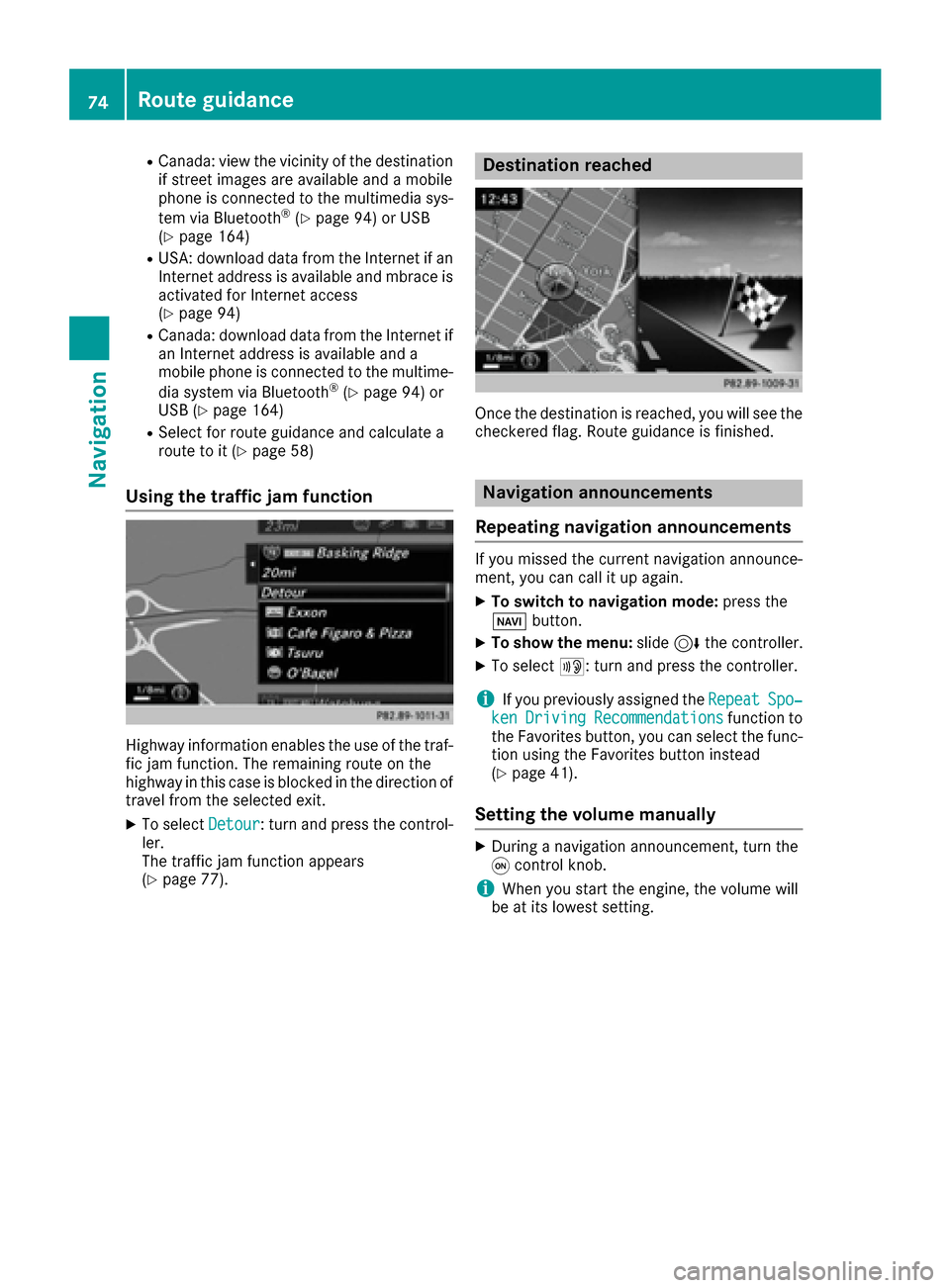
Using the traffic jam function
Highway information enables the use of the traf-
fic jam function. The remaining route on the
highway inthiscase is bloc kedinthe dire ction of
travel from the selected exit.
XTo select Detour: turn and press the control-
ler.
The traff icjam function appears
(
Ypage 77).
Destination reached
Once the destination is reached, you willsee the
checkered flag. Route guidance isfinished.
Navigation announcements
Repeating navigation announcements
If you missed the current navigation announce-
ment, you can call it up again.
XTo switch to navigation mode:press the
Ø button.
XTo show the menu: slide6the controller.
XTo select +: turn and press the controller.
iIfyou previously assigned the RepeatSpo‐kenDrivingRecommendationsfunction to
the Favorites button, you can select the func-
tion using the Favorites button instead
(
Ypage 41).
Setting the volume manually
XDuring a navigation announcement, turn the
q control knob.
iWhen you start the engine, the volume will
be at its lowest setting.
74Route guidance
Navigation
Page 77 of 206
Switching navigation announcements
on/off
XTo deactivate navigation announcements:during a navigation announcement, press the
8 button on the control panel.
or
XDuring a navigation announcement, press the
8 button on the multifunction steering
wheel.
The Spoken driving recommendations
have been deactivated.message
appears.
XTo switch navigation announcements
back on: slide6the controller.
XTo select +: turn and press the controller.
The multimedia system automatically switches
the navigation announcements back on when:
Ra new route is calculated
Rthe multimedia system is switched back on
Ryou start the vehicle
A navigation message is given if the route is
recalculated during dynamic route guidance due
to new traffic reports (
Ypage 78).
Canceling/continuing route guidance
Canceling route guidance
XSlide 6the controller.
The menu is shown.
XTo select Destination, turn and press the
controller.
XSelect Cancel Active Route Guidance.
The blue route line is no longer shown on the
map.
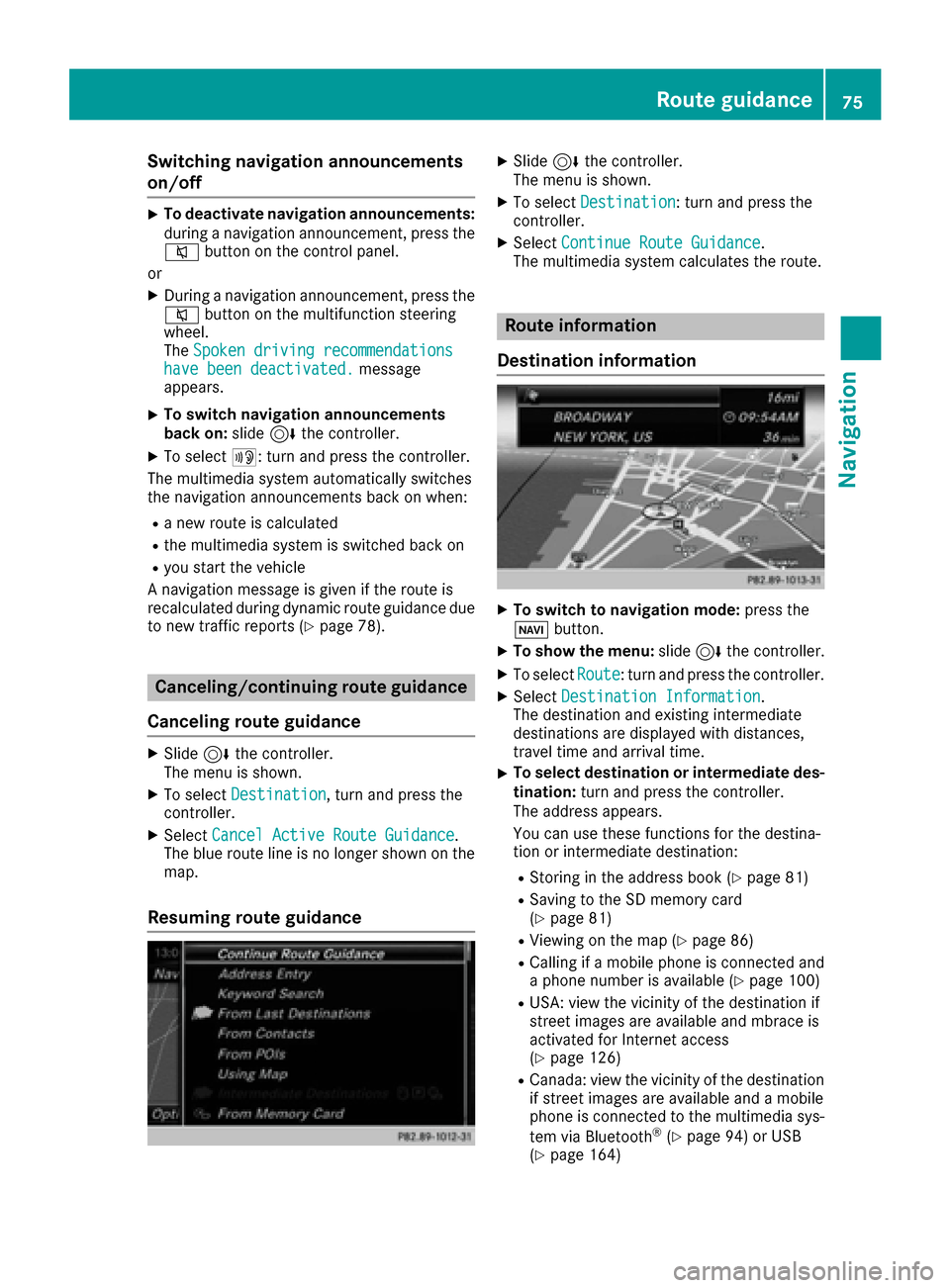
Resuming route guidance
XSlide 6the controller.
The menu is shown.
XTo select Destination: turn and press the
controller.
XSelect Continue Route Guidance.
The multimedia system calculates the route.
Route information
Destination information
XTo switch to navigation mode: press the
Ø button.
XTo show the menu: slide6the controller.
XTo select Route: turn and press the controller.
XSelectDestination Information.
The destination and existing intermediate
destinations are displayed with distances,
travel time and arrival time.
XTo select destination or intermediate des-
tination: turn and press the controller.
The address appears.
You can use these functions for the destina-
tion or intermediate destination:
RStoring in the address book (Ypage 81)
RSaving to the SD memory card
(Ypage 81)
RViewing on the map (Ypage 86)
RCalling if a mobile phone is connected and
a phone number is available (Ypage 100)
RUSA: view the vicinity of the destination if
street images are available and mbrace is
activated for Internet access
(
Ypage 126)
RCanada: view the vicinity of the destination if street images are available and a mobile
phone is connected to the multimedia sys-
tem via Bluetooth
®(Ypage 94) or USB
(Ypage 164)
Route guidance75
Navigation
Z
Page 78 of 206

RUSA: download data from the Internet if an
Internet address is available and mbrace is
activated for Internet access (
Ypage 94).
RCanada: download data from the Internet if
an Internet address is available and a
mobile phone is connected to the multime-
dia system via Bluetooth
®(Ypage 94) or
USB (Ypage 164)
Taking an alternative route
If the CalculateAlternativeRoutessetting
is activated O, different routes will be offered
each time a route is calculated (
Ypage 54).
You can call up alternative routes to the current
route.
Route 1 is calculated with the current settings
for the route type and route options and shown
with a dark blue line.
Routes 2 and 3 are alternatives to route 1 and
also displayed with a dark blue line.
Route 4 is the most economic route and is dis-
played with a green line.
XTo switch to navigation mode: press the
Ø button.
XTo show the menu: slide6the controller.
XTo select Route, turn and press the controller.
XSelectAlternative Route.
Route 1 is shown.
XTo display additional routes: select Nextor
Previous.
XTo start a new route guidance: select
Start
.
Route list
XTo switch to navigation mode: press the
Ø button.
XTo show the menu: slide6the controller.
XTo select Route, turn and press the controller.
XSelectRoute List.
The route list shows the next change of direc-
tion and the immediate distances from the
current vehicle position.
XTo display additional route sections: turn
the controller.
The position of the change of direction that
belongs to the respective route section is
indicated on the map with a cross.
Where am I?
XTo switch to navigation mode: press the
Ø button.
XTo show the menu: slide6the controller.
XTo select Position, turn and press the con-
troller.
XSelect Where am I?.
The street you are currently on and the pre-
vious and next intersections are displayed.
76Route guidance
Navigation
Page 84 of 206

XPress the controller.
TheSaving Successfulmessage appears.
The destination address is allocated to a con-
tact in the address book.
Telephone numbers are not transferred to the
telephone number fields of the address book. After selecting the destination address from
the address book for navigation, the associ-
ated telephone number will be displayed.
If the contact already has two destination
addresses, a prompt will appear asking if a
destination address should be overwritten.
XSelect YesorNo.
If you select Yes, a list showing both destina-
tion addresses appears.
XTo select the destination address: turn and
press the controller.
The destination address is overwritten.
Saving destination to the SD memory
card
XInsert the SD memory card (Ypage 154).
XDisplay a POI, for example.
XTo select Save: turn and press the controller.
A menu appears.
XSelect To Memory Card.
XSelectNotClassifiedor, if available, select
a category that you have created yourself.
An input menu appears.
XEnter a surname and first name. Character
entry (Ypage 29).
XSelect OK.
The Saving Successfulmessage appears.
The destination is saved to the SD memory
card.
Saving the current vehicle position
Using the map
XTo switch to navigation mode: press the
ß button.
XWhen the map is shown, press and hold the
COMAND controller until you hear a tone.
The current vehicle position is saved to the
"Last destinations" memory.
If an SD memory card is inserted, the current
vehicle position will also be saved in the Not
Classifiedcategory.
Using the menu
XTo switch to navigation mode:press the
ß button.
XTo show the menu: slide6the controller.
XTo select Position: turn and press the con-
troller.
XSelect Save.
XStore the destination in the address book
(Ypage 81).
XSave the destination to the SD card
(Ypage 82).
Saving the crosshair position
XTo switch to navigation mode: press the
ß button.
XTo display the crosshair: press the control-
ler.
XMove the map to the desired position
(Ypage 53).
XTo show the menu: press the controller.
XTo selectPosition: turn and press the con-
troller.
XSelect Save.
XStore the destination in the address book
(Ypage 81).
XSave the destination to the SD card
(Ypage 82).
Editing the last destinations
XTo switch to navigation mode: press the
ß button.
XTo show the menu: slide6the controller.
XTo select Destination: turn and press the
controller.
82Storing destinations
Navigation
Page 90 of 206

XTo change the size of the area, press the con-
troller.
XTurn the controller.
XTo apply the changes, press the controller.
A message appears stating that the area has
been set.
Deleting one/all areas
XTo switch to navigation mode:press the
ß button.
XTo show the menu: slide6the controller.
XTo select Options: turn and press the con-
troller.
XSelect Route Settings.
XSelectAvoid Options.
XSelectAvoid Area.
A list appears.
XTo delete an area: mark an area by turning
the controller.
XSlide 9the controller.
XSelect DeleteorDelete All.
A prompt appears asking whether you wish to
delete the area.
XSelect YesorNo.
After selecting Yes, the area is deleted.
XTo delete all areas: when the list appears,
slide 9 the controller.
XSelect Delete All.
A prompt appears asking whether you wish to
delete all areas.
XSelect YesorNo.
After selecting Yes, all areas are deleted.
SIRIUS XM service
Displaying SIRIUS XM service informa-
tion
You can display the SIRIUS XM service informa-
tion.
XTo switch to navigation mode: press the
Ø button.
XTo show the menu: slide6the controller.
XTo select Traffic: turn and press the con-
troller.
XSelect SIRIUS Service.
The provider's phone number (SIRIUS XM)
and the serial number of your service module
are displayed.
Registering the SIRIUS XM service
XCall the provider telephone number shown on
the multimedia system display.
iYou can also have the satellite service acti-
vated online. To do so, visit the SIRIUS XM
Radio website at http://www.sirius.com
(USA).
Once the connection has been established:
XFollow the service employee's instructions.
The activation process may take up to
10 minutes.
If registration is not included when purchasing
the system, your credit card details will be
required to activate your account.
Updating the digital map
Introduction
The digital maps generated by the map software
become outdated in the same way as conven-
tional road maps. Optimal route guidance can
only be provided by the navigation system in
conjunction with the most up-to-date map soft-
ware.
Information about new versions of the digital
map can be obtained from an authorized
Mercedes-Benz Center. You can have the digital
map updated there using a data medium, or you
can update it yourself.
For North American countries, it is possible to
update the map data for the multimedia system
free of charge for a period of three years. Infor-
mation on the availability of this service for your
vehicle can be obtained from an authorized
Mercedes-Benz Center.
Entitlement to the free update
For the first three years after your vehicle is reg-
istered, you are entitled to all available updates
to the map software for the multimedia system.
They are usually installed during a regular vehi-
cle service. After this period, you can purchase
88Map functions
Navigation