radio MERCEDES-BENZ GLE-Class 2016 C292 Comand Manual
[x] Cancel search | Manufacturer: MERCEDES-BENZ, Model Year: 2016, Model line: GLE-Class, Model: MERCEDES-BENZ GLE-Class 2016 C292Pages: 206, PDF Size: 6.66 MB
Page 191 of 206
Cordless headphones
Overview
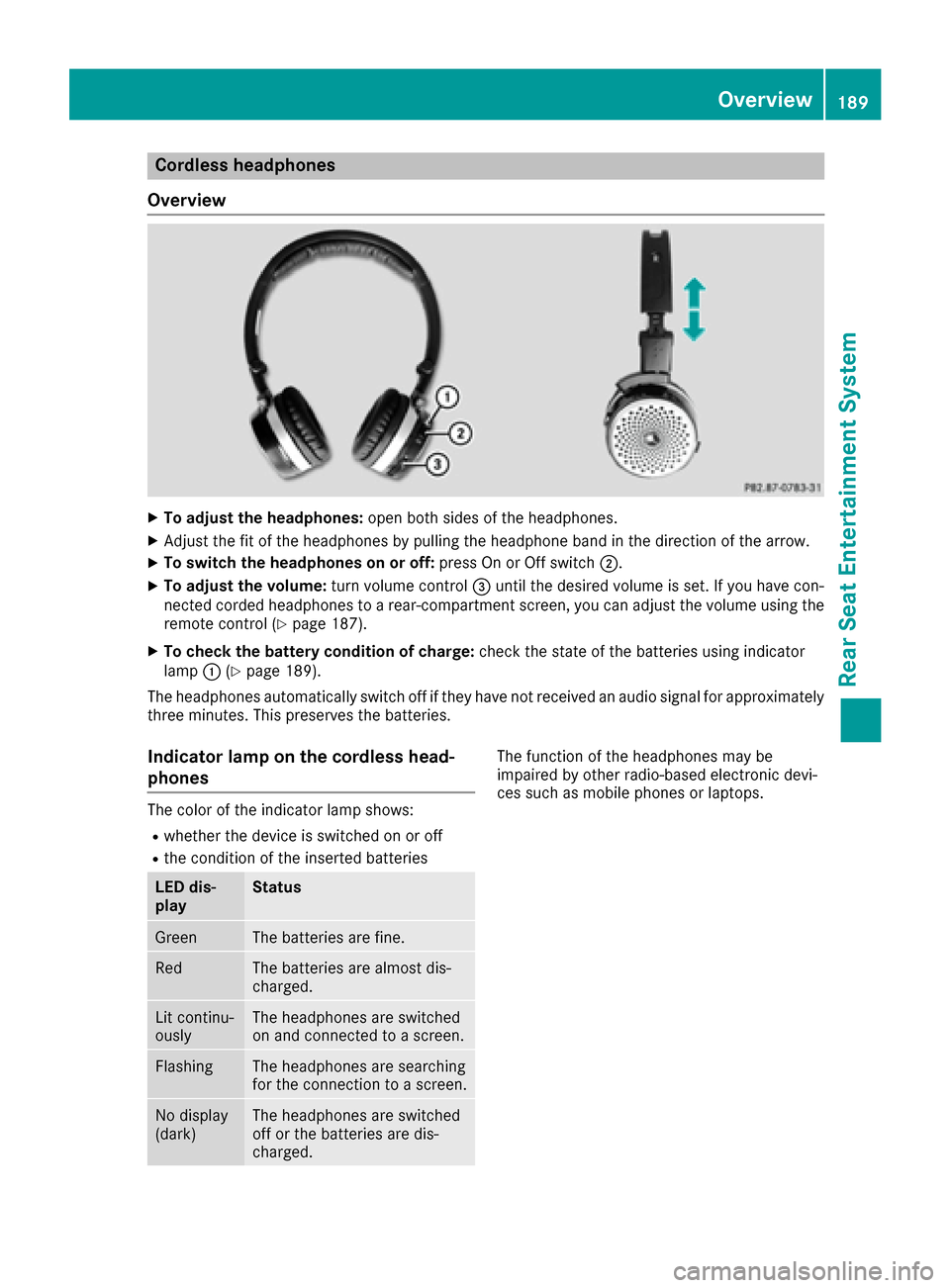
XTo adjust the headphones: open both sides of the headphones.
XAdjust the fit of the headphones by pulling the headphone band in the direction of the arrow.
XTo switch the headphones on or off: press On or Off switch;.
XTo adjust the volume: turn volume control=until the desired volume is set. If you have con-
nected corded headphones to a rear-compartment screen, you can adjust the volume using the
remote control (
Ypage 187).
XTo check the battery condition of charge: check the state of the batteries using indicator
lamp :(Ypage 189).
The headphones automatically switch off if they have not received an audio signal for approximately
three minutes. This preserves the batteries.
Indicator lamp on the cordless head-
phones
The color of the indicator lamp shows:
Rwhether the device is switched on or off
Rthe condition of the inserted batteries
LED dis-
playStatus
GreenThe batteries are fine.
RedThe batteries are almost dis-
charged.
Lit continu-
ouslyThe headphones are switched
on and connected to a screen.
FlashingThe headphones are searching
for the connection to a screen.
No display
(dark)The headphones are switched
off or the batteries are dis-
charged.
The function of the headphones may be
impaired by other radio-based electronic devi-
ces such as mobile phones or laptops.
Overview189
Rear Seat Entertainment System
Z
Page 194 of 206
Selecting sound settings
You can select sound settings in the following
operating modes:
RAudio CD/MP3
RVideo DVD
RRadio (active media source in COMAND)
RAUX
XSwitch on an operating mode (e.g. audio CD
mode) (Ypage 193).
XSelectTrebleorBassusing
the :=; buttons on the remote
control and press the 9button to confirm.
An adjustment scale appears.
XSelect a setting using the 9:buttons
and press the 9button to confirm.
Multiple users
Simultaneous use of the rear-compart-
ment disc drive
The two rear-compartment screens can be oper- ated almost entirely independently from one
another. However, a conflict may occur in some
menus if the two screens are used simultane-
ously.
The following functions affect both screens:
Rchanging playback options
Rselecting a track (from a track list or folder)
Rusing the play, pause and stop functions
Rfast forward and rewind or scrolling
Rcalling up the DVD menu and navigating
within it
Rsetting the language, subtitles and camera
angle
Rcalling up interactive DVD content
The following functions affect only one screen:
Rchanging audio and video functions as well as picture settings
Rswitching between full screen and the menu
Switching between operating modes
When you exit an operating mode (e.g. audio CD
mode), the current setting is saved. If you call up
this operating mode again later, there are two
possibilities:
Rthe operating mode has been changed on the
other screen.
Rthe operating mode has not been changed.
In the first case, the operating mode appears as it is on the other screen.
In the second case, the setting appears on the
screen as it was when you last exited the oper-
ating mode.
Picture settings
Overview
You can select the picture settings in video DVD and AUX mode (Ypage 202).
Adjusting the brightness, contrast and
color
XSwitch to video DVD mode (Ypage 196).
XTo show the menu: press the9button on
the remote control.
XSelect DVD-Videousing the :=;
buttons and press the 9button to confirm.
XSelect Brightness,Contrastor Colorusing the 9: buttons and press the 9
button to confirm.
A scale appears.
XSelect a setting using the 9:buttons
and press the 9button to confirm.
Changing the picture format
XTo show the menu: press the9button on
the remote control.
XSelect DVD-Videousing the :=;
buttons and press the 9button to confirm.
The dot in front of one of the menu items
Automatic
, 16:9 Optimized,4:3or Wide‐screenshows the currently set picture for-
mat.
XSelect a format using the 9:buttons
and press the 9button to confirm.
192Basic functions
Rear Seat Entertainment System
Page 202 of 206
XTo exit the menu:press the=or;
button.
Subtitles and camera angle
These functions are not available on all DVDs.
The number of subtitle languages and camera
angles available depends on the content of the
DVD. It may also be possible to access the set-
tings from the DVD menu.
XTo show the menu: press the9button on
the remote control.
XSelect DVD-Videoand press the 9button on
the remote control to confirm.
XSelect DVDFunctionsand press the 9but-
ton to confirm.
XSelect SubtitlesorCamera Angleand
press the 9button to confirm.
In both cases, a menu appears after a few
seconds. The #dot indicates the current set-
ting.
XSelect a setting using the 9:buttons
and press the 9button to confirm.
XTo exit the menu: press the=or;
button.
Interactive content
DVDs can also contain interactive content (e.g.
a video game). In a video game, you may be able to influence events, for example, by selecting
and triggering actions. The type and number of
actions depend on the DVD.
XSelect an action using the
9;:= buttons on the remote
control and press the 9button to execute it.
A menu appears and the first entry, Select
, is
highlighted.
XPress the 9button.
Active COMAND media source mode
Overview
You can transfer a media source selected in
COMAND to the Rear Seat Entertainment Sys-
tem. If you switch the media source in COMAND,
this will not be transferred to the Rear Seat
Entertainment System. You can transfer these media sources to the
Rear Seat Entertainment System:
RRadio
RCD or MP3 mode (CD, SD card, USB)
RMedia Interface
RVideo DVD mode
Observe the sequence described below when
playing a COMAND media source on the Rear
Seat Entertainment System.
1. Activating the function in COMAND
XSwitch on the radio (Ypage 140).
XSwitch CD or MP3 mode on (CD, SD card,
USB) (Ypage 149).
XSwitch on the media interface (Ypage 164).
2. Transferring the active COMAND
media to the Rear Seat Entertainment
System
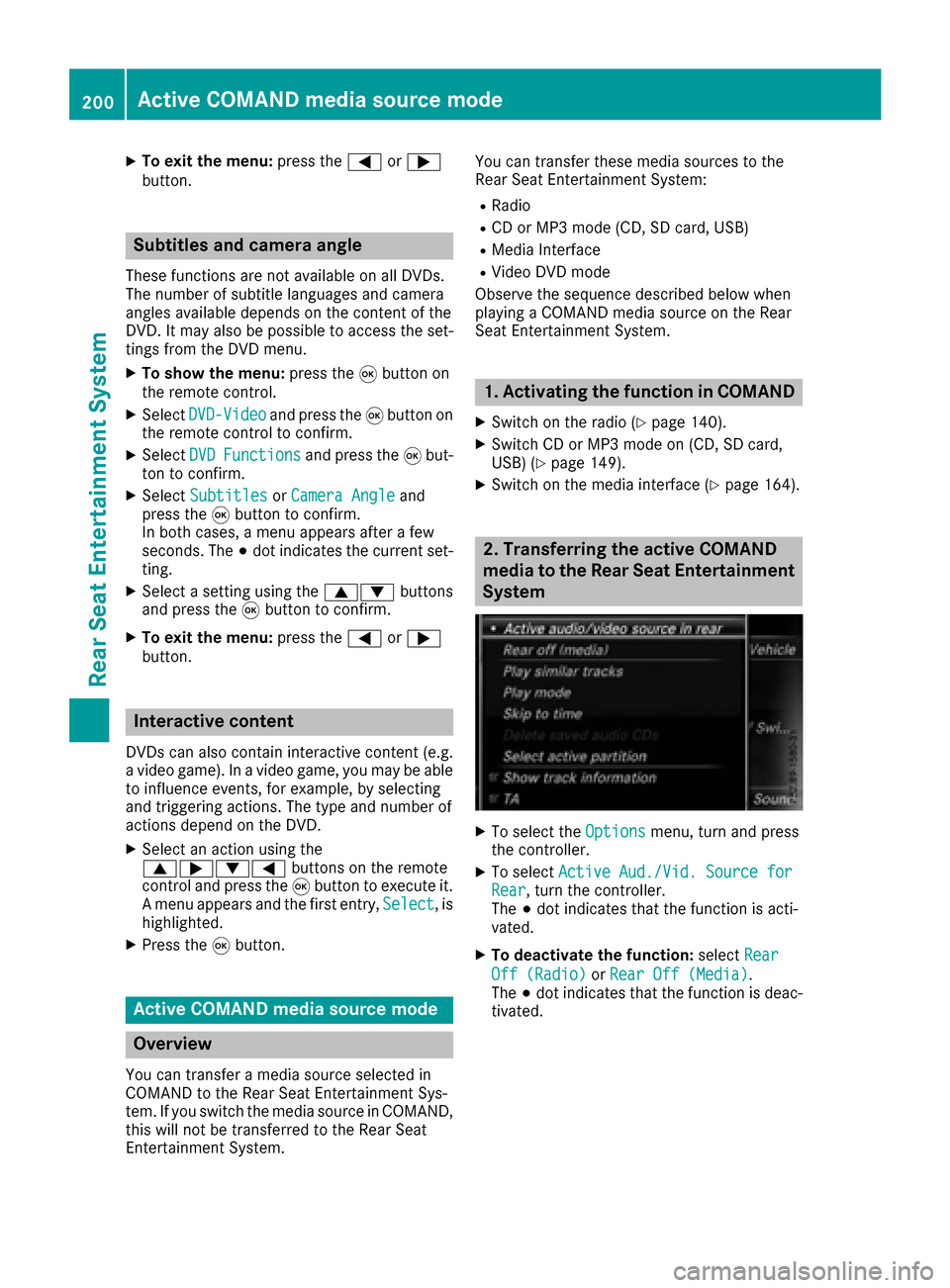
XTo select the Optionsmenu, turn and press
the controller.
XTo select Active Aud./Vid. Source forRear, turn the controller.
The #dot indicates that the function is acti-
vated.
XTo deactivate the function: selectRear
Off (Radio)orRear Off (Media).
The #dot indicates that the function is deac-
tivated.
200Active COMAND media source mode
Rear Seat Entertainment System
Page 203 of 206
3. Transferring the active COMAND
media source to the Rear Seat Enter-
tainment System
XSelectCOMANDusing the 9=; but-
tons on the remote control and press 9to
confirm.
A message appears stating that the desired
audio or video source needs to be activated in
COMAND. If the media source is activated in
COMAND, it is loaded on the Rear Seat Enter-
tainment System and is then played.
If Rear Off
is activated in COMAND, the
COMAND is off or there is no active
COMAND source.message appears.
Radio mode functions
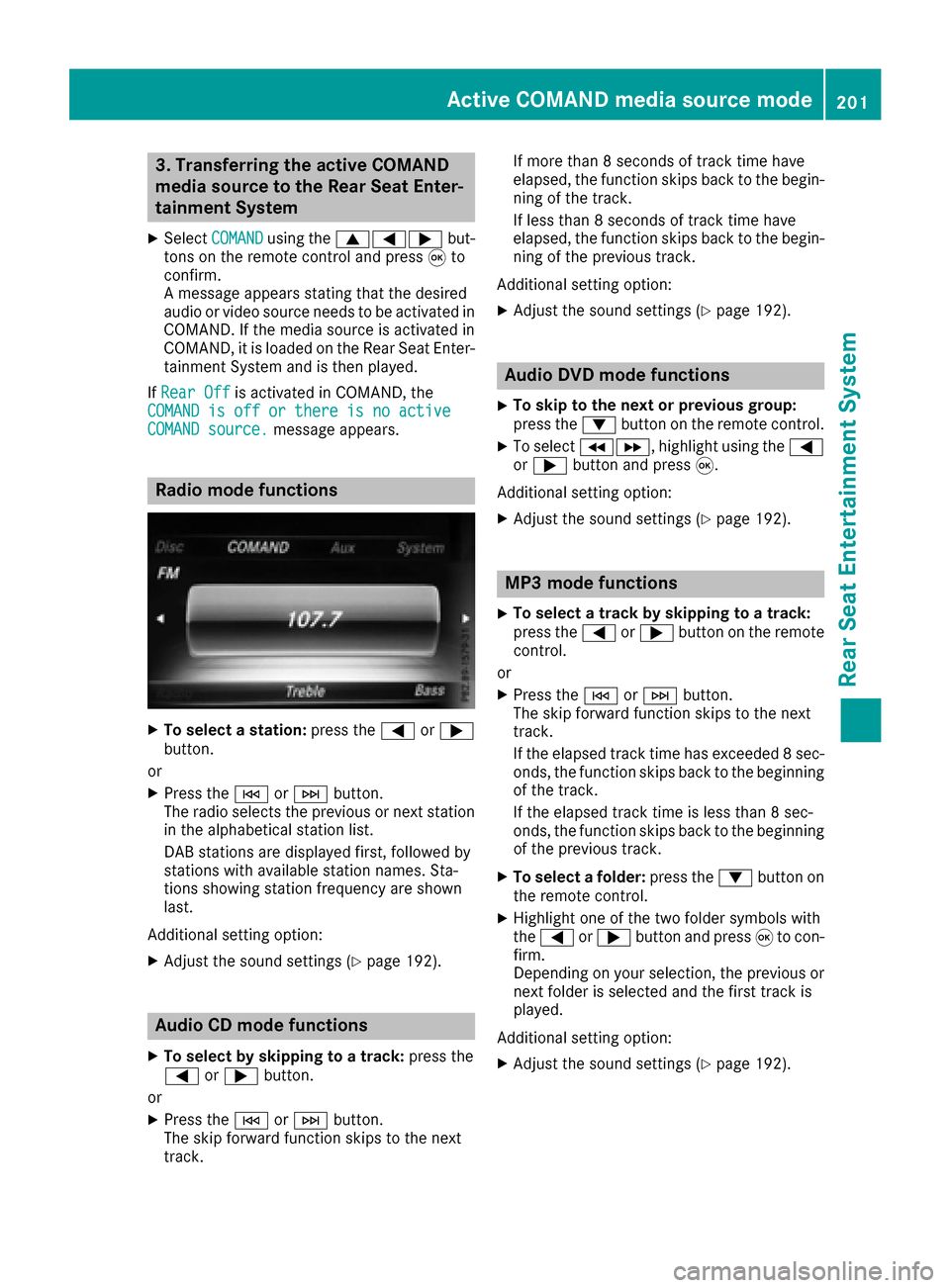
XTo select a station: press the=or;
button.
or
XPress the EorF button.
The radio selects the previous or next station in the alphabetical station list.
DAB stations are displayed first, followed by
stations with available station names. Sta-
tions showing station frequency are shown
last.
Additional setting option:
XAdjust the sound settings (Ypage 192).
Audio CD mode functions
XTo select by skipping to a track: press the
= or; button.
or
XPress the EorF button.
The skip forward function skips to the next
track. If more than 8 seconds of track time have
elapsed, the function skips back to the begin-
ning of the track.
If less than 8 seconds of track time have
elapsed, the function skips back to the begin-
ning of the previous track.
Additional setting option:
XAdjust the sound settings (Ypage 192).
Audio DVD mode functions
XTo skip to the next or previous group:
press the :button on the remote control.
XTo select KL, highlight using the =
or ; button and press 9.
Additional setting option:
XAdjust the sound settings (Ypage 192).
MP3 mode functions
XTo select a track by skipping to a track:
press the =or; button on the remote
control.
or
XPress the EorF button.
The skip forward function skips to the next
track.
If the elapsed track time has exceeded 8 sec-
onds, the function skips back to the beginning
of the track.
If the elapsed track time is less than 8 sec-
onds, the function skips back to the beginning of the previous track.
XTo select a folder: press the:button on
the remote control.
XHighlight one of the two folder symbols with
the = or; button and press 9to con-
firm.
Depending on your selection, the previous or
next folder is selected and the first track is
played.
Additional setting option:
XAdjust the sound settings (Ypage 192).
Active COMAND media source mode201
Rear Seat Entertainment System
Z