stop start MERCEDES-BENZ GLE SUV 2017 W166 Owner's Manual
[x] Cancel search | Manufacturer: MERCEDES-BENZ, Model Year: 2017, Model line: GLE SUV, Model: MERCEDES-BENZ GLE SUV 2017 W166Pages: 390, PDF Size: 9.43 MB
Page 7 of 390
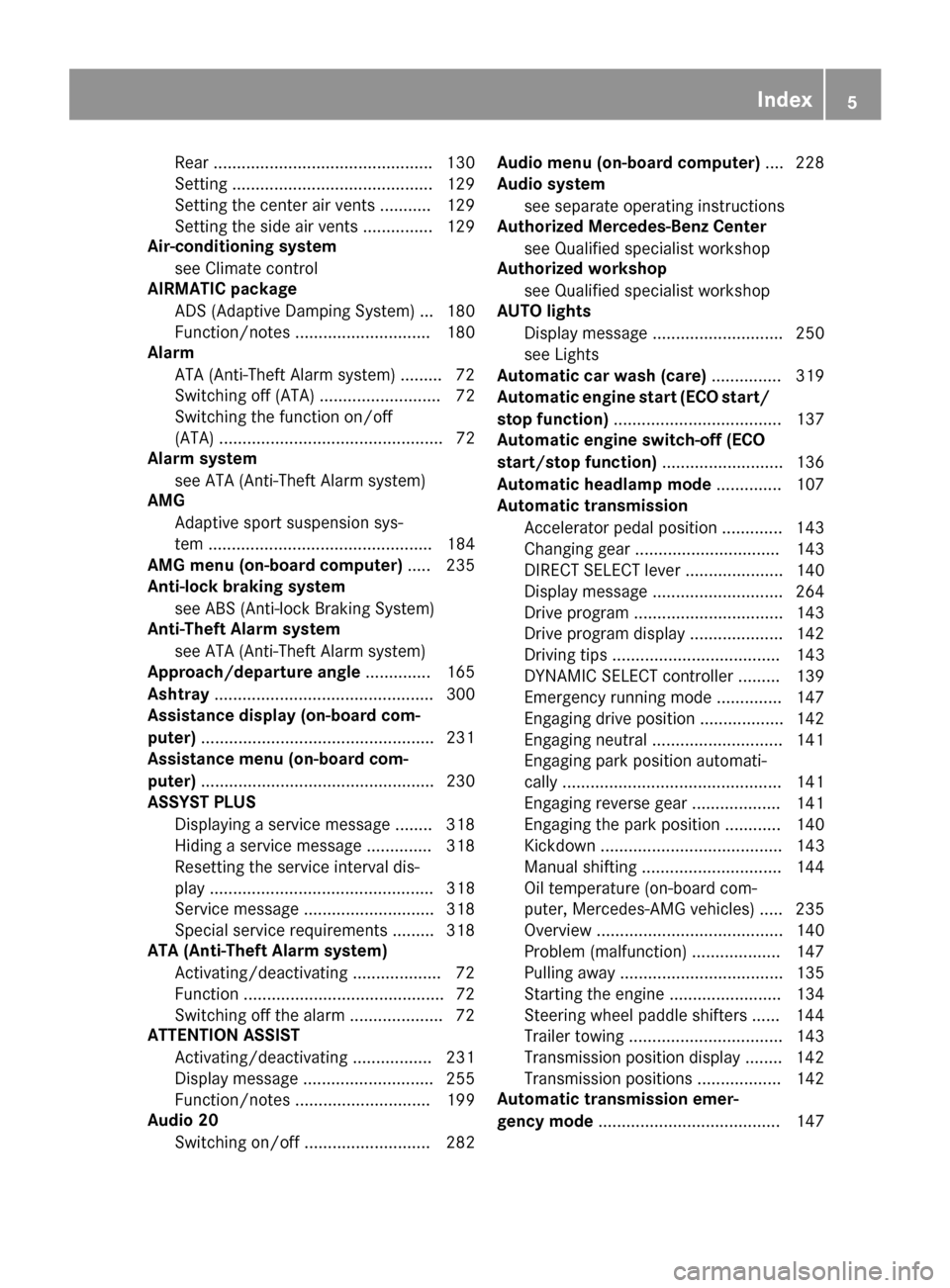
Rear ...............................................130
Setting ...........................................1 29
Setting the center air vents ........... 129
Setting the side air vents ...............1 29
Air-conditioning system
see Climate control
AIRMATIC package
ADS (Adaptive Damping System) ... 180
Function/notes .............................1 80
Alarm
ATA (Anti-Theft Alarm system) ......... 72
Switching off (ATA) .......................... 72
Switching the function on/off
(ATA) ................................................ 72
Alarm system
see ATA (Anti-Theft Alarm system)
AMG
Adaptive sport suspension sys-
tem ................................................ 184
AMG menu (on-board computer) ..... 235
Anti-lock braking system
see ABS (Anti-lock Braking System)
Anti-Theft Alarm system
see ATA (Anti-Theft Alarm system)
Approach/departure angle .............. 165
Ashtray ............................................... 300
Assistance display (on-board com-
puter) ..................................................2 31
Assistance menu (on-board com-
puter) ..................................................2 30
ASSYST PLUS
Displaying a service message ........3 18
Hiding a service message .............. 318
Resetting the service interval dis-
play ................................................ 318
Service message ............................ 318
Special service requirements ......... 318
ATA (Anti-Theft Alarm system)
Activating/deactivating ................... 72
Function ...........................................7 2
Switching off the alarm .................... 72
ATTENTION ASSIST
Activating/deactivating ................. 231
Display message ............................ 255
Function/notes ............................. 199
Audio 20
Switching on/off ........................... 282 Audio menu (on-board computer)
.... 228
Audio system
see separate operating instructions
Authorized Mercedes-Benz Center
see Qualified speci
alist workshop
Authorized workshop
see Qualified specialist workshop
AUTO lights
Display message ............................ 250
see Lights
Automatic car wash (care) ............... 319
Automatic engine start (ECO start/
stop function) .................................... 137
Automatic engine switch-off (ECO
start/stop function) .......................... 136
Automatic headlamp mode .............. 107
Automatic transmission
Accelerator pedal position ............. 143
Changing gear ............................... 143
DIRECT SELECT lever ..................... 140
Display message ............................ 264
Drive program ................................ 143
Drive program display .................... 142
Driving tips .................................... 143
DYNAMIC SELECT controller ......... 139
Emergency running mode .............. 147
Engaging drive position .................. 142
Engaging neutral ............................ 141
Engaging park position automati-
cally ............................................... 141
Engaging reverse gear ................... 141
Engaging the park position ............ 140
Kickdown ....................................... 143
Manual shifting .............................. 144
Oil temperature (on-board com-
puter, Mercedes-AMG vehicles) ..... 235
Overview ........................................ 140
Problem (malfunction) ................... 147
Pulling away ................................... 135
Starting the engine ........................ 134
Steering wheel paddle shifters ...... 144
Trailer towing ................................. 143
Transmission position display ........ 142
Transmission positions .................. 142
Automatic transmission emer-
gency mode ....................................... 147
Index5
Page 12 of 390
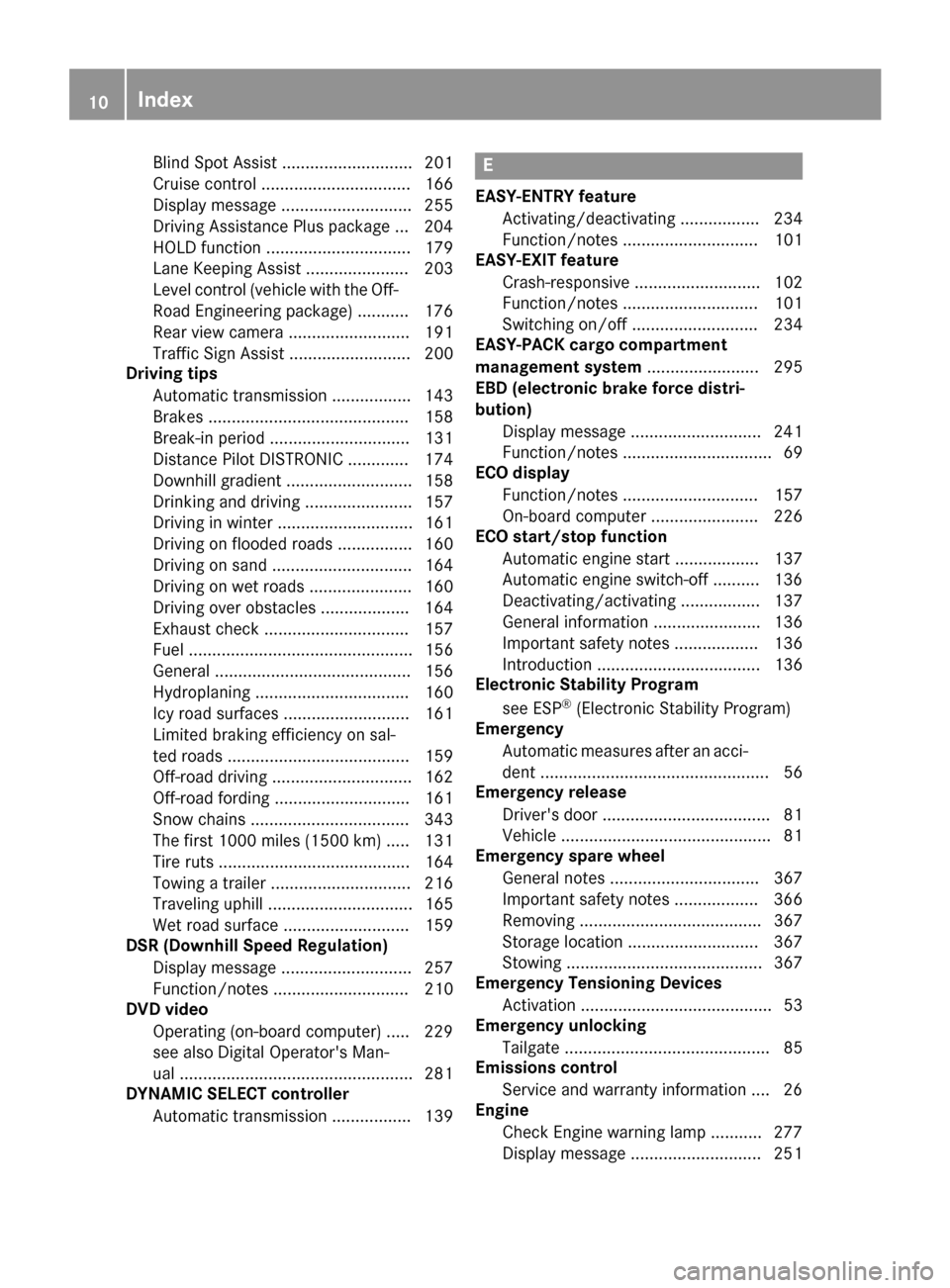
Blind Spot Assist ............................ 201
Cruise control ................................ 166
Display message ............................ 255
Driving Assistance Plus package ... 204
HOLD function ............................... 179
Lane Keeping Assist ...................... 203
Level control (vehicle with the Off-
Road Engineering package) ........... 176
Rear view camera .......................... 191
Traffic Sign Assist .......................... 200
Driving tips
Automatic transmission ................. 143
Brakes ........................................... 158
Break-in period .............................. 131
Distance Pilot DISTRONIC ............. 174
Downhill gradient ........................... 158
Drinking and driving ....................... 157
Driving in winter ............................. 161
Driving on flooded roads ................ 160
Driving on sand .............................. 164
Driving on wet roads ...................... 160
Driving over obstacles ................... 164
Exhaust check ............................... 157
Fuel ................................................ 156
General .......................................... 156
Hydroplaning ................................. 160
Icy road surfaces ........................... 161
Limited braking efficiency on sal-
ted roads ....................................... 159
Off-road driving .............................. 162
Off-road fording ............................. 161
Snow chains .................................. 343
The first 1000 miles (1500 km) ..... 131
Tire ruts ......................................... 164
Towing a trailer .............................. 216
Traveling uphill ............................... 165
Wet road surface ........................... 159
DSR (Downhill Speed Regulation)
Display message ............................ 257
Function/notes ............................. 210
DVD video
Operating (on-board computer) ..... 229
see also Digital Operator's Man-
ual .................................................. 281
DYNAMIC SELECT controller
Automatic transmission ................. 139E
EASY-ENTRY featureActivating/deactivating ................. 234
Function/notes ............................. 101
EASY-EXIT feature
Crash-responsive ........................... 102
Function/notes ............................. 101
Switching on/off ........................... 234
EASY-PACK cargo compartment
management system ........................ 295
EBD (electronic brake force distri-
bution)
Display message ............................ 241
Function/notes ................................ 69
ECO display
Function/notes ............................. 157
On-board computer ....................... 226
ECO start/stop function
Automatic engine start .................. 137
Automatic engine switch-off .......... 136
Deactivating/activating ................. 137
General information ....................... 136
Important safety notes .................. 136
Introduction ................................... 136
Electronic Stability Program
see ESP
®(Electronic Stability Program)
Emergency
Automatic measures after an acci-
dent ................................................. 56
Emergency release
Driver's door .................................... 81
Vehicle ............................................. 81
Emergency spare wheel
General notes ................................ 367
Important safety notes .................. 366
Removing ....................................... 367
Storage location ............................ 367
Stowing .......................................... 367
Emergency Tensioning Devices
Activation ......................................... 53
Emergency unlocking
Tailgate ............................................ 85
Emissions control
Service and warranty information .... 26
Engine
Check Engine warning lamp ........... 277
Display message ............................ 251
10Index
Page 13 of 390
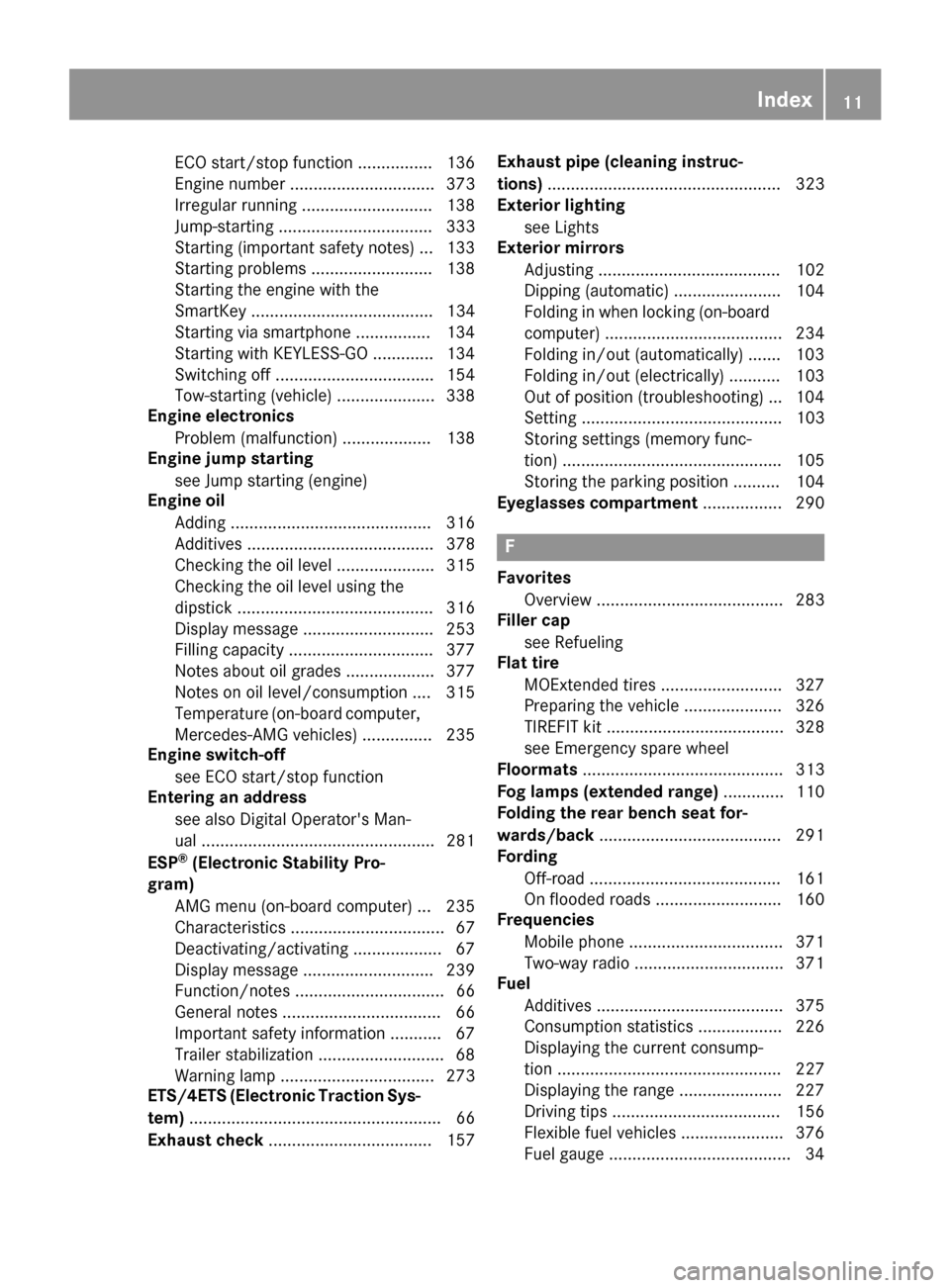
ECO start/stop function ................ 136
Engine number ............................... 373
Irregular running ............................ 138
Jump-starting ................................. 333
Starting (important safety notes) ... 133
Starting problems .......................... 138
Starting the engine with the
SmartKey ....................................... 134
Starting via smartphone ................ 134
Starting with KEYLESS-GO ............. 134
Switching off .................................. 154
Tow-starting (vehicle) ..................... 338
Engine electronics
Problem (malfunction) ................... 138
Engine jump starting
see Jump starting (engine)
Engine oil
Adding ........................................... 316
Additives ........................................ 378
Checking the oil level ..................... 315
Checking the oil level using the
dipstick .......................................... 316
Display message ............................ 253
Filling capacity ............................... 377
Notes about oil grades ................... 377
Notes on oil level/consumption .... 315
Temperature (on-board computer,
Mercedes-AMG vehicles) ............... 235
Engine switch-off
see ECO start/stop function
Entering an address
see also Digital Operator's Man-
ual .................................................. 281
ESP
®(Electronic Stability Pro-
gram)
AMG menu (on-board computer) ... 235
Characteristics ................................. 67
Deactivating/activating ................... 67
Display message ............................ 239
Function/notes ................................ 66
General notes .................................. 66
Important safety information ........... 67
Trailer stabilization ........................... 68
Warning lamp ................................. 273
ETS/4ETS (Electronic Traction Sys-
tem) ...................................................... 66
Exhaust check ................................... 157 Exhaust pipe (cleaning instruc-
tions)
.................................................. 323
Exterior lighting
see Lights
Exterior mirrors
Adjusting ....................................... 102
Dipping (automatic) ....................... 104
Folding in whe
n locking (on-board
computer) ...................................... 234
Folding in/out (automatically) ....... 103
Folding in/out (electrically) ........... 103
Out of position (troubleshooting) ... 104
Setting ........................................... 103
Storing settings (memory func-
tion) ............................................... 105
Storing the parking position .......... 104
Eyeglasses compartment ................. 290
F
Favorites
Overview ........................................ 283
Filler cap
see Refueling
Flat tire
MOExtended tires .......................... 327
Preparing the vehicle ..................... 326
TIREFIT kit ...................................... 328
see Emergency spare wheel
Floormats ........................................... 313
Fog lamps (extended range) ............. 110
Folding the rear bench seat for-
wards/back ....................................... 291
Fording
Off-road ......................................... 161
On flooded roads ........................... 160
Frequencies
Mobile phone ................................. 371
Two-way radio ................................ 371
Fuel
Additives ........................................ 375
Consumption statistics .................. 226
Displaying the current consump-
tion ................................................ 227
Displaying the range ...................... 227
Driving tips .................................... 156
Flexible fuel vehicles ...................... 376
Fuel gauge ....................................... 34
Index11
Page 15 of 390
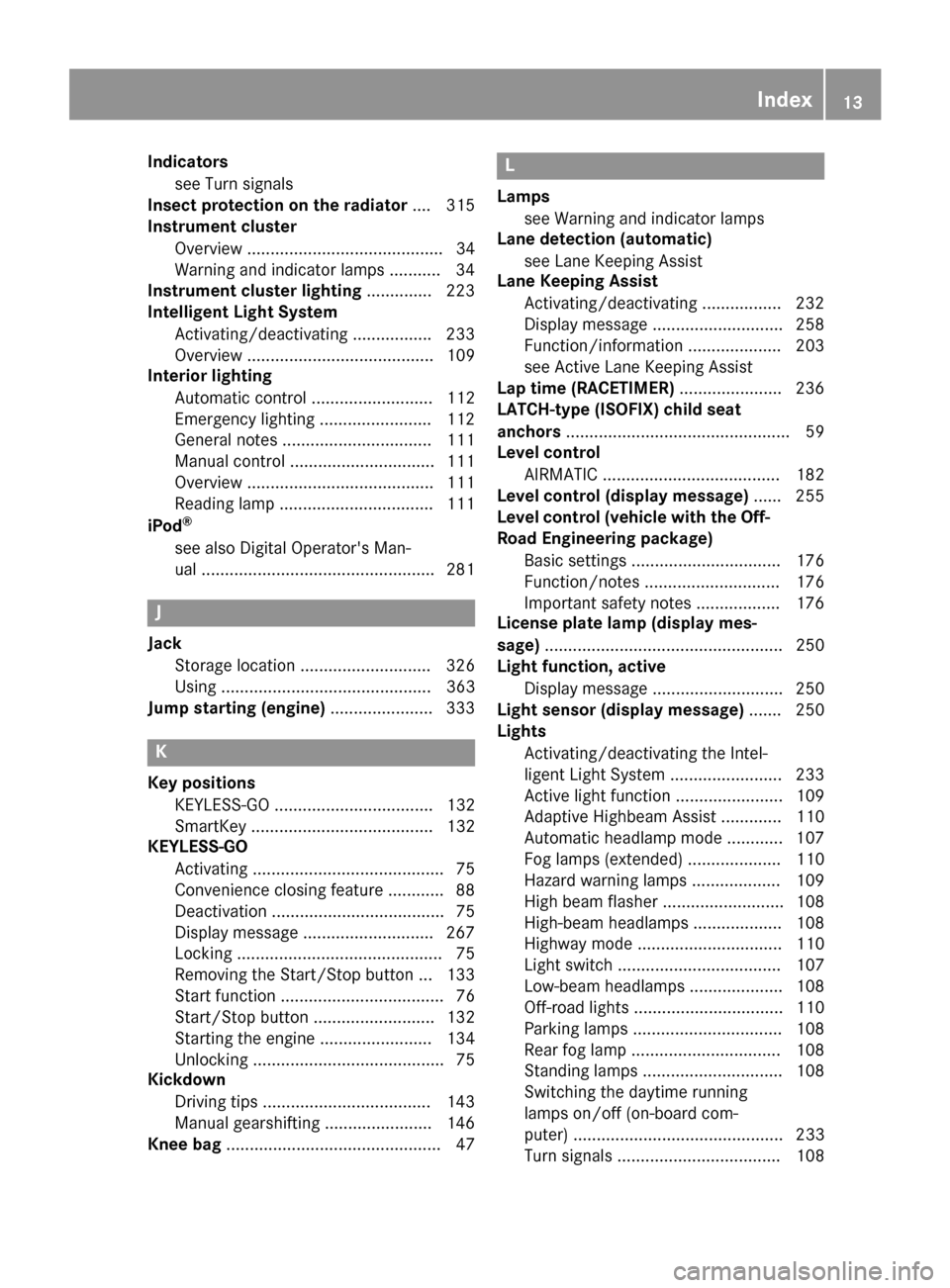
Indicatorssee Turn signals
Insect protection on the radiator .... 315
Instrument cluster
Overview .......................................... 34
Warning and indicator lamps .......... .34
Instrument cluster lighting .............. 223
Intelligent Light System
Activating/deactivating ................ .233
Overview ........................................ 109
Interior lighting
Automatic control .......................... 112
Emergency lighting ........................ 112
General notes ................................ 111
Manual control ............................... 111
Overview ........................................ 111
Reading lamp ................................. 111
iPod
®
see also Digital Operator's Man-
ual ..................................................2 81
J
Jack
Storage location ............................ 326
Using ............................................. 363
Jump starting (engine) ......................333
K
Key positions
KEYLESS-GO .................................. 132
SmartKey ....................................... 132
KEYLESS-GO
Activating ......................................... 75
Convenience closing feature ............ 88
Deactivation ..................................... 75
Display message ............................ 267
Locking ............................................ 75
Removing the Start/Stop button ... 133
Start function ................................... 76
Start/Stop button .......................... 132
Starting the engine ........................ 134
Unlocking ......................................... 75
Kickdown
Driving tips ....................................1 43
Manual gearshifting ....................... 146
Knee bag .............................................. 47
L
Lamps
see Warning and indicator lamps
Lane detection (automatic)
see Lane Keeping Assist
Lane Keeping Assist
Activating/deactivating ................. 232
Display message ............................ 258
Function/information .................... 203
see Active Lane Keeping Assist
Lap time (RACETIMER) ...................... 236
LATCH-type (ISOFIX) child seat
anchors ................................................ 59
Level control
AIRMATIC ...................................... 182
Level control (display message) ...... 255
Level control (vehicle with the Off-
Road Engineering package)
Basic settings ................................ 176
Function/notes ............................. 176
Important safety notes .................. 176
License plate lamp (display mes-
sage) ................................................... 250
Light function, active
Display message ............................ 250
Light sensor (display message) ....... 250
Lights
Activating/deactivating the Intel-
ligent Light System ........................ 233
Active light function ....................... 109
Adaptive Highbeam Assist ............. 110
Automatic headlamp mode ............ 107
Fog lamps (extended) .................... 110
Hazard warning lamps ................... 109
High beam flasher .......................... 108
High-beam headlamps ................... 108
Highway mode ............................... 110
Light switch ................................... 107
Low-beam headlamps .................... 108
Off-road lights ................................ 110
Parking lamps ................................ 108
Rear fog lamp ................................ 108
Standing lamps .............................. 108
Switching the daytime running
lamps on/off (on-board com-
puter) ............................................. 233
Turn signals ................................... 108
Index13
Page 22 of 390
SMSsee also Digital Operator's Man-
ual .................................................. 281
Snow chains
Information .................................... 343
Sockets
Center console .............................. 301
General notes ................................ 301
Luggage compartment ...................3 02
Rear compartment ......................... 301
Sound
Switching on/off ........................... 282
Special seat belt retractor .................. 57
Specialist workshop ............................ 29
Speed, controlling
see Cruise control
Speedometer
Digital ............................................ 227
In the Instrument cluster ................. 34
Segments ...................................... 223
Selecting the display unit ...............2 32
Standing lamps
Display message ............................ 250
Switching on/off ........................... 108
Start/Stop button
Starting the engine ........................ 134
Start/stop function
see ECO start/stop function
Starting (engine) ................................ 133
STEER CONTROL .................................. 72
Steering
Display message ............................ 266
Steering Pilot
Activating/deactivating ................. 231
Display message ............................ 261
Steering wheel
Adjusting (electrically) ................... 101
Adjusting (manually) ...................... 100
Button overview ............................... 35
Buttons (on-board computer) ......... 224
Cleaning ......................................... 324
Important safety notes .................. 100
Steering wheel heating .................. 101
Storing settings (memory func-
tion) ............................................... 105
Steering wheel heating
Problem (malfunction) ................... 101
Switching on/off ........................... 101 Steering wheel paddle shifters
........ 144
Stopwatch (RACETIMER) ................... 236
Stowage areas ................................... 288
Stowage compartments
Armrest (under) ............................. 289
Center console .............................. 290
Center console (rear) ..................... 290
C
up holders ................................... 298
Eyeglasses compartment ............... 290
Glove box ....................................... 289
Important safety information ......... 288
Stowage net ................................... 290
Stowage net ....................................... 290
Summer tires
In winter ........................................ 343
Sun visor ............................................ 299
Suspension setting
AMG adaptive sport suspension
system ........................................... 184
Suspension settings
SETUP (on-board computer) .......... 235
SUV
(Sport Utility Vehicle) ....................... 28
Switching air-recirculation mode
on/off ................................................. 128
Switching on media mode
Via the device list .......................... 286
T
Tachometer ........................................ 223
Tailgate
Display message ............................ 265
Emergency unlocking ....................... 85
Important safety notes .................... 81
Limiting the opening angle ............... 84
Opening dimensions ...................... 380
Opening/closing (automatically
from inside) ...................................... 84
Opening/closing (automatically
from outside) ................................... 83
Opening/closing (from outside) ....... 82
Power closing .................................. 81
Tank
see Fuel tank
Tank content
Fuel gauge ....................................... 34
20Index
Page 30 of 390
Sports Utility Vehicle
GWARNING
Due to the high center of gravity, the vehicle
may start to skid and roll over in the event of
an abrupt steering maneuver and/or when
the vehicle's speed is not adapted to the road
conditions. There is a risk of an accident.
Always adapt your speed and driving style to
the vehicle's driving characteristics and to the
prevailing road and weather conditions.
Utility vehicles have a significantly higher roll-
over rate than other types of vehicles.
Failure to operate this vehicle safely may result
in an accident, rollover of the vehicle, and severe
or fatal injury.
In a rollover crash, an unbelted person is signif-
icantly more likely to die than a person wearing
a seat belt.
You and all vehicle occupants should always
wear your seat belts.
Operating safety
Important safety notes
GWARNING
If you do not have the prescribed service/
maintenance work or any required repairs
carried out, this can result in malfunctions or system failures. There is a risk of an accident.
Always have the prescribed service/mainte-
nance work as well as any required repairs
carried out at a qualified specialist workshop.
GWARNING
Flammable material such as leaves, grass or
twigs may ignite if they come into contact with
hot parts of the exhaust system. There is a risk of fire.
When driving off road or on unpaved roads,
check the vehicle's underside regularly. In
particular, remove parts of plants or other
flammable materials which have become
trapped. In the case of damage, contact a
qualified specialist workshop.
GWARNING
Modifications to electronic components, their software as well as wiring can impair their
function and/or the function of other net-
worked components. In particular, systems
relevant to safety could also be affected. As a
result, these may no longer function as inten-
ded and/or jeopardize the operating safety of
the vehicle. There is an increased risk of an
accident and injury.
Never tamper with the wiring as well as elec-
tronic components or their software. You
should have all work to electrical and elec-
tronic equipment carried out at a qualified
specialist workshop.
!There is a risk of damage to the vehicle if:
Rthe vehicle becomes stuck, e.g. on a high
curb or an unpaved road
Ryou drive too fast over an obstacle, e.g. a
curb, speed bumps or a pothole in the road
Ra heavy object strikes the underbody or
parts of the chassis
In situations like this, the body, the under-
body, chassis parts, wheels or tires could be
damaged without the damage being visible.
Components damaged in this way can unex-
pectedly fail or, in the case of an accident, no longer withstand the strain they are designed
to.
If the underbody paneling is damaged, com-
bustible materials such as leaves, grass or
twigs can gather between the underbody and
the underbody paneling. If these materials
come in contact with hot parts of the exhaustsystem, they can catch fire.
In such situations, have the vehicle checked
and repaired immediately at a qualified spe-
cialist workshop. If on continuing your jour-
ney you notice that driving safety is impaired,
pull over and stop the vehicle immediately,
paying attention to road and traffic condi-
tions. In such cases, consult a qualified spe-
cialist workshop.
Declarations of conformity
USA: "The wireless devices of this vehicle com-
ply with Part 15 of the FCC Rules. Operation is
subject to the two following two conditions: 1)
28Introduction
Page 35 of 390
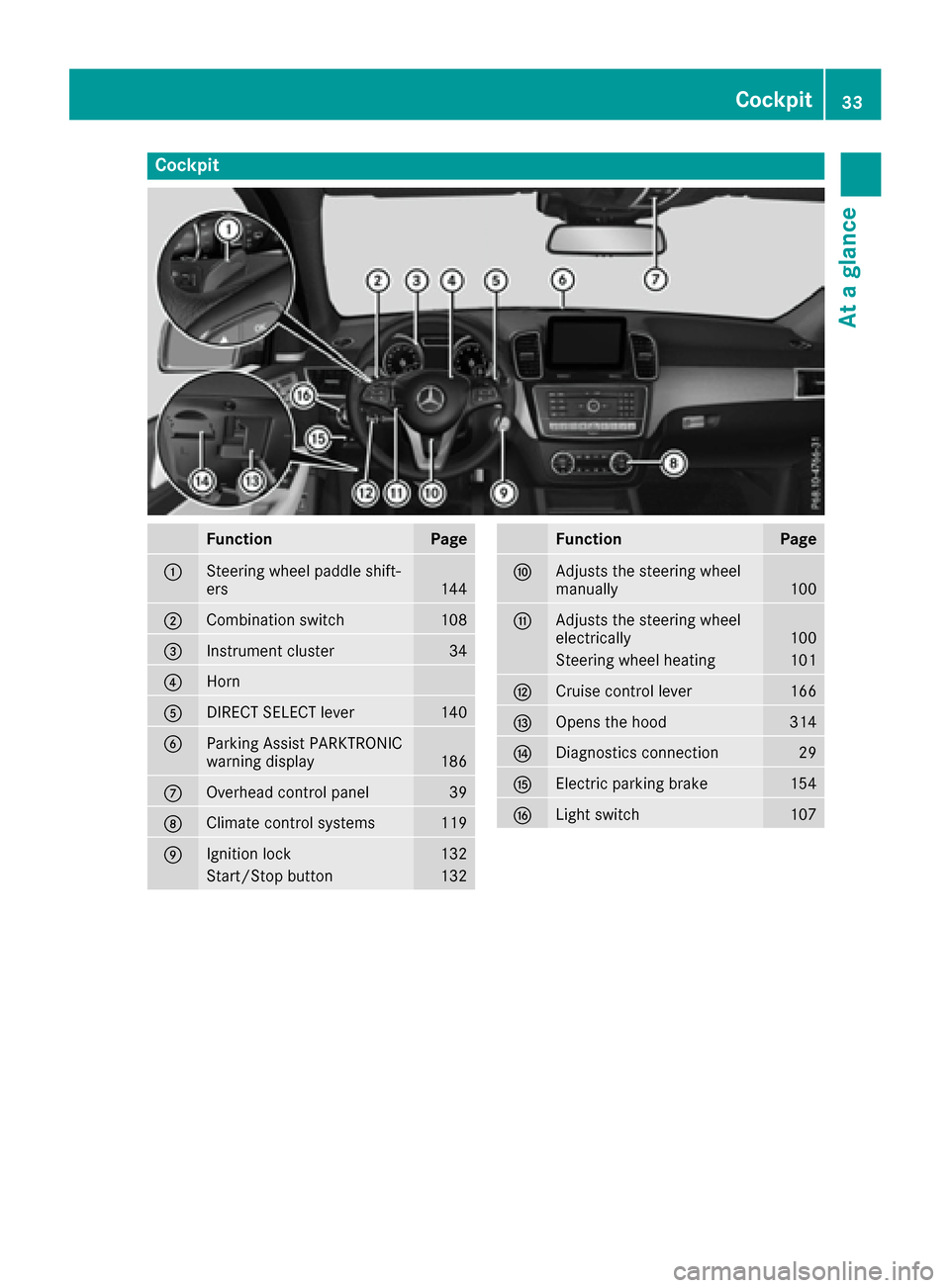
Cockpit
FunctionPage
:Steering wheel paddle shift-
ers144
;Combination switch108
=Instrument cluster34
?Horn
ADIRECT SELECT lever140
BParking Assist PARKTRONIC
warning display186
COverhead control panel39
DClimate control systems119
EIgnition lock132
Start/Stop button132
FunctionPage
FAdjusts the steering wheel
manually100
GAdjusts the steering wheel
electrically100
Steering wheel heating101
HCruise control lever166
IOpens the hood314
JDiagnostics connection29
KElectric parking brake154
LLight switch107
Cockpit33
At a glance
Page 38 of 390
Center console
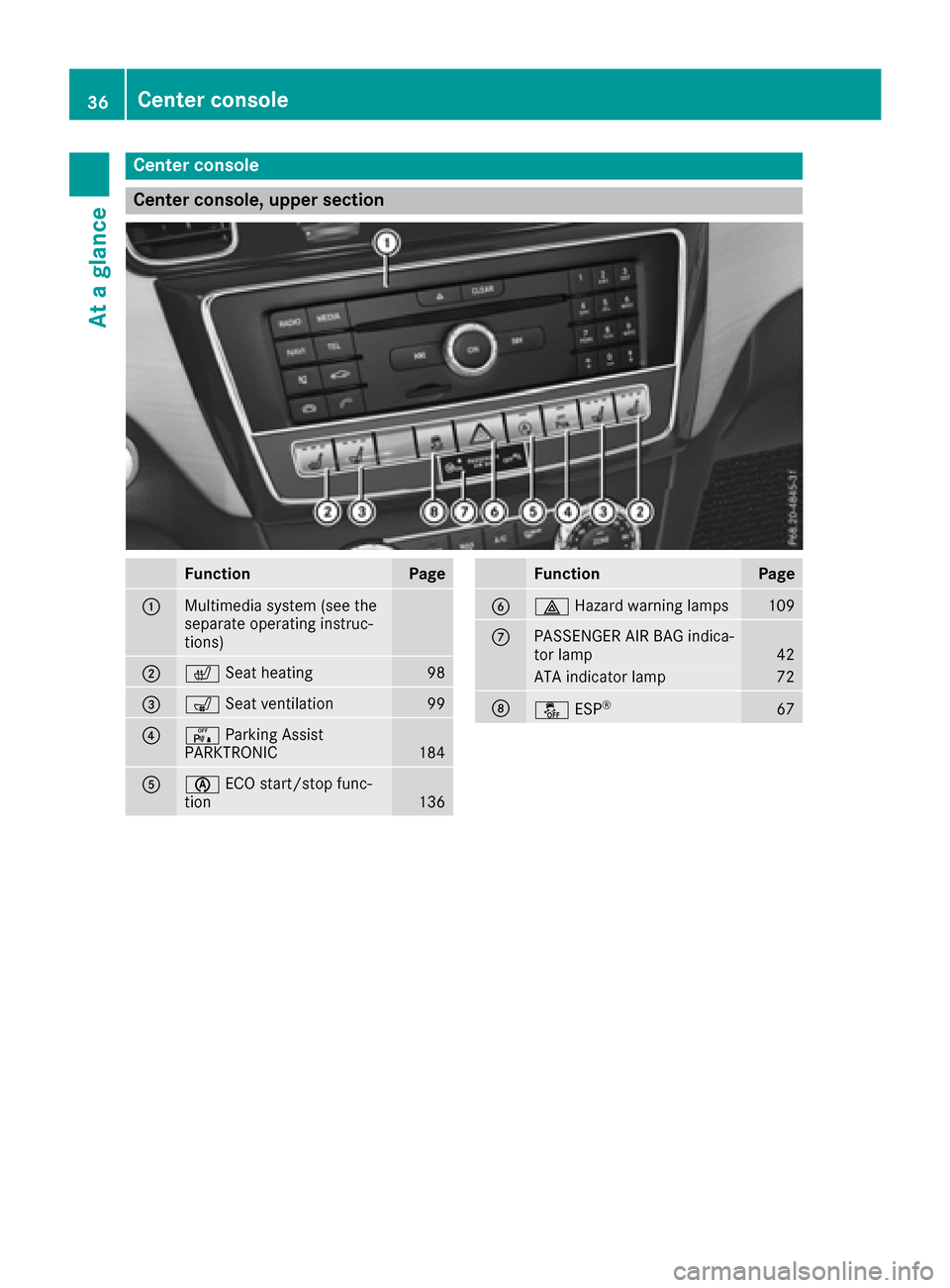
Center console, upper section
FunctionPage
:Multimedia system (see the
separate operating instruc-
tions)
;cSeat heating98
=sSeat ventilation99
?cParking Assist
PARKTRONIC184
Aè ECO start/stop func-
tion136
FunctionPage
B£ Hazard warning lamps109
CPASSENGER AIR BAG indica-
tor lamp42
ATA indicator lamp72
DåESP®67
36Center console
At a glance
Page 43 of 390
Panic alarm
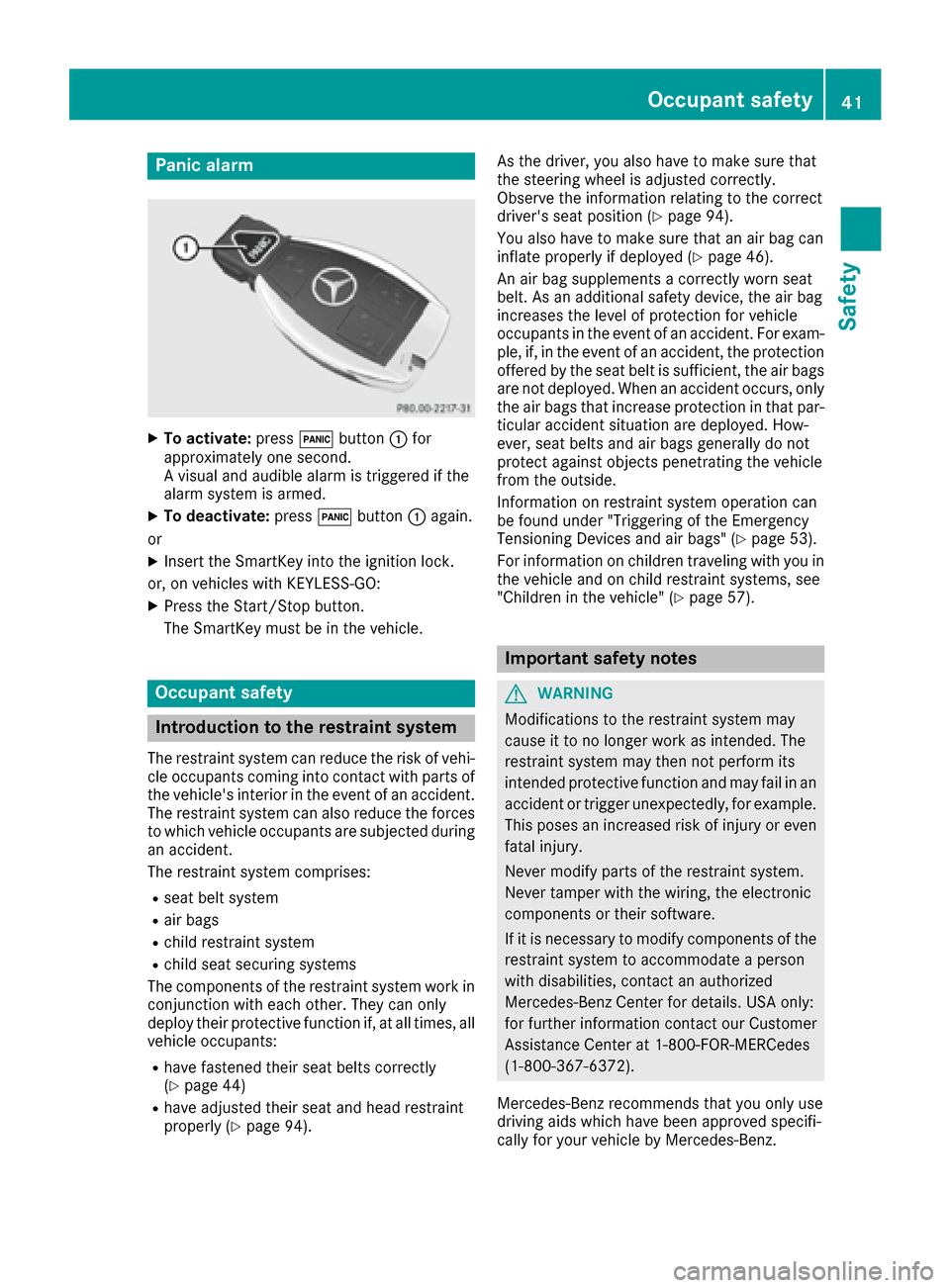
XTo activate:press!button :for
approximately one second.
A visual and audible alarm is triggered if the
alarm system is armed.
XTo deactivate: press!button :again.
or
XInsert the SmartKey into the ignition lock.
or, on vehicles with KEYLESS‑GO:
XPress the Start/Stop button.
The SmartKey must be in the vehicle.
Occupant safety
Introduction to the restraint system
The restraint system can reduce the risk of vehi- cle occupants coming into contact with parts of
the vehicle's interior in the event of an accident.
The restraint system can also reduce the forces to which vehicle occupants are subjected during
an accident.
The restraint system comprises:
Rseat belt system
Rair bags
Rchild restraint system
Rchild seat securing systems
The components of the restraint system work in
conjunction with each other. They can only
deploy their protective function if, at all times, all vehicle occupants:
Rhave fastened their seat belts correctly
(Ypage 44)
Rhave adjusted their seat and head restraint
properly (Ypage 94). As the driver, you also have to make sure that
the steering wheel is adjusted correctly.
Observe the information relating to the correct
driver's seat position (
Ypage 94).
You also have to make sure that an air bag can
inflate properly if deployed (
Ypage 46).
An air bag supplements a correctly worn seat
belt. As an additional safety device, the air bag
increases the level of protection for vehicle
occupants in the event of an accident. For exam-
ple, if, in the event of an accident, the protection
offered by the seat belt is sufficient, the air bags are not deployed. When an accident occurs, only
the air bags that increase protection in that par-ticular accident situation are deployed. How-
ever, seat belts and air bags generally do not
protect against objects penetrating the vehicle
from the outside.
Information on restraint system operation can
be found under "Triggering of the Emergency
Tensioning Devices and air bags" (
Ypage 53).
For information on children traveling with you in
the vehicle and on child restraint systems, see
"Children in the vehicle" (
Ypage 57).
Important safety notes
GWARNING
Modifications to the restraint system may
cause it to no longer work as intended. The
restraint system may then not perform its
intended protective function and may fail in an
accident or trigger unexpectedly, for example.
This poses an increased risk of injury or even fatal injury.
Never modify parts of the restraint system.
Never tamper with the wiring, the electronic
components or their software.
If it is necessary to modify components of the
restraint system to accommodate a person
with disabilities, contact an authorized
Mercedes-Benz Center for details. USA only:
for further information contact our Customer
Assistance Center at 1-800-FOR-MERCedes
(1‑800‑367‑6372).
Mercedes-Benz recommends that you only use
driving aids which have been approved specifi-
cally for your vehicle by Mercedes-Benz.
Occupant safety41
Safety
Z
Page 51 of 390
In the following situation, the side impact air bag
and the Emergency Tensioning Device are deac-
tivated:
ROCS has not categorized the person on the
front-passenger seat as an adult or a person
of corresponding stature and
Rthe seat belt tongue of the seat belt is not
inserted into the front-passenger seat belt
buckle
Requirements
To be classified correctly, the front passenger
must sit:
Rwith the seat belt fastened correctly
Rin an almost upright position with their back
against the seat backrest
Rwith their feet resting on the floor, if possible
If the front passenger does not observe these
conditions, OCS may produce a false classifica-
tion, e.g. because the front passenger:
Rtransfers their weight by supporting them-
selves on a vehicle armrest
Rsits in such a way that their weight is raised
from the seat cushion
If it is absolutely necessary to install a child
restraint system on the front-passenger seat, be
sure to observe the correct positioning of the
child restraint system. Never place objects
under or behind the child restraint system, e.g. a
cushion. The entire base of the child restraint
system must always rest on the seat cushion of the front-passenger seat. The backrest of the
forward-facing child restraint system must lie as
flat as possible against the backrest of the front-
passenger seat.
The child restraint system must not touch the
roof or be subjected to a load by the head
restraint. Adjust the angle of the seat backrest
and the head restraint position accordingly.
Only then can OCS be guaranteed to function
correctly. Always observe the child restraint sys-
tem manufacturer's installation and operating
instructions.
Occupant Classification System opera-
tion (OCS)
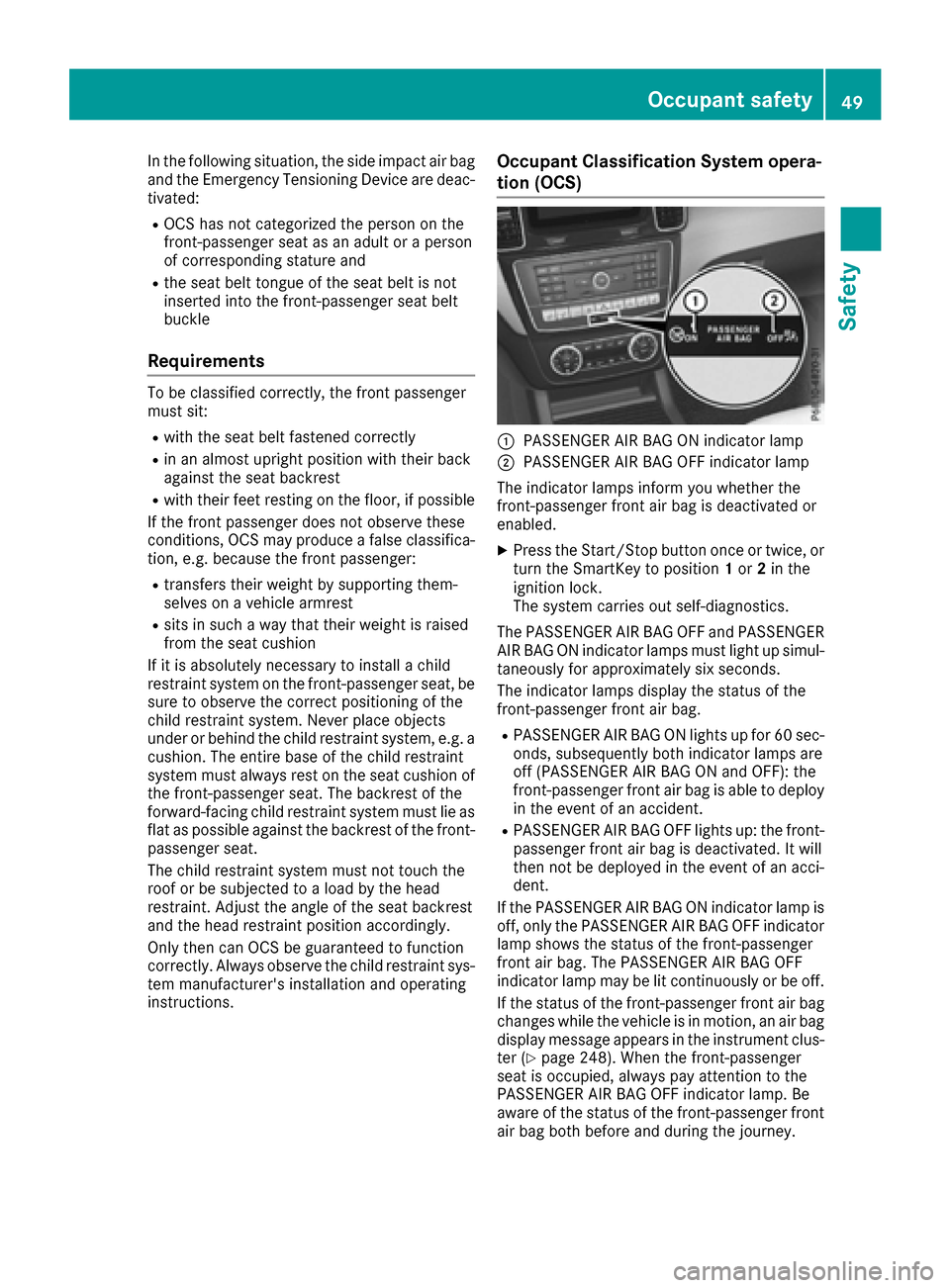
:PASSENGER AIR BAG ON indicator lamp
;PASSENGER AIR BAG OFF indicator lamp
The indicator lamps inform you whether the
front-passenger front air bag is deactivated or
enabled.
XPress the Start/Stop button once or twice, or
turn the SmartKey to position 1or 2in the
ignition lock.
The system carries out self-diagnostics.
The PASSENGER AIR BAG OFF and PASSENGER AIR BAG ON indicator lamps must light up simul-
taneously for approximately six seconds.
The indicator lamps display the status of the
front-passenger front air bag.
RPASSENGER AIR BAG ON lights up for 60 sec-
onds, subsequently both indicator lamps are
off (PASSENGER AIR BAG ON and OFF): the
front-passenger front air bag is able to deploy
in the event of an accident.
RPASSENGER AIR BAG OFF lights up: the front-
passenger front air bag is deactivated. It will
then not be deployed in the event of an acci-
dent.
If the PASSENGER AIR BAG ON indicator lamp is
off, only the PASSENGER AIR BAG OFF indicator lamp shows the status of the front-passenger
front air bag. The PASSENGER AIR BAG OFF
indicator lamp may be lit continuously or be off.
If the status of the front-passenger front air bag
changes while the vehicle is in motion, an air bag
display message appears in the instrument clus-
ter (
Ypage 248). When the front-passenger
seat is occupied, always pay attention to the
PASSENGER AIR BAG OFF indicator lamp. Be
aware of the status of the front-passenger front air bag both before and during the journey.
Occupant safety49
Safety
Z