ABS MERCEDES-BENZ GLK-Class 2013 X204 Owner's Manual
[x] Cancel search | Manufacturer: MERCEDES-BENZ, Model Year: 2013, Model line: GLK-Class, Model: MERCEDES-BENZ GLK-Class 2013 X204Pages: 378, PDF Size: 5.03 MB
Page 6 of 378
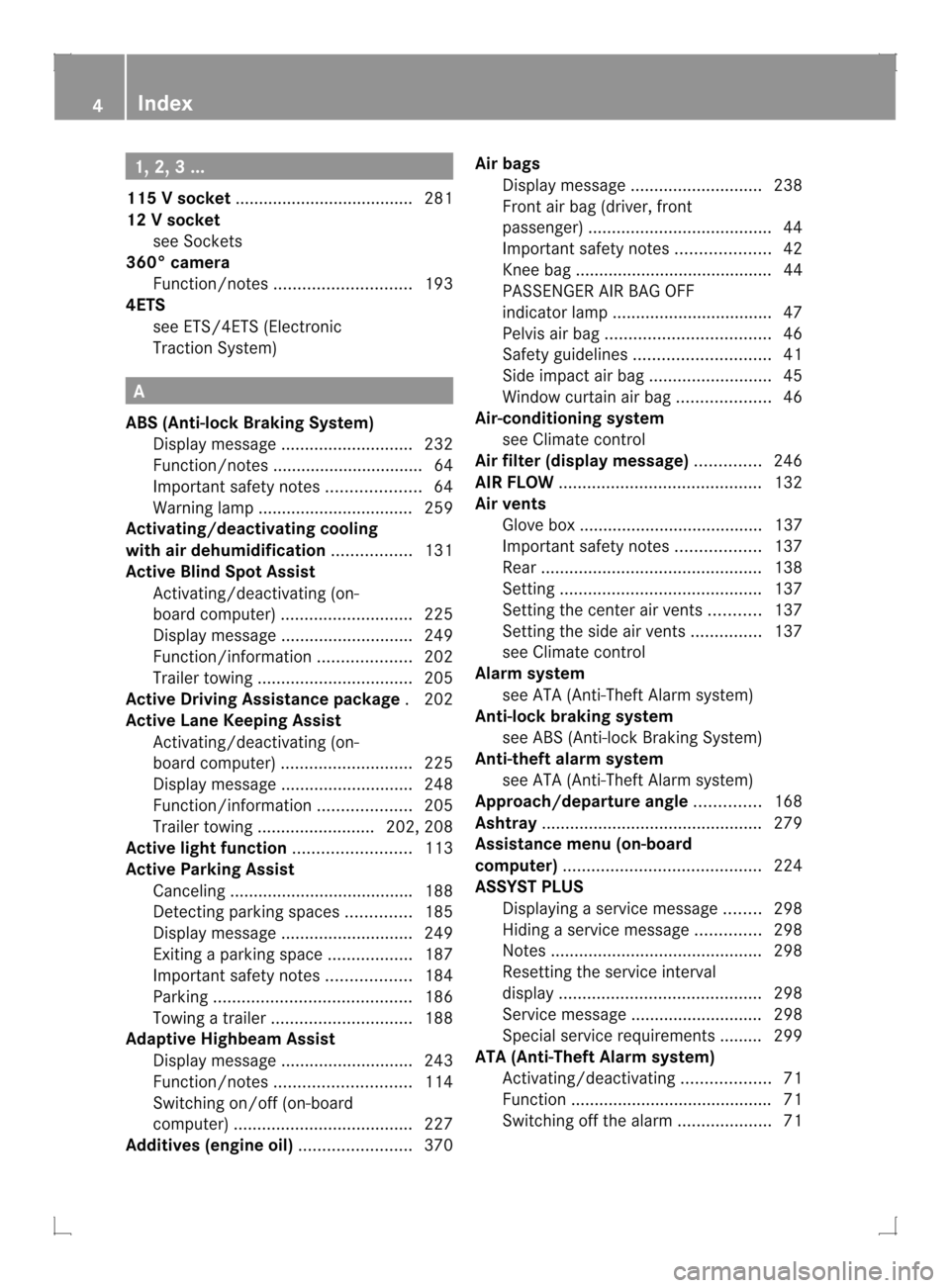
1, 2, 3 ...
115 Vsocket ...................................... 281
12 Vsocket
see Sockets
360° camera
Function/notes ............................. 193
4ETS
see ETS/4ETS (Electronic
Traction System) A
ABS (Anti-lock Braking System) Display message ............................ 232
Function/notes ................................ 64
Important safety notes ....................64
Warning lamp ................................. 259
Activating/deactivating cooling
with air dehumidification .................131
Active Blin dSpot Assist
Activating/deactivating (on-
board computer) ............................ 225
Display message ............................ 249
Function/informatio n.................... 202
Trailer towing ................................. 205
Active Driving Assistance package .202
Active Lane Keeping Assist Activating/deactivating (on-
board computer) ............................ 225
Display message ............................ 248
Function/informatio n.................... 205
Trailer towing ......................... 202, 208
Active light function .........................113
Active Parking Assist Canceling ...................................... .188
Detecting parking spaces ..............185
Display message ............................ 249
Exiting aparking spac e.................. 187
Important safety notes ..................184
Parking .......................................... 186
Towing atrailer .............................. 188
Adaptive Highbeam Assist
Display message ............................ 243
Function/notes ............................. 114
Switching on/off (on-board
computer) ...................................... 227
Additives (engine oil) ........................370Airb
ags
Display message ............................ 238
Front air bag (driver, front
passenger )....................................... 44
Important safety notes ....................42
Knee bag .......................................... 44
PASSENGER AIR BAG OFF
indicator lamp .................................. 47
Pelvis airb ag................................... 46
Safety guidelines ............................. 41
Side impact airb ag.......................... 45
Windo wcurtain air bag .................... 46
Air-conditioning system
see Climate control
Airf ilter (display message) ..............246
AIRF LOW ........................................... 132
Airv ents
Glove box ....................................... 137
Important safet ynotes .................. 137
Rea r............................................... 138
Setting ........................................... 137
Setting the center air vents ...........137
Setting the side air vents ...............137
see Climate control
Alarm system
see ATA (Anti-Theft Alarm system)
Anti-loc kbraking system
see ABS (Anti-lock Braking System)
Anti-theft alarm system
see ATA (Anti-Theft Alarm system)
Approach/departure angle ..............168
Ashtray ............................................... 279
Assistance menu (on-board
computer) .......................................... 224
ASSYST PLUS Displaying a service message ........298
Hiding a service message ..............298
Notes ............................................. 298
Resetting the service interval
displa y........................................... 298
Service message ............................ 298
Special service requirements ......... 299
ATA (Anti-Theft Alarm system)
Activating/deactivating ...................71
Function .......................................... .71
Switching off the alarm ....................714
Index
Page 7 of 378
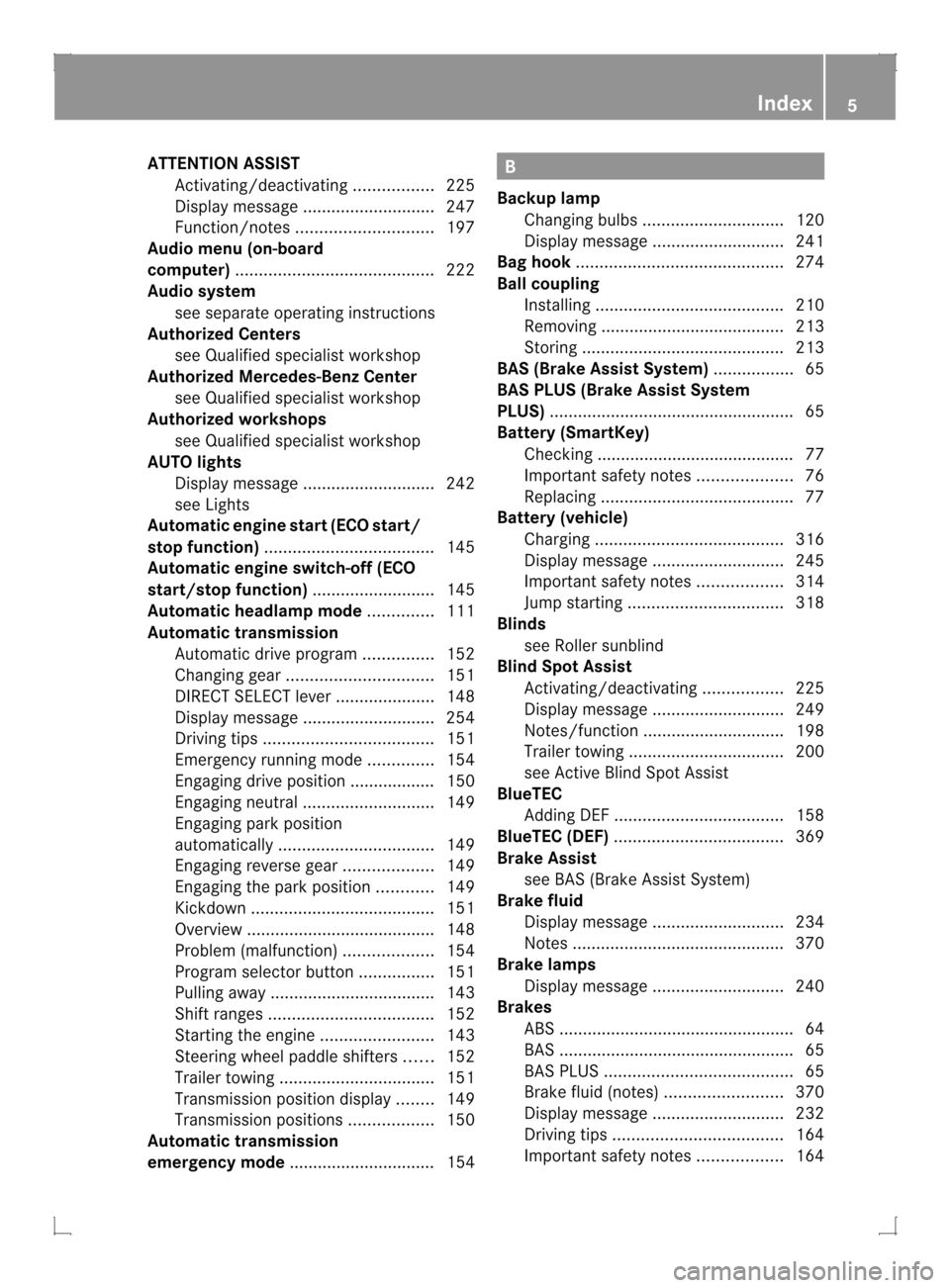
ATTENTION ASSIST
Activating/deactivating .................225
Display message ............................ 247
Function/notes ............................. 197
Audio menu (on-board
computer) .......................................... 222
Audio system see separate operating instructions
Authorized Centers
see Qualified specialist workshop
Authorized Mercedes-Benz Center
see Qualified specialist workshop
Authorized workshops
see Qualified specialist workshop
AUTO lights
Display message ............................ 242
see Lights
Automatic engine start (ECO start/
stop function) .................................... 145
Automatic engine switch-off (ECO
start/stop function) ..........................145
Automatic headlamp mode ..............111
Automatic transmission Automatic drive program ...............152
Changing gea r............................... 151
DIRECT SELECT leve r..................... 148
Display message ............................ 254
Driving tips .................................... 151
Emergency running mode ..............154
Engaging drive position .................. 150
Engaging neutra l............................ 149
Engaging par kposition
automatically ................................. 149
Engaging revers egear ................... 149
Engaging the par kposition ............ 149
Kickdow n....................................... 151
Overview ........................................ 148
Problem (malfunction) ...................154
Progra mselecto rbutton ................ 151
Pulling away ................................... 143
Shift range s................................... 152
Starting the engine ........................143
Steering wheel paddle shifters ......152
Trailer towing ................................. 151
Transmissio nposition display ........149
Transmission positions ..................150
Automatic transmission
emergency mode ............................... 154 B
Backup lamp Changing bulbs .............................. 120
Display message ............................ 241
Bag hook ............................................ 274
Ball coupling Installing ........................................ 210
Removing ....................................... 213
Storing ........................................... 213
BAS (Brake Assist System) .................65
BAS PLUS (Brake Assist System
PLUS) .................................................... 65
Battery (SmartKey) Checking .......................................... 77
Important safety notes ....................76
Replacing ......................................... 77
Battery (vehicle)
Charging ........................................ 316
Display message ............................ 245
Important safety notes ..................314
Jump starting ................................. 318
Blinds
see Roller sunblind
Blin dSpot Assist
Activating/deactivating .................225
Display message ............................ 249
Notes/function .............................. 198
Trailer towing ................................. 200
see Active Blind Spot Assist
BlueTEC
Adding DEF .................................... 158
BlueTEC (DEF) .................................... 369
Brake Assist see BAS (Brake Assist System)
Brake fluid
Display message ............................ 234
Notes ............................................. 370
Brake lamps
Display message ............................ 240
Brakes
ABS .................................................. 64
BAS .................................................. 65
BAS PLUS ........................................ 65
Brake fluid (notes) .........................370
Display message ............................ 232
Driving tips .................................... 164
Important safety notes ..................164 Index
5
Page 10 of 378
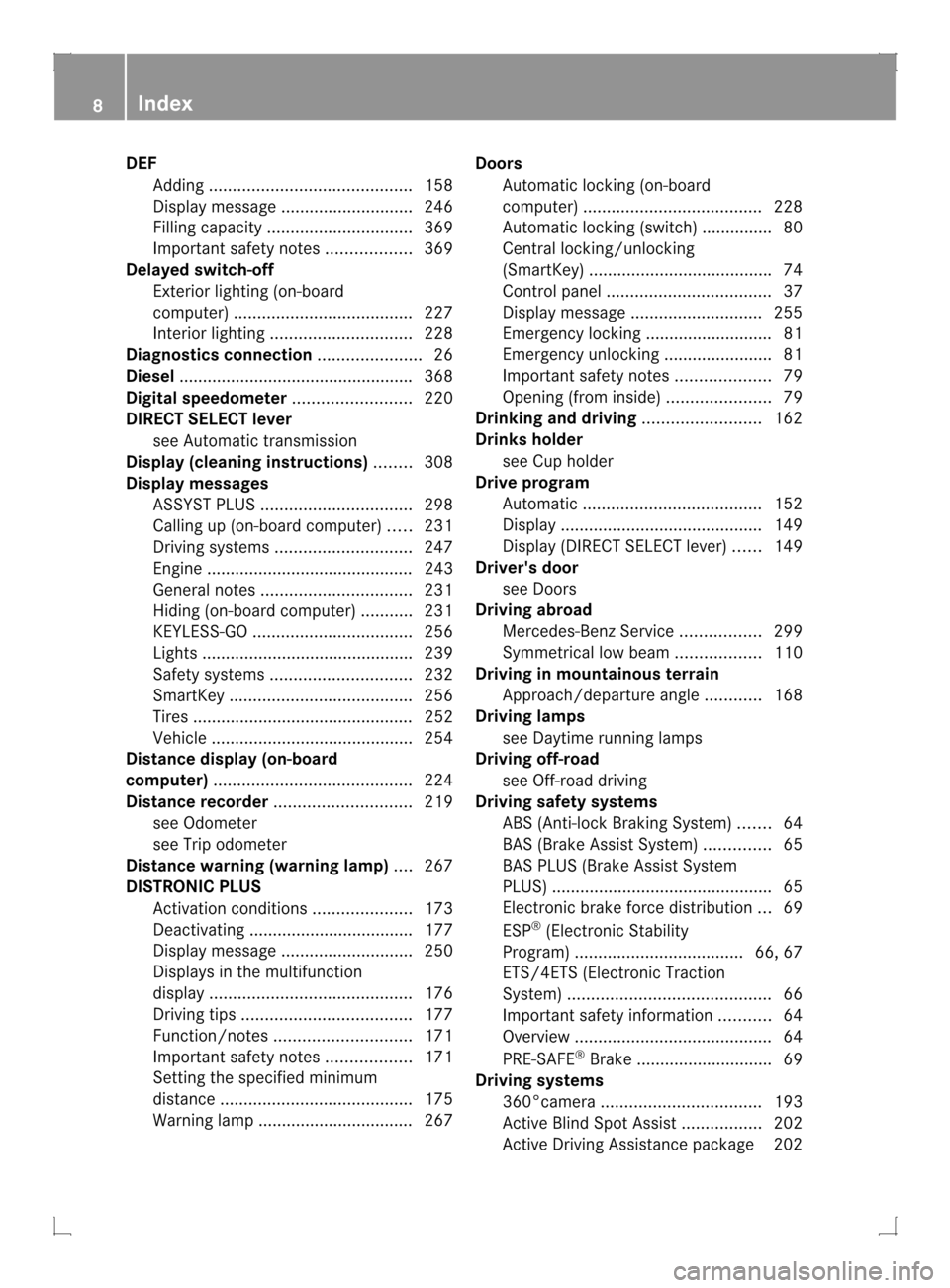
DEF
Addin g........................................... 158
Display message ............................ 246
Filling capacity ............................... 369
Important safety notes ..................369
Delaye dswitch-off
Exterio rlighting (on-board
computer )...................................... 227
Interior lighting .............................. 228
Diagnostics connection ......................26
Diesel ................................................. .368
Digital speedometer .........................220
DIREC TSELECT lever
see Automatic transmission
Display (cleaning instructions) ........308
Display messages ASSYST PLUS ................................ 298
Calling up (on-board computer) .....231
Driving systems ............................. 247
Engine ............................................ 243
General notes ................................ 231
Hiding (on-board computer) ...........231
KEYLESS-GO .................................. 256
Lights ............................................ .239
Safety systems .............................. 232
SmartKey ....................................... 256
Tires ............................................... 252
Vehicle .......................................... .254
Distance display (on-board
computer) .......................................... 224
Distance recorder ............................. 219
see Odometer
see Trip odometer
Distance warning (warning lamp) ....267
DISTRONIC PLUS Activatio ncondition s..................... 173
Deactivating ................................... 177
Display message ............................ 250
Displays in the multifunction
displa y........................................... 176
Driving tips .................................... 177
Function/notes ............................. 171
Important safety notes ..................171
Setting the specified minimum
distance ......................................... 175
Warning lamp ................................. 267 Doors
Automatic locking (on-board
computer) ...................................... 228
Automatic locking (switch) .............. .80
Central locking/unlocking
(SmartKey) ...................................... .74
Control panel ................................... 37
Display message ............................ 255
Emergency locking ........................... 81
Emergency unlocking .......................81
Important safety notes ....................79
Opening (from inside) ......................79
Drinking and driving .........................162
Drinks holder see Cuph older
Drive program
Automatic ...................................... 152
Display ........................................... 149
Display (DIRECT SELECT lever) ......149
Driver's door
see Doors
Driving abroad
Mercedes-Benz Service .................299
Symmetrical low bea m.................. 110
Driving in mountainous terrain
Approach/departure angl e............ 168
Driving lamps
see Daytime running lamps
Driving off-road
see Off-road driving
Driving safety systems
ABS (Anti-lock Braking System) .......64
BAS (Brake Assist System) ..............65
BAS PLUS (Brake Assist System
PLUS) .............................................. .65
Electroni cbrake force distribution ...69
ESP ®
(Electronic Stability
Program) .................................... 66, 67
ETS/4ETS (Electronic Traction
System) ........................................... 66
Important safety information ...........64
Overview .......................................... 64
PRE-SAFE ®
Brake ............................ .69
Driving systems
360°camera .................................. 193
Active Blind Spot Assist .................202
Active Driving Assistance package 202 8
Index
Page 22 of 378
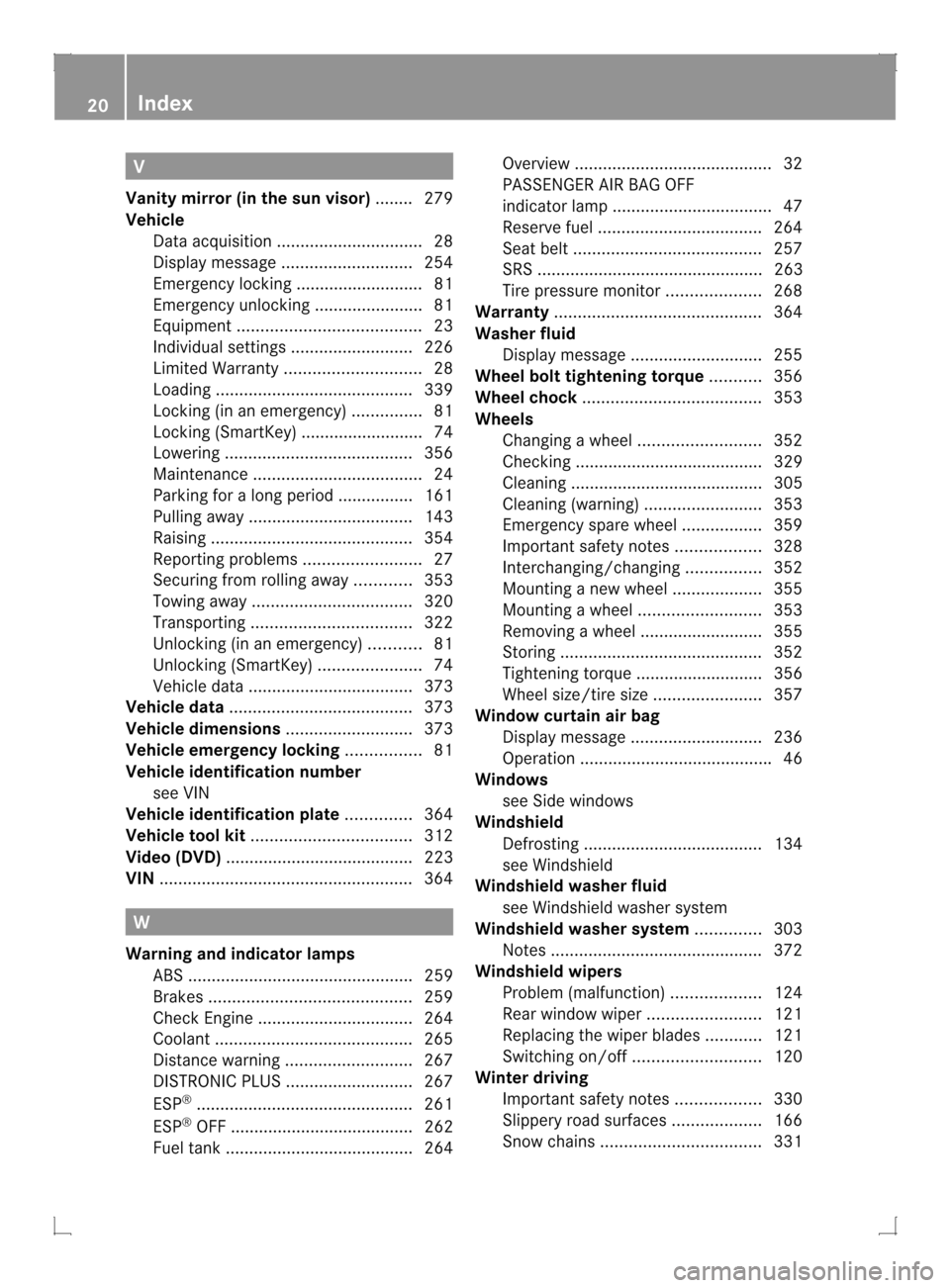
V
Vanity mirror (in the sun visor) ........ 279
Vehicle Data acquisition ............................... 28
Display message ............................ 254
Emergency locking ........................... 81
Emergency unlocking .......................81
Equipment ....................................... 23
Individua lsettings .......................... 226
Limited Warranty ............................. 28
Loading .......................................... 339
Locking (in an emergency) ...............81
Locking (SmartKey) .......................... 74
Lowering ........................................ 356
Maintenance .................................... 24
Parking for a long period ................ 161
Pulling away ................................... 143
Raising ........................................... 354
Reporting problems .........................27
Securing from rolling away ............353
Towing away .................................. 320
Transporting .................................. 322
Unlocking (in an emergency) ...........81
Unlocking (SmartKey) ......................74
Vehicle data ................................... 373
Vehicle data ....................................... 373
Vehicle dimensions ...........................373
Vehicle emergency locking ................81
Vehicle identification number see VIN
Vehicle identification plate ..............364
Vehicle tool kit .................................. 312
Video (DVD) ........................................ 223
VIN ...................................................... 364W
Warning and indicator lamps ABS ................................................ 259
Brakes ........................................... 259
Check Engine ................................. 264
Coolant .......................................... 265
Distance warning ........................... 267
DISTRONI CPLUS ........................... 267
ESP ®
.............................................. 261
ESP ®
OFF ....................................... 262
Fuel tank ........................................ 264 Overview
.......................................... 32
PASSENGER AIR BAG OFF
indicator lamp .................................. 47
Reserve fuel ................................... 264
Seat bel t........................................ 257
SRS ................................................ 263
Tire pressure monitor ....................268
Warranty ............................................ 364
Washer fluid Display message ............................ 255
Wheel bol ttightening torque ...........356
Wheel chock ...................................... 353
Wheels Changing awheel .......................... 352
Checking ........................................ 329
Cleaning ......................................... 305
Cleaning (warning) .........................353
Emergency spare wheel .................359
Important safety notes ..................328
Interchanging/changing ................352
Mounting anew wheel ................... 355
Mounting awheel .......................... 353
Removing awheel .......................... 355
Storing ........................................... 352
Tightening torque ........................... 356
Whee lsize/tir esize ....................... 357
Window curtain air bag
Display message ............................ 236
Operation ........................................ .46
Windows
see Side windows
Windshield
Defrosting ...................................... 134
see Windshield
Windshiel dwasher fluid
see Windshield washer system
Windshiel dwasher system ..............303
Notes ............................................. 372
Windshiel dwipers
Problem (malfunction) ...................124
Rea rwindow wiper ........................ 121
Replacing the wiper blades ............121
Switching on/off ........................... 120
Winte rdriving
Important safety note s.................. 330
Slippery road surfaces ...................166
Snow chains .................................. 33120
Index
Page 34 of 378
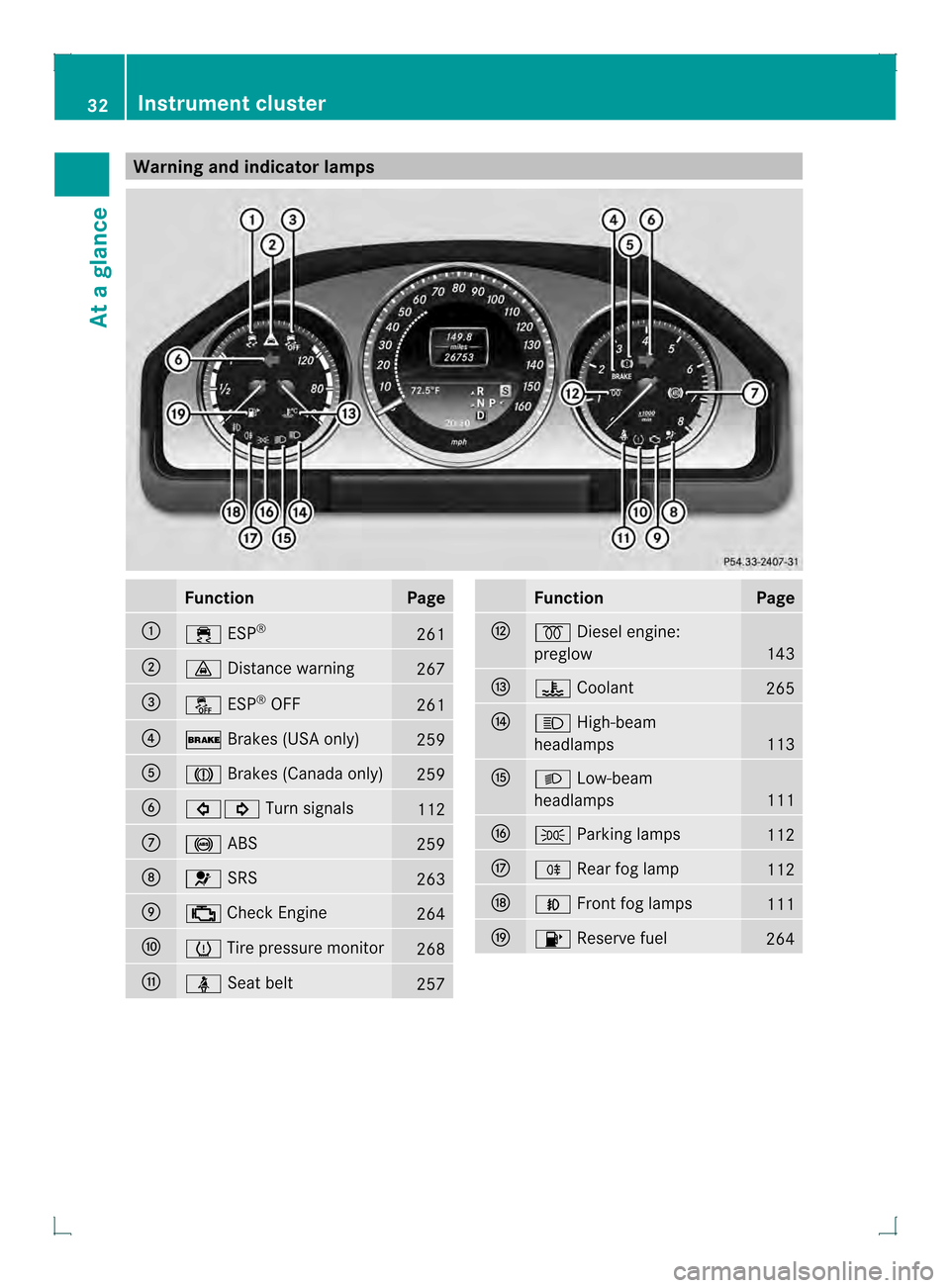
Warning and indicator lamps
Function Page
0002
000F
ESP® 261
0003
000B
Distance warning 267
0021
0017
ESP®
OFF 261
0020
000D
Brakes (USA only) 259
001E
0006
Brakes (Canada only) 259
001F
00070006
Turn signals 112
0011
001A
ABS 259
0012
0020
SRS 263
0013
000E
Check Engine 264
0014
0011
Tire pressure monitor 268
0015
0014
Seat belt 257 Function Page
0017
000C
Diesel engine:
preglow 143
0018
000C
Coolant 265
0019
000B
High-beam
headlamps 113
001A
000C
Low-beam
headlamps 111
001C
0016
Parking lamps 112
001D
0010
Rearfog lamp 112
0022
000D
Front fog lamps 111
0023
0010
Reserve fuel 26432
Instrument clusterAt a glance
Page 66 of 378
operation is possible using the switches in
the rear compartment.
Driving safety systems
Overview of driving safety systems
In this section, you will find information about
the following driving safety systems:
R ABS (Anti-lock BrakingSystem)
R BAS (Brake AssistSystem)
R BAS PLUS ( BrakeAssist System Plus)
R ESP ®
(Electronic StabilityProgram)
R EBD ( Electronic Brake force Distribution)
R PRE-SAFE ®
Brake Important safety notes
If you fail to adapt your driving style or
become distracted, the driving safety
systems can neither reduce the risk of
accident nor override the laws of physics.
Driving safety systems are merely aids
designed to assist driving. You are
responsible for the distance to the vehicle in
front, for vehicle speed and for braking in
good time. Always adapt your driving style to
suit the prevailing road and weather
conditions and maintain asafe distance from
the vehicle in front. Drive carefully.
i The driving safety systems described only
work as effectively as possible when there
is adequate contact between the tires and
the road surface. Please pay special
attention to the note son tires,
recommended minimu mtire tread depths,
etc. (Y page 328).
In wintry driving conditions, always use
winter tires (M+S tires) and if necessary,
snow chains. Only in this way will the
driving safety systems described in this
section work as effectively as possible. ABS (Anti-lock Braking System)
Important safety notes i
Observe the "Importan tsafety notes"
sectio n(Ypage 64). G
WARNING
If ABSi s faulty, the wheels could lock when
braking. The steerability and braking
characteristics may be severely impaired.
Additionally, further driving safety systems
are deactivated. There is an increased danger
of skidding and accidents.
Drive on carefully. Have ABS checked
immediately at a qualified specialist
workshop.
When ABS is malfunctioning, other systems,
including driving safety systems, will also
become inoperative. Observe the information
on the ABS warning lamp (Y page 259) and
display messages which may be shown in the
instrument cluster (Y page 232).
ABS regulates brake pressure in such a way
that the wheels do not lock when you brake.
This allows you to continue steering the
vehicle when braking.
ABS works from a speed of about 5 mph
(8 km/h) upwards, regardless of road-surface
conditions. ABS works on slippery surfaces,
even if you only brake gently.
The yellow 001AABS warning lamp in the
instrument cluster lights up when the ignition
is switched on. It goes out when the engine is
running.
Braking X
If ABS intervenes: continue to depress the
brake pedal vigorously until the braking
situation is over.
X To make a full brake application:
depress the brake pedal with full force.
If ABS intervenes when braking, you will feel
a pulsing in the brake pedal.
The pulsating brake pedal can be an
indication of hazardous road conditions, and 64
Driving safety systemsSafety
Page 67 of 378
functions as a reminder to take extra care
while driving. BAS (Brake Assist System)
i Observe the "Important safety notes"
section (Y page 64). G
WARNING
If BAS is malfunctioning, the braking distance
in an emergency braking situation is
increased. There is a risk of an accident.
In an emergency braking situation, depress
the brake pedal with full force. ABS prevents
the wheels from locking.
BAS operates in emergency braking
situations. If you depress the brake pedal
quickly, BAS automatically boosts the braking
force, thus shortening the stopping distance.
X Keep the brake pedal depresse dfirmly until
the emergency braking situation is over.
ABS prevents the wheels from locking.
The brakes will function as usual once you
release the brake pedal. BA Sis deactivated. BAS PLUS (Brake AssistS
ystem
PLUS)
i Observe the "Important safety notes"
section (Y page 64).
BAS PLUS is only available in vehicles
equipped with DISTRONIC PLUS.
For BAS PLUS to assist you when driving, the
radar sensor system must be:
R activated (Y page 229)
R operational
With the help of the radar sensor system, BAS
PLUS can detect obstacles that are in the
path of yourv ehicle for an extended period of
time.
If the radar sensor system is malfunctioning,
BASP LUS will not be available. The brake
system is still available with complete brake
boosting effect and BAS. BAS PLUS provides braking assistance in
hazardous situations at speeds greater than
4 mph (7 km/h).
At speeds of up to approximately 40 mph
(70 km/h), BAS PLUS can also detect
stationary objects. Examples of stationary
objects are stopped or parked vehicles.
To prevent a front-end collision, BAS PLUS
calculates the brake force necessary if:
R
you approach an obstacle, and
R BAS PLUS has detected arisk of collision
At as pee dless than 20 mp h(30 km/h) : if
you depress the brake pedal, BASP LUS is
activated. Braking is performed as late as
possible.
At a speed greater than 20 mph
(30 km/h):ify ou depress the brake pedal
sharply, BAS PLUS automatically raises the
brake pressure to a value adapted to the
traffic situation.
X Keep the brake pedal depressed until the
emergency braking situation is over.
ABS prevents the wheels from locking.
BAS PLUS is deactivated and the brakes
function as usual, if:
R you release the brake pedal.
R there is no longer any danger of a rear-end
collision.
R no obstacle is detected in front of your
vehicle. G
WARNING
BAS PLUS cannot always clearly identify
objects and complex traffic situations. BAS
PLUS cannot intervene in these cases. There
is a risk of an accident.
Always pay careful attention to the traffic
situation and be ready to brake.
In particular, the detection of obstacles can
be impaired if there is:
R dirt on the sensors or anything else
covering the sensors
R snow or heavy rain
R interference by other radar sources Driving safety systems
65Safety Z
Page 79 of 378

Checking the battery
X
Press the 000Bor000C button.
The battery is working properly if battery
check lamp 0002lights up briefly.
If battery check lamp 0002does no tlight up
briefly during the test, the battery is
discharged.
i If the SmartKey battery is checked within
the signal receptio nrange of the vehicle,
pressing the 000Bor000C button:
R locks or
R unlocks the vehicle
X Change the battery (Y page 77).
i You can get a battery at a qualified
specialist workshop.
Replacing the battery You require a CR 2025 3 V cell battery.
X Take the mechanical key out of the
SmartKey (Y page 76). X
Press mechanical key 0003intothe SmartKey
opening in the direction of the arrow until
battery compartment cover 0002opens. Do
not hold battery compartment cover 0002
closed while doing so.
X Remove battery compartment cover 0002. X
Repeatedly tap the SmartKey against your
palm until battery 0021falls out.
X Insert the new battery with the positive
terminal facing upwards. Use a lint-free
cloth to do so.
X Make sure that the surface of the battery is
free from lint, grease and all other forms of
contamination.
X Insert the front tabs of battery
compartment cover 0002into the housing
first and then press to close it.
X Insert mechanical key 0003into the
SmartKey.
X Check the function of all SmartKey buttons
on the vehicle. SmartKey
77Opening and closing Z
Page 182 of 378
Activating the HOLD function
X
Make sure that the activation conditions
are met.
X Depress the brake pedal.
X Quickly depress the brake pedal further
until 0001 appears in the multifunction
display.
The HOLD function is activated. You can
release the brake pedal.
i If depressing the brake pedal the first
time does not activate the HOLD function,
wait briefly and then try again.
Deactivating the HOLD function The HOLD function is deactivated
automatically if:
R you accelerate and the transmission is in
position Dor R
R the transmission is in position P.
R you depress the brake pedal again with a
certain amoun tofpressure until 0001
disappears from the multifunction display
R you activate DISTRONIC PLUS
When the HOLD function is activated, the
automatic transmission is shifted
automatically to position P if:
R the driver's door is open and the driver's
seat belti s unfastened.
R the engine is switched off, unless it is
automatically switched off by the ECO
start/stop function.
R the hood is opened.
R a system malfunction occurs.
R the power supply is not sufficient.
The horn will also sound at regulari ntervals if
the HOLD function is activated and you:
R switch the engine off, open the driver's
door and remove your sea tbelt
R open the hood
The sounding of the horn alerts you to the fact
that the vehicle has been parked while the
HOLD function is still activated. If you attempt to lock the vehicle, the tone becomes louder.
The vehicle is not locked until the HOLD
function is deactivated.
i
If the engine has been switched off, it
cannot be started again until the HOLD
function has been deactivated.
If there is a malfunction in the system or
power supply while the HOLD function is
activated, the Brake Immediately message
is shown in the multifunction display.
Immediately depress the brake firmly until
the warning message in the multifunction
display goes out.
You can also shift the transmission to position
P. This deactivates the HOLD function. PARKTRONIC
Important safety notes PARKTRONIC is an electronic parking aid with
ultrasonic sensors. It indicates visually and
audibly the distance between your vehicle
and an object.
PARKTRONIC is only an aid. It is not a
replacement for your attention to your
immediate surroundings. You are always
responsible for safe maneuvering, parking
and exiting a parking space. When
maneuvering, parking or pulling out of a
parking space, make sure that there are no
persons, animals or objects in the area in
which you are maneuvering.
!
When parking, pay particular attention to
objects above or below the sensors, such
as flower pots or trailer drawbars.
PARKTRONIC does not detec tsuch objects
when they are in the immediate vicinity of
the vehicle. You could damag ethe vehicle
or the objects.
The sensors may not detect snow and other
objects that absorb ultrasonic waves.
Ultrasonic sources such as an automatic
car wash, the compressed-air brakes on a 180
Driving systemsDriving and parking
Page 204 of 378
If you drive at speeds above 40 mph
(60 km/h) and lane markings are detected,
symbol
0002is shown in green. Lane Keeping
Assist is ready for use.
Standard
If Standard is selected, no warning vibration
occurs if:
R you switch on the turn signals. In this event,
the warnings are suppressed for a certain
period of time.
R a driving safety system intervenes, such as
ABS, BAS or ESP ®
.
Adaptive
If Adaptive is selected, no warning vibration
occurs if:
R you switch on the turn signals. In this event,
the warnings are suppressed for a certain
period of time.
R a driving safety system intervenes, e.g.
ABS, BAS or ESP ®
.
R you accelerate hard, e.g. kickdown.
R you brake hard.
R you steer actively, e.g. swerve to avoid an
obstacle or change lanes quickly.
R you cut the corner on a sharp bend.
In order that you are warned only when
necessary and in good time if you cross the
lane marking, the system recognizes certain
conditions and warns you accordingly.
The warning vibration occurs earlier if:
R you approach the outer lane marking on a
bend.
R the road has very wide lanes, e.g. a
highway.
R the system recognizes solidl ane markings.
The warning vibratio noccurs later if:
R the road has narrow lanes.
R you cut the corner on a bend.
Towing atrailer
When you attach a trailer, make sure you have
correctly established the electrical connection. This can be accomplished by
checking the trailer lighting. Active Driving Assistance package
General notes The Active Driving Assistance package
consists of DISTRONIC PLUS (Y
page 171),
Active Blind Spot Assist (Y page 202) and
Active Lane Keeping Assist (Y page 205).
Active Blind Spo tAssist General notes
Active Blind Spot Assist uses a radar sensor
system to monitor the side areas of your
vehicle which are behind the driver. Awarning
display in the exterior mirrors draws your
attentio nto vehicles detected in the
monitored area. If you then switch on the
corresponding turn signal to change lane, you
will also receive an optical and audible
warning. If a risk of lateral collision is
detected, corrective braking may help you
avoid a collision. To support the course-
correcting brake application, Active Blind
Spot Assist uses the forward-facing radar
sensor system. The space available in the
direction of travel as well as to the side of the
vehicle is evaluated before a course-
correcting braking application is performed.
Active Blind Spot Assist supports you from a
speed of approximately 20 mph (30 km/h).
For Active Blind Spot Assist to assist you
when driving, the radar sensor system must
be:
R activated(Y page 229)
R operational
Important safety notes
Active Blind Spot Assist is only an aid. It does
not detect all traffic situations and road users
and is no substitute for attentive driving.
Always ensure that there is sufficient
distance to the side for other road users and
obstacles. 202
Driving systemsDriving and parking