jump start MERCEDES-BENZ GLK-CLASS SUV 2015 Owners Manual
[x] Cancel search | Manufacturer: MERCEDES-BENZ, Model Year: 2015, Model line: GLK-CLASS SUV, Model: MERCEDES-BENZ GLK-CLASS SUV 2015Pages: 386, PDF Size: 26 MB
Page 7 of 386
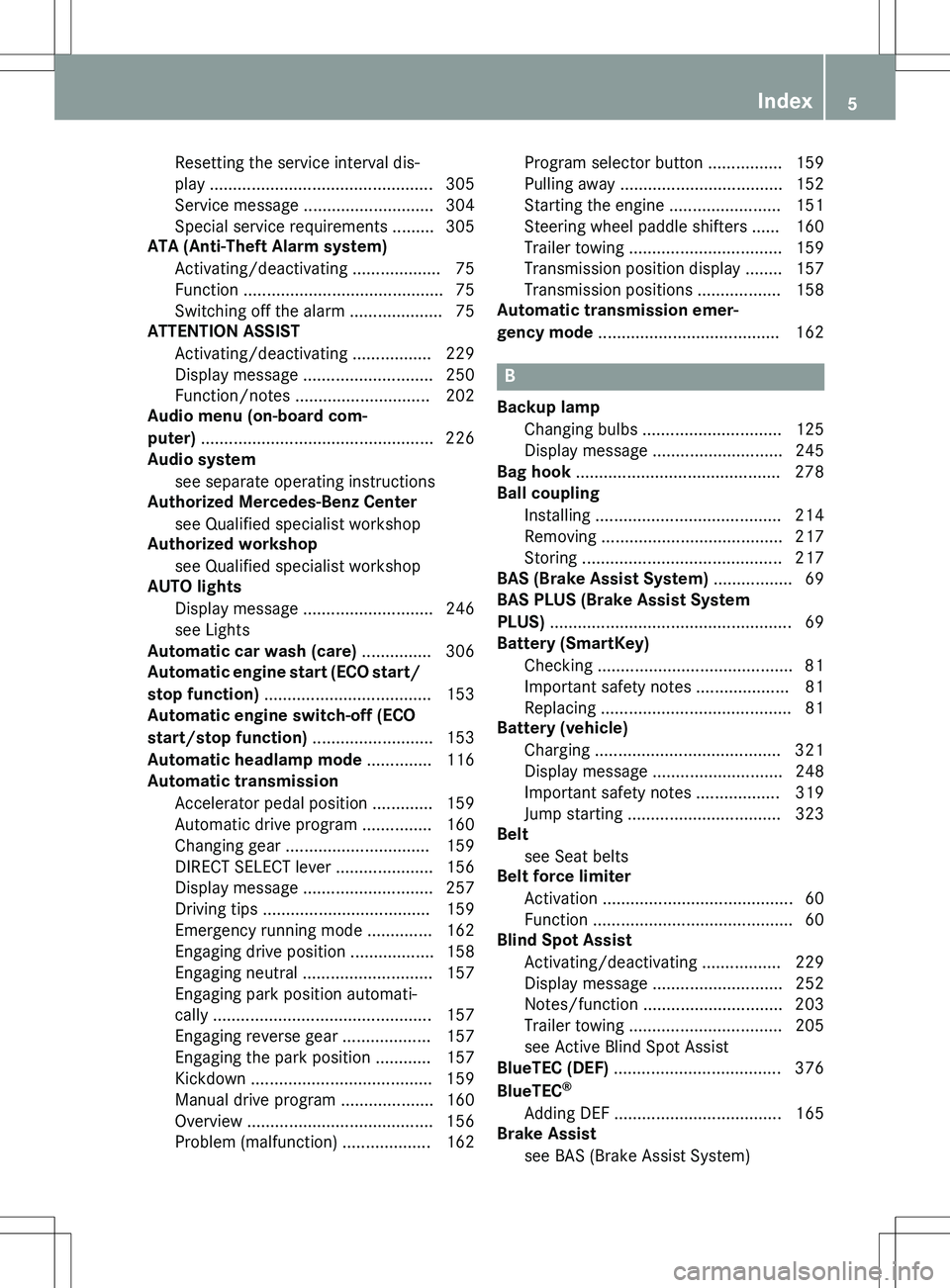
Resetting the service interval dis-
play ................................................ 305
Service message ............................ 304
Special service requirements ......... 305
ATA (Anti-Theft Alarm system)
Activating/deactivating ................... 75
Function ........................................... 75
Switching off the alarm .................... 75
ATTENTION ASSIST
Activating/deactivating ................. 229
Display message ............................ 250
Function/notes ............................. 202
Audio menu (on-board com-
puter) .................................................. 2 26
Audio system
see separate operating instructions
Authorized Mercedes-Benz Center
see Qualified specialist workshop
Authorized workshop
see Qualified specialist workshop
AUTO lights
Display message ............................ 246
see Lights
Automatic car wash (care) ............... 306
Automatic engine start (ECO start/
stop function) .................................... 153
Automatic engine switch-off (ECO
start/stop function) .......................... 153
Automatic headlamp mode .............. 116
Automatic transmission
Accelerator pedal position ............. 159
Automatic drive program ............... 160
Changing gear ............................... 159
DIRECT SELECT lever ..................... 156
Display message ............................ 257
Driving tips .................................... 159
Emergency running mode .............. 162
Engaging drive position .................. 158
Engaging neutral ............................ 157
Engaging park position automati-
cally .............................................. . 157
Engaging reverse gear ................... 157
Engaging the park position ............ 157
Kickdown ....................................... 159
Manual drive program .................... 160
Overview ........................................ 156
Problem (malfunction) ................... 162 Program selector button ................ 159
Pulling away ................................... 152
Starting the engine ........................ 151
Steering wheel paddle shifters ...... 160
Trailer towing ................................. 159
Transmission position display ........ 157
Transmission positions .................. 158
Automatic transmission emer-
gency mode ....................................... 162
B
Backup lamp
Changing bulbs .............................. 125
Display message ............................ 245
Bag hook ............................................ 278
Ball coupling
Installing ........................................ 21 4
Removing ....................................... 217
Storing ........................................... 2 17
BAS (Brake Assist System) ................. 69
BAS PLUS (Brake Assist System
PLUS) ................................................... . 69
Battery (SmartKey)
Checking .......................................... 81
Important safety notes .................... 81
Replacing ......................................... 8 1
Battery (vehicle)
Charging ........................................ 321
Display message ............................ 248
Important safety notes .................. 319
Jump starting ................................. 323
Belt
see Seat belts
Belt force limiter
Activation ......................................... 60
Function ........................................... 60
Blind Spot Assist
Activating/deactivating ................. 229
Display message ............................ 252
Notes/function .............................. 203
Trailer towing ................................. 205
see Active Blind Spot Assist
BlueTEC (DEF) .................................... 376
BlueTEC ®
Adding DEF .................................... 165
Brake Assist
see BAS (Brake Assist System)
Index5
Page 11 of 386
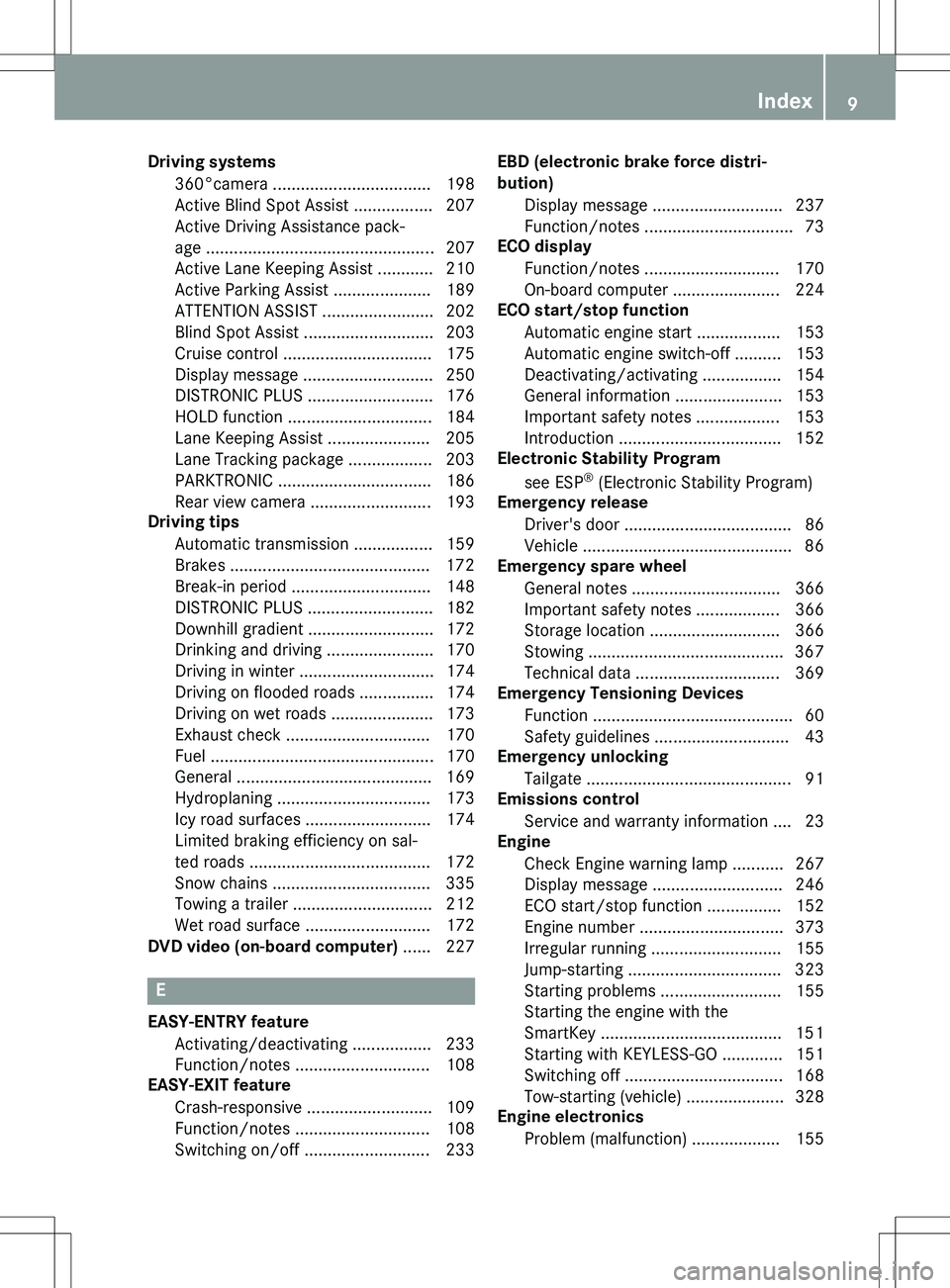
Driving systems360°camera .................................. 198
Active Blind Spot Assist ................. 207
Active Driving Assistance pack-
age ................................................ . 207
Active Lane Keeping Assist ............ 210
Active Parking Assist ..................... 189
ATTENTION ASSIST ........................ 202
Blind Spot Assist ............................ 203
Cruise control ................................ 175
Display message ............................ 250
DISTRONIC PLUS ........................... 176
HOLD function ............................... 184
Lane Keeping Assist ...................... 205
Lane Tracking package .................. 203
PARKTRONIC ................................. 186
Rear view camera .......................... 193
Driving tips
Automatic transmission ................. 159
Brakes ........................................... 172
Break-in period .............................. 148
DISTRONIC PLUS ........................... 182
Downhill gradient ........................... 172
Drinking and driving ....................... 170
Driving in winter ............................. 174
Driving on flooded roads ................ 174
Driving on wet roads ...................... 173
Exhaust check ............................... 170
Fuel ............................................... . 170
General .......................................... 16 9
Hydroplaning ................................. 173
Icy road surfaces ........................... 174
Limited braking efficiency on sal-
ted roads ....................................... 172
Snow chains .................................. 335
Towing a trailer .............................. 212
Wet road surface ........................... 172
DVD video (on-board computer) ...... 227
E
EASY-ENTRY feature
Activating/deactivating ................. 233
Function/notes ............................. 108
EASY-EXIT feature
Crash-responsive ........................... 109
Function/notes ............................. 108
Switching on/off ........................... 233 EBD (electronic brake force distri-
bution)
Display message ............................ 237
Function/notes ................................ 73
ECO display
Function/notes ............................. 170
On-board computer ....................... 224
ECO start/stop function
Automatic engine start .................. 153
Automatic engine switch-off .......... 153
Deactivating/activating ................. 154
General information ....................... 153
Important safety notes .................. 153
Introduction ................................... 152
Electronic Stability Program
see ESP ®
(Electronic Stability Program)
Emergency release
Driver's door .................................... 86
Vehicle ............................................. 8 6
Emergency spare wheel
General notes ................................ 366
Important safety notes .................. 366
Storage location ............................ 366
Stowing .......................................... 36 7
Technical data ............................... 369
Emergency Tensioning Devices
Function ........................................... 60
Safety guidelines ............................. 43
Emergency unlocking
Tailgate ........................................... . 91
Emissions control
Service and warranty information .... 23
Engine
Check Engine warning lamp ........... 267
Display message ............................ 246
ECO start/stop function ................ 152
Engine number ............................... 373
Irregular running ............................ 155
Jump-starting ................................. 323
Starting problems .......................... 155
Starting the engine with the
SmartKey ....................................... 151
Starting with KEYLESS-GO ............. 151
Switching off .................................. 168
Tow-starting (vehicle) ..................... 328
Engine electronics
Problem (malfunction) ................... 155
Index9
Page 12 of 386
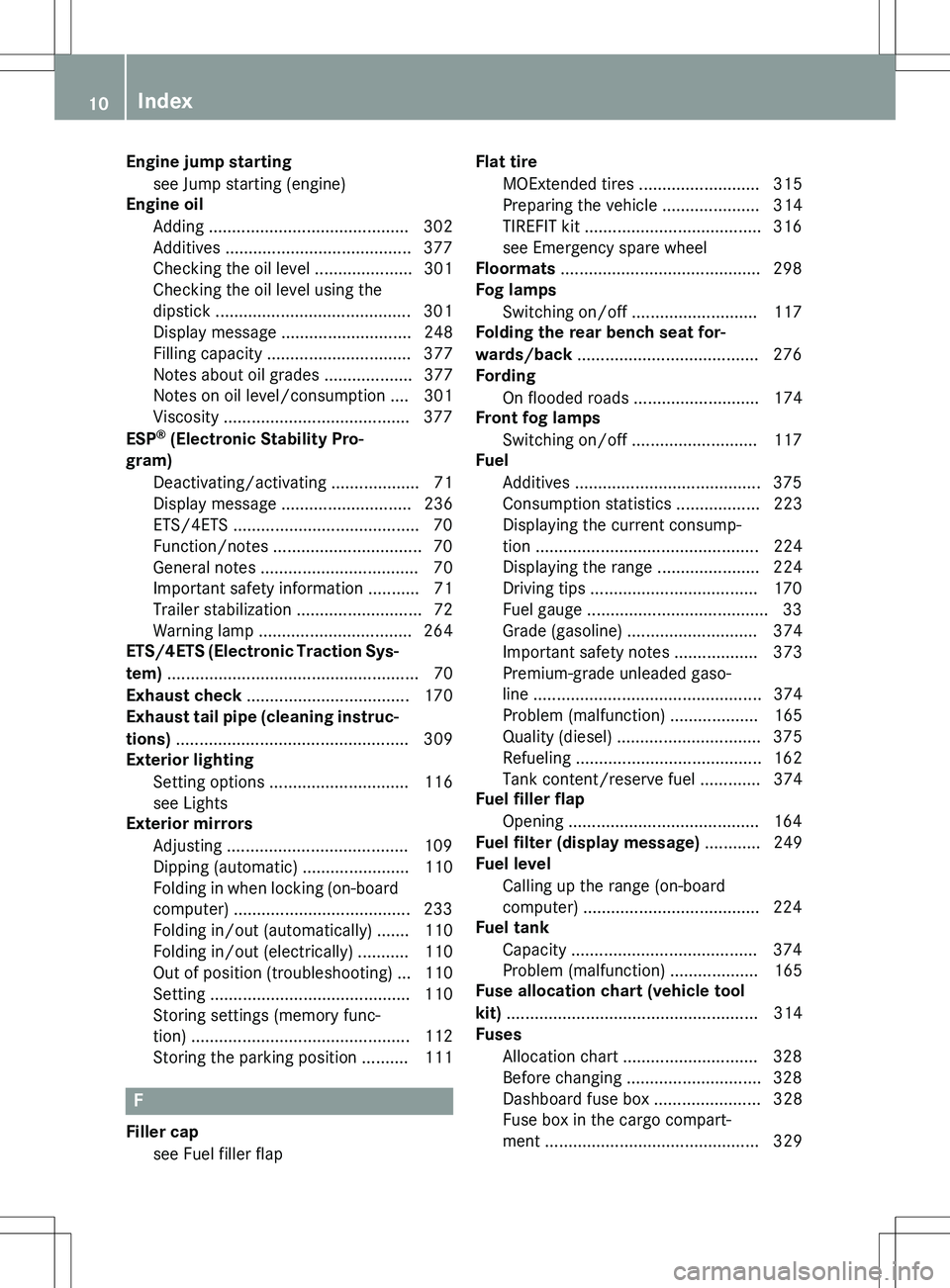
Engine jump startingsee Jump starting (engine)
Engine oil
Adding ........................................... 30 2
Additives ........................................ 377
Checking the oil level ..................... 301
Checking the oil level using the
dipstick .......................................... 30 1
Display message ............................ 248
Filling capacity ............................... 377
Notes about oil grades ................... 377
Notes on oil level/consumption .... 301
Viscosity ........................................ 377
ESP ®
(Electronic Stability Pro-
gram)
Deactivating/activating ................... 71
Display message ............................ 236
ETS/4ETS ........................................ 70
Function/notes ................................ 70
General notes .................................. 70
Important safety information ........... 71
Trailer stabilization ........................... 72
Warning lamp ................................. 264
ETS/4ETS (Electronic Traction Sys-
tem) ................................................... ... 70
Exhaust check ................................... 170
Exhaust tail pipe (cleaning instruc-
tions) .................................................. 3 09
Exterior lighting
Setting options .............................. 116
see Lights
Exterior mirrors
Adjusting ....................................... 109
Dipping (automatic) ....................... 110
Folding in when locking (on-boardcomputer) ...................................... 233
Folding in/out (automatically) ....... 110
Folding in/out (electrically) ........... 110
Out of position (troubleshooting) ... 110
Setting ........................................... 1 10
Storing settings (memory func-
tion) .............................................. . 112
Storing the parking position .......... 111
F
Filler cap
see Fuel filler flap Flat tire
MOExtended tires .......................... 315
Preparing the vehicle ..................... 314
TIREFIT kit ...................................... 316
see Emergency spare wheel
Floormats ........................................... 298
Fog lamps
Switching on/off ........................... 117
Folding the rear bench seat for-
wards/back ....................................... 276
Fording
On flooded roads ........................... 174
Front fog lamps
Switching on/off ........................... 117
Fuel
Additives ........................................ 375
Consumption statistics .................. 223
Displaying the current consump-
tion ............................................... . 224
Displaying the range ...................... 224
Driving tips .................................... 170
Fuel gauge ....................................... 33
Grade (gasoline) ............................ 374
Important safety notes .................. 373
Premium-grade unleaded gaso-
line ............................................... .. 374
Problem (malfunction) ................... 165
Quality (diesel) ............................... 375
Refueling ........................................ 16 2
Tank content/reserve fuel ............. 374
Fuel filler flap
Opening ......................................... 164
Fuel filter (display message) ............ 249
Fuel level
Calling up the range (on-board
computer) ...................................... 224
Fuel tank
Capacity ........................................ 374
Problem (malfunction) ................... 165
Fuse allocation chart (vehicle tool
kit) ................................................... ... 314
Fuses
Allocation chart ............................. 328
Before changing ............................. 328
Dashboard fuse box ....................... 328
Fuse box in the cargo compart-
ment .............................................. 3 29
10Index
Page 13 of 386
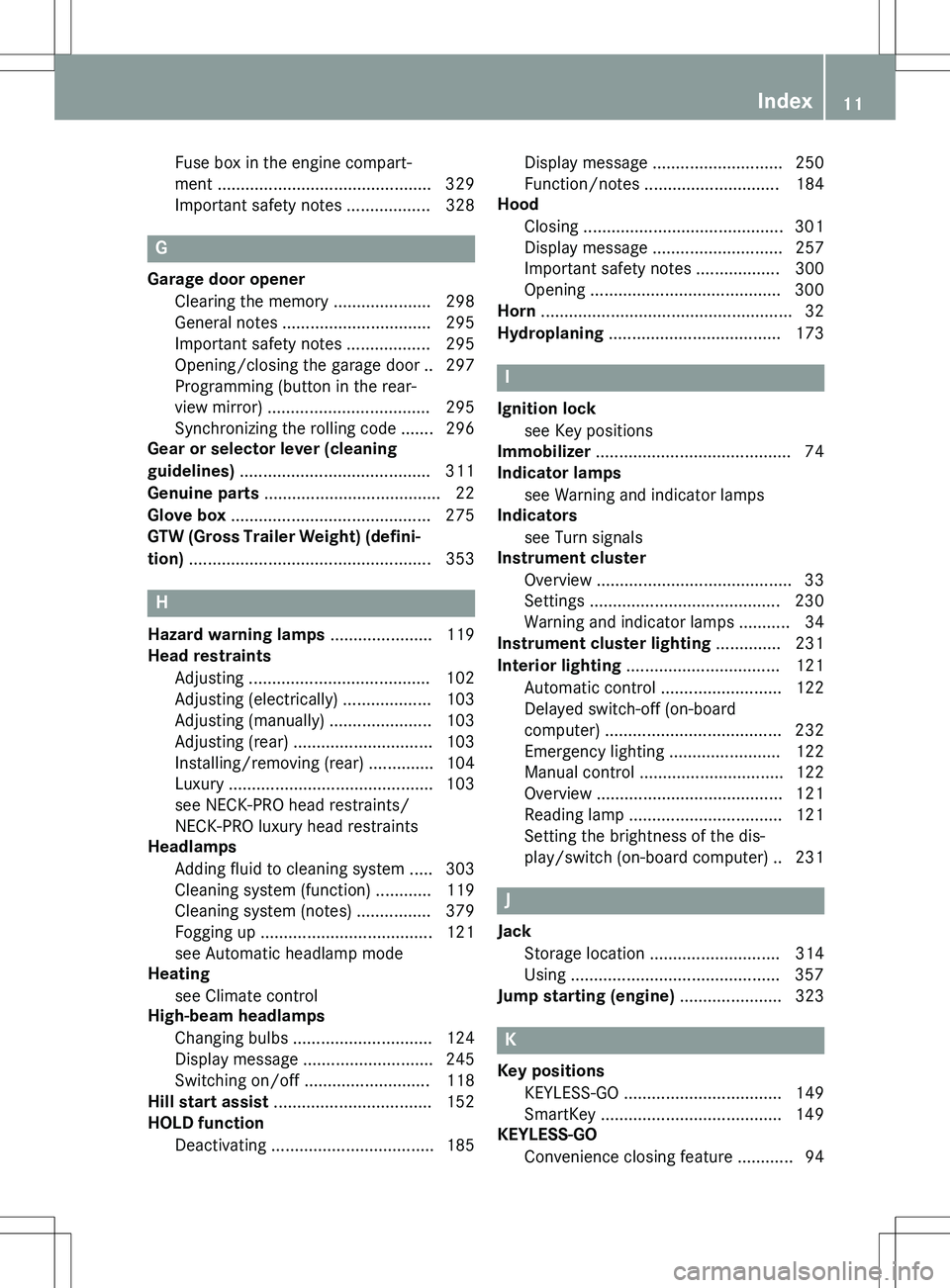
Fuse box in the engine compart-
ment .............................................. 329
Important safety notes .................. 328
G
Garage door opener
Clearing the memory ..................... 298
General notes ................................ 295
Important safety notes .................. 295
Opening/closing the garage door .. 297
Programming (button in the rear-
view mirror) ................................... 295
Synchronizing the rolling code ....... 296
Gear or selector lever (cleaning
guidelines) ......................................... 311
Genuine parts ...................................... 22
Glove box ........................................... 275
GTW (Gross Trailer Weight) (defini-
tion) ................................................... . 353
H
Hazard warning lamps ...................... 119
Head restraints
Adjusting ....................................... 102
Adjusting (electrically) ................... 103
Adjusting (manually) ...................... 103
Adjusting (rear) .............................. 103
Installing/removing (rear) .............. 104
Luxury ............................................ 1 03
see NECK-PRO head restraints/
NECK-PRO luxury head restraints
Headlamps
Adding fluid to cleaning system ..... 303
Cleaning system (function) ............ 119
Cleaning system (notes) ................ 379
Fogging up ..................................... 121
see Automatic headlamp mode
Heating
see Climate control
High-beam headlamps
Changing bulbs .............................. 124
Display message ............................ 245
Switching on/off ........................... 118
Hill start assist .................................. 152
HOLD function
Deactivating ................................... 185 Display message ............................ 250
Function/notes ............................. 184
Hood
Closing ........................................... 30 1
Display message ............................ 257
Important safety notes .................. 300
Opening ......................................... 300
Horn ................................................... ... 32
Hydroplaning ..................................... 173
I
Ignition lock
see Key positions
Immobilizer .......................................... 74
Indicator lamps
see Warning and indicator lamps
Indicators
see Turn signals
Instrument cluster
Overview .......................................... 33
Settings ......................................... 23 0
Warning and indicator lamps ........... 34
Instrument cluster lighting .............. 231
Interior lighting ................................. 121
Automatic control .......................... 122
Delayed switch-off (on-board
computer) ...................................... 232
Emergency lighting ........................ 122
Manual control ............................... 122
Overview ........................................ 121
Reading lamp ................................. 121
Setting the brightness of the dis-
play/switch (on-board computer) .. 231
J
Jack Storage location ............................ 314
Using ............................................. 357
Jump starting (engine) ...................... 323
K
Key positions
KEYLESS-GO .................................. 149
SmartKey ....................................... 149
KEYLESS-GO
Convenience closing feature ............ 94
Index11
Page 86 of 386
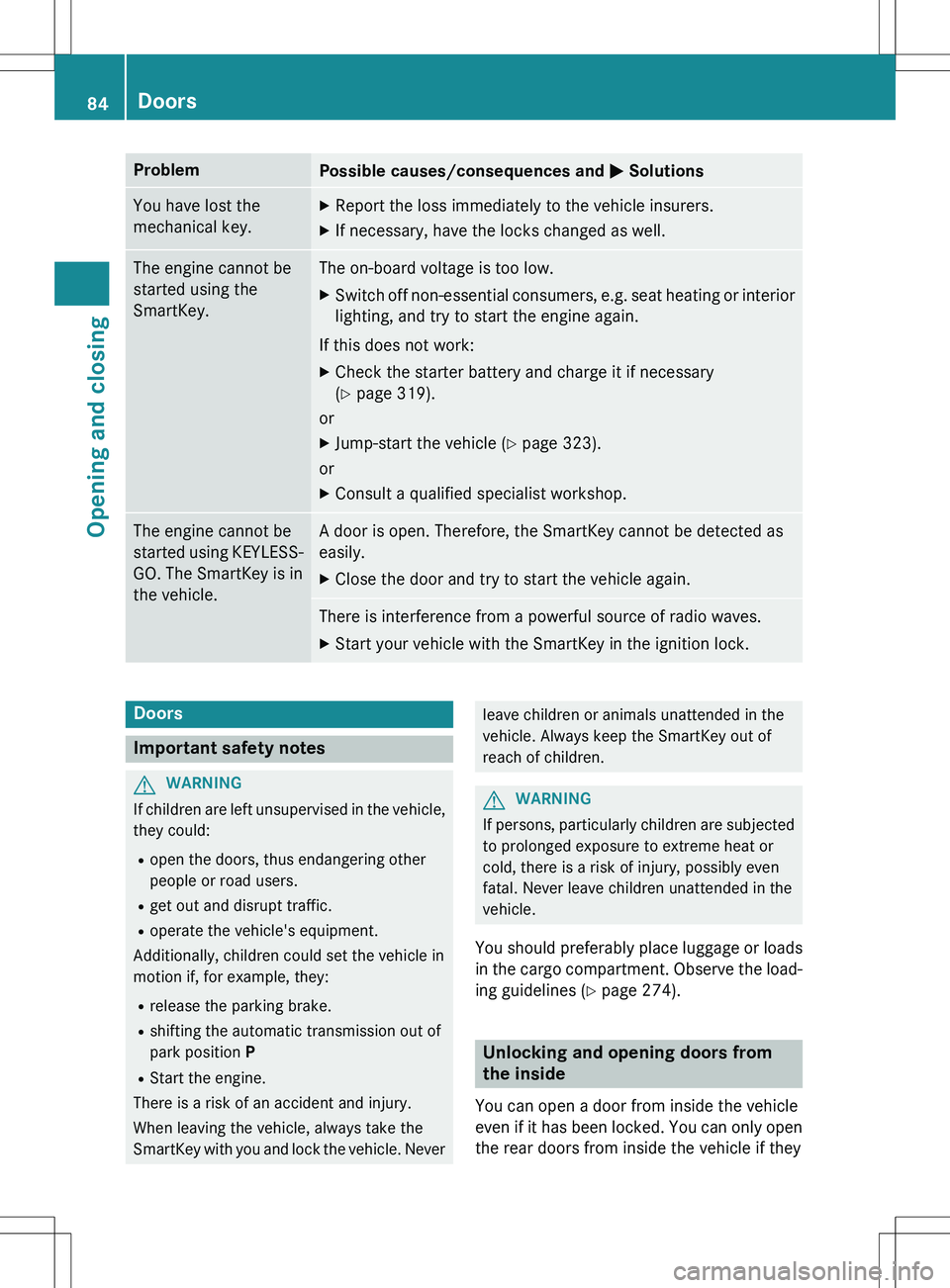
ProblemPossible causes/consequences and M Solutions
You have lost the
mechanical key.X
Report the loss immediately to the vehicle insurers.
X If necessary, have the locks changed as well.
The engine cannot be
started using the
SmartKey.The on-board voltage is too low.
X Switch off non-essential consumers, e.g. seat heating or i nterior
lighting, and try to start the engine again.
If this does not work:
X Check the starter battery and charge it if necessary
(Y page 319).
or
X Jump-start the vehicle ( Y page 323).
or
X Consult a qualified specialist workshop.
The engine cannot be
started using KEYLESS-
GO. The SmartKey is in
the vehicle.A door is open. Therefore, the SmartKey cannot be detected as
easily.
X Close the door and try to start the vehicle again.
There is interference from a powerful source of radio waves.
X Start your vehicle with the SmartKey in the ignition lock.
Doors
Important safety notes
GWARNING
If children are left unsupervised in the vehicle,
they could:
R open the doors, thus endangering other
people or road users.
R get out and disrupt traffic.
R operate the vehicle's equipment.
Additionally, children could set the vehicle in
motion if, for example, they:
R release the parking brake.
R shifting the automatic transmission out of
park position P
R Start the engine.
There is a risk of an accident and injury.
When leaving the vehicle, always take the
SmartKey with you and lock the vehicle. Never
leave children or animals unattended in the
vehicle. Always keep the SmartKey out of
reach of children.
GWARNING
If persons, particularly children are subjected to prolonged exposure to extreme heat or
cold, there is a risk of injury, possibly even
fatal. Never leave children unattended in the
vehicle.
You should preferably place luggage or loads
in the cargo compartment. Observe the load- ing guidelines ( Y page 274).
Unlocking and opening doors from
the inside
You can open a door from inside the vehicle
even if it has been locked. You can only open
the rear doors from inside the vehicle if they
84Doors
Opening and closing
Page 157 of 386
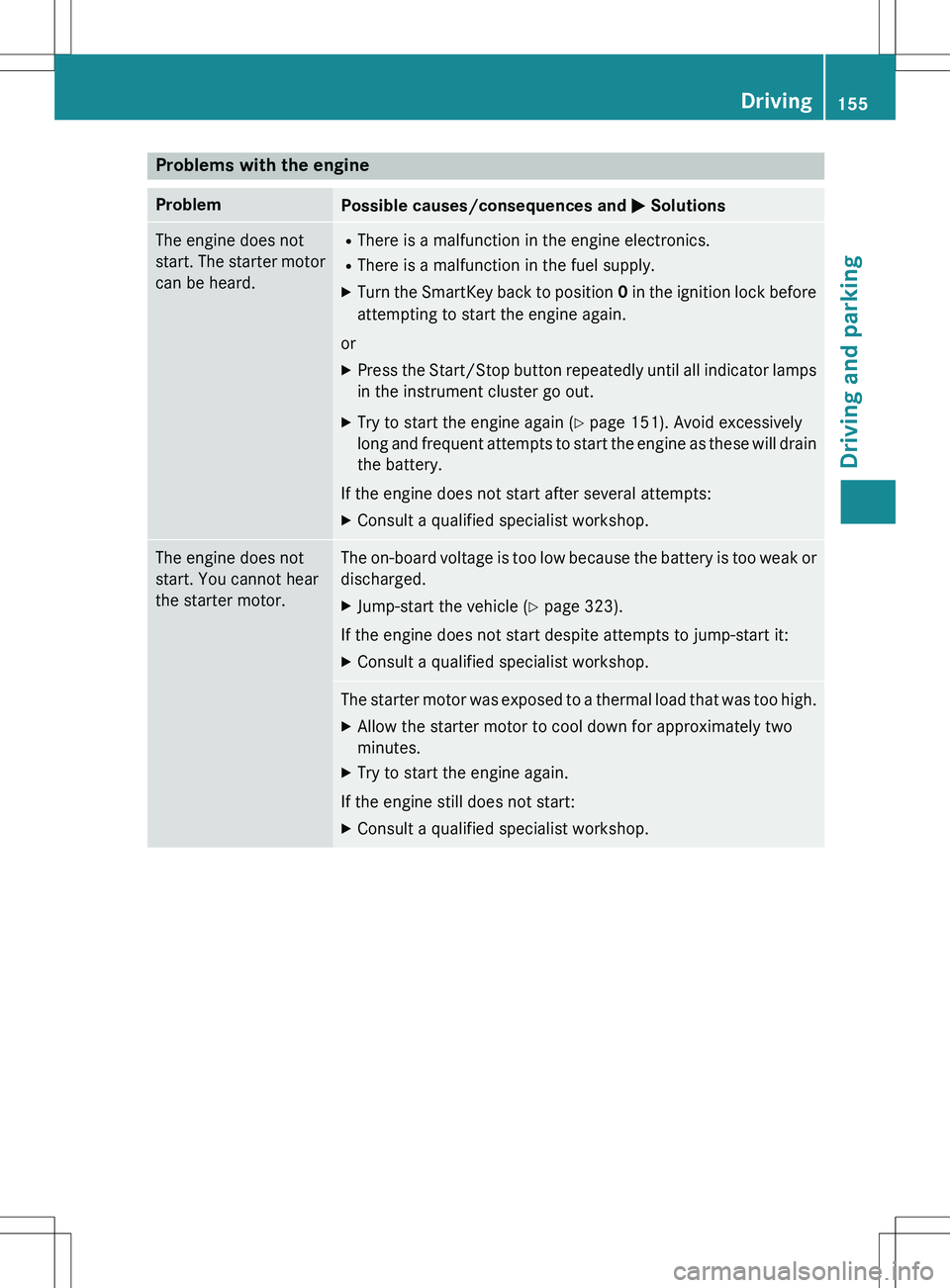
Problems with the engine
ProblemPossible causes/consequences and M Solutions
The engine does not
start. The starter motor
can be heard.R
There is a malfunction in the engine electronics.
R There is a malfunction in the fuel supply.
X Turn the SmartKey back to position 0 in the ignition lock before
attempting to start the engine again.
or
X Press the Start/Stop button repeatedly until all indic ator lamps
in the instrument cluster go out.
X Try to start the engine again ( Y page 151). Avoid excessively
long and frequent attempts to start the engine as these w ill drain
the battery.
If the engine does not start after several attempts: X Consult a qualified specialist workshop.
The engine does not
start. You cannot hear
the starter motor.The on-board voltage is too low because the battery is t oo weak or
discharged.
X Jump-start the vehicle ( Y page 323).
If the engine does not start despite attempts to jump-start it:
X Consult a qualified specialist workshop.
The starter motor was exposed to a thermal load that was t oo high.
X Allow the starter motor to cool down for approximately two
minutes.
X Try to start the engine again.
If the engine still does not start:
X Consult a qualified specialist workshop.
Driving155
Driving and parking
Z
Page 315 of 386
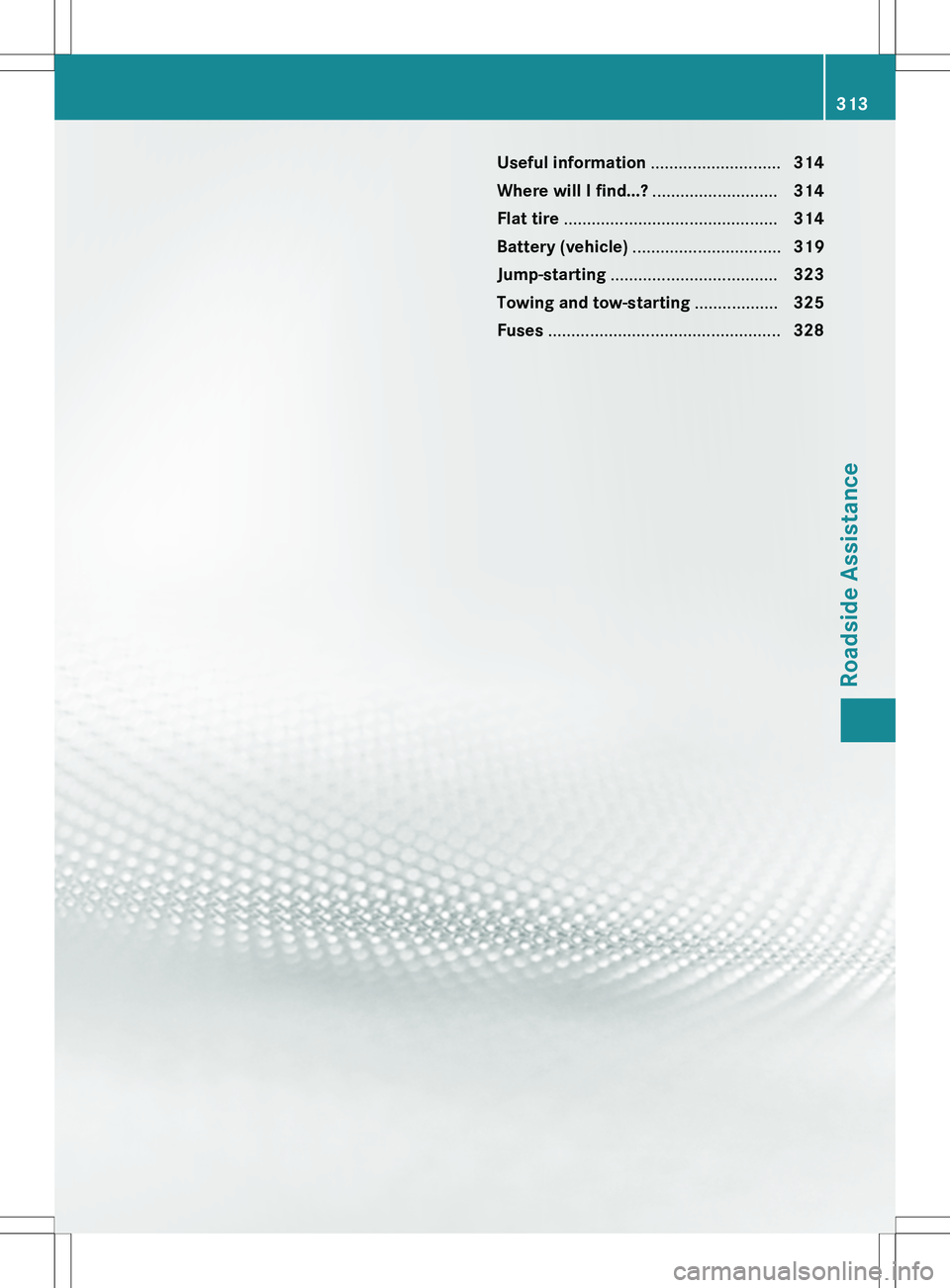
Useful information............................314
Where will I find...? ...........................314
Flat tire .............................................. 314
Battery (vehicle) ................................ 319
Jump-starting .................................... 323
Towing and tow-starting ..................325
Fuses .................................................. 328
313
Roadside Assistance
Page 321 of 386
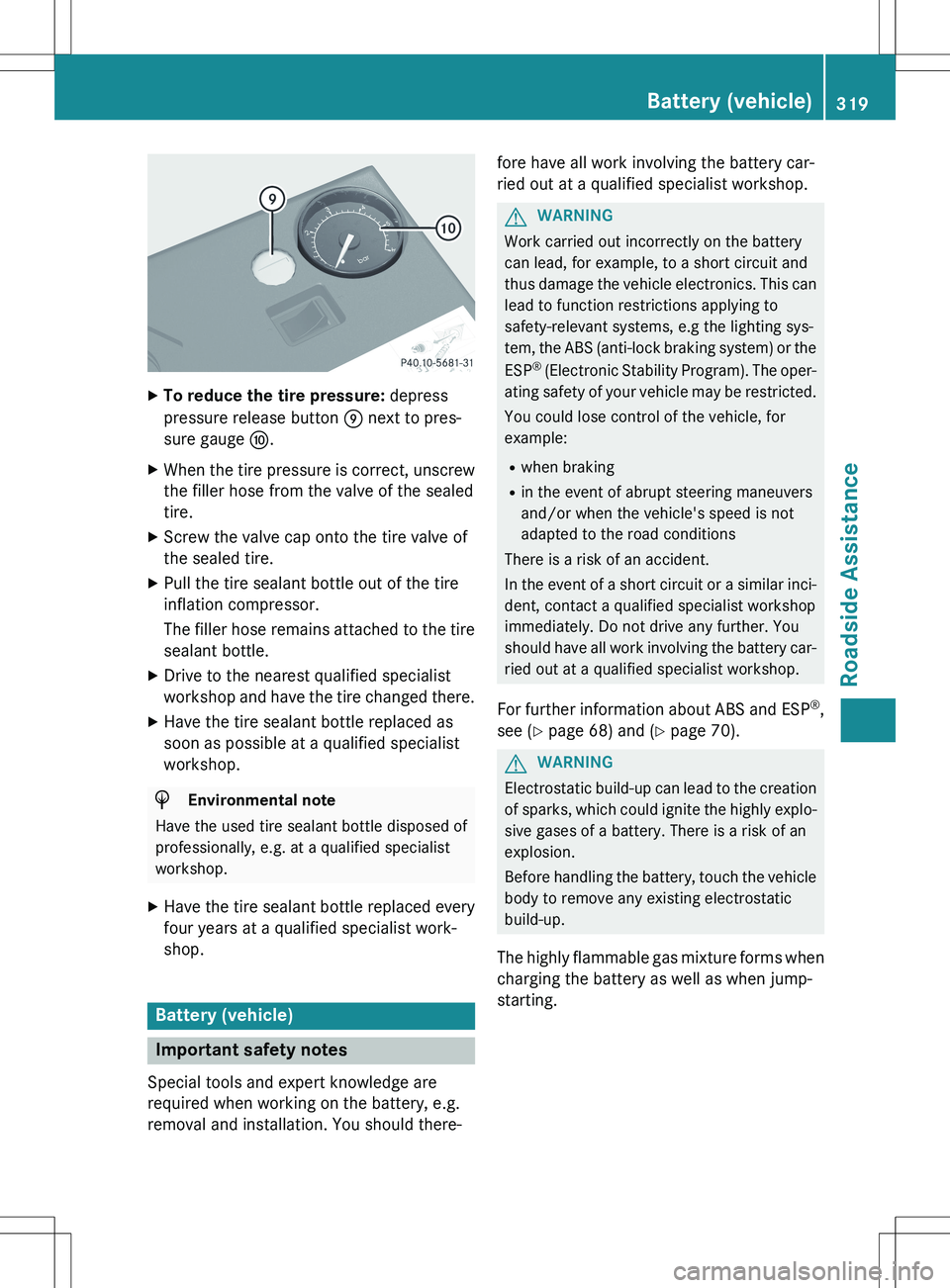
XTo reduce the tire pressure: depress
pressure release button E next to pres-
sure gauge F.
X When the tire pressure is correct, unscrew
the filler hose from the valve of the sealed
tire.
X Screw the valve cap onto the tire valve of
the sealed tire.
X Pull the tire sealant bottle out of the tire
inflation compressor.
The filler hose remains attached to the tire
sealant bottle.
X Drive to the nearest qualified specialist
workshop and have the tire changed there.
X Have the tire sealant bottle replaced as
soon as possible at a qualified specialist
workshop.
HEnvironmental note
Have the used tire sealant bottle disposed of
professionally, e.g. at a qualified specialist
workshop.
X Have the tire sealant bottle replaced every
four years at a qualified specialist work-
shop.
Battery (vehicle)
Important safety notes
Special tools and expert knowledge are
required when working on the battery, e.g.
removal and installation. You should there- fore have all work involving the battery car-
ried out at a qualified specialist workshop.
GWARNING
Work carried out incorrectly on the battery
can lead, for example, to a short circuit and
thus damage the vehicle electronics. This can
lead to function restrictions applying to
safety-relevant systems, e.g the lighting sys-
tem, the ABS (anti-lock braking system) or the
ESP ®
(Electronic Stability Program). The oper-
ating safety of your vehicle may be restricted.
You could lose control of the vehicle, for
example:
R when braking
R in the event of abrupt steering maneuvers
and/or when the vehicle's speed is not
adapted to the road conditions
There is a risk of an accident.
In the event of a short circuit or a similar inci-
dent, contact a qualified specialist workshop
immediately. Do not drive any further. You
should have all work involving the battery car- ried out at a qualified specialist workshop.
For further information about ABS and ESP ®
,
see ( Y page 68) and ( Y page 70).
GWARNING
Electrostatic build-up can lead to the creation
of sparks, which could ignite the highly explo-
sive gases of a battery. There is a risk of an
explosion.
Before handling the battery, touch the vehicle body to remove any existing electrostatic
build-up.
The highly flammable gas mixture forms when
charging the battery as well as when jump-
starting.
Battery (vehicle)319
Roadside Assistance
Z
Page 322 of 386
Always make sure that neither you nor the
battery is electrostatically charged. A build-
up of electrostatic charge can be caused, for
example:
R by wearing clothing made from synthetic
fibers
R due to friction between clothing and seats
R if you push or pull the battery across the
carpet or other synthetic materials
R if you wipe the battery with a cloth
GWARNING
Battery acid is caustic. There is a risk of injury.
Avoid contact with skin, eyes or clothing. Do
not inhale any battery gases. Do not lean over
the battery. Keep children away from batter-
ies. Wash away battery acid immediately with
plenty of clean water and seek medical atten-
tion.
GWARNING
During the charging process, a battery produ- ces hydrogen gas. If a short circuit occurs or
sparks are created, the hydrogen gas can
ignite. There is a risk of an explosion.
R Make sure that the positive terminal of a
connected battery does not come into con-
tact with vehicle parts.
R Never place metal objects or tools on a bat-
tery.
R It is important that you observe the descri-
bed order of the battery terminals when
connecting and disconnecting a battery.
R When jump-starting, make sure that the
battery poles with identical polarity are
connected.
R It is particularly important to observe the
described order when connecting and dis-
connecting the jumper cables.
R Never connect or disconnect the battery
terminals while the engine is running.
GWARNING
During charging and jump-starting, explosive
gases can escape from the battery. There is a
risk of an explosion.
Particularly avoid fire, open flames, creating
sparks and smoking. Ensure there is sufficient
ventilation while charging and jump-starting.
Do not lean over a battery.
HEnvironmental note
Batteries contain dangerous
substances. It is against the
law to dispose of them with
the household rubbish. They
must be collected separately and recycled to protect the
environment.
Dispose of batteries in an
environmentally friendly
manner. Take discharged
batteries to a qualified spe-
cialist workshop or a special
collection point for used bat-teries.
! Have the battery checked regularly at a
qualified specialist workshop.
Observe the service intervals in the Main-
tenance Booklet or contact a qualified spe-
cialist workshop for more information.
! You should have all work involving the
battery carried out at a qualified specialist
workshop. In the exceptional case that it is
necessary for you to disconnect the battery yourself, make sure that:
R you switch off the engine and remove the
SmartKey. On vehicles with KEYLESS-
GO, ensure that the ignition is switched
off. Check that all the indicator lamps in
the instrument cluster are off. Otherwise, electronic components, such as the
alternator, may be damaged.
R you first remove the negative terminal
clamp and then the positive terminal
clamp. Never swap the terminal clamps.
320Battery (vehicle)
Roadside Assistance
Page 323 of 386

Otherwise, the vehicle's electronic sys-
tem may be damaged.
R the transmission is locked in position P
after disconnecting the battery. The vehi-
cle is secured against rolling away. You
can then no longer move the vehicle.
The battery and the cover of the positive
terminal clamp must be installed securely
during operation.
Comply with safety precautions and take pro-
tective measures when handling batteries.
Risk of explosion.
Fire, open flames and smoking are
prohibited when handling the bat-
tery. Avoid creating sparks.
Battery acid is caustic. Avoid con-
tact with skin, eyes or clothing.
Wear suitable protective clothing,
especially gloves, apron and face-
guard.
Rinse any acid spills immediately
with clear water. Contact a physi-
cian if necessary.
Wear eye protection.
Keep children away.
Observe this Operator's Manual.
In order for the battery to achieve the maxi-
mum possible service life, it must always be
sufficiently charged.
Have the battery condition of charge checked
more frequently if you use the vehicle mainly for short trips or if you leave it standing idle
for a lengthy period. Consult a qualified spe- cialist workshop if you wish to leave your
vehicle parked for a long period of time.
Like other batteries, the vehicle battery may
discharge over time if you do not use the
vehicle. In this case, have the battery discon-
nected at a qualified specialist workshop. You can also charge the battery with a charger
recommended by Mercedes-Benz. Contact a
qualified specialist workshop for further infor-
mation.
iRemove the SmartKey if you park the
vehicle and do not require any electrical
consumers. The vehicle will then use very
little energy, thus conserving battery
power.
iIf the power supply has been interrupted,
e.g. if you reconnect the battery, you will
have to:
R set the clock; see the separate operating
instructions.
On vehicles with COMAND and a naviga- tion system, the clock is set automati-
cally.
R reset the panorama roof with power tilt/
sliding panel. ( Y page 97)
R reset the function for folding the exterior
mirrors in/out automatically by folding
the mirrors out once ( Y page 110) 12
.
Charging the battery
GWARNING
During charging and jump-starting, explosive
gases can escape from the battery. There is a
risk of an explosion.
Particularly avoid fire, open flames, creating
sparks and smoking. Ensure there is sufficient
ventilation while charging and jump-starting.
Do not lean over a battery.
GWARNING
Battery acid is caustic. There is a risk of injury.
12 This function is only available in vehicles for Canada.
Battery (vehicle)321
Roadside Assistance
Z