ESP MERCEDES-BENZ GLK SUV 2008 Owner's Manual
[x] Cancel search | Manufacturer: MERCEDES-BENZ, Model Year: 2008, Model line: GLK SUV, Model: MERCEDES-BENZ GLK SUV 2008Pages: 261, PDF Size: 8.67 MB
Page 84 of 261
G
Risk of injury
Do not leave children unsupervised in the
vehicle, even if they are secured in a child
restraint system. The children could:
R be seriously or even fatally injured on parts
of the vehicle
R be seriously or even fatally injured by pro-
longed exposure to extremely high or
extremely low temperatures
If children open a door, they could:
R seriously or even fatally injure other people
R get out of the vehicle, thereby injuring
themselves or be seriously or even fatally
injured by a passing vehicle
Activate the child-proof locks/override fea-
ture if children are travelling in the vehicle.
They could otherwise open doors or side win-
dows while the vehicle is in motion and
thereby injure themselves or others.
i Related topics:
R convenience opening from the outside
(Y page 82) or from the inside
(Y page 126)
R convenience closing from the outside
(Y page 82) or from the inside
(Y page 126)
R disabling the controls in the rear com-
partment (override feature) (Y page 50)
R automatic closing of the side windows
(PRE-SAFE ®
*) (Y page 40) The switches for all side windows are located
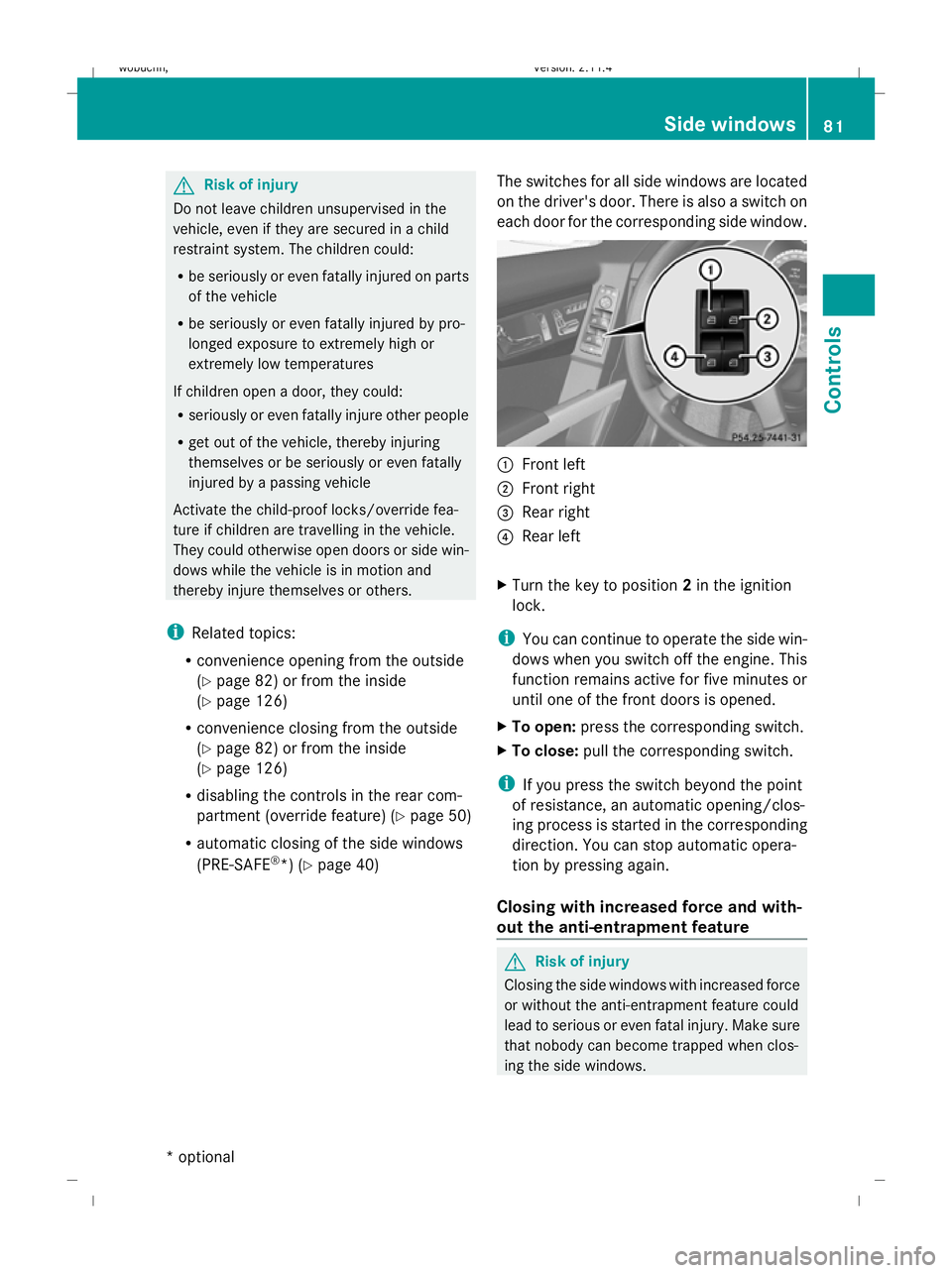
on the driver's door. There is also a switch on
each door for the corresponding side window. :
Front left
; Front right
= Rear right
? Rear left
X Turn the key to position 2in the ignition
lock.
i You can continue to operate the side win-
dows when you switch off the engine. This
function remains active for five minutes or
until one of the front doors is opened.
X To open: press the corresponding switch.
X To close: pull the corresponding switch.
i If you press the switch beyond the point
of resistance, an automatic opening/clos-
ing process is started in the corresponding
direction. You can stop automatic opera-
tion by pressing again.
Closing with increased force and with-
out the anti-entrapment feature G
Risk of injury
Closing the side windows with increased force
or without the anti-entrapment feature could
lead to serious or even fatal injury. Make sure
that nobody can become trapped when clos-
ing the side windows. Side windows
81Controls
* optional
X204_AKB; 1; 5, en-GB
wobuchh,
Version: 2.11.4
2008-10-15T13:20:56+02:00 - Seite 81 ZDateiname: 6515_0671_02_buchblock.pdf; preflight
Page 85 of 261
If a side window blocks during closing and
reopens slightly:
X Immediately after the window blocks, pull
on the corresponding switch again until the
side window has closed.
The side window is closed with increased
force.
If a side window blocks again during closing
and reopens slightly:
X Immediately after the window blocks, pull
on the corresponding switch again until the
side window has closed.
The side window is closed without the anti-
entrapment feature. Convenience opening
You can ventilate the vehicle before a journey.
To do this, you can use the key to simultane-
ously:
R open the side windows
R open the panorama sunroof and roller sun-
blinds*
i The "Convenience opening" feature can
only be operated using the key. X
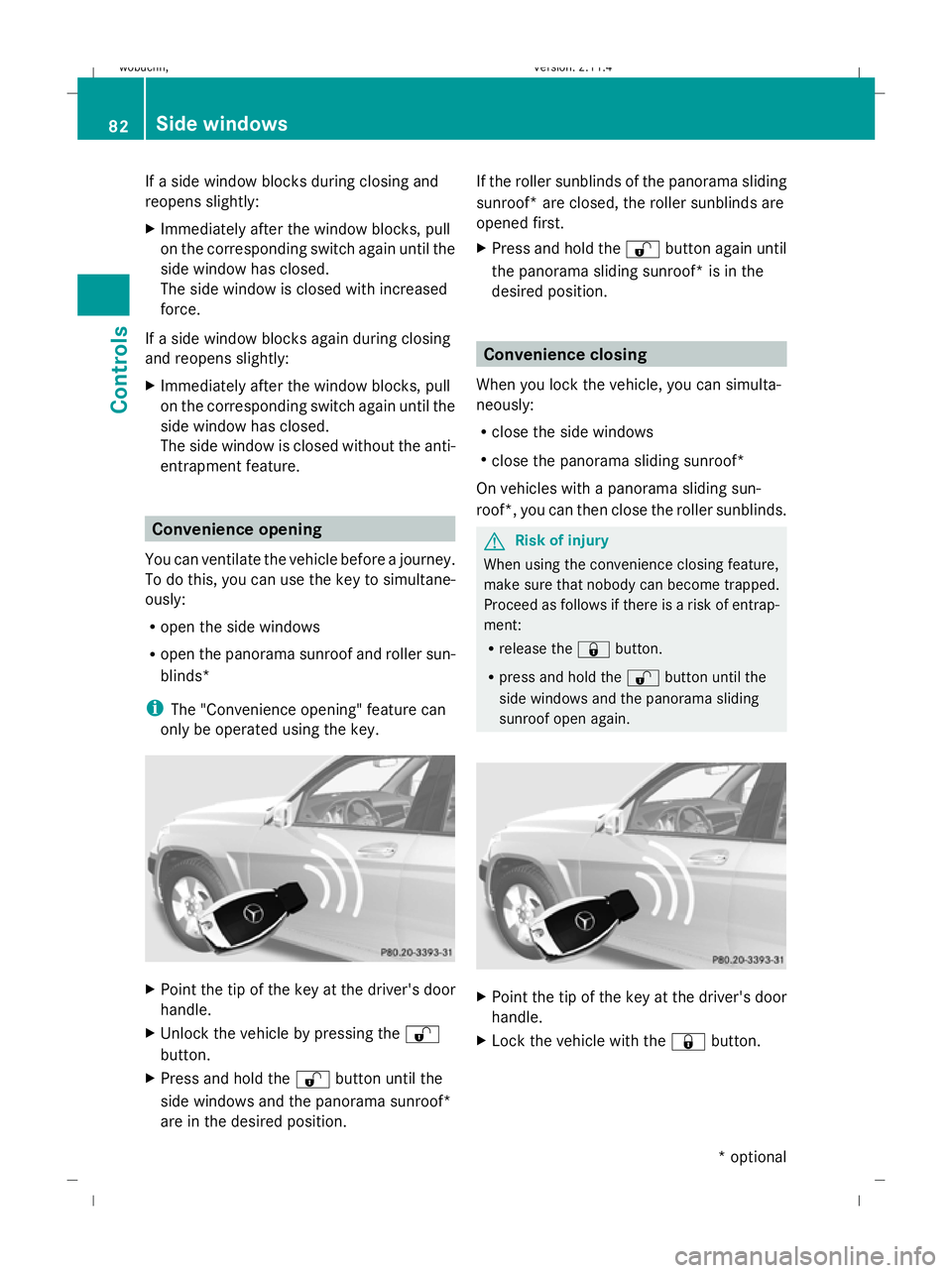
Point the tip of the key at the driver's door
handle.
X Unlock the vehicle by pressing the %
button.
X Press and hold the %button until the
side windows and the panorama sunroof*
are in the desired position. If the roller sunblinds of the panorama sliding
sunroof* are closed, the roller sunblinds are
opened first.
X Press and hold the %button again until
the panorama sliding sunroof* is in the
desired position. Convenience closing
When you lock the vehicle, you can simulta-
neously:
R close the side windows
R close the panorama sliding sunroof*
On vehicles with a panorama sliding sun-
roof*, you can then close the roller sunblinds. G
Risk of injury
When using the convenience closing feature,
make sure that nobody can become trapped.
Proceed as follows if there is a risk of entrap-
ment:
R release the &button.
R press and hold the %button until the
side windows and the panorama sliding
sunroof open again. X
Point the tip of the key at the driver's door
handle.
X Lock the vehicle with the &button. 82 Side windowsControls
* optional
X204_AKB; 1; 5, en-GB
wobuchh,
Version: 2.11.4 2008-10-15T13:20:56+02:00 - Seite 82Dateiname: 6515_0671_02_buchblock.pdf; preflight
Page 87 of 261
i
The vehicle locks centrally once you have
pulled away. The locking knobs in the doors
drop down.
You can open the doors from the inside at
any time.
You can also deactivate the automatic lock-
ing feature (Y page 104).
i It is only possible to move the selector
lever to the desired position if you depress
the brake pedal. Only then is the selector
lever lock released.
X Depress the brake pedal and keep it
depressed.
X Move the selector lever to position Dor R.
X Release the parking brake (Y page 84).
X Release the brake pedal.
X Carefully depress the accelerator pedal.
i Upshifts take place at higher engine
speeds after a cold start. This helps the
catalytic converter to reach its operating
temperature more quickly.
Hill start assist Hill start assist helps you when pulling away
on uphill gradients. It holds the vehicle for a
short time after you have removed your foot
from the brake pedal. This gives you enough
time to move your foot from the brake pedal
to the accelerator pedal and depress it before
the vehicle begins to roll. G
Risk of accident
Never leave the vehicle when it is held by hill
start assist. After approximately one second,
hill start assist will no longer brake your vehi-
cle and it could roll away.
X Take your foot off the brake pedal.
i Once you have taken your foot off the
brake pedal, the vehicle is held for around
one second.
X Pull away. Hill start assist does not function if:
R
you are pulling away on a level road or a
downhill gradient.
R the selector lever is in position N.
R the vehicle is secured with the parking
brake.
R ESP ®
is malfunctioning. Parking
G
Risk of accident
Only remove the key from the ignition lock
when the vehicle is stationary, as you cannot
steer the vehicle with the key removed.
Never leave children unsupervised in the vehi-
cle. They could release the parking brake. This
could lead to a serious or fatal accident. G
Risk of fire
Make sure that the exhaust system does not
under any circumstances come into contact
with easily ignitable material such as dry grass
or petrol. The material could otherwise ignite
and set the vehicle on fire.
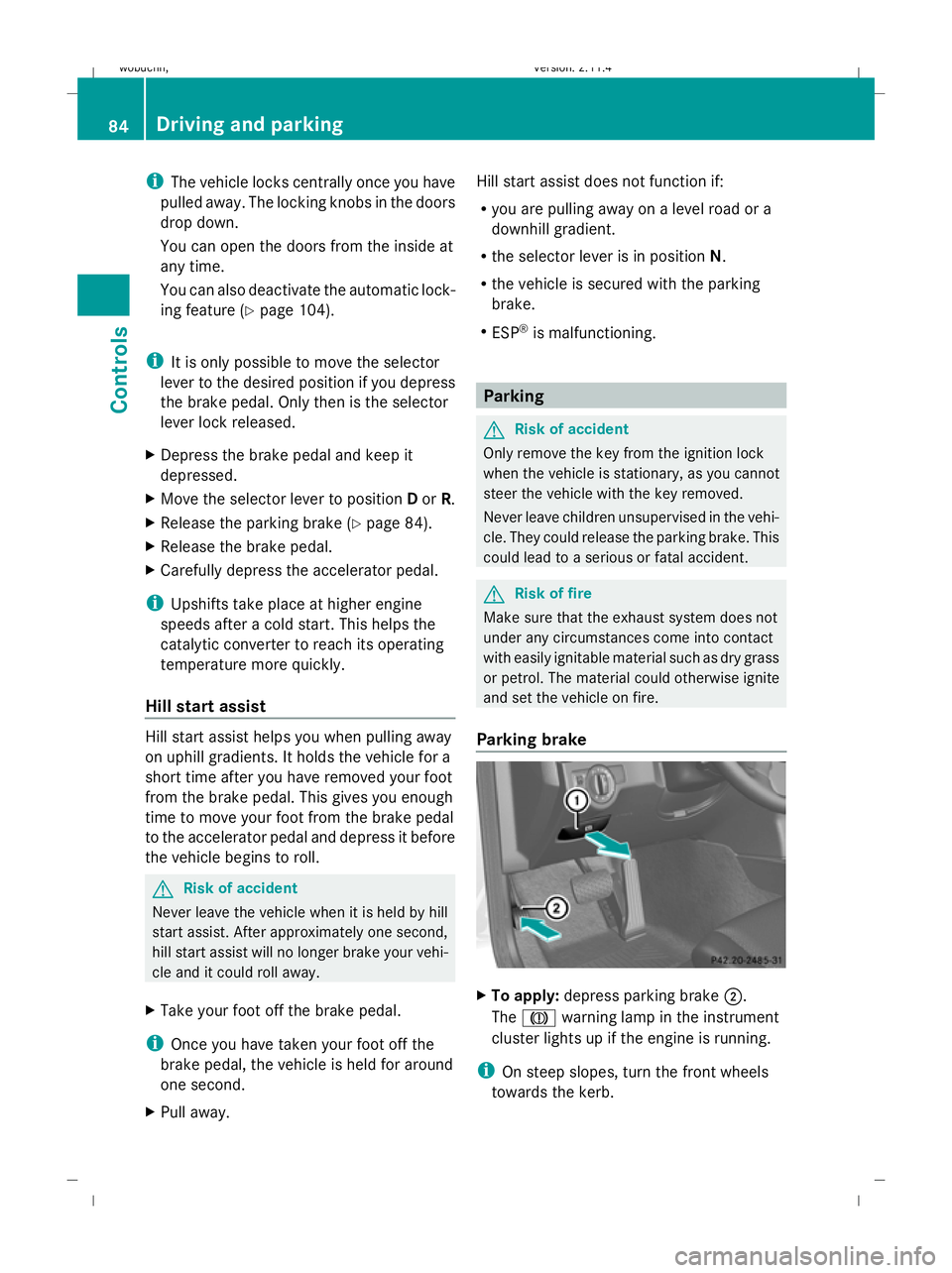
Parking brake X
To apply: depress parking brake ;.
The J warning lamp in the instrument
cluster lights up if the engine is running.
i On steep slopes, turn the front wheels
towards the kerb. 84 Driving and parkingControls
X204_AKB; 1; 5, en-GB
wobuchh,
Version: 2.11.4 2008-10-15T13:20:56+02:00 - Seite 84Dateiname: 6515_0671_02_buchblock.pdf; preflight
Page 89 of 261
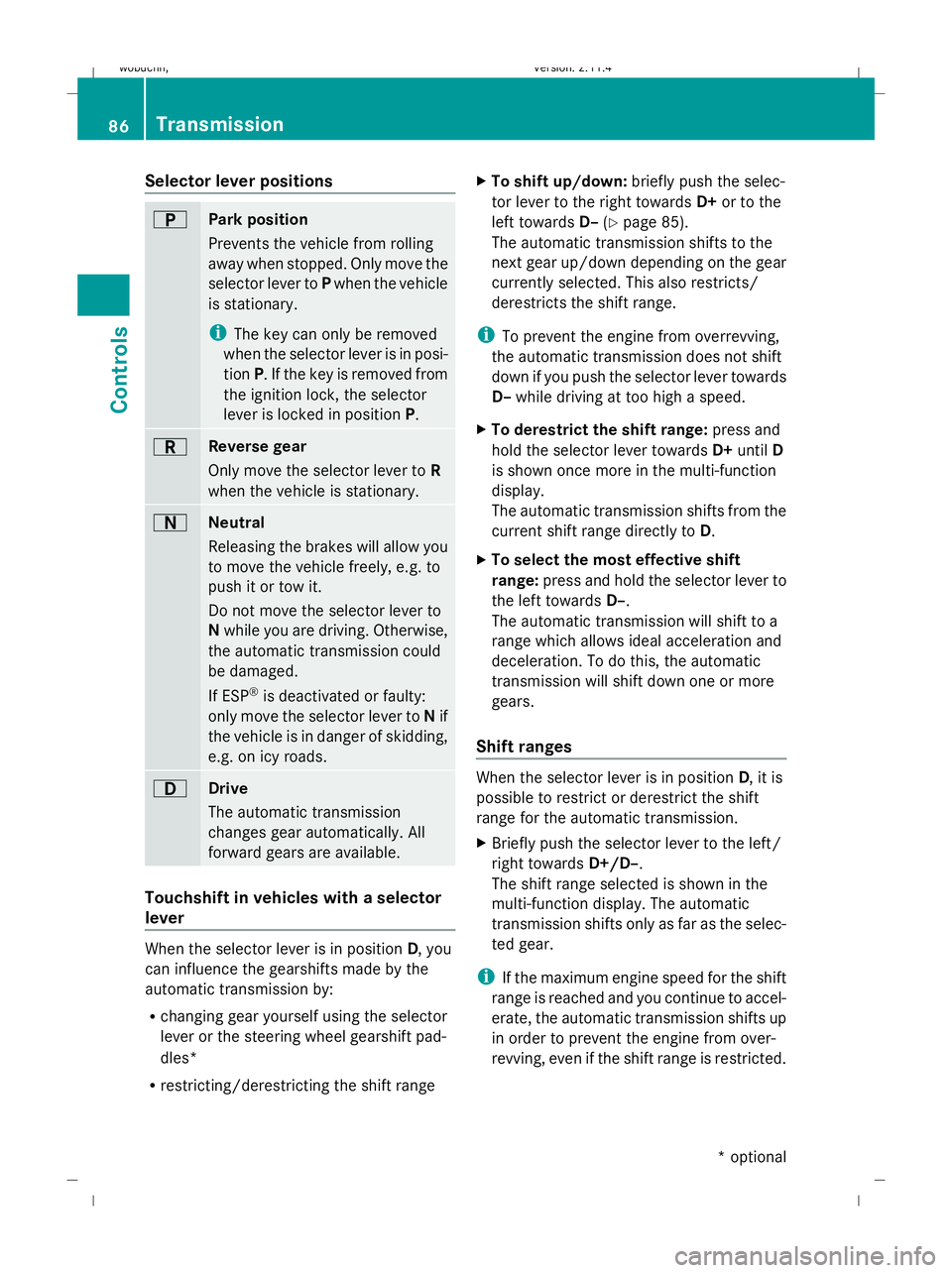
Selector lever positions
B
Park position
Prevents the vehicle from rolling
away when stopped. Only move the
selector lever to
Pwhen the vehicle
is stationary.
i The key can only be removed
when the selector lever is in posi-
tion P. If the key is removed from
the ignition lock, the selector
lever is locked in position P.C
Reverse gear
Only move the selector lever to
R
when the vehicle is stationary. A
Neutral
Releasing the brakes will allow you
to move the vehicle freely, e.g. to
push it or tow it.
Do not move the selector lever to
N while you are driving. Otherwise,
the automatic transmission could
be damaged.
If ESP ®
is deactivated or faulty:
only move the selector lever to Nif
the vehicle is in danger of skidding,
e.g. on icy roads. 7
Drive
The automatic transmission
changes gear automatically. All
forward gears are available.
Touchshift in vehicles with a selector
lever When the selector lever is in position
D, you
can influence the gearshifts made by the
automatic transmission by:
R changing gear yourself using the selector
lever or the steering wheel gearshift pad-
dles*
R restricting/derestricting the shift range X
To shift up/down: briefly push the selec-
tor lever to the right towards D+or to the
left towards D–(Ypage 85).
The automatic transmission shifts to the
next gear up/down depending on the gear
currently selected. This also restricts/
derestricts the shift range.
i To prevent the engine from overrevving,
the automatic transmission does not shift
down if you push the selector lever towards
D– while driving at too high a speed.
X To derestrict the shift range: press and
hold the selector lever towards D+until D
is shown once more in the multi-function
display.
The automatic transmission shifts from the
current shift range directly to D.
X To select the most effective shift
range: press and hold the selector lever to
the left towards D–.
The automatic transmission will shift to a
range which allows ideal acceleration and
deceleration. To do this, the automatic
transmission will shift down one or more
gears.
Shift ranges When the selector lever is in position
D, it is
possible to restrict or derestrict the shift
range for the automatic transmission.
X Briefly push the selector lever to the left/
right towards D+/D–.
The shift range selected is shown in the
multi-function display. The automatic
transmission shifts only as far as the selec-
ted gear.
i If the maximum engine speed for the shift
range is reached and you continue to accel-
erate, the automatic transmission shifts up
in order to prevent the engine from over-
revving, even if the shift range is restricted. 86 TransmissionControls
* optional
X204_AKB; 1; 5, en-GB
wobuchh,
Version: 2.11.4 2008-10-15T13:20:56+02:00 - Seite 86Dateiname: 6515_0671_02_buchblock.pdf; preflight
Page 90 of 261
Driving situation: gear indicator
=
The braking effect of the engine can
be used in this position.
5
To use the braking effect of the
engine on downhill gradients and
for driving:
R
on steep mountain roads
R in mountainous terrain
R in arduous conditions 4
To use the braking effect of the
engine on extremely steep downhill
gradients and long downhill
stretches
i
On vehicles with steering wheel gearshift
paddles*, you can restrict or derestrict the
shift range in the same way as with Touch-
shift (Y page 86).
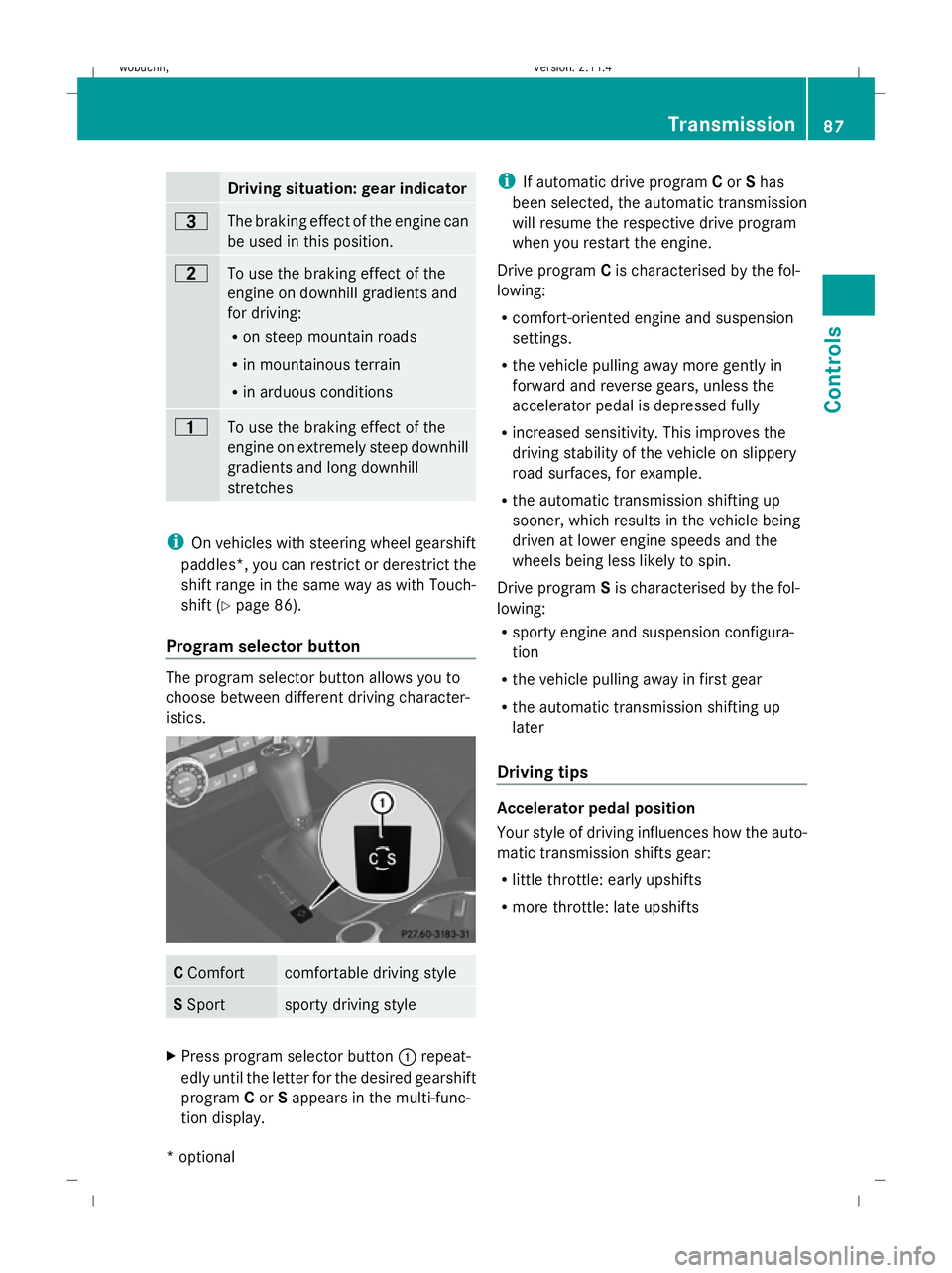
Program selector button The program selector button allows you to
choose between different driving character-
istics.
C
Comfort comfortable driving style
S
Sport sporty driving style
X
Press program selector button :repeat-
edly until the letter for the desired gearshift
program Cor Sappears in the multi-func-
tion display. i
If automatic drive program Cor Shas
been selected, the automatic transmission
will resume the respective drive program
when you restart the engine.
Drive program Cis characterised by the fol-
lowing:
R comfort-oriented engine and suspension
settings.
R the vehicle pulling away more gently in
forward and reverse gears, unless the
accelerator pedal is depressed fully
R increased sensitivity. This improves the
driving stability of the vehicle on slippery
road surfaces, for example.
R the automatic transmission shifting up
sooner, which results in the vehicle being
driven at lower engine speeds and the
wheels being less likely to spin.
Drive program Sis characterised by the fol-
lowing:
R sporty engine and suspension configura-
tion
R the vehicle pulling away in first gear
R the automatic transmission shifting up
later
Driving tips Accelerator pedal position
Your style of driving influences how the auto-
matic transmission shifts gear:
R little throttle: early upshifts
R more throttle: late upshifts Transmission
87Controls
* optional
X204_AKB; 1; 5, en-GB
wobuchh,
Version: 2.11.4 2008-10-15T13:20:56+02:00 - Seite 87 ZDateiname: 6515_0671_02_buchblock.pdf; preflight
Page 92 of 261
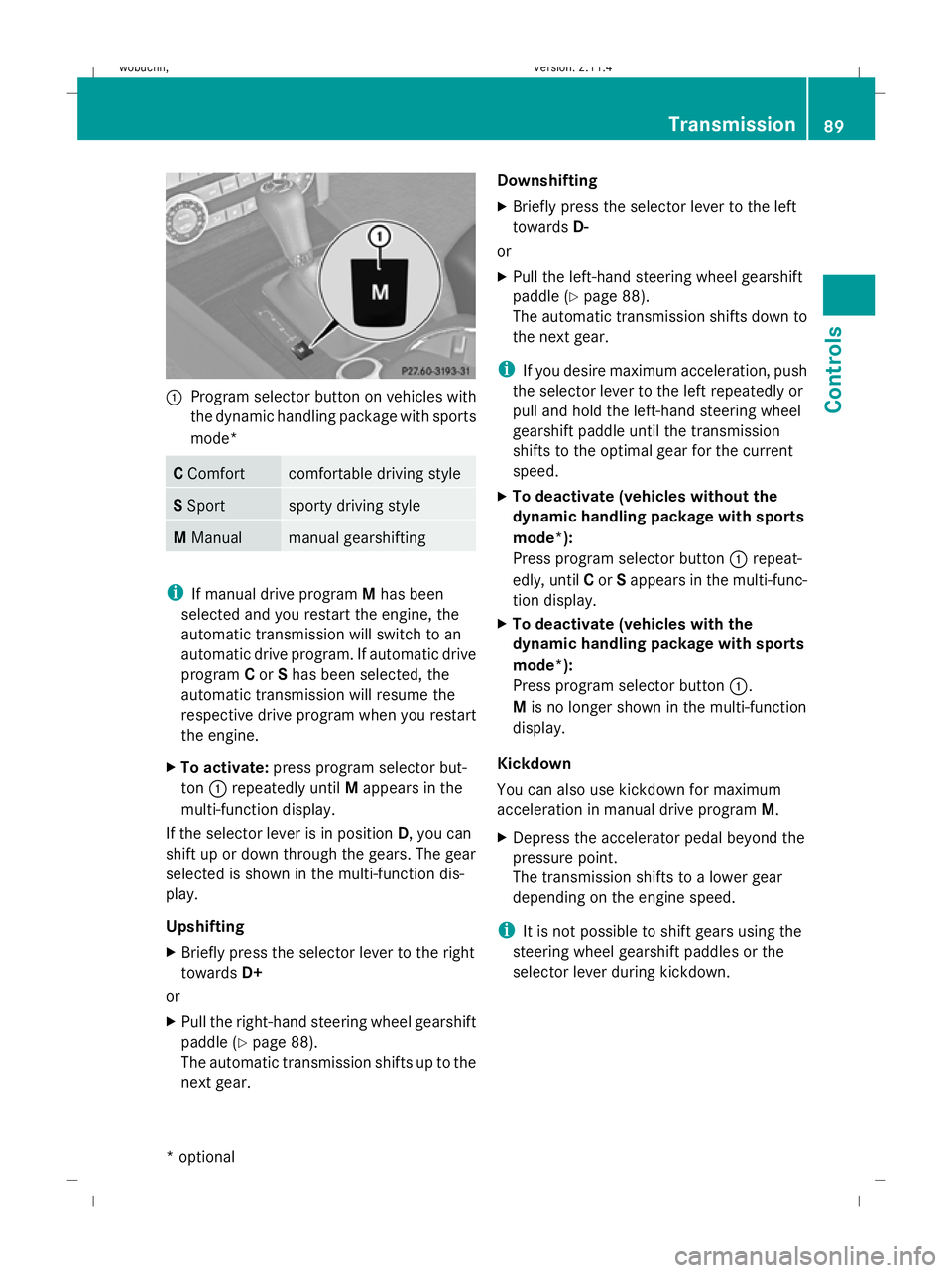
:
Program selector button on vehicles with
the dynamic handling package with sports
mode* C
Comfort comfortable driving style
S
Sport sporty driving style
M
Manual manual gearshifting
i
If manual drive program Mhas been
selected and you restart the engine, the
automatic transmission will switch to an
automatic drive program. If automatic drive
program Cor Shas been selected, the
automatic transmission will resume the
respective drive program when you restart
the engine.
X To activate: press program selector but-
ton :repeatedly until Mappears in the
multi-function display.
If the selector lever is in position D, you can
shift up or down through the gears. The gear
selected is shown in the multi-function dis-
play.
Upshifting
X Briefly press the selector lever to the right
towards D+
or
X Pull the right-hand steering wheel gearshift
paddle (Y page 88).
The automatic transmission shifts up to the
next gear. Downshifting
X
Briefly press the selector lever to the left
towards D-
or
X Pull the left-hand steering wheel gearshift
paddle (Y page 88).
The automatic transmission shifts down to
the next gear.
i If you desire maximum acceleration, push
the selector lever to the left repeatedly or
pull and hold the left-hand steering wheel
gearshift paddle until the transmission
shifts to the optimal gear for the current
speed.
X To deactivate (vehicles without the
dynamic handling package with sports
mode*):
Press program selector button :repeat-
edly, until Cor Sappears in the multi-func-
tion display.
X To deactivate (vehicles with the
dynamic handling package with sports
mode*):
Press program selector button :.
M is no longer shown in the multi-function
display.
Kickdown
You can also use kickdown for maximum
acceleration in manual drive program M.
X Depress the accelerator pedal beyond the
pressure point.
The transmission shifts to a lower gear
depending on the engine speed.
i It is not possible to shift gears using the
steering wheel gearshift paddles or the
selector lever during kickdown. Transmission
89Controls
* optional
X204_AKB; 1; 5, en-GB
wobuchh,
Version: 2.11.4 2008-10-15T13:20:56+02:00 - Seite 89 ZDateiname: 6515_0671_02_buchblock.pdf; preflight
Page 93 of 261
Instrument cluster
Points to remember
You will find an illustration of the instrument
cluster in the "At a glance" section.
Vehicles with a multi-function steering wheel
(4 buttons) (Y page 24)
Vehicles with a luxury multi-function steering
wheel* (12 buttons) (Y page 26)G
Risk of accident
No further messages can be displayed if the
instrument cluster and/or the multi-function
display fails.
This means that you will not see information
about the driving situation, such as the speed,
outside temperature, warning/indicator
lamps, display messages or system failures.
The vehicle's handling characteristics may be
affected. Adjust your driving style and speed
accordingly.
Immediately consult a qualified specialist
workshop which has the necessary specialist
knowledge and tools to carry out the work
required. Mercedes-Benz recommends that
you use a Mercedes-Benz Service Centre for
this purpose. In particular, work relevant to
safety or on safety-related systems must be
carried out at a qualified specialist workshop. Coolant temperature gauge
The coolant temperature gauge is in the
instrument cluster on the left-hand side.
Under normal operating conditions and with
the specified coolant level, the coolant tem-
perature may rise to 120 †. The coolant tem-
perature may rise to the top end of the scale
at high outside temperatures and on long
uphill stretches. Speedometer with segments (vehi-
cles with 12-button luxury multi-func-
tion steering wheel*)
The segments in the speedometer indicate
which speed range is available.
Cruise control* mode:
The segments light up from the stored speed
to the maximum speed.
Variable Speedtronic* mode:
The segments light up from the start of the
scale to the selected limit speed. Rev counter
The red band in the rev counter indicates the
engine's overrevving range. The fuel supply is
interrupted to protect the engine when the
red band is reached.
! Do not drive in the overrevving range.
Doing so will damage the engine. Outside temperature display
G
Risk of accident
When the temperature displayed is just above
freezing point, the road surface may be icy,
especially in wooded areas or on bridges. The
vehicle could skid if you fail to adapt your
driving style. Always adapt your driving style
and drive at a speed to suit the prevailing
weather conditions.
Changes in the outside temperature are dis-
played after a short delay. 90 Instrument clusterCont
rols
* optional
X204_AKB; 1; 5, en-GB
wobuchh,
Version: 2.11.4 2008-10-15T13:20:56+02:00 - Seite 90Dateiname: 6515_0671_02_buchblock.pdf; preflight
Page 108 of 261
submenu is only reset if the vehicle is sta-
tionary.
X Press the =or; button to select the
Settings menu.
X Press the :or9 button to select the
Factory setting submenu.
X Press the abutton to confirm.
The Reset all settings? message is
shown.
X Press the :or9 button to select
Yes orNo.
X Press the abutton to confirm the selec-
tion.
If you have selected Yes, the multi-function
display shows a confirmation message. Off-road driving
Overview of off-road driving systems
The systems which are relevant for off-road
driving are explained on the following pages:
R 4MATIC (permanent four-wheel drive), for
optimum traction
R DSR (Downhill Speed Regulation)* (vehi-
cles with Off-Road Pro engineering pack-
age*), which assists you when driving
downhill
R Off-road driving program* (vehicles with
Off-road Pro engineering package*), which
assists you when driving off-road
You will find further information about driving
off-road in the "Operation" section
(Y page 158). 4MATIC* (permanent four-wheel
drive)
4MATIC ensures that all four wheels are per-
manently driven. Together with ESP ®
and
ETS, it improves the traction of your vehicle
whenever a drive wheel spins due to insuffi-
cient grip. G
Risk of accident
4MATIC cannot reduce the risk of an accident
if you drive too fast.
If a drive wheel spins due to insufficient grip:
R only depress the accelerator pedal as far as
necessary when pulling away.
R accelerate less when driving.
R adapt your driving style to suit road and
traffic conditions.
i In wintry driving conditions, the maximum
effect of 4MATIC can only be achieved if
you use winter tyres (M+S tyres), with snow
chains if necessary.
! When testing the parking brake, operate
the vehicle only briefly (for a maximum of
ten seconds) on a brake test dynamometer.
When doing this, turn the key to position
0 or 1in the ignition. Failure to do this can
cause damage to the drive train or the
brake system.
! A function or performance test should
only be carried out on a twin-axle dyna-
mometer. If you wish to operate the vehicle
on such a dynamometer, please consult a
Mercedes-Benz Service Centre in advance.
You could otherwise damage the drive train
or the brake system. DSR (Downhill Speed Regulation)*
(vehicles with the off-road engineer-
ing package*)
You will find information about driving off-
road in the "Operation" section
(Y page 158).
DSR is an aid to assist you when driving down-
hill. It keeps the speed of travel at the speed
selected on the on-board computer. The
steeper the downhill gradient, the greater the
DSR braking effect on the vehicle. When driv-
ing on flat stretches of road or on an uphill Off-road driving
105Controls
* optional
X204_AKB; 1; 5, en-GB
wobuchh,
Version: 2.11.4 2008-10-15T13:20:56+02:00 - Seite 105 ZDateiname: 6515_0671_02_buchblock.pdf; preflight
Page 109 of 261
gradient, the DSR braking effect is minimal or
non-existent. G
Risk of accident
DSR is only an aid designed to assist you when
driving downhill. You are responsible for keep-
ing control of the vehicle and for assessing
whether the downhill gradient can be man-
aged.
When activating DSR the vehicle may brake
suddenly due to DSR intervening. This is
dependent on the downhill gradient and the
difference between the current speed and the
speed set. DSR may not always be able to
keep to the set speed, depending on road sur-
face and tyre conditions. You could lose con-
trol of the vehicle and cause an accident.
Select a set speed suitable for the prevailing
conditions and when necessary, apply the
brakes manually.
DSR controls the vehicle’s speed in the D,R
and Nselector lever positions. You can drive
at a higher or a lower speed than that set on
the on-board computer at any time by accel-
erating or braking. G
Risk of accident
If you depress the accelerator pedal with DSR
activated, then the set speed can be excee-
ded. Drive downhill with special care and
always keep in mind that DSR brakes the vehi-
cle as soon as you remove your foot from the
accelerator pedal. The vehicle may be heavily
braked by DSR depending on the gradient and
the difference between the vehicle's road
speed and the set speed. You could lose con-
trol of the vehicle and cause an accident.
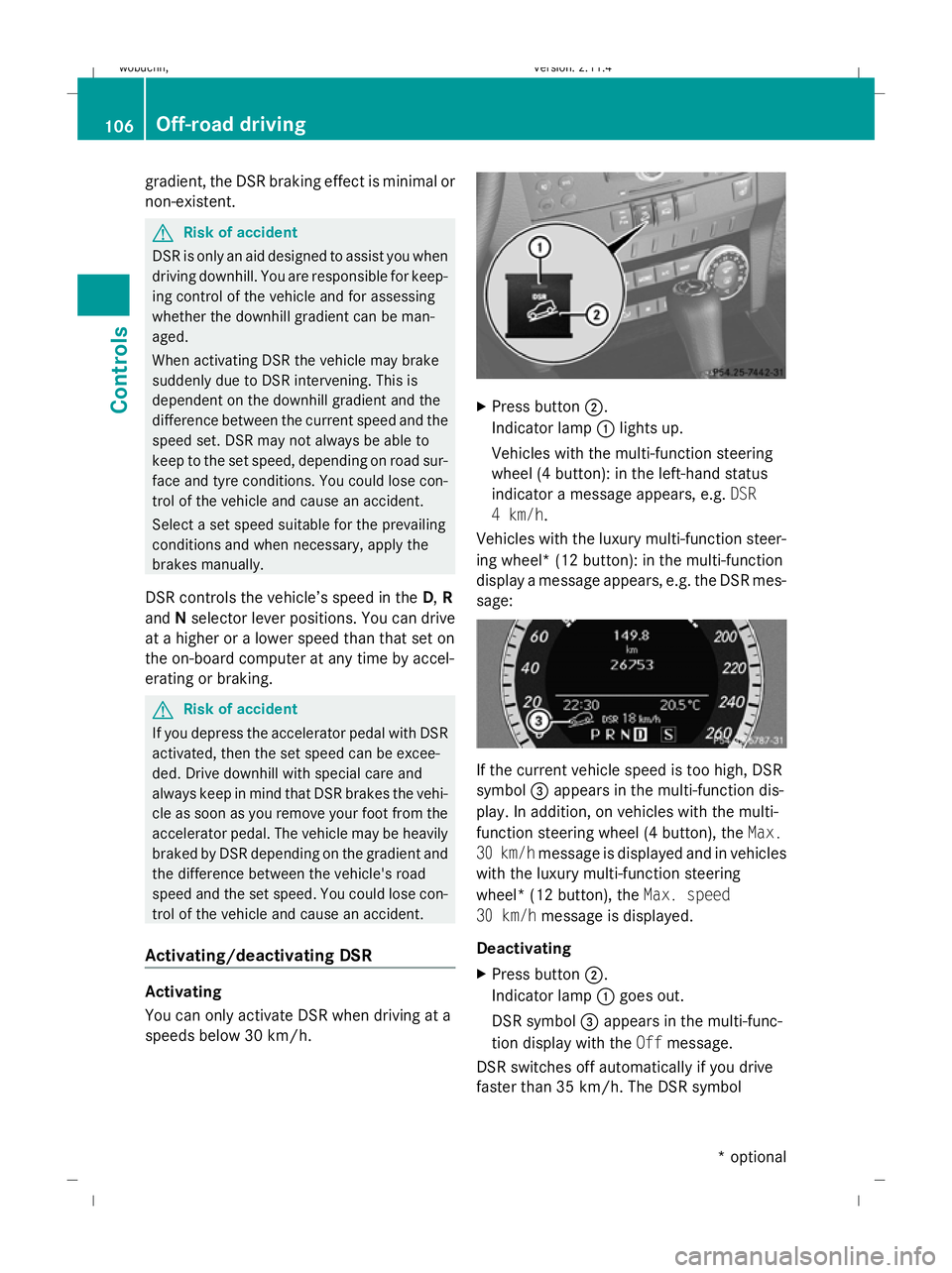
Activating/deactivating DSR Activating
You can only activate DSR when driving at a
speeds below 30 km/h. X
Press button ;.
Indicator lamp :lights up.
Vehicles with the multi-function steering
wheel (4 button): in the left-hand status
indicator a message appears, e.g. DSR
4 km/h.
Vehicles with the luxury multi-function steer-
ing wheel* (12 button): in the multi-function
display a message appears, e.g. the DSR mes-
sage: If the current vehicle speed is too high, DSR
symbol =appears in the multi-function dis-
play. In addition, on vehicles with the multi-
function steering wheel (4 button), the Max.
30 km/h message is displayed and in vehicles
with the luxury multi-function steering
wheel* (12 button), the Max. speed
30 km/h message is displayed.
Deactivating
X Press button ;.
Indicator lamp :goes out.
DSR symbol =appears in the multi-func-
tion display with the Offmessage.
DSR switches off automatically if you drive
faster than 35 km/h. The DSR symbol 106 Off-road drivingControls
* optional
X204_AKB; 1; 5, en-GB
wobuchh,
Version: 2.11.4 2008-10-15T13:20:56+02:00 - Seite 106Dateiname: 6515_0671_02_buchblock.pdf; preflight
Page 110 of 261

appears in the multi-function display with the
Off
message. You also hear a warning tone.
Changing the set speed while the vehi-
cle is in motion When DSR is activated, you can change the
set speed to a value between 4 km/h and
18 km/h while the vehicle is in motion.
X
To increase or reduce the set speed by
1 km/hincrements: briefly press the
cruise control lever to the pressure point
up : for a higher set speed or down ;for
a lower set speed.
On vehicles with the multi-function steering
wheel (4 button), the set value appears in
the left-hand status indicator. On vehicles
with the luxury multi-function steering
wheel* (12 button), the set value appears
in the multi-function display.
X To increase or reduce the set speed by
2 km/hincrements: briefly press the
cruise control beyond the pressure point
up : for a higher set speed or down ;for
a lower set speed.
On vehicles with the multi-function steering
wheel (4 button), the set value appears in
the left-hand status indicator. On vehicles
with the luxury multi-function steering
wheel* (12 button), the set value appears
in the multi-function display. Off-road drive program* (vehicles
with off-road engineering package*)
The off-road drive program assists you in driv-
ing off-road and when fording. The engine’s
performance characteristics and the gear-
shifting characteristics of the automatic
transmission are adapted for this purpose.
ABS, ESP ®
and ETS programs especially
adapted to off-road driving are also activated.
Do not use the off-road drive program on
roads that are snowy or icy or if you have fit-
ted your vehicle with snow chains. X
To activate: press button ;.
Indicator lamp :lights up.
On vehicles with the luxury multi-function
steering wheel* (12 button): in the multi-func-
tion display you see the off-road symbol: X
To deactivate: press button;.
Indicator lamp :goes out. On vehicles
with the luxury multi-function steering
wheel* (12 button), the off-road display
= also goes off. Off-road driving
107Controls
* optional
X204_AKB; 1; 5, en-GB
wobuchh,
Version: 2.11.4 2008-10-15T13:20:56+02:00 - Seite 107 ZDateiname: 6515_0671_02_buchblock.pdf; preflight