phone MERCEDES-BENZ GLK350 4MATIC 2010 X204 Owner's Guide
[x] Cancel search | Manufacturer: MERCEDES-BENZ, Model Year: 2010, Model line: GLK350 4MATIC, Model: MERCEDES-BENZ GLK350 4MATIC 2010 X204Pages: 344, PDF Size: 8.45 MB
Page 132 of 344
XSwitching to the next highest menu:
Press button k briefly.
The audio system switches to the next
highest menu level within the currently
active mode.
iYou can also exit a menu or list by sliding
the audio controller XVY or ZVÆ.
XSwitching to the main menu: Press and
hold button k.
The audio system switches to the basic
menu of the currently active mode.
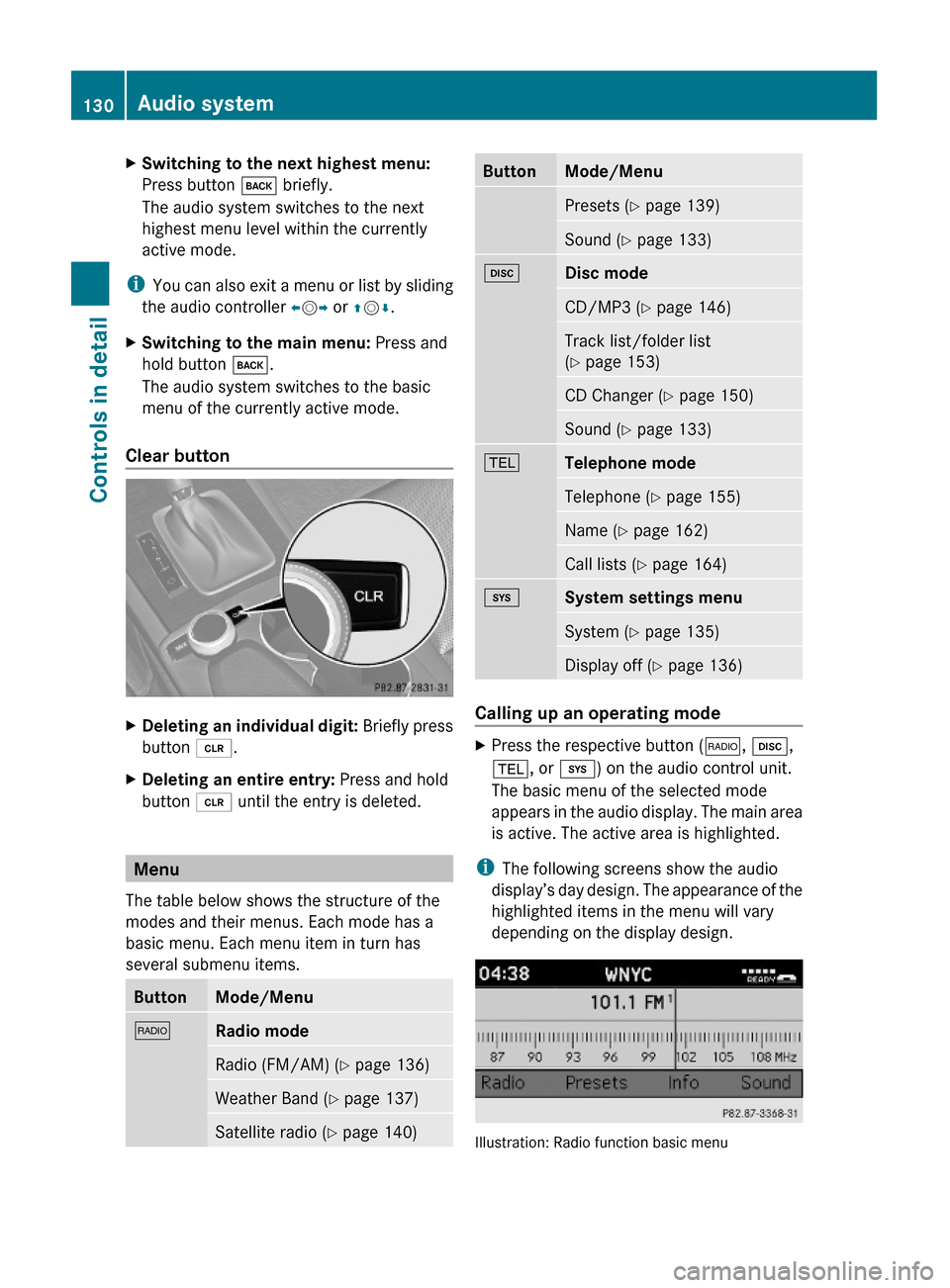
Clear button
XDeleting an individual digit: Briefly press
button 2.
XDeleting an entire entry: Press and hold
button 2 until the entry is deleted.
Menu
The table below shows the structure of the
modes and their menus. Each mode has a
basic menu. Each menu item in turn has
several submenu items.
ButtonMode/Menu$Radio modeRadio (FM/AM) (Y page 136)Weather Band (Y page 137)Satellite radio (Y page 140)ButtonMode/MenuPresets (Y page 139)Sound (Y page 133)hDisc modeCD/MP3 (Y page 146)Track list/folder list
(Y page 153)
CD Changer (Y page 150)Sound (Y page 133)%Telephone modeTelephone (Y page 155)Name (Y page 162)Call lists (Y page 164)iSystem settings menuSystem (Y page 135)Display off (Y page 136)
Calling up an operating mode
XPress the respective button ($, h,
%, or i) on the audio control unit.
The basic menu of the selected mode
appears in the audio display. The main area
is active. The active area is highlighted.
iThe following screens show the audio
display’s day design. The appearance of the
highlighted items in the menu will vary
depending on the display design.
Illustration: Radio function basic menu
130Audio systemControls in detail
X204_AKB; 3; 23, en-USd2ureepe,Version: 2.11.8.12009-07-16T19:16:58+02:00 - Seite 130
Page 134 of 344
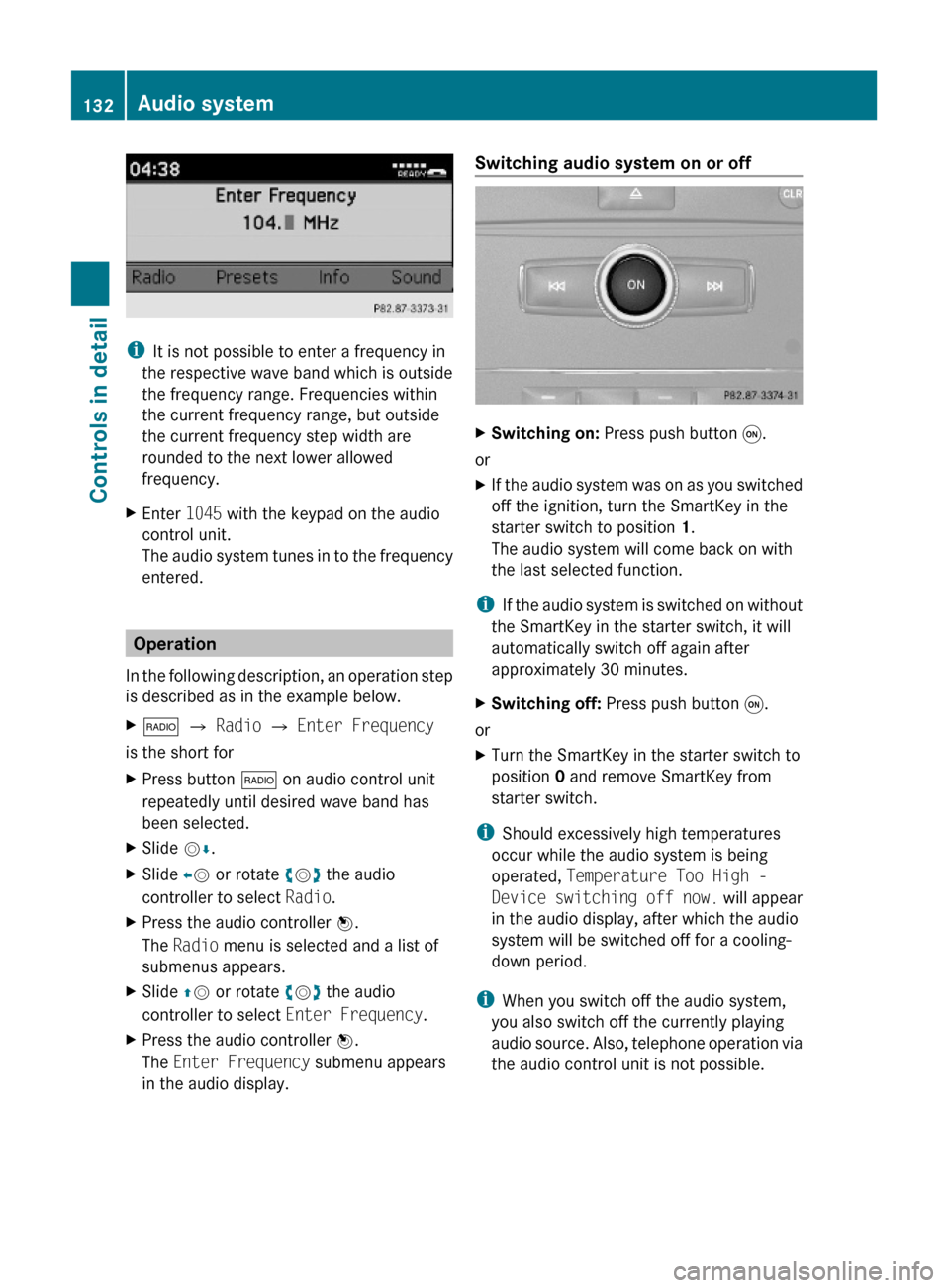
iIt is not possible to enter a frequency in
the respective wave band which is outside
the frequency range. Frequencies within
the current frequency range, but outside
the current frequency step width are
rounded to the next lower allowed
frequency.
XEnter 1045 with the keypad on the audio
control unit.
The audio system tunes in to the frequency
entered.
Operation
In the following description, an operation step
is described as in the example below.
X$ Q Radio Q Enter Frequency
is the short for
XPress button $ on audio control unit
repeatedly until desired wave band has
been selected.
XSlide VÆ.XSlide XV or rotate cVd the audio
controller to select Radio.
XPress the audio controller W.
The Radio menu is selected and a list of
submenus appears.
XSlide ZV or rotate cVd the audio
controller to select Enter Frequency.
XPress the audio controller W.
The Enter Frequency submenu appears
in the audio display.
Switching audio system on or off XSwitching on: Press push button q.
or
XIf the audio system was on as you switched
off the ignition, turn the SmartKey in the
starter switch to position 1.
The audio system will come back on with
the last selected function.
iIf the audio system is switched on without
the SmartKey in the starter switch, it will
automatically switch off again after
approximately 30 minutes.
XSwitching off: Press push button q.
or
XTurn the SmartKey in the starter switch to
position 0 and remove SmartKey from
starter switch.
iShould excessively high temperatures
occur while the audio system is being
operated, Temperature Too High -
Device switching off now. will appear
in the audio display, after which the audio
system will be switched off for a cooling-
down period.
iWhen you switch off the audio system,
you also switch off the currently playing
audio source. Also, telephone operation via
the audio control unit is not possible.
132Audio systemControls in detail
X204_AKB; 3; 23, en-USd2ureepe,Version: 2.11.8.12009-07-16T19:16:58+02:00 - Seite 132
Page 135 of 344
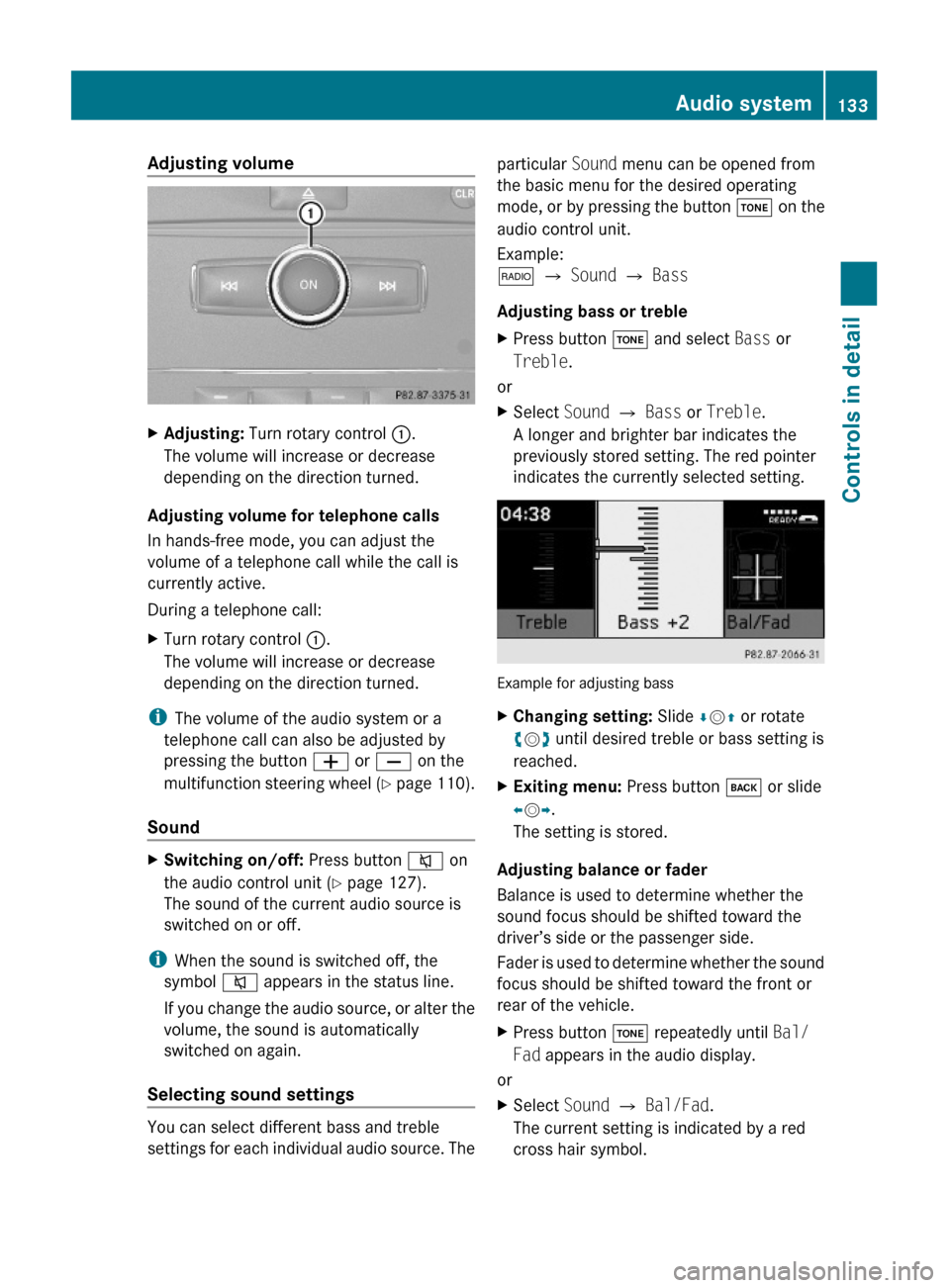
Adjusting volume XAdjusting: Turn rotary control :.
The volume will increase or decrease
depending on the direction turned.
Adjusting volume for telephone calls
In hands-free mode, you can adjust the
volume of a telephone call while the call is
currently active.
During a telephone call:
XTurn rotary control :.
The volume will increase or decrease
depending on the direction turned.
iThe volume of the audio system or a
telephone call can also be adjusted by
pressing the button W or X on the
multifunction steering wheel (Y page 110).
Sound
XSwitching on/off: Press button 8 on
the audio control unit (Y page 127).
The sound of the current audio source is
switched on or off.
iWhen the sound is switched off, the
symbol 8 appears in the status line.
If you change the audio source, or alter the
volume, the sound is automatically
switched on again.
Selecting sound settings
You can select different bass and treble
settings for each individual audio source. The
particular Sound menu can be opened from
the basic menu for the desired operating
mode, or by pressing the button J on the
audio control unit.
Example:
$ Q Sound Q Bass
Adjusting bass or treble
XPress button J and select Bass or
Treble.
or
XSelect Sound Q Bass or Treble.
A longer and brighter bar indicates the
previously stored setting. The red pointer
indicates the currently selected setting.
Example for adjusting bass
XChanging setting: Slide ÆVZ or rotate
cVd until desired treble or bass setting is
reached.
XExiting menu: Press button k or slide
XVY.
The setting is stored.
Adjusting balance or fader
Balance is used to determine whether the
sound focus should be shifted toward the
driver’s side or the passenger side.
Fader is used to determine whether the sound
focus should be shifted toward the front or
rear of the vehicle.
XPress button J repeatedly until Bal/
Fad appears in the audio display.
or
XSelect Sound Q Bal/Fad.
The current setting is indicated by a red
cross hair symbol.
Audio system133Controls in detailX204_AKB; 3; 23, en-USd2ureepe,Version: 2.11.8.12009-07-16T19:16:58+02:00 - Seite 133Z
Page 137 of 344
deviate from conventional stereo
playback.
SYS menu
System settings menu overview
MenuSystemDisplay (Y page 135)BrightnessDay ModeNight ModeAutomaticLanguage (Y page 136)Activate Bluetooth®
(Y page 135)
Reset (Y page 135)Display off (Y page 136)
Display settings
You can adapt the brightness of the audio
display to the prevailing light conditions.
Setting the display design
Xi Q System Q Display.XSelect Brightness, Day Mode, Night
Mode or Automatic.
iWhen you select Brightness, a scale
appears on which you can set the
brightness manually.
In the Automatic setting, the audio system
analyzes the automatic vehicle light sensor
and switches between the display designs
automatically.
Bluetooth® settings
General information about Bluetooth®
Bluetooth® technology is the standard for
short-range wireless technologies, suitable
for transmitting voice and data. It is possible
to connect Bluetooth® devices wirelessly.
Bluetooth® can be used to exchange vCards
or to make calls using a hands-free device.
Bluetooth® technology uses the freely
available ISM (Industrial Scientific Medical)
wave band that works at 2.45 GHz.
Bluetooth® works within a range of up to 33 ft
(10 m).
Activate or deactivate Bluetooth®
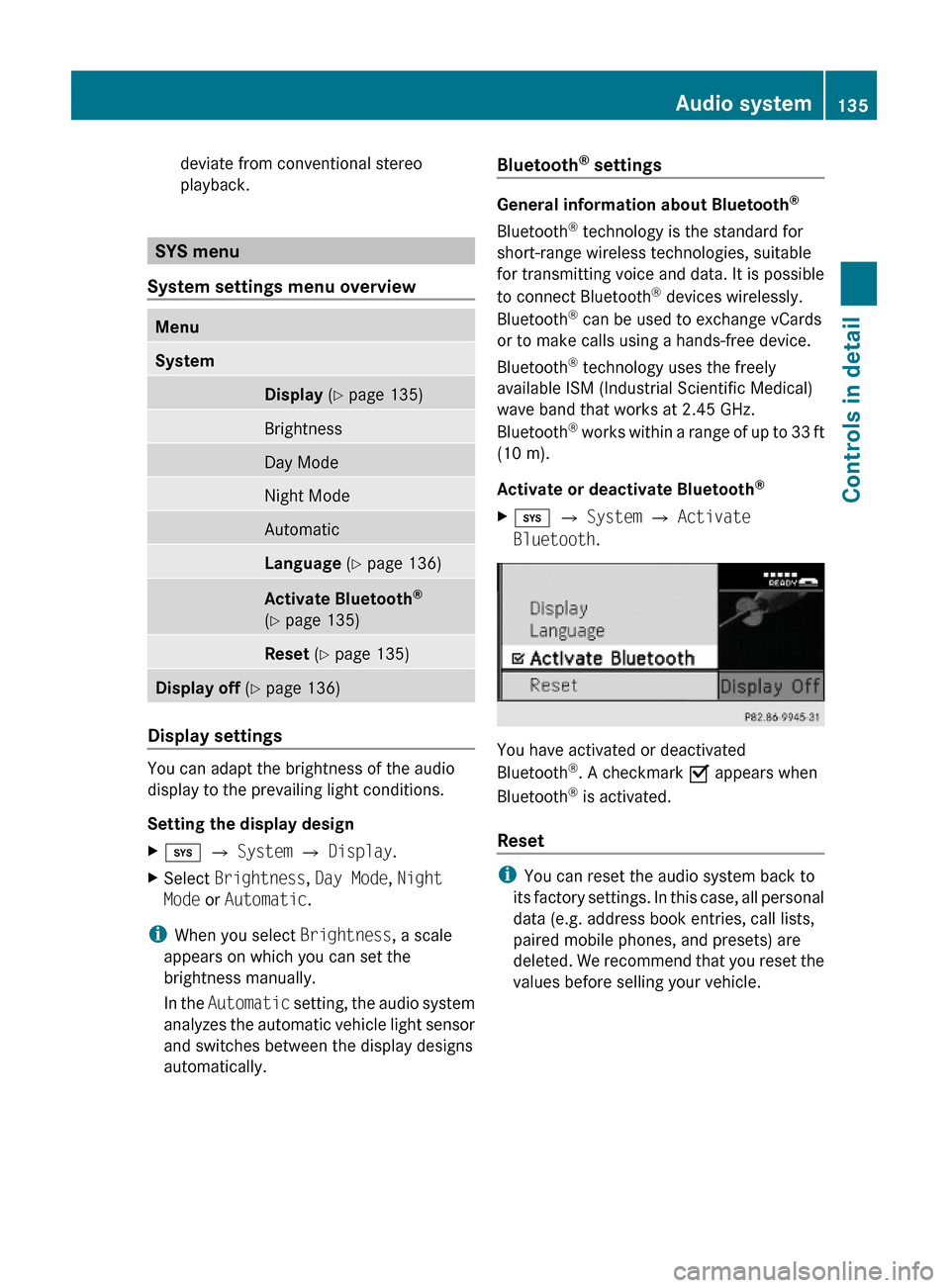
Xi Q System Q Activate
Bluetooth.
You have activated or deactivated
Bluetooth®. A checkmark O appears when
Bluetooth® is activated.
Reset
iYou can reset the audio system back to
its factory settings. In this case, all personal
data (e.g. address book entries, call lists,
paired mobile phones, and presets) are
deleted. We recommend that you reset the
values before selling your vehicle.
Audio system135Controls in detailX204_AKB; 3; 23, en-USd2ureepe,Version: 2.11.8.12009-07-16T19:16:58+02:00 - Seite 135Z
Page 138 of 344
Xi Q System Q Reset.
A prompt appears asking whether you
really want to reset.
XSelect Yes or No.
If you select Yes another prompt will
appear asking whether you really want to
reset.
XSelect Yes or No.
If you select Yes, the audio system will be
reset and restarted.
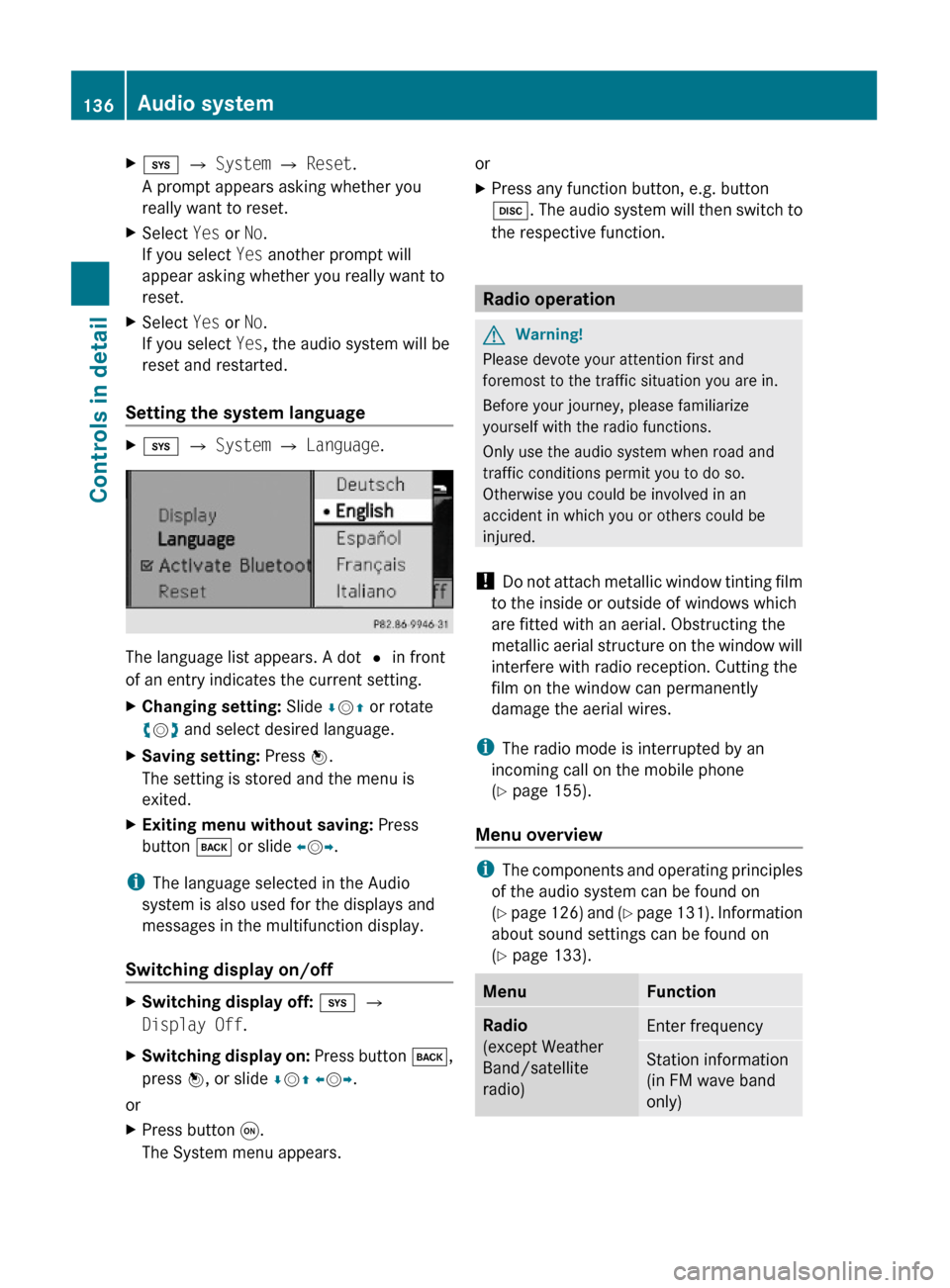
Setting the system language
Xi Q System Q Language.
The language list appears. A dot # in front
of an entry indicates the current setting.
XChanging setting: Slide ÆVZ or rotate
cVd and select desired language.
XSaving setting: Press W.
The setting is stored and the menu is
exited.
XExiting menu without saving: Press
button k or slide XVY.
iThe language selected in the Audio
system is also used for the displays and
messages in the multifunction display.
Switching display on/off
XSwitching display off: i Q
Display Off.
XSwitching display on: Press button k,
press W, or slide ÆVZ XVY.
or
XPress button q.
The System menu appears.
orXPress any function button, e.g. button
h. The audio system will then switch to
the respective function.
Radio operation
GWarning!
Please devote your attention first and
foremost to the traffic situation you are in.
Before your journey, please familiarize
yourself with the radio functions.
Only use the audio system when road and
traffic conditions permit you to do so.
Otherwise you could be involved in an
accident in which you or others could be
injured.
! Do not attach metallic window tinting film
to the inside or outside of windows which
are fitted with an aerial. Obstructing the
metallic aerial structure on the window will
interfere with radio reception. Cutting the
film on the window can permanently
damage the aerial wires.
iThe radio mode is interrupted by an
incoming call on the mobile phone
(Y page 155).
Menu overview
iThe components and operating principles
of the audio system can be found on
(Y page 126) and (Y page 131). Information
about sound settings can be found on
(Y page 133).
MenuFunctionRadio
(except Weather
Band/satellite
radio)
Enter frequencyStation information
(in FM wave band
only)
136Audio systemControls in detail
X204_AKB; 3; 23, en-USd2ureepe,Version: 2.11.8.12009-07-16T19:16:58+02:00 - Seite 136
Page 139 of 344
MenuFunctionPresets
(except Weather
Band)
Autostore (except
satellite radio)
List of stored
stations
InfoInformation menu (if
available)
Channel
(only Weather Band)
List of channelsSoundTrebleBassBalance/FaderSurround Sound
Switching to radio mode
XPress button $ on audio control unit.
The radio basic menu appears in the audio
display. The radio switches to the last
station you have listened to.
Weather Band will automatically tune to the
strongest station in the area.
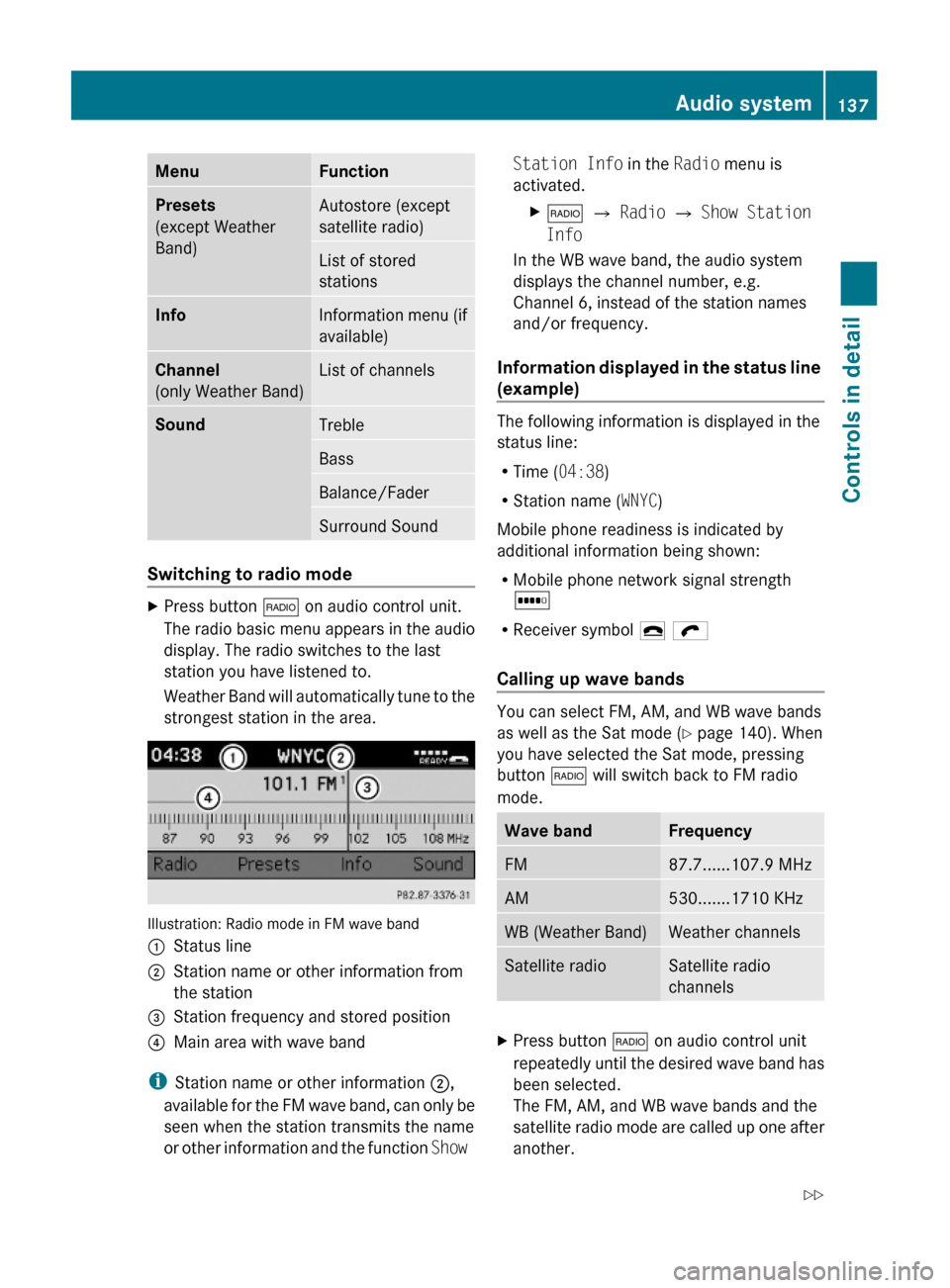
Illustration: Radio mode in FM wave band
:Status line;Station name or other information from
the station
=Station frequency and stored position?Main area with wave band
iStation name or other information ;,
available for the FM wave band, can only be
seen when the station transmits the name
or other information and the function Show
Station Info in the Radio menu is
activated.
X$ Q Radio Q Show Station
Info
In the WB wave band, the audio system
displays the channel number, e.g.
Channel 6, instead of the station names
and/or frequency.
Information displayed in the status line
(example)
The following information is displayed in the
status line:
RTime (04:38)
RStation name (WNYC)
Mobile phone readiness is indicated by
additional information being shown:
RMobile phone network signal strength
r
RReceiver symbol ¢ ö
Calling up wave bands
You can select FM, AM, and WB wave bands
as well as the Sat mode (Y page 140). When
you have selected the Sat mode, pressing
button $ will switch back to FM radio
mode.
Wave bandFrequencyFM87.7......107.9 MHzAM530.......1710 KHzWB (Weather Band)Weather channelsSatellite radioSatellite radio
channels
XPress button $ on audio control unit
repeatedly until the desired wave band has
been selected.
The FM, AM, and WB wave bands and the
satellite radio mode are called up one after
another.
Audio system137Controls in detailX204_AKB; 3; 23, en-USd2ureepe,Version: 2.11.8.12009-07-16T19:16:58+02:00 - Seite 137Z
Page 143 of 344
Contact an authorized Mercedes-Benz
Center for details and availability for your
vehicle.
SIRIUS XM Satellite Radio provides over
130 channels of digital-quality radio,
including 100 % commercial-free music,
sports, news and entertainment. SIRIUS XM
Satellite Radio uses a fleet of high-power
satellites to broadcast 24 hours per day,
coast to coast, in the contiguous U. S. and
Canada.
This diverse, satellite-delivered programming
is available for a monthly subscription fee.
For more information and service availability
call the SIRIUS XM Service Center at
1-888-539-7474 (Y page 145), or visit
www.sirius.com (USA) or
www.siriuscanada.ca (Canada).
iNote that categories and channels shown
in illustrations are dependent on
programming content delivered by the
service provider. Programming content is
subject to change. Therefore, channels and
categories shown in illustrations and
descriptions contained in this manual may
differ from the channels and categories
delivered by the service provider.
iSatellite radio service may be unavailable
or interrupted from time to time for a
variety of reasons, such as environmental
or topographic conditions and other things
we cannot control. Service might also not
be available in certain places (e.g. in
tunnels, parking garages, under leafy trees,
or within or next to buildings) or near other
obstructions. In such situations, the
satellite radio’s main menu shows the No
Service screen. At this point, the radio’s
functions are restricted.
Subscribing to satellite radio
XPress button $ on audio control unit
repeatedly until Sat is selected.
The following conditions are possible:
RSatellite radio service is not activated
(only the preview channel is displayed).
RSatellite radio service is activated.
iIf a satellite receiver is not installed or not
properly installed:
The message Device Unavailable will
appear.
If the satellite radio service is not activated,
the “SIRIUS Preview” display appears.
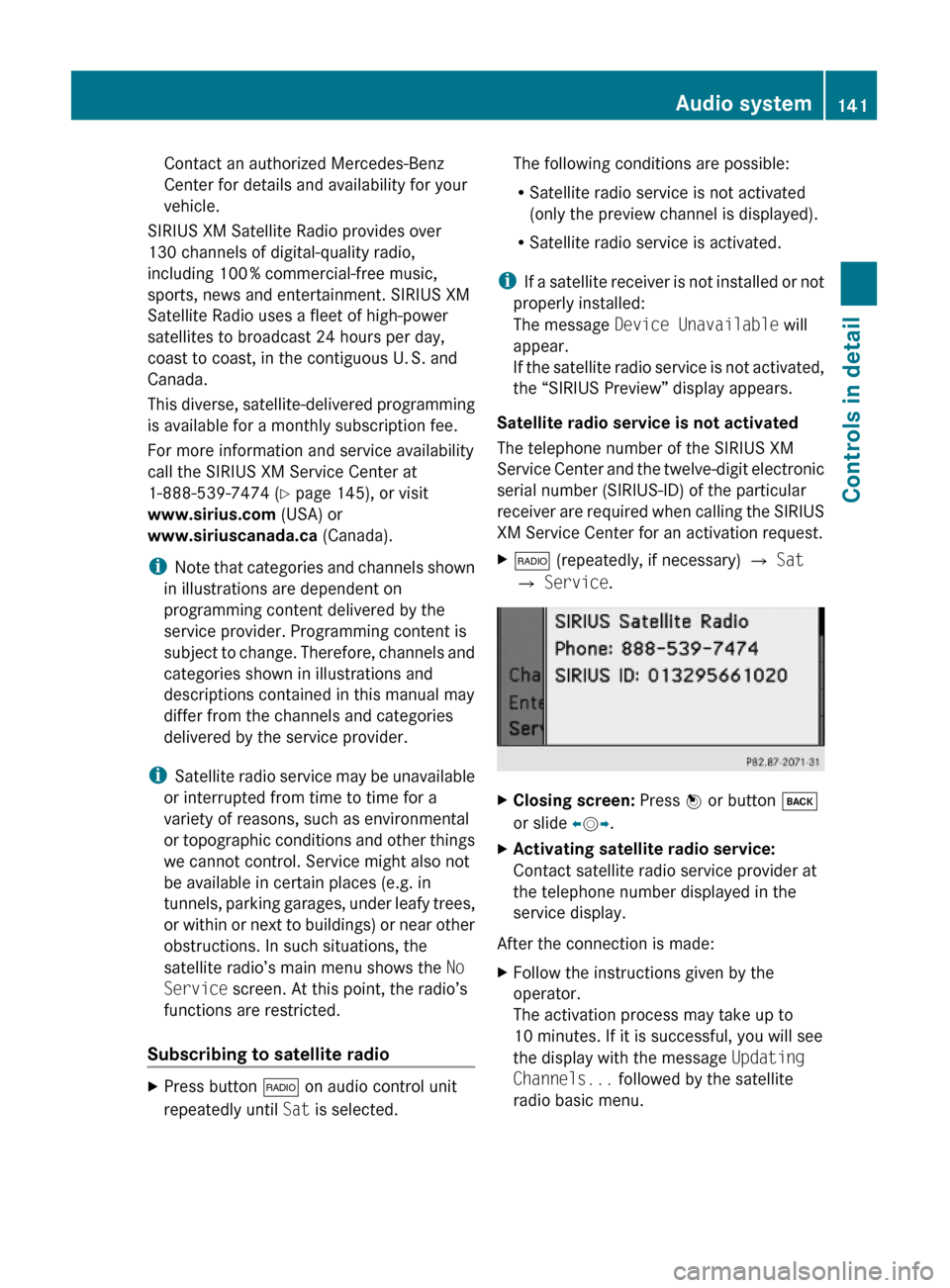
Satellite radio service is not activated
The telephone number of the SIRIUS XM
Service Center and the twelve-digit electronic
serial number (SIRIUS-ID) of the particular
receiver are required when calling the SIRIUS
XM Service Center for an activation request.
X$ (repeatedly, if necessary) Q Sat
Q Service.
XClosing screen: Press W or button k
or slide XVY.
XActivating satellite radio service:
Contact satellite radio service provider at
the telephone number displayed in the
service display.
After the connection is made:
XFollow the instructions given by the
operator.
The activation process may take up to
10 minutes. If it is successful, you will see
the display with the message Updating
Channels... followed by the satellite
radio basic menu.
Audio system141Controls in detailX204_AKB; 3; 23, en-USd2ureepe,Version: 2.11.8.12009-07-16T19:16:58+02:00 - Seite 141Z
Page 147 of 344
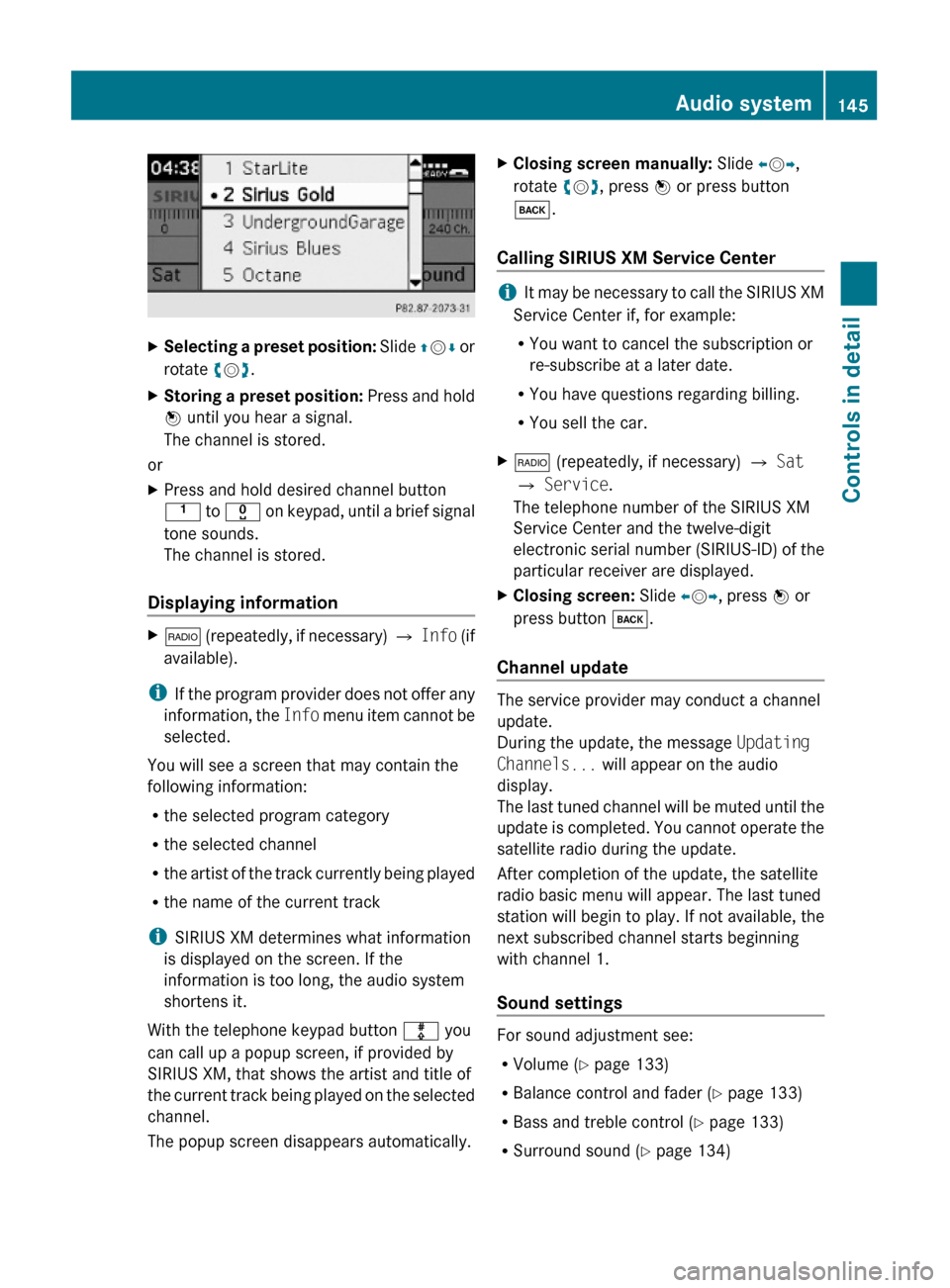
XSelecting a preset position: Slide ZVÆ or
rotate cVd.
XStoring a preset position: Press and hold
W until you hear a signal.
The channel is stored.
or
XPress and hold desired channel button
k to x on keypad, until a brief signal
tone sounds.
The channel is stored.
Displaying information
X$ (repeatedly, if necessary) Q Info (if
available).
iIf the program provider does not offer any
information, the Info menu item cannot be
selected.
You will see a screen that may contain the
following information:
Rthe selected program category
Rthe selected channel
Rthe artist of the track currently being played
Rthe name of the current track
iSIRIUS XM determines what information
is displayed on the screen. If the
information is too long, the audio system
shortens it.
With the telephone keypad button m you
can call up a popup screen, if provided by
SIRIUS XM, that shows the artist and title of
the current track being played on the selected
channel.
The popup screen disappears automatically.
XClosing screen manually: Slide XVY,
rotate cVd, press W or press button
k.
Calling SIRIUS XM Service Center
iIt may be necessary to call the SIRIUS XM
Service Center if, for example:
RYou want to cancel the subscription or
re-subscribe at a later date.
RYou have questions regarding billing.
RYou sell the car.
X$ (repeatedly, if necessary) Q Sat
Q Service.
The telephone number of the SIRIUS XM
Service Center and the twelve-digit
electronic serial number (SIRIUS-ID) of the
particular receiver are displayed.
XClosing screen: Slide XVY, press W or
press button k.
Channel update
The service provider may conduct a channel
update.
During the update, the message Updating
Channels... will appear on the audio
display.
The last tuned channel will be muted until the
update is completed. You cannot operate the
satellite radio during the update.
After completion of the update, the satellite
radio basic menu will appear. The last tuned
station will begin to play. If not available, the
next subscribed channel starts beginning
with channel 1.
Sound settings
For sound adjustment see:
RVolume (Y page 133)
RBalance control and fader (Y page 133)
RBass and treble control (Y page 133)
RSurround sound (Y page 134)
Audio system145Controls in detailX204_AKB; 3; 23, en-USd2ureepe,Version: 2.11.8.12009-07-16T19:16:58+02:00 - Seite 145Z
Page 154 of 344
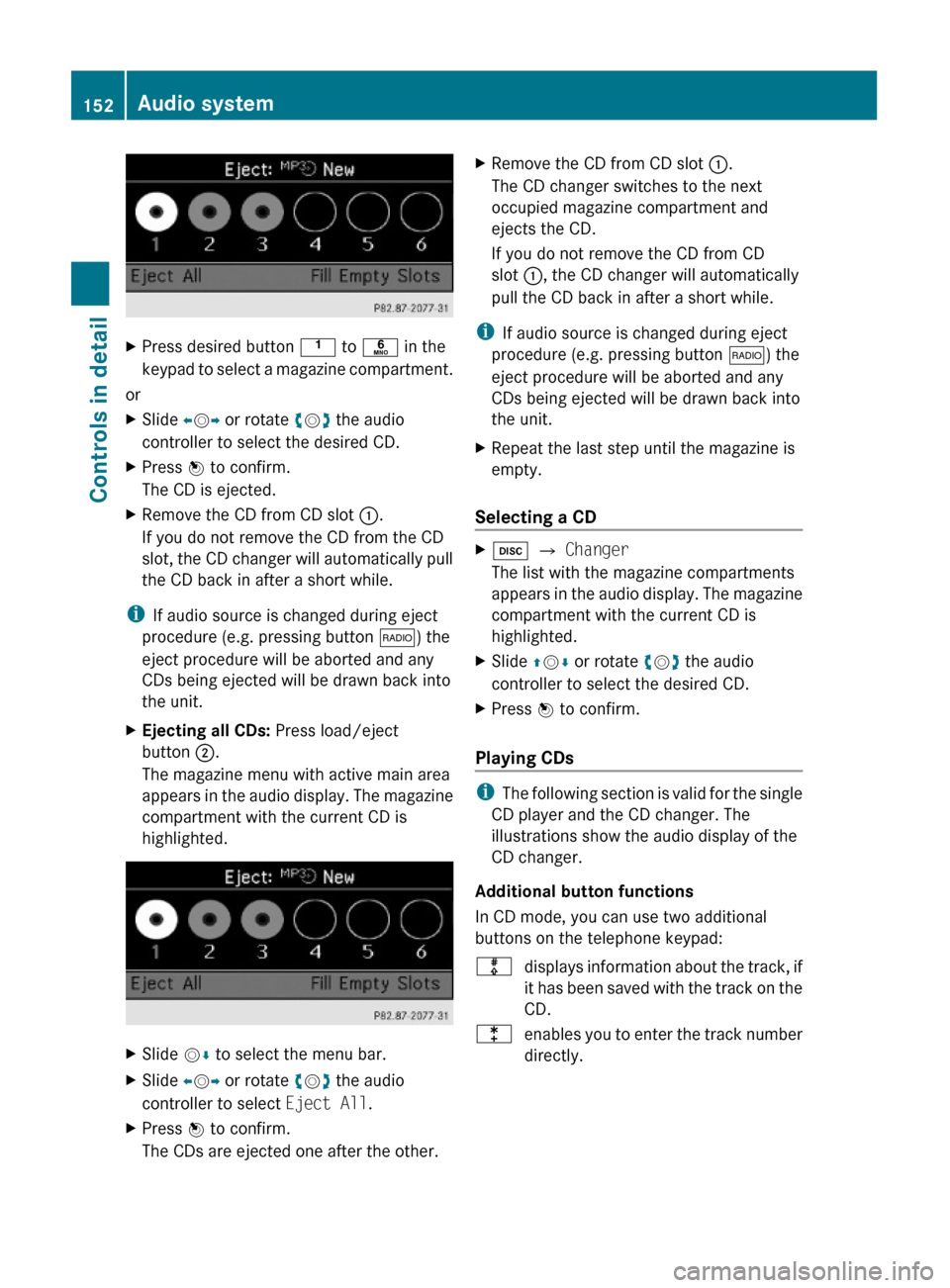
XPress desired button k to p in the
keypad to select a magazine compartment.
or
XSlide XVY or rotate cVd the audio
controller to select the desired CD.
XPress W to confirm.
The CD is ejected.
XRemove the CD from CD slot :.
If you do not remove the CD from the CD
slot, the CD changer will automatically pull
the CD back in after a short while.
iIf audio source is changed during eject
procedure (e.g. pressing button $) the
eject procedure will be aborted and any
CDs being ejected will be drawn back into
the unit.
XEjecting all CDs: Press load/eject
button ;.
The magazine menu with active main area
appears in the audio display. The magazine
compartment with the current CD is
highlighted.
XSlide VÆ to select the menu bar.XSlide XVY or rotate cVd the audio
controller to select Eject All.
XPress W to confirm.
The CDs are ejected one after the other.
XRemove the CD from CD slot :.
The CD changer switches to the next
occupied magazine compartment and
ejects the CD.
If you do not remove the CD from CD
slot :, the CD changer will automatically
pull the CD back in after a short while.
iIf audio source is changed during eject
procedure (e.g. pressing button $) the
eject procedure will be aborted and any
CDs being ejected will be drawn back into
the unit.
XRepeat the last step until the magazine is
empty.
Selecting a CD
Xh Q Changer
The list with the magazine compartments
appears in the audio display. The magazine
compartment with the current CD is
highlighted.
XSlide ZVÆ or rotate cVd the audio
controller to select the desired CD.
XPress W to confirm.
Playing CDs
iThe following section is valid for the single
CD player and the CD changer. The
illustrations show the audio display of the
CD changer.
Additional button functions
In CD mode, you can use two additional
buttons on the telephone keypad:
mdisplays information about the track, if
it has been saved with the track on the
CD.
lenables you to enter the track number
directly.
152Audio systemControls in detail
X204_AKB; 3; 23, en-USd2ureepe,Version: 2.11.8.12009-07-16T19:16:58+02:00 - Seite 152
Page 156 of 344
Xh Q Folder.
or
XPress W when the main area is selected.
The track list of the current folder appears.
XMove to the superordinate folder: Select
the U symbol.
The display now shows the next higher
folder level.
XSelecting a folder: Slide ZVÆ or rotate
cVd the audio controller, to select the
desired folder.
XPress W to confirm.
You will see the tracks in the folder.
iDue to the large amount of information on
an MP3 disc it may take a while before all
folder and track information becomes
available. During this time the folder list
may be unavailable or slow.
XSelect a track by sliding ZVÆ or rotating
cVd the audio controller.
XPress W to confirm.
The track is played and the corresponding
folder is now the active folder.
Playback options
The following options are available:
RNormal Track Sequence
Tracks playback in the order on the disc
(e.g. track 1, 2, 3, etc.).
RRandom Tracks
Tracks playback in a random order (e.g.
track 3, 8, 5, etc.).
RRandom Folder (in MP3 mode only)
Tracks in the active folder and any
subfolders playback in random order.
XSelecting an option: h Q CD/MP3.
The option list appears. A dot # indicates
which option is switched on.
XSelect an option and press W.
The option is switched on. For all options
except Normal Track Sequence, you will
see a corresponding indicator in the main
area.
iThe Normal Track Sequence option is
automatically activated when you select a
different medium. If an option is activated,
it remains activated after the audio system
is switched on/off.
Audio AUX mode
An external audio source can be connected
to the AUX socket of the audio system. Please
contact an authorized Mercedes-Benz Center
for more information.
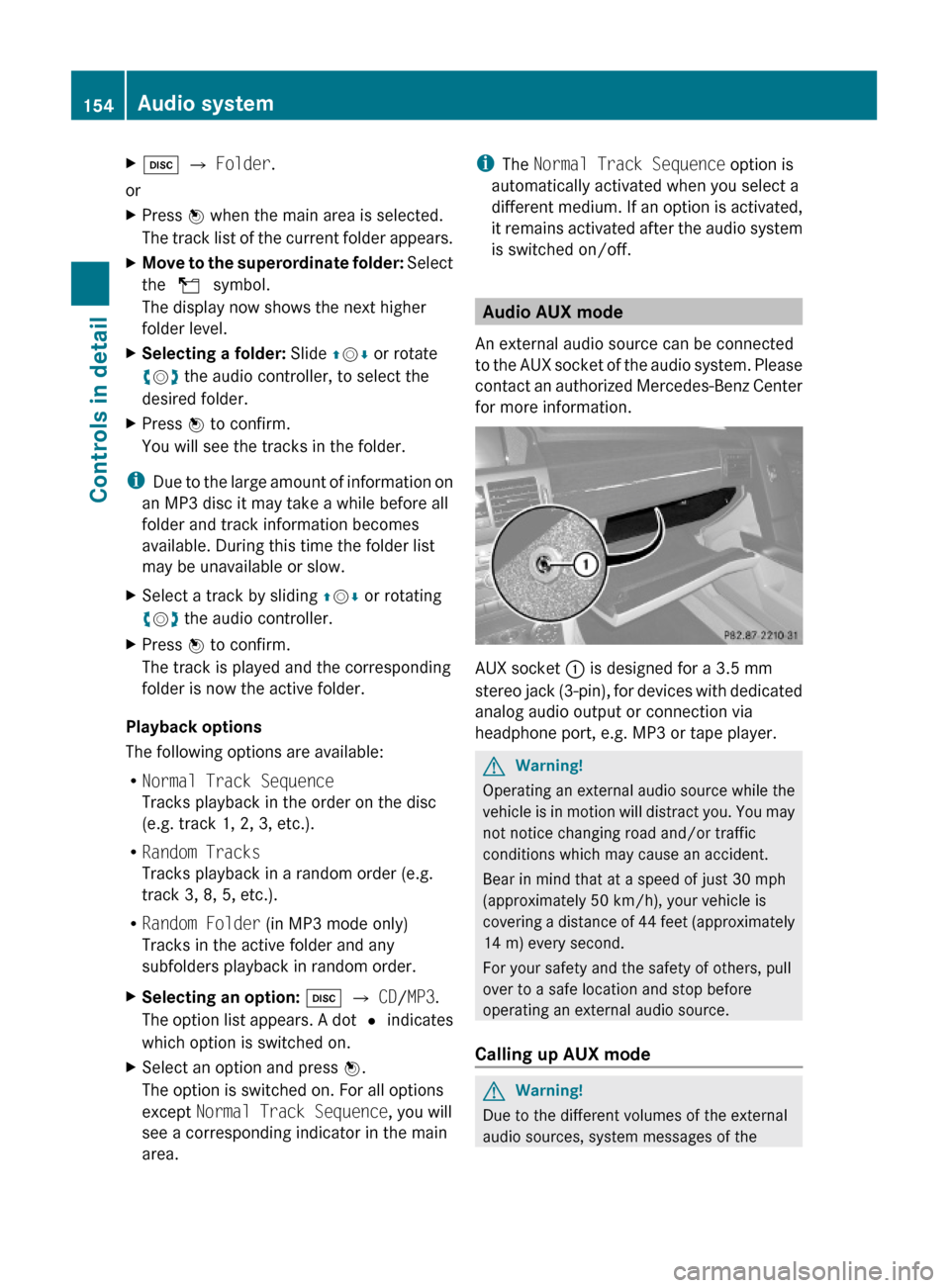
AUX socket : is designed for a 3.5 mm
stereo jack (3-pin), for devices with dedicated
analog audio output or connection via
headphone port, e.g. MP3 or tape player.
GWarning!
Operating an external audio source while the
vehicle is in motion will distract you. You may
not notice changing road and/or traffic
conditions which may cause an accident.
Bear in mind that at a speed of just 30 mph
(approximately 50 km/h), your vehicle is
covering a distance of 44 feet (approximately
14 m) every second.
For your safety and the safety of others, pull
over to a safe location and stop before
operating an external audio source.
Calling up AUX mode
GWarning!
Due to the different volumes of the external
audio sources, system messages of the
154Audio systemControls in detail
X204_AKB; 3; 23, en-USd2ureepe,Version: 2.11.8.12009-07-16T19:16:58+02:00 - Seite 154