display MERCEDES-BENZ GLS 2018 Owner's Guide
[x] Cancel search | Manufacturer: MERCEDES-BENZ, Model Year: 2018, Model line: GLS, Model: MERCEDES-BENZ GLS 2018Pages: 398, PDF Size: 5.73 MB
Page 146 of 398
leave the vehicle when it is held by hill start
assist.
Hill start assist is not active if: R
you are pulling away on a level road or on a
downhill gradient. R
the transmission is in position N .R
the electric parking brake is applied. R
ESP ®
is malfunctioning.
ECO start/stop function
Introduction The ECO start/stop function switches the
engine off automatically if the vehicle is stopped
under certain conditions.
The engine starts automatically when the driver
wants to pull away again. The ECO start/stop
function thereby helps you to reduce the fuel
consumption and emissions of your vehicle.
Important safety notes
G WARNING
If the engine is switched off automatically and
you exit the vehicle, the engine is restarted
automatically. The vehicle may begin moving.
There is a risk of accident and injury.
If you wish to exit the vehicle, always turn off
the ignition and secure the vehicle against
rolling away.
General notes
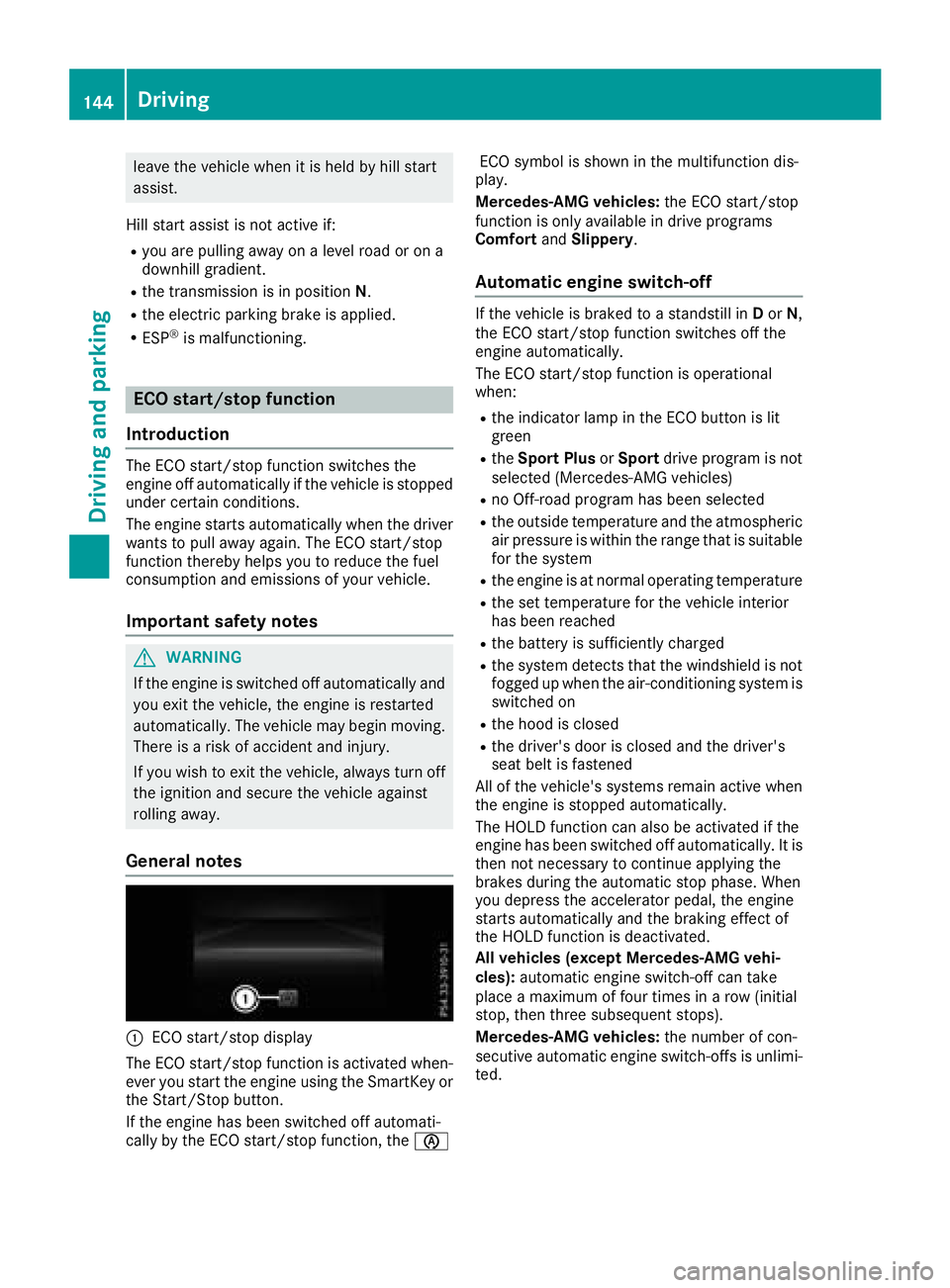
C
ECO start/stop display
The ECO start/stop function is activated when-
ever you start the engine using the SmartKey or
the Start/Stop button.
If the engine has been switched off automati-
cally by the ECO start/stop function, the
Page 149 of 398
DYNAMIC SELECT controller Use th e DYNAMI C SELECT controller to chang e
th e drive program. Dependin g on th e drive pro -
gram selecte d th e followin g vehicle character-
istic s will change: R
th e drive (engin e and transmissio n manage-
ment) R
th e transmissio nR
th e suspensio nR
th e steerin gR
th e availabilit y of th e EC O start/sto p function
Each time you start th e engin e wit h th e Smart -
Key or th e Start/Sto p button, th e Comfor t drive
program is activated. Fo r further information
about startin g th e engine, see ( Y
page 141).
The Comfor t drive program is recommended in
city traffic and stop/start traffic situations.
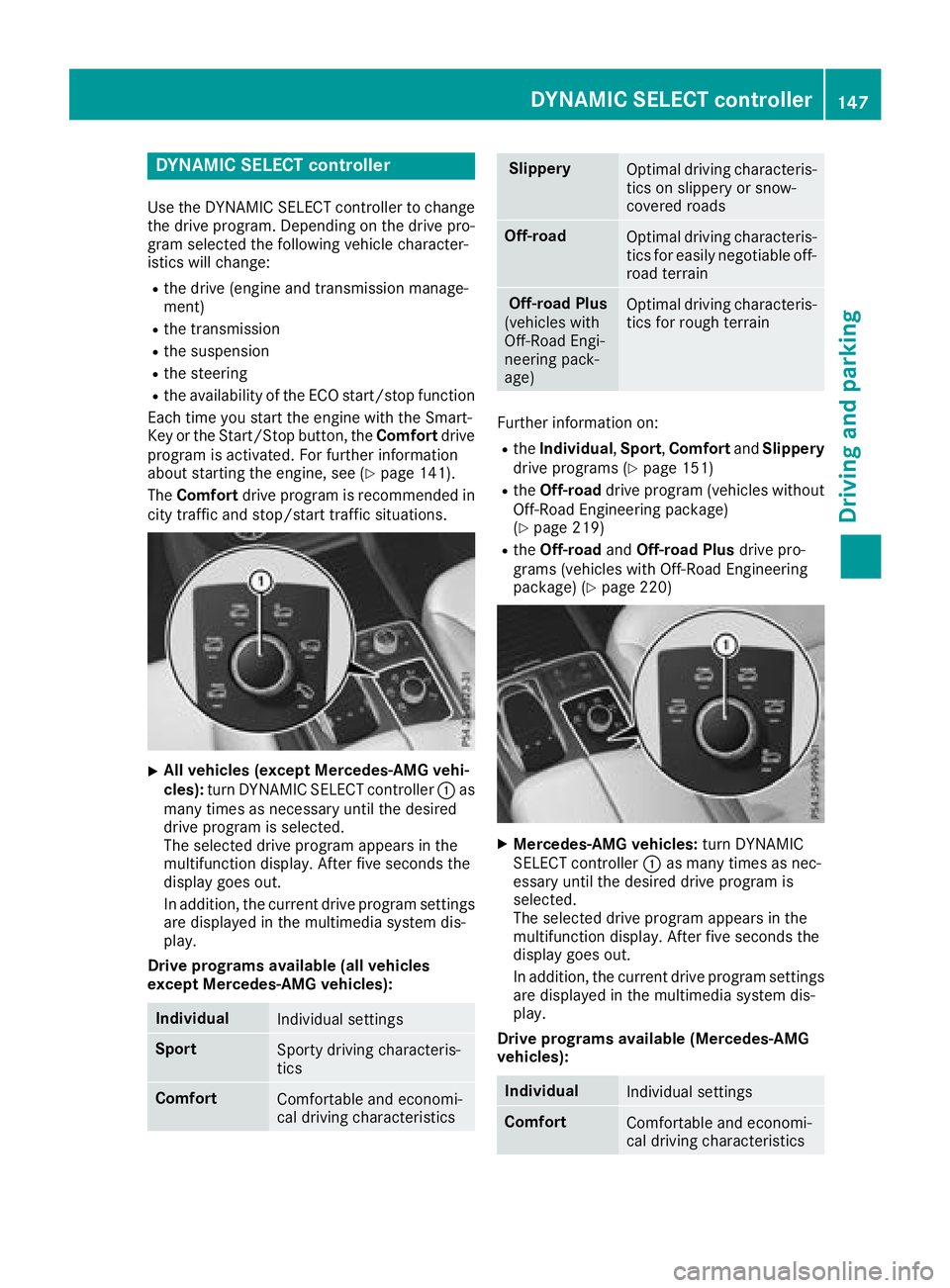
X
All vehicles (except Mercedes-AMG vehi-
cles) : turn DYNAMI C SELECT controller C as
man y times as necessary until th e desire d
drive program is selected.
The selecte d drive program appears in th e
multifunction display. Afte r fiv e seconds th e
display goe s out .
In addition , th e curren t drive program setting s
are displaye d in th e multimedia syste m dis -
play.
Drive program s available (al l vehicles
excep t Mercedes-AMG vehicles):
Individua l
Individual setting s
Spor t
Sporty drivin g characteris -
tics
Comfor t
Comfortable and economi-
cal drivin g characteristics Slipper y
Optimal drivin g characteris -
tics on slipper y or snow-
covered roads
Off-road
Optimal drivin g characteris -
tics fo r easily negotiable off-
road terrain
Off-road Plu s
(vehicles wit h
Off-Road Engi-
neering pack-
age) Optimal drivin g characteris -
tics fo r rough terrain
Further information on :R
th e Individua l , Spor t , Comfor t and Slipper y
drive programs ( Y
page 151)R
th e Off-road drive program (vehicles without
Off-Road Engineerin g package)
( Y
page 219) R
th e Off-road and Off-road Plu s drive pro -
grams (vehicles wit h Off-Road Engineerin g
package) ( Y
page 220)
X
Mercedes-AMG vehicles : turn DYNAMI C
SELECT controller C as man y times as nec-
essary until th e desire d drive program is
selected.
The selecte d drive program appears in th e
multifunction display. Afte r fiv e seconds th e
display goe s out .
In addition , th e curren t drive program setting s
are displaye d in th e multimedia system dis -
play.
Drive program s available (Mercedes-AMG
vehicles):
Individua l
Individual setting s
Comfor t
Comfortable and economi-
cal drivin g characteristicsDYNAMIC SELECT controller 14 7
Driving an d parking Z
Page 150 of 398
Sport
Sporty driving characteris-
tics
Sport Plus
Particularly sporty driving
characteristics
Slippery
Optimal driving characteris-
tics on slippery or snow-
covered roads
Additional information for drive programs
( Y
page 151).
Automatic transmission
Important safety notes
G WARNING
The automatic transmission switches to neu-
tral position N when you switch off the engine.
The vehicle may roll away. There is a risk of an
accident.
After switching off the engine, always switch
to parking position P . Prevent the parked vehi-
cle from rolling away by applying the parking
brake.
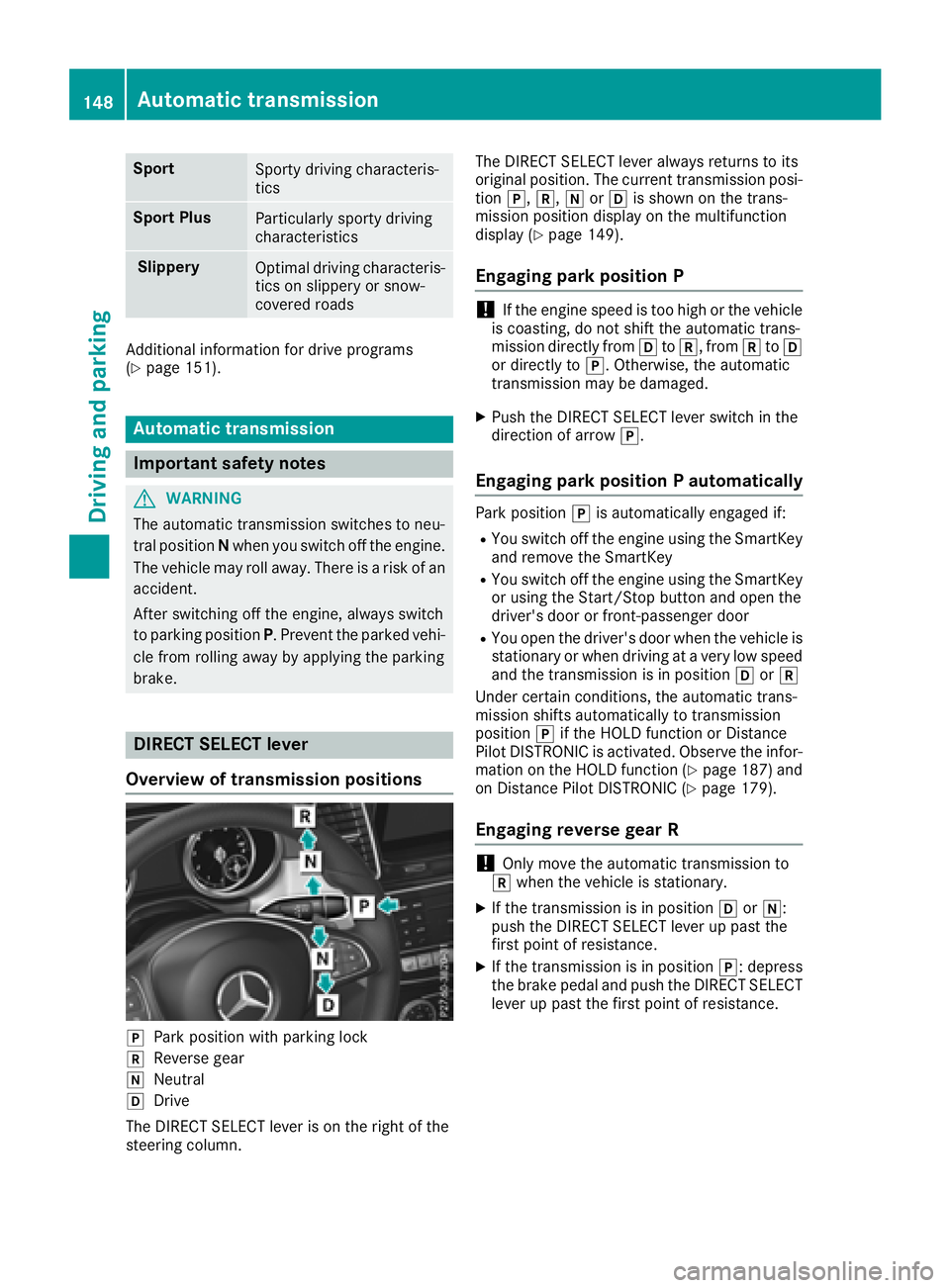
DIRECT SELECT lever
Overview of transmission positions
]
Park position with parking lock
^
Reverse gear
\\
Neutral
[
Drive
The DIRECT SELECT lever is on the right of the
steering column. The DIRECT SELECT lever always returns to its
original position. The current transmission posi-
tion ] , ^ , \\ or [ is shown on the trans-
mission position display on the multifunction
display ( Y
page 149).
Engaging park position P
! If the engine speed is too high or the vehicle
is coasting, do not shift the automatic trans-
mission directly from [ to ^ , from ^ to [
or directly to ] . Otherwise, the automatic
transmission may be damaged. X
Push the DIRECT SELECT lever switch in the
direction of arrow ] .
Engaging park position P automatically Park position ] is automatically engaged if: R
You switch off the engine using the SmartKey
and remove the SmartKey R
You switch off the engine using the SmartKey
or using the Start/Stop button and open the
driver's door or front-passenger door R
You open the driver's door when the vehicle is
stationary or when driving at a very low speed
and the transmission is in position [ or ^
Under certain conditions, the automatic trans-
mission shifts automatically to transmission
position ] if the HOLD function or Distance
Pilot DISTRONIC is activated. Observe the infor-
mation on the HOLD function ( Y
page 187) and
on Distance Pilot DISTRONIC ( Y
page 179).
Engaging reverse gear R
! Only move the automatic transmission to
^ when the vehicle is stationary. X
If the transmission is in position [ or \\ :
push the DIRECT SELECT lever up past the
first point of resistance. X
If the transmission is in position ] : depress
the brake pedal and push the DIRECT SELECT
lever up past the first point of resistance.148
Automatic transmission
Driving and parking
Page 151 of 398
Shifting to neutral N
G WARNING
If children are left unsupervised in the vehicle,
they could: R
open the doors, thus endangering other
people or road users. R
get out and disrupt traffic. R
operate the vehicle's equipment.
Additionally, children could set the vehicle in
motion if, for example, they: R
release the parking brake. R
shifting the automatic transmission out of
park position PR
Start the engine.
There is a risk of an accident and injury.
When leaving the vehicle, always take the
SmartKey with you and lock the vehicle. Never
leave children or animals unattended in the
vehicle. Always keep the SmartKey out of
reach of children. X
If the transmission is in position [ or ^ :
push the DIRECT SELECT lever up or down to
the first point of resistance. X
If the transmission is in position ] : depress
the brake pedal and push the DIRECT SELECT
lever up or down to the first point of resist-
ance.
If you switch the engine off with the transmis-
sion in position ^ or [ , the automatic trans-
mission shifts to \\ automatically.
With the SmartKey: if you then open the driv-
er's door or the front-passenger door or remove
the SmartKey from the ignition lock, the auto-
matic transmission shifts to ] automatically.
With the Start/Stop button: if you then open
the driver's door or the front-passenger door,
the automatic transmission shifts automatically
to ] .
If you want the automatic transmission to
remain in neutral \\ , e.g. when having the vehi-
cle cleaned in an automatic, tow-through car
wash: With the SmartKey: X
Switch on the ignition. X
Depress the brake pedal and keep it
depressed. X
Shift to neutral \\ .X
Release the brake pedal. X
Release the electric parking brake. X
Switch off the ignition and leave the SmartKey
in the ignition lock.
With the Start/Stop button: X
Remove the Start/Stop button from the igni-
tion lock. X
Insert the SmartKey into the ignition lock. X
Switch on the ignition. X
Depress the brake pedal and keep it
depressed. X
Shift to neutral \\ .X
Release the brake pedal. X
Release the electric parking brake. X
Switch off the ignition and leave the SmartKey
in the ignition lock.
Engaging drive position D X
If the transmission is in position ^ or \\ :
push the DIRECT SELECT lever down past the
first point of resistance. X
If the transmission is in position ] : depress
the brake pedal and push the DIRECT SELECT
lever down past the first point of resistance.
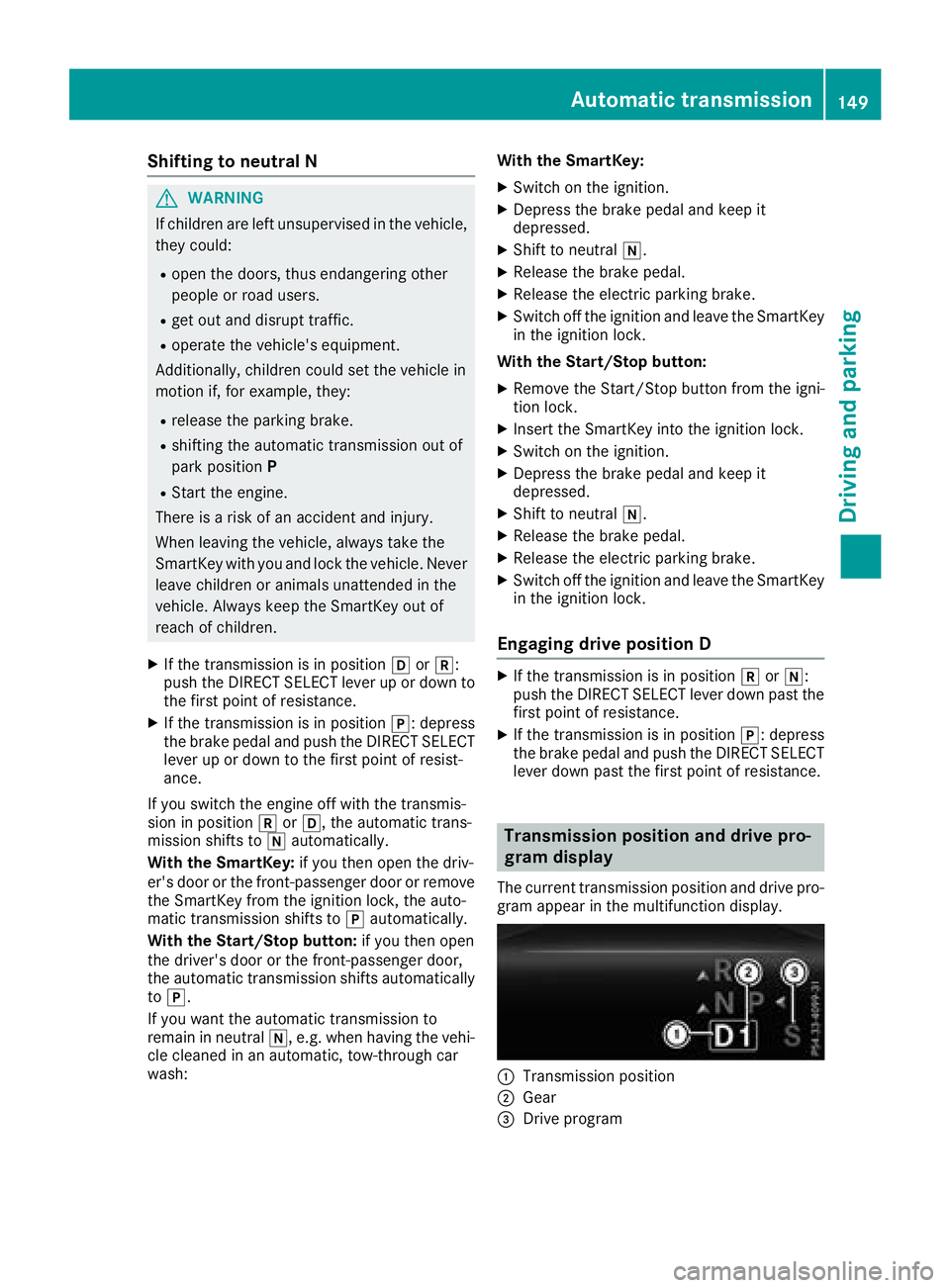
Transmission position and drive pro-
gram display The current transmission position and drive pro-
gram appear in the multifunction display.
C
Transmission position
D
Gear
Page 152 of 398
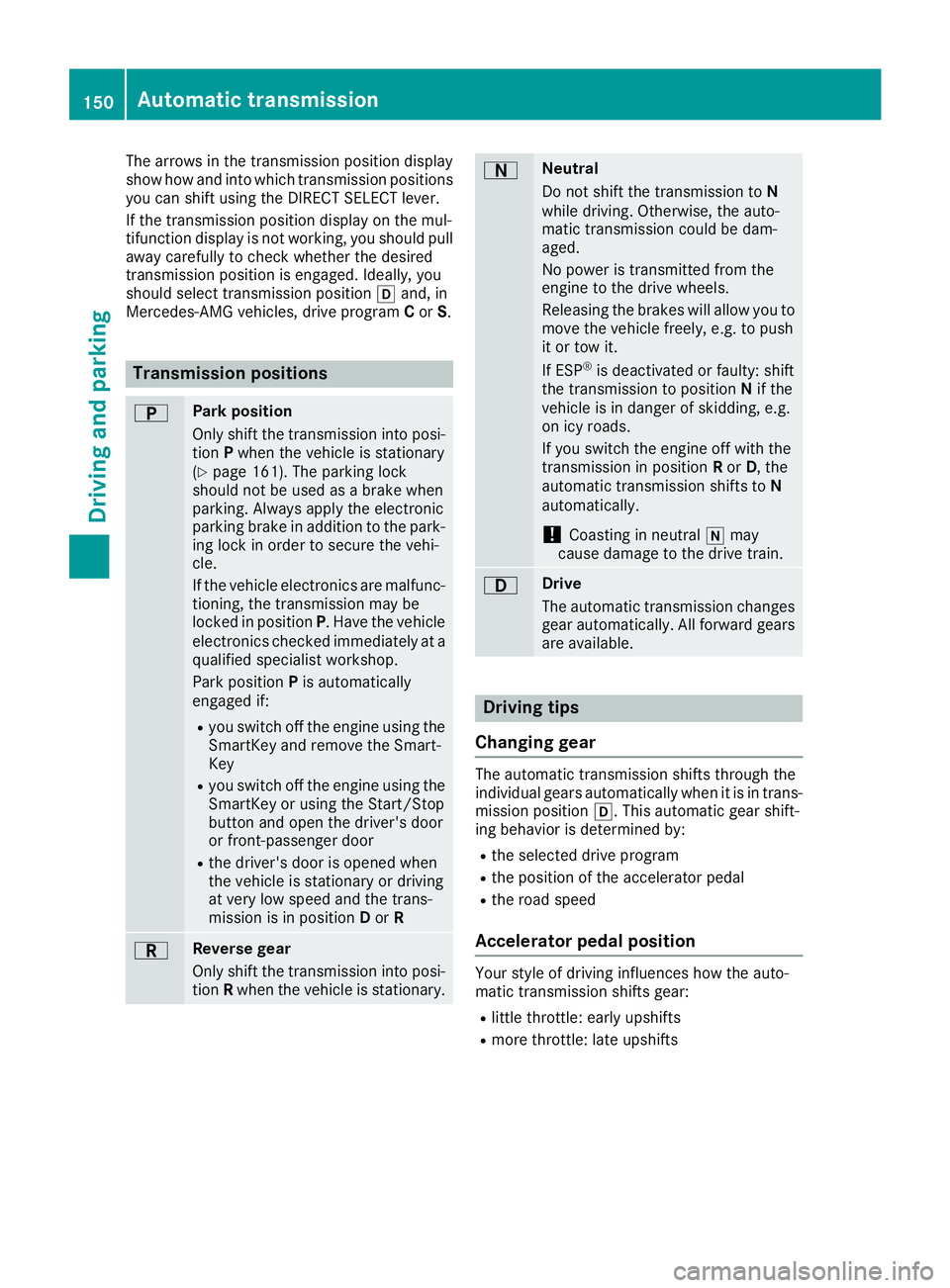
The arrows in the transmission position display
show how and into which transmission positions
you can shift using the DIRECT SELECT lever.
If the transmission position display on the mul-
tifunction display is not working, you should pull
away carefully to check whether the desired
transmission position is engaged. Ideally, you
should select transmission position [ and, in
Mercedes-AMG vehicles, drive program C or S .
Transmission positions E Park position
Only shift the transmission into posi-
tion P when the vehicle is stationary
( Y
page 161). The parking lock
should not be used as a brake when
parking. Always apply the electronic
parking brake in addition to the park-
ing lock in order to secure the vehi-
cle.
If the vehicle electronics are malfunc-
tioning, the transmission may be
locked in position P . Have the vehicle
electronics checked immediately at a
qualified specialist workshop.
Park position P is automatically
engaged if: R
you switch off the engine using the
SmartKey and remove the Smart-
Key R
you switch off the engine using the
SmartKey or using the Start/Stop
button and open the driver's door
or front-passenger door R
the driver's door is opened when
the vehicle is stationary or driving
at very low speed and the trans-
mission is in position D or R
F Reverse gear
Only shift the transmission into posi-
tion R when the vehicle is stationary. D Neutral
Do not shift the transmission to N
while driving. Otherwise, the auto-
matic transmission could be dam-
aged.
No power is transmitted from the
engine to the drive wheels.
Releasing the brakes will allow you to
move the vehicle freely, e.g. to push
it or tow it.
If ESP ®
is deactivated or faulty: shift
the transmission to position N if the
vehicle is in danger of skidding, e.g.
on icy roads.
If you switch the engine off with the
transmission in position R or D , the
automatic transmission shifts to N
automatically.
! Coasting in neutral \\ may
cause damage to the drive train.
: Drive
The automatic transmission changes
gear automatically. All forward gears
are available.
Driving tips
Changing gear The automatic transmission shifts through the
individual gears automatically when it is in trans-
mission position [ . This automatic gear shift-
ing behavior is determined by: R
the selected drive program R
the position of the accelerator pedal R
the road speed
Accelerator pedal position Your style of driving influences how the auto-
matic transmission shifts gear: R
little throttle: early upshifts R
more throttle: late upshifts150
Automatic transmission
Driving and parking
Page 154 of 398
Individual drive program In th e Individua l driv e program , th e followin g
properties of th e driv e program can be selected:R
th e driv e (engin e and transmission manage-
ment) R
th e transmissionR
th e suspensionR
all vehicles (except Mercedes-AM G vehicles):
th e steeringR
all vehicles (except Mercedes-AM G vehicles):
availabilit y of th e ECO start/sto p function
To select th e gear s in th e Individua l driv e pro -
gram permanentl y usin g th e steering whee l pad-
dle shifters, select th e permanen t manual gear -
shif t program .
Information about configuring th e Individua l
driv e program wit h th e multimedia system can
be foun d in th e Digital Operator's Manual.
Manual gear shifting
General notes You can chang e gear yourself usin g th e steering
whee l paddle shifters. The transmission must be
in position [ to do this.
Dependin g on whic h steering whee l paddle
shifte r is pulled , th e automatic transmission
immediately shifts int o th e next gear down or
up, if permitted.
To use manual shifting , you have two options:R
temporar y settingR
permanen t setting
If you activat e manual gearshifting , th e curren t
gear appear s in th e multifunction display
instead of transmission position [ .
If manual gearshifting is deactivated, th e gear s
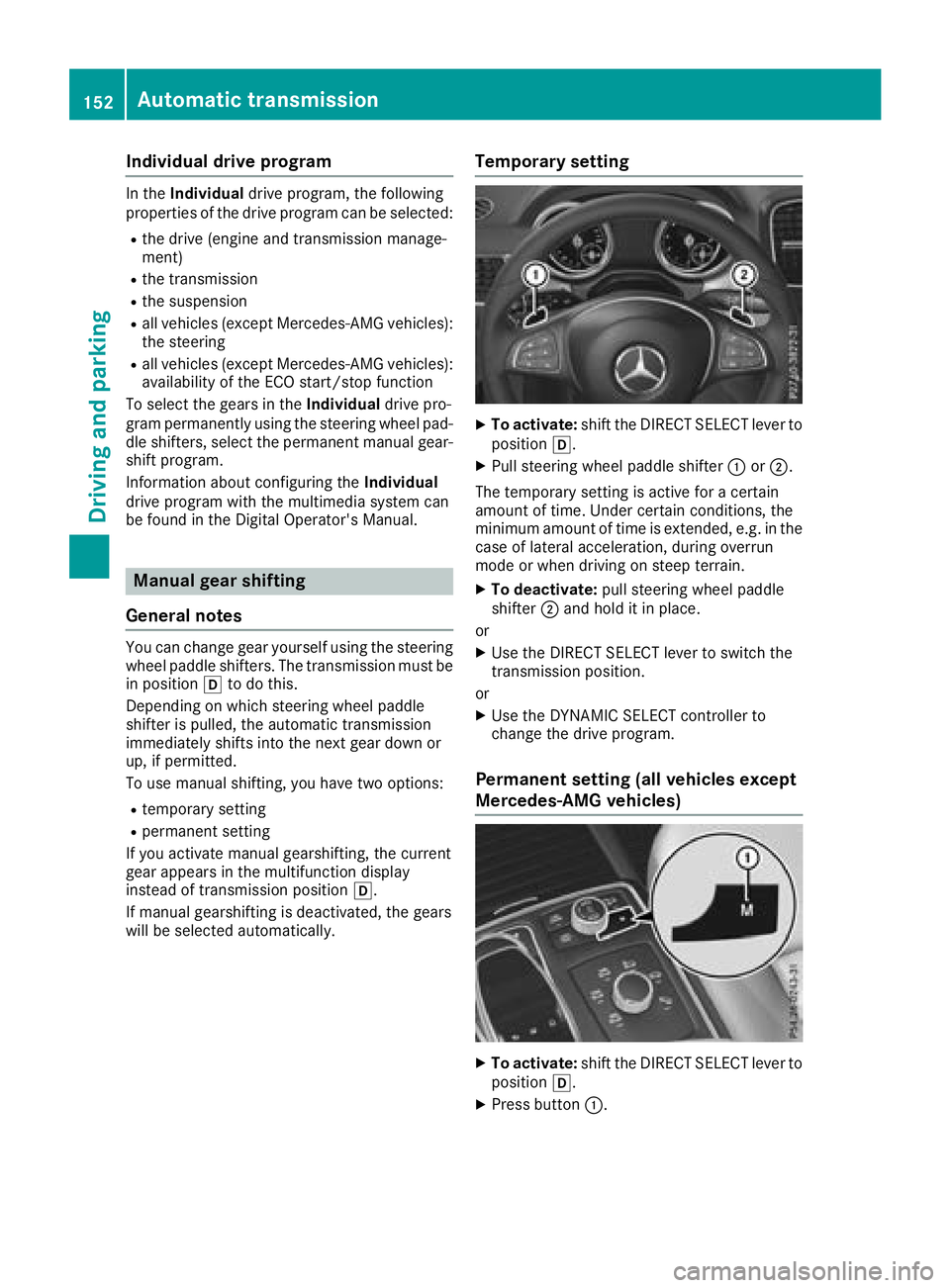
will be selected automatically. Temporary setting X
To activate: shif t th e DIRECT SELECT lever to
position [ . X
Pull steering whee l paddle shifte r C or D .
The temporar y setting is active for a certain
amoun t of time. Under certain conditions, th e
minimum amoun t of time is extended, e.g. in th e
cas e of lateral acceleration , during overrun
mod e or when driving on steep terrain .X
To deactivate: pull steering whee l paddle
shifte r D and hold it in place.
or X
Use th e DIRECT SELECT lever to switch th e
transmission position .
or X
Use th e DYNAMIC SELECT controller to
chang e th e driv e program .
Permanent setting (all vehicles except
Mercedes-AMG vehicles)
X
To activate: shif t th e DIRECT SELECT lever to
position [ . X
Press butto n C .152
Automatic transmission
Driving and parking
Page 155 of 398
X
To deactivate: press button C .
or X
Use the DYNAMIC SELECT controller to
change the drive program.
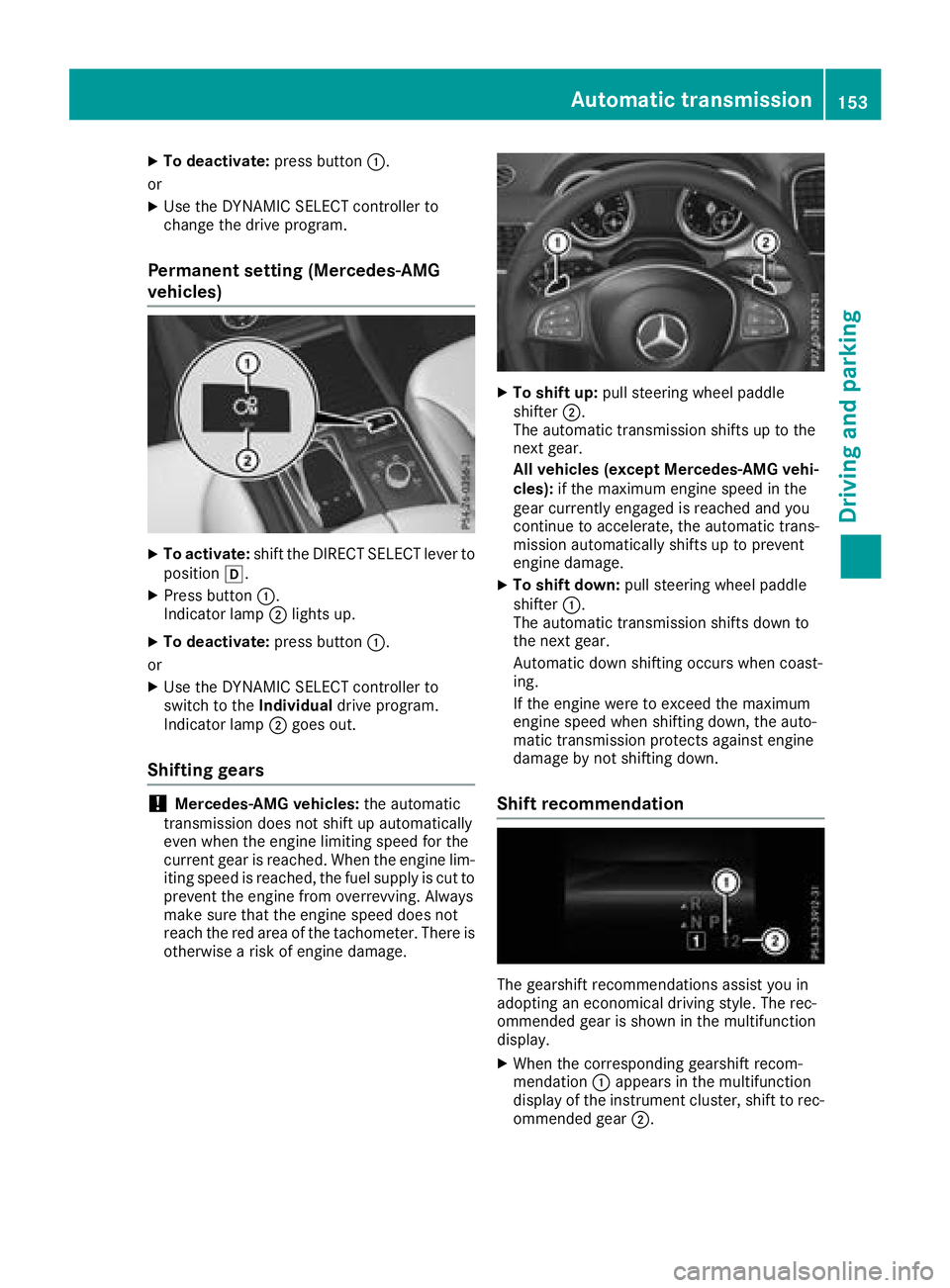
Permanent setting (Mercedes-AMG
vehicles) X
To activate: shift the DIRECT SELECT lever to
position [ .X
Press button C .
Indicator lamp D lights up.X
To deactivate: press button C .
or X
Use the DYNAMIC SELECT controller to
switch to the Individual drive program.
Indicator lamp D goes out.
Shifting gears
! Mercedes-AMG vehicles: the automatic
transmission does not shift up automatically
even when the engine limiting speed for the
current gear is reached. When the engine lim-
iting speed is reached, the fuel supply is cut to
prevent the engine from overrevving. Always
make sure that the engine speed does not
reach the red area of the tachometer. There is
otherwise a risk of engine damage. X
To shift up: pull steering wheel paddle
shifter D .
The automatic transmission shifts up to the
next gear.
All vehicles (except Mercedes-AMG vehi-
cles): if the maximum engine speed in the
gear currently engaged is reached and you
continue to accelerate, the automatic trans-
mission automatically shifts up to prevent
engine damage. X
To shift down: pull steering wheel paddle
shifter C .
The automatic transmission shifts down to
the next gear.
Automatic down shifting occurs when coast-
ing.
If the engine were to exceed the maximum
engine speed when shifting down, the auto-
matic transmission protects against engine
damage by not shifting down.
Shift recommendation
The gearshift recommendations assist you in
adopting an economical driving style. The rec-
ommended gear is shown in the multifunction
display. X
When the corresponding gearshift recom-
mendation C appears in the multifunction
display of the instrument cluster, shift to rec-
ommended gear D .Automatic transmission 153
Driving an d parking Z
Page 156 of 398
Upshifting (Mercedes-AMG vehicles)
! In manual mode, the automatic transmis-
sion does not shift up automatically even
when the engine limiting speed for the current
gear is reached. When the engine limiting
speed is reached, the fuel supply is cut to
prevent the engine from overrevving. Always
make sure that the engine speed does not
reach the red area of the tachometer. There is
otherwise a risk of engine damage.
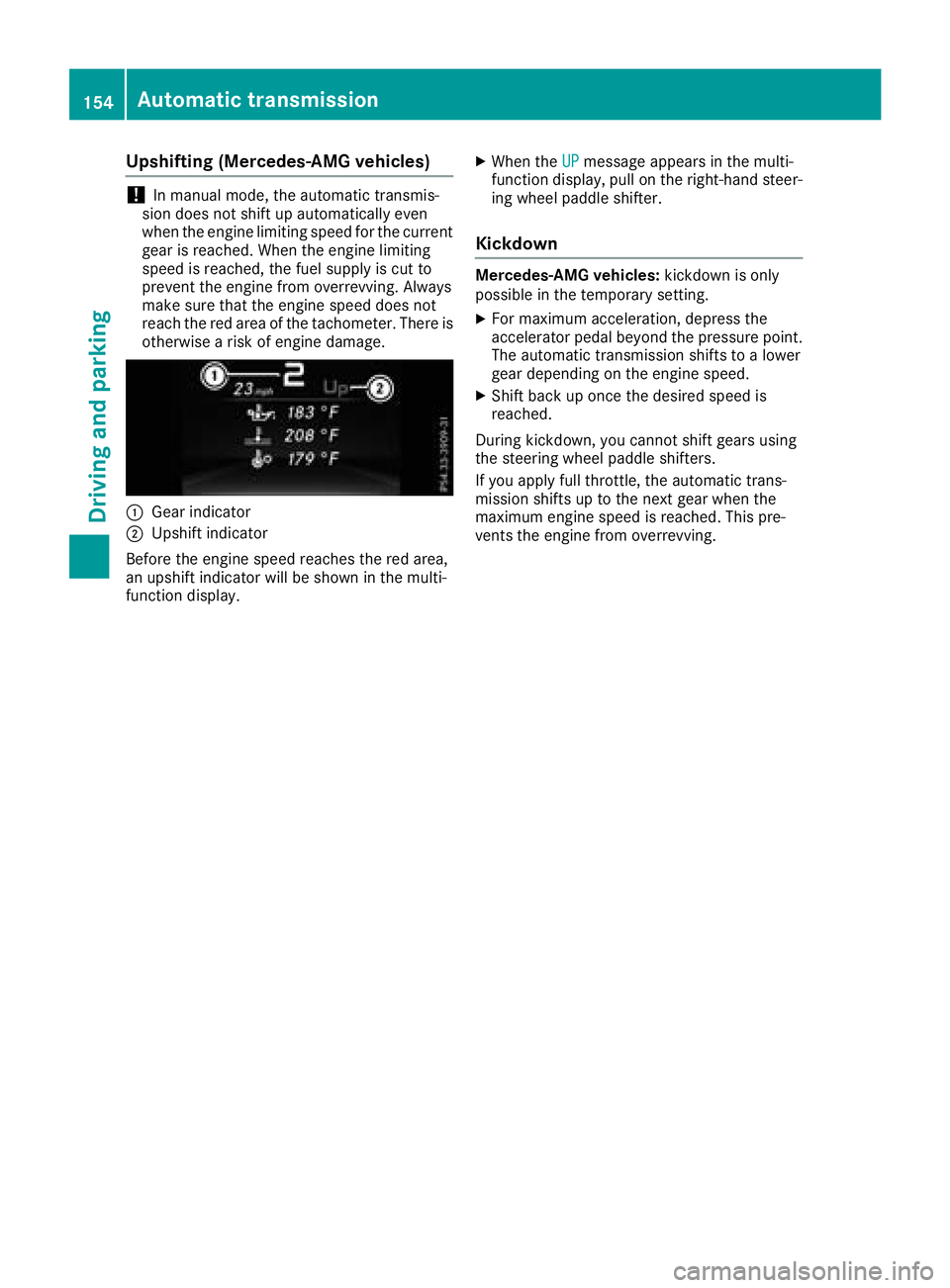
C
Gear indicatorD
Upshift indicator
Before the engine speed reaches the red area,
an upshift indicator will be shown in the multi-
function display. X
When the UP message appears in the multi-
function display, pull on the right-hand steer-
ing wheel paddle shifter.
Kickdown Mercedes-AMG vehicles: kickdown is only
possible in the temporary setting. X
For maximum acceleration, depress the
accelerator pedal beyond the pressure point.
The automatic transmission shifts to a lower
gear depending on the engine speed. X
Shift back up once the desired speed is
reached.
During kickdown, you cannot shift gears using
the steering wheel paddle shifters.
If you apply full throttle, the automatic trans-
mission shifts up to the next gear when the
maximum engine speed is reached. This pre-
vents the engine from overrevving.154
Automatic transmission
Driving and parking
Page 158 of 398
G WARNING
Fuel is poisonous and hazardous to health.
There is a risk of injury.
You must make sure that fuel does not come
into contact with your skin, eyes or clothing
and that it is not swallowed. Do not inhale fuel
vapors. Keep fuel away from children.
If you or others come into contact with fuel,
observe the following: R
Wash away fuel from skin immediately
using soap and water. R
If fuel comes into contact with your eyes,
immediately rinse them thoroughly with
clean water. Seek medical assistance with-
out delay. R
If fuel is swallowed, seek medical assis-
tance without delay. Do not induce vomit-
ing. R
Immediately change out of clothing which
has come into contact with fuel.
G WARNING
Electrostatic buildup can create sparks and
ignite fuel vapors. There is a risk of fire and
explosion.
Always touch the vehicle body before opening
the fuel filler flap or touching the fuel pump
nozzle. Any existing electrostatic buildup is
thereby discharged.
G WARNING
Vehicles with a diesel engine:
If you mix diesel fuel with gasoline, the flash
point is lower than that of pure diesel fuel.
When the engine is running, exhaust system
components could overheat without being
noticed. There is a risk of fire.
Never refuel with gasoline. Never mix gasoline
with diesel fuel.
! Do not use gasoline to refuel vehicles with a
diesel engine. Do not switch on the ignition if
you accidentally refuel with the wrong fuel.
Otherwise, the fuel will enter the fuel system.
Even small amounts of the wrong fuel could
result in damage to the fuel system and the engine. The repair costs are high. Notify a
qualified specialist workshop and have the
fuel tank and fuel lines drained completely.
! Do not use diesel to refuel vehicles with a
gasoline engine. Do not switch on the ignition
if you accidentally refuel with the wrong fuel.
Otherwise, the fuel will enter the fuel system.
Even small amounts of the wrong fuel could
result in damage to the fuel system and the
engine. Notify a qualified specialist workshop
and have the fuel tank and fuel lines drained
completely.
! Overfilling the fuel tank could damage the
fuel system.
! Take care not to spill any fuel on painted
surfaces. You could otherwise damage the
paintwork.
! Use a filter when adding fuel from a fuel can.
The fuel lines and/or the fuel injection system
could otherwise be blocked by particles from
the fuel can.
Do not get into the vehicle again during the refu-
eling process. Otherwise, electrostatic charge
could build up again.
If you overfill the fuel tank, fuel could spray out
when the fuel pump nozzle is removed.
For further information on fuel and fuel quality
( Y
page 387).
Refueling
General information Pay attention to the important safety notes
( Y
page 155).
The fuel filler flap is unlocked or locked auto-
matically when you unlock or lock the vehicle
with the SmartKey or using KEYLESS-GO.
The position of the fuel filler cap is displayed
Page 161 of 398
When the DEF supply drops to a minimum, the
Remaining Starts: 16 message is shown in
the multifunction display.
If the Remaining Starts: 16 message
appears in the multifunction display, you can
start the engine another 16 times. If DEF is not
refilled, you will subsequently be unable to
start the engine .X
Add at least 2 gal (7.5 l) of DEF.X
Switch on the ignition for at least 60 seconds. X
Start the engine.
i Have the DEF tank refilled at a qualified spe-
cialist workshop.
Use the special DEF refill bottle when adding
DEF between maintenance intervals. You can
obtain further information from an authorized
Mercedes-Benz Center or, if necessary, contact
Roadside Assistance ( Y
page 29).
If the outside temperature is below 12 ‡
(