low beam MERCEDES-BENZ GLS 2019 User Guide
[x] Cancel search | Manufacturer: MERCEDES-BENZ, Model Year: 2019, Model line: GLS, Model: MERCEDES-BENZ GLS 2019Pages: 398, PDF Size: 7.3 MB
Page 235 of 398
i
Set the time using the multimedia system;
see the Digital Operator's Manual.
Possible displays in the multifunction dis-
play:
R 0097Gearshift recommendation, when shifting
manually (Y page 152)
R 005D Active Parking Assist (Y page 192)
R CRUISE
CRUISE Cruise control (Y page 171)
R 00CE Adaptive Highbeam Assist
(Y page 118)
R 00D6 ECO start/stop function (Y page 144)
R 00D9 HOLD function (Y page 183)
R 004F Active Distance Assist DISTRONIC
Active Steering Assist (Y page 238)
R DSR DSR Downhill Speed Regulation
(Y page 215) Menus and submenus
Menu overview
Press the 0059or0065 button on the steering
wheel to call up the menu bar and select a menu.
Operating the on-board computer (Y page 231).
Depending on the equipment installed in the
vehicle, you can call up the following menus:
R Trip
Trip menu (Y page 233)
R Navi
Navi menu (navigation instructions)
(Y page 234)
R Audio
Audio menu (Y page 236)
R Tel
Tel menu (telephone) (Y page 237)
R DriveAssist
DriveAssist menu (assistance)
(Y page 238)
R Serv.
Serv. menu (Y page 239)
R Sett.
Sett. menu (settings) (Y page 240)
R ON&OFFROAD
ON&OFFROAD menu (Ypage 242)
R AMG
AMG menu (Mercedes-AMG vehicles)
(Y page 242) Trip menu
Standard display X
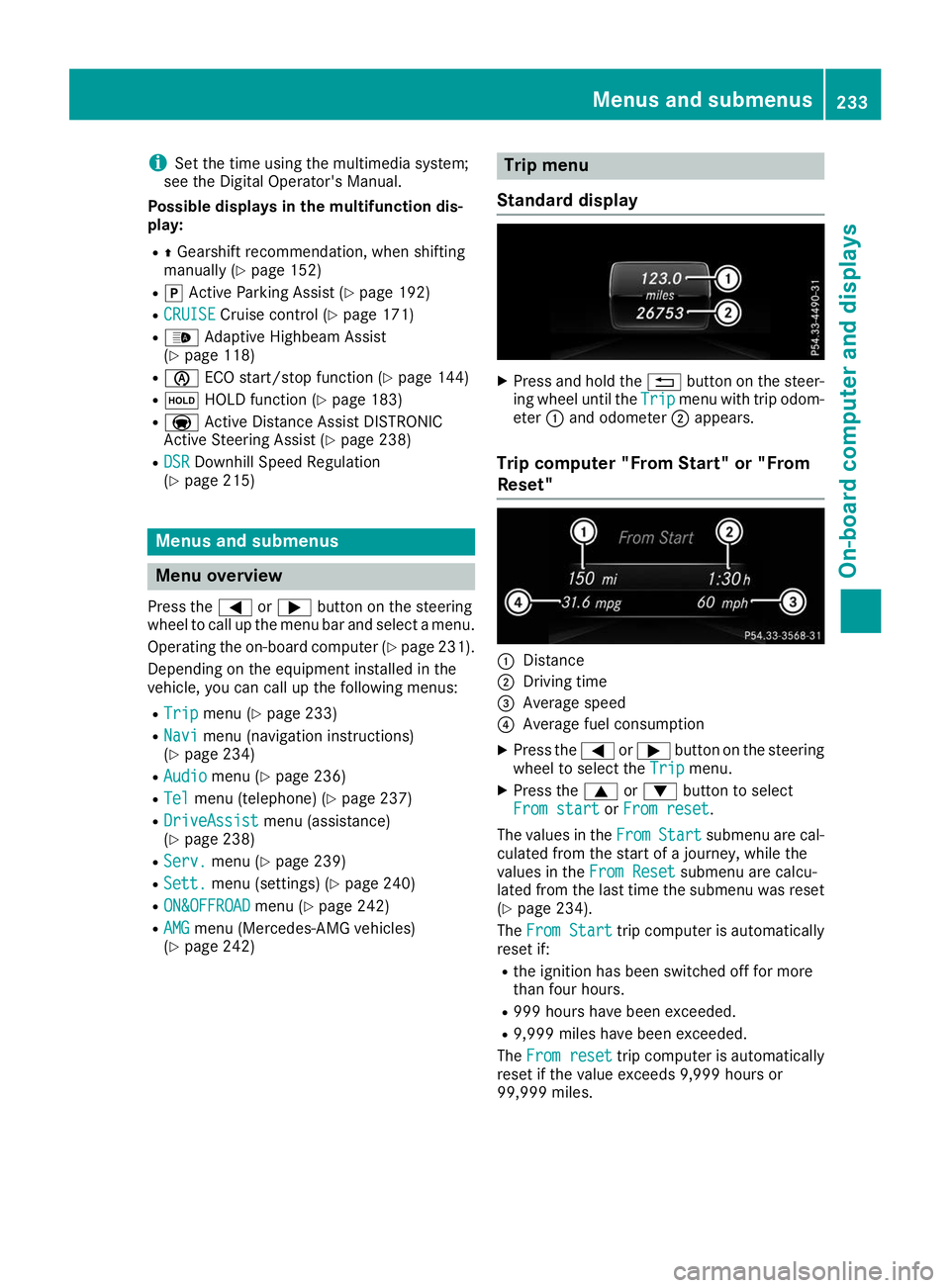
Press and hold the 0038button on the steer-
ing wheel until the Trip
Tripmenu with trip odom-
eter 0043and odometer 0044appears.
Trip computer "From Start" or "From
Reset" 0043
Distance
0044 Driving time
0087 Average speed
0085 Average fuel consumption
X Press the 0059or0065 button on the steering
wheel to select the Trip
Tripmenu.
X Press the 0063or0064 button to select
From start
From start orFrom reset
From reset.
The values in the From
FromStart
Start submenu are cal-
culated from the start of a journey, while the
values in the From Reset From Resetsubmenu are calcu-
lated from the last time the submenu was reset
(Y page 234).
The From Start
From Start trip computer is automatically
reset if:
R the ignition has been switched off for more
than four hours.
R 999 hours have been exceeded.
R 9,999 miles have been exceeded.
The From reset From reset trip computer is automatically
reset if the value exceeds 9,999 hours or
99,999 miles. Menus and submenus
233On-board computer and displays Z
Page 259 of 398
Display messages
Possible causes/consequences and
0050
0050Solutions X
Visit a qualified specialist workshop immediately.
For further information about the Occupant Classification System, see (Y page 52). Lights
i Vehicles with LED bulbs in the light clusters:
The display message for the corresponding lamp only appears when all of the LEDs in the lamp
have failed. Display messages
Possible causes/consequences and
0050
0050Solutions 0049
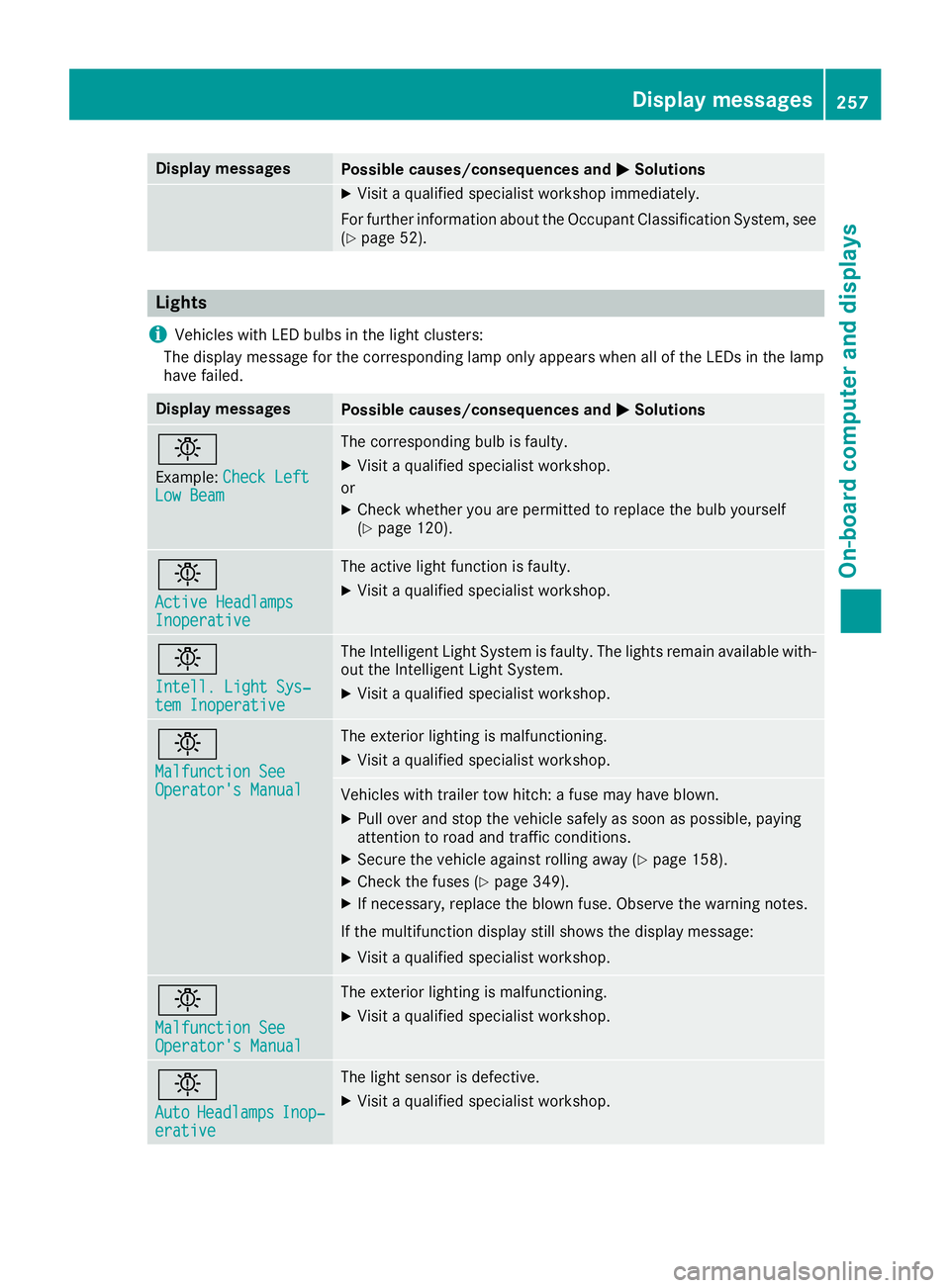
Example: Check Left
Check Left
Low Beam
Low Beam The corresponding bulb is faulty.
X Visit a qualified specialist workshop.
or X Check whether you are permitted to replace the bulb yourself
(Y page 120). 0049
Active Headlamps Active Headlamps
Inoperative Inoperative The active light function is faulty.
X Visit a qualified specialist workshop. 0049
Intell. Light Sys‐ Intell. Light Sys‐
tem Inoperative tem Inoperative The Intelligent Light System is faulty. The lights remain available with-
out the Intelligent Light System.
X Visit a qualified specialist workshop. 0049
Malfunction See Malfunction See
Operator's Manual Operator's Manual The exterior lighting is malfunctioning.
X Visit a qualified specialist workshop. Vehicles with trailer tow hitch: a fuse may have blown.
X Pull over and stop the vehicle safely as soon as possible, paying
attention to road and traffic conditions.
X Secure the vehicle against rolling away (Y page 158).
X Check the fuses (Y page 349).
X If necessary, replace the blown fuse. Observe the warning notes.
If the multifunction display still shows the display message:
X Visit a qualified specialist workshop. 0049
Malfunction See Malfunction See
Operator's Manual Operator's Manual The exterior lighting is malfunctioning.
X Visit a qualified specialist workshop. 0049
Auto Auto
Headlamps
Headlamps Inop‐
Inop‐
erative
erative The light sensor is defective.
X Visit a qualified specialist workshop. Display
messages
257On-board computer and displays Z
Page 260 of 398
Display messages
Possible causes/consequences and
0050
0050Solutions 0049
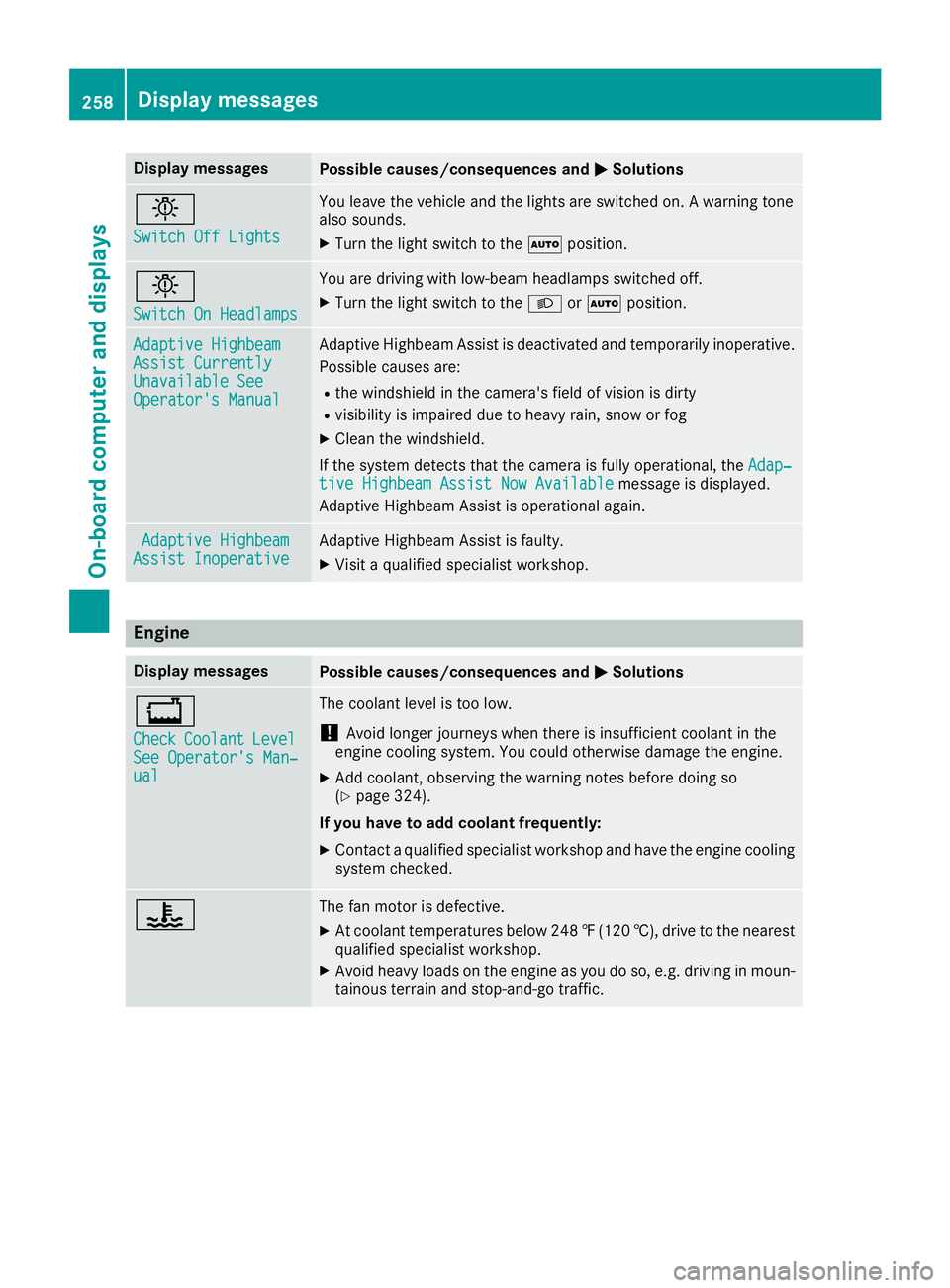
Switch Off Lights Switch Off Lights You leave the vehicle and the lights are switched on. A warning tone
also sounds.
X Turn the light switch to the 0058position. 0049
Switch On Headlamps Switch On Headlamps You are driving with low-beam headlamps switched off.
X Turn the light switch to the 0058or0058 position. Adaptive Highbeam
Adaptive Highbeam
Assist Currently Assist Currently
Unavailable See Unavailable See
Operator's Manual Operator's Manual Adaptive Highbeam Assist is deactivated and temporarily inoperative.
Possible causes are:
R the windshield in the camera's field of vision is dirty
R visibility is impaired due to heavy rain, snow or fog
X Clean the windshield.
If the system detects that the camera is fully operational, the Adap‐
Adap‐
tive Highbeam Assist Now Available
tive Highbeam Assist Now Available message is displayed.
Adaptive Highbeam Assist is operational again. Adaptive Highbeam
Adaptive Highbeam
Assist Inoperative
Assist Inoperative Adaptive Highbeam Assist is faulty.
X
Visit a qualified specialist workshop. Engine
Display messages
Possible causes/consequences and
0050 0050Solutions 00BD
Check Check
Coolant
Coolant Level Level
See Operator's Man‐
See Operator's Man‐
ual ual The coolant level is too low.
! Avoid longer journeys when there is insufficient coolant in the
engine cooling system. You could otherwise damage the engine.
X Add coolant, observing the warning notes before doing so
(Y page 324).
If you have to add coolant frequently:
X Contact a qualified specialist workshop and have the engine cooling
system checked. 00AC The fan motor is defective.
X At coolant temperatures below 248 ‡(120 †), drive to the nearest
qualified specialist workshop.
X Avoid heavy loads on the engine as you do so, e.g. driving in moun-
tainous terrain and stop-and-go traffic. 258
Display messagesOn-board computer and displays