headlamp MERCEDES-BENZ GLS 2019 Owners Manual
[x] Cancel search | Manufacturer: MERCEDES-BENZ, Model Year: 2019, Model line: GLS, Model: MERCEDES-BENZ GLS 2019Pages: 398, PDF Size: 7.3 MB
Page 4 of 398
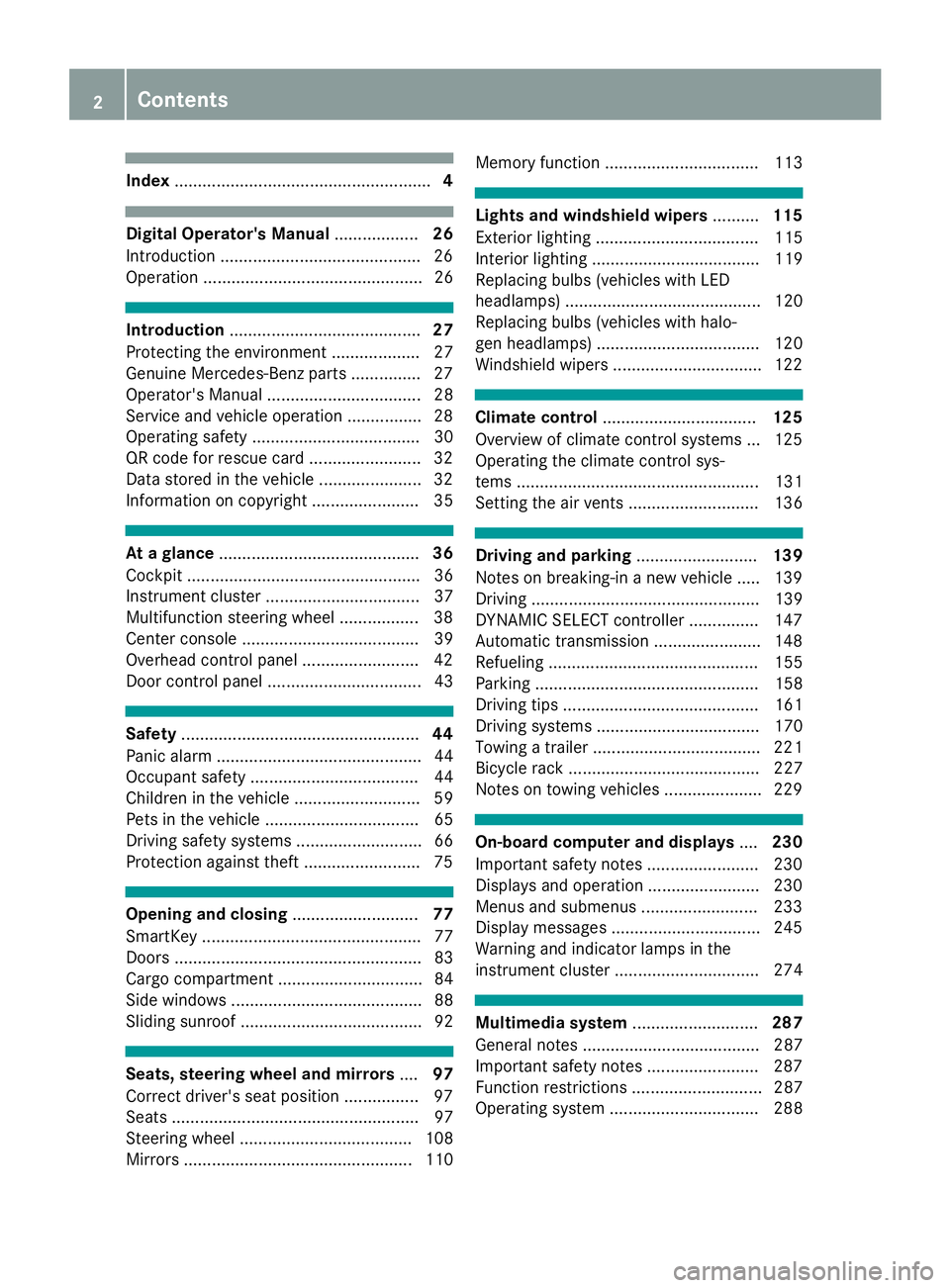
Index
....................................................... 4Digital Operator's Manual
..................26
Introduction .......................................... .26
Operation ............................................... 26 Introduction
......................................... 27
Protecting the environment ...................27
Genuine Mercedes-Benz parts .............. .27
Operator's Manual ................................. 28
Service and vehicle operation ................28
Operating safety .................................... 30
QR code for rescue card ........................ 32
Data stored in the vehicle ......................32
Information on copyright ....................... 35 At a glance
........................................... 36
Cockpit .................................................. 36
Instrument cluster .................................37
Multifunction steering wheel ................. 38
Center console ...................................... 39
Overhead control panel .........................42
Door control panel ................................. 43 Safety
................................................... 44
Panic alarm ............................................ 44
Occupant safety .................................... 44
Children in the vehicle ........................... 59
Pets in the vehicle ................................. 65
Driving safety systems ........................... 66
Protection against theft ........................ .75Opening and closing
...........................77
SmartKey ............................................... 77
Doors ..................................................... 83
Cargo compartment ...............................84
Side windows ......................................... 88
Sliding sunroof ....................................... 92 Seats, steering wheel and mirrors
....97
Correct driver's seat position ................ 97
Seats ..................................................... 97
Steering wheel ..................................... 108
Mirrors ................................................. 110 Memory function ................................. 113 Lights and windshield wipers
..........115
Exterior lighting ................................... 115
Interior lighting .................................... 119
Replacing bulbs (vehicles with LED
headlamps) .......................................... 120
Replacing bulbs (vehicles with halo-
gen headlamps) ................................... 120
Windshield wipers ................................ 122 Climate control
................................. 125
Overview of climate control systems ... 125
Operating the climate control sys-
tems .................................................... 131
Setting the air vents ............................ 136 Driving and parking
..........................139
Notes on breaking-in a new vehicle ..... 139
Driving ................................................. 139
DYNAMIC SELECT controller ............... 147
Automatic transmission ....................... 148
Refueling ............................................. 155
Parking ................................................ 158
Driving tips .......................................... 161
Driving systems ................................... 170
Towing a trailer .................................... 221
Bicycle rack ......................................... 227
Notes on towing vehicles ..................... 229 On-board computer and displays
....230
Important safety notes ........................ 230
Displays and operation ........................ 230
Menus and submenus ......................... 233
Display messages ................................ 245
Warning and indicator lamps in the
instrument cluster ............................... 274 Multimedia system
...........................287
General notes ...................................... 287
Important safety notes ........................ 287
Function restrictions ............................ 287
Operating system ................................ 288 2
Contents
Page 7 of 398
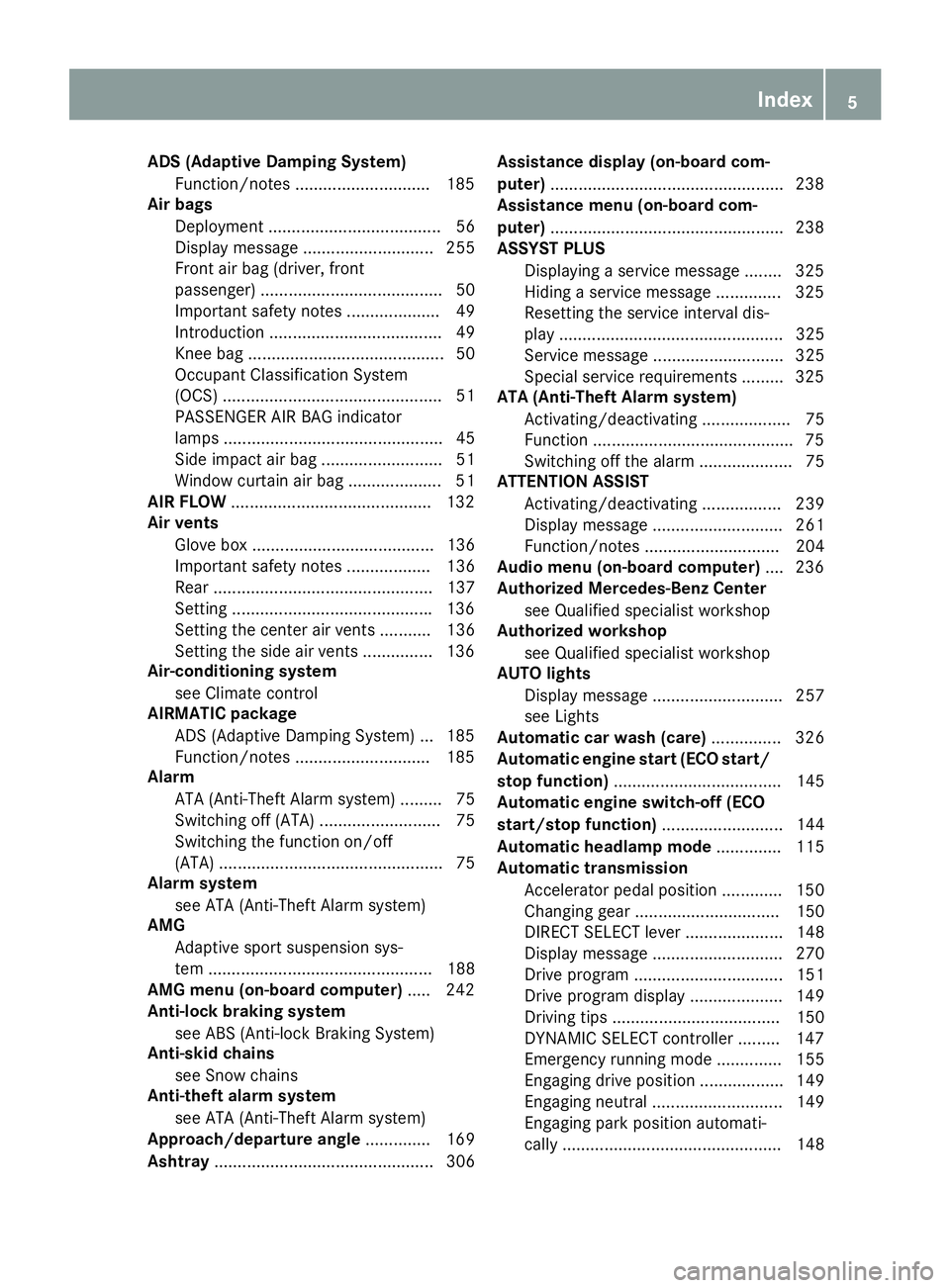
ADS (Adaptive Damping System)
Function/notes ............................ .185
Air bags
Deployment ..................................... 56
Display message ............................ 255
Front air bag (driver, front
passenger) ....................................... 50
Important safety notes .................... 49
Introduction ..................................... 49
Knee bag .......................................... 50
Occupant Classification System
(OCS) ............................................... 51
PASSENGER AIR BAG indicator
lamps ............................................... 45
Side impact air bag .......................... 51
Window curtain air bag .................... 51
AIR FLOW .......................................... .132
Air vents
Glove box ....................................... 136
Important safety notes .................. 136
Rear ............................................... 137
Setting .......................................... .136
Setting the center air vents ........... 136
Setting the side air vents .............. .136
Air-conditioning system
see Climate control
AIRMATIC package
ADS (Adaptive Damping System) ... 185
Function/notes ............................ .185
Alarm
ATA (Anti-Theft Alarm system) ......... 75
Switching off (ATA) .......................... 75
Switching the function on/off
(ATA) ................................................ 75
Alarm system
see ATA (Anti-Theft Alarm system)
AMG
Adaptive sport suspension sys-
tem ................................................ 188
AMG menu (on-board computer) ..... 242
Anti-lock braking system
see ABS (Anti-lock Braking System)
Anti-skid chains
see Snow chains
Anti-theft alarm system
see ATA (Anti-Theft Alarm system)
Approach/departure angle .............. 169
Ashtray ............................................... 306 Assistance display (on-board com-
puter)
................................................. .238
Assistance menu (on-board com-
puter) ................................................. .238
ASSYST PLUS
Displaying a service message ....... .325
Hiding a service message .............. 325
Resetting the service interval dis-
play ................................................ 325
Service message ............................ 325
Special service requirements ......... 325
ATA (Anti-Theft Alarm system)
Activating/deactivating ................... 75
Function .......................................... .75
Switching off the alarm .................... 75
ATTENTION ASSIST
Activating/deactivating ................. 239
Display message ............................ 261
Function/note s............................. 204
Audio menu (on-board computer) .... 236
Authorized Mercedes-Benz Center
see Qualified specialist workshop
Authorized workshop
see Qualified specialist workshop
AUTO lights
Display message ............................ 257
see Lights
Automatic car wash (care) ............... 326
Automatic engine start (ECO start/
stop function) .................................... 145
Automatic engine switch-off (ECO
start/stop function) .......................... 144
Automatic headlamp mode .............. 115
Automatic transmission
Accelerator pedal position ............. 150
Changing gear ............................... 150
DIRECT SELECT lever ..................... 148
Display message ............................ 270
Drive program ................................ 151
Drive program display .................... 149
Driving tips .................................... 150
DYNAMIC SELECT controlle r......... 147
Emergency running mode .............. 155
Engaging drive position .................. 149
Engaging neutral ............................ 149
Engaging park position automati-
cally ............................................... 148 Index
5
Page 14 of 398
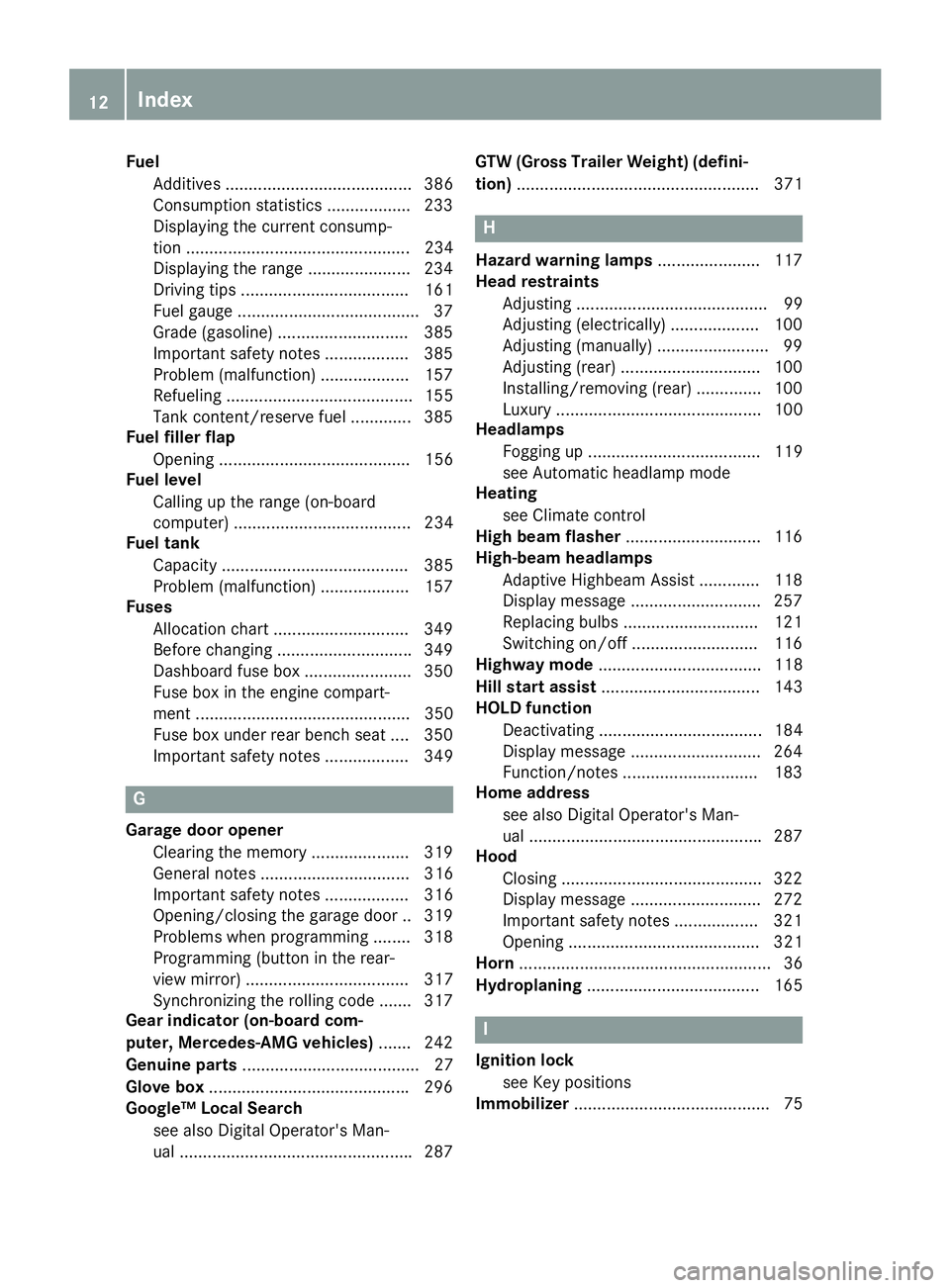
Fuel
Additives ........................................ 386
Consumption statistics .................. 233
Displaying the current consump-
tion ................................................ 234
Displaying the range ...................... 234
Driving tips .................................... 161
Fuel gauge ...................................... .37
Grade (gasoline) ............................ 385
Important safety notes .................. 385
Problem (malfunction) .................. .157
Refueling ........................................ 155
Tank content/reserve fuel ............. 385
Fuel filler flap
Opening ......................................... 156
Fuel level
Calling up the range (on-board
computer) ...................................... 234
Fuel tank
Capacity ........................................ 385
Problem (malfunction) ................... 157
Fuses
Allocation chart ............................ .349
Before changing ............................ .349
Dashboard fuse box ....................... 350
Fuse box in the engine compart-
ment .............................................. 350
Fuse box under rear bench sea t.... 350
Important safety notes .................. 349 G
Garage door opener Clearing the memory ..................... 319
General notes ................................ 316
Important safety notes .................. 316
Opening/closing the garage doo r..3 19
Problems when programming ....... .318
Programming (button in the rear-
view mirror) ................................... 317
Synchronizing the rolling code ....... 317
Gear indicator (on-board com-
puter, Mercedes-AMG vehicles) ....... 242
Genuine parts ...................................... 27
Glove box .......................................... .296
Google™ Local Search
see also Digital Operator's Man-
ual ................................................. .287 GTW (Gross Trailer Weight) (defini-
tion) .................................................... 371 H
Hazard warning lamps ......................117
Head restraints
Adjusting ......................................... 99
Adjusting (electrically) ................... 100
Adjusting (manually) ........................ 99
Adjusting (rear) .............................. 100
Installing/removing (rear) .............. 100
Luxury ............................................ 100
Headlamps
Fogging up ..................................... 119
see Automatic headlamp mode
Heating
see Climate control
High beam flasher .............................116
High-beam headlamps
Adaptive Highbeam Assist ............. 118
Display message ............................ 257
Replacing bulbs ............................ .121
Switching on/off ........................... 116
Highway mode ................................... 118
Hill start assist .................................. 143
HOLD function
Deactivating ................................... 184
Display message ............................ 264
Function/notes ............................ .183
Home address
see also Digital Operator's Man-
ual ................................................. .287
Hood
Closing .......................................... .322
Display message ............................ 272
Important safety notes .................. 321
Opening ......................................... 321
Horn ...................................................... 36
Hydroplaning ..................................... 165 I
Ignition lock see Key positions
Immobilizer .......................................... 7512
Index
Page 15 of 398
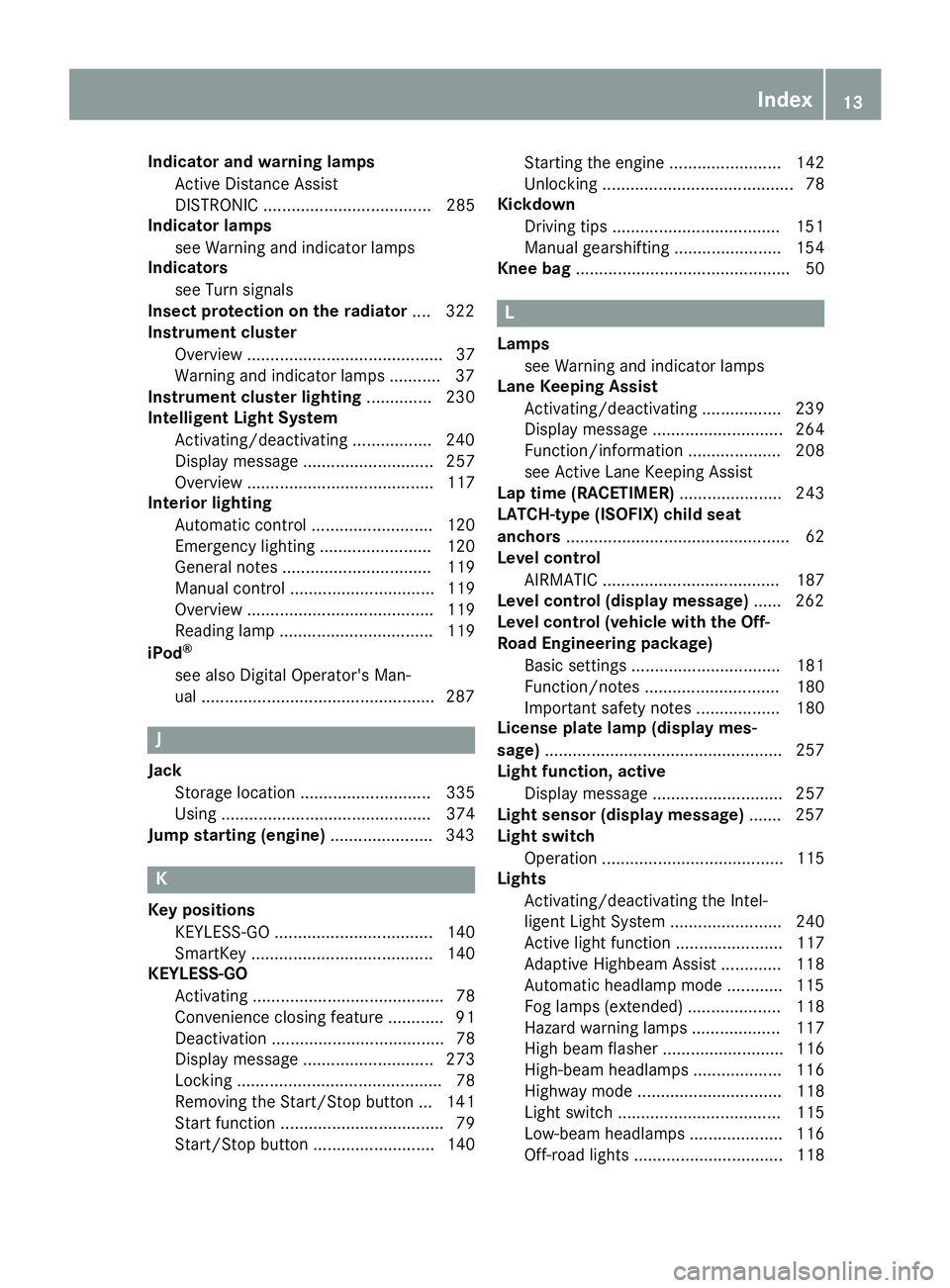
Indicator and warning lamps
Active Distance Assist
DISTRONIC .................................... 285
Indicator lamps
see Warning and indicator lamps
Indicators
see Turn signals
Insect protection on the radiator .... 322
Instrument cluster
Overview .......................................... 37
Warning and indicator lamps .......... .37
Instrument cluster lighting .............. 230
Intelligent Light System
Activating/deactivating ................ .240
Display message ............................ 257
Overview ........................................ 117
Interior lighting
Automatic control .......................... 120
Emergency lighting ........................ 120
General notes ................................ 119
Manual control ............................... 119
Overview ........................................ 119
Reading lamp ................................. 119
iPod ®
see also Digital Operator's Man-
ual ................................................. .287 J
Jack Storage location ............................ 335
Using ............................................. 374
Jump starting (engine) ......................343 K
Key positions KEYLESS-GO .................................. 140
SmartKey ....................................... 140
KEYLESS-GO
Activating ......................................... 78
Convenience closing feature ............ 91
Deactivation ..................................... 78
Display message ............................ 273
Locking ............................................ 78
Removing the Start/Stop button ... 141
Start function ................................... 79
Start/Stop button .......................... 140 Starting the engine ........................ 142
Unlocking ......................................... 78
Kickdown
Driving tips ................................... .151
Manual gearshifting ....................... 154
Knee bag .............................................. 50 L
Lamps see Warning and indicator lamps
Lane Keeping Assist
Activating/deactivating ................. 239
Display message ............................ 264
Function/informatio n.................... 208
see Active Lane Keeping Assist
Lap time (RACETIMER) ...................... 243
LATCH-type (ISOFIX) child seat
anchors ................................................ 62
Level control
AIRMATIC ...................................... 187
Level control (display message) ...... 262
Level control (vehicle with the Off-
Road Engineering package)
Basic settings ................................ 181
Function/note s............................. 180
Important safety notes .................. 180
License plate lamp (display mes-
sage) ................................................... 257
Light function, active
Display message ............................ 257
Light sensor (display message) ....... 257
Light switch
Operation ....................................... 115
Lights
Activating/deactivating the Intel-
ligent Light System ........................ 240
Active light function ....................... 117
Adaptive Highbeam Assist ............. 118
Automatic headlamp mode ............ 115
Fog lamps (extended) .................... 118
Hazard warning lamps ................... 117
High beam flasher .......................... 116
High-beam headlamp s................... 116
Highway mod e............................... 118
Light switch ................................... 115
Low-beam headlamp s.................... 116
Off-road lights ................................ 118 Index
13
Page 16 of 398
Parking lamps ................................ 116
Rear fog lamp ................................ 116
Standing lamps .............................. 116
Switching the daytime running
lamps on/off (on-board com-
puter) ............................................. 240
Turn signals ................................... 116
see Interior lighting
see Replacing the bulbs
Loading guidelines ............................295
Locking
see Central locking
Locking (doors)
Automatic ........................................ 84
Emergency locking ........................... 84
From inside (central locking but-
ton) ................................................. .83
Locking centrally
see Central locking
Locking verification signal (on-
board computer) .............................. .241
LOW RANGE
Display message ............................ 263
Off-road gear ................................. 218
LOW RANGE off-road gear ................ 218
Low-beam headlamps
Display message ............................ 257
Replacing bulbs ............................ .121
Switching on/off ........................... 116
Lumbar support
Adjusting (on the seat) .................. 106
Luxury head restraints ..................... 100M
M+S tires ............................................ 354
Malfunction message
see Display messages
Matte finish (cleaning instruc-
tions) ................................................. .328
mbrace
Call priority ................................... .312
Display message ............................ 251
Downloading destinations
(COMAND) ..................................... 313
Downloading routes ....................... 315
Emergency call .............................. 310
General notes ................................ 309 Geo fencing ................................... 316
Info call button .............................. 312
Locating a stolen vehicle .............. .314
Remote fault diagnosi s.................. 314
Remote vehicle locking .................. 314
Roadside assistance button ........... 311
Search & Send ............................... 313
Self-test ......................................... 310
Speed alert .................................... 315
System .......................................... 309
Triggering the vehicle alarm ........... 316
Vehicle remote unlocking .............. 314
Mechanical key
Function/note s................................ 79
General notes .................................. 79
Inserting .......................................... 79
Locking vehicle ................................ 84
Removing ......................................... 79
Unlocking the driver's door .............. 84
Media Interface
USB port in the armrest of the
center console ............................... 296
see Digital Operator's Manual
Memory card (audio) ......................... 236
Memory function ............................... 113
Mercedes-Benz Intelligent Drive
360°camera .................................. 200
Active Blind Spot Assist ................. 210
Active Distance Assist
DISTRONIC .................................... 172
Active Distance Assist
DISTRONIC with Active Steering
Assist ............................................. 179
Active Lane Keeping Assist ............ 212
Active Parking Assist ..................... 192
ATTENTION ASSIST ........................ 204
Blind Spot Assist ............................ 207
General notes ................................ 170
Lane Keeping Assist ...................... 208
Parking Assist PARKTRONIC .......... 189
PRE-SAFE ®
PLUS (anticipatory
occupant protection PLUS) .............. 59
Rear view camera .......................... 196
Traffic Sign Assist .......................... 206
Message memory (on-board com-
puter) .................................................. 245 14
Index
Page 20 of 398
Display in the multimedia syste
m.. 197
Function/note s............................. 196
Switching on/of f........................... 197
Rear window defroster
Problem (malfunction) ................... 135
Switching on/of f........................... 134
Rear window wiper
Replacing the wiper blad e.............. 124
Switching on/of f........................... 123
Rear-view mirror
Anti-glare (manual) ........................ 110
Dipping (automatic) ....................... 112
Reflective safety jacket .................... 334
Refrigerant (air-conditioning sys-
tem)
Important safety notes .................. 388
Refueling
Fuel gaug e....................................... 37
Important safety notes .................. 155
Refueling process .......................... 156
see Fuel
Remote control
Garage door opener ....................... 316
Replacing bulbs
General notes ................................ 120
High-beam headlamp s................... 121
Important safety notes .................. 120
Installing/removing the cover
(front wheel arch) .......................... 121
Low-beam headlamp s.................... 121
Overview of bulb types .................. 120
Turn signals (front) ......................... 122
Reporting safety defects .................... 32
Rescue card ......................................... 32
Reserve (fuel tank)
see Fuel
Reserve fuel
Display message ............................ 260
Warning lamp ................................. 282
Residual heat (climate control) ........ 135
Restraint system
Display message ............................ 253
Introduction ..................................... 44
Warning lamp ................................. 282
Warning lamp (function) ................... 45
Reversing feature
Panorama sliding sunroo f................ 93
Roller sunblind s............................... 95 Side windows ................................... 89
Sliding sunroof ................................. 93
Tailgate ............................................ 85
Reversing lamps (display mes-
sage) ................................................... 257
Roadside Assistance (breakdown) .... 29
Roller sunblind
Panorama roof with power tilt/
sliding panel ..................................... 94
Rear side window s......................... 306
Roof carrier ........................................ 303
Roof lining and carpets (cleaning
guidelines) ......................................... 333
Roof load (maximum) ........................ 389
Route (navigation)
see Route guidance (navigation)
Route guidance
see also Digital Operator's Man-
ual .................................................. 287
Route guidance (navigation) ............ 234
Route guidance active ...................... 235 S
Safety Children in the vehicle ..................... 59
see Occupant safety
see Operating safety
Safety system
see Driving safety systems
SD card
Inserting ........................................ 293
Inserting/removing ........................ 293
Removing ....................................... 293
SD memory card
see also Digital Operator's Man-
ual .................................................. 287
Selecting ........................................ 236
Search & Send
see also Digital Operator's Man-
ual .................................................. 287
Seat
Correct driver's seat position ........... 97
Seat belts
Adjusting the driver's and front-
passenger seat belt ......................... 48
Adjusting the height ......................... 48
Cleaning ......................................... 333 18
Index
Page 39 of 398
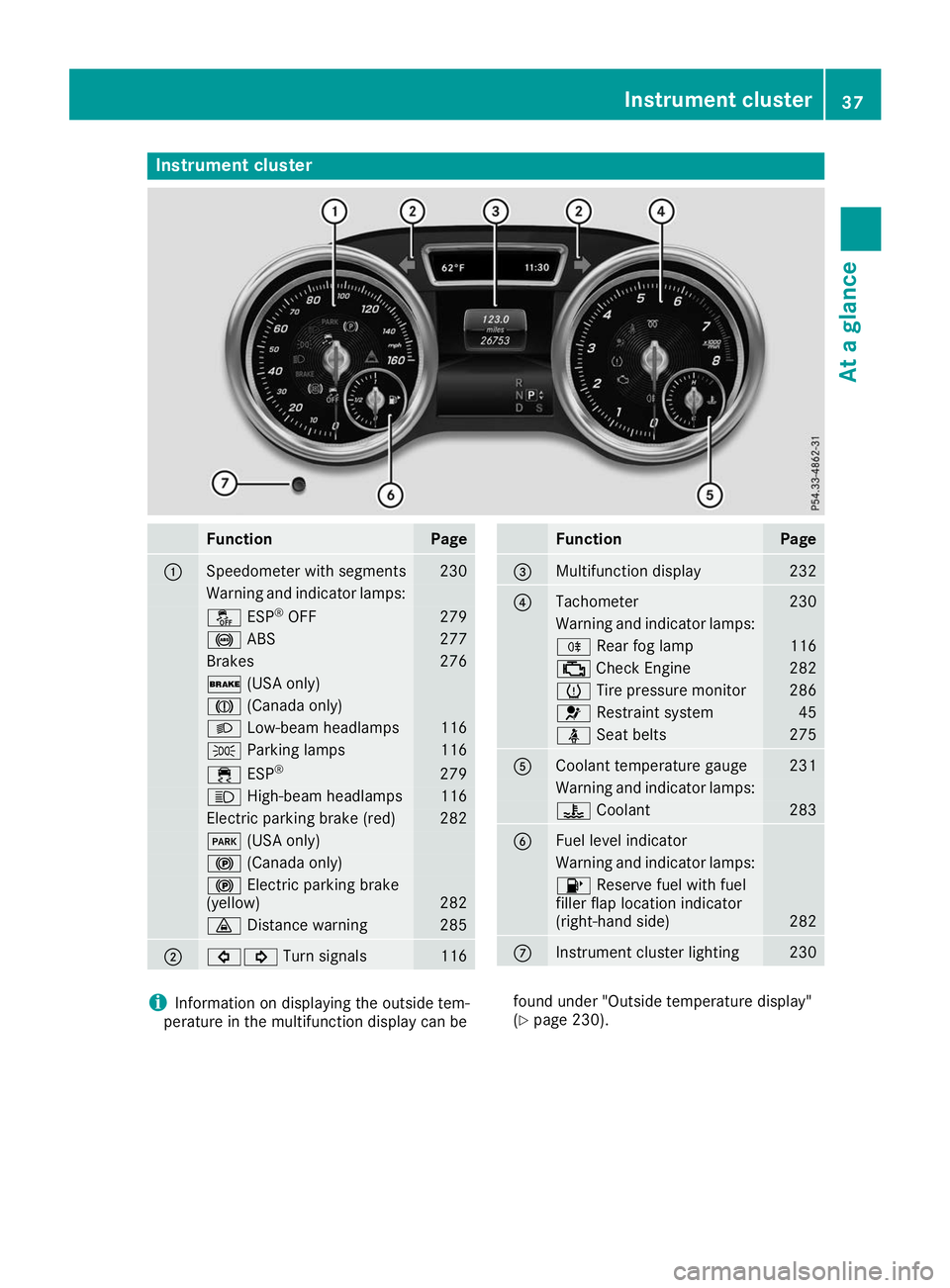
Instrument cluster
Function Page
0043
Speedometer with segments 230
Warning and indicator lamps:
00BB
ESP®
OFF 279
0025
ABS 277
Brakes 276
0027
(USA only) 004D
(Canada only) 0058
Low-beam headlamps 116
0060
Parking lamps 116
00E5
ESP® 279
0057
High-beam headlamps 116
Electric parking brake (red) 282
0049
(USA only) 0024
(Canada only) 0024
Electric parking brake
(yellow) 282
00BA
Distance warning 285
0044
003E003D
Turn signals 116 Function Page
0087
Multifunction display 232
0085
Tachometer 230
Warning and indicator lamps:
005E
Rear fog lamp 116
00B9
Check Engine 282
0077
Tire pressure monitor 286
0075
Restraint system 45
00E9
Seat belts 275
0083
Coolant temperature gauge 231
Warning and indicator lamps:
00AC
Coolant 283
0084
Fuel level indicator
Warning and indicator lamps:
00B6
Reserve fuel with fuel
filler flap location indicator
(right-hand side) 282
006B
Instrument cluster lighting 230
i
Information on displaying the outside tem-
perature in the multifunction display can be found under "Outside temperature display"
(Y
page 230). Instrument cluster
37At a glance
Page 114 of 398
Automatic anti-glare mirrors
G
WARNING
Electrolyte may escape if the glass in an auto- matic anti-glare mirror breaks. The electrolyte
is harmful and causes irritation. It must not
come into contact with your skin, eyes, res-
piratory organs or clothing or be swallowed.
There is a risk of injury.
If you come into contact with the electrolyte,
observe the following:
R Rinse off the electrolyte from your skin
immediately with water.
R Immediately rinse the electrolyte out of
your eyes thoroughly with clean water.
R If the electrolyte is swallowed, immediately
rinse your mouth out thoroughly. Do not
induce vomiting.
R If electrolyte comes into contact with your
skin or hair or is swallowed, seek medical
attention immediately.
R Immediately change out of clothing which
has come into contact with electrolyte.
R If an allergic reaction occurs, seek medical
attention immediately.
The rear-view mirror and the exterior mirror on
the driver's side automatically go into anti-glare
mode if the following conditions are met simul-
taneously:
R the ignition is switched on and
R incident light from headlamps strikes the sen-
sor in the rear-view mirror
The mirrors do not go into anti-glare mode if
reverse gear is engaged or if the interior lighting
is switched on. Parking position for the exterior mir-
ror on the front-passenger side
Setting and storing the parking position You can position the front-passenger side exte-
rior mirror in such a way that you can see the
rear wheel on that side as soon as you engage
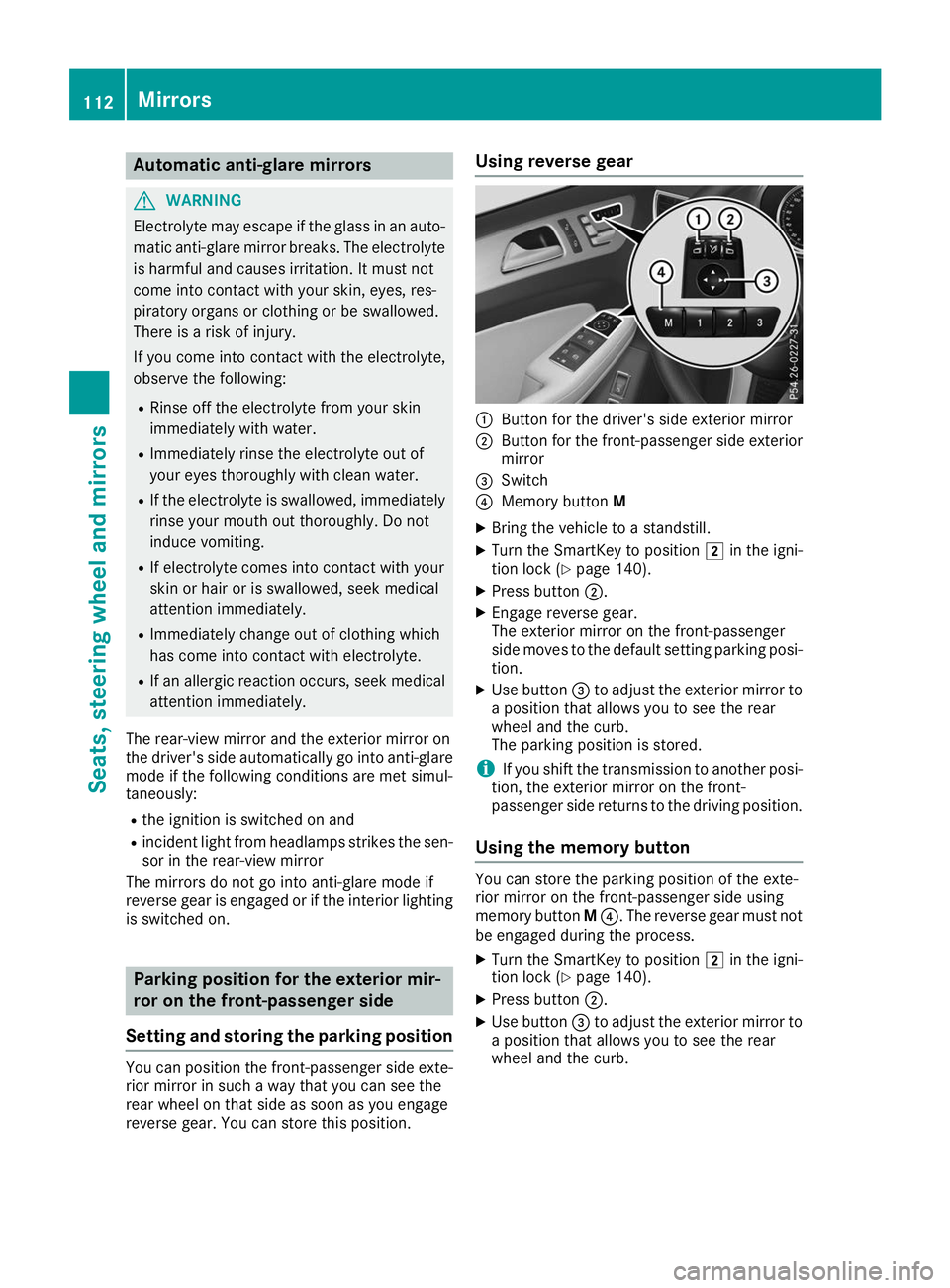
reverse gear. You can store this position. Using reverse gear
0043
Button for the driver's side exterior mirror
0044 Button for the front-passenger side exterior
mirror
0087 Switch
0085 Memory button M
X Bring the vehicle to a standstill.
X Turn the SmartKey to position 0048in the igni-
tion lock (Y page 140).
X Press button 0044.
X Engage reverse gear.
The exterior mirror on the front-passenger
side moves to the default setting parking posi-
tion.
X Use button 0087to adjust the exterior mirror to
a position that allows you to see the rear
wheel and the curb.
The parking position is stored.
i If you shift the transmission to another posi-
tion, the exterior mirror on the front-
passenger side returns to the driving position.
Using the memory button You can store the parking position of the exte-
rior mirror on the front-passenger side using
memory button
M0085. The reverse gear must not
be engaged during the process.
X Turn the SmartKey to position 0048in the igni-
tion lock (Y page 140).
X Press button 0044.
X Use button 0087to adjust the exterior mirror to
a position that allows you to see the rear
wheel and the curb. 112
MirrorsSeats
, steering wheel and mirrors
Page 117 of 398
Exterior lighting
General notes
For reasons of safety, Mercedes-Benz recom-
mends that you drive with the lights switched on even during the daytime. In some countries,
operation of the headlamps varies due to legal
requirements and self-imposed obligations. Setting the exterior lighting
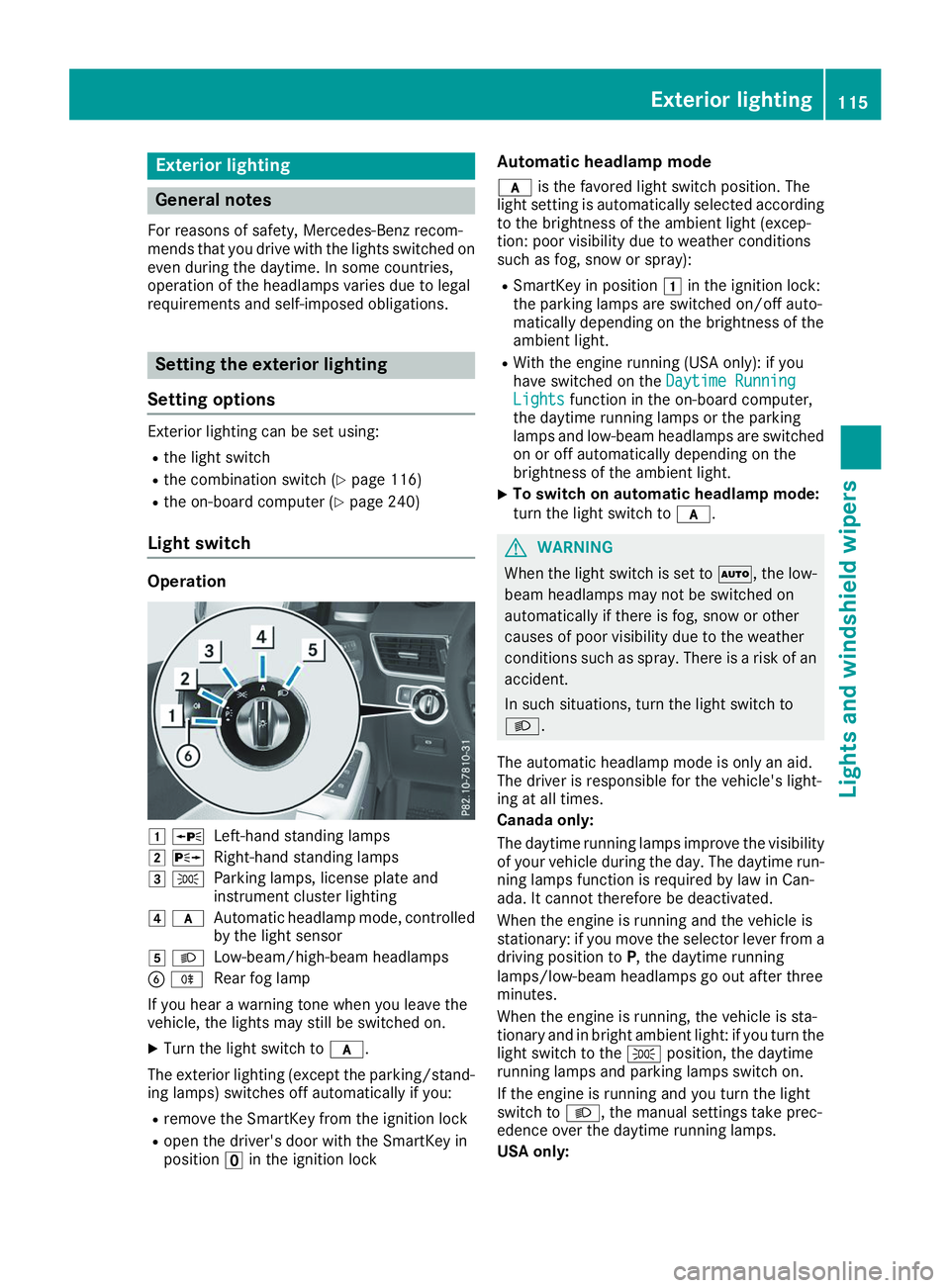
Setting options Exterior lighting can be set using:
R the light switch
R the combination switch (Y page 116)
R the on-board computer (Y page 240)
Light switch Operation
0047
0063
Left-hand standing lamps
0048 0064
Right-hand standing lamps
0049 0060
Parking lamps, license plate and
instrument cluster lighting
004A 0071
Automatic headlamp mode, controlled
by the light sensor
004B 0058
Low-beam/high-beam headlamps
0084 005E
Rear fog lamp
If you hear a warning tone when you leave the
vehicle, the lights may still be switched on.
X Turn the light switch to 0071.
The exterior lighting (except the parking/stand-
ing lamps) switches off automatically if you:
R remove the SmartKey from the ignition lock
R open the driver's door with the SmartKey in
position 0092in the ignition lock Automatic headlamp mode
0071 is the favored light switch position. The
light setting is automatically selected according
to the brightness of the ambient light (excep-
tion: poor visibility due to weather conditions
such as fog, snow or spray):
R SmartKey in position 0047in the ignition lock:
the parking lamps are switched on/off auto-
matically depending on the brightness of the
ambient light.
R With the engine running (USA only): if you
have switched on the Daytime Running
Daytime Running
Lights Lights function in the on-board computer,
the daytime running lamps or the parking
lamps and low-beam headlamps are switched on or off automatically depending on the
brightness of the ambient light.
X To switch on automatic headlamp mode:
turn the light switch to
0071. G
WARNING
When the light switch is set to 0058, the low-
beam headlamps may not be switched on
automatically if there is fog, snow or other
causes of poor visibility due to the weather
conditions such as spray. There is a risk of an
accident.
In such situations, turn the light switch to
0058.
The automatic headlamp mode is only an aid.
The driver is responsible for the vehicle's light-
ing at all times.
Canada only:
The daytime running lamps improve the visibility
of your vehicle during the day. The daytime run-
ning lamps function is required by law in Can-
ada. It cannot therefore be deactivated.
When the engine is running and the vehicle is
stationary: if you move the selector lever from a driving position to P, the daytime running
lamps/low-beam headlamps go out after three
minutes.
When the engine is running, the vehicle is sta-
tionary and in bright ambient light: if you turn the light switch to the 0060position, the daytime
running lamps and parking lamps switch on.
If the engine is running and you turn the light
switch to 0058, the manual settings take prec-
edence over the daytime running lamps.
USA only: Exterior lighting
115Lights and windshield wipers Z
Page 118 of 398
The daytime running lamps improve the visibility
of your vehicle during the day. To do this, the
daytime running lamps function must be
switched on using the on-board computer
(Y page 240).
If the engine is running and you turn the light
switch to 0060or0058, the manual settings
take precedence over the daytime running
lamps.
Low-beam headlamps
Even if the light sensor does not detect that it is dark, the parking lamps and low-beam head-
lamps switch on when the ignition is switched on and the light switch is set to the 0058position.
This is a particularly useful function in the event
of rain and fog.
X To switch on the low-beam headlamps:
turn the SmartKey to position
0048in the igni-
tion lock or start the engine.
X Turn the light switch to 0058.
The green 0058indicator lamp in the instru-
ment cluster lights up.
Rear fog lamp
The rear fog lamp improves visibility of your
vehicle for the traffic behind in the event of thick fog. Please take note of the country-specific
regulations for the use of rear fog lamps.
X To switch on the rear fog lamp: turn the
SmartKey to position 0048in the ignition lock or
start the engine.
X Turn the light switch to 0058or0071.
X Press the 005Ebutton.
The yellow 005Eindicator lamp in the instru-
ment cluster lights up.
X To switch off the rear fog lamp: press the
005E button.
The yellow 005Eindicator lamp in the instru-
ment cluster goes out.
Parking lamps ! If the battery charge is very low, the parking
lamps or standing lamps are automatically
switched off to enable the next engine start.
Always park your vehicle safely and in a well lit area, in accordance with the relevant legal
stipulations. Avoid using the 0060parking
lamps over a period of several hours. If pos-
sible, switch on the right-hand 0064or left-
hand 0063 standing lamps. X
To switch on: turn the light switch to 0060.
The green 0060indicator lamp in the instru-
ment cluster lights up.
Standing lamps Switching on the standing lamps ensures the
corresponding side of the vehicle is illuminated.X To switch on the standing lamps: the
SmartKey should not be in the ignition lock or in key position 0092in the ignition lock.
X Turn the light switch to 0063(left-hand side of
the vehicle) or 0064(right-hand side of the
vehicle).
Vehicles towing a trailer: both the right-hand
and left-hand standing lamps (tail lamps) are
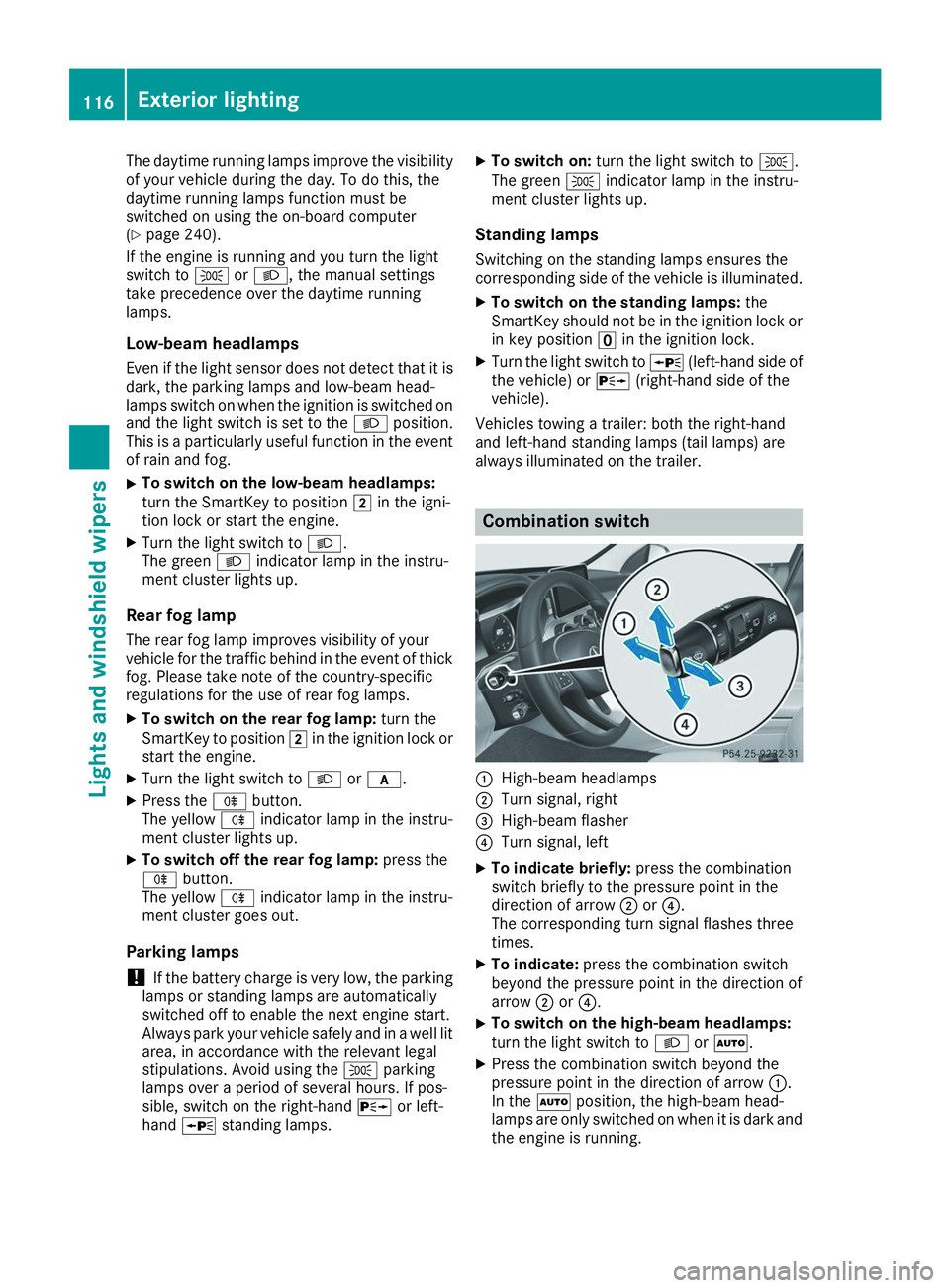
always illuminated on the trailer. Combination switch
0043
High-beam headlamps
0044 Turn signal, right
0087 High-beam flasher
0085 Turn signal, left
X To indicate briefly: press the combination
switch briefly to the pressure point in the
direction of arrow 0044or0085.
The corresponding turn signal flashes three
times.
X To indicate: press the combination switch
beyond the pressure point in the direction of
arrow 0044or0085.
X To switch on the high-beam headlamps:
turn the light switch to 0058or0058.
X Press the combination switch beyond the
pressure point in the direction of arrow 0043.
In the 0058position, the high-beam head-
lamps are only switched on when it is dark and
the engine is running. 116
Exterior lightingLights and windshield wipers