navigation MERCEDES-BENZ GLS 2020 Owner's Manual
[x] Cancel search | Manufacturer: MERCEDES-BENZ, Model Year: 2020, Model line: GLS, Model: MERCEDES-BENZ GLS 2020Pages: 682, PDF Size: 23.3 MB
Page 406 of 682
Ov
ervie wof routeguidanc eto an off-r oad
des tinatio n
An off-r oad destinatio nis wit hin thedigit almap.
The map contains noroads that lead tothedes‐
tinat ion.
Yo ucan enterge o-coor dinatesora3 wo rd
addr essforof f-r oad destinations onthemap.
Ro uteguidan ceguides youfo ras long aspossi ‐
ble withna vig ation announcements anddisplays
on roads that arekn ow nto themultimedia sys‐
te m.
Shor tlybef oreyo ure ac hth elas tkn ow npo sitio n
on themap, youwill hear the"Please follo wthe
dir ect ion arrow "ann oun cem ent,forex am ple.
The displa ysho wsadir ect ion arrow and thelin‐
ear distance tothedes tinat ion.
Ov ervie wof routeguidanc efrom anoff-r oad
loc ation toades tinatio n
In an off-r oad position, thecur rent vehicle posi‐
tion islocat edwithin thedigit almap onroads
th at areno tav ailable. The
follo wing displa ysappear whenrouteguid‐
anc ebegin s:
R Ames sageappear sth at thero ad isno ton
th emap.
R Adir ect ion arro w sho wing thelinear direc‐
tion tothePOI.
When theve hicle isbac kon aro ad know nto the
multime diasystem, routeguidan cecontinue sas
no rm al.
Ov ervie wof off-ro ad status during route
guidanc e
Due toroadw orks ,fo rex am ple, ther ema ybe dif‐
fe re nces betwee nth edat aon thedigit almap
and theactual courseofthero ad. Insuc hcas es,
th emultimedia system will temp orarily be
unable tolocat eth eve hicle's current positio non
th edigit almap. Thevehicle isoff-r oad.
If th eve hicle isdispla yedas being offroad, the
fo llo wing informatio nappear s:
R Amess ageappear sth at thero ad isno ton
th emap.
R Adir ect ion arro w sho wing thelinear direc‐
tion tothePOI. When
theve hicle isbac kon aro ad know nto the
multime diasystem, routeguidan cecontinue sas
no rm al. Des
tination Sa
ving thecur rent vehicl eposi tion
Mul timedi asy stem:
4 © 5
Navigation 5
¡ 5
Position #
Select SavePosition .
The current vehicle position issave dto the
"Las tdes tinatio ns"mem ory.
Using quick- acc ess #
Ifro uteguidan ceisact ive, sele ctthe£
symbol withar riva ltim eand distance tothe
des tination onthemap.
The addr essofthedes tinat ionorthene xt
int ermediat edes tinat ionissho wn. #
Select SavePosition .
Editing thepr ev ious destina tions
Re quirement s: 40
4
MBUX multim ediasystem
Page 407 of 682
R
Toedit destinat ionsugg estion s:theAllow
Dest ination Suggest ionsoption isactiv ated
(/ page355).
R The multimedia system has gather ed suf fi‐
cie ntdata inorder tosho wdes tination sug‐
ge stions .
Multim ediasystem:
4 © 5
Navigation 5
ª Where to?
5 PREV. DESTINA TIONS
The follo wing entries can beedit ed:
R Des tinat ionsugg estion s
R Des tinat ions
R Routes #
Tono long erdispla ya des tinat ionsugg es‐
tion: select Vfora des tination sugges‐
tion. #
Select NoLonger Suggest.
Sa ving thelas tdes tina tion asafa vo rite
% Aftersa ving, thedes tinat ioncan becalled
up via thefa vo rite s(/ page356). #
Select Vfora des tination. #
Select fSaveasFavorite. #
Tosave asafa vo rite :sel ect Saveas Fav or-
ite . #
Tosave as"Home "addr ess:sele ctSave
as "Home ". #
Tosave as"W ork" addr ess:sele ctSave as
"Wo rk".
De leting apr ev ious destina tion #
Todel eteades tina tion: selectV fora
des tination. #
Select Delete. #
Select Yes. #
Todel eteall des tina tions :selec t0062. #
Sele ctDele teAll. #
Sele ctYes.
Using extern al des tinatio nsand routes
Ext ernal destinations androutes can berecei ved
fr om thefo llo wing sources, forex am ple:
R Mer cedes-Ben zApp s R
door -to- door navig atio nwit hth eCom panion
app (USA)
R acall withth eMer cedes- BenzCustomer
Assis tanceCenter via theme butt on
(/ page44 2)
A pr om ptappear son themedia display.
Re cei veddes tinations androutes aresa ve din
th epr ev ious destination s. #
Ades tina tion hasbeen receiv ed:selec t
Yes . #
Calculat eth ero ute. #
Ifro uteguidan ceisalr eady active, sele ctSet
as Way Pointor Start New RouteGuidan ce.
or #
Ifades tinatio nwa sre cei vedwit hpho to
inf ormatio n,selec tSt art Route Guidance . #
Calculat eth ero ute.
or #
Ifades tinatio nhas been recei vedfrom an
app, select Details. #
Calculat eth ero ute. #
Aro ut ehas beenre ceiv ed:selec tYes. MBU
Xmult imed iasystem 405
Page 408 of 682
#
Select Start Route Guid.from Beginning of
Ro ute orStart Route Guidance fromCurr.
Pos ition.
Ro uteguidan cestar ts from theselect ed
position . Ro
uteguidanc ewith current traf fic re por ts Tr
af fic inf orma tion overview
Tr af fic re por tsarere cei vedusing LiveTr af fic
Inf ormation andareused forro uteguidan ce.
This serviceis una vailable insome countries.
% Ther ema ybe differe nces betwee nth etraf fic
re por tsrecei vedand theactual road and
traf fic condi tions.
Im por tant informa tionon LiveTr af fic Inf orma‐
tion:
R Current traffic repor tsarere cei vedvia the
Int erne tconnection.
R The traf fic situ ation isup datedat shor t,re gu‐
lar interva ls.
R Informatio nfrom theser vice prov ider canbe
sho wn(/ page406) . Inf
ormatio non theve hicle's position isregular ly
sent toDai mle rAG .The data isimmed iatelyre n‐
de redanon ymous byDai mle rAG and forw arded
to thetra ffic dat apr ov ider .Usin gth is dat a,traf‐
fi c re por tsreleva nt totheve hicle's position are
sent totheve hicle. Thevehicle actsasasensor
fo rth eflow oftraf fic and helpstoimprove the
qu alit yof thetraf fic re por ts.
If yo udo notwa nttotrans mitth eve hicle posi‐
tion, youha ve thefo llo wing option s:
R Youdeac tivateth eser vice intheMer cedes
me portal.
R Youha ve theser vice deactiv ated atan
aut hor ized Mercedes- BenzCenter.
Sho wing informat ionfrom theser vice pro‐
vid erforLi ve Traf fic Inf orma tion
Re quirement s:
R The vehicle iseq uipped withLiv eTr af fic
Inf ormation. Multime
diasystem:
4 © 5
Navigation 5
¡ 5
Traffic #
Select Provider Information.
The logo oftheser vice prov ider forLiv eTr af‐
fi c Inf ormati onissho wn.
% Further information onLiveTr af fic Inf orma‐
tion canbecalled up on thehome screen
using Mercedes me&Apps (/page44 5).
% Youha ve thefo llo wing option sfo rex tendi ng
th esubscr iption :
R atan aut hor ized Mercedes- BenzCenter
R withacall totheMer cedes- BenzCus‐
to mer Assis tance Center via theme but‐
to n
Sho wing traf fic inf orma tion
Re quirement s:
R The Traff icdispla yis switc hedon
(/ page408).
R The follo wing traf fic di spl aysar eswitc hedon
(/ page408):
Traffic Incident s
Free Flowing Traffic 406
MBUX multimedia system
Page 409 of 682
Del
ay
Mu ltimed iasystem:
4 © #
Select Navigation.
The map showsthefo llo wing traf fic inf ormati on:
R traf fic inci dents ,fo rex am ple:
- roadw orks
- road bloc ks
- warning mess ages
When routeguidan ceisact ive, thesymbols
fo rtr af fic inci dents willbe sho wnincolo ron
th ero ute. Offth ero uteth ey aregr ay .
R warning mess agesymbols:
- Symbo lÔ
- road safetyno tes, e.g. when approaching
th eend ofatraf fic jam
If th eve hicle approaches adang erarea
on thero ute, awa rning mess ageis dis‐
pla yedon themap. Inaddition, anaudible
no tification canfollo wahazar dwa rning.
R traf fic flow informatio n: -
traf fic jam (red line)
- slow-mo ving traf fic (or ang eline)
- hea vytraf fic (yel lo w line)
- free-f lowi ng traf fic (gr een line)
R displ ayfortr af fic del ayson thero utelas ting
at leas ton emin ute
Disp laying traf fic incid ents
Re quirement s:
R The Traff icInc ident sdispla yis switc hedon
(/ page408 ).
Multime diasystem:
4 © 5
Navigation 5
¡ 5
Traffic #
Select Traffic Announc ement s.
If th er ear etraf fic re por ts,youwill see alis t.
Tr af fic re por tsinclude accidentsand other
tr af fic eve nts, forex am ple. Thelistis sor ted
acc ordin gto dis tance and showsthetraf fic
re por tsrecei vedbo th on and offth ero ute.
A traf fic re por tsho wsthefo llo wing informa‐
tion :
R Street num beror stre et nam e R
Traf fic inci dent symbo l
On thero ute: color
Of fth ero ute: gra y
R Cause
R Street symbol fora traf fic inci dent onthe
ro ute
R Distance from current vehicle position #
Select atraf fic re por t0048.
The detailed informatio nis sho wn, forex am‐
ple thero utesec tion.
Sho wing traf fic incid entsin thevicinit yof
th ema p #
Sele ctatraf fic inci dent symbo lon themap.
The details about thetraf fic inci dent aredis‐
pl ay ed. #
Select 0062. #
Select Traffic Incidents inVicinit y.
The map showsthetraf fic inci dent symbo ls
in thevicinit y.
Tr af fic inci dent informati onisdispl aye din
th est atus line:
R Traf fic inci dent symbo l MBUX
multime diasy stem 40
7
Page 410 of 682
R
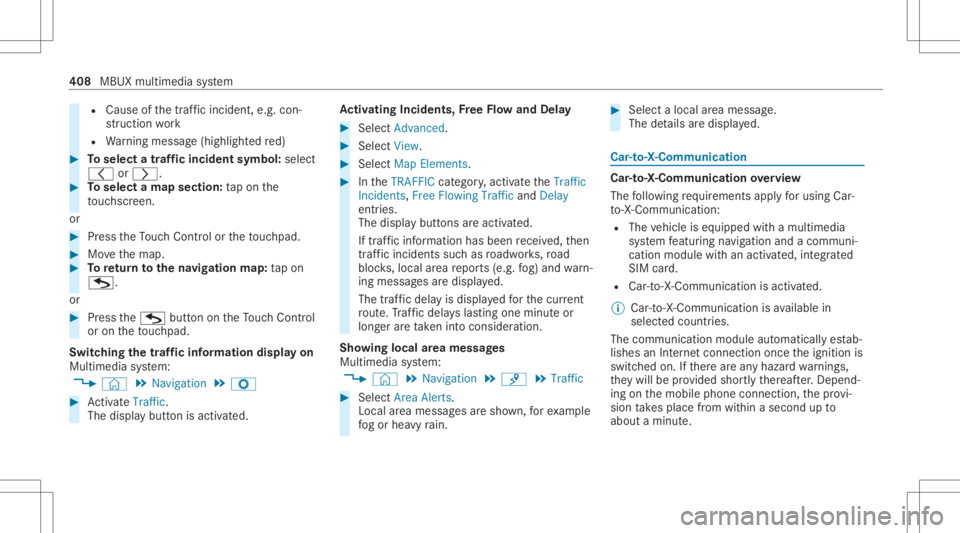
Cause ofthetra ffic inc ident ,e.g. con‐
st ru ction work
R Warning mess age(highligh tedre d) #
Toselect atraf fic incid entsym bol: selec t
0047 or0048. #
Toselect amap section: tapon the
to uc hsc reen.
or #
Press theTo uc hCon trol or theto uc hpad. #
Movethemap. #
Toretur nto thena vig ation map:tap on
G.
or #
Press theG buttonontheTo uc hCon trol
or on theto uc hpad.
Swit ching thetraf fic inf orma tion displa yon
Mult imed iasystem:
4 © 5
Navigation 5
Z #
ActivateTra ffic.
The disp lay bu tton isacti vated. Ac
tiv atin gIn ciden ts,Free Flo wand Dela y #
Sele ctAdv anced. #
Sele ctView. #
Sele ctMap Elements. #
IntheTRAFF ICcat egor y,act ivat eth eTraffic
Inc idents, FreeFlowing TrafficandDelay
ent ries.
The displa ybutt ons areactiv ated.
If tra ffic inf ormatio nhas been recei ved, then
tra ffic inc ident ssuc has roadw orks ,ro ad
bloc ks,local area repor ts(e.g. fog) and warn‐
ing mess ages aredispla yed.
The traffic dela yis displa yedfo rth ecur rent
ro ute. Traf fic del ayslas ting oneminut eor
long erareta ke nint oconsi deratio n.
Sho wing loca lar ea mes sages
Mu ltimed iasystem:
4 © 5
Navigation 5
¡ 5
Traffic #
Select AreaAlerts.
Local area messag esaresho wn, forex am ple
fo gor hea vyrain. #
Selec ta local area mess age.
The details aredispla yed. Car
-to-X -Comm unication Car
-to-X -Comm unication overview
The follo wing requ iremen tsappl yfo rusi ng Car-
to -X-C ommu nication:
R The vehicle iseq uipped withamultimedia
sy stem featur ingnavig atio nand acom mun i‐
cat ion modul ewit han act ivat ed, integrated
SIM card.
R Car-to -X-C ommu nicationis acti vated.
% Car-to-X-Commun icationisavailable in
selec tedcount ries.
The comm unication moduleautomatic allyes tab‐
lishes anInterne tcon nection onceth eignition is
switc hedon.Ifth er ear ean yhazar dwa rnings ,
th ey will beprov ided shortly th er eaf ter.Dep end‐
ing onthemobile phoneconnect ion,thepr ov i‐
sion take splace from within asecond upto
about amin ute. 408
MBUXmult imed iasystem
Page 411 of 682
Benef
itsofCa r-to -X-C ommu nication:
R Haza rdsar ere cogni zedautomatical lyin the
bac kground bytheve hicle orma ybe repor‐
te dby thedr iver .These areth en sent tovehi‐
cles withCar -to-X-Communicat ioninthe
immed iatevicin ity.
R Ifav ailable, current details relatin gto hazar d
spo tsnear theve hicle's current positio nar e
re cei ved.
This gives yousuf ficie nttime toadap tyo ur
dr ivin gst yle to thetraf fic condi tions.
The useof Ca r-to -X-C ommu nicationre qu ires the
re gular transmission ofvehicle datato Dai mle r
AG .The data isthen immediat elypseudon y‐
mized byDai mle rAG .The vehicle datais dele ted
af te ran app ropr iat eamount oftime haselapsed
(se veralwe eks) and isno tst or ed per manent ly.
% Datawhic hser vesas identif ication is
re placed during thepseudon ymization proc‐
ess. Inthis wa y,yo ur iden tityis protect ed
ag ains taccess byunaut horizedth ird par ties . Displa
yinghazardwa rnings
Multime diasystem:
4 © 5
Navigation (Navigation )
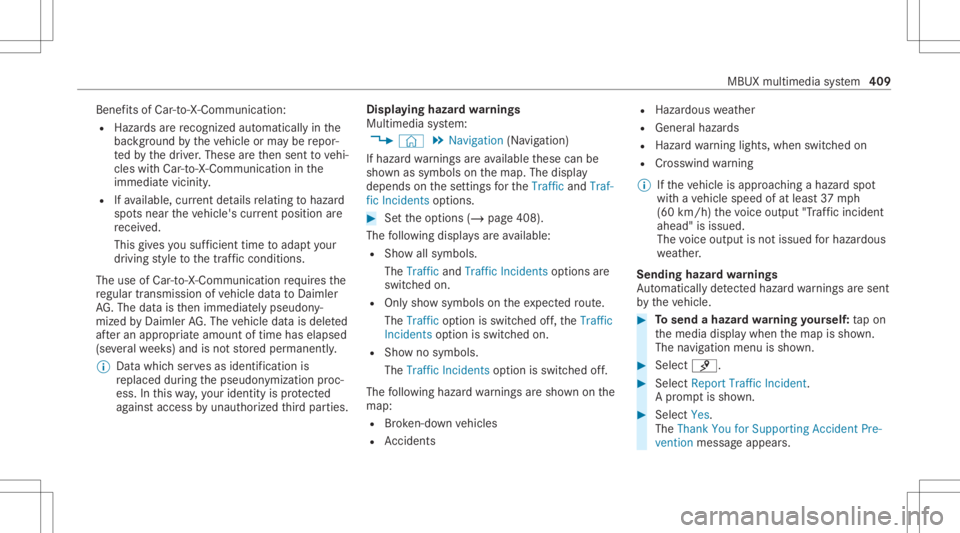
If hazar dwa rnings areav ailable these can be
sho wnassymbols onthemap. Thedispla y
depends onthese ttings forth eTraffic andTraf-
fic Incidents option s. #
Setth eop tion s(/ page408).
The follo wing displa ysareav ailable:
R Show allsymbo ls.
The Trafficand TrafficIncide ntsop tio ns are
swit ched on.
R Onlysho wsymbols ontheex pect edroute.
The Trafficoptio nis swit ched off,th eTraffic
Inc idents option isswitc hedon.
R Sho wno symbols.
The Traffic Incidents option isswitc hedoff.
The follo wing hazar dwa rnings aresho wnonthe
map:
R Brok en-do wnvehicles
R Accid ents R
Haza rdous weather
R Gene ralhazar ds
R Haz ardwa rning light s,when switchedon
R Crosswin dwa rning
% Ifth eve hicle isappr oaching ahazar dspo t
wit have hicle speed ofat leas t37 mph
(60 km/ h)thevo ice output "Tra ffic inc ident
ahead" isissued.
The voice output isno tissued forhazardous
we ather .
Send inghazard wa rnings
Au tomatical lyde tected hazar dwa rnings aresen t
by theve hicle. #
Tosend ahaza rdwa rning yoursel f:tapon
th emedia displaywhen themap issho wn.
The navig ation menu issho wn. #
Select ¡. #
Select Report TrafficIncident.
A pr om ptissho wn. #
Selec tYes.
The Thank YouforSuppor tingAc ciden tPre-
ven tion mess ageappear s. MBU
Xmultim ediasystem 409
Page 412 of 682
Map
andcom pass Se
tting thema pscale
Multi media system:
4 © 5
Navigation
Zooming in #
When themap issho wn, taptwice quickl y
wit hone fing er on themedia displayor the
to uc hpad.
or #
Movetwofing ersap arton themedia display
or on theto uc hpad.
Zoom ingout #
Tapwit htw ofing erson themedia displayor
th eto uc hpad.
or #
Movetwofing ersto ge ther on themedia dis‐
pla yor on theto uc hpad.
% Youcan setth eunit ofmeasur ementofthe
map scale (/page37 6). Mo
ving thema p
Multi media system:
4 © 5
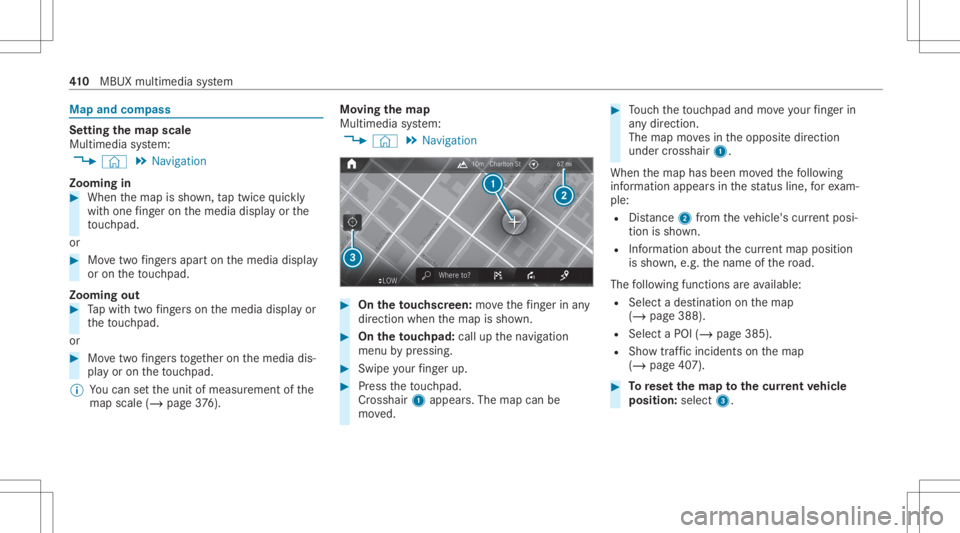
Navigation #
On theto uc hscr een:mo vethefing er inany
di re ction whenth emap issho wn. #
On theto uc hpad: callupthena vig ation
menu bypressing. #
Swipe your fing er up. #
Press theto uc hpad.
Cr oss hair 1appear s.The map canbe
mo ved. #
Touc hth eto uc hpad andmoveyour fing er in
an ydi re ction.
The map movesin theopposit edir ect ion
under crosshair 1.
When themap hasbeen movedth efo llo wing
inf ormatio nappear sin thest atus line,fo rex am‐
ple:
R Distance 2from theve hicle's current posi‐
tio nis sho wn.
R Informa tionab ou tth ecur rent ma ppo sitio n
is sho wn, e.g.th ename ofthero ad.
The follo wing functionsar eav ailable:
R Select ades tinatio non themap
(/ page388).
R Select aPOI (/page385).
R Sho wtra ffic inc ident son themap
(/ page40 7). #
Torese tth ema pto the current vehicl e
posi tion: select3. 41
0
MBUX multimedia system
Page 413 of 682
Ro
tat ing thema p #
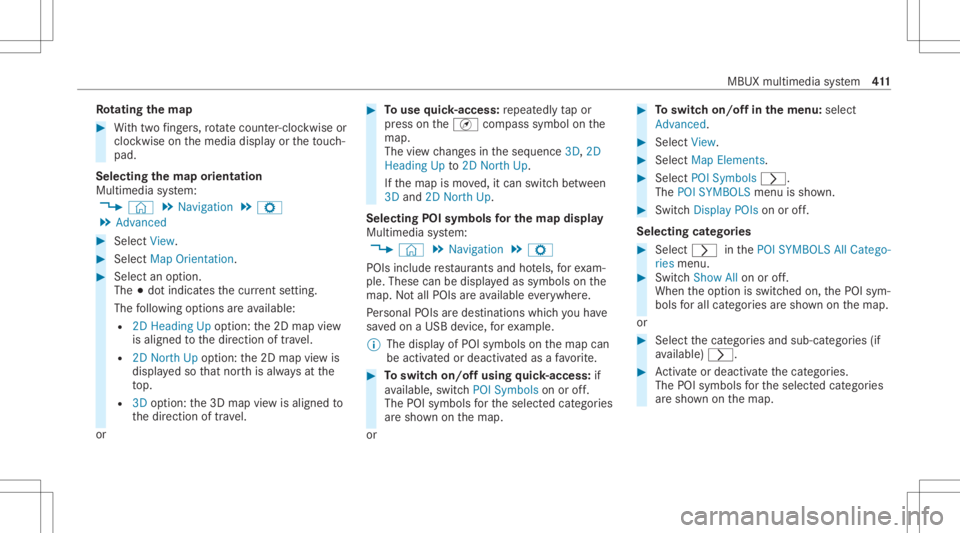
With twofing ers, rotate cou nter-cloc kwiseor
cloc kwiseon themedia displayor theto uc h‐
pad.
Select ingthema por ientat ion
Multi media system:
4 © 5
Navigation 5
Z
5 Advan ced #
Select View. #
Select MapOrient ation. #
Select anoption .
The 003Bdo tindicat esthecur rent setting.
The follo wing option sar eav ailable:
R 2DHead ingUpoptio n:the2D map view
is aligned tothedir ect ion oftra vel.
R 2DNort hUp option :th e2D map viewis
displa yedso that north is alw aysat the
to p.
R 3Doption :th e3D map viewisaligned to
th edir ect ion oftrav el.
or #
Touse quick- acc ess:re peat edly tapor
pr ess ontheÄ compass symbol onthe
map.
The viewch ang esintheseq uence 3D,2D
Heading Upto2D North Up.
If th emap ismo ved, itcan switc hbe tween
3D and 2DNort hUp.
Selecting POIsymbols forthe map displa y
Mu ltimed iasystem:
4 © 5
Navigation 5
Z
POIs include restaur antsand hotels, forex am‐
ple. Thes ecan bedispla yedas symbols onthe
map. Notall POIs areav ailable everywher e.
Pe rsonal POIs aredes tinat ions whichyo uha ve
sa ve don aUSB device, forex am ple.
% The displa yof POI symbo lson themap can
be activ ated ordeactiv ated asafa vo rite . #
Toswitc hon/of fusing quick- acc ess:if
av ailable, switchPOI Symbols onoroff.
The POIsymbols forth eselect edcategor ies
ar esho wnonthemap.
or #
Toswitc hon/of fin themenu :selec t
Adv anced. #
Sele ctView. #
Sele ctMap Elements. #
Sele ctPOI Symb ols0048.
The POISYMB OLSmenuis sho wn. #
Swit chDis play POI son oroff.
Se lecti ng categor ies #
Selec t0048 inthePOI SYMBO LSAllCatego-
ries menu. #
Switc hShow Allon oroff.
When theop tion isswitc hedon,thePOI sym‐
bols forall cat egor iesaresho wnonthemap.
or #
Select thecat egor iesand sub-cat egories(if
av ailable) 0048. #
Activateor deacti vate thecat egor ies.
The POIsymbols forth eselect edcategor ies
ar esho wnonthemap. MBUX
multimedia system 41
1
Page 414 of 682
Selec
tingpersonal POIcategor ies #
Select 0048inthePOI SYMBO LSPerson al
POIs menu. #
Select acat egor y0048. #
Switc hShow onMap onoroff.
When thedispla yis switc hedonand the
ve hicle approaches aper sonal POIinthis
cat egor y,avisual andaudible notificat ion
can beissue d. #
Toseta no tification whenapproac hing :
sele ctacat egor yor aper sonal POIV. #
Switc hVisu alNotifi cation andAcoustic Noti-
ficati ononoroff.
Swi tching displa yof cat ego ries forqu ick-
acc ess on/off #
Switc hacat egor yon oroffin thePOI SYM-
BOLS menu.
Re setting thePOI sym boldisp lay #
Sele ctPOI SYMB OLSReset POIsinthe
menu.
The settings arere se tto thest andar dse t‐
tin gs. Select
ingthedisp layof text inf ormat ionin
th ema p
Multi media system:
4 © 5
Navigation 5
Z
5 Advan ced #
Select View. #
Select TextInformation. #
Select anoption intheFOOTE Rcat egor y.
The 003Bdo tindicat esthecur rent setting.
The follo wing option sar eav ailable:
R Curre ntStreet optio n
The stre et youar ecur rently onissho wnin
th ebo ttom bar.
When themap ismo ved, thest re et name ,
th ePOI name orthear ea name appear s
under thecr osshair .
R The Geo-coor dinatesoption showsthefo l‐
lo wing informatio nin thebo ttom bar:
- longitude andlatitude
- elevatio n
Th eelev atio nsho wnmayde viat efrom
th eactual elevatio n. R
None optio n
The med iadisp lay sho wsnotext informati on
in thebo ttom bar.
Switc hingfree wa yinf ormation on/off
Multimedia system:
4 © 5
Navigation 5
Z #
Using quick- acc ess:swi tchHighw ayInfor-
matio non oroff.
The displa ybutt onisactiv ated oroff.
or #
Usingthemenu :selec tAdv anced. #
Sele ctView. #
Sele ctTex tIn for mat ion. #
Swit chHigh wayInforma tiononoroff.
Whe nth edispla ybutt onisswitc hedon,addi‐
tion alinf ormation aboutthefree wa yfa cil ities
ah eadap pea rsdur ing thefree wa yjo ur ne y.
These include parking lots, ser vice statio ns
and free wa yex its, forex am ple.
Displ aying thene xt int ersectin gst re et
Re quirement s:
R Routeguidan ceisno tact ive. 41
2
MBUX multimedia system
Page 415 of 682
Multimedia
system:
4 © 5
Navigation 5
Z
5 Advan ced #
Select View. #
Select TextInformation. #
ActivateNex tInter secting Street.
The disp lay bu tton isacti vated. Ifth eop tion
is switc hedonand thejour neycon tinues
wit hout routeguidan ce,thename ofthene xt
int ersect ingstre et will bedispla yedat the
upper edgeof thedispla y.
Disp laying thema pve rsion
Multime diasystem:
4 © 5
Navigation 5
Z
5 Advan ced #
Select View. #
Select MapVersion .
The detailinf ormatio nis displa yed.
% The online mapupdat eser vice from
Mer cedes meconnectcan beused to
updat eth emap data(/ page41 4). A
mes sage issho wninthemedia display
when ane wmap version isavailable.
% Info rm atio nabout newversions ofthedigit al
map canbeobt ained from anaut hor ized
Mer cedes- BenzCenter.
Ov ervie wof avo iding anarea forthe rout e
Yo ucan define areas alon garo uteth at you
wo uld liketo avoid.
Highw aysor multi-lane highways, whic har e
ro uted thro ugh anarea tobe avo ided areta ke n
int oacc ount forth ero ute.
Av oiding ane warea forthe rout e
Mul timedi asy stem:
4 © 5
Navigation 5
Z
5 Advan ced5
Route 5
Avoid Option s
5 Avoid Areas #
Select AvoidNewArea. #
Tostar tin thema p:selec tUsin gMap. #
Movethemap (/page41 0). #
Tostar tvia des tinatio nsear ch:sel ect Via
Add ressEntry . #
Entertheaddr ess(/ page382). #
Select thedes tinat ioninthelis tor accep t
wit h0076.
The map appear s. #
Tosho wan area: tapor press onthecon trol
element .
A redre ctang leap pea rs.Thi sdes ignat esthe
ar ea that shoul dbe avo ided. #
Tochang eth ema pscale: movetwofing ers
ap artor toget her onthemedia displayor on
th eto uc hpad.
The map iszoome din or out . #
Tosetan area: select 0076.
The Avoid areahasbeen set.messag e
appear s.The area isent ered intoth elis t.
Changing anarea tobe avo ided
Multime diasystem:
4 © 5
Navigation 5
Z
5 Advan ced5
Route 5
Avoid Option s
5 Avoid Areas #
Select anarea inthelis t. #
Select Edit. MBUX
multimedia system 41
3