stop start MERCEDES-BENZ GLS 2020 Owners Manual
[x] Cancel search | Manufacturer: MERCEDES-BENZ, Model Year: 2020, Model line: GLS, Model: MERCEDES-BENZ GLS 2020Pages: 682, PDF Size: 23.3 MB
Page 9 of 682
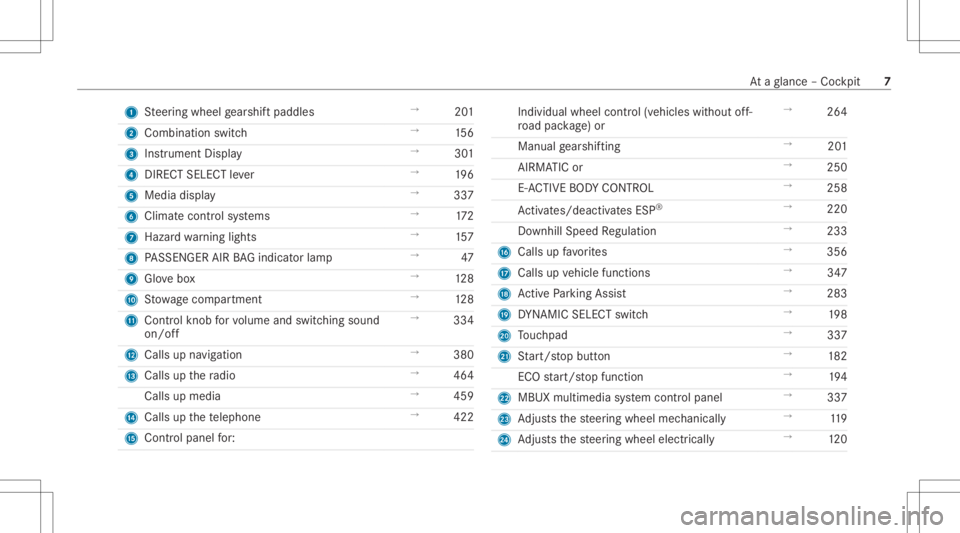
1
Steer ing wheel gearshif tpaddles →
201
2 Combi nation swit ch →
156
3 Instrument Display →
301
4 DIRECT SELECT leve r →
196
5 Media display →
337
6 Climat econt rolsy stems →
172
7 Haza rdwa rning light s →
157
8 PASSENGER AIRBAGind icat orlam p →
47
9 Glovebox →
128
A Stow agecom partment →
128
B Control kn ob forvo lume andswitc hingsound
on/ off →
334
C Calls upnavig ation →
380
D Calls upthera dio →
464
Calls upmedia →
459
E Calls upthete lephon e →
422
F Cont rolpanel for: Individu
alwheel control(vehicle swit hout off-
ro ad pac kage )or →
264
Manual gearshif ting →
201
AI RMA TICor →
250
E- AC TIVE BODY CONTR OL →
258
Ac tivates /de activatesESP ®
→
220
Do wnhill Speed Regulation →
233
G Calls upfavo rite s →
356
H Calls up vehicle functions →
347
I ActivePa rking Assist →
283
J DYNA MIC SELE CTswitc h →
198
K Touc hpad →
337
L Start/ stop butt on →
182
ECO star t/ stop funct ion →
194
M MBUX multimedia system control panel →
337
N Adjus tsthesteer ing wheel mechanicall y →
119
O Adjus tsthesteer ing wheel electrically →
120 At
aglanc e– Coc kpit 7
Page 56 of 682
of
thech ild restra int system has author ized
especially forth is ch ild restra int system. Onl
yuse child restra int systems whichar ein
pr oper working condit ion &
WARNIN GRisk ofinju ryor deat hcaused
by theuse ofdamag edchild restra int
sy stems
Child restra int systems ortheir retainin gsy s‐
te ms that have been subjec tedto aload in
an acc iden tma yth en notbe able toper form
th eir intended protect ive func tion.
In par ticular ,th ech ild can notbe restra ined
in theev ent ofan acciden t,hea vybraking or
a sudden chang eof dir ect ion. #
Alw aysre place child restra int systems
immediat elyth at have been damag edor
in vo lved inan acciden t. #
Have thesecur ingsystems forth ech ild
re stra int systems checkedat aqu alif ied
spec ialistwo rkshop beforeins talling a
ch ild restra int system again. Av
oid direct sunli ght &
WARNIN GRisk ofburnswhen thech ild
seat isex posed todirect sunlight
If th ech ild restra int system isex posed to
dir ect sunlight orheat, partscould heatup.
Childr encould sufferbur nsfrom these parts,
par ticular lyon metallic partsof thech ild
re stra int system. #
Alw aysmak esur eth at thech ild
re stra int system isno tex posed to
dir ect sunlight . #
Protect itwit hablank et,fo rex am ple. #
Ifth ech ild restra int system has been
ex posed todirect sunlight ,allo witto
cool beforesecu ring ach ild intoit. #
Neverlea vechildr enunat tende din the
ve hicle. Obser
vewhen stopping orpar king &
WARNIN GRisk ofacci dent andinjury
due tochildr enleftunat tende din the
ve hicle
If ch ildr enarelef tunat tende din theve hicle,
th ey cou ld:
R Ope ndoo rs,th er eb yendang ering other
per sons orroad user s.
R Getout and bestru ck byoncom ingtraf‐
fi c.
R Ope rate vehicle equipment andbecome
tr apped, forex am ple.
In addit ion,th ech ildr encould alsosetth e
ve hicle inmo tion, forex am ple by:
R Releasing thepar king brak e.
R Changing thetra nsmiss ionposition .
R Startin gth eve hicle. #
Neverlea vechildr enunat tende din the
ve hicle. 54
Occupant safety
Page 186 of 682
Ensu
rethefo llo wing beforest ar tin gth eengine:
R The legalstipulation sin thear ea wher eyo ur
ve hicle ispar kedallo wengin est ar tin gvia
smar tphon e.
R Itis saf eto star tand runth eengine where
yo ur vehicle ispar ked.
R The fuel tank issu fficien tly filled.
St arting theve hicl e(R emo teOnline) &
WARNIN GRisk ofcrus hing orentr ap‐
ment dueto unin tentio nalstar tin gof the
engine
Limbs couldbecrushed ortrapped ifth e
engine isstar tedunint entionall ydur ing
ser vice ormaint enanc ewo rk. #
Alw ayssecur eth eengine agains tunin‐
te ntio nalstar tin gbef orecar rying out
maint enanceorrepair work. Re
quirement s:
R Park position 005Disselect ed.
R The anti- theftalar msystem isno tactiv ated. R
The panic alarmisno tactiv ated.
R The hazar dwa rning light system isswitc hed
of f.
R The hood isclosed.
R The door sar eclosed andlocked.
R The windo wsand slidin gsun roof areclosed. #
Startth eve hicle using thesmar tphon e.
Af tereve ryvehicle star t,th eengine runs for
te nminu tes.
Yo ucan carryout amaximum oftwoconsec u‐
tiv est ar tin gatt em pts. The vehicle mustbe star‐
te donc ewit hth eSmar tKey bef oretrying to
st ar tth eve hicle again withth esmar tphon e.you
can stop theve hicle again atanytime.
% Further information canbefound inthe
smar tphone app.
Secur ingtheengine agains tst ar ting before
car rying out maintenance orrepair work: #
Swi tchon thehazar dwa rning light system.
or #
Unloc kth edoor s. or #
Open aside windo wor thesliding sunroof. Br
eaking-in notes To
preser vetheengine during thefirs t
1, 000 miles(1 ,500 km):
R Drive at varying road spee dsand engine
spee ds.
R Drive th eve hicle indrive pr ogr am A
or ;.
R Shif tto thene xt highes tge ar attheve ry lat‐
es twhen theneedle reac hes thelas tth ird
bef oreth ere dar ea intheta ch ome ter.
R Donotshi ftdo wn age ar man uallyin order to
br ak e.
R Avoid overstrai ning theve hicle, e.g.driving at
full thro ttle .
R Donotde press theaccelera torpeda lpas t
th epr essur epoint (kickdo wn).
R Onlyincr ease theengine speedgradually and
accelera tetheve hicle tofull spee daf te r
1, 000 miles(1 ,500 km). 18
4
Driving and parking
Page 200 of 682
R
Within there se tdispla yif th epr ev iousl y
act ive dr ive pr ogr am isunsuit ableforth e
tr ans portof aro of load
Fo rfur ther information onthere se tdis‐
pla y,see (/page19 8). Sel
ecting thedr ive pr og ram #
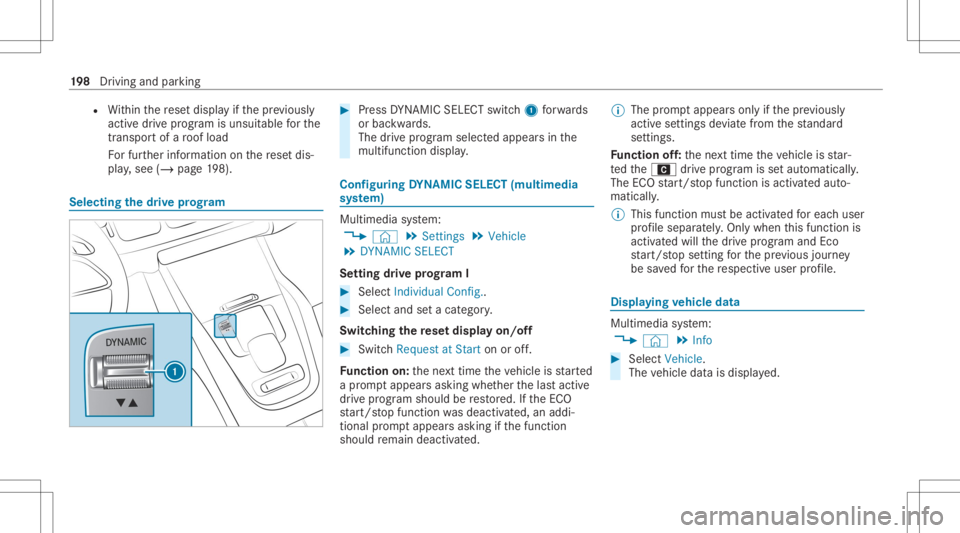
Press DYNA MIC SELE CTswitc h1 forw ards
or bac kwards.
The drive pr og ram sele cted app earsin the
multifu nctiondisplay. Conf
iguringDYNA MIC SELECT (multimedia
sy stem) Multi
media system:
4 © 5
Set ting s5
Vehicle
5 DYNA MICSELECT
Se tting drive pr og ram I #
Select IndividualCo nfig.. #
Select and seta cat egory.
Switc hingthere se tdispla yon/of f #
Switc hRequest atStart onoroff.
Fu nction on:thene xt time theve hicle isstar ted
a pr om ptappear sask ing whe ther thelas tactiv e
dr ive pr og ram shou ldbe restor ed. Ifth eEC O
st ar t/ stop funct ionwasdeactiv ated, anaddi‐
tional prom ptappear sask ing ifth efunc tion
should remain deactivated. %
The prom ptappear son lyifth epr ev iousl y
act ive se ttings deviat efrom thest andar d
se tting s.
Fu nction off:thene xt time theve hicle isstar‐
te dth eA drive pr ogr am issetaut omatic ally.
The ECOstar t/ stop funct ionisactiv ated aut o‐
matically .
% This funct ionmus tbe activ ated foreac huser
pr ofile sepa rately.Only when this func tion is
act ivat ed will thedr ive pr og ram and Eco
st ar t/ stop setting forth epr ev ious journey
be save dfo rth ere spectiv euser profile. Displa
yingvehicl edata Mul
timedi asy stem:
4 © 5
Info #
Select Vehicle.
The vehicle datais displa yed. 19
8
Driving and parking
Page 217 of 682
Electr
icpa rking brak e Electr
icpar king brak efunct ion(app lying
aut omat ically) &
WARNIN GRisk ofacci dent andinjury
due tochildr enleftunat tende din the
ve hicle
If ch ildr enarelef tunat tende din theve hicle,
th ey cou ld:
R Ope ndoo rs,th er eb yendang ering other
per sons orroad user s.
R Getout and bestru ck byoncom ingtraf‐
fi c.
R Ope rate vehicle equipment andbecome
tr apped, forex am ple.
In addit ion,th ech ildr encould alsosetth e
ve hicle inmo tion, forex am ple by:
R Releasing thepar king brak e.
R Changing thetra nsmiss ionposition .
R Startin gth eve hicle. #
Neverlea vechildr enunat tende din the
ve hicle. #
When leaving theve hicle, alwaysta ke
th eke ywit hyo uand lockth eve hicle. #
Keep theve hicle keyout ofreac hof
ch ildr en. The
elect ric pa rking brak eis applied ifth etra ns‐
mission isin position 005Dand one ofthefo llo w‐
ing con dition sis fulf illed:
R The engin eis switc hedoff.
R The seat belttongu eis no tins ertedin the
seat beltbuckleofthedr iver's seat andthe
dr iver's door isopened.
R The transf ercase isin theLOW RANGEpos i‐
tion.
% Toprev ent application: pullthehandle ofthe
electr icpar king brak e.
In thefo llo wing situat ions,th eelectr icpar king
br ak eis also applied:
R ActiveDis tance AssistDIS TRONI Cis bring ing
th eve hicle toast ands till. R
The HOL Dfun ction iske eping theve hicle sta‐
tio nar y.
R ActivePa rking Assistis ke eping theve hicle
st atio nary.
This isthecase ifone ofthefo llo wing condition s
is also fulfilled:
R The engin eis switc hedoff.
R The seat belttongu eis no tins ertedin the
seat beltbuckleofthedr iver's seat andthe
dr iver's door isopened.
R Ther eis asy stem malfunct ion.
R The powe rsupp lyis insuf ficie nt.
R The vehicle isstatio naryfo ra lengt hyper iod.
When theelectr icpar king brak eis applied, the
re d0049 (USA)or0024 (Canada) indicatorlam p
appear sin theins trument cluster.
The electr icpar king brak eis no taut omaticall y
applied ifth eengine isswitc hedoffby theEC O
st ar t/ stop funct ion. Dr
iving andparking 21
5
Page 221 of 682
Ov
ervie wof driving systems anddriving
saf etysy stems In
this sect ion, youwill find informa tionab ou t
th efo llo wing drivin gsy stems anddriving safety
sy stems:
R 360° Camer a(/ page27 8)
R ABS (Anti-lo ckBra king System)
(/ page21 9)
R ActiveDis tance AssistDIS TRONI C
(/ page 235)
R AIRMA TIC(/ page250)
R ActiveBr ak eAssi st(/ pag e225)
R ActiveLa ne Keeping Assist(/ page29 4)
R Start-of fassis t
R ATTENTION ASSIST(/ page28 7)
R BAS(B rake Assis tSys tem) (/ page220)
R Hill StartAs sis t(/ page24 8)
R DSR (Dow nhillSpe edRegulatio n)
(/ page 233)
R E-AC TIVE BODY CONTR OL(/ page258) R
EBD (Electr onicBrakeforc eDis tribution)
(/ page225)
R ESP®
(Elect ronic Stability Program)
(/ page22 0)
R Off-ro ad ESP®
(/ page22 3)
R ESP®
Cr oss wind Assis t(/ page22 4)
R ESP®
trailer stabiliz ation(/ page22 4)
R ActiveSpe edLimi tAssi st(/ pag e239)
R HOLD function (/page24 9)
R STEER CONTR OL(/ page 225)
R ActiveSt eer ing Assis twit hre scue lanefunc‐
tion (/page24 2)
R ActiveEmerg encyStop Assis t(/ page24 5)
R ActivePa rking Assist(/ page28 1)
R Parking AssistPA RK TRONI C(/ page26 9)
R Rear vie wcam era(/ page27 4)
R ActiveLa ne Chang eAssi st(/ pag e24 4)
R ActiveTr af fic Ja m Assi st(/ pag e24 6)
R Cruis econtr ol(/ page 231) R
Blind SpotAssis tand ActiveBli nd Spo tAssi st
wit hex itwa rning (/ page29 1)
R Traf fic Sign Assist(/ pag e289 ) Fu
nction ofABS The
Anti-loc kBr ak eSy stem (ABS )re gulat esthe
br ak epr essur ein critical driving situation s:
R Dur ing braking, e.g.atfull brak eapplication
or insuf ficie nttiretracti on, thewheels are
pr eve nted from lock ing.
R Vehicle steer ability whilebraking isensur ed.
If ABS interve nes when braki ng, youwill feel a
pulsing inthebr ak epedal. Thepulsating brak e
pedal canbeanindicat ionofhazar dous road
con dition sand canserveas are minder totak e
ex tra car ewh ile dr ivi ng.
Sy stem limit s
R ABSis act ive from speeds ofappr ox.5 mp h
(8 km/ h).
R ABSma ybe impair edorma yno tfunc tion ifa
malfunc tionhasoccurredand theye l‐
lo w 0025 ABSwa rning lam plight sup con tin‐ Dr
ivin gand parking 21
9
Page 270 of 682
2
light upcon tinuousl ywhen theve hicle
has finis hed lowe ring.
R Off-roa dleve l+2: theve hicle islowe red
to off-r oad leve l+1 .One indic ator lam p
2 light sup con tinuousl ywhen theve hi‐
cle has finis hed lowe ring.
R Off-roa dleve l+1: theve hicle islowe red
to thenor mal leve l.No indic ator lam p2
light sup when theve hicle hasfinis hed
lo we ring.
Yo ur sele ction issave d. The off-r oad leve lse t
re mains stor ed eve naf te rth eignition hasbeen
switc hedoff.
Se tting Off-road Assis t
Re quirement s:
R The vehicle isstatio nary
R The vehicle issetto off-r oad leve l1 or 2
R The Off-ro ad orOff-ro ad Plus (onlyve hicles
wit hOf f-road package )dr ive pr ogr am has
been select ed
R The ignit ionisswitc hedon
R Alldoor sand thehood areclosed R
The transmission isno teng aged inposition
005D
R Ther eis no trailer coupled
R The vehicle isoutdoor s
R The detected late ra linc linat ionoftheve hicle
mus tno texc eed appr ox.15 °
R The system iswit hin itsoper ating temp era‐
tur e
R The on-boar dvo ltag eis suf ficie ntly high
Mu ltimed iasystem:
4 © 5
Set ting s5
Assist ance
5 Offr oad Assist ant
Re covery mode
Re covery mode assiststh edr iver when pulling
aw ay on rough terrain, suchas san dor snow . #
Select Free DrivingAssi st. #
Select Start .
Re covery mode isactiv ated. #
Select Stoptostop reco very mode. Re
covery mode isau tomatical lydeactiv ated in
th efo llo wing situat ions:
R Youar eact uall ytra veling faster than 9mp h
(1 5 km/ h)
R Aftera ru nning timeof30 seco nds
R Itis de tected that an obj ect has hitthe
und erbody oftheve hicle hard
R Notall con dition sar eme t
% Further information onreco very mode
(/ page26 4).
Indiv idual wheelcon trol
Individ ualwhee lcontr olenabl estheve hicle leve l
to be setsepar ately foreac hwhee l. #
Select IndividualWhee lCtrl. . #
Setth eve hicle leve lfo rth edesir edwheel.
% Youcan also usetheto uc hdispl aytosetth e
le ve lfo rtw oor mor ewhee lsat thesame
time. #
Select Resettosetall wheels tothedef ault
se tting. 268
Driving andparking
Page 286 of 682
#
Payatt ention toobject sand other road
user s. #
Wher enec essar y,stop theve hicle or
cancel thepar king procedur ewit h
Ac tivePa rking Assist. #
If,forex am ple, thePlease Engage Reverse
Gear messag eappear sin themedia display:
select thecor responding transmission posi‐
tion.
The vehicle drives intoth eselect edpar king
space.
On com pletion ofthepar king procedur e,the
Parking AssistFinished, TakeContro lof Vehicle
displa ymessag eappear s.Fu rther maneuv ering
ma yst ill be nec essar y. #
Aftercom pletion ofthepar king procedur e,
saf eguar dth eve hicle agains tro lling away.
When requ ired bylegalrequ iremen tsor local
con dition s:tur nth ewheels towa rdsth ecurb.
% Youcan stop theve hicle andchang eth e
tr ans missi on positio ndu ring thepar king pro‐
cedur e.The system then calculat esane w
ve hicle path.The parking procedur ecan th
en be con tinued. Ifno newvehicle pathis
av ailable, thetransmission positionwillbe
ch ang edagain. Ifth eve hicle hasnotye t
re ac hed thepar king space, thepar king pro‐
cedur ewill becanc eled, should age ar be
ch ang ed.
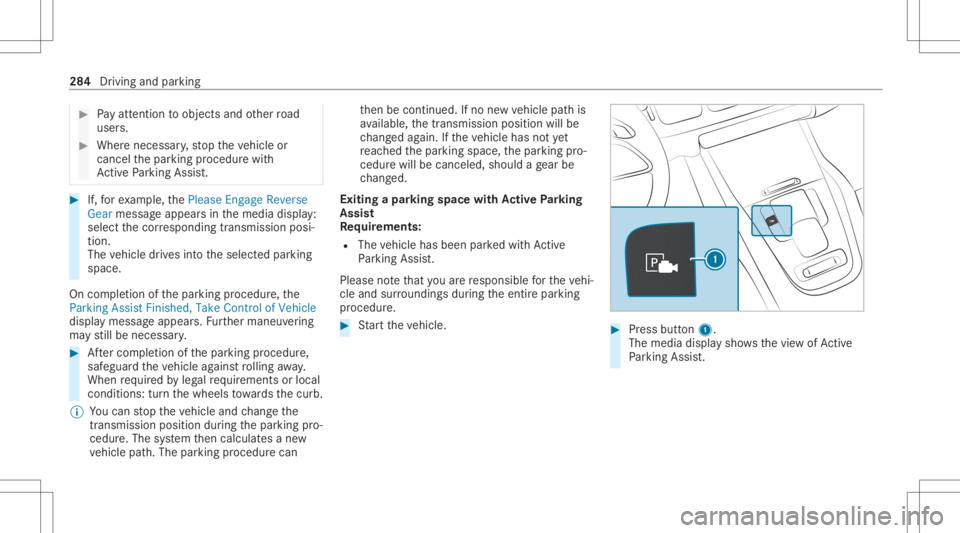
Exit ingapa rking spacewit hAc tiv ePa rking
Assis t
Re quirement s:
R The vehicle hasbeen parkedwit hAc tive
Pa rking Assist.
Please note that youar ere sponsible forth eve hi‐
cle and surround ingsdur ing theent ire par king
pr ocedur e. #
Startth eve hicle. #
Press butt on1.
The media displaysho wsthevie wof Active
Pa rking Assist. 28
4
Drivin gand parking
Page 354 of 682
#
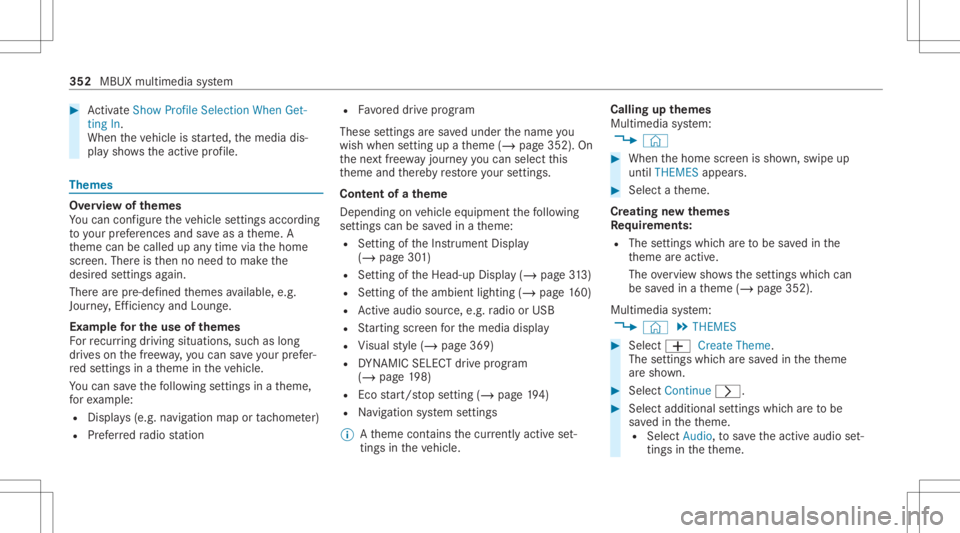
ActivateSho wPro file Sel ecti onWh enGet-
ting In.
Wh entheve hicle isstar ted, themedia dis‐
pla ysho wstheactiv epr ofile. Them
es Ov
ervie wof themes
Yo ucan configur eth eve hicle settin gsaccor ding
to your prefer en ces and save as ath eme. A
th eme canbecalled upanytime viathehome
scr een. Thereis then no need tomak eth e
desir edsettings again.
Ther ear epr e-def inedthemes available, e.g.
Jour ney,Efficie ncy and Lounge.
Ex am ple forthe use ofthemes
Fo rre cur ring drivi ng situa tions, such aslon g
dr ives on thefree wa y,yo ucan save your prefer‐
re dse ttings inath eme intheve hicle.
Yo ucan save thefo llo wing settings inath eme,
fo rex am ple:
R Displays(e.g. navig ation maportach ome ter)
R Prefer redra dio statio n R
Favoreddr ive pr ogr am
These settings aresa ve dunder thename you
wish when setting upath eme (/page352). On
th ene xt free wa yjo ur ne yyo ucan selectthis
th eme andther eb yre stor eyo ur setting s.
Cont entofath eme
Dep endingonvehicle equipment thefo llo wing
se ttings canbesave din ath eme:
R Setting oftheIns trument Display
(/ page30 1)
R Setting oftheHead-up Display(/ page31 3)
R Setting oftheambient lighting(/page16 0)
R Activeau dio sou rce, e.g. radio orUSB
R Startin gsc reen forth emedia display
R Visual style (/ page369)
R DYNA MIC SELE CTdrive pr ogr am
(/ page19 8)
R Eco star t/ stop setting (/ page19 4)
R Navig ation system settings
% Atheme contains thecur rently activeset‐
tings intheve hicle. Calling
upthemes
Multi media system:
4 © #
When thehome screen issho wn, swipe up
until THEMES appear s. #
Select ath eme.
Cr eating newthemes
Re quirement s:
R The settings whichar eto be save din the
th eme areactiv e.
The overvie wsho wsthese ttings whichcan
be save din ath eme (/page352).
Multimedia system:
4 © 5
THE MES #
Select 0081Create Theme.
The settings whichar esa ve din theth eme
ar esho wn. #
Select Continue0048. #
Select additional settings whichar eto be
sa ve din theth eme.
R Select Audio, tosave theactiv eaudio set‐
ting sin theth eme. 352
MBUX multimedia system
Page 421 of 682
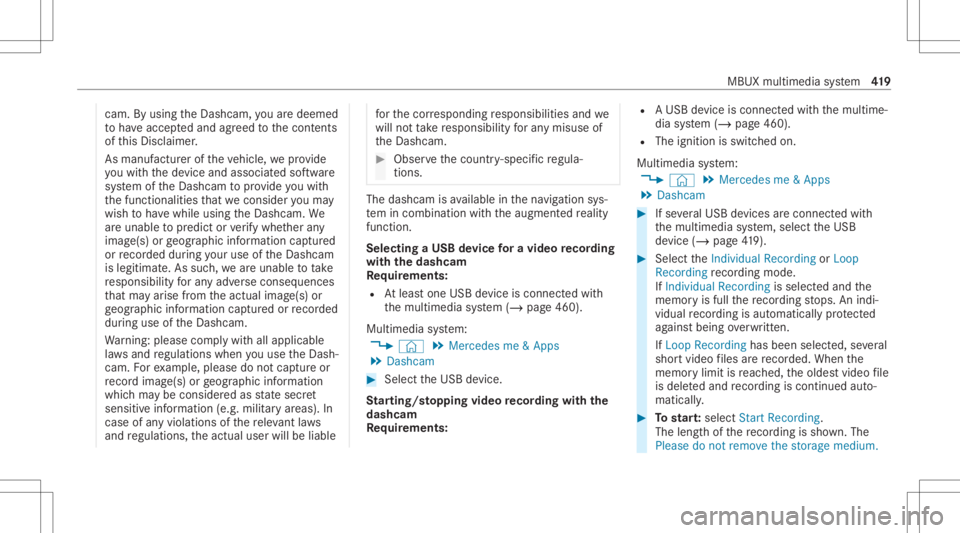
cam.
Byusing theDashc am,youar edeem ed
to have acc eptedand agreed tothecon tents
of this Disc laimer .
As manuf acturer oftheve hicle, weprov ide
yo uwit hth ede vice andassociat edsof tware
sy stem oftheDashc amtoprov ide youwit h
th efunc tionalities that we consi deryouma y
wish tohave while using theDashc am.We
ar eunabl eto predict orverify whe ther any
imag e(s)orgeogr aphic information captured
or recor ded during your use oftheDashc am
is legitimat e.As suc h,we areunabl eto take
re sponsibili tyforan yadv erse conseq uences
th at ma yar ise from theactual image(s)or
ge ogr aphic information captured orrecor ded
du ring useof theDashc am.
Wa rning: please complywithall applicable
la ws and regulations whenyouuse theDash‐
cam. Forex am ple, please donotcap tureor
re cor dima ge(s) orgeogr aphic information
whic hma ybe consider edasstat esec ret
sensitiv einf ormation (e.g.militaryar eas). In
case ofanyviolations ofthere leva nt laws
and regulations, theactual userwillbeliable fo
rth ecor responding responsibili tiesand we
will notta ke responsibili tyforan ymisu seof
th eDashc am. #
Obser vethecount ry-spe cificregula‐
tions. The
dashcam isavailable inthena vig ation sys‐
te m incombinati onwithth eaugment edrealit y
fun ction .
Select ingaUSB device fora video recor ding
wit hth eda shca m
Re quirement s:
R Atleas tone USB device iscon nectedwit h
th emultimedia system (/ page460).
Multimedia system:
4 © 5
Mercedes me&Apps
5 Dashc am #
Select theUSB device.
St arting/ stopping videore cor dingwit hth e
da shcam
Re quirement s: R
AUSB device iscon nectedwit hth emultime‐
dia system (/ page460).
R The ignition isswitc hedon.
Multimedia system:
4 © 5
Mercedes me&Apps
5 Dashc am #
Ifse veralUSB device sar econ nectedwit h
th emultimedia system, select theUSB
de vice (/page41 9). #
Select theIndividual Recording orLoop
Recording recor ding mod e.
If Indi vidualRe cord ingissel ect edand the
memor yis full there cor ding stops. Anindi‐
vidual recor ding isau tomatical lyprotect ed
ag ains tbeing overwritt en.
If Loo pRe cord inghasbe en select ed ,se veral
shor tvideo files arere cor ded .Whe nth e
memor ylimi tis reac hed, theoldes tvideo file
is dele tedand recor ding iscontinu edauto‐
matical ly. #
Tostar t:select StartRecording .
The lengt hof there cor ding issho wn. The
Ple ase donot remo vethe stora gemed ium. MBUX
multime diasy stem 41
9