emergency towing MERCEDES-BENZ GLS SUV 2016 Owners Manual
[x] Cancel search | Manufacturer: MERCEDES-BENZ, Model Year: 2016, Model line: GLS SUV, Model: MERCEDES-BENZ GLS SUV 2016Pages: 397, PDF Size: 14.21 MB
Page 6 of 397
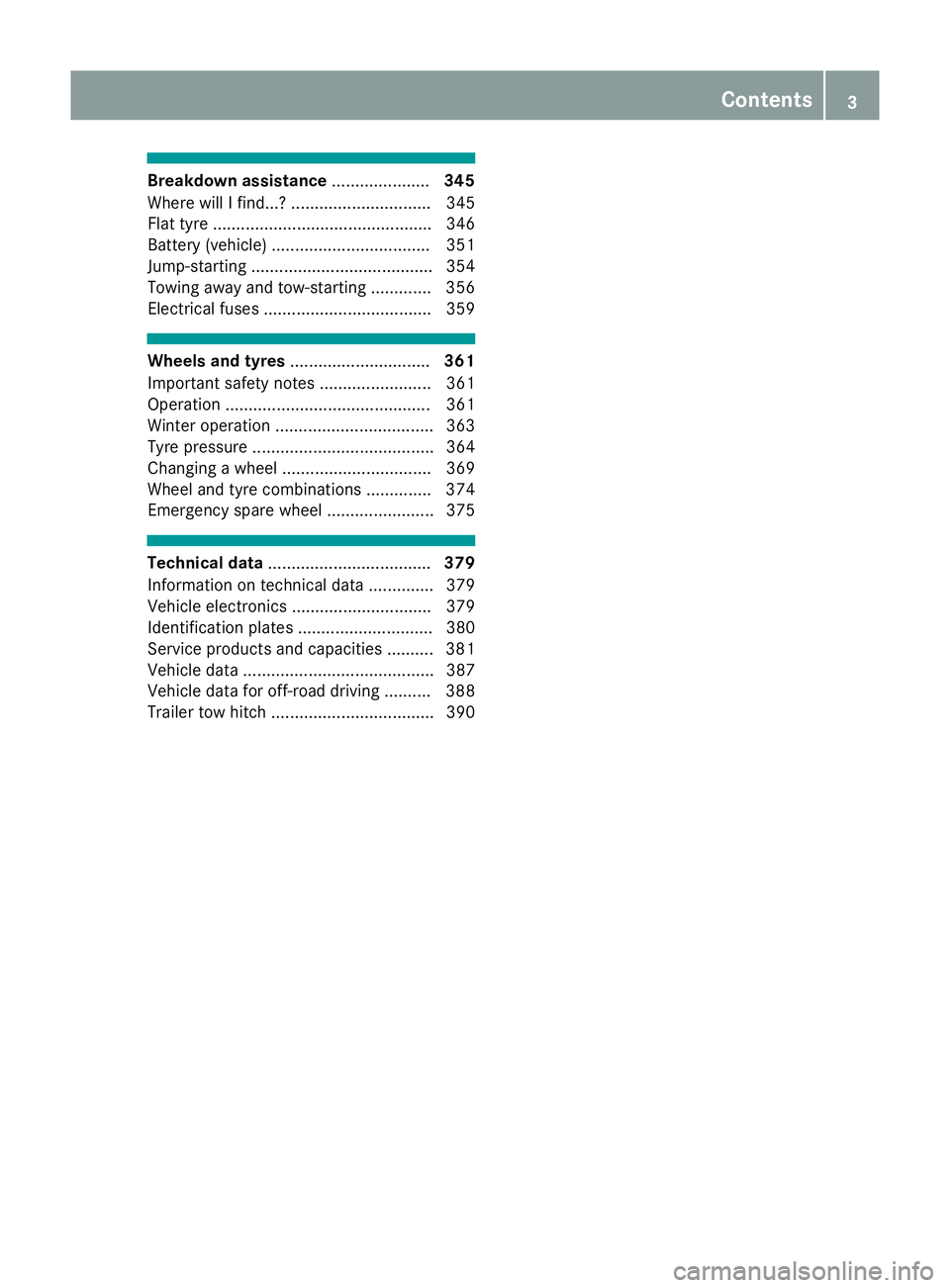
Breakdown assistance
.....................345
Where will I find...? .............................. 345
Flat tyre ............................................... 346
Battery (vehicle) .................................. 351
Jump-starting ....................................... 354
Towing away and tow-starting ............. 356
Electrical fuses .................................... 359 Wheels and tyres
.............................. 361
Important safety notes ........................ 361
Operation ............................................ 361
Winter operation .................................. 363
Tyre pressure ....................................... 364
Changing a wheel ................................ 369
Wheel and tyre combinations .............. 374
Emergency spare wheel ....................... 375 Technical data
................................... 379
Information on technical data .............. 379
Vehicle electronics .............................. 379
Identification plates ............................. 380
Service products and capacities .......... 381
Vehicle data ......................................... 387
Vehicle data for off-road driving .......... 388
Trailer tow hitch ................................... 390 Contents
3
Page 14 of 397
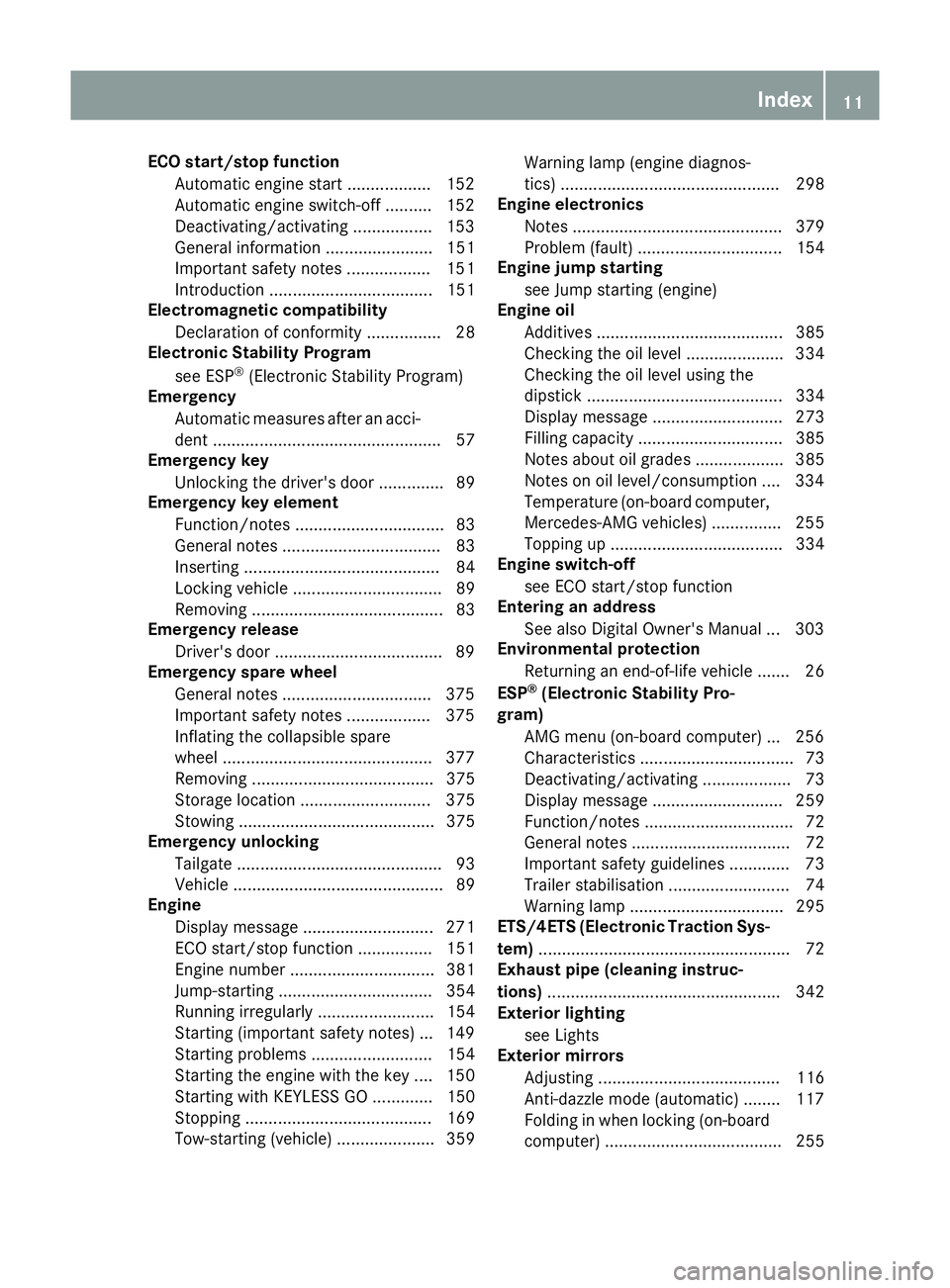
ECO start/stop function
Automatic engine start .................. 152
Automatic engine switch-off .......... 152
Deactivating/activating ................ .153
General information ....................... 151
Important safety notes .................. 151
Introduction ................................... 151
Electromagnetic compatibility
Declaration of conformity ................ 28
Electronic Stability Program
see ESP ®
(Electronic Stability Program)
Emergency
Automatic measures after an acci-
dent ................................................. 57
Emergency key
Unlocking the driver's door .............. 89
Emergency key element
Function/notes ................................ 83
General notes .................................. 83
Inserting .......................................... 84
Locking vehicle ................................ 89
Removing ......................................... 83
Emergency release
Driver's door ................................... .89
Emergency spare wheel
General notes ................................ 375
Important safety notes .................. 375
Inflating the collapsible spare
wheel ............................................ .377
Removing ....................................... 375
Storage location ............................ 375
Stowing .......................................... 375
Emergency unlocking
Tailgate ............................................ 93
Vehicle ............................................. 89
Engine
Display message ............................ 271
ECO start/stop function ................ 151
Engine number ............................... 381
Jump-starting ................................. 354
Running irregularl y......................... 154
Starting (important safety notes )... 149
Starting problems .......................... 154
Starting the engine with the key .... 150
Starting with KEYLESS GO ............. 150
Stopping ........................................ 169
Tow-starting (vehicle) ..................... 359 Warning lamp (engine diagnos-
tics) ............................................... 298
Engine electronics
Notes ............................................. 379
Problem (fault) ............................... 154
Engine jump starting
see Jump starting (engine)
Engine oil
Additives ........................................ 385
Checking the oil level ..................... 334
Checking the oil level using the
dipstick .......................................... 334
Display message ............................ 273
Filling capacity ............................... 385
Notes about oil grade s................... 385
Notes on oil level/consumption .... 334
Temperature (on-board computer, Mercedes-AMG vehicles) ............... 255
Topping up ..................................... 334
Engine switch-off
see ECO start/stop function
Entering an address
See also Digital Owner's Manua l... 303
Environmental protection
Returning an end-of-life vehicle ....... 26
ESP ®
(Electronic Stability Pro-
gram)
AMG menu (on-board computer) ... 256
Characteristics ................................. 73
Deactivating/activating ................... 73
Display message ............................ 259
Function/note s................................ 72
General notes .................................. 72
Important safety guidelines ............. 73
Trailer stabilisation .......................... 74
Warning lamp ................................. 295
ETS/4ETS (Electronic Traction Sys-
tem) ...................................................... 72
Exhaust pipe (cleaning instruc-
tions) .................................................. 342
Exterior lighting
see Lights
Exterior mirrors
Adjusting ....................................... 116
Anti-dazzle mode (automatic) ........ 117
Folding in when locking (on-boardcomputer) ...................................... 255 Index
11
Page 20 of 397
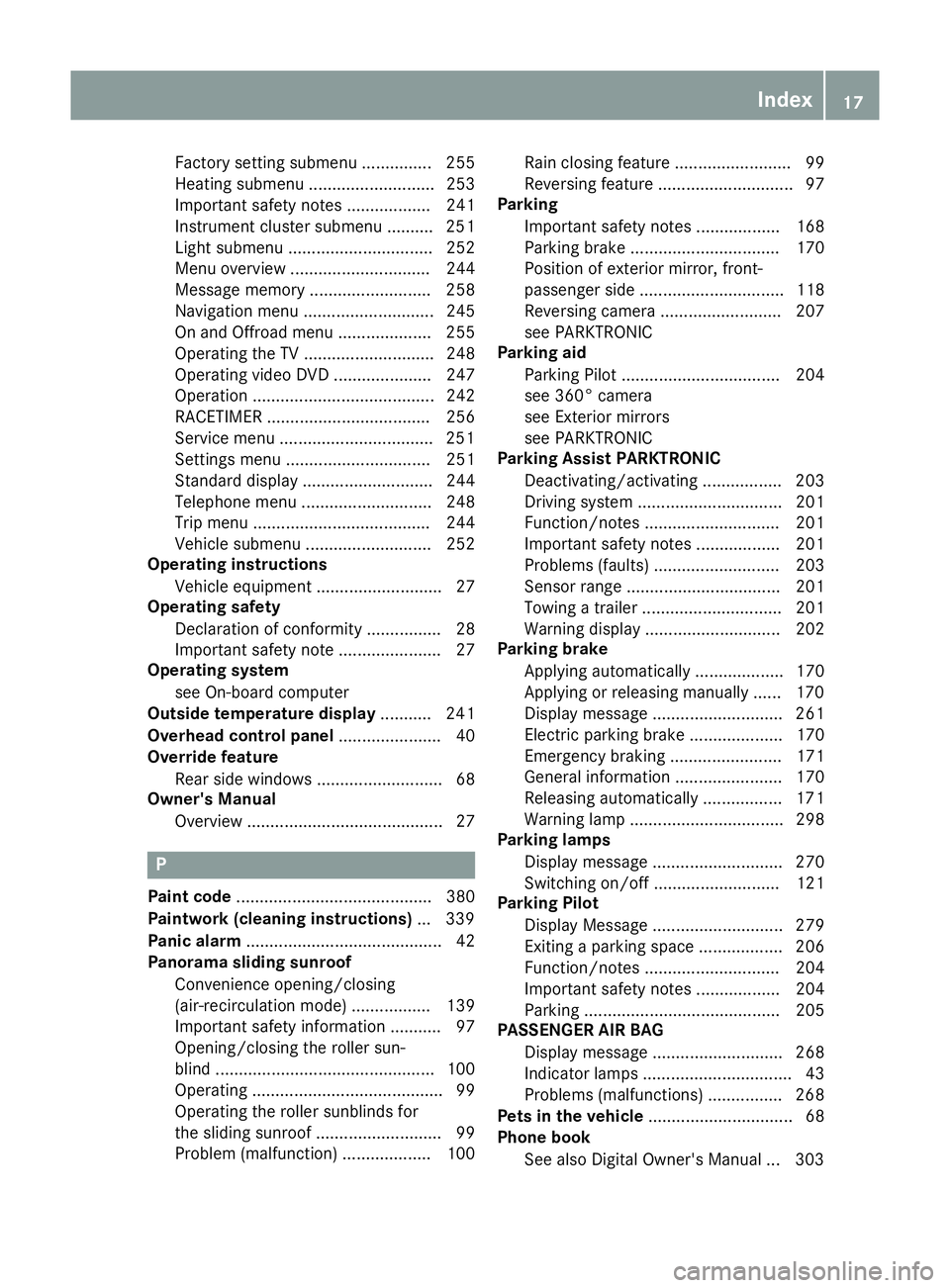
Factory setting submenu ............... 255
Heating submenu ........................... 253
Important safety notes .................. 241
Instrument cluster submenu .......... 251
Light submenu ............................... 252
Menu overview .............................. 244
Message memory .......................... 258
Navigation menu ............................ 245
On and Offroad menu .................... 255
Operating the TV ............................ 248
Operating video DVD ..................... 247
Operation ....................................... 242
RACETIMER ................................... 256
Service menu ................................ .251
Settings menu ............................... 251
Standard displa y............................ 244
Telephone menu ............................ 248
Trip menu ...................................... 244
Vehicle submenu ........................... 252
Operating instructions
Vehicle equipment ........................... 27
Operating safety
Declaration of conformity ................ 28
Important safety note ...................... 27
Operating system
see On-board computer
Outside temperature display ........... 241
Overhead control panel ...................... 40
Override feature
Rear side window s........................... 68
Owner's Manual
Overview .......................................... 27 P
Paint code .......................................... 380
Paintwork (cleaning instructions) ... 339
Panic alarm .......................................... 42
Panorama sliding sunroof
Convenience opening/closing
(air-recirculation mode) ................. 139
Important safety information ........... 97
Opening/closing the roller sun-
blind ............................................... 100
Operating ......................................... 99
Operating the roller sunblinds for
the sliding sunroof ........................... 99
Problem (malfunction) ................... 100 Rain closing feature ......................... 99
Reversing feature ............................. 97
Parking
Important safety notes .................. 168
Parking brake ................................ 170
Position of exterior mirror, front-
passenger side ............................... 118
Reversing camera .......................... 207
see PARKTRONIC
Parking aid
Parking Pilot .................................. 204
see 360° camera
see Exterior mirrors
see PARKTRONIC
Parking Assist PARKTRONIC
Deactivating/activating ................. 203
Driving system ............................... 201
Function/note s............................. 201
Important safety notes .................. 201
Problems (faults) ........................... 203
Sensor rang e................................. 201
Towing a trailer .............................. 201
Warning display ............................. 202
Parking brake
Applying automaticall y................... 170
Applying or releasing manually ...... 170
Display message ............................ 261
Electric parking brake .................... 170
Emergency braking ........................ 171
General information ....................... 170
Releasing automaticall y................. 171
Warning lamp ................................. 298
Parking lamps
Display message ............................ 270
Switching on/of f........................... 121
Parking Pilot
Display Message ............................ 279
Exiting a parking space .................. 206
Function/note s............................. 204
Important safety notes .................. 204
Parking .......................................... 205
PASSENGER AIR BAG
Display message ............................ 268
Indicator lamps ................................ 43
Problems (malfunctions) ................ 268
Pets in the vehicle ............................... 68
Phone book
See also Digital Owner's Manua l... 303 Index
17
Page 25 of 397
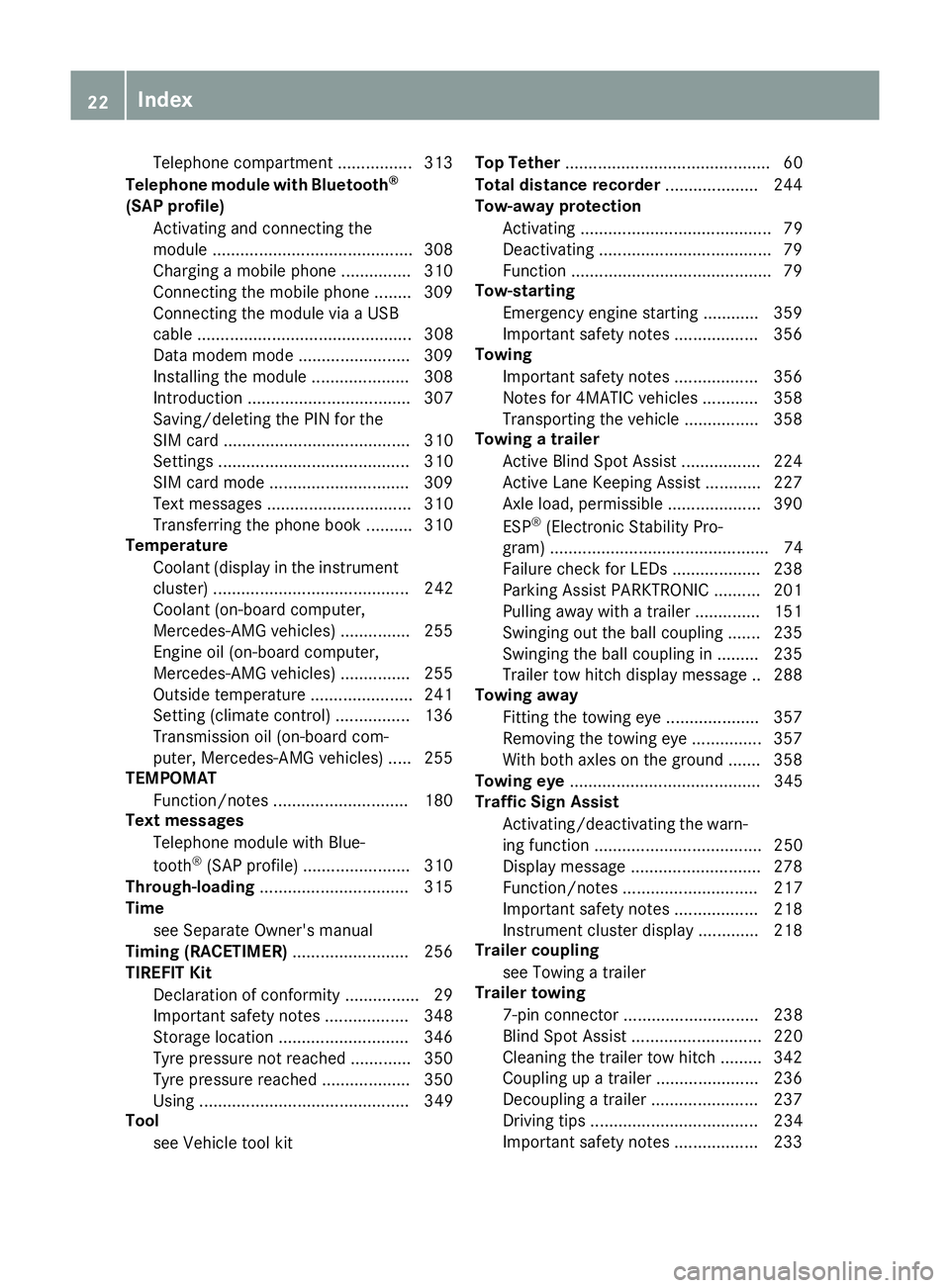
Telephone compartment ................3
13
Telephone module with Bluetooth ®
(SAP profile) Activating and connecting the
module .......................................... .308
Charging a mobile phone .............. .310
Connecting the mobile phone ....... .309
Connecting the module via a USB
cable .............................................. 308
Data modem mode ........................ 309
Installing the module ..................... 308
Introduction ................................... 307
Saving/deleting the PIN for the
SIM card ........................................ 310
Settings ......................................... 310
SIM card mode .............................. 309
Text messages ............................... 310
Transferring the phone book .......... 310
Temperature
Coolant (display in the instrument
cluster) .......................................... 242
Coolant (on-board computer,
Mercedes-AMG vehicles) .............. .255
Engine oil (on-board computer,
Mercedes-AMG vehicles) .............. .255
Outside temperature ..................... .241
Setting (climate control) ................ 136
Transmission oil (on-board com-
puter, Mercedes-AMG vehicles) ..... 255
TEMPOMAT
Function/notes ............................ .180
Text messages
Telephone module with Blue-
tooth ®
(SAP profile) ....................... 310
Through-loading ................................ 315
Time
see Separate Owner's manual
Timing (RACETIMER) ......................... 256
TIREFIT Kit
Declaration of conformity ................ 29
Important safety notes .................. 348
Storage location ............................ 346
Tyre pressure not reached ............. 350
Tyre pressure reached ................... 350
Using ............................................. 349
Tool
see Vehicle tool kit Top Tether
............................................ 60
Total distance recorder .................... 244
Tow-away protection
Activating ......................................... 79
Deactivating ..................................... 79
Function .......................................... .79
Tow-starting
Emergency engine starting ............ 359
Important safety notes .................. 356
Towing
Important safety notes .................. 356
Notes for 4MATIC vehicles ............ 358
Transporting the vehicle ................ 358
Towing a trailer
Active Blind Spot Assist ................. 224
Active Lane Keeping Assist ............ 227
Axle load, permissibl e.................... 390
ESP ®
(Electronic Stability Pro-
gram) ............................................... 74
Failure check for LEDs ................... 238
Parking Assist PARKTRONIC .......... 201
Pulling away with a traile r.............. 151
Swinging out the ball coupling ....... 235
Swinging the ball coupling in ......... 235
Trailer tow hitch display message .. 288
Towing away
Fitting the towing ey e.................... 357
Removing the towing eye ............... 357
With both axles on the ground ....... 358
Towing eye ......................................... 345
Traffic Sign Assist
Activating/deactivating the warn-ing function .................................... 250
Display message ............................ 278
Function/note s............................. 217
Important safety notes .................. 218
Instrument cluster display ............. 218
Trailer coupling
see Towing a trailer
Trailer towing
7-pin connecto r............................. 238
Blind Spot Assist ............................ 220
Cleaning the trailer tow hitch ......... 342
Coupling up a traile r...................... 236
Decoupling a trailer ....................... 237
Driving tips .................................... 234
Important safety notes .................. 233 22
Index
Page 27 of 397
Leaving parked up .........................1
71
Locking (in an emergency) .............. .89
Locking (key) ................................... 81
Lowering ........................................ 373
Operating safety .............................. 27
Parking .......................................... 168
Pulling away ................................... 150
Raising ........................................... 371
Registration ..................................... 30
Securing from rolling away ............ 370
Towing away .................................. 356
Transporting .................................. 358
Unlocking (in an emergency) ........... 89
Unlocking (key) ................................ 81
Vehicle data ................................... 387
Vehicle battery
see Battery (vehicle)
Vehicle data ....................................... 387
Vehicle data (off-road driving)
Approach/departure angle ............ 389
Fording depth ................................ 388
Maximum gradient climbing abil-
ity .................................................. 389
Vehicle dimensions ........................... 387
Vehicle emergency locking ................ 89
Vehicle identification number
see VIN
Vehicle identification plate .............. 380
Vehicle level
AIRMATIC ...................................... 198
Vehicle level (display message) ....... 275
Vehicle tool kit .................................. 345
Video
Operating the DVD ......................... 247
See also Digital Owner's Manua l... 303
VIN ...................................................... 380
Seat ............................................... 381
Type plate ...................................... 380 W
Warning and indicator lamps ABS ................................................ 293
Brakes ........................................... 292
Distance Pilot DISTRONIC ............. 301
Distance warning signal ................. 301
ESP ®
.............................................. 295
ESP ®
OFF ....................................... 296 Fuel tank ........................................ 298
LIM (cruise control) ........................ 181
LIM (Distance Pilot DISTRONIC) .... 185
LIM (variable limiter) ...................... 183
Overview .......................................... 35
Parking brake ................................ 298
PASSENGER AIR BAG ...................... 43
Reserve fue l................................... 298
Seat belt ........................................ 291
Tyre pressure monitor ................... 302
Warning triangle ................................ 345
Washer fluid
Display message ............................ 289
Weather display (COMAND Online)
See also Digital Owner's Manua l... 303
Wheel and tyre combinations
Tyres .............................................. 374
Wheel bolt tightening torque ........... 373
Wheel chock ...................................... 370
Wheels
Changing a wheel .......................... 369
Changing/replacing ....................... 369
Checking ........................................ 361
Cleaning ......................................... 340
Emergency spare wheel ................. 375
Fitting a new wheel ........................ 372
Fitting a wheel ............................... 370
Important safety notes .................. 361
Information on driving .................... 361
Overview ........................................ 361
Removing a wheel .......................... 372
Snow chains .................................. 364
Storing ........................................... 370
Tightening torque ........................... 373
Wheel size/tyre size ...................... 374
Windowbag
Display message ............................ 267
Operation ......................................... 49
Windows
Cleaning ......................................... 340
see Side windows
Windscreen
Demisting ...................................... 137
Windscreen washer fluid
see Windscreen washer system
Windscreen washer system
Important safety notes .................. 387
Topping up ..................................... 336 24
Index
Page 60 of 397
uations, PRE-SAFE
®
PLUS takes pre-emptive
measures to protect the vehicle occupants.
Important safety notes The intervention of PRE-SAFE
®
PLUS cannot
prevent an imminent collision.
The driver is not warned before the intervention
of PRE-SAFE ®
PLUS.
PRE-SAFE ®
PLUS does not intervene:
R if the vehicle is reversing
R when the vehicle is towing a trailer and there
is a risk of a rear-end collision
When driving, or when parking or exiting a park-
ing space with assistance from Parking Pilot,
PRE-SAFE ®
PLUS will not apply the brakes.
Function PRE-SAFE
®
PLUS intervenes in certain situa-
tions if the radar sensor system detects an
imminent head-on or rear-end collision.
PRE-SAFE ®
PLUS takes the following measures
depending on the hazardous situation detected:
R if the radar sensor system detects that a
head-on collision is imminent, the seat belts
are pre-tensioned
R if the radar sensor system detects that a rear-
end collision is imminent:
- the rear hazard warning lamps are activa-
ted and flash at a higher frequency
- the brake pressure is increased if the driver
applies the brakes when the vehicle is sta- tionary
- the seat belts are pre-tensioned
The PRE-SAFE ®
PLUS braking application is can-
celled:
R if the accelerator pedal is depressed when a
gear is engaged
R if the risk of a collision passes or is no longer
detected
R if Distance Pilot DISTRONIC indicates an
intention to pull away
If the hazardous situation passes without result- ing in an accident, the original settings are
restored. Automatic measures after an acci-
dent
Immediately after an accident, the following
measures may be implemented, depending on
the type and severity of the impact:
R the hazard warning lamps are activated
R the emergency lighting is activated
R the vehicle doors are unlocked
R the front side windows are lowered
R vehicles with a memory function: the electri-
cally adjustable steering wheel is raised
R the engine is switched off and the fuel supply
is cut off
R vehicles with the Mercedes-Benz emergency
call system: automatic emergency call Children in the vehicle
Important safety notes
Accident statistics show that children secured
in the rear seats are safer than children secured in the front seats. For this reason, Mercedes-
Benz strongly advises that you fit a child
restraint system on a rear seat. Children are
generally better protected there.
If a child younger than twelve years old and
under 1.50 m in height is travelling in the vehi-
cle:
R always secure the child in a child restraint
system suitable for Mercedes-Benz vehicles.
The child restraint system must be appropri-
ate to the age, weight and size of the child.
R be sure to observe the instructions and safety
notes in this section in addition to the child
restraint system manufacturer's installation
instructions
R be sure to observe the instructions and safety
notes on the automatic front-passenger front
airbag deactivation system (Y page 50). Children in the vehicle
57Safety Z
Page 316 of 397
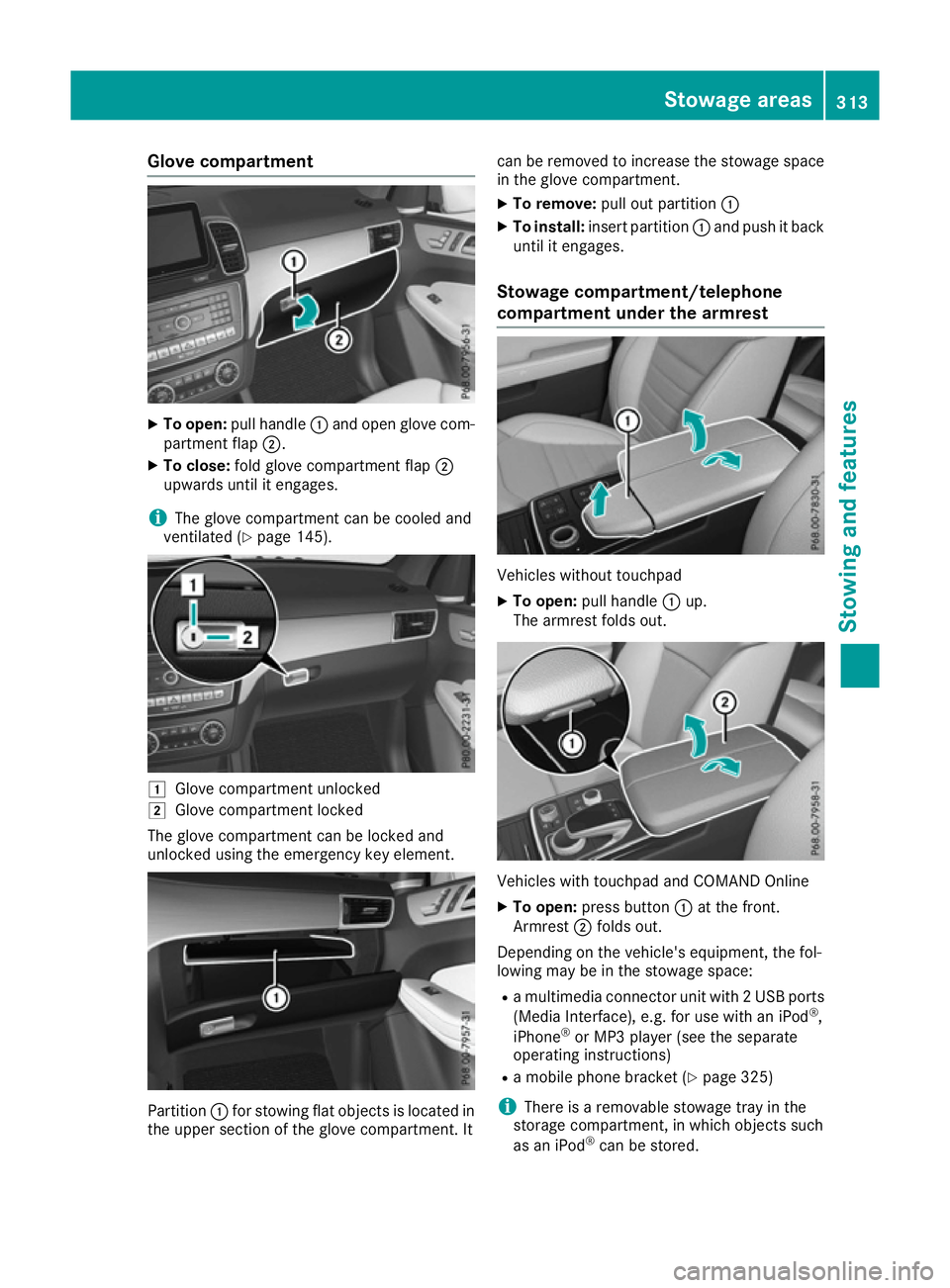
Glove compartment
X
To open: pull handle :and open glove com-
partment flap ;.
X To close: fold glove compartment flap ;
upwards until it engages.
i The glove compartment can be cooled and
ventilated (Y page 145). 1
Glove compartment unlocked
2 Glove compartment locked
The glove compartment can be locked and
unlocked using the emergency key element. Partition
:for stowing flat objects is located in
the upper section of the glove compartment. It can be removed to increase the stowage space
in the glove compartment.
X To remove: pull out partition :
X To install: insert partition :and push it back
until it engages.
Stowage compartment/telephone
compartment under the armrest Vehicles without touchpad
X To open: pull handle :up.
The armrest folds out. Vehicles with touchpad and COMAND Online
X To open: press button :at the front.
Armrest ;folds out.
Depending on the vehicle's equipment, the fol-
lowing may be in the stowage space:
R a multimedia connector unit with 2 USB ports
(Media Interface), e.g. for use with an iPod ®
,
iPhone ®
or MP3 player (see the separate
operating instructions)
R a mobile phone bracket (Y page 325)
i There is a removable stowage tray in the
storage compartment, in which objects such
as an iPod ®
can be stored. Stowage areas
313Stowing and features Z
Page 322 of 397
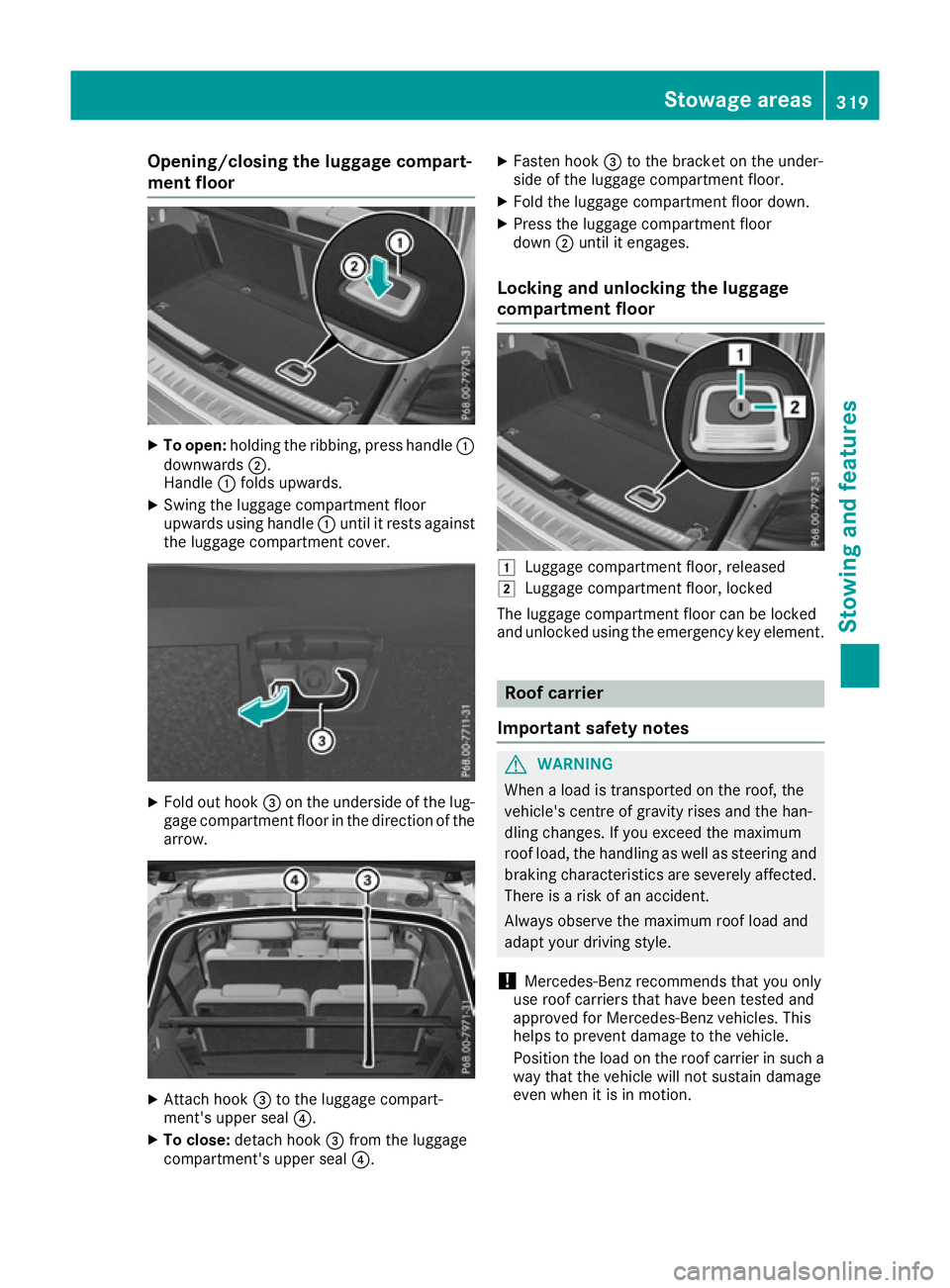
Opening/closing the luggage compart-
ment floor X
To open: holding the ribbing, press handle :
downwards ;.
Handle :folds upwards.
X Swing the luggage compartment floor
upwards using handle :until it rests against
the luggage compartment cover. X
Fold out hook =on the underside of the lug-
gage compartment floor in the direction of the arrow. X
Attach hook =to the luggage compart-
ment's upper seal ?.
X To close: detach hook =from the luggage
compartment's upper seal ?.X
Fasten hook =to the bracket on the under-
side of the luggage compartment floor.
X Fold the luggage compartment floor down.
X Press the luggage compartment floor
down ;until it engages.
Locking and unlocking the luggage
compartment floor 1
Luggage compartment floor, released
2 Luggage compartment floor, locked
The luggage compartment floor can be locked
and unlocked using the emergency key element. Roof carrier
Important safety notes G
WARNING
When a load is transported on the roof, the
vehicle's centre of gravity rises and the han-
dling changes. If you exceed the maximum
roof load, the handling as well as steering and braking characteristics are severely affected.
There is a risk of an accident.
Always observe the maximum roof load and
adapt your driving style.
! Mercedes-Benz recommends that you only
use roof carriers that have been tested and
approved for Mercedes-Benz vehicles. This
helps to prevent damage to the vehicle.
Position the load on the roof carrier in such a way that the vehicle will not sustain damage
even when it is in motion. Stowage areas
319Stowing and features Z
Page 327 of 397
X
Turn the key to position 2in the ignition lock
(Y page 148).
X To open: slide cover :to its foremost posi-
tion.
X Press in cigarette lighter ;.
Cigarette lighter ;will pop out automatically
when the heating element is red-hot.
X To close: pull cover :back as far as it will go. 12 V sockets
General notes X
Turn the key to position 1in the ignition lock
(Y page 148).
With the exception of the socket in the front
centre console, all sockets can be used for
accessories with a maximum current draw of
240 W (20 A). The socket in the front centre
console can be used for accessories with a max-
imum current draw of 180 W (15 A). Accessories include such items as mobile phone chargers.
If you use the sockets for long periods when the engine is switched off, the battery may dis-
charge.
i An emergency cut-off ensures that the on-
board voltage does not drop too low. If the on-
board voltage is too low, the power to the
sockets is automatically cut. This ensures
that there is sufficient power to start the
engine.
Socket in the front centre console !
The socket is not intended for operating the
tyre inflation compressor.
X To open: slide the cover to its foremost posi-
tion.
X Lift up the cover of the socket.
X To close: pull the cover back as far as it will
go.
Socket in the rear-compartment centre
console On vehicles with the Rear Seat Entertainment
System, there are two sockets in the rear-com-
partment centre console.
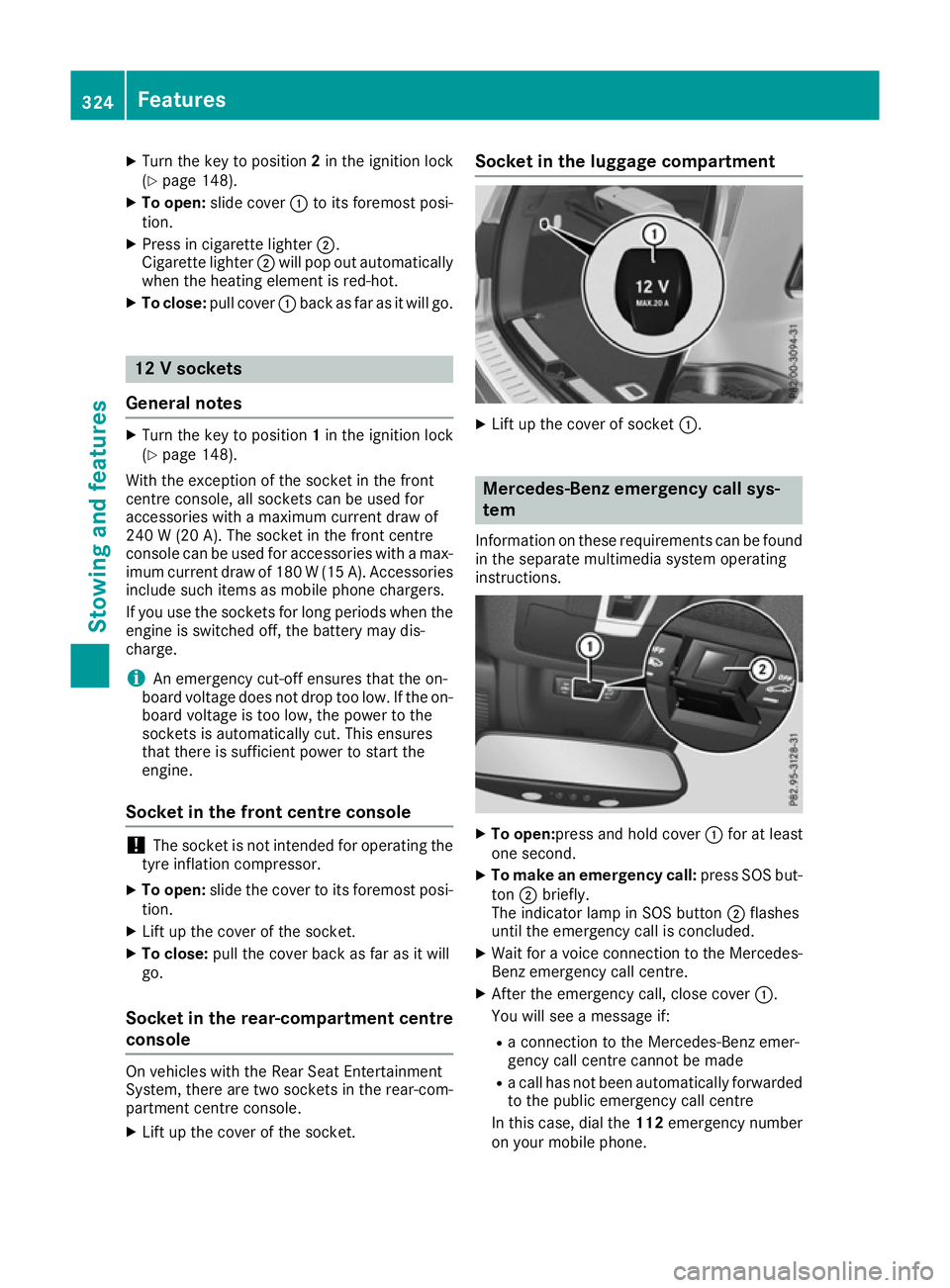
X Lift up the cover of the socket. Socket in the luggage compartment
X
Lift up the cover of socket :. Mercedes-Benz emergency call sys-
tem
Information on these requirements can be found in the separate multimedia system operating
instructions. X
To open: press and hold cover :for at least
one second.
X To make an emergency call: press SOS but-
ton ;briefly.
The indicator lamp in SOS button ;flashes
until the emergency call is concluded.
X Wait for a voice connection to the Mercedes-
Benz emergency call centre.
X After the emergency call, close cover :.
You will see a message if:
R a connection to the Mercedes-Benz emer-
gency call centre cannot be made
R a call has not been automatically forwarded
to the public emergency call centre
In this case, dial the 112emergency number
on your mobile phone. 324
FeaturesStowing and features
Page 328 of 397
You can find more information on the Mercedes-
Benz emergency call system in the separate
multimedia system operating instructions. Mobile phone
Important safety notes G
WARNING
Operating mobile communications equip-
ment while driving distracts you from paying
attention to traffic conditions. This could also cause you to lose control of the vehicle. There
is a risk of an accident.
Use this device only when the vehicle is sta-
tionary.
You must observe the legal requirements for the country in which you are currently driving when
operating mobile communications equipment in the vehicle.
If it is permitted by law to operate communica-
tions equipment while the vehicle is in motion,
you may only do so if the traffic situation per-
mits. You may otherwise be distracted from the
traffic conditions, cause an accident and injure
yourself and others.
Excessive levels of electromagnetic radiation
may cause damage to your health and to the
health of others. The use of an exterior aerial
takes into consideration the scientific discus-
sion surrounding the possible health risk posed
by electromagnetic fields.
Mercedes-Benz recommends the use of an
approved exterior aerial. This ensures:
R optimal mobile phone reception quality in the
vehicle
R that mutual interference between the vehicle
electronics and mobile phones is minimised
An exterior aerial has the following advantages:
R it conducts the electromagnetic fields gener-
ated by a wireless device to the exterior
R the field strength in the vehicle interior is
lower than in a vehicle that does not have an
exterior aerial
Information on retrofitting two-way radios and
mobile phones (RF transmitters) (Y page 379).General notes There are various mobile phone brackets that
may be fitted in your vehicle; in some cases,
these are country-specific.
More information on suitable mobile phones,
mobile phone brackets and on connecting Blue-
tooth ®
-capable mobile phones with the multi-
media system can be obtained:
R at your Mercedes-Benz Service Centre
R on the Internet at http://www.mercedes-
benz.com/connect
The functions and services available when you
use the phone depend on your mobile phone
model and service provider.
Using a mobile phone To connect a mobile phone to the exterior aerial
and charge it, insert it into the mobile phone
bracket.
X Open the telephone compartment
(Y page 313).
X Place the mobile phone bracket into the pre-
installed fitting; see the separate installation
instructions for the mobile phone fitting.
X Insert the mobile phone into the mobile phone
bracket; see the separate installation instruc-
tions for the mobile phone fitting.
i The mobile phone can also be operated
without being in the bracket. However, the
charging function and aerial function are not
available.
In order to use Bluetooth ®
(SAP profile) on your
telephone module, you must first insert the tele-
phone module into the pre-installed fitting. This connects it to the exterior aerial. If you wish to
charge the mobile phone, then you must con-
nect it to a USB port.
Further information on the telephone module
with Bluetooth ®
(SAP profile) can be found in the
Digital Owner's Manual.
Operating the mobile phone You can operate the telephone using the
6
and ~ buttons on the multifunction steering
wheel. You can operate other mobile phone
functions via the on-board computer
(Y page 248).
When you remove the key from the ignition lock, the mobile phone is disconnected from the vehi- Features
325Stowing and features Z