display MERCEDES-BENZ GLS SUV 2020 Owner's Manual
[x] Cancel search | Manufacturer: MERCEDES-BENZ, Model Year: 2020, Model line: GLS SUV, Model: MERCEDES-BENZ GLS SUV 2020Pages: 549, PDF Size: 9.9 MB
Page 141 of 549
If a seat in
the second rowof seats is not
engaged and loc ked, this will be shown on the
multifunction display on the instrument clus ter.
% Seven-sea ters: all seat ba ckrests can be fol‐
ded forw ards toget her using theALL button.
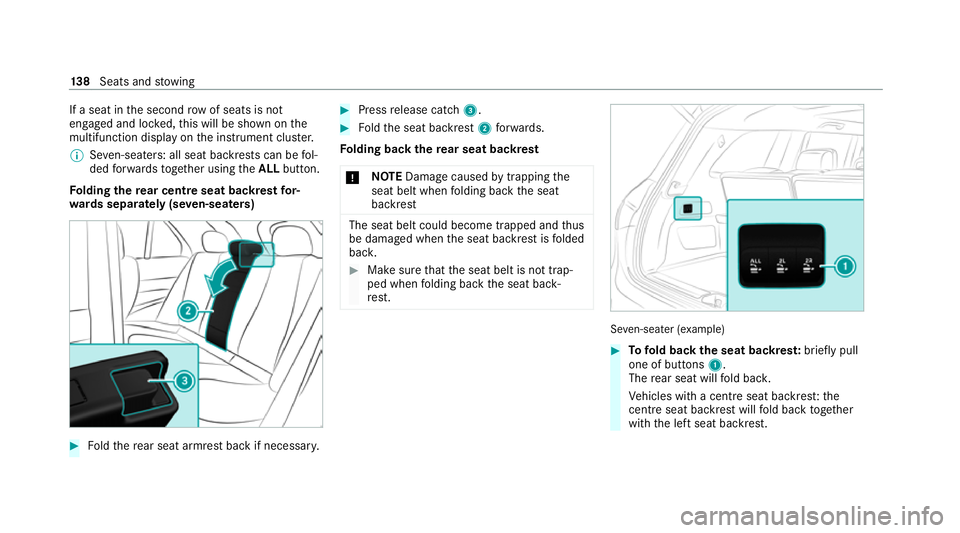
Fo lding there ar centre seat backrest for‐
wa rds separately (se ven-seaters) #
Foldthere ar seat armrest back if necessar y. #
Press release cat ch3. #
Foldthe seat backrest 2forw ards.
Fo lding back there ar seat backrest
* NO
TEDama gecaused bytrapping the
seat belt when folding back the seat
backrest The seat belt could become trapped and
thus
be damaged when the seat backrest is folded
bac k. #
Make sure that the seat belt is not trap‐
ped when folding back the seat back‐
re st. Se
ven-sea ter (e xamp le) #
Tofold back the seat backres t:brief lypull
one of buttons 1.
The rear seat will fold bac k.
Ve hicles with a centre seat backrest:the
centre seat ba ckrest will fold back toge ther
with the left seat backrest. 13 8
Seats and stowing
Page 156 of 549
Wire
lesscharging of a mobile phone in the
cockpit Re
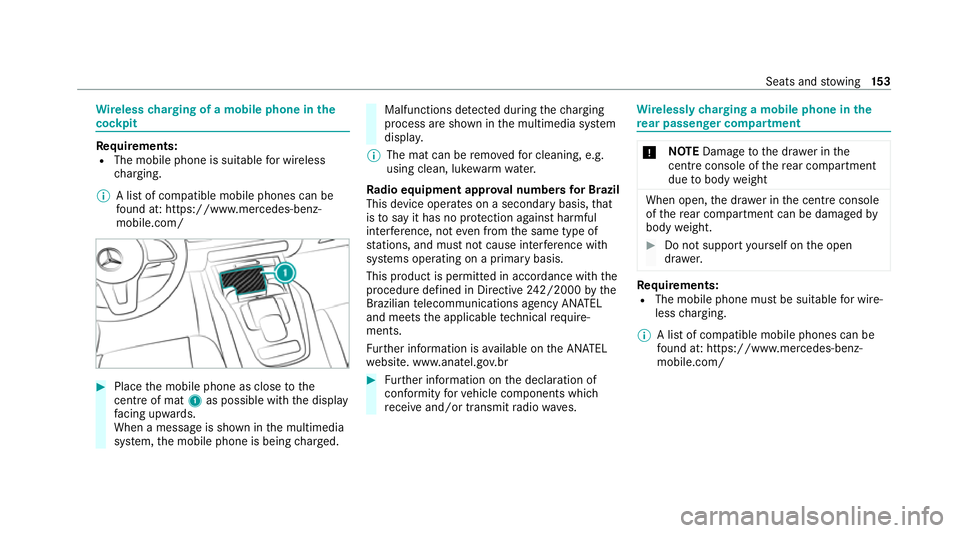
quirements:
R The mobile phone is suitable for wireless
ch arging.
% A list of compatible mobile phones can be
found at: https://www.mercedes-benz-
mobile.com/ #
Place the mobile phone as close tothe
centre of mat 1as possible wi th the display
fa cing up wards.
When a message is shown in the multimedia
sy stem, the mobile phone is being charge d. Malfunctions de
tected du ring thech arging
process are shown in the multimedia sy stem
displa y.
% The mat can be remo vedfo r cleaning, e.g.
using clean, luk ewarmwate r.
Ra dio equipment appr oval numbers for Brazil
This device operates on a secondary basis, that
is to say it has no pr otection against harmful
inter fere nce, not even from the same type of
st ations, and must not cause inter fere nce wi th
sy stems operating on a primary basis.
This product is permitted in accordance with the
procedure defined in Directive 242/2000 bythe
Brazilian telecommunications agency AN ATEL
and meets the applicable tech nical requ ire‐
ments.
Fu rther information is available on the AN ATEL
we bsite. www.anatel.go v.br #
Further information on the declaration of
confo rmity forve hicle components which
re cei veand/or transmit radio wav es. Wire
lessly charging a mobile phone in the
re ar passenger comp artment *
NO
TEDama getothe dr awe r inthe
centre console of there ar compartment
due tobody weight When open,
the dr awe r inthe cent reconsole
of there ar compartment can be damaged by
body weight. #
Do not support yourself on the open
dr awe r. Re
quirements:
R The mobile phone must be suitable for wire‐
less charging.
% A list of compatible mobile phones can be
found at: https://www.mercedes-benz-
mobile.com/ Seats and
stowing 15 3
Page 157 of 549
Mat in front of
thestow age compartment in the
re ar armrest Mat in
the cent reconsole of there ar compartment
(only Mercedes-Maybach vehicles with individual
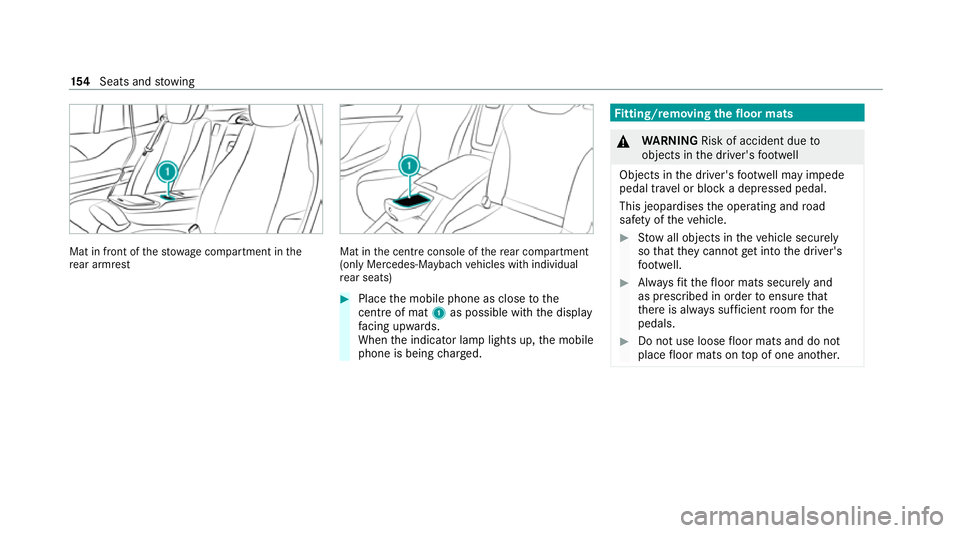
re ar seats) #
Place the mobile phone as close tothe
centre of mat 1as possible wi th the display
fa cing up wards.
When the indicator lamp lights up, the mobile
phone is being charge d. Fi
tting/ removing the floormats &
WARNING Risk of accident due to
objects in the driver's foot we ll
Objects in the driver's foot we ll may impede
pedal tr avel or block a depressed pedal.
This jeopardises the operating and road
saf ety of theve hicle. #
Stow all objects in theve hicle securely
so that they cannot getinto the driver's
fo ot we ll. #
Alw aysfit th efloor mats securely and
as prescribed in order toensure that
th ere is alw ays suf ficient room forthe
pedals. #
Do not use loose floor mats and do not
place floor mats on top of one ano ther. 15 4
Seats and stowing
Page 159 of 549
Exterior lighting
Note
s on adjusting the lights when driving
abroad Ve
hicles with static LED headlamps: It is not
necessa ryto con vert the headlamps. The legal
re qu irements are also met in countries in which
traf fic drives on theot her side of thero ad.
Ve hicles with Intelligent Light Sy stem: The
headlamps are automatically adjus ted when the
ve hicle enters countries in which traf fic drives
on theot her side of thero ad.
In thefo llowing cases, check the headlamp set‐
ting and change it manually if necessary:
R Ifth eDipped-beam setting (left/right-side
traffic) Manual adjustment only display mes‐
sage is displa yed.
R Ifth eCheck dipped-beam setting (left/right-
side traffic) display message is displa yed.
Once the headlamps ha vebeen con verted:
R Oncoming tra ffic will not be dazzled.
R The edge of thero ad will not be illuminated
as far or as high. R
The "mo torw ay mode" and "enhanced fog
light" functions will not be available. Information about lighting sy
stems and your
re sponsibility The
various lighting sy stems of theve hicle are
only aids. The driver of theve hicle is responsible
fo r cor rect vehicle illumination in accordance
with the pr evailing light and visibility conditions,
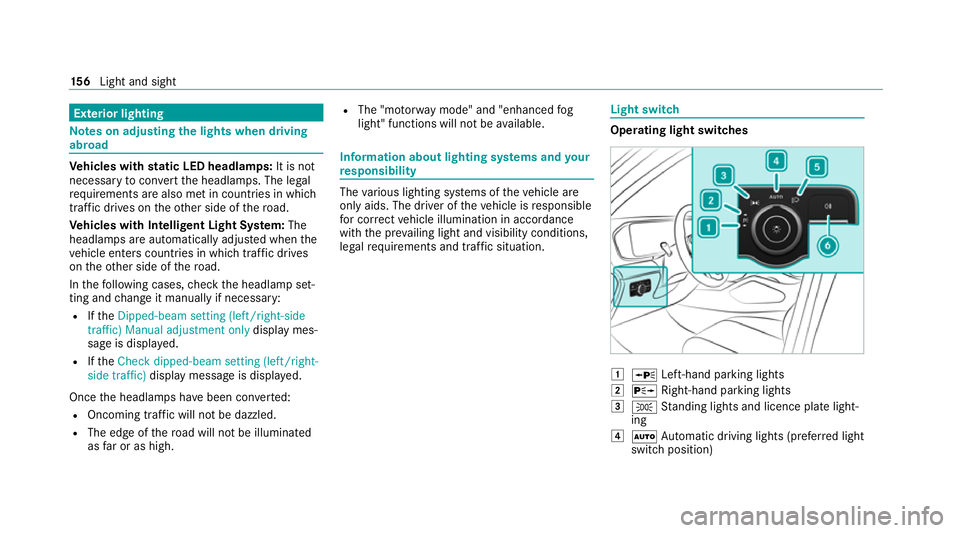
legal requ irements and traf fic situation. Light switch
Ope
rating light switches 1
W Left-hand pa rking lights
2 X Right-hand parking lights
3 T Standing lights and licence plate light‐
ing
4 Ã Automatic driving lights (prefer red light
switch position) 15 6
Light and sight
Page 165 of 549
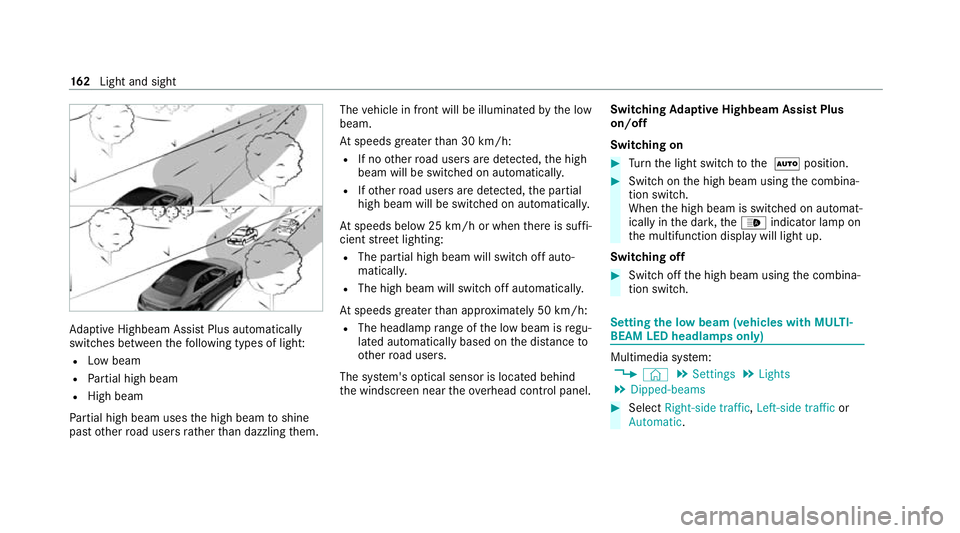
Ad
aptive Highbeam Assist Plus automatically
swit ches between thefo llowing types of light:
R Low beam
R Partial high beam
R High beam
Pa rtial high beam uses the high beam toshine
past other road users rath er than dazzling them. The
vehicle in front will be illuminated bythe low
beam.
At speeds greater than 30 km/h:
R If no other road users are de tected, the high
beam will be switched on automaticall y.
R Ifot her road users are de tected, the partial
high beam will be switched on automaticall y.
At speeds below 25 km/h or when there is suf fi‐
cient stre et lighting:
R The partial high beam will switch off auto‐
matically.
R The high beam will switch off automaticall y.
At speeds greater than appr oximately 50 km/h:
R The headlamp range of the low beam is regu‐
lated automatically based on the dis tance to
ot her road users.
The sy stem's optical sensor is located behind
th e windscreen near theove rhead control panel. Switching
Adaptive Highbeam Assist Plus
on/off
Switching on #
Turn the light switch tothe à position. #
Switch on the high beam using the combina‐
tion switch.
When the high beam is switched on automat‐
ically in the dar k,the_ indicator lamp on
th e multifunction display will light up.
Switching off #
Switch off the high beam using the combina‐
tion switch. Setting
the low beam (vehicles with MULTI‐
BEAM LED headlamps only) Multimedia sy
stem:
4 © 5
Settings 5
Lights
5 Dipped-beams #
Select Right-side traffic, Left-side trafficor
Automatic. 16 2
Light and sight
Page 170 of 549
Fi
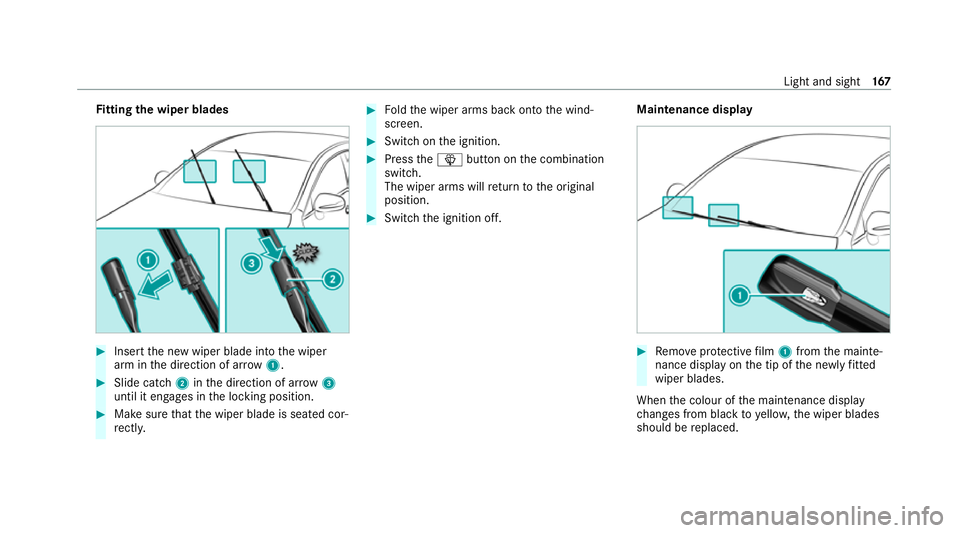
tting the wiper blades #
Inse rtthe new wiper blade into the wiper
arm in the direction of ar row1. #
Slide catch 2inthe direction of ar row 3
until it engages in the locking position. #
Make sure that the wiper blade is seated cor‐
re ctly. #
Foldthe wiper arms back onto the wind‐
screen. #
Switch on the ignition. #
Press theî button on the combination
switch.
The wiper arms will return tothe original
position. #
Switch the ignition off. Maintenance display #
Remo veprotective film 1 from the mainte‐
nance display on the tip of the newly fitted
wiper blades.
When the colour of the maintenance display
ch anges from black to yellow, the wiper blades
should be replaced. Light and sight
167
Page 186 of 549
+
ENVIRONMENTAL
NOTEEnvironmental
dama gedue toimproper disposal of bat‐
te ries Batteries conta
intoxic and cor ro‐
sive subs tances. #
Ta
ke dischar ged batteries to a
qu alified specialist workshop or to a
collection point for used batteries. Re
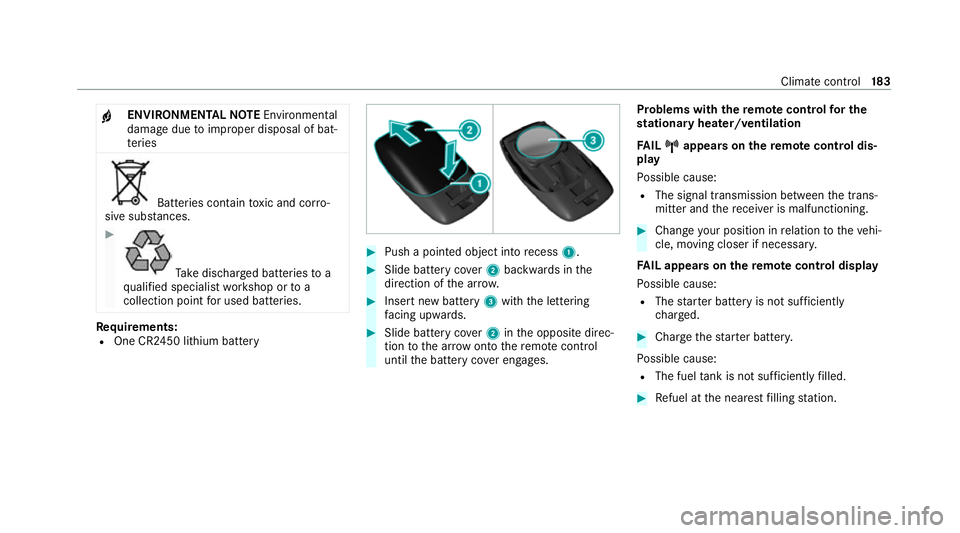
quirements:
R One CR2450 lithium battery #
Push a pointed object into recess 1. #
Slide battery co ver2 backwards in the
direction of the ar row. #
Insert new battery 3with the lettering
fa cing up wards. #
Slide battery co ver2 inthe opposite direc‐
tion tothe ar row onto there mo tecontrol
until the battery co ver engages. Problems with
there mo tecont rolfo r the
st ationary heater/ventilation
FA IL¨ ¨ appea rson there mo tecont rol dis‐
play
Po ssible cause:
R The signal transmission between the trans‐
mitter and there cei ver is malfunctioning. #
Change your position in relation totheve hi‐
cle, moving closer if necessar y.
FA IL appea rson there mo tecont rol display
Po ssible cause:
R The star ter battery is not suf ficiently
ch arge d. #
Char gethest ar ter batter y.
Po ssible cause:
R The fuel tank is not su fficiently filled. #
Refuel at the nearest filling station. Climate control
18 3
Page 191 of 549
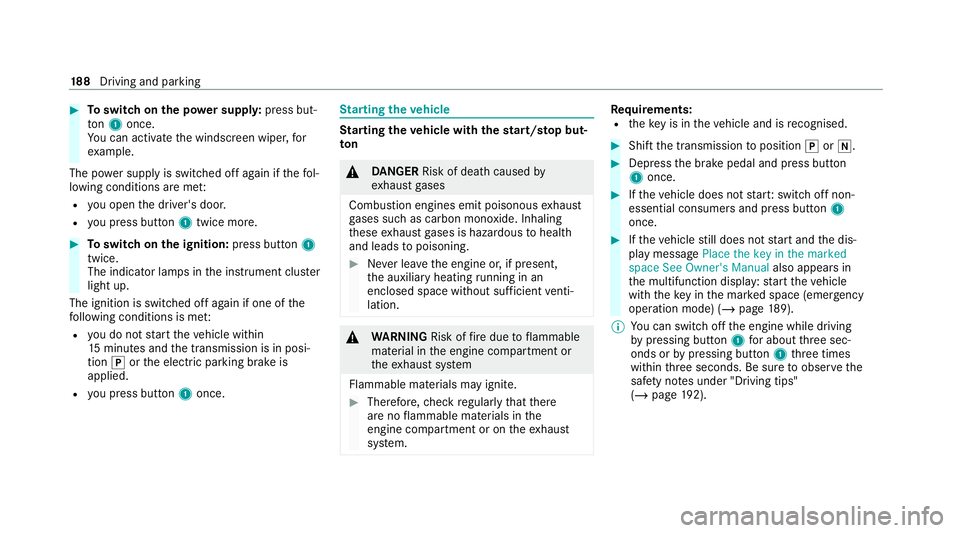
#
Toswitch on the po wer supp ly:press but‐
to n1 once.
Yo u can activate the windscreen wiper, for
ex ample.
The po wer supp lyis switched off again if thefo l‐
lowing conditions are me t:
R you open the driver's door.
R you press but ton1 twice more. #
Toswitch on the ignition: press button 1
twice.
The indicator lamps in the instrument clus ter
light up.
The ignition is switched off again if one of the
fo llowing conditions is me t:
R you do not start theve hicle within
15 minutes and the transmission is in posi‐
tion jorthe electric parking brake is
applied.
R you press but ton1 once. St
arting theve hicle St
arting theve hicle with thest art/s top but‐
ton &
DANG ER Risk of death caused by
ex haust gases
Combustion engines emit poisonous exhaust
ga ses such as carbon monoxide. Inhaling
th ese exhaust gases is hazardous tohealth
and leads topoisoning. #
Never lea vethe engine or, if present,
th e auxiliary heating running in an
enclosed space wi thout suf ficient venti‐
lation. &
WARNING Risk offire due toflammable
material in the engine compartment or
th eex haust sy stem
Flammable materials may ignite. #
Therefore, check regularly that there
are no flammable materials in the
engine compartment or on theex haust
sy stem. Re
quirements:
R theke y is in theve hicle and is recognised. #
Shift the transmission toposition jori. #
Depress the brake pedal and press button
1 once. #
Ifth eve hicle does not star t:switch off non-
essential consumers and press button 1
once. #
Ifth eve hicle still does not start and the dis‐
play message Place the key in the marked
space See Owner's Manual also appears in
th e multifunction display: start theve hicle
with theke y in the mar ked space (emer gency
operation mode) (/ page 189).
% You can swit choff the engine while driving
by pressing button 1for about thre e sec‐
onds or bypressing button 1thre e times
within thre e seconds. Be sure toobser vethe
saf ety no tes under "Driving tips"
(/ page 192). 18 8
Driving and pa rking
Page 200 of 549
Also obser
vethefo llowing information when
driving in moun tainous terrain:
R Obse rveth eva lues of the approach/depar‐
ture angle and of the maximum gradient
(/ page 428).
R Avoid high engine speeds.
R Use the braking po wer of the engine when
driving downhill.
R Shift toa lo werge ar on uphill gradients and
on long, steep downhill gradients.
R Activate DSR be fore driving downhill, if nec‐
essary (/ page244).
Checklis t after driving off-road
Driving off-road places grea ter demands on your
ve hicle than driving on no rmalroads. Check the
entire vehicle for dama geand fore ign bodies
eve rytime af ter driving off-road. Foreign bodies
in the wheels or driv etra in can lead toimbalan‐
ces and therefore vibrations.
R Ifth eF orG drive prog ram is selec‐
te d: select ano ther drive prog ram.
R Shift the transfer case tothe on-ro ad posi‐
tion HIGH RANGE. R
Deactivate DSR.
R Lowe rth eve hicle le vel again toa le vel suita‐
ble tothero ad conditions, e.g. tothe normal
le ve l.
R Apply the brakes todry them af terfo rd ing.
R Check that the service brake is working nor‐
mally af ter a long downhill stre tch.
R Clean thefo llowing components everytime
af te r driving off-road:
- licence plate number
- headlamps and tail lamps
- tyres, wheels and wheel ar ches
- underbody
R After driving thro ugh sand, mud, water or
gr ave l, ha vethefo llowing components
ch ecked and cleaned:
- brake disks and brakepads
- tyres and wheels
- axle joints ECO
start/s top function Ope
ration of the ECO start/s top function
% The ECO start/ stop function is not available
in all drive prog rams, depending on the
engine. Obser vethest atus display in the
multifunction display forth is.
The engine is switched off automatically in the
fo llowing situations if all vehicle conditions for
an automatic engine stop are me t:
R you brake theve hicle toast andstill in trans‐
mission position hori.
R vehicles with a 48 V on-board electrical
sy stem: you depress the brake pedal when
tra velling at a low speed.
If th e sy stem has de tected one of thefo llowing
situations, the engine will not stop:
R youstop at a stop sign and there is no vehi‐
cle in front of you.
R theve hicle that stopped in front of youstarts
up again.
R you manoeuv re, turn thesteering wheel
sharply or engage reve rsege ar. Driving and parking
197
Page 201 of 549
%
Ifth e sy stem de tects an intelli gent stop
inhibitor, e.g. a stop sign, the engine will not
st op.
If yo u activate the HOLD function or engage
th e park position j,the engine can be
switched off in spite of an intelligent stop
inhibitor.
The engine is restar ted automatically if:
R you en gage transmission position hork.
R you depress the accelera tor pedal.
R an auto matic engine start is requ ired bythe
ve hicle.
R youre lease the brake pedal.
R vehicles with a 48 V on-board electrical
sy stem:
- youre lease the brake pedal on a downhill
gradient and theve hicle does not roll.
- theve hicle rolls on a downhill gradient
and does not automatically enter glide
mode at 20 km/h. ECO
start/ stop function symbols in the multi‐
function display:
R the symbol è(green) appears when the
ve hicle is at a standstill: the engine was
switched off bythe ECO start/ stop function.
R the symbol ç(yellow) appears when the
ve hicle is at a standstill: not all vehicle condi‐
tions for an engine stop ha vebeen met.
R neither the symbol ènorç appears
when theve hicle is at a standstill: an intelli‐
ge nt stop inhibitor was de tected, e.g. a stop
sign.
R the symbol sappears: the ECO start/
st op function is deactivated or there is a mal‐
function.
If th e engine was switched off bythe ECO start/
st op function and you lea vetheve hicle, a warn‐
ing tone sounds and the engine is not restar ted.
In addition, thefo llowing display message
appears in the multifunction display:
Vehicle is operational Switch off ignition before
exiting If
yo u do not swit choff the ignition, it is auto‐
matically switched off af terth re e minutes.
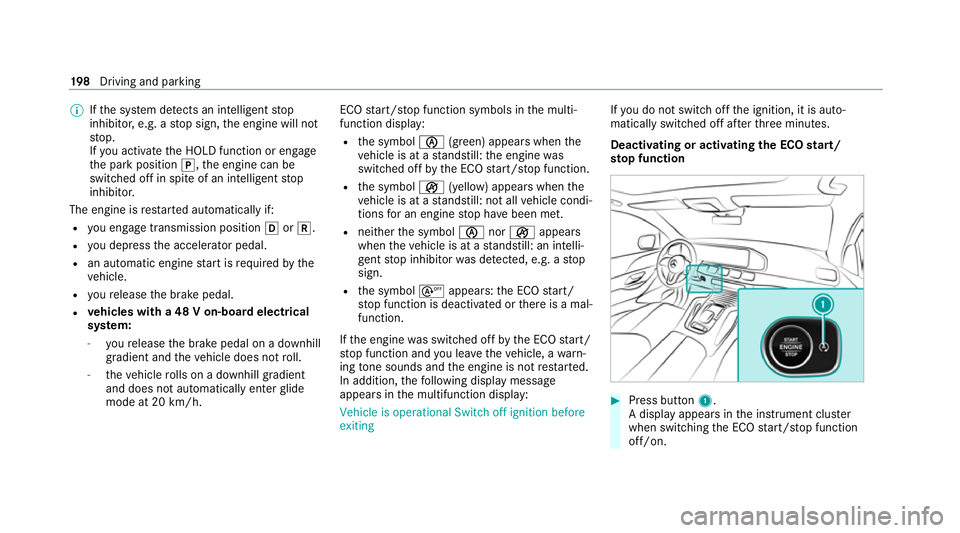
Deactivating or activating the ECO start/
sto p function #
Press button 1.
A displ ayappears in the instrument clus ter
when swit ching the ECO start/ stop function
off/on. 19 8
Driving and pa rking