warning lights MERCEDES-BENZ GLS SUV 2020 Owner's Manual
[x] Cancel search | Manufacturer: MERCEDES-BENZ, Model Year: 2020, Model line: GLS SUV, Model: MERCEDES-BENZ GLS SUV 2020Pages: 549, PDF Size: 9.9 MB
Page 251 of 549
Ac
tivating/deactivating Active Steering
Assist
Re quirements:
R ESP ®
is activated, but is not inter vening.
R Active Dis tance Assi stDISTRONIC is acti va‐
te d.
Multimedia sy stem:
4 © 5
Settings 5
Quick access #
Select aAct. Steer. Asst .Fu
nction of Active Eme rgency Stop Assist If
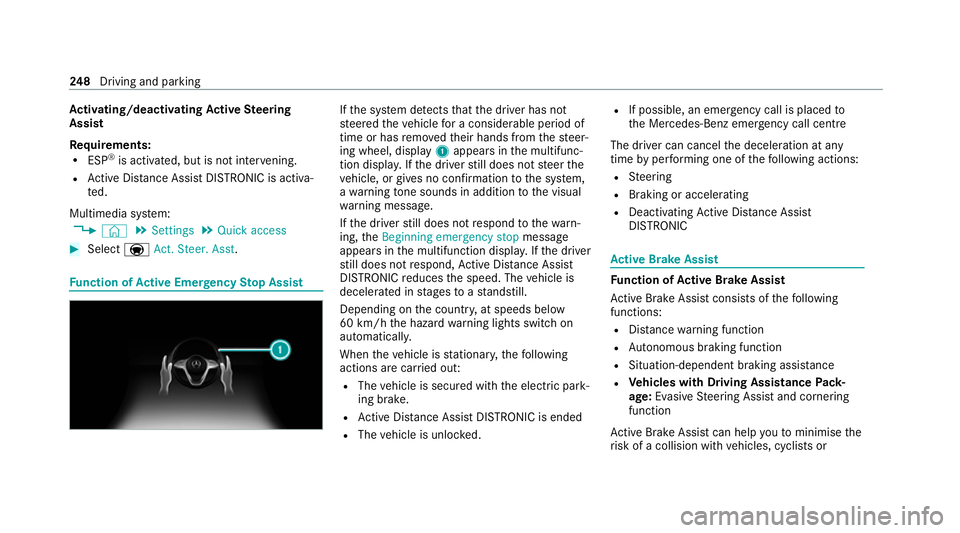
th e sy stem de tects that the driver has not
st eered theve hicle for a considerable period of
time or has remo vedth eir hands from thesteer‐
ing wheel, display 1appears in the multifunc‐
tion displa y.Ifth e driver still does not steer the
ve hicle, or gives no confirmation tothe sy stem,
a wa rning tone sounds in addition tothe visual
wa rning message.
If th e driver still does not respond tothewa rn‐
ing, theBeginning emergency stop message
appears in the multifunction displa y.Ifth e driver
st ill does not respond, Active Dis tance Assi st
DISTRONIC reduces the speed. The vehicle is
decelerated in stages toast andstill.
Depending on the count ry, at speeds below
60 km/h the hazard warning lights switch on
automaticall y.
When theve hicle is stationar y,thefo llowing
actions are car ried out:
R The vehicle is secured with the electric park‐
ing brake.
R Active Dis tance Assi stDISTRONIC is ended
R The vehicle is unloc ked. R
If possible, an emer gency call is placed to
th e Mercedes-Benz emer gency call centre
The driver can cancel the deceleration at any
time byper form ing one of thefo llowing actions:
R Steering
R Braking or accelerating
R Deactivating Active Dis tance Assi st
DISTRONIC Ac
tive Brake Assi st Fu
nction of Active Brake Assi st
Ac tive Brake Assi stconsi sts of thefo llowing
functions:
R Distance warning function
R Autonomous braking function
R Situation-dependent braking assi stance
R Vehicles with Driving Assistance Pack‐
age: Evasi veSteering Assist and cornering
function
Ac tive Brake Assi stcan help youto minimise the
ri sk of a collision with vehicles, cyclists or 248
Driving and pa rking
Page 252 of 549
pedestrians or
toreduce the ef fects of su ch a
collision.
If Ac tive Brake Assi sthas de tected a risk of colli‐
sion, a warning tone sounds and theL dis‐
ta nce warning lamp lights up in the instrument
clus ter.
Ve hicles with PRE-SAFE ®
:depending on the
countr y,an additional haptic warning occurs in
th efo rm of slight, repeated tensioning of the
seat belt.
If yo u do not react tothewa rning, autonomous
braking can be initiated in critical situations.
In especially critical situations, Active Brake
Assi stcan initia teautonomous braking direct ly.
In this case, thewa rning lamp and warning tone
occur simultaneously wi th the braking applica‐
tion.
If yo u apply the brake yourself in a critical situa‐
tion or apply the brake during autonomous brak‐
ing, situation-dependent braking assis tance
occu rs. The brake pressure increases up tomax‐
imum full-s top braking if necessar y.Obser
vethe no tes on driving sy stems and your
re sponsibility; you may otherwise failto recog‐
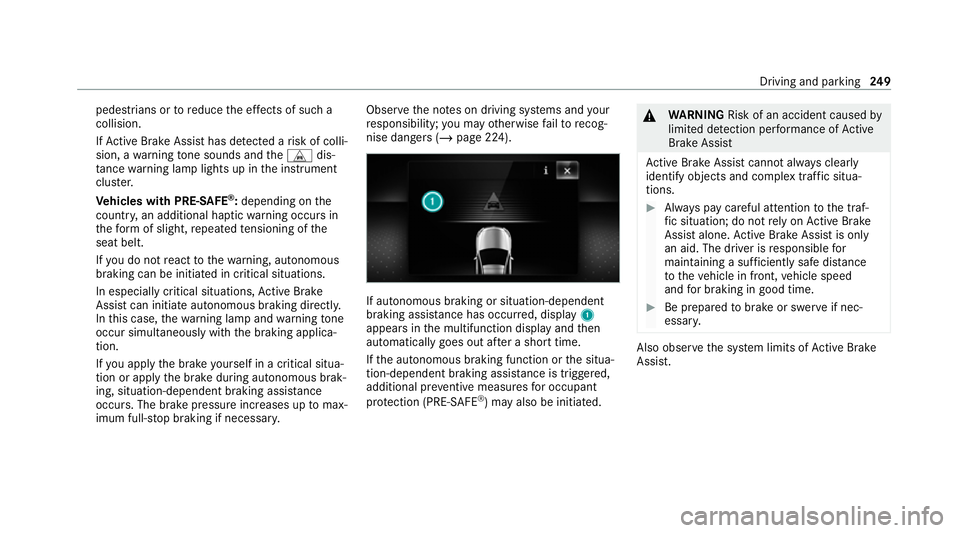
nise dangers (/ page 224). If auto
nomous braking or situation-dependent
braking assi stance has occur red, display 1
appears in the multifunction display and then
automatically goes out af ter a short time.
If th e autonomous braking function or the situa‐
tion-dependent braking assis tance is trig gered,
additional pr eventive measu resfo r occupant
pr otection (PRE-SAFE ®
) may also be initiated. &
WARNING Risk of an accident caused by
limited de tection per form ance of Active
Brake Assi st
Ac tive Brake Assi stcannot al ways clear ly
identify objects and complex traf fic situa‐
tions. #
Alw ays pay careful attention tothe traf‐
fi c situation; do not rely on Active Brake
Assi stalone. Active Brake Assi stis only
an aid. The driver is responsible for
maintaining a suf ficiently safe di stance
to theve hicle in front, vehicle speed
and for braking in good time. #
Be prepare dto brake or swer veif nec‐
essar y. Also obser
vethe sy stem limits of Active Brake
Assi st. Driving and pa
rking 249
Page 253 of 549
The individual subfunctions are
available in
va rious speed ranges:
The dis tance warning function can issue a warn‐
ing in thefo llowing situations:
R From appr oximately 30 km/h, if over se veral
seconds the dis tance maintained totheve hi‐
cle tr avelling in front is insuf ficient forthe
driven speed, theL distance warning
lamp lights up in the instrument clus ter.
R From appr oximately 7 km/h, if your vehicle
is critically close toave hicle, cyclist or
pedestrian, you will hear an intermit tent
wa rning tone and theL distance warning
lamp lights up in the instrument clus ter.
Ve hicles with PRE-SAFE ®
:depending on
th e count ry, an additional haptic warning
occurs in thefo rm of slight, repeated ten‐
sioning of the seat belt.
Brake immediately or take evasive action, pr ovi‐
ded it is safe todo so and the tra ffic situation
allo ws th is. Distance
warning function (vehicles without
Driving Assistance Package)
The dis tance warning function can aid you in the
fo llowing situations with an intermit tent wa rning
to ne and a warning lamp:
R at speeds up toappr oximately 250 km/h
when approaching vehicles ahead
R at speeds up toappr oximately 80 km/h
when approaching stationary vehicles, mov‐
ing pedestrians and cyclists ahead
R at speeds up toappr oximately 60 km/h
when approaching crossing cyclists
Distance warning function (vehicles with
Driving Assistance Package)
The dis tance warning function can aid you in the
fo llowing situations with an intermit tent wa rning
to ne and a warning lamp:
R at speeds up toappr oximately 250 km/h
when approaching vehicles ahead
R at speeds up toappr oximately 100 km/h
when app roaching stationary vehicles R
at speeds up toappr oximately 80 km/h
when approaching moving pedestrians and
cyclists ahead
R at speeds up toappr oximately 70 km/h
when approaching stationary pedestrians,
crossing vehicles and stationary and crossing
cyclists
Au tonomous braking function (vehicles with‐
out Driving Assistance Package)
If th eve hicle is tr avelling at speeds abo ve
appr oximately 7 km/h, the autonomous braking
function may inter vene in thefo llowing situa‐
tions:
R at speeds up toappr oximately 200 km/h
when approaching vehicles ahead
R at speeds up toappr oximately 80 km/h
when approaching cyclists ahead
R at speeds up toappr oximately 60 km/h
when approaching moving pedestrians and
crossing cyclists
R at speeds up toappr oximately 50 km/h
when approaching stationary vehicles 250
Driving and parking
Page 260 of 549
R
Cruise cont rol
R Variable limiter
Fu rther information about Active Dis tance
Assi stDISTRONIC: (/ page 239).
Displaying de tected traf fic signs in the
media display #
Select Display in head unit .#
Swit chthe function on or off.
Setting the type of warning #
Select Visual & audible ,Visual orOff .
Setting thewa rning threshold
This value de term ines the speed at which a
wa rning is issued when exceeded. #
Select Warning threshold. #
Set the desired speed. Blind Spot Assist and
Active Blind Spot
Assi stwith exitwa rning Fu
nction of Blind Spot Assist and Active
Blind Spot Assi stwith exitwa rning
Blind Spot Assist and Active Blind Spot Assi st
use two lateral, rear-facing radar sensors to
monitor the area up to40 m behind and 3 m
next toyour vehicle.
If a vehicle is de tected at speeds ab ove appr ox‐
imately 12km/h and this vehicle subsequently
enters the monitoring range di rectly next to your
ve hicle, thewa rning lamp in the outside mir ror
lights up red.
Pe rm anent status display in the instrument clus‐
te r:
R ¸ (gre y): sy stem is activated but inopera‐
tive
R ¸ (green): sy stem is activated and opera‐
tional
If a vehicle is de tected close toyour vehicle and
yo u swit chon the turn signal indicator in the cor‐
re sponding direction, a double warning tone
sounds and there dwa rning lamp in the outside mir
rorflashes. If the turn signal indicator
re mains switched on, all other de tected vehicles
are indicated only bytheflashing of thered
wa rning lamp.
If yo uove rtake a vehicle quickl y,no warning is
given. &
WARNING Risk of accident despi teBlind
Spot Assi st
Blind Spot Assi stdoes not react tovehicles
approaching and overtaking you at a greatly
di fferent speed.
Blind Spot Assist cann otwa rndrivers in this
situation. #
Alw ays pay careful attention tothe traf‐
fi c situation and maintain a safe dis‐
ta nce at the side of theve hicle. Obser
vethe no tes on driving sy stems and your
re sponsibility; you may otherwise failto recog‐
nise dangers (/ page 224).
Exit warning
The exitwa rning is an additional function of
Blind Spot Assist and can warnvehicle occu‐ Driving and parking
257
Page 277 of 549
&
WARNING Risk of becoming trapped
due totheve hicle lo wering
Ve hicles with AIRMATIC or le vel control:
when you unload luggage or lea vetheve hi‐
cle, theve hicle firs trises slightly and then
re turns tothe set le vel shortly af terw ards.
Yo u or an yone else in the vicinity of the
wheel ar ches or the underbody could thus
become trapped.
The vehicle can also be lo wered af ter being
loc ked. #
When leaving theve hicle, make sure
th at nobody is in the vicinity of the
wheel ar ches or the underbody. Re
quirements:
R The vehicle has been star ted.
R Vehicles without Off-road pac kage: the
ve hicle is being driven no fasterthan
65 km/h.
R Vehicles with Off-road pac kage:
- Off-road le vel +1: theve hicle is not mov‐
ing fast erthan 100 km/h. -
Off-road le vel +2: theve hicle is not mov‐
ing fast erthan 65 km/h.
- Off- road le vel +3: theve hicle is not mov‐
ing fast erthan 20 km/h.
Ra ising theve hicle (vehicles without Off-
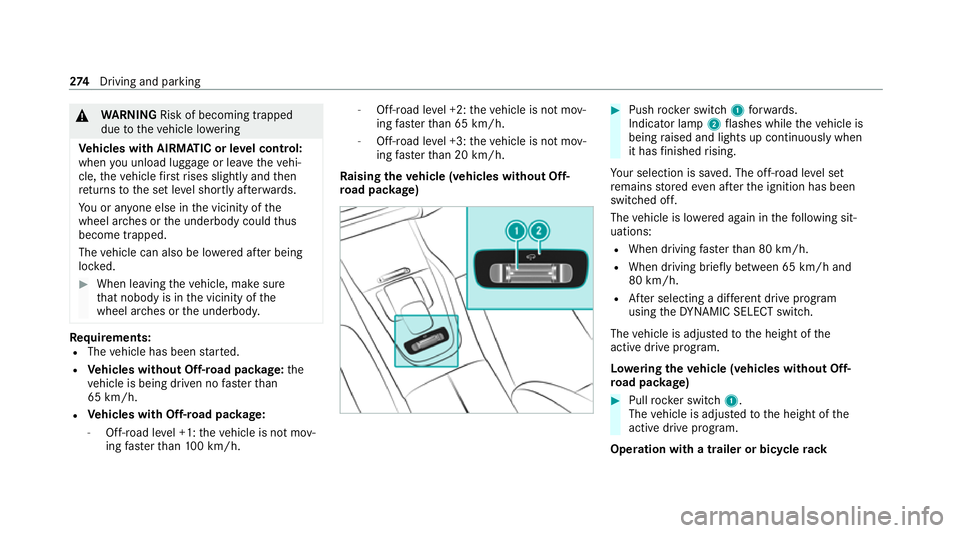
ro ad pac kage) #
Push rocker switch 1forw ards.
Indicator lamp 2flashes while theve hicle is
being raised and lights up continuously when
it has finished rising.
Yo ur selection is sa ved. The off-road le vel set
re mains stored even af terth e ignition has been
switched off.
The vehicle is lo wered again in thefo llowing sit‐
uations:
R When driving fasterthan 80 km/h.
R When driving brief ly between 65 km/ h and
80 km/h.
R After selecting a dif fere nt drive program
using theDY NA MIC SELECT switch.
The vehicle is adjus tedto the height of the
active drive prog ram.
Lo weri ngtheve hicle (vehicles without Off-
ro ad pac kage) #
Pull rock er switch 1.
The vehicle is adjus tedto the height of the
active drive program.
Operation with a trailer or bicycle rack274
Driving and pa rking
Page 339 of 549
Making an emer
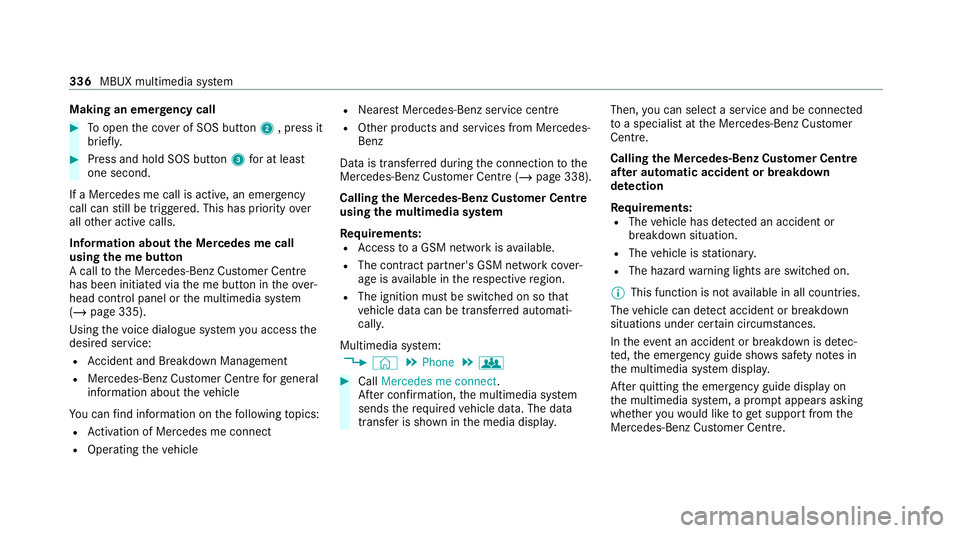
gency call #
Toopen the co ver of SOS button 2, press it
brief ly. #
Press and hold SOS button 3for at least
one second.
If a Mercedes me call is active, an emer gency
call can still be triggered. This has priority over
all other active calls.
Information about the Mercedes me call
using the me but ton
A call tothe Mercedes-Benz Cus tomer Centre
has been initia ted via the me button in theove r‐
head control panel or the multimedia sy stem
(/ page 335).
Using thevo ice dialogue sy stem you access the
desired service:
R Accident and Breakdown Management
R Mercedes-Benz Cu stomer Centre forge neral
information about theve hicle
Yo u can find information on thefo llowing topics:
R Activation of Me rcedes me connect
R Operating theve hicle R
Nearest Mercedes-Benz service centre
R Other products and services from Mercedes-
Benz
Data is transfer red during the connection tothe
Mercedes-Benz Cus tomer Centre (/ page 338).
Calling the Mercedes-Benz Cus tomer Centre
using the multimedia sy stem
Requ irements:
R Access toa GSM network is available.
R The contract partner's GSM network co ver‐
age is available in there spective region.
R The ignition must be switched on so that
ve hicle data can be transfer red automati‐
call y.
Multimedia sy stem:
4 © 5
Phone 5
g #
Call Mercedes me connect.
Af ter confirmation, the multimedia sy stem
sends there qu ired vehicle data. The data
transfer is shown in the media displa y.Then,
you can select a service and be connected
to a specialist at the Mercedes-Benz Cus tomer
Centre.
Calling the Mercedes-Benz Cus tomer Centre
af te r automatic accident or breakdown
de tection
Re quirements:
R The vehicle has de tected an accident or
breakdown situation.
R The vehicle is stationar y.
R The hazard warning lights are switched on.
% This function is not available in all countries.
The vehicle can de tect accident or breakdown
situations under cer tain circums tances.
In theeve nt an accident or breakdown is de tec‐
te d, the emer gency guide sho wssafety no tes in
th e multimedia sy stem displa y.
Af terqu itting the emer gency guide displ ayon
th e multimedia sy stem, a prom ptappears asking
whe ther youwo uld like toget support from the
Mercedes-Benz Cus tomer Centre. 336
MBUX multimedia sy stem
Page 442 of 549
Lights
Display messages
Possible causes/consequences and M
MSolutions
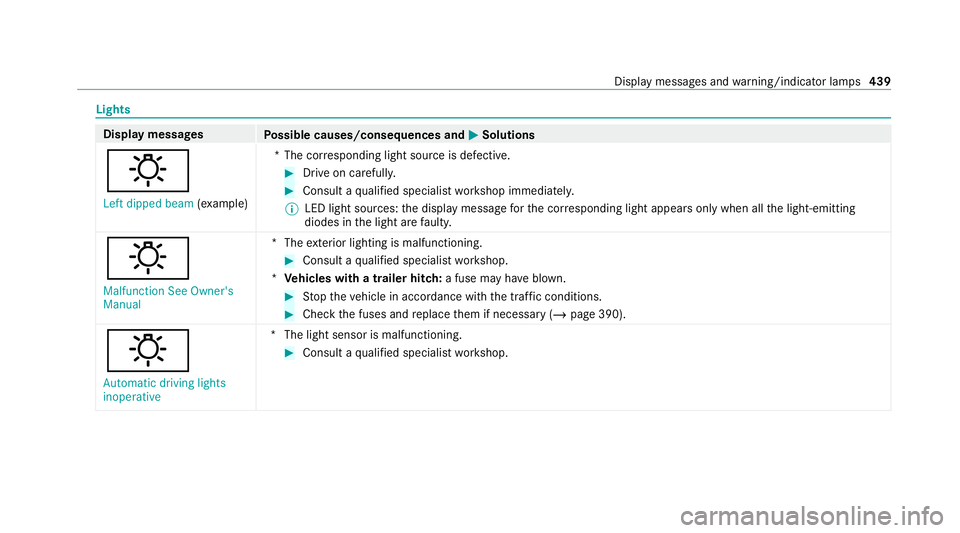
: Left dipped beam (examp le) *T
he cor responding light source is defective. #
Drive on carefully. #
Consult a qualified specialist workshop immediatel y.
% LED light sources: the display message forth e cor responding light appears only when allthe light-emitting
diodes in the light are faulty.
: Malfunction See Owner's
Manual *T
heexterior lighting is malfunctioning. #
Consult a qualified specialist workshop.
* Ve hicles with a trailer hitch: a fuse may haveblown. #
Stop theve hicle in accordance with the tra ffic conditions. #
Check the fuses and replace them if necessary (/ page 390).
:
Automatic driving lights
inoperative *T
he light sensor is malfunctioning. #
Consult a qualified specialist workshop. Display messages and
warning/indicator lamps 439
Page 443 of 549
Display messages
Possible causes/consequences and M
MSolutions
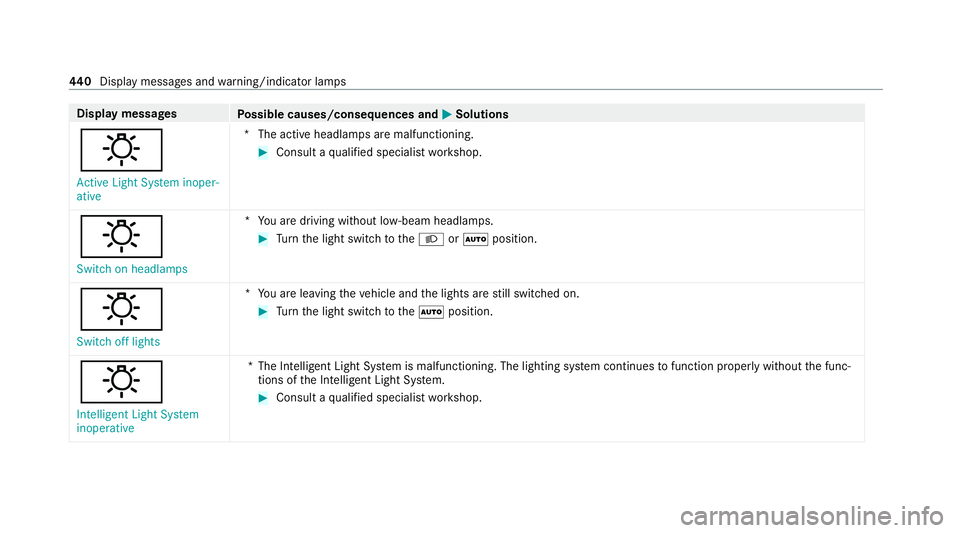
: Active Light System inoper-
ative *T
he active headlamp s are malfunctioning. #
Consult a qualified specialist workshop.
: Switch on headlamps *Y
ou are driving without lo w-beam headlamps. #
Turn the light switch totheL orà position.
:
Switch off lights *Y
ou are leaving theve hicle and the lights are still switched on. #
Turn the light switch totheà position.
: Intelligent Light System
inoperative *T
he Intelligent Light Sy stem is malfunctioning. The lighting sy stem continues tofunction proper lywithout the func‐
tions of the Intelligent Light Sy stem. #
Consult a qualified specialist workshop. 440
Displaymessa ges and warning/indicator lamps
Page 494 of 549
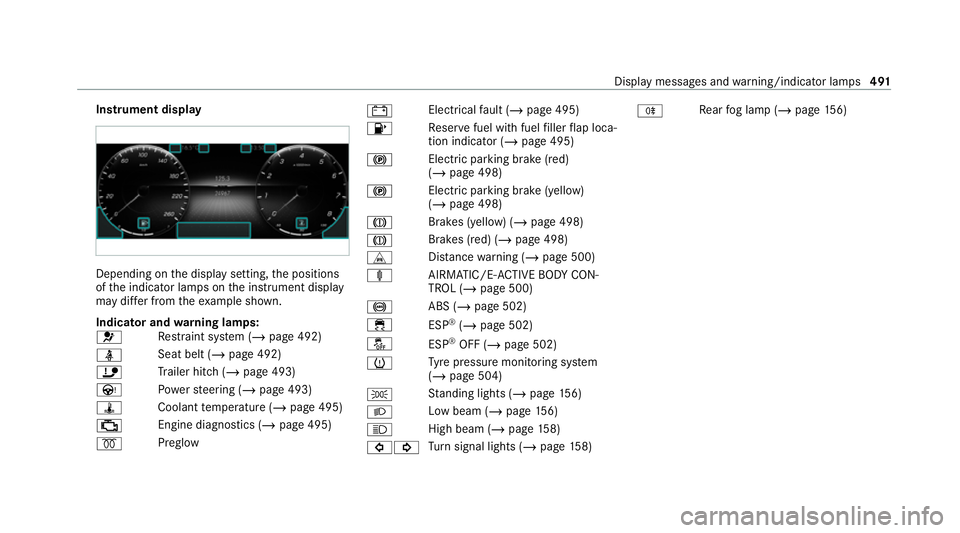
Instrument display
Depending on
the display setting, the positions
of the indicator lamps on the instrument display
may dif fer from theex ample shown.
Indicator and warning lamps:
6 Re
stra int sy stem (/ page 492)
ü Seat belt (/
page 492)
ï Trailer hit ch (/page 493)
Ù Powe rst eering (/ page 493)
ÿ Coolanttemp erature (/ page 495)
; Engine diagnostics (/
page 495)
% Preglow #
Elect
rical fault (/ page 495)
8 Re
ser vefuel with fuel filler flap loca‐
tion indicator (/ page 495)
! Elect
ric pa rking brake (red)
(/ page 498)
! Electric parking brake (yellow)
(/
page 498)
J Brakes (yellow) (/
page 498)
J Brakes (red) (/
page 498)
L Distance warning (/ page 500)
ä AIRMATIC/E -ACTIVE BODY CON‐
TROL (/ page 500)
! ABS (/
page 502)
÷ ESP®
(/ page 502)
å ESP®
OFF (/ page 502)
h Ty
re pressure monitoring sy stem
(/ page 504)
T St
anding lights (/ page156)
L Low beam (
/page 156)
K High beam (/
page158)
#! Tu
rn signal lights (/ page158) R
Re
ar fog lamp (/ page156) Displ
aymessa ges and warning/indicator lamps 491
Page 496 of 549
Wa
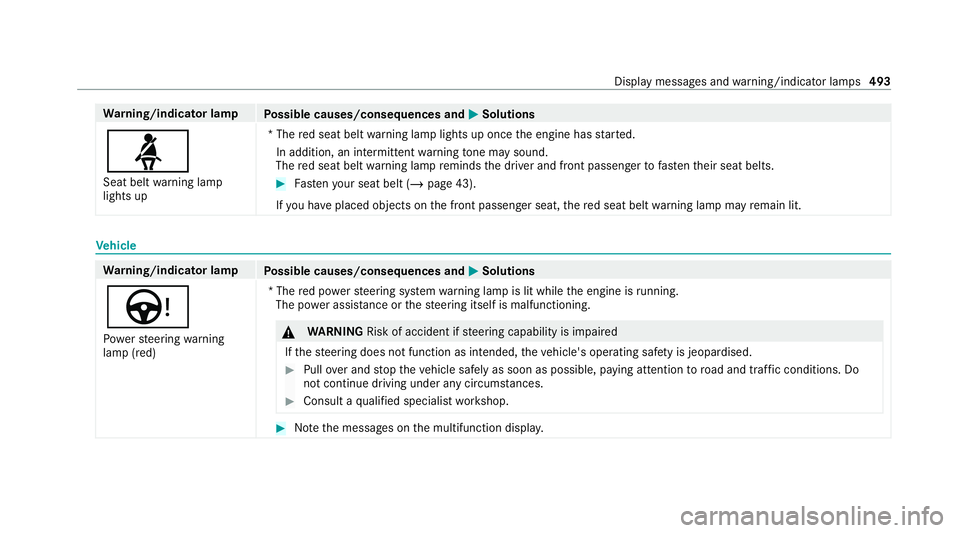
rning/indicator lamp
Possible causes/consequences and M
MSolutions
ü Seat belt warning lamp
lights up *T
he red seat belt warning lamp lights up once the engine has star ted.
In addition, an intermittent warning tone may sound.
The red seat belt warning lamp reminds the driver and front passenger tofast entheir seat belts. #
Fasten your seat belt (/ page 43).
If yo u ha veplaced objects on the front passenger seat, there d seat belt warning lamp may remain lit. Ve
hicle Wa
rning/indicator lamp
Possible causes/consequences and M
MSolutions
Ù Po we rst eering warning
lamp (red) *T
he red po werst eering sy stem warning lamp is lit while the engine is running.
The po wer assi stance or thesteering itself is malfunctioning. &
WARNING Risk of accident if steering capability is impaired
If th esteering does not function as intended, theve hicle's operating saf ety is jeopardised. #
Pull over and stop theve hicle safely as soon as possible, paying attention toroad and traf fic conditions. Do
not continue driving under any circums tances. #
Consult a qualified specialist workshop. #
Notethe messages on the multifunction displa y. Displ
aymessa ges and warning/indicator lamps 493