light MERCEDES-BENZ GLS SUV 2020 Service Manual
[x] Cancel search | Manufacturer: MERCEDES-BENZ, Model Year: 2020, Model line: GLS SUV, Model: MERCEDES-BENZ GLS SUV 2020Pages: 549, PDF Size: 9.9 MB
Page 153 of 549
#
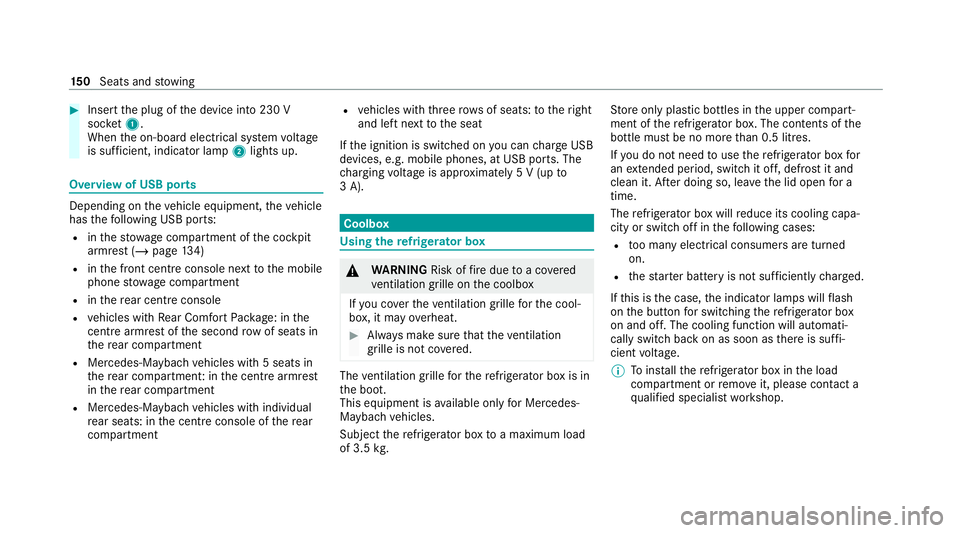
Insert the plug of the device into 230 V
soc ket1.
When the on-board electrical sy stem voltage
is suf ficient, indicator la mp2lights up. Overview of USB ports
Depending on
theve hicle equipment, theve hicle
has thefo llowing USB ports:
R inthestow age compartment of the cockpit
armrest (/ page134)
R inthe front cent reconsole next tothe mobile
phone stowage compartment
R inthere ar centre console
R vehicles with Rear Comfort Package: in the
centre armrest of the second row of seats in
th ere ar compartment
R Mercedes-Maybach vehicles with 5 seats in
th ere ar compartment: in the cent rearmrest
in there ar compartment
R Mercedes-Maybach vehicles with individual
re ar seats: in the cent reconsole of there ar
compartment R
vehicles with thre erow s of seats: totheright
and left next tothe seat
If th e ignition is switched on you can charge USB
devices, e.g. mobile phones, at USB ports. The
ch arging voltage is appr oximately 5 V (up to
3 A). Coolb
ox Using
there frigerator box &
WARNING Risk offire due toa co vered
ve ntilation grille on the coolbox
If yo u co verth eve ntilation grille forth e cool‐
box, it may overheat. #
Alw ays make sure that theve ntilation
grille is not co vered. The
ventilation grille forth ere frigerator box is in
th e boot.
This equipment is available on lyfor Mercedes-
Maybach vehicles.
Subject there frigerator box toa maximum load
of 3.5 kg. St
ore only plastic bottles in the upper compart‐
ment of there frigerator box. The contents of the
bottle must be no more than 0.5 lit res.
I f yo u do not need touse there frigerator box for
an extended pe riod, switch it off, defrost it and
clean it. Af ter doing so, lea vethe lid open for a
time.
The refrigerator box will reduce its cooling capa‐
city or switch off in thefo llowing cases:
R too many electrical consumers are turned
on.
R thest ar ter battery is not suf ficiently charge d.
If th is is the case, the indicator lamps will flash
on the button for switching there frigerator box
on and off. The cooling function will auto mati‐
cally switch back on as soon as there is suf fi‐
cient voltage.
% Toinstallth ere frigerator box in the load
compartment or remo veit, please con tact a
qu alified specialist workshop. 15 0
Seats and stowing
Page 154 of 549
Example:
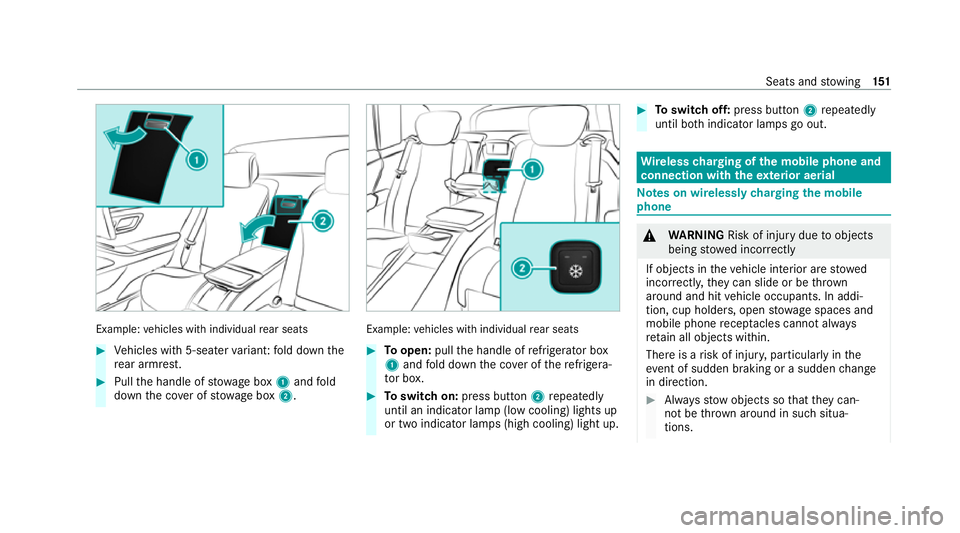
vehicles with individual rear seats #
Vehicles with 5-seater variant: fold down the
re ar armrest. #
Pull the handle of stowage box 1and fold
down the co ver of stow age box 2. Example:
vehicles with individual rear seats #
Toopen: pullthe handle of refrigerator box
1 and fold down the co ver of there frigera‐
to r box. #
Toswitch on: press button 2repeatedly
until an indicator lamp (low cooling) lights up
or two indicator lamps (high cooling) light up. #
Toswitch off: press button 2repeatedly
until bo thindicator lamps go out. Wire
lesscharging of the mobile phone and
connection with theex terior aerial Note
s on wirelessly charging the mobile
phone &
WARNING Risk of inju rydue toobjects
being stowed inco rrectly
If objects in theve hicle interior are stowed
incor rectly, they can slide or be thrown
around and hit vehicle occupants. In addi‐
tion, cup holders, open stowage spaces and
mobile phone recep tacles cannot al ways
re tain all objects within.
There is a risk of injur y,particularly in the
ev ent of sudden braking or a sudden change
in direction. #
Alw aysstow objects so that they can‐
not be throw n around in su chsitua‐
tions. Seats and
stowing 151
Page 157 of 549
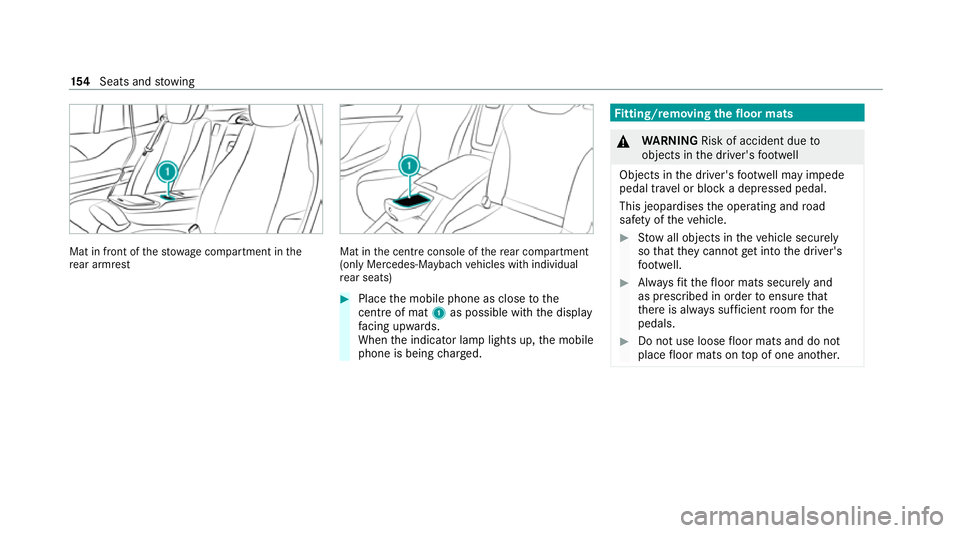
Mat in front of
thestow age compartment in the
re ar armrest Mat in
the cent reconsole of there ar compartment
(only Mercedes-Maybach vehicles with individual
re ar seats) #
Place the mobile phone as close tothe
centre of mat 1as possible wi th the display
fa cing up wards.
When the indicator lamp lights up, the mobile
phone is being charge d. Fi
tting/ removing the floormats &
WARNING Risk of accident due to
objects in the driver's foot we ll
Objects in the driver's foot we ll may impede
pedal tr avel or block a depressed pedal.
This jeopardises the operating and road
saf ety of theve hicle. #
Stow all objects in theve hicle securely
so that they cannot getinto the driver's
fo ot we ll. #
Alw aysfit th efloor mats securely and
as prescribed in order toensure that
th ere is alw ays suf ficient room forthe
pedals. #
Do not use loose floor mats and do not
place floor mats on top of one ano ther. 15 4
Seats and stowing
Page 159 of 549
Exterior lighting
Note
s on adjusting the lights when driving
abroad Ve
hicles with static LED headlamps: It is not
necessa ryto con vert the headlamps. The legal
re qu irements are also met in countries in which
traf fic drives on theot her side of thero ad.
Ve hicles with Intelligent Light Sy stem: The
headlamps are automatically adjus ted when the
ve hicle enters countries in which traf fic drives
on theot her side of thero ad.
In thefo llowing cases, check the headlamp set‐
ting and change it manually if necessary:
R Ifth eDipped-beam setting (left/right-side
traffic) Manual adjustment only display mes‐
sage is displa yed.
R Ifth eCheck dipped-beam setting (left/right-
side traffic) display message is displa yed.
Once the headlamps ha vebeen con verted:
R Oncoming tra ffic will not be dazzled.
R The edge of thero ad will not be illuminated
as far or as high. R
The "mo torw ay mode" and "enhanced fog
light" functions will not be available. Information about lighting sy
stems and your
re sponsibility The
various lighting sy stems of theve hicle are
only aids. The driver of theve hicle is responsible
fo r cor rect vehicle illumination in accordance
with the pr evailing light and visibility conditions,
legal requ irements and traf fic situation. Light switch
Ope
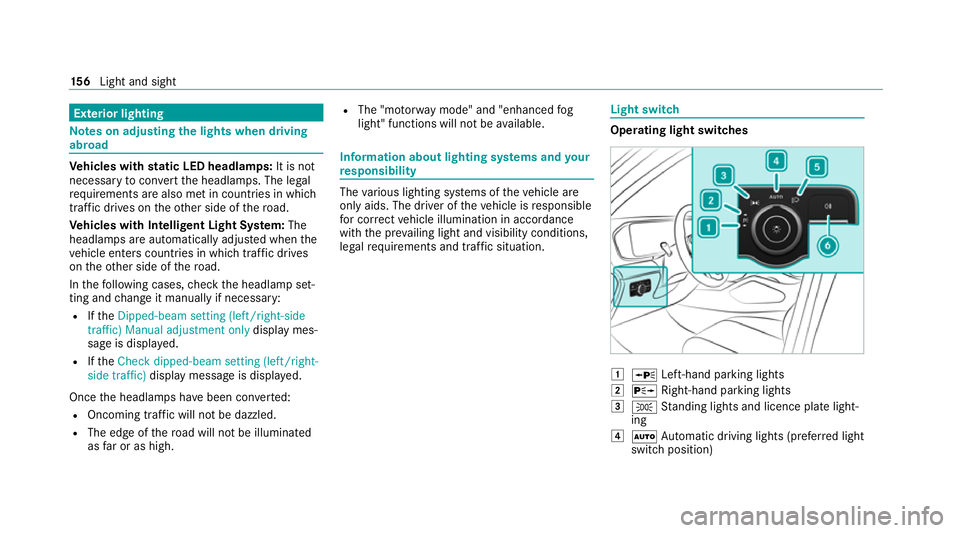
rating light switches 1
W Left-hand pa rking lights
2 X Right-hand parking lights
3 T Standing lights and licence plate light‐
ing
4 Ã Automatic driving lights (prefer red light
switch position) 15 6
Light and sight
Page 160 of 549
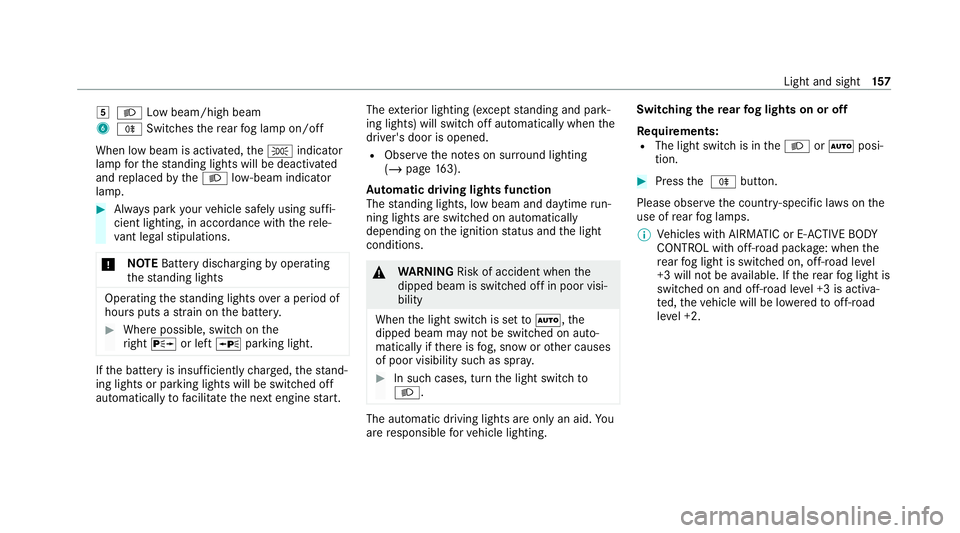
5
L Low beam/high beam
6 R Switches there ar fog lamp on/off
When low beam is activated, theT indicator
lamp forth est anding lights will be deactivated
and replaced bytheL low- beam indicator
lamp. #
Alw ays park your vehicle safely using suf fi‐
cient lighting, in acco rdance with there le‐
va nt le galst ipulations.
* NO
TEBattery discharging byoperating
th est anding lights Operating
thest anding lights over a period of
hours puts a stra in on the batter y. #
Where possible, switch on the
ri ght X or left Wparking light. If
th e battery is insuf ficiently charge d, thest and‐
ing lights or parking lights will be swit ched off
automatically tofacilitate the next engine start. The
exterior lighting (e xcept standing and park‐
ing lights) will swit choff automatically when the
driver's door is opened.
R Obser vethe no tes on sur round lighting
(/ page 163).
Au tomatic driving lights function
The standing lights, low beam and daytime run‐
ning lights are switched on au tomatically
depending on the ignition status and the light
conditions. &
WARNING Risk of accident when the
dipped beam is switched off in poor visi‐
bility
When the light switch is set toà ,the
dipped beam may not be switched on auto‐
matically if there is fog, snow or other causes
of poor visibility such as spr ay. #
In such cases, turn the light switch to
L . The automatic driving lights are only an aid.
Yo u
are responsible forve hicle lighting. Switching
there ar fog lights on or off
Re quirements:
R The light switch is in theL orà posi‐
tion. #
Press the R button.
Please obser vethe count ry-specific la wsonthe
use of rear fog lamps.
% Vehicles with AIRMATIC or E- ACTIVE BODY
CO NTROL with off-road pac kage : when the
re ar fog light is switched on, off-road le vel
+3 will not be available. If there ar fog light is
switched on and off-road le vel +3 is activa‐
te d, theve hicle will be lo weredto off-road
le ve l +2. Light and sight
157
Page 161 of 549
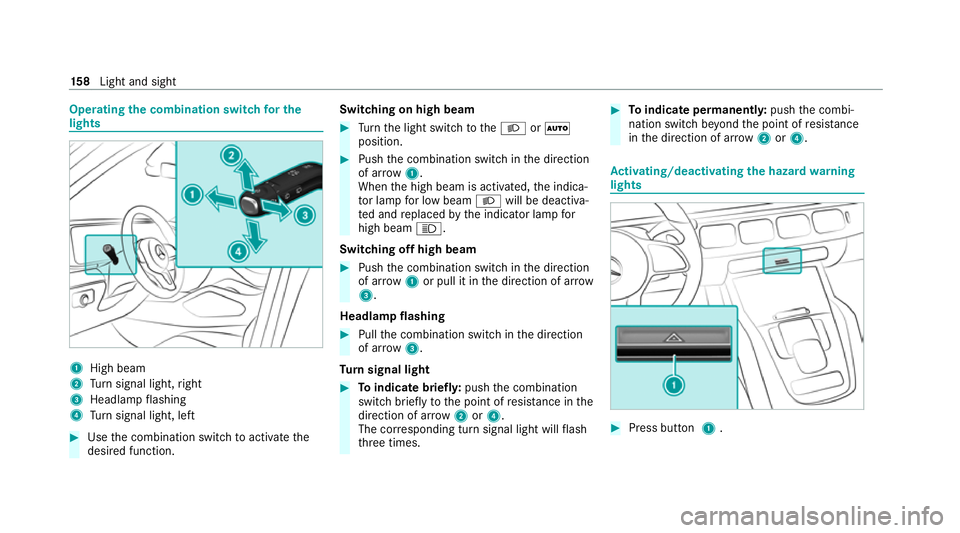
Operating
the combination switch for the
lights 1
High beam
2 Turn signal light, right
3 Headlamp flashing
4 Turn signal light, left #
Use the combination switch toactivate the
desired function. Switching on high beam #
Turn the light switch totheL orÃ
position. #
Push the combination switch in the direction
of ar row1.
When the high beam is activated, the indica‐
to r lamp for low beam Lwill be deactiva‐
te d and replaced bythe indicator lamp for
high beam K.
Switching off high beam #
Push the combination switch in the direction
of ar row1or pull it in the direction of ar row
3 .
Headlamp flashing #
Pull the combination switch in the direction
of ar row3.
Tu rn signal light #
Toindicate briefl y:push the combination
switch briefly tothe point of resis tance in the
direction of ar row2or4.
The cor responding turn signal light will flash
th re e times. #
Toindicate permanentl y:push the combi‐
nation switch be yond the point of resis tance
in the direction of ar row2or4. Ac
tivating/deactivating the hazard warning
lights #
Press button 1. 15 8
Light and sight
Page 162 of 549
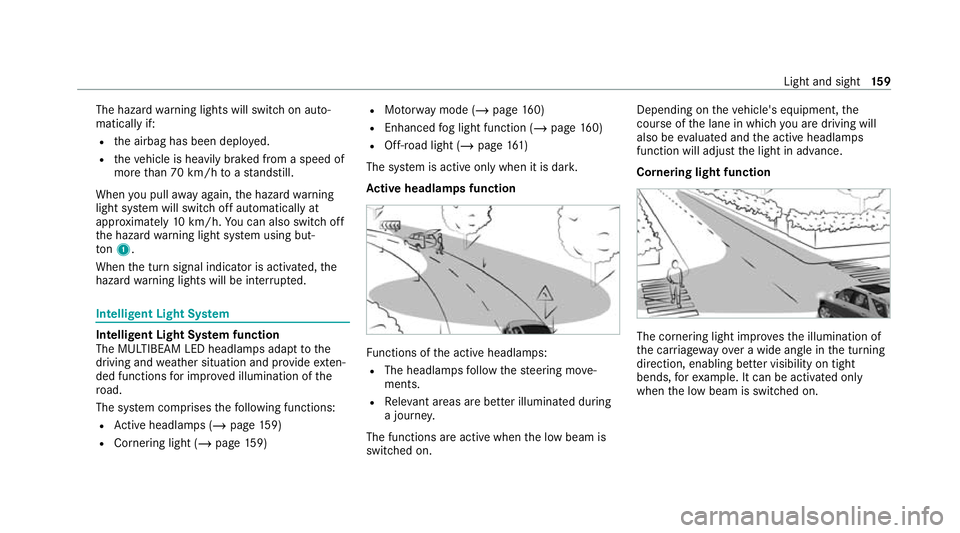
The hazard
warning lights will switch on auto‐
matically if:
R the airbag has been deplo yed.
R theve hicle is heavily braked from a speed of
more than 70 km/h toast andstill.
When you pull away again, the hazard warning
light sy stem will switch off automatically at
appr oximately 10km/h. You can also swit choff
th e hazard warning light sy stem using but‐
to n1.
When the turn signal indicator is activated, the
hazard warning lights will be inter rupte d. Intelligent Light Sy
stem Intelligent Light Sy
stem function
The MULTIBEAM LED headlamps adapt tothe
driving and weather situation and pr ovide exten‐
ded functions for impr oved illumination of the
ro ad.
The sy stem comprises thefo llowing functions:
R Active headla mps (/ page159)
R Cor nering light (/ page 159) R
Motorw ay mode (/ page160)
R Enhanced fog light function (/ page160)
R Off- road light (/ page161)
The sy stem is active only when it is dar k.
Ac tive headlamps function Fu
nctions of the active headlamps:
R The headlamps follow thesteering mo ve‐
ments.
R Releva nt areas are better illumina ted during
a journe y.
The functions are active when the low beam is
switched on. Depending on
theve hicle's equipment, the
cou rse of the lane in which you are driving will
also be evaluated and the active headlamps
function will adjust the light in advance.
Cornering light function The cornering light impr
ovesth e illumination of
th e car riag ewa yove r a wide angle in the turning
direction, enabling better visibility on tight
bends, forex ample. It can be activated on ly
when the low beam is switched on. Light and sight
15 9
Page 163 of 549
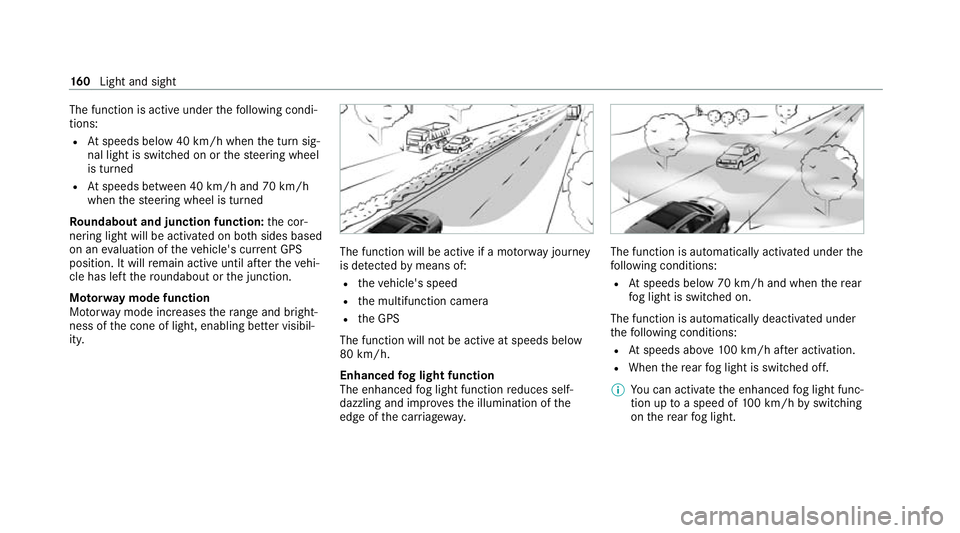
The function is active under
thefo llowing condi‐
tions:
R Atspeeds below 40 km/h when the turn sig‐
nal light is switched on or thesteering wheel
is turned
R Atspeeds between 40 km/h and 70 km/h
when thesteering wheel is turned
Ro undabout and junction function: the cor‐
nering light will be activated on bo thsides based
on an evaluation of theve hicle's cur rent GPS
position. It will remain active until af terth eve hi‐
cle has left thero undabout or the junction.
Mo torw ay mode function
Mo torw ay mode increases thera nge and bright‐
ness of the cone of light, enabling better visibil‐
ity. The function will be active if a mo
torw ay jou rney
is de tected bymeans of:
R theve hicle's speed
R the multifunction camera
R the GPS
The function will not be active at speeds below
80 km/h.
Enhanced fog light function
The enhanced fog light function reduces self-
dazzling and impr ovesth e illumination of the
edge of the car riag ewa y. The function is automatically activated under
the
fo llowing conditions:
R Atspeeds below 70 km/h and when there ar
fo g light is switched on.
The function is automatically deactivated under
th efo llowing conditions:
R Atspeeds abo ve100 km/h af ter activation.
R When there ar fog light is switched off.
% You can activate the enhanced fog light func‐
tion up toa speed of 100 km/h byswitching
on there ar fog light. 16 0
Light and sight
Page 164 of 549
Fu
nction of the off-road light
The off- road light impr oves illumination during
off-road driving. The low beam is distributed
symmetrically and across a wide angle, and
brightness is increased slightl y.This makes it
easier tofind your wa y when driving off- road and
to detect obs tacles at an ea rly st age. The active
headlamps are deactivated during this time so
th at steering mo vements do not change the illu‐
mination.
The function is active when the low beam is
switched on if you are not driving at a speed
greater than 50 km/h and theF (Offroad) or
G (Offroad Plus) drive program has been
selected.
Switching the Intelligent Light Sy stem
on/off
Re quirements:
R the ignition is switched on.
Multimedia sy stem:
4 © 5
Settings 5
Lights
5 Intelligent Light System #
Activate or deacti vate the function. Ad
aptive Highbeam Assist Plus Ad
aptive Highbeam Assist Plus function &
WARNING Risk of accident despi te
Ad aptive Highbeam Assist Plus
Ad aptive Highbeam Assist Plus does not
re act to:
R road users without lights, e.g. pedes‐
trians
R road users with poor lighting, e.g. cyclists
R road users whose lighting is obstructed,
e.g. bya bar rier
On very rare occasions, Adaptive Highbeam
Assist Plus may failto recognise other road
users with their own lighting, or may recog‐
nise them too late.
In these, or in similar situations, the auto‐
matic high beam will not be deactivated or
will be activated despite the presence of
ot her road users. #
Alw ays obser vethero ad and traf fic
conditions carefully and switch off the
high beam in good time. Ad
aptive Highbeam Assist Plus cannot take into
account road, weather or traf fic conditions.
De tection may be restricted in thefo llowing
cases:
R In poor visibilit y,e.g. fog, heavy rain or snow
R ifth ere is dirt on the sensors or the sensors
are obscured
Ad aptive Highbeam Assist Plus is on lyan aid.
Yo u are responsible for adju sting theve hicle's
lighting tothe pr evailing light, visibility and traf‐
fi c conditions. Light and sight
161
Page 165 of 549
Ad
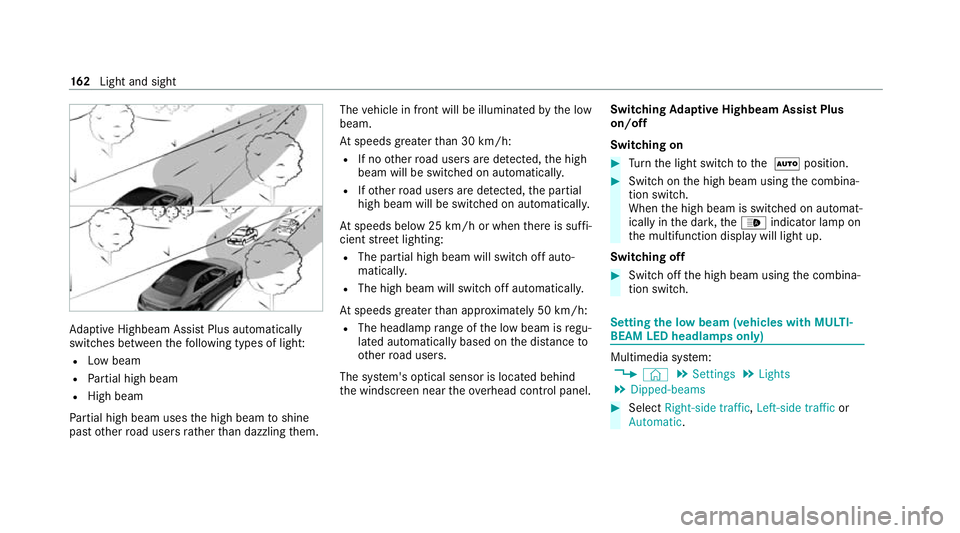
aptive Highbeam Assist Plus automatically
swit ches between thefo llowing types of light:
R Low beam
R Partial high beam
R High beam
Pa rtial high beam uses the high beam toshine
past other road users rath er than dazzling them. The
vehicle in front will be illuminated bythe low
beam.
At speeds greater than 30 km/h:
R If no other road users are de tected, the high
beam will be switched on automaticall y.
R Ifot her road users are de tected, the partial
high beam will be switched on automaticall y.
At speeds below 25 km/h or when there is suf fi‐
cient stre et lighting:
R The partial high beam will switch off auto‐
matically.
R The high beam will switch off automaticall y.
At speeds greater than appr oximately 50 km/h:
R The headlamp range of the low beam is regu‐
lated automatically based on the dis tance to
ot her road users.
The sy stem's optical sensor is located behind
th e windscreen near theove rhead control panel. Switching
Adaptive Highbeam Assist Plus
on/off
Switching on #
Turn the light switch tothe à position. #
Switch on the high beam using the combina‐
tion switch.
When the high beam is switched on automat‐
ically in the dar k,the_ indicator lamp on
th e multifunction display will light up.
Switching off #
Switch off the high beam using the combina‐
tion switch. Setting
the low beam (vehicles with MULTI‐
BEAM LED headlamps only) Multimedia sy
stem:
4 © 5
Settings 5
Lights
5 Dipped-beams #
Select Right-side traffic, Left-side trafficor
Automatic. 16 2
Light and sight