DVD MERCEDES-BENZ M-Class 2015 W166 Comand Manual
[x] Cancel search | Manufacturer: MERCEDES-BENZ, Model Year: 2015, Model line: M-Class, Model: MERCEDES-BENZ M-Class 2015 W166Pages: 270, PDF Size: 5.82 MB
Page 201 of 270
Positions in the media list
Single DVD drive, position 1: readable data
media are audio CDs, MP3 CDs or MP3
DVDs and video DVDs Memory card, position 2
MUSIC REGISTER, position 3
USB storage device, position 4
Media Interface, position 5
Bluetooth
®
audio: position 6 i
If a disc cannot be read, an entry appears
next to the corresponding magazine tray.
i If you select a video DVD, the system
switches to video DVD mode (Y page 226).
Selecting a track using the number key- pad X
When the display/selection window is
active, press a number key, e.g. 0084.
The medium at the corresponding position
in the media list is loaded and then played. Selecting a track
Selecting by skipping to a track X
To skip forwards or back to a track: turn
00790052007A the COMAND controller when the dis-
play/selection window is active.
or
X Press the 0048or0049 button.
The skip forward function skips to the next track.
The skip back function skips to the begin-
ning of the current track if the track has
been playing for more than 8 seconds. If the
track has been playing for less than
8 seconds, it skips to the start of the pre-
vious track. If the
Random Tracks
Random Tracks orRandom Folder Random Folder
playback option has been selected, the
track order is random.
Selecting a track using the number key- pad X
Press the 0056key on the number keypad.
A numerical entry field appears. The num-
ber of positions offered corresponds to the
number of tracks on the CD. Only numbers that correspond to a track number on the
CD can be entered.
X Enter the desired track number using the
number keys.
The track plays after the last possible num-
ber is entered.
i Pressing and holding a number key for
more than 2 seconds completes the entry,
and the corresponding track is played.
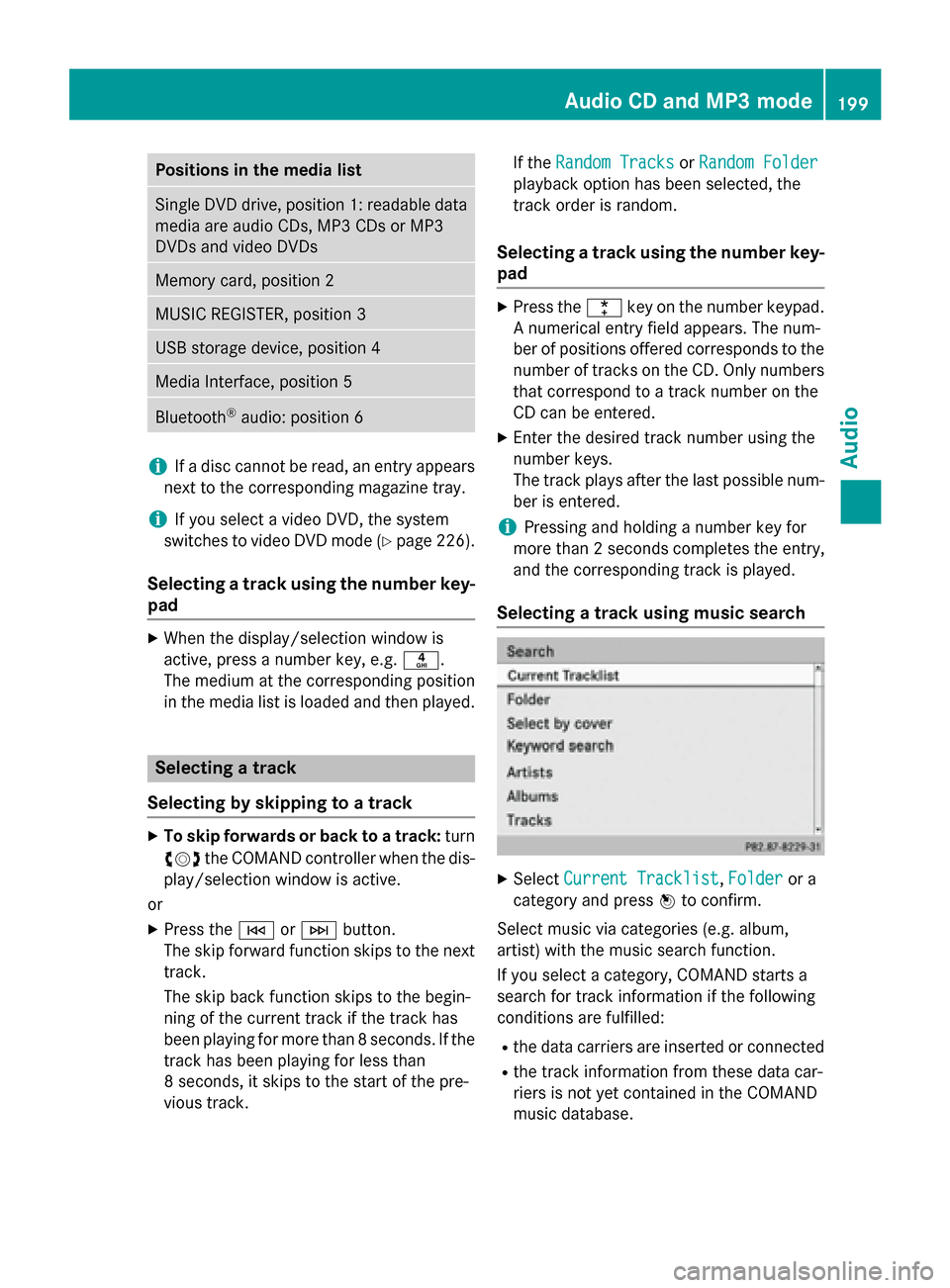
Selecting a track using music search X
Select Current Tracklist Current Tracklist, Folder
Folderor a
category and press 0098to confirm.
Select music via categories (e.g. album,
artist) with the music search function.
If you select a category, COMAND starts a
search for track information if the following
conditions are fulfilled: R the data carriers are inserted or connected
R the track information from these data car-
riers is not yet contained in the COMAND
music database. Audio CD and MP3 mode
199Audio Z
Page 203 of 270
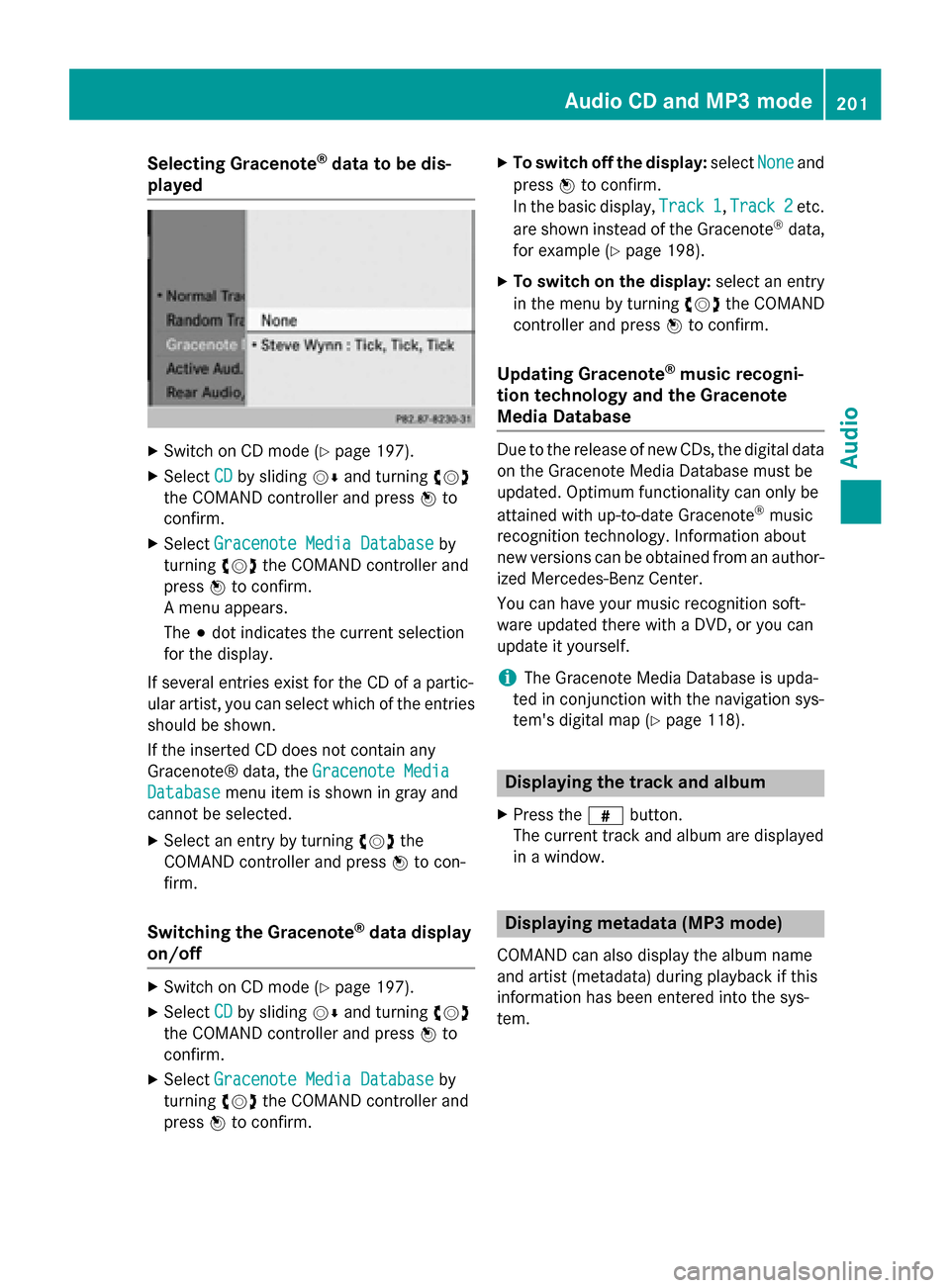
Selecting Gracenote
®
data to be dis-
played X
Switch on CD mode (Y page 197).
X Select CD
CDby sliding 00520064and turning 00790052007A
the COMAND controller and press 0098to
confirm.
X Select Gracenote Media Database
Gracenote Media Database by
turning 00790052007Athe COMAND controller and
press 0098to confirm.
A menu appears.
The 003Bdot indicates the current selection
for the display.
If several entries exist for the CD of a partic-
ular artist, you can select which of the entries
should be shown.
If the inserted CD does not contain any
Gracenote® data, the Gracenote Media
Gracenote Media
Database
Database menu item is shown in gray and
cannot be selected.
X Select an entry by turning 00790052007Athe
COMAND controller and press 0098to con-
firm.
Switching the Gracenote ®
data display
on/off X
Switch on CD mode (Y page 197).
X Select CD CDby sliding 00520064and turning 00790052007A
the COMAND controller and press 0098to
confirm.
X Select Gracenote Media Database
Gracenote Media Database by
turning 00790052007Athe COMAND controller and
press 0098to confirm. X
To switch off the display: selectNone Noneand
press 0098to confirm.
In the basic display, Track 1 Track 1,Track 2
Track 2etc.
are shown instead of the Gracenote ®
data,
for example (Y page 198).
X To switch on the display: select an entry
in the menu by turning 00790052007Athe COMAND
controller and press 0098to confirm.
Updating Gracenote ®
music recogni-
tion technology and the Gracenote
Media Database Due to the release of new CDs, the digital data
on the Gracenote Media Database must be
updated. Optimum functionality can only be
attained with up-to-date Gracenote ®
music
recognition technology. Information about
new versions can be obtained from an author-
ized Mercedes-Benz Center.
You can have your music recognition soft-
ware updated there with a DVD, or you can
update it yourself.
i The Gracenote Media Database is upda-
ted in conjunction with the navigation sys-
tem's digital map (Y page 118). Displaying the track and album
X Press the 0090button.
The current track and album are displayed
in a window. Displaying metadata (MP3 mode)
COMAND can also display the album name
and artist (metadata) during playback if this
information has been entered into the sys-
tem. Audio CD and MP3 mode
201Audio Z
Page 204 of 270
For all media that contain MP3 data (e.g. MP3
CD, SD memory card, MUSIC REGISTER), you
can determine whether:
R the metadata contained in the tags of the
encoded music data should be displayed
R the file and directory names should be dis-
played during playback
X To display the album and artist name:
select MP3
MP3 orUSB USB in the basic display by
sliding 00520064and turning 00790052007Athe COMAND
controller and press 0098to confirm.
X Select Display Track Information
Display Track Information and
press 0098to confirm. Selecting an active partition (USB
mass storage devices only)
You can select this function for USB mass
storage devices when the storage device is
partitioned. Up to 5 partitions (primary or log- ical, FAT, FAT32 and NTFS) are supported.
X Select MP3
MP3 in the basic display by sliding
00520064 and turning 00790052007Athe COMAND con-
troller and press 0098to confirm.
X Select Select Active Partition
Select Active Partition and
press 0098to confirm. Playback options
X To select options: switch on audio CD or
MP3 mode (Y page 197).
X Select CD CDorMP3
MP3 mode by sliding 00520064and
turning 00790052007Athe COMAND controller and
then pressing 0098to confirm.
The options list appears. The 003Bdot indi-
cates the option selected.
X Select an option by turning 00790052007Aand press
0098 to confirm.
The option is switched on. For all options
except Normal Track Sequence
Normal Track Sequence , you will
see a corresponding display in the display/ selection window.
The following options are available to you:
R Normal Track Sequence
Normal Track Sequence The tracks are played in the normal order
(e.g. track 1, 2, 3, etc.).
In MP3 mode, the track order is determined
by the order in which the tracks are written to the MP3 data carrier when it is created.
Alphabetical order is the most common.
Once all the tracks in a folder have been
played, the tracks in the next folder are
played.
R Random Medium Random Medium
All the tracks on the medium are played in
random order (e.g. track 3, 8, 5 etc.).
R Random Track List Random Track List (MP3 mode only)
You will hear the tracks in the current play-
list or currently active folder (including all
subfolders) in random order.
i The
Normal Track Sequence Normal Track Sequence option is
automatically selected when you change
the disc you are currently listening to or
when you select a different medium. If an
option is selected, it remains selected after COMAND is switched on or off. Notes on MP3 mode
General notes Depending on the volume and format of the
MP3 data, the length of time required for
reading the data may increase.
Permissible data carriers R
CD-R and CD-RW
R DVD-R and DVD-RW
R DVD+R and DVD+RW
R SD memory card
R USB storage device
Permissible file systems R
ISO 9660/Joliet standard for CDs
R UDF for video DVDs
R FAT16, FAT32 and NTFS for SD memory
card and USB storage media 202
Audio CD and MP3 modeAudio
Page 206 of 270
cially the case if you have activated a sur-
round sound function.
Notes on copyright MP3 or WMA tracks that you create or play
back are generally subject to copyright pro-
tection in accordance with the applicable
international and national regulations.
In many countries, reproductions, even for
private use, are not permitted without the
prior consent of the copyright holder.
Make sure that you know about the applicable copyright regulations and that you comply
with these.
If you own these rights yourself, e.g. for yourown compositions and recordings, or if the
copyright holder has granted you permission,
these restrictions do not apply.
Notes on CDs/DVDs !
COMAND is designed to play discs that
comply with the EN 60908 standard. There- fore, you can only use discs with a maxi-
mum thickness of 1.3 mm.
If you insert thicker discs, e.g. those that
contain data on both sides (DVD on one
side and audio data on the other), they can-
not be ejected and can damage the device.
Only use round discs with a diameter of
12 cm. Do not use discs with a diameter of 8 cm, even with an adapter.
Discs with copy protection are not compati-
ble with the audio CD standard and therefore may not be able to be played by COMAND.
Playback problems may occur when playing
copied discs. There is a wide range of data
carriers, disc-writing software and writers
available. This variety means that there is no
guarantee that the system will be able to play
discs that you have copied yourself.
There may be playback problems if you play
CDs that you have copied yourself with a stor- age capacity of more than 700 MB. CDs of
this type do not conform to the currently
applicable standards. i
COMAND is able to play back audio CDs in
multichannel audio format. Music search
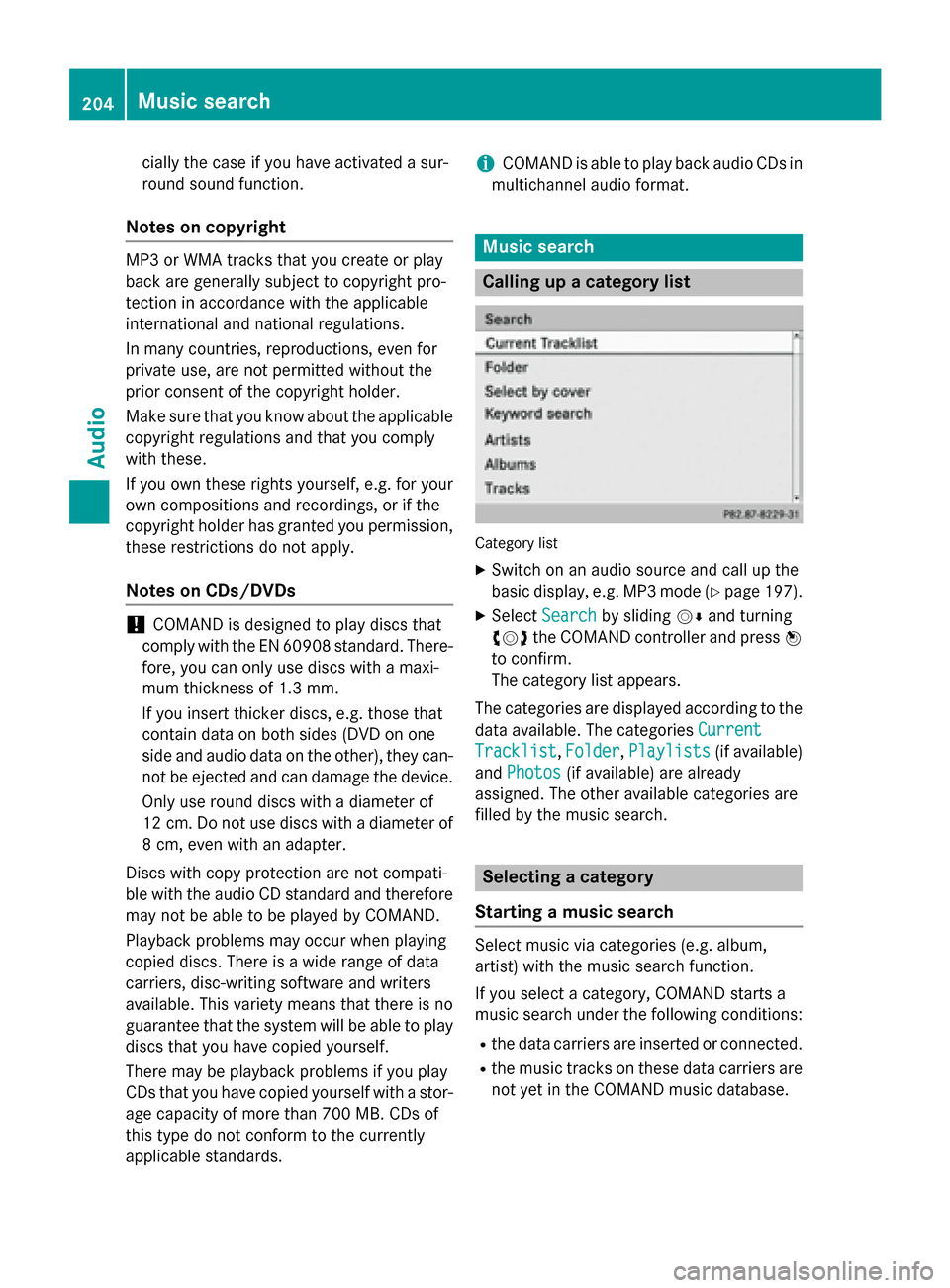
Calling up a category list
Category list
X Switch on an audio source and call up the
basic display, e.g. MP3 mode (Y page 197).
X Select Search
Search by sliding 00520064and turning
00790052007A the COMAND controller and press 0098
to confirm.
The category list appears.
The categories are displayed according to the data available. The categories Current Current
Tracklist
Tracklist, Folder
Folder,Playlists
Playlists (if available)
and Photos Photos (if available) are already
assigned. The other available categories are
filled by the music search. Selecting a category
Starting a music search Select music via categories (e.g. album,
artist) with the music search function.
If you select a category, COMAND starts a
music search under the following conditions:
R the data carriers are inserted or connected.
R the music tracks on these data carriers are
not yet in the COMAND music database. 204
Music searchAudio
Page 221 of 270
Switching on automatically
X
Connect an external device (Y page 218).
COMAND activates the device (if connec-
ted via the iPod ®
connector or USB socket).
The basic display then appears.
Switching on using the DISC button The external device is connected to the Media
Interface.
X Press the 003Abutton one or more times.
By pressing the DISC button repeatedly, you
can switch modes in the following order:
R CD/MP3 (disc)
R Memory card mode
R MUSIC REGISTER
R USB storage device
R Media Interface or audio AUX mode
R Bluetooth ®
audio mode
Switching on using a number key X
Press the 0085number key (single DVD
drive).
This selects the connected external audio
device directly.
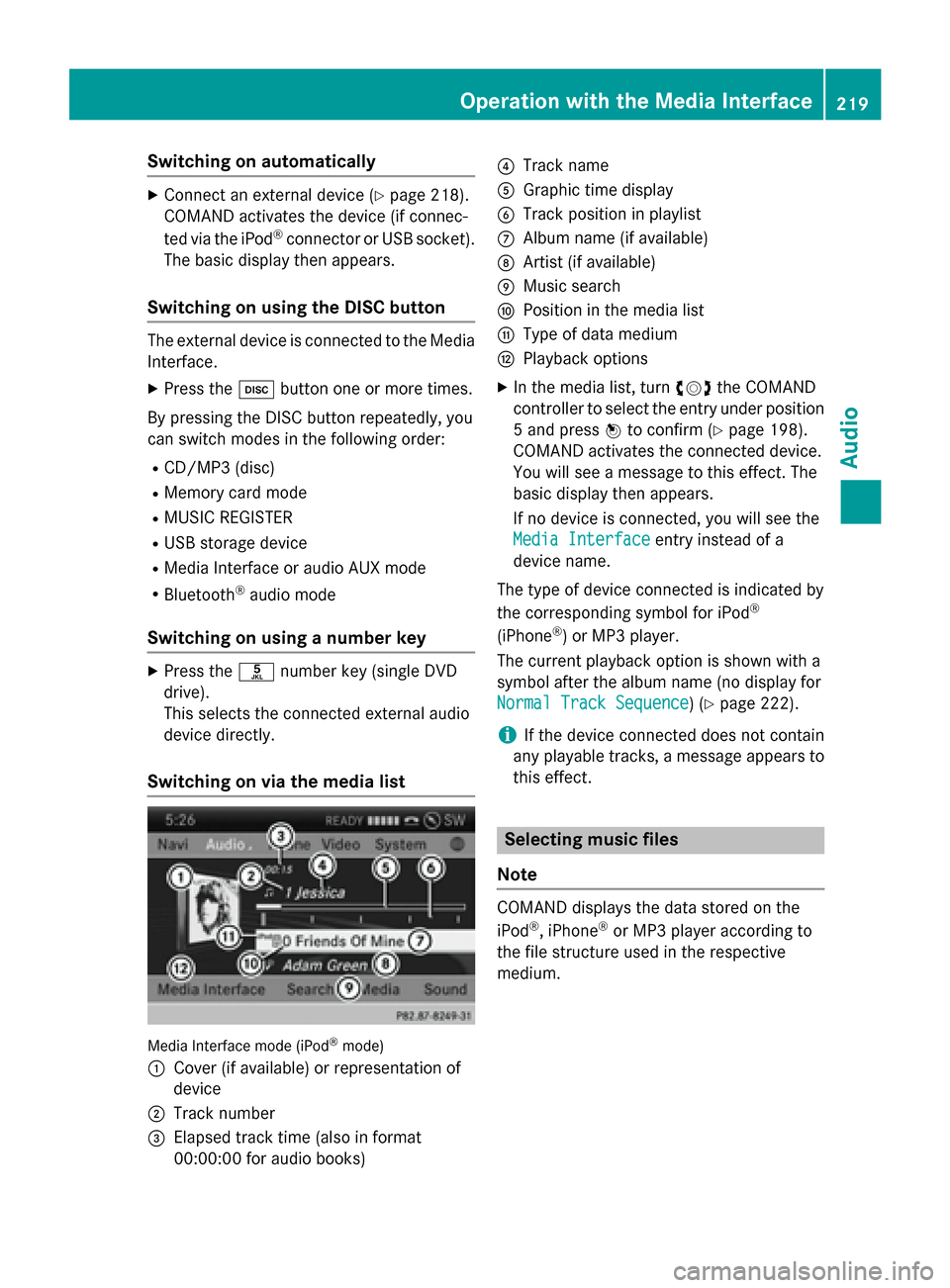
Switching on via the media list Media Interface mode (iPod
®
mode)
0043 Cover (if available) or representation of
device
0044 Track number
0087 Elapsed track time (also in format
00:00:00 for audio books) 0085
Track name
0083 Graphic time display
0084 Track position in playlist
006B Album name (if available)
006C Artist (if available)
006D Music search
006E Position in the media list
006F Type of data medium
0070 Playback options
X In the media list, turn 00790052007Athe COMAND
controller to select the entry under position
5 and press 0098to confirm (Y page 198).
COMAND activates the connected device.
You will see a message to this effect. The
basic display then appears.
If no device is connected, you will see the
Media Interface Media Interface entry instead of a
device name.
The type of device connected is indicated by
the corresponding symbol for iPod ®
(iPhone ®
) or MP3 player.
The current playback option is shown with a
symbol after the album name (no display for
Normal Track Sequence Normal Track Sequence) (Y page 222).
i If the device connected does not contain
any playable tracks, a message appears to
this effect. Selecting music files
Note COMAND displays the data stored on the
iPod ®
, iPhone ®
or MP3 player according to
the file structure used in the respective
medium. Operation with the Media Interface
219Audio Z
Page 227 of 270

Your COMAND equipment
................226
General information .........................226
Basic settings .................................... 226
Video DVD mode ............................... 226
Video AUX mode ............................... 231
Picture viewer ................................... 232 225Video
Page 228 of 270
Your COMAND equipment
These operating instructions describe all the
standard and optional equipment for your
COMAND system, as available at the time of
going to print. Country-specific differences
are possible. Please note that your
COMAND system may not be equipped with
all the features described. General information
Automatic picture shutoff
The video image is only displayed for the
driver when the transmission lever is in posi-
tion P.
SPLITVIEW allows the front passenger to view the video image (Y page 37).
When the transmission lever is disengaged
from position P, the following message
appears in the display: In order not to
In order not to
distract distract you
youfrom
from the
thetraffic
traffic situa‐
situa‐
tion,
tion, the
thepicture
picture is
isfaded
faded out
outwhile
while
the vehicle is in motion.
the vehicle is in motion.
As soon as the selector lever of the transmis-
sion is returned to position P, the video image
is shown. Basic settings
Adjusting the brightness, contrast or
color
X In video DVD or video AUX mode, press the
0098 COMAND Controller.
The menu is shown.
X Select DVD-Video DVD-Video orAux
Aux by turning 00790052
the COMAND controller and press 0098to
confirm.
A menu appears.
X Select Brightness
Brightness, Contrast ContrastorColor
Color by
turning 00790052007Athe COMAND controller and
press 0098to confirm.
X Set the value between - 5 and + 5 and press
0098 to confirm. Changing the picture format
X Press 0098the COMAND controller.
The menu is shown.
X Select DVD-Video
DVD-Video by sliding00520064and turn-
ing 00790052 the COMAND controller and press
0098 to confirm.
A menu appears.
X Select 16:9 Optimized 16:9 Optimized, 4:3 4:3orWide‐
Wide‐
screen
screen and press 0098to confirm.
The dot in front of the entry indicates the
currently selected format.
X Select a setting by turning 00790052the
COMAND controller and press 0098to con-
firm. Video DVD mode
Important safety notes
G
WARNING
The CD/DVD drive is a class 1 laser product. If you open the housing of the CD/DVD drive,
there is a risk of exposure to invisible laser
radiation. This laser radiation could damage
your retina. There is a risk of injury.
Never open the housing. Always have main-
tenance and repair work carried out at a quali- fied specialist workshop. G
WARNING
Handling discs while driving may distract you from traffic conditions. You could also lose
control of the vehicle. There is a risk of an
accident.
Handle discs only when the vehicle is station-
ary.
Bear in mind that at a speed of only 30 mph
(approximately 50 km/h), your vehicle covers
a distance of 44 feet (approximately 14 m)
every second. 226
Video DVD
modeVideo
Page 229 of 270

Notes on discs
! Do not affix stickers or labels to the discs.
They could peel off and damage COMAND.
Stickers can cause the disc to bend, which can result in read errors and disc recogni-
tion problems.
! COMAND is designed to play discs that
comply with the EN 60908 standard. There-
fore, you can only use discs with a maxi-
mum thickness of 1.3 mm.
If you insert thicker discs, e.g. those that
contain data on both sides (DVD on one
side and audio data on the other), they can- not be ejected and can damage the device.
Only use round discs with a diameter of
12 cm. Do not use discs with a diameter of 8 cm, even with an adapter.
Playback problems may occur when playing
copied discs. There are a large variety of
discs, DVD authoring software, writing soft-
ware and writers available. This variety means that there is no guarantee that the system will
be able to play discs that you have copied
yourself. DVD playback conditions
If video DVDs do not conform to the NTSC or PAL TV standards, they may create picture,
sound or other problems during playback.
COMAND is capable of playing back video
DVDs produced according to the following
standards:
R Region code 1 or region code 0 (no region
code)
R PAL or NTSC standard
You will generally find the relevant details
either on the DVD itself or on the DVD case.
i If you insert a video DVD with a different
region code, you will see a message to this
effect.
i COMAND is set to region code 1 at the
factory. This setting can be changed at an authorized Mercedes-Benz Center. This will
allow you to play video DVDs with a differ-
ent region code, provided that they are pro- duced in accordance with the PAL or NTSC
standard. The region code can be changed up to five times. Function restrictions
Depending on the DVD, it is possible that cer- tain functions or actions will be temporarily
blocked or may not function at all. As soon as
you try to activate these functions or actions, you will see the 0047symbol in the display. Inserting and removing DVDs
X Proceed as described in the "Inserting and
ejecting CDs and DVDs" section
(Y page 196). Switching to video DVD mode
Switching on automatically X
Insert a video DVD.
COMAND loads the medium inserted and
starts to play it.
Switching on using the DISC button X
Press the 003Abutton.
COMAND switches to the previous disc
operating mode.
By pressing the 003Abutton repeatedly, you
can switch modes in the following order:
R video DVD/CD/MP3 in the single DVD
drive (disc mode)
R memory card mode
R MUSIC REGISTER
R USB storage device
R Media Interface or audio AUX mode
R Bluetooth ®
audio mode Video
DVDmode
227Video Z
Page 230 of 270

X
Select Media
Mediaby sliding 00520064and turning
00790052007A the COMAND controller and press 0098
to confirm.
X Select a ývideo DVD from the media list
(Y page 230).
Switching on with the video menu X
Select Video
Videoin the main function bar by
sliding 00970052and turning 00790052007Athe COMAND
controller and press 0098to confirm.
Video DVD mode is switched on. Showing/hiding the control menu
X To show: in DVD video mode, slide 009700520064
the COMAND controller.
X To hide: slide009700520064 the COMAND control-
ler.
or X Wait for approximately eight seconds. Control menu displayed
0043
Type of data medium
0044 Current title
0087 Current scene
0085 Track time
0083 Shows the menu
i This function is not available while the
DVD's own menu is being displayed. Showing/hiding the menu
X To show: in full-screen DVD video mode,
press 0098the COMAND controller.
or X Select Menu
Menu while the control menu is
shown and press 0098to confirm.
X To hide: slide00970052the COMAND controller
and confirm Full Screen Full Screen by pressing0098. Menu shown
0043
Video DVD options
0044 Pause function
0087 Stop function
0085 Media selection
0083 Sound settings
i This function is not available while the
DVD's own menu is being displayed. Fast forwarding/rewinding
X In full-screen DVD video mode, slide 009500520096
and hold the COMAND controller until the
desired position is reached.
or
X Press and hold the 0048or0049 button
until the desired position is reached.
You see the control menu. 228
Video DVD modeVideo
Page 231 of 270
Stop function
X Show the menu (Y page 228).
X To interrupt playback: select00DBby
turning 00790052007Athe COMAND controller and
press 0098to confirm.
The 00CF display changes to 00D0. The
video image is hidden.
X To continue playback: select00D0and
press 0098to confirm.
Playback continues from the point where it was interrupted.
X To stop playback: while playback is inter-
rupted, select 00DBagain and press 0098to
confirm.
or
X During playback, confirm 00DBby pressing
0098 twice in rapid succession.
00D0 is selected.
X To restart playback: confirm00D0by
pressing 0098.
Playback restarts from the beginning. Pause function
X Show the menu (Y page 228).
X To pause playback: select00CFby turn-
ing 00790052007A the COMAND controller and press
0098 to confirm.
The 00CF display changes to 00D0.
X To continue playback: select00D0and
press 0098to confirm.
The menu is hidden. Selecting a scene/chapter
If the film is divided into scenes or chapters,
you can select them directly while the film is
running, or skip forwards step by step. Some DVDs do not permit this at certain points (e.g.
during the opening credits).
It may also be possible to select the scene/
chapter from within the menu stored on the
DVD. X
To skip forwards or back: in full screen
mode, turn 00790052007Athe COMAND controller.
or X Slide 009500520096 the COMAND controller.
or X Press the 0048or0049 button on the con-
trol panel.
The navigation menu (Y page 228) appears
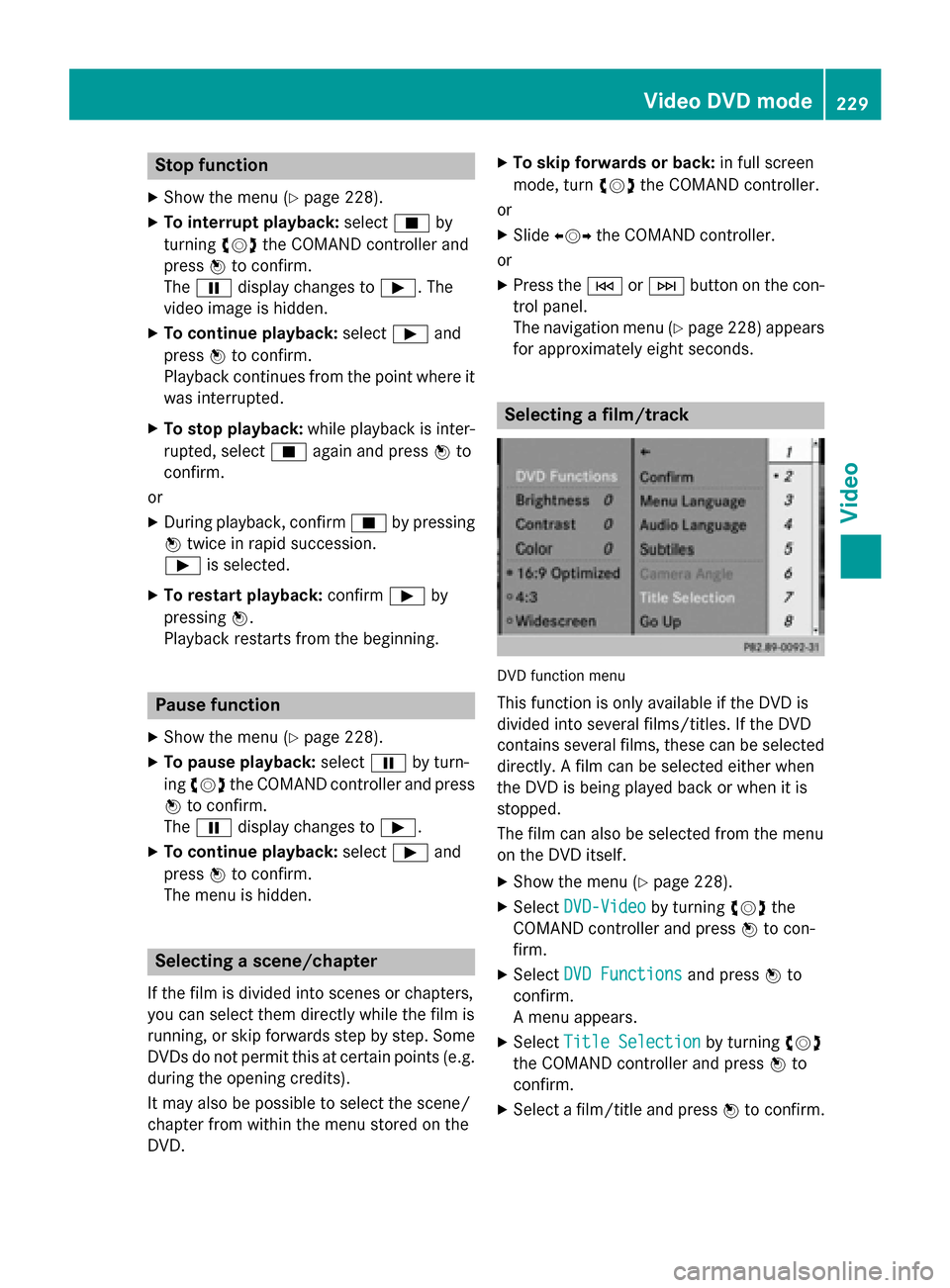
for approximately eight seconds. Selecting a film/track
DVD function menu
This function is only available if the DVD is
divided into several films/titles. If the DVD
contains several films, these can be selected
directly. A film can be selected either when
the DVD is being played back or when it is
stopped.
The film can also be selected from the menu
on the DVD itself.
X Show the menu (Y page 228).
X Select DVD-Video DVD-Video by turning00790052007Athe
COMAND controller and press 0098to con-
firm.
X Select DVD Functions
DVD Functions and press0098to
confirm.
A menu appears.
X Select Title Selection Title Selection by turning00790052007A
the COMAND controller and press 0098to
confirm.
X Select a film/title and press 0098to confirm. Video DVD mode
229Video Z