brake sensor MERCEDES-BENZ M-CLASS SUV 2011 User Guide
[x] Cancel search | Manufacturer: MERCEDES-BENZ, Model Year: 2011, Model line: M-CLASS SUV, Model: MERCEDES-BENZ M-CLASS SUV 2011Pages: 389, PDF Size: 9.22 MB
Page 80 of 389
Problem Possible causes/consequences and
M Solutions
The engin
ecannot be
started using the key. The on-board voltage is too low.
X Switch off non-essential consumers, e.g. seat heating or interior
lighting ,and try to start the engine again.
If this doe snot work:
X Check the starter battery and charge it if necessary
(Y page 343).
or
X Jump-start the vehicle (Y page 348).
or
X Consult aqualified specialist workshop. The engine cannot be
started using KEYLESS-
GO. The key is in the
vehicle. Ad
oor is open. Therefore, the key can notb ed etected as easily.
X Close the door and tr ytostart the vehicle again. There is interferenc
efrom apowerfu lsource of radio waves.
X Start your vehicle with the key in the ignition lock. Doors
Important safety notes
G
WARNING
Only fo rthe Unite dKingdom: if the vehicle
has been locked with the key or with KEY-
LESS-GO, the double lock func tion is activa-
ted as standard. It is then not possible to open
the doors from inside the vehicle.
Therefore, do not leav eany people behind in
the vehicle, particularly children, elderly peo-
ple or people requiring special assistance .As
ar esult, they may not be able to free them-
selves in the event of an emergency. They
could be seriously or even fatally injured by
prolonged exposur etoextremely hig horlow
tempera tures, for example. In this case ,res-
cuin gpeople from outside the vehicle is diffi-
cult.
Deac tivate the interior motion sensor before
you lock the vehicle .The doors can then be
opened from the insid eafter the vehicl ehas
been locked from the outside. G
WARNING
If children are left unsupervised in the vehicle,
they could:
R open adoor from inside the vehicle at any
time, even if it has been locked
R star tthe vehicle usin gakey which has been
left in the vehicle
R release the electric parking brake
They could thereby endanger themselves and
others. Never leave children unsupervised in
the vehicle. Alway stake the key with you
when leaving the vehicle, even if you are only
leaving it for ashort time. Unlocking and opening th
edoors
from the inside
For all countries except the United King-
dom: you can open adoor from inside the
vehicle even if it has been locked.
Only for th eUnited Kingdom: if the vehicle
has been locked with the key or with KEY-
LE SS-G O, the doubl elock function is activa-
ted as standard. It is then not possible to open Doors
77Opening and closing Z
Page 119 of 389
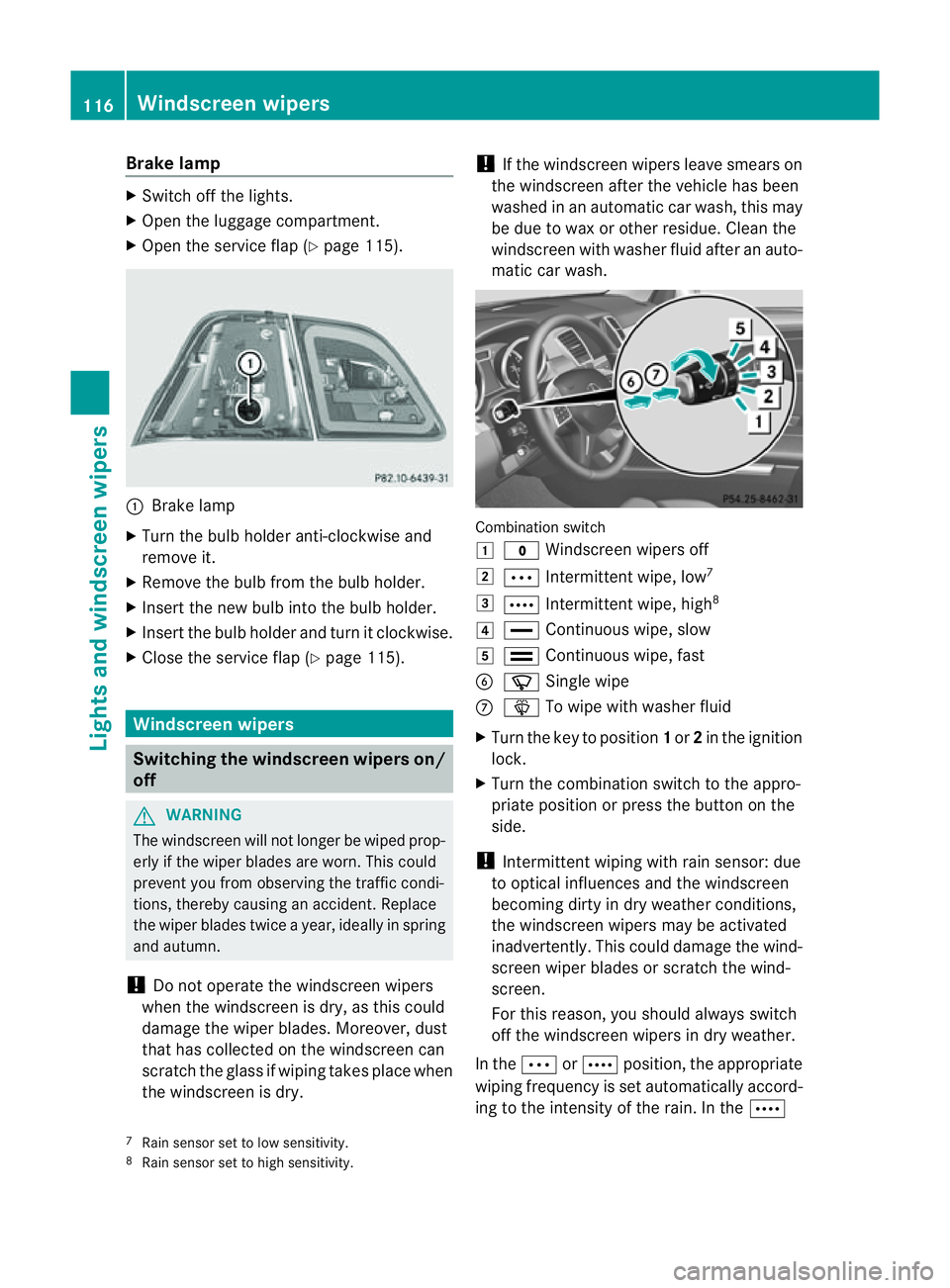
Brake lamp
X
Switch off the lights.
X Ope nthe luggage compartment.
X Open the service fla p(Ypage 115). :
Brake lamp
X Turn the bulb holder anti-clockwise and
remove it.
X Remov ethe bulb from the bulb holder.
X Insert the new bulb int othe bulb holder.
X Insert the bulb holder and tur nitclockwise.
X Close the servic eflap (Y page 115). Windscreen wipers
Switching the windscreen wipers on/
off G
WARNING
The windscreen will not longer be wiped prop-
erly if the wiper blades are worn. This could
preven tyou from observing the traffic condi-
tions, thereby causing an accident .Replace
the wiper blades twic eayear, ideally in spring
and autumn.
! Do not operate the windscreen wipers
when the windscreen is dry, as this could
damage the wiper blades. Moreover ,dust
that has collected on the windscreen can
scratc hthe glass if wipin gtakes place when
the windscreen is dry. !
If the windscreen wipers leave smears on
the windscreen after the vehicle has been
washe dinana utomatic car wash, this may
be due to wax or other residue. Clea nthe
windscreen with washer fluid after an auto-
matic car wash. Combination switch
1
$ Windscreen wiper soff
2 Ä Intermittent wipe, low 7
3 Å Intermittent wipe, high 8
4 ° Continuous wipe, slow
5 ¯ Continuous wipe, fast
B í Single wipe
C î To wip ewith washer fluid
X Turn the key to position 1or 2in the ignition
lock.
X Turn the combination switch to the appro-
priate position or press the button on the
side.
! Intermittent wiping with rain sensor: due
to optical influences and the windscreen
becoming dirty in dry weather conditions,
the windscreen wipers may be activated
inadvertently. This could damage the wind-
screen wiper blades or scratc hthe wind-
screen.
For this reason, you should always switch
off the windscreen wiper sind ry weather.
In the ÄorÅ position, th eappropriate
wiping frequenc yisset automatically accord-
ing to the intensity of the rain. In the Å
7 Rain sensor set to low sensitivity.
8 Rain sensor set to high sensitivity. 116
Windscreen wipersLights and windscreen wipers
Page 178 of 389
G
WARNING
DISTRONIC PLUS canno ttake account of road
and traffic conditions. If DISTRONI Cdoes not
recognise or no longer recognises the vehicle
in front, do not activate DISTRONIC or, if it is
alr eady active, deactivate it. This is especially
the case:
R befor ecorners
R on filter lanes
R when changing to alane with faster moving
traffic
R in comple xdriving situations or where lanes
are diverte d,e.g. at roadworks on amotor-
way
DISTRONIC PLU Sotherwise maintains the
current spe ed setbyyou or accelerates up to
the set speed.
DISTRONIC PLU Scannot take account of
weather conditions. Deactivate, or do not
activate, DISTRONI CPLUS:
R if th eroads are slippery, snow-covered or
icy .The wheels coul dlose their grip when
brakin goraccelerating .The vehicle could
star ttos kid.
R if the sensors are dirty or there is poo rvis-
ibility, e.g. due to snow, rain or fog. Dis-
tance control may be impaired.
Always pay attention to traffic conditions
even when DISTRONIC PLU Sisactivate d.
Otherwise, you ma yfail to recognise dangers
in time, caus eanaccident and injure yourself
and others. G
WARNING
DISTRONIC PLUS brake syourvehicle up to a
maximu mof4m /s2
depending on its speed.
This corresponds to approximately 40% of
your vehicle's maximum braking power. You
must als oapply the brakes yourself if this
braking power is not sufficient.
If DISTRONI CPLUS detects arisk of collision
with avehicle in front, an intermit tent warning
tone sounds. In addition, the ·distance
warning lamp in the instrument cluste rlights
up. Brak etoavoidac ollision. G
WAR
NING
The vehicle can be braked when DISTRONIC
PLUS is activated. For this reason, deactivate
DISTRONIC PLUS if the vehicle is to be set in
motion by othe rmeans (e.g. in acar wash or
by towing).
The radar senso rsystem is automatically
deactivated near radio teles cope facilities
(Y page 38 0).
If you want DISTRONIC PLUS to assist you,
the radar sensor syste mmust be activated
(Y page 249 )and operational.
General notes DISTRONIC PLUS regulates the speed and
automati cally helps you maintain the dis-
tanc etot he vehicle detected in front. It
brakes automatically in orde rtoavoid
exceedi ngthe set speed.
On long and stee pdownhil lgradients, espe-
ciall yifthe vehicle is laden or towing atrailer,
yo um ust select shift range 1,2or 3in good
time. By doing so, you will make use of the
braking effec tofthe engine. This relieves the
load on the brake system and prevents the
brakes from overheating and wearing too
quickly.
If DI STRONIC PLUS detects aslower-moving
vehicle in front ,your vehicle is braked in order
to maintain the preset distance to the vehicle
in front.
If ther eisnov ehicle in front ,DISTRONIC
PLUS operate sinthe sam eway as cruise
control in the spee drange between
30 km/h and 200 km/h. If avehicle is driving
in fron tofyou, DI STRONIC operates in the
speed range betwee n0km/h and
200 km/h.
Do not us eDISTRONIC PLUS on roa dswith
steep gradients. Driving systems
175Drivingand parking Z
Page 194 of 389
PARKTRONIC
Important safety notes G
WARNING
PARKTRONI Cisonly an aid and may not
detect all obstacles .Itisnotas ubstitute for
attentive driving.
You are always responsible for safety and
must continue to pay attention to your imme-
diate surroundings when parking and
manoeuvring. You could otherwis eendanger
yourself and others. G
WARNING
Make sure that no persons or animals are in
the manoeuvring range. Otherwise, they
could be injured.
PARKTRONIC is an electronic parking aid with
ultrasonic sensors. It indicates visual lyand
audibly the distance between your vehicle
and an object.
PARKTRONIC is activated automatically if
you:
R switch on the ignition
R shift the transmissio ntoposition D,Ror N
R release the electric parkin gbrake
PARKTRONIC is deactivate datspeeds above
18 km/h. It is reactivated at lower speeds.
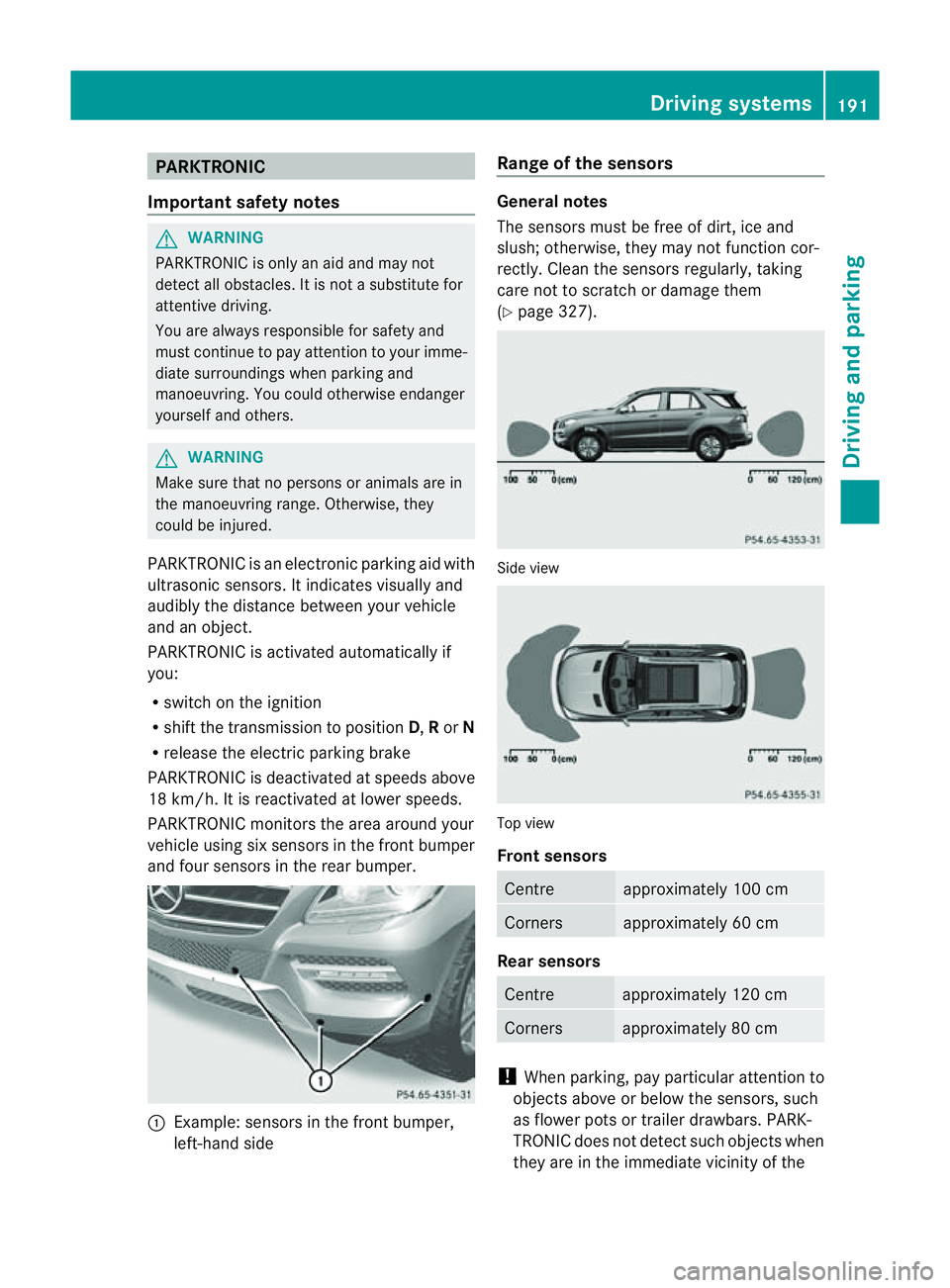
PARKTRONI Cmonitor sthe area around your
vehicle usin gsix sensors in the front bumper
and four sensors in the rear bumper. :
Example: sensors in the front bumper,
left-han dside Range of the sensors Genera
lnotes
The sensors must be free of dirt, ice and
slush; otherwise, they may not func tion cor-
rectly. Clean the sensor sregularly, taking
car enot to scratc hordamage them
(Y page 327). Side view
Top view
Front sensors
Centre approximately 100 cm
Corners approximately 60 cm
Rear sensors
Centre approximately 120 cm
Corners approximately 80 cm
!
When parking, pay particular attention to
objects above or below the sensors, such
as flower pots or trailer drawbars. PARK-
TRONIC does not detect such objects when
they are in the immediate vicinity of the Driving systems
191Drivingand parking Z
Page 195 of 389
vehicle. Yo
ucould dam aget he vehicle or
the objects.
The sensor smay not detect snow and
objects which absorb ultrasonic sources.
Ultrasonic sources, such as an automatic
car wash, alorry's compressed-air brakes
or ap neumatic drill, coul dcause PARK-
TRONI Ctom alfunction.
PARKTRONIC may not fun ctioncorrectly on
uneven terrain.
Minimum distance Centre approxima
tely 20 cm Corners approximately 15 cm
If there is an obstacle within this range, the
relevan twarning displays light up and awarn-
ing ton esounds. If th edistanc efalls below
the minimum, the distanc emay no longer be
shown.
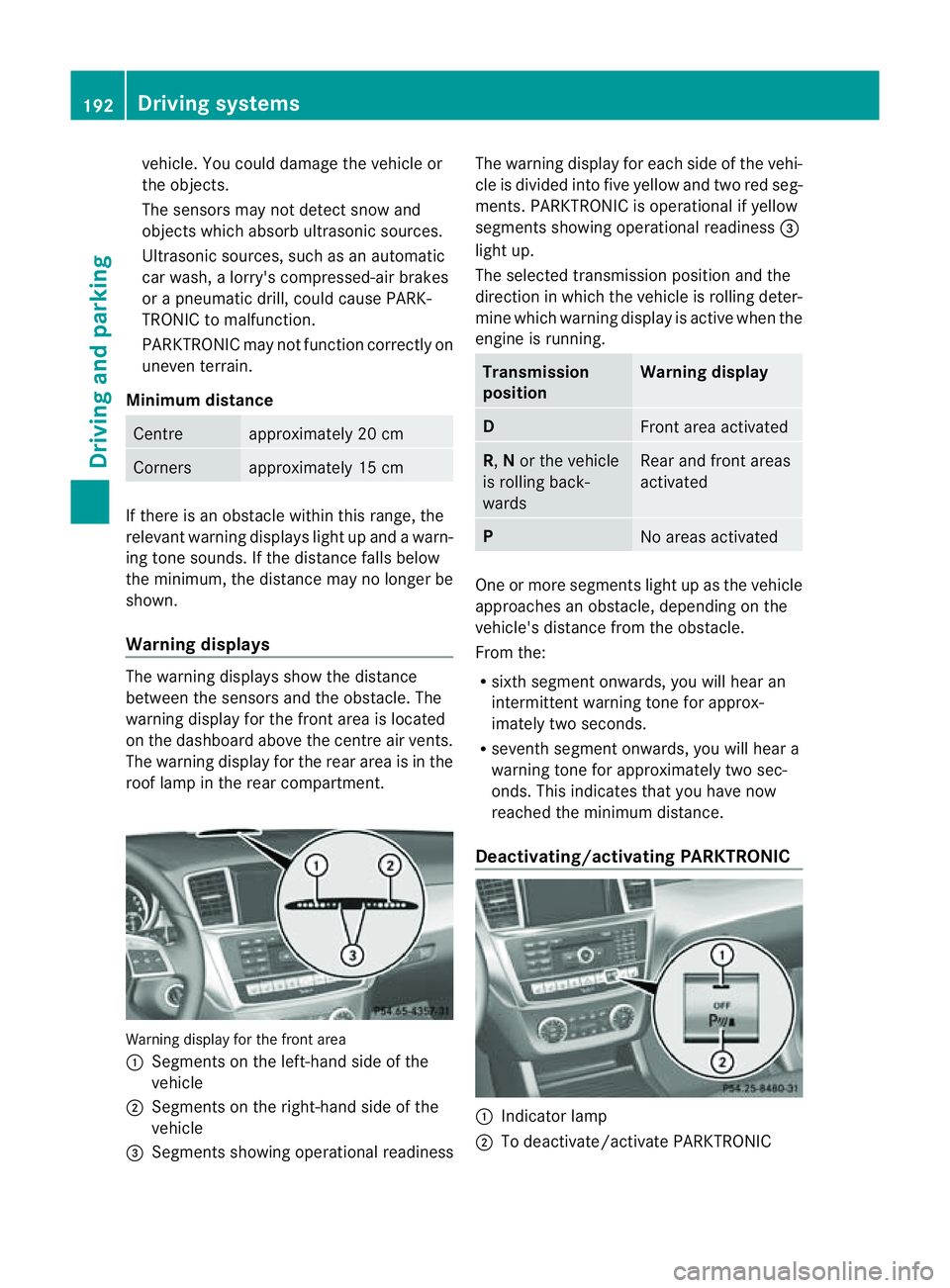
Warning displays The warning displays show the distan
ce
between th esensor sand the obstacle. The
warning display for the fron tarea is located
on th edashboard above the centre air vents.
The warning display for the rear area is in the
roof lamp in the rear compartment. Warning display for the front area
: Segments on the left-hand side of the
vehicle
; Segments on the right-hand side of the
vehicle
= Segments sho wingoperational readiness The warning display for each side of the vehi-
cle is divided into fiv
eyellow and two red seg-
ments. PARKTRONI Cisoperational if yellow
segment sshowing oper ational readiness =
light up.
The selected transmission position and the
direction in which the vehicle is rolling deter-
mine which warning display is activ ewhen the
engin eisrunning. Transmission
position Warning display
D
Front area activated
R,
Nor the vehicle
is rolling back-
wards Rea
rand front areas
activated P
No area
sactivated One or more segment
slight up as the vehicle
approaches an obstacle, depending on the
vehicle's distance from the obstacle.
From the:
R sixth segment onwards, you wil lhear an
intermitten twarnin gtonef or approx-
imately two seconds.
R seven thsegment onwards, you will hear a
warnin gtonef or approximately two sec-
onds. This indicates that you have now
reached the minimu mdistance.
Deactivating/activating PARKTRONIC :
Indicator lamp
; To deactivate/activate PARKTRONIC 192
Drivin
gsystemsDrivin gand parking
Page 215 of 389
The warnin
gvibration occur searlier if:
R you approach the outer lane markin gona
bend.
R the road has ver ywide lanes, e.g. amotor-
way.
R the system recognises solid lane markings.
The warnin gvibration occur slater if:
R the road has narrow lanes.
R you cut the corner on abend. Active Driving Assistance package
General notes The Active Drivin
gAssistanc epackage con-
sists of DISTRONIC PLUS (Y page 174), Active
Blind Spot Assis t(Ypage 212) and Active
Lan eKeeping Assist (Y page 215).
Active Blind Spot Assist Important safety notes
Active Blin dSpot Assist uses aradar sensor
system to monitor the side areas of your vehi-
cle which are in back of the driver. Awarning
display in the exter iormirror sdraws your
attention to vehicles detected in the moni-
tored area. If you then switch on the corre-
sponding turn signal to change lane, you will
also receive an optical and audible collision
warning. If arisk of lateral collision is detec-
ted, corrective brakin gmay help you avoid a
collision. To support the course-correcting
brake application, Active Blind Spot Assist
also uses the forward-facin gradar senso rsys-
tem. Active Blind Spot Assist supports you
from aspeed of approximately 30 km/h. G
WARNING
Active Blin dSpot Assist is only an aid and may
detect vehicles/obstacles incor rectly or not
at all. Th
es ystem may be impaired or may not func-
tion if:
R there is poo rvisibility, e.g. due to snow,
rain, fog or spray.
R the rear and/or fron tsensors are dirty.
Active Blin dSpot Assist may not detect nar-
row vehicles, such as motor cycles or bicycles,
or only detect the mtoo late. It can notd etect
vehicles which are overtaken at asmall dis-
tance and then enter th eblind spot area.
Active Blind Spot Assist cannot detect road
and traffic conditions. It is not asubstitute for
attentive driving. You are responsible for the
vehicle's speed, braking in good time, and
steering correctly. Always adapt your driving
style to suit the prevailing road and weather
conditions. Always pay attention to traffic
conditions and your surroundings. Otherwise,
you may fail to recognise dangers in time,
cause an accident and injure yourself and oth-
ers.
The radar sensor syste misautomatically
deactivated near radio telescope facilities
(Y page 380).
For Active Blind Spot Assis ttoassist you
when driving, the radar sensor syste mmust
be activated (Y page 249)and operational.
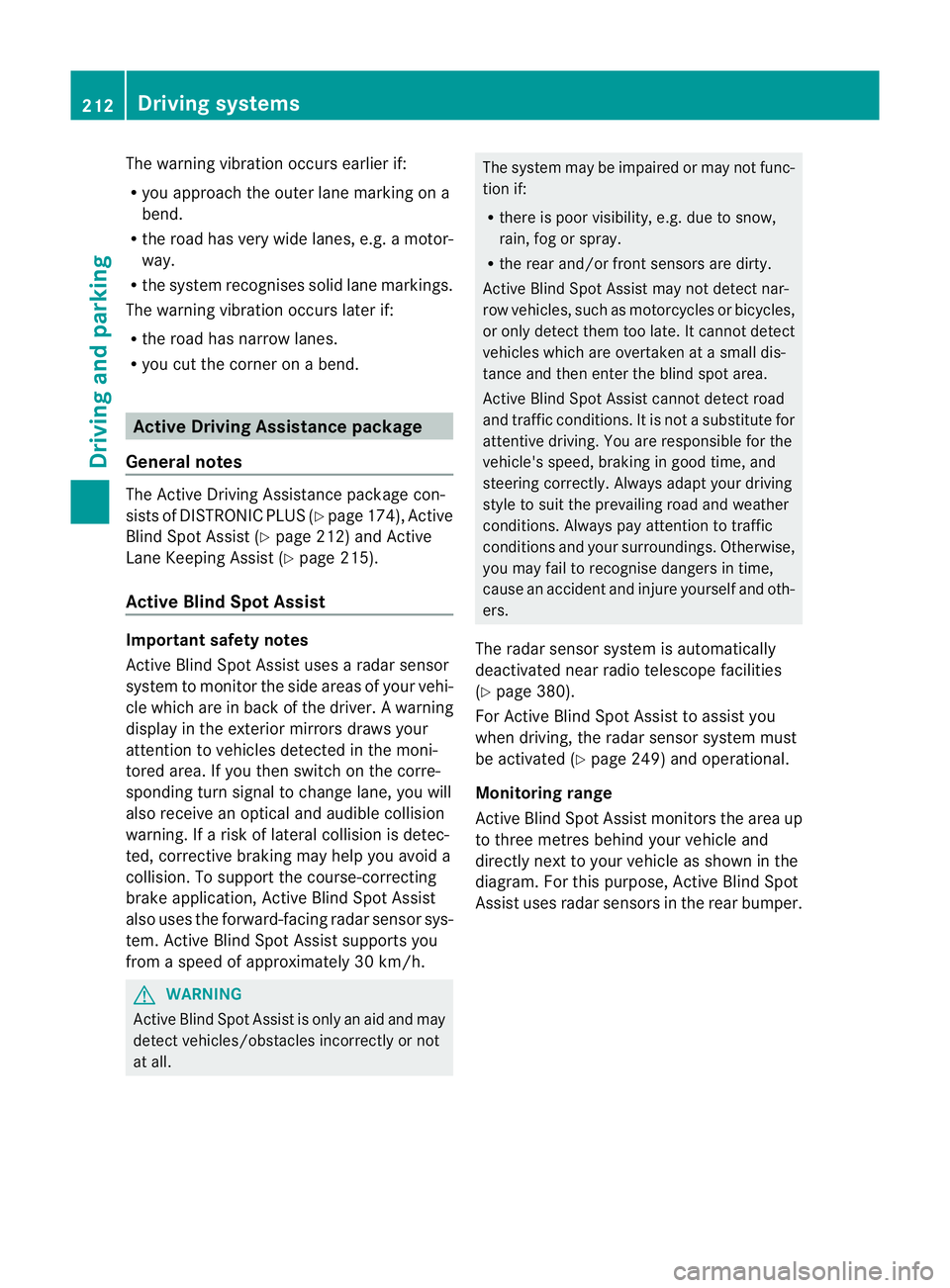
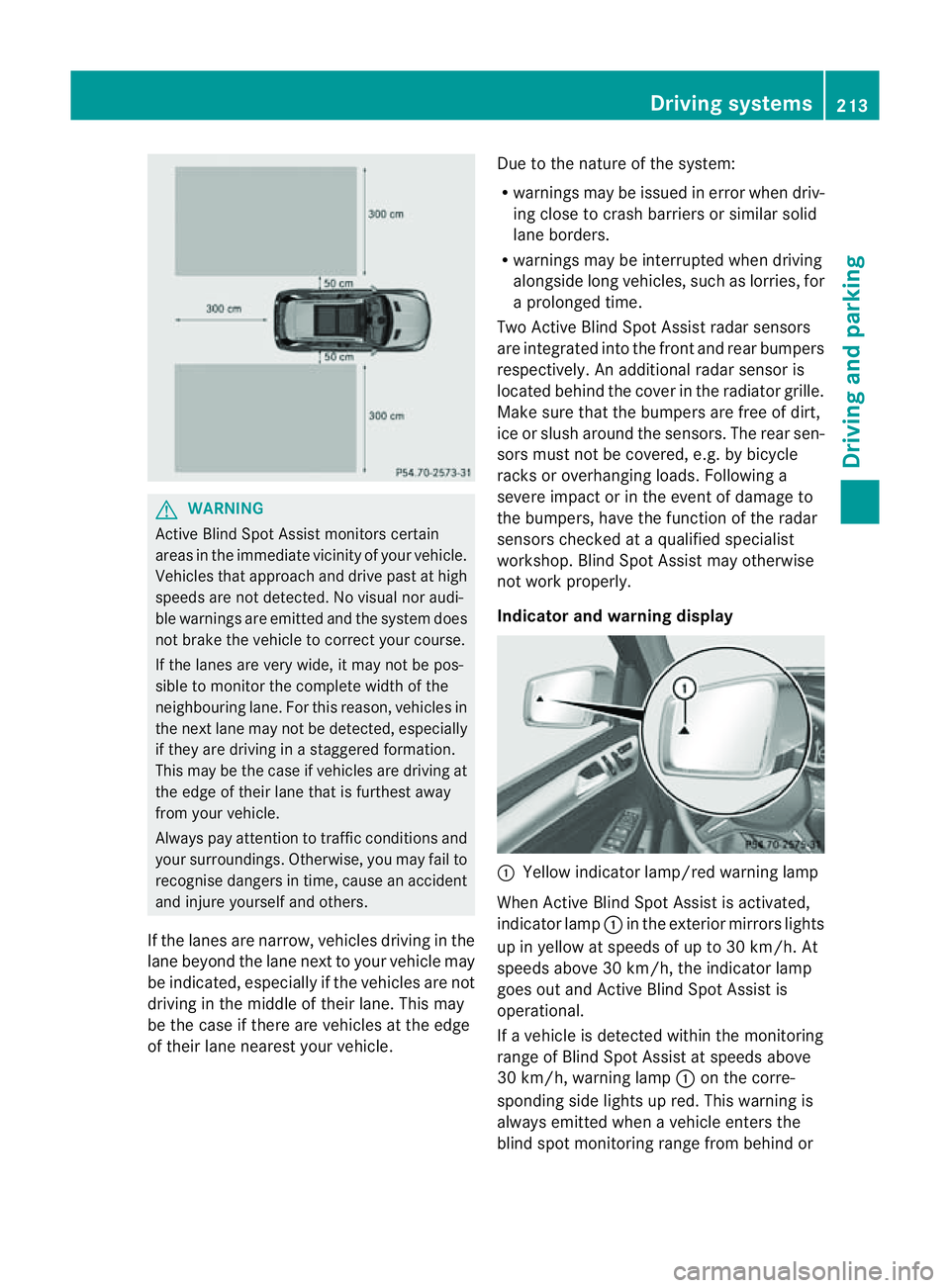
Monitoring range
Active Blind Spot Assist monitors the area up
to three metres behind your vehicl eand
directl ynext to your vehicle as shown in the
diagram. For this purpose, Active Blin dSpot
Assist uses rada rsensors in the rear bumper. 212
Driving systemsDriving and parking
Page 216 of 389
G
WARNING
Active Blind Spo tAssist monitor scertain
areas in the immediate vicinity of your vehicle.
Vehicles that approach and drive past at high
speeds are not detected. No visual nor audi-
ble warnings are emitted and the syste mdoes
not brake the vehicle to cor rect your course.
If the lane sare very wide, it may not be pos-
sibl etom onitor the complet ewidth of the
neighbourin glane. For this reason, vehicles in
the nex tlane may not be detected, especially
if they are driving in astaggered formation.
Thi sm ay be the case if vehicles are driving at
the edge of their lane that is furthest away
from your vehicle.
Always pay attention to traffic conditions and
your surroundings. Otherwise, you may fail to
recognise dangers in time, cause an accident
and injure yourself and others.
If the lanes are narrow, vehicles driving in the
lane beyond the lane nex ttoyour vehicle may
be indicated, especially if the vehicles ar enot
drivin ginthe middle of their lane. This may
be the case if ther eare vehicles at th eedge
of their lane nearest your vehicle. Due to the nature of the system:
R
warnings may be issued in error when driv-
ing close to crash barriers or simila rsolid
lane borders.
R warnings ma ybeinterrupted whe ndriving
alongsid elong vehicles, such as lorries, for
ap rolonged time.
Tw oA ctive Blind Spo tAssist radar sensors
ar ei ntegrated into the front and rear bumpers
respectively. An additional radar sensor is
locate dbehind the cover in the radiator grille.
Make sure that the bumper sare free of dirt,
ice or slus haround th esensors. The rear sen-
sors must not be covered, e.g. by bicycle
racks or overhanging loads. Followin ga
severe impac torinthe even tofdamage to
the bumpers, have the function of the radar
sensors checked at aqualified specialist
workshop. Blind Spot Assis tmay otherwise
not work properly.
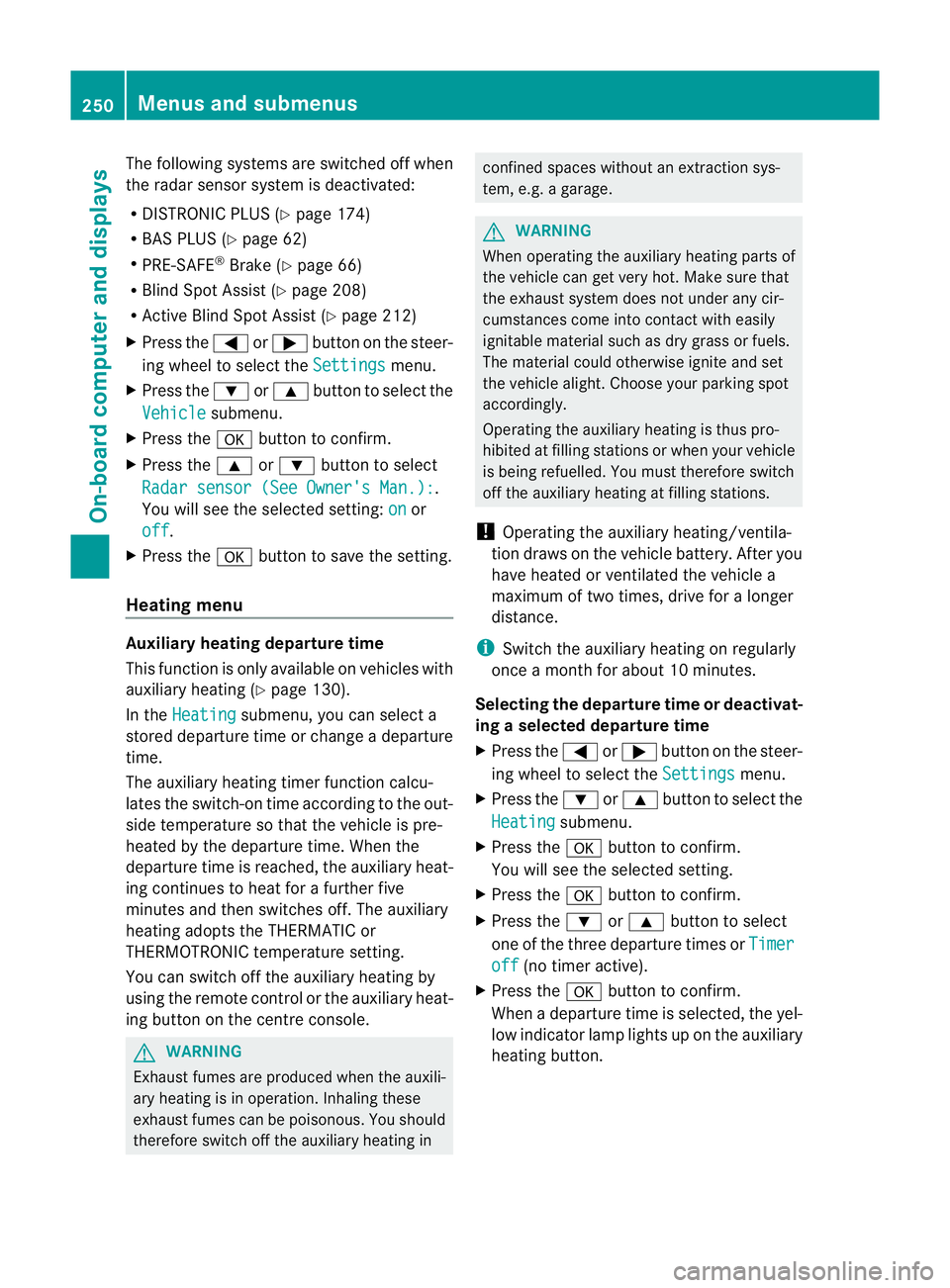
Indicator and warning display :
Yellow indicator lamp/red warning lamp
When Active Blind Spot Assis tisa ctivated,
indicator lamp :in the exte rior mirror slights
up in yellow at speeds of up to 30 km/h. At
speeds above 30 km/h, the indicator lamp
goes out and Active Blind Spot Assist is
operational.
If av ehicle is detected within the monitoring
range of Blin dSpot Assist at speeds above
30 km/h, warning lamp :on the corre-
sponding side lights up red. This warning is
always emit tedw hen avehicle enter sthe
blin dspot moni toring range from behind or Drivin
gsystems
213Drivingand park ing Z
Page 253 of 389
The following system
sare switche doff when
th er adar senso rsystem is deactivated:
R DISTRONIC PLUS (Y page 174)
R BAS PLUS (Y page 62)
R PRE-SAFE ®
Brake (Y page 66)
R Blind Spot Assist (Y page 208)
R Active Blind Spot Assist (Y page 212)
X Press the =or; button on the steer-
ing whee ltoselect the Settings menu.
X Press the :or9 button to select the
Vehicle submenu.
X Press the abutton to confirm.
X Press the 9or: button to select
Rada rsensor (See Owner's Man.): .
Yo uw ill see the selected setting: on or
off .
X Press the abutton to save the setting.
Heating menu Auxiliary heating depa
rtur et ime
This function is only availa bleo nvehicles with
auxiliar yheatin g(Ypage 130).
In the Heating submenu, you can select a
stored departure tim eorchange adeparture
time.
The auxiliar yheatin gtimer func tion calcu-
lates the switch-on tim eaccording to the out-
sid etemperature so that the vehicle is pre-
heated by the departure time. When the
departure tim eisreached, the auxiliar yheat-
ing continues to heat for afurther five
minutes and then switches off. The auxiliary
heating adopts the THERMATI Cor
THERMOTRONI Ctemperature setting.
You can switc hoff th eauxiliary heating by
using the remote control or the auxiliary heat-
ing button on the centre console. G
WARNING
Exhaust fumes are produced when the auxili-
ary heating is in operation. Inhaling these
exhaust fumes can be poisonous. You should
therefore switch off the auxiliary heating in confined spaces without an extraction sys-
tem, e.g.
agarage. G
WARNING
When operating the auxiliary heating parts of
the vehicle can get very hot. Make sure that
the exhaust system does not under any cir-
cumstances come into contact with easily
ignitable material such as dry grass or fuels.
The material could otherwise ignite and set
the vehicle alight. Choos eyour parkin gspot
accordingly.
Operating the auxiliary heating is thus pro-
hibited at fillin gstations or when your vehicle
is being refuelled .You must therefore switch
off the auxiliar yheatin gatf illing stations.
! Operating the auxiliary heating/ventila-
tion draws on the vehicle battery. After you
have heated or ventilated the vehicle a
maximum of two times, drive for alonger
distan ce.
i Switch the auxiliary heating on regularly
once amonthfor about 10 minutes.
Selecting th edepartur etime or deactivat-
ing aselected depa rtur et ime
X Press the =or; button on the steer-
ing wheel to select the Settings menu.
X Press the :or9 button to select the
Heating submenu.
X Press the abutton to confirm.
You will see the selected setting.
X Press the abutton to confirm.
X Press the :or9 button to select
one of the three departur etimes or Timer off (no timer active).
X Press the abutton to confirm.
When adeparture tim eisselected, the yel-
low indicator lam plights up on the auxiliary
heating button. 250
Menus and submenusOn-board computer and displays
Page 263 of 389
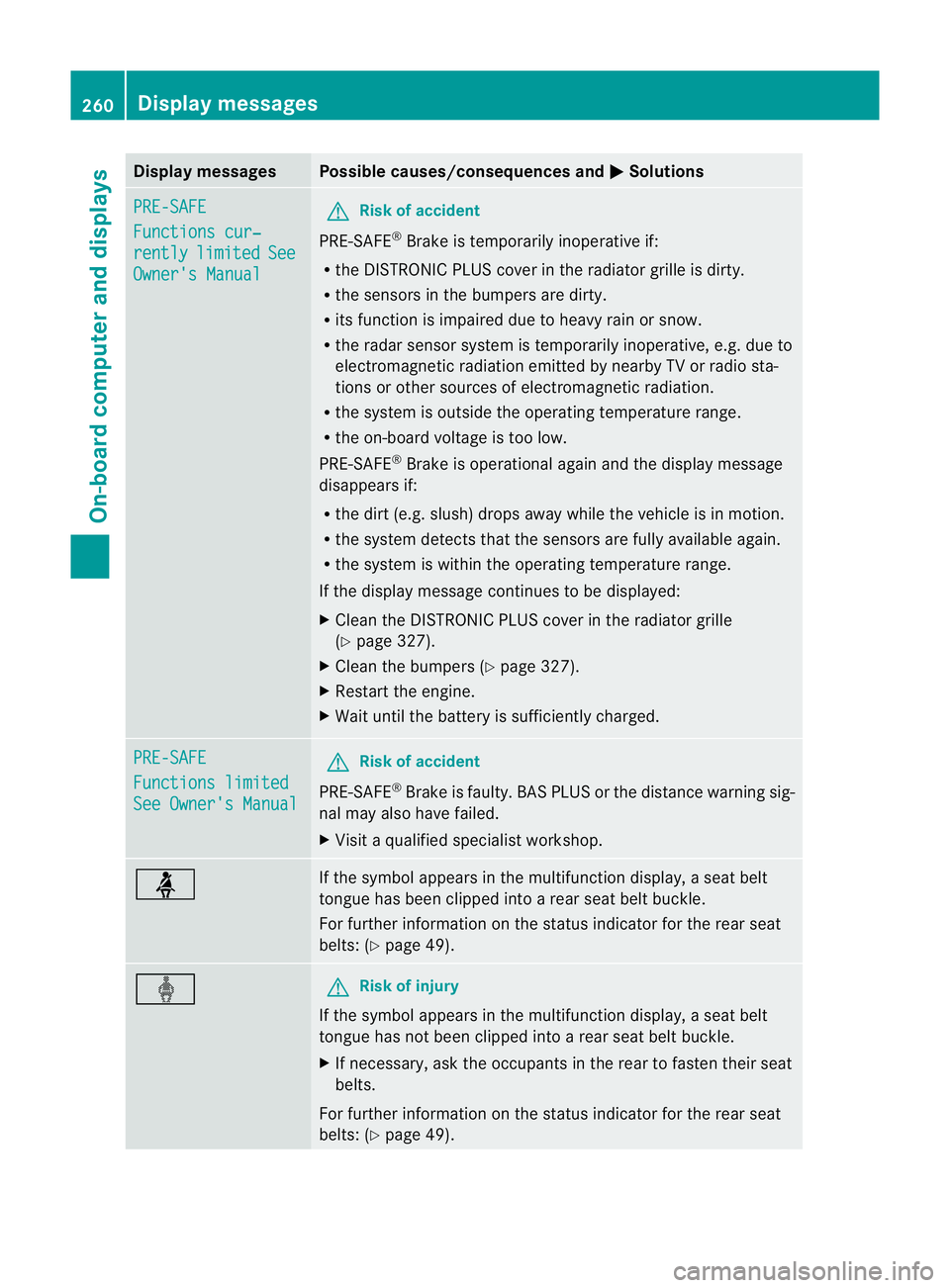
Displa
ymessages Possible causes/consequences and
M Solutions
PR
E-SAFE Functions cur‐
rently limited See
Owner'
sManual G
Risk of accident
PRE-SAFE ®
Brake is tempora rily inoperative if:
R theD ISTR ONIC PLU Scove rint he ra diatorgrille is di rty.
R the sensor sinthebumpers are dirty.
R itsf unction is impaire ddue to heav yrain or snow.
R ther adar sensor system is temporarily inoperative, e.g. due to
elect romagnetic radiatio nemitted by nearby TV or radio sta-
tions or other source sofelectromagnetic radiation.
R the system is outside the operatin gtemperatur erange.
R the on-board voltage is too low.
PRE-SAFE ®
Brak eiso perational again and the display message
disappears if:
R the dirt (e.g. slush) drops away while the vehicle is in motion.
R the system detects that the sensor sare full yavailable again.
R thes ystem is within the operatin gtemperatur erange.
If the display message continues to be displayed:
X Clean the DISTRONIC PLUS cover in the radiator grille
(Y page 327).
X Clean the bumpers (Y page 327).
X Restart the engine.
X Wait until the batter yissufficiently charged. PRE-SA
FE Functions limited
See Owner's Manual G
Ris
kofa ccident
PRE-SAFE ®
Brak eisf aulty. BA SPLUS or th edistance warnin gsig-
nal may also have failed.
X Visit aqualified specialist workshop. ü If the symbo
lappears in the multifunction display, aseat belt
tongue has been clipped int oarear seat belt buckle.
For further information on the status indicator for the rear seat
belts: (Y page 49). ý G
Risk of inju
ry
If th esymbol appears in the multifunction display, aseat belt
tongue has not been clipped int oarear seat belt buckle.
X If necessary, ask the occupants in the rear to fasten their seat
belts.
For further information on the status indicator for the rear seat
belts: (Y page 49). 260
Display messagesOn-boar
dcomputer and displays
Page 275 of 389
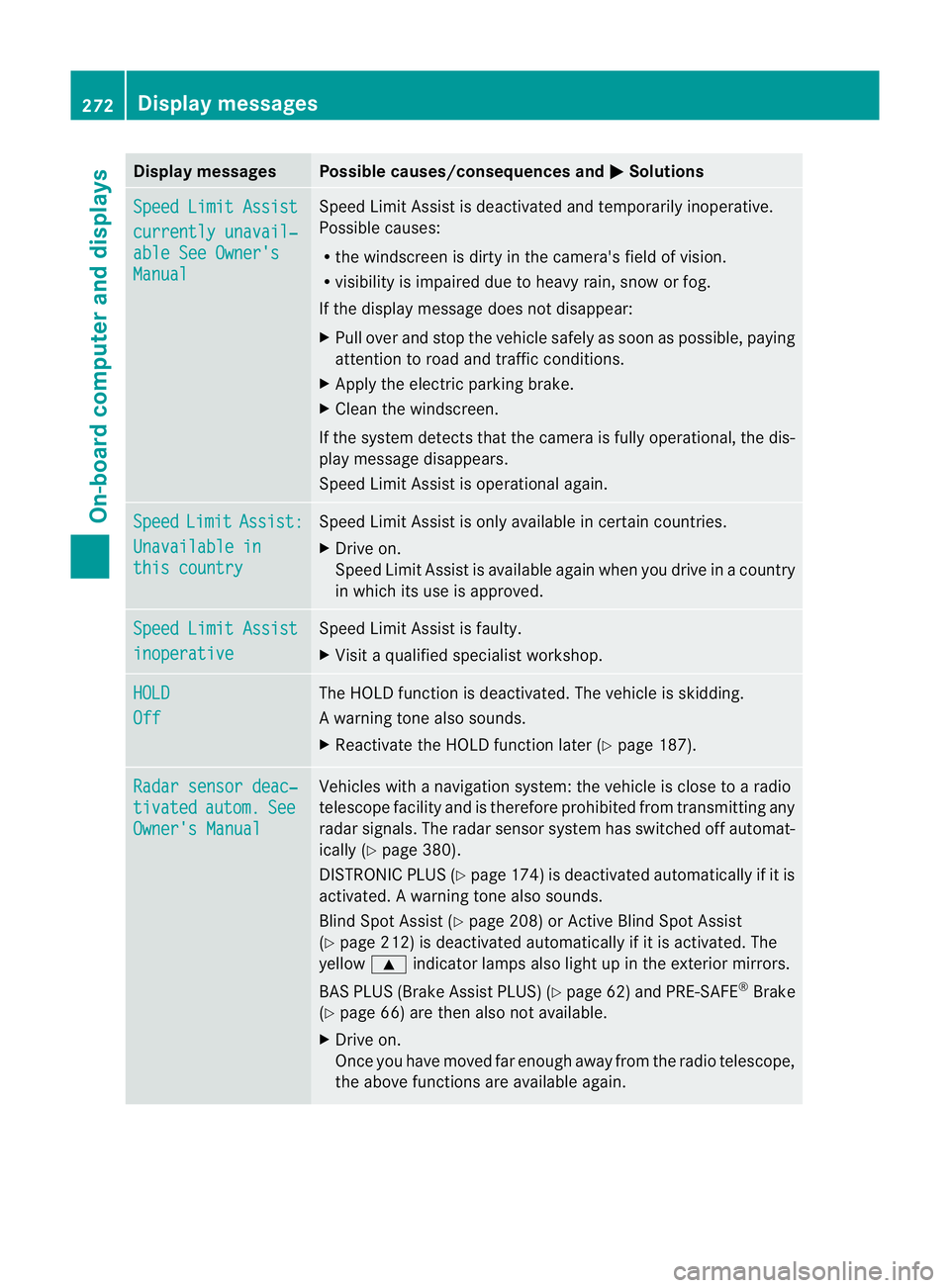
Displa
ymessages Possible causes/consequences and
M Solutions
Sp
eedL imit Assist currently unavail‐
abl
eS ee Owner's Manual Spee
dLimit Assist is deactivated an dtemporarily inoperative.
Possible causes:
R the windscreen is dirt yinthe camera's field of vision.
R visibility is impaired due to heav yrain, snow or fog.
If the displ aymessage does not disappear:
X Pull ove rand sto pthe vehicle safely as soon as possible, paying
attention to roa dand traffic conditions.
X Appl ythe electric parkin gbrake.
X Cle anthe windscreen.
If th esystem detects that the camera is fully operational, the dis-
play messag edisappears.
Speed Limit Assist is operational again. Speed Limit Assist:
Unavailabl
ein this country Spee
dLimit Assist is only available in certain countries.
X Driv eon.
Spee dLimit Assist is available again when you drive in acount ry
in which its use is approved. Spee
dLimit Assist inoperative Spee
dLimit Assist is faulty.
X Visit aqualified specialist workshop. HOLD
Off The HOLD function is deactivated. The vehicle is skidding.
Aw arning ton ealso sounds.
X Reactivat ethe HOL Dfunction later (Y page 187). Ra
dars ensor deac‐ tivated autom. See
Owner'
sManual Vehicles with
anavigation system :the vehicl eisclose to aradio
telescope facility and is therefor eprohibited from transmittin gany
radar sig nals. The radar sensor system has switched off automat-
icall y(Ypage 380).
DISTRONI CPLUS (Y page 174) is deactivate dautomaticall yifitis
activated. Awarning ton ealso sounds.
Blin dSpotA ssist (Y page 208) or Ac tiveBlind Spo tAssist
(Y page 212) is deactivate dautomaticall yifitisactivated. The
yellow 9indicator lamps als olight up in the exterior mirrors.
BAS PLU S(Brake Assis tPLUS) (Y page 62) and PRE-SAFE ®
Brake
(Y page 66) are then also no tavailable.
X Drive on.
Once yo uhave moved far enough awa yfrom th eradio telescope,
the above function sare avai lable again. 272
Display messagesOn-board computer and displays