language MERCEDES-BENZ METRIS 2016 MY16 Audio Manual
[x] Cancel search | Manufacturer: MERCEDES-BENZ, Model Year: 2016, Model line: METRIS, Model: MERCEDES-BENZ METRIS 2016Pages: 54, PDF Size: 1.33 MB
Page 7 of 54
G
GPS reception...................................... 28
H
Hands-free system
Switching on/off .............................. 32
L
LanguageSetting ............................................. 25
M
Media InterfaceSupported file formats .....................5 0
Metadata
Displaying ........................................ 44
Mobile phone
Connecting ...................................... 21
Disconnecting .................................. 25
Displaying Bluetooth
®details .......... 24
Pairing ....................................... 21, 22
Pairing (external) .............................. 23
Reconnecting ................................... 23
Selecting .......................................... 30
MP3
Changing folders .............................. 43
Selecting a track .............................. 42
Mute function ...................................... 14
N
Navigation
Becker®MAP PILOT ......................... 28
GPS reception .................................. 28
Switching to ..................................... 28
Night design ........................................ 18
O
On-board computer
Overview .......................................... 14
Operating safety ....................................7
Overview of controls ........................... 10
P
Pairing............................................ 21, 22
Phone book .......................................... 34
Calling an entry ................................ 35
Calling up ......................................... 35
Deleting an entry ............................. 36
Displaying details ............................. 35
Phone call
Dialing ............................................. .31
Playback options ................................. 44
Playlists
Playing back .....................................4 3
Protection against theft ........................ 8
Q
Qualified specialist workshop .............. 8
R
Radio
Calling up stored stations ................3 9
Entering a frequency ........................ 38
Searching for a station ..................... 38
Selecting .......................................... 38
Setting a station .............................. 38
Setting stations manually ................ 38
Station list ....................................... 39
Storing stations ............................... 39
Storing stations automatically ......... 39
Storing stations manually ................ 39
Switching wavebands ...................... 40
Rear view camera
Operation ......................................... 14
Redial .................................................... 32
Reset .................................................... 26
Resetting
Factory settings ............................... 26
S
SD functionDisplaying metadata ........................ 44
Displaying track information ............ 45
Important safety notes .................... 40
Inserting a memory card .................. 40
Selecting .......................................... 41
Selecting a track .............................. 42
Index5
Page 8 of 54
Selecting playback options .............. 44
Switching folders ............................. 43
SD memory card
Ejecting ............................................ 41
Inserting .......................................... 40
Selecting active partition ................... 44
Setting
Stations ........................................... 38
Volume ............................................ 14
Settings
Adjusting the display ....................... 18
Brightness ........................................ 18
Display design ................................. 18
Language ......................................... 25
Sound settings ................................. 19
Time format ..................................... 18
Specialist workshop .............................. 8
Speed dial
Calling a number .............................. 36
Station list ............................................ 39
Station search ..................................... 38
Stations
Calling up ......................................... 39
Selecting .......................................... 38
Setting manually .............................. 38
Storing ............................................. 39
Storing automatically ....................... 39
Storing manually .............................. 39
Steering wheel with buttons
Overview .......................................... 13
Switching on/off ................................. 14
Switching wavebands (radio) ............. 40
T
Telephone
911 emergency call ......................... 30
Accepting/ending a call ................... 30
Entering phone numbers .................. 31
Important safety notes .................... 30
Making a call .................................... 31
Making a call from a call list ............ 34
Redialing .......................................... 32
Rejecting a call ................................ 31
Rejecting or accepting a waiting
call ................................................... 33
Selecting .......................................... 30 Setting the reception and trans-
mission volume ................................ 33
Switching hands-free system on/
off .................................................... 32
Telephone book
Editing an entry ................................ 36
Time
Setting the format ............................ 18
Tone settings
Balance and fader ............................ 20
Treble and bass ............................... 20
Track
Selecting by skipping to a track ....... 42
Selecting by track number ............... 42
Selecting from a track list ................ 42
Track information ................................ 45
Track list .............................................. 42
Treble
Setting ............................................. 20
U
Unpairing ............................................. 25
USB (Audio)
Connecting a device ........................ 41
Displaying metadata ........................ 44
Displaying track information ............ 45
File structure ................................... 50
Requirements .................................. 50
Selecting .......................................... 41
Selecting a track .............................. 42
Selecting playback options .............. 44
Switching folders ............................. 43
V
VolumeSetting ............................................. 14
6Index
Page 19 of 54
Display settings.................................. .18
Sound settings .................................... 19
Bluetoot h
®settings ............................ 20
Syste mlanguage ................................ .25
Resetting to factory settings .............26
17
System settings
Page 27 of 54
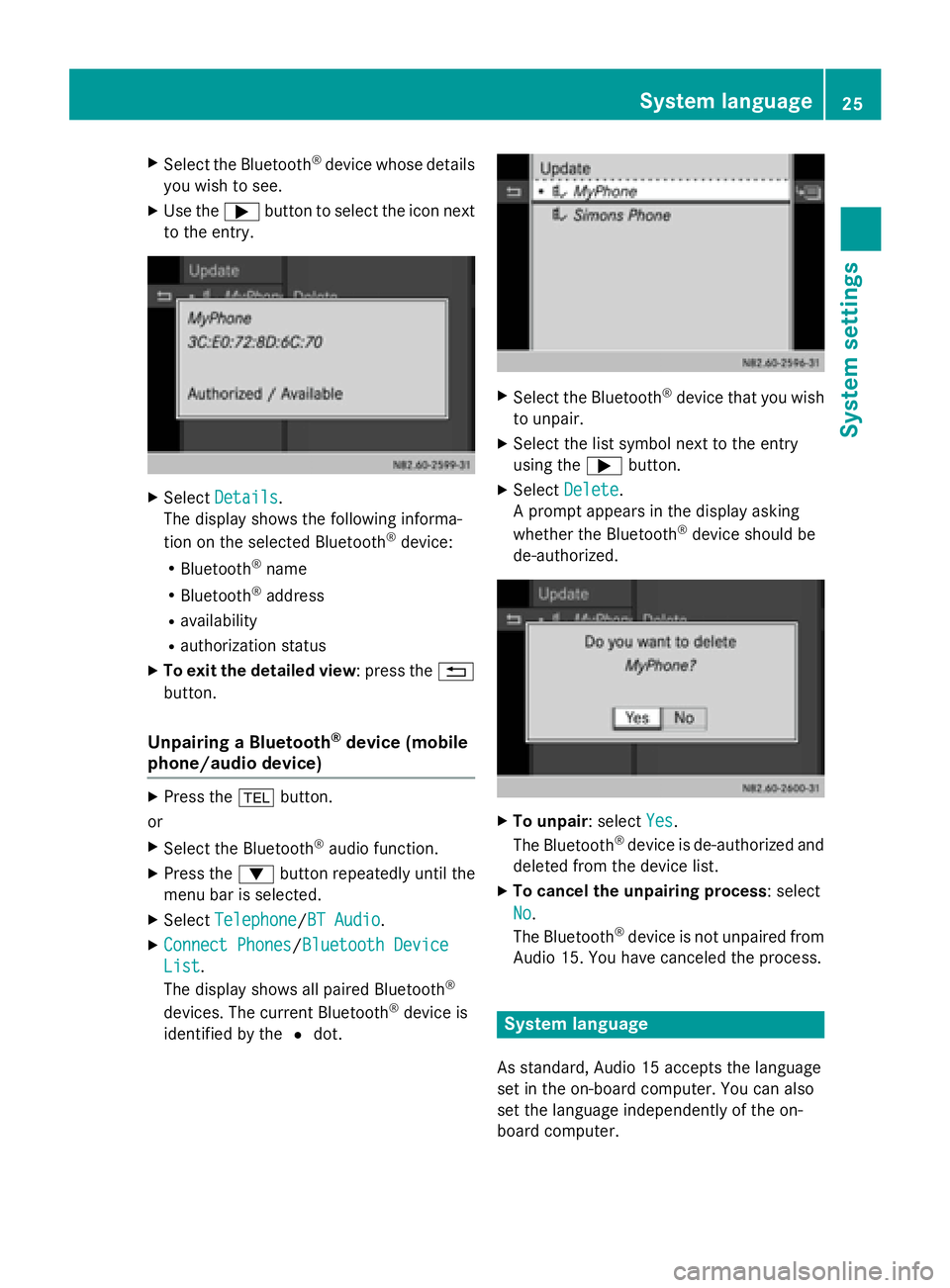
XSelect the Bluetooth®device whose details
you wish to see.
XUse the ;button to select the icon next
to the entry.
XSelect Details.
The display shows the following informa-
tion on the selected Bluetooth
®device:
RBluetooth®name
RBluetooth®address
Ravailability
Rauthorization status
XTo exit the detailed view: press the %
button.
Unpairing a Bluetooth®device (mobile
phone/audio device)
XPress the %button.
or
XSelect the Bluetooth®audio function.
XPress the :button repeatedly until the
menu bar is selected.
XSelect Telephone/BT Audio.
XConnect Phones/Bluetooth Device
List.
The display shows all paired Bluetooth®
devices. The current Bluetooth®device is
identified by the #dot.
XSelect the Bluetooth®device that you wish
to unpair.
XSelect the list symbol next to the entry
using the ;button.
XSelect Delete.
A prompt appears in the display asking
whether the Bluetooth
®device should be
de-authorized.
XTo unpair: select Yes.
The Bluetooth®device is de-authorized and
deleted from the device list.
XTo cancel the unpairing process : select
No
.
The Bluetooth®device is not unpaired from
Audio 15. You have canceled the process.
System language
As standard, Audio 15 accepts the language
set in the on-board computer. You can also
set the language independently of the on-
board computer.
System language25
System settings
Page 28 of 54
iYou must set the language of the naviga-
tion system separately.
XPress the ibutton.
XSelect Settings.
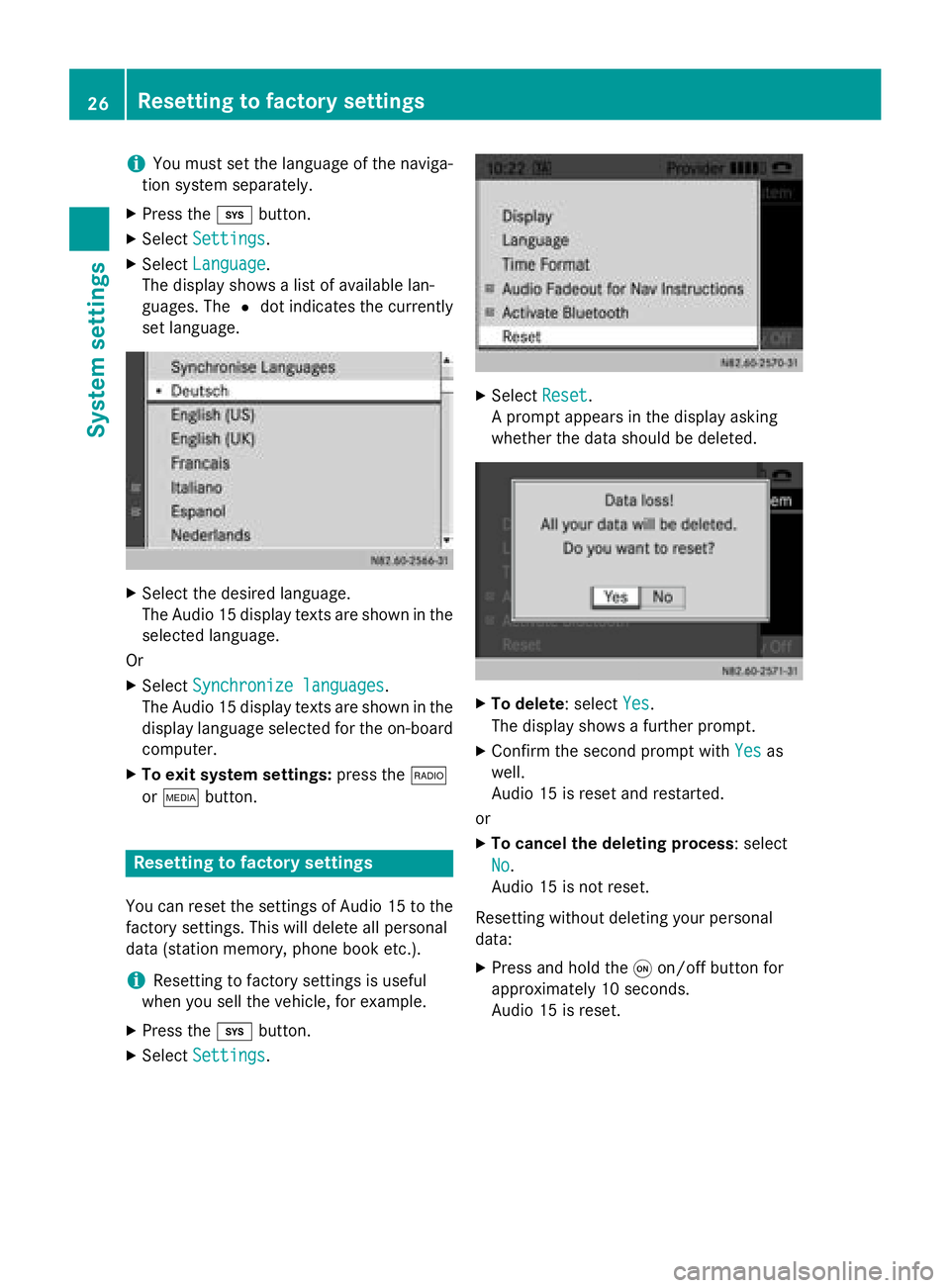
XSelectLanguage.
The display shows a list of available lan-
guages. The #dot indicates the currently
set language.
XSelect the desired language.
The Audio 15 display texts are shown in the
selected language.
Or
XSelect Synchronize languages.
The Audio 15 display texts are shown in the
display language selected for the on-board
computer.
XTo exit system settings: press the$
or Õ button.
Resetting to factory settings
You can reset the settings of Audio 15 to the
factory settings. This will delete all personal
data (station memory, phone book etc.).
iResetting to factory settings is useful
when you sell the vehicle, for example.
XPress the ibutton.
XSelect Settings.
XSelectReset.
A prompt appears in the display asking
whether the data should be deleted.
XTo delete: select Yes.
The display shows a further prompt.
XConfirm the second prompt with Yesas
well.
Audio 15 is reset and restarted.
or
XTo cancel the deleting process : select
No
.
Audio 15 is not reset.
Resetting without deleting your personal
data:
XPress and hold the qon/off button for
approximately 10 seconds.
Audio 15 is reset.
26Resetting to factory settings
System settings