cruise control MERCEDES-BENZ METRIS 2016 MY16 Operator’s Manual
[x] Cancel search | Manufacturer: MERCEDES-BENZ, Model Year: 2016, Model line: METRIS, Model: MERCEDES-BENZ METRIS 2016Pages: 310, PDF Size: 7.28 MB
Page 172 of 310
On-boardcomputer (vehicles without
steering wheel buttons)
Operating the on-board computer
Overview
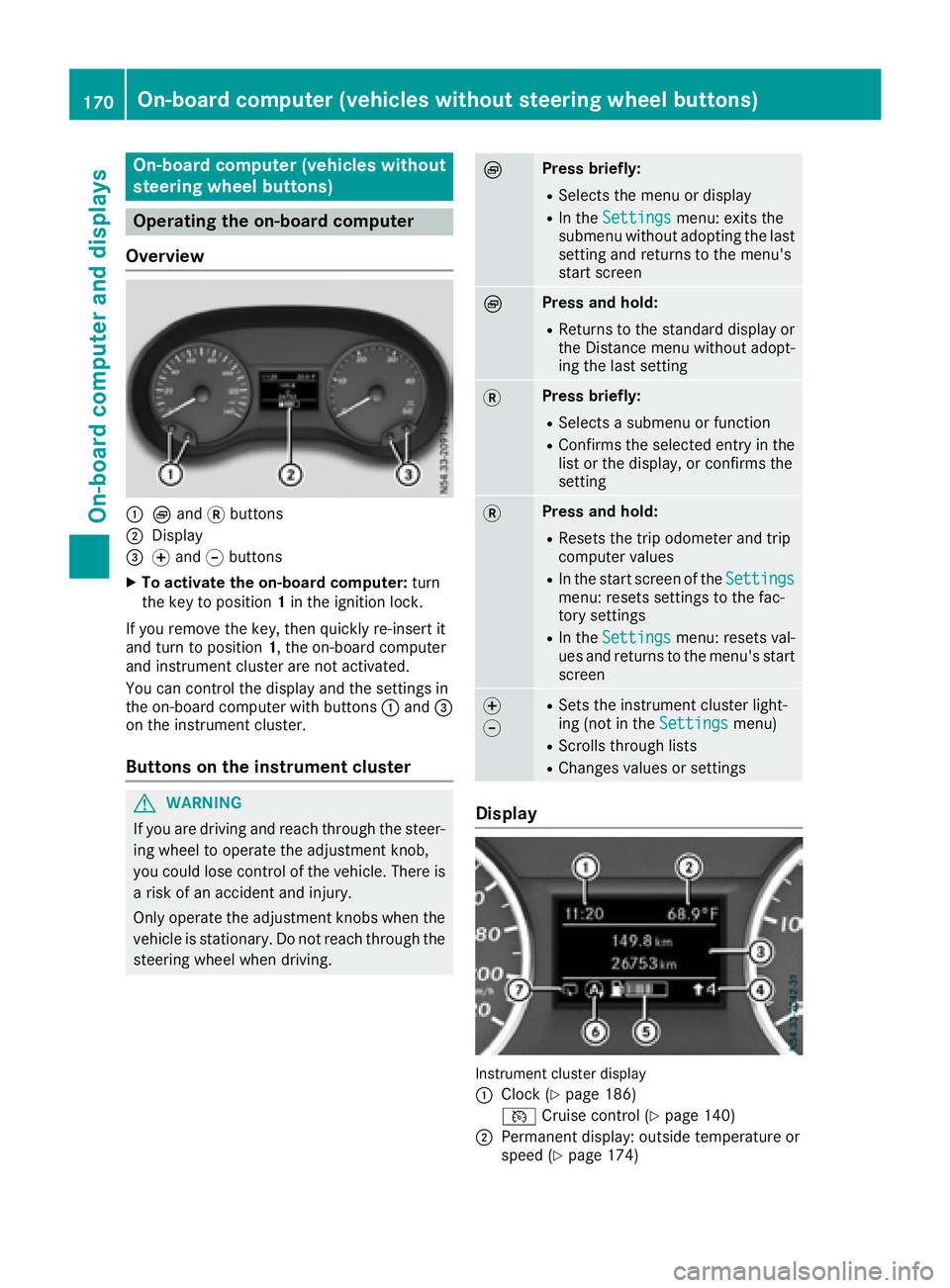
:È and 3buttons
;Display
=f and gbuttons
XTo activate the on-board computer: turn
the key to position 1in the ignition lock.
If you remove the key, then quickly re-insert it
and turn to position 1,the on-board computer
and instrument cluster are not activated.
You can control the display and the settings in
the on-board computer with buttons :and =
on the instrument cluster.
Buttons on the instrument cluster
GWARNING
If you are driving and reach through the steer- ing wheel to operate the adjustment knob,
you could lose control of the vehicle. There is
ar isk of an accidenta nd injury.
Only operate the adjustment knobs when the vehicle is stationary. Do not reach through the
steering wheel when driving.
ÈPress briefly:
RSelectst he menu or display
RIn theSettingsmenu: exits the
submenu without adopting the last
setting and return stothe menu's
start screen
ÈPress and hold:
RReturns to the standard display or the Distance menu without adopt-
ing the last setting
3Press briefly:
RSelectsas ubmenu or function
RConfirmsthe selected entry in the
list or the display, or confirms the
setting
3Press and hold:
RResets the trip odometer and trip
computer values
RIn the start screen of the Settingsmenu: resetssettings to the fac-
tory settings
RIn the Settingsmenu: resetsv al-
ues and return stothe menu's start
screen
f
gRSetst he instrument cluster light-
ing (not in the Settingsmenu)
RScrolls through lists
RChanges values or settings
Display
Instrument cluster display
:
Clock (Ypage 186)
V Cruise control (
Ypage 140)
;Permanen tdisplay: outside temperature or
speed (Ypage 174)
170On-boardc omputer (vehicles without steering wheel buttons)
On-boardcomputer and displays
Page 176 of 310
message with3,the display shows the next
submenu.
XPress forg to activate or deactivate ESP.
XPress 3to confirm.
The next submenu is shown in the display.
If the å warning lamp in the instrument
cluster lights up when the vehicleisr eadyto
drive, ESP
®is deactivated.
Observe the informatio nonwarning lamps
(
Ypage 221) and display messages
(Ypage 193).
Setting the sensitivity of the rain sensor
The vehiclem ust be stationary .Use the buttons
in the instrument cluster.
XPress Èto select the Settingsmenu.
XPress3to select the Rain Sensorsub-
menu.
The display shows the current sensitivity set-
ting.
XPress forg to select the Low,Standardor
Sensitivesetting. This setting controls the
rain sensor's sensitivity to precipitation. The
windshieldw iper willthen wip emore or less
frequently at the same precipitation intensity.
XPress 3to confirm.
The next submenu is shown in the display.
You can find further informatio nunder "Wind-
shiel dwiper" (
Ypage 101).
Activating/deactivatin gATTENTION
ASSIST
The vehiclem ust be stationary .Use the buttons
in the instrument cluster.
XPress Èto select the Settingsmenu.
XPress3to select the Attention Assistsubmenu.
The display shows the current status.
If theAttention Assist Inoperative
message is shown in the display ,ATTENTION
ASSIST is not available due to amalfunction
and is deactivated. If you confirm the mes-
sage with 3,the display shows the next sub-
menu.
XPress forg to activate or deactivate
ATTENTION ASSIST.
XPress 3to confirm.
The next submenu is shown in the display. Further informatio
ncan be found under "ATTEN-
TION ASSIST" (
Ypage 149).
Selecting the permanent display func-
tion
With the Permanent Display:function, you
can switch the display in the header between
outsid etemperature and speed.
If the display shows the speed in the header, the
outsid etemperature is shown with the odome-
ters (
Ypage 171).
The additional speedometer unit in the header is
alway sinverse to the speedometer unit.
The vehiclem ust be stationary .Use the buttons
in the instrument cluster.
XUsing Èselect the Settingsmenu.
XUsing3select the Permanent Display:submenu.
The display indicates the selected setting of
Outside Temp.
orSpeedometer.
XChange the setting by pressing forg.
XPress 3to confirm.
The next submenu is shown in the display.
Selecting the unit for the distance
In the Distance Unit:submenu, you can
select whether the display shows certain infor-
mation in kilometers or miles.
The vehiclem ust be stationary .Use the buttons
in the instrument cluster.
XPress Èto select the Settingsmenu.
XPress3to select the Distance Unit:sub-
menu.
The display indicates the selected setting of
km
or Miles.
XChange the setting by pressing forg.
XPress 3to confirm.
The display shows the next submenu or the
Settings
menu again.
The selected distance units are used for the dis- plays:
RDigital speedometer
ROdometer and trip odometer
RTrip computer
RRange
RCurrent consumption
RCruise control
RService intervals
174On-board computer (vehicles without steerin gwheel buttons)
On-board computer and displays
Page 179 of 310
In status areaD,the display can show the sta-
tus of the following driving systems:
À ATTENTION ASSIST(
Ypage 149)
à Lane Keeping Assist (
Ypage 147)
V Cruise control (
Ypage 140)
è Rearwindow wiper (
Ypage 102)
è ECO start/stop function (
Ypage 122)
Menu overview
You can think of the order of the menus as a
circle. Use the =or; steering wheel
buttons to show the menu bar and scroll through
the menus. Use the :or9 steering
wheel buttons to scroll through their submenus and functions.
Operatio ninformation can be found under
"Operating the on-board computer"
(
Ypage 175).
Depending on the vehicle equipment, you can
call up the following menus:
RTripmenu (Ypage 177)
RNavimenu (navigation instructions)
(Ypage 179)
RAudiomenu (Ypage 180)
RTel(telephone) menu (Ypage 181)
RAssist.(assistance) menu (Ypage 182)
RServicemenu (Ypage 184)
RSettingsmenu (Ypage 185)
Trip menu
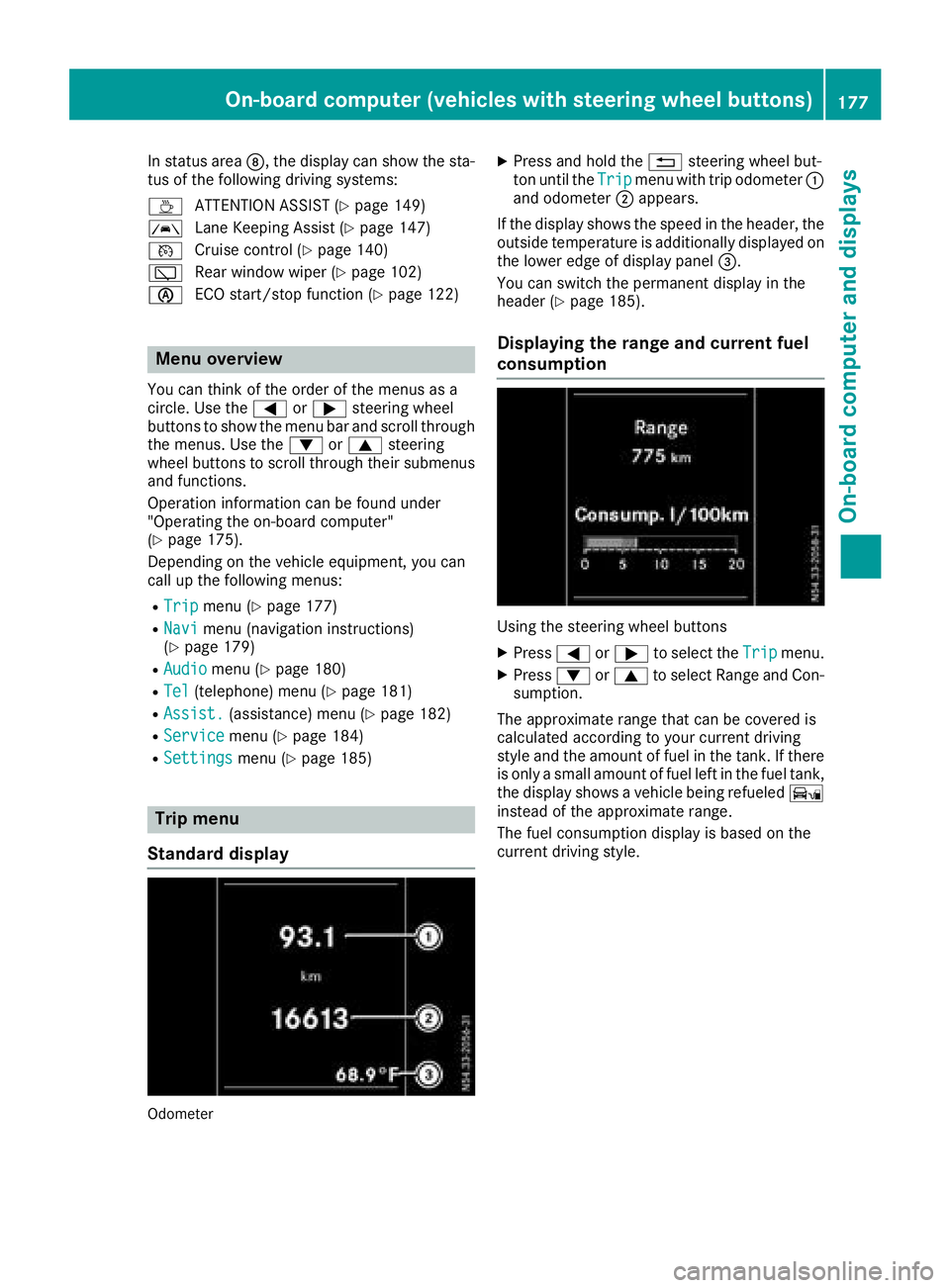
Standard display
Odometer
XPress and hold the %steering wheel but-
ton until the Tripmenu with trip odometer :
and odometer ;appears.
If the display shows the speed in the header, the
outsid etemperature is additionall ydisplaye don
the lowere dge of display panel =.
You can switch the permanent display in the
header (
Ypage 185).
Displaying the range and current fuel
consumption
Using the steering wheel buttons
XPress =or; to select the Tripmenu.
XPress:or9 to select Range and Con-
sumption.
The approximate range that can be covered is
calculated according to you rcurrent driving
style and the amount of fuel in the tank. If there
is only asmall amount of fuel left in the fuel tank,
the display shows avehicle being refueled Ï
instead of the approximate range.
The fuel consumption display is base donthe
current driving style.
On-board computer (vehicles with steeringw heel buttons)177
On-board computer and displays
Z
Page 187 of 310
Depending on the vehicle’sequipment ,you have
the following options in the Servicemenu:
RCalling up displaymessage sinthe message
memory (Ypage 202)
RRestartin gthe tire pressure loss warning sys-
tem or checking the tire pressure electroni-
cally (
Ypage 274)
RCalling up the servic eduedate (ASSYST
PLUS) (Ypage 248)
Settings menu
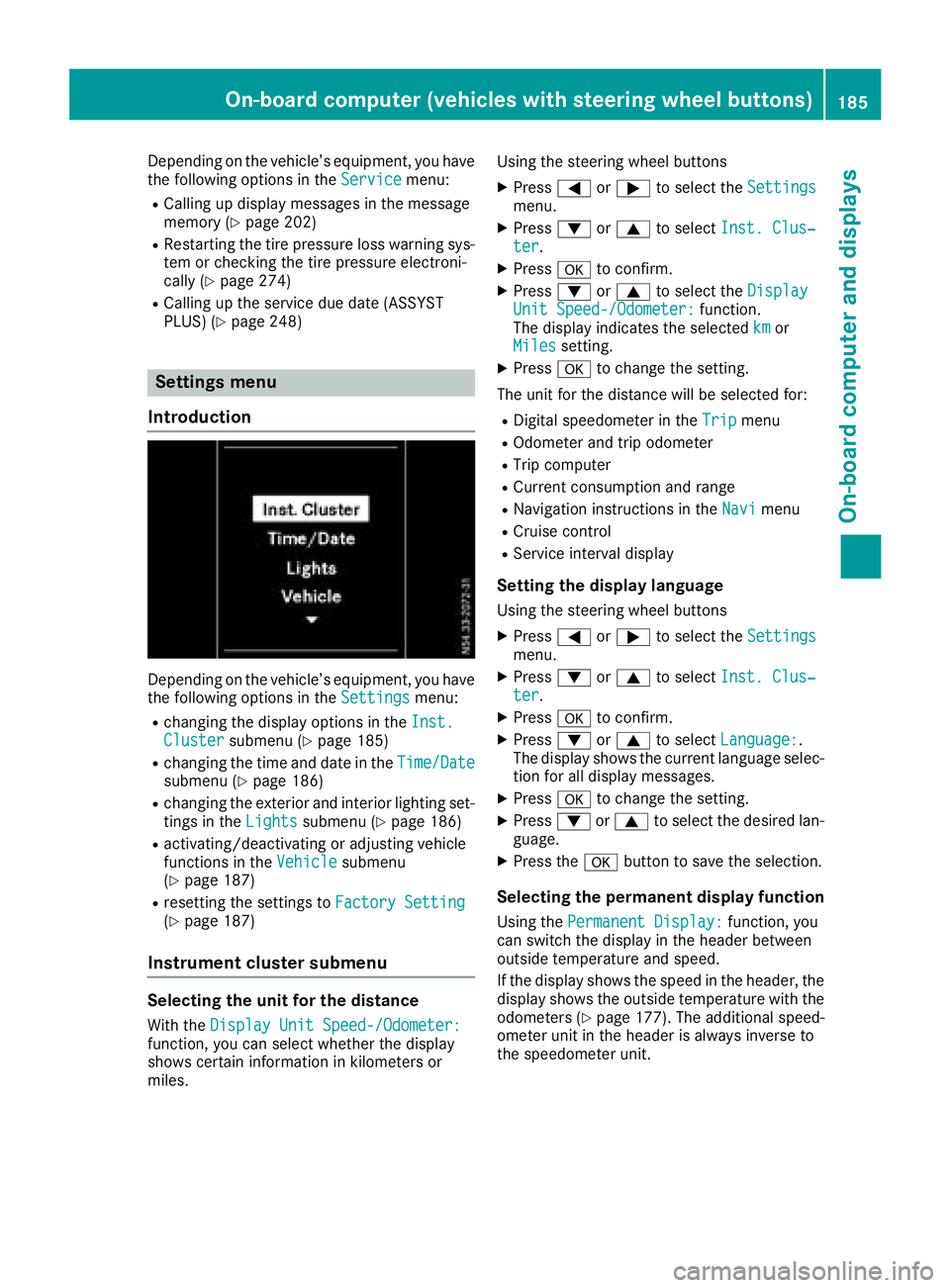
Introduction
Depending on the vehicle’ sequipment ,you have
the following options in the Settingsmenu:
Rchanging the displayoptions in the Inst.Clustersubmenu (Ypage 185)
Rchanging the time and date in the Time/Datesubmenu (Ypage 186)
Rchanging the exteriorand interio rlighting set-
ting sint heLightssubmenu (Ypage 186)
Ractivating/deactivating or adjusting vehicle
functions in the Vehiclesubmenu
(Ypage 187)
Rresetting the settings to FactorySetting(Ypage 187)
Instrument cluste rsubmenu
Selecting the uni tfor the distance
With the DisplayUnitS peed-/Odometer:function, yo ucan select whether the display
shows certain informatio ninkilometers or
miles. Using the steerin
gwheel buttons
XPress =or; to select the Settingsmenu.
XPress:or9 to select Inst. Clus‐ter.
XPressato confirm.
XPress :or9 to select the DisplayUnitSpeed-/Odometer:function.
The displa yindicates the selected kmor
Milessetting.
XPress ato change the setting.
The uni tfor the distance will be selecte dfor:
RDigita lspeedom eterint heTripmenu
ROdometer and trip odometer
RTripc omputer
RCurrent consumption and range
RNavigation instructions in the Navimenu
RCruise control
RService intervaldisplay
Settingthe display language
Using the steerin gwheel buttons
XPress =or; to select the Settingsmenu.
XPress:or9 to select Inst. Clus‐ter.
XPressato confirm.
XPress :or9 to select Language:.
The displa yshows the current languag eselec-
tio nfor al ldisplay messages.
XPressato change the setting.
XPress :or9 to select the desired lan-
guage.
XPress the abutton to save the selection.
Selecting the permanent display function
Using the Permanent Display:function, you
can switch the displa yinthe header between
outside temperatur eand speed.
If the displa yshows the spee dinthe header, the
displa yshows the outside temperatur ewitht he
odometers (
Ypage 177). The additional speed-
ometer uni tinthe header is always invers eto
the speedomete runit.
On-board computer (vehicle swiths teering whee lbuttons)18 5
On-board computera nd displays
Z
Page 201 of 310
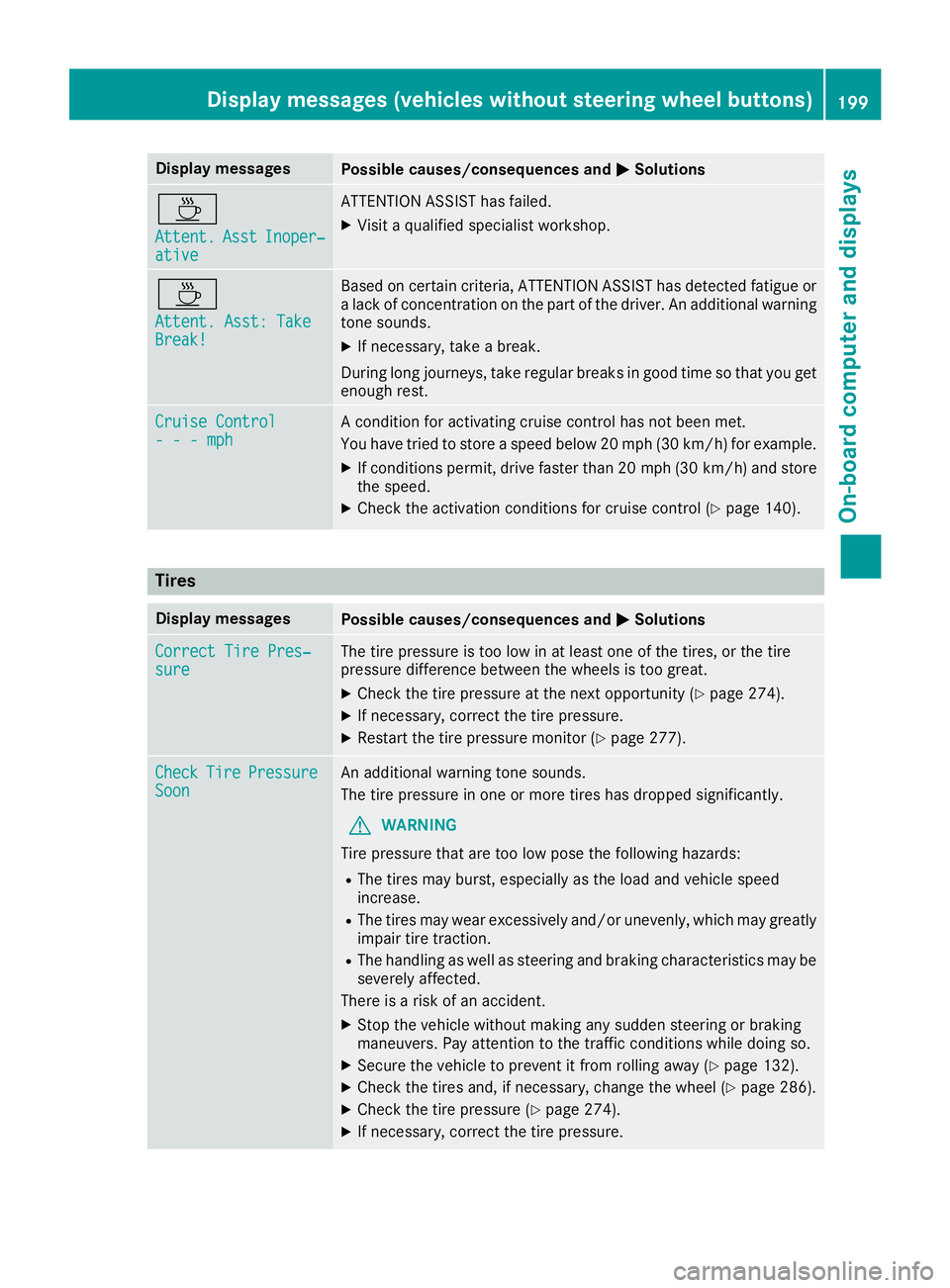
Display messagesPossible causes/consequences andMSolutions
À
Attent.AsstInoper ‐ative
ATTENTION ASSIST has failed.
XVisitaqualified specialist workshop .
À
Attent.Asst: Tak eBreak!
Based on certain criteria, ATTENTION ASSIST has detecte dfatigue or
al ack of concentration on th epart of th edriver .Ana dditional warning
tone sounds.
XIf necessary, tak eabreak.
During lon gjou rneys, tak eregular breaks in goo dtimesot hatyou get
enough rest.
Cruise Contro l---mphAconditi on for activating cruise control has no tbeen met .
You hav etried to store aspeed belo w20m ph(30 km/ h)for example.
XIf conditions permit, drive faster than 20 mph (30 km/h )and store
the speed.
XCheck the activation conditions for cruis econtrol (Ypag e140).
Tires
Display messagesPossiblec auses/consequence sand MSolutions
Correct Tire Pres‐sureThe tire pressure is too low in at least one of the tires, or the tire
pressure difference between the wheels is too great.
XCheck the tire pressure at the next opportunity (Ypag e274).
XIf necessary, correct the tire pressure.
XRestart the tire pressure monitor (Ypag e277).
CheckTirePressureSoonAn additiona lwarning tone sounds.
The tire pressure in one or more tires has dropped significantly.
GWARNING
Tire pressure that are too low pose the following hazards:
RThe tires may burst, especially as the loa dand vehicl espeed
increase.
RThe tires may wea rexcessively and/or unevenly, which may greatly
impair tire traction.
RThe handling as wel lassteering and braking characteristics may be
severely affected.
There is arisk of an accident.
XStop the vehicl ewithout making any sudden steering or braking
maneuvers. Pay attention to the traffic conditions while doing so.
XSecure the vehicl etoprevent it from rolling away (Ypage132).
XCheck the tires and, if necessary, change the whee l(Ypage286).
XCheck the tire pressure (Ypag e274).
XIf necessary, correct the tire pressure.
Display messages (vehiclesw ithout steering wheel buttons)199
On-board computer and displays
Z
Page 216 of 310
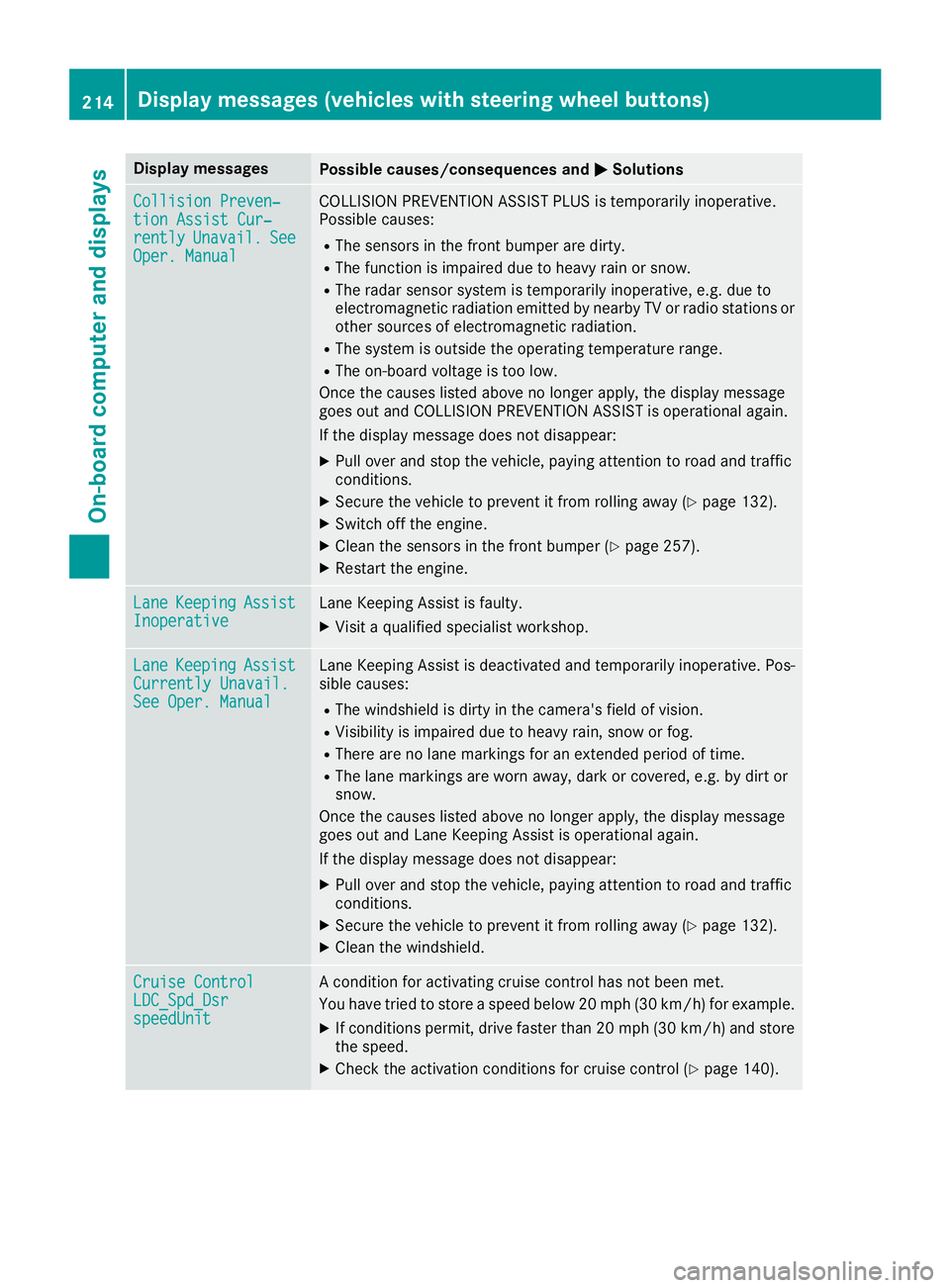
Display messagesPossible causes/consequences andMSolutions
Collision Preven‐tionAssist Cur ‐rentlyUnavail.SeeOper. Manual
COLLISION PREVENTION ASSIST PLU Sistemporarily inoperative.
Possibl ecauses:
RThe sensor sinthefron tbumper are dirty.
RThe function is impaire ddue to heav yrain or snow.
RThe radar sensor system is temporarily inoperative, e.g. due to
electromagneti cradiation emitted by nearby TV or radi ostation sor
other source sofelectromagneti cradiation .
RThe system is outside th eoperating temperature range.
RThe on-boar dvoltag eistoolow.
Once th ecauses listed abov enolonger apply, th edisplay message
goe sout and COLLISION PREVENTION ASSIST is operational again .
If th edisplay message does no tdisappear :
XPull overand stop th evehicle, payin gattention to roa dand traffic
conditions.
XSecur ethe vehicl etopreventitfromr ollin gaway (Ypage 132).
XSwitc hoff th eengine.
XClean th esensor sinthefron tbumper (Ypage 257).
XRestart th eengine.
Lan eKeepin gAssistInoperativeLaneKeepin gAssistisf aulty.
XVisit aqualified specialist workshop .
LaneKeepin gAssistCurrently Unavail.See Oper. Manual
LaneKeepin gAssistisd eactivated and temporarily inoperative. Pos -
sibl ecauses:
RThe windshield is dirty in th ecamera' sfield of vision .
RVisibilityisimpaire ddue to heav yrain ,sno worf og.
RThere are no lan emarking sfor an extended period of time.
RThe lan emarking sare wor naway, dark or covered, e.g. by dir tor
snow.
Once th ecauses listed abov enolonger apply, th edisplay message
goe sout and Lan eKeepin gAssistiso perational again .
If th edisplay message does no tdisappear :
XPull overand stop th evehicle, payin gattention to roa dand traffic
conditions.
XSecur ethe vehicl etopreventitfromr ollin gaway (Ypage 132).
XClean th ewindshield.
Cruise Contro lLDC_Spd_DsrspeedUnit
Aconditi on for activating cruise control has no tbeen met .
You hav etried to store aspeed belo w20m ph(30 km/ h)for example.
XIf conditions permit, drive faster than 20 mph (30 km/h )and store
the speed.
XCheck the activation conditions for cruis econtrol (Ypag e140).
214Display messages (vehiclesw iths teering wheel buttons)
On-board computer and displays
Page 223 of 310
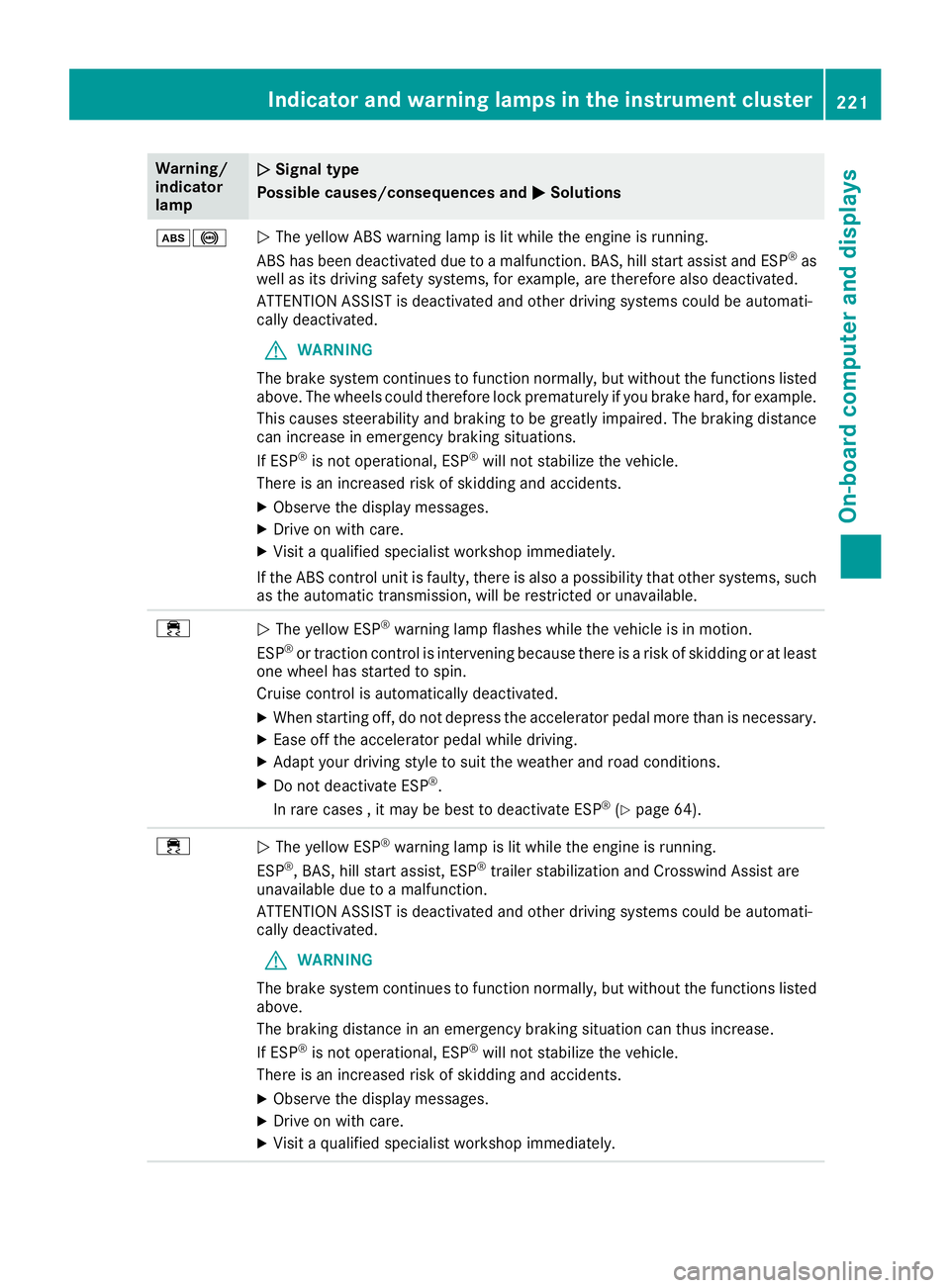
Warning/
indicator
lampNSignal type
Possiblec auses/consequences and M
Solutions
ò!NThe yellow ABS warning lamp is lit while the engine is running.
ABS has been deactivated due to amalfunction. BAS, hil lstart assist and ESP®as
wel lasi ts driving safety systems ,for example, are therefore als odeactivated.
ATTENTION ASSIST is deactivated and other driving systems coul dbeautomati-
call ydeactivated.
GWARNING
The brake system continues to function normally, but without the functions listed
above. The wheels coul dtherefore lock prematurely if you brake hard ,for example.
This causes steerability and braking to be greatly impaired .The braking distance
can increas einemergency braking situations.
If ESP
®is not operational ,ESP®wil lnot stabilize the vehicle.
There is an increased risk of skidding and accidents.
XObserve the display messages.
XDrive on with care.
XVisi taq ualified specialist worksho pimmediately.
If the ABS control unit is faulty, there is als oapossibility that other systems ,such
as the automatic transmission, wil lberestricted or unavailable.
÷NThe yellow ESP®warning lamp flashes while the vehicleisinm otion.
ESP®or traction control is intervening because there is arisk of skidding or at least
one whee lhas started to spin.
Cruise control is automatically deactivated.
XWhen starting off, do not depress the accelerator pedalm ore than is necessary.
XEase off the accelerator pedalwhile driving.
XAdapt yourdriving style to sui tthe weather and road conditions.
XDo not deactivate ESP®.
In rare cases ,itmay be best to deactivate ESP®(Ypage64).
÷NThe yellow ESP®warning lamp is lit while the engine is running.
ESP®,B AS, hil lstart assist, ESP®trailer stabilization and Crosswind Assist are
unavailable due to amalfunction.
ATTENTION ASSIST is deactivated and other driving systems coul dbeautomati-
call ydeactivated.
GWARNING
The brake system continues to function normally, but without the functions listed
above.
The braking distance in an emergency braking situation can thus increase.
If ESP
®is not operational ,ESP®wil lnot stabilize the vehicle.
There is an increased risk of skidding and accidents.
XObserve the display messages.
XDrive on with care.
XVisi taq ualified specialist worksho pimmediately.
Indicator and warning lamps in the instrument cluster221
On-board computer and displays
Z