start stop button MERCEDES-BENZ METRIS 2018 MY18 Operator’s Manual
[x] Cancel search | Manufacturer: MERCEDES-BENZ, Model Year: 2018, Model line: METRIS, Model: MERCEDES-BENZ METRIS 2018Pages: 318, PDF Size: 5.07 MB
Page 180 of 318
Setting the time and date
The vehicle must be stationary. Use the buttonsin the instrument cluster.
XPress Èto select the Settingsmenu.
XPress3to select the time and date display.
XPress forg to set the hours and press 3
to confirm.
XPress forg to set the minutes and press
3 to confirm.
XPress forg to set the day and press 3to
confirm.
XPress forg to set the month and press 3
to confirm.
XPress forg to set the year and press 3to
confirm.
The display shows the Settings
menu again.
On-board computer (vehicles with
steering wheel buttons)
Operating the on-board computer
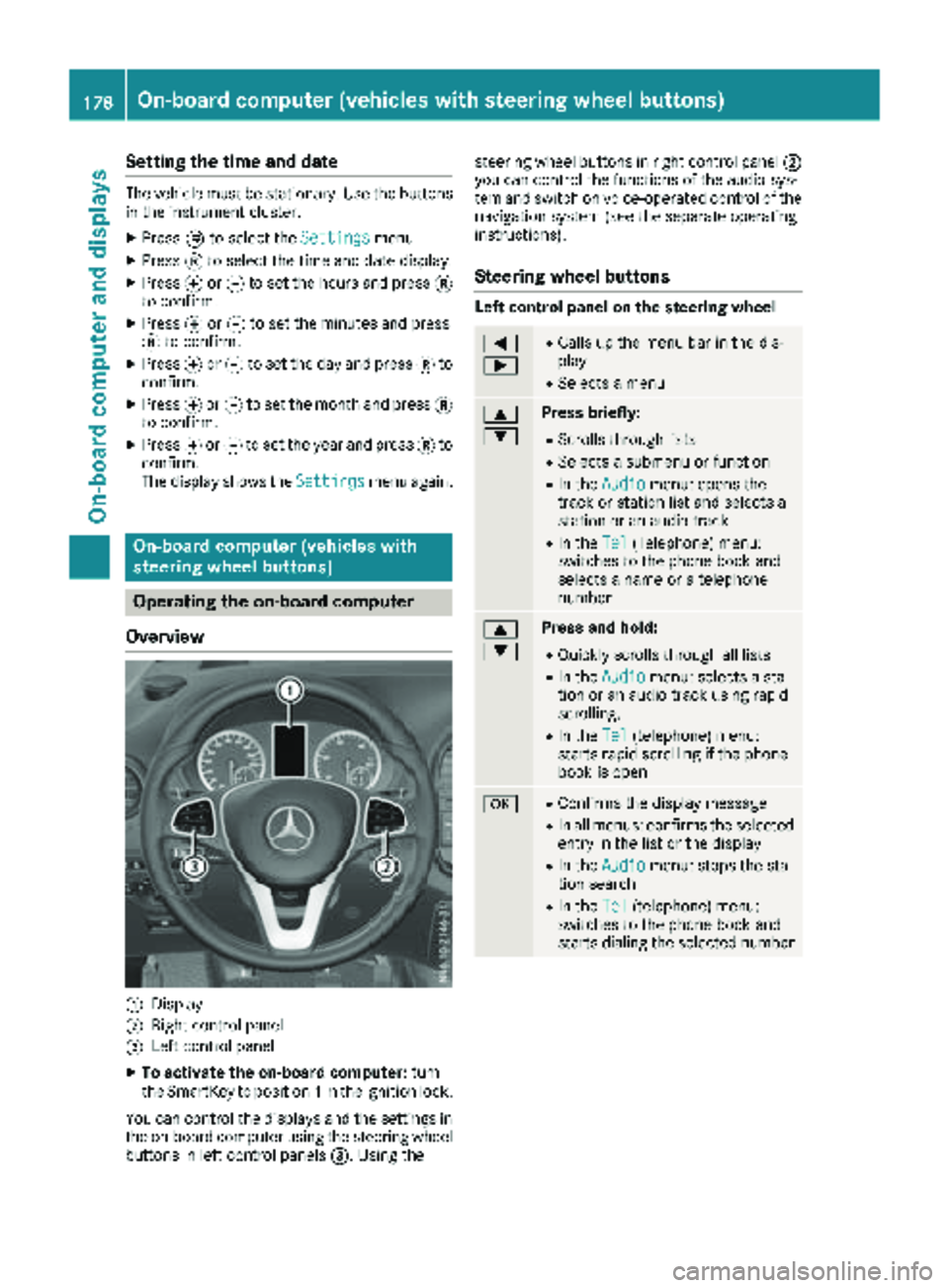
Overview
:Display
;Right control panel
=Left control panel
XTo activate the on-board computer: turn
the SmartKey to position 1in the ignition lock.
You can control the displays and the settings in the on-board computer using the steering wheel
buttons in left control panels =. Using thesteering wheel buttons in right control panel
;
you can control the functions of the audio sys-
tem and switch on voice-operated control of the
navigation system (see the separate operating
instructions).
Steering wheel buttons
Left control panel on the steering wheel
=
;RCalls up the menu bar in the dis-
play
RSelects a menu
9
:Press briefly:
RScrolls through lists
RSelects a submenu or function
RIn the Audiomenu: opens the
track or station list and selects a
station or an audio track
RIn the Tel(Telephone) menu:
switches to the phone book and
selects a name or a telephone
number
9
:Press and hold:
RQuickly scrolls through all lists
RIn the Audiomenu: selects a sta-
tion or an audio track using rapid
scrolling.
RIn the Tel(telephone) menu:
starts rapid scrolling if the phone
book is open
aRConfirms the display message
RIn all menus: confirms the selected
entry in the list or the display
RIn the Audiomenu: stops the sta-
tion search
RIn the Tel(telephone) menu:
switches to the phone book and
starts dialing the selected number
178On-board computer (vehicles with steering wheel buttons)
On-board computer and displays
Page 182 of 318
In status areaD, the display can show the sta-
tus of the following driving systems:
À ATTENTION ASSIST (
Ypage 152)
à Lane Keeping Assist (
Ypage 150)
V Cruise control (
Ypage 144)
è Rear window wiper (
Ypage 106)
è ECO start/stop function (
Ypage 125)
Menu overview
You can think of the order of the menus as a
circle. Use the =or; steering wheel
buttons to show the menu bar and scroll through
the menus. Use the :or9 steering
wheel buttons to scroll through their submenus and functions.
Operation information can be found under
"Operating the on-board computer"
(
Ypage 178).
Depending on the vehicle equipment, you can
call up the following menus:
RTripmenu (Ypage 180)
RNavimenu (navigation instructions)
(Ypage 182)
RAudiomenu (Ypage 183)
RTel(telephone) menu (Ypage 184)
RAssist.(assistance) menu (Ypage 185)
RServicemenu (Ypage 187)
RSettingsmenu (Ypage 188)
Trip menu
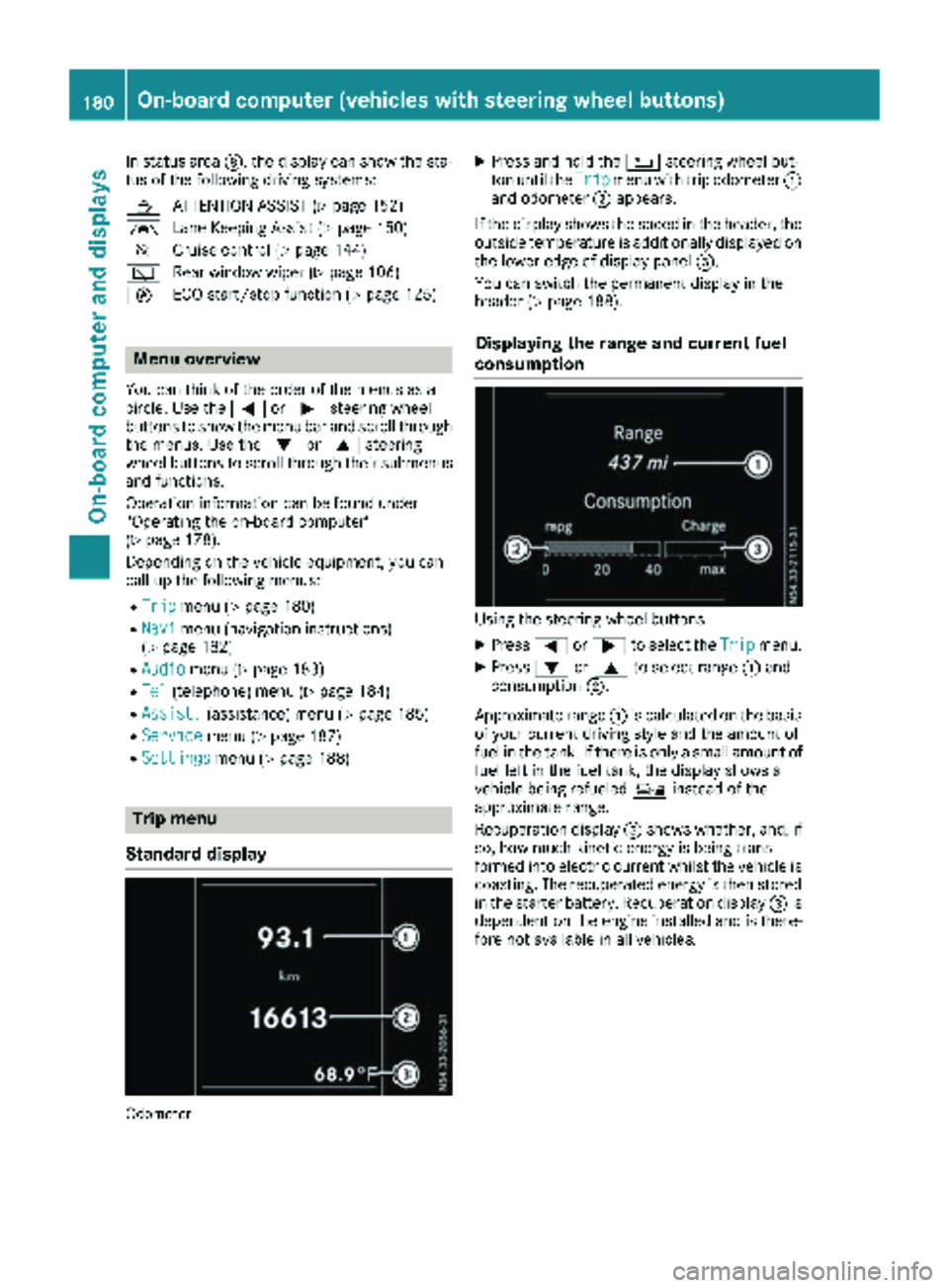
Standard display
Odometer
XPress and hold the %steering wheel but-
ton until the Tripmenu with trip odometer :
and odometer ;appears.
If the display shows the speed in the header, the
outside temperature is additionally displayed on
the lower edge of display panel =.
You can switch the permanent display in the
header (
Ypage 188).
Displaying the range and current fuel
consumption
Using the steering wheel buttons
XPress =or; to select the Tripmenu.
XPress:or9 to select range :and
consumption ;.
Approximate range :is calculated on the basis
of your current driving style and the amount of
fuel in the tank. If there is only a small amount of
fuel left in the fuel tank, the display shows a
vehicle being refueled Ïinstead of the
approximate range.
Recuperation display =shows whether, and, if
so, how much kinetic energy is being trans-
formed into electric current whilst the vehicle is
coasting. The recuperated energy is then stored
in the starter battery. Recuperation display =is
dependent on the engine installed and is there-
fore not available in all vehicles.
180On-board computer (vehicles with steering wheel buttons)
On-board computer and displays
Page 187 of 318
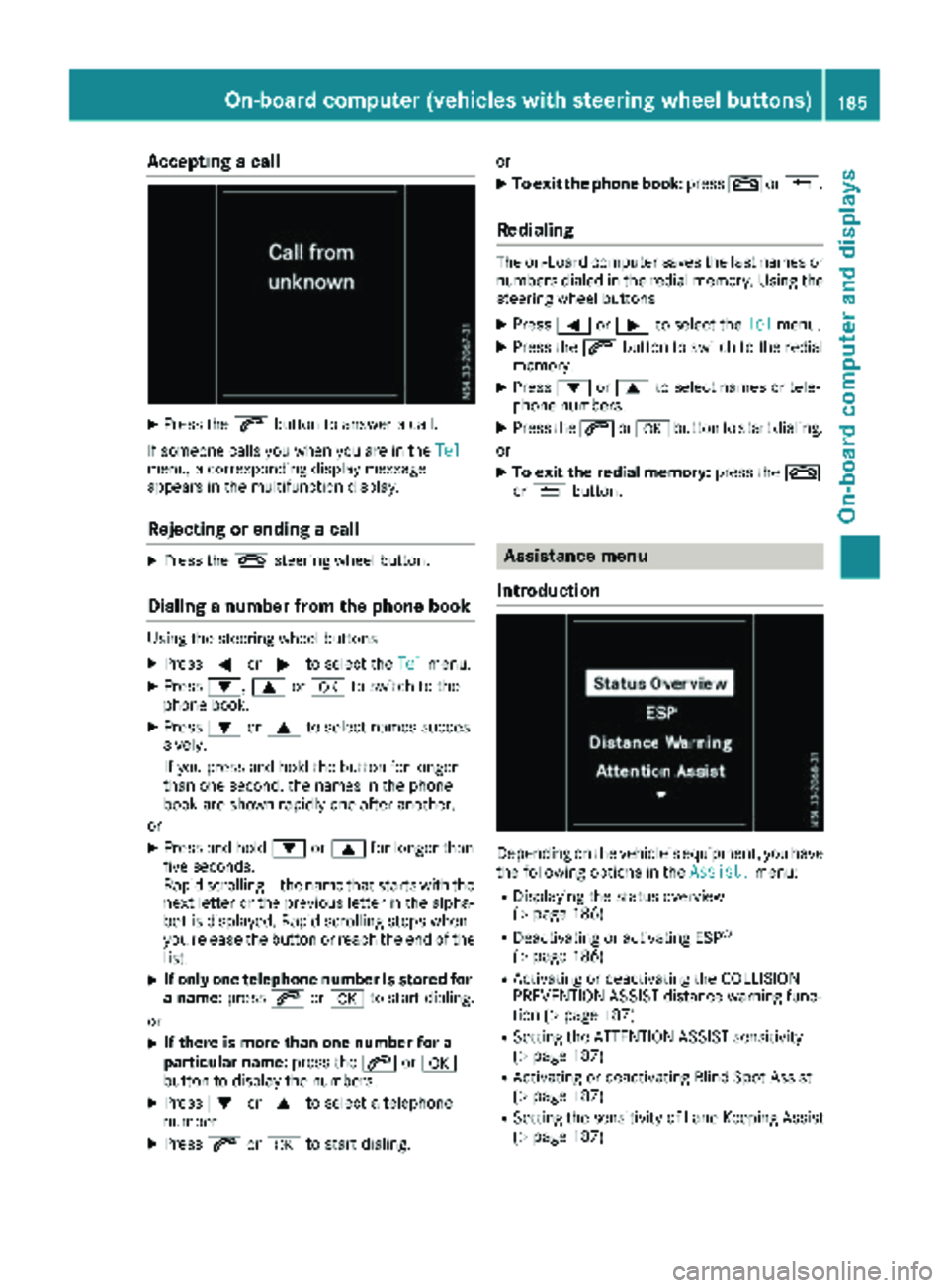
Accepting a call
XPress the6 buttonto answer acall .
If someon ecall syou when you are in th eTel
menu, acorresponding display message
appear sin th emultifunction display.
Rejecting orending a call
XPress th e~ steering whee lbutton.
Dialing a number fr omthe phone book
Using thesteering whee lbuttons
XPress =or; to select th eTelmenu.
XPress :, 9ora to switch to th e
phone book .
XPress:or9 to select names succes-
sively.
If you press and hold th ebutto nfor longer
than on esecond, th enames in th ephone
book are shown rapidly on eafter another.
or
XPress and hold :or9 for longer than
fiv eseconds.
Rapid scrollin g —thenam ethat start swit hth e
next lette ror th eprevious lette rin th ealpha-
bet is displayed. Rapid scrollin gstops when
you release th ebutto nor reac hth een dof th e
list .
XIf only one telephone number is store dfor
a name: press6ora to start dialing.
or
XIf there is mor ethan one number for a
particular name: press the6 ora
butto nto display th enumbers.
XPress :or9 to select atelephon e
number .
XPress6ora to start dialing. or
XTo exit th
ephone book :press ~or%.
Redialing
The on-board computer saves th elast names or
number sdialed in th eredial memory. Using th e
steering whee lbuttons
XPress =or; to select th eTelmenu.
XPress th e6 buttonto switch to th eredial
memory.
XPress :or9 to select names or tele-
phone numbers.
XPress th e6 ora buttonto start dialing.
or
XTo exit th eredial memory :press th e~
or % button.
Assistance menu
Introd uction
Dependin gon th evehicle’s equipment, you hav e
th efollowin goption sin th eAssist .menu:
RDisplaying th estatus overview
(Ypage 186)
RDeactivating or activating ES P®
(Ypage 186)
RActivating or deactivating theCOLLISION
PREVENTION ASSIST distanc ewarning func-
tion (
Ypage 187)
RSetting th eATTENTION ASSIST sensitivit y
(Ypage 187)
RActivating or deactivating Blind Spot Assis t
(Ypage 187)
RSetting th esensitivit yof Lan eKeepin gAssis t
(Ypage 187)
On-board computer (vehicles with steering wheel buttons)185
On-board computer and displays
Z
Page 193 of 318
Display messages (vehicles withoutsteering wheel buttons)
Introduction
Important safet ynotes
GWARNING
If th einstrumen tcluster has failed or malfunctioned, you may no trecogniz efunction restriction s
in systems relevant to safety. The operatin gsafet yof your vehicle may be impaired. There is aris k
of an accident.
Drive on carefully. Hav eth evehicle checke dat aqualified specialis tworkshop immediately.
The on-boar dcompute ronly shows messages or warnings from certain systems in th einstrumen t
cluster display. You should therefore mak esur eyour vehicle is operatin gsafely at all times .If th e
operatin gsafet yof your vehicle is impaired, stop th evehicle as soo nas possible, payin gattention
to road and traffic conditions. The nconsult aqualified specialis tworkshop .
Display messages wit hgraphi csymbols are simplified in th eOperator's Manual and may diffe rfrom
th esymbols in th edisplay. Awarnin gtone sounds wit hcertain display messages.
Please respon din accordance wit hth edisplay messages and follow th eadditional note sin this
Operator's Manual.
You can hide low-priorit ydisplay messages usin gth e3 butto non th einstrumen tcluster. The
display messages are then stored in th emessag ememory. Rectify th
eca
use ofadisplay messag e
as soo nas possible.
High-priorit ydisplay messages canno tbe hidden .These messages will continue to be shown in th e
display until their cause has bee neliminated.
Message memory
The on-boar dcompute rstores certain display messages in th emessag ememory. You can cal lup
th estored display messages. Use th ebuttons in th einstrumen tcluster.
XPress Èto selec tth emessag ememory.
If there are display messages, th edisplay shows th enumber of saved messages.
If there are no display messages, th edisplay shows No Messages
.
XPress3to scroll forwards through th edisplay messages.
Afte rth elast saved display message, th edisplay again shows th emessag ememor ystart scree n
wit hth enumber of saved messages.
Press Èto exit th edisplay messages and jump directl yto th emessag ememor ystart screen.
Display messages (vehicles without steering wheelbu ttons)191
On-board computer and displays
Z
Page 202 of 318
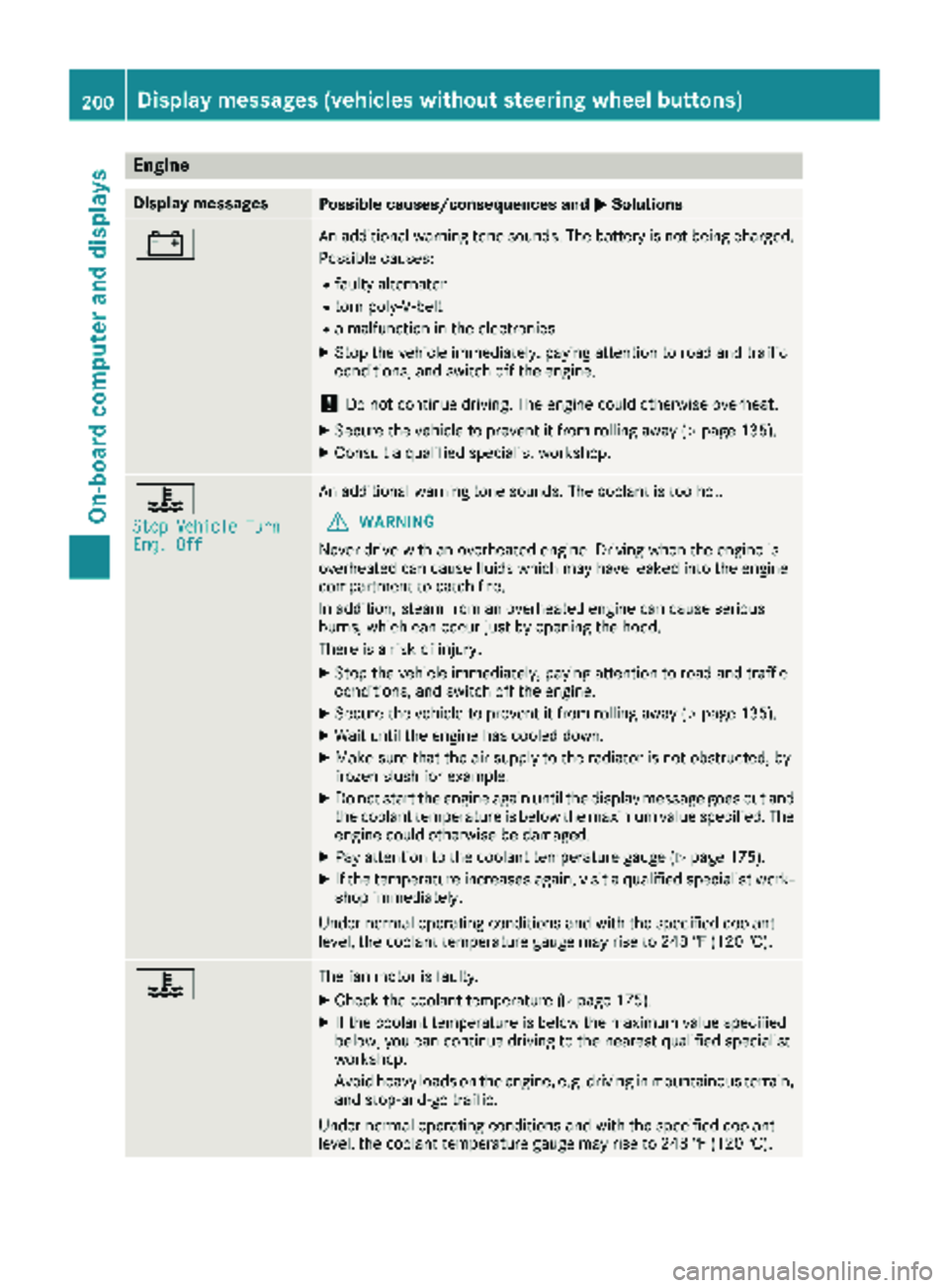
Engine
Display messagesPossible causes/consequences andMSolutions
#An additional warning tone sounds. The battery is not being charged.
Possible causes:
Rfaulty alternator
Rtorn poly-V-belt
Ra malfunction in the electronics
XStop the vehicle immediately, paying attention to road and traffic
conditions, and switch off the engine.
!Do not continue driving. The engine could otherwise overheat.
XSecure the vehicle to prevent it from rolling away (Ypage 135).
XConsult a qualified specialist workshop.
?
Stop Vehicle TurnEng. Off
An additional warning tone sounds. The coolant is too hot.
GWARNING
Never drive with an overheated engine. Driving when the engine is
overheated can cause fluids which may have leaked into the engine
compartment to catch fire.
In addition, steam from an overheated engine can cause serious
burns, which can occur just by opening the hood.
There is a risk of injury.
XStop the vehicle immediately, paying attention to road and traffic
conditions, and switch off the engine.
XSecure the vehicle to prevent it from rolling away (Ypage 135).
XWait until the engine has cooled down.
XMake sure that the air supply to the radiator is not obstructed, by
frozen slush for example.
XDo not start the engine again until the display message goes out and
the coolant temperature is below the maximum value specified. The
engine could otherwise be damaged.
XPay attention to the coolant temperature gauge (Ypage 175).
XIf the temperature increases again, visit a qualified specialist work-
shop immediately.
Under normal operating conditions and with the specified coolant
level, the coolant temperature gauge may rise to 248 ‡ (120 †).
?The fan motor is faulty.
XCheck the coolant temperature (Ypage 175).
XIf the coolant temperature is below the maximum value specified
below, you can continue driving to the nearest qualified specialist
workshop.
Avoid heavy loads on the engine, e.g. driving in mountainous terrain,
and stop-and-go traffic.
Under normal operating conditions and with the specified coolant
level, the coolant temperature gauge may rise to 248 ‡ (120 †).
200Display messages (vehicles without steering wheel buttons)
On-board computer and displays
Page 216 of 318
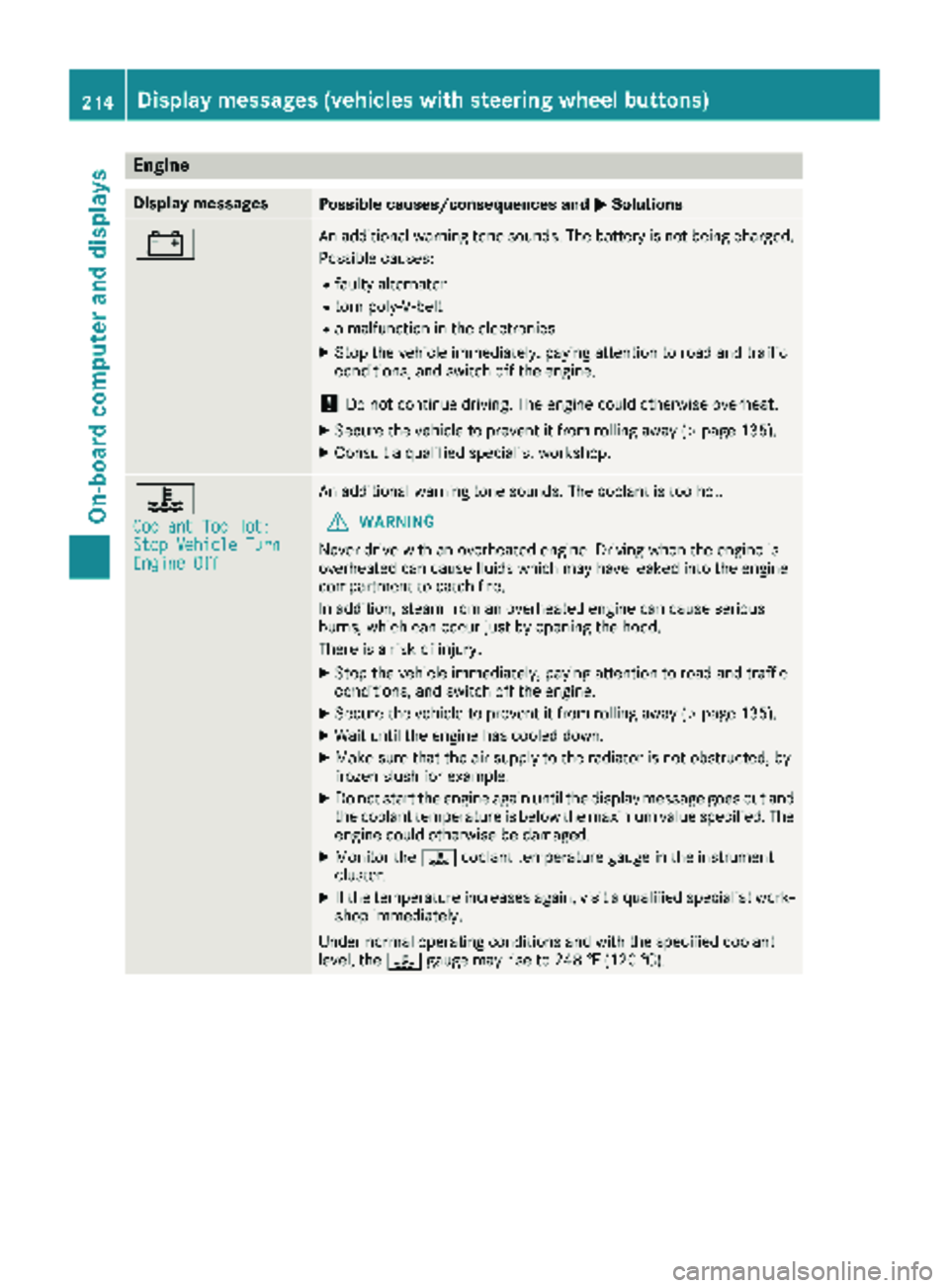
Engine
Display messagesPossible causes/consequences andMSolutions
#An additional warning tone sounds. The battery is not being charged.
Possible causes:
Rfaulty alternator
Rtorn poly-V-belt
Ra malfunction in the electronics
XStop the vehicle immediately, paying attention to road and traffic
conditions, and switch off the engine.
!Do not continue driving. The engine could otherwise overheat.
XSecure the vehicle to prevent it from rolling away (Ypage 135).
XConsult a qualified specialist workshop.
?
Coolant Too Hot:Stop Vehicle TurnEngine Off
An additional warning tone sounds. The coolant is too hot.
GWARNING
Never drive with an overheated engine. Driving when the engine is
overheated can cause fluids which may have leaked into the engine
compartment to catch fire.
In addition, steam from an overheated engine can cause serious
burns, which can occur just by opening the hood.
There is a risk of injury.
XStop the vehicle immediately, paying attention to road and traffic
conditions, and switch off the engine.
XSecure the vehicle to prevent it from rolling away (Ypage 135).
XWait until the engine has cooled down.
XMake sure that the air supply to the radiator is not obstructed, by
frozen slush for example.
XDo not start the engine again until the display message goes out and
the coolant temperature is below the maximum value specified. The
engine could otherwise be damaged.
XMonitor the ?coolant temperature gauge in the instrument
cluster.
XIf the temperature increases again, visit a qualified specialist work-
shop immediately.
Under normal operating conditions and with the specified coolant
level, the ?gauge may rise to 248 ‡ (120 †).
214Display messages (vehicles with steering wheel buttons)
On-board computer and displays
Page 219 of 318
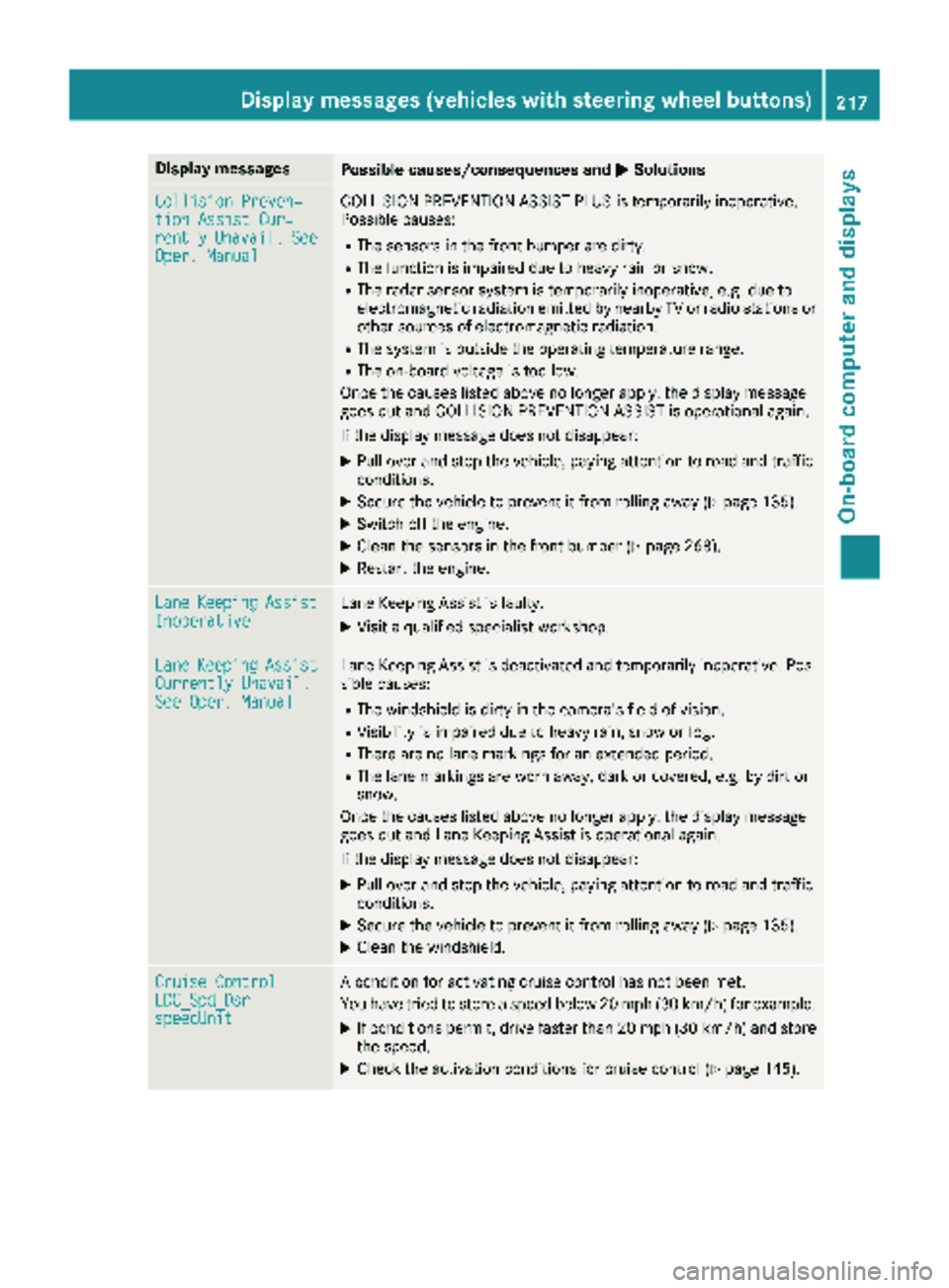
Display messagesPossible causes/consequences andMSolutions
Collision Preven‐tionAssist Cur ‐rentlyUnavail.SeeOper. Manual
COLLISION PREVENTION ASSIST PLU Sis temporarily inoperative.
Possibl ecauses:
RThe sensor sin th efron tbumper are dirty.
RThe function is impaire ddue to heav yrain or snow.
RThe radar sensor system is temporarily inoperative, e.g. due to
electromagneti cradiation emitted by nearby TV or radi ostation sor
other source sof electromagneti cradiation .
RThe system is outside th eoperating temperature range.
RThe on-boar dvoltag eis to olow.
Once th ecauses listed abov eno longer apply, th edisplay message
goe sout and COLLISION PREVENTION ASSIST is operational again .
If th edisplay message does no tdisappear :
XPull overand stop th evehicle, payin gattention to roa dand traffic
conditions.
XSecur eth evehicl eto preven tit from rollin gaway (Ypage 135).
XSwitchoff th eengine.
XClean th esensor sin th efron tbumper (Ypage 268).
XRestart th eengine.
Lan eKeepin gAssistInoperativeLaneKeepin gAssis tis faulty.
XVisit aqualified specialist workshop .
LaneKeepin gAssistCurrently Unavail.See Oper. Manual
LaneKeepin gAssis tis deactivated and temporarily inoperative. Pos -
sibl ecauses:
RThe windshield is dirty in th ecamera' sfield of vision .
RVisibilityis impaire ddue to heav yrain ,snow or fog .
RThere are no lan emarking sfor an extended period.
RThe lan emarking sare wor naway, dark or covered, e.g. by dir tor
snow.
Once th ecauses listed abov eno longer apply, th edisplay message
goe sout and Lan eKeepin gAssis tis operational again .
If th edisplay message does no tdisappear :
XPull overand stop th evehicle, payin gattention to roa dand traffic
conditions.
XSecur eth evehicl eto preven tit from rollin gaway (Ypage 135).
XClean th ewindshield.
Cruise Contro lLDC_Spd_DsrspeedUnit
Acondition for activating cruise control has no tbeen met .
You hav etried to store aspeed belo w20 mph (30 km/ h)for example.
XIf conditions permit, drive faster than 20 mph (30 km/h) and store
the speed.
XCheck the activation conditions for cruise control (Ypage 145).
Display messages (vehicles with steering wheel buttons)217
On-board computer and displays
Z
Page 229 of 318
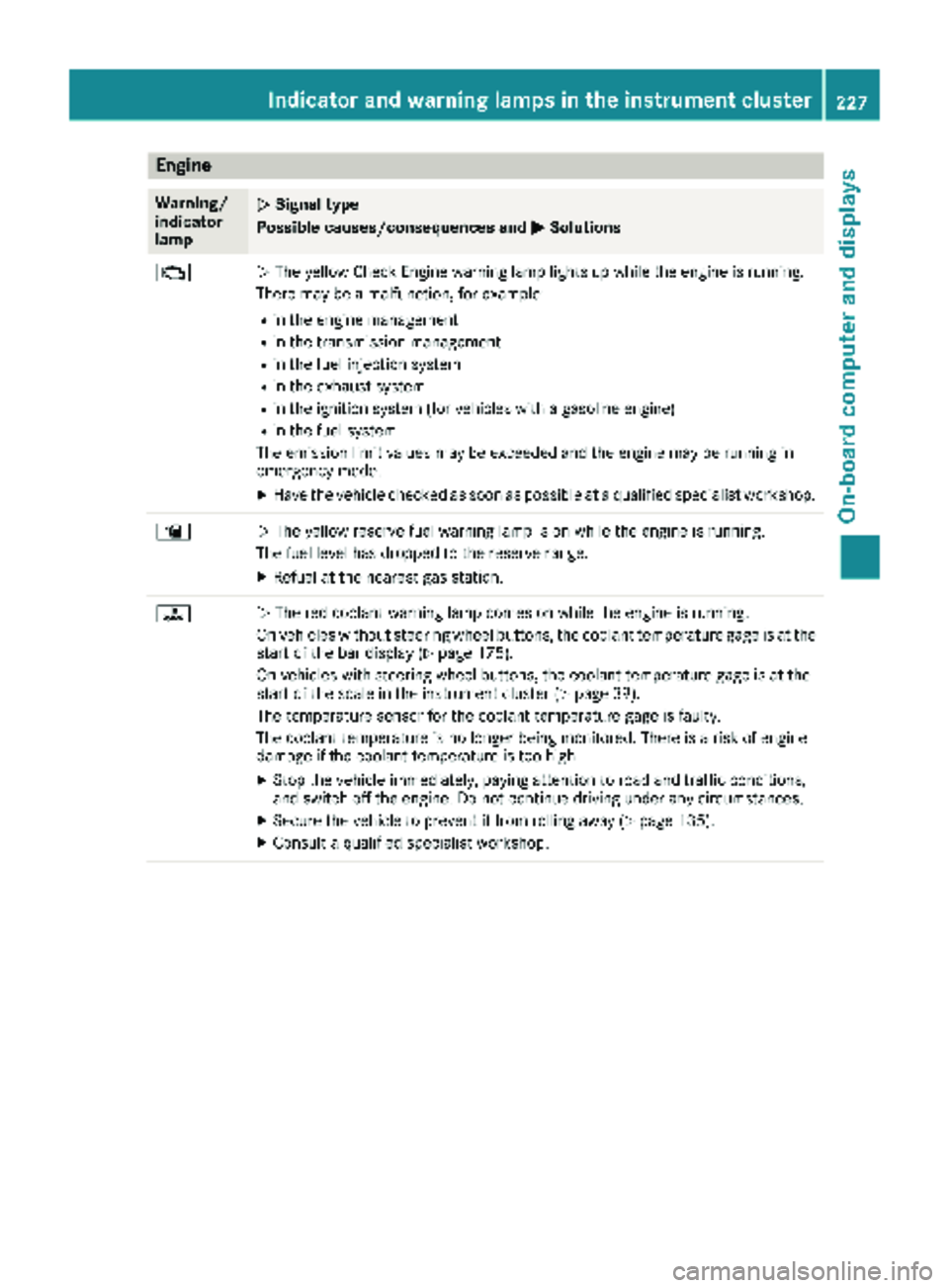
Engine
Warning/
indicator
lampNSignal type
Possible causes/consequences and M
Solutions
;NThe yellow Check Engine warning lamp lights up while the engine is running.
There may be a malfunction, for example:
Rin the engine management
Rin the transmission management
Rin the fuel injection system
Rin the exhaust system
Rin the ignition system (for vehicles with a gasoline engine)
Rin the fuel system
The emission limit values may be exceeded and the engine may be running in
emergency mode.
XHave the vehicle checked as soon as possible at a qualified specialist workshop.
æN The yellow reserve fuel warning lamp is on while the engine is running.
The fuel level has dropped to the reserve range.
XRefuel at the nearest gas station.
?N The red coolant warning lamp comes on while the engine is running.
On vehicles without steering wheel buttons, the coolant temperature gage is at the
start of the bar display (
Ypage 175).
On vehicles with steering wheel buttons, the coolant temperature gage is at the
start of the scale in the instrument cluster (
Ypage 39).
The temperature sensor for the coolant temperature gage is faulty.
The coolant temperature is no longer being monitored. There is a risk of engine
damage if the coolant temperature is too high.
XStop the vehicle immediately, paying attention to road and traffic conditions,
and switch off the engine. Do not continue driving under any circumstances.
XSecure the vehicle to prevent it from rolling away (Ypage 135).
XConsult a qualified specialist workshop.
Indicator and warning lamps in the instrument cluster227
On-board computer and displays
Z
Page 230 of 318
Warning/
indicator
lampNSignal type
Possible causes/consequences and M
Solutions
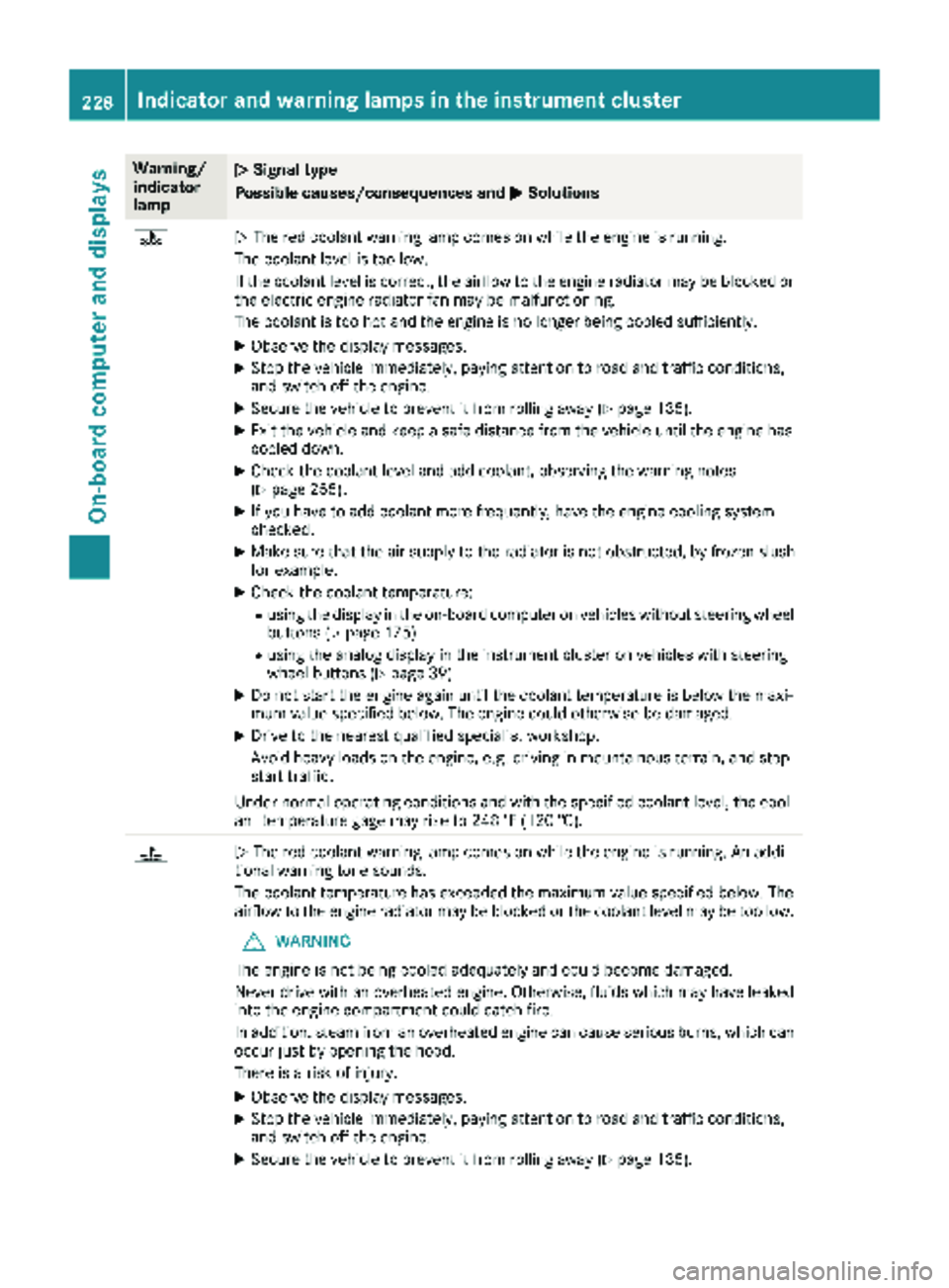
?NThe red coolant warning lamp comes on while the engine is running.
The coolant level is too low.
If the coolant level is correct, the airflow to the engine radiator may be blocked or
the electric engine radiator fan may be malfunctioning.
The coolant is too hot and the engine is no longer being cooled sufficiently.
XObserve the display messages.
XStop the vehicle immediately, paying attention to road and traffic conditions,
and switch off the engine.
XSecure the vehicle to prevent it from rolling away (Ypage 135).
XExit the vehicle and keep a safe distance from the vehicle until the engine has
cooled down.
XCheck the coolant level and add coolant, observing the warning notes
(Ypage 255).
XIf you have to add coolant more frequently, have the engine cooling system
checked.
XMake sure that the air supply to the radiator is not obstructed, by frozen slush
for example.
XCheck the coolant temperature:
Rusing the display in the on-board computer on vehicles without steering wheel
buttons (Ypage 175)
Rusing the analog display in the instrument cluster on vehicles with steering
wheel buttons (Ypage 39)
XDo not start the engine again until the coolant temperature is below the maxi-
mum value specified below. The engine could otherwise be damaged.
XDrive to the nearest qualified specialist workshop.
Avoid heavy loads on the engine, e.g. driving in mountainous terrain, and stop-
start traffic.
Under normal operating conditions and with the specified coolant level, the cool-
ant temperature gage may rise to 248 ‡ (120 †).
?N The red coolant warning lamp comes on while the engine is running. An addi-
tional warning tone sounds.
The coolant temperature has exceeded the maximum value specified below. The
airflow to the engine radiator may be blocked or the coolant level may be too low.
GWARNING
The engine is not being cooled adequately and could become damaged.
Never drive with an overheated engine. Otherwise, fluids which may have leaked
into the engine compartment could catch fire.
In addition, steam from an overheated engine can cause serious burns, which can
occur just by opening the hood.
There is a risk of injury.
XObserve the display messages.
XStop the vehicle immediately, paying attention to road and traffic conditions,
and switch off the engine.
XSecure the vehicle to prevent it from rolling away (Ypage 135).
228Indicator and warning lamps in the instrument cluster
On-board computer and displays
Page 231 of 318
Warning/
indicator
lampNSignal type
Possible causes/consequences and M
Solutions
XExit the vehicle and keep a safe distance from the vehicle until the engine has
cooled down.
XCheck the coolant level and add coolant, observing the warning notes
(Ypage 255).
XIf you have to add coolant more frequently, have the engine cooling system
checked.
XMake sure that the air supply to the radiator is not obstructed, by frozen slush
for example.
XCheck the coolant temperature:
Rusing the display in the on-board computer on vehicles without steering wheel
buttons (Ypage 175)
Rusing the analog display in the instrument cluster on vehicles with steering
wheel buttons (Ypage 39)
XIf the coolant temperature is below the maximum value specified below, you can
continue driving to the nearest qualified specialist workshop.
Avoid heavy loads on the engine, e.g. driving in mountainous terrain, and stop-
start traffic.
Under normal operating conditions and with the specified coolant level, the cool-
ant temperature gage may rise to 248 ‡ (120 †).
Driving systems
Warning/
indicator
lampNSignal type
Possible causes/consequences and M
Solutions
·NThe red distance warning lamp lights up while the vehicle is in motion.
The distance to the vehicle in front is too small for the speed selected.
XIncrease the distance.
·N The red distance warning lamp lights up while the vehicle is in motion. An
additional warning tone sounds.
You are approaching a vehicle or a stationary obstacle in your line of travel at too
high a speed.
XBe prepared to brake immediately.
XPay particular attention to the traffic situation. You may have to brake or take
evasive action.
Further information about the distance warning function can be found under
"COLLISION PREVENTION ASSIST" (
Ypage 146).
Indicator and warning lamps in the instrument cluster229
On-board computer and displays
Z