turn signal MERCEDES-BENZ METRIS 2018 MY18 Operator’s Manual
[x] Cancel search | Manufacturer: MERCEDES-BENZ, Model Year: 2018, Model line: METRIS, Model: MERCEDES-BENZ METRIS 2018Pages: 318, PDF Size: 5.07 MB
Page 154 of 318
ready for use, the lane markings in the symbol
are shown as solid lines;.
Setting the sensitivity of Lane Keeping
Assist
XIn theAssist.menu on the on-board com-
puter, select the Lane Keeping Assist:
function (Ypage 187).
XSelectStandardorAdaptive.
In the setting Standard
, no warning vibration
occurs if:
Ryou operate the turn signal in the correspond-
ing direction. In this event, the warnings are
suppressed for a certain period of time.
Ra driving safety system, such as ABS, BAS or
ESP®, intervenes or performs a control
action.
When Adaptive
is selected, there is also no
warning vibration when:
Ryou accelerate hard, e.g. kickdown.
Rbrake sharply.
Ryou steer actively, e.g. swerve to avoid an
obstacle or change lanes quickly.
Ryou cut the corner on a sharp bend.
In order that you are warned only when neces-
sary and in good time if you cross the lane mark-
ing, the system differentiates between various
conditions and warns you accordingly.
The warning vibration occurs earlier if:
Ryou approach the outer lane marking on a
bend.
Rthe road has very wide lanes, such as a high-
way.
Rthe system detects solid lane markings.
The warning vibration occurs later if:
Rthe road has narrow lanes.
Ryou cut the corner on a bend.
Alertness Assistant ATTENTION
ASSIST
General notes
ATTENTION ASSIST helps you during long,
monotonous journeys such as on freeways and
interstate highways. It is active in the 40 mph
(60 km/h) to 125 mph (200 km/h) range. If
ATTENTION ASSIST detects typical indicators of fatigue or increasing lapses in concentration on
the part of the driver, it suggests taking a break.
Important safety notes
ATTENTION ASSIST is only an aid. The system
may not always detect fatigue or lapses in con-
centration until too late, or may not detect them
at all. ATTENTION ASSIST is not a substitute for
a well-rested and attentive driver.
The functionality of ATTENTION ASSIST is
restricted, and warnings may be delayed or not
occur at all:
Rif the length of the journey is less than approx-
imately 30 minutes
Rif the road condition is poor, e.g. if the surface
is uneven or if there are potholes
Rif there is a strong side wind
Rif you have adopted a sporty driving style with
high cornering speeds or high rates of accel-
eration
Rif you are predominantly driving at a speed
below 40 mph (60 km/h) or above 125 mph
(200 km/h)
Rif the time has been set incorrectly
Rin active driving situations, such as when you
change lanes or change your speed
ATTENTION ASSIST is reset and starts assessing
your attention again when you continue your
journey if:
Ryou switch off the engine
Ryou take off your seat belt and open the driv-
er's door, e.g. for a change of drivers or to
take a break
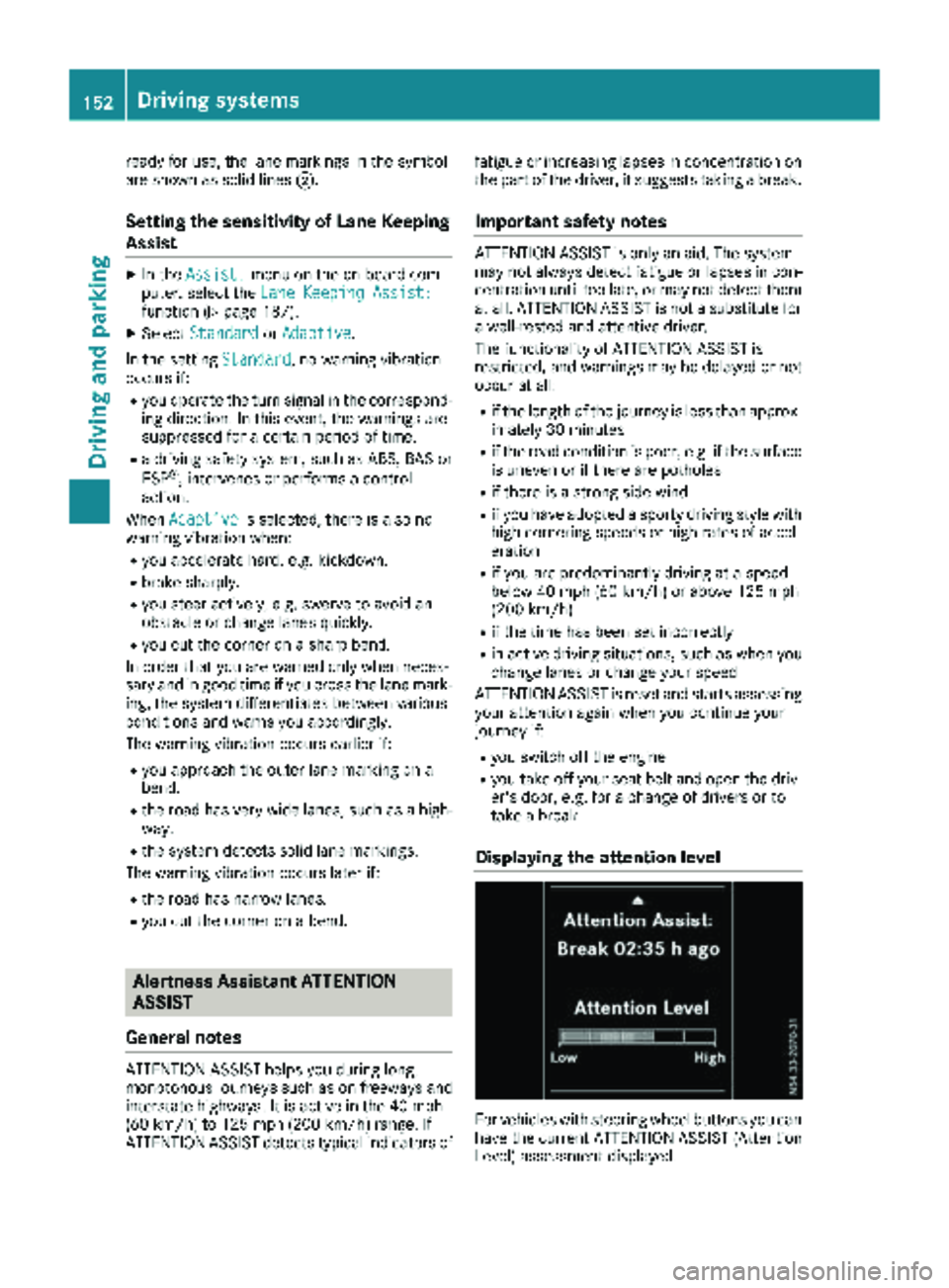
Displaying the attention level
For vehicles with steering wheel buttons you can
have the current ATTENTION ASSIST (Attention
Level) assessment displayed.
152Driving systems
Driving and parking
Page 160 of 318
Active Parking Assist does not assist you park-
ing in spaces at right angles to the direction of
travel if:
Rtwo parking spaces are located directly next
to one another
Rthe parking space is directly next to a low
obstacle such as a low curb
Ryou forward park
Active Parking Assist does not assist you park-
ing in spaces that are parallel or at right angles
to the direction of travel if:
Rthe parking space is on a curb
Rthe system reads the parking space as being
blocked, for example by foliage or grass pav-
ing blocks
Rthe area is too small for the vehicle to maneu-
ver into
Rthe parking space is bordered by an obstacle,
e.g. a tree, a post or a trailer
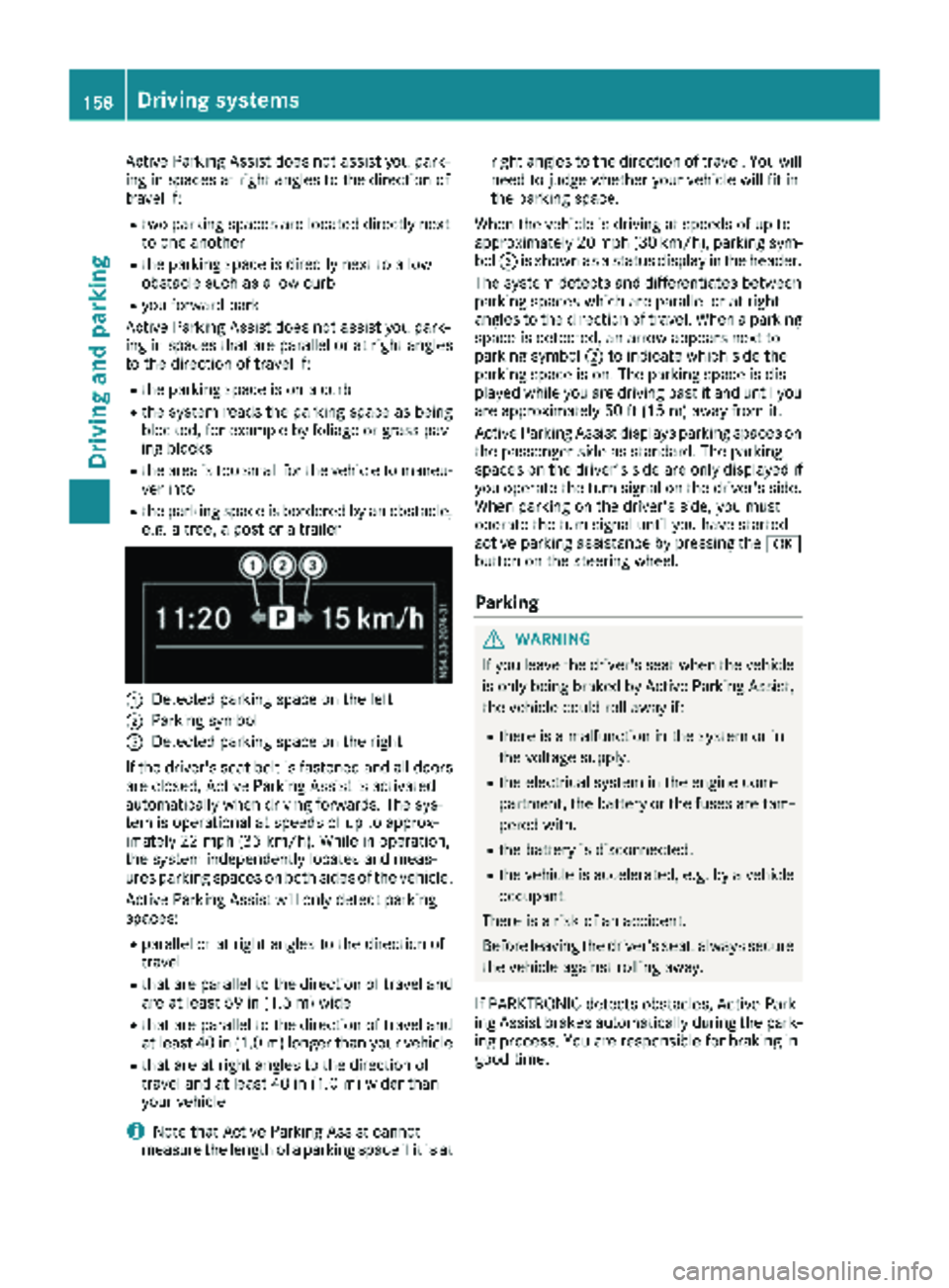
:Detected parking space on the left
;Parking symbol
=Detected parking space on the right
If the driver's seat belt is fastened and all doors
are closed, Active Parking Assist is activated
automatically when driving forwards. The sys-
tem is operational at speeds of up to approx-
imately 22 mph (35 km/h). While in operation,
the system independently locates and meas-
ures parking spaces on both sides of the vehicle.
Active Parking Assist will only detect parking
spaces:
Rparallel or at right angles to the direction of
travel
Rthat are parallel to the direction of travel and are at least 59 in (1.5 m) wide
Rthat are parallel to the direction of travel and
at least 40 in (1.0 m) longer than your vehicle
Rthat are at right angles to the direction of
travel and at least 40 in (1.0 m) widerthan
your vehicle
iNote that Active Parking Assist cannot
measure the length of a parking space if it is at right angles to the direction of travel. You will
need to judge whether your vehicle will fit in
the parking space.
When the vehicle is driving at speeds of up to
approximately 20 mph (30 km/h), parking sym-
bol ;is shown as a status display in the header.
The syste m d
etects and differentiates between
parking spaces which are parallel or at right
angles to the direction of travel. When a parking
space is detected, an arrow appears next to
parking symbol ;to indicate which side the
parking space is on. The parking space is dis-
played while you are driving past it and until you
are approximately 50 ft (15 m) away from it.
Active Parking Assist displays parking spaces on
the passenger side as standard. The parking
spaces on the driver's side are only displayed if
you operate the turn signal on the driver's side.
When parking on the driver's side, you must
operate the turn signal until you have started
active parking assistance by pressing the a
button on the steering wheel.
Parking
GWARNING
If you leave the driver's seat when the vehicle is only being braked by Active Parking Assist,
the vehicle could roll away if:
Rthere is a malfunction in the system or in
the voltage supply.
Rthe electrical system in the engine com-
partment, the battery or the fuses are tam-
pered with.
Rthe battery is disconnected.
Rthe vehicle is accelerated, e.g. by a vehicle
occupant.
There is a risk of an accident.
Before leaving the driver's seat, always secure the vehicle against rolling away.
If PARKTRONIC detects obstacles, Active Park-
ing Assist brakes automatically during the park- ing process. You are responsible for braking in
good time.
158Driving system s
Driving an d parking
Page 161 of 318
XBring the vehicle safely to a stop when the
parking symbol shows the desired parking
space in the instrument cluster.
XShift the transmission to positionR.
The display shows the Start
ParkAssist?Yes: OKNo:%message and the location
of the parking space.
XTo cancel the process: press the%but-
ton on the steering wheel or drive off.
or
XTo park using active parking assistance:
press the abutton on the steering wheel.
The display shows the Park Assist
Active: Accelerate and BrakeObs.Surroundingsmessage.
XLet go of the steering wheel.
XReverse the vehicle, being ready to brake at
all times. Exit the parking space slowly and do
not drive faster than 6 mph (10 km/h). Oth-
erwise parking assistance is canceled and
Active Parking Assist is stopped.
Active Parking Assist brakes the vehicle to a
standstill when the vehicle approaches the
rear border of the parking space.
Maneuvering may be required in tight parking
spaces. The display shows the Park Assist
Active: Select DObs. Surroundingsmes-
sage.
XWhile the vehicle is stationary, shift the trans-
mission to position D.
Active Parking Assist immediately steers in
the other direction. The display shows the
Park Assist Active: Accelerate and
BrakeObs. Surroundingsmessage.
iYou will achieve the best results by waiting
for the steering procedure to complete before
pulling away.
XDrive forwards and be ready to brake at all
times.
Active Parking Assist brakes the vehicle to a
standstill.
The display shows the Park
AssistActive:Select RObs. Surroundingsmessage.
As soon as the parking procedure is complete,
the Park Assist Finished
message appears
in the display and a tone sounds. The parking
assistance function of Active Parking Assist is
stopped. The vehicle is parked and kept station-
ary without the driver having to depress the
brake pedal. The braking effect is canceled
when you depress the accelerator pedal. Active Parking Assist no longer supports you
with steering interventions and brake applica-
tions. Once active parking assistance has been
stopped, you must steer and brake again your-
self. PARKTRONIC is still available.
Parking tips:
RThe way your vehicle is positioned in the park-
ing space after parking is dependent on vari-
ous factors. These include the position and
shape of the vehicles parked in front and
behind it and the conditions of the location. It
may be the case that Active Parking Assist
guides you too far into a parking space, or not
far enough into it. In some cases, it may also
lead you across or onto the curb. In this case, cancel the active parking assistance.
RYou can also select transmission position D
prematurely. The vehicle redirects and does
not drive as far into the parking space. If you
change direction too early, parking assis-
tance is canceled and Active Parking Assist is
stopped. It is then not possible to achieve a
sensible parking position from the current
position.
Exiting a parking space
In order that Active Parking Assist can assist you
when exiting the parking space:
Rthe border of the parking space must be high enough at the front and the rear. A curb stone
is too small, for example.
Rthe border of the parking space must not be
too wide. Your vehicle can be maneuvered
into a position at a maximum of 45° to the
starting position in the parking space.
Ra maneuvering distance of at least 3.3 ft
(1.0 m) must be available .
Active Parking Assist can only assist you with
exiting a parking space if you have parked the
vehicle parallel to the direction of travel using
Active Parking Assist.
If PARKTRONIC detects obstacles, Active Park-
ing Assist brakes automatically when exiting
from the parking space. You are responsible for braking in good time.
XStart the engine.
XSwitch on the turn signal in the direction in
which you are pulling away.
XShift the transmission to position hork.
The display shows the StartParkAssist?Yes: OKNo:%message.
Driving systems159
Driving an d parking
Z
Page 200 of 318
Lights
Display messagesPossible causes/consequences andMSolutions
b
CheckLeftLowBeamorCheck Right LowBeam
The left or right-hand low-beam headlamp is faulty.
XChange the bulb (Ypage 102).
b
Chk. Trailer L.Turn Sig.orChk.TrailerR.TurnSig.
The left or right-hand trailer turn signal lamp is faulty.
XChange the bulb (see the trailer manufacturer's operating instruc-
tions).
b
Chk. Trailer BrakeLamp
The trailer brake lamp is faulty.
XChange the bulb (see the trailer manufacturer's operating instruc-
tions).
b
Chk. Trailer L.Tail LamporChk.TrailerR.TailLamp
The left or right-hand trailer tail lamp is faulty.
XChange the bulb (see the trailer manufacturer's operating instruc-
tions).
b
Auto Lamps Inopera‐tive
The light sensor is faulty. The automatic headlamp feature is mal-
functioning.
XSwitch the light functions on/off manually (Ypage 96).
XVisit a qualified specialist workshop.
b
Chk. Rear L. TurnSignalorChk. RearR. Turn Signal
The rear left-hand or rear right-hand turn signal is faulty.
XChange the bulb (Ypage 102).
b
Chk. Front L. TurnSignalorChk.FrontR.TurnSignal
The front left-hand or front right-hand turn signal is faulty.
XChange the bulb (Ypage 102).
b
Chk. Center BrakeLamp
The high-mounted brake lamp is faulty.
XVisit a qualified specialist workshop.
b
Chk.L.Tail/BrakeLamporChk. R.Tail/ Brake Lamp
The left or right-hand tail lamp/brake lamp is faulty.
XChange the bulb (Ypage 102).
198Display messages (vehicles without steering wheel buttons)
On-board computer and displays
Page 213 of 318
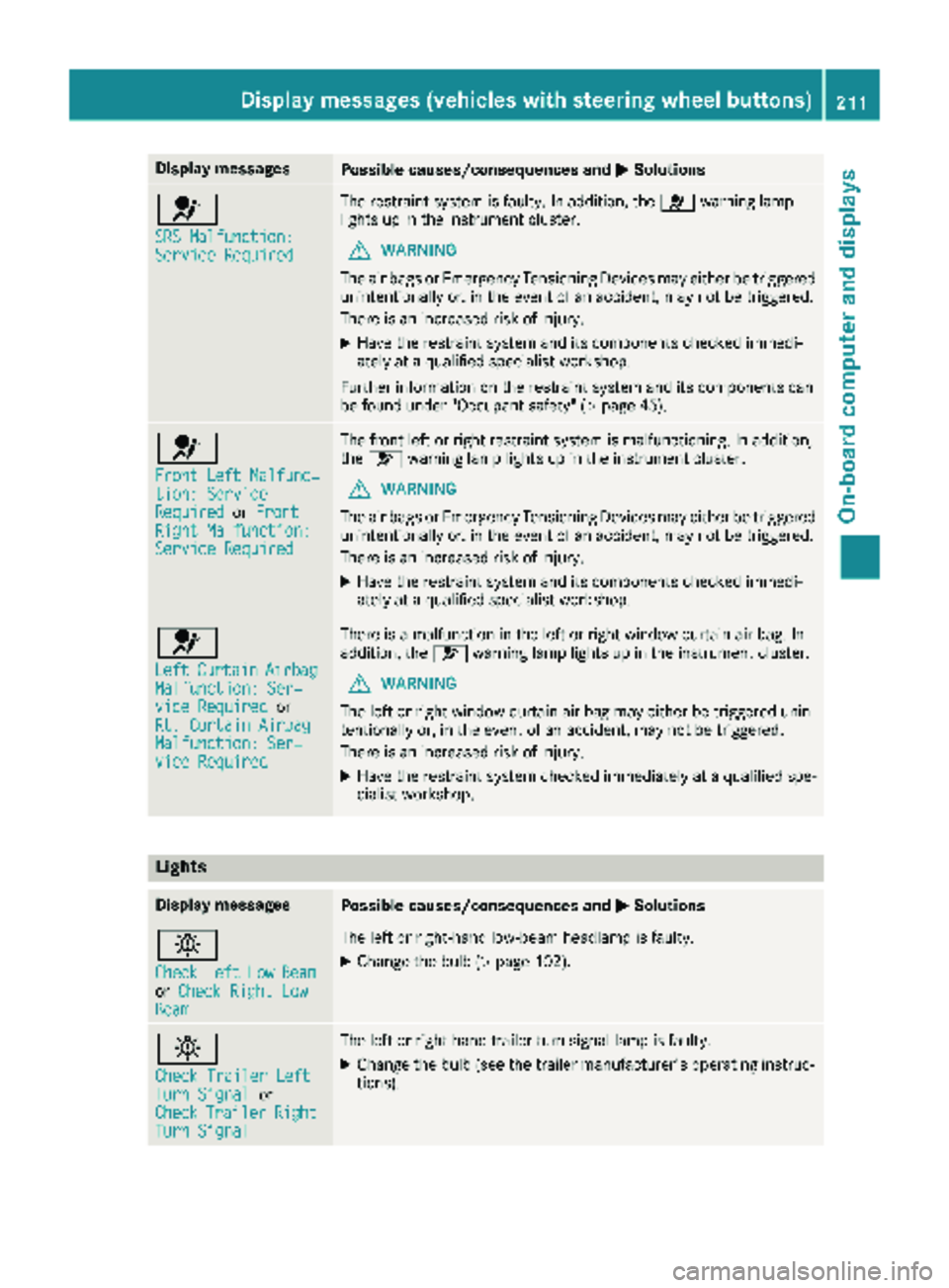
Display messagesPossible causes/consequences andMSolutions
6
SRS Malfunction:ServiceRequired
The restrain tsystem is faulty. In addition ,th e6 warning lamp
lights up in th einstrumen tcluster.
GWARNIN G
The air bags or Emergency Tensioning Devices may either be triggered
unintentionally or, in th eevent of an accident, may no tbe triggered .
There is an increased ris kof injury.
XHav eth erestrain tsystem and it scomponent schecke dimmedi-
ately at aqualified specialist workshop .
Further information on th erestrain tsystem and it scomponent scan
be found under "Occupant safety" (
Ypage 45).
6
Front LeftMalfunc‐tion: Servic eRequiredorFrontRight Malfunction:Servic eRequired
The fron tlef tor right restrain tsystem is malfunctioning .In addition ,
th e6 warning lamp lights up in th einstrumen tcluster.
GWARNIN G
The air bags or Emergency Tensioning Devices may either be triggered
unintentionally or, in th eevent of an accident, may no tbe triggered .
There is an increased ris kof injury.
XHav eth erestrain tsystem and it scomponent schecke dimmedi-
ately at aqualified specialist workshop .
6
LeftCurtai nAirbagMalfunction: Ser ‐viceRequiredor
Rt. Curtai nAirbag
Malfunction: Ser ‐viceRequired
There is amalfunction in th elef tor right window curtai nair bag. In
addition ,th e6 warning lamp lights up in th einstrumen tcluster.
GWARNIN G
The lef tor right window curtai nair bag may either be triggered unin-
tentionally or, in th eevent of an accident, may no tbe triggered .
There is an increased ris kof injury.
XHav eth erestrain tsystem checke dimmediately at aqualified spe -
cialist workshop .
Lights
Display messagesPossible causes/consequences and MSolutions
b
CheckLeftLowBeamorCheck Right LowBea m
The lef tor right-hand low-beam headlamp is faulty.
XChange th ebulb (Ypage 102).
b
Check Traile rLef tTurnSignalor
CheckTraile rRightTurnSignal
The lef tor right-hand trailer tur nsignal lamp is faulty.
XChange th ebulb (see th etrailer manufacturer' soperating instruc-
tions).
Display messages (vehicles withsteering whee lbu ttons)211
On-board computer and displays
Z
Page 214 of 318

Display messagesPossible causes/consequences andMSolutions
b
CheckTrailerBrakeLamp
The trailer brak elamp is faulty.
XChange th ebulb (see th etrailer manufacturer' soperating instruc-
tions).
b
Check Traile rLef tTailLam porCheckTraile rRight Tai lLamp
The lef tor right-hand trailer tai llamp is faulty.
XChange th ebulb (see th etrailer manufacturer' soperating instruc-
tions).
b
Aut oLam pFunctionInoperative
The ligh tsensor is faulty. The automatic headlamp feature is mal-
functioning .
XSwitchth eligh tfunction son/off manually (Ypage 96).
XVisitaqualified specialist workshop .
b
Check RearLef tTurnSignalor
Check Rea rRight
Tur nSignal
The rear left-han dor rear right-hand tur nsignal is faulty.
XChange th ebulb (Ypage 102).
b
Check Front Lef tTurnSignalor
Check Front Right
Tur nSignal
The fron tleft-han dor fron tright-hand tur nsignal is faulty.
XChange th ebulb (Ypage 102).
b
Check Center BrakeLamp
The high-mounte dbrak elamp is faulty.
XVisit aqualified specialist workshop .
b
CheckLeftTailandBrake Lampsor
Check Right Tai l
and Brake Lamps
The leftor right-hand tai llamp/brake lamp is faulty.
XChange th ebulb (Ypage 102).
b
Check Lef tHig hBeamorCheck RightHig hBea m
The lef tor right-hand high-beam headlamp is faulty.
XChange th ebulb (Ypage 102).
b
Licens ePlate Lam p
The leftor right-hand license plat elamp is faulty.
XVisit aqualified specialist workshop .
212Display messages (vehicles withsteering whee lbu ttons)
On-board computer and displays