brake light MERCEDES-BENZ METRIS 2018 MY18 Operator’s Manual
[x] Cancel search | Manufacturer: MERCEDES-BENZ, Model Year: 2018, Model line: METRIS, Model: MERCEDES-BENZ METRIS 2018Pages: 318, PDF Size: 5.07 MB
Page 7 of 318
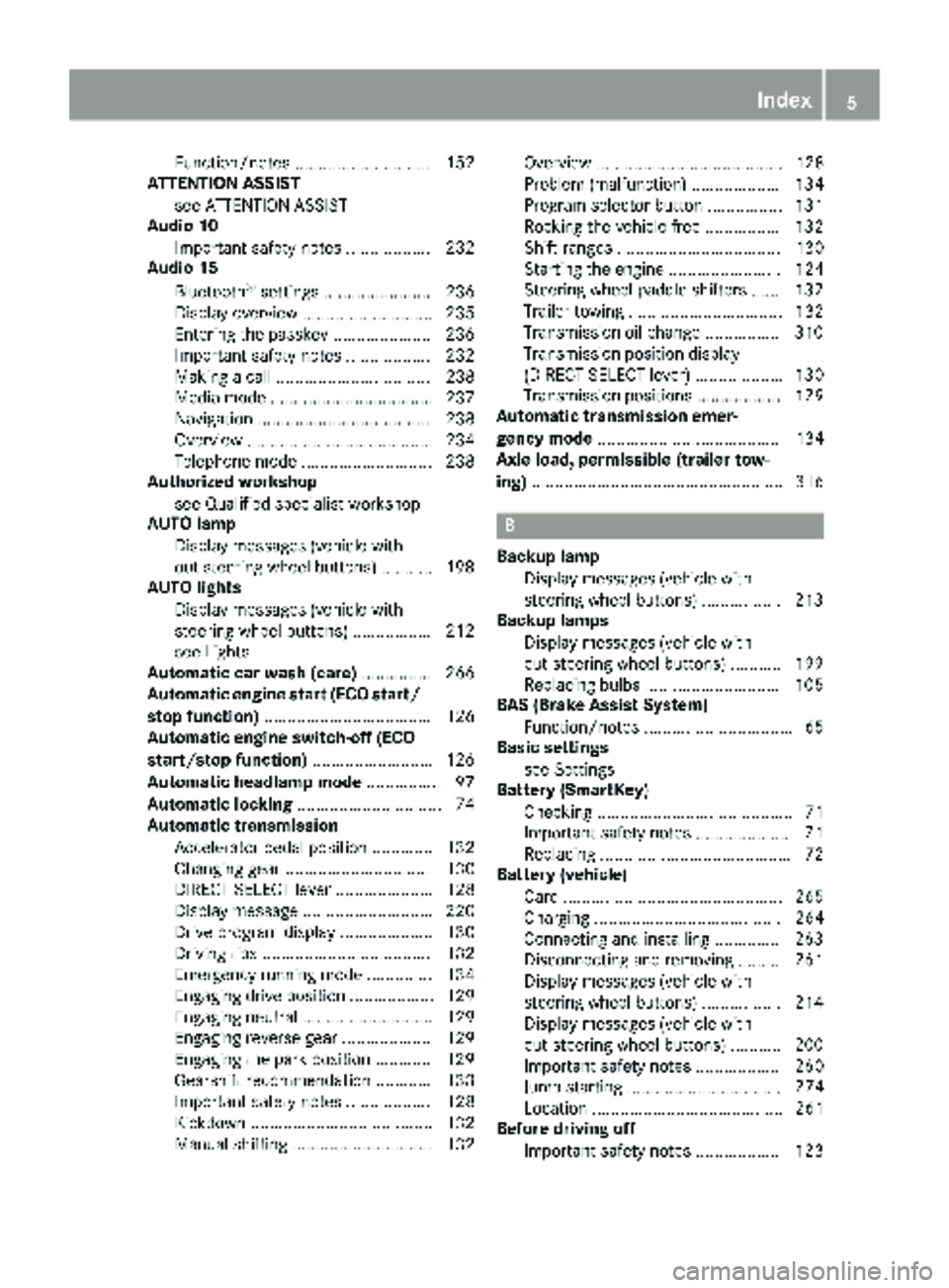
Function/notes ............................. 152
ATTENTION ASSIST
see ATTENTION ASSIST
Audio 10
Important safety notes .................. 232
Audio 15
Bluetooth
®settings ....................... 236
Display overview ............................ 235
Entering the passkey ..................... 236
Important safety notes .................. 232
Making a call ................................. 238
Media mode ................................... 237
Navigation ..................................... 238
Overview ........................................ 234
Telephone mode ............................ 238
Authorized workshop
see Qualified specialist workshop
AUTO lamp
Display messages (vehicle with-
out steering wheel buttons) ........... 198
AUTO lights
Display messages (vehicle with
steering wheel buttons) ................. 212
see Lights
Automatic car wash (care) ............... 266
Automatic engine start (ECO start/
stop function) .................................... 126
Automatic engine switch-off (ECO
start/stop function) .......................... 126
Automatic headlamp mode ................ 97
Automatic locking ............................... 74
Automatic transmission
Accelerator pedal position ............. 132
Changing gear ............................... 130
DIRECT SELECT lever ..................... 128
Display message ............................ 220
Drive program display .................... 130
Driving tips .................................... 132
Emergency running mode .............. 134
Engaging drive position .................. 129
Engaging neutral ............................ 129
Engaging reverse gear ................... 129
Engaging the park position ............ 129
Gearshift recommendation ............ 133
Important safety notes .................. 128
Kickdown ....................................... 132
Manual shifting .............................. 132 Overview ........................................ 128
Problem (malfunction) ................... 134
Program selector button ................ 131
Rocking the vehicle free ................ 132
Shift ranges ................................... 130
Starting the engine ........................ 124
Steering wheel paddle shi
fters ...... 132
T
railer towing ................................. 132
Transmission oil change ................ 310
Transmission position display
(DIRECT SELECT lever) ................... 130
Transmission positions .................. 129
Automatic transmission emer-
gency mode ....................................... 134
Axle load, permissible (trailer tow-
ing) ...................................................... 316
B
Backup lamp
Display messages (vehicle with
steering wheel buttons) ................. 213
Backup lamps
Display messages (vehicle with-
out steering wheel buttons) ........... 199
Replacing bulbs ............................. 105
BAS (Brake Assist System)
Function/notes ................................ 65
Basic settings
see Settings
Battery (SmartKey)
Checking .......................................... 71
Important safety notes .................... 71
Replacing ......................................... 72
Battery (vehicle)
Care ............................................... 265
Charging ........................................ 264
Connecting and installing .............. 263
Disconnecting and removing ......... 261
Display messages (vehicle with
steering wheel buttons) ................. 214
Display messages (vehicle with-
out steering wheel buttons) ........... 200
Important safety notes .................. 260
Jump starting ................................. 274
Location ......................................... 261
Before driving off
Important safety notes .................. 123
Index5
Page 8 of 318
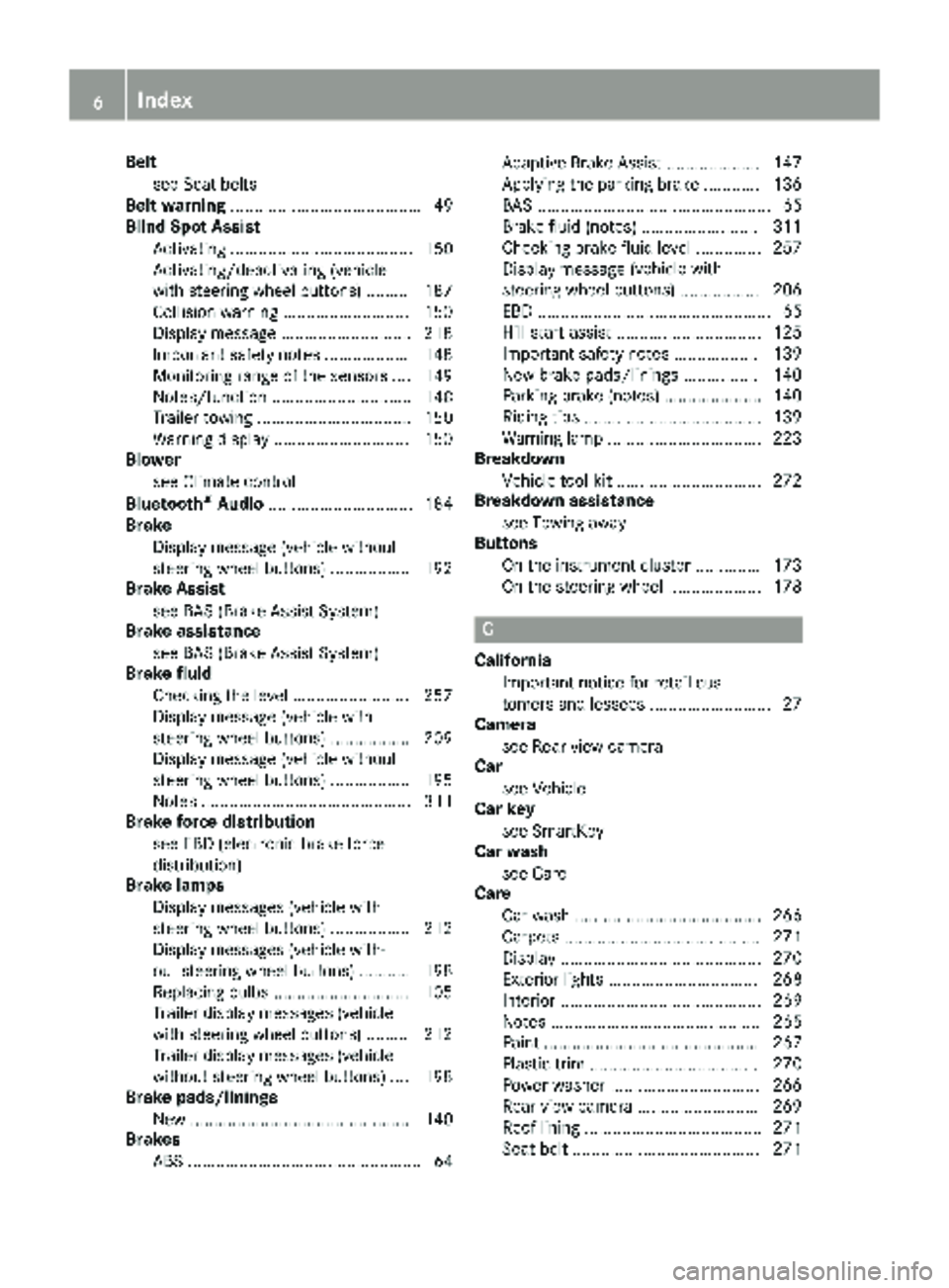
Beltsee Seat belts
Belt warning ......................................... 49
Blind Spot Assist
Activating ....................................... 150
Activating/deactivating (vehicle
with steering wheel buttons) ......... 187
Collision warning ........................... 150
Display message ............................ 218
Important safety notes .................. 148
Monitoring range of the sensors .... 149
Notes/function .............................. 148
Trailer towing ................................. 150
Warning display ............................. 150
Blower
see Climate control
Bluetooth
®Audio ............................... 184
Brake
Display message (vehicle without
steering wheel buttons) ................. 192
Brake Assist
see BAS (Brake Assist System)
Brake assistance
see BAS (Brake Assist System)
Brake fluid
Checking the level ......................... 257
Display message (vehicle with
steering wheel buttons) ................. 209
Display message (vehicle without
steering wheel buttons) ................. 195
Notes ............................................. 311
Brake force distribution
see EBD (electronic brake force
distribution)
Brake lamps
Display messages (vehicle with
steering wheel buttons) ................. 212
Display messages (vehicle with-
out steering wheel buttons) ........... 198
Replacing bulbs ............................. 105
Trailer display messages (vehicle
with steering wheel buttons) ......... 212
Trailer display messages (vehicle
without steering wheel buttons) .... 198
Brake pads/linings
New ............................................... 140
Brakes
ABS .................................................. 64 Adaptive Brake Assist .................... 147
Applying the parking brake ............ 136
BAS .................................................. 65
Brake fluid (notes) ......................... 311
Checking brake fluid level .............. 257
Display message
(vehi
cle with
steering wheel buttons) ................. 206
EBD .................................................. 65
Hill start assist ............................... 125
Important safety notes .................. 139
New brake pads/linings ................ 140
Parking brake (notes) ..................... 140
Riding tips ...................................... 139
Warning lamp ................................. 223
Breakdown
Vehicle tool kit ............................... 272
Breakdown assistance
see Towing away
Buttons
On the instrument cluster .............. 173
On the steering wheel .................... 178
C
CaliforniaImportant notice for retail cus-
tomers and lessees .......................... 27
Camera
see Rear view camera
Car
see Vehicle
Car key
see SmartKey
Car wash
see Care
Care
Car wash ........................................ 266
Carpets .......................................... 271
Display ........................................... 270
Exterior lights ................................ 268
Interior ........................................... 269
Notes ............................................. 265
Paint .............................................. 267
Plastic trim .................................... 270
Power washer ................................ 266
Rear view camera .......................... 269
Roof lining ...................................... 271
Seat belt ........................................ 271
6Index
Page 9 of 318
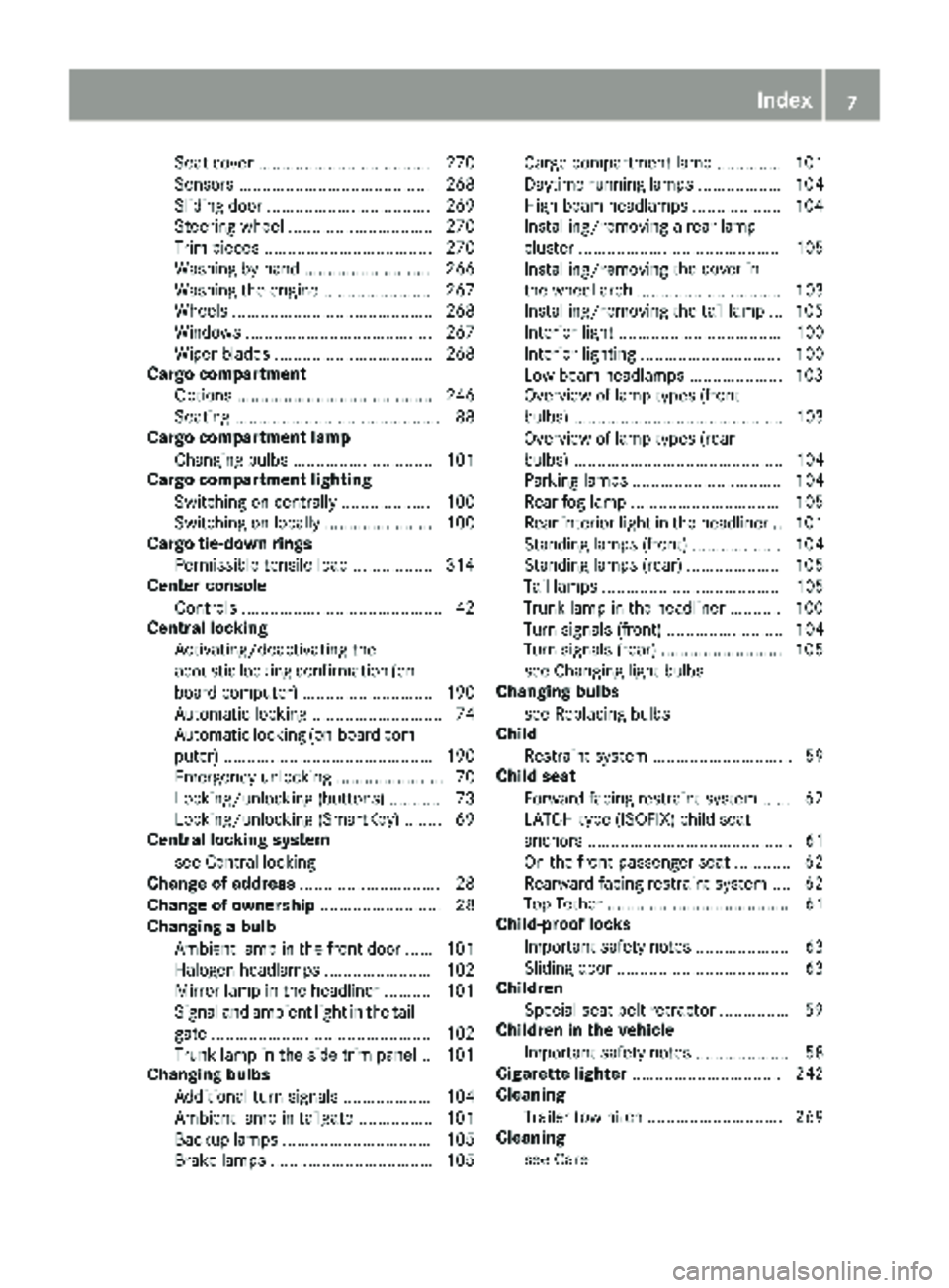
Seat cover ..................................... 270
Sensors ......................................... 268
Sliding door ................................... 269
Steering wheel ............................... 270
Trim pieces .................................... 270
Washing by hand ........................... 266
Washing the engine ....................... 267
Wheels ........................................... 268
Windows ........................................ 267
Wiper blades .................................. 268
Cargo compartment
Options .......................................... 246
Seating ............................................ 88
Cargo compartment lamp
Changing bulbs .............................. 101
Cargo compartment lighting
Switching on centrally ................... 100
Switching on locally ....................... 100
Cargo tie-down rings
Permissible tensile load ................. 314
Center console
Controls ........................................... 42
Central locking
Activating/deactivating the
acoustic locking confirmation (on-
board computer) ............................ 190
Automatic locking ............................ 74
Automatic locking (on-board com-puter) ............................................. 190
Emergency unlocking ....................... 70
Locking/unlocking (buttons) ........... 73
Locking/unlocking (SmartKey) ........ 69
Central locking system
see Central locking
Change of address .............................. 28
Change of ownership .......................... 28
Changing a bulb
Ambient lamp in the front door ...... 101
Halogen headlamps ....................... 102
Mirror lamp in the headliner .......... 101
Signal and ambient light in the tail-
gate ............................................... 102
Trunk lamp in the side trim panel .. 101
Changing bulbs
Additional turn signals ................... 104
Ambient lamp in tailgate ................ 101
Backup lamps ................................ 105
Brake lamps ................................... 105 Cargo compartment lamp .............. 101
Daytime running lamps .................. 104
High-beam headlamps ................... 104
Installing/removing a rear lamp
cluster ........................................... 105
Installing/removing
the co
ver in
the wheel arch ............................... 103
Installing/removing the tail lamp ... 105
Interior light ................................... 100
Interior lighting .............................. 100
Low-beam headlamps .................... 103
Overview of lamp types (front
bulbs) ............................................. 103
Overview of lamp types (rear
bulbs) ............................................. 104
Parking lamps ................................ 104
Rear fog lamp ................................ 105
Rear interior light in the headline r..1 01
Standing lamps (front) ................... 104
Standing lamps (rear) .................... 105
Tail lamps ...................................... 105
Trunk lamp in the headliner ........... 100
Turn signals (front) ......................... 104
Turn signals (rear) .......................... 105
see Changing light bulbs
Changing bulbs
see Replacing bulbs
Child
Restraint system .............................. 59
Child seat
Forward-facing restraint system ...... 62
LATCH-type (ISOFIX) child seat
anchors ............................................ 61
On the front-passenger seat ............ 62
Rearward-facing restraint system .... 62
Top Tether ....................................... 61
Child-proof locks
Important safety notes .................... 63
Sliding door ..................................... 63
Children
Special seat belt retractor ............... 59
Children in the vehicle
Important safety notes .................... 58
Cigarette lighter ................................ 242
Cleaning
Trailer tow hitch ............................. 269
Cleaning
see Care
Index7
Page 15 of 318
G
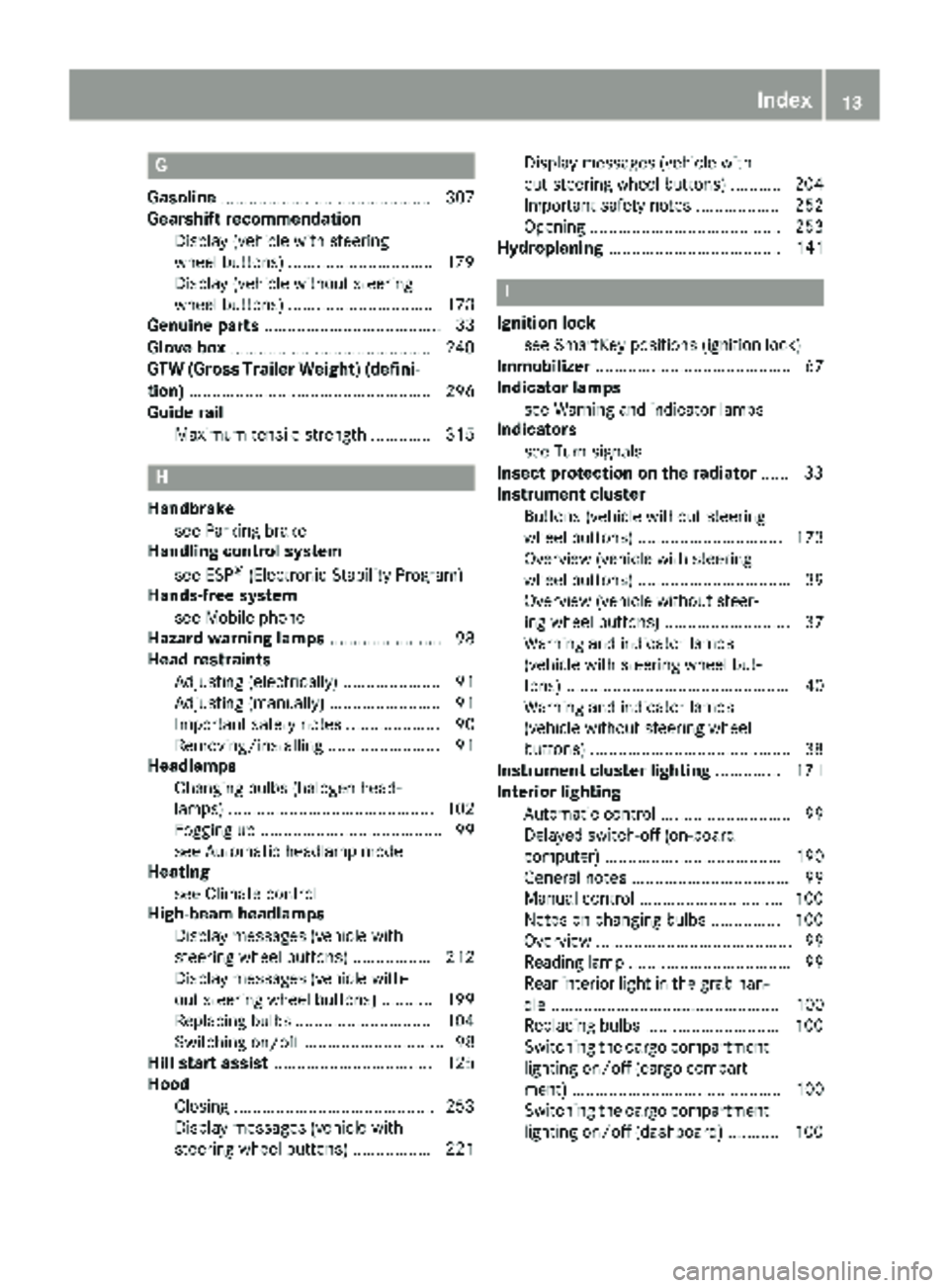
Gasoline............................................. 307
Gearshift recommendation
Display (vehicle with steering
wheel buttons) ...............................1 79
Display (vehicle without steering
wheel buttons) ............................... 173
Genuine parts ...................................... 33
Glove box ...........................................2 40
GTW (Gross Trailer Weight) (defini-
tion) .................................................... 296
Guide rail
Maximum tensile strength ............. 315
H
Handbrakesee Parking brake
Handling control system
see ESP
®(Electronic Stability Program)
Hands-free system
see Mobile phone
Hazard warning lamps ........................ 98
Head restraints
Adjusting (electrically) ..................... 91
Adjusting (manually) ........................ 91
Important safety notes .................... 90
Removing/installing ........................ 91
Headlamps
Changing bulbs (halogen head-
lamps) ............................................ 102
Fogging up ....................................... 99
see Automatic headlamp mode
Heating
see Climate control
High-beam headlamps
Display messages (vehicle with
steering wheel buttons) ................. 212
Display messages (vehicle with-
out steering wheel buttons) ........... 199
Replacing bulbs .............................1 04
Switching on/off .............................. 98
Hill start assist .................................. 125
Hood
Closing ...........................................2 53
Display messages (vehicle with
steering wheel buttons) ................. 221 Display messages (vehicle with-
out steering wheel buttons) ........... 204
Important safety notes .................. 252
Opening ......................................... 253
Hydroplaning ..................................... 141
I
Ignition lock
see SmartKey positions (ignition lock)
Immobilizer .......................................... 67
Indicator lamps
see Warning and indicator lamps
Indicators
see Turn signals
Insect protection on the radiator ...... 33
Instrument cluster
Buttons (vehicle without steering
wheel buttons) ............................... 173
Overview (vehicle with steering
wheel buttons) ................................. 39
Overview (vehicle without steer-
ing wheel buttons) ........................... 37
Warning and indicator lamps
(vehicle with steering wheel but-
tons) ................................................ 40
Warning and indicator lamps
(vehicle without steering wheel
buttons) ...........................................3 8
Instrument cluster lighting .............. 171
Interior lighting
Automatic control ............................ 99
Delayed switch-off (on-board
computer) ...................................... 190
General notes .................................. 99
Manual control .............................. .100
Notes on changing bulbs ...............1 00
Overview .......................................... 99
Reading lamp ................................... 99
Rear interior light in the grab han-
dle ................................................. 100
Replacing bulbs .............................1 00
Switching the cargo compartment
lighting on/off (cargo compart-
ment) ............................................. 100
Switching the cargo compartment
lighting on/off (dashboard) ........... 100
Index13
Page 36 of 318
Mercedes-Benz tests genuine Mercedes-Benz
parts, conversion parts and accessories that
have been specifically approved for the type of
vehicle for:
RReliability
RSafety
RSuitability
Despite ongoing market research, Mercedes-
Benz is unable to assess other parts. Even if an
independent or official approval has been pro-
vided in exceptional cases, Mercedes-Benz
accepts no responsibility for the use of such
parts in Mercedes-Benz vehicles.
In some countries, certain parts are only offi-
cially approved for installation or modification if
they comply with legal requirements. All genu-
ine Mercedes-Benz parts satisfy these require-
ments. Make sure that all parts are suitable for
your vehicle.
Always specify the vehicle identification number
(VIN) (
Ypage 305) and engine number when
ordering genuine Mercedes-Benz parts
(
Ypage 306).
QR code for rescue card
The QR Code stickers are affixed to the B-pillar
on the driver's and front-passenger side.
In the event of an accident the rescue services
use the QR Code to quickly find the rescue card for your vehicle. The current rescue card con-
tains the most important information on your
vehicle, e.g. the electric cable routes, in a com-
pact form.
Further information can be found at http://
www.mercedes-benz.de/qr-code.
Data stored in the vehicle
Information from electronic control
units
There are electronic control units installed in
your vehicle. Some of these are necessary for
your vehicle to operate safely, while some offer
support during driving (driver assistance sys-
tems). In addition, your vehicle offers comfort
and entertainment functions that are also made
possible by electronic control units.
Electronic control units contain data storage
systems that can temporarily or permanently save technical information concerning the vehi-
cle's condition, component stress and mainte-
nance requirements as well as technical events
and malfunctions.
This information generally documents the con-
dition of a component, a module, a system or the surroundings, for example:
Roperating states of system components (e.g.
fill levels, battery status, tire pressure)
Rstatus messages concerning the vehicle or its
individual components (e.g. number of wheel
revolutions/speed, deceleration in move-
ment, lateral acceleration, display of fastened
seat belts)
Rmalfunctions and defects in important system
components (e.g. lights, brakes)
Rinformation about events leading to vehicle
damage
Rsystem responses in special driving situations
(e.g. air bag deployment, intervention of sta-
bility control systems)
Rambient conditions (e.g. temperature, rain
sensor)
In addition to performing the actual control unit function, this data is used by manufacturers to
detect and rectify malfunctions and to optimize
vehicle functions. Most of this data is volatile
and processed only in the vehicle itself. Only a
small part of the data is stored in event or mal-
function memories.
When you use services, the technical data from
the vehicle can be read out by service network
employees or third parties. Services can include
repair services, maintenance processes, war-
ranty cases and quality assurance measures.
The data is read out via the connection for OBD
(European on-board diagnostics) in the vehicle,
which is required by law. The relevant offices in
the service network or third parties collect,
process and use the data. This data documents
the vehicle's technical states, is used to help in
finding malfunctions and improving quality and
is sent to the manufacturer where necessary. Inaddition, the manufacturer is subject to product
liability. The manufacturer needs technical data
from vehicles for this purpose.
Malfunction memories in the vehicle can be
reset by a service center during repair or service
work.
You can incorporate data into the vehicle's com-
fort and infotainment functions y
ourself as part
of the selected equipment.
34Introduction
Page 38 of 318
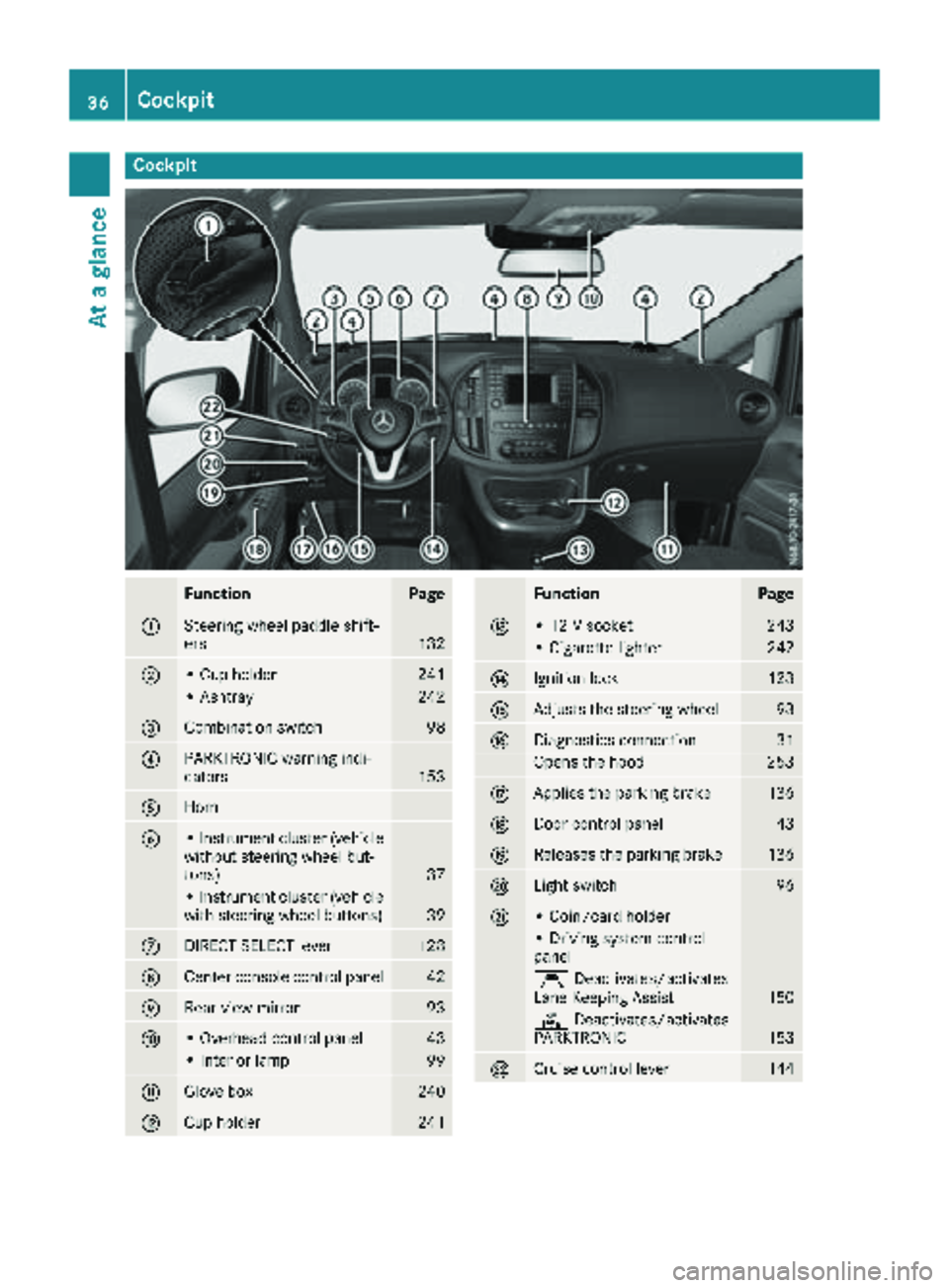
Cockpit
FunctionPage
:Steering wheel paddle shift-
ers132
;• Cup holder241
• Ashtray242
=Combination switch98
?PARKTRONIC warning indi-
cators153
AHorn
B• Instrument cluster (vehicle
without steering wheel but-
tons)
37
• Instrument cluster (vehicle
with steering wheel buttons)39
CDIRECT SELECT lever128
DCenter console control panel42
ERear-view mirror93
F• Overhead control panel43
• Interior lamp99
GGlove box240
HCup holder241
FunctionPage
I• 12 V socket243
• Cigarette lighter242
JIgnition lock123
KAdjusts the steering wheel93
LDiagnostics connection31
Opens the hood253
MApplies the parking brake136
NDoor control panel43
OReleases the parking brake136
PLight switch96
Q• Coin/card holder
• Driving system control
panel
ÇDeactivates/activates
Lane Keeping Assist150
c Deactivates/activates
PARKTRONIC153
RCruise control lever144
36Cockpit
At a glance
Page 60 of 318
they provide an indication of air bag deploy-
ment.
The vehicle can be deformed considerably, with-
out an air bag being deployed. This is the case if
only parts which are relatively easily deformed
are affected and the rate of deceleration is not
high. Conversely, air bags may be deployed eventhough the vehicle suffers only minor deforma-
tion. This is the case if, for example, very rigid
vehicle parts such as longitudinal body mem-
bers are hit, and sufficient deceleration occurs
as a result.
If the restraint system control unit detects a side
impact or if the vehicle rolls over, the applicable
components of the restraint system are
deployed independently of each other depend-
ing on the apparent type of accident.
RSide impact air bag and pelvis air bag on the
side on which an impact occurs, independent
from the Emergency Tensioning Device and
seat belt usage
The side impact air bag on the front-
passenger side deploys under the following
conditions:
-the OCS system detects that the front-
passenger seat is occupied or
-the seat belt buckle tongue is engaged in
the belt buckle of the front-passenger seat
RWindow curtain air bag on the side of impact,
independently of the use of the seat belt and
independently of whether the front-
passenger seat is occupied
REmergency Tensioning Devices, if the system
determines that deployment can offer addi-
tional protection in this situation
RWindow curtain air bags on the driver's and
front-passenger side in certain situations
when the vehicle rolls over, if the system
determines that deployment can offer addi-
tional protection to that provided by the seat
belt
iNot all air bags are deployed in an accident.
The different air bag systems work independ- ently of each other.
How the air bag system works is determined
by the severity of the accident detected,
especially the vehicle deceleration or accel-
eration and the apparent type of accident:
RFrontal collision
RSide impact
RRollover
Automatic measures after an acci-
dent
Immediately after an accident, the following
measures are implemented, depending on the
type and severity of the impact:
Rthe hazard warning lamps are activated
Rthe emergency lighting in the interior is acti-
vated
Rthe vehicle doors are unlocked
Rthe front side windows are lowered
Rair-recirculation mode is activated
Rclimate control is switched off
Rthe engine is switched off and the fuel supply
is cut off
Children in the vehicle
Important safety notes
Accident statistics show that children secured
in the rear seats are safer than children secured
in the front-passenger seat. For this reason,
Mercedes-Benz strongly advises that you install
a child restraint system on a rear seat. Children
are generally better protected there.
If a child younger than twelve years old and
under 5 ft (1.50 m) in height istraveling in the
vehicle:
Ralways secure the child in a child restraint
system suitable for Mercedes-Benz vehicles.
The child restraint system must be appropri-
ate to the age, weight and size of the child.
Rbe sure to observe the instructions and safety
notes in this section in addition to the child
restraint system manufacturer's installation
instructions.
Ralways observe the instructions and safety
notes on the "Occupant classification system (OCS)". (
Ypage 52)
GWARNING
If you leave children unsupervised in the vehi-
cle, they could set it in motion by, for example:
Rrelease the parking brake.
Rshift the automatic transmission out of the
parking position P.
Rstart the engine.
58Children in the vehicle
Safety
Page 65 of 318
correctly routed from the vehicle belt outlet to
the shoulder belt guide on the child restraint
system. The shoulder belt strap must be routed
forward and down from the vehicle belt outlet. If
necessary, adjust the vehicle belt outlet and the
front-passenger seat accordingly.
Always observe the child restraint system man-
ufacturer's installation and operating instruc-
tions.
Override features/Child-proof locks
Important safety notes
GWARNING
If children are traveling in the vehicle, they
could:
Ropen doors, thus endangering other people
or road users
Rexit the vehicle and be caught by oncoming
traffic
Roperate vehicle equipment and become
trapped
There is a risk of an accident and injury.
Always activate the child-proof locks and
override feature if children are traveling in the vehicle. When leaving the vehicle, always take
the key with you and lock the vehicle. Never
leave children unattended in the vehicle.
Child-proof lock/override feature for:
RSliding doors (Ypage 63)
GWARNING
If you leave children unsupervised in the vehi-
cle, they could set it in motion by, for example:
Rrelease the parking brake.
Rshift the automatic transmission out of the
parking position P.
Rstart the engine.
In addition, they may operate vehicle equip-
ment and become trapped. There is a risk of
an accident and injury.
When leaving the vehicle, always take the
SmartKey with you and lock the vehicle. Never
leave children unsupervised in the vehicle.
GWARNING
If persons, particularly children are subjected to prolonged exposure to extreme heat or
cold, there is a risk of injury, possibly even
fatal. Never leave children unattended in the
vehicle.
GWARNING
If the child restraint system is subjected to
direct sunlight, parts may get very hot. Chil-
dren may burn themselves on these parts,
particularly on the metal parts of the child
restraint system. There is a risk of injury.
If you leave the vehicle, taking the child with
you, always ensure that the child restraint
system is not exposed to direct sunlight. Pro- tect it with a blanket, for example. If the child
restraint system has been exposed to direct
sunlight, let it cool down before securing the
child in it. Never leave children unattended in
the vehicle.
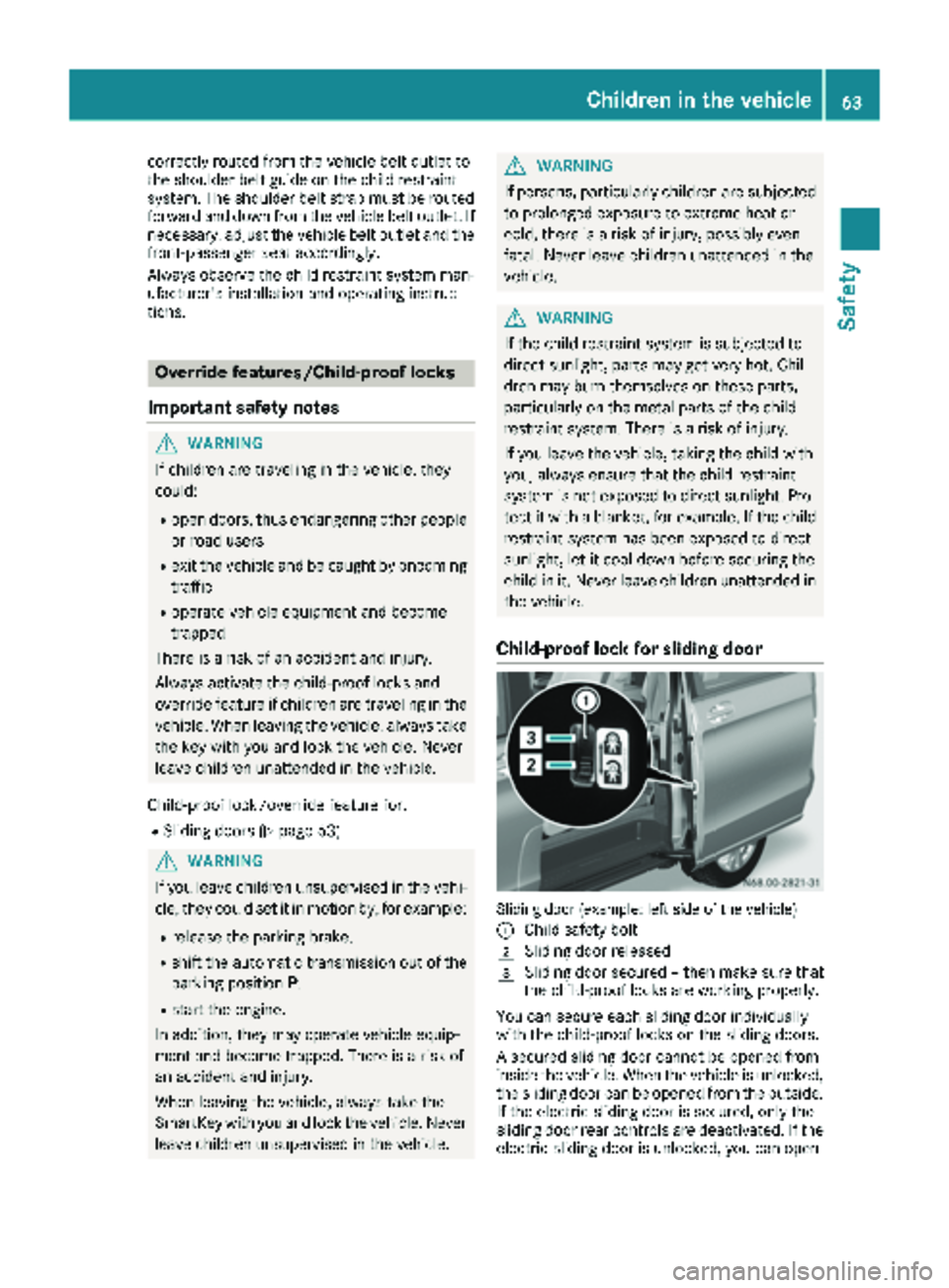
Child-proof lock for sliding door
Sliding door (example: left side of the vehicle)
:
Child safety bolt
2Sliding door released
3Sliding door secured – then make sure that
the child-proof locks are working properly.
You can secure each sliding door individually
with the child-proof locks on the sliding doors.
A secured sliding door cannot be opened from
inside the vehicle. When the vehicle is unlocked, the sliding door can be opened from the outside.
If the electric sliding door is secured, only the
sliding door rear controls are deactivated. If the
electric sliding door is unlocked, you can open
Children in the vehicle63
Safety
Z
Page 66 of 318
the electric sliding door using the corresponding
ÅorÆ sliding door button in the center
console (
Ypage 77).
Pets in the vehicle
GWARNING
If you leave animals unattended or unsecured
in the vehicle, they could press buttons or
switches, for example.
As a result, they could:
Ractivate vehicle equipment and become
trapped, for example
Ractivate or deactivate systems, thereby
endangering other road users
Unsecured animals could also be flung around
the vehicle in the event of an accident or sud-
den steering or braking, thereby injuring vehi-
cle occupants. There is a risk of an accident
and injury.
Never leave animals unattended in the vehi-
cle. Always secure animals properly during
the journey, e.g. use a suitable animal trans-
port box.
Driving safety systems
Overview
In this section, you will find information about
the following driving safety systems:
REBD ( Electronic Brake Force Distribution)
RABS ( Anti-lock Braking System)
RBAS ( Brake Assist System)
RESP®(E lectronic Stability Program)
Important safety notes
If you fail to adapt your driving style or if you are
inattentive, the driving safety systems can nei-
ther reduce the risk of accident nor override the
laws of physics. Driving safety systems are
merely aids designed to assist driving. You are
responsible for the distance to the vehicle in
front, for vehicle speed, braking in good time
and for staying in your lane. Always adapt your driving style to the prevailing road and weather
conditions and maintain a sufficient, safe dis-
tance from other road users. Drive carefully.
Please note that the driving safety systems
described only work optimally when:
Rthere is adequate contact between the tires
and the road surface
Ryou use winter tires (M+S tires), with snow
chains if necessary, when the road conditions
are wintry
Rthe speed information determined by the
vehicle is within the legally prescribed display
accuracy
Pay particular attention to the information
regarding tires, tire tread and winter operation
under "Wheels and tires" (
Ypage 279).
ABS (Anti-lock Braking System)
General notes
ABS regulates brake pressure in such a way that the wheels do not lock when you brake. This
allows you to continue steering the vehicle when
braking.
The ò warning lamp in the instrument cluster
lights up when the ignition is switched on. The
lamp goes out when the engine starts running.
Important safety notes
Observe the important safety guidelines for the
driving safety system (Ypage 64).
ABS works from a speed of about 5 mph
(8 km/h), regardless of road-surface conditions. ABS works on slippery surfaces, even when you
only brake gently.
GWARNING
If ABS is faulty, the wheels could lock when
braking. The steerability and braking charac-
teristics may be severely impaired. Addition-
ally, further driving safety systems are deac-
tivated. There is an increased danger of skid-
ding and accidents.
Drive on carefully. Have ABS checked imme-
diately at a qualified specialist workshop.
If ABS is malfunctioning, the òwarning lamp
(
Ypage 224) lights up while the engine is run-
ning and the display shows a message:
64Driving safet ysystem s
Safety
Page 67 of 318
Ron vehicles without steering wheel buttons
(Ypage 192)
Ron vehicles with steering wheel buttons
(Ypage 206)
BAS, Hill Start Assist and ESP®and its driving
safety systems and other driving systems also
fail. Observe the notes on the òwarning
lamp and the display messages.
Braking
If ABS intervenes when braking, you will feel a
pulsating in the brake pedal.
The pulsating brake pedal can be an indication
of hazardous road conditions and functions as a
reminder to take extra care while driving.
XIf ABS intervenes: continue to depress the
brake pedal with force until the braking sit-
uation is over.
XTo make a full brake application: depress
the brake pedal with full force.
BAS (Brake Assist System)
General notes
BAS operates in emergency braking situations.
If you depress the brake pedal quickly, BAS
automatically boosts the braking force, thus
shortening the stopping distance.
Important safety notes
Observe the important safety guidelines for the
driving safety system (Ypage 64).
GWARNING
If BAS is malfunctioning, the braking distance
in an emergency braking situation is
increased. There is a risk of an accident.
In an emergency braking situation, depress
the brake pedal with full force. ABS prevents
the wheels from locking.
If BAS is malfunctioning, the ÷warning lamp
lights up while the engine is running
(
Ypage 224) and the display shows a message:
Ron vehicles without steering wheel buttons
(Ypage 196)
Ron vehicles with steering wheel buttons
(Ypage 210)
Braking
XKeep the brake pedal firmly depressed until
the emergency braking situation is over.
ABS prevents the wheels from locking.
The brakes will function as usual once you
release the brake pedal. BAS is deactivated.
EBD (electronic brake force distribu-
tion)
General notes
EBD monitors and controls the brake pressure
to the rear wheels. This enables EBD to improve
handling during braking.
Important safety notes
Observe the important safety guidelines for the
driving safety system (Ypage 64).
GWARNING
If EBD is malfunctioning, the rear wheels can
lock, e.g. under full braking. This increases the
risk of skidding and an accident.
You should therefore adapt your driving style
to the different handling characteristics. Have
the brake system checked at a qualified spe-
cialist workshop.
If EBD is malfunctioning, the $warning lamp
(
Ypage 223) lights up while the engine is run-
ning and the display shows a message.
Ron vehicles without steering wheel buttons
(Ypage 195)
Ron vehicles with steering wheel buttons
(Ypage 209)
Other driving systems and driving safety sys-
tems then also fail.
ESP®(Electronic Stability Program)
General notes
ESP®monitors driving stability and detects a
tendency of the vehicle to understeer or over-
steer (skidding) in good time. If ESP
®detects
that the vehicle is deviating from the direction
desired by the driver, one or more wheels are
braked to stabilize the vehicle. The engine out-
Driving safety systems65
Safety
Z