lights MERCEDES-BENZ METRIS 2018 MY18 Operator’s Manual
[x] Cancel search | Manufacturer: MERCEDES-BENZ, Model Year: 2018, Model line: METRIS, Model: MERCEDES-BENZ METRIS 2018Pages: 318, PDF Size: 5.07 MB
Page 4 of 318
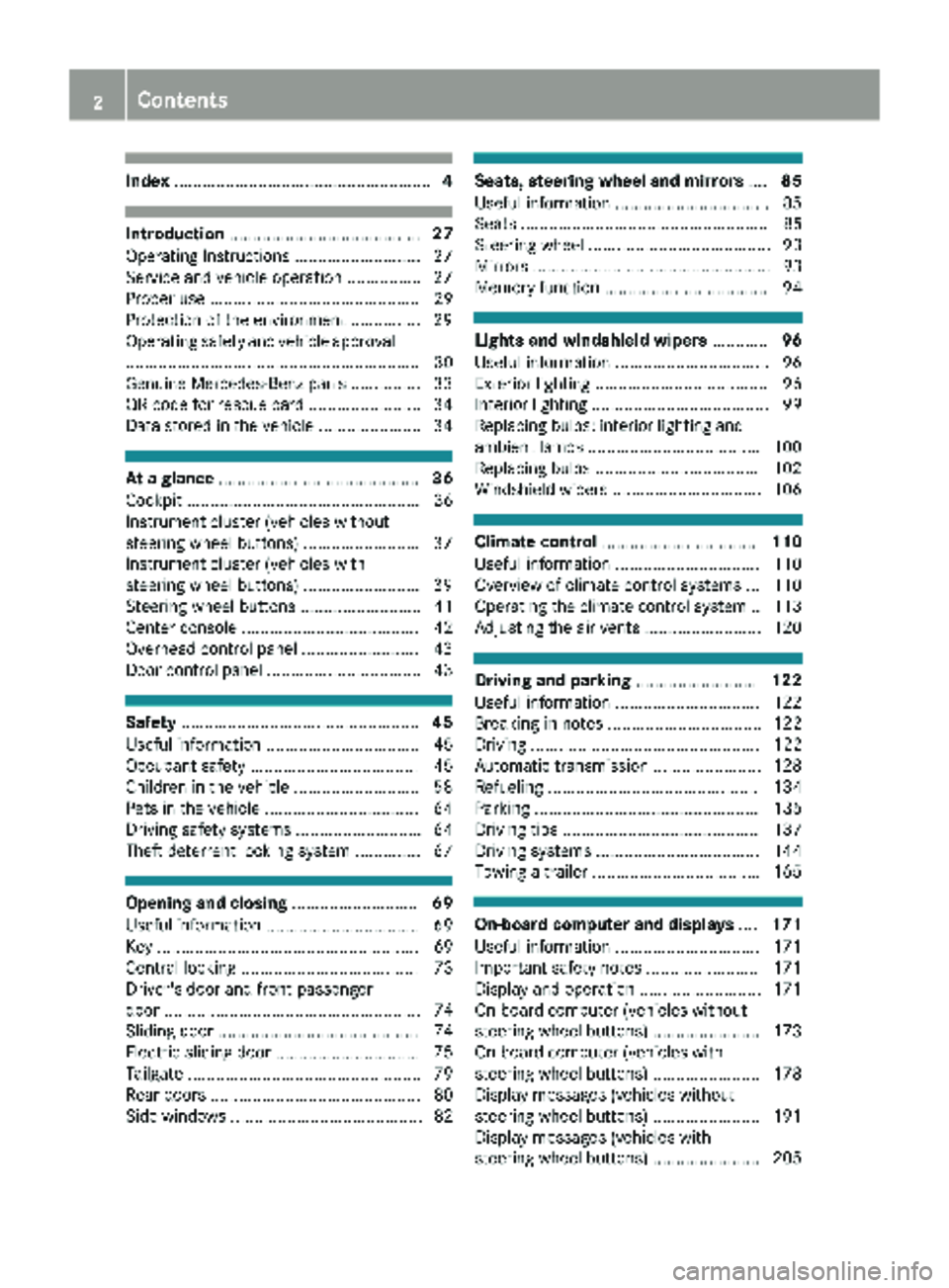
Index....................................................... 4
Introduction......................................... 27
Operating Instructions .......................... .27
Service and vehicle operation ................ 27
Proper use ............................................. 29
Protection of the environment ............... 29
Operating safety and vehicle approval
............................................................... 30
Genuine Mercedes-Benz parts ............... 33
QR code for rescue card ........................ 34
Data stored in the vehicle ...................... 34
At a glance ........................................... 36
Cockpit .................................................. 36
Instrument cluster (vehicles without
steering wheel buttons) ......................... 37
Instrument cluster (vehicles with
steering wheel buttons) ......................... 39
Steering wheel buttons .......................... 41
Center console ...................................... 42
Overhead control panel ......................... 43
Door control panel ................................. 43
Safety ................................................... 45
Useful information ................................. 45
Occupant safety .................................... 45
Children in the vehicle ........................... 58
Pets in the vehicle ................................. 64
Driving safety systems ........................... 64
Theft deterrent locking system .............. 67
Opening and closing ...........................69
Useful information ................................. 69
Key ........................................................ 69
Central locking ...................................... 73
Driver's door and front-passenger
door ....................................................... 74
Sliding door ........................................... 74
Electric sliding door ............................... 75
Tailgate .................................................. 79
Rear doors ............................................. 80
Side windows ......................................... 82
Seats, steering wheel and mirrors ....85
Useful information ................................. 85
Seats ..................................................... 85
Steering wheel ....................................... 93
Mirrors ................................................... 93
Memory function ................................... 94
Lights and windshield wipers ............96
Useful information ................................. 96
Exterior lighting ..................................... 96
Interior lighting ...................................... 99
Replacing bulbs: interior lighting and
ambient lamps ..................................... 100
Replacing bulbs ................................... 102
Windshield wipers ................................ 106
Climate control ................................. 110
Useful information ............................... 110
Overview of climate control systems ... 110
Operating the climate control system .. 113
Adjusting the air vents ......................... 120
Driving and parking ..........................122
Useful information ............................... 122
Breaking-in notes ................................. 122
Driving ................................................. 122
Automatic transmission ....................... 128
Refueling ............................................. 134
Parking ................................................ 135
Driving tips .......................................... 137
Driving systems ................................... 144
Towing a trailer .................................... 165
On-board computer and displays ....171
Useful information ............................... 171
Important safety notes ........................ 171
Display and operation .......................... 171
On-board computer (vehicles without
steering wheel buttons) ....................... 173
On-board computer (vehicles with
steering wheel buttons) ....................... 178
Display messages (vehicles without
steering wheel buttons) ....................... 191
Display messages (vehicles with
steering wheel buttons) ....................... 205
2Contents
Page 7 of 318
Function/notes ............................. 152
ATTENTION ASSIST
see ATTENTION ASSIST
Audio 10
Important safety notes .................. 232
Audio 15
Bluetooth
®settings ....................... 236
Display overview ............................ 235
Entering the passkey ..................... 236
Important safety notes .................. 232
Making a call ................................. 238
Media mode ................................... 237
Navigation ..................................... 238
Overview ........................................ 234
Telephone mode ............................ 238
Authorized workshop
see Qualified specialist workshop
AUTO lamp
Display messages (vehicle with-
out steering wheel buttons) ........... 198
AUTO lights
Display messages (vehicle with
steering wheel buttons) ................. 212
see Lights
Automatic car wash (care) ............... 266
Automatic engine start (ECO start/
stop function) .................................... 126
Automatic engine switch-off (ECO
start/stop function) .......................... 126
Automatic headlamp mode ................ 97
Automatic locking ............................... 74
Automatic transmission
Accelerator pedal position ............. 132
Changing gear ............................... 130
DIRECT SELECT lever ..................... 128
Display message ............................ 220
Drive program display .................... 130
Driving tips .................................... 132
Emergency running mode .............. 134
Engaging drive position .................. 129
Engaging neutral ............................ 129
Engaging reverse gear ................... 129
Engaging the park position ............ 129
Gearshift recommendation ............ 133
Important safety notes .................. 128
Kickdown ....................................... 132
Manual shifting .............................. 132 Overview ........................................ 128
Problem (malfunction) ................... 134
Program selector button ................ 131
Rocking the vehicle free ................ 132
Shift ranges ................................... 130
Starting the engine ........................ 124
Steering wheel paddle shi
fters ...... 132
T
railer towing ................................. 132
Transmission oil change ................ 310
Transmission position display
(DIRECT SELECT lever) ................... 130
Transmission positions .................. 129
Automatic transmission emer-
gency mode ....................................... 134
Axle load, permissible (trailer tow-
ing) ...................................................... 316
B
Backup lamp
Display messages (vehicle with
steering wheel buttons) ................. 213
Backup lamps
Display messages (vehicle with-
out steering wheel buttons) ........... 199
Replacing bulbs ............................. 105
BAS (Brake Assist System)
Function/notes ................................ 65
Basic settings
see Settings
Battery (SmartKey)
Checking .......................................... 71
Important safety notes .................... 71
Replacing ......................................... 72
Battery (vehicle)
Care ............................................... 265
Charging ........................................ 264
Connecting and installing .............. 263
Disconnecting and removing ......... 261
Display messages (vehicle with
steering wheel buttons) ................. 214
Display messages (vehicle with-
out steering wheel buttons) ........... 200
Important safety notes .................. 260
Jump starting ................................. 274
Location ......................................... 261
Before driving off
Important safety notes .................. 123
Index5
Page 8 of 318
Beltsee Seat belts
Belt warning ......................................... 49
Blind Spot Assist
Activating ....................................... 150
Activating/deactivating (vehicle
with steering wheel buttons) ......... 187
Collision warning ........................... 150
Display message ............................ 218
Important safety notes .................. 148
Monitoring range of the sensors .... 149
Notes/function .............................. 148
Trailer towing ................................. 150
Warning display ............................. 150
Blower
see Climate control
Bluetooth
®Audio ............................... 184
Brake
Display message (vehicle without
steering wheel buttons) ................. 192
Brake Assist
see BAS (Brake Assist System)
Brake assistance
see BAS (Brake Assist System)
Brake fluid
Checking the level ......................... 257
Display message (vehicle with
steering wheel buttons) ................. 209
Display message (vehicle without
steering wheel buttons) ................. 195
Notes ............................................. 311
Brake force distribution
see EBD (electronic brake force
distribution)
Brake lamps
Display messages (vehicle with
steering wheel buttons) ................. 212
Display messages (vehicle with-
out steering wheel buttons) ........... 198
Replacing bulbs ............................. 105
Trailer display messages (vehicle
with steering wheel buttons) ......... 212
Trailer display messages (vehicle
without steering wheel buttons) .... 198
Brake pads/linings
New ............................................... 140
Brakes
ABS .................................................. 64 Adaptive Brake Assist .................... 147
Applying the parking brake ............ 136
BAS .................................................. 65
Brake fluid (notes) ......................... 311
Checking brake fluid level .............. 257
Display message
(vehi
cle with
steering wheel buttons) ................. 206
EBD .................................................. 65
Hill start assist ............................... 125
Important safety notes .................. 139
New brake pads/linings ................ 140
Parking brake (notes) ..................... 140
Riding tips ...................................... 139
Warning lamp ................................. 223
Breakdown
Vehicle tool kit ............................... 272
Breakdown assistance
see Towing away
Buttons
On the instrument cluster .............. 173
On the steering wheel .................... 178
C
CaliforniaImportant notice for retail cus-
tomers and lessees .......................... 27
Camera
see Rear view camera
Car
see Vehicle
Car key
see SmartKey
Car wash
see Care
Care
Car wash ........................................ 266
Carpets .......................................... 271
Display ........................................... 270
Exterior lights ................................ 268
Interior ........................................... 269
Notes ............................................. 265
Paint .............................................. 267
Plastic trim .................................... 270
Power washer ................................ 266
Rear view camera .......................... 269
Roof lining ...................................... 271
Seat belt ........................................ 271
6Index
Page 11 of 318
Cruise controlActivating ...................................... .145
Activation conditions ..................... 145
Cruise control lever ....................... 144
Deactivating ................................... 145
Display messages (vehicle with
steering wheel buttons) ................. 217
Display messages (vehicle with-
out steering wheel buttons) ........... 202
Displaying the speed ..................... 144
Driving system ............................... 144
Function/notes ............................. 144
Important safety notes .................. 144
Problem (malfunction) ................... 146
Resuming the stored speed ........... 145
Setting a speed .............................. 145
Storing and maintaining current
speed ............................................. 145
Cup holder ......................................... 242
Important safety notes .................. 241
Cup holder
see Cup holder
Customer Assistance Center
(CAC) ..................................................... 32
Customer Relations Department ....... 32
D
Dashboard
see Cockpit
Dashboard lighting
see Instrument cluster lighting
Data
see Technical data
Date
Setting (vehicle with steering
wheel buttons) ............................... 189
Setting (vehicle without steering
wheel buttons) ............................... 178
Daytime running lamp mode
see Daytime running lamps
Daytime running lamps
Changing bulbs .............................. 104
Display messages (vehicle with
steering wheel buttons) ................. 213
Display messages (vehicle with-
out steering wheel buttons) ........... 199
Switching on/off (switch) ................ 97 Dealership
see Qualified specialist workshop
Declarations of conformity ................. 31
Delayed switch-off
Exterior lighting (on-board com-
puter) ............................................. 189
Interior lighting .............................. 190
Diagnostics connection
Operating safety and vehicle
approval ........................................... 31
Digital speedometer
Displaying (vehicle with steering
wheel buttons) ............................... 181
Displaying (vehicle without steer-
ing wheel buttons) ......................... 175
Dimensions ........................................ 313
DIRECT SELECT lever
Automatic transmission ................. 128
Display
Function/notes (vehicle with
steering wheel buttons) ................. 179
Function/notes (vehicle without
steering wheel buttons) ................. 173
Permanent display (vehicle with
steering wheel buttons) ................. 188
Permanent display (vehicle with-
out steering wheel buttons) ........... 177
see Warning and indicator lamps
Display message (vehicle with
steering wheel buttons)
Safety systems .............................. 206
Service i
nterval display .................. 259
Display message (vehicle without
steering wheel buttons)
Safety systems .............................. 192
Service interval display .................. 259
Display messages (vehicle with
steering wheel buttons)
Calling up ....................................... 205
Driving systems ............................. 216
Engine ............................................ 214
Hiding ............................................ 205
Important safety notes .................. 205
Introduction ................................... 205
Key ................................................ 221
Lights ............................................. 211
Setting the language ...................... 188
Tires ............................................... 219
Index9
Page 14 of 318
Oil level (note) ...............................254
Viscosity ........................................ 310
Equipment and conversions
see Vehicle bodies
ESC (Electronic Stability Control)
see ESP
®(Electronic Stability Program)
ESP®(Electronic Stability Pro-
gram)
Activating/deactivating (vehicle
with steering wheel buttons) ......... 186
Activating/deactivating (vehicle
without steering wheel buttons) .... 176
Crosswind Assist .............................6 7
Deactivating/activating ................... 66
Display message (vehicle with
steering wheel buttons) ................. 210
Display message (vehicle without
steering wheel buttons) ................. 196
Function/notes ................................ 65
Important safety information ........... 66
Trailer stabilization ........................... 67
Warning lamp ................................. 224
Exhaust check ................................... 138
Exterior lighting
see Lights
Exterior mirrors
Adjusting ......................................... 94
Out of position (troubleshooting) ..... 94
Eyeglasses compartment ................. 240
F
First-aid kit......................................... 274
Flat tire
Changing a wheel/mounting the
spare wheel ................................... 299
Fogged-up windows
see Climate control
Frequencies
Mobile phone ................................. 305
Two-way radio ................................ 305
Front fog lamps
Changing bulbs .............................. 102
Display messages (vehicle with
steering wheel buttons) ................. 213
Display messages (vehicle with-
out steering wheel buttons) ........... 199
Switching on/off .............................. 97 Front-passenger seat
see Seats
Fuel
Additives (gasoline) ........................ 308
Consumption information .............. 308
Consumption statistics (vehicle
with steering wheel buttons) ......... 181
Consumption statistics (vehicle
without steering wheel buttons) .... 174
Displaying the current consump-
tion (vehicle with steering wheel
buttons) ......................................... 180
Displaying the current consump-
tion (vehicle without steering
wheel buttons) ............................... 175
Displaying the range (vehicle with
steering wheel buttons) ................. 180
Displaying the range (vehicle with-
out steering wheel buttons) ........... 175
Driving abroad ............................... 139
Driving tips .................................... 138
Fuel content display (vehicle with-
out steering wheel buttons) ........... 173
Fuel gauge (vehicle with steering
wheel buttons) ................................. 39
Grade (gasoline) ............................ 307
Important safety notes .................. 307
Problem (malfunction) ................... 135
Refueling ........................................ 134
Tank content/reserve fuel ............. 307
Fuel content
Display (vehicle without steering
wheel buttons) ............................... 173
F
uel level
Gauge (vehicle with steering
wheel buttons) ................................. 39
Fuel tank
Problem (malfunction) ................... 135
Fuel tank
see Fuel tank
Fuel tank reserve level
Display messages (vehicle with
steering wheel buttons) ................. 215
Display messages (vehicle with-
out steering wheel buttons) ........... 201
Fuses .................................................. 278
12Index
Page 16 of 318
Switching the rear compartment
lighting on centrally ....................... 100
J
JackHolder in the cargo compartment .. 274
Jacking points ................................ 299
Scope of tire-changing tools .......... 272
Storage location ............................ 272
Stowage compartment in the rear. .272
Stowage space in the cargo com-
partment ........................................ 273
Using ............................................. 299
Jump starting (engine) ......................274
K
Key
Display messages (vehicle with
steering wheel buttons) ................. 221
Display messages (vehicle with-
out steering wheel buttons) ........... 205
Position in the ignition lock ............ 123
Kickdown ...........................................1 32
L
Lamps
Display messages (vehicle with-
out steering wheel buttons) ........... 198
see Warning and indicator lamps
Lane detection (automatic)
see Lane Keeping Assist
Lane Keeping Assist
Activating/deactivating ................. 151
Display message ............................ 217
Function/information .................... 150
Setting sensitivity (on-board com-
puter) ............................................. 187
Setting the sensitivity .................... 152
Language
Display (vehicle with steering
wheel buttons) ............................... 188
Display (vehicle without steering
wheel buttons) ............................... 176
Lashing points and tie downs
Permissible tensile load ................. 314 Lashing strap
Important safety notes .................. 247
Tensioning strap .................... 248, 249
LATCH-type (ISOFIX) child seat
anchors ................................................ 61
License plate lamp
Changing bulbs .............................. 102
License plate lamps
Display messages (vehicle with
steering wheel buttons) ................. 212
Display messages (vehicle with-
out steering wheel buttons) ........... 199
Light sensor
Display messages (vehicle with
steering wheel buttons) ................. 212
Display messages (vehicle with-
out steering wheel buttons) ........... 198
Lighting
see Lights
Lights
Activating/deactivating the inte-
rior lighting delayed switch-off ....... 190
Automatic headlamp mode .............. 97
Changing bulbs (halogen head-
lamps) ............................................ 102
Changing bulbs (interior lights) ...... 100
Display messages (vehicle with
steering wheel buttons) ................. 211
Driving abroad ............................... 139
Fog lamps ........................................ 97
Hazard warning lamps ..................... 98
High beam flasher ............................ 98
Hi
gh-beam headlamps ..................... 98
Important safety notes .................... 96
Light switch ..................................... 96
Low-beam headlamps ...................... 97
Parking lamps .................................. 96
Rear fog lamp .................................. 97
Replacing bulbs (halogen head-
lamps) ............................................ 102
Standing lamps ................................ 96
Switching the daytime running
lamps on/off (switch) ...................... 97
Switching the exterior lighting
delayed switch-off on/off (on-
board computer) ............................ 189
Switching the surround lighting
on/off (on-board computer) .......... 189
14Index
Page 18 of 318
O
Occupant Classification System
(OCS)Conditions ....................................... 52
Faults ............................................... 56
Operation ......................................... 53
System self-test .............................. .55
Occupant safety
Air bags .......................................... .49
Automatic measures after an acci-
dent ................................................. 58
Belt warning .....................................4 9
Childr eninthe vehicle .................... .58
Important safety notes .................... 45
Introduction to the restraint sys-
tem .................................................. 45
Occupant Classification System
(OCS) ............................................... 52
PASSENGER AIR BAG indicator
lamps ............................................... 46
Pets in the vehicle ........................... 64
Restraint system warning lamp ........ 45
Seat belt .......................................... 46
OCS
Conditions ....................................... 52
Faults ............................................... 56
Operation .........................................5 3
System self-test ............................... 55
Odometer
Displaying (vehicle with steering
wheel buttons) ............................... 180
Displaying (vehicle without steer-
ing wheel buttons) ......................... 174
Setting the display unit (vehicle
with steering wheel buttons) ......... 188
Setting the display unit (vehicle
without steering wheel buttons) .... 177
Off-road driving
Checklist after driving off-road ...... 143
Important safety notes .................. 142
Rules for driving off-road ............... 142
Oil
see Engine oil
O
n-board computer (vehicle with
steering wheel buttons)
Assistance menu ........................... 185
Audio menu ................................... 183 Date menu ..................................... 189
Display messages .......................... 205
Factory settings ............................. 190
Important safety notes .................. 171
Instrument cluster menu ............... 188
Lights menu ................................... 189
Menu overview .............................. 180
Message memory .......................... 205
Navigation menu ............................ 182
Operating ....................................... 178
Permanent display ......................... 188
Service menu ................................. 187
Setting the date ............................. 189
Setting the display ......................... 188
Setting the display language .......... 188
Setting the language ...................... 188
Setting the time ............................. 189
Settings menu ............................... 188
Standard display ............................ 180
Telephone menu ............................ 184
Time menu ..................................... 189
Trip menu ...................................... 180
Vehicle menu ................................. 190
On-board computer (vehicle with-
out steering wheel buttons)
Coolant temperature display
menu ............................................. 175
Current fuel consumption menu .... 175
Date menu ..................................... 178
Digital speedometer menu ............. 175
Display messages .......................... 191
Distance menu ............................... 174
Factory settings ............................. 176
Important safety notes .................. 171
Menu overview .............................. 174
Message memory .......................... 191
Operating ....................................... 173
Permanent display ......................... 177
Range menu ................................... 175
Setting the date ............................. 178
Setting the display ......................... 177
Setting the display language .......... 176
Setting the language ...................... 176
Setting the time ............................. 178
Settings menu ............................... 176
Standard display menu .................. 174
Time menu ..................................... 178
Trip computer menu ...................... 174
16Index
Page 25 of 318
TIN (Tire Identification Number)
(definition) .....................................298
Tire bead (definition) ......................2 97
Tire pressure (definition) ................ 297
Tire pressures (recommended) ...... 296
Tire size designation, load-bearing
capacity, speed rating .................... 293
Tire tread ....................................... 280
Tire tread (definition) ..................... 297
Total load limit (definition) ............. 298
Traction (definition) ....................... 298
TWR (permissible trailer drawbar
noseweight) (definition) ................. 298
Uniform Tire Quality Grading
Standards (definition) .................... 296
Wear indicator (definition) ............. 298
Wheel and tire combination ........... 302
Wheel rim (definition) .................... 296
Wheel/tire combinations ...............3 02
Tool
see Vehicle tool kit
Top Tether ............................................ 61
Tow-starting
Emergency engine starting ............ 278
Important safety notes .................. 276
Towing
If the vehicle is stuck ..................... 278
Installing/removing the towing
eye ................................................. 277
Towing a trailer
Active Parking Assist ..................... 156
Axle load, permissible .................... 316
Cleaning the trailer tow hitch ......... 269
Coupling up a trailer ......................1 67
Decoupling a trailer ....................... 168
Driving tips ....................................1 65
Notes on retrofitting ......................3 15
Power supply ................................. 170
Trailer loads ................................... 316
Towing away
Important safety guidelines ........... 276
With both axles on the ground ....... 278
With the rear axle raised ................ 277
Towing eye ......................................... 272
Trailer coupling
see Towing a trailer
Trailer loads and drawbar nose-
weights ............................................... 169 Trailer operation
Lights display messages (vehicle
with steering wheel buttons) ......... 211
Lights display messages (vehicle
without steering wheel buttons) .... 198
Trailer towing
Blind Spot Assist ............................ 150
ESP
®................................................ 67
PARKTRONIC ................................. 156
Permissible trailer loads and
drawbar noseweights ..................... 169
Transmission
see Automatic transmission
Transmission oil ........................ 310, 311
Transmission positions
Automatic transmission ................. 129
Display (DIRECT SELECT lever) ...... 130
Transport
Lashing straps ............................... 247
Loading guidelines ......................... 244
Stickers ......................................... 247
Vehicle ...........................................2 78
Transport by rail ................................ 139
Transportation
Rail ................................................ 139
Transportation aids
Load protection net ....................... 249
Transporting
Cargo compartment variations ...... 246
Load distribution ............................ 245
Securing a load .............................. 246
Trim pieces (cleaning instruc-
tions) .................................................. 270
Trip computer
Displaying (vehicle with steering
wheel buttons) ............................... 181
Displaying (vehicle without steer-
ing wheel buttons) ......................... 174
Resetting (vehicle with steering
wheel buttons) ............................... 181
Resetting (vehicle without steer-
ing wheel buttons) ......................... 174
Selecting the display units (vehi-
cle with steering wheel buttons) .... 188
Selecting the display units (vehi-
cle without steering wheel but-
tons) .............................................. 177
Index23
Page 36 of 318
Mercedes-Benz tests genuine Mercedes-Benz
parts, conversion parts and accessories that
have been specifically approved for the type of
vehicle for:
RReliability
RSafety
RSuitability
Despite ongoing market research, Mercedes-
Benz is unable to assess other parts. Even if an
independent or official approval has been pro-
vided in exceptional cases, Mercedes-Benz
accepts no responsibility for the use of such
parts in Mercedes-Benz vehicles.
In some countries, certain parts are only offi-
cially approved for installation or modification if
they comply with legal requirements. All genu-
ine Mercedes-Benz parts satisfy these require-
ments. Make sure that all parts are suitable for
your vehicle.
Always specify the vehicle identification number
(VIN) (
Ypage 305) and engine number when
ordering genuine Mercedes-Benz parts
(
Ypage 306).
QR code for rescue card
The QR Code stickers are affixed to the B-pillar
on the driver's and front-passenger side.
In the event of an accident the rescue services
use the QR Code to quickly find the rescue card for your vehicle. The current rescue card con-
tains the most important information on your
vehicle, e.g. the electric cable routes, in a com-
pact form.
Further information can be found at http://
www.mercedes-benz.de/qr-code.
Data stored in the vehicle
Information from electronic control
units
There are electronic control units installed in
your vehicle. Some of these are necessary for
your vehicle to operate safely, while some offer
support during driving (driver assistance sys-
tems). In addition, your vehicle offers comfort
and entertainment functions that are also made
possible by electronic control units.
Electronic control units contain data storage
systems that can temporarily or permanently save technical information concerning the vehi-
cle's condition, component stress and mainte-
nance requirements as well as technical events
and malfunctions.
This information generally documents the con-
dition of a component, a module, a system or the surroundings, for example:
Roperating states of system components (e.g.
fill levels, battery status, tire pressure)
Rstatus messages concerning the vehicle or its
individual components (e.g. number of wheel
revolutions/speed, deceleration in move-
ment, lateral acceleration, display of fastened
seat belts)
Rmalfunctions and defects in important system
components (e.g. lights, brakes)
Rinformation about events leading to vehicle
damage
Rsystem responses in special driving situations
(e.g. air bag deployment, intervention of sta-
bility control systems)
Rambient conditions (e.g. temperature, rain
sensor)
In addition to performing the actual control unit function, this data is used by manufacturers to
detect and rectify malfunctions and to optimize
vehicle functions. Most of this data is volatile
and processed only in the vehicle itself. Only a
small part of the data is stored in event or mal-
function memories.
When you use services, the technical data from
the vehicle can be read out by service network
employees or third parties. Services can include
repair services, maintenance processes, war-
ranty cases and quality assurance measures.
The data is read out via the connection for OBD
(European on-board diagnostics) in the vehicle,
which is required by law. The relevant offices in
the service network or third parties collect,
process and use the data. This data documents
the vehicle's technical states, is used to help in
finding malfunctions and improving quality and
is sent to the manufacturer where necessary. Inaddition, the manufacturer is subject to product
liability. The manufacturer needs technical data
from vehicles for this purpose.
Malfunction memories in the vehicle can be
reset by a service center during repair or service
work.
You can incorporate data into the vehicle's com-
fort and infotainment functions y
ourself as part
of the selected equipment.
34Introduction
Page 47 of 318
Useful information
This Operator's Manual describes all models as
well as standard and optional equipment of your
vehicle that were available at the time of going
to print. Country-specific variations are possi-
ble. Note that your vehicle may not be equipped
with all of the described functions. This also
applies to systems and functions relevant to
safety.
Read the information on qualified specialist
workshops (
Ypage 31).
Occupant safety
Restraint system introduction
The restraint system can reduce the risk of vehi-cle occupants coming into contact with parts of
the vehicle's interior in the event of an accident.
The restraint system can also reduce the forces to which vehicle occupants are subjected during
an accident.
The restraint system comprises:
RSeat belt system
RAir bags
RChild restraint system
RChild seat securing systems
The components of the restraint system work in
conjunction with each other. They can only
deploy their protective function if, at all times, all
vehicle occupants:
Rhave fastened their seat belts correctly
(Ypage 48)
Rhave the seat and head restraint adjusted
properly (Ypage 85)
As the driver, you also have to make sure that
the steering wheel is adjusted correctly.
Observe the information relating to the correct
driver's seat position (
Ypage 85).
You also have to make sure that an air bag can
inflate properly if deployed (
Ypage 50).
An air bag supplements a correctly worn seat
belt. As an additional safety device, the air bag
increases the level of protection for vehicle
occupants in the event of an accident. For exam-
ple, if, in the event of an accident, the protection
offered by the seat belt is sufficient, the air bags are not deployed. When an accident occurs, only
the air bags that increase protection in that par-
ticular accident situation are deployed. How- ever, seat belts and air bags generally do not
protect against objects penetrating the vehicle
from the outside.
Information on restraint system operation can
be found under "Triggering of the Emergency
Tensioning Devices and air bags" (
Ypage 56).
See "Children in the vehicle" for information on
children traveling with you in the vehicle as well
as on child restraint systems (
Ypage 58).
Important safety notes
GWARNING
Modifications to the restraint system may
cause it to no longer work as intended. The
restraint system may then not perform its
intended protective function and may fail in an
accident or trigger unexpectedly, for example.
This poses an increased risk of injury or even fatal injury.
Never modify parts of the restraint system.
Never tamper with the wiring, the electronic
components or their software.
If it is necessary to modify components of the
restraint system to accommodate a person with
disabilities, contact a Mercedes-Benz Commer-
cial Van Center for details. USA only: contact
our Mercedes-Benz Customer Assistance Cen-
ter on 1‑ 877‑762‑8267 for details.
Restraint system warning lamp
The functions of the restraint system are
checked after the ignition is switched on and at
regular intervals while the engine is running.
Therefore, malfunctions can be detected in
good time.
The 6 restraint system warning lamp on the
instrument cluster lights up when the ignition is
switched on. It goes out no later than a few sec- onds after the vehicle is started. The compo-
nents of the restraint system are in operational
readiness.
Occupant safety45
Safety
Z