AUX MERCEDES-BENZ R-Class 2012 W251 Comand Manual
[x] Cancel search | Manufacturer: MERCEDES-BENZ, Model Year: 2012, Model line: R-Class, Model: MERCEDES-BENZ R-Class 2012 W251Pages: 210, PDF Size: 5.11 MB
Page 150 of 210
X
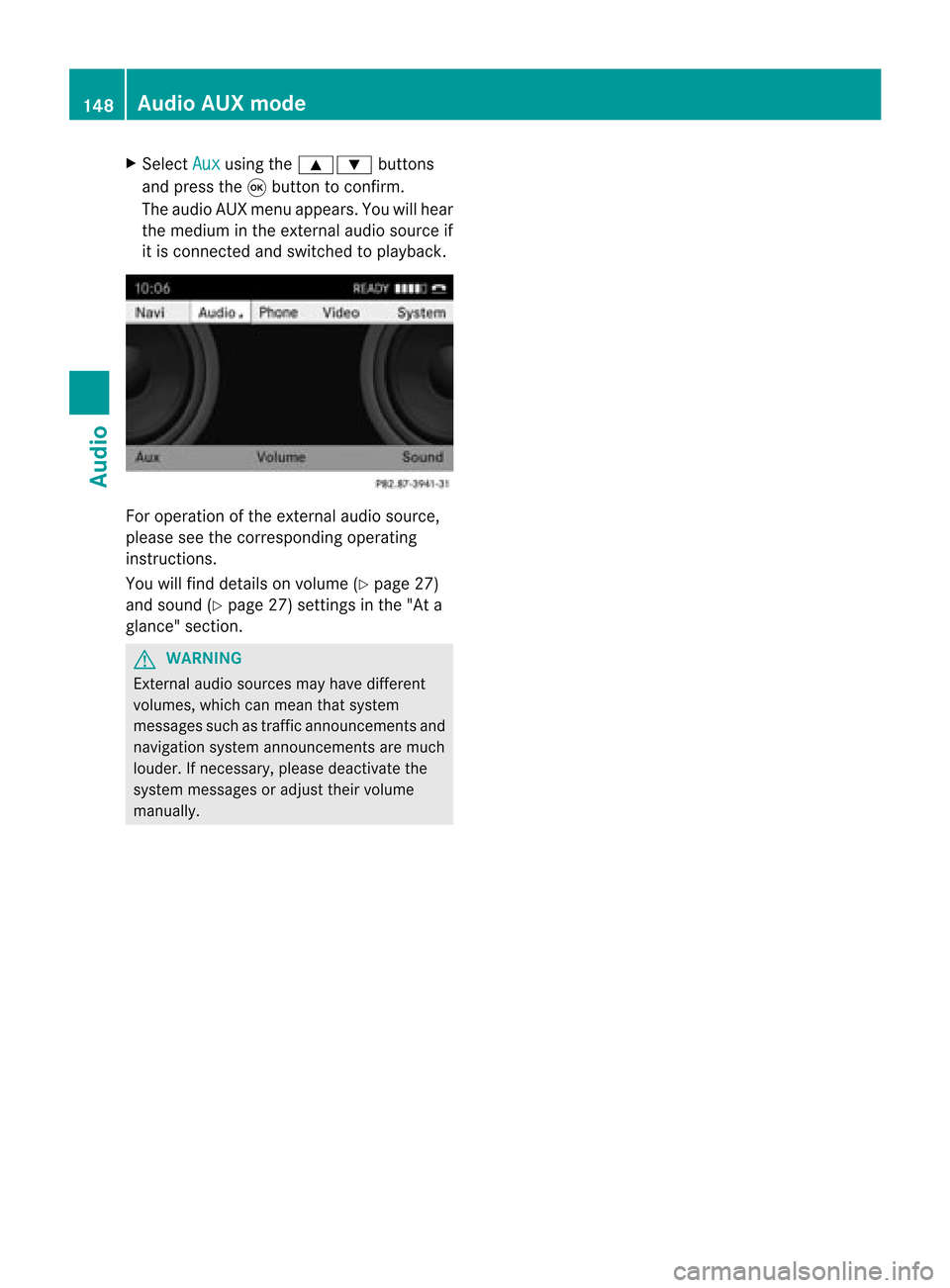
Sel ect Aux us
ing the 9: buttons
and pressthe 9button toconfi rm.
The audioAUX menu appe ars .You will hear
the medium inthe exter nalaudio source if
it is conn ected andswitched toplayb ack. For
operation ofthe exter nalaudio source,
please seethecorrespon dingoperating
instr uctions.
You willfind details onvolume (Ypage 27)
and sound (Ypage 27)settings inthe "Ata
glance" section. G
WARNIN
G
Ext ernal audio sources mayhave different
volumes, whichcanmean thatsystem
messages suchastraffic announc ementsand
navigation systemannounc ementsare much
louder. Ifnecessary, pleasedeactivate the
system messages oradjust theirvolume
manually. 148
Audio
AUXmodeAudio
Page 151 of 210

COMAN
Dfea tures ........ .......... ........... 150
Gener alinfor mation <0023002300230023002300230023002300230023002300230023002300230023
002300230023002300230023002300230023> 150
Basic settings ........ .......... .................. 150
Video DVDmode <0023002300230023002300230023002300230023002300230023002300230023
002300230023002300230023002300230023002300230023002300230023> 150
Video AUXmode <0023002300230023002300230023002300230023002300230023002300230023
002300230023002300230023002300230023002300230023002300230023> 156 149Vid
eo
Page 152 of 210
COMAN
Dfea tures
Thes eOper atingIn st ruc tions desc ribeall
st andar dand optionalequipm enta vail able
for you rCOMAND systematthe time of
purcha se.Cou ntry-specifi cdeviation sare
possible. Pleasenotethat your COMAND
system maynotbeequipped withallthe
features described. General
information Autom
aticpictu reshut off
The video picture isonly shown whenthegear
lever isin position "P".
If the gear lever isshift edtoaposition other
than "P",theInorder nottodistrac t you from the traffic situati
on, the
picture
isfaded outwhile the vehicle
isinmotion message
appears.
If you reset thegear lever to"P", thepicture
will bedisplayed again. Basic
settings Pictur
esettings
Adju sting thebright ness,contra stor
color The
following describes thevideo DVDand
video AUXmodes.
X Press the9button invideo DVDmode and
show themenu.
X Select DVD-Vid eo or
AUX using
the :=; buttonsand press the
9 button tocon firm.
Am enu appears.
X Select Brightn ess ,
Contras t or
Color using
the9: buttonsand press the
9 button tocon firm.
X Select asett ingusing the9:
button sand press the9button tocon firm. Changing
thepictu reform at The
following describes thevideo DVDand
video AUXmodes.
X Press the9button invideo DVDmode and
show themenu.
X Select DVD-Vid eo or
AUX using
the :=; buttonsand press the
9 button tocon firm.
Am enu appears.
X Select 16:9Optimiz ed ,
4:3 or
Widescr een using
the9: buttons
and press the9button tocon firm.
The äicon indicat esthe format currently
select ed. Sound
settings
The sound settings canbeselect edtosuit a
variety ofdifferen tvideo sourc es.You cancall
up the respe ctive soun dmen ufro mt hemenu
of the desired mode(Ypage 27). Video
DVDmode Safety
notes G
WARNING
COMAND isclassified asaClass 1laser
prod uct.You must notopen thecasing. Ifyou
open thecasing, orifthe casing isfaulty or
damaged, thereisarisk ofexposure to
invisible laserradiation. Thismay damage
your eyes, orthose ofothers.
COMAND doesnotcont ainany parts thatcan
be serviced bythe user. Forsafety reasons,
all mainten ancework must becarried outby
quali fiedaftersales technicians. G
WARNING
Only when thevehicle isstation aryshould
you:
R load adisc
R eject adisc 150
Video
DVDmodeVideo
Page 158 of 210
X
Sel ect Menulan guage or
Aud io lan
guage and
pressthe 9button to
confi rm.
In both cases, amenu appe ars afte rafew
seconds. The#dot infront ofan entry
indi cates thecurrently selected langua ge.
X Select asetting using the 9:
buttons andpress the9button toconfirm.
X To exitthe menu: pressthe=
or ; button. Subtitle
sand camera angle
These functions arenot available onallDVDs.
The numbe rofsubt itle lang uages andcam era
ang lesavailab ledepe ndson theco nten to f
the DVD. Itis po ssi ble tha tthe settin gsmay
also beaccessed inthe DVD menu
(Y page 154).
X Show themenu (Ypage 152).
X Select DVD-Video in
the menu using
the :=; buttonsandpress the
9 button toconfirm .
X Select DVDFunctions and
press the9
button toconfirm .
X Select Subtitles or
Camera Angle and
press the9button toconfirm .
In both cases, amenu appears.The #dot
in front ofan entr yindicates thecurrent
settin g.
X Select asettin gusing the9:
buttons andpress the9button toconfirm .
X To exit themenu: pressthe=
or ; button. Interactive
content
DVD scan cont aininteract ivecont ent(e.g. a
video game). Inavideo game, forexample,
you may beable toinfluence eventsby
selecting andtriggering actions.Thetype and
number ofactions depend onthe DVD . X
Select anaction usingthe
9:=; buttonsandpress
the 9button toexecute it.
A menu appearsand thefirst entry,
Select ,
is highlighted.
X Press the9button.
or
X Show thecont rolmenu whileinvideo DVD
mode, ifnecessary.
X Select Menu using
the=;
9: buttonsandpress the9button
to confirm .
X Select DVD-V in
the menu usingthe
=;9: buttonsandpress
the 9button toconfirm .
X Select DVDFunctions and
press the9
button toconfirm .
X Select orexecute anaction usingthearrow
keys. Video
AUXmode Conne
ctingexternal videosources
If your vehicle isequipp edwith aMedia
Int erface, youcan conn ectanextern alvideo
source.
You require anadditional audio/video cable
set toconn ectanextern alvideo source to
Media Interface.
For details, pleaseconsult anauthorized
Mercedes-Ben zCenter orvisit http://
www .mer<00030005000400050013002500020005000E001D00210003000F000D00220003
000FB nnect.and
proceed asdescribed under"Media
Int erface".
The conn ection jacksarelocated:
R in the cent erconsole stowage
compartmen t(SL)
R in the glove box 156
Video
AUXmodeVideo
Page 159 of 210
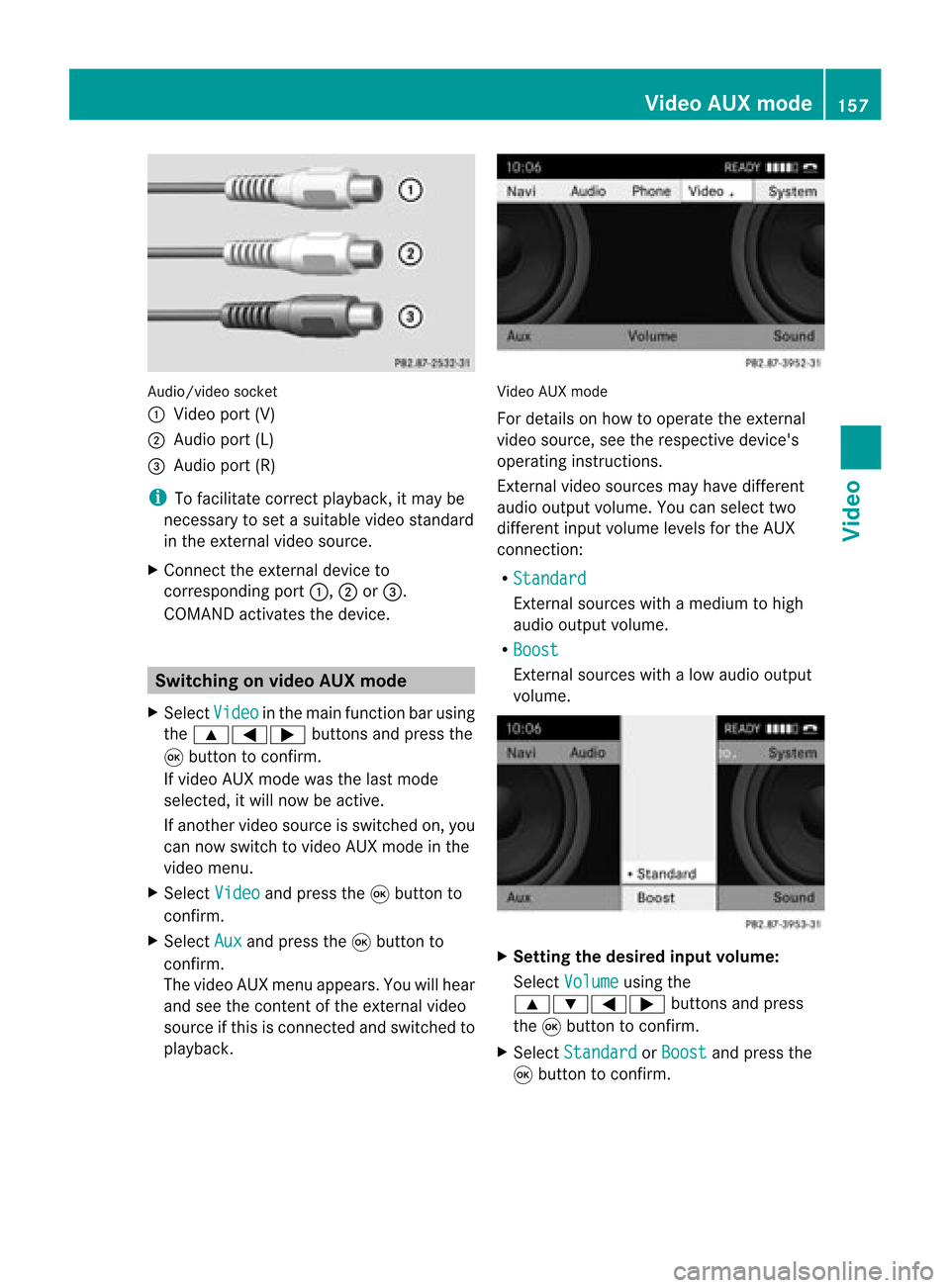
Aud
io/vid eosocke t
: Videopor t(V)
; Audio port(L)
= Audio port(R)
i Tofacilitate correctplayback, itmay be
necessary toset asuitab levideo standard
in the external videosource.
X Connect theexternal deviceto
corresponding port:,;or=.
COMAND activatesthedevice. Switchi
ngon video AUXmode
X Select Video in
the main function barusing
the 9=; buttonsandpress the
9 button toconfirm.
If video AUXmode wasthelast mode
selected, itwill now beactive.
If another videosource isswitched on,you
can now switch tovideo AUXmode inthe
video menu.
X Select Video and
press the9button to
confirm.
X Select Aux and
press the9button to
confirm.
The video AUXmenu appears.You willhear
and seetheconten tof the external video
source ifthis isconnect edand switched to
play back. Video
AUXmode
For detail son how tooperate theexternal
video source, seetherespective device's
operating instructions.
Ext ernal video sources mayhave different
aud iooutput volume. Youcanselect two
different inputvolume levelsforthe AUX
connect ion:
R Standard Ext
ernal sources withamediu mtohigh
audio output volume.
R Boost Ex
tern alsources withalow audio output
volume. X
Setting thedesired inputvolume:
Select Volume using
the
9:=; buttonsand press
the 9button toconf irm.
X Select Standard or
Boost and
press the
9 button toconf irm. Video
AUXmode
157Video Z
Page 160 of 210
Showing/
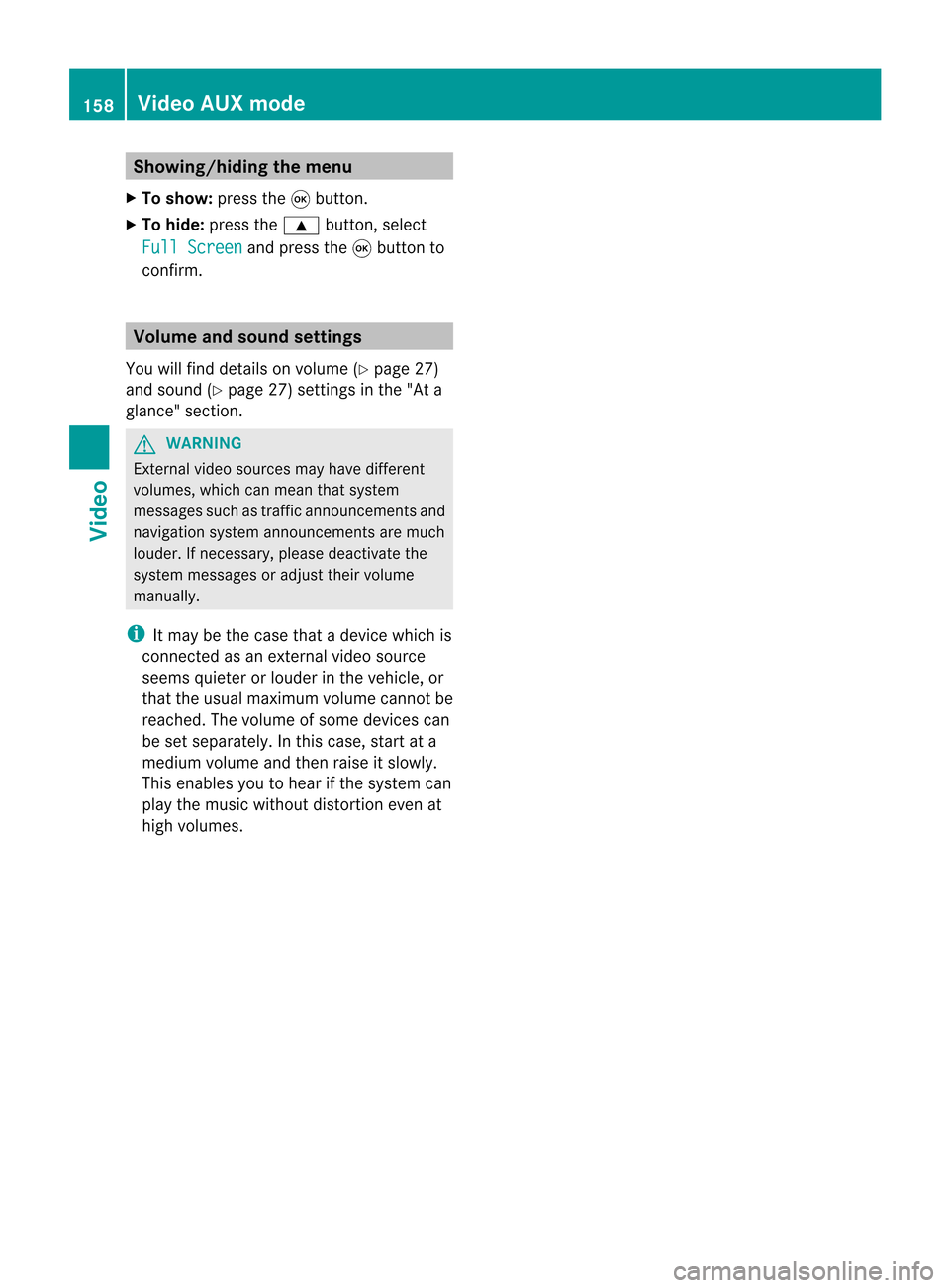
hidingthemenu
X To show: pressthe9button.
X To hide: press the9 button, select
Full Screen and
press the9button to
conf irm. Volume
andsound settings
You willfind details onvolume (Ypage 27)
and sound (Ypage 27)settin gsinthe "Ata
glance" section. G
WARNING
Ext ernal video sources mayhave different
volumes, whichcanmean thatsystem
messages suchastraffic announcem entsand
navigation systemannouncem entsaremuch
louder. Ifnecessary, pleasedeactivate the
system messages oradjust theirvolume
manually .
i Itmay bethe case thatadevice whichis
conn ected asan extern alvideo source
seems quieter orlouder inthe vehicle, or
that theusua lmaximum volumecannotbe
reached. Thevolume ofsome devices can
be set separately. Inthis case, startata
medium volumeandthen raise itslowly .
This enables youtohear ifthe system can
play themusic without distortion evenat
high volumes. 158
Video
AUXmodeVideo
Page 161 of 210

COMAN
Dfea tures ........ .......... ........... 160
Gener alinfor mation <0023002300230023002300230023002300230023002300230023002300230023
002300230023002300230023002300230023> 160
Basic functions <0023002300230023002300230023002300230023002300230023002300230023
0023002300230023002300230023002300230023002300230023002300230023
0023> 161
System settings <0023002300230023002300230023002300230023002300230023002300230023
0023002300230023002300230023002300230023002300230023002300230023> 163
Audio CD/DVD andMP3 mode ........ 164
Video DVDmode <0023002300230023002300230023002300230023002300230023002300230023
002300230023002300230023002300230023002300230023002300230023> 169
AUX mode <0023002300230023002300230023002300230023002300230023002300230023
0023002300230023002300230023002300230023002300230023002300230023
0023002300230023002300230023002300230023> 173 159Rear
Entert ainmentSystem
Page 164 of 210
Adj
usting thesoun dsettings
You canselec tthe sound settingsinthe audi o
CD/DV D/MP3, TV,video DVDandAUX
modes.
X Switch onanoperating mode(e.g.CD
mode).
X Select Treble or
Bass using
the :=; buttonsonthe remote
cont roland press the9button toconfirm .
An adjustment scaleappea rs.
X Select asettin gusing the9:
buttons andpress the9button toconfirm . Multiple
users
Simulta neoususeofthe rear-
compart mentdiscdrive i
The two rear-compart mentscreens can
be operated almostentirely independently
from oneanother. However, therecanbea
conflict insome menus ifthe two screens
are used simultaneously .
If the rear-compart mentdiscdrive isbeing
used forboth screens simultaneously ,
selecting certainmenusorsettin gson one of
the screens alsoaffects theother screen.
The following functionsaffect bothscreens:
R changing playback options
R selecting atrack (from atrack listorfolder)
R using play,pause andstop
R fast <0006000F001200170001001200040009000E000700240012000500170009000E
00040009000E0007> orscrolling
R calling upthe DVD menu andnavigating
within it
R settin gthe language ,subtitles andcamera
angle
R calling upinteract iveDVD content
The following functionsaffect onlyone
screen:
R audi oand video functionsaswell aspicture
settin gs
R switching betweenfullscreen andthe
screen showing themenu Switching
betweenoperat ingmodes When
youexit anoperating mode(e.g.audio
CD mode), thecurrent settingis saved. Ifyou
call upthis operating modeagainlater,there
are two possibili ties:
R the operating modehasbeen changed on
the other screen.
R the operating modehasnotbeen changed.
In the first case, theoperating modeappears
as itis on the other screen.
In the second case,thesettin gappea rson the
screen asitwas when youlast exited the
operating mode. Picture
settings
Overview You
canselect thesesettingsinvideo DVD
and AUX mode. Instructions forAUX mode
(Y page 31).
Adjust ingthe brightness, contrastand
colo r X
Switch onvideo DVDmode.
X To show themenu: pressthe9button
on the remote control.
or
X Select Menu while
thenavigation menu
(Y page 152)isshown andpress the9
button toconfirm .
X Select DVD-Video using
the :=; buttonsandpress the
9 button toconfirm .
X Select Brightness ,
Contrast or
Color and
press the9button toconfirm .
An adjustment scaleappea rs.
X Select thesettin gand press the9button
to confirm . 162
Basic
functionsRearEnterta inment System
Page 175 of 210

ang
lesavailabl edepen dson theco nten to f
the DVD. Itis po ssi ble tha tthe settin gsmay
also beaccessed fromtheDVD menu.
X Show themenu (Ypage 170).
X Select DVD-Video and
press the9
button onthe remote controltoconfirm .
X Select DVDFunctions and
press the9
button toconfirm .
X Select Subtitles or
Camera Angle and
press the9button toconfirm .
In both cases, amenu appearsafter afew
seconds. The#dot infront ofan entr y
indicates thecurrent setting.
X Select asettin gusing the9:
buttons andpress the9button toconfirm .
X To exit themenu: pressthe=
or ; button. Interactive
content
DVD scan also containinteract ivecont ent
(e.g. avideo game). Inavideo game, youmay
be able toinfluence eventsbyselecting and
triggering actions.Thetype andnumber of
actions depend onthe DVD .
X Select anaction usingthe
9:=; buttonsandpress
the 9button toexecute it.
A menu appearsand thefirst entry,
Select ,
is highlighted.
X Press the9button. AUX
mode Introduction
You canconn ectone extern alvideo source to
each ofthe displa ysofthe Rear Seat
Ent ertainment System(AUXdispla y)and also
one extern alvideo source tothe rear-
compartmen tCD/DV Ddrive (AUX drive) with
a sound andvideo signal. Please
seethecorresponding operating
instruct ionsforinformation onhow to
operate theextern alvideo source.
For further detailsaboutextern alvideo
sources, pleaseconsult anauthorized
Mercedes-Ben zCent er. Connecting
AUXequip ment
AUX drive The
AUX drive jacksare located onthe CD/
DVD drive onthe right nextto the CD/D VD
ejec tbutton (Ypage 31).
Displaying AUX The
AUX display jacksare onthe side ofthe
screen (Ypage 30).
Audio andvideo connection X
Inser tthe audi oplugs forthe left and right
signals intothecorresponding Land R
jacks .
X Insert thevideo plugintotheVjack. Activating
AUXmode
AUX drive X
Select Aux in
the menu usingthe
9=; buttonsonthe remote
cont roland press the9button toconfirm .
The AUX menu appears. AUX
menu AUX
mode
173RearEnterta inment System Z
Page 176 of 210
X
Sel ect Source from
theAUX menu and
pre ssthe 9button toconfi rm.
X Sel ect DiscDri veAux and
pressthe 9
bu tton toconfi rm.
Yo uwi llhea rand see theconte ntofthe
exte rnalvid eo sou rce ifit is conne ctedto
the CD/DV Ddri ve and switch edto
pl ay ba ck. Ifno video ima geisavailabl e
from theAUX source conne cted,yo uwi ll
see anaudio menu .
Di spl aying AUX X
Sel ect the scre entowh ich anexte rnal
vid eo sou rce isconne ctedandwhich you
wo uld like toopera tewith the rem ote
contro l(Y pa ge 31) .
X Sel ect Aux in
the menu using the
9=; buttons onthe rem ote
contro land pressthe 9button toconfi rm.
X Sel ect Source from
theAUX menu and
pre ssthe 9button toconfi rm.
X Sel ect DisplayAux and
pressthe 9
bu tton toconfi rm.
Yo uwi llsee and hearthe cont entofthe
video source ifit is switched toplay back. If
no video image isavaila blefrom theAUX
source connected, youwillsee anaudi o
menu.
Selec tingtheactive COMAND source X
Select Aux in
the menu usingthe
9=; buttonsonthe remote
cont roland press the9button toconfirm .
X Select COMAND from
theAUX menu and
press the9button toconfirm .
X Select COMAND Audio or
COMAND Video and
press the9button toconfirm .
COMAND audio:theaudi omode selected
for COMAND isalso selected forthe Rear
Seat Entertainment System.
COMAND video:COMAND transmitsthe
video image tothe Rear SeatEntertainment
System. Operat
ionwith anactive COMAND
source
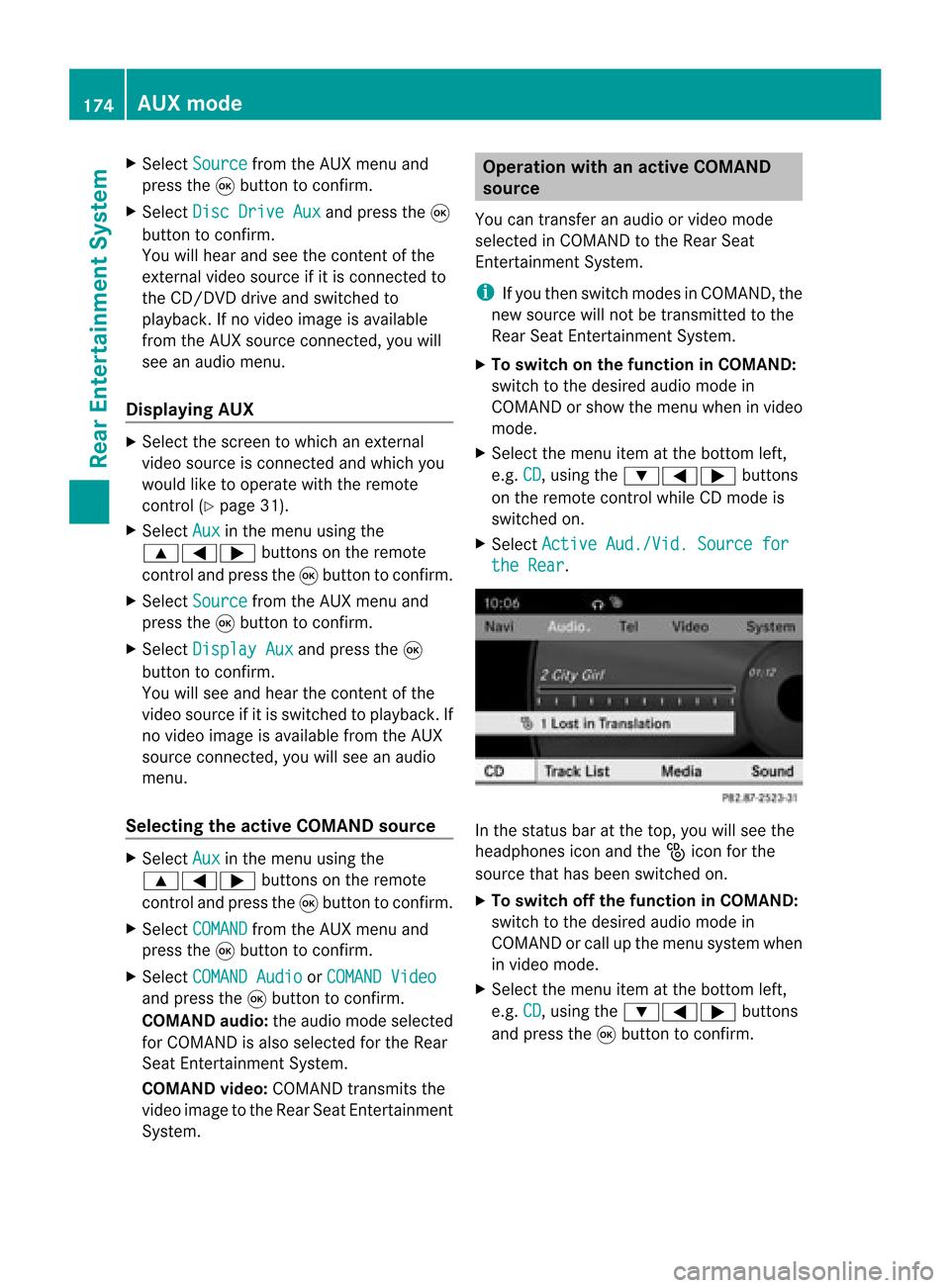
You cantransf eran audi oorvideo mode
selec tedinCOMA NDtothe Rear Seat
En ter tain men tSyst em.
i Ifyou thenswitc hmode sin COMA ND,th e
new sourc ewill notbetransm itted tothe
Rear SeatEnter tain men tSyst em.
X To switch onthefun ction inCOMAN D:
swit chtothedesir edaudio mode in
COMA NDorshow themen uwhen invideo
mode.
X Select themenu itematthe bottom left,
e.g. CD ,
using the:=; buttons
on the remote controlwhile CDmode is
switched on.
X Select Active Aud./Vid. Sourcefor the
Rear .
In
the status baratthe top, youwillsee the
headphones iconandthe_icon forthe
source thathasbeen switched on.
X To switch offthe function inCOMAND:
switch tothe desired audiomode in
COMAND orcall upthe menu system when
in video mode.
X Select themenu itematthe bottom left,
e.g. CD ,
using the:=; buttons
and press the9button toconfirm . 174
AUX
modeRear Enterta inment System