steering MERCEDES-BENZ S-Class 2001 W220 Comand Manual
[x] Cancel search | Manufacturer: MERCEDES-BENZ, Model Year: 2001, Model line: S-Class, Model: MERCEDES-BENZ S-Class 2001 W220Pages: 243, PDF Size: 2.33 MB
Page 93 of 243

Telephone
Telephone91
Contents – Telephone
TelephoneTelephone .......................................... 92
Before you use the telephone ...... 92
Multifunction steering wheel,
Multifunction display ................... 94
Overview of the
Multifunction displays ................. 95
Quick reference – Telephone ....... 96
Menu overview – Telephone ....... 98
Switching telephone
operation on ................................. 100Incoming calls .............................. 102
Outgoing calls .............................. 106
Dialing a telephone number ...... 106
Dialing a number from the
phone book ................................... 109
Redial ............................................. 116
Dialing from calls list ................. 120
Speed-dialing (only with
COMAND) ..................................... 121Quick-dialing (for the first 10
memory locations) ...................... 123
Notebook ....................................... 124
Editing the phone book .............. 125
SMS function ................................ 132
Emergency call ............................ 136
Service numbers ......................... 139
Page 94 of 243
92 Telephone
Introduction AudioTelephone
Navigation
Index Info Services and
system settings
Before you use the telephone
Warning!
Never operate radio transmitters equipped with a
built-in or attached antenna (i.e. without being
connected to an external antenna) from inside the
vehicle while the engine is running. Doing so
could lead to a malfunction of the vehicle’s elec-
tronic systems, possibly resulting in an accident
and personal injury.
Radio transmitters, such as a portable telephone or a
citizens band unit should only be used inside the
vehicle if they are connected to an antenna that is
installed on the outside of the vehicle.
• Please read this section first before attempting to
operate your telephone.
• Always drive with extreme caution when you
operate the telephone hands-free.• Do not stop or park in no-parking areas to use the
telephone.
• Close the windows and reduce all outside noise as
much as possible when you use hands-free opera-
tion.
• If the signal strength is very weak (display in the
symbol field of all main menus) you should not
make telephone calls. Wait until reception im-
proves.
• A brief disconnection from the cellular network
is not a malfunction, as this can occur when the
network switches areas.
• If you are required to enter the unlock code when
you switch the COMAND operating unit on, enter it
to be able to use all of the telephone functions.
Enter the unlock code, see page 100.
• If a telephone menu other than the telephone menu
is displayed on the COMAND screen, the display
will change if an outgoing call is sent out via the
multifunction steering wheel. Notes
Page 96 of 243
94 Telephone
Introduction AudioTelephone
Navigation
Index Info Services and
system settings
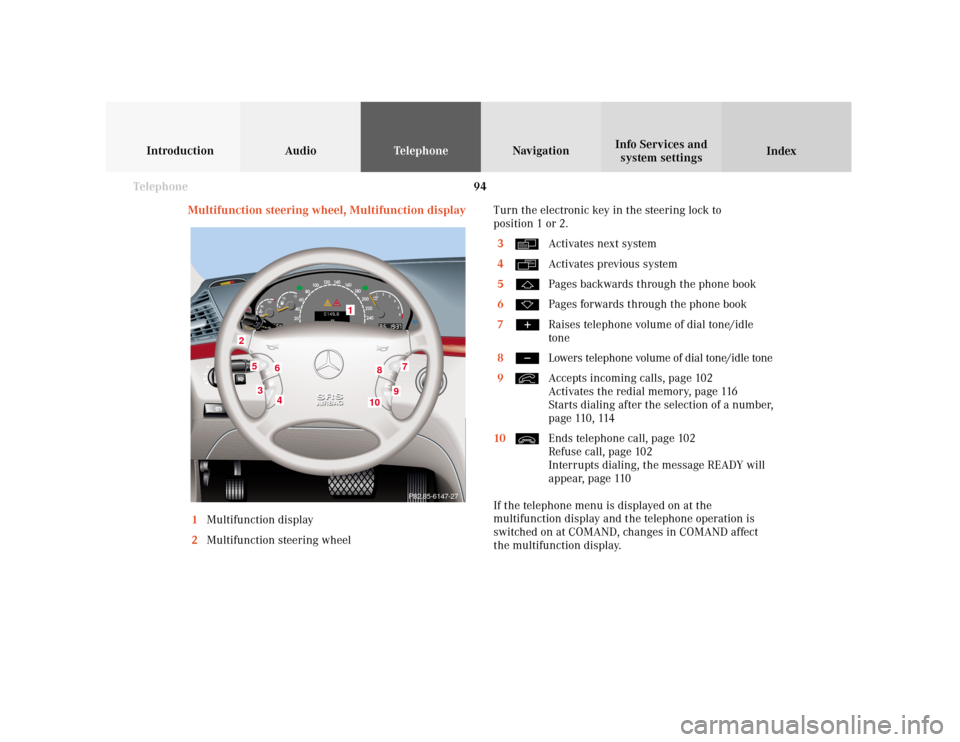
Multifunction steering wheel, Multifunction display
1Multifunction display
2Multifunction steering wheelTurn the electronic key in the steering lock to
position 1 or 2.
3
Activates next system
4Activates previous system
5Pages backwards through the phone book
6Pages forwards through the phone book
7Raises telephone volume of dial tone/idle
tone
8Lowers telephone volume of dial tone/idle tone
9Accepts incoming calls, page 102
Activates the redial memory, page 116
Starts dialing after the selection of a number,
page 110, 114
10Ends telephone call, page 102
Refuse call, page 102
Interrupts dialing, the message READY will
appear, page 110
If the telephone menu is displayed on at the
multifunction display and the telephone operation is
switched on at COMAND, changes in COMAND affect
the multifunction display.
7
5
2
1
3
8
6
9
P82.85-6147-27
4
10
Page 104 of 243
102 Telephone
Introduction AudioTelephone
Navigation
Index Info Services and
system settings
Incoming calls
Accepting a call using the multifunction steering
wheel
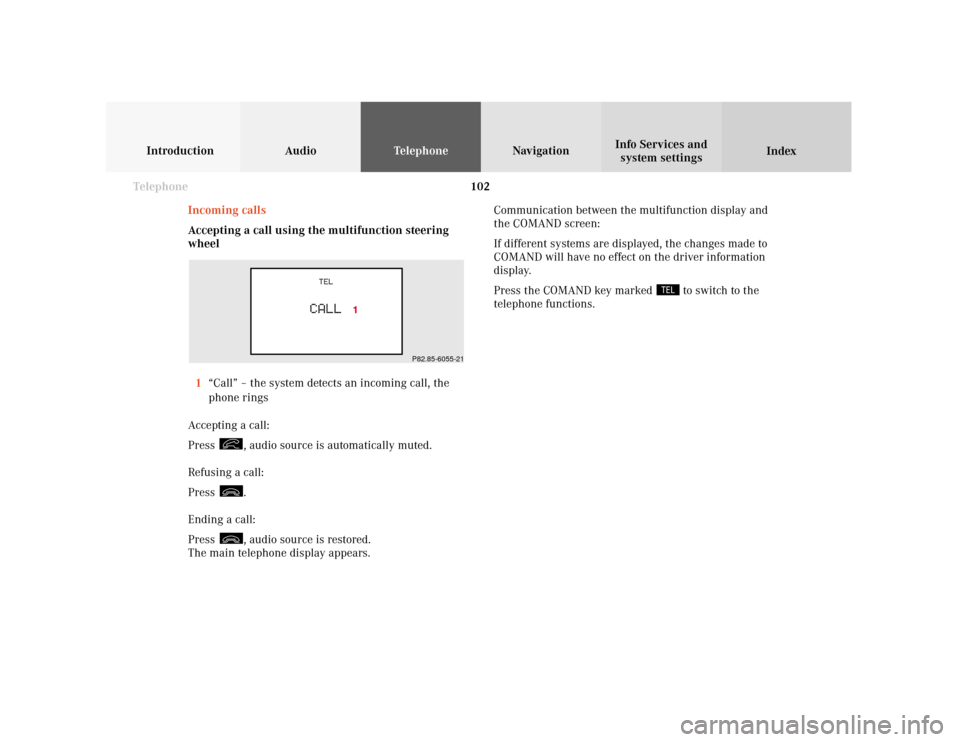
1“Call” – the system detects an incoming call, the
phone rings
Accepting a call:
Press
, audio source is automatically muted.
Refusing a call:
Press .
Ending a call:
Press , audio source is restored.
The main telephone display appears.Communication between the multifunction display and
the COMAND screen:
If different systems are displayed, the changes made to
COMAND will have no effect on the driver information
display.
Press the COMAND key marked
to switch to the
telephone functions.
P82.85-6055-21
Page 106 of 243
104 Telephone
Introduction AudioTelephone
Navigation
Index Info Services and
system settings
Ending a call, use one of the three ways:
• Press the rotary/pushbutton
to confirm the
“End” button
• Press
• Press
.
The main telephone menu will reappear.
Important!
If the menu of a different system is displayed on the
COMAND screen and/or the multifunction display, it is
possible to accept an incoming call by pressing
on
the steering wheel, page 86.
Note:
There is an incoming calls memory list. You can
activated the list by using the “Calls” menu field,
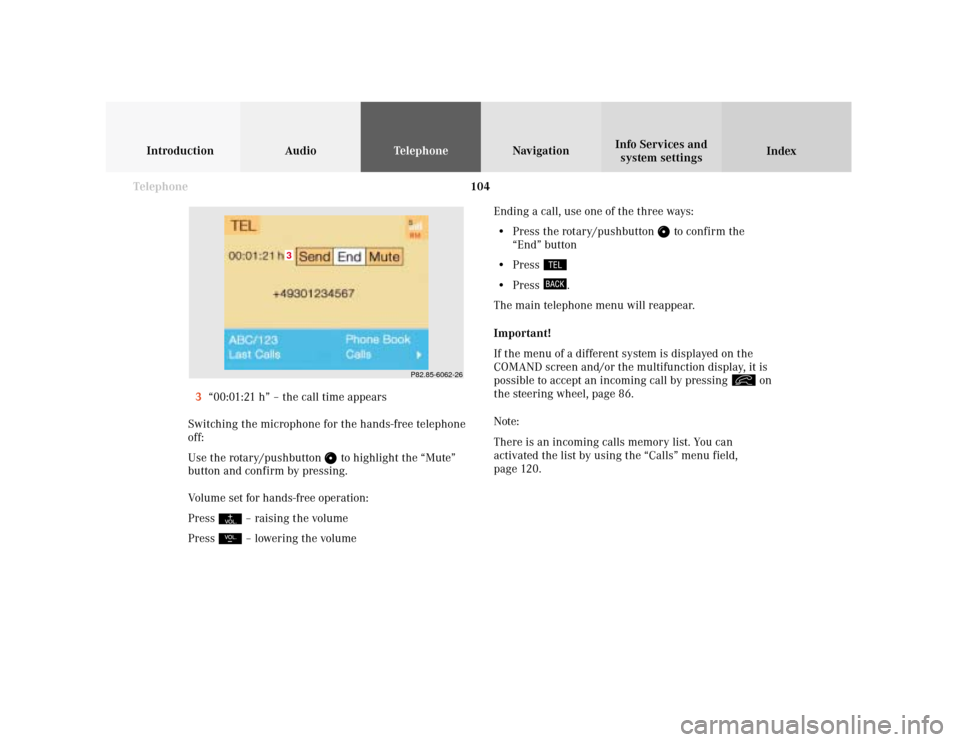
page 120. 3“00:01:21 h” – the call time appears
Switching the microphone for the hands-free telephone
off:
Use the rotary/pushbutton
to highlight the “Mute”
button and confirm by pressing.
Volume set for hands-free operation:
Press
– raising the volume
Press – lowering the volume
P82.85-6062-26
3
Page 111 of 243
Telephone
Introduction
AudioTelephone
Navigation
Index Info Services and
system settings Telephone109 Dialing a number from the phone book
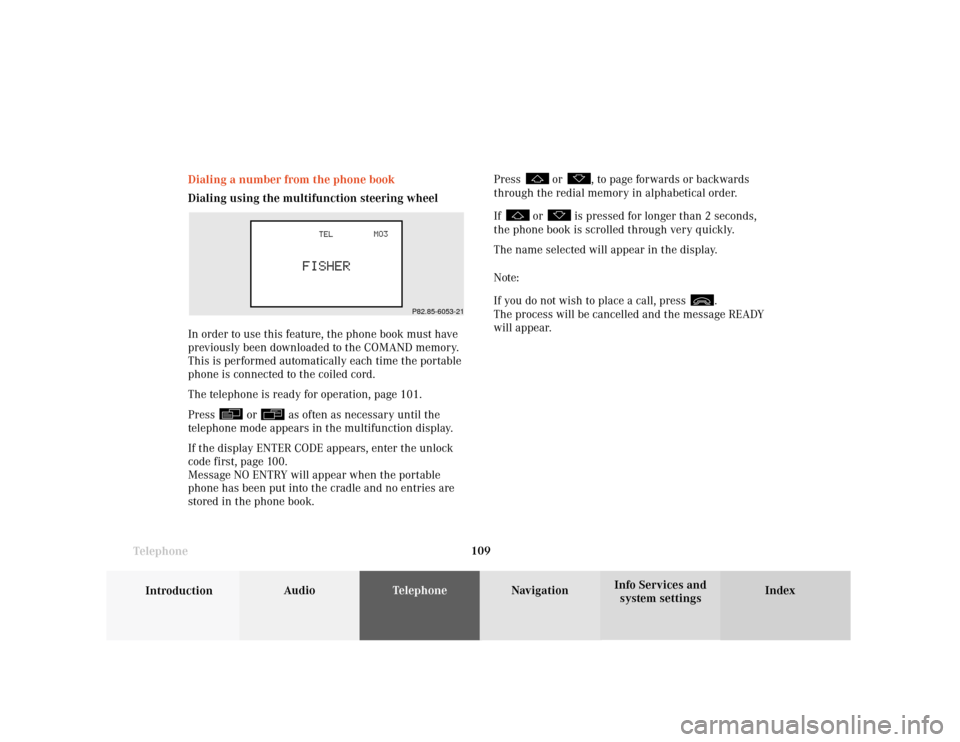
Dialing using the multifunction steering wheel
In order to use this feature, the phone book must have
previously been downloaded to the COMAND memory.
This is performed automatically each time the portable
phone is connected to the coiled cord.
The telephone is ready for operation, page 101.
Press
or
as often as necessary until the
telephone mode appears in the multifunction display.
If the display ENTER CODE appears, enter the unlock
code first, page 100.
Message NO ENTRY will appear when the portable
phone has been put into the cradle and no entries are
stored in the phone book.Press
or
, to page forwards or backwards
through the redial memory in alphabetical order.
If
or
is pressed for longer than 2 seconds,
the phone book is scrolled through very quickly.
The name selected will appear in the display.
Note:
If you do not wish to place a call, press
.
The process will be cancelled and the message READY
will appear.
P82.85-6053-21
Page 118 of 243
116 Telephone
Introduction AudioTelephone
Navigation
Index Info Services and
system settings
Redial
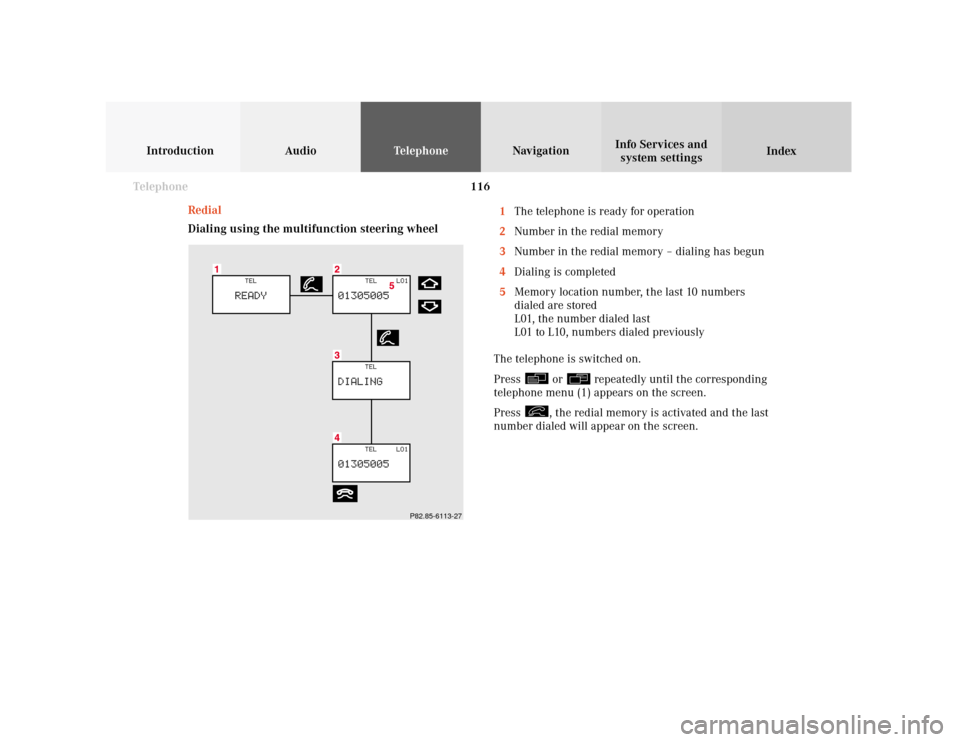
Dialing using the multifunction steering wheel1The telephone is ready for operation
2Number in the redial memory
3Number in the redial memory – dialing has begun
4Dialing is completed
5Memory location number, the last 10 numbers
dialed are stored
L01, the number dialed last
L01 to L10, numbers dialed previously
The telephone is switched on.
Press
or
repeatedly until the corresponding
telephone menu (1) appears on the screen.
Press
, the redial memory is activated and the last
number dialed will appear on the screen.
P82.85-6113-27
Page 187 of 243
185
Introduction
Audio Telephone
Navigation
Index Info Services and
system settings Route guidanceThe audio volume differential between Voice output/
Audio source can be set individually, page 83. During
telephone/Tele Aid operation, navigation voice outputs
are muted.
To repeat the current spoken recommendation:
Press
.
To mute the current spoken recommendation:
Press briefly during a voice output. The next
announcement will be heard normally.
Switching the voice output on/off
Press longer than 2 seconds during a voice
output.
The following message will appear on the screen:
“Voice output is muted.”
The voice output will remain muted for the duration of
the current route guidance.
Switch the voice output on again:
• Press
• Automatically at the end of the current route
guidanceSelect the language for voice output, see the chapter on
Info Services and system settings.
Altering the voice output volume
While you are listening to a spoken recommendation,
alter its volume by pressing
/
on the rocker
switch.
This setting will then affect all of following voice
outputs.
Note:
During a voice output you can alter the sound level
with the steering wheel keys as well:
– Increase volume– Decrease volume
The minimum sound level depends on the current
audio volume.
Page 236 of 243
234 System settings
Audio Introduction
Telephone Navigation IndexInfo Services and
system settings
When this menu is activated, the auxiliary audio
source, e.g. a tape deck, will switch on if it has been
connected to the COMAND system.
To mute the external audio source:
Press
. The symbol
will appear in the symbol
bar.
To cancel mute function, press
again.
The symbol
will disappear from the symbol bar.
To switch off the external audio source:
Press e.g. . The COMAND audio source selected
will switch on.Adjusting the volume level of an auxiliary audio source.
• Adjust volume of vehicle radio to a comfortable
listening level.
• Connect adapter cable to portable tape deck and to
vehicle ( socket in glove box).
• Press “SVC” button on COMAND unit.
• Select “AUX:” setting on COMAND unit.
• Press play on portable tape deck.
• Adjust the volume on the portable tape deck so that
the audio system output is at or near the same
comfortable level previously set in radio mode.
• Volume can now be adjusted using either COMAND
or volume controls on multifunction steering wheel.
Note:
Only the volume setting of the tape player can be
controlled using the COMAND system.
Page 237 of 243

Index235
AAccepting a call (using the multifunction
steering wheel) ................................................................ 102
Accepting calls using COMAND ................................... 103
Activating the location map .......................................... 179
Activating the route map ............................................... 178
Acknowledgement beep .................................................... 15
Adjusting the brightness ............................................... 220
Adjusting the volume ........................................................ 14
Alarm beep ......................................................................... 14
Altering the map scale ........................................... 164, 191
Altering the voice output volume ................................ 185
AM (Ante Meridiem) ...................................................... 229
Audio sources .................................................................... 83
Automatic Station Scan ................................................... 28
Auxiliary audio source, Switching on/off ................... 233BBeep tones, Switching on/off ........................................ 230
BOSE amplifier .................................................................. 83
CCalibration ........................................................................ 213
Canceling route guidance .............................................. 204
CDs scan .............................................................................. 76
CD track scan .................................................................... 70
Changing to map display during route guidance ...... 189
City list ............................................................................. 155
COMAND (Cockpit Management and Data System) ...... 2
Compass needle .............................................................. 192
Cross hairs ....................................................................... 162
Current map scale .................................................. 164, 178
Current vehicle position ........................................ 179, 182DDate and Time, Setting ................................................... 223
Day/Night display ........................................................... 231
Delete CD name ................................................................. 73
Destination address, Entering ...................................... 153
Destination memory, Sorting ........................................ 220
Destination, Selecting via the map ............................... 161
Destination, Reaching your ........................................... 201
Destination, Saving in the memory .............................. 217
Deviating from the calculated route ............................ 201