CD changer MERCEDES-BENZ S CLASS 2010 User Guide
[x] Cancel search | Manufacturer: MERCEDES-BENZ, Model Year: 2010, Model line: S CLASS, Model: MERCEDES-BENZ S CLASS 2010Pages: 548, PDF Size: 11.45 MB
Page 257 of 548
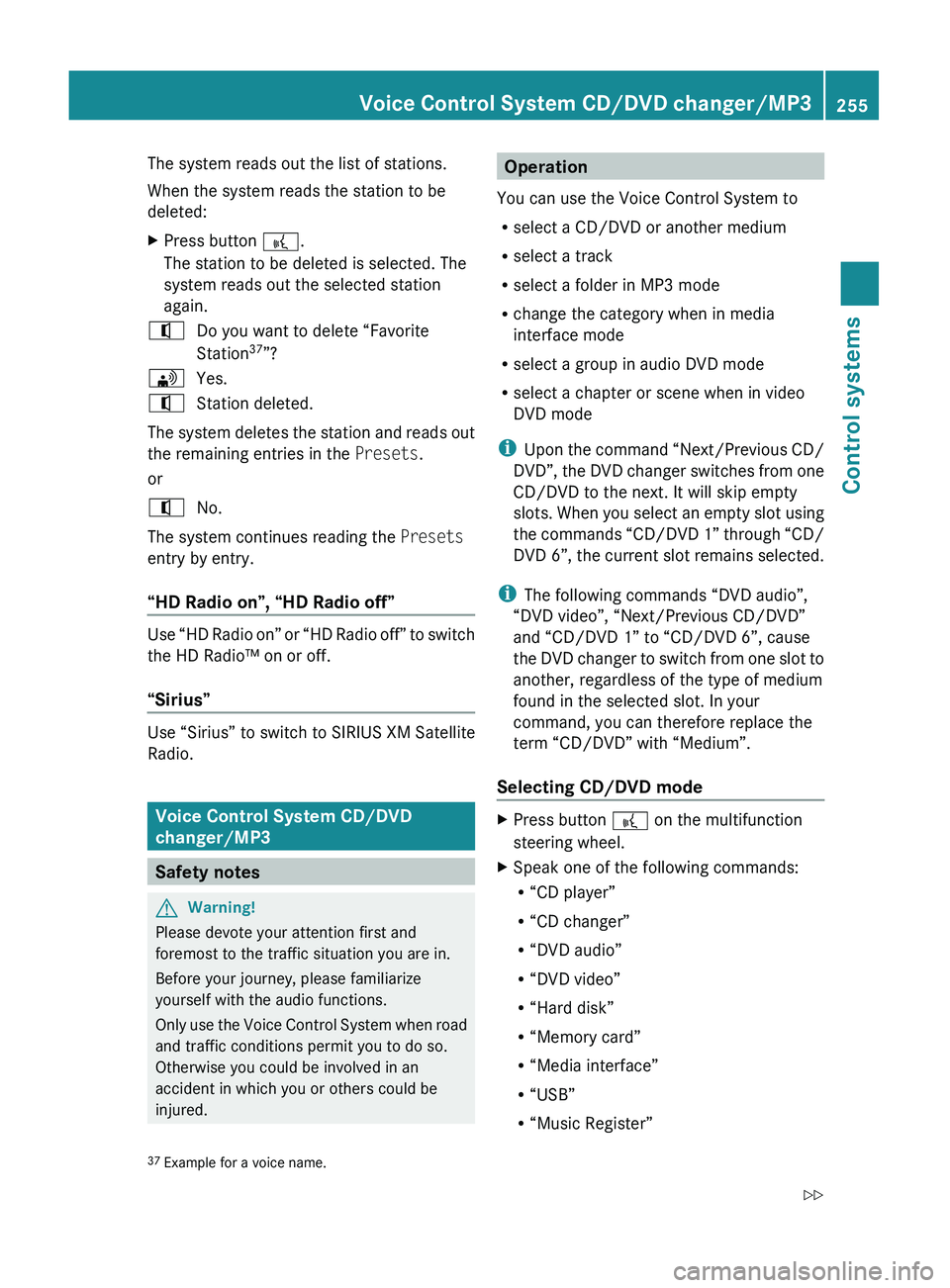
The system reads out the list of stations.
When the system reads the station to be
deleted:XPress button 0062.
The station to be deleted is selected. The
system reads out the selected station
again.009CDo you want to delete “Favorite
Station 37
”?009DYes.009CStation deleted.
The system deletes the station and reads out
the remaining entries in the Presets.
or
009CNo.
The system continues reading the Presets
entry by entry.
“HD Radio on”, “HD Radio off”
Use “HD Radio on” or “HD Radio off” to switch
the HD Radio™ on or off.
“Sirius”
Use “Sirius” to switch to SIRIUS XM Satellite
Radio.
Voice Control System CD/DVD
changer/MP3
Safety notes
GWarning!
Please devote your attention first and
foremost to the traffic situation you are in.
Before your journey, please familiarize
yourself with the audio functions.
Only use the Voice Control System when road
and traffic conditions permit you to do so.
Otherwise you could be involved in an
accident in which you or others could be
injured.
Operation
You can use the Voice Control System to
R select a CD/DVD or another medium
R select a track
R select a folder in MP3 mode
R change the category when in media
interface mode
R select a group in audio DVD mode
R select a chapter or scene when in video
DVD mode
i Upon the command “Next/Previous CD/
DVD”, the DVD changer switches from one
CD/DVD to the next. It will skip empty
slots. When you select an empty slot using
the commands “CD/DVD 1” through “CD/
DVD 6”, the current slot remains selected.
i The following commands “DVD audio”,
“DVD video”, “Next/Previous CD/DVD”
and “CD/DVD 1” to “CD/DVD 6”, cause
the DVD changer to switch from one slot to
another, regardless of the type of medium
found in the selected slot. In your
command, you can therefore replace the
term “CD/DVD” with “Medium”.
Selecting CD/DVD modeXPress button 0062 on the multifunction
steering wheel.XSpeak one of the following commands:
R “CD player”
R “CD changer”
R “DVD audio”
R “DVD video”
R “Hard disk”
R “Memory card”
R “Media interface”
R “USB”
R “Music Register”37Example for a voice name.Voice Control System CD/DVD changer/MP3255Control systems221_AKB; 6; 20, en-USd2ugruen,Version: 2.11.8.12009-09-24T13:28:17+02:00 - Seite 255Z
Page 258 of 548
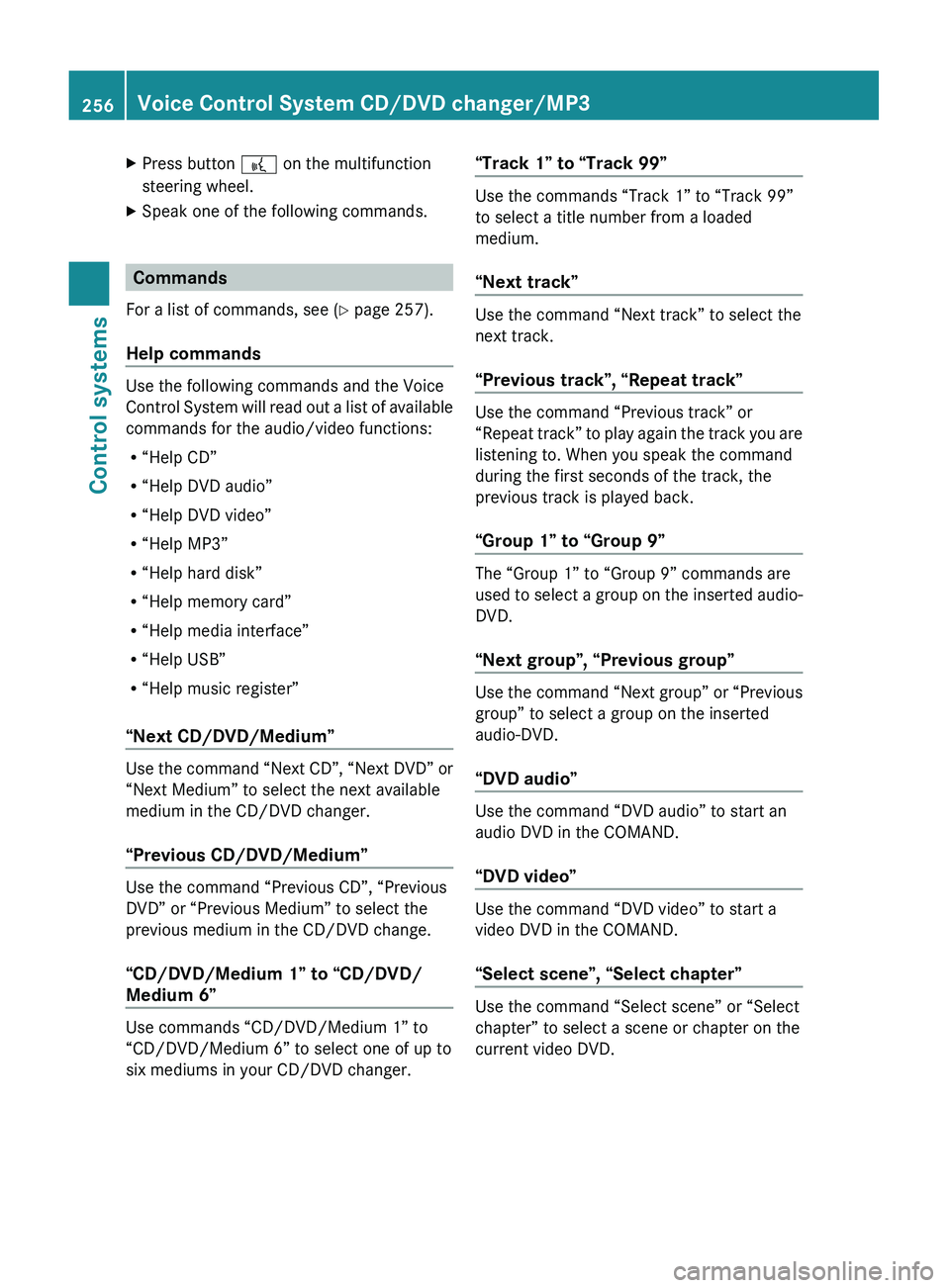
XPress button 0062 on the multifunction
steering wheel.XSpeak one of the following commands.
Commands
For a list of commands, see ( Y page 257).
Help commands
Use the following commands and the Voice
Control System will read out a list of available
commands for the audio/video functions:
R “Help CD”
R “Help DVD audio”
R “Help DVD video”
R “Help MP3”
R “Help hard disk”
R “Help memory card”
R “Help media interface”
R “Help USB”
R “Help music register”
“Next CD/DVD/Medium”
Use the command “Next CD”, “Next DVD” or
“Next Medium” to select the next available
medium in the CD/DVD changer.
“Previous CD/DVD/Medium”
Use the command “Previous CD”, “Previous
DVD” or “Previous Medium” to select the
previous medium in the CD/DVD change.
“CD/DVD/Medium 1” to “CD/DVD/
Medium 6”
Use commands “CD/DVD/Medium 1” to
“CD/DVD/Medium 6” to select one of up to
six mediums in your CD/DVD changer.
“Track 1” to “Track 99”
Use the commands “Track 1” to “Track 99”
to select a title number from a loaded
medium.
“Next track”
Use the command “Next track” to select the
next track.
“Previous track”, “Repeat track”
Use the command “Previous track” or
“Repeat track” to play again the track you are
listening to. When you speak the command
during the first seconds of the track, the
previous track is played back.
“Group 1” to “Group 9”
The “Group 1” to “Group 9” commands are
used to select a group on the inserted audio-
DVD.
“Next group”, “Previous group”
Use the command “Next group” or “Previous
group” to select a group on the inserted
audio-DVD.
“DVD audio”
Use the command “DVD audio” to start an
audio DVD in the COMAND.
“DVD video”
Use the command “DVD video” to start a
video DVD in the COMAND.
“Select scene”, “Select chapter”
Use the command “Select scene” or “Select
chapter” to select a scene or chapter on the
current video DVD.
256Voice Control System CD/DVD changer/MP3Control systems
221_AKB; 6; 20, en-USd2ugruen,Version: 2.11.8.12009-09-24T13:28:17+02:00 - Seite 256
Page 260 of 548
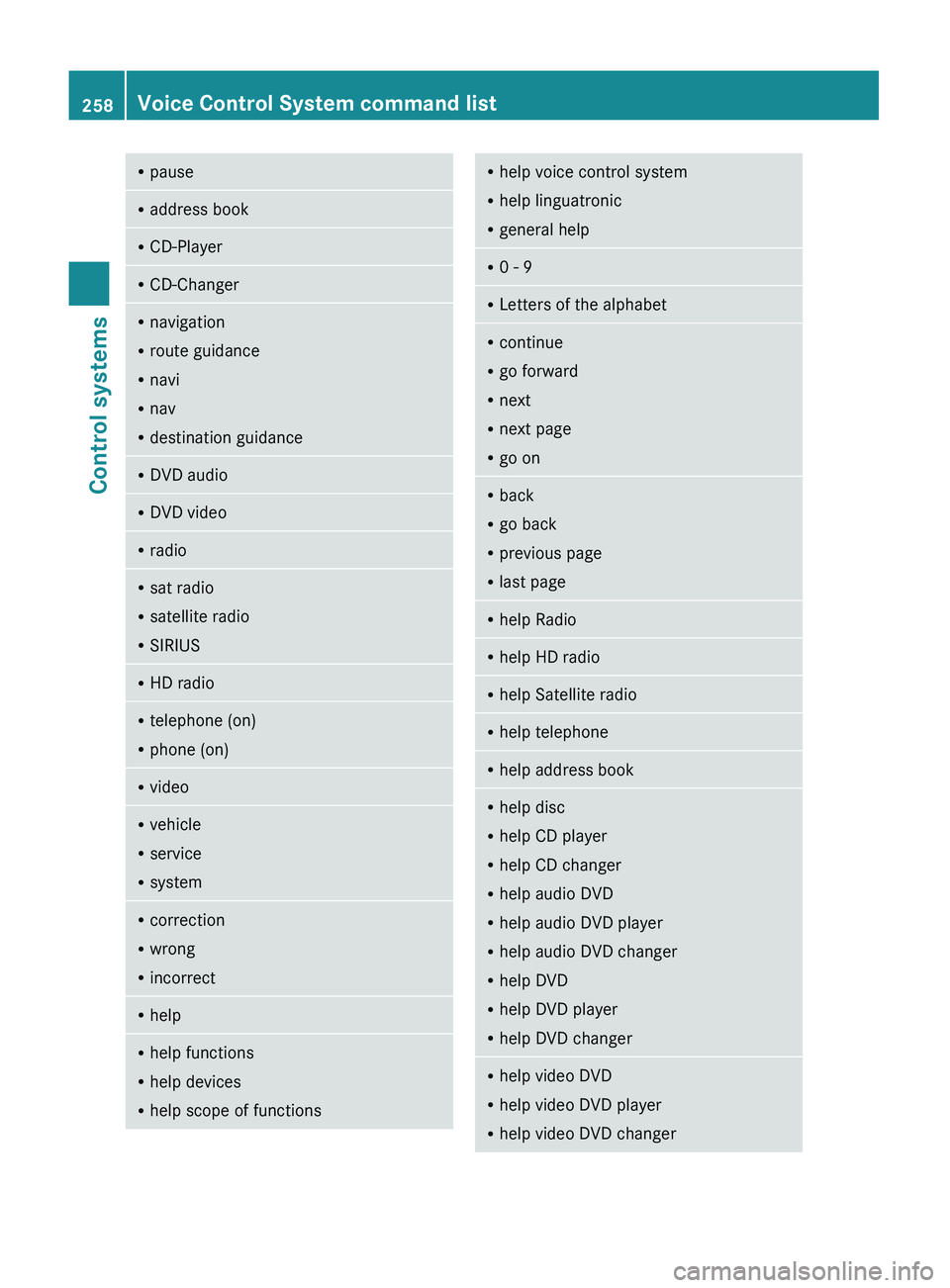
RpauseRaddress bookRCD-PlayerRCD-ChangerRnavigation
R route guidance
R navi
R nav
R destination guidanceR
DVD audioRDVD videoRradioRsat radio
R satellite radio
R SIRIUSRHD radioRtelephone (on)
R phone (on)RvideoRvehicle
R service
R systemRcorrection
R wrong
R incorrectRhelpRhelp functions
R help devices
R help scope of functionsRhelp voice control system
R help linguatronic
R general helpR0 - 9RLetters of the alphabetRcontinue
R go forward
R next
R next page
R go onR
back
R go back
R previous page
R last pageRhelp RadioRhelp HD radioRhelp Satellite radioRhelp telephoneRhelp address bookRhelp disc
R help CD player
R help CD changer
R help audio DVD
R help audio DVD player
R help audio DVD changer
R help DVD
R help DVD player
R help DVD changerRhelp video DVD
R help video DVD player
R help video DVD changer258Voice Control System command listControl systems
221_AKB; 6; 20, en-USd2ugruen,Version: 2.11.8.12009-09-24T13:28:17+02:00 - Seite 258
Page 261 of 548
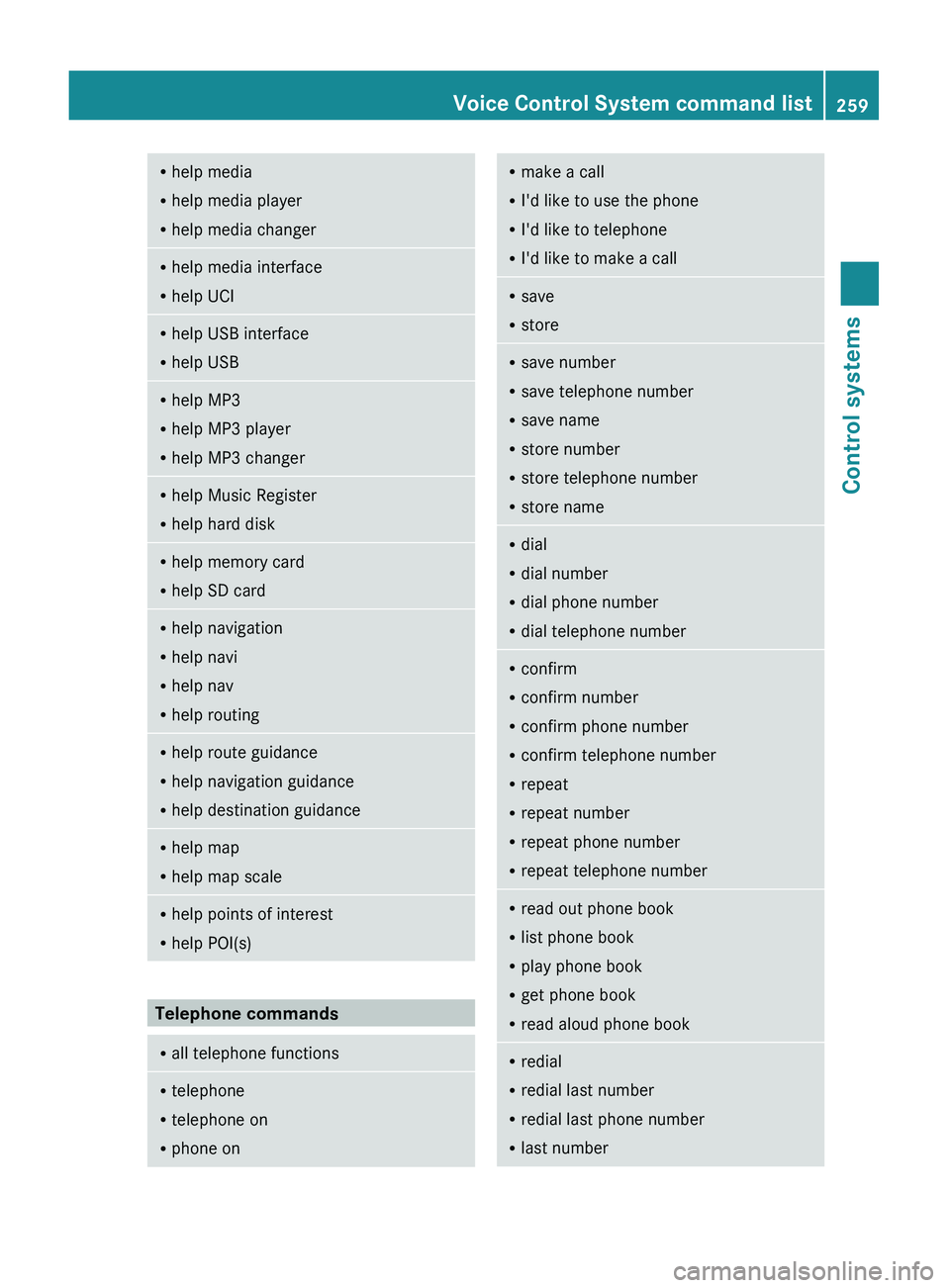
Rhelp media
R help media player
R help media changerRhelp media interface
R help UCIRhelp USB interface
R help USBRhelp MP3
R help MP3 player
R help MP3 changerRhelp Music Register
R help hard diskRhelp memory card
R help SD cardRhelp navigation
R help navi
R help nav
R help routingRhelp route guidance
R help navigation guidance
R help destination guidanceRhelp map
R help map scaleRhelp points of interest
R help POI(s)
Telephone commands
R
all telephone functionsRtelephone
R telephone on
R phone onRmake a call
R I'd like to use the phone
R I'd like to telephone
R I'd like to make a callRsave
R storeRsave number
R save telephone number
R save name
R store number
R store telephone number
R store nameRdial
R dial number
R dial phone number
R dial telephone numberRconfirm
R confirm number
R confirm phone number
R confirm telephone number
R repeat
R repeat number
R repeat phone number
R repeat telephone numberRread out phone book
R list phone book
R play phone book
R get phone book
R read aloud phone bookR
redial
R redial last number
R redial last phone number
R last numberVoice Control System command list259Control systems221_AKB; 6; 20, en-USd2ugruen,Version: 2.11.8.12009-09-24T13:28:17+02:00 - Seite 259Z
Page 268 of 548
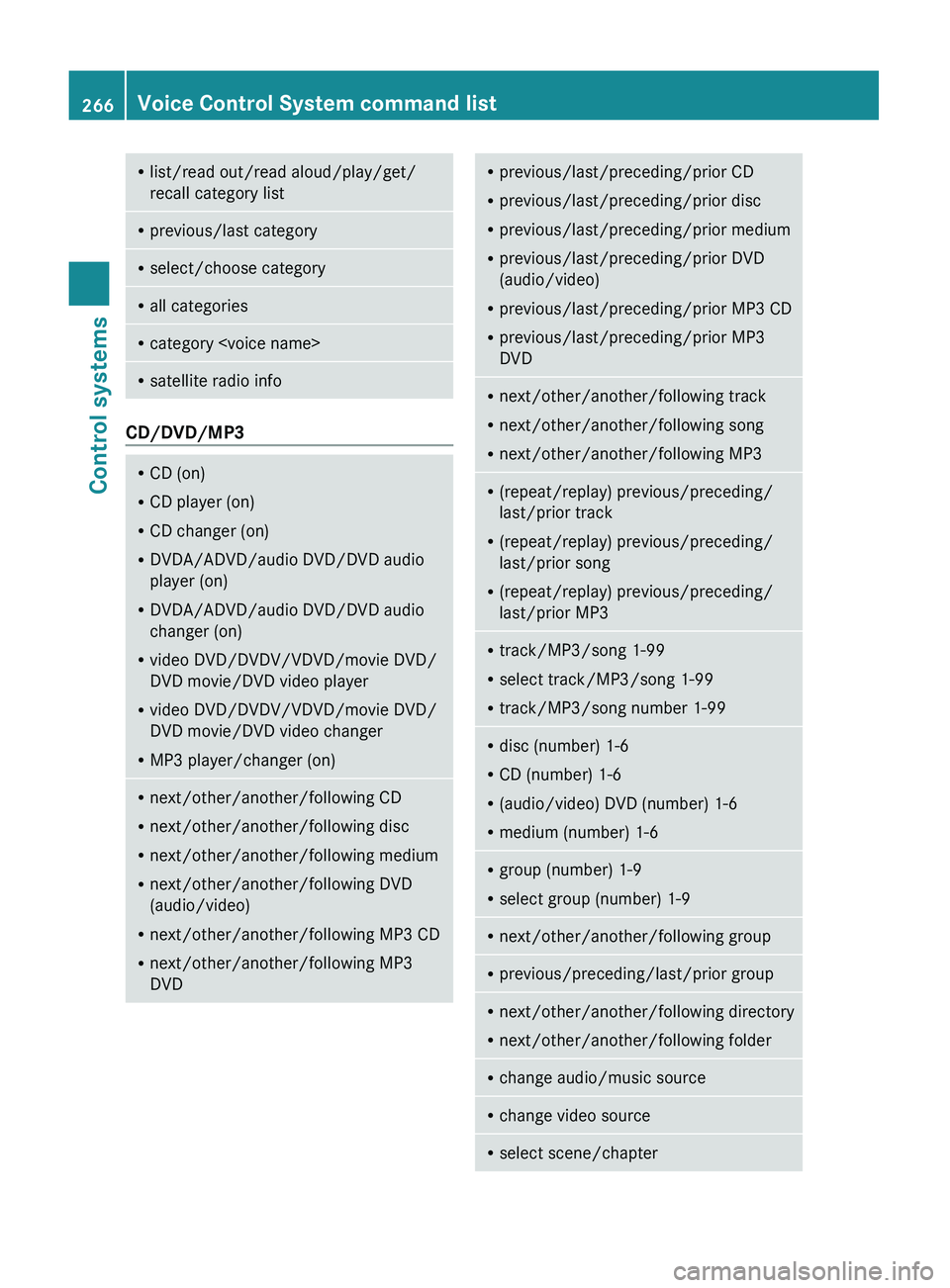
Rlist/read out/read aloud/play/get/
recall category listR previous/last categoryRselect/choose categoryRall categoriesRcategory
CD/DVD/MP3
RCD (on)
R CD player (on)
R CD changer (on)
R DVDA/ADVD/audio DVD/DVD audio
player (on)
R DVDA/ADVD/audio DVD/DVD audio
changer (on)
R video DVD/DVDV/VDVD/movie DVD/
DVD movie/DVD video player
R video DVD/DVDV/VDVD/movie DVD/
DVD movie/DVD video changer
R MP3 player/changer (on)Rnext/other/another/following CD
R next/other/another/following disc
R next/other/another/following medium
R next/other/another/following DVD
(audio/video)
R next/other/another/following MP3 CD
R next/other/another/following MP3
DVDR previous/last/preceding/prior CD
R previous/last/preceding/prior disc
R previous/last/preceding/prior medium
R previous/last/preceding/prior DVD
(audio/video)
R previous/last/preceding/prior MP3 CD
R previous/last/preceding/prior MP3
DVDR next/other/another/following track
R next/other/another/following song
R next/other/another/following MP3R(repeat/replay) previous/preceding/
last/prior track
R (repeat/replay) previous/preceding/
last/prior song
R (repeat/replay) previous/preceding/
last/prior MP3R track/MP3/song 1-99
R select track/MP3/song 1-99
R track/MP3/song number 1-99Rdisc (number) 1-6
R CD (number) 1-6
R (audio/video) DVD (number) 1-6
R medium (number) 1-6Rgroup (number) 1-9
R select group (number) 1-9Rnext/other/another/following groupRprevious/preceding/last/prior groupRnext/other/another/following directory
R next/other/another/following folderRchange audio/music sourceRchange video sourceRselect scene/chapter266Voice Control System command listControl systems
221_AKB; 6; 20, en-USd2ugruen,Version: 2.11.8.12009-09-24T13:28:17+02:00 - Seite 266