open hood MERCEDES-BENZ S-Class 2013 W221 Owner's Manual
[x] Cancel search | Manufacturer: MERCEDES-BENZ, Model Year: 2013, Model line: S-Class, Model: MERCEDES-BENZ S-Class 2013 W221Pages: 542, PDF Size: 7.97 MB
Page 15 of 542
Opening/closing the garage door
..459
Programming (button in the rear-
view mirror) ................................... 457
Gear indicator (on-board
computer) .......................................... 381
Gear or selector lever (cleaning
guidelines) ......................................... 476
Genuine Mercedes-Benz parts .........528
Glove box ........................................... 438
GPS reception .................................... 155
Gracenote Media Database ..............231 H
Handbrake see Parking brake
Harman/kardon ®
Logic 7 ®
surround sound system see Surround sound (harman/
kardon ®
surround sound system)
Hazard warning lamps ......................283
HD Radio™ ......................................... 219
Heading up (navigation) ...................188
Headlamp cleaning system Notes ............................................. 537
Headlamps
Adding fluid to cleaning system .....468
Cleaning system (function) ............282
Fogging up ..................................... 285
see Automatic headlamp mode
Headphones
Changing batteries ........................251
Function overview ..........................146
Indicator lamp ................................ 147
Selecting ascree n......................... 146
Switching on/off ........................... 146
Head restraints
Adjusting ....................................... 110
Adjusting (electrically). ..................110
Adjusting (rear) .............................. 111
NECK-PR O..................................... 110
NECK-PR Oluxur y........................... 110
see NECK-PRO head restraints/
NECK-PRO luxury head restraints
Heating
see Climate control High-beam headlamps
Changing bulbs (vehicles with
halogen daytime running lamps) ....288
Changing bulbs (vehicles with LED
daylight lamps) .............................. 288
Display message ............................ 406
Switching Adaptive Highbeam
Assist on/off ................................. 284
Switching on/off ........................... 283
Hill start assist .................................. 310
HOLD function Display message ............................ 415
Function/notes ............................. 346
Home
see Home address
Home address
Entering and saving .......................160
Selecting from the destination
memory ......................................... 163
Hood
Closing .......................................... .463
Display message ............................ 423
Opening ......................................... 462
Hydroplaning ..................................... 333 I
Ignition lock see Key positions
Immobilizer .......................................... 79
In-car hotspot see separate operating instructions
Incident (traffic report) .....................178
Indicator lamps see Warning and indicator lamps
Indicators
see Turn signals
Insectp rotection on the radiator ....463
Instrument cluster Overview .......................................... 37
Warning and indicator lamps ...........38
Instrument lighting
see Instrument cluster lighting
Interface (USB, iPod ®
)
see Medi aInterface
Interior lighting ......................... 267, 285
Ambient light (COMAND) ...............268
Automatic control ..........................286 Index
13
Page 38 of 542
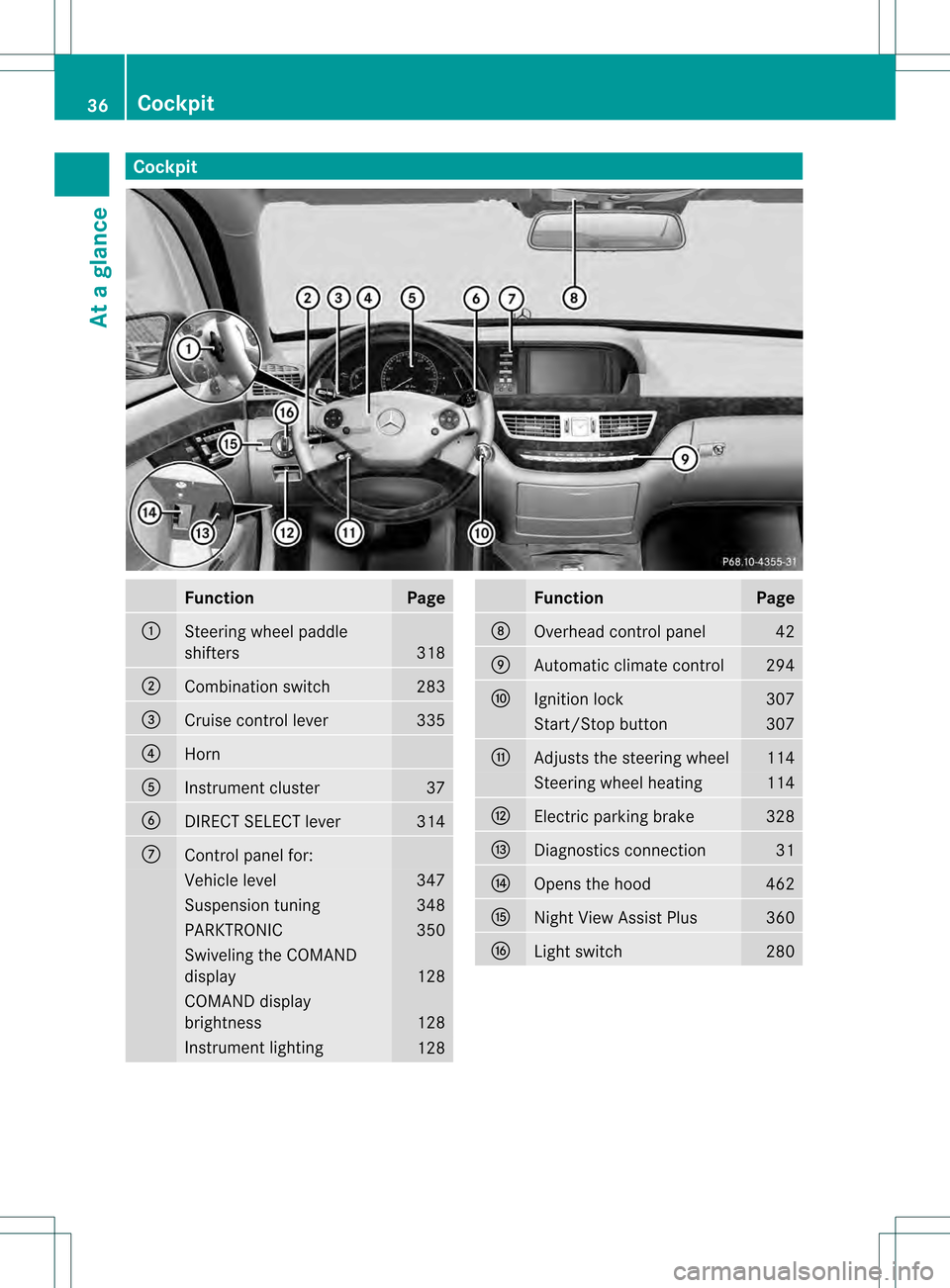
Cockpit
Function Page
0002
Steering wheel paddle
shifters
318
0003
Combination switch 283
0026
Cruise control lever 335
0025
Horn
0023
Instrument cluster 37
0024
DIRECT SELECT lever 314
0014
Control panel for:
Vehicle level 347
Suspension tuning 348
PARKTRONIC 350
Swiveling the COMAND
display
128
COMAND display
brightness
128
Instrument lighting
128 Function Page
0015
Overhead control panel 42
0016
Automatic climate control 294
0017
Ignition lock 307
Start/Stop button 307
0018
Adjusts the steering wheel 114
Steering wheel heating 114
001C
Electric parking brake 328
001D
Diagnostics connection 31
001E
Opens the hood 462
001F
Nigh
tView Assist Plus 360
0021
Light switch 28036
CockpitAt a glance
Page 81 of 542
2. this device must accep
tany interference
received, including interference tha tmay
cause undesired operatio nofthe device.
Removal, tampering, or altering of the
device will void any warranties, and is not
permitted. Do not tamper with, alter, or use
the device in any non-approved way.
Any unauthorized modification to this
device could void the user's authority to
operate the equipment. Theft deterrent locking system
Immobilizer
The immobilizer prevents your vehicle from
being started without the correct SmartKey.
When leaving the vehicle, always take the
SmartKey with you and lock the vehicle. The
engine can be started by anyone with a valid
SmartKey that is left inside the vehicle.
X To activate with the SmartKey: remove
the SmartKey from the ignition lock.
X To activate with KEYLESS-GO: switch the
ignition off and open the driver's door.
X To deactivate: switch on the ignition.
i The immobilizer is always deactivated
when you start the engine. ATA (anti-theft alarm system)
Av isual and audible alarm is triggered if the
alarm system is armed and you open:
R a door
R the vehicle with the mechanical key
R the trunk lid
R the hood
The alarm is not switched off, even if you
close the open door that has triggered it, for
example. i
If the alarm stays on for more than
30 seconds, the mbrace (USA only) or TELE
AI D( Canada only) emergency call system
initiates a call to the Custome rAssistance
Center automatically. The emergency call
system initiates the call provided that:
R you have subscribed to the mbrace/
TELE AID service.
R the mbrace/TELE AID service has been
activated properly.
R the required mobile phone, power supply
and GPS are available. X
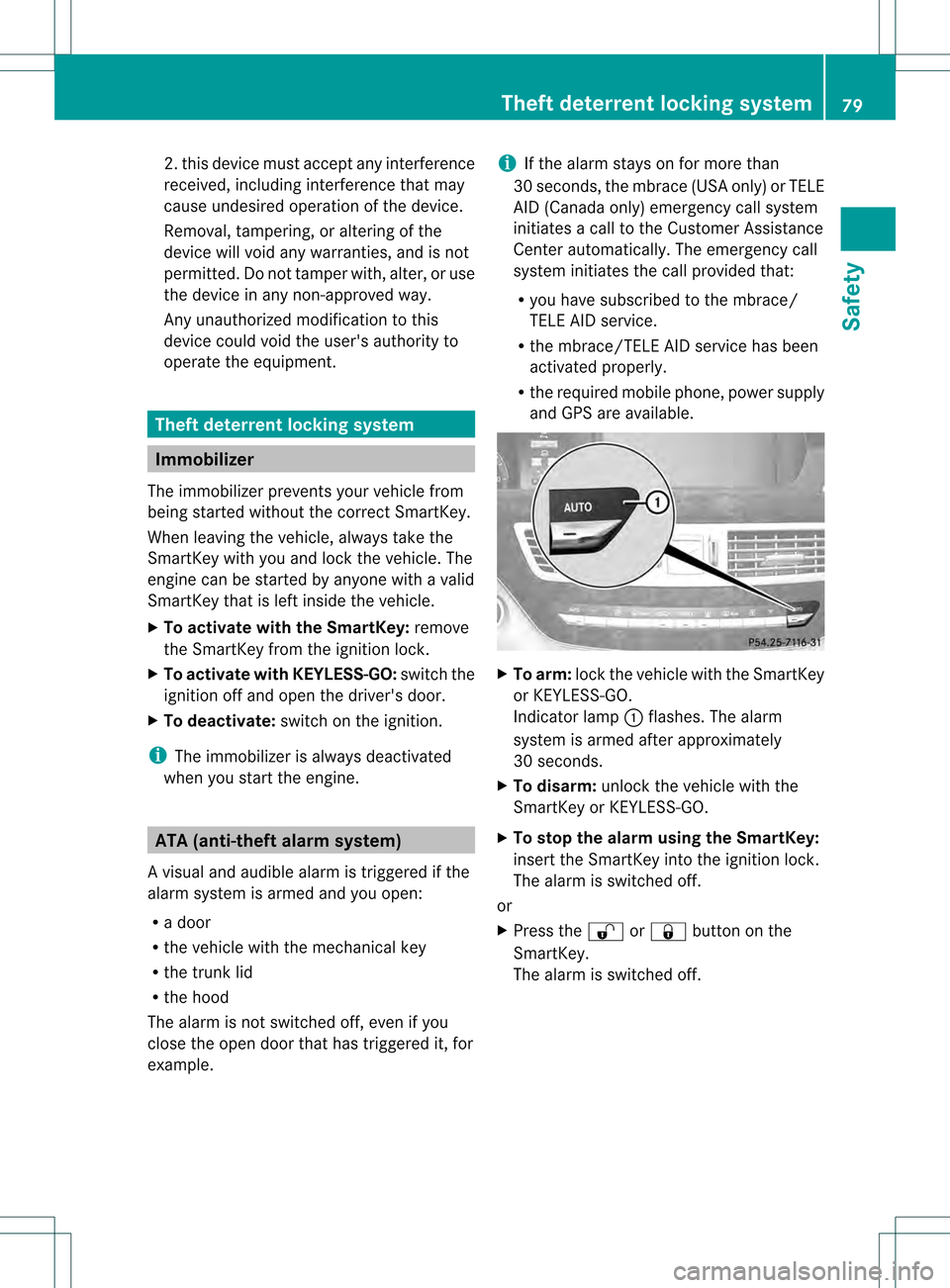
To arm: lock the vehicle with the SmartKey
or KEYLESS-GO.
Indicator lamp 0002flashes. The alarm
system is armed after approximately
30 seconds.
X To disarm: unlock the vehicle with the
SmartKey or KEYLESS-GO.
X To stop the alarm using the SmartKey:
insert the SmartKey into the ignition lock.
The alarm is switched off.
or
X Press the 000Bor0009 button on the
SmartKey.
The alarm is switched off. Theft deterrent locking system
79Safety Z
Page 290 of 542

Changing the front bulbs
High-bea mspot lamp (vehicles with
halogen daytime running lamps) X
Switch off the lights.
X Ope nthe hood.
X Turn housing cover 0002counter-clockwise
and pull it out.
X Turn bulb holder 0003counter-clockwise and
pull it out.
X Take the bulb out of bulb holder 0003.
X Insert the new bulb into bulb holder 0003.
X Insert bulb holder 0003.
Left-hand headlamp: cable outlet 0026must
be pointing up and to the right.
Right-hand headlamp: cable outlet 0026must
be pointing down and to the left.
X Turn bulb holder 0003clockwise.
Handle 0025of bulb holder 0003is horizontal.
X Align housing cover 0002and turn it
clockwise until it engages. High-beam spot lamp (vehicles with
LED-daytime running lamps)/infrared
light (Night View Assist Plus) Due to their location, have the bulbs in the
left-hand headlamp changed at a qualified
specialist workshop.
X Switch off the lights.
X Open the hood.
X Turn housing cover 0002counterclockwise
and pull it out.
X Turn bulb holder 0003counterclockwise and
pull it out.
X Push the two detents on the right and left
of bulb holder 0003and pull the bulb from
bulb holder 0003.
X Insert the new bulb into bulb holder 0003until
it engages.
X Insert bulb holder 0003into the guide in the
headlamp.
Cable outlet 0026must be pointing down and
to the right.
X Turn bulb holder 0003clockwise.
Cable outlet 0026must be pointing down and
to the left.
X Align housing cover 0002and turn it
clockwise until it engages. 288
Replacing bulbsLights and windshield wipers
Page 291 of 542

Windshield wipers
Switching the windshield wipers on/
off G
WARNING
Wiper blades are components that are subject
to wea rand tear. Replace the wipe rblades
twice a year, preferably in the spring and fall.
Otherwise the windshield will not be wiped
properly. As a result, you may not be able to
observe surrounding traffic conditions and
could cause an accident.
! Do not operate the windshield wipers
when the windshield is dry, as this could
damage the wiper blades. Moreover, dust
that has collected on the windshield can
scratch the glass if wiping takes place when
the windshield is dry.
! If the windshield wipers leave smears on
the windshield after the vehicle has been
washed in an automatic car wash, wax or
other residues may be the reason for this.
Clean the windshield using washer fluid
after washing the vehicle in an automatic
car wash. Combination switch
0005
000E Windshield wipers off
0006 0004 Intermittent wipe, low 14
0007 0005 Intermittent wipe, high 15
000B 0014 Continuous wipe, slow 000C
000F Continuous wipe, fast
0024 0005 Single wipe/ 0006To wipe the
windshield using washer fluid
X Switch on the ignition.
X Turn the combination switch to the
corresponding position.
! Intermittent wiping with rain sensor: due
to optical influences and the windshield
becoming dirty in dry weather conditions,
the windshield wipers may be activated
inadvertently. This could the ndamage the
windshield wiper blades or scratch the
windshield.
For this reason, you should always switch
off the windshield wipers in dry weather.
In the 0004or0005 position, the appropriate
wiping frequency is set automatically
according to the intensity of the rain. In
the 0005 position, the rain sensor is more
sensitive than in the 0004position, causing
the windshield wipers to wipe more
frequently. Replacing the wiper blades
Important safety notes G
WARNING
For safety reasons, switch off the windshield
wipers and remove the SmartKey from the
ignition loc kbefore changing the wiper blades
(vehicles with KEYLESS-GO: make sure that
the on-board electronics are in state 0).
Otherwise, the wiper motor could be switched
on suddenly and cause injury.
! Never open the hood if a windshield wiper
arm has been folded away from the
windshield.
Never fold a windshield wiper arm without
a wiper blade back onto the windshield.
14 Rain sensor set to low sensitivity.
15 Rain sensor set to high sensitivity. Windshield wipers
289Lights and windshield wipers Z
Page 292 of 542

Hold the windshield wiper arm firmly when
you change the wiper blade. If you release
the windshield wiper arm withou
tawiper
blade and it falls onto th ewindshield, the
windshield may be damaged by the force of
the impact.
Mercedes-Ben zrecommends that you have
the wiper blades replaced by aqualified
specialist workshop, e.g. at an authorized
Mercedes-Ben zCenter.
! Always position the windshield wiper
arms vertically before folding them away
from the windshield. By doing so, you will
avoid damage to the hood.
! To avoid damaging the wiper blades,
make sure that you touch only the wiper
arm of the wiper.
Changing the windshield wiper blades Moving the wiper blades to
avertical
position
Vehicles without KEYLESS-GO
X Turn the SmartKey to position 1or 2in the
ignitio nlock.
X Set the windshield wipers to
position 0014.
X When the wiper arms have reached a
vertical position, turn the SmartKey to
position 0and remove it from the ignition
lock.
Vehicles with KEYLESS-GO
X Switch off the engine.
X Remove your foot from the brake pedal.
X Set the windshield wipers to
position 0014.
X Press the Start/Stop button repeatedly
until the windshield wipers start.
X When the wiper arms have reached a
vertical position, press the Start/Stop
button. Removing the wiper blades
X
Fold the wiper arm away from the
windshield until it engages.
X Set the wiper blade at right angles to the
wiper arm. X
Remove the wiper blade from the retaining
pin on the wiper arm in the direction of the
arrow.
Installing the wiper blades
X Push the new wiper blade ontot he
retaining pin on the wiper arm in the
opposite direction to the arrow.
Make sure that the wiper blade slides fully
onto the retaining pin on the wiper arm.
X Turn the wiper blade parallel to the wiper
arm.
X Fold the wiper arm back onto the
windshield. Problems with the windshield wipers
The windshield wipers are obstructed Leaves or snow, for example, may be
obstructing the windshield wiper movement.
The wiper motor has been deactivated.
X
For safety reasons, you should remove the
SmartKey from the ignition lock.
or
X Switch off the engine using the Start/Stop
button and open the driver's door.
X Remove the cause of the obstruction.
X Switch the windshield wipers back on. 290
Windshield wipersLights and windshield wipers
Page 313 of 542
G
WARNING
If the engine is switched off and the ECO
symbol is show ningreen in the multifunction
display, the engine has been switched off
automatically. All of the vehicle's systems
remain active. If you open the door, unfasten
your seat belt or remove your foot from the
brake pedal, the engine will automatically
start. The vehicle may begi nmoving. You
could suffer serious or even fatal injury or
cause an accident resulting in injury or death.
Never leave the vehicle while the ECO symbol
in the multifunction display is shown in green
or yellow .Always secure the vehicle against
rolling away before leaving it.
! Always switch the ignition off and take the
key with you when leaving the vehicle.
Automatic engine switch-off The ECO start/stop function switches the
engine off automatically if the vehicle is
braked to a standstill and the brake remains
depressed with the transmission in position
D or N.
i You can still activate the HOLD function
when the vehicle is stationary, even if the
engine has been switched off
automatically. It is then not necessary to
continue applying the brakes during the
automatic stop phase. When you depress
the accelerator pedal, the engine starts
automatically and the braking effect of the
HOL Dfunction is deactivated. Depress the
accelerato rpedal carefully, as the engine
must be started first.
The engine is only switched off if:
R the outside temperature is within the range
which is suitable for the system.
R the engine is at normal operating
temperature.
R the set temperature for the vehicle interior
has been reached.
R the battery is sufficiently charged. R
the system detects that the windshield is
not fogged up when the air-conditioning
system is switched on.
R the hood is closed.
R no engine-relevant diagnostics are active.
R the driver's door is closed and the seat belt
is fastened.
Automatic engine start The engine is started automatically if you:
R
release the brake pedal when HOLD is not
activated and the transmission is in
position Dor N
R shift the transmission to position R
R depress the accelerator pedal
R switch off the ECO start/stop function or
switch to drive program Sor M
R unfasten your seat belt or open the driver's
door
The engine is also started automatically if:
R the vehicle starts to roll.
R the brake system requires this.
R the system detects moisture on the
windshield when the air-conditioning
system is switched on.
R the temperature in the vehicle interior
deviates from the set range.
R the charge level of the battery is too low.
Deactivating/activating the ECO start/
stop function General notes
You can deactivate and activate the ECO
start/stop function using COMAND
(Y
page 265).
i You can also use the programmable
button (Y page 124) to activate and
deactivate the ECO start/stop function if
you have assigned this function to the
button. Driving
311Driving and parking Z
Page 331 of 542
Engaging the electric parking brake
automatically If the HOLD function or DISTRONIC PLUS
brake the vehicle until it is stationary, the
electric parking brake is automatically
applied .Additionally, at least one of the
following conditions must be fulfilled:
R the engine is switched off.
R the driver's door is open and the seat belt
is not fastened.
R the hood is released.
R the trun klid is opened while the automatic
transmission is in position R.
R the vehicle is stationary for a lengthy
period.
The red 0005(USA only) or 000A(Canada
only) indicator lamp in the instrumen tcluster
lights up.
i In addition to the electric parking brake,
P may also be engaged automatically.
Releasing the electric parking brake
automatically The electric parking brake is released
automatically when the following conditions
are simultaneously fulfilled:
R the engine is running.
R the automatic transmission is in position
D or R.
R the hood is closed.
R your seat belt is fastened.
R you accelerate.
If the automatic transmission is in position
R, the trunk lid must be closed. If your seat belt is not fastened, the following
conditions must be fulfilled to automatically
release the electric parking brake:
R
the driver's door is closed.
R you have shifted out of Por you have
previously driven faster than 3 km/h.
R you have shifted out of Por you have
previously drive nfaster than 2mph
(3 km/h).
Emergency braking The vehicle can also be braked during an
emergency by using the electric parking
brake.
X
While driving, push handle 0002of the electric
parking brake (Y page 328).
i The vehicle is braked as long as you keep
the handle of the electric parking brake
pressed. The longer the electric parking
brake handle is depressed, the greater the
braking force.
During braking:
R a warning tone sounds.
R the Please Release Parking Brake message appears
R the red 0005(USA only) or 000A(Canada
only) indicator lamp in the instrument
cluster appears.
When the vehicle has been braked to a
standstill, the electric parking brake is
engaged. Parking the vehicle for
along period
If you leave the vehicle parked for longer than
four weeks, the battery may be damaged by
exhaustive discharging.
X Connecting a trickle charger.
i You can obtain information about trickle
chargers from a qualified specialist
workshop. Parking
329Driving and parking Z
Page 376 of 542
Useful information
i This Operator's Manual describes all
models and all standard and optional
equipment of your vehicle available at the
time of publication of the Operator's
Manual. Country-specific differences are
possible. Please note that your vehicle may
not be equipped with all features
described. This also applies to safety-
related systems and functions.
i Please read the information on qualified
specialist workshops (Y page 31).Important safety notes
You will find an illustration of the instrument
cluster in the "At a glance" section
(Y page 37). G
WARNING
The driver's concentration must always be
directed primarily at road traffic.
For your safety and the safety of others,
selecting features through the multifunction
steering wheel should only be done by the
driver when traffic and road conditions permit
it to be done safely.
Bear in mind that at a speed of only 30 mph
(approximately 50 km/h), the vehicle covers
a distance of 44 feet (approximately 14 m) per
second. G
WARNING
No messages will be displayed if either the
instrument cluster or the multifunction
display is inoperative.
As a result, you will not be able to see
information about your driving conditions,
such as
R speed
R outside temperature
R warning/indicato rlamps R
malfunction/warning messages
R failure of any systems
Driving characteristics may be impaired.
If you must continue to drive, do so with added
caution .Contactana uthorized Mercedes-
Ben zCenter as soon as possible. G
WARNING
HYBRID vehicles: It is imperative that you read
the HYBRID Supplemental Operating
Instructions included in your vehicle literature
portfolio. You may otherwise not receive all
necessary safety information and warning for
the operation of your vehicle. G
WARNING
Malfunction and warning messages are only
indicated for certain systems and are
intentionally not very detailed. The
malfunction and warning messages are
simply a reminder with respect to the
operation of certain systems. They do not
replace the owner's and/or driver's
responsibility to maintain the vehicle's
operating safety. Have all required
maintenance and safety checks performed on
the vehicle. Bring the vehicle to an authorized
Mercedes-Benz Center to address the
malfunction and warning messages. Displays and operation
Coolant temperature display
G
WARNING
Driving when your engine is overheated can
cause some fluids which may have leaked into
the engine compartment to catch fire. You
could be seriously burned.
Steam from an overheated engine can cause
serious burns which can occur just by opening
the engine hood. Stay away from the engine
if you see or hear steam coming from it.
Stop the vehicle in a safe location away from
other traffic. Turn off the engine, get out of the 374
Displays and operationOn-board computer and displays
Page 411 of 542
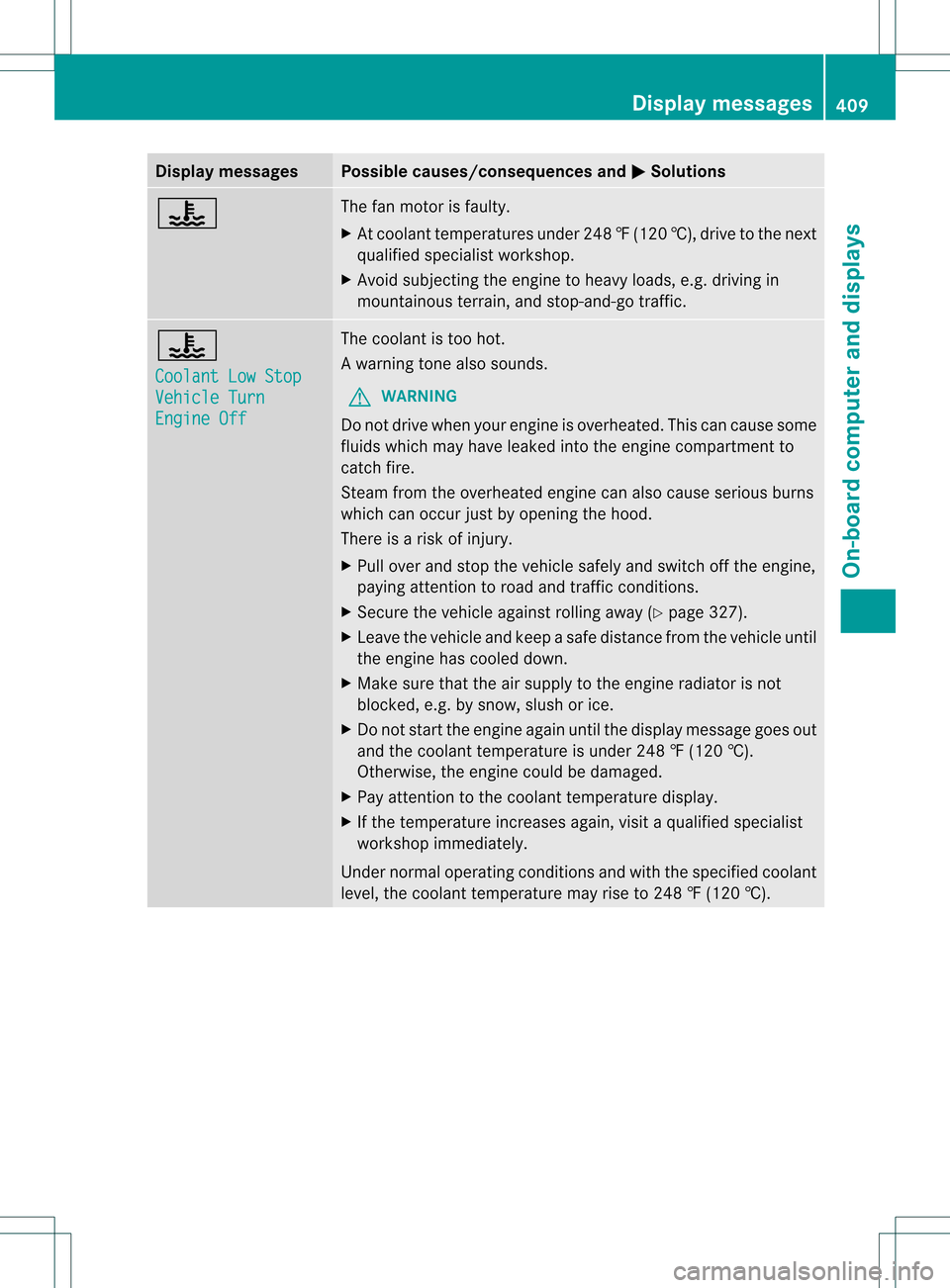
Display messages Possible causes/consequences and
0004 Solutions
000C The fan motor is faulty.
X
At coolan ttemperatures under 248 ‡(120 †), drive to the next
qualified specialist workshop.
X Avoid subjecting the engine to heavy loads, e.g. driving in
mountainous terrain, and stop-and-go traffic. 000C
Coolant Low Stop
Vehicle Turn
Engine Off The coolant is too hot.
Aw
arning tone also sounds.
G WARNING
Do no tdrive when youre ngine is overheated. Thi scan cause some
fluids which may have leaked into the engine compartmen tto
catch fire.
Stea mfrom the overheated engine can also cause serious burns
which can occur just by opening the hood.
There is a risk of injury.
X Pull over and stop the vehicle safely and switch off the engine,
paying attention to road and traffic conditions.
X Secure the vehicle against rolling away (Y page 327).
X Leave the vehicle and keep a safe distance from the vehicle until
the engine has cooled down.
X Make sure that the air supply to the engine radiator is not
blocked, e.g. by snow, slush or ice.
X Do not start the engine again until the display message goes out
and the coolant temperature is under 248 ‡ (120 †).
Otherwise, the engine could be damaged.
X Pay attention to the coolant temperature display.
X If the temperature increases again, visit a qualified specialist
workshop immediately.
Under normal operating conditions and with the specified coolant
level, the coolant temperature may rise to 248 ‡ (120 †). Display messages
409On-board computer and displays Z