lock MERCEDES-BENZ S-Class 2014 W222 Comand Manual
[x] Cancel search | Manufacturer: MERCEDES-BENZ, Model Year: 2014, Model line: S-Class, Model: MERCEDES-BENZ S-Class 2014 W222Pages: 278, PDF Size: 6.65 MB
Page 229 of 278
Picture viewer
General notes
If there are pictures on the active data
medium, you can view them on the COMAND
display.
R Data medium: MEDIA REGISTER, CD,
DVD, USB devices, SD memory cards
R Supported image formats: jpeg, jpg,
bmp, png
R Maximum image resolution:
20 megapixels
i It is not possible to view a picture from
the driver's side while the vehicle is in
motion. Displaying pictures
X In the media basic display, press the
controller.
The Search Search with a category list appears.
X To select Photos
Photos in the category list: turn
and press the controller.
A directory list appears. Folders and picture
files can be shown.
X Select a folder or picture.
If there is no picture on the data medium,
an empty list is shown.
You can search for pictures on other data
media.
Searching for pictures on other data
media
X In the directory list, slide
00950052 the controller.
The device list appears.
X To select a data medium with picture files:
turn the controller and press to confirm.
A directory list appears. Folders and picture
files can be shown.
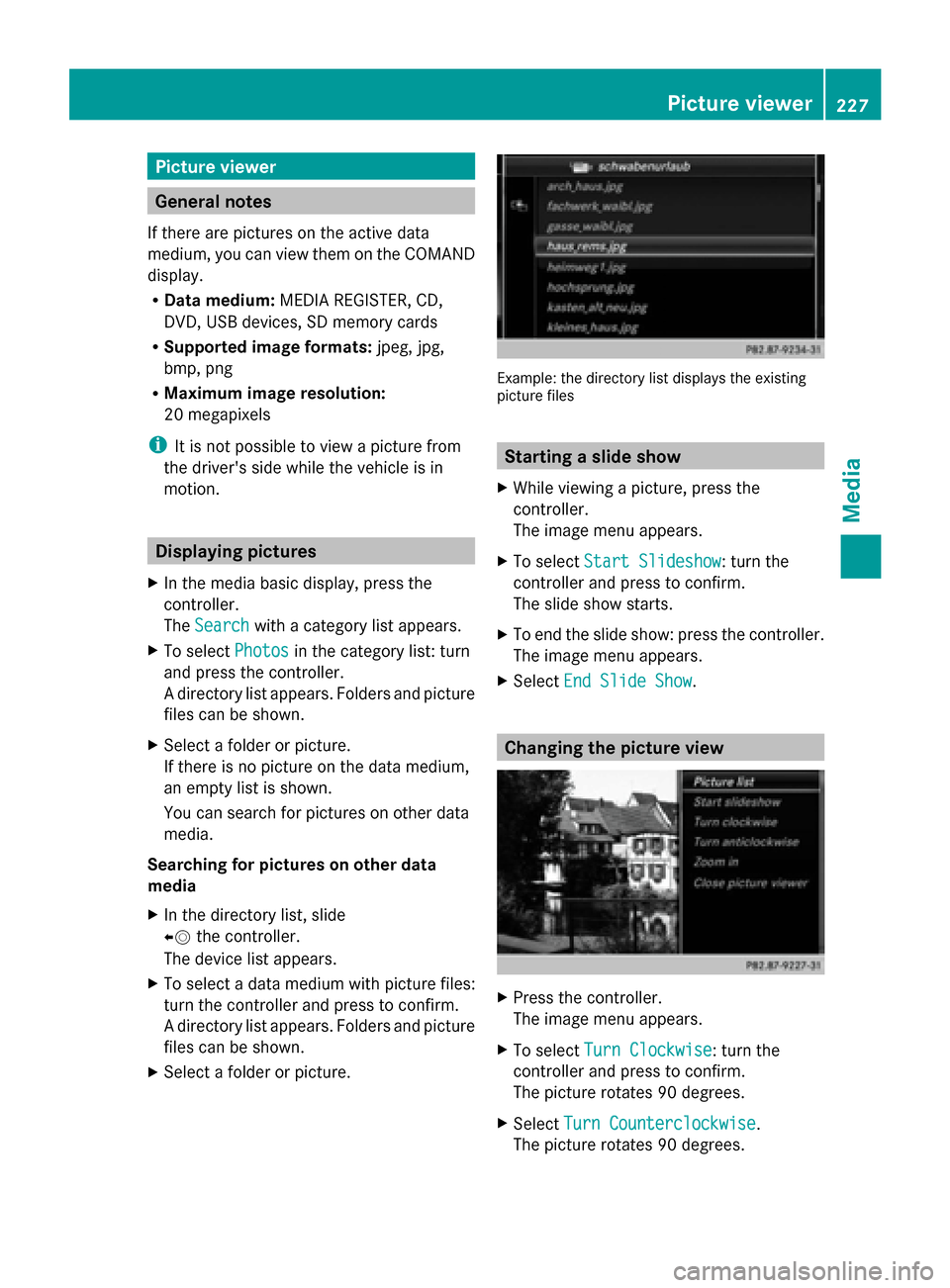
X Select a folder or picture. Example: the directory list displays the existing
picture files
Starting a slide show
X While viewing a picture, press the
controller.
The image menu appears.
X To select Start Slideshow Start Slideshow: turn the
controller and press to confirm.
The slide show starts.
X To end the slide show: press the controller.
The image menu appears.
X Select End Slide Show End Slide Show. Changing the picture view
X
Press the controller.
The image menu appears.
X To select Turn Clockwise Turn Clockwise: turn the
controller and press to confirm.
The picture rotates 90 degrees.
X Select Turn Counterclockwise Turn Counterclockwise.
The picture rotates 90 degrees. Picture viewer
227Media Z
Page 242 of 278
Your COMAND equipment
These operating instructions describe all
standard and optional equipment available
for your COMAND system at the time of
purchase. Country-specific differences are
possible. Please note that your
COMAND system may not be equipped with
all the features described. This also applies to
safety-relevant systems and functions.
Therefore, the equipment on your COMAND
system may differ from that in the
descriptions and illustrations. Should you
have any questions concerning equipment
and operation, please consult an authorized
Mercedes-Benz Center. Rear Seat Entertainment System
overview Important safety notes
G
WARNING
The CD/DVD drive is a class 1 laser product.
If you open the CD/DVD drive housing, you
could be exposed to invisible laser radiation.
This laser radiation could damage your retina.
There is a risk of injury.
Never open the housing. Always have
maintenance and repair work carried out at a
qualified specialist workshop. G
WARNING
If objects such as headphones/headsets or
external audio/video sources are not secured
in the passenger compartment, they can be
flung around and hit vehicle occupants. There
is a risk of injury, for example in the event of
sudden braking or a sudden change in
direction.
Always stow these items or similar objects
carefully so that they cannot be flung around,
for example in a lockable vehicle stowage
compartment. Components
The Rear Seat Entertainment System
includes:
R two screens for the rear behind the front-
seat head restraints
R two remote controls for the rear
compartment
R a CD/DVD drive in the rear compartment
R AUX jacks
R two USB ports
R two sets of cordless headphones General notes
R You can only adjust the volume for the
headphones supplied, directly on the
headphones.
R If media from different sources are used,
they can be used separately from each of
the operating positions. Example: a film
from the DVD drive is played on the rear
right-hand operating position. This means
that another film from the same DVD
cannot be played separately on the rear
left-hand operating position. However, on
the rear left-hand operating position, it is
possible to use the radio, TV, memory card,
MUSIC REGISTER, media interface, USB,
online and Internet functions or AUX.
R If you use the same medium on both sides,
you can both carry out the respective
settings. The "last one wins" principle
applies here, i.e. the last setting activated
is favored.
R The Internet can be used separately at all
operating positions.
R The Internet can only be used if it is set up
and connected via a telephone
(Y page 158). 240
Rea
r Seat Entertainment System overviewRear Seat Entertainment System
Page 244 of 278
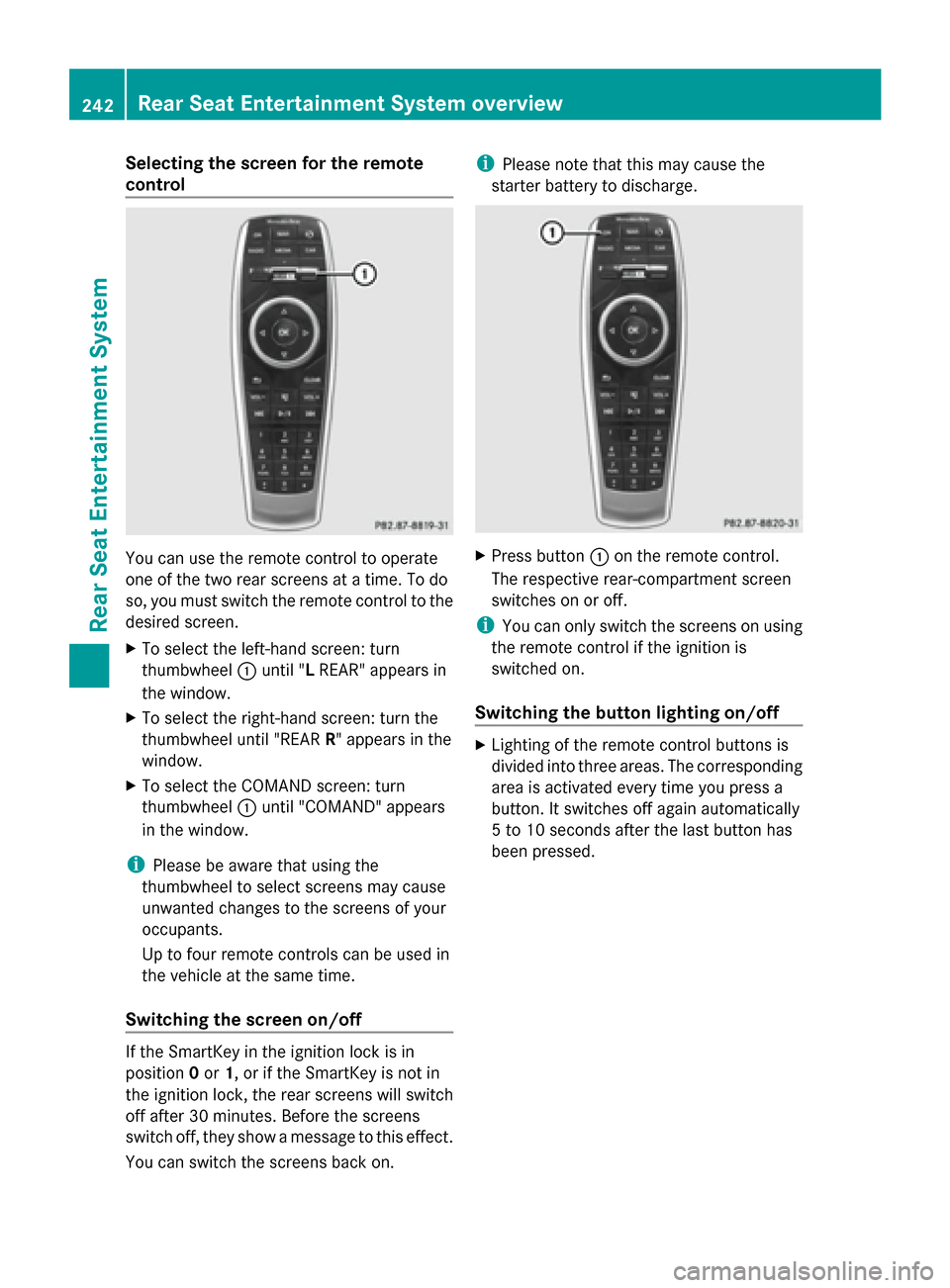
Selecting the screen for the remote
control
You can use the remote control to operate
one of the two rear screens at a time. To do
so, you must switch the remote control to the
desired screen.
X To select the left-hand screen: turn
thumbwheel 0043until "L REAR" appears in
the window.
X To select the right-hand screen: turn the
thumbwheel until "REAR R" appears in the
window.
X To select the COMAND screen: turn
thumbwheel 0043until "COMAND" appears
in the window.
i Please be aware that using the
thumbwheel to select screens may cause
unwanted changes to the screens of your
occupants.
Up to four remote controls can be used in
the vehicle at the same time.
Switching the screen on/off If the SmartKey in the ignition lock is in
position 0or 1, or if the SmartKey is not in
the ignition lock, the rear screens will switch
off after 30 minutes. Before the screens
switch off, they show a message to this effect.
You can switch the screens back on. i
Please note that this may cause the
starter battery to discharge. X
Press button 0043on the remote control.
The respective rear-compartment screen
switches on or off.
i You can only switch the screens on using
the remote control if the ignition is
switched on.
Switching the button lighting on/off X
Lighting of the remote control buttons is
divided into three areas. The corresponding
area is activated every time you press a
button. It switches off again automatically
5 to 10 seconds after the last button has
been pressed. 242
Rear Seat Entertainment System overviewRear Seat Entertainment System
Page 250 of 278
0085
Retaining lugs
0083 Batteries
The remote control contains two type AAA,
1.5 V batteries.
X To open the battery compartment:
remove battery compartment cover 0087on
the back of the remote control.
X Push catch tab 0044down and take off
battery compartment cover 0087.
X Remove discharged batteries 0083from the
tray.
X Insert the new batteries. Observe the
polarity markings on the batteries and
battery compartment when doing so.
Left-hand battery: the positive pole (+)
must face upwards.
Right-hand battery: the positive pole (+)
must face downwards.
X To close the battery compartment:
insert battery compartment cover 0087
starting with retaining lugs 0085into the
battery compartment and allow catch
tab 0044to engage in place.
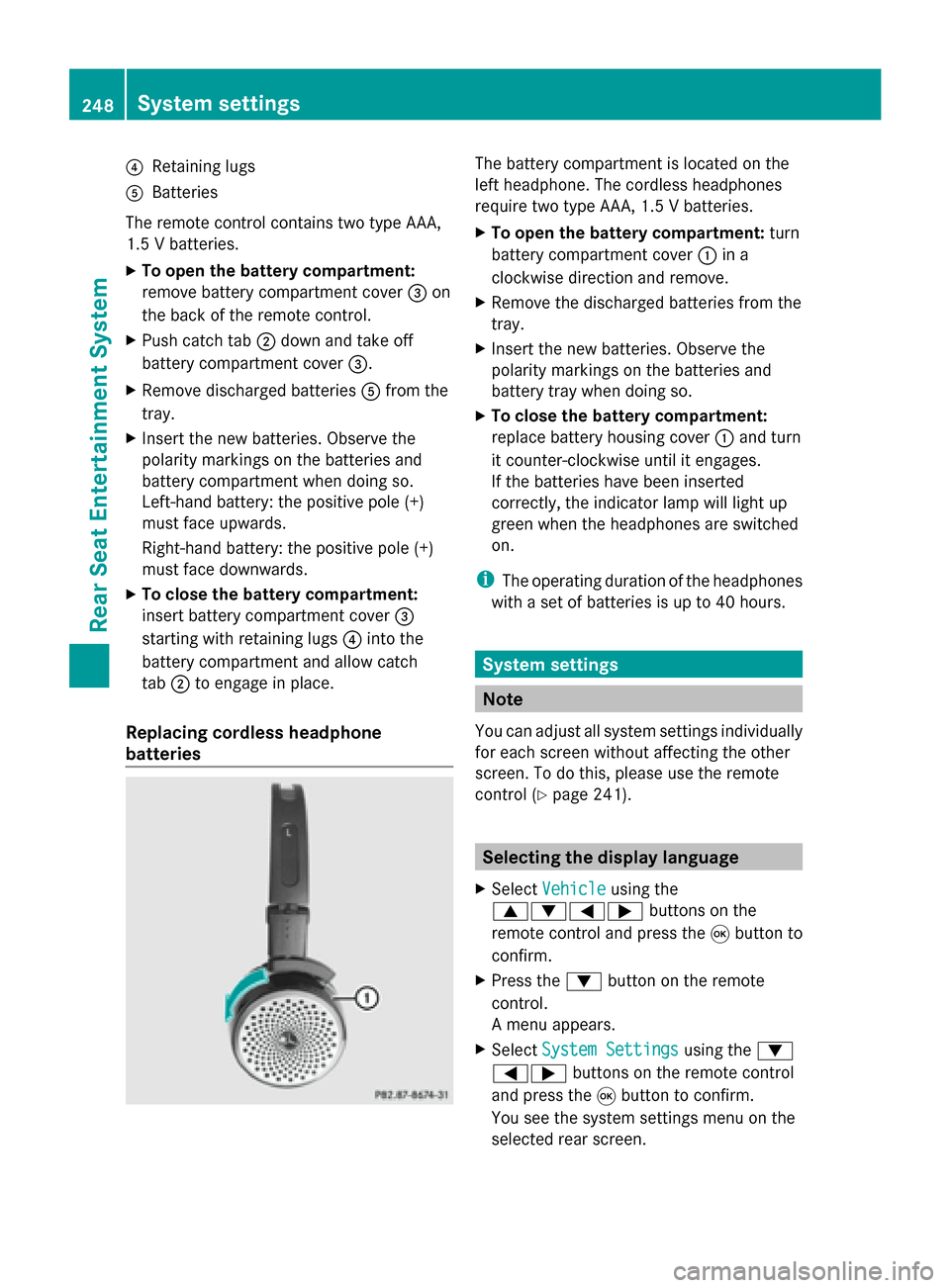
Replacing cordless headphone
batteries The battery compartment is located on the
left headphone. The cordless headphones
require two type AAA, 1.5 V batteries.
X To open the battery compartment: turn
battery compartment cover 0043in a
clockwise direction and remove.
X Remove the discharged batteries from the
tray.
X Insert the new batteries. Observe the
polarity markings on the batteries and
battery tray when doing so.
X To close the battery compartment:
replace battery housing cover 0043and turn
it counter-clockwise until it engages.
If the batteries have been inserted
correctly, the indicator lamp will light up
green when the headphones are switched
on.
i The operating duration of the headphones
with a set of batteries is up to 40 hours. System settings
Note
You can adjust all system settings individually
for each screen without affecting the other
screen. To do this, please use the remote
control (Y page 241). Selecting the display language
X Select Vehicle Vehicle using the
006300640059 buttons on the
remote control and press the 008Bbutton to
confirm.
X Press the 0064button on the remote
control.
A menu appears.
X Select System Settings System Settings using the0064
00590065 buttons on the remote control
and press the 008Bbutton to confirm.
You see the system settings menu on the
selected rear screen. 248
System settingsRea
r Seat Entertainment System
Page 253 of 278
X
Changing vehicle settings: select
Vehicle
Vehicle using the 006300590065 buttons
on the remote control and press the 008B
button to confirm.
You will see a menu with the available
vehicle functions.
X Select Vehicle Settings
Vehicle Settings orSeat Seat
Settings
Settings using the buttons 00590065.
X Press button 008Bon the remote control.
Further information on seat settings
(Y page 55).
Further information on panel heating
(Y page 52).
i The panel heating in the rear
compartment is available if the key in the
ignition lock is in position 1or 2. Navitainment
Navigation mode
Navigation functions such as the compass
can be used in the rear compartment.
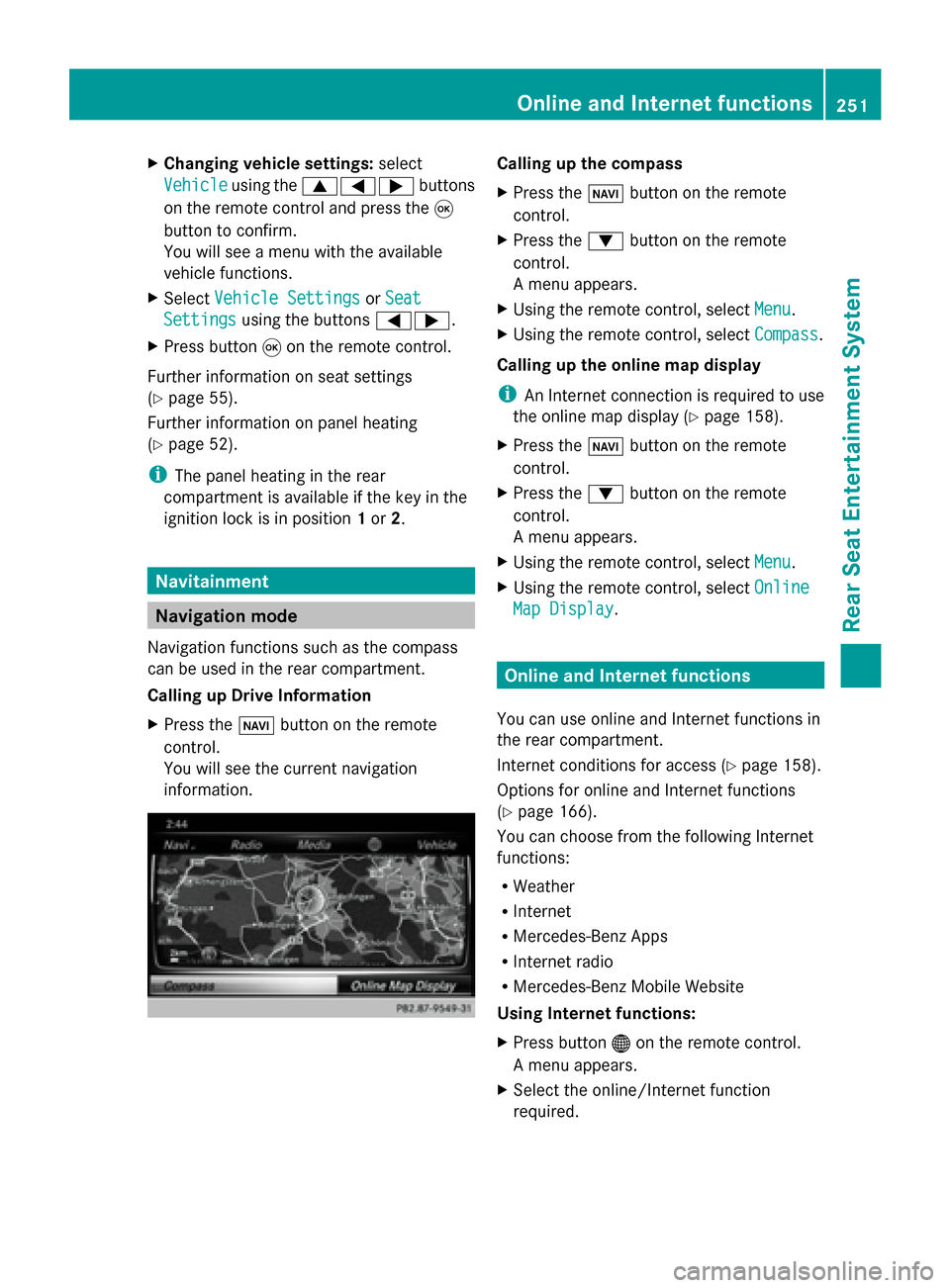
Calling up Drive Information
X Press the 00BEbutton on the remote
control.
You will see the current navigation
information. Calling up the compass
X
Press the 00BEbutton on the remote
control.
X Press the 0064button on the remote
control.
A menu appears.
X Using the remote control, select Menu Menu.
X Using the remote control, select Compass
Compass.
Calling up the online map display
i An Internet connection is required to use
the online map display (Y page 158).
X Press the 00BEbutton on the remote
control.
X Press the 0064button on the remote
control.
A menu appears.
X Using the remote control, select Menu Menu.
X Using the remote control, select Online
Online
Map Display
Map Display. Online and Internet functions
You can use online and Internet functions in
the rear compartment.
Internet conditions for access (Y page 158).
Options for online and Internet functions
(Y page 166).
You can choose from the following Internet
functions:
R Weather
R Internet
R Mercedes-Benz Apps
R Internet radio
R Mercedes-Benz Mobile Website
Using Internet functions:
X Press button 00A7on the remote control.
A menu appears.
X Select the online/Internet function
required. Online and Internet functions
251Rear Seat Entertainment System Z
Page 258 of 278
see a corresponding display in the display/
selection window.
i If you switch the data carrier which you
are currently listening to, the Normal
Normal
Track Sequence
Track Sequence option is activated
automatically. If an option is selected, it
remains selected after the system is
switched on or off. Switching track information on/off
If the function is switched on, the information
saved in the audio files, such as track, artist
or album, will be shown (if available).
If the function is switched off, the names of
the files and folders on the disc are shown.
X Select Options
Options using the 006400590065
buttons and press the 008Bbutton to confirm.
X Select Display Track Information
Display Track Information
using the 00630064 buttons and press the
008B button to confirm.
The function is switched on 0073or off 0053,
depending on the previous status. Video DVD mode
Important safety notes
G
WARNING
The CD/DVD drive is a class 1 laser product.
If you open the CD/DVD drive housing, you
could be exposed to invisible laser radiation.
This laser radiation could damage your retina.
There is a risk of injury.
Never open the housing. Always have
maintenance and repair work carried out at a
qualified specialist workshop. General notes
DVD playback conditions Playback problems may occur when playing
copied discs. There is a large variety of discs,
DVD authoring software, writing software and writers available. This variety means that
there is no guarantee that the system will be
able to play video DVDs you have copied
yourself.
Further information (Y
page 221).
Function restrictions Depending on the DVD, certain functions or
actions may be temporarily blocked or not
function at all. As soon as you try to activate
these functions, you will see the
0047symbol
in the display. Switching to video DVD mode
X Insert a video DVD (Y page 244).
The system loads the disc.
If disc mode was the last mode selected, it
will now be active.
X Manually switch to video DVD mode:
repeatedly press the 00FDbutton on the
remote control until the video DVD mode is
switched on.
If the video DVD fulfills the playback
criteria, the film starts automatically or the
DVD menu appears. If the DVD menu
appears, you must start the film manually.
X Select the corresponding menu item in the
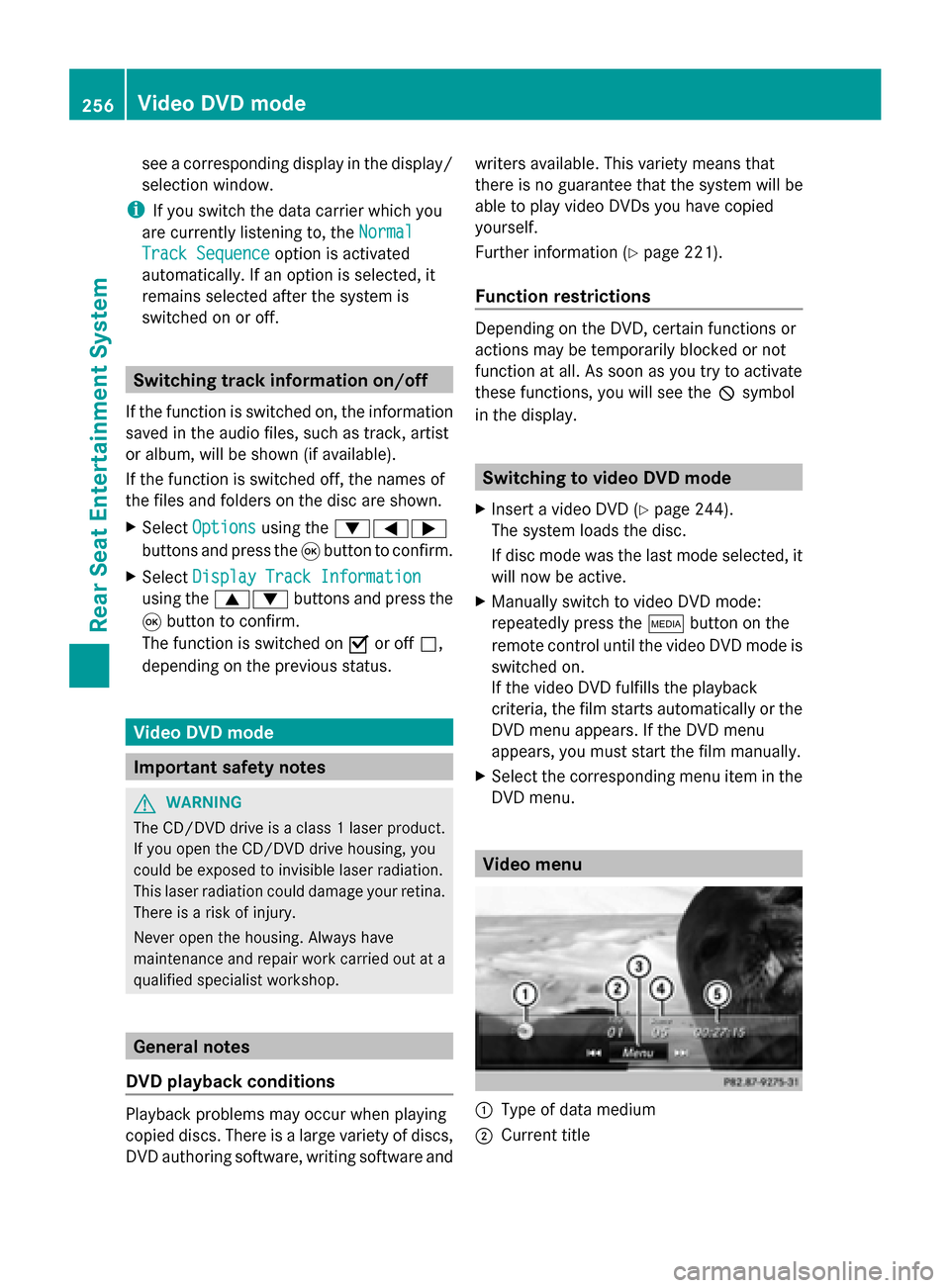
DVD menu. Video menu
0043
Type of data medium
0044 Current title 256
Video DVD modeRear Seat Entertainment System