tow MERCEDES-BENZ S-Class 2014 W222 Owner's Guide
[x] Cancel search | Manufacturer: MERCEDES-BENZ, Model Year: 2014, Model line: S-Class, Model: MERCEDES-BENZ S-Class 2014 W222Pages: 434, PDF Size: 29.51 MB
Page 189 of 434
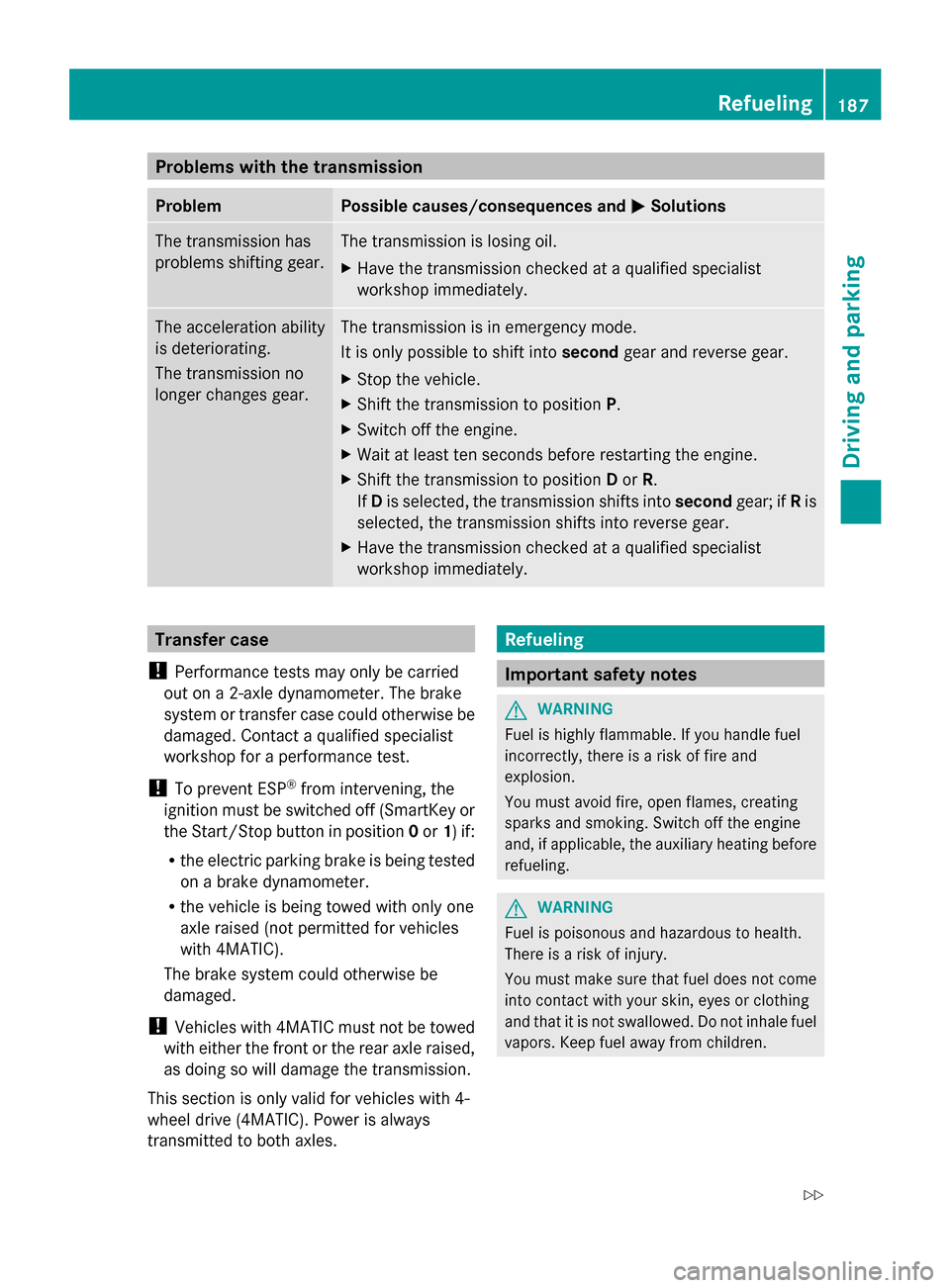
Problems with the transmission
Problem Possible causes/consequences and
0050
0050Solutions The transmission has
problems shifting gear. The transmission is losing oil.
X
Have the transmission checked at a qualified specialist
workshop immediately. The acceleration ability
is deteriorating.
The transmission no
longer changes gear. The transmission is in emergency mode.
It is only possible to shift into
secondgear and reverse gear.
X Stop the vehicle.
X Shift the transmission to position P.
X Switch off the engine.
X Wait at least ten seconds before restarting the engine.
X Shift the transmission to position Dor R.
If D is selected, the transmission shifts into secondgear; ifRis
selected, the transmission shifts into reverse gear.
X Have the transmission checked at a qualified specialist
workshop immediately. Transfer case
! Performance tests may only be carried
out on a 2-axle dynamometer. The brake
system or transfer case could otherwise be
damaged. Contact a qualified specialist
workshop for a performance test.
! To prevent ESP ®
from intervening, the
ignition must be switched off (SmartKey or
the Start/Stop button in position 0or 1) if:
R the electric parking brake is being tested
on a brake dynamometer.
R the vehicle is being towed with only one
axle raised (not permitted for vehicles
with 4MATIC).
The brake system could otherwise be
damaged.
! Vehicles with 4MATIC must not be towed
with either the front or the rear axle raised,
as doing so will damage the transmission.
This section is only valid for vehicles with 4-
wheel drive (4MATIC). Power is always
transmitted to both axles. Refueling
Important safety notes
G
WARNING
Fuel is highly flammable. If you handle fuel
incorrectly, there is a risk of fire and
explosion.
You must avoid fire, open flames, creating
sparks and smoking. Switch off the engine
and, if applicable, the auxiliary heating before
refueling. G
WARNING
Fuel is poisonous and hazardous to health.
There is a risk of injury.
You must make sure that fuel does not come
into contact with your skin, eyes or clothing
and that it is not swallowed. Do not inhale fuel
vapors. Keep fuel away from children. Refueling
187Driving and parking
Z
Page 193 of 434
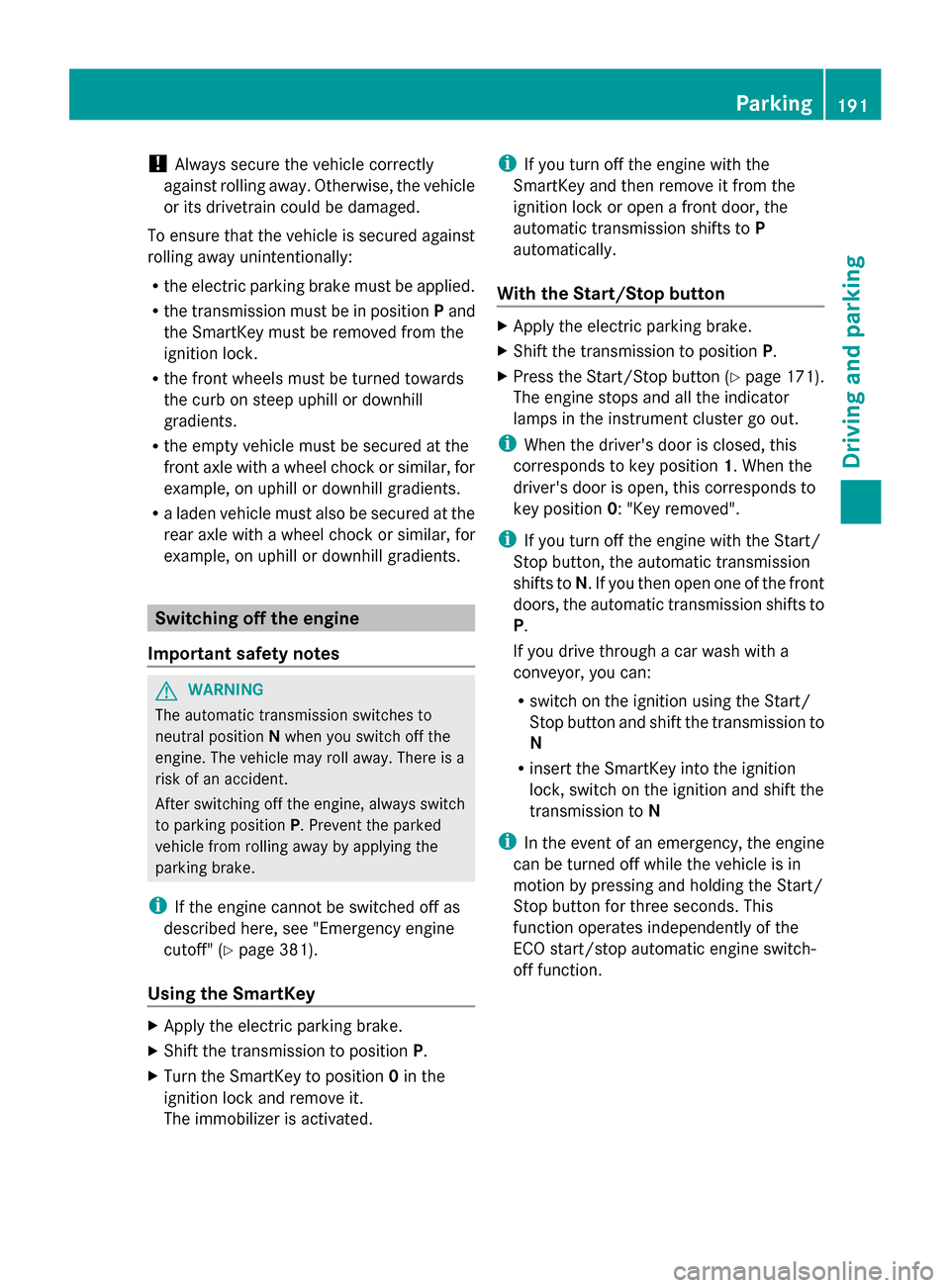
!
Always secure the vehicle correctly
against rolling away. Otherwise, the vehicle
or its drivetrain could be damaged.
To ensure that the vehicle is secured against
rolling away unintentionally:
R the electric parking brake must be applied.
R the transmission must be in position Pand
the SmartKey must be removed from the
ignition lock.
R the front wheels must be turned towards
the curb on steep uphill or downhill
gradients.
R the empty vehicle must be secured at the
front axle with a wheel chock or similar, for
example, on uphill or downhill gradients.
R a laden vehicle must also be secured at the
rear axle with a wheel chock or similar, for
example, on uphill or downhill gradients. Switching off the engine
Important safety notes G
WARNING
The automatic transmission switches to
neutral position Nwhen you switch off the
engine. The vehicle may roll away. There is a
risk of an accident.
After switching off the engine, always switch
to parking position P. Prevent the parked
vehicle from rolling away by applying the
parking brake.
i If the engine cannot be switched off as
described here, see "Emergency engine
cutoff" (Y page 381).
Using the SmartKey X
Apply the electric parking brake.
X Shift the transmission to position P.
X Turn the SmartKey to position 0in the
ignition lock and remove it.
The immobilizer is activated. i
If you turn off the engine with the
SmartKey and then remove it from the
ignition lock or open a front door, the
automatic transmission shifts to P
automatically.
With the Start/Stop button X
Apply the electric parking brake.
X Shift the transmission to position P.
X Press the Start/Stop button (Y page 171).
The engine stops and all the indicator
lamps in the instrument cluster go out.
i When the driver's door is closed, this
corresponds to key position 1. When the
driver's door is open, this corresponds to
key position 0: "Key removed".
i If you turn off the engine with the Start/
Stop button, the automatic transmission
shifts to N. If you then open one of the front
doors, the automatic transmission shifts to
P.
If you drive through a car wash with a
conveyor, you can:
R switch on the ignition using the Start/
Stop button and shift the transmission to
N
R insert the SmartKey into the ignition
lock, switch on the ignition and shift the
transmission to N
i In the event of an emergency, the engine
can be turned off while the vehicle is in
motion by pressing and holding the Start/
Stop button for three seconds. This
function operates independently of the
ECO start/stop automatic engine switch-
off function. Parking
191Driving and parking Z
Page 199 of 434
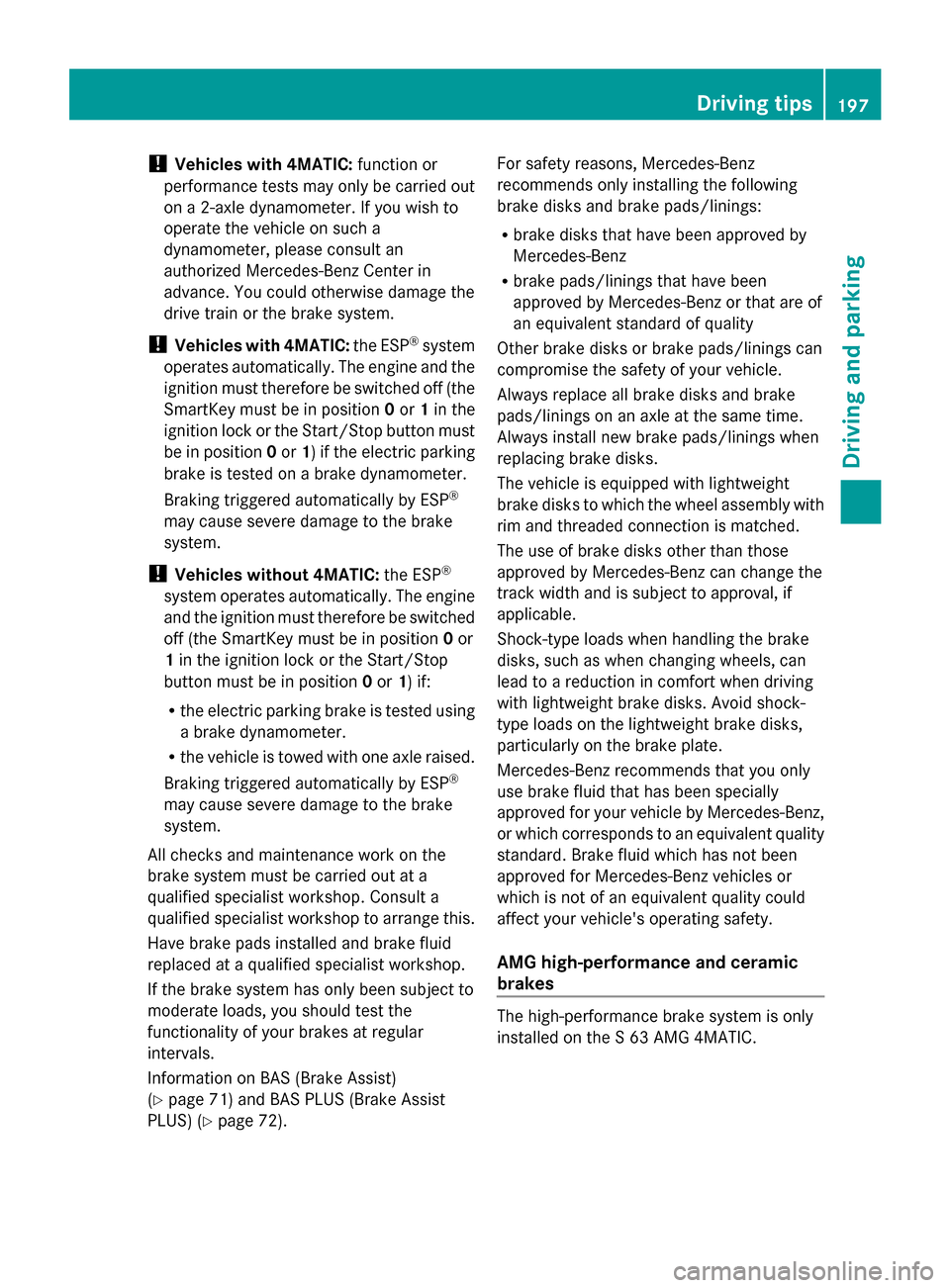
!
Vehicles with 4MATIC: function or
performance tests may only be carried out
on a 2-axle dynamometer. If you wish to
operate the vehicle on such a
dynamometer, please consult an
authorized Mercedes-Benz Center in
advance. You could otherwise damage the
drive train or the brake system.
! Vehicles with 4MATIC: the ESP®
system
operates automatically. The engine and the
ignition must therefore be switched off (the
SmartKey must be in position 0or 1in the
ignition lock or the Start/Stop button must
be in position 0or 1) if the electric parking
brake is tested on a brake dynamometer.
Braking triggered automatically by ESP ®
may cause severe damage to the brake
system.
! Vehicles without 4MATIC: the ESP®
system operates automatically. The engine
and the ignition must therefore be switched
off (the SmartKey must be in position 0or
1 in the ignition lock or the Start/Stop
button must be in position 0or 1) if:
R the electric parking brake is tested using
a brake dynamometer.
R the vehicle is towed with one axle raised.
Braking triggered automatically by ESP ®
may cause severe damage to the brake
system.
All checks and maintenance work on the
brake system must be carried out at a
qualified specialist workshop. Consult a
qualified specialist workshop to arrange this.
Have brake pads installed and brake fluid
replaced at a qualified specialist workshop.
If the brake system has only been subject to
moderate loads, you should test the
functionality of your brakes at regular
intervals.
Information on BAS (Brake Assist)
(Y page 71) and BAS PLUS (Brake Assist
PLUS) (Y page 72). For safety reasons, Mercedes-Benz
recommends only installing the following
brake disks and brake pads/linings:
R
brake disks that have been approved by
Mercedes-Benz
R brake pads/linings that have been
approved by Mercedes-Benz or that are of
an equivalent standard of quality
Other brake disks or brake pads/linings can
compromise the safety of your vehicle.
Always replace all brake disks and brake
pads/linings on an axle at the same time.
Always install new brake pads/linings when
replacing brake disks.
The vehicle is equipped with lightweight
brake disks to which the wheel assembly with
rim and threaded connection is matched.
The use of brake disks other than those
approved by Mercedes-Benz can change the
track width and is subject to approval, if
applicable.
Shock-type loads when handling the brake
disks, such as when changing wheels, can
lead to a reduction in comfort when driving
with lightweight brake disks. Avoid shock-
type loads on the lightweight brake disks,
particularly on the brake plate.
Mercedes-Benz recommends that you only
use brake fluid that has been specially
approved for your vehicle by Mercedes-Benz,
or which corresponds to an equivalent quality
standard. Brake fluid which has not been
approved for Mercedes-Benz vehicles or
which is not of an equivalent quality could
affect your vehicle's operating safety.
AMG high-performance and ceramic
brakes The high-performance brake system is only
installed on the S 63 AMG 4MATIC. Driving tips
197Driving and parking Z
Page 201 of 434
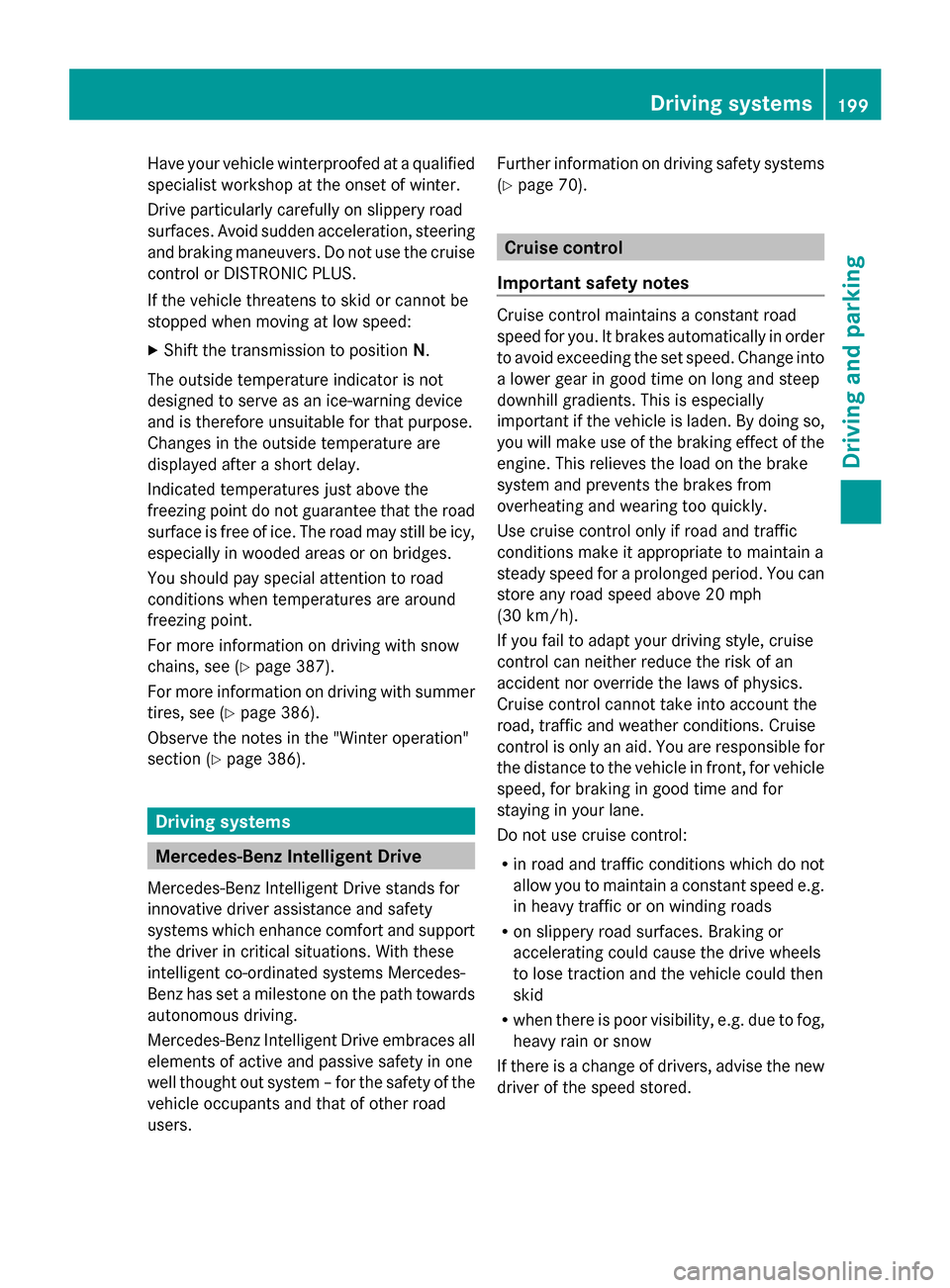
Have your vehicle winterproofed at a qualified
specialist workshop at the onset of winter.
Drive particularly carefully on slippery road
surfaces. Avoid sudden acceleration, steering
and braking maneuvers. Do not use the cruise
control or DISTRONIC PLUS.
If the vehicle threatens to skid or cannot be
stopped when moving at low speed:
X Shift the transmission to position N.
The outside temperature indicator is not
designed to serve as an ice-warning device
and is therefore unsuitable for that purpose.
Changes in the outside temperature are
displayed after a short delay.
Indicated temperatures just above the
freezing point do not guarantee that the road
surface is free of ice. The road may still be icy,
especially in wooded areas or on bridges.
You should pay special attention to road
conditions when temperatures are around
freezing point.
For more information on driving with snow
chains, see (Y page 387).
For more information on driving with summer
tires, see (Y page 386).
Observe the notes in the "Winter operation"
section (Y page 386). Driving systems
Mercedes-Benz Intelligent Drive
Mercedes-Benz Intelligent Drive stands for
innovative driver assistance and safety
systems which enhance comfort and support
the driver in critical situations. With these
intelligent co-ordinated systems Mercedes-
Benz has set a milestone on the path towards
autonomous driving.
Mercedes-Benz Intelligent Drive embraces all
elements of active and passive safety in one
well thought out system – for the safety of the
vehicle occupants and that of other road
users. Further information on driving safety systems
(Y page 70). Cruise control
Important safety notes Cruise control maintains a constant road
speed for you. It brakes automatically in order
to avoid exceeding the set speed. Change into
a lower gear in good time on long and steep
downhill gradients. This is especially
important if the vehicle is laden. By doing so,
you will make use of the braking effect of the
engine. This relieves the load on the brake
system and prevents the brakes from
overheating and wearing too quickly.
Use cruise control only if road and traffic
conditions make it appropriate to maintain a
steady speed for a prolonged period. You can
store any road speed above 20 mph
(30 km/h).
If you fail to adapt your driving style, cruise
control can neither reduce the risk of an
accident nor override the laws of physics.
Cruise control cannot take into account the
road, traffic and weather conditions. Cruise
control is only an aid. You are responsible for
the distance to the vehicle in front, for vehicle
speed, for braking in good time and for
staying in your lane.
Do not use cruise control:
R in road and traffic conditions which do not
allow you to maintain a constant speed e.g.
in heavy traffic or on winding roads
R on slippery road surfaces. Braking or
accelerating could cause the drive wheels
to lose traction and the vehicle could then
skid
R when there is poor visibility, e.g. due to fog,
heavy rain or snow
If there is a change of drivers, advise the new
driver of the speed stored. Driving systems
199Driving and parking Z
Page 202 of 434
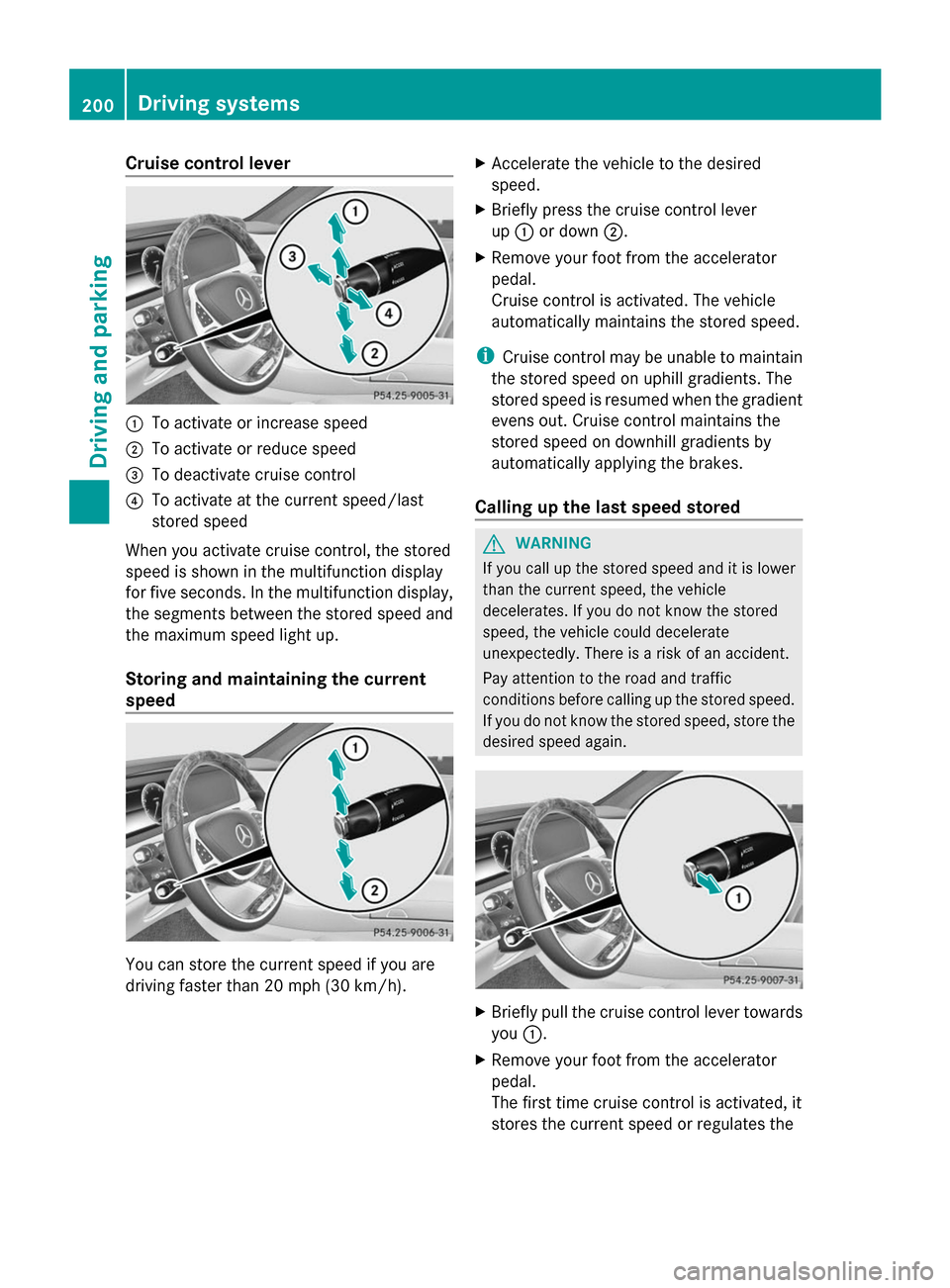
Cruise control lever
0043
To activate or increase speed
0044 To activate or reduce speed
0087 To deactivate cruise control
0085 To activate at the current speed/last
stored speed
When you activate cruise control, the stored
speed is shown in the multifunction display
for five seconds. In the multifunction display,
the segments between the stored speed and
the maximum speed light up.
Storing and maintaining the current
speed You can store the current speed if you are
driving faster than 20 mph (30 km/h). X
Accelerate the vehicle to the desired
speed.
X Briefly press the cruise control lever
up 0043 or down 0044.
X Remove your foot from the accelerator
pedal.
Cruise control is activated. The vehicle
automatically maintains the stored speed.
i Cruise control may be unable to maintain
the stored speed on uphill gradients. The
stored speed is resumed when the gradient
evens out. Cruise control maintains the
stored speed on downhill gradients by
automatically applying the brakes.
Calling up the last speed stored G
WARNING
If you call up the stored speed and it is lower
than the current speed, the vehicle
decelerates. If you do not know the stored
speed, the vehicle could decelerate
unexpectedly. There is a risk of an accident.
Pay attention to the road and traffic
conditions before calling up the stored speed.
If you do not know the stored speed, store the
desired speed again. X
Briefly pull the cruise control lever towards
you 0043.
X Remove your foot from the accelerator
pedal.
The first time cruise control is activated, it
stores the current speed or regulates the 200
Driving systemsDriving and parking
Page 205 of 434
!
If DISTRONIC PLUS or the HOLD function
is activated, the vehicle brakes
automatically in certain situations. To
prevent damage to the vehicle, deactivate
DISTRONIC PLUS and the HOLD function in
the following or other similar situations:
R when towing the vehicle
R in the car wash
If you fail to adapt your driving style,
DISTRONIC PLUS can neither reduce the risk
of accident nor override the laws of physics.
DISTRONIC PLUS cannot take into account
the road, traffic and weather conditions.
DISTRONIC PLUS is only an aid. You are
responsible for the distance to the vehicle in
front, for vehicle speed, for braking in good
time and for staying in your lane.
Do not use DISTRONIC PLUS:
R in road and traffic conditions which do not
allow you to maintain a constant speed e.g.
in heavy traffic or on winding roads
R on slippery road surfaces. Braking or
accelerating could cause the drive wheels
to lose traction and the vehicle could then
skid
R when there is poor visibility, e.g. due to fog,
heavy rain or snow
DISTRONIC PLUS may not detect narrow
vehicles driving in front, e.g. motorcycles, or
vehicles driving on a different line.
In particular, the detection of obstacles can
be impaired if:
R dirt on the sensors or anything else
covering the sensors
R snow or heavy rain
R interference by other radar sources
R strong radar reflections, for example, in
parking garages
If DISTRONIC PLUS no longer detects a
vehicle in front, DISTRONIC PLUS may
unexpectedly accelerate the vehicle to the
stored speed. This speed may:
R
be too high if you are driving in a filter lane
or an exit lane
R be so high in the right lane that you pass
vehicles driving on the left (left-hand drive
countries)
R be so high in the left lane that you pass
vehicles driving on the right (right-hand
drive countries)
If there is a change of drivers, advise the new
driver of the speed stored.
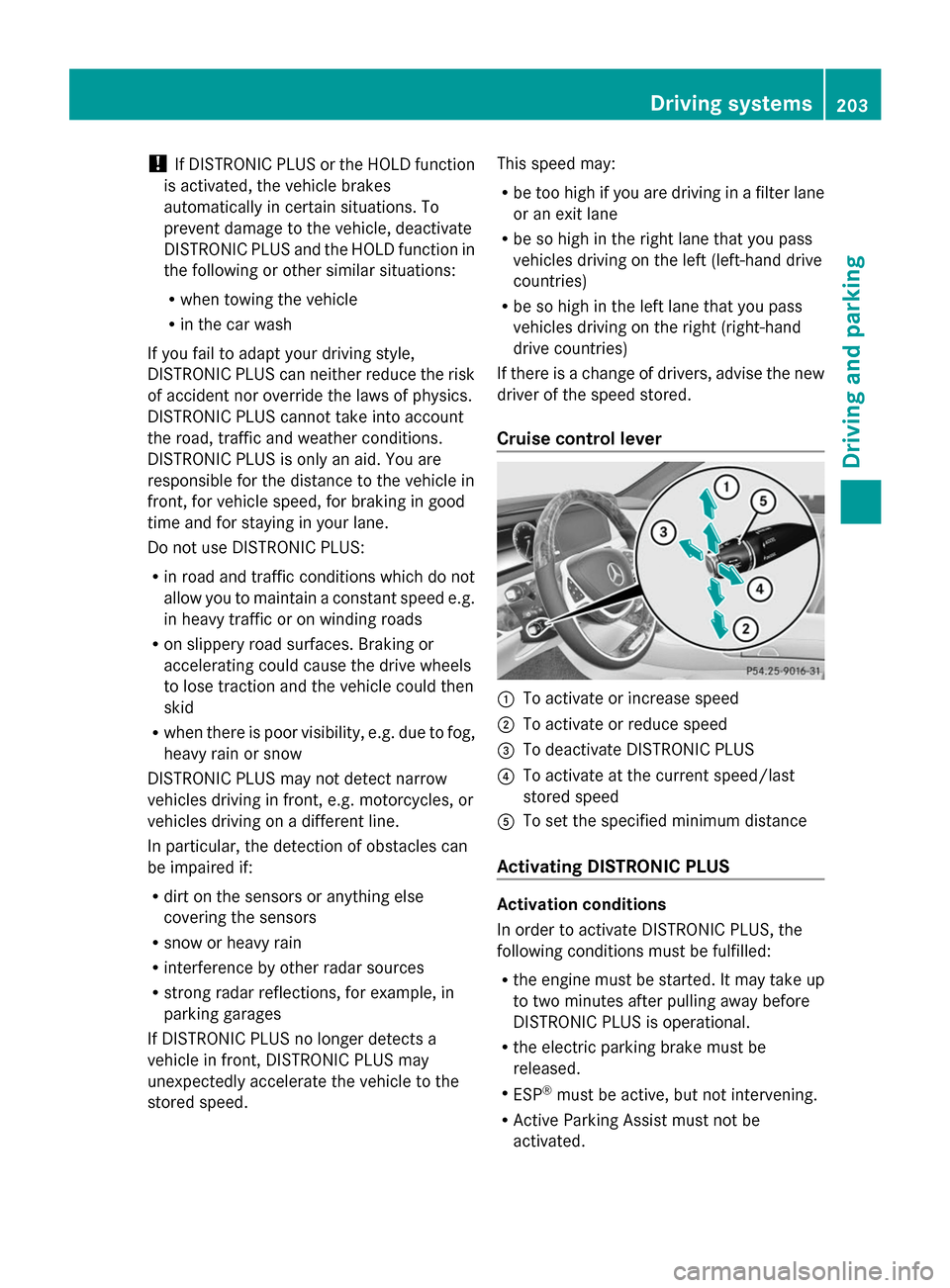
Cruise control lever 0043
To activate or increase speed
0044 To activate or reduce speed
0087 To deactivate DISTRONIC PLUS
0085 To activate at the current speed/last
stored speed
0083 To set the specified minimum distance
Activating DISTRONIC PLUS Activation conditions
In order to activate DISTRONIC PLUS, the
following conditions must be fulfilled:
R
the engine must be started. It may take up
to two minutes after pulling away before
DISTRONIC PLUS is operational.
R the electric parking brake must be
released.
R ESP ®
must be active, but not intervening.
R Active Parking Assist must not be
activated. Driving systems
203Driving and parking Z
Page 206 of 434
R
the transmission must be in position D.
R the driver's door must be closed when you
shift from Pto Dor your seat belt must be
fastened.
R the front-passenger door and rear doors
must be closed.
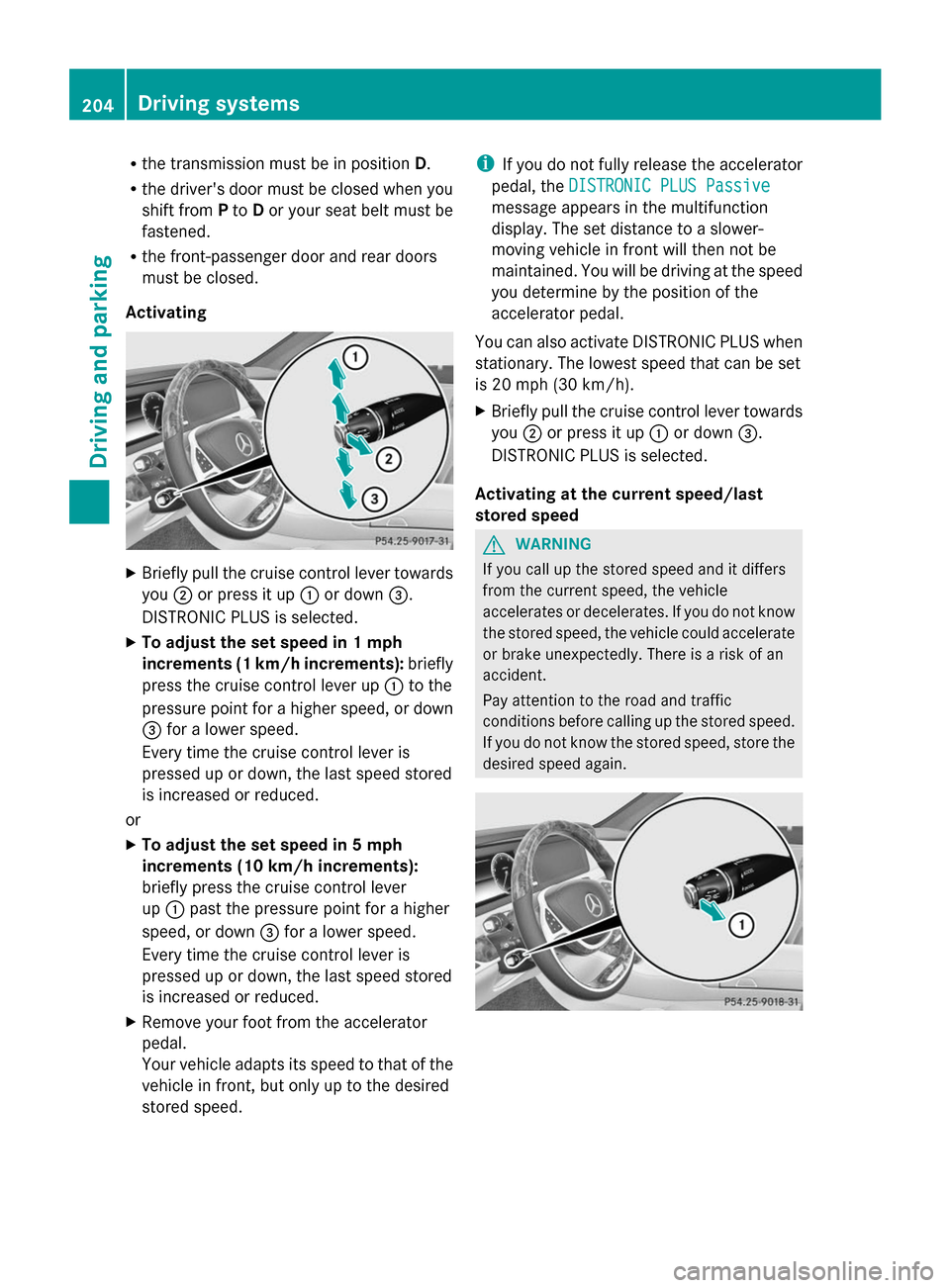
Activating X
Briefly pull the cruise control lever towards
you 0044or press it up 0043or down 0087.
DISTRONIC PLUS is selected.
X To adjust the set speed in 1 mph
increments (1 km/h increments): briefly
press the cruise control lever up 0043to the
pressure point for a higher speed, or down
0087 for a lower speed.
Every time the cruise control lever is
pressed up or down, the last speed stored
is increased or reduced.
or
X To adjust the set speed in 5 mph
increments (10 km/h increments):
briefly press the cruise control lever
up 0043 past the pressure point for a higher
speed, or down 0087for a lower speed.
Every time the cruise control lever is
pressed up or down, the last speed stored
is increased or reduced.
X Remove your foot from the accelerator
pedal.
Your vehicle adapts its speed to that of the
vehicle in front, but only up to the desired
stored speed. i
If you do not fully release the accelerator
pedal, the DISTRONIC PLUS Passive
DISTRONIC PLUS Passive
message appears in the multifunction
display. The set distance to a slower-
moving vehicle in front will then not be
maintained. You will be driving at the speed
you determine by the position of the
accelerator pedal.
You can also activate DISTRONIC PLUS when
stationary. The lowest speed that can be set
is 20 mph (30 km/h).
X Briefly pull the cruise control lever towards
you 0044or press it up 0043or down 0087.
DISTRONIC PLUS is selected.
Activating at the current speed/last
stored speed G
WARNING
If you call up the stored speed and it differs
from the current speed, the vehicle
accelerates or decelerates. If you do not know
the stored speed, the vehicle could accelerate
or brake unexpectedly. There is a risk of an
accident.
Pay attention to the road and traffic
conditions before calling up the stored speed.
If you do not know the stored speed, store the
desired speed again. 204
Driving systemsDriving an
d parking
Page 207 of 434
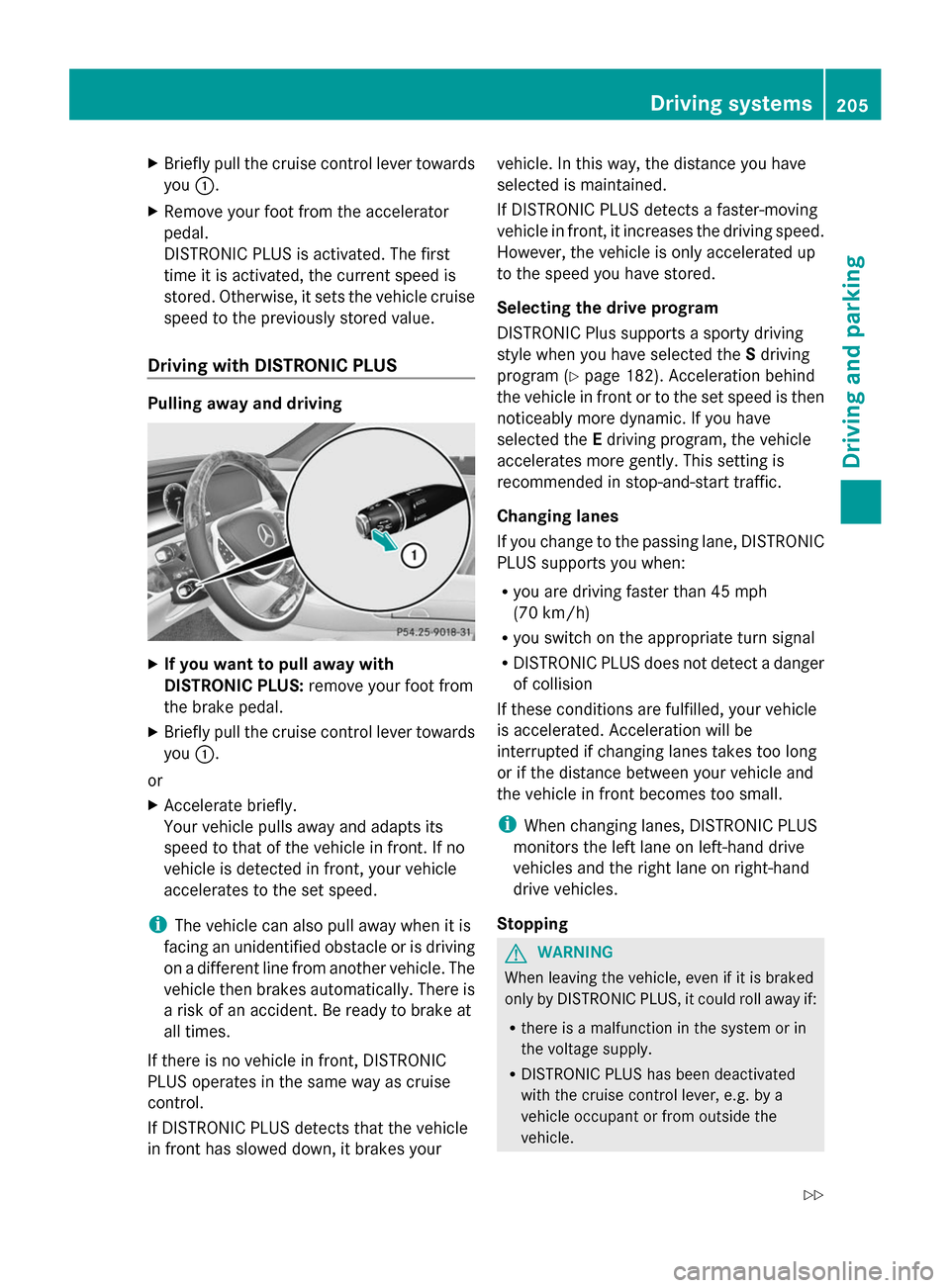
X
Briefly pull the cruise control lever towards
you 0043.
X Remove your foot from the accelerator
pedal.
DISTRONIC PLUS is activated. The first
time it is activated, the current speed is
stored. Otherwise, it sets the vehicle cruise
speed to the previously stored value.
Driving with DISTRONIC PLUS Pulling away and driving
X
If you want to pull away with
DISTRONIC PLUS: remove your foot from
the brake pedal.
X Briefly pull the cruise control lever towards
you 0043.
or
X Accelerate briefly.
Your vehicle pulls away and adapts its
speed to that of the vehicle in front. If no
vehicle is detected in front, your vehicle
accelerates to the set speed.
i The vehicle can also pull away when it is
facing an unidentified obstacle or is driving
on a different line from another vehicle. The
vehicle then brakes automatically. There is
a risk of an accident. Be ready to brake at
all times.
If there is no vehicle in front, DISTRONIC
PLUS operates in the same way as cruise
control.
If DISTRONIC PLUS detects that the vehicle
in front has slowed down, it brakes your vehicle. In this way, the distance you have
selected is maintained.
If DISTRONIC PLUS detects a faster-moving
vehicle in front, it increases the driving speed.
However, the vehicle is only accelerated up
to the speed you have stored.
Selecting the drive program
DISTRONIC Plus supports a sporty driving
style when you have selected the
Sdriving
program (Y page 182). Acceleration behind
the vehicle in front or to the set speed is then
noticeably more dynamic. If you have
selected the Edriving program, the vehicle
accelerates more gently. This setting is
recommended in stop-and-start traffic.
Changing lanes
If you change to the passing lane, DISTRONIC
PLUS supports you when:
R you are driving faster than 45 mph
(70 km/h)
R you switch on the appropriate turn signal
R DISTRONIC PLUS does not detect a danger
of collision
If these conditions are fulfilled, your vehicle
is accelerated. Acceleration will be
interrupted if changing lanes takes too long
or if the distance between your vehicle and
the vehicle in front becomes too small.
i When changing lanes, DISTRONIC PLUS
monitors the left lane on left-hand drive
vehicles and the right lane on right-hand
drive vehicles.
Stopping G
WARNING
When leaving the vehicle, even if it is braked
only by DISTRONIC PLUS, it could roll away if:
R there is a malfunction in the system or in
the voltage supply.
R DISTRONIC PLUS has been deactivated
with the cruise control lever, e.g. by a
vehicle occupant or from outside the
vehicle. Driving systems
205Driving and parking
Z
Page 210 of 434
0087
Specified minimum distance to the
vehicle in front; adjustable
0085 Own vehicle
In the Assistance menu (Y page 259) of the
on-board computer, you can select the
assistance graphics display.
X Select the Assistance Info Display Assistance Info Display
function using the on-board computer
(Y page 258).
You will see the stored speed for about five
seconds when you activate DISTRONIC PLUS.
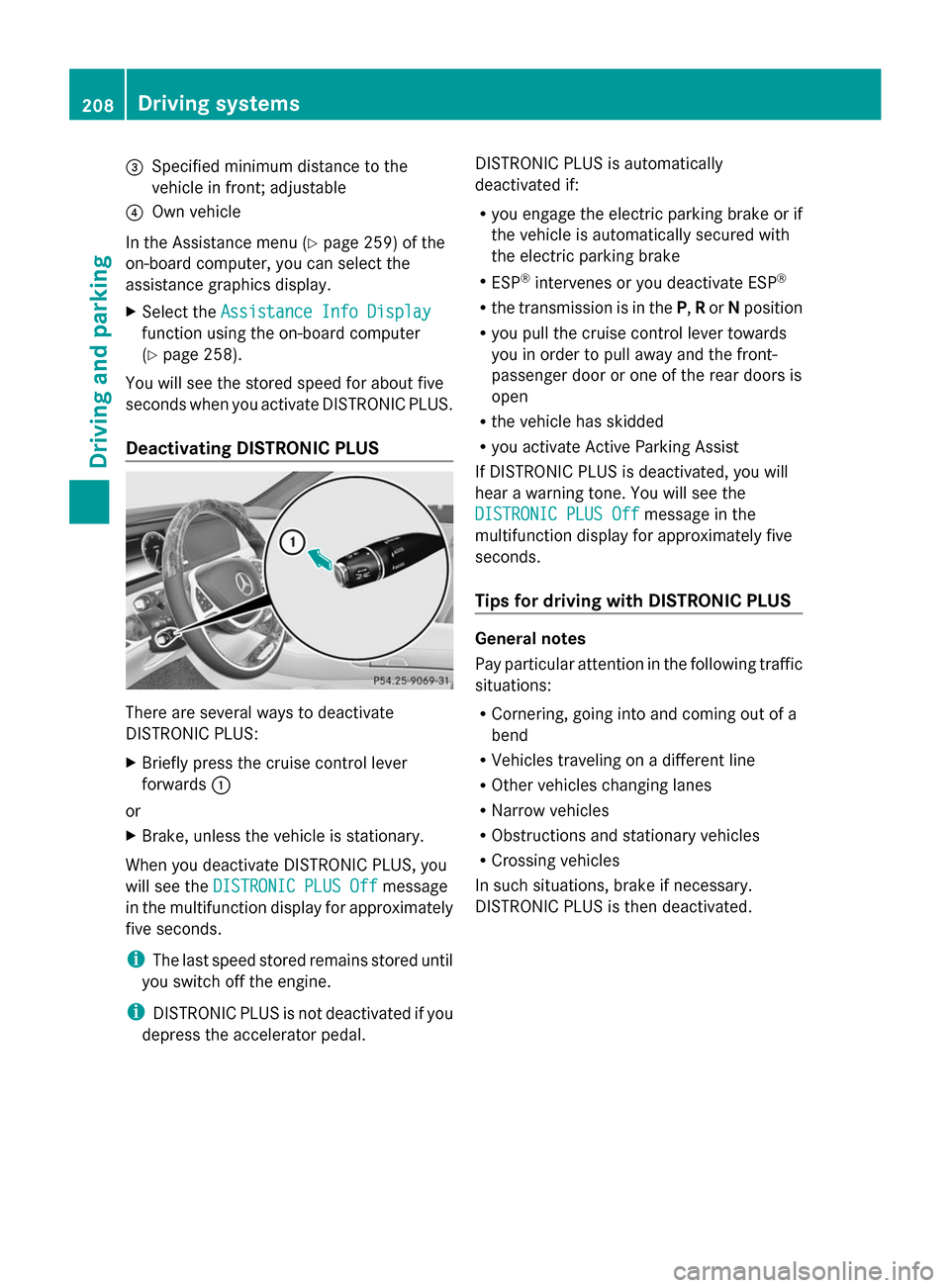
Deactivating DISTRONIC PLUS There are several ways to deactivate
DISTRONIC PLUS:
X
Briefly press the cruise control lever
forwards 0043
or
X Brake, unless the vehicle is stationary.
When you deactivate DISTRONIC PLUS, you
will see the DISTRONIC PLUS Off DISTRONIC PLUS Off message
in the multifunction display for approximately
five seconds.
i The last speed stored remains stored until
you switch off the engine.
i DISTRONIC PLUS is not deactivated if you
depress the accelerator pedal. DISTRONIC PLUS is automatically
deactivated if:
R you engage the electric parking brake or if
the vehicle is automatically secured with
the electric parking brake
R ESP ®
intervenes or you deactivate ESP ®
R the transmission is in the P,Ror Nposition
R you pull the cruise control lever towards
you in order to pull away and the front-
passenger door or one of the rear doors is
open
R the vehicle has skidded
R you activate Active Parking Assist
If DISTRONIC PLUS is deactivated, you will
hear a warning tone. You will see the
DISTRONIC PLUS Off
DISTRONIC PLUS Off message in the
multifunction display for approximately five
seconds.
Tips for driving with DISTRONIC PLUS General notes
Pay particular attention in the following traffic
situations:
R Cornering, going into and coming out of a
bend
R Vehicles traveling on a different line
R Other vehicles changing lanes
R Narrow vehicles
R Obstructions and stationary vehicles
R Crossing vehicles
In such situations, brake if necessary.
DISTRONIC PLUS is then deactivated. 208
Driving systemsDriving and parking
Page 212 of 434
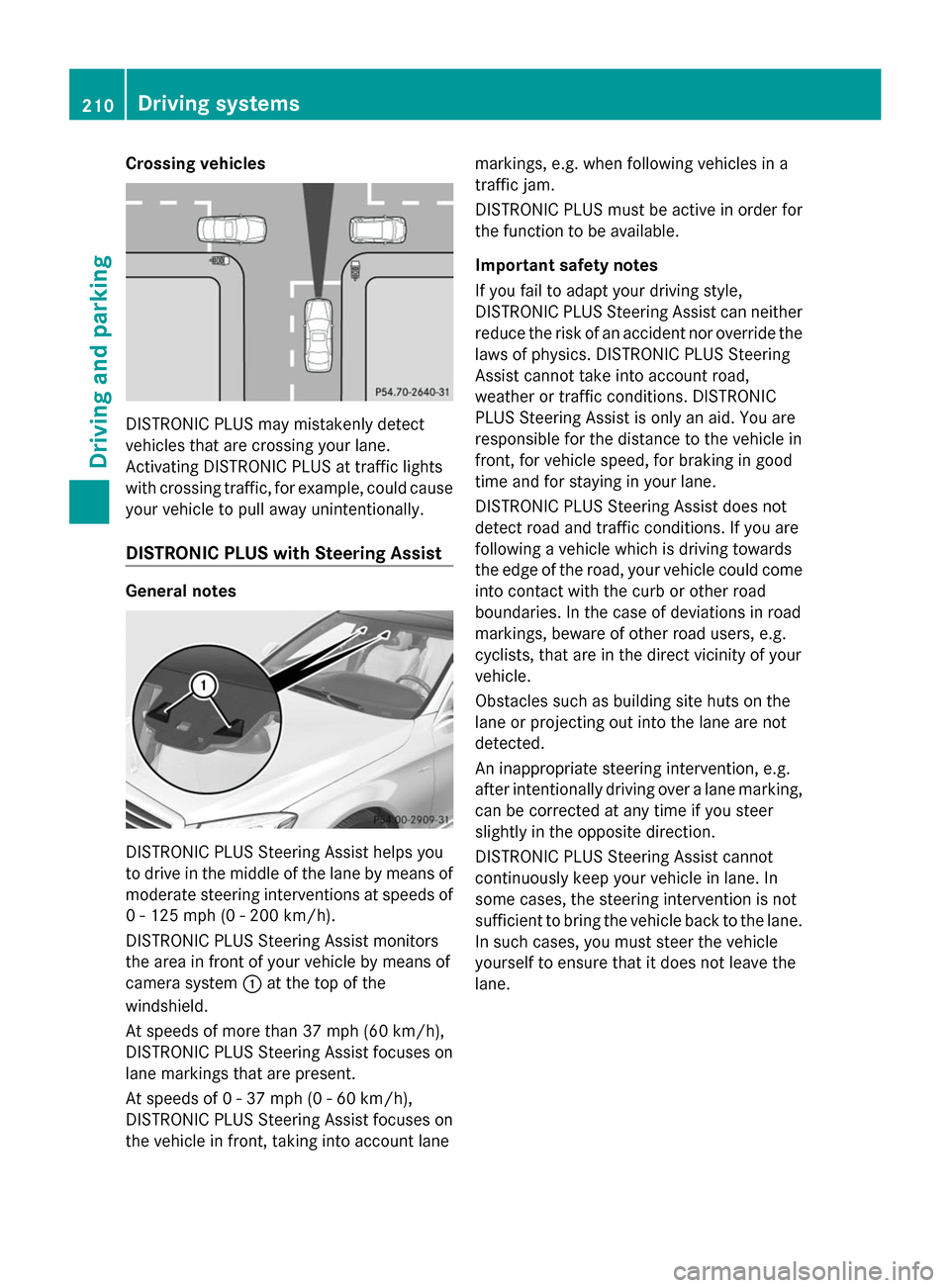
Crossing vehicles
DISTRONIC PLUS may mistakenly detect
vehicles that are crossing your lane.
Activating DISTRONIC PLUS at traffic lights
with crossing traffic, for example, could cause
your vehicle to pull away unintentionally.
DISTRONIC PLUS with Steering Assist General notes
DISTRONIC PLUS Steering Assist helps you
to drive in the middle of the lane by means of
moderate steering interventions at speeds of
0 - 125 mph (0 - 200 km/h).
DISTRONIC PLUS Steering Assist monitors
the area in front of your vehicle by means of
camera system 0043at the top of the
windshield.
At speeds of more than 37 mph (60 km/h),
DISTRONIC PLUS Steering Assist focuses on
lane markings that are present.
At speeds of 0 - 37 mph (0 - 60 km/h),
DISTRONIC PLUS Steering Assist focuses on
the vehicle in front, taking into account lane markings, e.g. when following vehicles in a
traffic jam.
DISTRONIC PLUS must be active in order for
the function to be available.
Important safety notes
If you fail to adapt your driving style,
DISTRONIC PLUS Steering Assist can neither
reduce the risk of an accident nor override the
laws of physics. DISTRONIC PLUS Steering
Assist cannot take into account road,
weather or traffic conditions. DISTRONIC
PLUS Steering Assist is only an aid. You are
responsible for the distance to the vehicle in
front, for vehicle speed, for braking in good
time and for staying in your lane.
DISTRONIC PLUS Steering Assist does not
detect road and traffic conditions. If you are
following a vehicle which is driving towards
the edge of the road, your vehicle could come
into contact with the curb or other road
boundaries. In the case of deviations in road
markings, beware of other road users, e.g.
cyclists, that are in the direct vicinity of your
vehicle.
Obstacles such as building site huts on the
lane or projecting out into the lane are not
detected.
An inappropriate steering intervention, e.g.
after intentionally driving over a lane marking,
can be corrected at any time if you steer
slightly in the opposite direction.
DISTRONIC PLUS Steering Assist cannot
continuously keep your vehicle in lane. In
some cases, the steering intervention is not
sufficient to bring the vehicle back to the lane.
In such cases, you must steer the vehicle
yourself to ensure that it does not leave the
lane. 210
Driving systemsDriving and parking