telephone MERCEDES-BENZ S-Class 2015 W222 Comand Manual
[x] Cancel search | Manufacturer: MERCEDES-BENZ, Model Year: 2015, Model line: S-Class, Model: MERCEDES-BENZ S-Class 2015 W222Pages: 298, PDF Size: 6.39 MB
Page 184 of 298
tion number. Further information about the
vehicle identification number (VIN)
(Y page 184).
To download navigation locations, the
mbrace system must be:
R activated
R operational
R activated for the services of the system and
for Internet access
For information on the mbrace system, see
the separate vehicle Operator's Manual. Procedure and general information
Sign into your Google™ account on the Inter- net. Use the Google™ Maps website to send
the destination to a server (Y page 182).
Using the Download Download POI
POIApp, the destination
is displayed in the vehicle (Y page 182).
The destination can be:
R imported (Y page 183)
R used for route guidance (Y page 183)
R called up (Y page 183)
R deleted from the server (Y page 184)Sending destinations to the server
X Sign into your Google™ account.
X Call up the Google™ Maps website.
X Enter a destination.
X Click "More" at the destination.
X Click "Send".
X Enter the corresponding information in the
boxes shown.
X Select "Send to car".
X Select Mercedes-Benz as the vehicle
brand.
X Enter the mbrace e-mail address or the
vehicle identification number.
Further information about the vehicle iden- tification number (Y page 184).
X Click "Send".
The destination is sent to the server. The availability of the destination/route
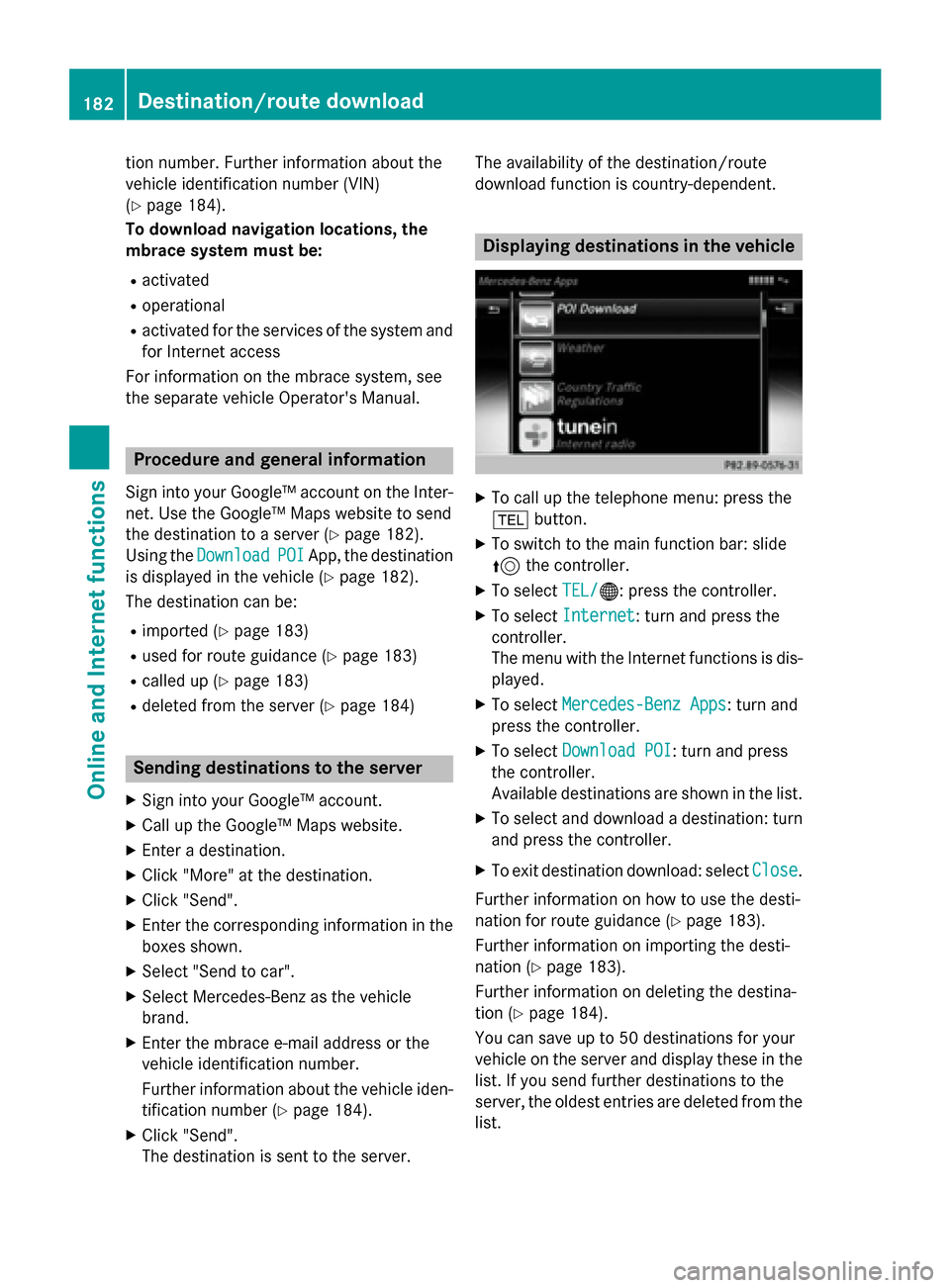
download function is country-dependent. Displaying destinations in the vehicle
X
To call up the telephone menu: press the
002B button.
X To switch to the main function bar: slide
5 the controller.
X To select TEL/ TEL/00A7: press the controller.
X To select Internet
Internet: turn and press the
controller.
The menu with the Internet functions is dis-
played.
X To select Mercedes-Benz Apps Mercedes-Benz Apps: turn and
press the controller.
X To select Download POI
Download POI : turn and press
the controller.
Available destinations are shown in the list.
X To select and download a destination: turn
and press the controller.
X To exit destination download: select Close Close.
Further information on how to use the desti-
nation for route guidance (Y page 183).
Further information on importing the desti-
nation (Y page 183).
Further information on deleting the destina-
tion (Y page 184).
You can save up to 50 destinations for your
vehicle on the server and display these in the list. If you send further destinations to the
server, the oldest entries are deleted from the
list. 182
Destina
tion/route do wnloadOnline and Internet functions
Page 185 of 298
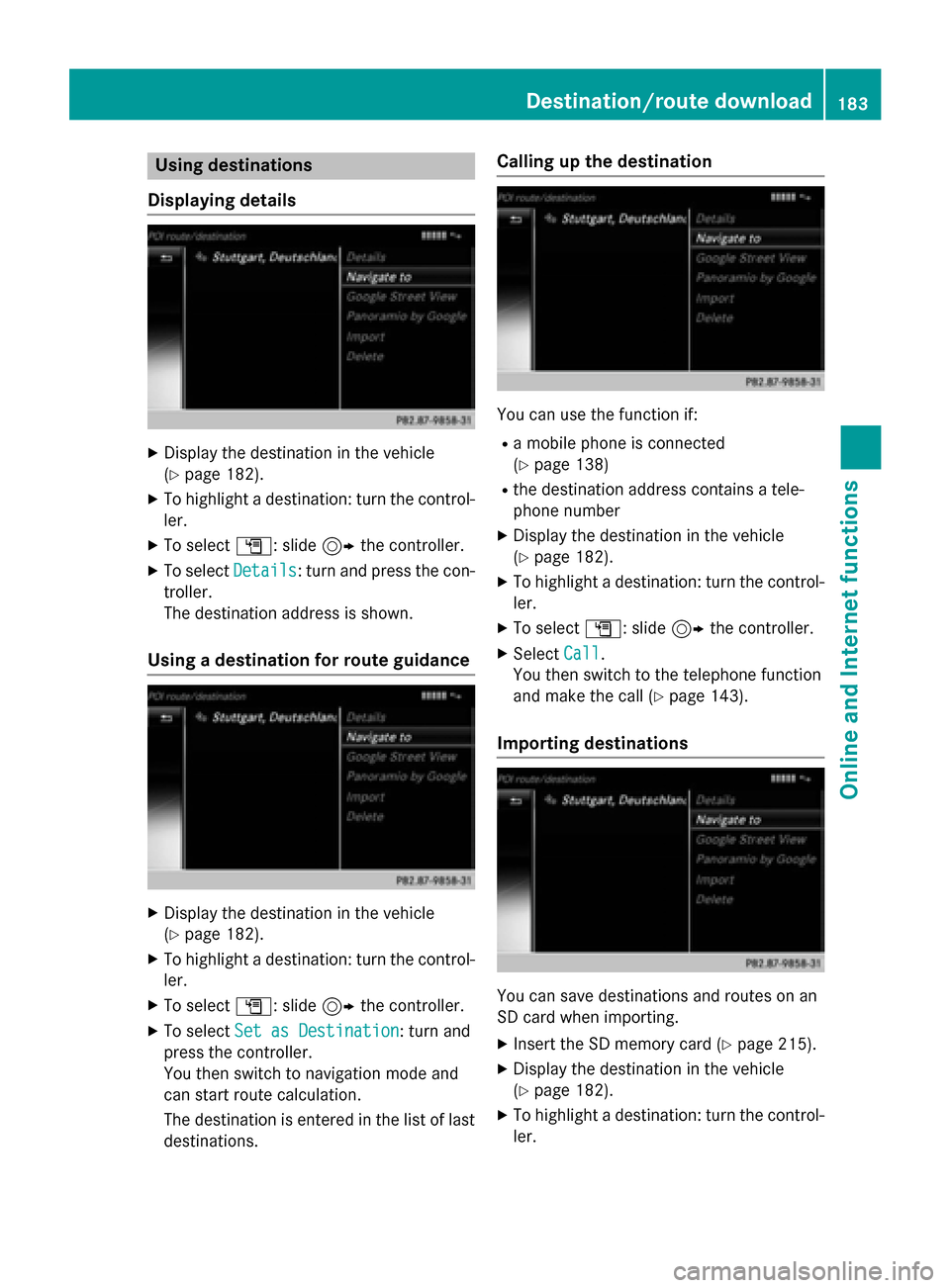
Using destinations
Displaying details X
Display the destination in the vehicle
(Y page 182).
X To highlight a destination: turn the control-
ler.
X To select G: slide 9the controller.
X To select Details
Details: turn and press the con-
troller.
The destination address is shown.
Using a destination for route guidance X
Display the destination in the vehicle
(Y page 182).
X To highlight a destination: turn the control-
ler.
X To select G: slide 9the controller.
X To select Set as Destination Set as Destination: turn and
press the controller.
You then switch to navigation mode and
can start route calculation.
The destination is entered in the list of last
destinations. Calling up the destination
You can use the function if:
R a mobile phone is connected
(Y page 138)
R the destination address contains a tele-
phone number
X Display the destination in the vehicle
(Y page 182).
X To highlight a destination: turn the control-
ler.
X To select G: slide 9the controller.
X Select Call Call.
You then switch to the telephone function
and make the call (Y page 143).
Importing destinations You can save destinations and routes on an
SD card when importing.
X Insert the SD memory card (Y page 215).
X Display the destination in the vehicle
(Y page 182).
X To highlight a destination: turn the control-
ler. Destination/route download
183Online and Internet functions Z
Page 186 of 298
X
To select G: slide 9the controller.
X Select Import
Import.
The entry is saved on the SD card.
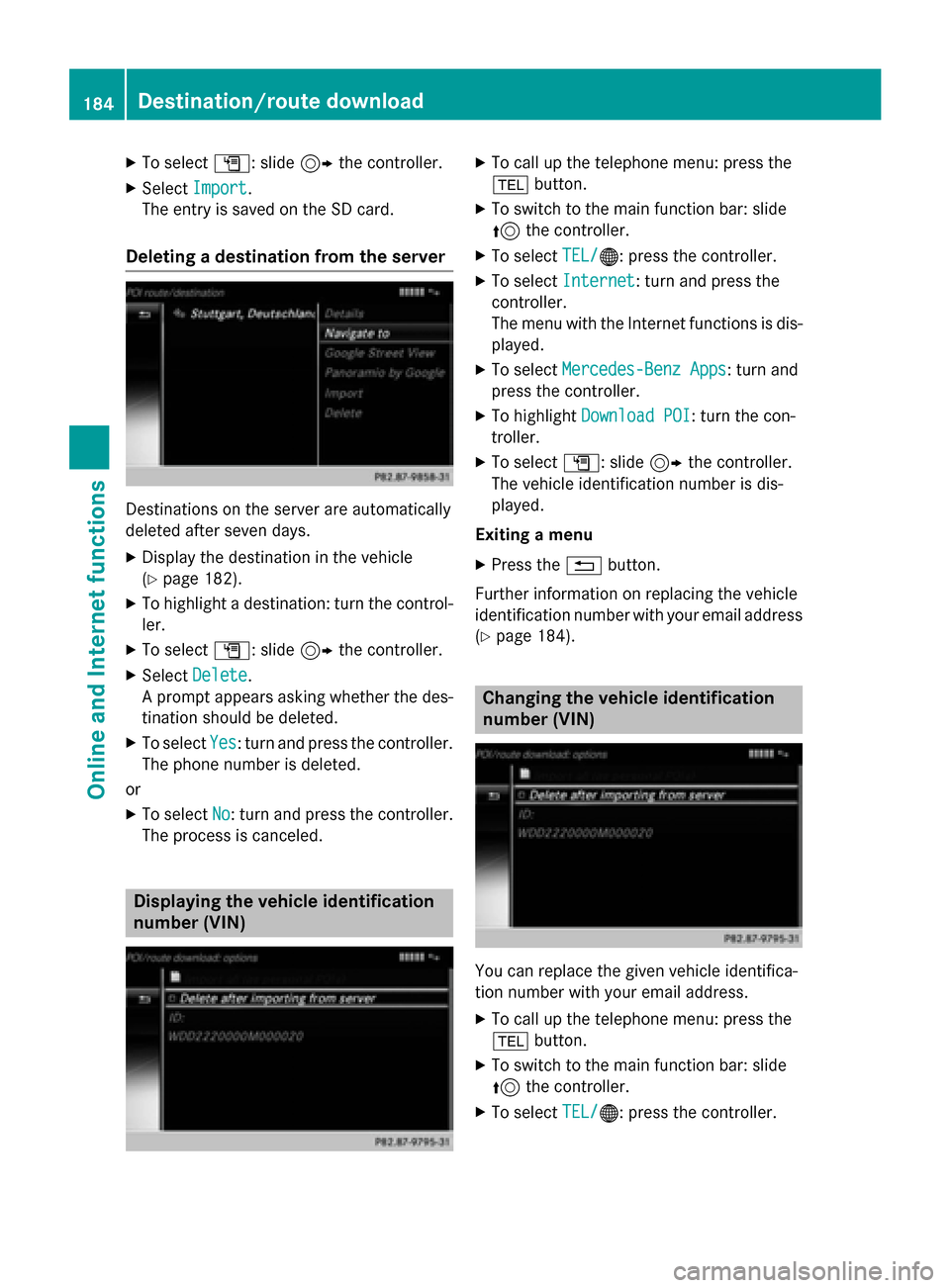
Deleting a destination from the server Destinations on the server are automatically
deleted after seven days.
X Display the destination in the vehicle
(Y page 182).
X To highlight a destination: turn the control-
ler.
X To select G: slide 9the controller.
X Select Delete
Delete.
A prompt appears asking whether the des- tination should be deleted.
X To select Yes
Yes: turn and press the controller.
The phone number is deleted.
or
X To select No No: turn and press the controller.
The process is canceled. Displaying the vehicle identification
number (VIN) X
To call up the telephone menu: press the
002B button.
X To switch to the main function bar: slide
5 the controller.
X To select TEL/
TEL/00A7: press the controller.
X To select Internet
Internet: turn and press the
controller.
The menu with the Internet functions is dis-
played.
X To select Mercedes-Benz Apps Mercedes-Benz Apps: turn and
press the controller.
X To highlight Download POI
Download POI: turn the con-
troller.
X To select G: slide 9the controller.
The vehicle identification number is dis-
played.
Exiting a menu
X Press the 0038button.
Further information on replacing the vehicle
identification number with your email address
(Y page 184). Changing the vehicle identification
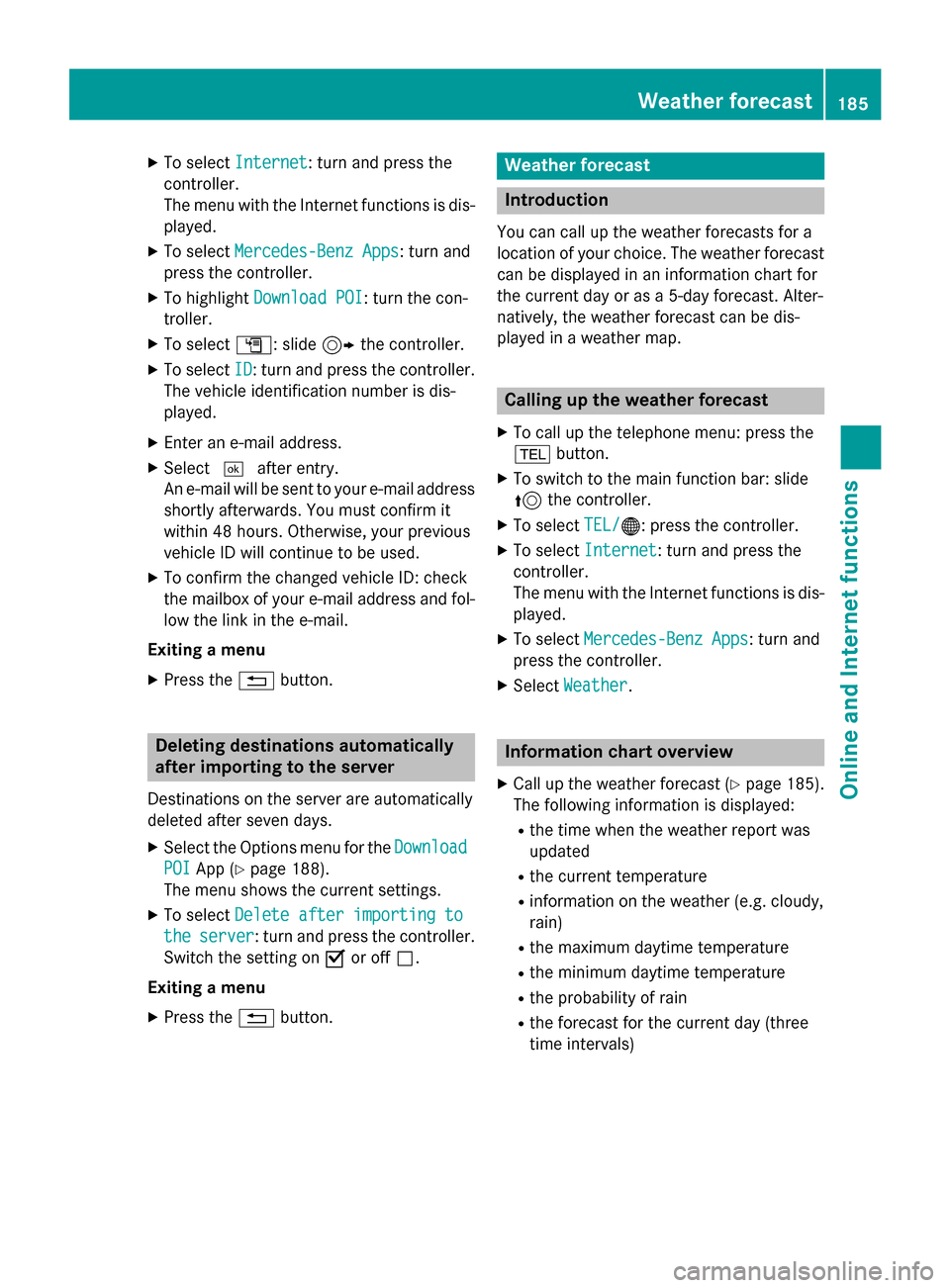
number (VIN)
You can replace the given vehicle identifica-
tion number with your email address.
X To call up the telephone menu: press the
002B button.
X To switch to the main function bar: slide
5 the controller.
X To select TEL/
TEL/00A7: press the controller. 184
Destination/route downloadOnline and Internet functions
Page 187 of 298
X
To select Internet
Internet: turn and press the
controller.
The menu with the Internet functions is dis-
played.
X To select Mercedes-Benz Apps
Mercedes-Benz Apps: turn and
press the controller.
X To highlight Download POI Download POI: turn the con-
troller.
X To select G: slide 9the controller.
X To select ID
ID: turn and press the controller.
The vehicle identification number is dis-
played.
X Enter an e-mail address.
X Select 0054after entry.
An e-mail will be sent to your e-mail address
shortly afterwards. You must confirm it
within 48 hours. Otherwise, your previous
vehicle ID will continue to be used.
X To confirm the changed vehicle ID: check
the mailbox of your e-mail address and fol-
low the link in the e-mail.
Exiting a menu
X Press the 0038button. Deleting destinations automatically
after importing to the server
Destinations on the server are automatically
deleted after seven days. X Select the Options menu for the Download
Download
POI POI App (Y page 188).
The menu shows the current settings.
X To select Delete after importing to
Delete after importing to
the
the server
server: turn and press the controller.
Switch the setting on 0073or off 0053.
Exiting a menu
X Press the 0038button. Weather forecast
Introduction
You can call up the weather forecasts for a
location of your choice. The weather forecast can be displayed in an information chart for
the current day or as a 5-day forecast. Alter-
natively, the weather forecast can be dis-
played in a weather map. Calling up the weather forecast
X To call up the telephone menu: press the
002B button.
X To switch to the main function bar: slide
5 the controller.
X To select TEL/ TEL/00A7: press the controller.
X To select Internet
Internet: turn and press the
controller.
The menu with the Internet functions is dis-
played.
X To select Mercedes-Benz Apps Mercedes-Benz Apps: turn and
press the controller.
X Select Weather
Weather. Information chart overview
X Call up the weather forecast (Y page 185).
The following information is displayed:
R the time when the weather report was
updated
R the current temperature
R information on the weather (e.g. cloudy,
rain)
R the maximum daytime temperature
R the minimum daytime temperature
R the probability of rain
R the forecast for the current day (three
time intervals) Weather forecast
185Online and Internet functions Z
Page 189 of 298
X
Select Presets
Presets.
X To select a preset and save a location: turn
and press the controller.
When the location is saved, the number of
the selected preset comes before the name of the place in the caption.
Displaying a saved location X
To select Location Location in the information
chart: turn and press the controller.
X Select Presets
Presets.
X Select desired preset.
The information chart appears and displays
the weather information. Further Mercedes-Benz Apps
General notes
To be able to use Mercedes-Benz Apps, you
first have to register. To do so, you have to
enter your name and postal address once in
the vehicle and confirm the general terms and conditions. A message to this effect appears
the first time you call up the online and Inter-
net functions.
For individual Mercedes-Benz Apps, it may be
necessary to pay license fees before using.
Use is then limited to a certain period of time. License fees must be paid again for use
beyond this time period. Mercedes-Benz Mobile Website
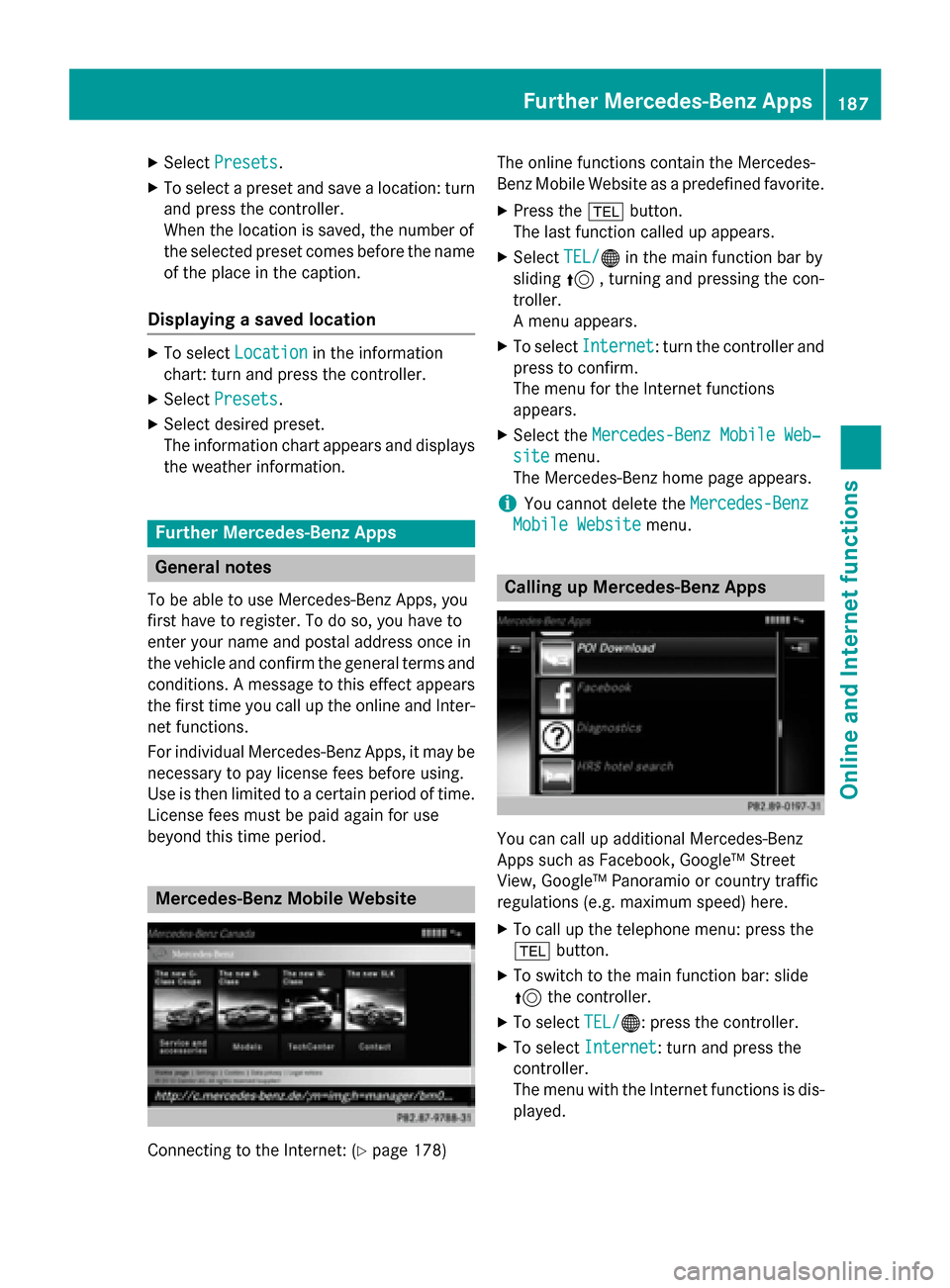
Connecting to the Internet: (Y
page 178)The online functions contain the Mercedes-
Benz Mobile Website as a predefined favorite.
X Press the 002Bbutton.
The last function called up appears.
X Select TEL/ TEL/00A7 in the main function bar by
sliding 5, turning and pressing the con-
troller.
A menu appears.
X To select Internet Internet: turn the controller and
press to confirm.
The menu for the Internet functions
appears.
X Select the Mercedes-Benz Mobile Web‐
Mercedes-Benz Mobile Web‐
site
site menu.
The Mercedes-Benz home page appears.
i You cannot delete the
Mercedes-Benz Mercedes-Benz
Mobile Website
Mobile Website menu. Calling up Mercedes-Benz Apps
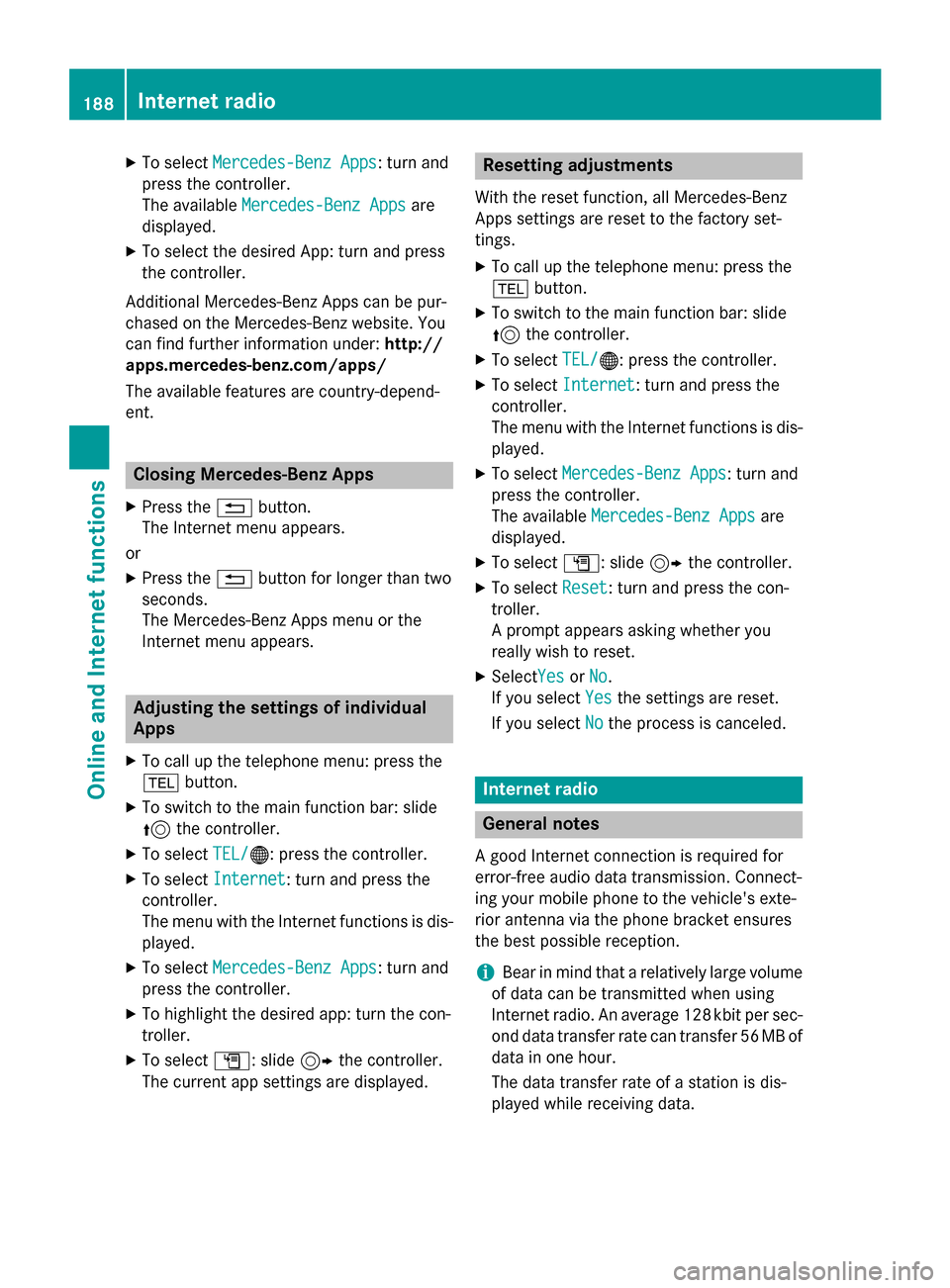
You can call up additional Mercedes-Benz
Apps such as Facebook, Google™ Street
View, Google™ Panoramio or country traffic
regulations (e.g. maximum speed) here.
X To call up the telephone menu: press the
002B button.
X To switch to the main function bar: slide
5 the controller.
X To select TEL/
TEL/00A7: press the controller.
X To select Internet Internet: turn and press the
controller.
The menu with the Internet functions is dis-
played. Further Mercedes-Benz Apps
187Online and Internet functions Z
Page 190 of 298
X
To select Mercedes-Benz Apps
Mercedes-Benz Apps: turn and
press the controller.
The available Mercedes-Benz Apps Mercedes-Benz Apps are
displayed.
X To select the desired App: turn and press
the controller.
Additional Mercedes-Benz Apps can be pur-
chased on the Mercedes-Benz website. You
can find further information under: http://
apps.mercedes-benz.com/apps/
The available features are country-depend-
ent. Closing Mercedes-Benz Apps
X Press the 0038button.
The Internet menu appears.
or
X Press the 0038button for longer than two
seconds.
The Mercedes-Benz Apps menu or the
Internet menu appears. Adjusting the settings of individual
Apps
X To call up the telephone menu: press the
002B button.
X To switch to the main function bar: slide
5 the controller.
X To select TEL/ TEL/00A7: press the controller.
X To select Internet
Internet: turn and press the
controller.
The menu with the Internet functions is dis-
played.
X To select Mercedes-Benz Apps
Mercedes-Benz Apps: turn and
press the controller.
X To highlight the desired app: turn the con-
troller.
X To select G: slide 9the controller.
The current app settings are displayed. Resetting adjustments
With the reset function, all Mercedes-Benz
Apps settings are reset to the factory set-
tings. X To call up the telephone menu: press the
002B button.
X To switch to the main function bar: slide
5 the controller.
X To select TEL/
TEL/00A7: press the controller.
X To select Internet
Internet: turn and press the
controller.
The menu with the Internet functions is dis-
played.
X To select Mercedes-Benz Apps Mercedes-Benz Apps: turn and
press the controller.
The available Mercedes-Benz Apps Mercedes-Benz Apps are
displayed.
X To select G: slide 9the controller.
X To select Reset
Reset: turn and press the con-
troller.
A prompt appears asking whether you
really wish to reset.
X SelectYes YesorNo
No.
If you select Yes Yesthe settings are reset.
If you select No
Nothe process is canceled. Internet radio
General notes
A good Internet connection is required for
error-free audio data transmission. Connect-
ing your mobile phone to the vehicle's exte-
rior antenna via the phone bracket ensures
the best possible reception.
i Bear in mind that a relatively large volume
of data can be transmitted when using
Internet radio. An average 128 kbit per sec-
ond data transfer rate can transfer 56 MB of data in one hour.
The data transfer rate of a station is dis-
played while receiving data. 188
Internet radioOnline and Internet functions
Page 191 of 298
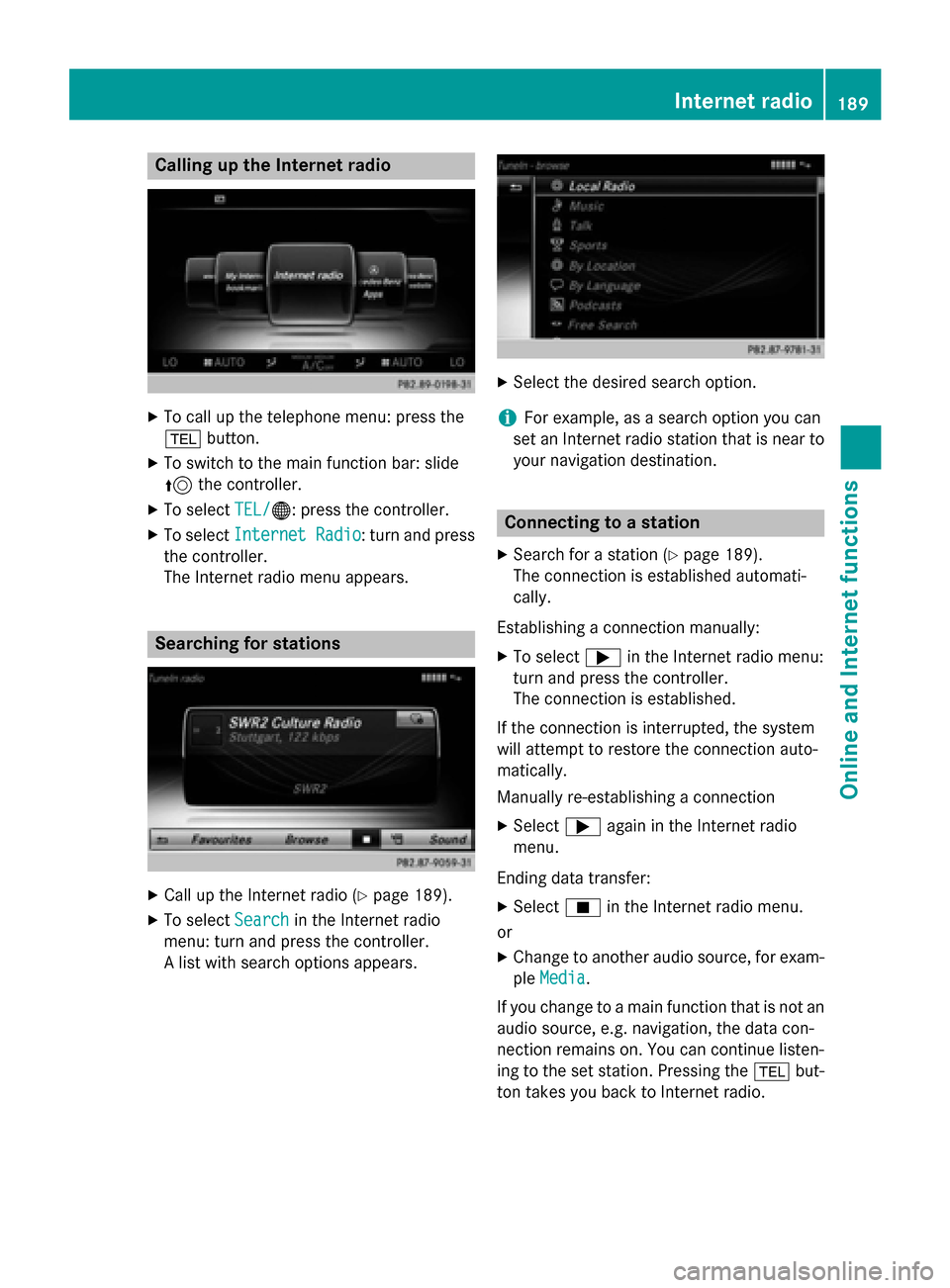
Calling up the Internet radio
X
To call up the telephone menu: press the
002B button.
X To switch to the main function bar: slide
5 the controller.
X To select TEL/
TEL/00A7: press the controller.
X To select Internet Radio
Internet Radio : turn and press
the controller.
The Internet radio menu appears. Searching for stations
X
Call up the Internet radio (Y page 189).
X To select Search
Search in the Internet radio
menu: turn and press the controller.
A list with search options appears. X
Select the desired search option.
i For example, as a search option you can
set an Internet radio station that is near to your navigation destination. Connecting to a station
X Search for a station (Y page 189).
The connection is established automati-
cally.
Establishing a connection manually: X To select 0065in the Internet radio menu:
turn and press the controller.
The connection is established.
If the connection is interrupted, the system
will attempt to restore the connection auto-
matically.
Manually re-establishing a connection
X Select 0065again in the Internet radio
menu.
Ending data transfer:
X Select 00DBin the Internet radio menu.
or
X Change to another audio source, for exam-
ple Media
Media.
If you change to a main function that is not an
audio source, e.g. navigation, the data con-
nection remains on. You can continue listen-
ing to the set station. Pressing the 002Bbut-
ton takes you back to Internet radio. Internet radio
189Online and Internet functions Z
Page 192 of 298
Saving a station as a favorite
X Call up the Internet radio (Y page 189).
X To select Favorites
Favorites: turn and press the
controller.
X Select Save ... as Favorite
Save ... as Favorite.
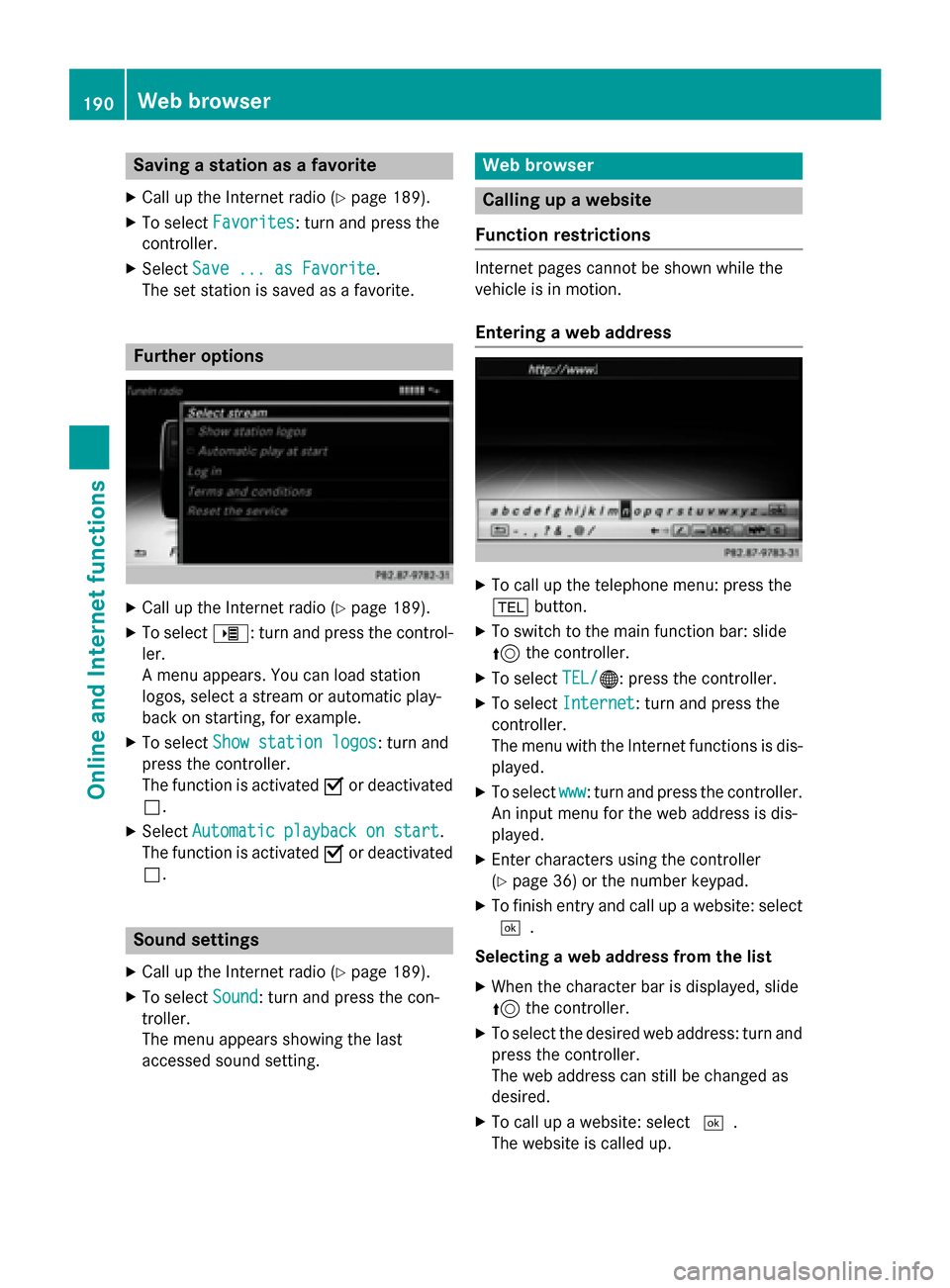
The set station is saved as a favorite. Further options
X
Call up the Internet radio (Y page 189).
X To select 00DE: turn and press the control-
ler.
A menu appears. You can load station
logos, select a stream or automatic play-
back on starting, for example.
X To select Show station logos Show station logos: turn and
press the controller.
The function is activated 0073or deactivated
0053.
X Select Automatic playback on start
Automatic playback on start.
The function is activated 0073or deactivated
0053. Sound settings
X Call up the Internet radio (Y page 189).
X To select Sound
Sound: turn and press the con-
troller.
The menu appears showing the last
accessed sound setting. Web browser
Calling up a website
Function restrictions Internet pages cannot be shown while the
vehicle is in motion.
Entering a web address X
To call up the telephone menu: press the
002B button.
X To switch to the main function bar: slide
5 the controller.
X To select TEL/
TEL/00A7: press the controller.
X To select Internet Internet: turn and press the
controller.
The menu with the Internet functions is dis-
played.
X To select www www: turn and press the controller.
An input menu for the web address is dis-
played.
X Enter characters using the controller
(Y page 36) or the number keypad.
X To finish entry and call up a website: select
0054.
Selecting a web address from the list X When the character bar is displayed, slide
5 the controller.
X To select the desired web address: turn and
press the controller.
The web address can still be changed as
desired.
X To call up a website: select 0054.
The website is called up. 190
Web browserOnline and Internet functions
Page 205 of 298
SIRIUS XM Satellite Radio employs a fleet of
high-performance satellites to broadcast
around the clock throughout the USA and
Canada.
The satellite radio program is available for a
monthly fee. Details are available from the
SIRIUS XM Service Center and at
http://www.siriusxm.com (USA) or
http://www.siriusxm.ca (Canada).
Your new Mercedes-Benz vehicle comes with SIRIUS XM Satellite Radio pre-installed at the
factory. This service is free for a six-month
trial period. About a month before the trial
period ends, information will be provided on
how to extend this subscription. An acoustic
signal sounds and a message is shown,
describing how the subscription can be
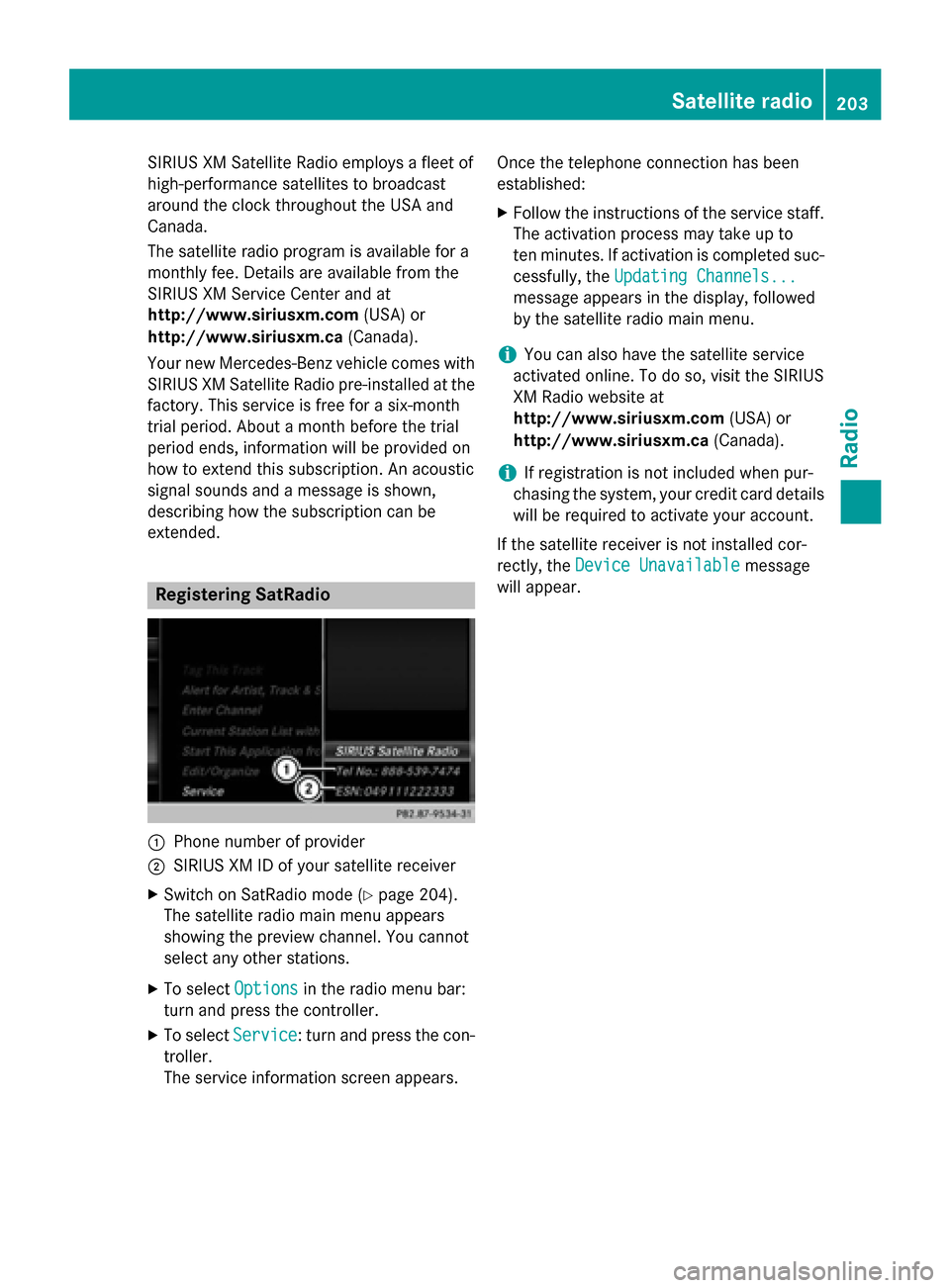
extended. Registering SatRadio
0043
Phone number of provider
0044 SIRIUS XM ID of your satellite receiver
X Switch on SatRadio mode (Y page 204).
The satellite radio main menu appears
showing the preview channel. You cannot
select any other stations.
X To select Options Optionsin the radio menu bar:
turn and press the controller.
X To select Service
Service: turn and press the con-
troller.
The service information screen appears. Once the telephone connection has been
established:
X Follow the instructions of the service staff.
The activation process may take up to
ten minutes. If activation is completed suc-
cessfully, the Updating Channels... Updating Channels...
message appears in the display, followed
by the satellite radio main menu.
i You can also have the satellite service
activated online. To do so, visit the SIRIUS
XM Radio website at
http://www.siriusxm.com (USA) or
http://www.siriusxm.ca (Canada).
i If registration is not included when pur-
chasing the system, your credit card details
will be required to activate your account.
If the satellite receiver is not installed cor-
rectly, the Device Unavailable
Device Unavailable message
will appear. Satellite radio
203Radio
Page 230 of 298
see a corresponding icon in the main dis-
play.
i The
Normal Track Sequence
Normal Track Sequence option is
automatically selected when you change
the disc you are currently listening to or
when you select a different medium. If an
option is selected, it remains selected after COMAND is switched on or off.
The following options are available: R Normal Track Sequence
Normal Track Sequence: the tracks are
played in the normal order (e.g. track 1, 2, 3
etc.).
R Random Medium Random Medium: all the tracks on the
medium are played in random order.
R Random
Random Track
TrackList
List: the tracks in the cur-
rently active track list are played in random
order. Bluetooth
®
audio mode Connecting Bluetooth
®
audio devices
Prerequisites X
Activate the Bluetooth ®
function in
COMAND (Y page 51).
Bluetooth ®
audio mode requires a Blue-
tooth ®
-capable audio device.
Check your Bluetooth ®
audio device for the
following (see the Bluetooth ®
audio device's
operating instructions):
R Bluetooth ®
audio profile
The Bluetooth ®
audio device must support
the A2DP and AVRCP Bluetooth ®
audio
profiles.
R Bluetooth ®
visibility
Certain Bluetooth ®
audio devices do not
just require activation of the Bluetooth ®
function. In addition, your device must be
made "visible" to other devices.
R Bluetooth ®
device name
This device name is predetermined but can
usually be changed. To make a clear selec- tion of the Bluetooth
®
device possible,
Mercedes-Benz recommends that you cus- tomize the device name (see the Blue-
tooth ®
audio device's operating instruc-
tions).
i A2DP (
Advanced AudioDistribution
Profile): Bluetooth ®
audio profile for audio
data transmission
AVRCP (Audio VideoRemote Control
Profile): Bluetooth ®
audio profile for audio
data playback.
i The Bluetooth ®
device must be visible for
authorization. After authorization,
COMAND even finds the Bluetooth ®
device
when it is not visible.
X The Bluetooth ®
function in COMAND must
be activated (Y page 51).
General notes Before using your Bluetooth
®
audio device
with COMAND for the first time, you will need
to authorize it.
When you authorize a new Bluetooth ®
audio
device, it is connected automatically. Con-
nection involves first searching for a Blue-
tooth ®
audio device and then authorizing it.
You can authorize up to fifteen Bluetooth ®
devices.
i If you authorize a mobile phone that sup-
ports Bluetooth ®
audio, the A2DP and
AVRCP Bluetooth ®
audio profiles are con-
nected automatically.
The mobile phone is then entered:
R in the Bluetooth ®
telephone list
(Y page 139)
R in the Bluetooth ®
device list
(Y page 229)
Mercedes-Benz recommends authorizing a
mobile phone in Bluetooth ®
telephony
(Y page 140). 228
Bluetooth ®
audio modeMedia