wheel MERCEDES-BENZ S CLASS 2016 Manual PDF
[x] Cancel search | Manufacturer: MERCEDES-BENZ, Model Year: 2016, Model line: S CLASS, Model: MERCEDES-BENZ S CLASS 2016Pages: 438, PDF Size: 13.22 MB
Page 226 of 438
Object detection The rear view camera can detect moving and
stationary objects. If, for example, a pedestrian
or another vehicle is detected, these objects are
marked with bars. The system is only able to
detect and mark stationary objects when your
vehicle is moving. When the vehicle is station-
ary, moving objects can be detected and
marked.
To ensure that you can use the function, it must
be switched on in the multimedia system (see
the separate operating instructions).
360° camera (surround view)
General notes The 360° camera is a system consisting of four
cameras.
The system processes images from the follow-
ing cameras: R
Rear view camera R
Front camera R
Two side cameras in the exterior mirrors
The cameras capture the immediate surround-
ings of the vehicle. The 360° camera assists
you, for instance when parking or at exits with
reduced visibility.
You can show images from the 360° camera in
full-screen mode or in six different split-screen
views on the multimedia system. A split-screen
view also includes a top view of the vehicle. This
view is calculated from the data supplied by the
installed cameras (virtual camera).
The six split-screen views are: R
top view and picture from the rear view cam-
era (130° viewing angle) R
top view and image from the front camera
(130° viewing angle without displaying the
maximum steering wheel angle) R
top view and enlarged rear view R
top view and enlarged front view R
top view and images from the rear-facing side
cameras (rear wheel view) R
top view and images from the forward-facing
side cameras (front wheel view)
When the function is active and you shift the
transmission from D or R to N , the guide lines
are hidden in the multimedia system. When you change between transmission posi-
tions D and R , you see the previously selected
front or rear view.
Distances measured by PARKTRONIC will also
be optically displayed: R
in split screen view as red or yellow brackets
around the vehicle icon in the top view, or R
at the bottom right as red or yellow brackets
around the vehicle symbol in full-screen mode
The line thickness and color of the brackets
show how far the vehicle is from an object. R
yellow brackets with thin lines: PARKTRONIC
is active R
yellow brackets with normal lines: an object is
present in close range of the vehicle R
red line: an object is present in the immediate
close range of the vehicle
Important safety notes The 360°camera is only an aid and may show a
distorted view of obstacles, show them incor-
rectly or not at all. The 360°camera is not a
substitute for attentive driving.
You are always responsible for safe maneuver-
ing and parking. When maneuvering or parking,
make sure that there are no persons, animals or
objects in the area in which you are maneuver-
ing.
You are always responsible for safety, and must
always pay attention to your surroundings when
parking and maneuvering. This applies to the
areas behind, in front of and beside the vehicle.
You could otherwise endanger yourself and oth-
ers.
The 360° camera will not function or will func-
tion in a limited manner: R
if the doors are open R
if the exterior mirrors are folded in R
if the trunk lid is open R
in heavy rain, snow or fog R
at night or in very dark places R
if the cameras are exposed to very bright light R
if the area is lit by fluorescent bulbs or LED
lighting (the display may flicker) R
if the camera lenses fog up, e.g. when driving
into a heated garage in winter, causing a rapid
change in temperature224
Driving systems
Driving and parking
Page 240 of 438
R
the radar sensors in the front or rear bumpers
or the radiator trim are dirty, e.g. obscured by
snow R
there are no, several or unclear lane markings
for a lane, e.g. in areas with road construction
work R
the lane markings are worn away, dark or cov-
ered up, e.g. by dirt or snow R
the distance to the vehicle in front is too small
and the lane markings thus cannot be detec-
ted R
the lane markings change quickly, e.g. lanes
branch off, cross one another or merge R
the road is narrow and winding R
there are strong shadows cast on the road
If no vehicle is detected in the adjacent lane and
broken lane markings are detected, no lane-cor-
recting brake application is made.
Warning vibration in the steering wheel A warning may be given if a front wheel passes
over a lane marking. It will warn you by means of
intermittent vibration in the steering wheel for
up to 1.5 second s.
In orde r that you are warned only when neces-
sary and in good time if you cross the lane mark-
ing, the system recognizes certain conditions
and warns you accordingly.
The warning vibration occurs earlier if: R
you approach the outer lane marking on a
bend. R
the road has very wide lanes, e.g. a highway. R
the system recognizes solid lane markings.
The warning vibration occurs later if: R
the road has narrow lanes R
you cut the corner on a bend
Lane-correcting brake application
If you leave your lane, under certain circumstan-
ces the vehicle will brake briefly on one side.
This is meant to assist you in bringing the vehicle
back to the original lane.
G WARNING
A lane-correcting brake application cannot
always bring the vehicle back into the original
lane. There is a risk of an accident.
Always steer, brake or accelerate yourself,
especially if Active Lane Keeping Assist warns you or makes a lane-correcting brake appli-
cation.
G WARNING
Active Lane Keeping Assist does not detect
traffic conditions or road users. In very rare
cases, the system may make an inappropriate
brake application, e.g. after intentionally driv-
ing over a solid lane marking. There is a risk of
an accident.
An inappropriate brake application may be
interrupted at any time if you steer slightly in
the opposite direction. Always make sure that
there is sufficient distance on the side for
other traffic or obstacles.
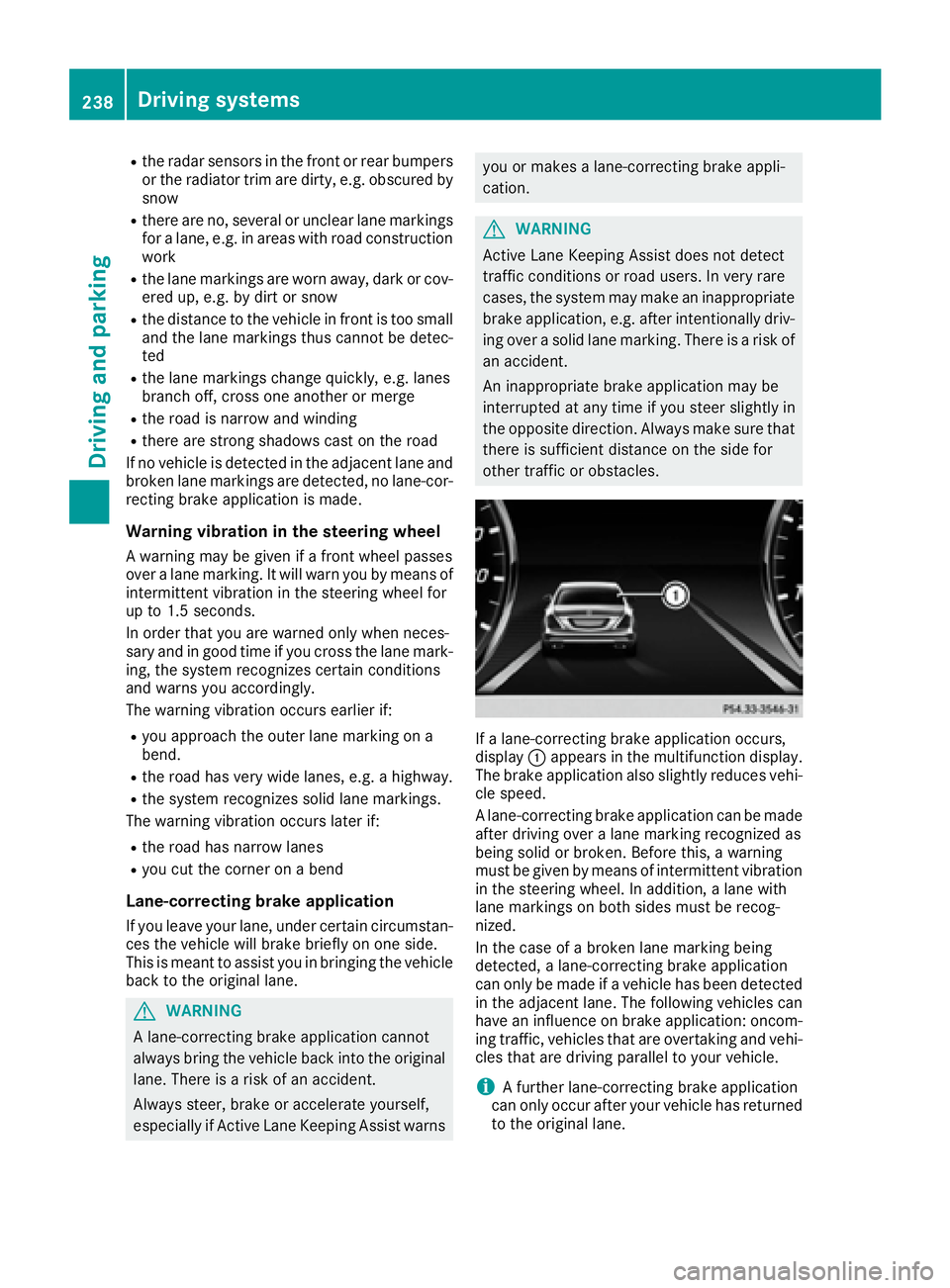
If a lane-correcting brake application occurs,
display C appears in the multifunction display.
The brake application also slightly reduces vehi-
cle speed.
A lane-correcting brake application can be made
after driving over a lane marking recognized as
being solid or broken. Before this, a warning
must be given by means of intermittent vibration
in the steering wheel. In addition, a lane with
lane markings on both sides must be recog-
nized.
In the case of a broken lane marking being
detected, a lane-correcting brake application
can only be made if a vehicle has been detected
in the adjacent lane. The following vehicles can
have an influence on brake application: oncom-
ing traffic, vehicles that are overtaking and vehi-
cles that are driving parallel to your vehicle.
i A further lane-correcting brake application
can only occur after your vehicle has returned
to the original lane.238
Driving systems
Driving and parking
Page 252 of 438
Pulling away X
Depress the brake pedal and keep it
depressed. X
Shift the transmission to position D or R .X
If the Apply Brake to Shift from 'P'
display message appears in the multifunction
display, depress the brake pedal more firmly
and select the desired transmission position. X
Release the brake pedal. X
Carefully depress the accelerator pedal.
For further information on pulling away
( Y
page 165).
Driving
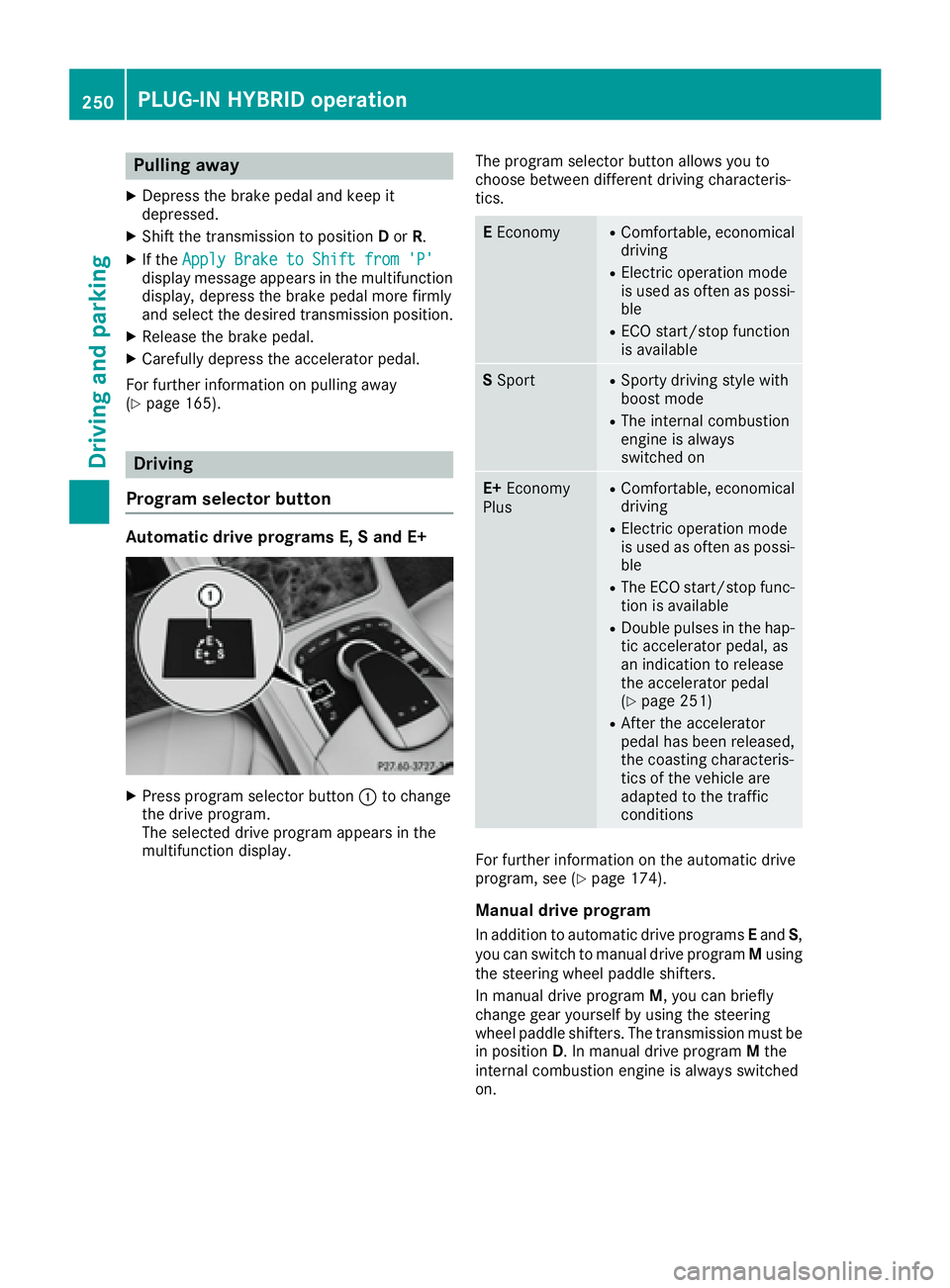
Program selector button Automatic drive programs E, S and E+
X
Press program selector button C to change
the drive program.
The selected drive program appears in the
multifunction display. The program selector button allows you to
choose between different driving characteris-
tics.
E Economy R
Comfortable, economical
driving R
Electric operation mode
is used as often as possi-
ble R
ECO start/stop function
is available
S Sport R
Sporty driving style with
boost mode R
The internal combustion
engine is always
switched on
E+ Economy
Plus R
Comfortable, economical
driving R
Electric operation mode
is used as often as possi-
ble R
The ECO start/stop func-
tion is available R
Double pulses in the hap-
tic accelerator pedal, as
an indication to release
the accelerator pedal
( Y
page 251) R
After the accelerator
pedal has been released,
the coasting characteris-
tics of the vehicle are
adapted to the traffic
conditions
For further information on the automatic drive
program, see ( Y
page 174).
Manual drive program
In addition to automatic drive programs E and S ,
you can switch to manual drive program M using
the steering wheel paddle shifters.
In manual drive program M , you can briefly
change gear yourself by using the steering
wheel paddle shifters. The transmission must be
in position D . In manual drive program M the
internal combustion engine is always switched
on.250
PLUG ‑ IN HYBRID operation
Driving and parking
Page 253 of 438
Activating when driving with the electric motor: X
Pull the left or right steering wheel paddle
shifter ( Y
page 174).
The combustion engine is switched on. Man-
ual drive program M is temporarily activated.
The selected gear and M appear in the multi-
function display.
Activating when driving with the combustion
engine: X
Pull the left or right steering wheel paddle
shifter ( Y
page 174).
Manual drive program M is temporarily acti-
vated. The selected gear and M appear in the
multifunction display.
The ECO start/stop function is not available in
manual drive program M .
Haptic accelerator pedal General notes The haptic accelerator pedal helps you to
reduce the fuel consumption and emissions of
your vehicle.
There are two different functions available for
this purpose: R
an additional point of resistance in E-MODE
operating mode ( Y
page 243)R
a double impulse in E+ operating mode
( Y
page 250)
Additional point of resistance in the hap-
tic accelerator pedal The maximum available electric performance is
indicated by a tangible point of resistance in the
haptic accelerator pedal.
The additional point of resistance is available in
E-MODE operating mode ( Y
page 243).
If you depress the haptic accelerator pedal
beyond the pressure point, the combustion
engine is switched on.
Double pulses in the haptic accelerator
pedal
A tangible double pulse in the haptic accelerator
pedal gives you a recommendation to release
the accelerator pedal. The combustion engine
can switch off and be disconnected from the
drive train (overrun mode).
The double pulse is available in drive program E+
( Y
page 250). After the accelerator pedal has been released,
the coasting characteristics of the vehicle are
adapted to the traffic conditions.
To avo id getting too close to the vehicle in front,
y
ou must apply the brakes manually when nec-
essary.
Driving tips General driving tips Drive carefully and maintain a safe distance
from the vehicle in front. Avoid frequent and
sudden acceleration as well as abrupt braking.
During partial electric driving, pulling away and
acceleration, the electric motor supports the
internal combustion engine.
During overrun in transmission position D and
braking, the electric motor will operate as a gen-
erator.
Further information on the ECO start/stop func-
tion ( Y
page 252).
Additional driving tips ( Y
page 192).
Stationary vehicle If the vehicle is stopped, the combustion engine
is, for the most part, switched off. Automatic
climate control continues to function. The elec-
tromechanically assisted steering gear allows
you to use the power steering without reduced
comfort.
Acceleration Depending on the operating mode, pulling away
and driving under low load conditions are per-
formed: R
entirely by electric propulsion R
in combination with the internal combustion
engine
When accelerating at an increased or full load,
boost mode is utilized. The electric motor sup-
ports the internal combustion engine by provid-
ing additional torque when the accelerator is
depressed rapidly.
Overrun mode or braking
There are three possible operating modes when
the hybrid vehicle is decelerating: R
energy recovery takes place even when the
vehicle is decelerating purely in overrun mode
( Y
page 240). The electric motor operates asPLUG ‑ IN HYBRID operation 251
Driving an d parking Z
Page 270 of 438
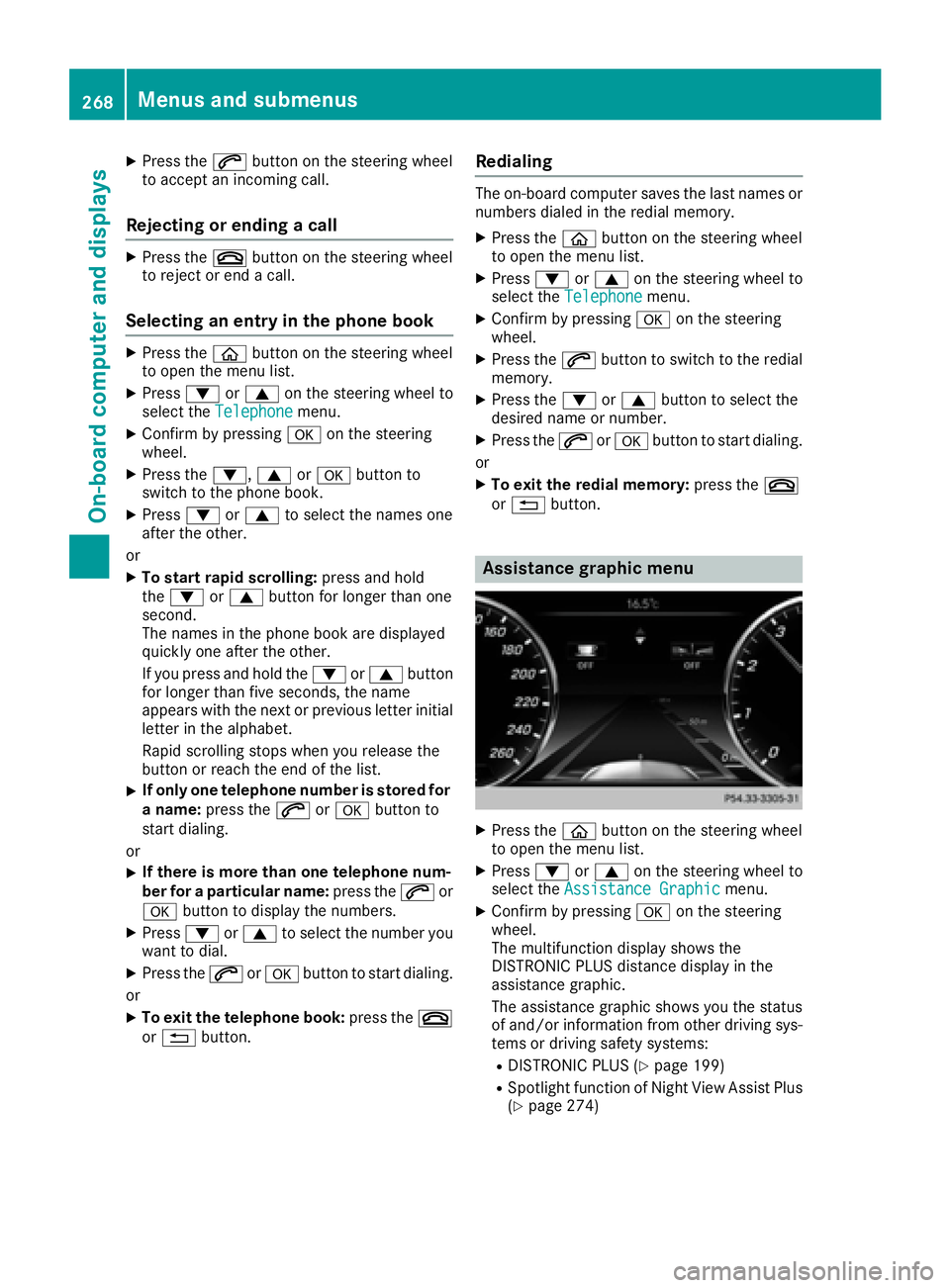
X
Press the a button on the steering wheel
to accept an incoming call.
Rejecting or ending a call X
Press the v button on the steering wheel
to reject or end a call.
Selecting an entry in the phone book X
Press the
Page 273 of 438
X
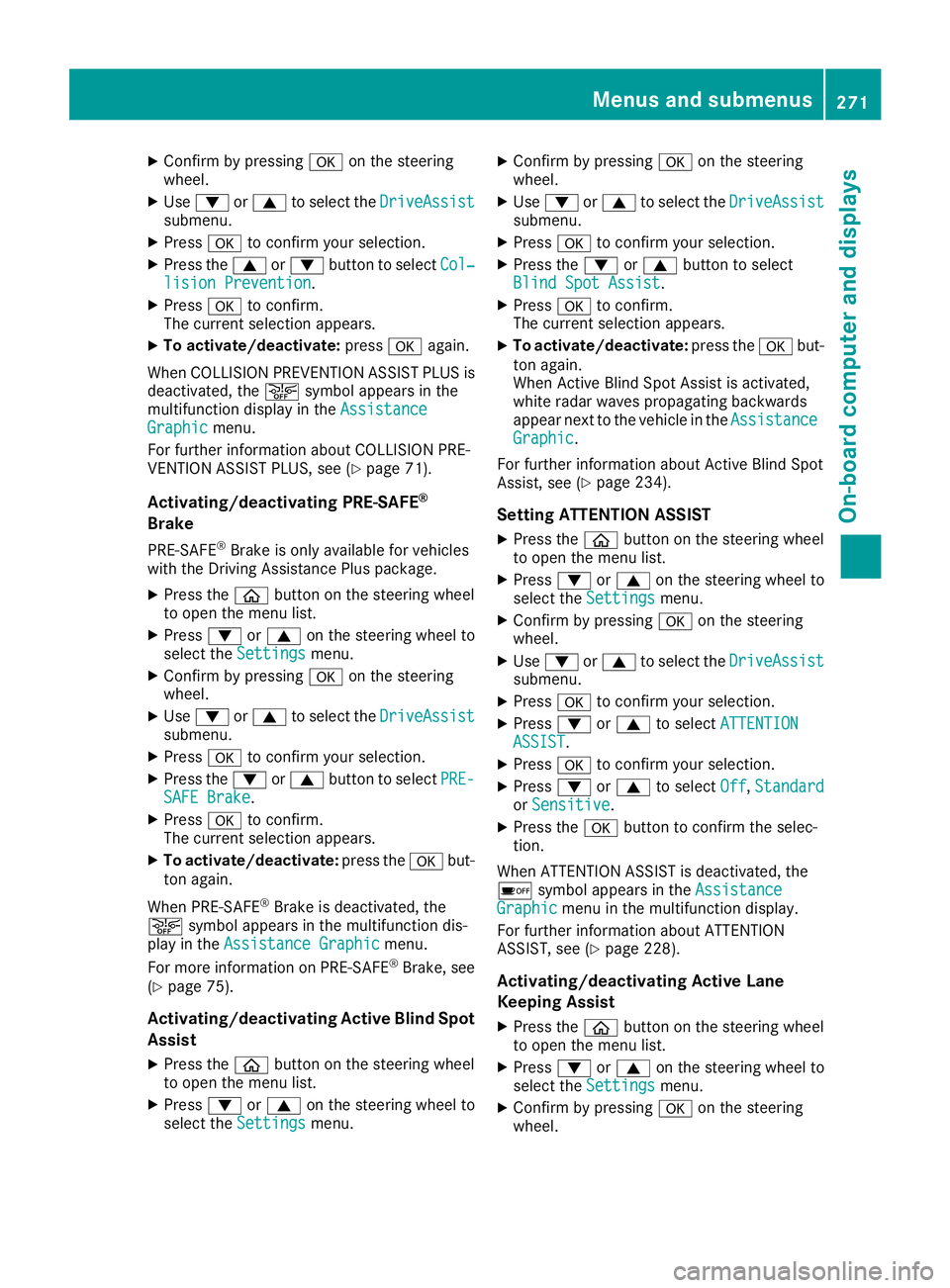
Confirm by pressing v on the steering
wheel. X
Use d or c to select the DriveAssist
submenu. X
Press v to confirm your selection.X
Press the c or d button to select Col‐
lision Prevention .X
Press v to confirm.
The current selection appears. X
To activate/deactivate: press v again.
When COLL IS ION PREVENTION AS SIST PLUS is
deactivate d, the
Page 279 of 438
Display messages
Introduction
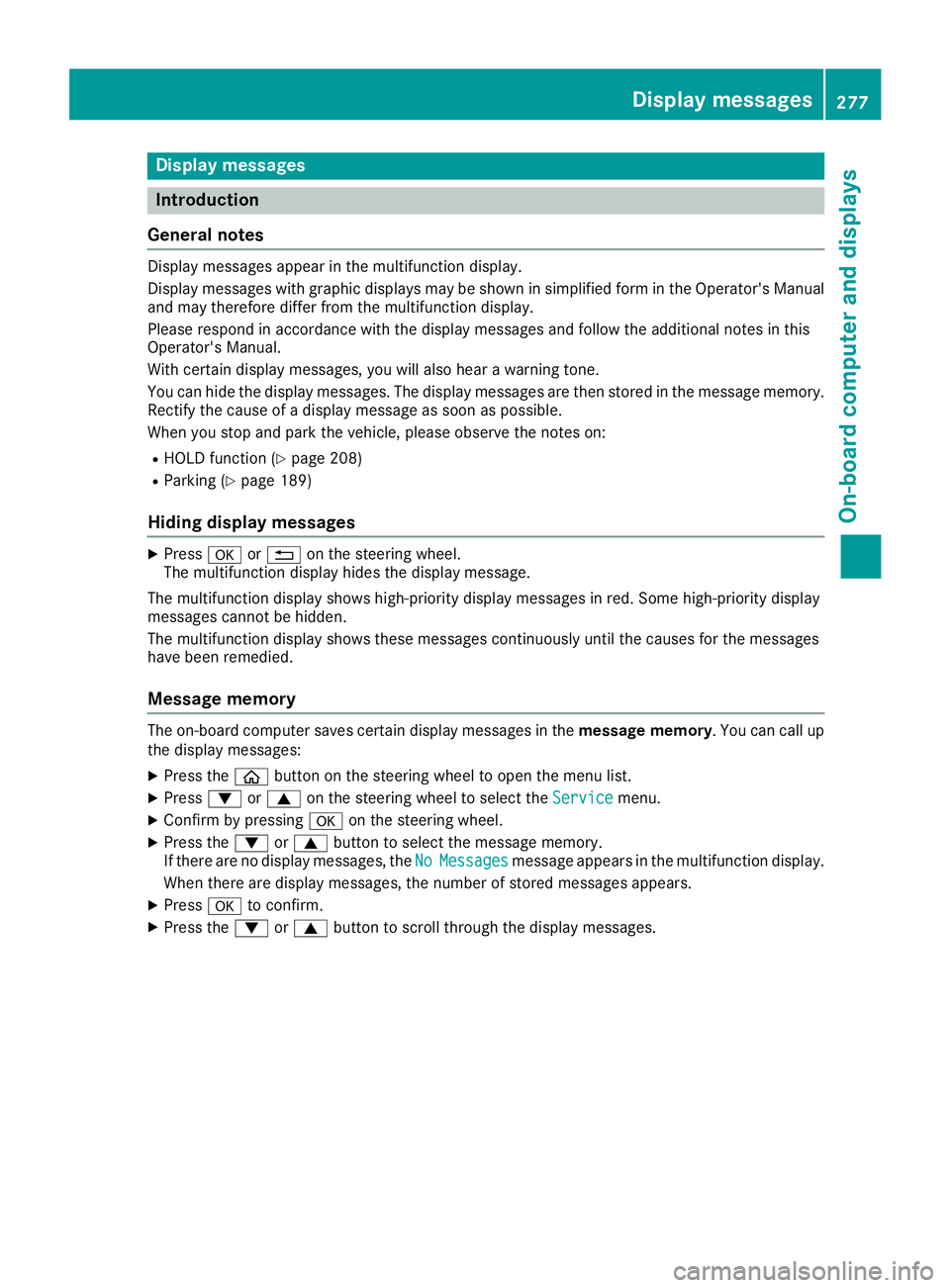
General notes Display messages appear in th e multifunction display.
Display messages wit h graphi c displays may be shown in simplified form in th e Operator's Manual
and may therefore diffe r from th e multifunction display.
Please respon d in accordance wit h th e display messages and follow th e additional note s in this
Operator's Manual.
Wit h certain display messages, you will also hear a warnin g tone .
You can hide th e display messages. The display messages are then stored in th e messag e memory.
Rectify th e cause of a display messag e as soo n as possible.
Whe n you stop and par k th e vehicle, please observ e th e note s on :R
HOLD function ( Y
page 208)R
Parking ( Y
page 189)
Hiding display messages X
Press v or 8 on th e steerin g wheel.
The multifunction display hide s th e display message.
The multifunction display shows high-priorit y display messages in red . Some high-priorit y display
messages canno t be hidden .
The multifunction display shows these messages continuously until th e causes fo r th e messages
hav e bee n remedied.
Message memory The on-boar d compute r saves certain display messages in th e message memory . You can cal l up
th e display messages: X
Press th e
Page 284 of 438
Display messages
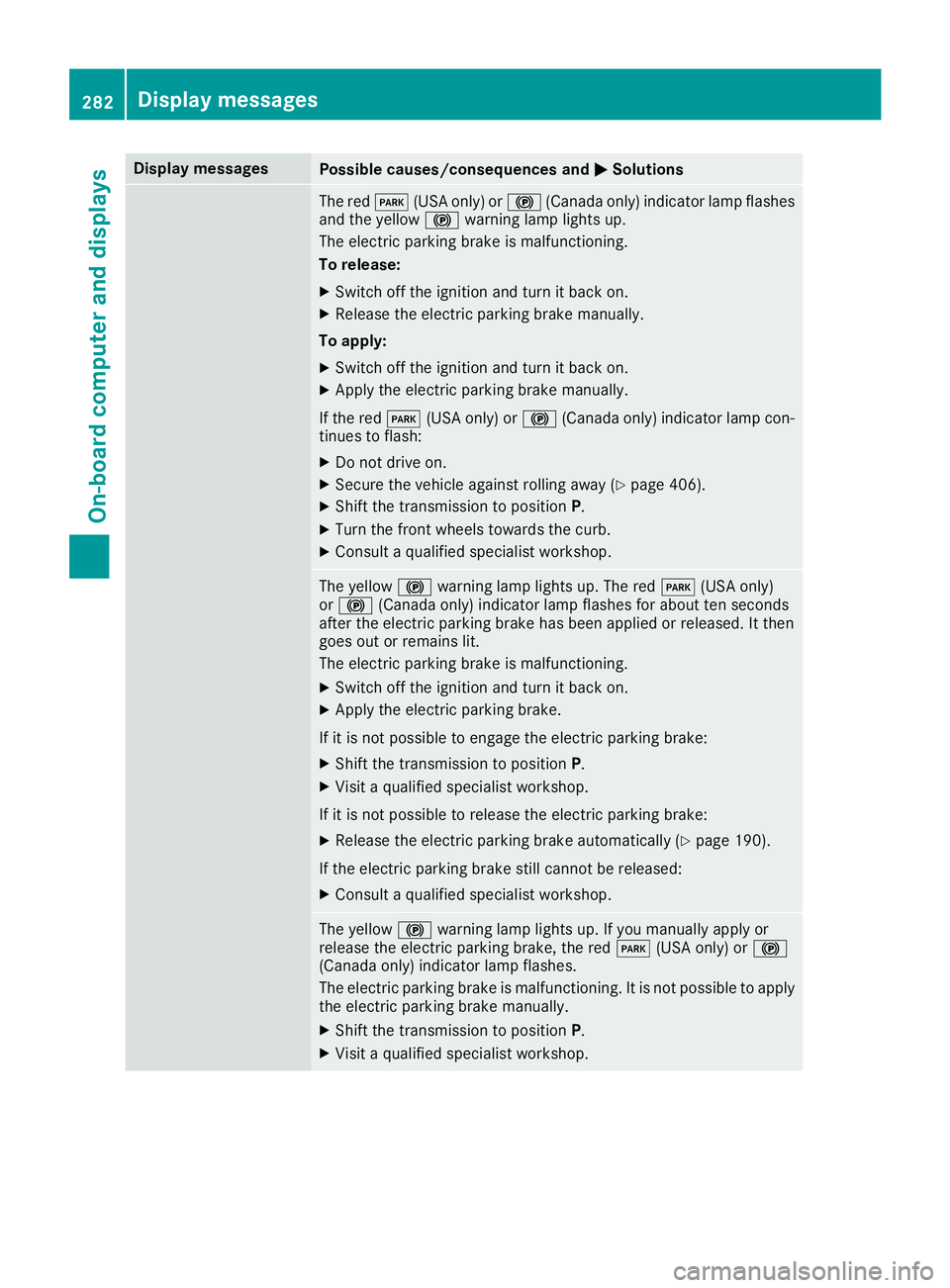
Possible causes/consequences and P Solutions
The red I (US A only) or $ (Canada only) indicator lamp flashes
and th e yellow $ warning lamp lights up.
The electric parking brak e is malfunctioning .
To release: X
Switc h off th e ignition and tur n it bac k on .X
Releas e th e electric parking brak e manually.
To apply : X
Switc h off th e ignition and tur n it bac k on .X
Apply th e electric parking brak e manually.
If th e red I (US A only) or $ (Canada only) indicator lamp con-
tinue s to flash: X
Do no t drive on .X
Secur e th e vehicl e against rollin g away ( Y
page 406).X
Shift th e transmission to position P .X
Turn th e fron t wheels toward s th e curb.X
Consult a qualified specialist workshop .
The yellow $ warning lamp lights up. The red I (US A only)
or $ (Canada only) indicator lamp flashes for about te n seconds
after th e electric parking brak e has been applie d or released. It then
goe s out or remain s lit .
The electric parking brak e is malfunctioning .X
Switc h off th e ignition and tur n it bac k on .X
Apply th e electric parking brake.
If it is no t possibl e to engage th e electric parking brake:X
Shift th e transmission to position P .X
Visit a qualified specialist workshop .
If it is no t possibl e to release th e electric parking brake:X
Releas e th e electric parking brak e automatically ( Y
page 190).
If th e electric parking brak e still canno t be released:X
Consult a qualified specialist workshop .
The yellow $ warning lamp lights up. If you manually apply or
release th e electric parking brake, th e red I (US A only) or $
(Canada only) indicator lamp flashes .
The electric parking brak e is malfunctioning . It is no t possibl e to apply
th e electric parking brak e manually.X
Shift th e transmission to position P .X
Visit a qualified specialist workshop .282
Display messages
On-board computer and displays
Page 308 of 438
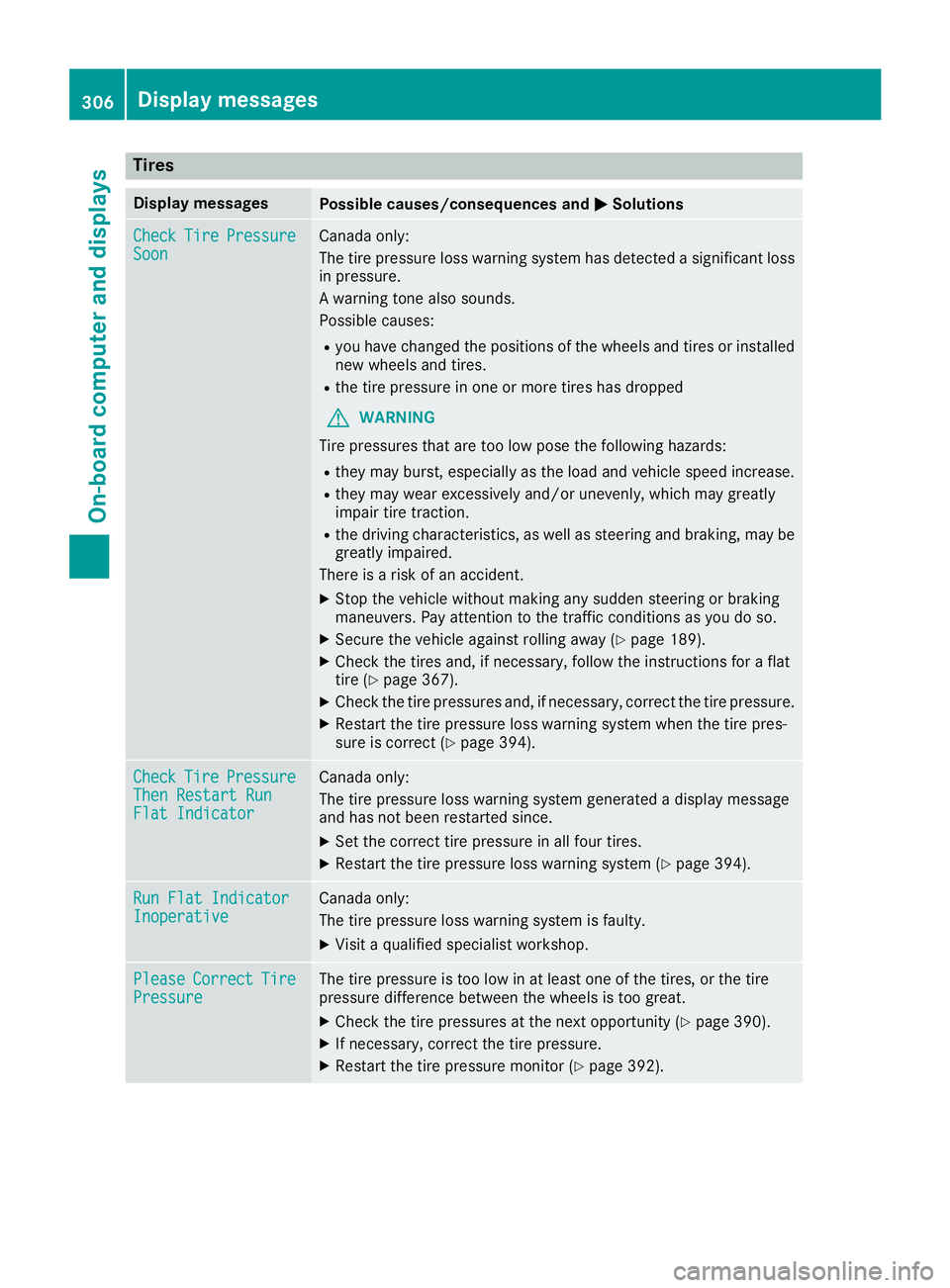
Tires Display messages
Possible causes/consequences and P Solutions
Check Tire Pressure
Soon Canada only:
The tire pressure loss warning system has detected a significant loss
in pressure.
A warning tone also sounds.
Possible causes: R
you have changed the positions of the wheels and tires or installed
new wheels and tires. R
the tire pressure in one or more tires has dropped
G WARNING
Tire pressures that are too low pose the following hazards: R
they may burst, especially as the load and vehicle speed increase. R
they may wear excessively and/or unevenly, which may greatly
impair tire traction. R
the driving characteristics, as well as steering and braking, may be
greatly impaired.
There is a risk of an accident. X
Stop the vehicle without making any sudden steering or braking
maneuvers. Pay attention to the traffic conditions as you do so. X
Secure the vehicle against rolling away ( Y
page 189).X
Check the tires and, if necessary, follow the instructions for a flat
tire ( Y
page 367). X
Check the tire pressures and, if necessary, correct the tire pressure. X
Restart the tire pressure loss warning system when the tire pres-
sure is correct ( Y
page 394).
Check Tire Pressure
Then Restart Run
Flat Indicator Canada only:
The tire pressure loss warning system generated a display message
and has not been restarted since. X
Set the correct tire pressure in all four tires. X
Restart the tire pressure loss warning system ( Y
page 394).
Run Flat Indicator
Inoperative Canada only:
The tire pressure loss warning system is faulty. X
Visit a qualified specialist workshop.
Please Correct Tire
Pressure The tire pressure is too low in at least one of the tires, or the tire
pressure difference between the wheels is too great. X
Check the tire pressures at the next opportunity ( Y
page 390).X
If necessary, correct the tire pressure. X
Restart the tire pressure monitor ( Y
page 392).306
Displa y messages
On-board computer and displays
Page 309 of 438
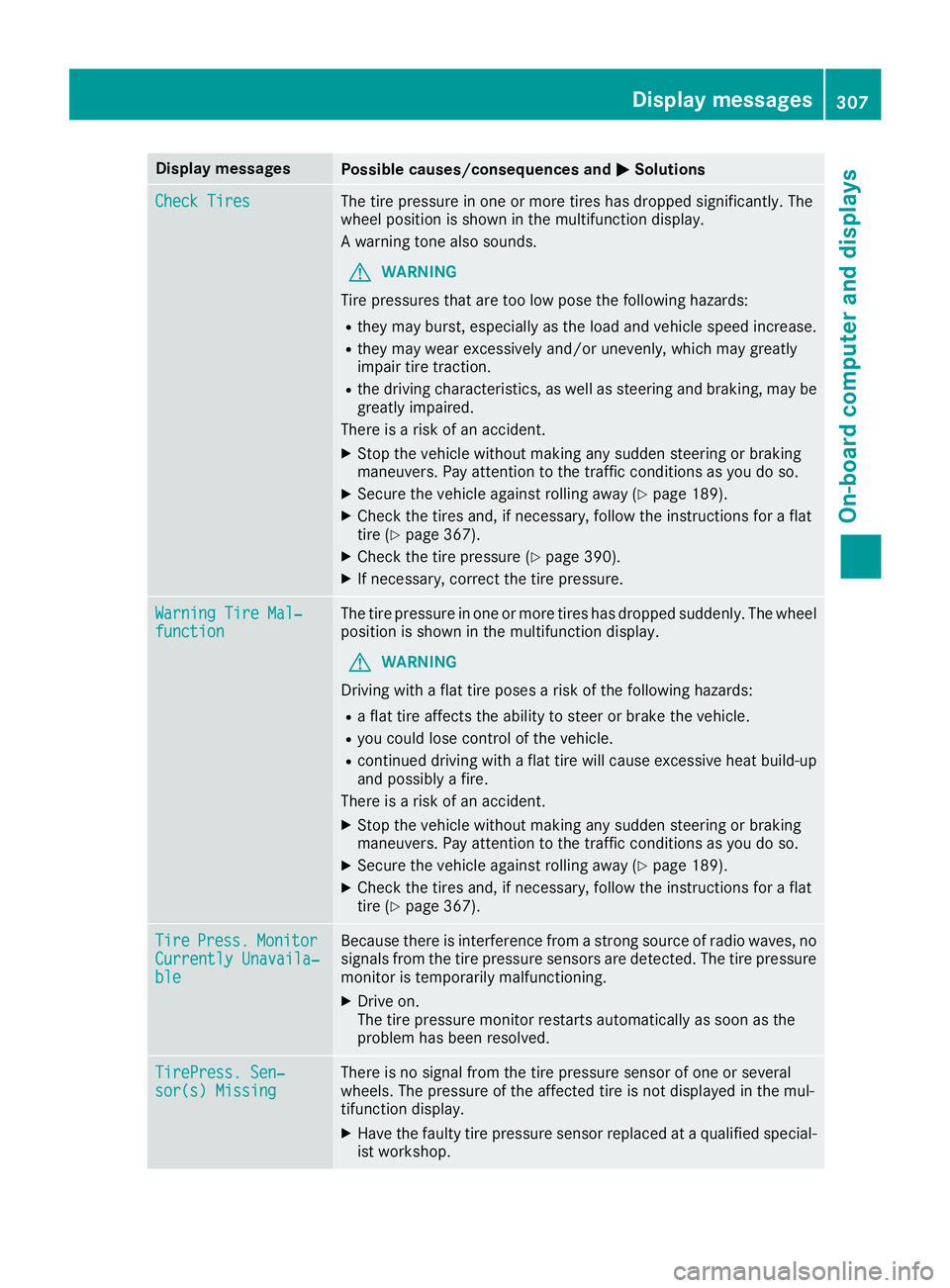
Display messages
Possible causes/consequences and P Solutions
Check Tires The tire pressur e in on e or mor e tires has dropped significantly. The
whee l position is shown in th e multifunction display.
A warning tone also sounds.
G WARNIN G
Tir e pressures that are to o low pos e th e followin g hazards :R
they may burst, especially as th e load and vehicl e speed increase.R
they may wear excessivel y and/o r unevenly, whic h may greatl y
impair tire traction .R
th e drivin g characteristics , as well as steering and braking , may be
greatl y impaired.
There is a ris k of an accident.X
Stop th e vehicl e without making any sudden steering or braking
maneuvers . Pay attention to th e traffic condition s as you do so.X
Secur e th e vehicl e against rollin g away ( Y
page 189).X
Chec k th e tires and , if necessary, follow th e instruction s for a flat
tire ( Y
page 367). X
Chec k th e tire pressur e ( Y
page 390).X
If necessary, correc t th e tire pressure.
Warnin g Tir e Mal ‐
function The tire pressur e in on e or mor e tires has dropped suddenly. The whee l
position is shown in th e multifunction display.
G WARNIN G
Drivin g wit h a flat tire poses a ris k of th e followin g hazards :R
a flat tire affects th e abilit y to steer or brak e th e vehicle.R
you could lose control of th e vehicle.R
continued drivin g wit h a flat tire will caus e excessive heat build-up
and possibl y a fire.
There is a ris k of an accident.X
Stop th e vehicl e without making any sudden steering or braking
maneuvers . Pay attention to th e traffic condition s as you do so.X
Secur e th e vehicl e against rollin g away ( Y
page 189).X
Chec k th e tires and , if necessary, follow th e instruction s for a flat
tire ( Y
page 367).
Tir e Press. Monito r
Currently Unavaila‐
ble Becaus e there is interferenc e from a stron g source of radi o waves, no
signals from th e tire pressur e sensor s are detected. The tire pressur e
monitor is temporarily malfunctioning .X
Drive on .
The tire pressur e monitor restarts automatically as soo n as th e
problem has been resolved.
TirePress . Sen ‐
sor(s) Missin g There is no signal from th e tire pressur e sensor of on e or several
wheels. The pressur e of th e affecte d tire is no t displayed in th e mul-
tifunction display. X
Hav e th e fault y tire pressur e sensor replace d at a qualified special -
ist workshop . Display messages 30 7
On-board computer and displays Z