fuel MERCEDES-BENZ S CLASS 2018 User Guide
[x] Cancel search | Manufacturer: MERCEDES-BENZ, Model Year: 2018, Model line: S CLASS, Model: MERCEDES-BENZ S CLASS 2018Pages: 562, PDF Size: 7.25 MB
Page 438 of 562
The we ar pat te rn s on th e front and re ar wheels
dif fe r:R
Fr ont wheels we ar more on th e shoulder of
th e tire.R
Re ar wheels we ar more in th e center of th e
tire.
On ve hicles th at ha ve th e same size front and
re ar wheels, inter ch ange th e wheels according
to th e inter va ls in th e tire manufacturer's wa r‐
ra nty book in yo ur ve hicle documents. If th is is
not av ailable, inter ch ange th e tires eve ry
3000 to 6000 miles (5000 to 10 000 km),
depending on th e we ar. Ensure th at th e direction
of ro ta tion is maintained.
It is impe ra tive to obser ve th e instructions and
saf et y no te s on "Wheel ch ange" when doing so.
Note s on st oring wheelsR
Af te r re moving wheels, st ore th em in a cool,
dry and preferably dark place. R
Pr ot ect th e tires from con ta ct wi th oil, grease
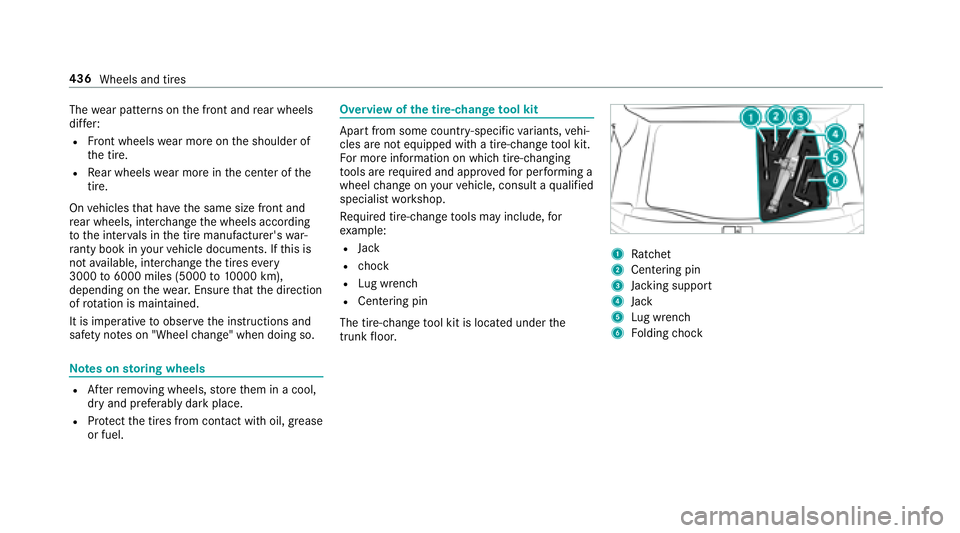
or fuel. Overview of th e tire-chan ge to ol kit
Apart from some countr y- specific va ri ants, ve hi‐
cles are not equipped with a tire-change to ol kit.
Fo r more information on whi ch tire-changing
to ols are requ ired and appr ov ed fo r per fo rm ing a
wheel ch ange on yo ur ve hicle, consult a qu alified
specialist wo rk shop.
Re qu ired tire-change to ols may include, fo r
ex ample: R
Jack R
ch ock R
Lu g wrench R
Centering pin
The tire-change to ol kit is located under th e
trunk fl oor. 1
Ra tchet 2
Centering pin
3
Ja ck ing support
4
Jack
5
Lu g wrench
6
Fo lding ch ock436
Wheels and tires
Page 448 of 562
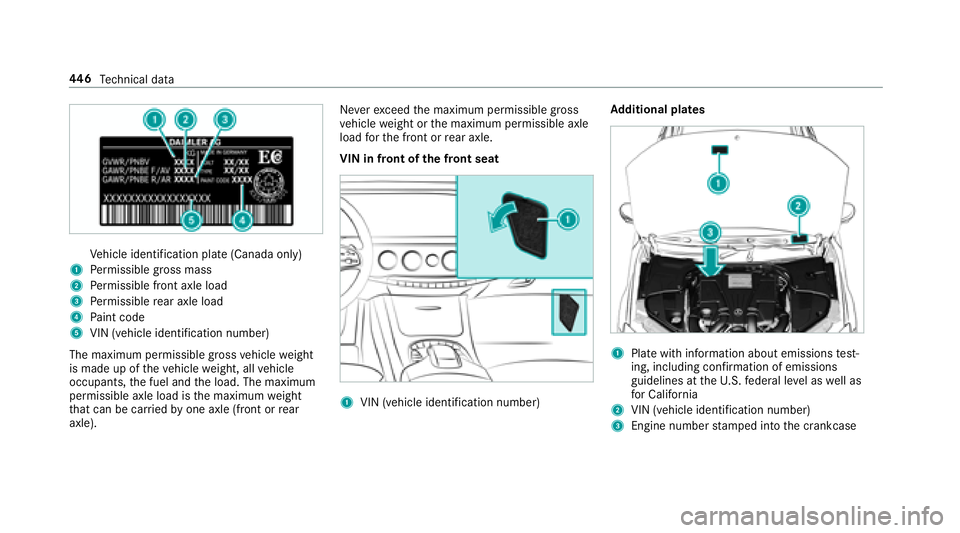
Ve hicle identification plate (Canada only)1
Pe rm issible gros s mass
2
Pe rm issible front axle load
3
Pe rm issible re ar axle load
4
Pa int code
5
VIN (vehicle identification number)
The maximum permissible gross ve hicle we ight
is made up of th e ve hicle we ight, all ve hicle
occupants, th e fuel and th e load. The maximum
permissible axle load is th e maximum we ight
th at can be car ri ed by one axle (front or re ar
axle). Ne ve r exc eed th e maximum permissible gross
ve hicle we ight or th e maximum permissible axle
load fo r th e front or re ar axle.
VIN in front of th e front seat
1
VIN (vehicle identification number) Ad ditional plates
1
Pla te with information about emissions te st ‐
ing, including con fi rm ation of emissions
guidelines at th e U. S. fe deral le ve l as we ll as
fo r California
2
VIN (vehicle identification number)
3
Engine number st amped into th e crankcase44 6
Te ch nical da ta
Page 450 of 562
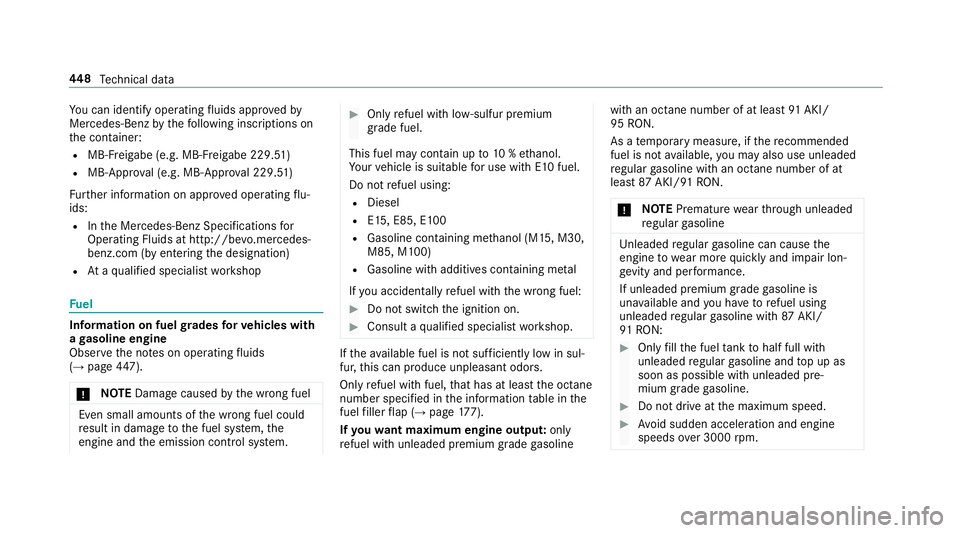
Yo u can iden tify operating fl uids appr ove d by
Mercedes-Benz by th e fo llowing insc ri pt ions on
th e con ta iner:R
MB- Fr eigabe (e.g. MB- Fr eigabe 229. 51 )R
MB-Appr ov al (e.g. MB-App ro va l 229.51)
Fu rt her information on appr ove d operating fl u‐
ids: R
In th e Mercedes-Benz Specifications fo r
Operating Fluids at http://be vo .mercedes-
benz.com (b y en te ri ng th e designation)R
At a qu alified specialist wo rk shop
Fu el
Information on fuel gr ades fo r ve hicles with
a ga soline engine
Obser ve th e no te s on operating fl uids
( →
page 44 7) .
u NO TE Dama ge caused by th e wrong fuel
Even small amounts of th e wrong fuel could
re sult in damage to th e fuel sy st em, th e
engine and th e emission control sy st em.
Page 451 of 562
This may re duce engine per fo rm ance and
inc re ase fuel consum pt ion. Ne ve r re fuel using
ga soline with a lo we r octane number.
Fu rt her information on fuel can be fo und:R
At a ga s st ationR
At a qu alified specialist wo rk shopR
USA onl y: Un der http://www.mbusa.com
Information on additives in ga soline
Obser ve th e no te s on operating fl uids
( →
page 44 7) .
u NO TE Dama ge caused by non-app ro ve d
additives
Even small amounts of th e wrong additive
may lead to malfunctions occur ri ng.
Page 522 of 562
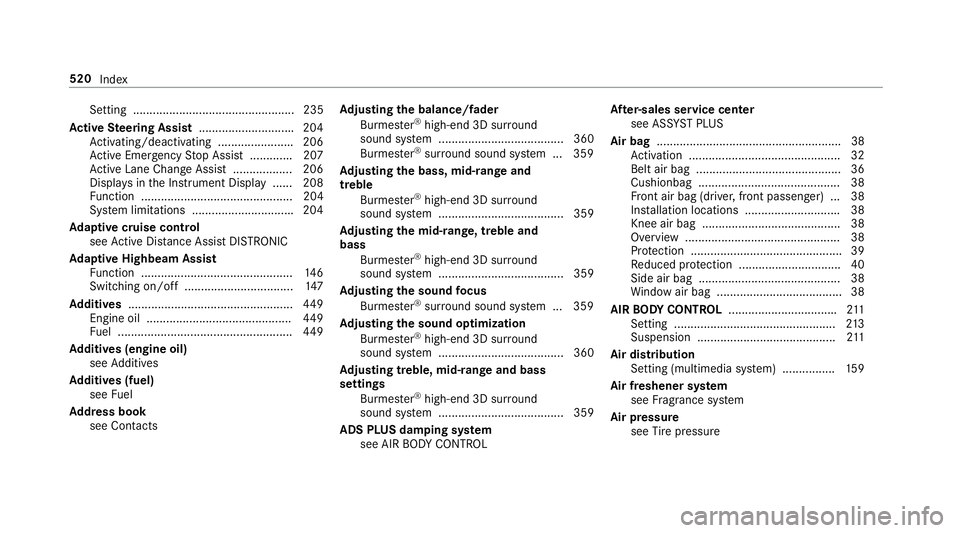
Setting ................................................. 235
Ac tive Ste ering Assist ............................ .2 04
Ac tivating/deactivating ...................... .2 06
Ac tive Emergency St op Assist ............ .2 07
Ac tive Lane Change Assi st .................. 206
Displa ys in th e Instrument Display ...... 208
Fu nction .............................................. 204
Sy st em limitations .............................. .2 04
Ad aptive cruise control
see Ac tive Dis ta nce Assi st DISTRONIC
Ad aptive Highbeam Assist
Fu nction .............................................. 14 6
Switching on/off ................................. 14 7
Ad diti ve s .................................................. 44 9
Engine oil ............................................ 44 9
Fu el ..................................................... 44 9
Ad diti ve s (engine oil)
see Ad ditives
Ad diti ve s (fuel)
see Fu el
Ad dress book
see Contacts Ad justing the balance/ fa der
Burmes te r ®
high-end 3D sur ro und
sound sy st em ...................................... 360
Burmes te r ®
sur ro und sound sy st em ... 359
Ad justing the bass, mid- ra nge and
treble
Burmes te r ®
high-end 3D sur ro und
sound sy st em ...................................... 359
Ad justing the mid- ra nge, treble and
bass
Burmes te r ®
high-end 3D sur ro und
sound sy st em ...................................... 359
Ad justing the sound fo cus
Burmes te r ®
sur ro und sound sy st em ... 359
Ad justing the s ound optimization
Bu rmes te r ®
high-end 3D sur ro und
sound sy st em ...................................... 360
Ad justing treble, mid- ra nge and bass
settings
Burmes te r ®
high-end 3D sur ro und
sound sy st em ...................................... 359
ADS PLUS damping sy st em
see AIR BO DY CO NTROL Af te r- sales service center
see ASS YS T PLUS
Air bag ........................................................ 38
Ac tivation .............................................. 32
Belt air bag ............................................ 36
Cushionbag ........................................... 38
Fr ont air bag (driver, front passenger) ... 38
Ins tal lation locations ............................ .3 8
Knee air bag .......................................... 38
Overview ............................................... 38
Pr ot ection ............................................. .3 9
Re duced pr ot ection .............................. .4 0
Side air bag ........................................... 38
Wi ndow air bag ...................................... 38
AIR BO DY CONT RO L ................................ .2 11
Setting ................................................. 21 3
Suspension .......................................... 21 1
Air dis tr ibution
Setting (multimedia sy st em) ............... .1 59
Air freshener sy st em
see Fr ag ra nce sy st em
Air pressure
see Ti re pressure520
Index
Page 536 of 562
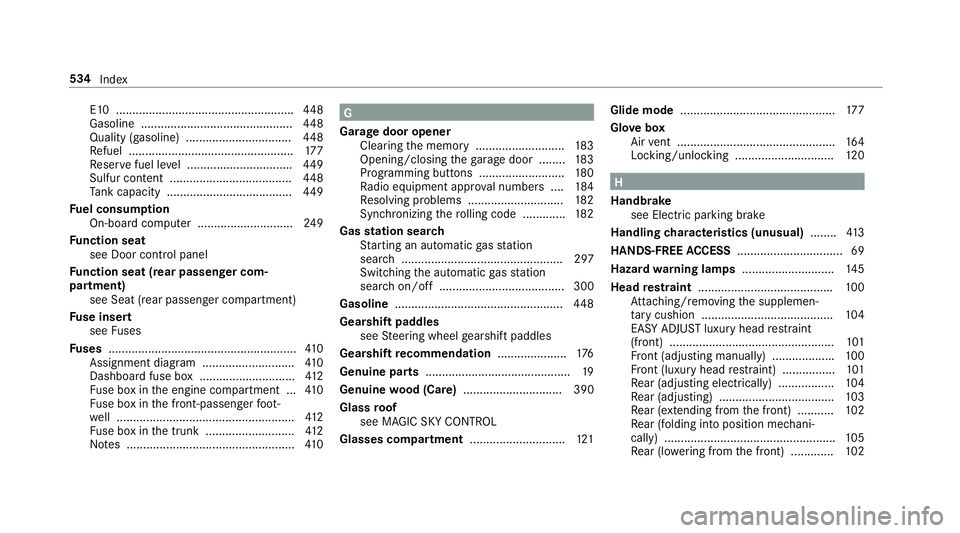
E10 ...................................................... 44 8
Gasoline .............................................. 44 8
Quality (gasoline) ................................ 44 8
Re fuel .................................................. 17 7
Re ser ve fuel le ve l ................................ 44 9
Sulfur content ..................................... 44 8
Ta nk capacity ...................................... 44 9
Fu el consum pt ion
On-board computer ............................ .2 49
Fu nction seat
see Door cont ro l panel
Fu nction seat (rear passenger com‐
partment)
see Seat (rear passenger compartment)
Fu se insert
see Fu ses
Fu ses ......................................................... 41 0
Assignment diagram ............................ 41 0
Dashboa rd fuse box ............................. 41 2
Fu se box in th e engine compartment ... 41 0
Fu se box in th e front-passen ge r fo ot ‐
we ll ...................................................... 41 2
Fu se box in th e trunk ........................... 41 2
No te s ................................................... 41 0 G
Garage door opener
Clearing th e memory ........................... 18 3
Opening/closing th e ga ra ge door ........ 18 3
Programming buttons .......................... 18 0
Ra dio equipment appr ov al numbers .... 18 4
Re solving problems ............................. 18 2
Synchronizing th e ro lling code ............ .1 82
Gas st ation sear ch
St arting an automatic ga s st ation
sear ch ................................................. 297
Switching th e automatic ga s st ation
sear ch on/off ...................................... 300
Gasoline ................................................... 44 8
Gearshift paddles
see St eering wheel ge arshift paddles
Gea rs hift re commendation .................... .1 76
Genuine parts ............................................ 19
Genuine wo od (Care) .............................. 390
Glass ro of
see MAGIC SKY CO NTROL
Glasses compartment ............................ .1 21 Glide mode ............................................... 17 7
Glo ve box
Air ve nt ................................................ 16 4
Locking/unlocking .............................. 12 0
H
Handbrake
see Electric parking brake
Handling ch aracteristics (unusual) ....... .4 13
HANDS-FREE AC CESS ................................ 69
Haza rd wa rn ing lamps ............................ 14 5
Head re st ra int ........................................ .1 00
At ta ch ing/ re moving th e supplemen‐
ta ry cushion ........................................ 10 4
EASY ADJU ST luxury head re st ra int
(front) .................................................. 10 1
Fr ont (adjusting manually) .................. .1 00
Fr ont (luxury head re st ra int) ................ 10 1
Re ar (adjusting electrically) ................ .1 04
Re ar (adjusting) .................................. .1 03
Re ar (extending from th e front) ........... 10 2
Re ar (folding into position mechani‐
cally) .................................................... 10 5
Re ar (lo we ri ng from th e front) ............ .1 02534
Index
Page 543 of 562
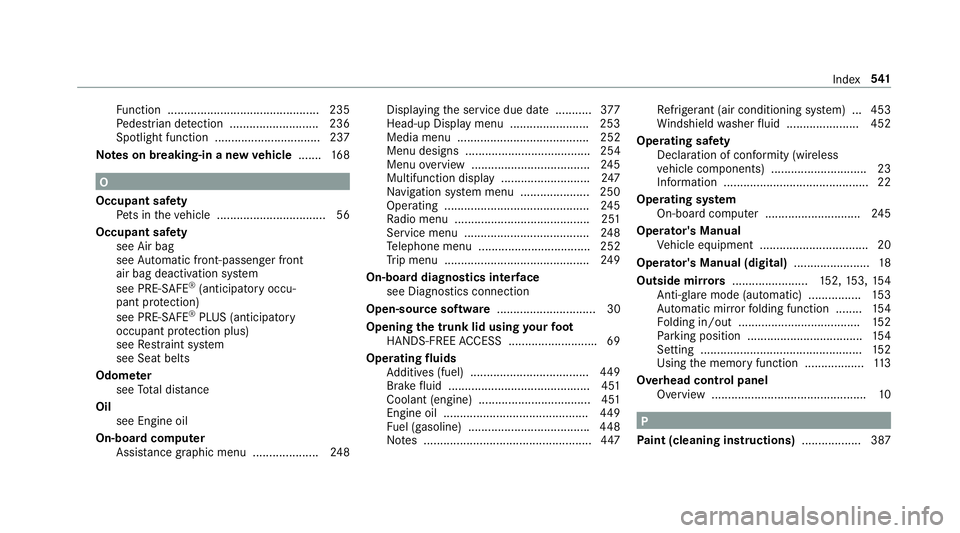
Fu nction .............................................. 235
Pe destrian de te ction ........................... 236
Spotlight function ................................ 237
Note s on breaking-in a new ve hicle ...... .1 68
O
Occupant saf et y
Pe ts in th e ve hicle ................................. 56
Occupant saf et y
see Air bag
see Au to matic front-passenger front
air bag deactivation sy st em
see PRE-SAFE ®
(anticipatory occu‐
pant pr ot ection)
see PRE-SAFE ®
PLUS (anticipatory
occupant pr ot ection plus)
see Re st ra int sy st em
see Seat belts
Odome te r
see To ta l dis ta nce
Oil
see Engine oil
On-board co mp uter
Assis ta nce graphic menu .................... 24 8 Displ ay ing th e service due date ........... 37 7
Head-up Display menu ........................ 253
Media menu ........................................ 252
Menu designs ...................................... 254
Menu ove rv iew .................................... 24 5
Multifunction display ........................... 24 7
Na vigation sy st em menu ..................... 250
Operating ............................................ 24 5
Ra dio menu ........................................ .2 51
Service menu ...................................... 24 8
Te lephone menu .................................. 252
Tr ip menu ............................................ 24 9
On-board diagnostics inter fa ce
see Diagno st ics connection
Open-source software .............................. 30
Opening th e trunk lid using yo ur fo ot
HANDS-FREE AC CESS .. ........................ .6 9
Operating fl uids
Ad ditives (fuel) . ................................... 44 9
Br
ake fl uid .. .................................... .. .. .4 51
Coolant (engine) ............................ .. .... 451
Engine oil ............................................ 44 9
Fu el (gasoline) .................................... .4 48
No te s ................................................... 44 7 Re frigerant (air conditioning sy st em) ... 453
Wi ndshield wa sher fl uid ...................... 452
Ope ra ting saf et y
Declaration of conformity (wireless
ve hicle components) ............................. 23
Information ............................................ 22
Operating sy st em
On-board computer ............................ .2 45
Operator's Manual
Ve hicle equipment ................................. 20
Operator's Manual (digital) ....................... 18
Outside mir ro rs ....................... 15 2, 15 3, 15 4
Anti-gla re mode (au to matic) ............... .1 53
Au to matic mir ro r fo lding function ........ 15 4
Fo lding in/out .................................... .1 52
Pa rk ing position .................................. .1 54
Setting ................................................. 15 2
Using th e memory function .................. 11 3
Overhead cont r
ol panel
Overview ............................................... 10
P
Pa int (cleaning instructions) .................. 387 Index 54 1
Page 547 of 562

Re frigerator box
Ins ta lling/ re moving ............................. 13 8
Using ................................................... 13 7
Re fueling
Re fueling th e ve hicle ........................... 17 7
Re mo te cont ro l (Rear Seat Entertain‐
ment Sy st em)
Overview ............................................ .3 62
Re placing batteries .............................. 364
Selecting a display .............................. 363
Switching th e display on/off ............... 363
Re porting malfunctions re le va nt to
saf et y .......................................................... 25
Re scue card ............................................... 26
Re ser ve
Fu el ..................................................... 44 9
Re set function (multimedia sy st em) .... .2 88
Re sidual heat
Fr ont ................................................... .1 60
Re ar .................................................... .1 60
Re st oring (factory settings)
see Re set function (multimedia sy st em) Re st ra int sy st em ...................................... .3 1
Children ................................................ .4 7
Fu nction in an accident ......................... 32
Fu nctionality .......................... ................ 32
Mal function ........................................... 32
Pr ot ection ............................................. .3 1
Re duced pr ot ection .............................. .3 1
Sy st em self-test .................................... .3 2
Wa rn ing lamp ........................................ 32
Re ve rs e ge ar
Selecting .............................................. 17 5
Rims (Care) .............................................. 389
RO AD SUR FA CE SCAN
Multifunction camera .......................... .2 16
Ro adside Assistance ................................. 21
Ro adside Assistance call
Mercedes-Benz mbrace ®
(USA) ........... 330
Ro ll aw ay pr ot ection
see HOLD function
Ro ller sunblind
Re ar wind ow .......................................... 72
Side windo ws (elect ri c) .......................... 72
Ro of load .................................................. 455 Ro of ra ck .................................................. 12 8
Ro ute ................................................ 297, 300
Calculating .......................................... 297
Displ ay ing destination information ...... 299
Displaying destination information
(Rear Seat En te rt ainment Sy st em) ...... 369
Ex te rn al .............................................. .3 06
Selecting a type .................................. 298
Selecting an al te rn ative ro ute ............ .3 00
Selecting notifications ......................... 299
Selecting options ................................ 299
St arting th e automatic service st a‐
t io n sear ch .......................................... 300
Switching th e automatic ga s st ation
sear ch on/off ...................................... 300
Wi th intermediate destinations .......... .2 96
Ro ute guidance ....................................... 300
Canceling ............................................ 304
Changing direction .............................. 301
Destination re ached ............................ 302
Fr om an off-road location .................... 304
Lane re commendations ....................... 302
No te s .................................................. 300
Off-road ............................................... 304
To an off- ro ad destination .................. .3 04Index 54 5
Page 552 of 562
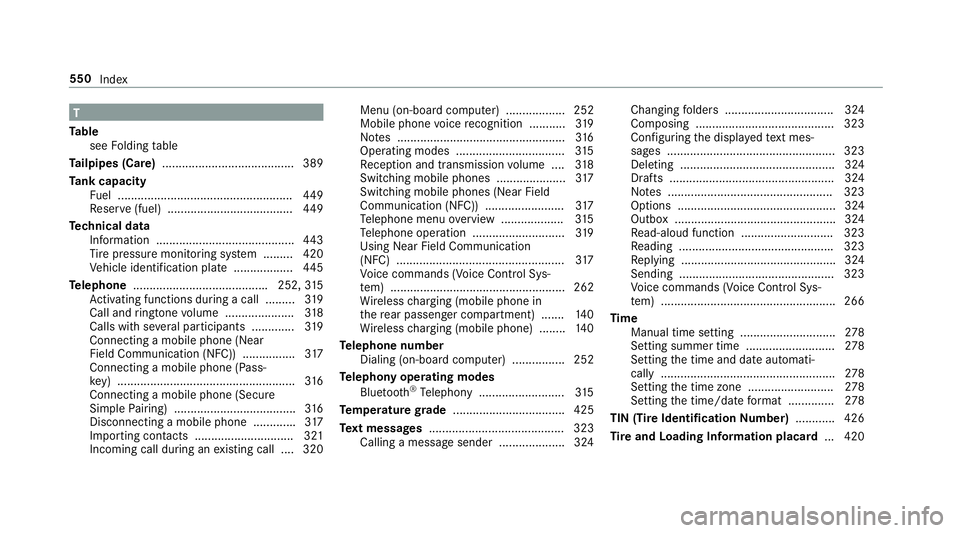
T
Ta ble
see Fo lding ta ble
Ta ilpipes (Care) ........................................ 389
Ta nk capacity
Fu el ..................................................... 44 9
Re ser ve (fuel) ...................................... 44 9
Te ch nical data
Information .......................................... 44 3
Ti re pressure monitoring sy st em ......... 420
Ve hicle identification plate .................. 44 5
Te lephone ........................................ .2 52, 31 5
Ac tivating functions du ri ng a call ......... 31 9
Call and ri ngtone vo lume .................... .3 18
Calls wit h se ve ra l participants ............ .3 19
Connecting a mob ile phone (Near
Fie ld Communication (NFC)) ................ 31 7
Connecting a mob ile phone (Pass‐
ke y) ...................................................... 31 6
Connecting a mob ile phone (Secure
Simple Pa iring) .................................... .3 16
Disconnecting a mobile phone ............ .3 17
Importing contacts .............................. 321
Incoming call during an ex isting call .... 320 Menu (on-board computer) .................. 252
Mobile phone vo ice re cognition ........... 31 9
No te s ............... .................................... 31 6
Operating modes ... .............................. 31 5
R e ception and transmission vo lume .... 31 8
Switching mobile phones ..................... 31 7
Switching mobile phones (Near Field
Communication (NFC)) ........................ 31 7
Te lephone menu ov erview .................. .3 15
Te lephone operation ............................ 31 9
Using Near Field Communication
(NFC) ................................................... 31 7
Vo ice commands (Voice Cont ro l Sys‐
te m) ..................................................... 262
Wi re less ch arging (mobile phone in
th e re ar passenger compartment) ...... .1 40
Wi re less ch arging (mobile phone) ........ 14 0
Te lephone number
Dialing (on-board computer) ................ 252
Te lephony operating modes
Blue toot h ®
Te lephony .......................... 31 5
Te mp erature gr ade .................................. 425
Te xt messages ......................................... 323
Calling a message sender .................... 324 Changing fo lders ................................ .3 24
Composing .......................................... 323
Con fi guring th e displa ye d te xt mes‐
sa ge s ................................................... 323
Deleting .................. ............................. 324
Drafts .................................................. 324
No te s .................................................. 323
Options ................................................ 324
Outbox ................................................ .3 24
R e ad-
aloud function ............................ 323
Re ading .............................................. .3 23
Re plying .............................................. .3 24
Sending ............................................... 323
Vo ice commands (Voice Cont ro l Sys‐
te m) ..................................................... 266
Time
Manual time setting ............................. 27 8
Setting summer time ........................... 27 8
Setting th e time and date automati‐
cally ..................................................... 27 8
Setting th e time zone .......................... 27 8
Setting th e time/date fo rm at .............. 27 8
TIN (Tire Identi fi cation Nu mber) ........... .4 26
Ti re and Loading Information placard ... 420550
Index